The Smell of Molten Projects in the Morning

Ed Nisley's Blog: Shop notes, electronics, firmware, machinery, 3D printing, laser cuttery, and curiosities. Contents: 100% human thinking, 0% AI slop.

Category: Machine Shop

Mechanical widgetry

  • Cheap WS2812 LEDs: Test Fixture

    Given that I no longer trust any of the knockoff Neopixels, I wired the remaining PCB panel into a single hellish test fixture:

    WS2812 4x7 LED test fixture - wiring
    WS2812 4×7 LED test fixture – wiring

    The 22 AWG wires deliver +5 V and Common, with good old-school Wire-Wrap wire passing to the four LEDs betweem them. The data daisy chain snakes through the entire array.

    It seems only fitting to use a knockoff Arduino Nano as the controller:

    WS2812 4x7 LED test fixture - front
    WS2812 4×7 LED test fixture – front

    The code descends from an early version of the vacuum tube lights, gutted of all the randomizing and fancy features. It updates the LEDs every 20 ms and, with only 100 points per cycle, the colors tick along fast enough reassure you (well, me) that the thing is doing something: the pattern takes about 20 seconds from one end of the string to the other.

    At full throttle the whole array draws 1.68 A = 60 mA × 28 with all LEDs at full white, which happens only during the initial lamp test and browns out the supply (literally: the blue LEDs fade out first and produce an amber glow). The cheap 5 V 500 mA power supply definitely can’t power the entire array at full brightness.

    The power supply current waveform looks fairly choppy, with peaks at the 400 Hz PWM frequency:

    WS2812 4x7 array - 200 mA VCC
    WS2812 4×7 array – 200 mA VCC

    With the Tek current probe set at 200 mA/div, the upper trace shows 290 mA RMS. That’s at MaxPWM = 127, which reduces the average current but doesn’t affect the peaks. At full brightness the average current should be around 600 mA, a tad more than the supply can provide, but maybe it’ll survive; the bottom trace shows a nice average, but the minimum hits 4.6 V during peak current.

    Assuming that perversity will be conserved as usual, none of the LEDs will fail for as long as I’m willing to let them cook.

    The Arduino source code as a GitHub Gist:

    // WS2812 LED array exerciser
    // Ed Nisley – KE4ANU – February 2017
    #include <Adafruit_NeoPixel.h>
    //———-
    // Pin assignments
    const byte PIN_NEO = A3; // DO – data out to first Neopixel
    const byte PIN_HEARTBEAT = 13; // DO – Arduino LED
    //———-
    // Constants
    #define UPDATEINTERVAL 20ul
    const unsigned long UpdateMS = UPDATEINTERVAL – 1ul; // update LEDs only this many ms apart minus loop() overhead
    // number of steps per cycle, before applying prime factors
    #define RESOLUTION 100
    // phase difference between LEDs for slowest color
    #define BASEPHASE (PI/16.0)
    // LEDs in each row
    #define NUMCOLS 4
    // number of rows
    #define NUMROWS 7
    #define NUMPIXELS (NUMCOLS * NUMROWS)
    #define PINDEX(row,col) (row*NUMCOLS + col)
    //———-
    // Globals
    // instantiate the Neopixel buffer array
    Adafruit_NeoPixel strip = Adafruit_NeoPixel(NUMPIXELS, PIN_NEO, NEO_GRB + NEO_KHZ800);
    uint32_t FullWhite = strip.Color(255,255,255);
    uint32_t FullOff = strip.Color(0,0,0);
    struct pixcolor_t {
    byte Prime;
    unsigned int NumSteps;
    unsigned int Step;
    float StepSize;
    float TubePhase;
    byte MaxPWM;
    };
    // colors in each LED
    enum pixcolors {RED, GREEN, BLUE, PIXELSIZE};
    struct pixcolor_t Pixels[PIXELSIZE]; // all the data for each pixel color intensity
    unsigned long MillisNow;
    unsigned long MillisThen;
    //– Figure PWM based on current state
    byte StepColor(byte Color, float Phi) {
    byte Value;
    Value = (Pixels[Color].MaxPWM / 2.0) * (1.0 + sin(Pixels[Color].Step * Pixels[Color].StepSize + Phi));
    // Value = (Value) ? Value : Pixels[Color].MaxPWM; // flash at dimmest points
    // printf("C: %d Phi: %d Value: %d\r\n",Color,(int)(Phi*180.0/PI),Value);
    return Value;
    }
    //– Helper routine for printf()
    int s_putc(char c, FILE *t) {
    Serial.write(c);
    }
    //——————
    // Set the mood
    void setup() {
    pinMode(PIN_HEARTBEAT,OUTPUT);
    digitalWrite(PIN_HEARTBEAT,LOW); // show we arrived
    Serial.begin(57600);
    fdevopen(&s_putc,0); // set up serial output for printf()
    printf("WS2812 array exerciser\r\nEd Nisley – KE4ZNU – February 2017\r\n");
    /// set up Neopixels
    strip.begin();
    strip.show();
    // lamp test: run a brilliant white dot along the length of the strip
    printf("Lamp test: walking white\r\n");
    strip.setPixelColor(0,FullWhite);
    strip.show();
    delay(250);
    for (int i=1; i<NUMPIXELS; i++) {
    digitalWrite(PIN_HEARTBEAT,HIGH);
    strip.setPixelColor(i-1,FullOff);
    strip.setPixelColor(i,FullWhite);
    strip.show();
    digitalWrite(PIN_HEARTBEAT,LOW);
    delay(250);
    }
    strip.setPixelColor(NUMPIXELS – 1,FullOff);
    strip.show();
    delay(250);
    // fill the array, row by row
    printf(" … fill\r\n");
    for (int i=0; i < NUMROWS; i++) { // for each row
    digitalWrite(PIN_HEARTBEAT,HIGH);
    for (int j=0; j < NUMCOLS; j++) {
    strip.setPixelColor(PINDEX(i,j),FullWhite);
    strip.show();
    delay(100);
    }
    digitalWrite(PIN_HEARTBEAT,LOW);
    }
    // clear to black, column by column
    printf(" … clear\r\n");
    for (int j=NUMCOLS-1; j>=0; j–) { // for each column
    digitalWrite(PIN_HEARTBEAT,HIGH);
    for (int i=NUMROWS-1; i>=0; i–) {
    strip.setPixelColor(PINDEX(i,j),FullOff);
    strip.show();
    delay(100);
    }
    digitalWrite(PIN_HEARTBEAT,LOW);
    }
    delay(1000);
    // set up the color generators
    MillisNow = MillisThen = millis();
    printf("First random number: %ld\r\n",random(10));
    Pixels[RED].Prime = 11;
    Pixels[GREEN].Prime = 7;
    Pixels[BLUE].Prime = 5;
    printf("Primes: (%d,%d,%d)\r\n",Pixels[RED].Prime,Pixels[GREEN].Prime,Pixels[BLUE].Prime);
    unsigned int PixelSteps = (unsigned int) ((BASEPHASE / TWO_PI) *
    RESOLUTION * (unsigned int) max(max(Pixels[RED].Prime,Pixels[GREEN].Prime),Pixels[BLUE].Prime));
    printf("Pixel phase offset: %d deg = %d steps\r\n",(int)(BASEPHASE*(360.0/TWO_PI)),PixelSteps);
    Pixels[RED].MaxPWM = 127;
    Pixels[GREEN].MaxPWM = 127;
    Pixels[BLUE].MaxPWM = 127;
    for (byte c=0; c < PIXELSIZE; c++) {
    Pixels[c].NumSteps = RESOLUTION * (unsigned int) Pixels[c].Prime;
    Pixels[c].Step = (3*Pixels[c].NumSteps)/4;
    Pixels[c].StepSize = TWO_PI / Pixels[c].NumSteps; // in radians per step
    Pixels[c].TubePhase = PixelSteps * Pixels[c].StepSize; // radians per tube
    printf("c: %d Steps: %5d Init: %5d",c,Pixels[c].NumSteps,Pixels[c].Step);
    printf(" PWM: %3d Phi %3d deg\r\n",Pixels[c].MaxPWM,(int)(Pixels[c].TubePhase*(360.0/TWO_PI)));
    }
    }
    //——————
    // Run the mood
    void loop() {
    MillisNow = millis();
    if ((MillisNow – MillisThen) > UpdateMS) {
    digitalWrite(PIN_HEARTBEAT,HIGH);
    unsigned int AllSteps = 0;
    for (byte c=0; c < PIXELSIZE; c++) { // step to next increment in each color
    if (++Pixels[c].Step >= Pixels[c].NumSteps) {
    Pixels[c].Step = 0;
    printf("Color %d steps %5d at %8ld delta %ld ms\r\n",c,Pixels[c].NumSteps,MillisNow,(MillisNow – MillisThen));
    }
    AllSteps += Pixels[c].Step; // will be zero only when all wrap at once
    }
    if (0 == AllSteps) {
    printf("Grand cycle at: %ld\r\n",MillisNow);
    }
    for (int k=0; k < NUMPIXELS; k++) { // for each pixel
    byte Value[PIXELSIZE];
    for (byte c=0; c < PIXELSIZE; c++) { // … for each color
    Value[c] = StepColor(c,-k*Pixels[c].TubePhase); // figure new PWM value
    // Value[c] = (c == RED && Value[c] == 0) ? Pixels[c].MaxPWM : Value[c]; // flash highlight for tracking
    }
    uint32_t UniColor = strip.Color(Value[RED],Value[GREEN],Value[BLUE]);
    strip.setPixelColor(k,UniColor);
    }
    strip.show();
    MillisThen = MillisNow;
    digitalWrite(PIN_HEARTBEAT,LOW);
    }
    }
    view raw ArrayTest.ino hosted with ❤ by GitHub
  • Vacuum Tube Lights: Plate Wire Plug

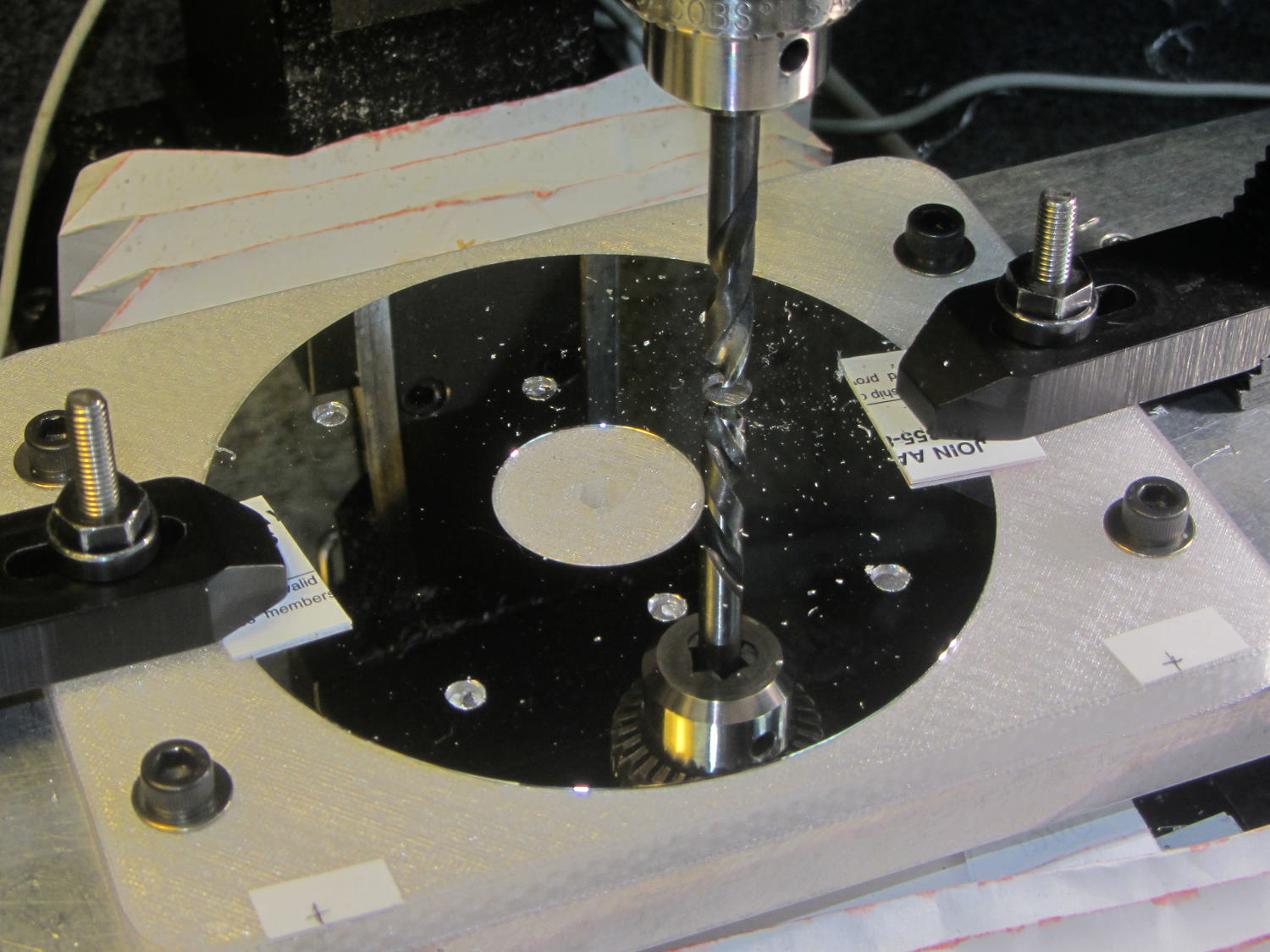
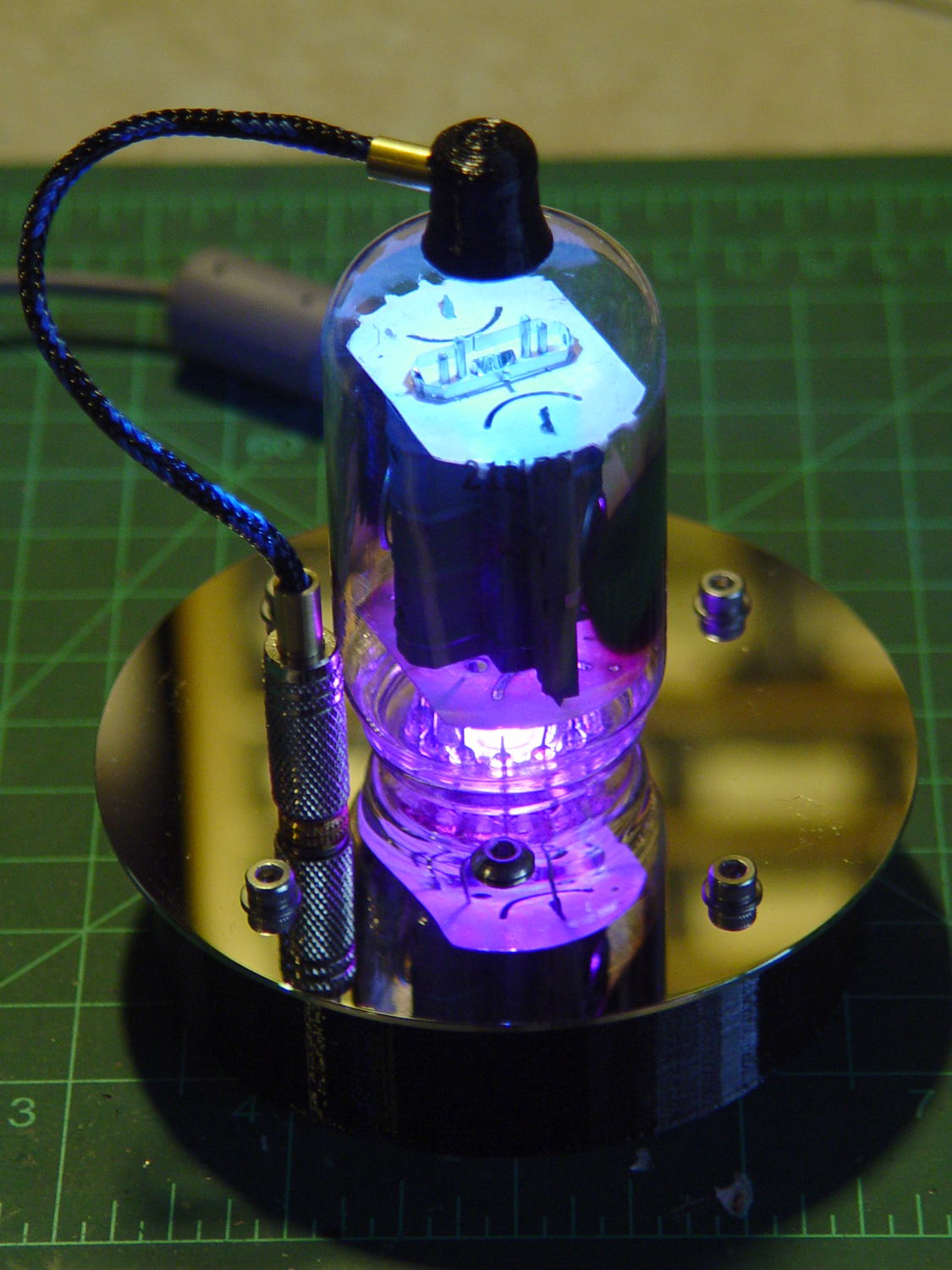
    After replacing the WS2812 LED in the 21HB5A socket, I drilled out the hole in the disk platter for a 3.5 mm stereo jack, wired a nice knurled metal plug onto the plate lead, and it’s all good:

    21HB5A - Audio plug cable
    21HB5A – Audio plug cable

    The plug had a rather large cable entry that cried out for a touch of brass:

    Audio plug - brass trim turning
    Audio plug – brass trim turning

    Fancy plugs have a helical spring strain relief insert about the size & shape of that brass snout; might have to buy me some fancy plugs.

    This time, I got the alignment right by clamping everything in the lathe while the epoxy cured:

    Audio plug - brass trim gluing
    Audio plug – brass trim gluing

    I flipped the drill end-for-end, which was surely unnecessary.

    It’s now sitting on the kitchen table, providing a bit of light during supper while I wait for a WS2812 controller failure. Again.

  • Screw Cutting Fixture vs. Lathe Ways

    A length of aluminum hex bar became a nice 10-32 screw trimmer:

    Screw cutting fixture - 10-32 - first cut
    Screw cutting fixture – 10-32 – first cut

    The hex neatly fits a 5/8 inch wrench, so I can tighten the jam nuts enough to run the lathe forward, part off the screw, and clean up the end just fine.

    Unfortunately, the second test cut didn’t work nearly so well:

    Screw cutting fixture - 10-32 - wrecked
    Screw cutting fixture – 10-32 – wrecked

    With the cross-slide gib adjusted to the snug side of easy, the cut put enough pressure on the parting tool to lift the way on the tailstock side about 4 mil = 0.1 mm. The parting tool submarined under the cut, dislodged the fixture, and didn’t quite stall the motor while the chuck jaws ate into the aluminum.

    Well, that was a learning experience.

    After tightening the cross-slide gib to the far side of hard-to-turn:

    • Put a longer screw in the fixture
    • Grab it in the tailstock drill chuck
    • Crunch the hex end of the fixture in the spindle chuck
    • Remove the screw through the spindle (*)
    • Put a slight taper on the end of the fixture threads with a center drill
    • Deploy the live center to support the fixture

    Like this:

    Screw cutting fixture - 10-32 - rechucked
    Screw cutting fixture – 10-32 – rechucked

    Turns out that angling the bit by 10° dramatically reduces chatter. If I had BR and BL turning tools, I’d be using them with the QCTP set to 0°, but they weren’t included in the set that came with the lathe.

    It’s a good thing I’m not fussy about the diameter of that cylindrical section:

    Screw cutting fixture - 10-32 - reshaped
    Screw cutting fixture – 10-32 – reshaped

    I knew the craptastic lathe ways needed, mmmm, improvement and it’s about time to do something.

    (*) By concatenating all my ¼ inch socket extension bars into an absurd noodle capped with square-to-hex adapter holding a Philips bit.

  • Improved Cable Clips

    Those ugly square cable clips cried out for a cylindrical version:

    LED Cable Clips - round - solid model
    LED Cable Clips – round – solid model

    Which prompted a nice button:

    LED Cable Clips - button - solid model
    LED Cable Clips – button – solid model

    Which suggested the square version needed some softening:

    LED Cable Clips - square - solid model
    LED Cable Clips – square – solid model

    Apart from the base plate thickness, all the dimensions scale from the cable OD; I’ll be unsurprised to discover small cables don’t produce enough base area for good long-term foam tape adhesion. Maybe the base must have a minimum size or area?

    I won’t replace the ones already on the saw, but these will look better on the next project…

    The OpenSCAD source code as a GitHub Gist:

    // Cable Clips
    // Ed Nisley – KE4ZNU – October 2014
    // February 2017 – adapted for USB cables
    Layout = "Show"; // Show Build
    Style = "Button"; // Square Round Button
    //- Extrusion parameters must match reality!
    ThreadThick = 0.25;
    ThreadWidth = 0.40;
    HoleWindage = 0.2; // extra clearance
    Protrusion = 0.1; // make holes end cleanly
    function IntegerMultiple(Size,Unit) = Unit * ceil(Size / Unit);
    //———————-
    // Dimensions
    CableOD = 3.8; // cable jacket
    Base = [4*CableOD,4*CableOD,3*ThreadThick]; // overall base and slab thickness
    CornerRadius = CableOD/2; // radius of square corners
    CornerSides = 4*4; // total sides on square corner cylinders
    NumSides = 6*3; // total sides for cylindrical base
    //– Oval clip with central passage
    module CableClip() {
    intersection() {
    if (Style == "Square")
    hull()
    for (i=[-1,1], j=[-1,1])
    translate([i*(Base[0]/2 – CornerRadius),j*(Base[1]/2 – CornerRadius),0])
    rotate(180/CornerSides) {
    cylinder(r=CornerRadius,h=Base[2] + CableOD/2,$fn=CornerSides,center=false);
    translate([0,0,Base[2] + CableOD/2])
    sphere(d=CableOD,$fn=CornerSides);
    }
    else if (Style == "Round")
    cylinder(d=Base[0],h=Base[2] + 1.00*CableOD,$fn=NumSides);
    else if (Style == "Button")
    resize(Base + [0,0,2*(Base[2] + CableOD)])
    sphere(d=Base[0],$fn=NumSides);
    union() {
    translate([0,0,Base[2]/2]) // base defines slab thickness
    cube(Base,center=true);
    for (j=[-1,1]) // retaining ovals
    translate([0,j*(Base[1]/2 – 0.125*(Base[1] – CableOD)/2),(Base[2] – Protrusion)])
    resize([Base[0]/0.75,0,0])
    cylinder(d1=0.75*(Base[1]-CableOD),
    d2=(Base[1]-CableOD)/cos(0*180/NumSides),
    h=(CableOD + Protrusion),
    center=false,$fn=NumSides);
    }
    }
    if (Layout == "Show")
    color("Green",0.2)
    translate([0,0,Base[2] + CableOD/2])
    rotate([0,90,0])
    cylinder(d=CableOD,h=2*Base[0],center=true,$fn=48);
    }
    //———————-
    // Build it
    CableClip();


  • Screw Cutting Fixture: Full-thread Aluminum

    By and large, when you follow the recipe, you get the expected result:

    Screw cutting fixture - M3x0.5 aluminum - side view
    Screw cutting fixture – M3x0.5 aluminum – side view

    That’s another length of the same aluminum rod, this time with a full-length M3x0.5 thread down the middle, and a screw with a neatly trimmed end.

    Running the lathe spindle in reverse prevents the screw from loosening the jam nuts on the left:

    Screw cutting fixture - M3x0.5 aluminum - in lathe chuck
    Screw cutting fixture – M3x0.5 aluminum – in lathe chuck

    Running the spindle forward does move the screw enough to loosen the nuts. Perhaps I should put wrench flats on the big end of the fixture so I can really torque the nuts.

    That front nut was mostly decorative, rather than tight, because I didn’t expect the first attempt to work nearly as well as it did. A bit of filing to taper the end of the thread and it was all good.

    That was easy…


  • Cheap WS2812 RGB LEDs: Continuing Failures

    Three more knockoff Neopixels failed in the last few weeks, including one that can’t possibly suffer any thermal stress:

    Halogen bulb brass cap - overview
    Halogen bulb brass cap – overview

    I wrapped the halogen bulb in a shop towel, laid the ersatz heatsink against an anvil (actually, it was a microwave transformer on the Squidwrench operating table), whacked a chisel into the epoxy joint, and met with complete success:

    Failed WS2812 LED - ersatz heatsink
    Failed WS2812 LED – ersatz heatsink

    Having epoxied the PCB and braid in place, there was nothing for it but to drill the guts out of the brass cap:

    Failed WS2812 LED - drilling
    Failed WS2812 LED – drilling

    Which produced a pile of debris in addition to the swarf:

    Failed WS2812 LED - debris
    Failed WS2812 LED – debris

    The brass cap emerged unscathed, which was just about as good as I could possibly hope for.

    The base LED in this 21HB5A also failed:

    21HB5A on platter - orange green
    21HB5A on platter – orange green

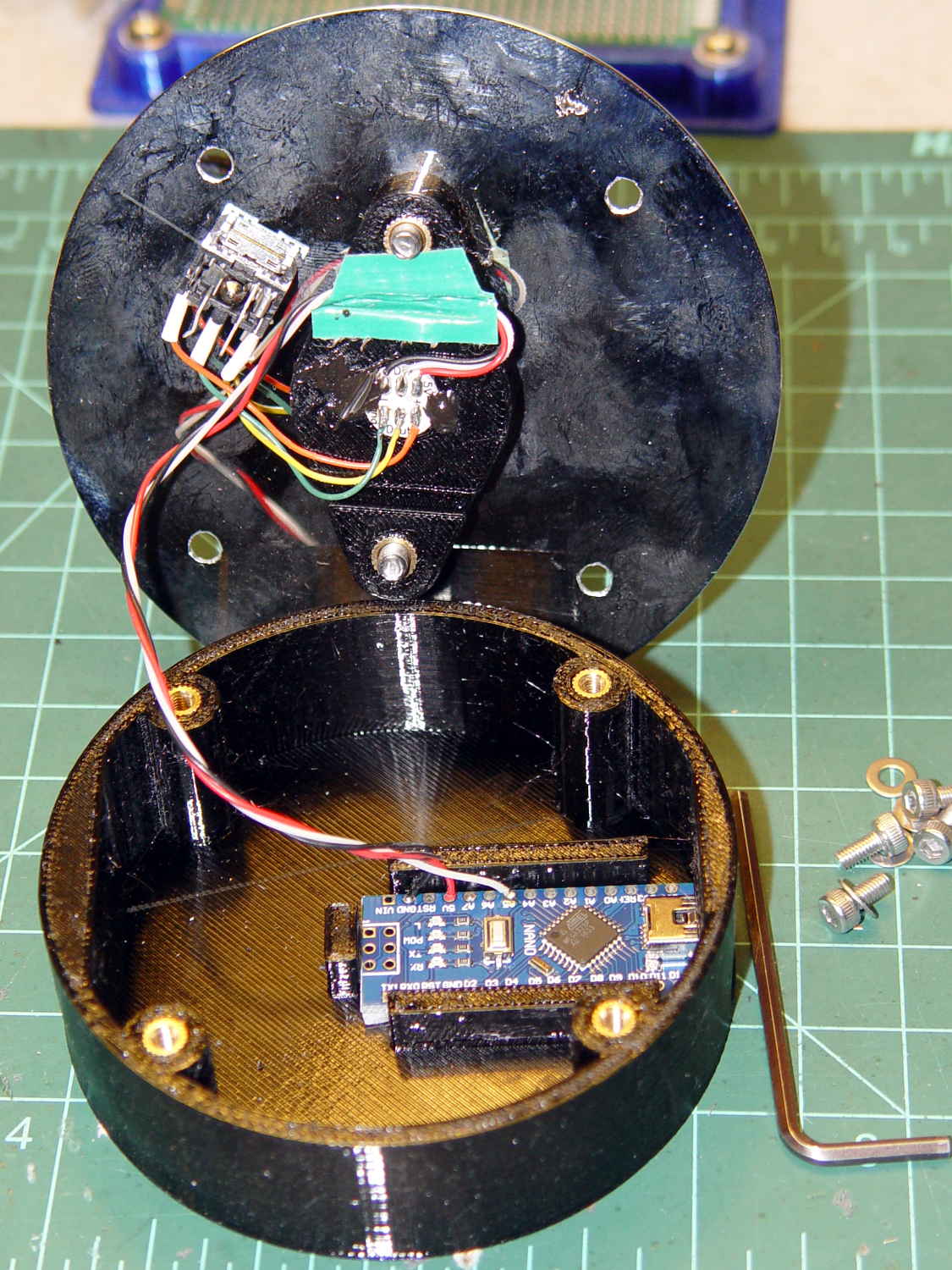
    Soooo I had to unsolder the plate lead and Arduino connections to extract the bottom PCB; fortunately, that was just a press-fit into the base.

    I should mount a 3.5 mm stereo jack on the platter and run the plate lead into a nice, albeit cheap, knurled metal plug, so I can dismount both the tube and the plate lead without any hassle. Right now, the tube can come out of the socket, but the plate lead passes through the platter.

    For whatever it’s worth, all of the dead WS2812 LEDs pass the Josh Sharpie Test, so these failures don’t (seem to) involve poor encapsulation.

  • X10 Transceiver Case Plastic: End Of Life, Redux

    Another X10 RF transciever, this one made for IBM (!) a long time ago, emerged from the heap with its case falling apart: the plastic bosses that should anchor the screws had broken off, then cracked radially. Given that I was probably going to toss it anyway, for reasons that will soon be obvious, I tried repairing the bosses just for practice.

    Stuffing the boss fragments into close-fitting brass tubes, with a dash of IPS #3 on the broken faces, put them back together reasonably well:

    HD501 X10 Transceiver - plastic boss gluing
    HD501 X10 Transceiver – plastic boss gluing

    More IPS #3 and a pair of clamps stuck the bosses back on the case:

    HD501 X10 Transceiver - plastic boss assembly
    HD501 X10 Transceiver – plastic boss assembly

    Note the dark smudge on the inside of the case. Even though nothing on the PCB looked particularly overheated, Soot Is Sign of Bad Electrical Health.

    And it turned out neither the bonds nor the plastic were up to the task. A day after successfully reassembling the transceiver, the bosses failed along new cracks and crumbled into different fragments.

    I applied a Kapton tape belly band around the case halves, verified that the transceiver no longer produced reliable X10 commands, and executed ++recycle_pile.

    So it goes.