The Smell of Molten Projects in the Morning

Ed Nisley's Blog: Shop notes, electronics, firmware, machinery, 3D printing, laser cuttery, and curiosities. Contents: 100% human thinking, 0% AI slop.

Category: Machine Shop

Mechanical widgetry

  • CNC 3018-Pro: Probe Camera Case for Anonymous USB Camera

    The anonymous USB camera I used with the stereo zoom microscope not only works with VLC, but also with bCNC, and it has a round PCB with ears:

    CNC 3018-Pro - Probe Camera - PCB
    CNC 3018-Pro – Probe Camera – PCB

    Which suggested putting it in a ball mount for E-Z aiming:

    CNC 3018-Pro - Probe Camera - ball mount
    CNC 3018-Pro – Probe Camera – ball mount

    Black filament snippets serve as alignment pins to hold the ball halves together while they’re getting clamped. They’re epoxied into the upper half of the ball, because who knows when I’ll need to harvest the camera.

    The clamp mount descends from the Tour Easy Daytime Running Lights, with more screws and less fancy shaping:

    USB Camera - Round PCB Mount - solid model - build
    USB Camera – Round PCB Mount – solid model – build

    The clamp pieces fit around the ball with four M3 screws providing the clamping force:

    USB Camera - Round PCB Mount - solid model sectioned
    USB Camera – Round PCB Mount – solid model sectioned

    The whole affair sticks onto the Z axis carrier with double-sided foam tape:

    CNC 3018-Pro - Probe Camera - alignment
    CNC 3018-Pro – Probe Camera – alignment

    It barely clears the strut on the -X side of the carriage, although it does stick out over the edge of the chassis.

    After the fact, I tucked a closed-cell foam ring between the lens threads and the ball housing to stabilize the lens; the original camera glued the thing in place, but some fiddly alignment & focusing lies ahead:

    Alignment mirror - collimation
    Alignment mirror – collimation

    It’s worth noting that the optical axis of these cheap cameras rarely coincides with the physical central axis of the lens. This one requires a jaunty tilt, although it’s not noticeable in any of the pictures I tried to take.

    All in all, this one works just like the probe camera on the MPCNC.

    The OpenSCAD source code as a GitHub Gist:

    // CNC 3018-Pro Probe Camera mount for anonymous USB camera
    // Ed Nisley KE4ZNU – August 2019
    Layout = "Show"; // [Show, Build, Ball, Clamp, Bracket, Mount]
    //——-
    //- Extrusion parameters must match reality!
    // Print with 2 shells
    /* [Hidden] */
    ThreadThick = 0.25;
    ThreadWidth = 0.40;
    HoleWindage = 0.2;
    Protrusion = 0.1; // make holes end cleanly
    function IntegerMultiple(Size,Unit) = Unit * ceil(Size / Unit);
    inch = 25.4;
    ID = 0;
    OD = 1;
    LENGTH = 2;
    //——-
    // Dimensions
    //– Camera
    PCBThick = 1.2;
    PCBDia = 25.0;
    KeySize = [28.0,8.5,IntegerMultiple(PCBThick,ThreadThick)];
    KeyOffset = [0.0,2.0,0.0];
    KeyRadius = IntegerMultiple(sqrt(pow(KeySize.y – KeyOffset.y,2) + pow(KeySize.x/2,2)),0.01);
    echo(str("Key radius: ",KeyRadius));
    Lens = [14.0,18.0,25.0];
    BallID = PCBDia;
    BallOD = IntegerMultiple(2*KeyRadius,5.0);
    echo(str("Ball OD: ",BallOD));
    WallThick = 3.0;
    CableOD = 3.75;
    NumPins = 3;
    Pin = [1.75,1.8,5.0];
    Screw = [
    3.0,6.8,25.0 // M3 ID=thread, OD=washer, LENGTH=below head
    ];
    RoundRadius = IntegerMultiple(Screw[OD]/2,1.0); // corner rounding
    ClampSize = [BallOD + 2*WallThick,BallOD + 2*WallThick,20.0];
    echo(str("Clamp: ",ClampSize));
    MountSize = [5.0,BallOD,25.0];
    MountClearance = 1.0; // distance between clamp and mount
    Kerf = 2*ThreadThick;
    ScrewOC = [ClampSize.x – 2*RoundRadius,ClampSize.y – 2*RoundRadius];
    echo(str("Screw OC: ",ScrewOC));
    Insert = [ // brass insert: body, knurl,length
    3.9,4.9,8.0
    ];
    UseInsert = false;
    NumSides = 12*4;
    //——-
    module PolyCyl(Dia,Height,ForceSides=0) { // based on nophead's polyholes
    Sides = (ForceSides != 0) ? ForceSides : (ceil(Dia) + 2);
    FixDia = Dia / cos(180/Sides);
    cylinder(r=(FixDia + HoleWindage)/2,
    h=Height,
    $fn=Sides);
    }
    //——-
    // Components
    module CamBall(Section="Both") {
    Offset = (Section == "Both") ? 0 :
    (Section == "Upper") ? BallOD/2 :
    (Section == "Lower") ? -BallOD/2 :
    0;
    render(convexity=4)
    intersection(convexity = 3) {
    difference() {
    sphere(d=BallOD,$fn=NumSides);
    sphere(d=BallID,$fn=NumSides); // interior
    PolyCyl(CableOD,2*BallOD,8); // cable & lens holes
    translate([0,0,-Lens[LENGTH]])
    PolyCyl(Lens[OD],Lens[LENGTH],NumSides);
    translate([0,0,-PCBThick])
    PolyCyl(PCBDia,PCBThick,NumSides);
    translate(KeyOffset + [0,-KeySize.y/2,-PCBThick/2]) // PCB key
    cube(KeySize,center=true);
    for (i=[0:NumPins – 1])
    rotate(i*360/NumPins)
    translate([0,-(BallID + BallOD)/4,-Pin[LENGTH]/2])
    PolyCyl(Pin[OD],Pin[LENGTH],6);
    }
    translate([0,0,Offset])
    cube([BallOD,BallOD,BallOD] + 2*[Protrusion,Protrusion,0],center=true);
    }
    }
    module Clamp(Section="Both") {
    Offset = (Section == "Both") ? 0 :
    (Section == "Upper") ? ClampSize.z/2 :
    (Section == "Lower") ? -ClampSize.z/2 :
    0;
    render(convexity=4)
    intersection() {
    difference() {
    hull()
    for (i=[-1,1], j=[-1,1])
    translate([i*ScrewOC.x/2,j*ScrewOC.y/2,0])
    cylinder(r=RoundRadius,h=ClampSize.z,$fn=NumSides,center=true);
    sphere(d=BallOD + 2*HoleWindage,$fn=NumSides); // space around camera ball
    for (i=[-1,1], j=[-1,1]) // screws
    translate([i*ScrewOC.x/2,j*ScrewOC.y/2,-ClampSize.z])
    PolyCyl(Screw[ID],2*ClampSize.z,6);
    if (UseInsert)
    for (i=[-1,1], j=[-1,1]) // inserts
    translate([i*ScrewOC.x/2,j*ScrewOC.y/2,-(ClampSize.z/2 + Protrusion)])
    PolyCyl(Insert[OD],Insert[LENGTH] + Protrusion,8);
    cube([2*ClampSize.x,2*ClampSize.y,Kerf],center=true); // clamping gap
    }
    translate([0,0,Offset])
    cube([ClampSize.x,ClampSize.y,ClampSize.z] + 2*[Protrusion,Protrusion,0],center=true);
    }
    }
    module Bracket() {
    translate([ClampSize.x/2 + MountSize.x/2 + MountClearance,0,MountSize.z/2 – ClampSize.z/2])
    cube(MountSize,center=true);
    translate([ClampSize.x/2 + MountClearance/2,0,-(ClampSize.z + Kerf)/4])
    cube([MountClearance + 2*Protrusion,MountSize.y,(ClampSize.z – Kerf)/2],center=true);
    }
    module Mount() {
    union() {
    Clamp("Lower");
    Bracket();
    }
    }
    //——-
    // Build it!
    if (Layout == "Ball")
    CamBall();
    if (Layout == "Clamp")
    Clamp();
    if (Layout == "Bracket")
    Bracket();
    if (Layout == "Mount")
    Mount();
    if (Layout == "Show") {
    difference() {
    union() {
    color("Purple")
    Clamp("Upper");
    Mount();
    color("LimeGreen")
    CamBall();
    }
    rotate([0,0,45])
    translate([-ClampSize.x,0,0])
    cube(2*ClampSize,center=true);
    }
    }
    if (Layout == "Build") {
    Gap = 0.6;
    translate([-Gap*BallOD,Gap*BallOD,0])
    CamBall("Upper");
    translate([-Gap*BallOD,-Gap*BallOD,0])
    rotate([0,180,0])
    CamBall("Lower");
    translate([Gap*ClampSize.x,-Gap*ClampSize.y,ClampSize.z/2])
    rotate([0,180,0])
    Clamp("Upper");
    translate([Gap*ClampSize.x,Gap*ClampSize.y,ClampSize.z/2]) {
    rotate(180)
    Mount();
    }
    }

  • CNC 3018-Pro: Probe Camera Case for Logitch QuickCam Pro 5000

    The ball-shaped Logitch QuickCam Pro 5000 has a rectangular PCB, so conjuring a case wasn’t too challenging:

    Probe Camera Case - Logitech QuickCam Pro 5000 - bottom
    Probe Camera Case – Logitech QuickCam Pro 5000 – bottom

    That’s more-or-less matte black duct tape to cut down reflections.

    The top side has a cover made from scuffed acrylic scrap:

    Probe Camera Case - Logitech QuickCam Pro 5000 - top
    Probe Camera Case – Logitech QuickCam Pro 5000 – top

    The corners are slightly rounded to fit under the screw heads holding it in place.

    The solid model shows off the internal ledge positioning the PCB so the camera lens housing rests on the floor:

    3018 Probe Camera Mount - solid model
    3018 Probe Camera Mount – solid model

    The notch lets the cable out, while keeping it in one place and providing some strain relief.

    I though if a camera was recognized by V4L2 and worked with VLC, it was good to go:

    Logitech QuickCam Pro 5000 - short focus
    Logitech QuickCam Pro 5000 – short focus

    Regrettably, it turns out the camera has a pixel format incompatible with the Python opencv interface used by bCNC. This may have something to do with running the code on a Raspberry Pi, rather than an x86 box.

    The camera will surely come in handy for something else, especially with such a cute case.

    The OpenSCAD source code as a GitHub Gist:

    // Probe Camera Mount for CNC 3018-Pro Z Axis
    // Ed Nisley – KE4ZNU – 2019-08
    Layout = "Block"; // [Show,Build,Block]
    Support = false;
    /* [Hidden] */
    ThreadThick = 0.20;
    ThreadWidth = 0.40;
    HoleWindage = 0.2;
    Protrusion = 0.1; // make holes end cleanly
    function IntegerMultiple(Size,Unit) = Unit * ceil(Size / Unit);
    ID = 0;
    OD = 1;
    LENGTH = 2;
    inch = 25.4;
    //———————-
    // Dimensions
    PCB = [45.0,38.0,1.5]; // Logitech QuickCam Pro 5000 ball camera
    PCBLip = 1.0; // max non-component border
    PCBChamfer = 3.0; // cut along XY axes for corner bevel
    PCBClearTop = 15.0; // cables & connectors
    PCBClearSides = [0.5,0.5]; // irregular edges & comfort zone
    PCBClearBelow = 5.0; // lens support bracket rests on floor
    Lens = [11.5,14.2,3.0]; // LENGTH = beyond PCBClearBelow bracket
    LensOffset = [-1.5,0.0,0]; // distance from center of board
    CableOD = 4.5;
    BaseThick = Lens[LENGTH];
    Screw = [
    3.0,6.8,18.0 // M3 OD=washer, LENGTH=below head
    ];
    RoundRadius = IntegerMultiple(Screw[OD]/2,1.0); // corner rounding
    ScrewOC = [PCB.x + 2*sqrt(Screw[OD]),PCB.y + 2*sqrt(Screw[OD])];
    echo(str("Screw OC: ",ScrewOC));
    Lid = [ScrewOC.x,ScrewOC.y,1.0/16.0 * inch]; // top cover plate
    echo(str("Lid: ",Lid));
    BlockSize = [ScrewOC.x + 2*RoundRadius,ScrewOC.y + 2*RoundRadius,
    BaseThick + PCBClearBelow + PCB.z + PCBClearTop + Lid.z];
    echo(str("Block: ",BlockSize));
    NumSides = 2*3*4;
    //———————-
    // Useful routines
    module PolyCyl(Dia,Height,ForceSides=0) { // based on nophead's polyholes
    Sides = (ForceSides != 0) ? ForceSides : (ceil(Dia) + 2);
    FixDia = Dia / cos(180/Sides);
    cylinder(r=(FixDia + HoleWindage)/2,
    h=Height,
    $fn=Sides);
    }
    // Basic shapes
    // Overall block
    module Block() {
    difference() {
    hull()
    for (i=[-1,1], j=[-1,1])
    translate([i*ScrewOC.x/2,j*ScrewOC.y/2,0])
    cylinder(r=RoundRadius,h=BlockSize.z,$fn=NumSides);
    for (i=[-1,1], j=[-1,1]) // corner screws
    translate([i*ScrewOC.x/2,j*ScrewOC.y/2,BlockSize.z – Screw[LENGTH]])
    cylinder(d=Screw[ID],h=2*Screw[LENGTH],$fn=8); // cylinder = undersized
    translate(LensOffset + [0,0,-Protrusion]) // lens body
    PolyCyl(Lens[OD],2*BlockSize.z,NumSides);
    translate([0,0,BlockSize.z/2 + BaseThick]) // PCB lip on bottom
    cube([PCB.x – 2*PCBLip,PCB.y,BlockSize.z],center=true);
    translate([0,0,BlockSize.z/2 + BaseThick + PCBClearBelow]) // PCB clearance
    cube([PCB.x + 2*PCBClearSides.x,PCB.y + 2*PCBClearSides.y,BlockSize.z],center=true);
    translate([0,0,BlockSize.z – Lid.z/2]) // lid recess
    cube(Lid + [0,0,Protrusion],center=true);
    translate([0,Lid.y/2 – CableOD/2,BaseThick + PCBClearBelow + PCB.z]) // cable exit
    hull()
    for (j=[-1,1])
    translate([0,j*CableOD/4,0])
    rotate(180/8)
    PolyCyl(CableOD,BlockSize.z,8);
    }
    }
    //- Build it
    if (Layout == "Block")
    Block();
    if (Layout == "Show") {
    Block();
    }
    if (Layout == "Build") {
    Block();
    }

  • CNC 3018-Pro: Platter Fixtures

    Up to this point, the Sherline has been drilling 3.5 inch hard drive platters to serve as as reflecting bases for the vacuum tubes:

    LinuxCNC - Sherline Mill - Logitech Gamepad
    LinuxCNC – Sherline Mill – Logitech Gamepad

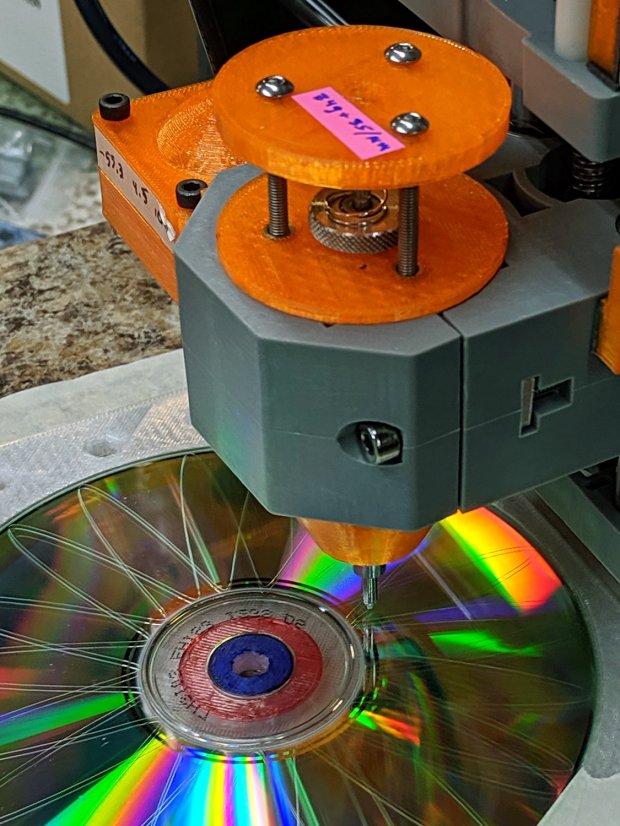
    The CNC 3018-Pro has a work envelope large enough for CD / DVD platters, so I mashed the Sherline fixture with dimensions from the vacuum tube code, added the 3018’s T-slot spacing, and conjured a pair of fixtures for a pair of machines.

    Because I expect to practice on scrap CDs and DVDs for a while:

    Platter Fixtures - CD on 3018
    Platter Fixtures – CD on 3018

    And a 3.5 inch hard drive platter version:

    Platter Fixtures - hard drive platter on 3018
    Platter Fixtures – hard drive platter on 3018

    The holes sit at half the 3018’s T-slot spacing (45 mm / 2), so you can nudge the fixtures to the front or rear, as you prefer.

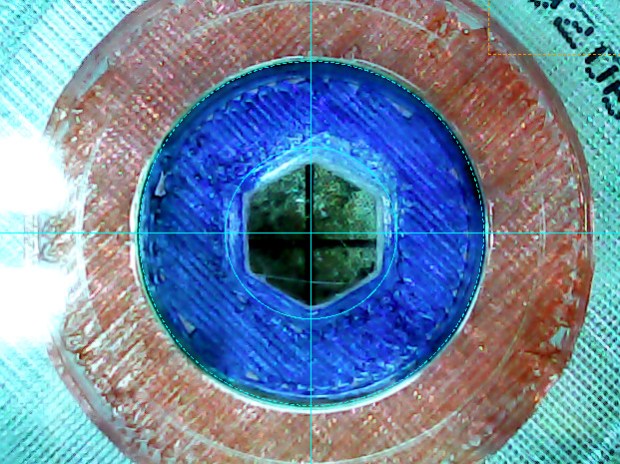
    The alignment dots & slots should help touch off the XY coordinate system on the Sherline, although it can’t reach all of a CD. Using bCNC’s video alignment on the hub hole will be much easier on the 3018.

    After fiddling around with the 3018 for a while, however, the CD fixture doesn’t have many advantages over simply taping the disc to a flat platen. Obviously, you’d want a sacrificial layer for drilling, but it’s not clear the OEM motor / ER11 chuck would be up to that task.

    The OpenSCAD source code as a GitHub Gist:

    // Machining fixtures for CD and hard drive platters
    // Ed Nisley KE4ZNU February … September 2016
    // 2019-08 split from tube base models
    PlatterName = "CD"; // [3.5inch,CD]
    CNCName = "3018"; // [3018,Sherline]
    PlateThick = 5.0; // [5.0,10.0,15.0]
    RecessDepth = 4.0; // [0.0,2.0,4.0]
    //- Extrusion parameters must match reality!
    /* [Hidden] */
    ThreadThick = 0.25;
    ThreadWidth = 0.40;
    HoleWindage = 0.2;
    Protrusion = 0.1; // make holes end cleanly
    inch = 25.4;
    function IntegerMultiple(Size,Unit) = Unit * ceil(Size / Unit);
    module PolyCyl(Dia,Height,ForceSides=0) { // based on nophead's polyholes
    Sides = (ForceSides != 0) ? ForceSides : (ceil(Dia) + 2);
    FixDia = Dia / cos(180/Sides);
    cylinder(d=(FixDia + HoleWindage),h=Height,$fn=Sides);
    }
    ID = 0;
    OD = 1;
    LENGTH = 2;
    //———————-
    // Dimensions
    P_NAME = 0; // platter name
    P_ID = 1; // … inner diameter
    P_OD = 2; // … outer diameter
    P_THICK = 3; // … thickness
    PlatterData = [
    ["3.5inch", 25.0, 95.0, 1.75],
    ["CD", 15.0, 120.0, 1.20],
    ];
    PlatterSides = 3*4*5; // polygon approximation
    B_NAME = 0; // machine name
    B_OC = 1; // … platform screw OC, use small integer for slot
    B_STUD = 2; // … screw OD clearance
    BaseData = [
    ["3018", [5.0, 45.0], 6.0], // slots along X axis
    ["Sherline", [1.16*inch,1.16*inch], 5.0], // tooling plate
    ];
    //———————-
    // Drilling fixture for disk platters
    module PlatterFixture(Disk,Machine) {
    PI = search([Disk],PlatterData,1,0)[P_NAME]; // get platter index
    echo(str("Platter: ",Disk));
    Platter = [PlatterData[PI][P_ID],
    PlatterData[PI][P_OD],
    PlatterData[PI][P_THICK]];
    BI = search([Machine],BaseData,1,0)[B_NAME]; // get base index
    echo(str("Machine: ",Machine));
    AlignOC = IntegerMultiple(Platter[OD],10);
    echo(str("Align OC: ",AlignOC));
    AlignSlot = [3*ThreadWidth,10.0,3*ThreadThick];
    StudClear = BaseData[BI][B_STUD]; // … clearance
    StudOC = [IntegerMultiple(AlignOC + 2*StudClear,BaseData[BI][B_OC].x), // … screw spacing
    BaseData[BI][B_OC].y];
    echo(str("Stud spacing: ",StudOC));
    NumStuds = [2,1 + 2*floor(Platter[OD] / StudOC.y)]; // holes only along ±X edges
    echo(str("Stud holes: ",NumStuds));
    BasePlate = [(20 + StudOC.x*ceil(Platter[OD] / StudOC.x)),
    (10 + AlignOC),
    PlateThick];
    echo(str("Plate: ",BasePlate));
    PlateRound = 10.0; // corner radius
    difference() {
    hull() // basic plate shape
    for (i=[-1,1], j=[-1,1])
    translate([i*(BasePlate.x/2 – PlateRound),j*(BasePlate.y/2 – PlateRound),0])
    cylinder(r=PlateRound,h=BasePlate.z,$fn=4*4);
    for (i=[-1,0,1], j=[-1,0,1]) // origin pips
    translate([i*AlignOC/2,j*AlignOC/2,BasePlate.z – 2*ThreadThick])
    cylinder(d=4*ThreadWidth,h=1,$fn=6);
    for (i=[-1,1], j=[-1,1]) { // alignment slots
    translate([i*(AlignOC + AlignSlot.x)/2,
    j*Platter[OD]/4,
    (BasePlate.z – AlignSlot.z/2 + Protrusion/2)])
    cube(AlignSlot + [0,0,Protrusion],center=true);
    translate([i*Platter[OD]/4,
    j*(AlignOC + AlignSlot.x)/2,
    (BasePlate.z – AlignSlot.z/2 + Protrusion/2)])
    rotate(90)
    cube(AlignSlot + [0,0,Protrusion],center=true);
    }
    for (i=[-1,1], j=[-floor(NumStuds.y/2):floor(NumStuds.y/2)]) // mounting stud holes
    translate([i*StudOC.x/2,j*StudOC.y/2,-Protrusion])
    rotate(180/6)
    PolyCyl(StudClear,BasePlate.z + 2*Protrusion,6);
    translate([0,0,-Protrusion]) // center clamp hole
    rotate(180/6)
    PolyCyl(StudClear,BasePlate.z + 2*Protrusion,6);
    translate([0,0,BasePlate.z – Platter[LENGTH]]) // disk locating recess
    rotate(180/PlatterSides)
    linear_extrude(height=(Platter[LENGTH] + Protrusion),convexity=2)
    difference() {
    circle(d=(Platter[OD] + HoleWindage),$fn=PlatterSides);
    circle(d=Platter[ID] – HoleWindage,$fn=PlatterSides);
    }
    translate([0,0,BasePlate.z – RecessDepth]) // drilling recess
    rotate(180/PlatterSides)
    linear_extrude(height=(RecessDepth + Protrusion),convexity=2)
    difference() {
    circle(d=(Platter[OD] – 10),$fn=PlatterSides);
    circle(d=(Platter[ID] + 10),$fn=PlatterSides);
    }
    }
    }
    //———————-
    // Build it
    PlatterFixture(PlatterName,CNCName);

  • Printer Filament Millifiori

    I finally decommissioned my old Thing-O-Matic, as it’s been far surpassed by the current generation of dirt-cheap Prusa-style 3D printers, and must now figure out what to do with about 10 kg of 3 mm ABS filament. Yes, 3 mm filament from back in the Bad Old Days.

    Also back in the day, our Larval Engineer made millifiori creations in glass (at school) and polymer clay, building up the final piece from murrine canes, which suggested a similar technique using filament strands:

    Filament Millefiori - 160C pipe - slice detail
    Filament Millefiori – 160C pipe – slice detail

    Well, maybe it’s not exactly art

    Just to see how it might work, I packed a random length of conduit with filament snippets and jammed a thermocouple into the middle:

    Filament Millefiori - packed conduit
    Filament Millefiori – packed conduit

    Which went into the shop’s sacrificial Dutch oven over low heat:

    Filament Millefiori - conduit heating
    Filament Millefiori – conduit heating

    For lack of anything smarter, I slowly heated it to 250 °C, well above what the Thing-O-Matic used for extrusion, let it soak for a few minutes, then let the tube cool on the counter.

    Some persuasion with a hammer and drift punch extracted the fused filament:

    Filament Millefiori - 250C results
    Filament Millefiori – 250C results

    Obviously, the concept needs more work, but the bottom side looks promising:

    Filament Millefiori - 250C results - bottom
    Filament Millefiori – 250C results – bottom

    Wrapping the bundle with silicone tape should keep the filament from sticking to the tube and provide uniform compression:

    Filament Millefiori - 235C silicone wrap
    Filament Millefiori – 235C silicone wrap

    I forced it into the tube and wrapped the whole affair with aluminum foil to confine the hot ABS stench:

    Filament Millefiori - 235C heating
    Filament Millefiori – 235C heating

    I held this one at 235 °C for a few minutes, cooled, unwrapped, and discovered the silicone wrap worked as expected:

    Filament Millefiori - 235C thermocouple blob
    Filament Millefiori – 235C thermocouple blob

    OK, the blob on each end wasn’t expected, but at least the thermocouple came out with gentle persuasion. The compressed filament looked like it should be edible:

    Filament Millefiori - 235C results
    Filament Millefiori – 235C results

    The molten filament oozed out of the wrap inside the tube, over there toward the right.

    The filament snippets have a distinct curvature, brought on by years spent snuggled around a spool’s core, so I wondered if they could be straightened by application of somewhat less heat. Wikipedia lists the glass transition temperature for various ABS compositions as around 105 °C, so I packed the tube with more snippets and affixed the thermocouple with silicone tape:

    Filament Millefiori - 100C setup
    Filament Millefiori – 100C setup

    Wrap with foil, heat to 100 °C, let cool, and they’re definitely straighter than the unheated white strand at the bottom:

    Filament Millefiori - 100C results
    Filament Millefiori – 100C results

    Having learned my lesson with a thermocouple inside the strands, the straightened strands get a looser silicone wrap with the thermocouple secured to the outside of the bundle:

    Filament Millefiori - 160C setup
    Filament Millefiori – 160C setup

    Heat to 160 °C:

    Filament Millefiori - 160C setup
    Filament Millefiori – 160C setup

    Let cool and (easily!) slide the compressed bundle out of the tube:

    Filament Millefiori - 160C cooling
    Filament Millefiori – 160C cooling

    The silicone wrap definitely mushed the strands together, as shown by the larger diameter on the uncompressed end:

    Filament Millefiori - 160C results
    Filament Millefiori – 160C results

    Bandsawing the bundle reveals nicely fused filaments inside, along with melty ends that stuck out of the wrap:

    Filament Millefiori - 160C cut end
    Filament Millefiori – 160C cut end

    Thinking shorter lengths might pack better without straightening, I faced the ends of a thick aluminum pipe and stuffed as many snippets into it as would fit. This is the point where a real artist would arrange the filaments in a pleasing pattern, if not a picture, but I was content with a random layout:

    Filament Millefiori - 160C pipe - cable in pipe
    Filament Millefiori – 160C pipe – cable in pipe

    That’s what the ends looked like after heating to 160 °C: somewhat glazed, reasonably fused, but certainly not compacted. The other end pointed upward and definitely felt the heat:

    Filament Millefiori - 160C pipe - cable melty end detail
    Filament Millefiori – 160C pipe – cable melty end detail

    With a PCV pipe “collet” holding the cable / cane / murrina in the chuck, I faced the end:

    Filament Millefiori - 160C pipe - cable facing
    Filament Millefiori – 160C pipe – cable facing

    After taking this picture, I came to my senses and bandsawed the slice instead:

    Filament Millefiori - 160C pipe - cutoff tool
    Filament Millefiori – 160C pipe – cutoff tool

    Parting the slice in the lathe might have worked, but it just seemed like a really really bad idea when I looked at the setup.

    A PVC pipe spacer kept the slice lined up in the chuck jaws while facing the bandsawed end:

    Filament Millefiori - 160C pipe - slice facing
    Filament Millefiori – 160C pipe – slice facing

    The slice and the cable:

    Filament Millefiori - 160C pipe - slice and cable
    Filament Millefiori – 160C pipe – slice and cable

    Although the filament snippets fuse together without a silicone tape compression wrap, the gaps collect plenty of swarf during the cutting & facing:

    Filament Millefiori - 160C pipe - cable end detail
    Filament Millefiori – 160C pipe – cable end detail

    The snippets along the outside, closest to the pipe, obviously got hotter than the ones in the middle and fused more solidly.

    The pipe has a 35 mm ID for an area 136 times larger than a 3 mm filament. I packed about 100 snippets into the pipe, a 0.73 packing fraction, which looks to be in the right ballpark for the high end of the Circle Packing Problem. If they were straighter, maybe a few more would fit, but twisting the lot into a cable seemed to align them pretty well.

    Perhaps filling the gaps with pourable epoxy before cutting the slices would help? A completely filled interior might require pulling a good vacuum on the whole thing.

    A hexagonal pipe would produce slices one could tile into a larger sheet.

    All in all, a useful exercise, but … it ain’t Art yet!

  • CNC 3018-Pro: DRV8825 Hack for 1:8 Microstep Mode

    The CAMTool V3.3 board on the CNC 3018-Pro hardwires the three DRV8825 stepper driver chips in 1:32 microstep mode by pulling all three Mode pins high. Unlike most CNC boards, it does not include jumpers to let you select different microstep modes; the designers know you want as many microsteps as you can possibly get.

    As it turns out, 1:32 microstep mode requires 1600 steps for each millimeter of travel and, because GRBL tops out around 30 k step/s, the maximum speed is about 18.75 mm/s = 1125 mm/min. Which isn’t at bad, but, because I intend to use the thing for engraving, rather than the light-duty machining it’s (allegedly) capable of performing, running at somewhat higher speeds will be desirable.

    For sure, a 3018-Pro does not have a physical resolution of 625 nm.

    If you’re willing to settle for a mere 400 step/mm = 2.6 µm, then you can just ground the Mode 2 pin to get 1:8 microstep mode:

    DRV8825 - Stepper Motor Controller - Microstep Modes
    DRV8825 – Stepper Motor Controller – Microstep Modes

    Rewiring the CAMTool board isn’t feasible, but hacking the DRV8825 carrier PCB doesn’t require much effort.

    So, we begin.

    Clamp the PCB in a vise, grab the Mode 2 pin with a needle-nose pliers, apply enough heat to melt the solder completely through the board, and yank that pin right out:

    CAMTool V3.3 - DRV8825 M2 pin removed
    CAMTool V3.3 – DRV8825 M2 pin removed

    I do wonder how the layout folks managed to reverse the “N” for the Enable pin. Perhaps it’s a Cyrillic И in a dead-simple font?

    With that done, add a snippet of wire from M2 to the GND pin in the opposite corner to complete the job:

    CAMTool V3.3 - DRV8825 wired for 8 ustep mode
    CAMTool V3.3 – DRV8825 wired for 8 ustep mode

    Despite that picture, remember to plug the DRV8825 boards into the CAMTool V3.3 board with the heatsink downward and the twiddlepot on the top, as shown in the little instruction book you got with the hardware:

    SainSmart Genmitsu CNC Router 3018PRO-User Manual - DRV8825 orientation
    SainSmart Genmitsu CNC Router 3018PRO-User Manual – DRV8825 orientation

    Recompute the step/mm value in 1:8 microstep mode:

    400 step/mm = (200 full step/rev) × (8 microstep/full step) / (4 mm/rev)

    Then set the corresponding GRBL parameters:

    $100=400
    $101=400
    $102=400

    The 3018-Pro should work exactly like it did before, maybe a little noisier if your ears are up to the task.

    Moah Speed comes later …

  • CNC 3018-Pro: CAMTool V3.3 USB Power Diode

    The CAMTool V3.3 board dispenses with fancy USB power switching circuitry:

    CAMTOOL CNC-V3.3 schematic - USB Power Entry
    CAMTOOL CNC-V3.3 schematic – USB Power Entry

    The NUP2201 is an ESD clamp diode / suppressor IC, which is a nice touch, but FU1, a simple 300 mA polyfuse, is the only thing standing between the USB cable and the on-board +5 V regulator. In real life, it looks like this:

    CAMTool V3.3 - USB power fuse
    CAMTool V3.3 – USB power fuse

    It’s the little black rectangle between the USB jack and the CH340 USB-to-serial chip. The

    The far end of the USB cable plugs into a Raspberry Pi, a device known for unseemly fussiness about USB power, so I unsoldered the fuse and installed a diode:

    CAMTool V3.3 - USB power diode
    CAMTool V3.3 – USB power diode

    It’s a BAT54 Schottky diode, pointed toward the right to prevent current from the board getting to the Pi. Pin 2 (toward the bottom) isn’t connected to anything inside the package, either, so it’s all good.

    I suppose if one were a stickler for detail, one could gimmick the diode in series with the fuse, but I figured that’s a solution for a problem well down on the probability list …

  • DRV8825 Stepper Driver: Fast vs. Mixed Decay Current Waveforms

    Herewith, a look at CNC 3018-Pro stepper motor current waveforms as a function of supply voltage, PWM decay mode, and motor speed.

    The scope displays X and Y axis motor current at 1 A/div, with sensing through a pair of Tektronix Hall effect current probes:

    CNC 3018-Pro - XY axes - Tek current probes
    CNC 3018-Pro – XY axes – Tek current probes

    The X axis driver is an unmodified DRV8825 PCB operating in default mixed-decay mode. The Y axis DRV8825 has its DECAY pin pulled high, thereby putting it in fast decay mode.

    The scope timebase varies to match the programmed feed rate. Because the X and Y axes move simultaneously, each axis moves at 1/√2 the programmed speed:

    G1 X10 Y10 F100 → 71 mm/min on X and Y

    The motor generates minimal back EMF at slow speeds, so the winding sees nearly the full supply voltage. As described in the previous post, the basic problem arises when the current rises too fast during each PWM cycle:

    V = L di/dt
    di/dt = 24 V / 3 mH = 8 kA/s

    The first 1:32 microstep away from 0 calls for 5% of max current = 50 mA at a 1 A peak. The DRV8825 datasheet says the PWM typically runs at 30 kHz = 33 µs/cycle, during which the current will change by 270 mA:

    267 mA = 8 kA/s × 33.3 µs

    Notice how the current slams to a nearly constant, much-too-high value just after the first microstep. The incorrect current level decreases with lower supply voltage, because the rate-of-change decreases and the commanded current level reaches the actual (incorrect) current sooner.

    Varying the motor voltage at a constant 10 mm/min:

    3018 XY - Mixed Fast - 24V - 10mm-min 1A-div
    3018 XY – Mixed Fast – 24V – 10mm-min 1A-div
    3018 XY - Mixed Fast - 20V - 10mm-min 1A-div
    3018 XY – Mixed Fast – 20V – 10mm-min 1A-div
    3018 XY - Mixed Fast - 15V - 10mm-min 1A-div
    3018 XY – Mixed Fast – 15V – 10mm-min 1A-div
    3018 XY - Mixed Fast - 12V - 10mm-min 1A-div
    3018 XY – Mixed Fast – 12V – 10mm-min 1A-div
    3018 XY - Mixed Fast - 10V - 10mm-min 1A-div
    3018 XY – Mixed Fast – 10V – 10mm-min 1A-div

    Note that reducing the supply voltage doesn’t change the motor winding current, because the DRV8825 controls the current during each microstep, at least to the best of its ability.

    Also note that the current overshoots the target for those microsteps, even when the motor is stopped, because there’s no back EMF, so the power dissipation is too high even at rest.

    Enough back EMF appears at 100 mm/min to begin tamping down the current overshoot at 24 V:

    3018 XY - Mixed Fast - 24V - 100mm-min 1A-div
    3018 XY – Mixed Fast – 24V – 100mm-min 1A-div

    The current waveform looks good at 12 V:

    3018 XY - Mixed Fast - 12V - 100mm-min 1A-div
    3018 XY – Mixed Fast – 12V – 100mm-min 1A-div

    The back EMF at 1000 mm/min nearly eliminates the overshoot at 24 V, with fast decay in the Y axis causing some PWM ripple:

    3018 XY - Mixed Fast - 24V - 1000mm-min 1A-div
    3018 XY – Mixed Fast – 24V – 1000mm-min 1A-div

    Both decay modes look good at 12 V:

    3018 XY - Mixed Fast - 12V - 1000mm-min 1A-div
    3018 XY – Mixed Fast – 12V – 1000mm-min 1A-div

    At 1500 mm/min, the highest reasonable speed for the thing, and a 24 V supply, both waveforms still look good:

    3018 XY - Mixed Fast - 24V - 1500mm-min 1A-div
    3018 XY – Mixed Fast – 24V – 1500mm-min 1A-div

    However, the back EMF is now high enough to buck the 12 V supply, preventing the current from decreasing fast enough in mixed decay mode (top trace):

    3018 XY - Mixed Fast - 12V - 1500mm-min 1A-div
    3018 XY – Mixed Fast – 12V – 1500mm-min 1A-div

    Tweaking the GRBL config to allow 2000 mm/min feeds shows the waveforms starting to become triangular, even at 24 V:

    3018 XY - Mixed Fast - 24V - 2000mm-min 1A-div
    3018 XY – Mixed Fast – 24V – 2000mm-min 1A-div

    And a 12 V supply opposed by the back EMF simply can’t change the current fast enough to keep up with the DRV8825 microstep current levels:

    3018 XY - Mixed Fast - 12V - 2000mm-min 1A-div
    3018 XY – Mixed Fast – 12V – 2000mm-min 1A-div

    Bottom line: a +12 V motor supply and DRV8825 drivers modified to run in fast decay mode look like the best setup for the 3018-Pro: good current control at low speeds with enough moxie to handle higher speeds.

    I should hack the DRV8825 boards into 1:8 microstep mode to reduce the IRQ rate by a factor of four, then see what happens to the back EMF at absurd speeds.