The Smell of Molten Projects in the Morning

Ed Nisley's Blog: Shop notes, electronics, firmware, machinery, 3D printing, laser cuttery, and curiosities. Contents: 100% human thinking, 0% AI slop.

Category: Home Ec

Things around the home & hearth

  • Inkjet Refilling: End of an Era

    Inkjet Refilling: End of an Era

    Just before the turn of the millennium, I bought what turned out to be a never-sufficiently-to-be-damned HP 2000C inkjet printer that served as my introduction to refilling inkjet cartridges. A few years later, a Canon S630 printer joined the stable and worked fine for perhaps five years before succumbing to a printhead death. An Epson R380 that might have cost fifteen bucks after rebate took over, drank maybe a gallon of knockoff ink through a continuous ink supply system during the next thirteen years, and finally suffered progressive printhead failure during the last year.

    Something recently changed in the inkjet market: Epson (among others) now touts their “Ecotank” printers featuring large internal reservoirs refilled by 70 ml bottles of color ink priced at perhaps 20¢/ml, obtained direct from Epson via Amazon. They proudly note you can save 90% off the cost of cartridges (“Kiss Expensive Cartridges Goodbye”), without mentioning how their previous extortionate cartridge business made that possible. Of course, Ecotank printers cost far more than cartridge-based printers, but that seems reasonable to me.

    Because the ink bottles fit neatly into the printer through a push-to-flow valve interlock, I can finally retire this relic:

    Inkjet refilling towel
    Inkjet refilling towel

    That’s maybe fifteen years of accumulated splotches.

    I hope my refusal to buy their cartridges helped immanentize their eschaton, just a little.

    Good riddance.
  • Floor Lamp Shortening

    Floor Lamp Shortening

    A new floor lamp similar to the one I adjusted to suit my chair appeared next to Mary’s chair. It was, as I expected, much too tall, but shortening it required just removing one of the vertical tube sections (exactly one foot long!), as Mary was content with the flexy arm’s reach. Perhaps as a nod to the current chip shortage, this version of the lamp has a control consisting of a mechanical knob in a lump just under the flexy arm: push to turn on, rotate for intensity, tap for color, push-and-hold for off. This is much more usable than the finicky proximity pads on my lamp (and the slightly more expensive version of this one), which is why I picked it.

    Because the coaxial power connector doesn’t fit through the bushing in the base of the vertical tubes and didn’t have a connector at the control lump, I had to dismantle the lump to disconnect the power cable to remove the pipe section, an operation deep in warranty violation territory.

    So, we begin.

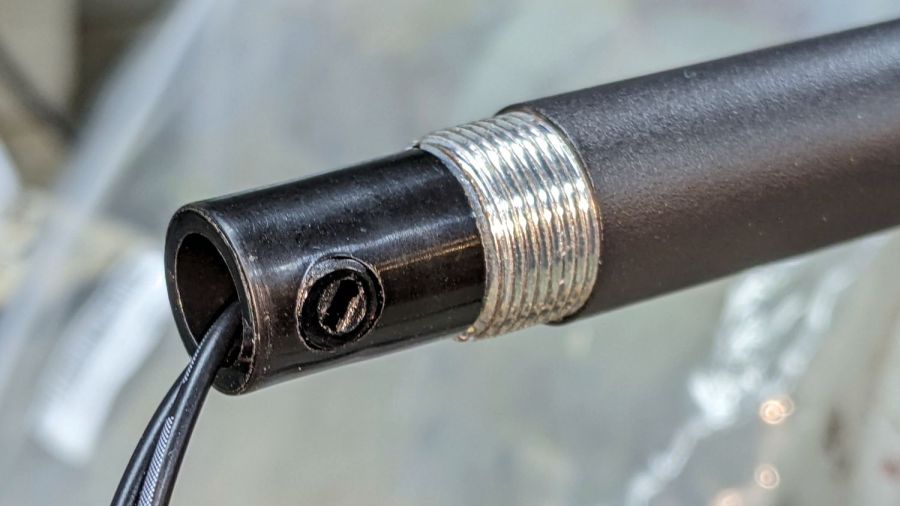
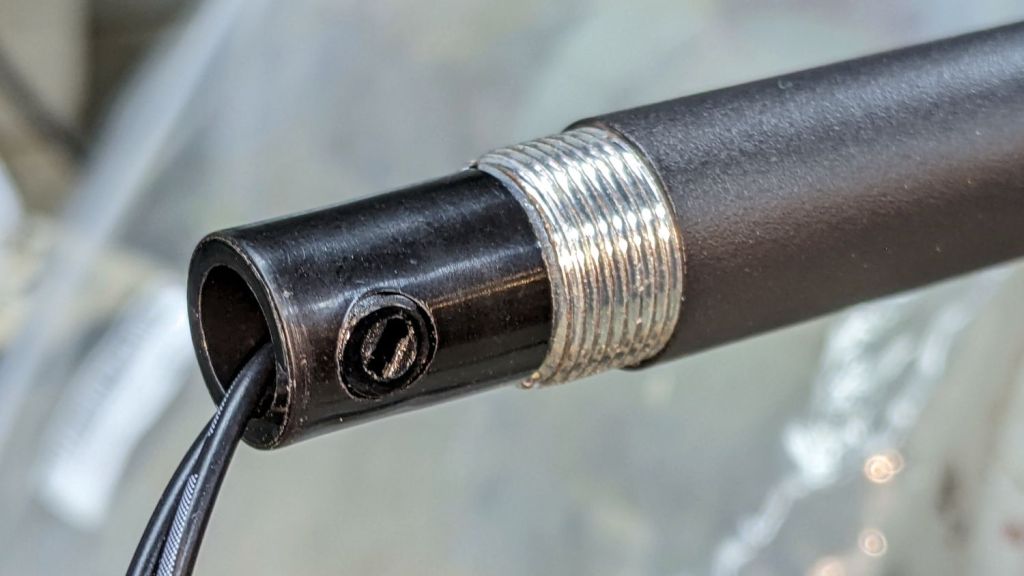
    Loosen the screw clamping the power cord to the tube just below the control lump:

    LED Floor Lamp - DC wire clamp
    LED Floor Lamp – DC wire clamp

    Remove the two screws holding the control lump together:

    LED Floor Lamp - control case
    LED Floor Lamp – control case

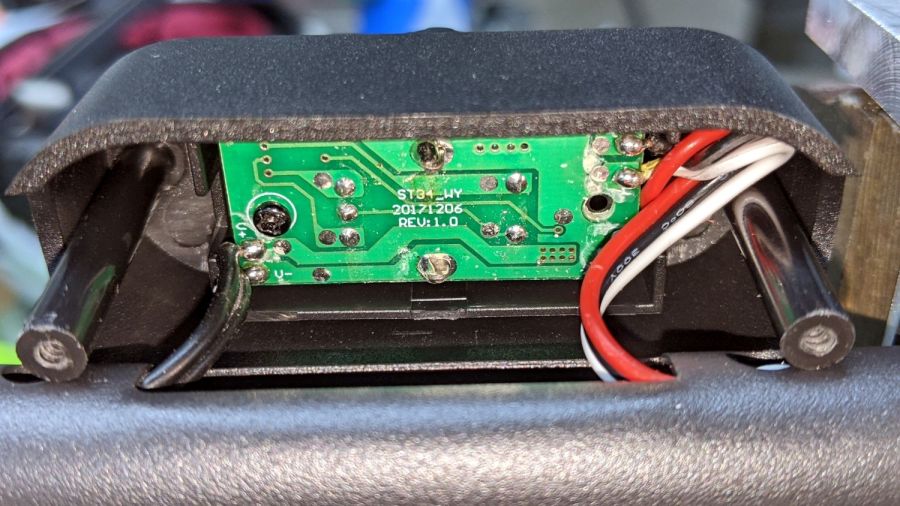
    Pull the front of the lump off the tube and peel off a protective foam sheet to expose the circuitry:

    LED Floor Lamp - PCB silkscreen
    LED Floor Lamp – PCB silkscreen

    Power comes from a 12 VDC 400 mA wall wart, so note the wire markings:

    LED Floor Lamp - DC wire marking
    LED Floor Lamp – DC wire marking

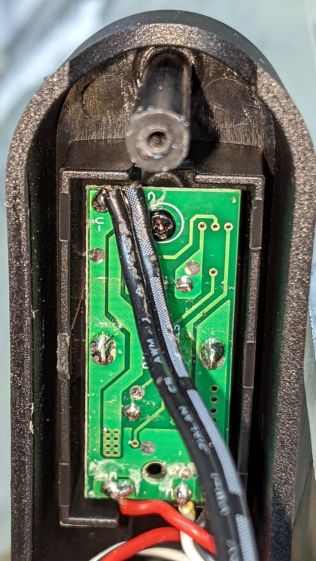
    In this case, the marked wire (with the dashed lines) is the positive conductor:

    LED Floor Lamp - DC polarity PCB marking
    LED Floor Lamp – DC polarity PCB marking

    Unsolder the cable and pull it out of the entire collection of tubing. The topmost section has two inner threads, so remove one of the other sections (with inner and outer threads) and reassemble the rest. Poke the cable through the tubes, solder to PCB, tighten clamp screw, reassemble lump in reverse order, then declare victory:

    LED Floor Lamp - shortened
    LED Floor Lamp – shortened

    The business end now hovers 39 inches (a neat 1 m) over the floor, just below her eye level, where it belongs.

  • Stylus Cover: Tiny Threading Tool

    Stylus Cover: Tiny Threading Tool

    For unknown reasons, Mary’s Pixel 3a phone sometimes does not react to her fingertip, so she now has a stylus for such occasions. The cap covers the delicate fine-tip end (with the weird clear disk), leaving the rounded mesh end exposed to dock the cap.

    I made a pair of covers for the mesh end, mostly because the styli came in a two-pack and I carry mine in a pocket pouch that will likely abrade the mesh:

    Stylus Covers
    Stylus Covers

    They’re made from 3/8 inch = 9.52 mm acetal / Delrin rod, turned down to match the 9.4 mm stylus OD. The thread resembles a standard M8×1.25 with very rounded crests:

    Stylus Covers - thread
    Stylus Covers – thread

    While it’s possible to tap such a thinwalled cylinder with some exterior reinforcement, the (standard / normal / regulation / crispy) thread form of the hitherto entirely unused M8×1.25 tap cowering in the back of the drawer seemed a poor fit and, not being a bottoming tap, it wouldn’t cut full threads where they’re needed.

    Besides, what’s the fun in that?

    Lacking a threading tool small enough to fit inside the 7.4 mm bore, I gnawed one from a snippet of spring steel wire harvested from a dead box spring. The first pass was much too wide, but gave me the opportunity to make a few mistakes while shaping the tip:

    Tiny Threading Tool - first pass
    Tiny Threading Tool – first pass

    The discoloration on the shank betrays the torching required to knock the hardness down to something file-able. A little more Dremel cutoff wheel / grinder / file action produced a tiny tooth matching the rounded thread form on the stylus:

    Tiny Threading Tool - second pass
    Tiny Threading Tool – second pass

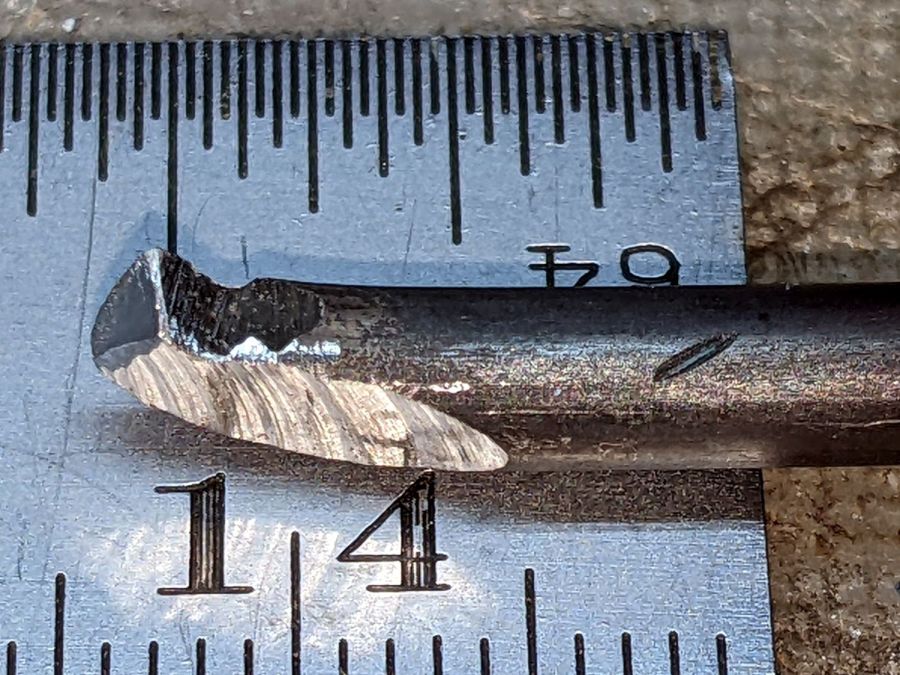
    A side / bottom view shows the crude grinding and excessive angles:

    Tiny Threading Tool - side view
    Tiny Threading Tool – side view

    A real machinist would harden and temper it, but I didn’t bother for a tool cutting two non-critical threads in plastic.

    Somewhat to my surprise, the mini-lathe can cut a 1.25 mm thread without any fancy metric change gears: a simple 35-40-45-50 train did the trick. Running dead slow gave me enough time to poke the power button and let it coast down as it approached the carriage stop marking the end of the thread: cutting plastic is much less exciting than, say, Real Steel.

    When all the cutting was done, I beveled the cap for my stylus to fit better into the bottom of the pouch, but that’s definitely in the nature of fine tuning:

    Stylus Cover - bevels
    Stylus Cover – bevels

    The second one went much faster and I should have made a third while I was hot.

    A doodle giving the key dimensions:

    Stylus Cover - dimensions
    Stylus Cover – dimensions

    Another day of Quality Shop Time™!

  • Verizon FiOS Battery Replacement

    Verizon FiOS Battery Replacement

    Being that type of guy, a red LED glowing in the far corner of the basement attracts my attention:

    Verizon FiOS - replace battery
    Verizon FiOS – replace battery

    Back in the day, Verizon didn’t make it obvious that the customer is responsible for replacing the battery keeping the ONT alive during power failures. I expect VZ would eventually let me know the battery was dead, remind me I was on the hook for the replacement, then offer to send a tech around with a Genuine VZ Battery to maintain reliable service.

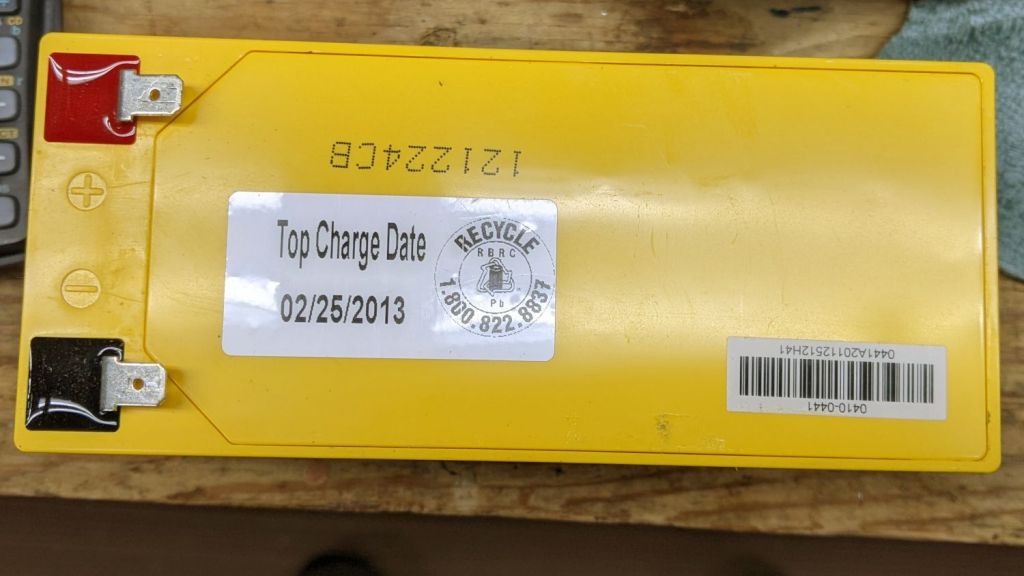
    It’s an ordinary 12 V 8 A·hr sealed lead acid battery and, yes, it’s been in there for a while:

    Verizon FiOS - OEM battery date
    Verizon FiOS – OEM battery date

    However, being that type of guy, I just happen to have a box of not-dead-yet SLA batteries waiting for recycling:

    UPS SLA 2021-10-22
    UPS SLA 2021-10-22

    They’re three years younger than the VZ battery …

  • Euphorbia Horrida Flower

    Euphorbia Horrida Flower

    A Euphorbia horrida (one of the prickly plants) on the shelves just inside the front window burst into bloom:

    Euphorbia Horrida - flowers
    Euphorbia Horrida – flowers

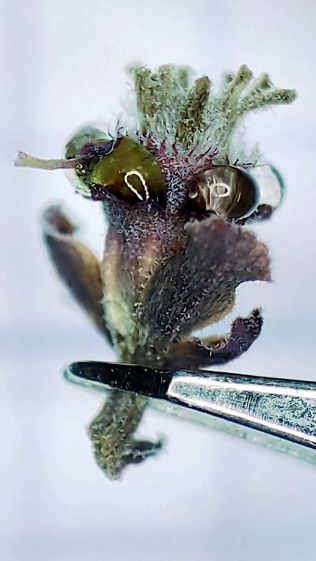
    The flowery part looks unappetizing, but some critter must find the blooms attractive:

    Euphorbia Horrida - flower - side
    Euphorbia Horrida – flower – side

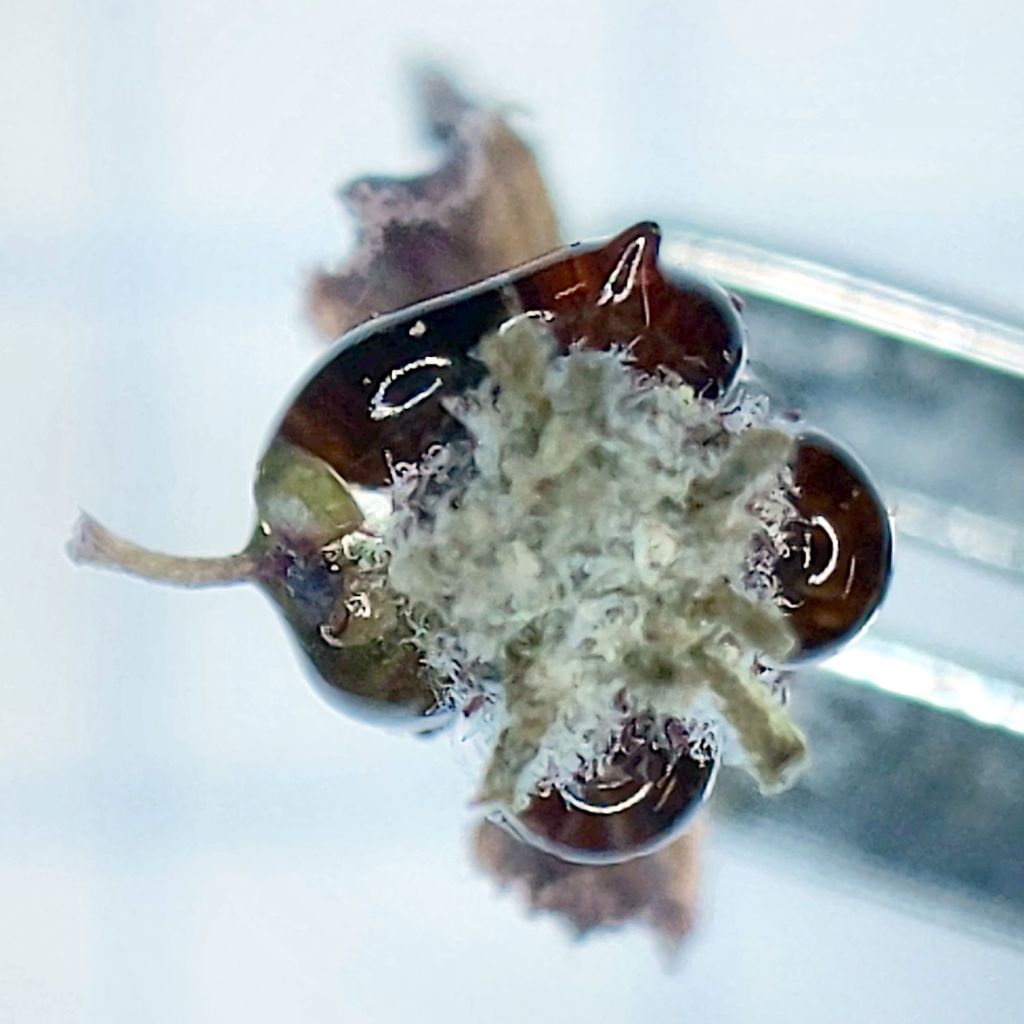
    The small reddish balls look like the desert equivalent of nectar, as they’re viscous to the point of solidity:

    Euphorbia Horrida - flower resin - top
    Euphorbia Horrida – flower resin – top

    I’m unwilling to experiment, but the resin ought to very sweet, lethally toxic, or wildly hallucinogenic. Maybe all three at once?

  • Folding Step Stool Re-seating

    Folding Step Stool Re-seating

    The top step of a folding step stool we’ve been (ab)using forever finally wore out, mostly because it was covered in vinyl and intended as a seat. We always used it as a step, despite knowing you should never stand on the top rung of a ladder: “Do not stand on or above this level”.

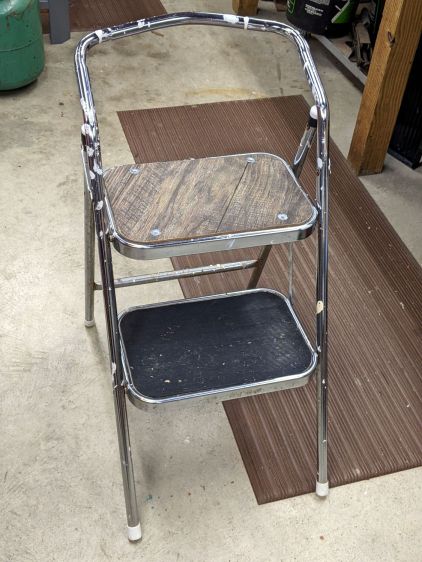
    I tossed the ripped vinyl and warped particle board, cut a random chunk of wood-textured paneling (which Came With The House™) to fit, match-drilled four holes, and it looks OK:

    Folding step stool - reseated
    Folding step stool – reseated

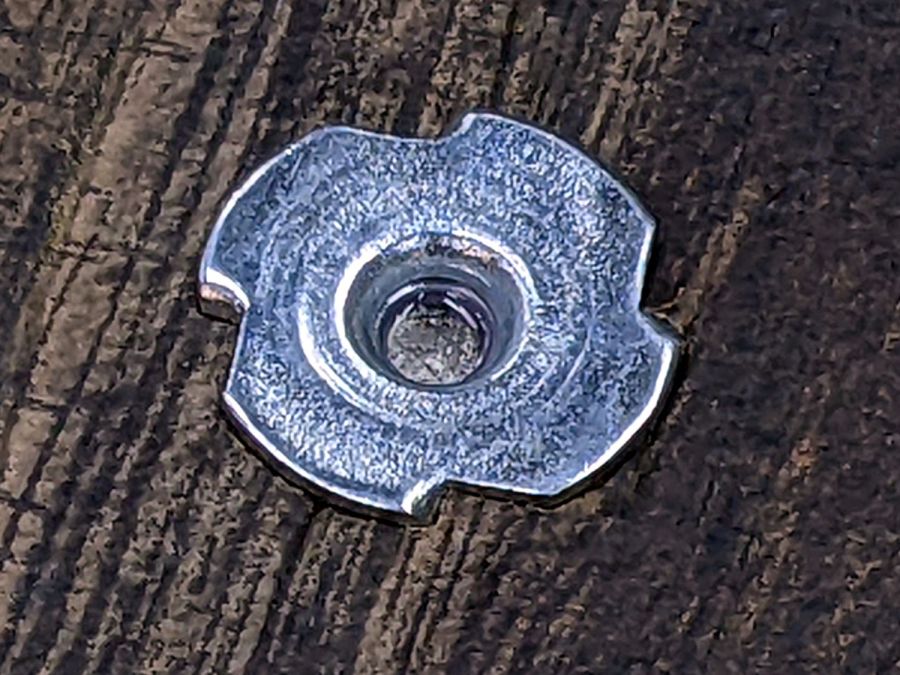
    The original seat / step / whatever used press-fit studs with a flat flange covered by the vinyl, but I just slammed 10-32 tee nuts into the paneling:

    Folding step stool - tee nut installed
    Folding step stool – tee nut installed

    That’s a ring of low-strength threadlock around the inside of the nut; I do not expect the screws to come out ever again.

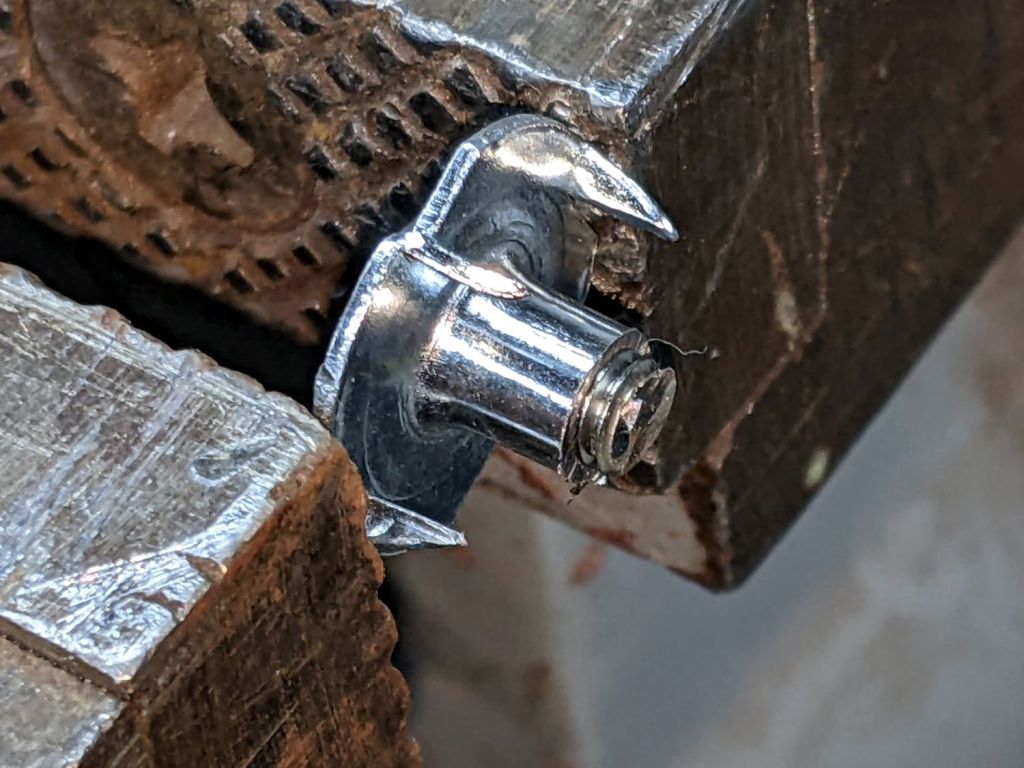
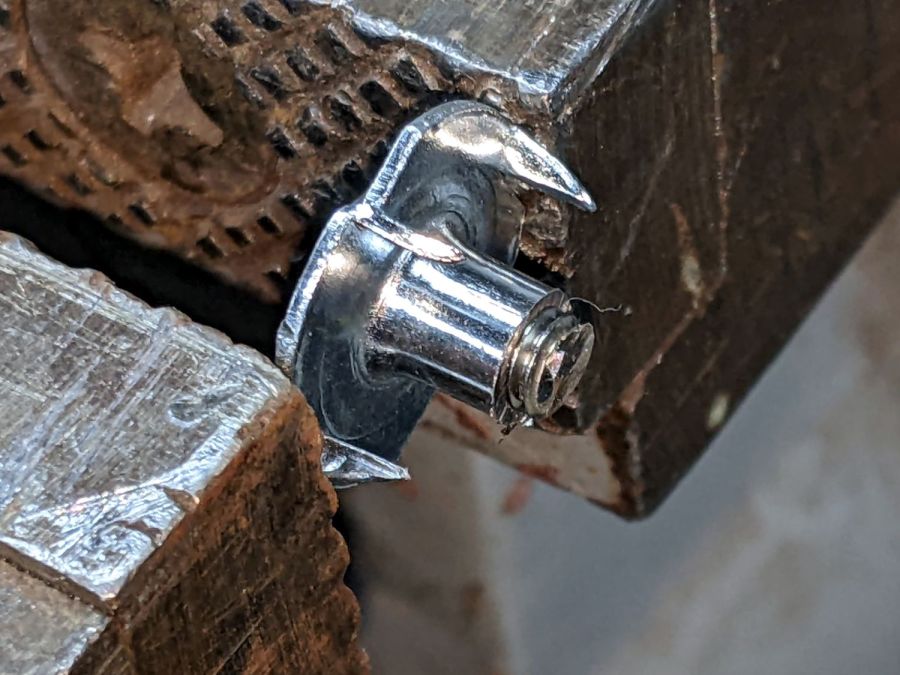
    I cut the screws to length with a Dremel cutoff wheel using a slightly shortened tee nut as a fixture:

    Folding step stool - screw shortening fixture
    Folding step stool – screw shortening fixture

    Not visible: the vacuum hose clamped to the vise sucking up all the abrasive + metal dust.

    Good for an hour of Quality Shop Time™ on a cold winter morning!

  • Amazon Laminator Wiring

    Amazon Laminator Wiring

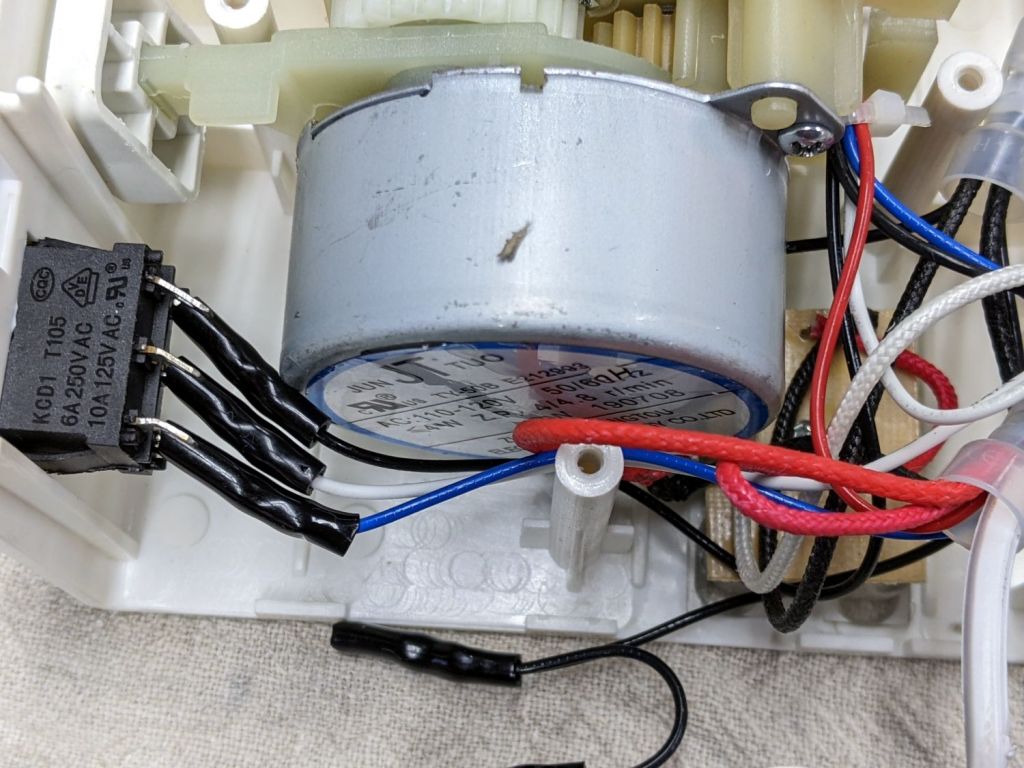
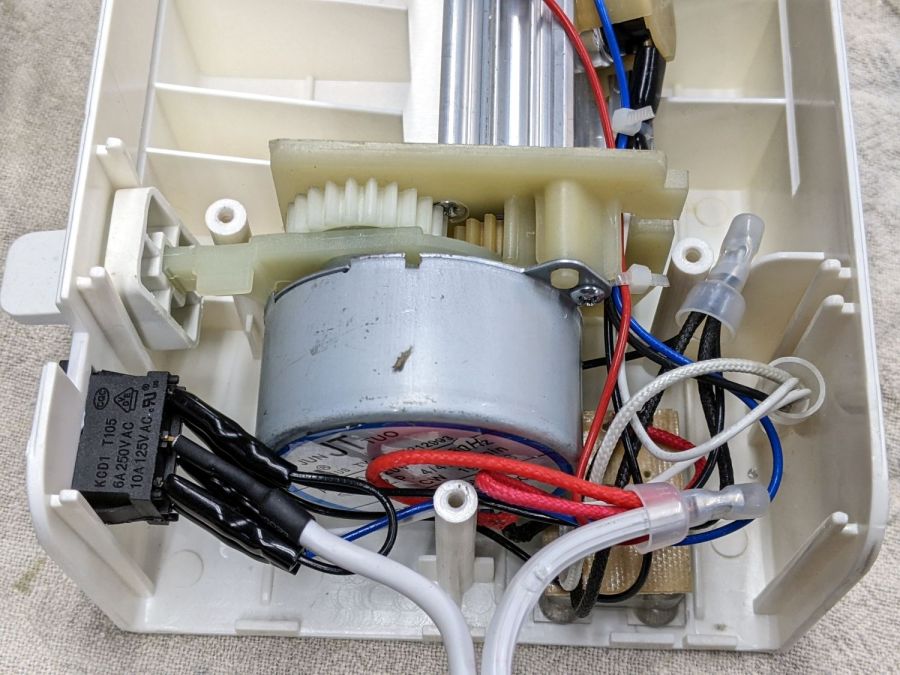
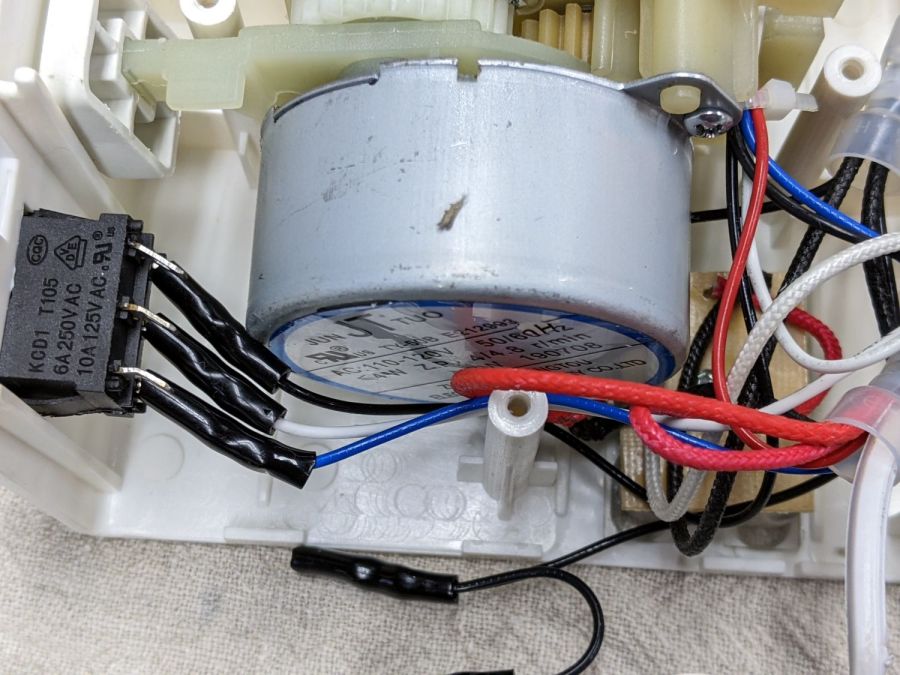
    Someone with a jammed Amazon laminator inadvertently dislodged the switch wiring, so I took a few more pictures to help. Note: I see absolutely no reason to assume any two laminators will have the same wire colors, but the overall functions should be the same.

    The top set of three switch terminals control the overall power to the laminator:

    Amazon Laminator - switch wiring
    Amazon Laminator – switch wiring

    The center terminal comes from the unmarked (no ridges) wire in the line cord. The two outer terminals are connected together with a short jumper from the terminal nearest the motor, with a longer black wire to the wire nut binding other black wires.

    The bottom set of terminals select the temperature:

    Amazon Laminator - switch bottom contacts
    Amazon Laminator – switch bottom contacts

    The white wire on the center terminal goes to the wire nut holding the other white wires and a black wire (!) going to the middle of the three thermostats on the extrusion. The black and blue wires on the outer switch terminals go to the thermostats on the aluminum extrusion to the heater.

    Verily, it is written: There’s nothing like a good new problem to take one’s mind off all one’s old problems.