The Smell of Molten Projects in the Morning

Ed Nisley's Blog: Shop notes, electronics, firmware, machinery, 3D printing, laser cuttery, and curiosities. Contents: 100% human thinking, 0% AI slop.

Category: Home Ec

Things around the home & hearth

  • Using a 3-way X10 Wall Switch As a 2-way Switch

    The pushbutton on the X10 wall switch controlling the fiercely incandescent lamp over the kitchen table has gotten erratic, so I dug into the Big Box o’ X10 Crap for a replacement. Turns out The Box has only 3-way switches, but the lamp needs a standard two-wire switch.

    The instruction sheet shows this diagram:

    X10 3-way Wall Switch Wiring
    X10 3-way Wall Switch Wiring

    The pushbutton on the CS277 “Companion” switch connects the red lead to the two blue leads. The blue leads are always connected together and carry the lamp current, so the red lead is just a signal from the remote button.

    The WS477 “Master” switch will work as an ordinary switch if you cap the red lead with a wire nut and tuck it into the box.

    Done!

  • Modified Quilting Foot: Speed Wrench Knob

    The Nyloc nut atop that modified quilting foot requires more grip than fingers can provide:

    Modified Darning Foot - in action
    Modified Darning Foot – in action

    The “precision” wrench I adapted to that nut works for small adjustments, but for larger ones it’s easier to take the foot off and spin this knob:

    Quilting Foot Knob - knurling
    Quilting Foot Knob – knurling

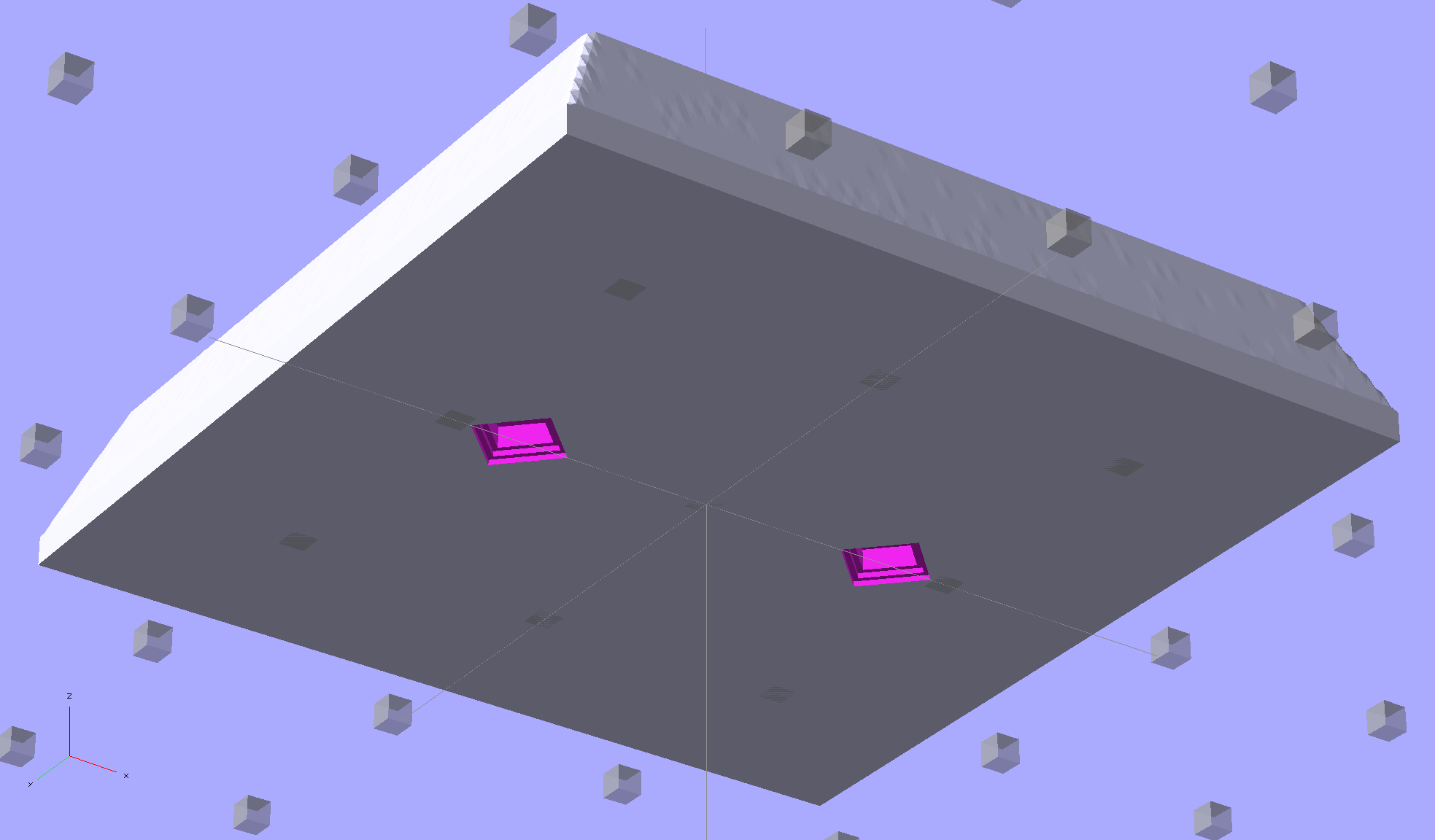
    It has a hex opening in each end that fits the nut, with a through hole for the bolt. The top looks exactly like you’d expect:

    Quilting Foot Knob - top
    Quilting Foot Knob – top

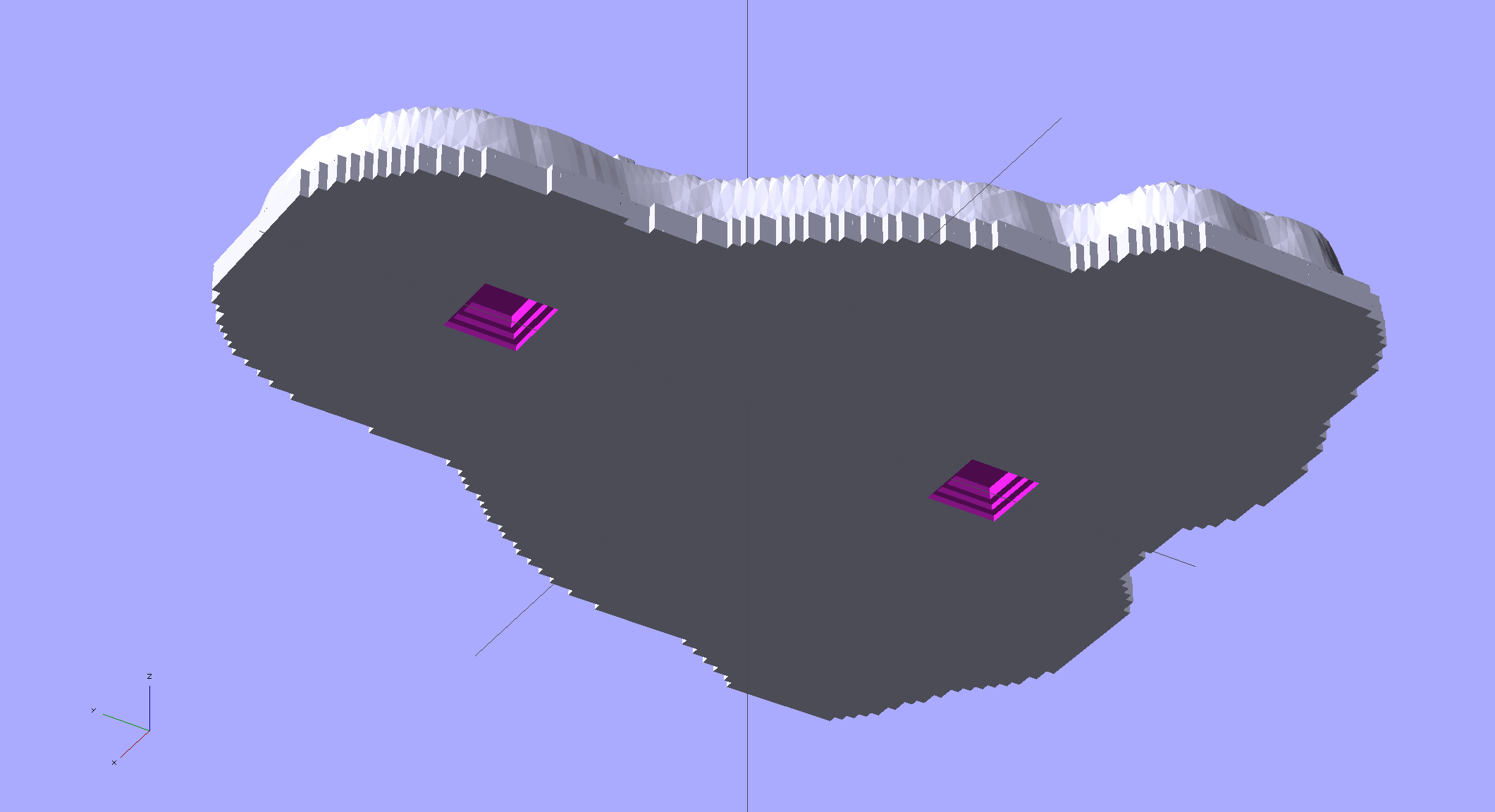
    The bottom needs a bit of support:

    Quilting Foot Knob - bottom support
    Quilting Foot Knob – bottom support

    The solid model shows off the support in color:

    Quilting Foot Knob
    Quilting Foot Knob

    The OpenSCAD source code doesn’t have many surprises:

    // Quilting foot knob
    // Ed Nisley KE4ZNU January 2013
    
    use <knurledFinishLib_v2.scad>
    
    //- Extrusion parameters must match reality!
    //  Print with +1 shells and 3 solid layers
    
    ThreadThick = 0.20;
    ThreadWidth = 0.40;
    
    HoleWindage = 0.2;
    
    function IntegerMultiple(Size,Unit) = Unit * ceil(Size / Unit);
    
    Protrusion = 0.1;			// make holes end cleanly
    
    //----------------------
    // Dimensions
    
    KnobOD = 20.0;
    KnobLength = 25.0;
    KnobSides = 12;
    
    DiamondLength = KnobLength/3;
    DiamondWidth = DiamondLength/2;
    DiamondDepth = 1.0;
    
    NutOD = 7.0;				// across flats!
    NutLength = 6.0;
    ScrewOD = 4.0;
    
    DoSupport = true;
    
    //----------------------
    // Useful routines
    
    module PolyCyl(Dia,Height,ForceSides=0) {			// based on nophead's polyholes
    
      Sides = (ForceSides != 0) ? ForceSides : (ceil(Dia) + 2);
    
      FixDia = Dia / cos(180/Sides);
    
      cylinder(r=(FixDia + HoleWindage)/2,
               h=Height,
    	   $fn=Sides);
    }
    
    module ShowPegGrid(Space = 10.0,Size = 1.0) {
    
      RangeX = floor(100 / Space);
      RangeY = floor(125 / Space);
    
    	for (x=[-RangeX:RangeX])
    	  for (y=[-RangeY:RangeY])
    		translate([x*Space,y*Space,Size/2])
    		  %cube(Size,center=true);
    
    }
    
    module Knob() {
    	rotate(180/Sides) {
    		difference() {
    //			cylinder(r=KnobOD/2,h=KnobLength,$fn=KnobSides);
    			render(convexity=10)
    			knurl(k_cyl_hg=KnobLength,
    				  k_cyl_od=KnobOD,
    				  knurl_wd=DiamondWidth,
    				  knurl_hg=DiamondLength,
    				  knurl_dp=DiamondDepth,
    				  e_smooth=DiamondLength/2);
    			translate([0,0,-Protrusion])
    				PolyCyl(ScrewOD,(KnobLength + 2*Protrusion),6);
    			translate([0,0,(KnobLength - NutLength)])
    				PolyCyl(NutOD,(NutLength + Protrusion),6);
    			translate([0,0,-Protrusion])
    				PolyCyl(NutOD,(NutLength + Protrusion),6);
    		}
    	}
    }
    
    module Support() {
    	color("Yellow")
    		for (Seg=[0:5]) {
    			rotate(360*Seg/6)
    			translate([0,0,(NutLength - ThreadThick)/2])
    				cube([(NutOD - 1*ThreadWidth),
    						2*ThreadWidth,
    						(NutLength - ThreadThick)],
    						center=true);
    			}
    }
    
    //----------------------
    // Build them!
    
    ShowPegGrid();
    
    Knob();
    
    if (DoSupport)
    	Support();
    

    Mary likes it… and thinks I’m being silly. She’s right, of course.

  • Rounded Rectangles in OpenSCAD: Mold Positives?

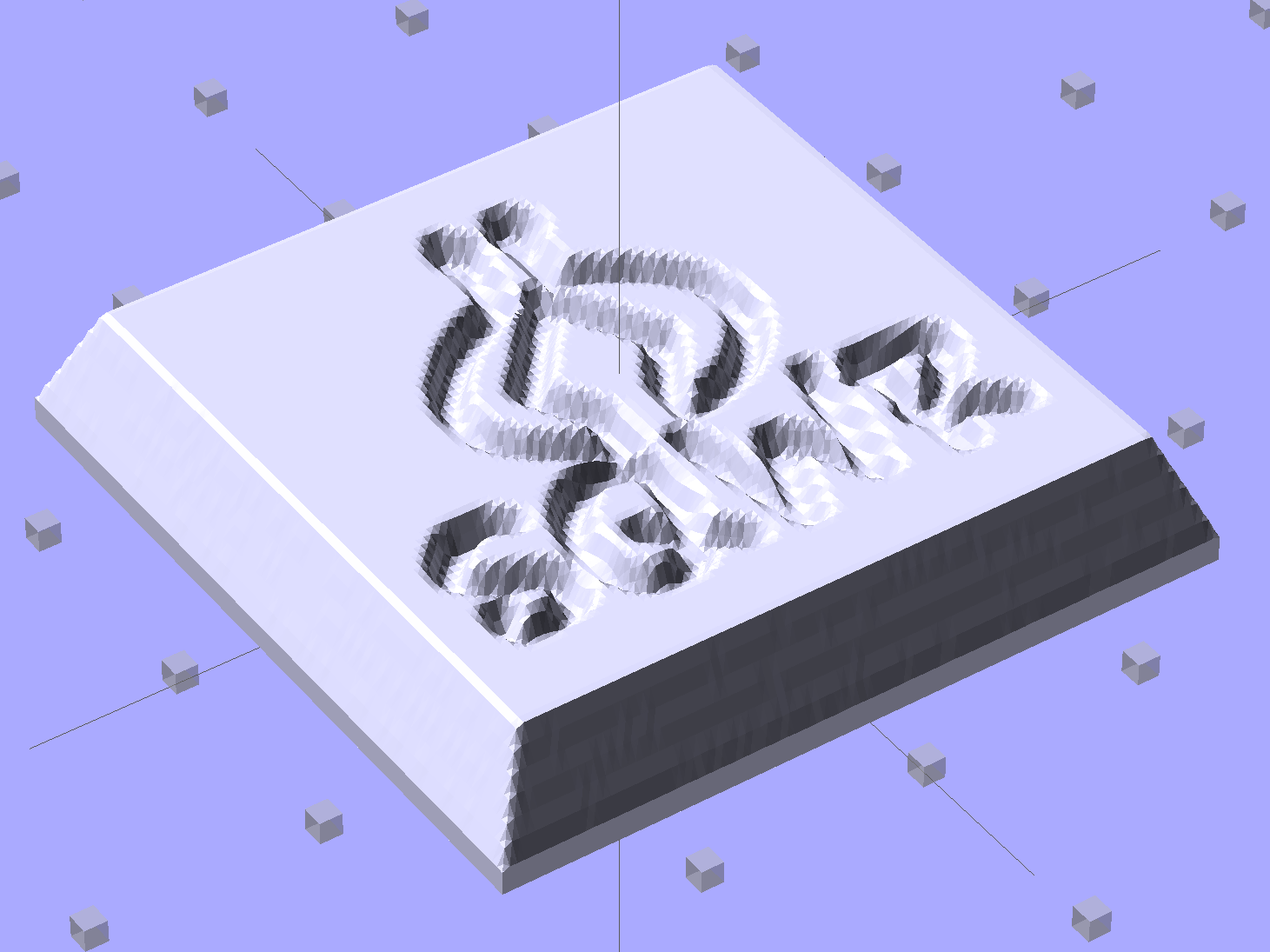
    A discussion on the OpenSCAD mailing list about making a rectangular solid with rounded edges having different radii eventually produced this delightful result:

    Basic Rounded Cube
    Basic Rounded Cube

    Those guys make me feel dumb, because they’re generally solving problems I can’t even imagine, but I know what to do with this solution. One could slice it in half horizontally, emboss a height map defining a logo / picture into the top surface, print it out on your favorite 3D printer, maybe smooth / seal the surface a bit, define it to be a positive mold pattern, cast / pour flexible silicone around it, and get a negative mold for a pourable precious material such as, oh, chocolate.

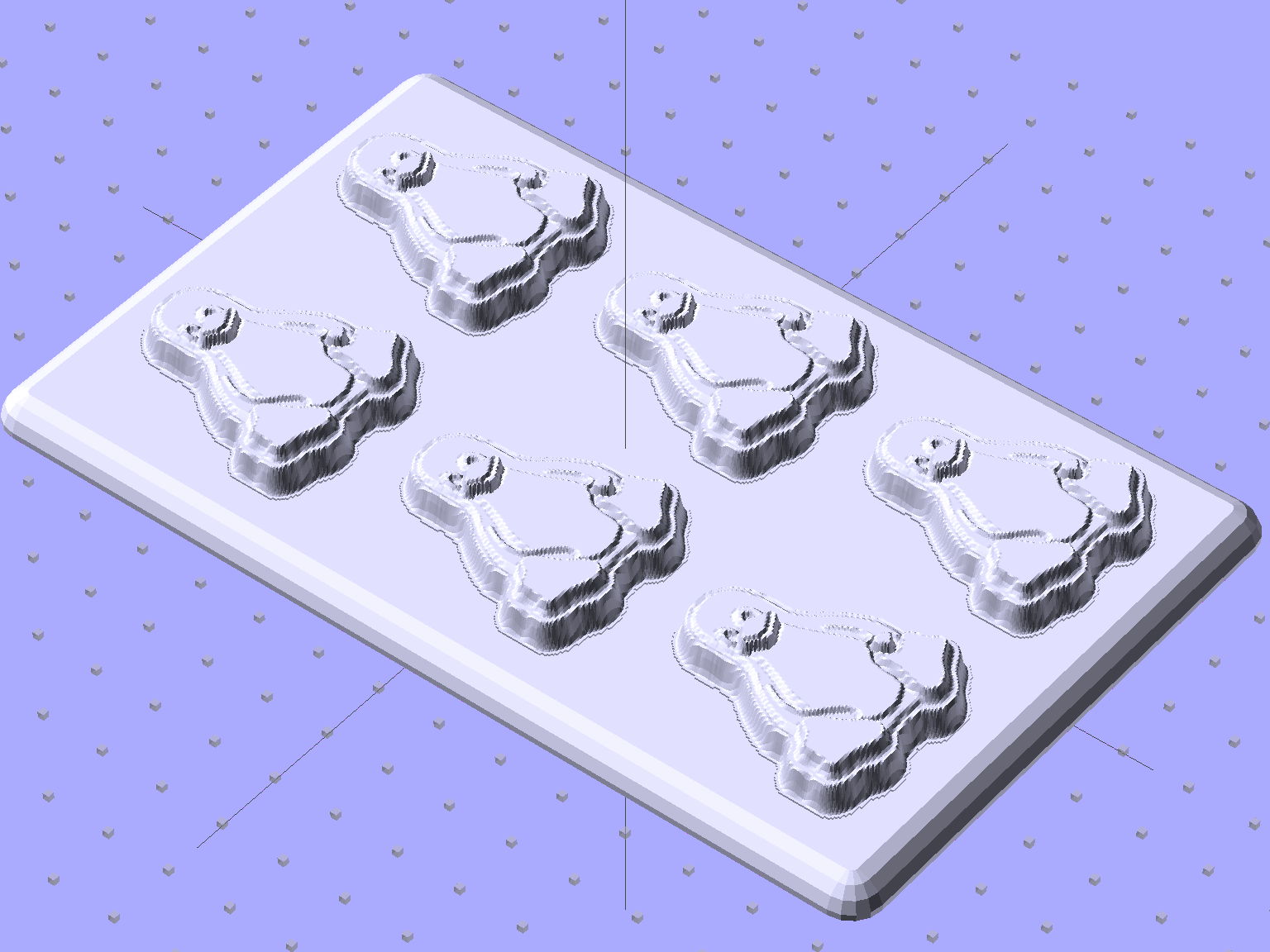
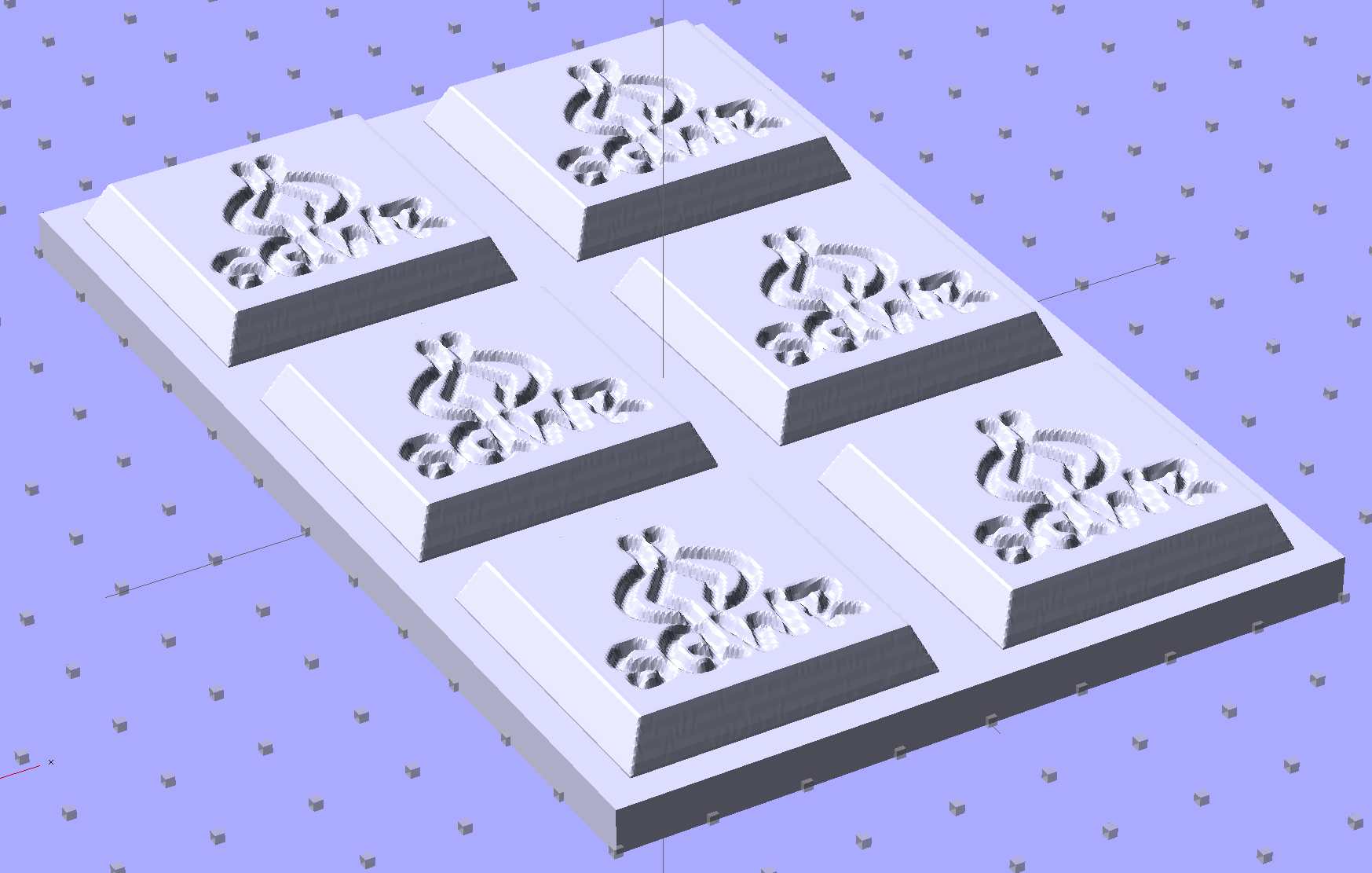
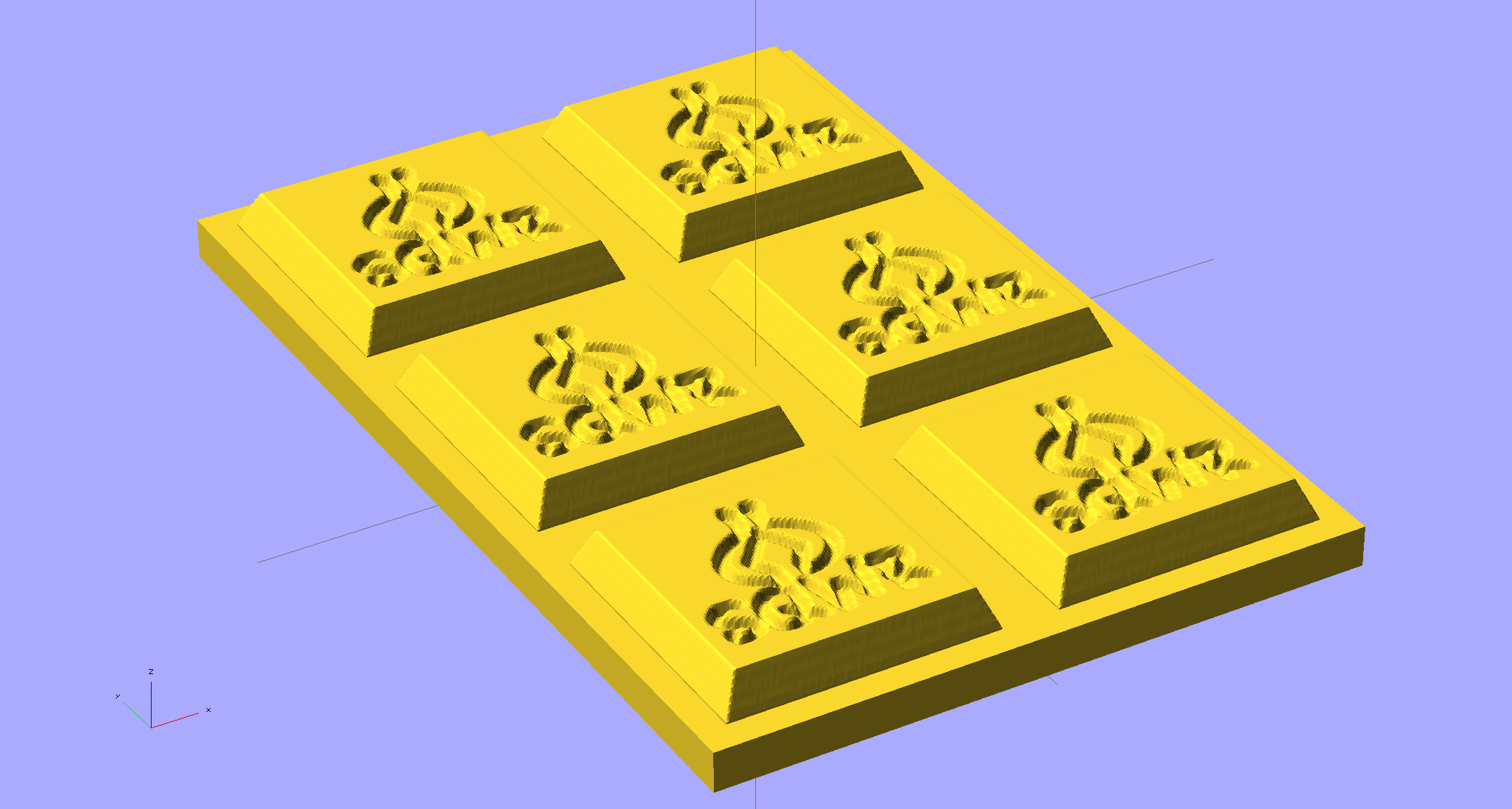
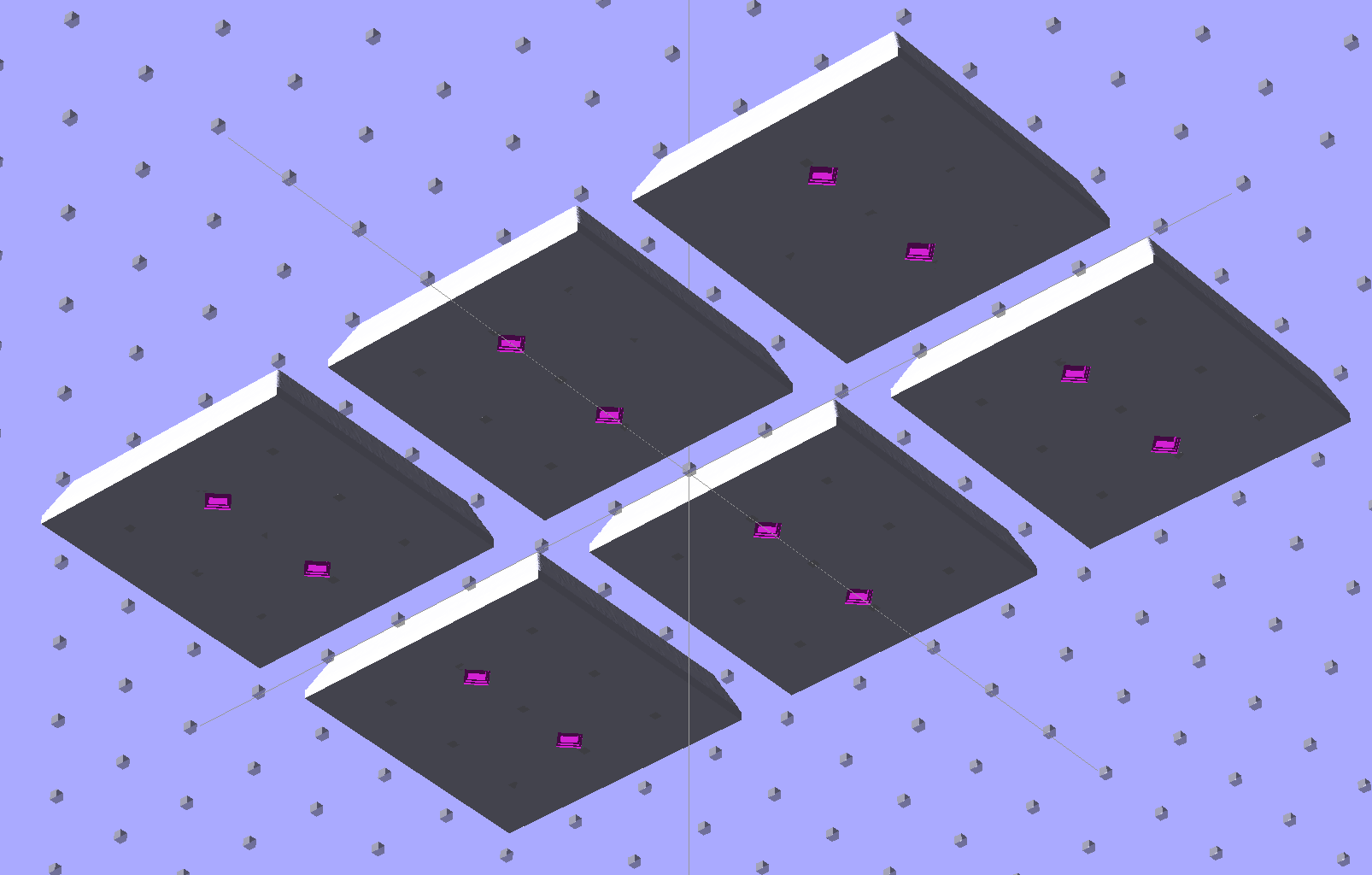
    You could make half a dozen of them, arrange them inside a suitable printed frame, pour the silicone, and get a multi-cavity mold for better manufacturing productivity.

    The overall block lacks draft, because the problem it solves presumes you need a block of specific outside dimensions: it overlays three full-size rectangular blocks that define the dimensions. OpenSCAD constructs spheres such that they may be slightly smaller than the defined radius at the poles and, depending on their alignment, a face at the equator may reduce the outer dimension of a surrounding hull.

    Given a sufficiently bendy silicone mold, you might not need any draft at all. If you do need draft and you don’t care about a very slightly undersized pattern, remove the internal blocks and increase the XY spacing of the lower four spheres by enough to make the draft come out right.

    The grayscale logo / image should have nice smooth transitions that produce suitable draft for the fine details; a bare black-and-white image might not work well. Shallow is good, but that conflicts with 3D printing’s crappy resolution: 1 mm = 10 layers, tops. That might not matter in practice.

    You’re supposed to temper the chocolate, but that’s probably more relevant for Fine Art molds.

    The (slightly modified) OpenSCAD source code:

    module rcube(size=[30, 20, 10], radius=[3, 2, 1], center=true)
    	hull() {
    		translate( center ? [0,0,0] : size/2 ) {
    			cube(size-2*radius+[2*radius[0],0,0],center=true);
    			cube(size-2*radius+[0,2*radius[1],0],center=true);
    			cube(size-2*radius+[0,0,2*radius[2]],center=true);
    
    			for(x = [-0.5,0.5], y = [-0.5,0.5], z = [-0.5,0.5])
    				translate([x * ( size[0] - 2*radius[0]),
    						   y * ( size[1] - 2*radius[1]),
    						   z * ( size[2] - 2*radius[2])])
    					scale([radius[0], radius[1], radius[2]])
    						sphere(1.0,$fn=4*4);
    		}
    	}
    
    rcube();
    

    When I get around to doing molds, maybe I can remember what I was thinking…

  • 2000 Toyota Sienna: Replacing the Bank 1 Sensor 2 Oxygen Sensor

    Shortly after replacing the battery, the dreaded Malfunction Indicator Lamp popped on with a P0420 error code that, according to the Nice Man at Autozone, translates into “low catalytic converter efficiency”. A bit of diagnostic sleuthing reported that the most likely cause was an exhaust leak, followed by an out-of-calibration downstream oxygen sensor, followed by a bad converter. Internet lore has it that replacing the cat cracker is a dealer-only event (here in New York State, with a van sporting the California emissions package) that costs upwards of $2 k, which seems excessive for a 14-year-old van.

    Actually, the most probable cause was replacing the battery: the brief power outage wipes out the stored performance data for the emissions control machinery. Because we make only short trips and it’s been bitterly cold, the algorithms may conclude the converter’s dead when it’s just a matter of measuring the variables under suboptimal conditions.

    With all that in mind, after a peek under the van ruled out the exhaust leak, I decided to replace the oxygen sensor. All this happened during a week when the outdoor temperature hovered around 10 °F = -12 °C, but the forecast called for an atypical January day with a high of 55 °F = 13 °C; I might not get a second chance before the annual inspection came due in February.

    The sensor is relatively cheap (about $70 at the local Autozone) and, entirely unlike Bank 1 Sensor 1, readily accessible on the tailpipe downstream of the cat cracker:

    Sienna Bank 1 Sensor 2 - in place
    Sienna Bank 1 Sensor 2 – in place

    The OEM sensor cable runs in a sheath held to the chassis with a plastic clamp:

    Sienna Bank 1 Sensor 2 - cable clamp
    Sienna Bank 1 Sensor 2 – cable clamp

    Jamming a small screwdriver into the clamp released the tongue and the sheath. The sheath vanishes into the van’s interior through a squishy rubber boot, with a crimped metal band joining the two:

    Sienna Bank 1 Sensor 2 - floor boot
    Sienna Bank 1 Sensor 2 – floor boot

    Internet lore would have you believe you can replace the sensor without removing the front passenger seat, but it’s much easier if you remove the four bolts, disconnect the seat sensor, and lay the seat on its back:

    Sienna Bank 1 Sensor 2 - interior connector
    Sienna Bank 1 Sensor 2 – interior connector

    More fiddly-diddly with the screwdriver under the van wrecked the band enough to separate sheath from boot, at which point deploying the BFW with the magic oxygen sensor socket showed that the anti-seize compound on the sensor’s thread worked as intended: after one oomph the sensor turned out by hand.

    Then you just punch the boot through the floor and bring it all inside to splice new sensor onto OEM connector. Standardization is a wonderful thing; the sensor cable may use any one of eight color codes. The Toyota OEM sensor was a “Type B” that matches up with the Bosch replacement sensor thusly:

    • Heater = two black leads ↔ two white leads
    • Signal = blue lead ↔ black lead
    • Ground = white lead ↔ gray lead

    Although the splice block has water-resistant seals, I figured putting it inside the van couldn’t possibly be a Bad Idea, so there it is, nestled snugly into the recess in the floor:

    Sienna Bank 1 Sensor 2 - splice block
    Sienna Bank 1 Sensor 2 – splice block

    Picked up a nice new Autel AL519 OBD Code Scanner from the usual Amazon vendor, reset the trouble code, drove to-and-from Squidwrench (across the river, just barely far enough to reset the performance data), and so far it’s All Good. The motivation for getting my very own scanner, rather than returning to Autozone, is that the AL519 can do real-time graphing and data capture from various sensors, so I can perform Science! should the spirit move me.

    The AL519 has a USB connection that appears as a USB serial device but, alas, the relentlessly Windows-centric host program won’t run under Wine.

  • Whirlpool Refrigerator Drawer Strut Repair

    The strut supporting the two drawers in the bottom of the refrigerator came out in two pieces during a recent cleaning session. To judge from the condition of the joint, I’d done this once before in its history:

    Refrigerator strut - tab clamps
    Refrigerator strut – tab clamps

    That tab inserts into a slot in the front of the elaborate frame that supports the drawers, where it’s captured by a metal bar. Should you lift the rear of the strut without first removing the bar, the tab snaps off at the base. I’ve annotated the top of the strut in the hopes of reminding me the next time around.

    A pair of bumps at the front of the drawer guides should hold the drawers closed, but it’s pretty obvious that’s not working as intended:

    Refrigerator strut - worn retainers
    Refrigerator strut – worn retainers

    I shaped strips of phosphor bronze spring stock around the bumps:

    Refrigerator strut - phosphor bronze covers - top
    Refrigerator strut – phosphor bronze covers – top

    The bottom view shows they’re held in place by crimps and a generous dollop of faith:

    Refrigerator strut - phosphor bronze covers - bottom
    Refrigerator strut – phosphor bronze covers – bottom

    That should serve until I know whether the plastic drawer rail will carve through the metal. The drawers slide out with much more enthusiasm now, so it’s a Good Thing until something else breaks.

    Yes, this is the refrigerator with the Freezer Dog

  • Unsealed Camera Box

    Used to be, back in the day, that when you got a box full of shiny new electronics, it bore stickers: “Do not accept if seal is broken” or “Factory sealed” or “Genuine product” or something like that. When you slit the seal, you had some confidence that the last person to look in the box sat at the end of their production line; I’ll grant you that counterfeit stickers have become cheap & readily available, but it’s the principle of the thing.

    Nowadays, a shiny new Canon camera arrives in a box with a tab tucked into a slit:

    Canon Camera box - unopened and unsealed
    Canon Camera box – unopened and unsealed

    The box looked unopened and everything inside seemed in order, but … even though I’d seen this before on other cameras, it’s still disconcerting.

    I’m unsure of the story about laminate flooring in the camera box.

  • Free Motion Quilting Darning Foot Modification: The Home Shop Way

    Mary has been learning free motion quilting, which uses a special sewing-machine foot that holds the fabric in place. Leah Day describes modifying a standard darning foot, but I suggested deploying a bit more shop-fu to do it right. The notion of “adjusting” something with a twisted rubber band just made my skin crawl…

    The starting point is a Brewer BP1814 “FOOT Darning/Quilting low shank with clear base”, two of which appear next to an older version that she’s had for quite some time. The rightmost one has my modifications:

    Brewer BP1814 Quilting Foot - assortment
    Brewer BP1814 Quilting Foot – assortment

    The older (mostly metal) foot works much better for its intended purpose, but the newer white plastic version seems easier to modify for free-motion quilting. The older spring is much softer than the new ones, for whatever that’s worth. After the modification, the spring pressure becomes largely irrelevant, as it only acts when something pushes up on the base.

    The first modification improves visibility by cutting out part of the transparent plastic base. Leah suggests chopping it with a diagonal cutter (“jewelry clippers”), but I deployed a slitting saw in the Dremel tool at low speed to avoid melting. Mary wanted angled cuts, so that’s what she got:

    Modified Darning Foot - opened base
    Modified Darning Foot – opened base

    A bit of touchup with a fine file smoothed out the edges so the base slides easily over the fabric. There’s no way to remove the red guide lines; the un-modified foot on the left emerged from its bag with that smeared line.

    Then drive out the top metal pin with a small drift punch, hold the base and shaft, remove the C-clip, capture the spring, and extract the base and shaft. The 4.0 mm diameter metal shaft cries out to be threaded, so that’s what I did; this picture shows the reassembled shaft and spring:

    Modified Darning Foot - threaded shaft
    Modified Darning Foot – threaded shaft

    That’s significantly harder to accomplish than it looks, because there’s no practical way to remove the plastic base (it’s pinned in place, but one side of the cross-hole is blocked). I filed the end of the shaft to a taper that started the M4.0x0.7 die a bit more easily, clamped the shaft in the bench vise, applied nasty sulfur-based tapping fluid, crossed my fingers and eyes, held my nose, and managed to make it happen without cracking the plastic.

    I reamed out the Nyloc nut with a hand-twisted series of drills, through about #24 = 3.861 mm, to reduce the locking torque. It’s now just slightly more than finger-tight, which should suffice.

    In use, the foot fits under the sewing machine’s arm and puts the nut where fingers can’t reach. I filed a 6.0 mm “precision wrench” to fit the 6.8 mm nut flats and it’s All Good:

    Modified Darning Foot - assembled with wrench
    Modified Darning Foot – assembled with wrench

    A staged photo op atop some trial quilting:

    Modified Darning Foot - in action
    Modified Darning Foot – in action

    With a Nyloc nut instead of a rubber band, it will stay exactly where she wants it…