Ed Nisley's Blog: Shop notes, electronics, firmware, machinery, 3D printing, laser cuttery, and curiosities. Contents: 100% human thinking, 0% AI slop.
Recent rains and snowmelt raised the level of the Mighty Wappingers Creek a bit:
Red Oaks Mill Dam – 2014-04-06
It’s not flood stage, but there’s plenty of water flowing over the dam:
Red Oaks Mill Dam – crumbled top – 2014-04-06
The crumbled rubble fill hardly disturbs the flow until the bottom falls out at the downstream edge:
Red Oaks Mill Dam – crumbled top detail – 2014-04-06
I once spotted a job offer for a live-in dam tender over in Wallkill, but it turned out to be Internet debris; they automated the process and no longer need a human. I want to live in the powerhouse next to a dam, but it’s not to be…
Three envelopes arrived in the same mailing, all bearing the same return address across the back:
PublishersPayment – Three Return Addresses
By now, I know what’s inside the envelopes and simply toss them in the recycling, but getting three at once seemed worth investigating. Inside, they’re not quite identical:
PublishersPayment – Three Renewal Scams
So SBS, PDS, and PBC are all snuggly in White City, Oregon, with LBS somewhere just offstage…
Apparently enough people miss the warning on the back to justify the expense of the junk mailings.
It’s nice work for someone with absolutely no ethics whatsoever. At least they’re not phoning us, so maybe they’re not complete asshats…
For the purposes of this discussion, let’s assume you wanted to report a defective traffic signal near Poughkeepsie, NY. You know, from previous experience, that it’s on a New York State Road, so you should contact the New York State Department of Transportation; you also know that you’re in DOT Region 8 and that you’re in the Poughkeepsie Residency, so you can find the right DOT branch.
In this day and age, you might think the NYSDOT website would have a conspicuous link to a form that would let you report a problem. But, no.
Failing that, you might think the website would have a link to the number you should call. But, no.
Failing that, you might think that the search box would turn up useful results when fed the obvious keywords. But, no.
Failing that, you might think calling various likely numbers in the Region 8 offices would produce the proper number. I won’t list the half-dozen numbers I’ve uncovered using that method, as none of them actually go to the right place.
It is common for such numbers within NYSDOT to ring forever, regardless of the time of day or day of week. I am told that one number isn’t actually within DOT any more, so some poor schlub gets all their repair calls; it’s probably worse than having Rachael call you every day or two.
My favorite dead end: an answering machine message telling you it’s not monitored and calls will not be returned, then giving an incomprehensible number-to-call and the usual “Leave your name and number after the beep” message, then beeping.
To make a very long story very short, the Galactic Number that you call to report traffic signal problems on NYS DOT roads is:
914-742-6100
It’s not toll-free (not a big deal in this day and age, but, still) and, of course, you’ll get a contractor, so be polite & patient. Your call should generate a work order that will, in due time, dispatch a crew to repair the offending signal.
It will be exceedingly helpful if you can report the number on the side of the signal control box, for which Google Streetview may reveal what you can’t see from any legal or safe position:
Signal Control Box ID by Google Streetview
If you want to report a pothole, on the other hand, they’ve got a hotline for that:
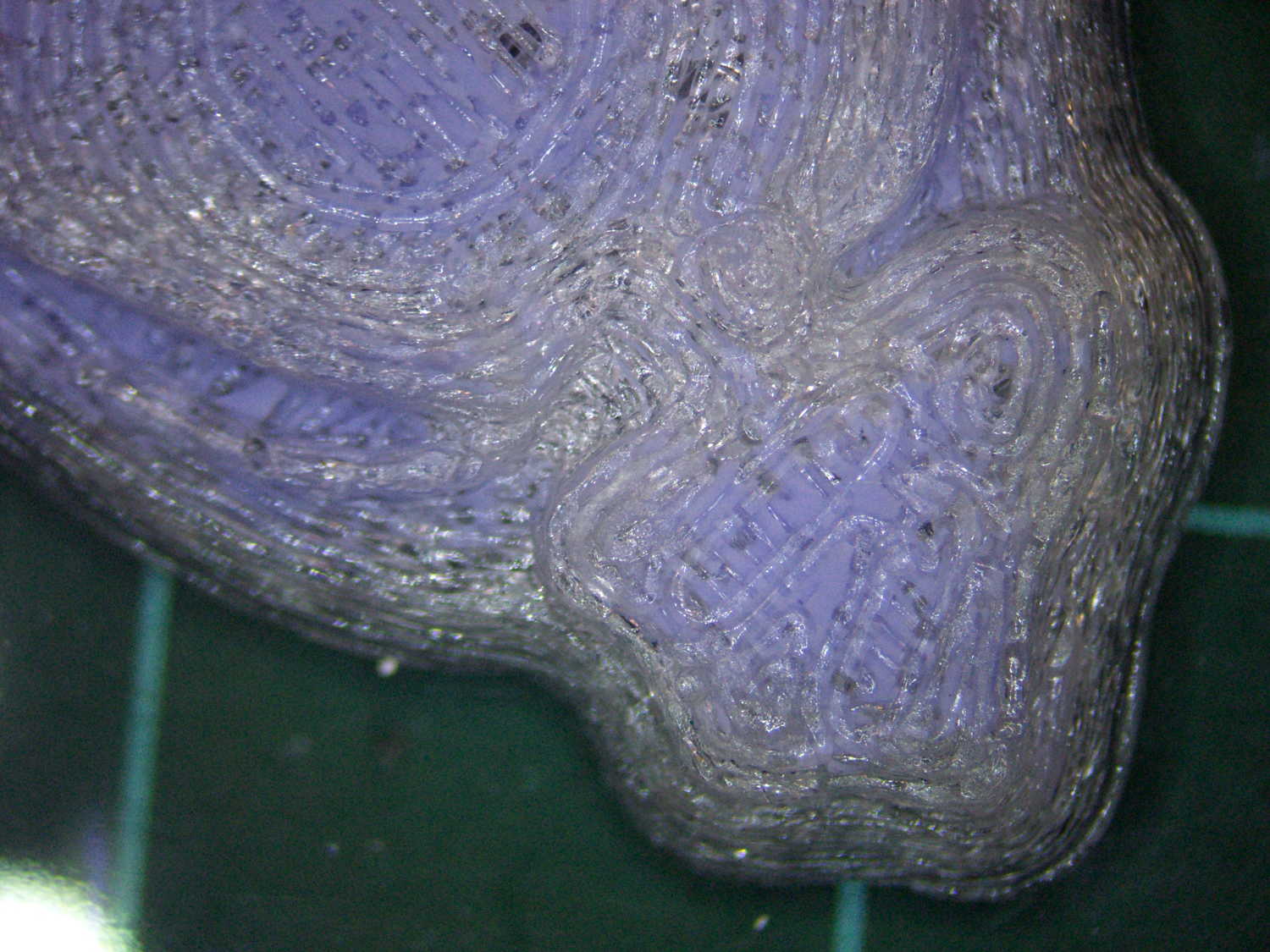
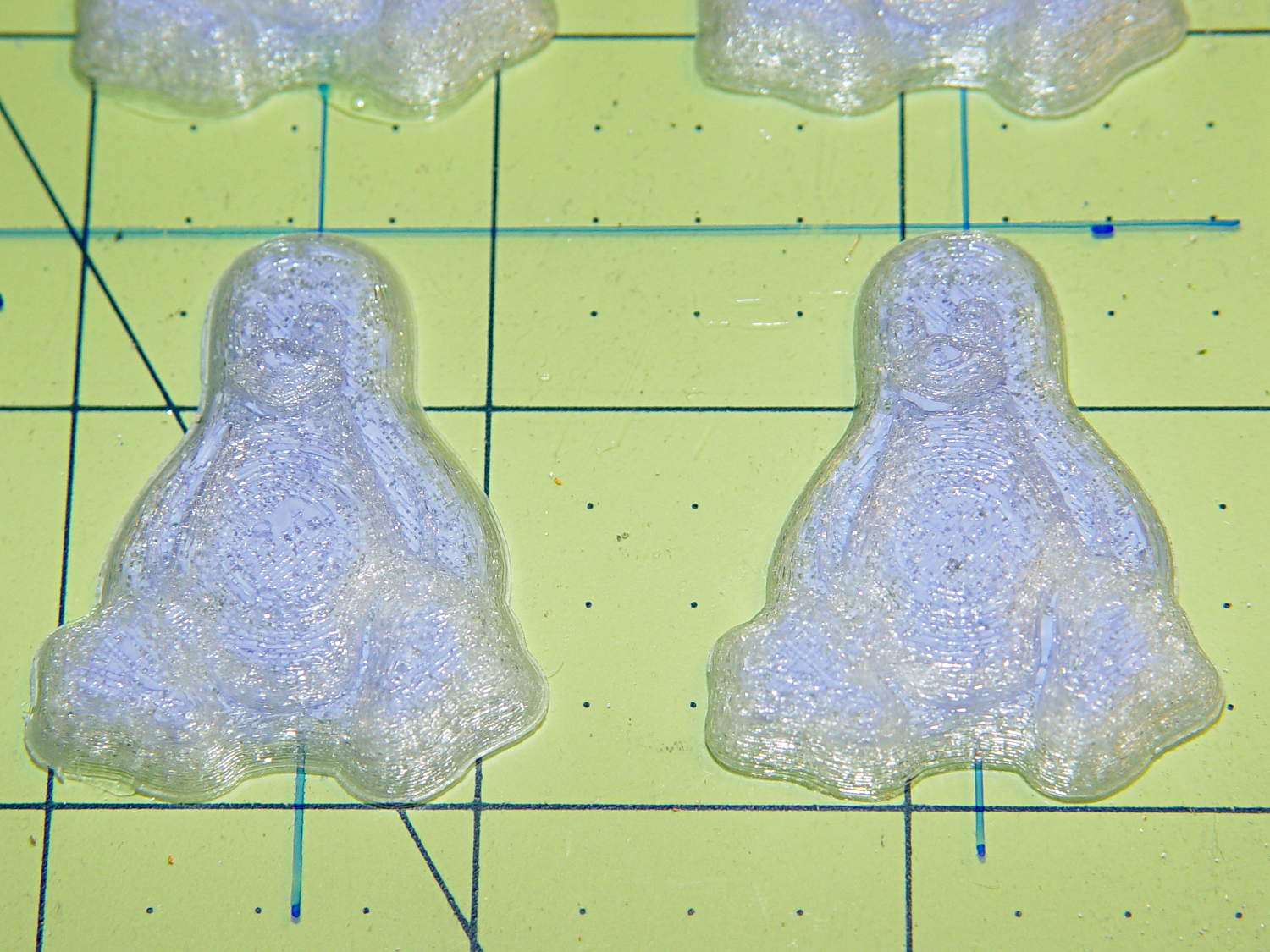
The PLA positive, after removing the silicone negative, showing the silicone below the surface:
Tux Gradient – PLA positive detail
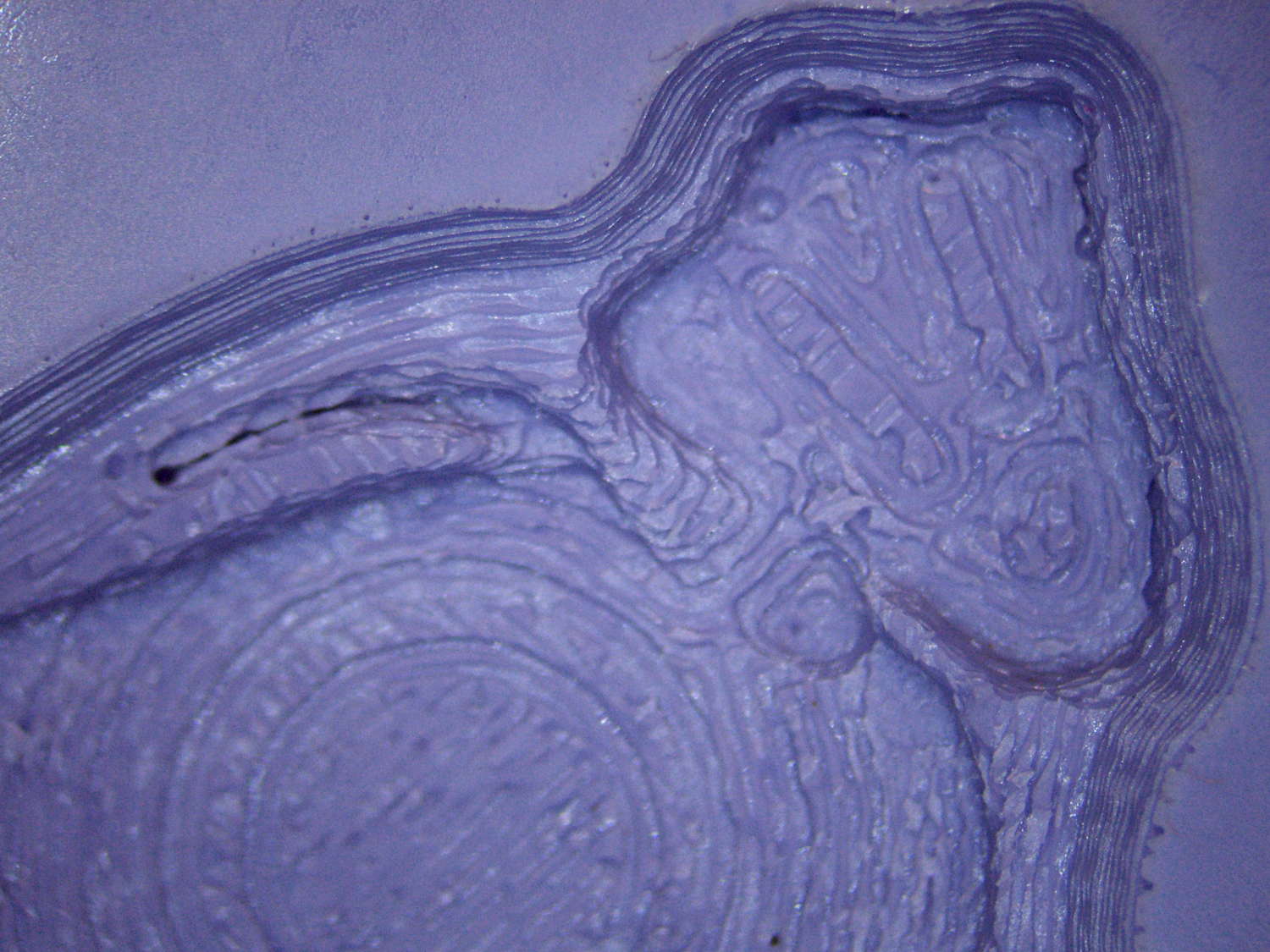
The corresponding silicone negative cavity, flipped top-to-bottom:
Tux Gradient – silicone negative detail
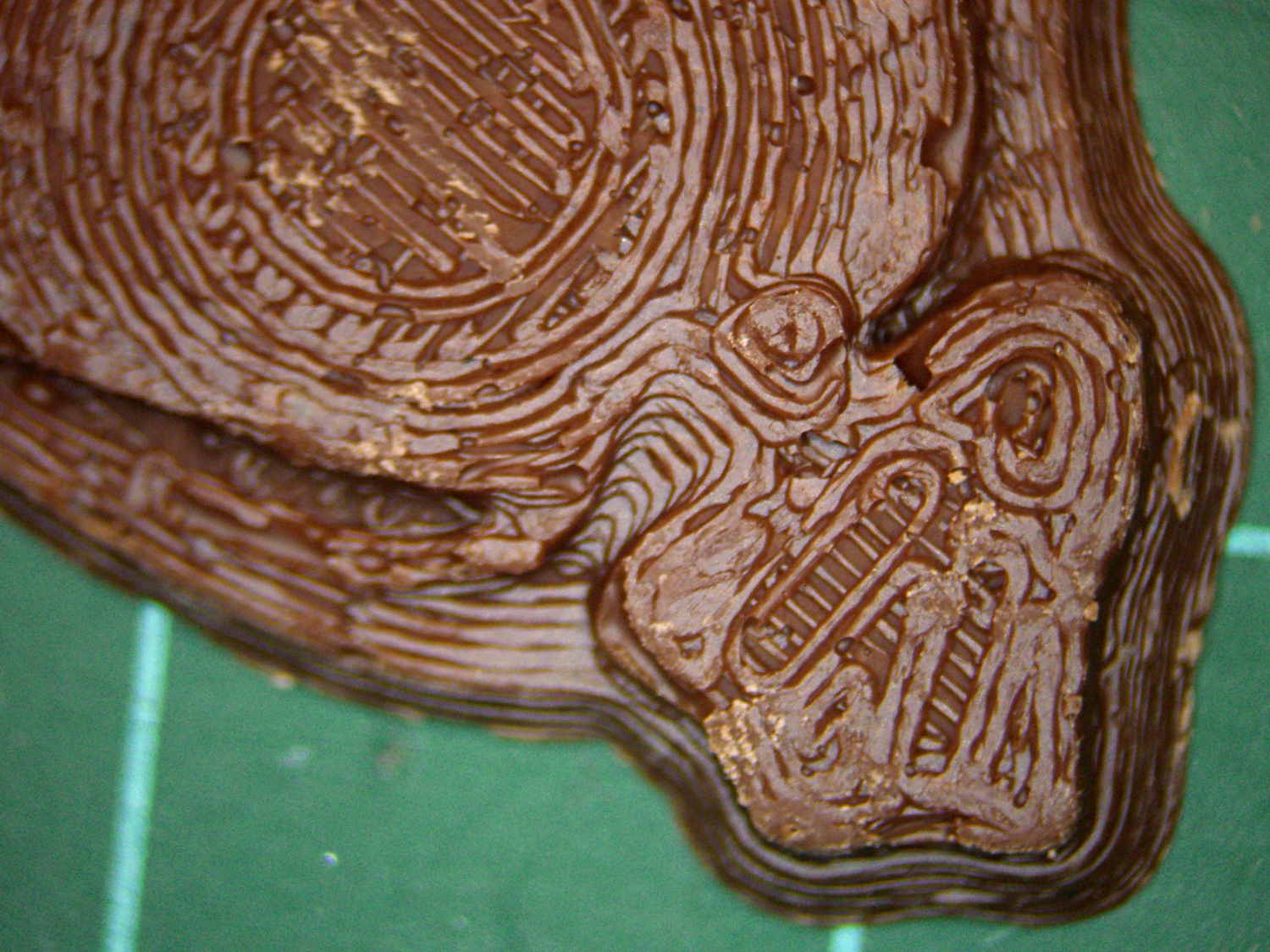
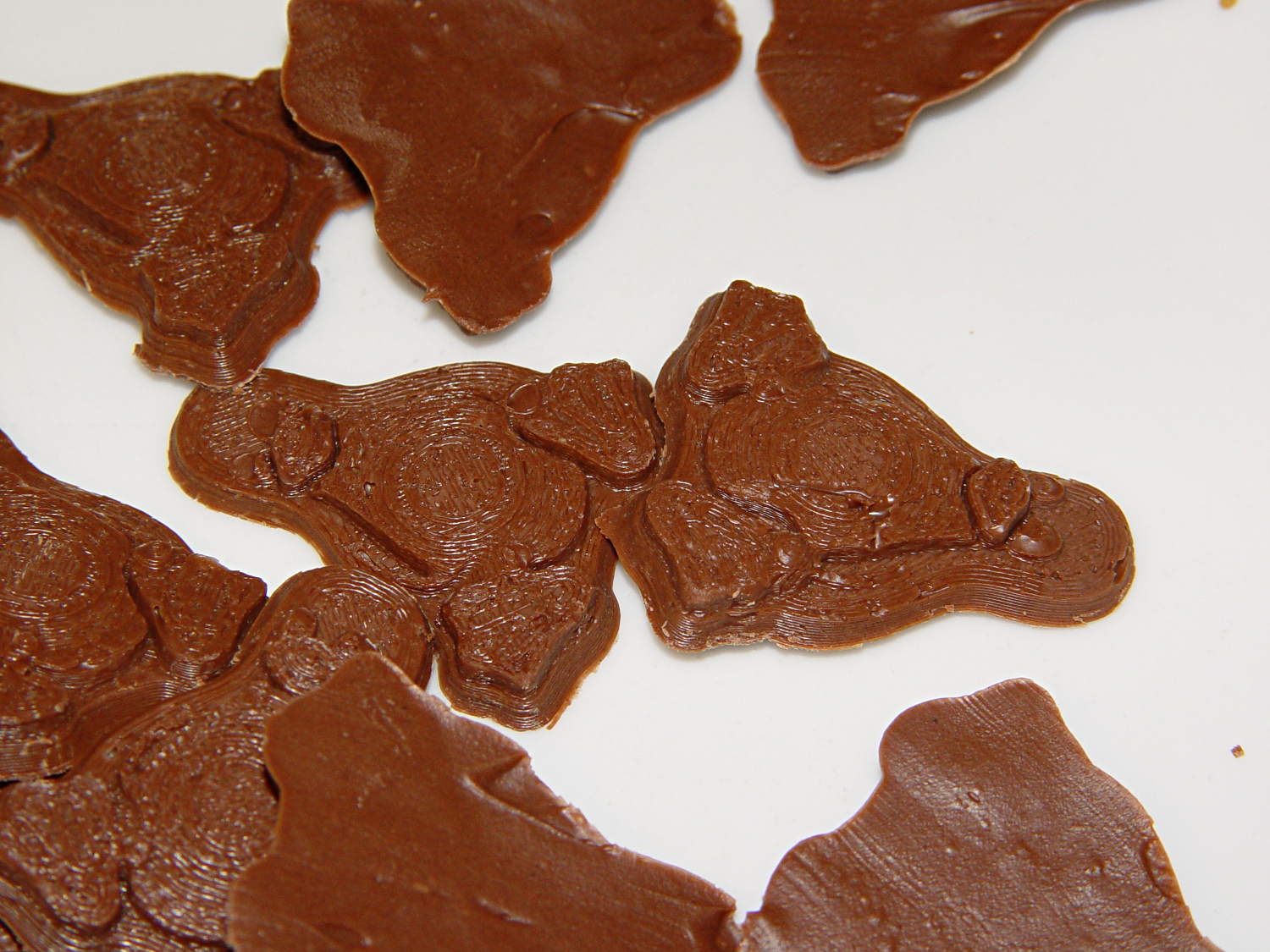
The milk chocolate result, although probably not from the same cavity:
Tux Gradient – milk chocolate detail
The radial gradient on the tummy comes through clearly and, I think, pleasingly, even though it’s only a few layers tall. The threads defining the flipper just above (to the left, in these images) of the foot show where the flipper crosses the tummy and foot level. I didn’t expect the foot webbing grooves to get that ladder-like texture, but I suppose having non-slip foot treads would be an advantage.
If you don’t mind the hand-knitted texture, which I don’t, this process seems perfectly workable.
Having experimentally determined that tempering molten chocolate is not optional (i.e., chocolate doesn’t behave just like butter), I tried a cheat discussed in the comments following that helpful post. Basically, because all retail chocolate is already tempered, you can get good results by carefully heating it to the proper temperature, then pouring it into the molds… the proper crystals remain in their places, the cooled chocolate has good snap, and you avoid a huge amount of fuffing and fawing.
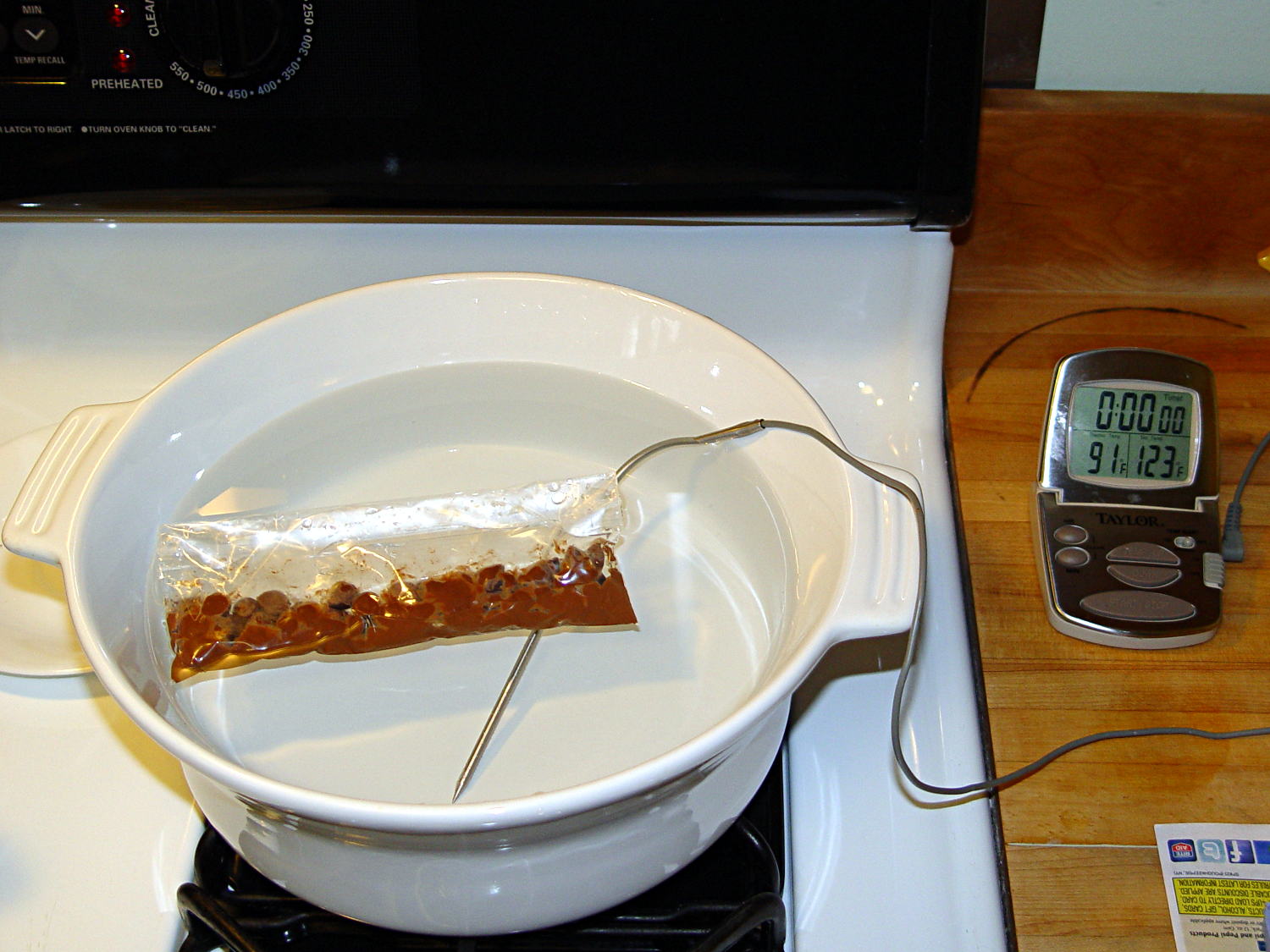
Not having a sous vide setup, but also not working with giant chocolate blocks, I simply filled a big ceramic pot with tepid water:
Chocolate tempering – water bath
Note that the gas burner under the pot is off: the pot’s on the stove because it fit nicely next to the countertop.
A small metal pot sits out of sight on the burner to the left. Goosed with low heat as needed, that pot provided warm water: I moved a cup of tepid water to the metal pot, moved a cup of slightly warmer water back to the ceramic pot, and repeated as needed. As it turned out, the big pot held its heat quite well and the whole process went swimmingly, with the water temperature at 90±1°F, tops.
The Official Tempering Numbers seem to be:
Dark chocolate: 88 – 90°F
Milk chocolate: 86 – 88°F
I suppose I should have used slightly cooler water for the milk chocolate shown in the picture, but it came out Just Fine.
I used Nestlé Toll House Chocolate Morsels for lack of anything better. As nearly as I can tell, cheaper chocolate isn’t really chocolate and fancier chocolate seemed like a Bad Idea until I’ve made a few more mistakes. One bag each of Milk, Dark, and Semi-Sweet sufficed for my simple needs.
The ziplock baggie holds 50 g of chocolate chunks / morsels / whatever, which turned out to be exactly the right amount to fill 16 Tux mold cavities with a 5 mm maximum depth, plus a little bit for the inevitable mess. Sometimes, I just get lucky…
Put chocolate chunks into bag, squeeze out as much air as possible, seal, drop in the pot. Wait a few minutes until it’s not quite completely melted, remove, dry the bag, squeeze out the rest of the air, then knead until it’s all mooshy.
Then cut off one corner of the bag, squeeze chocolate into mold cavities, and flatten the back. I started by easing it into the beak and eyes, filling the tummy, then piling enough to cover everything else. This worked surprisingly well, although the ziplock can unlock if you squeeze hard enough; cut the corner a little bit larger than seems necessary.
Memo to Self: tape the ziplock part of the bag closed to prevent bloopers.
I used a plastic scraper (well, an unused credit card, if you must know) to moosh the chocolate into the cavity and level the back. There doesn’t seem to be much to choose between doing one cavity at a time or a whole row in one pass, although filling more than one row lets the first lump get too cool.
I worried about the chocolate in the bag getting too cool, until I realized that my fingers are hotter than the tempering bath, so, if anything, it would get too hot.
The result came out surprisingly tidy:
Tux Gradient 4×4 – milk chocolate in mold
The silicone block sits atop an aluminum pizza pan, which I transported to the basement for cooling while filling and melting the next bag; the chocolate popped right out of the cavities at about 70°F.
The result looked pretty good to me:
Tux Gradient 4×4 – milk chocolate detail
The detail come out fine and if anybody kvetches about a few bubbles, they don’t get any more.
From left to right, Tux in milk, semi-sweet, and dark chocolate:
Tux Gradient – milk semi-sweet dark lineup
The semi-sweet Tuxes began to bloom almost instantly. I had heated the silicone mold to about 90°F in an attempt to keep the chocolate melty enough to fill 16 cavities before leveling them all at once, but I think it was too hot on the bottom; the four center pieces bloomed right out of the mold and a few others bloomed shortly thereafter.
The bloom highlights the mold detail, though:
Tux Gradient – semi-sweet chocolate bloom
I quickly destroyed all the evidence…
Each Tux weighs 2.5 to 3 g. You do the calorie count yourself, OK?
Although directly printing the 2×2 molds worked reasonably well, that does not scale to larger arrays, because OpenSCAD doesn’t handle the profusion of vertices with any grace. Duplicating the STL file created from the height map image, however, isn’t a problem:
Tux-Gradient – Slic3r layout
I actually did it in two passes: 4 molds to be sure they’d come out right, then another dozen. Figure a bit under two hours for the lot of them, no matter how you, ah, slice it.
A grid drawn directly on 1/16 inch = 1.5 mm acrylic sheet guided the layout:
Tux Gradient 4×4 – mold as-cast
I anointed the back of each mold positive with PVC pipe cement, the version with tetrahydrofuran to attack the PLA and acetone/MEK to attack the acrylic, lined it up, and pressed it in place. The positives have recesses for alignment pins, but even I think that’s overkill in this application.
Memo to Self: Flip the acrylic over before gluing, so the guide lines wipe neatly off the bottom.
Tape a cardboard frame around the acrylic, mix & pour the silicone, put it on the floor to ensure it’s level (unlike our kitchen table), wait overnight for the cure, then peel positive and negative apart:
Tux Gradient 4×4 – mold separated
As before, the top surface of the positives isn’t watertight, so the silicone flowed through into the molds. This isn’t a simple extruder calibration issue, because the thinwall boxes are spot on, all the exterior dimensions are accurate, and everything else seems OK. What’s not OK is that threads on the top and (now that I look at it) bottom surfaces aren’t properly joining.
A closeup of the positive shows silicone between the threads and under the surface:
Tux Gradient 4×4 – postive detail
But the negative silicone looks just fine, in the usual hand-knitted way of all 3D printed parts:
Tux Gradient 4×4 – negative detail
Definitely fewer bubbles than before, although the flange between the flippers (wings? whatever) and the body isn’t as clean as it could be. Doing better may require pulling a vacuum on the silicone, which would mean the positives really must be air-tight solids.
Anyhow, the acrylic base produced a wonderfully flat surface that should make it a lot easier to run a scraper across the chocolate to remove the excess. Not that excess chocolate is ever a problem, but it’s the principle of the thing.
This is the simple height-map Tux image I’d been using for the chocolate molds:
Tux_Hi_Profile
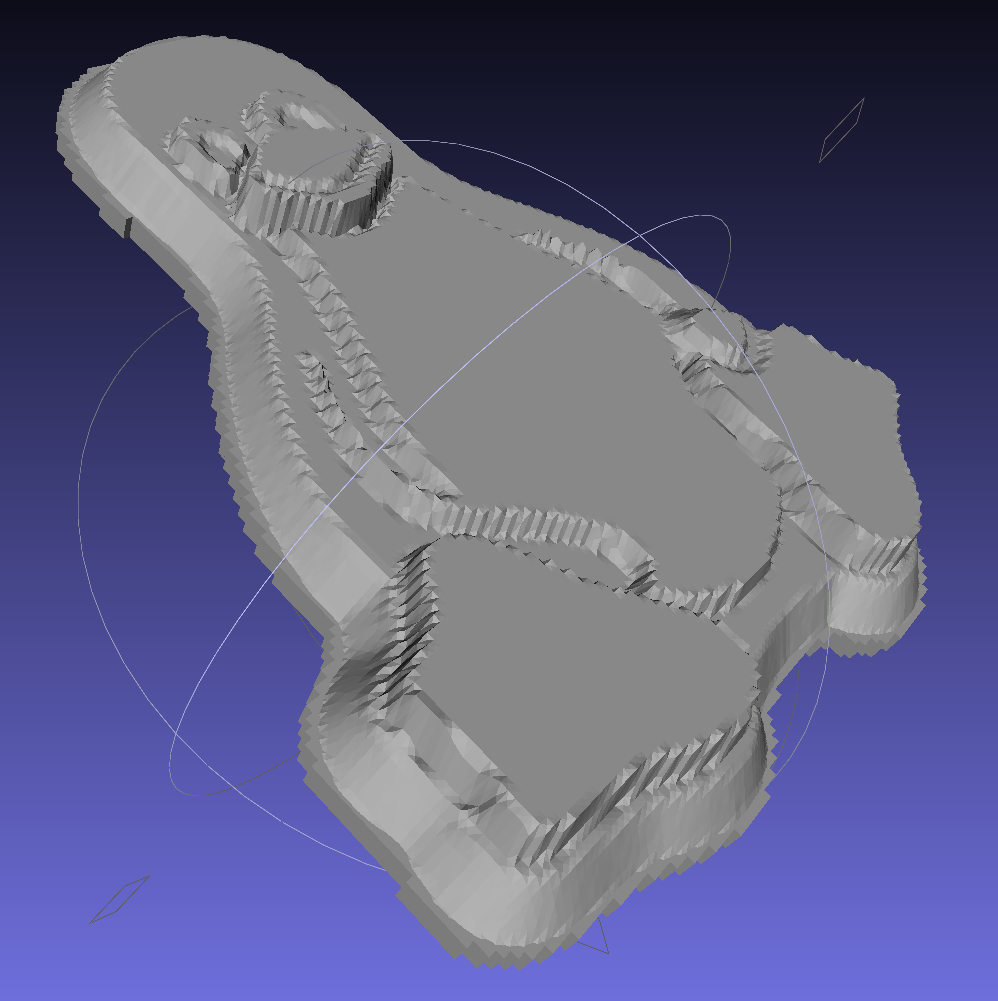
But the poor critter looks a bit flattened:
Tux_Hi_Profile – solid model
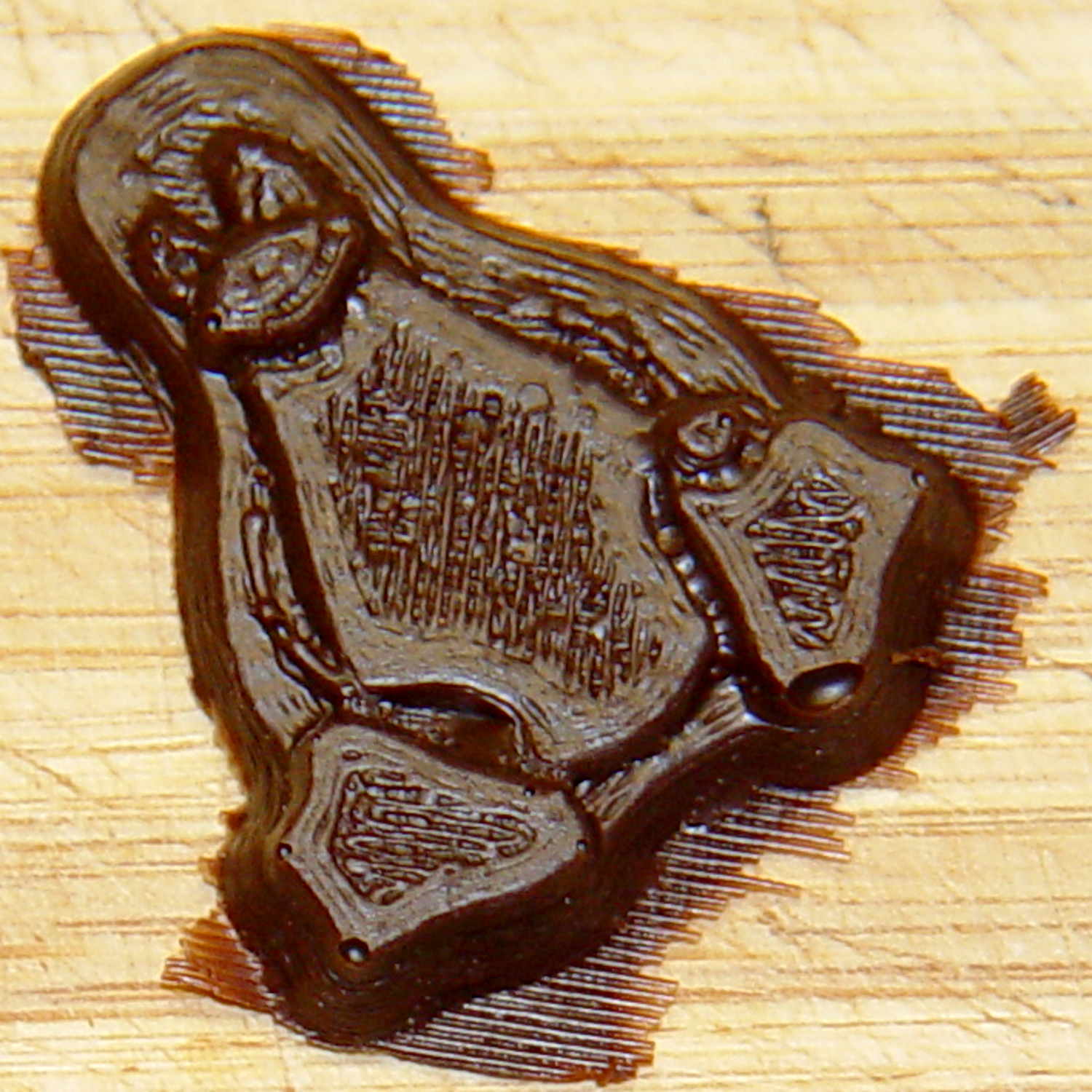
The final result is tastier, but gives off a roadkill vibe:
Tux chocolates – detail
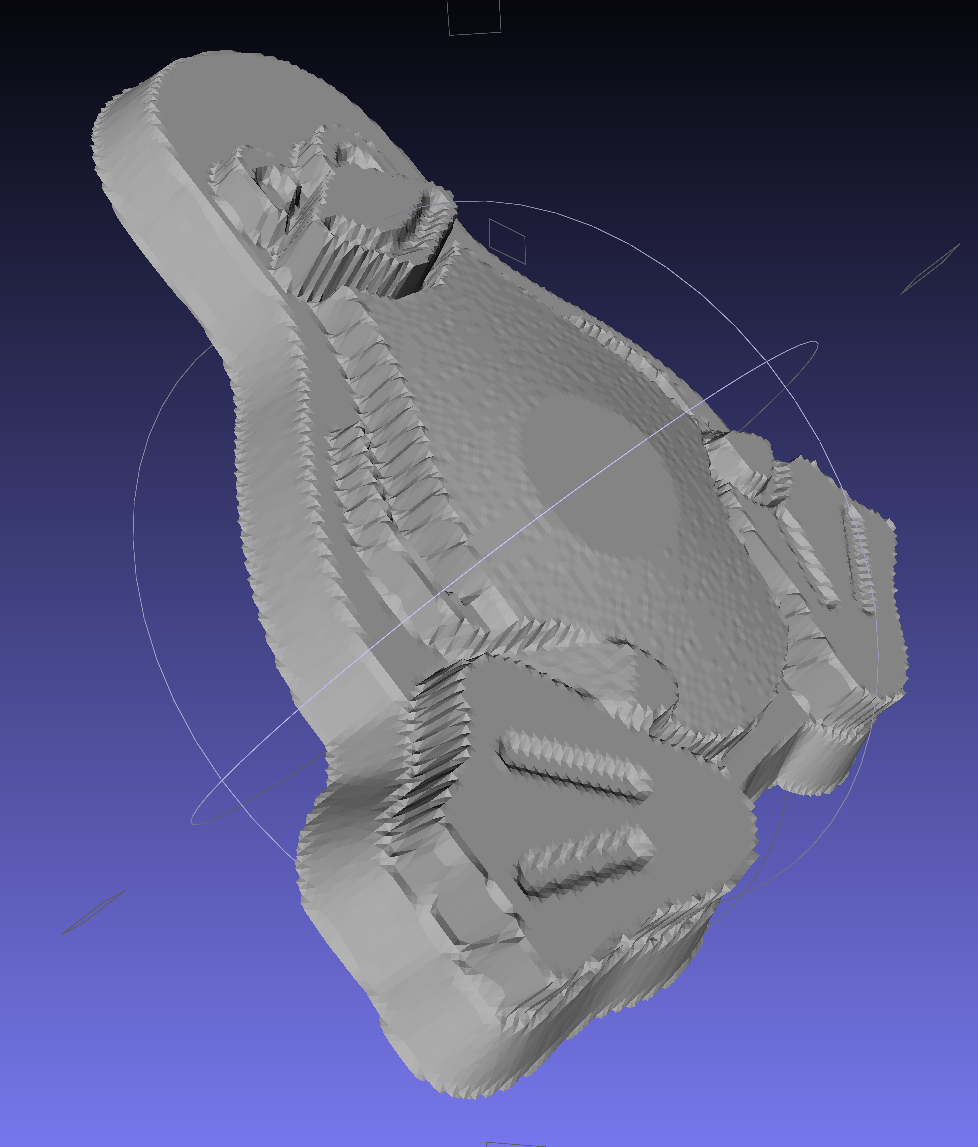
After a few tweaks to the image, now he has a radial gradient on his tummy, his right flipper extends forward, his feet have webs, and his smile looks radiant. The gray levels now extend over a larger range with a bit more separation, with the intent that he’ll now be 5 mm thick:














 The Smell of Molten Projects in the Morning