The Smell of Molten Projects in the Morning

Ed Nisley's Blog: Shop notes, electronics, firmware, machinery, 3D printing, laser cuttery, and curiosities. Contents: 100% human thinking, 0% AI slop.

Author: Ed

  • Sandisk 64 GB High Endurance Video Monitoring Card: Verification

    The Sandisk Extreme Pro 64 GB MicroSDXC (whew) card in the Sony HDR-AS30V had been working fine, but recently the camera crashed in mid-ride after spitting out an unreadable video file. I reformatting the card, which seemed to restore its good humor, and preemptively dropped $36 on a fancy Sandisk High Endurance Video Monitoring Card from a Nominally Reputable Amazon seller:
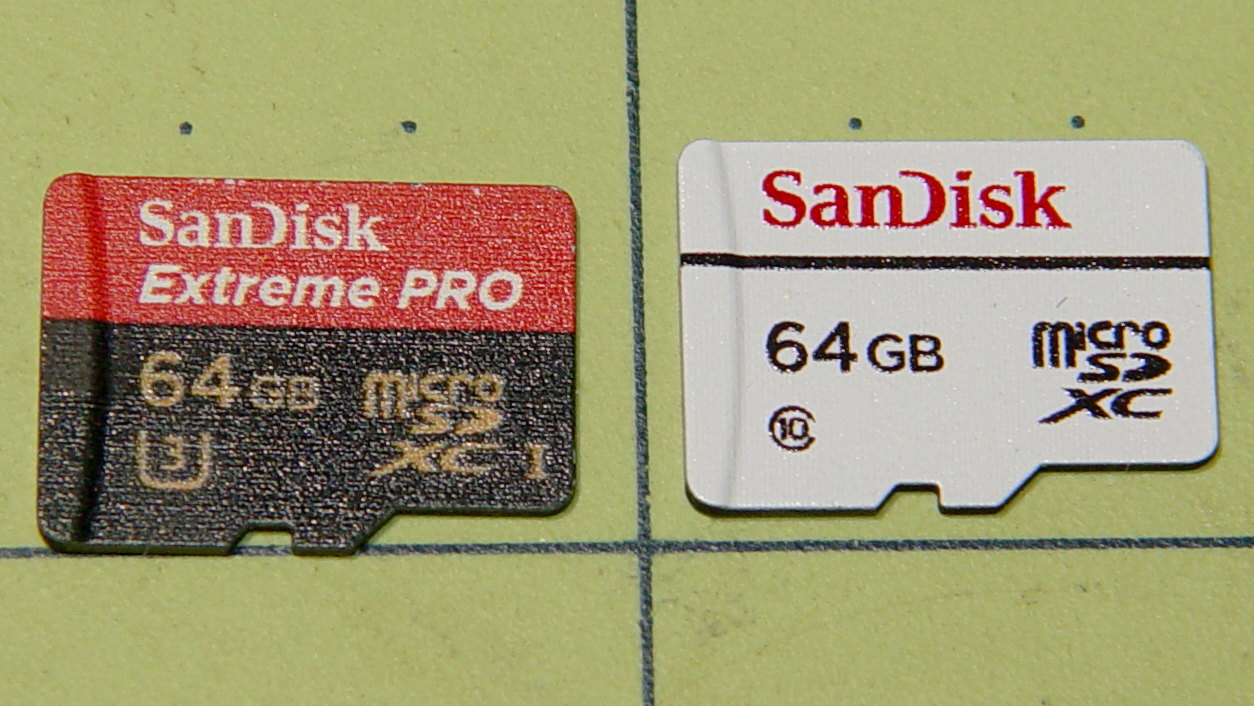
    Sandisk - 64 GB MicroSDXC cards
    Sandisk – 64 GB MicroSDXC cards

    The package & card production values seem high enough to make me think it’s genuine, despite the white-label thing SanDisk has goin’ on; it matches their website pix closely enough.

    Popping it into a USB 3.0 adapter, plugging that into the new-to-me Dell Optiplex 9010’s front-panel USB 3.0 port, and unleashing f3probe produced encouraging results:

    sudo f3probe -t /dev/sde
    [sudo] password for ed: 
    F3 probe 6.0
    Copyright (C) 2010 Digirati Internet LTDA.
    This is free software; see the source for copying conditions.
    
    WARNING: Probing normally takes from a few seconds to 15 minutes, but
             it can take longer. Please be patient.
    
    Probe finished, recovering blocks... Done
    
    Good news: The device `/dev/sde' is the real thing
    
    Device geometry:
    	         *Usable* size: 59.48 GB (124735488 blocks)
    	        Announced size: 59.48 GB (124735488 blocks)
    	                Module: 64.00 GB (2^36 Bytes)
    	Approximate cache size: 0.00 Byte (0 blocks), need-reset=no
    	   Physical block size: 512.00 Byte (2^9 Bytes)
    
    Probe time: 4'26"
     Operation: total time / count = avg time
          Read: 2'42" / 4197135 = 38us
         Write: 1'41" / 4192321 = 24us
         Reset: 1.00s / 1 = 1.00s
    

    Just for completeness, I unleashed f3write to fill it with pseudorandom data:

    time f3write /mnt/part
    Free space: 59.46 GB
    Creating file 1.h2w ... OK!                          
    Creating file 2.h2w ... OK!                          
    … snippage …                      
    Creating file 59.h2w ... OK!                        
    Creating file 60.h2w ... 99.99% -- 5.40 MB/s -- 1sf3write: Write to file /mnt/part/60.h2w failed: Input/output error
    
    real	180m36.861s
    user	0m40.520s
    sys	6m44.024s
    

    Dividing 64 GB by 180 minutes says the write speed works out to 5.9 MB/s, about a third of the “up to 20 MB/s” in the card’s specs. Huh.

    Reading & comparing the data goes faster:

    time f3read /mnt/part
                      SECTORS      ok/corrupted/changed/overwritten
    Validating file 1.h2w ... 2097152/        0/      0/      0
    Validating file 2.h2w ... 2097152/        0/      0/      0
    … snippage …
    Validating file 59.h2w ... 2097152/        0/      0/      0
    Validating file 60.h2w ...  965376/        0/      0/      0
    
      Data OK: 59.46 GB (124697344 sectors)
    Data LOST: 0.00 Byte (0 sectors)
    	       Corrupted: 0.00 Byte (0 sectors)
    	Slightly changed: 0.00 Byte (0 sectors)
    	     Overwritten: 0.00 Byte (0 sectors)
    Average reading speed: 23.87 MB/s
    
    real	42m31.288s
    user	0m47.444s
    sys	0m30.232s
    

    So it reads lickety-split, but writes much more slowly. Fortunately, the HDR-AS30 camera pops out a 4 GB file every 22.75 minute = 2.9 MB/s, so the card has a smidge of headroom while writing.

    The specs claim “up to 10,000 hours” of Full HD recording. If so, I’m looking at a card good for “up to 40 years of riding at 1 hour/ride and 250 ride/year. For 36 bucks, how can ya go wrong?

    I’ll take it for a few rides to see what happens …

    The packaging includes a link to a Windows / Mac data recovery program, plus the serial number required to activate the download. I’ll continue to eke out a miserable existence with ordinary Linux disk / file maintenance tools, as I’m no longer enthused about “free” programs requiring secret handshakes for activation on a single computer with an OS I no longer use, particularly a program that auto-pumpkinates after a year:

    Please fill in the data accurately as this information will be needed to reactivate the software if you ever need to move the software to a different computer.

    Your expectations & preconceptions may vary.

  • Quartz Resonator Test Fixture: Cleanup

    Isolating the USB port from the laptop eliminated a nasty ground loop, turning off the OLED while making measurements stifled a huge noise source, and averaging a few ADC readings produced this pleasing plot:

    Resonator 0 Spectrum
    Resonator 0 Spectrum

    Those nice smooth curves suggest the tester isn’t just measuring random junk.

    The OLED summarizes the results after the test sequence:

    LF Crystal Tester - OLED test summary - Resonator 0
    LF Crystal Tester – OLED test summary – Resonator 0

    Collecting all the numbers for that resonator in one place:

    • C0 = 1.0 pF
    • Rm = 9.0 kΩ
    • fs = 59996.10 Hz
    • fc = 59997.79 Hz
    • fc – fs = 1.69 Hz
    • Cx = 24 pF

    Turning the crank:

    CC 2017-11 - Resonator 0 Calculations
    CC 2017-11 – Resonator 0 Calculations

    I ripped that nice layout directly from my November Circuit Cellar column, because I’m absolutely not even going to try to recreate those equations here.

    Another two dozen resonators to go …


  • Amazon Packaging: Lithium Ion Cells

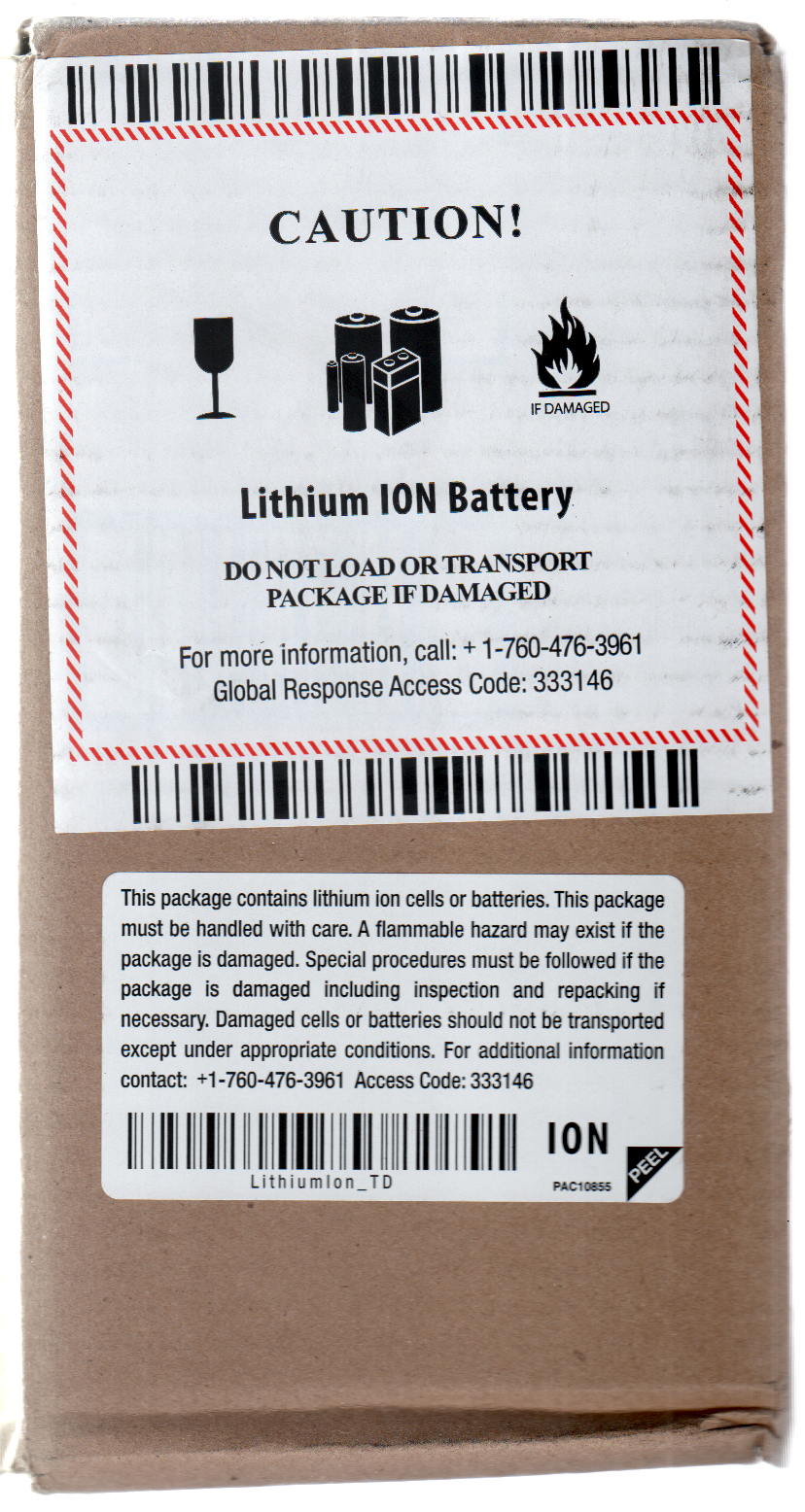
    The mandatory warning stickers leave no doubt as to what’s in the box:

    Amazon - Lithium Ion Battery Warning Stickers
    Amazon – Lithium Ion Battery Warning Stickers

    You can imagine my relief when the lithium cells arrived intact:

    Amazon - Lithium Ion Battery - packaging
    Amazon – Lithium Ion Battery – packaging

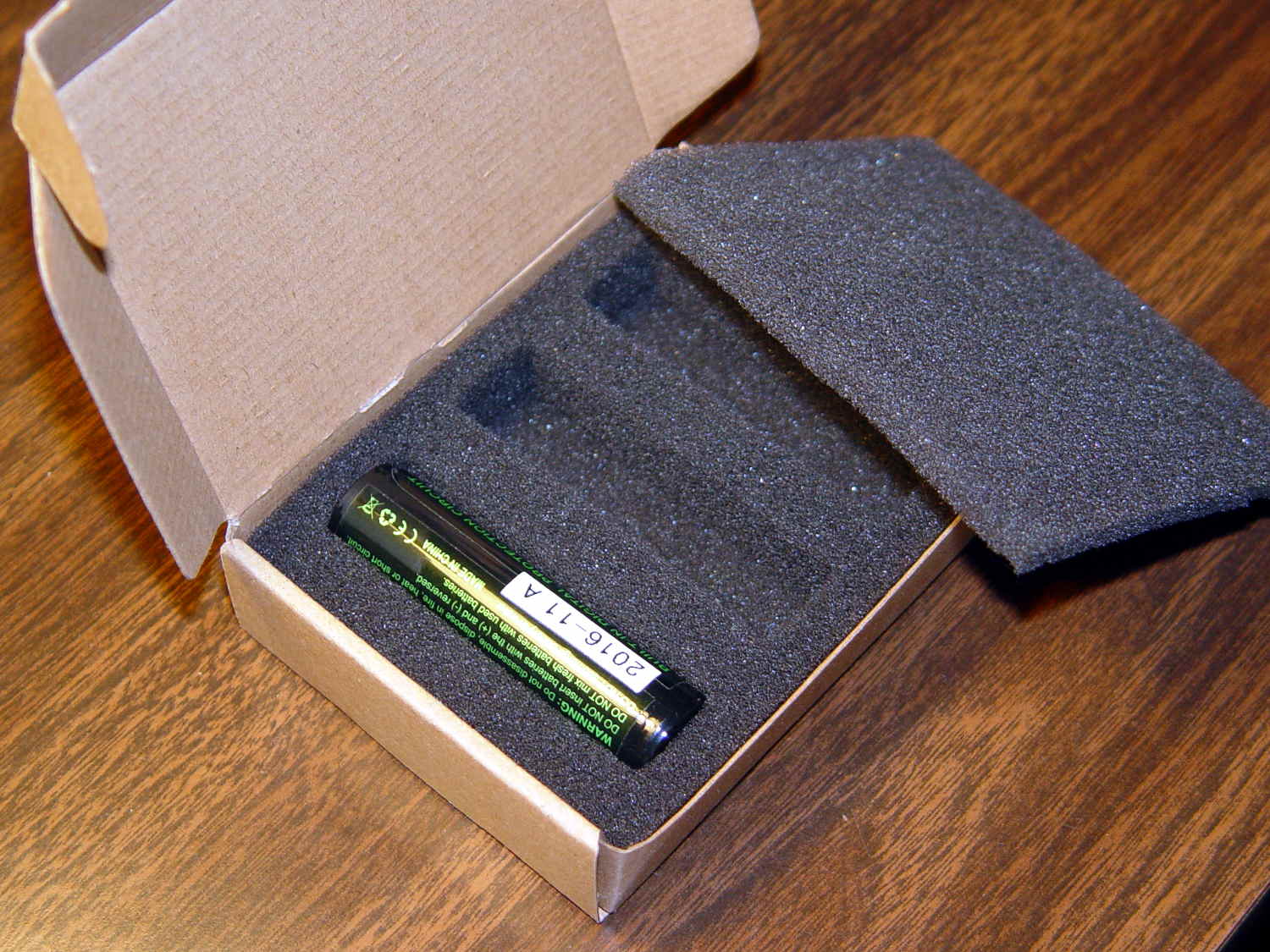
    FWIW, the ATK lithium cells arrived in a small box, snugly tucked into a form-fitting foam block:

    ATK Lithium Ion Cell - padded box
    ATK Lithium Ion Cell – padded box

    As long as nothing happens, it doesn’t matter, right?

    You’d think Amazon would have learned something from their day in court, though …

  • Cicadas

    The main cicada season has only begun, so these two may have emerged slightly too early:

    Cicadas
    Cicadas

    They’re “ordinary” cicadas, not periodical cicadas, which certainly matters more to them than us.

    They’re completely harmless, but definitely don’t look it:

    Cicada 1 - ventral
    Cicada 1 – ventral

    Their topside armor would look great on a robot:

    Cicada 2 - dorsal
    Cicada 2 – dorsal

    Found ’em dead on the driveway, alas.

  • Monarch Butterfly Egg

    We watched a female Monarch Butterfly lay eggs on the stand of milkweed behind the house. She also found a lone plant in the vegetable garden that’s now standing in a vase on the kitchen table where we can keep an eye on the proceedings.

    So far, so good:

    Monarch Butterfly Egg on Milkweed Leaf - 2017-07-29
    Monarch Butterfly Egg on Milkweed Leaf – 2017-07-29

    I never knew Monarch eggs were so elaborate!

    Captured with the VGA-resolution USB camera atop the zoom microscope, with VLC applying automagic gamma and level adjustment.

    Focus-stacking the three best images helps the ribs toward the leaf, but not by much:

    Monarch Egg - focus stacked
    Monarch Egg – focus stacked

    After picking out the images, all of which bear VLC’s auto-generated names like vlcsnap-2017-07-29-09h26m25s720.png, stack them thusly:

    align_image_stack -C -a milkweed *png
    enfuse -o Monarch.jpg milkweed000*
    

    Tinkering with the options might improve things, but … maybe next time.

  • Stereo Zoom Microscope Ring Light: Mounting Tape

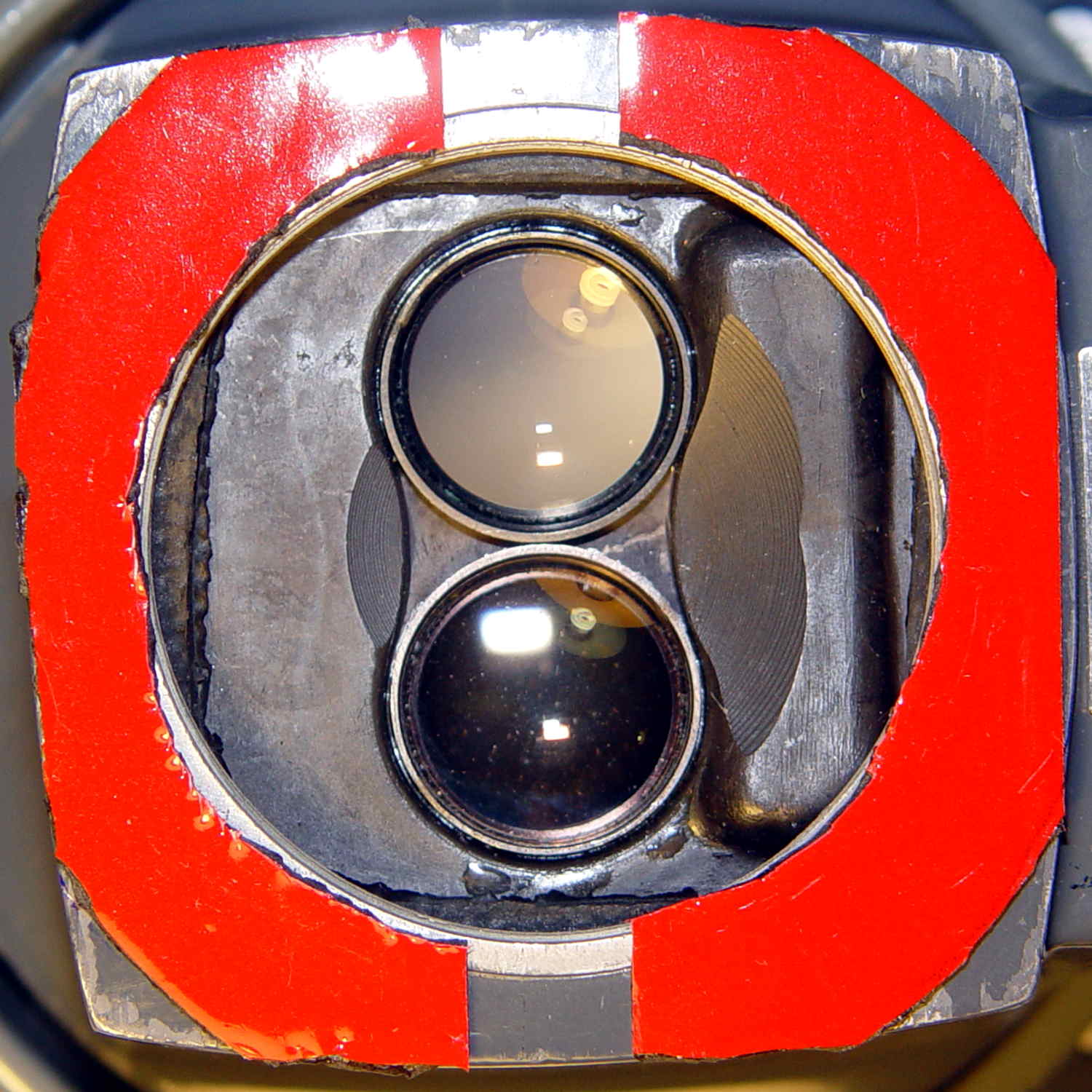
    The tiny lip holding the new LED ring light into the microscope snout lacked enough traction and deposited the ring light on the desk. Having picked up a roll of Scotch Extreme Mounting Tape to see how well it works to attach LEDs to vacuum tubes, I’ll see how well it affixes a ring light to a microscope:

    Stereo zoom microscope - taped snout
    Stereo zoom microscope – taped snout

    The red plastic film separates the tape layers on the spool; the tape itself consists of incredibly sticky, gooey adhesive on a very flexible foam backing. As you can tell from the ragged edges, cutting it requires some effort, with the adhesive instantly gumming up scissors. I applied a razor knife around the microscope snout’s perimeter, pressing from the red film side and pulling the cut sections apart as I went.

    The adhesive exposed on the edges of the roll will glue it to anything it touches, so hang up the roll. Laying it on a shelf will definitely cause heartache & confusion.

    The instructions on the back label suggest 2 square inches of tape will hold 1 pound:

    Scotch Extreme Mounting Tape - label
    Scotch Extreme Mounting Tape – label

    Given that the ring light weighs a few ounces, tops, those two strips should do fine.

  • Sony DSC-H5 End-of-Life, With Reprieve

    So my trusty Sony DSC-H5 camera emitted a horrible crunching sound from inside its lens assembly, spat out several error codes which boiled down to “throw me out”, stopped retracting its lens, and developed a nasty rattle. If I thought dropping $2k on a fancy mirrorless DSLR would improve my photography, I’d do it, but instead I picked up a $60 used DSC-H5 from eBay and continued the mission.

    Of course, the new-to-me H5 suffers from the half-press switch failure common to that entire line of Sony cameras; my DSC-H1 repair notes still come in handy for many folks.

    I’d preemptively repaired the shutter button + switch in my now-defunct H5, so I dismantled it, extracted the control assembly + shutter button, bulldozed the debris aside, dismantled the new(er) H5, transplanted the parts, reassembled it, and declared victory.

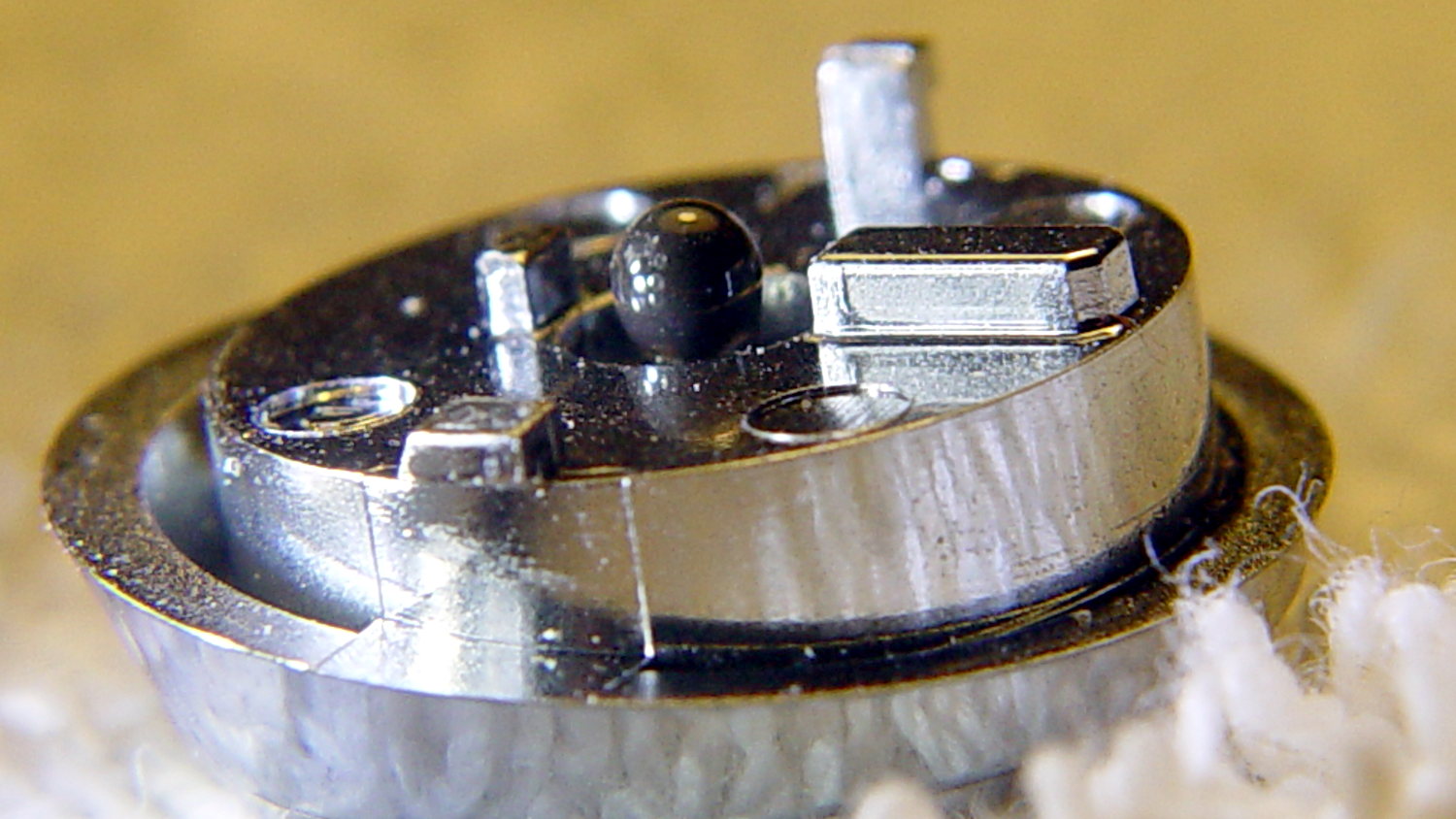
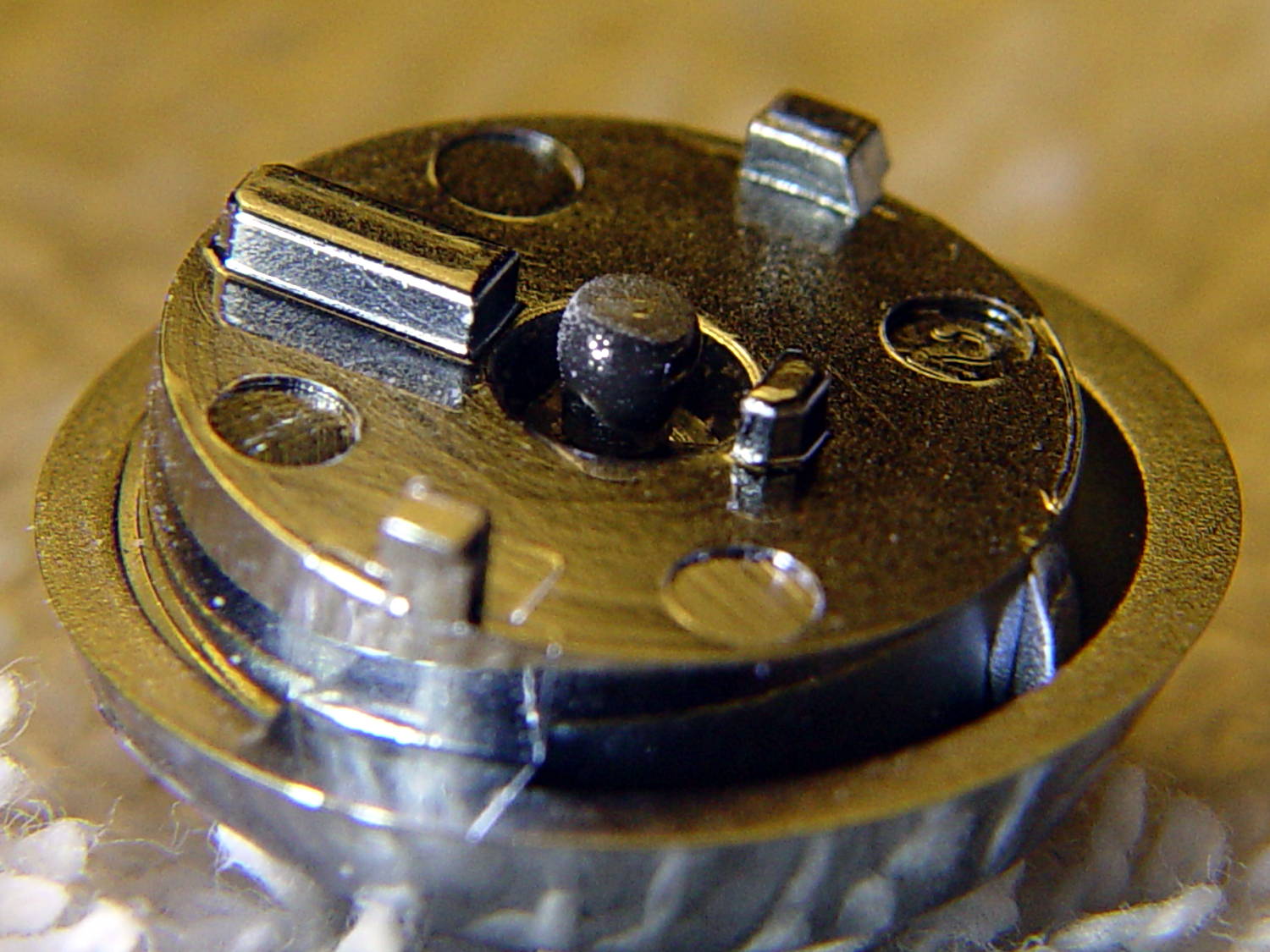
    Which left me with a pile of parts that could become an H5, if I could fix the lens assembly, which seemed unlikely. While pondering the futility of human existence, I applied a low-effort repair to the defunct shutter button by scuffing the nicely chromed and absurdly tapered tip of the OEM shutter button’s shaft, then applying a dot of JB Kwik epoxy:

    DSC-H5 Shutter Button - epoxy dot
    DSC-H5 Shutter Button – epoxy dot

    The nice sphere came from hanging downward, with the button sitting atop a short brass tube on the workbench.

    Filing the dot’s end flat produced a blunt plunger much larger than the OEM tip:

    DSC-H5 Shutter Button - filed epoxy dot
    DSC-H5 Shutter Button – filed epoxy dot

    You can just see the edge of the OEM tip inside the grayish end, which puts the filed flat at the original pin’s length.

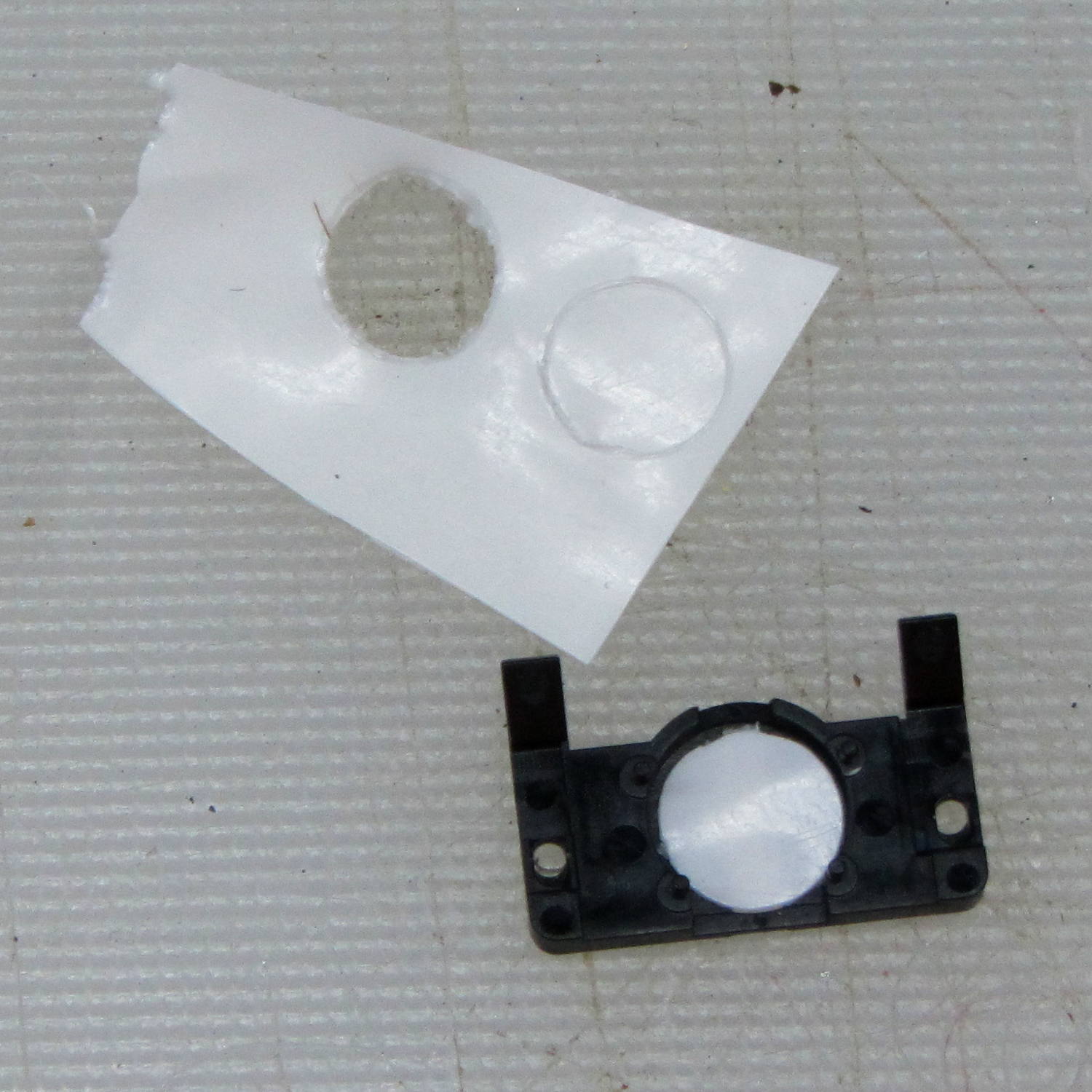
    I punched a new plastic disk to replace the indented one:

    DSC-H5 - shutter switch cover
    DSC-H5 – shutter switch cover

    Based on past experience, the new plunger tip will work fine, although, unlike the brass screw repair, the OEM plastic pin can still break and launch the spring-loaded shutter button cap into a nearby bush. Given that I may never actually use the repaired button, I’ll take the risk.

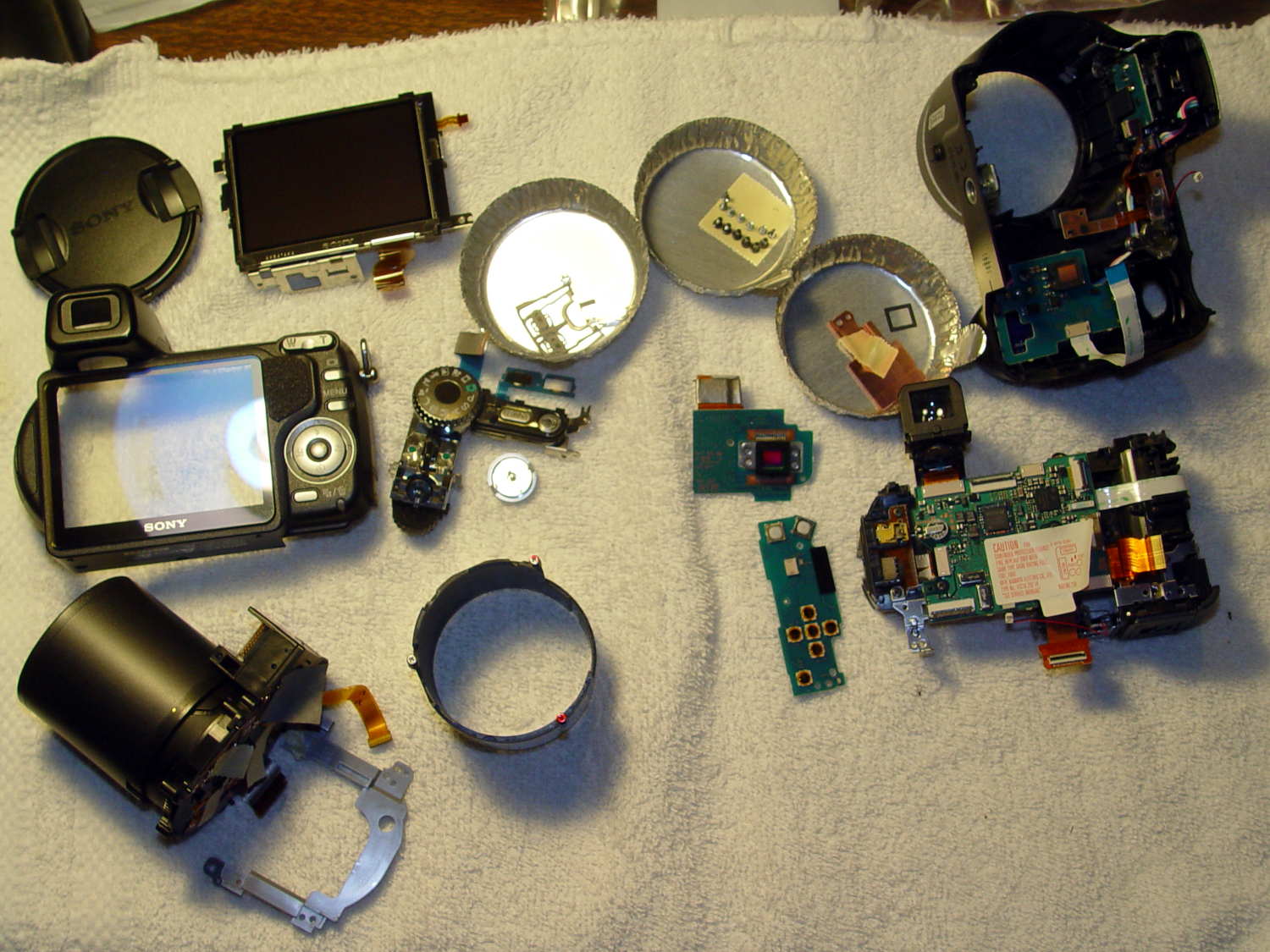
    Finding out if the new tip will work may take a while:

    DSC-H5 - disassembled
    DSC-H5 – disassembled

    I did a bit more disassembly than strictly necessary to replace the shutter button, but not by much; you’d be crazy to pay me to fix your camera, fer shure.