My posts about troubles with the Kensington Expert Mouse scroll ring remain disturbingly popular. My most recent warranty replacement has been running fine for several years, so I suspect they had a bad lot of IR detectors go their production line and into the field.
In any event, a recent email asked about where to get the little connector inside the mouse to replace a worn-out USB cable:
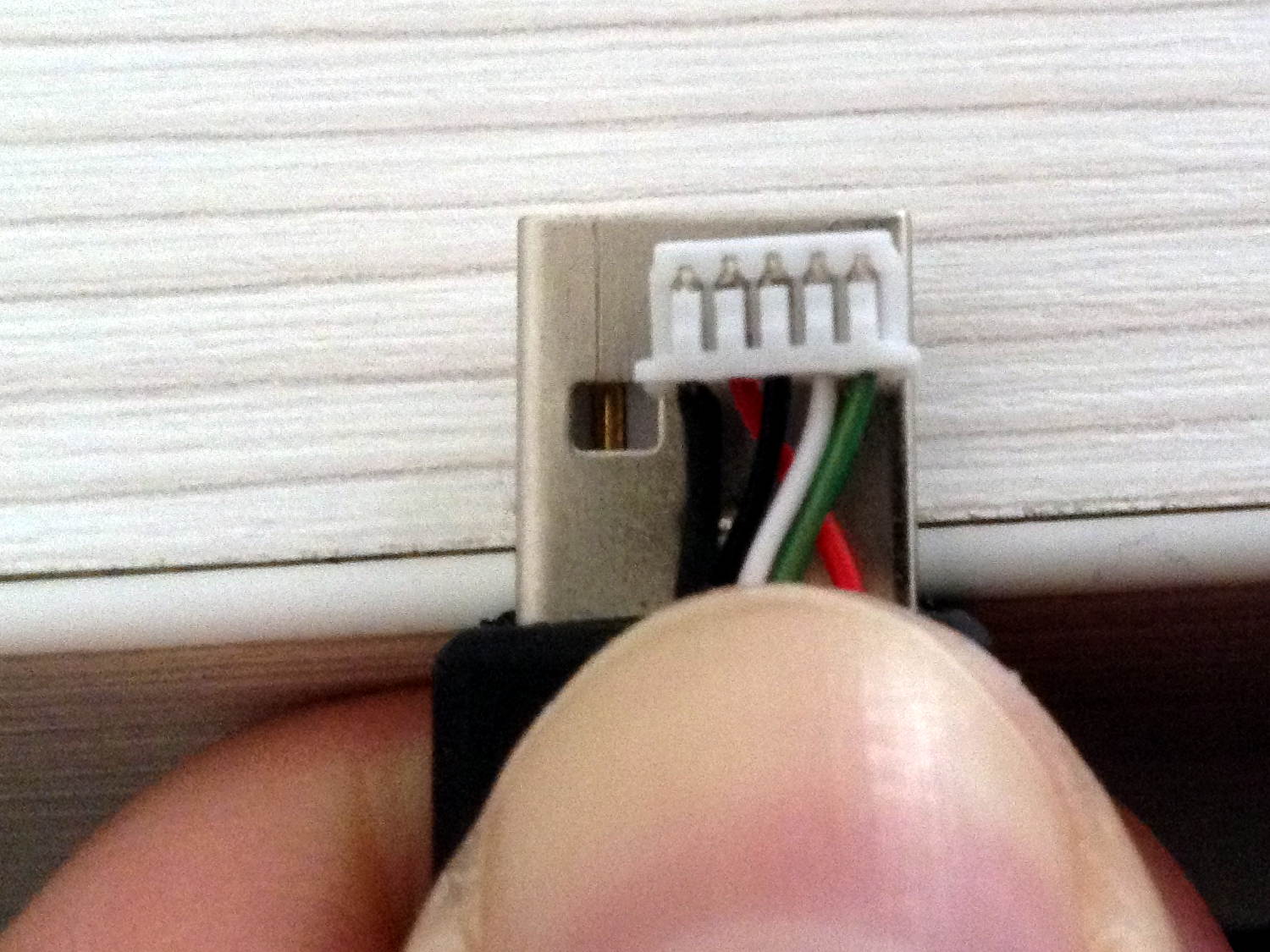
Maybe you’d be lucky enough to find an identical connector inside an old mouse in a junk box, but that’s not the way to bet.
Given that you need not only the proper plastic shell, but also the pins and the crimper for a proper repair, I suggested just chopping the wires an inch from the connector and splicing the new cable onto the wires.
Not an elegant solution, but it works for me …
 The Smell of Molten Projects in the Morning
Comments
4 responses to “Kensington Expert Mouse Cable Replacement”
Looks like an ordinary JST connector, but of course I can’t be sure.
I think it’s smaller than the usual JST. My feeling was that harvesting the old plug guaranteed a perfect fit (because it’s the same plug!) and gets the trackball back on the air almost immediately.
My guess is a JST SH-series connector. 1mm pitch?
You do NOT want to crimp those without the proper ($1k-ish) tool. Speaking from experience on that.
Digi-key does sell pigtails and assemblies in 2-, 6-, and 12-inch lengths, though. Quite reasonably priced, too – though they’re a different (compatible) family of IDC connectors.
Beats me, but I think it’s larger than 1 mm. There’s no way to be absolutely sure without having the replacement connectors in hand, so it’s just a whole lot easier to make the whole problem Go Away by recycling the old connector.