The Smell of Molten Projects in the Morning

Ed Nisley's Blog: Shop notes, electronics, firmware, machinery, 3D printing, laser cuttery, and curiosities. Contents: 100% human thinking, 0% AI slop.

Tag: Sherline

Sherline CNC mill

  • AC Interface Chassis Mounting Clips

    The Dell GX270 system board mounts on a tray, latching into small tabs, with a single screw locking it in place. The tray then slides into the metal EMI shield / case, latching onto more tabs, with a spring-loaded pair of tabs snapping into a slot under the green latch:
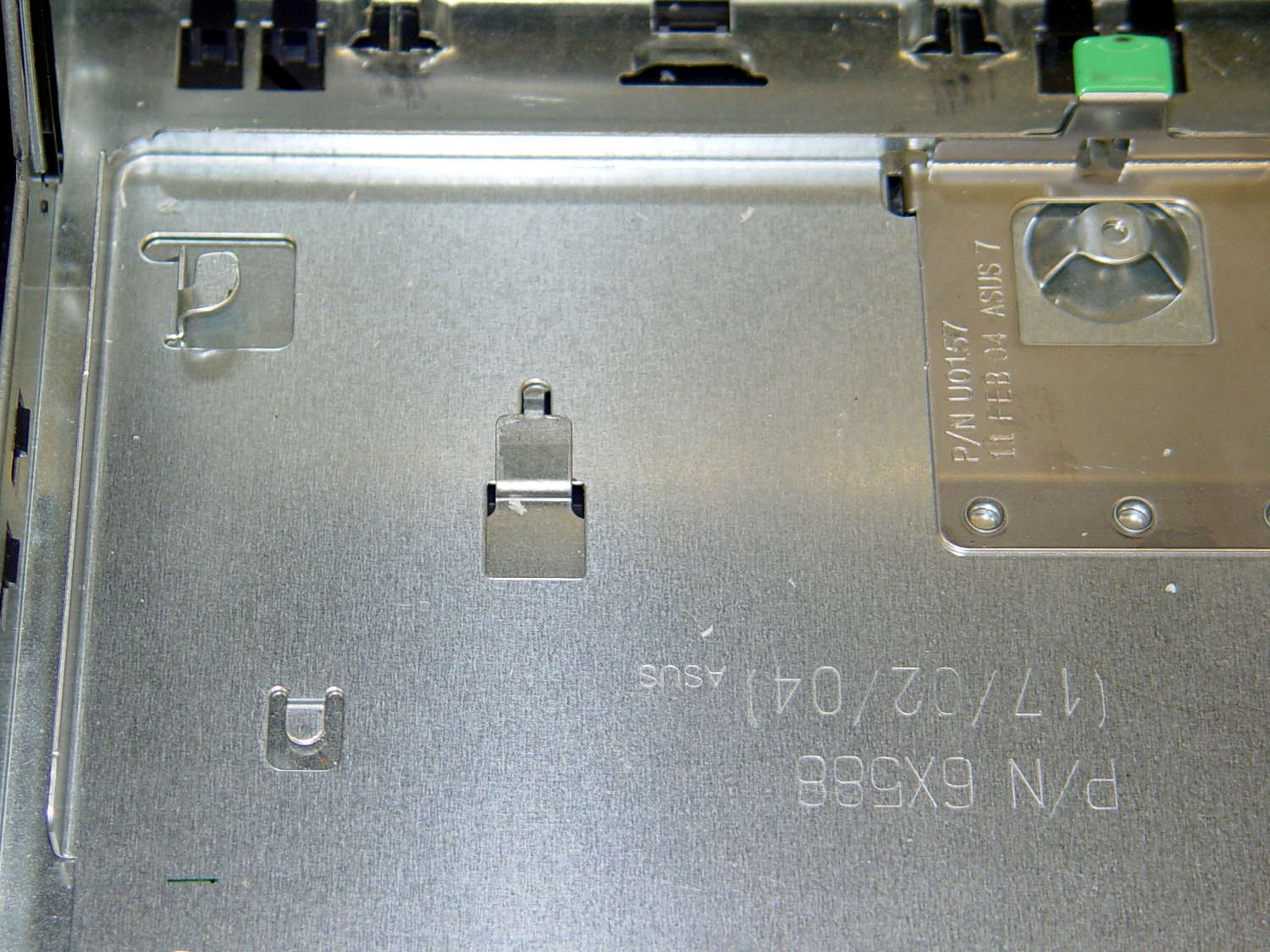
    Optiplex GX270 - system board tray
    Optiplex GX270 – system board tray

    All that is well and good for a mass-production PC system board, but poses a problem for mounting anything else: there’s no room for screw heads below the tray, adhesives really don’t bond to slightly flexible aluminum sheets, and I definitely can’t do large-scale precision metal bending.

    So a cheat seems in order. The general idea is to support a 6 mm polycarbonate sheet on clips that slide under the small tabs along the front, support the sheet on the rear tabs, and secure it with the screw. That’s thick enough to allow tapping holes for mounting screws, so everything else can mount to the sheet.

    The sheet fits around the power supply on the right, protrudes over the rear of the tray to the back of the case (with a recess around the green latch), and clears the hinge assembly on the left. There are no dimensions, as it’s all done by eye with the Joggy Thing.
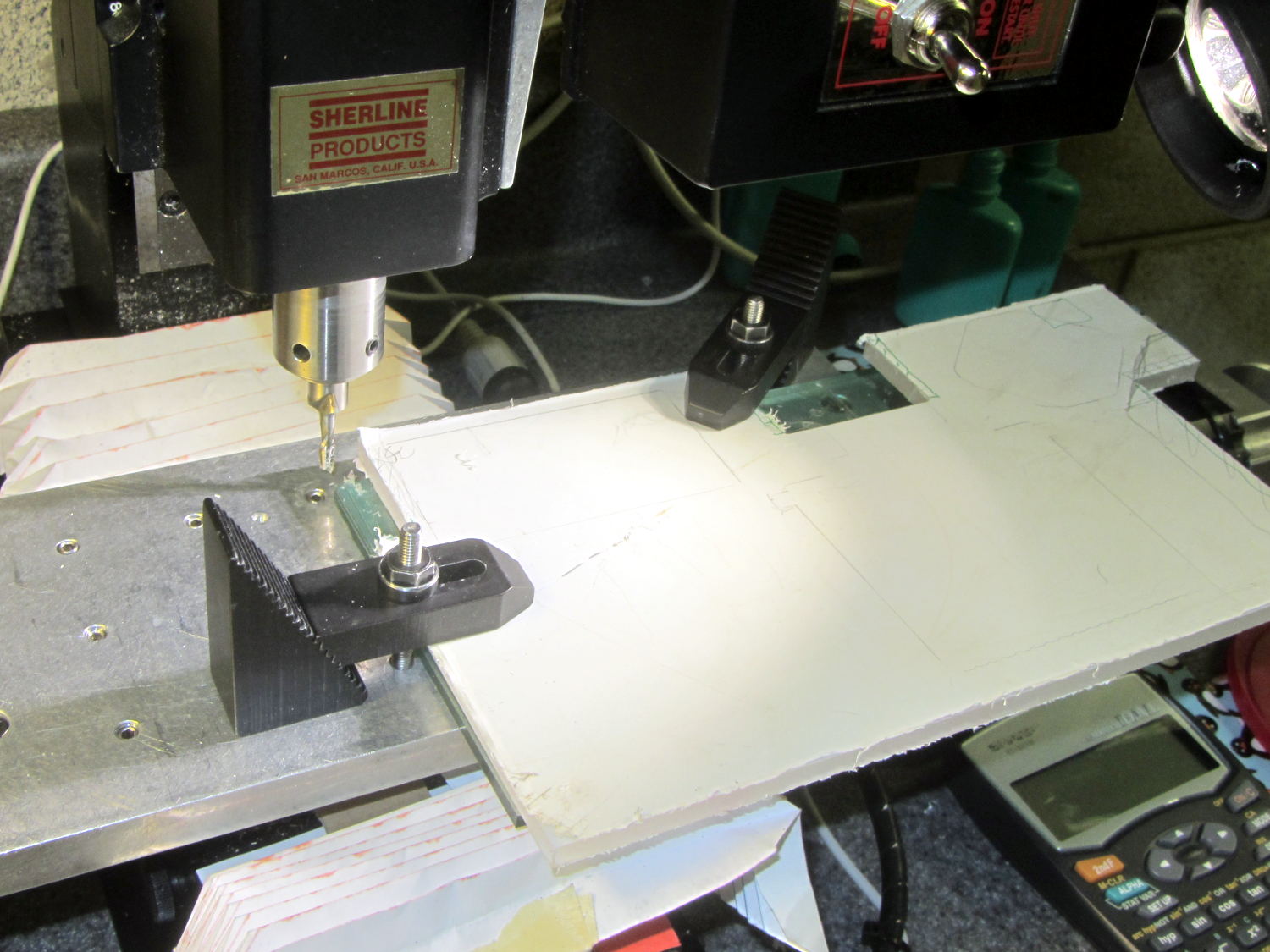
    AC Chassis Shaping
    AC Chassis Shaping

    A drive bay EMI plug from a long-discarded PC provided some nice springy steel strips that slide neatly under those tray tabs:
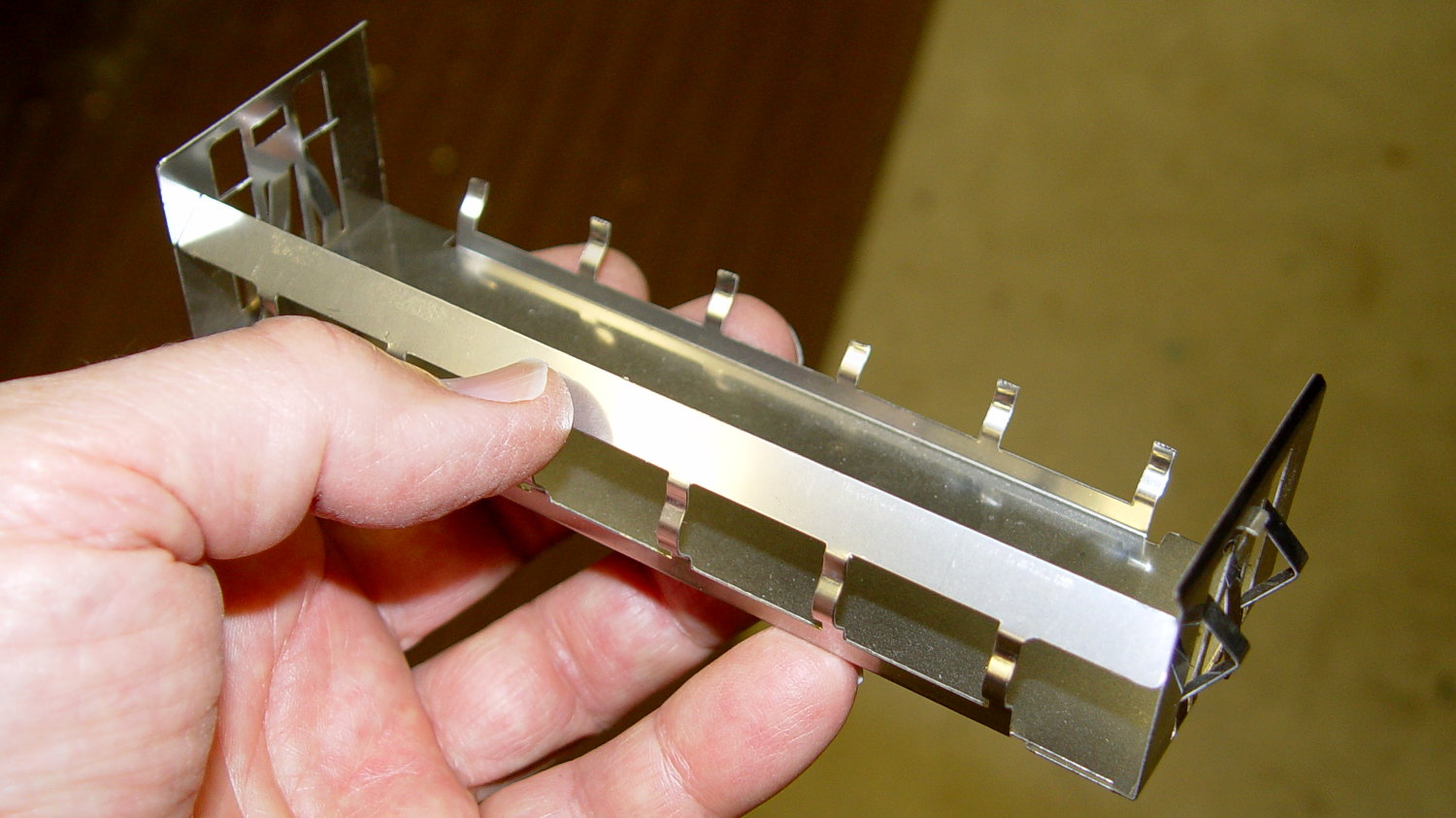
    Drive EMI shield
    Drive EMI shield

    That actually took a bit of trial-and-error:
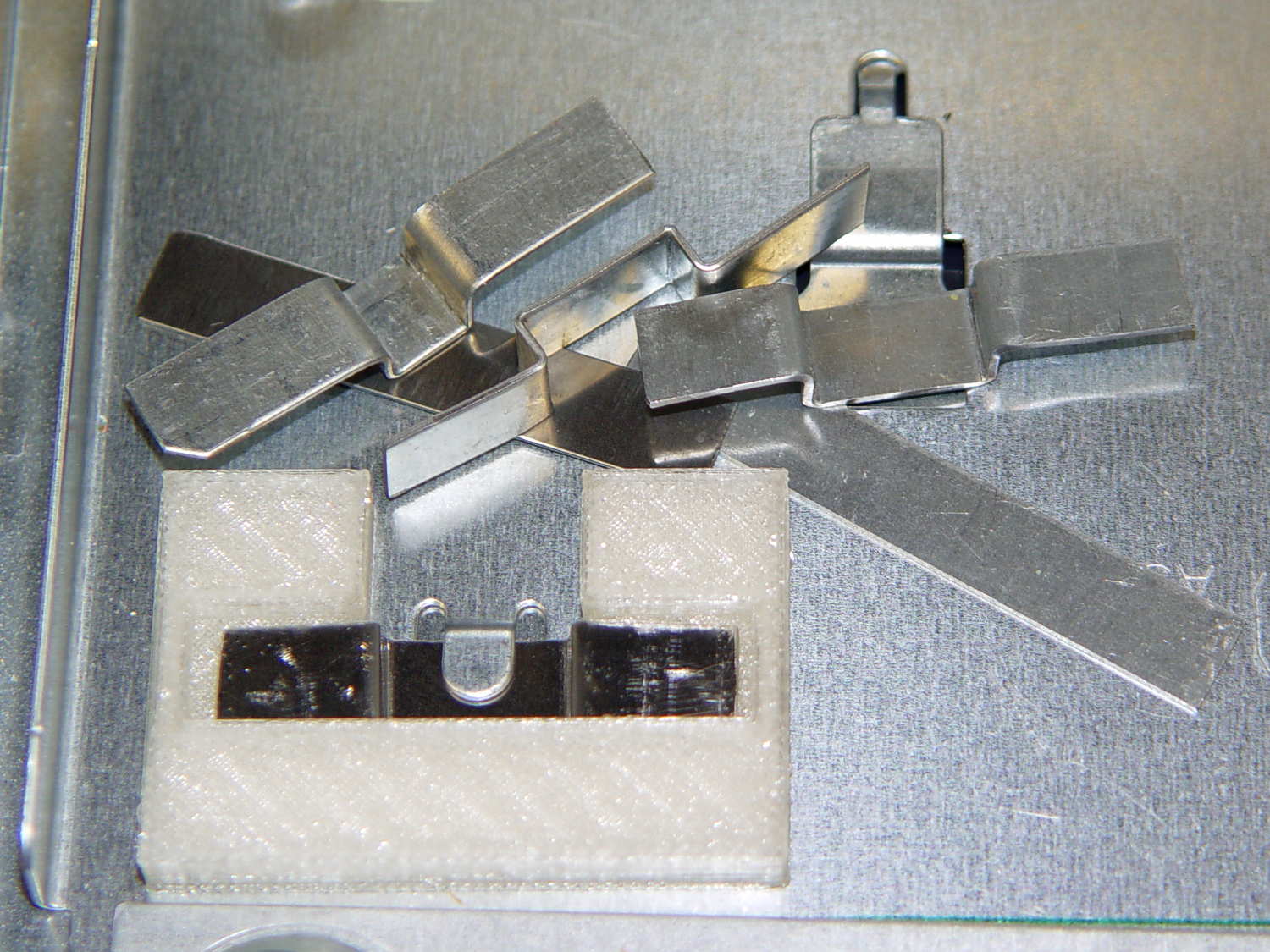
    AC Chassis mounting brackets - practice makes perfect
    AC Chassis mounting brackets – practice makes perfect

    My first attempts used slightly thicker steel that didn’t fit nearly as well, plus I wasn’t quite sure how wide they should be.

    As with nearly all plastic doodads around here, the white plastic mounting clips / brackets come from the M2:
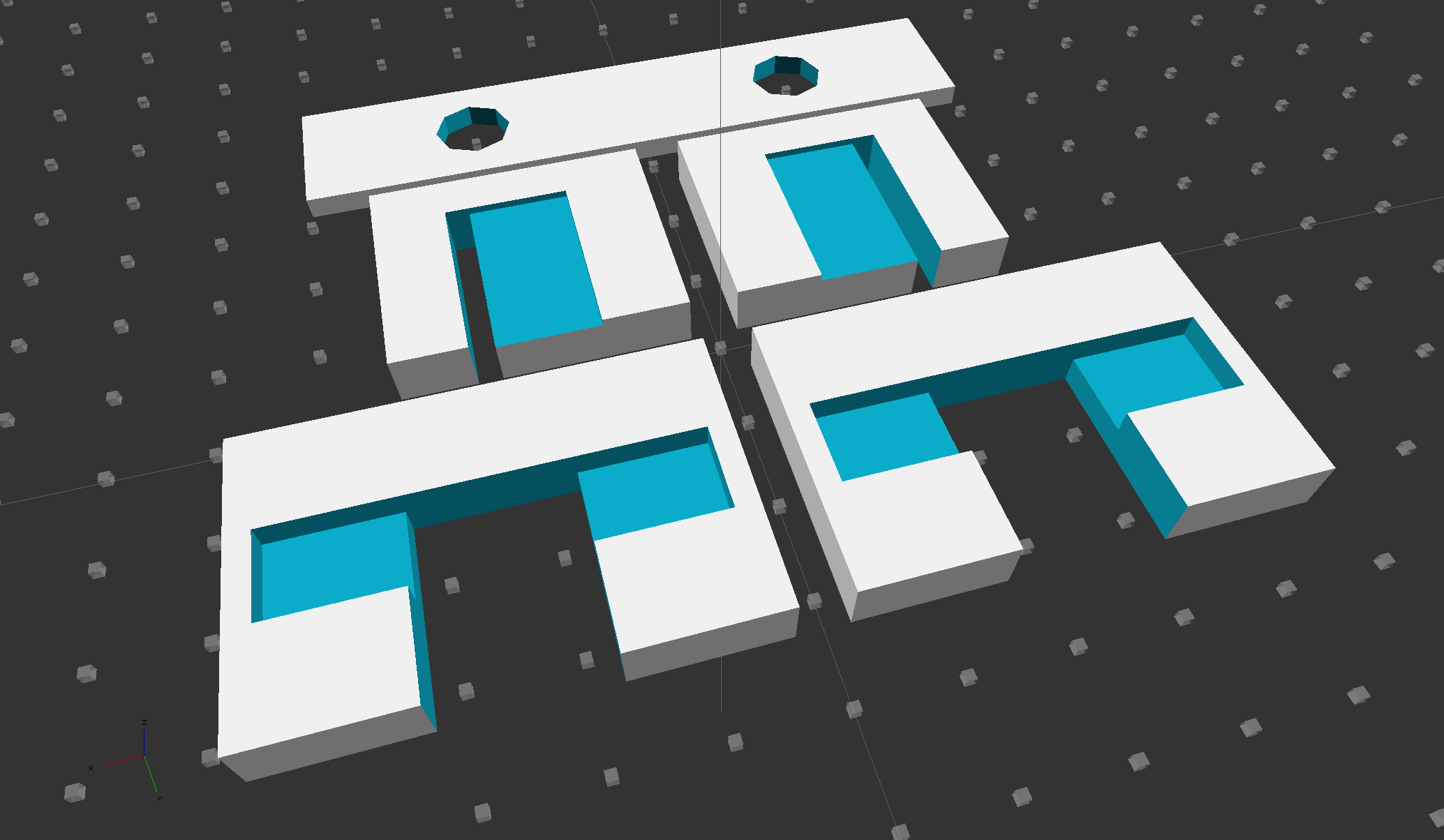
    Chassis Clips
    Chassis Clips

    The two brackets in the middle of the solid model slide around the tabs at the rear corners of the tray and capture the bent-over top section below the polycarbonate sheet.

    The strip in the rear goes around the screws holding the heatsink to the sheet; more on that later.

    The PLA brackets get themselves glued to the sheet with IPS #4 solvent adhesive, a hellish mixture of chlorinated hydrocarbons that attacks most plastics with gleeful enthusiasm. I positioned the brackets on the tray, slobbered adhesive on their tops, slapped the polycarbonate sheet in place, and applied clamps:
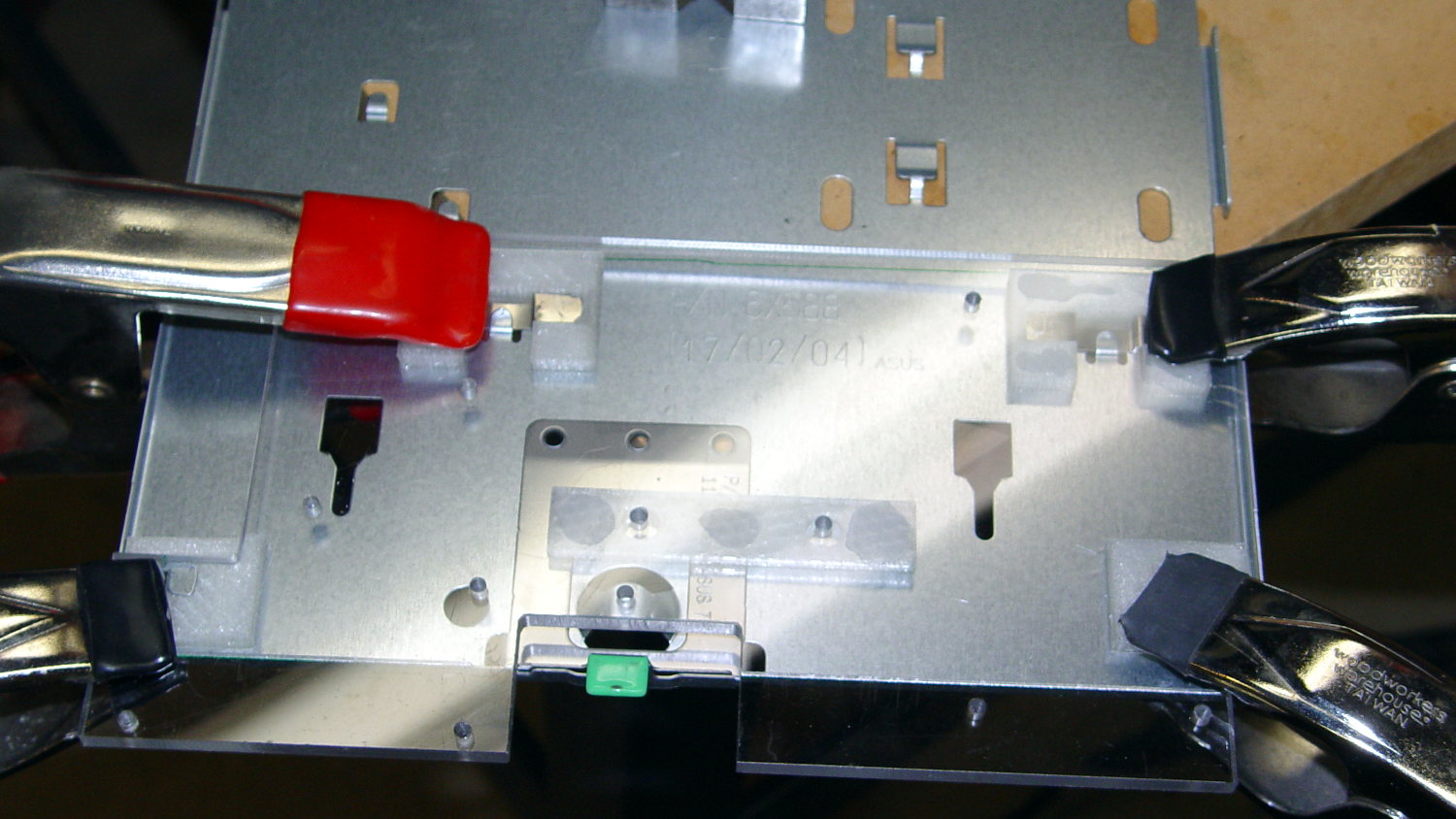
    AC Chassis - gluing bracket blocks
    AC Chassis – gluing bracket blocks

    The final bonds weren’t as uniform as I’d like, but they seem rugged enough. The lip along the rear of the tray was slightly higher on the left edge, which may have interfered with the clamping pressure; it’s obviously not a controlled dimension.

    The tapped holes in the sheet accommodate screws for various bits & pieces.

    All in all, that worked out pretty well…

    The OpenSCAD source code:

    // AC Interface sheet mounting brackets
    // Ed Nisley - KE4ZNU - August 2014
    
    Layout = "Build";		// FrontClip RearClip HeatSink Build
    
    Gap = 5.0;					// between Build objects
    
    //- Extrusion parameters must match reality!
    
    ThreadThick = 0.20;
    ThreadWidth = 0.40;
    
    HoleWindage = 0.2;			// extra clearance
    
    Protrusion = 0.1;			// make holes end cleanly
    
    AlignPinOD = 1.70;			// assembly alignment pins: filament dia
    
    function IntegerMultiple(Size,Unit) = Unit * ceil(Size / Unit);
    
    //----------------------
    // Dimensions
    
    FC_Block = [45.0,30.0,IntegerMultiple(5.6,ThreadThick)];
    FC_Retainer = [15.5,9.0,3.0,15.0];					// central section: L,W,H, inset from front
    
    RC_Block = [30.0,25.0,IntegerMultiple(5.6,ThreadThick)];
    RC_RecessOffset = [9.0,5.0,IntegerMultiple(4.8,ThreadThick)];	// X,Y,thickness
    RC_SlotWidth = 2.5;
    
    HS_Insulation = [80.0,16.0,2.5];
    HS_Hole = [8.0,40.0];					// screw clearance dia,on-center
    
    //----------------------
    // Useful routines
    
    module PolyCyl(Dia,Height,ForceSides=0) {			// based on nophead's polyholes
    
      Sides = (ForceSides != 0) ? ForceSides : (ceil(Dia) + 2);
    
      FixDia = Dia / cos(180/Sides);
    
      cylinder(r=(FixDia + HoleWindage)/2,
               h=Height,
               $fn=Sides);
    }
    
    module ShowPegGrid(Space = 10.0,Size = 1.0) {
    
      RangeX = floor(100 / Space);
      RangeY = floor(125 / Space);
    
    	for (x=[-RangeX:RangeX])
    	  for (y=[-RangeY:RangeY])
    		translate([x*Space,y*Space,Size/2])
    		  %cube(Size,center=true);
    
    }
    
    //----------------------
    // Front clips
    
    module FrontClip() {
    
    	difference() {
    		translate([0,0,FC_Block[2]/2])
    			cube(FC_Block,center=true);
    
    		translate([0,(FC_Retainer[3] - FC_Block[1]/2),(FC_Retainer[2] + FC_Block[2]/2)])
    			cube([(FC_Block[0] - 12*ThreadWidth),FC_Retainer[1],FC_Block[2]],center=true);
    
    		translate([0,FC_Retainer[3] - FC_Retainer[1]/2,FC_Block[2]/2])
    			cube([FC_Retainer[0],FC_Block[1],2*FC_Block[2]],center=true);
    	}
    
    }
    
    //----------------------
    // Rear clips
    
    module RearClip(Hand="Left") {
    
    HandSign = (Hand == "Left") ? -1 : 1;
    
    	difference() {
    		translate([0,0,RC_Block[2]/2])
    			cube(RC_Block,center=true);
    
    		translate([0,RC_RecessOffset[1],RC_RecessOffset[2] + RC_Block[2]/2])
    			cube([RC_Block[0] - 2*RC_RecessOffset[0],
    				  RC_Block[1],
    				  RC_Block[2]],center=true);
    
    		translate([HandSign*(RC_Block[0]/2 - RC_RecessOffset[0]),
    				   RC_RecessOffset[1],
    				   0])
    			cube([RC_SlotWidth,RC_Block[1],3*RC_Block[2]],center=true);
    
    	}
    
    }
    
    //----------------------
    // Heatsink bumper
    
    module HeatSink() {
    
    	difference() {
    		translate([0,0,HS_Insulation[2]/2])
    			cube(HS_Insulation,center=true);
    
    	for (x=[-1,1])
    		translate([x*HS_Hole[1]/2,0,-HS_Insulation[2]])
    			PolyCyl(HS_Hole[0],3*HS_Insulation[2],8);
    	}
    
    }
    
    ShowPegGrid();
    
    if (Layout == "FrontClip") {
    	FrontClip();
    }
    
    if (Layout == "RearClip") {
    	RearClip("Left");
    }
    
    if (Layout == "HeatSink") {
    	HeatSink();
    }
    
    if (Layout == "Build") {
    	for (x=[-1,1]) {
    		translate([x*(Gap + FC_Block[0])/2,(Gap + FC_Block[1])/2,0])
    			FrontClip();
    		translate([x*(Gap + RC_Block[0])/2,-(Gap + RC_Block[1])/2,0])
    			RearClip((x == -1) ? "Left" : "Right");
    	}
    	translate([0,-(RC_Block[1] + HS_Insulation[1]/2 + 3*Gap/2),0])
    		HeatSink();
    }
    
  • IEC Power Socket Mount

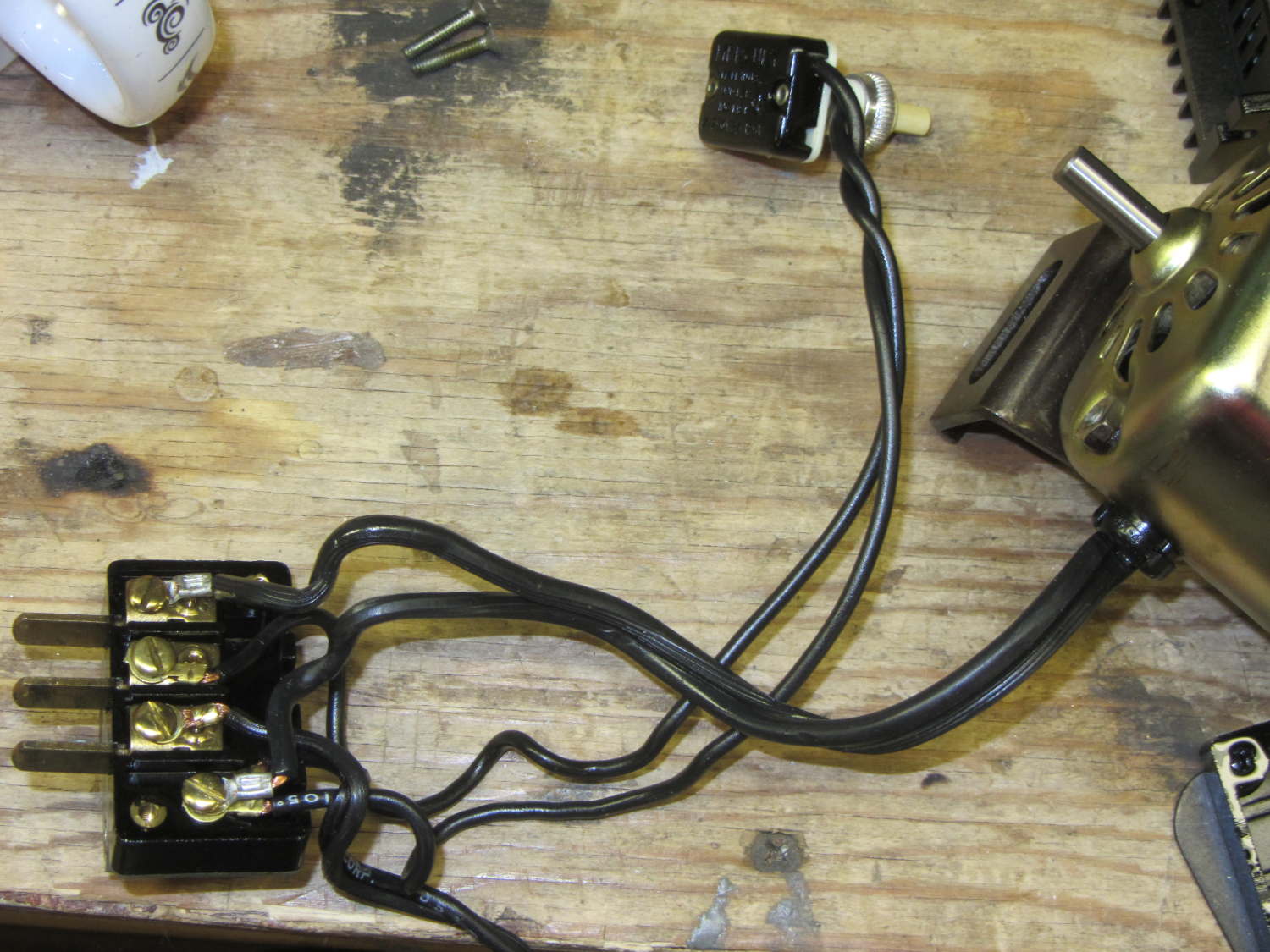
    The original Kenmore Model 158 sewing machine used a two-wire line cord:

    Kenmore 158 - terminal block
    Kenmore 158 – terminal block

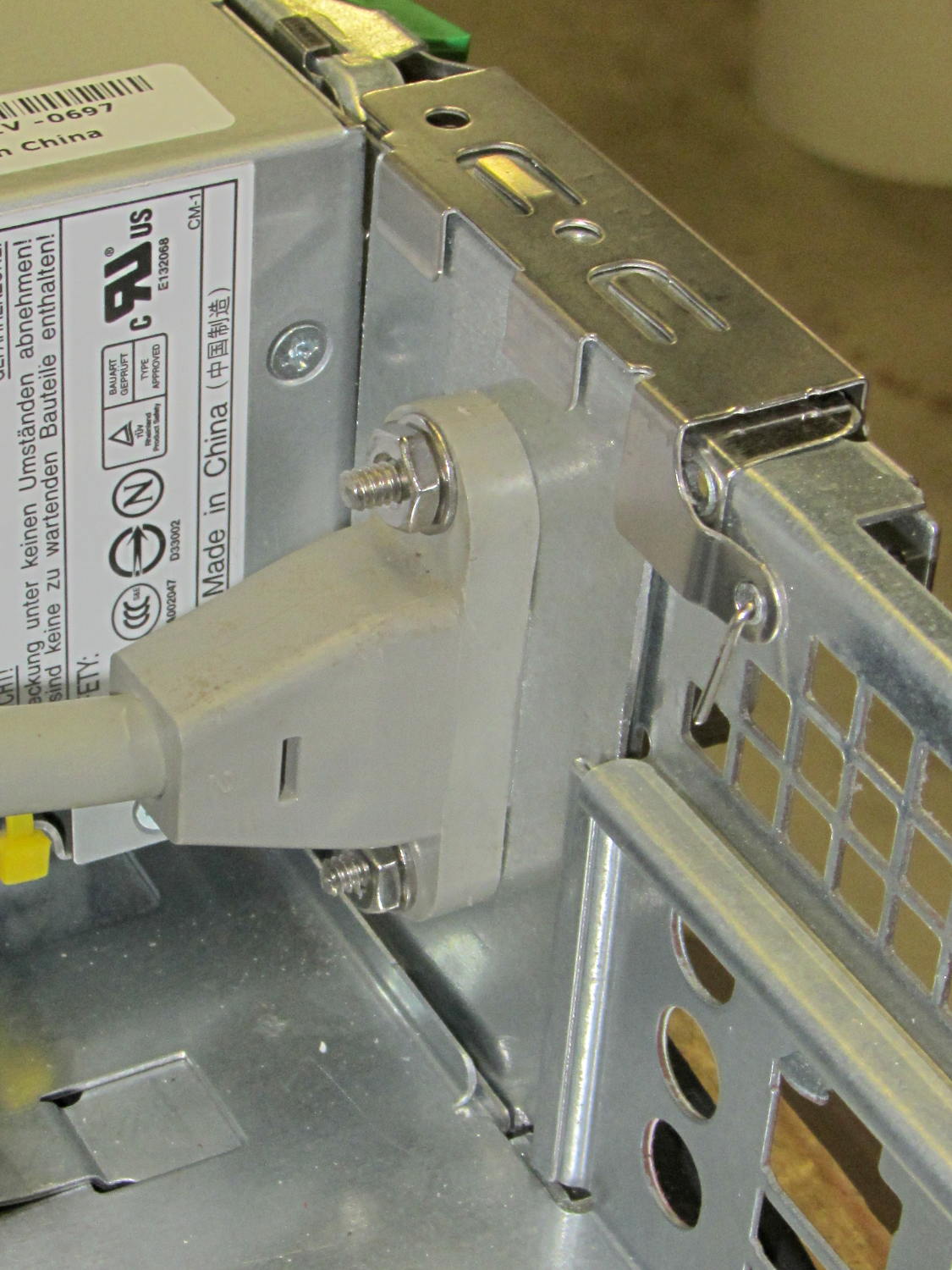
    In light of my modifications, grounding the frame seems prudent. The heap produced a long IEC extension cord with screw-mounting ears on the socket end that fit neatly into the GX270’s rear panel area occupied by two PCI cover plates, so a bit of Quality Shop Time seemed in order.

    The GX270’s carcass yielded a complex bit of sheet metal that held the hard drive and a few other odds & ends, with some clean right-angle bends in exactly the right places:

    Dell drive bracket - intact
    Dell drive bracket – intact

    Some bandsaw work removed the gimcrackery:

    Dell drive bracket - first bandsaw pass
    Dell drive bracket – first bandsaw pass

    More bandsawing produced a rough outline:

    Dell drive bracket - second bandsaw pass
    Dell drive bracket – second bandsaw pass

    Sawing to length, removing the small flanges, and squaring the sides:

    Dell drive bracket - squaring edges
    Dell drive bracket – squaring edges

    I traced the existing PCI cover tabs, bandsawed the outlines, and filed to suit:

    Dell drive bracket - basic outline
    Dell drive bracket – basic outline

    They look a bit ragged, but fit well enough:

    Dell drive bracket - trial fit - interior
    Dell drive bracket – trial fit – interior

    From the outside, it looks like it grew there:

    Dell drive bracket - trial fit - exterior
    Dell drive bracket – trial fit – exterior

    The divider between the PCI slots succumbed to tin snips and a bit of filing. The tabs climbing over the bottom edge come from the internal EMI shield covering the entire back surface.

    A bit of coordinate drilling and manual milling produced the IEC socket outline

    Dell drive bracket - drilling and milling
    Dell drive bracket – drilling and milling

    Which looks pretty good from the inside:

    Dell drive bracket - IEC socket - interior
    Dell drive bracket – IEC socket – interior

    And great from the outside, if I do say so myself:

    Dell drive bracket - IEC socket - exterior
    Dell drive bracket – IEC socket – exterior

    Match-drilling a #6 clearance hole below the hole in the clamp arm, then ramming a self-tapping case screw into it, provides a convenient grounding point for the sewing machine cord:

    IEC Socket Mount - ground screw
    IEC Socket Mount – ground screw

    The chassis lid has two matching holes for those screw heads, which would ordinarily hold the two PCI cards in place. I could remove the clamp arm, but it doesn’t get in the way of anything.

    I loves me some Sherline mill work…

  • Current Sensing: Powered Iron Toroid

    Dell built the GX270 I’m repurposing back in 2004, early on in the capacitor plague years, but only one of the system board caps showed signs of leakage:

    Capacitor plague - 2004 Dell Edition
    Capacitor plague – 2004 Dell Edition

    While I was harvesting some of the connectors, it occurred to me that those powdered iron inductors might make good current sensors, as they’re already wound with heavy gauge copper wires.

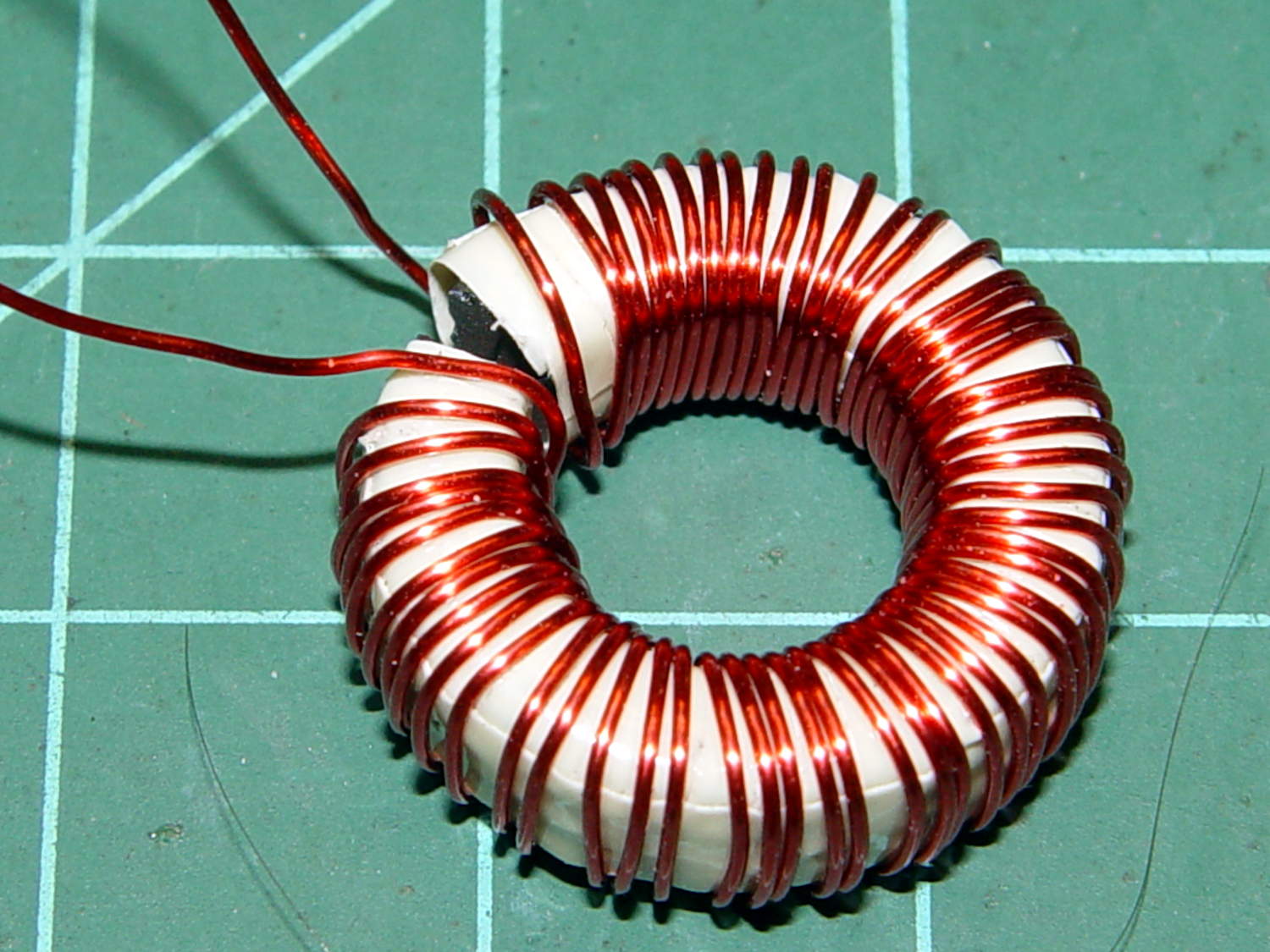
    I picked an inductor with enough turns and, although slitting didn’t pose much of a problem, the saw did make a mess of the turns adjacent to the cut:

    Powdered iron toroid - slitting
    Powdered iron toroid – slitting

    Iron powder has more magnetic remnance than ferrite, to the extent that iron swarf clogged the gap. After the first pass, I ran the slit toroid through the degausser to shake it clean and see what damage had been done. It looked OK, so I realigned it on the saw blade and continued the mission, with all the dust vanishing into the vacuum cleaner’s snout.

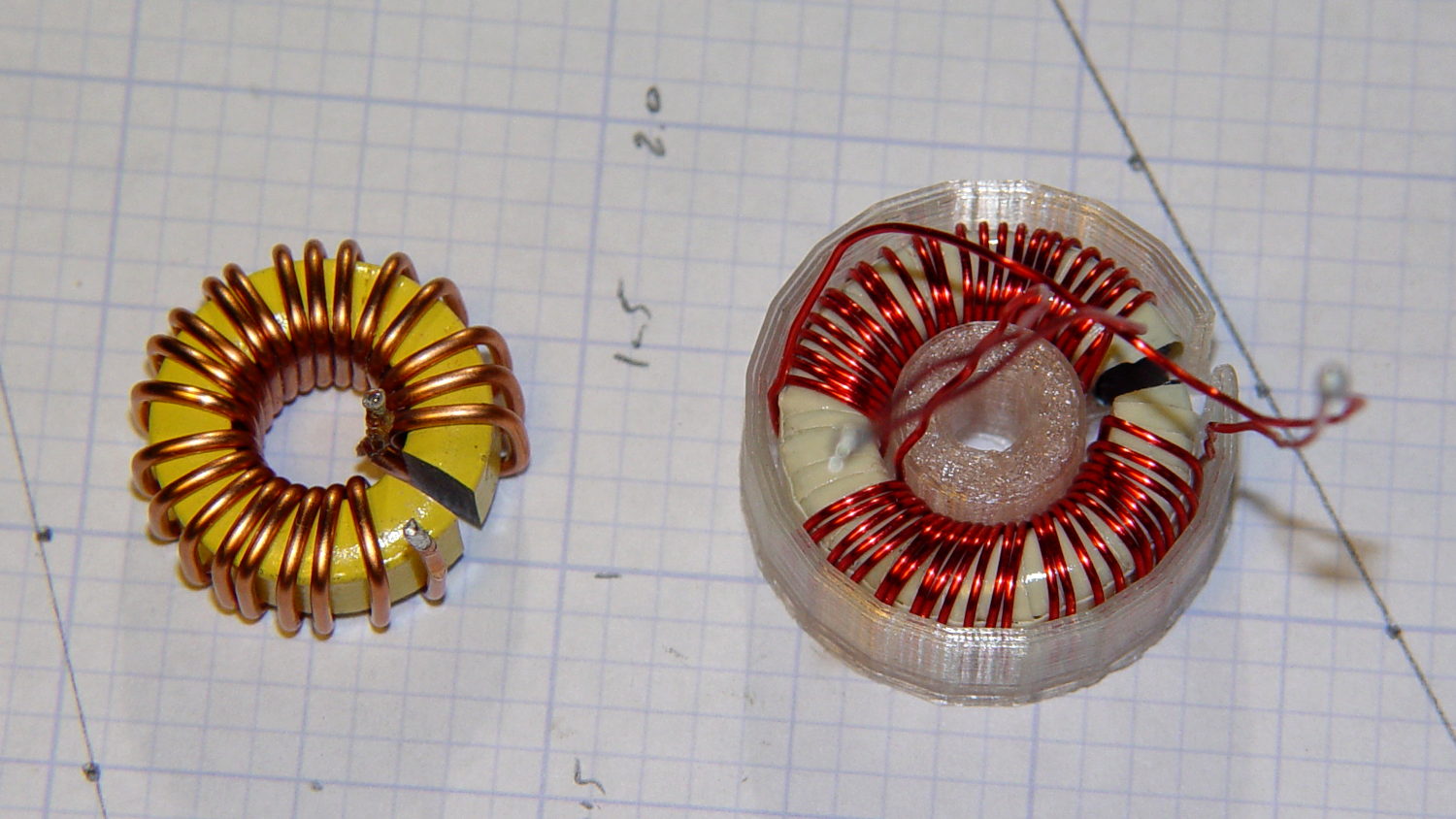
    Removing the damaged sections left 22 turns. For comparison, I converted the 56 turn ferrite toroid into a 25 turn model by paralleling two 25 turn sections:

    Slit toroids - iron - ferrite
    Slit toroids – iron – ferrite

    The enamel wire on the iron toroid measures 40 mil diameter, close enough to 18 AWG.

    Paralleling two 24 AWG windings on the ferrite toroid produces twice the copper area of a single winding, so the resistance is the same as a single 21 AWG winding (3 AWG steps = factor of two area change). That’s three steps smaller than the 18 AWG on the iron toroid, so the resistance is a factor of two larger than the heavier wire.

    The paralleled winding has the advantage of reducing the power dissipation required to produce the same magnetic flux density, without the difficulty of winding heavier wire. That may not actually matter, given the relatively low currents required by the motor in normal operation.

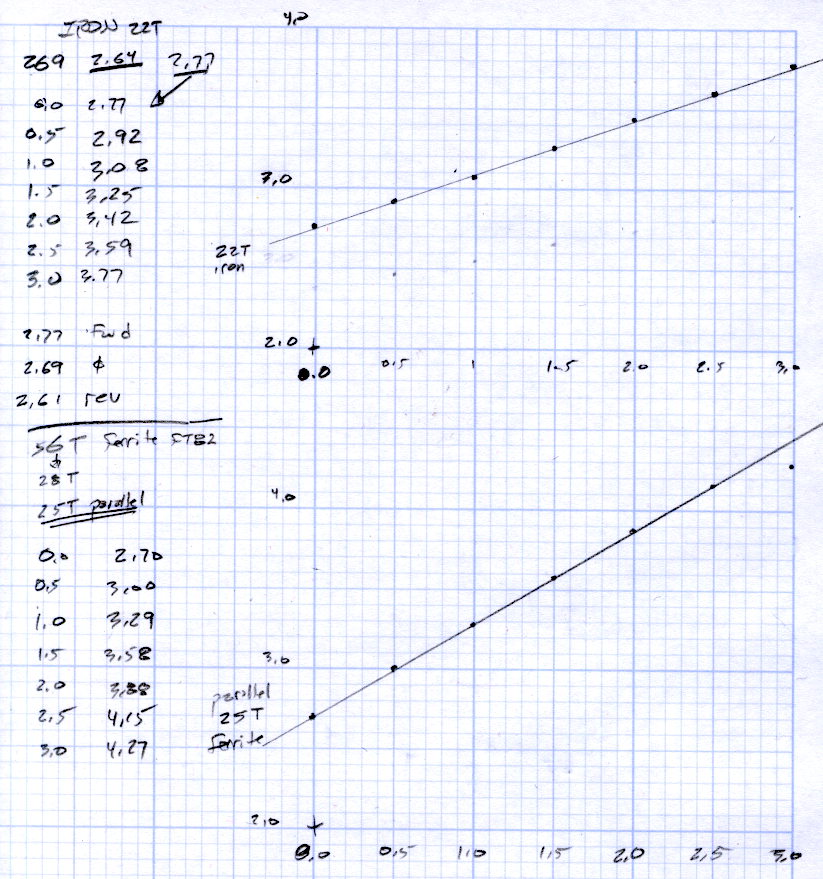
    Wedging a Hall sensor into the gaps and stepping the current produced two useful graphs:

    Iron and ferrite toroids - Hall sensor output
    Iron and ferrite toroids – Hall sensor output

    The iron toroid has lower permittivity (less flux density for a given magnetizing force), which means the full-scale range exceeds 3 A and the useful range up to 1 A covers only 300 mV.

    The last point on the ferrite curve shows the Hall sensor output saturating just over 4 V, with 1.5 V of range.

    The slope, in mV/A

    • Powdered iron: 340
    • Ferrite: 540

    Boosting the slope of the powdered iron by 25/22 gives 386 mV/A, so the iron permeability really is 70% of the ferrite. That’s modulo the gap size, of course, which surely differs by enough to throw out all the significant digits.

    Obviously, an op amp circuit to remove the offset and rescale the output to 0-5 V will be in order.

    The previous graph for the ferrite toroid with the complete 56 turn winding shows, as expected, about twice the output of this 25 turn version:

    FT82-43 - 56 turns - 24 AWG
    FT82-43 – 56 turns – 24 AWG

    The linear part of that line is 1375 mV/A, although I can’t vouch that the data came from the same Hall effect sensor. Scaling it by 25/56 gives 613 mV/A, suggesting it’s not the same sensor.

    Having developed an emotional attachment to the ferrite toroid, I’ll use it in the first pass of the current feedback circuit. If the motor need a bit less sensitivity or lower resistance, the powdered iron toroid looks like a winner.

    Memo to self: Always degauss iron toroids before slitting!

  • Revlon Tweezers: Bad Spot Welds

    Mary bought a pair of Revlon tweezers a while ago, picking a Name Brand to avoid hassles with bottom-dollar crap:

    Revlon tweezers - bad spot welds
    Revlon tweezers – bad spot welds

    Well, that didn’t work.

    I contend that the only difference between Name Brands and the bottom-dollar crap I tend to buy is a bit of QC and a lot of price. I’ll agree that’s not strictly true, but it does fit a goodly chunk of the observed data.

    Anyhow.

    I milled a recess into the corner of some scrap plastic to locate the handle end, then arranged a step block to capture the business end:

    Revlon tweezers - drilling setup
    Revlon tweezers – drilling setup

    That setup ensures the holes go into the corresponding spots on both pieces, because I couldn’t figure out how to clamp them together and drill them both at once. I drilled the other piece with its good side up to align the holes; doing it bad side up would offset the holes if they’re not exactly along the center line.

    A closer look:

    Revlon tweezers - drilling fixture
    Revlon tweezers – drilling fixture

    Talk about a precarious grip on the workpiece!

    I filed the welds flat before drilling, so the pieces lay flat and didn’t distract the drill.

    Then:

    • Center-drill
    • Drill 2-56 clearance
    • Scuff up mating surfaces with coarse sandpaper
    • Apply epoxy
    • Insert screws
    • Add Loctite
    • Tighten nuts to a snug fit
    • Align jaws
    • Tighten nuts
    • Fine-tune jaw alignment
    • Apply mild clamping force to hold jaws together
    • Wait overnight
    • Saw screws and file flush
    • Done!

    The clamping step:

    Revlon tweezers - epoxy curing
    Revlon tweezers – epoxy curing

    Those nicely aligned and ground-to-fit jaws were the reason Mary bought this thing in the first place.

    The screw heads look OK, in a techie sort of way:

    Revlon tweezers - fixed - front
    Revlon tweezers – fixed – front

    The backside won’t win any awards:

    Revlon tweezers - fixed - rear
    Revlon tweezers – fixed – rear

    But it won’t come apart ever again!

    There’s surely a Revlon warranty covering manufacturing defects, printed on the long-discarded packaging, that requires mailing the parts with the original receipt back to some random address at our own expense.

    Ptui!

  • FT82-43 Slit Toroid: Construction

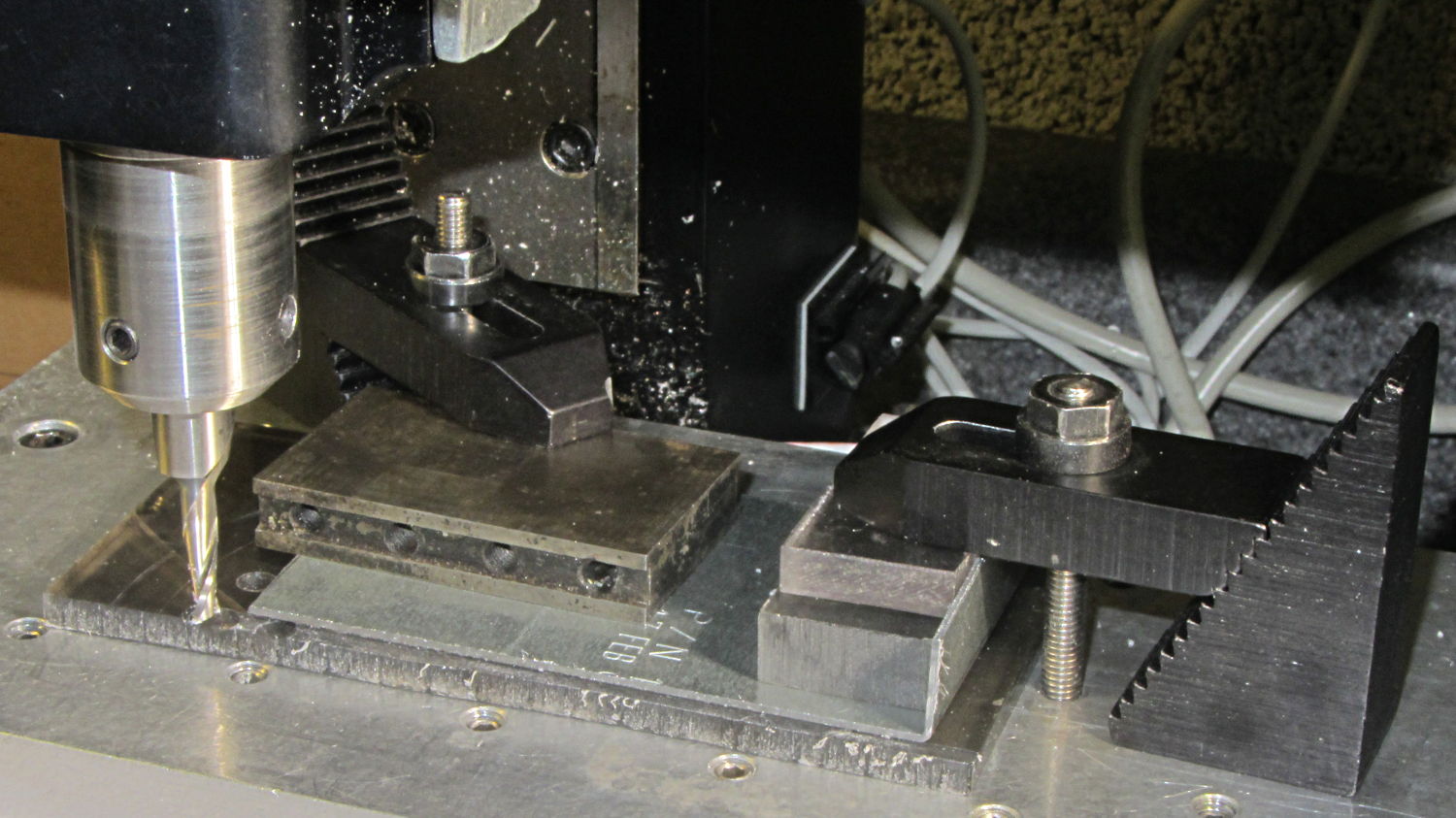
    The FT82-43 toroid slit easily enough, using the same diamond-wheel Sherline setup as for the smaller toroids:

    FT82-43 toroid - slit
    FT82-43 toroid – slit

    I’m pretty sure that chip at 1 o’clock happened while it was clamped in the vise between two cardboard sheets, but I haven’t a clue as how it got that much force. In any event, that shouldn’t affect the results very much, right up until it snaps in two.

    Although the current will come from a (rectified) 120 VAC source, the winding will support only as much voltage as comes from the IR drop and inductive reactance, which shouldn’t be more than a fraction of a volt. Nevertheless, I wound the core with transformer tape:

    FT82-43 toroid - wrapped
    FT82-43 toroid – wrapped

    That’s 3M 4161-11 electrical tape (apparently out of production, but perhaps equivalent to 3M’s Super 10 tape) cut into half-foot lengths, slit to 100 mils, and wrapped ever so gently.

    The thickest offering from the Big Box o’ Specialty Wire was 24 AWG, so that’s what I wound on it:

    FT82-43 toroid - wound
    FT82-43 toroid – wound

    That’s 56 turns, which should convert 2.2 A into 1000 G (enough to max out the Hall effect sensor) and is more in keeping with 24 AWG wire’s 3.5 A current rating.

    The insulated core requires just under 1 inch/turn, so figure the length at 56 inch. The wire tables show 26.2 Ω/1000 ft, so the DC winding resistance should be 120 mΩ. My desk meter has 0.1 Ω resolution, which is exactly the difference between shorted probes and probes across the coil: close enough.

    The inductance is 170 µH, so the inductive reactance at 120 Hz  = 128 mΩ.

    Now, for a bit of armor…


  • Tour Easy Kickstand Adapter Plate

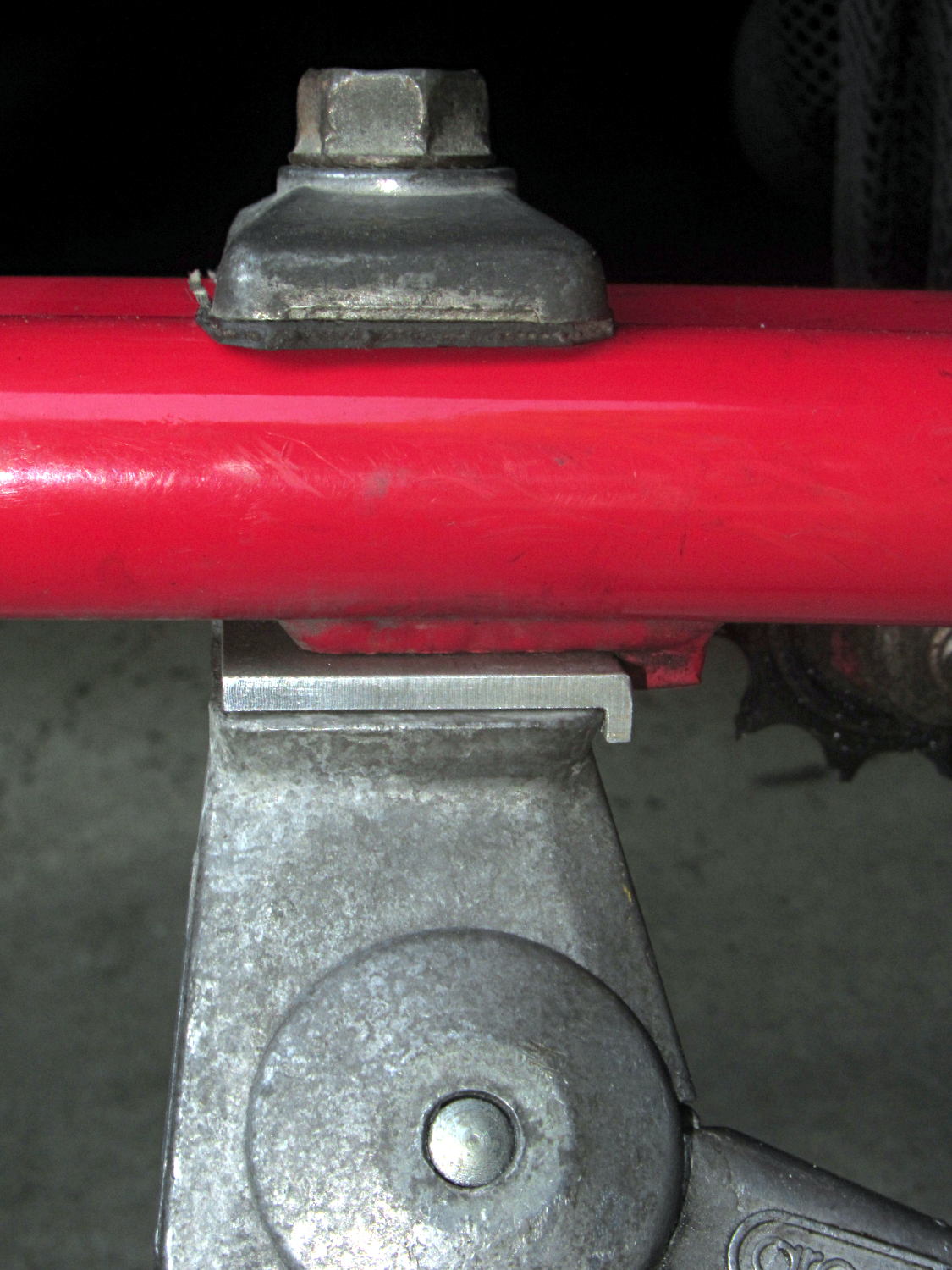
    The venerable Greenfield kickstand on my Tour Easy doesn’t quite match the mounting plate under the frame, with the result that it can pivot just enough to make the bike tippy with a moderate load in the rear panniers. I’ve carried a small block to compensate for sloping ground, but I finally got around to fixing the real problem.

    The solution turned out to be a spacer plate that fills the gap between the back of the kickstand casting and the transverse block brazed to the mounting plate:

    Tour Easy kickstand adapter plate
    Tour Easy kickstand adapter plate

    That little lip is 2 mm wide, so it’s not off by much.

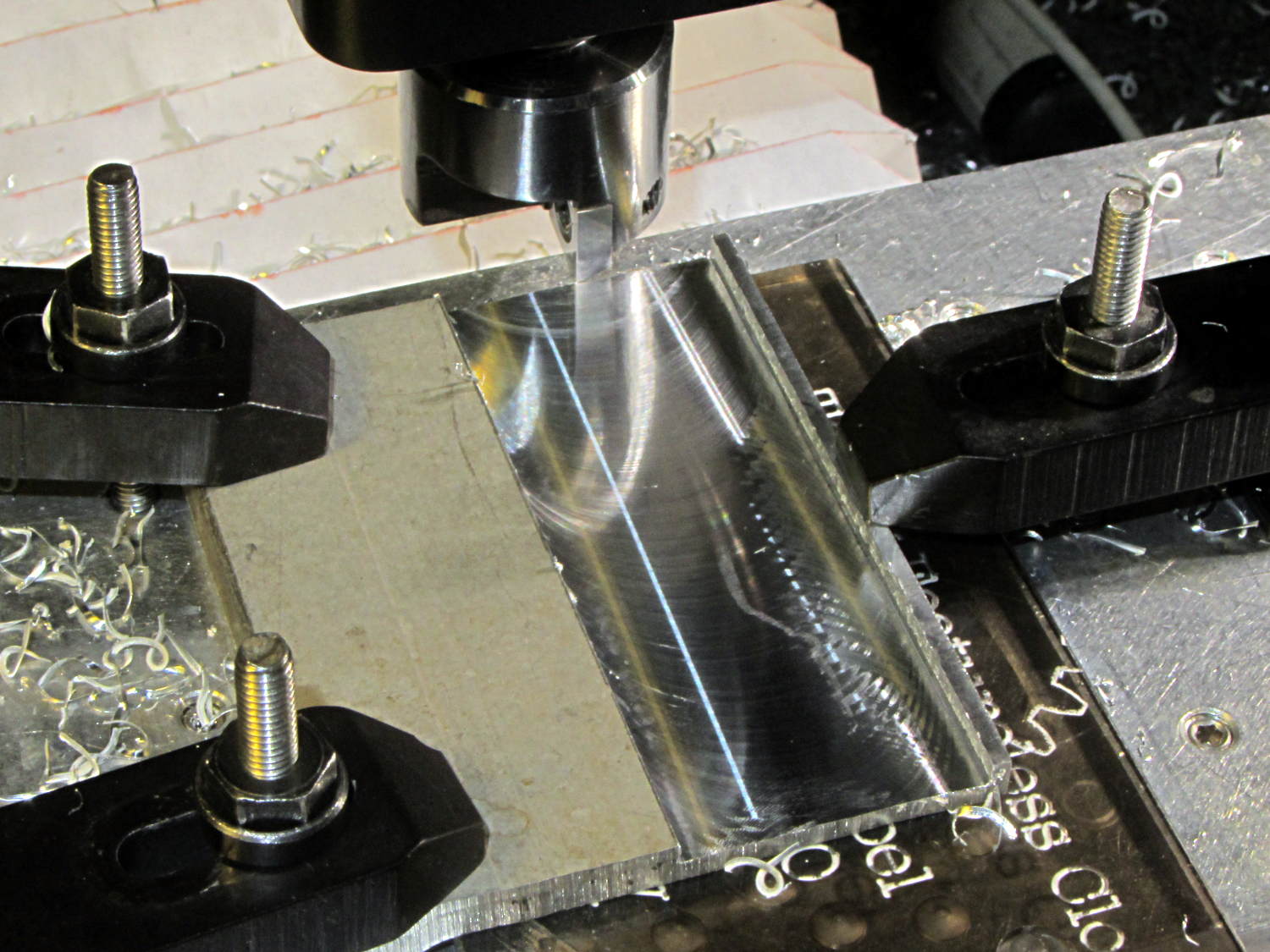
    The aluminum came from a Z-shaped post that contributed its legs to a previous project. I flycut the stub of one leg flush with the surface, then flycut a slot 2 mm from the edge:

    Tour Easy kickstand adapter - flycutting recess
    Tour Easy kickstand adapter – flycutting recess

    For no reason whatsoever, the width of that slot turned out exactly right.

    Bandsaw along the left edge of the slot, bandsaw the plate to length, square the sides, break the edges, mark the actual location of the mounting plate hole, drill, and it’s done!

    An identical Greenfield kickstand on Mary’s identical (albeit smaller) Tour Easy (the bikes have consecutive serial numbers) fits perfectly, so I think this is a classic case of tolerance mismatch.

  • Installing a Smooth-head Screw

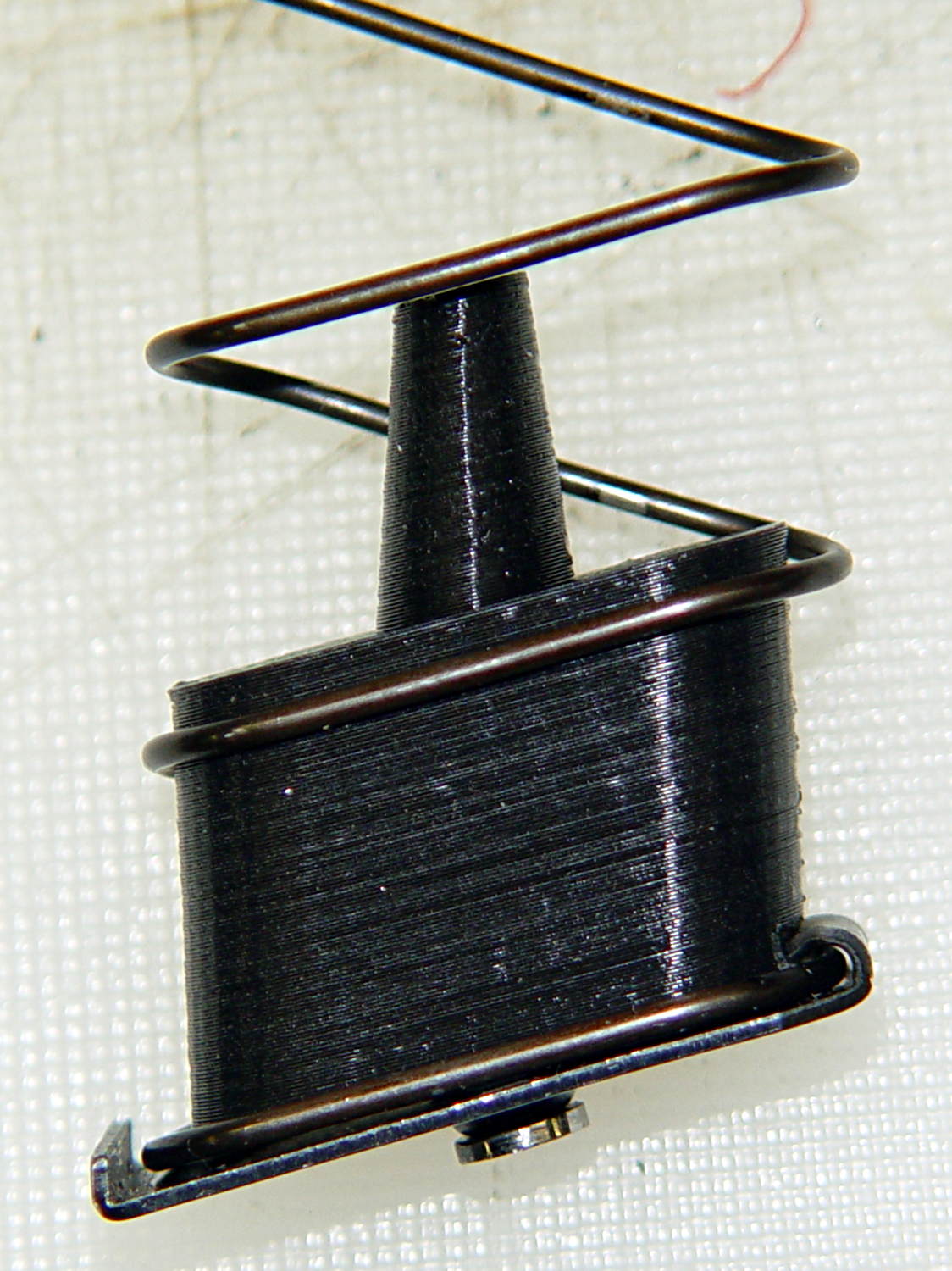
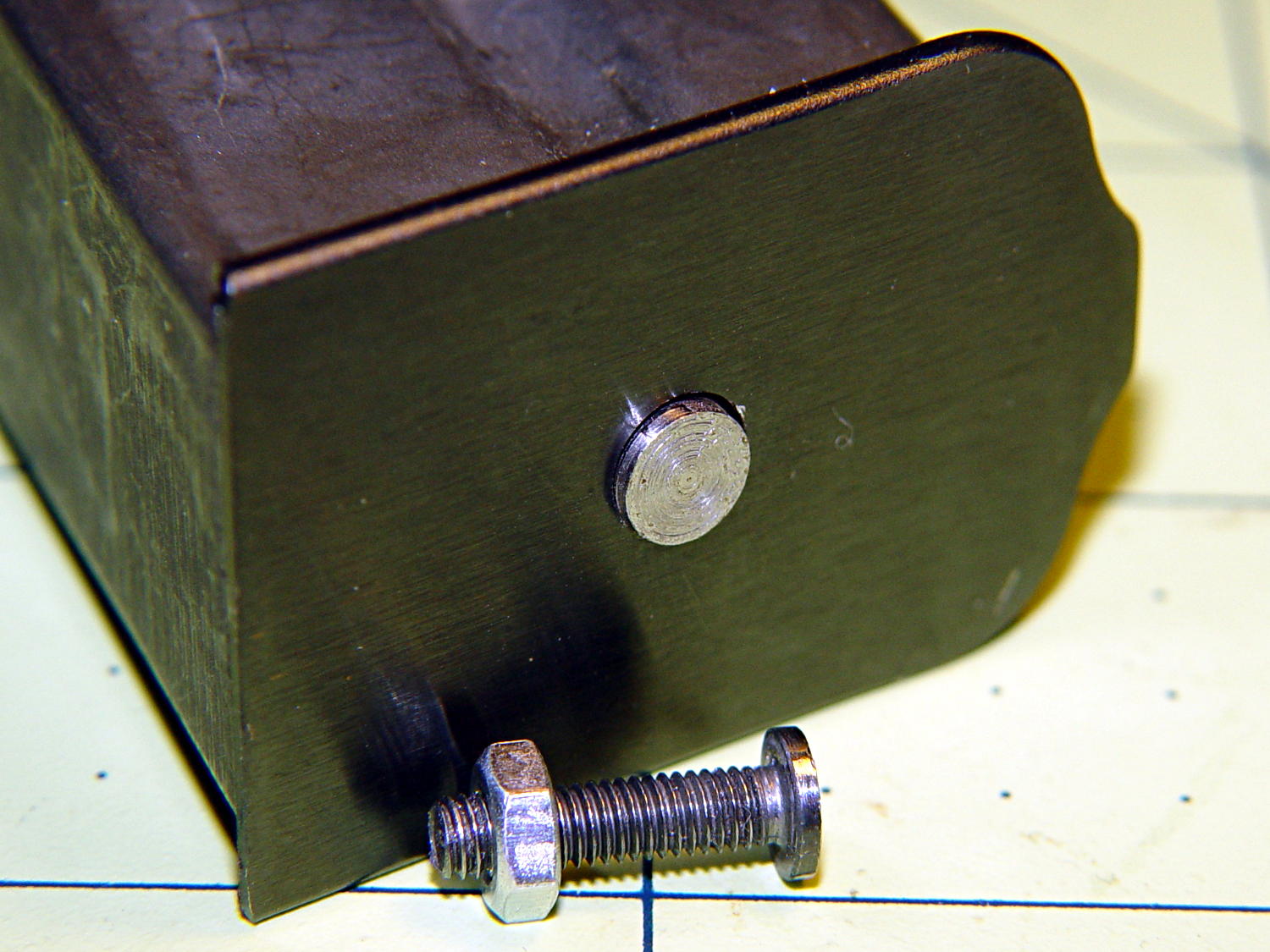
    A screw (*) fastens the capacity reduction block to the magazine’s interior floor plate:

    Browning Hi-Power magazine - block detail
    Browning Hi-Power magazine – block detail

    It started as a normal M3x0.5 socket-head cap, but I reduced the diameter and turned off the socket to fit the existing hole in the exterior floor plate:

    BHP floor plate screw - disk head
    BHP floor plate screw – disk head

    The head was just barely too large for the largest of my pin vises. Drat!

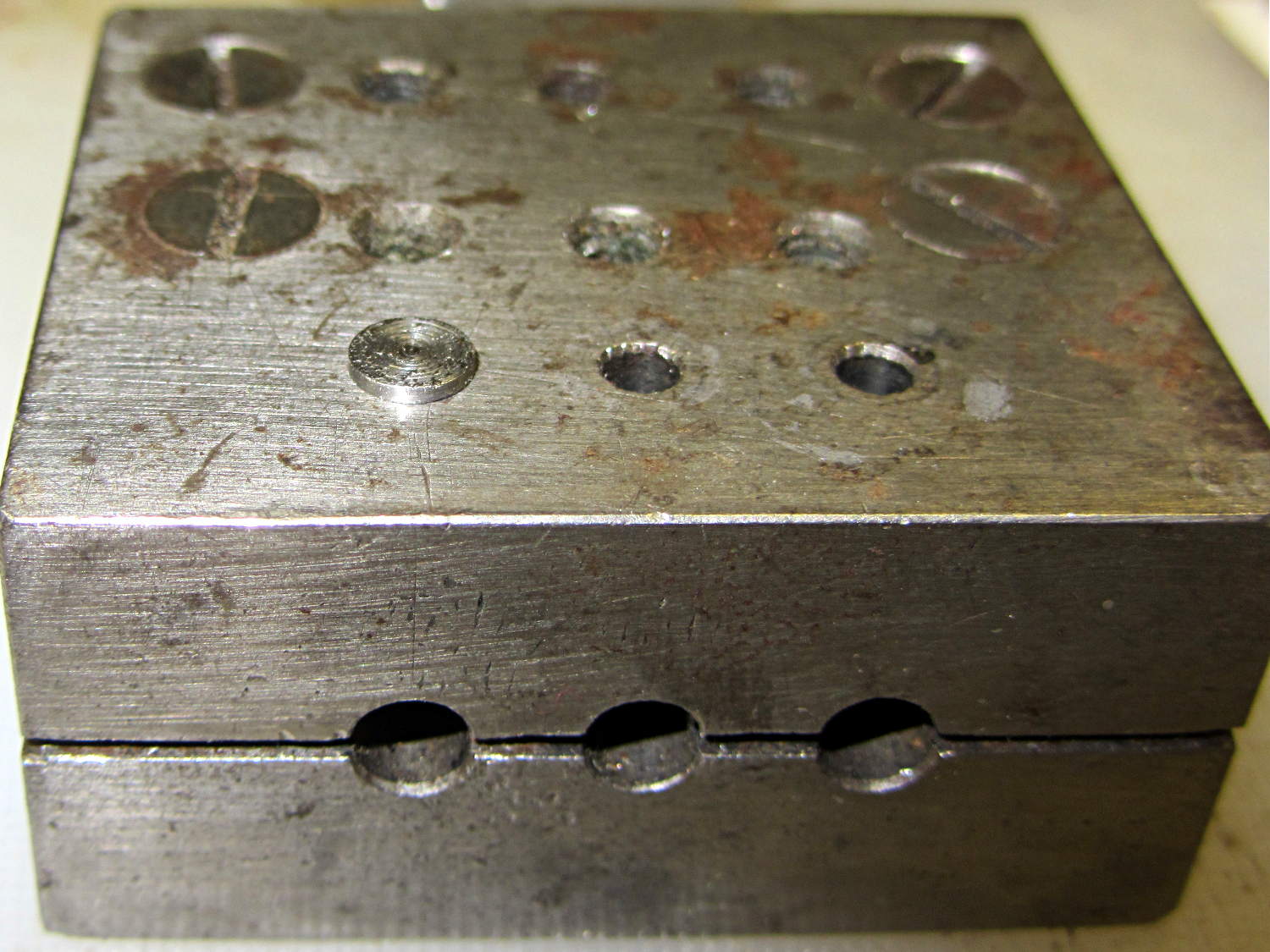
    The easiest way (for me, anyhow) to install that screw into the epoxy-loaded block started by dropping it into what seems to be a shim-punching tool:

    Base screw in alignment block
    Base screw in alignment block

    It’s in the left hole of the top front row: talk about protective coloration, eh?

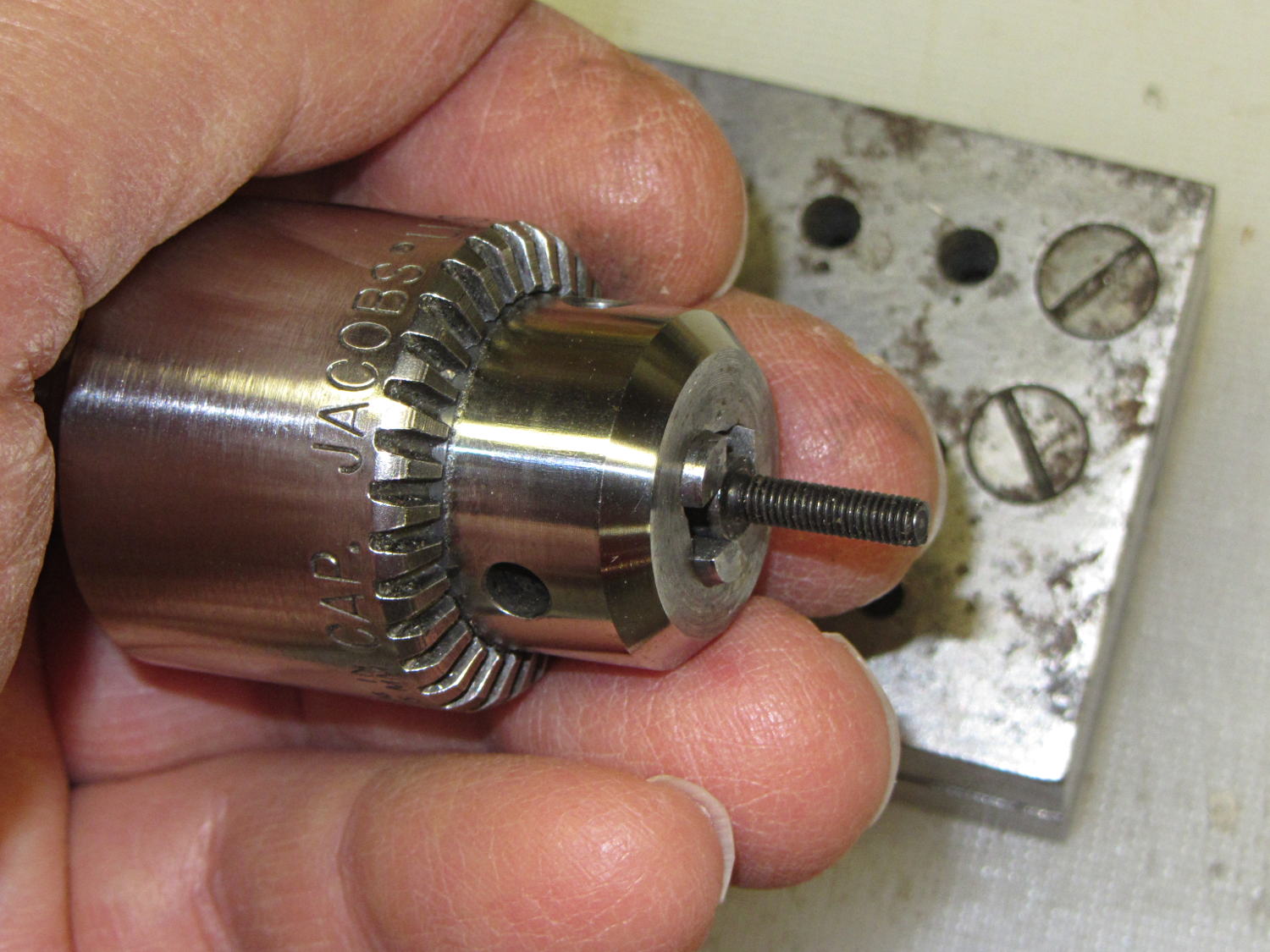
    Then capture it in one of the Sherline’s drill chucks:

    Base screw in Jacobs chuck
    Base screw in Jacobs chuck

    Which makes it trivially easy to turn right into the nut brazed to the floor plate and the epoxy inside the block. When the epoxy cures, the screw, nut, floor plate, spring, and block become one solid unit.

    That punch block came with the lathe tooling, made for some special purpose long lost in history. It comes in handy all the time for other jobs, though, so I think it’s still happy.

    (*) The pictures are staged recreations; I was cleaning off the bench and unearthed the spare screws.