Simplifying the Kenmore 158 UI’s buttons definitely improved the user experience:

The trick depends on specifying the colors with HSB, rather than RGB, so that the buttons in each row have the same hue and differ in saturation and brightness. The Imagemagick incantations look like this:
- Disabled:
hsb\(${HUE}%,50%,40%\) - Unselected:
hsb\(${HUE}%,100%,70%\) - Selected:
hsb\(${HUE}%,100%,100%\)
For whatever reason, the hue must be a percentage if the other parameters are also percentages. At least, I couldn’t figure out how to make a plain integer without a percent sign suffix work as a degree value for hue.
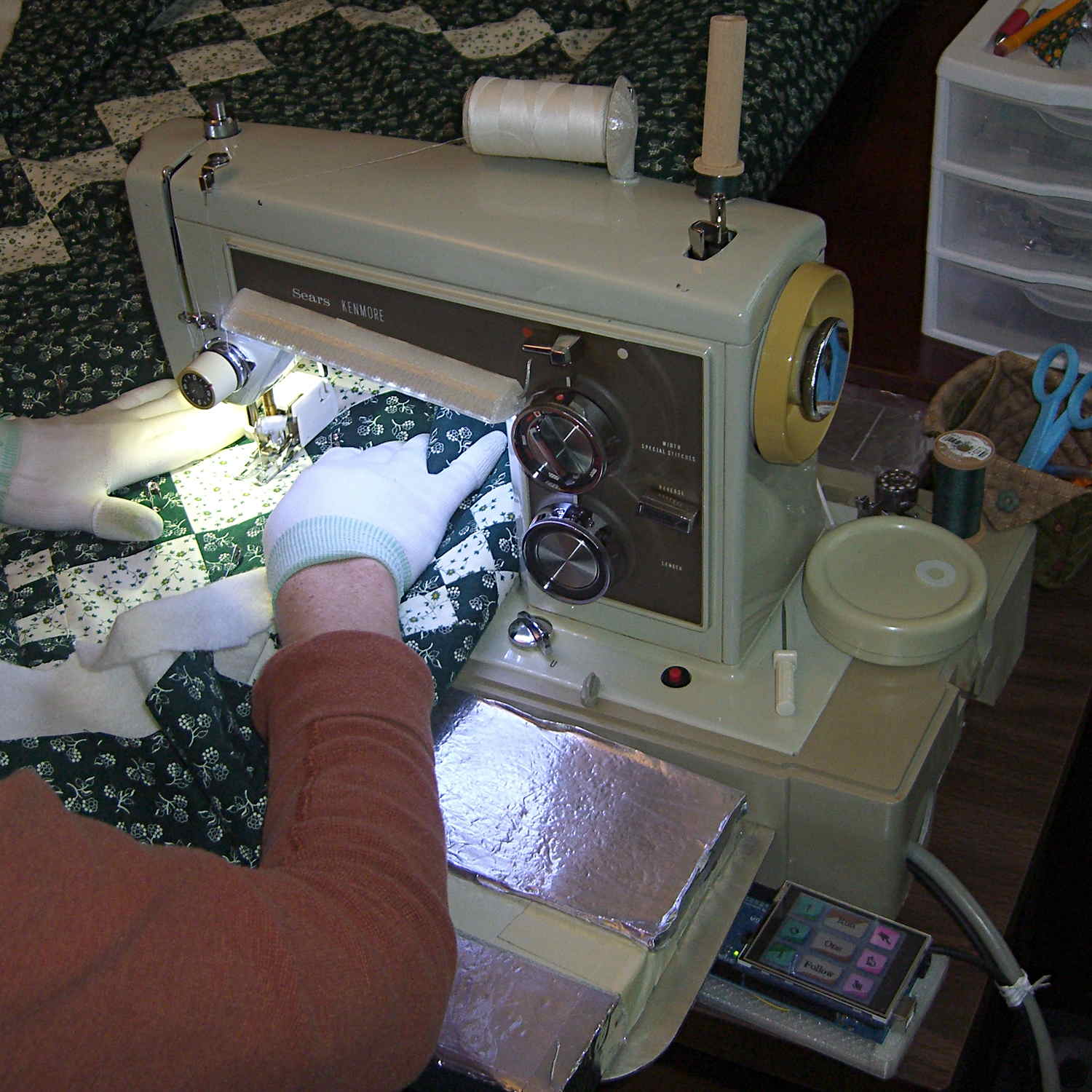
Anyhow, in real life they look pretty good and make the selected buttons much more obvious:

The LCD screen looks just like that; I blew out the contrast on the surroundings to provide some context. The green square on the left is the Arduino Mega’s power LED, the purple dot on the right is the heartbeat spot.
The new “needle stop anywhere” symbol (left middle) is the White Draughts Man Unicode character: ⛀ = U+26C0. We call them checkers here in the US, but it’s supposed to look like a bobbin, as you must disengage the handwheel clutch and stop the main shaft when filling a bobbin; the needle positioning code depends on the shaft position sensor.
Weirdly, Unicode has no glyphs for sewing, not even a spool of thread, although “Fish Cake With Swirl” (🍥 = U+1F365) came close. Your browser must have access to a font with deep Unicode support in order to see that one…
You can’t say I didn’t try:

The script that generates all the buttons:
./mkBFam.sh NdDn  9 ⤓
./mkBFam.sh NdUp  9 ⤒
./mkBFam.sh NdAny 9 ⛀ 80 80 40
./mkBFam.sh PdOne 33 One 120 80
./mkBFam.sh PdFol 33 Follow 120 80
./mkBFam.sh PdRun 33 Run 120 80
./mkBFam.sh SpMax 83  🏃 80 80 40
./mkBFam.sh SpMed 83  🐇 80 80 40
./mkBFam.sh SpLow 83  🐌
montage *bmp -tile 3x -geometry +2+2 Buttons.png
display Buttons.png
The script that generates all the versions of a single button:
# create family of button images
# Ed Nisley - KE4ZNU
# March 2015

[ -z $1 ] && FN=Test || FN=$1
[ -z $2 ] && HUE=30  || HUE=$2
[ -z $3 ] && TXT=x   || TXT=$3
[ -z $4 ] && SX=80   || SX=$4
[ -z $5 ] && SY=80   || SY=$5
[ -z $6 ] && PT=25   || PT=$6
[ -z $7 ] && BDR=10  || BDR=$7

echo fn=$FN hue=$HUE txt=$TXT sx=$SX sy=$SY pt=$PT bdr=$BDR

echo Working ...

echo Shape

echo Buttons
echo  .. Disabled
convert -size ${SX}x${SY} xc:none \
  -fill hsb\(${HUE}%,50%,40%\) -draw "roundrectangle $BDR,$BDR $((SX-BDR)),$((SY-BDR)) $((BDR-2)),$((BDR-2))" \
  ${FN}_s.png
convert ${FN}_s.png \
  -font /usr/share/fonts/custom/Symbola.ttf  -pointsize ${PT}  -fill gray20  -stroke gray20 \
  -gravity Center  -annotate 0 "${TXT}"  -trim -repage 0x0+7+7 \
  \( +clone -background navy -shadow 80x4+4+4 \) +swap \
  -background snow4  -flatten \
  ${FN}0.png

echo  .. Enabled
convert -size ${SX}x${SY} xc:none \
  -fill hsb\(${HUE}%,100%,70%\) -draw "roundrectangle $BDR,$BDR $((SX-BDR)),$((SY-BDR)) $((BDR-2)),$((BDR-2))" \
  ${FN}_s.png
convert ${FN}_s.png \
  -font /usr/share/fonts/custom/Symbola.ttf  -pointsize $PT  -fill black  -stroke black \
  -gravity Center  -annotate 0 "${TXT}"  -trim -repage 0x0+7+7 \
  \( +clone -background navy -shadow 80x4+4+4 \) +swap \
  -background snow4  -flatten \
  ${FN}1.png

echo  .. Pressed
convert -size ${SX}x${SY} xc:none \
  -fill hsb\(${HUE}%,100%,100%\) -draw "roundrectangle $BDR,$BDR $((SX-BDR)),$((SY-BDR)) $((BDR-2)),$((BDR-2))" \
  ${FN}_s.png
convert ${FN}_s.png \
  -font /usr/share/fonts/custom/Symbola.ttf  -pointsize ${PT}  -fill black  -stroke black \
  -gravity Center  -annotate 0 "${TXT}"  -trim -repage 0x0+7+7 \
  \( +clone -background navy -shadow 80x4+4+4 -flip -flop \) +swap \
  -background snow4  -flatten \
  ${FN}2.png

echo BMPs
for ((i=0 ; i <= 2 ; i++))
do
 convert ${FN}${i}.png -type truecolor ${FN}${i}.bmp
# display -resize 300% ${FN}${i}.bmp
done

rm ${FN}_s.png ${FN}?.png

echo Done!





 The Smell of Molten Projects in the Morning