Ed Nisley's Blog: Shop notes, electronics, firmware, machinery, 3D printing, laser cuttery, and curiosities. Contents: 100% human thinking, 0% AI slop.
The bobbin winder atop the Kenmore 158 sewing machine has a rubber tire that contacts a ribbed ring on the inside surface of the handwheel; the clutch knob disengages the main shaft and you run the motor at top speed. As you’d expect, both age and wear take their toll on the rubber, to the extent that the winder on Mary’s machine stopped turning. I swapped it for the slightly less decrepit winder on the Crash Test Dummy, but that was obviously a stop-gap measure.
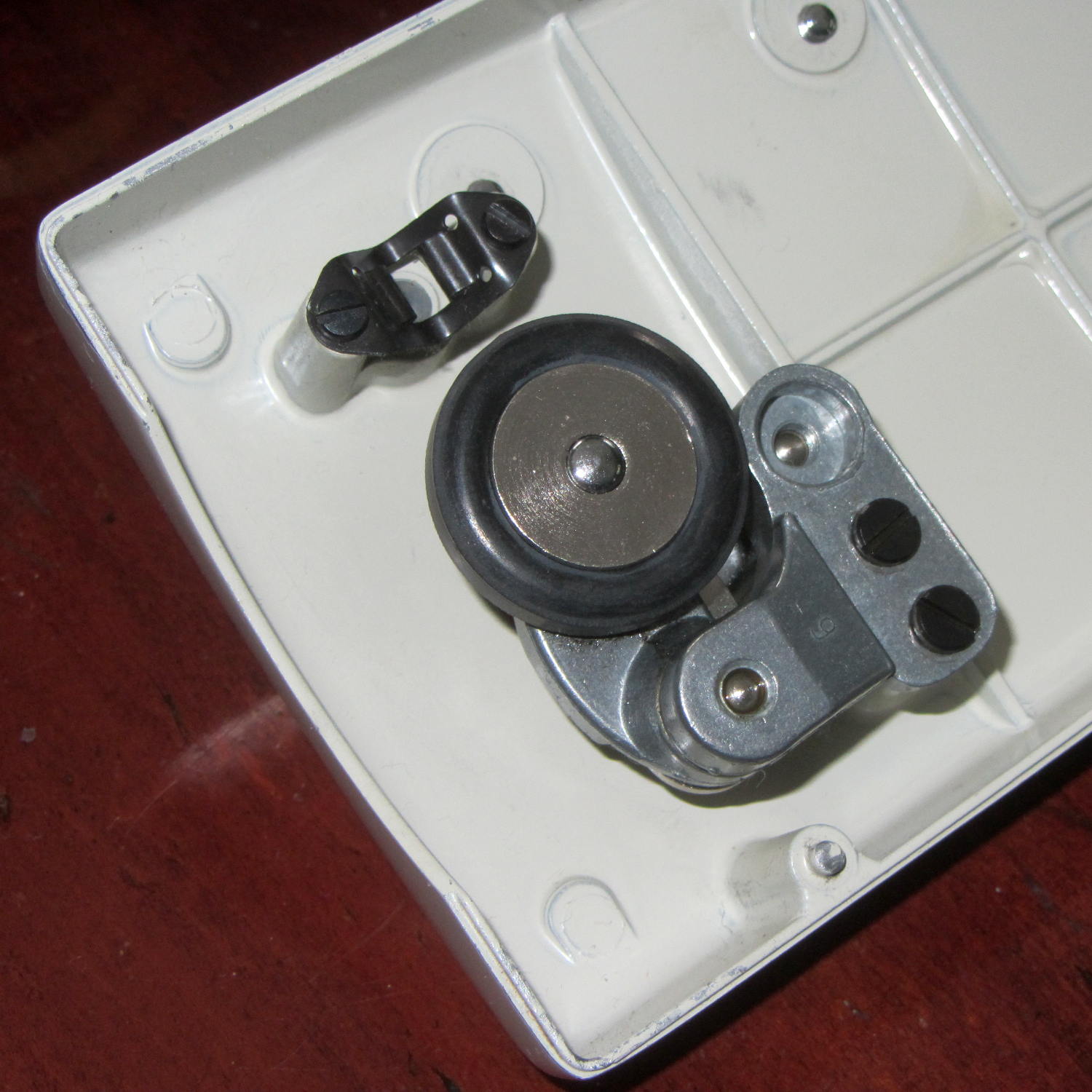
I mistakenly thought the metal wheel consisted of two plates that clamped a rubber disk in place, with no possibility of removal:
Bobbin Winder – old tire
The fact that the spare parts list didn’t include the rubber disk helped convince me.
Eventually, I stumbled over replacement “tires” on, of course, eBay that suggested how to dismount them:
Bobbin Winder – wheel and tires
Yup, that sucker slides right off.
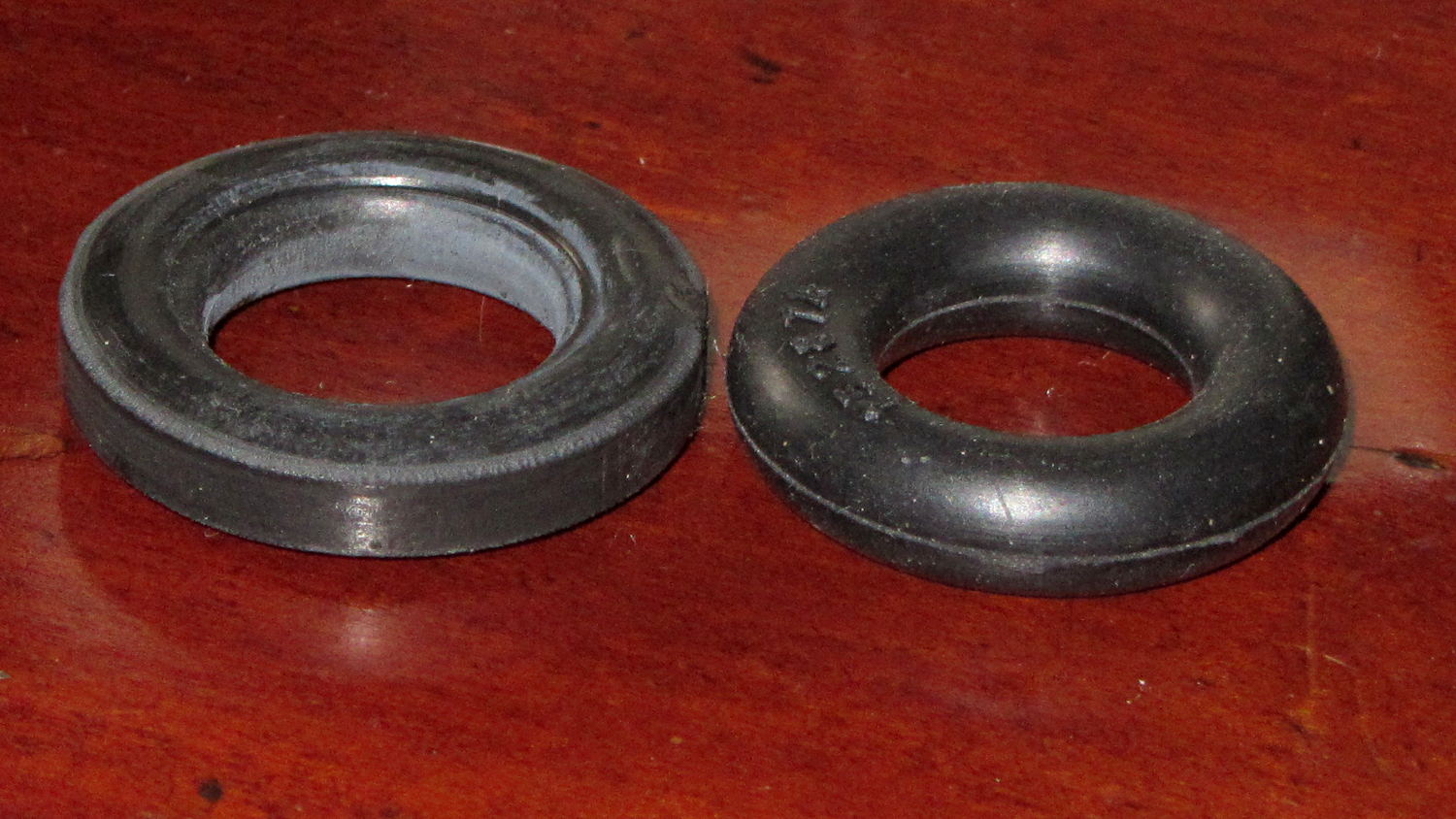
Anyhow, the replacements seem to be standard industrial O-rings, rather than the original tire with a flattened rim:
Bobbin Winder – old vs new tire
The new tires measure 28.94 mm OD on the bench (I don’t trust that last digit, either) and 29.56 mm OD installed. The (hardened and cracked) old tires measure 29.94, 30.06, and 30.28 mm OD on the bench; that’s a radius anywhere from 0.2 mm to 0.4 mm larger. The winder’s mounting screws provide a very small adjustment range that helps a bit.
Knowing that I needed an O-ring, I checked the assortment of “standard size” O-rings I bought many, many years ago, which once again failed to offer up anything suitable. To the best of my knowledge, that kit has never had the right size; apparently, every application uses a different standard.
The O-ring definitely puts less rubber on the handwheel than the tire, but seems to drive the bobbin winder well enough to fill a handful of bobbins without any of the previous drama.
case PD_RUN :
	if (PedalPosition > 5) {
		if (MotorDrive.State != RUNNING) {
			EnableMotor();
			MotorDrive.State = RUNNING;
		}

		BaseDAC.setVoltage(0x0fff,false);								// give it a solid pulse
		SampleCurrent(PIN_CURRENT_SENSE);								// sample over a half cycle
		if (DriveOnTime > CurrentSamplingTime) {
			delay(DriveOnTime - CurrentSamplingTime);
		}

// Pedal to the metal?
//   ... if so, stall here with motor drive fully on until the pedal releases

		while ((MotorDrive.SpeedRange == SPEED_HIGH) && (PedalPosition >= 100)) {
			PedalPosition = PedalPercent(ReadAI(PIN_PEDAL));
		}

		BaseDAC.setVoltage(0,false);									//  ... then turn it off

		delay(map(constrain(PedalPosition,0,PedalMaxClamp),
				0,100,
				DriveOffTime,0));
	}
	else {
		if (MotorDrive.State == RUNNING) {
			if (MotorSensor.RPM) {
				printf("Coast: %d\r\n",MotorSensor.RPM);
				delay(100);
			}
			else {
				printf("Parking ");
				ParkNeedle(MotorDrive.ParkPosition);
				MotorDrive.State = STOPPED;
				printf(" stopped\r\n");
			}
		}
	}
	break;
The magic happens in highlighted statement, which flips the sense of the pedal motion and linearly scales the result into a delay() value ranging from 120 ms (pedal barely pressed) down to 0 ms (pedal almost fully pressed). If the pedal is all the way down, then the preceding while() locks up until it’s released a bit, whereafter the delay will be nearly zero.
That sorta-kinda worked, but the user community said that the pedal response required pushing too hard for top speed: it should get faster, sooner. The problem came from the simplistic way I set the speed: it was inversely proportional to the position.
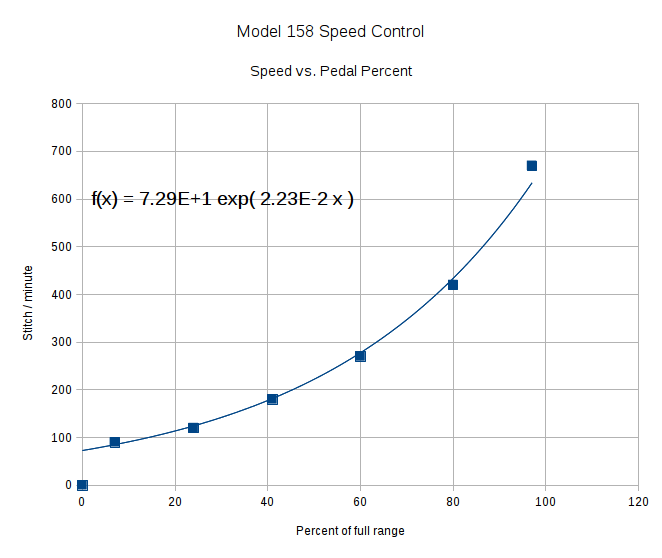
Plotting speed against pedal position shows the problem:
Speed vs pedal – period control
I figured the right approach was to make the speed vary linearly with the pedal position, so the trick was to plot the off-time delay vs. the actual speed:
Off-time delay vs speed – period control
The second-order equation bottles up a bunch of nonlinear things. Given that this was using the original code, I made the dubious assumption that more-or-less the same delay in the new code would produce more-or-less the same speed.
The new code discards the current-sampling routine that I was using to get a fixed delay (because I don’t need to know the current in pulse-drive mode), then used that time for the floating-point calculation required to find the off-time delay. That chunk of code took a bit of fiddling to get right:
case PD_RUN :
	if (PedalPosition > 5) {
		if (MotorDrive.State != RUNNING) {
			EnableMotor();
			MotorDrive.State = RUNNING;
		}

		BaseDAC.setVoltage(0x0fff,false);								// give it a solid pulse
		MillisOn = millis() + (unsigned long)DriveOnTime;

		TargetSpeed = (float)map(constrain(PedalPosition,0,PedalMaxClamp),
				0,100,
				0,700);						// quick and dirty 0 to 700 stitch/min range
		OffTime = (int)((1.94e-4*TargetSpeed - 0.286)*TargetSpeed + 106.0);
		OffTime = constrain(OffTime,0,120);								// clamp to reasonable range
		MillisOff = MillisOn + (unsigned long)OffTime;					// compute end of off time

		while (millis() <= MillisOn) {									// wait for end of pulse
			continue;
		}

		if ((PedalPosition >= 100) && (MotorDrive.SpeedRange == SPEED_HIGH)) {	// pedal down in full speed mode?
			printf("Full speed ... ");
			OffTime = 0;
			while (PedalPosition >= 100) {								//  ... full throttle!
				PedalPosition = PedalPercent(ReadAI(PIN_PEDAL));
			}
			BaseDAC.setVoltage(0,false);								//  pedal released, start coasting
			printf(" done\r\n");
		}
		else {															// pedal partially pressed
			BaseDAC.setVoltage(0,false);								// pulse done, turn motor off
			while (millis() <= MillisOff) {								// wait for end of off period
				continue;
			}
		}
	}
But the result looks as pretty as you could possibly expect:
Speed vs pedal – linearized speed control
The pedal still provides a soft-start transition from not moving to minimum speed, which remains an absolute requirement: having an abrupt transition to that straight line would be a Bad Thing. Fortunately, the nature of the magnet moving toward the Hall effect sensor gives you that for free.
Although we’re still evaluating the results, the user community seems happier…
Adjusting the output voltage vs. position for the sewing machine’s food pedal quickly revealed that the code shouldn’t depend on the actual ADC values. That’s blindingly obvious in hindsight, of course.
The maximum with the pedal in its overtravel region doesn’t change by much, because the Hall effect sensor output voltage saturates in a high magnetic field. I used a hardcoded word PedalMax = 870; which comes from 4.25 V at the ADC input.
On the low end, the sensor output can change by a few counts depending on small position changes, so I sampled the (presumably released) pedal output during the power-on reset:
	PedalMin = ReadAI(PIN_PEDAL);				// set minimum pedal input value
	printf("Set PedalMin: %u\r\n",PedalMin);
	PedalMaxClamp = 100;						// set upper speed limit
Given the complete ADC range, this function normalizes a value to the range [0,100], conveniently converting the pedal position into a percent of full scale:
int PedalPercent(word RawPos) {
int Clamped;

	Clamped = constrain(RawPos,PedalMin,PedalMax);
	return map(Clamped,PedalMin,PedalMax,0,100);
}
Graphing the normalized values against pedal position would have the same shape as the ADC values. All I’m doing is rescaling the Y axis to match the actual input limits.
The top of the main loop captures the pedal position:
Now, it’s easy to add a slight deadband that ensures the sewing machine doesn’t start when you give the pedal a harsh look; the deadband is now a percent of full travel, rather than a hard-coded ADC count or voltage.
For example, in needle-follows-pedal mode, you must press the pedal by more than 10% to start the stitch, slightly release it to finish the stitch, and then almost completely release it to proceed to the next stitch:
	case PD_FOLLOW:
		if (PedalPosition > 10) {
			printf("Pedal Follow\r\n");
			ParkNeedle(NS_DOWN);
			do {
				PedalPosition = PedalPercent(ReadAI(PIN_PEDAL));
			} while (PedalPosition > 10);
			ParkNeedle(NS_UP);
			do {
				PedalPosition = PedalPercent(ReadAI(PIN_PEDAL));
			} while (PedalPosition > 2);
		}
		break;
Adjusting percentages turns out to be much easier than fiddling with ADC values.
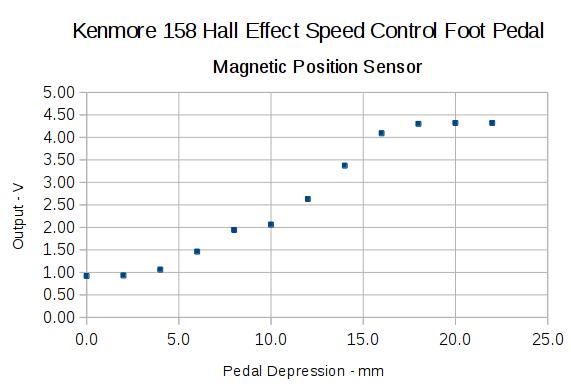
With the Crash Test Dummy in place, Mary reports that the pedal required too much motion to reach the full speed position. The graph from the last time around shows the output as a function of pedal position:
Hall sensor output vs pedal depression
I’d done some fiddling around after recording that data, but it remained pretty close to the truth.
A new scale, not quite in the same spot as the previous one:
Kenmore 158 – Foot Pedal – motion recalibration
The two long lines mark the active region after I finished the mechanical tweaking described below; the pedal now produces nearly full output just beyond the 12 mm mark and has about that much overtravel. Measuring those values requires squeezing the pedal by hand, holding its position, and recording the ADC output dumped by the motor control program in the Arduino, a process that could be improved, but to not much benefit.
The original pedal writeup goes into the gory details, but the bottom line is that the mechanical motion producing that output range depends on the length of the rod from the actuator bar to the magnet.
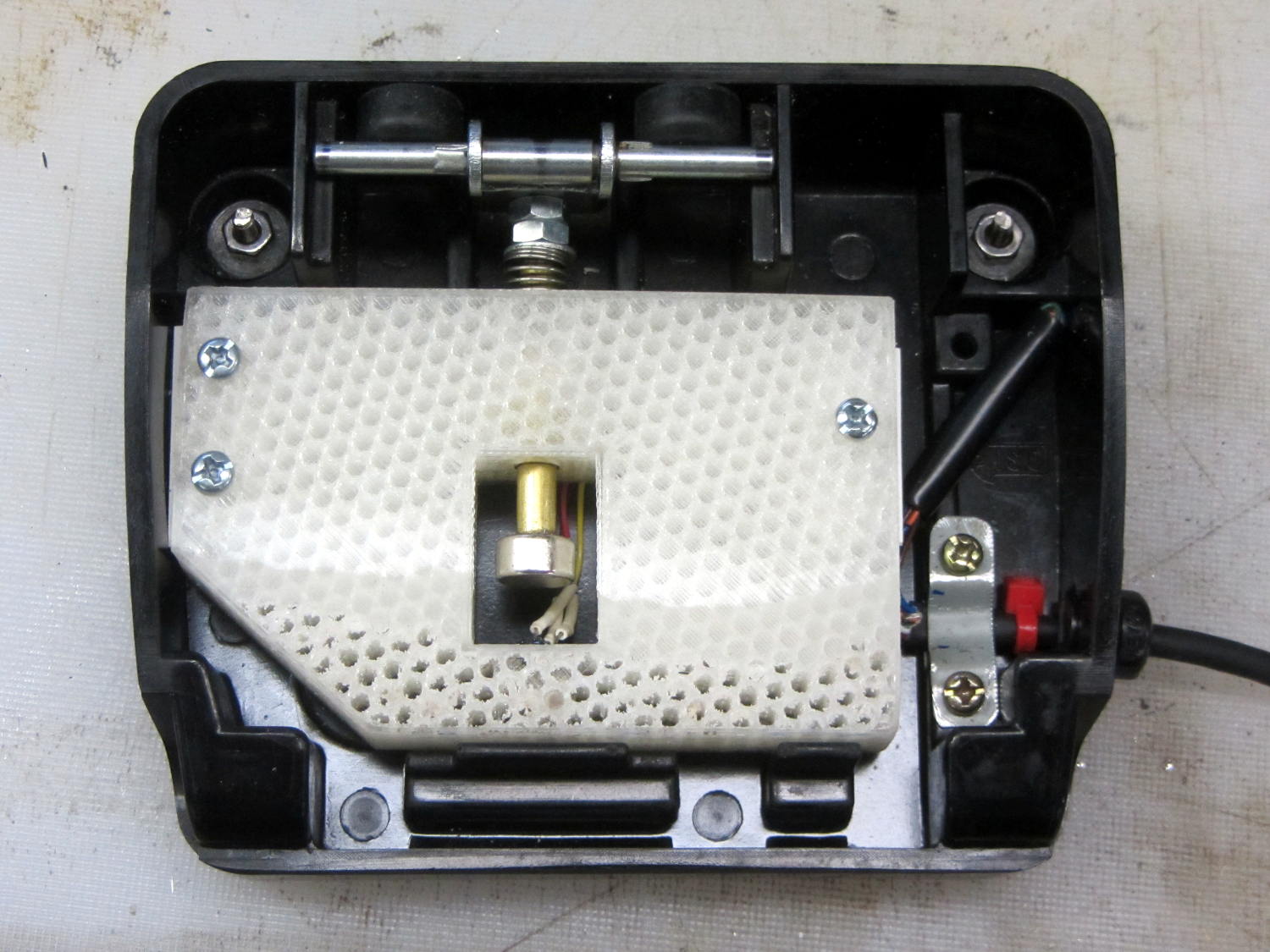
The original version had a thin nut securing a screw inside the brass shaft to the actuator:
Kenmore 158 – Hall speed control – prototype interior
I later swapped the nut for three washers, after observing that the nut wasn’t actually necessary, but that produced too much dead travel at the beginning of motion.
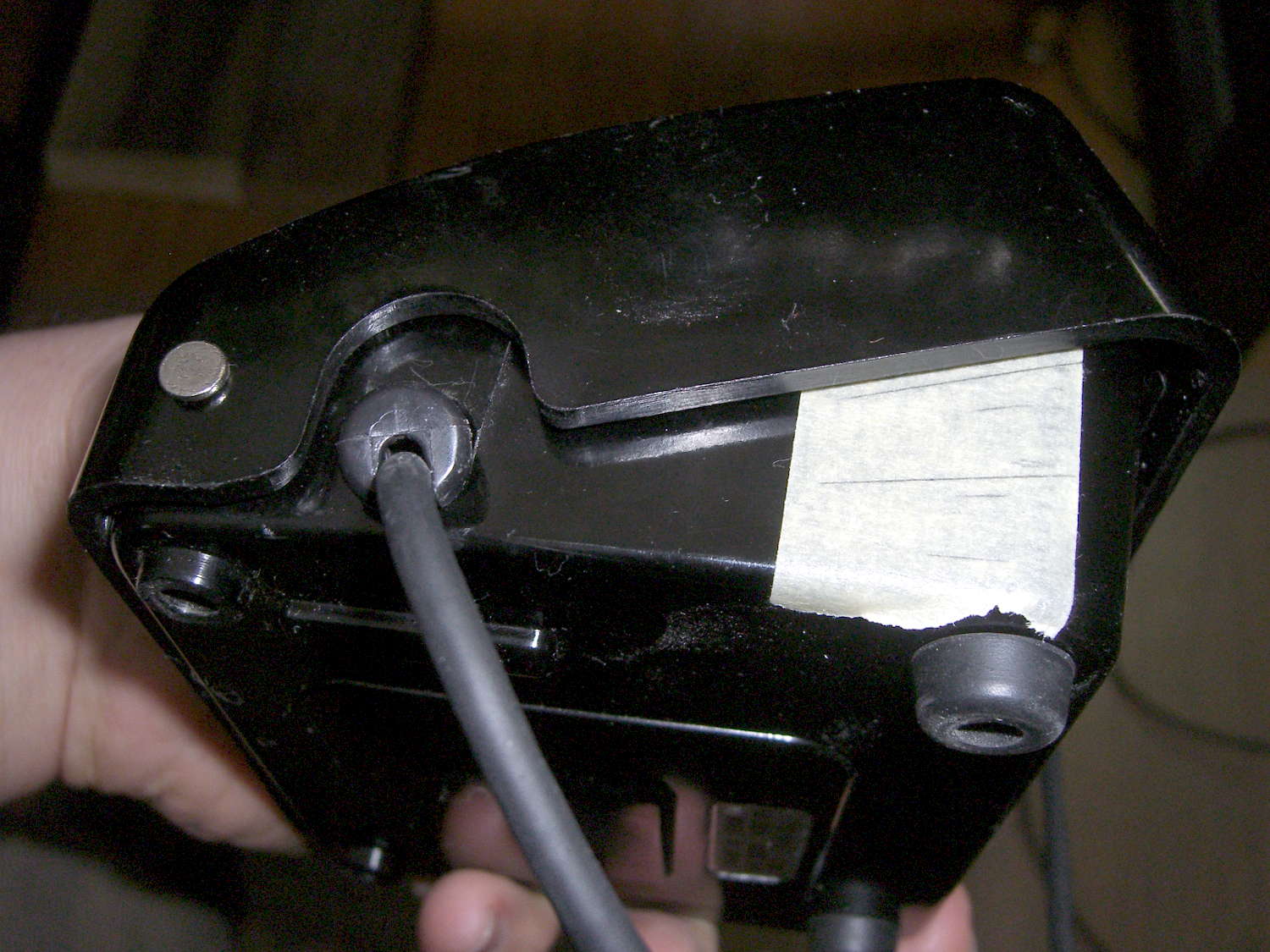
We discovered that the actuator bar could slip off the end of the ramp cast into the pedal cover, jamming the end of the ramp, making the case extremely difficult to disassemble, and causing heartache & confusion. Affixing a pair of rubber feet to the rear wall of the pedal case with tapeless sticky keeps the bar about half a millimeter further forward and eliminates that problem:
Kenmore 158 – foot pedal – short actuation
A second nut moved the brass rod forward, but that turned out to be a bit too much, so it now has a single, slightly thicker, nut. The 3D printed frame allows for far more travel in each direction than is strictly necessary, specifically to allow this fine tuning; it’s possible to make the rod’s resting position too close to the Hall effect sensor and have them collide at full travel, but I managed to avoid that.
It’s impossible to measure anything with the case disassembled: each change requires reassembling everything, measuring, and iterating.
After some of this & that, this graph shows the final output curve, with the Y axis in raw ADC counts at 100/div:
Foot Pedal – ADC vs position – graph detail
The first 3 mm doesn’t produce much change in the output, it smoothly changes to the more-or-less linear ramp up to 12 mm, then tapers off to full output beyond 14 mm. That’s pretty close to the original graph, with full throttle occurring a bit more than 2 mm earlier; the difference between the two scales may have some effect. In any event, Mary reports it feels much better.
Trust me: that matters.
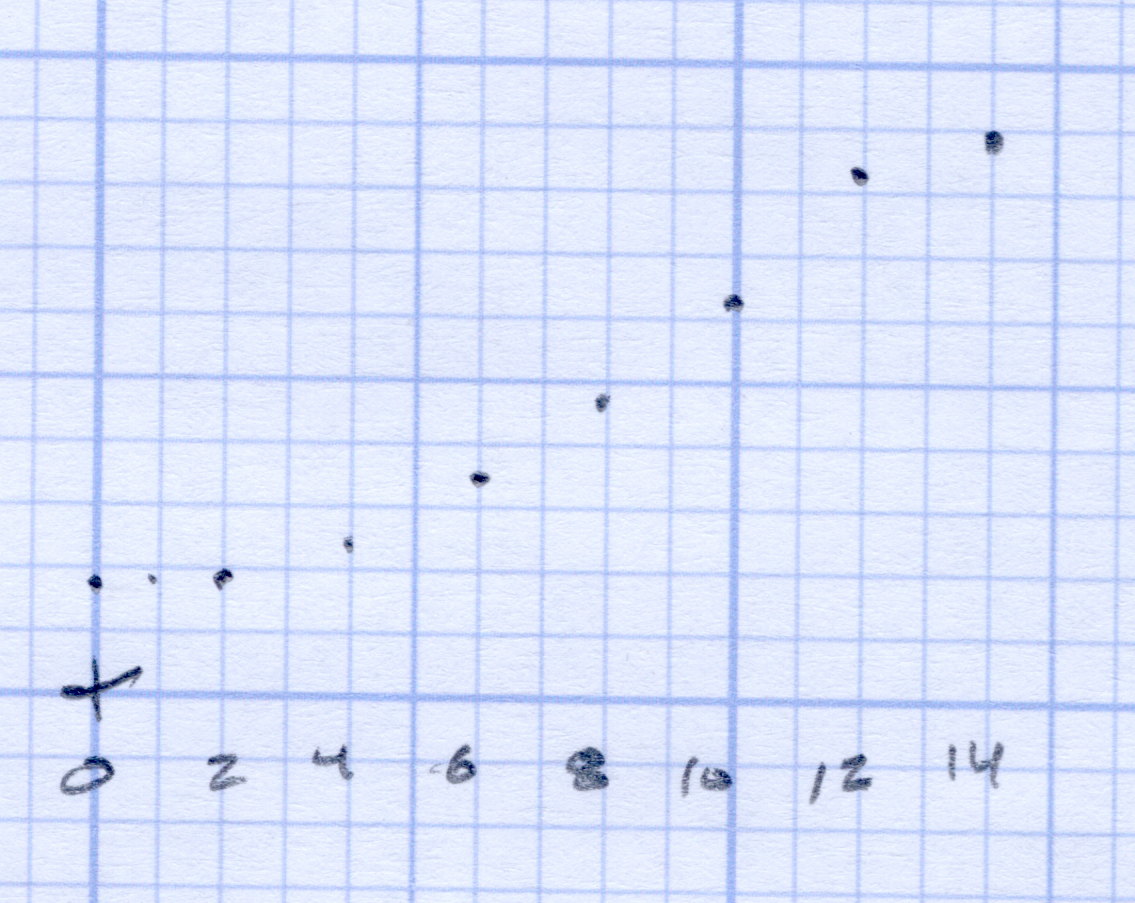
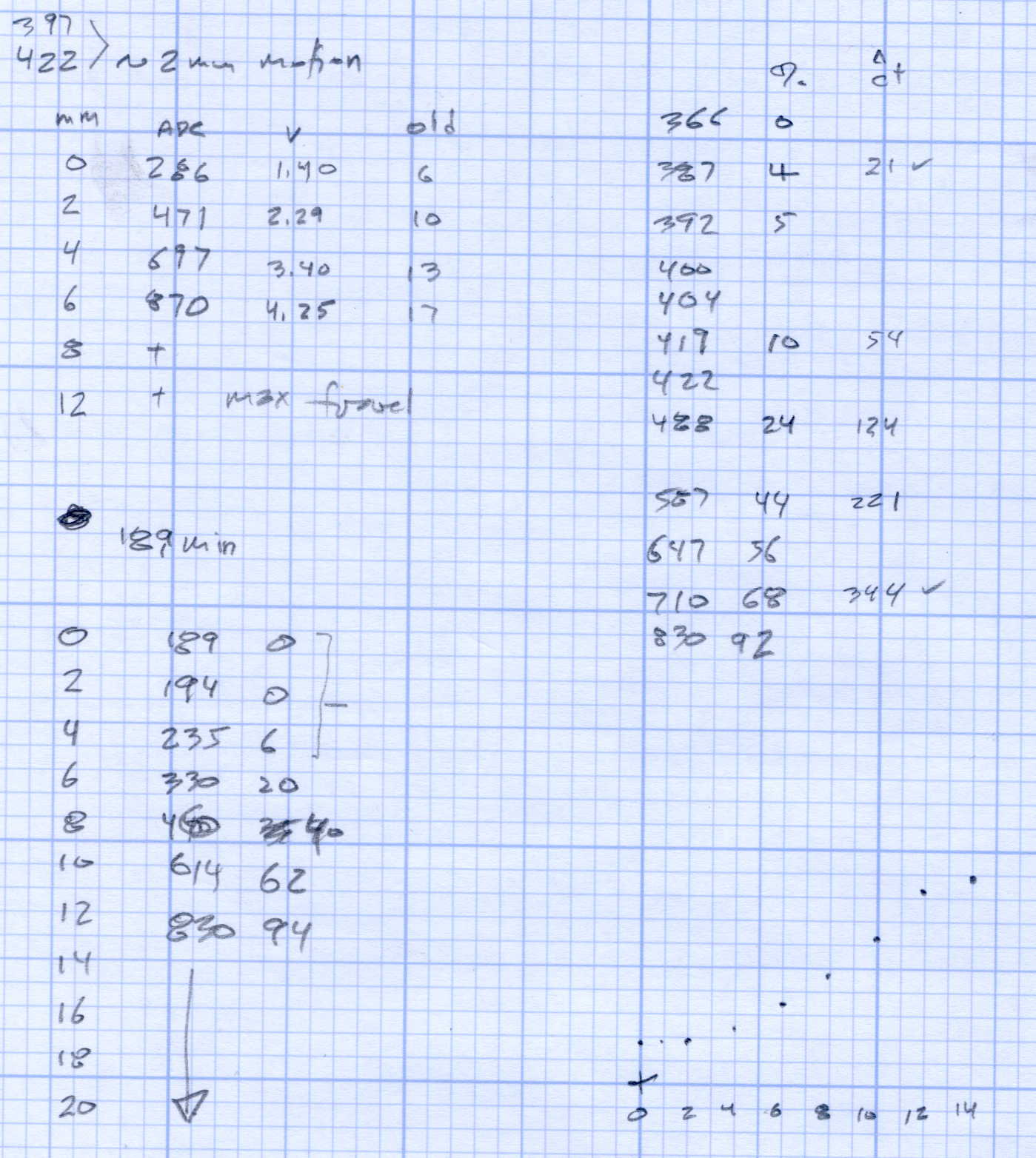
The original data from the first and second mods, plus a teeny version of that graph:
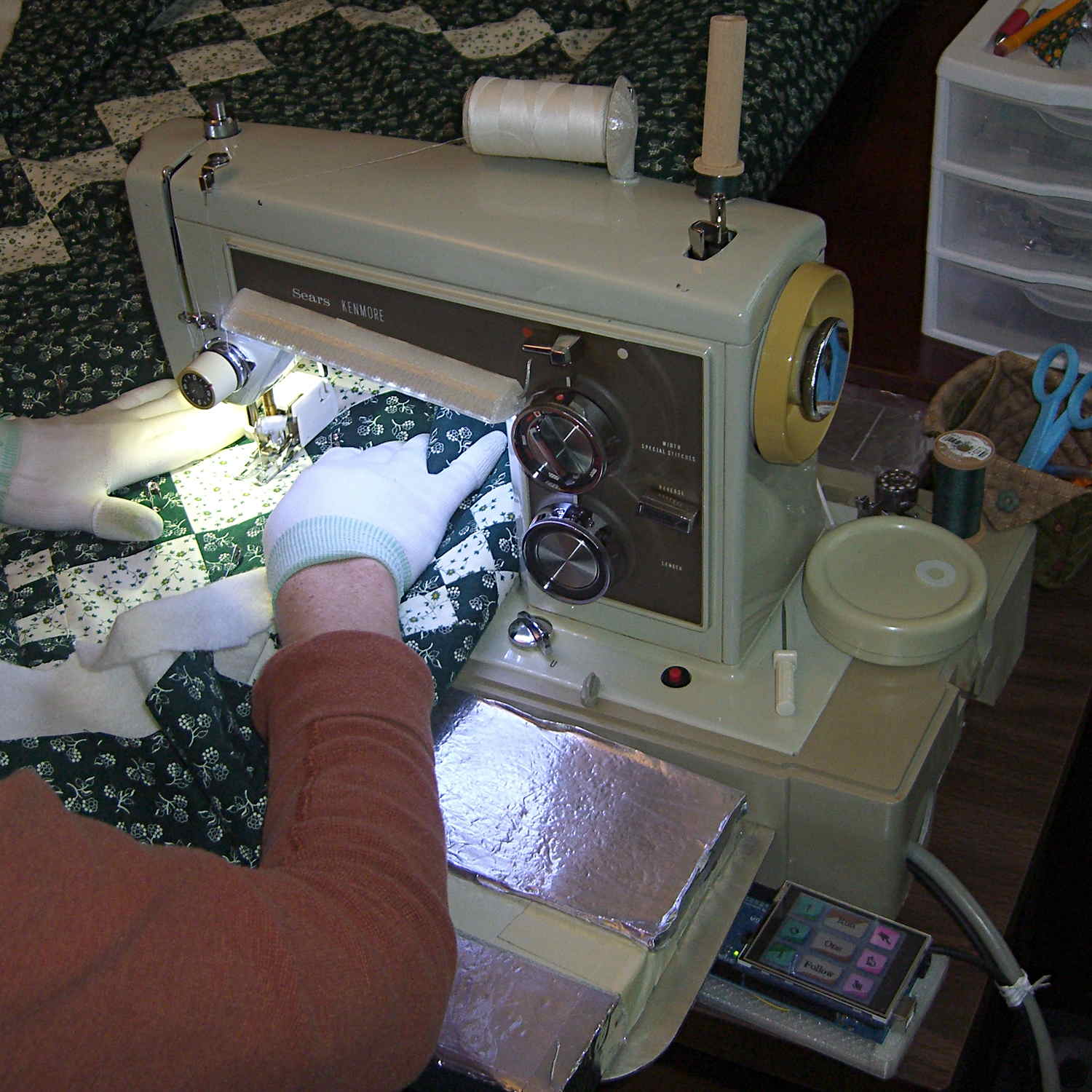
The Crash Test Dummy’s double-walled and somewhat crushed base turns out to be slightly larger front-to-back than the one on Mary’s original Kenmore 158 (which has a later serial number), but it still fits into the cutout in the insulating board we’re using in lieu of a Real Sewing Surface:
Early reports indicate that the pedal doesn’t feel quite right, with faster speeds requiring too much travel. Given that I worked hard to get more travel with slower transitions into that thing, differences shouldn’t come as any surprise, but … this will require some tweaking.
The Crash Test Dummy machine arrived from the usual eBay seller in a cardboard box with a few rigid foam strips and some closed-cell foam sheets tossed inside. The seller thought the machine was “adequately protected”, which turned out to be, at best, optimistic:
Kenmore 158 – Crash Test Dummy Case
Fortunately, the crushed case protected the sewing machine itself and, given that I specifically bought it with the intent of making mistakes thereupon, it worked well enough. At one point, it vibrated off a desk, landed face-down on the concrete basement floor, and now the stitch selection / length cam followers don’t follow their cams very well at all.
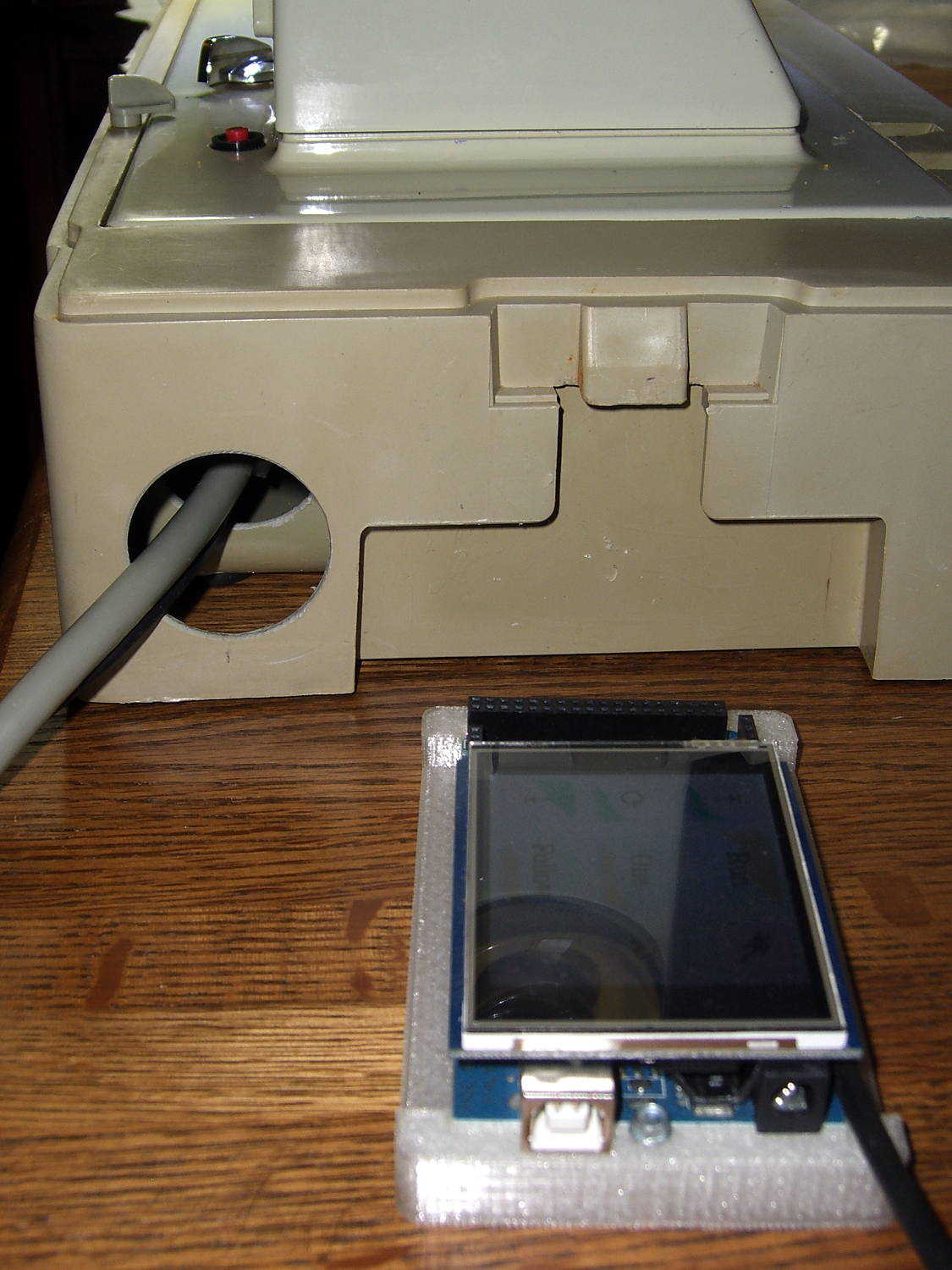
I modified the cracked-but-workable base to pass the connectors on the AC motor power and LED power / position sensor cables:
Kenmore 158 Base – cable hole
That was done by chucking a hole saw in the drill press, running at lowest speed, resting the other end of the case on my thigh, and tipping my foot to drive the case upward into the saw. Worked surprisingly well, but I’d appreciate it if you didn’t use that technique yourself.
Now that the Crash Test Dummy resembles a sewing machine again, running a few trial stitches in scrap fabric showed that it works well enough for straight-line sewing and free-motion quilting:
Kenmore 158 Crash Test Dummy – test stitching
We installed it in the Quilting Room, ready for a more extensive evaluation on an actual quilt…
Now that the sewing machine motor controller receives commands from the UI (or typed in on a console), it must decode them. The “parser” doesn’t amount to much, because the commands consist of exactly two characters wrapped in square brackets. For simplicity, if the format doesn’t match or the command isn’t exactly right, the decoder simply tosses it on the floor and moves on:
void ParseCmd(char *pBuff) {

	if ((CmdBuffer[0] != '[') || (CmdBuffer[3] != ']')) {
		printf("** Bad cmd format: %s\r\n",CmdBuffer);
		return;
	}

	switch (CmdBuffer[1]) {
	case 'N':							// needle park position
		switch (CmdBuffer[2]) {
		case 'u':
			MotorDrive.ParkPosition = NS_UP;
//			ParkNeedle(NS_UP);
			break;
		case 'a':
			MotorDrive.ParkPosition = NS_NONE;
			break;
		case 'd':
			MotorDrive.ParkPosition = NS_DOWN;
//			ParkNeedle(NS_DOWN);
			break;
		default:
			printf("** Bad Needle cmd: %s\r\n",CmdBuffer);
		}
		break;
	case 'P':							// pedal mode
		switch (CmdBuffer[2]) {
		case 'r':
			MotorDrive.PedalMode = PD_RUN;
			break;
		case '1':
			MotorDrive.PedalMode = PD_SINGLE;
			break;
		case 'f':
			MotorDrive.PedalMode = PD_FOLLOW;
			break;
		default:
			printf("** Bad Pedal cmd: %s\r\n",CmdBuffer);
		}
		break;
	case 'S':							// motor speed range
		switch (CmdBuffer[2]) {
		case 'h':
			MotorDrive.SpeedRange = SPEED_HIGH;
			PedalMaxClamp = PEDALMAX;
			break;
		case 'm':
			MotorDrive.SpeedRange = SPEED_MEDIUM;
			PedalMaxClamp = (3 * PEDALMAX) / 4;
			break;
		case 'l':
			MotorDrive.SpeedRange = SPEED_LOW;
			PedalMaxClamp = PEDALMAX / 2;
			break;
		default:
			printf("** Bad Speed cmd: %s\r\n",CmdBuffer);
		}
		break;
	default:
		printf("** Bad command string: %s\r\n",CmdBuffer);
	}

	return;
}
So much for recursive descent parser design theory, eh?