Ed Nisley's Blog: Shop notes, electronics, firmware, machinery, 3D printing, laser cuttery, and curiosities. Contents: 100% human thinking, 0% AI slop.
A BlackburnFlea bike headlight and its USB charger emerged from the packs on our Young Engineer’s Tour Easy, but the battery was completely defunct. With nothing to lose, I applied a small screwdriver to crack the case:
Blackburn Flea – opening case
The battery is a single cylindrical lithium cell:
Blackburn Flea – battery
The USB charger seemed defunct, as it produced only a few dozen millivolts when connected and plugged into its wall wart. Cracking its case revealed a tiny buck power supply with no obvious damage, but also no output.
So I manually charged the cell:
Blackburn Flea – external recharge
Definitely not recommended practice, but a bench supply set to 4.1 V and current-limited to 100 mA gets the job done: the current stays at 100 mA while the voltage rises to 4.1 V, then the current drops to just about zero over the next few hours with cell held at 4.1 V.
Unfortunately, the cell really was defunct, even after a few cycles, so I conjured a not-dead-yet lithium cell from the heap:
Blackburn Flea – measurement setup
Given a good supply, the Flea still works perfectly:
Blackburn Headlight – Kyocera Li-ion – 50 mA-div
The yellow trace shows the battery holding at 4 V while the LED current runs at 150 mA (3 div × 50 mA/div). You wouldn’t want to run ordinary 5 mm LEDs at nearly 40 mA, but Blackburn surely specified good parts.
Replacing the Flea’s internal cell seems impossible, given its peculiar form factor, and grafting the PCB to an external cell makes no sense, given that it’d then need a custom bike mount.
So another chunk of electronics goes in the e-waste box.
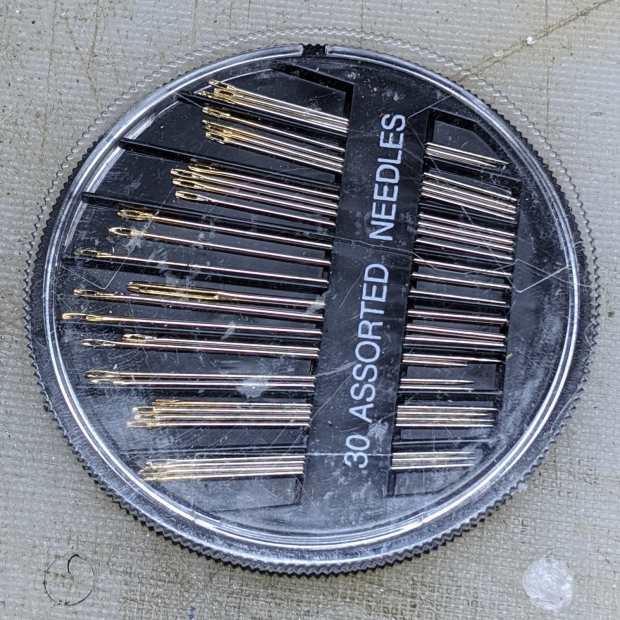
A needle case emerged from the bottom of a drawer in need of repair:
Needle Case – unglued
The original joint used solvent glue and I suppose I could refresh it with acetone, but two blobs of hot melt glue seemed easier and, IMO, more durable.
In any event, it’s once more ready for use:
Needle Case – repaired
Hooray for another zero-dollar repair, although you can see why nobody else does them these days.
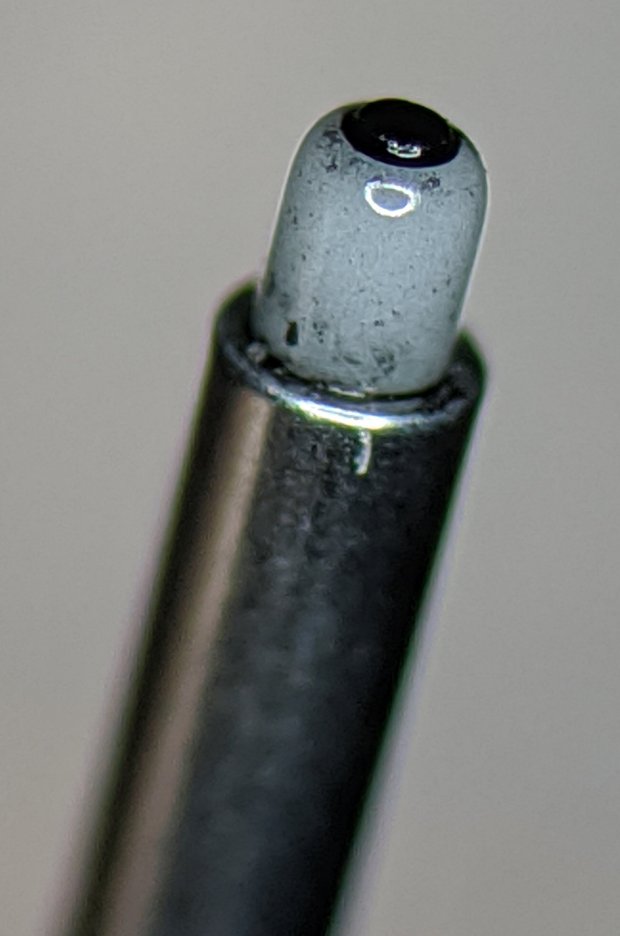
As expected, the defunct pen’s ink supply core had worn down to the surrounding ceramic nib:
HP 7475A Ceramic-tip pen – worn core
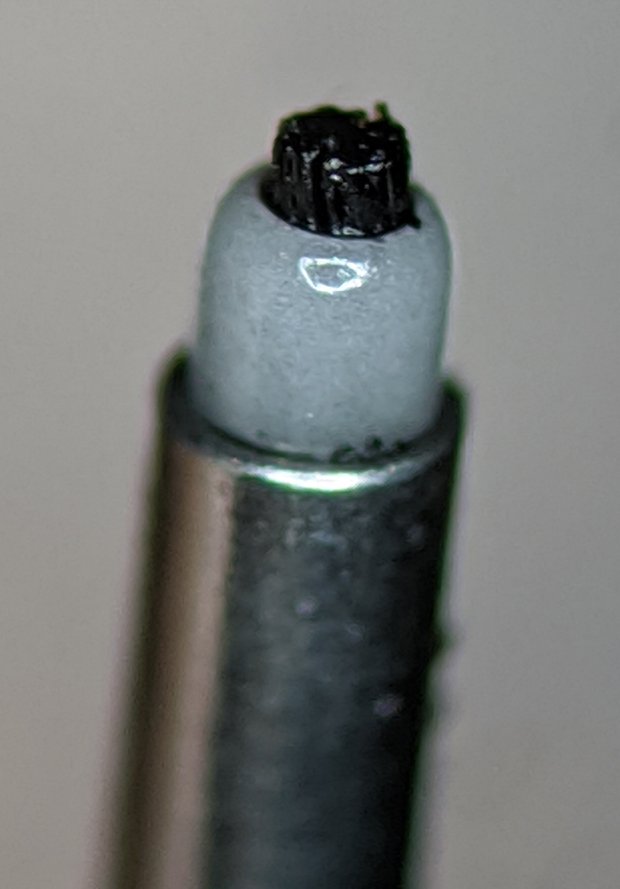
The new pen looks like it has a brush sticking out:
HP 7475A Ceramic-tip pen – fresh core
The new pen’s core looks slightly larger and, in fact, it’s labeled as 0.4 mm rather than 0.3 mm. The new-old-stock pen stash includes a few 0.2 mm ceramic pens; I should think of something requiring hairline detail.
It passed the manual scribble test and promptly ran out of ink during its first plot. I injected some blue ink and it’s now plotting happily for the first time in its life.
As you might expect by now, I harvest various bits & pieces from the PCs falling off the trailing edge of my assortment. The bag of obsolete DRAM recently floated to the top of the heap:
DRAM Assortment – overview
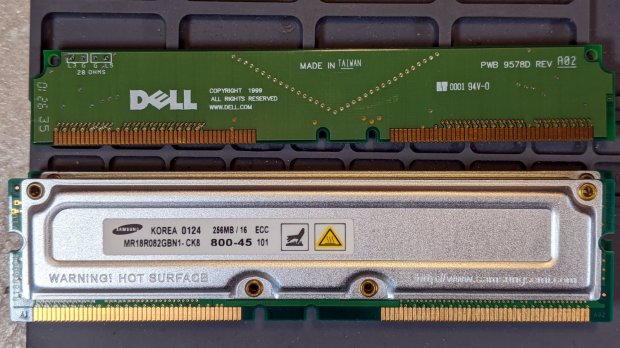
Half a gig of ECC RAM from what might have been a fire-breathing Pentium Pro box:
DRAM Assortment – 256 MB ECC
The PCBs along the top apparently filled vacant memory slots.
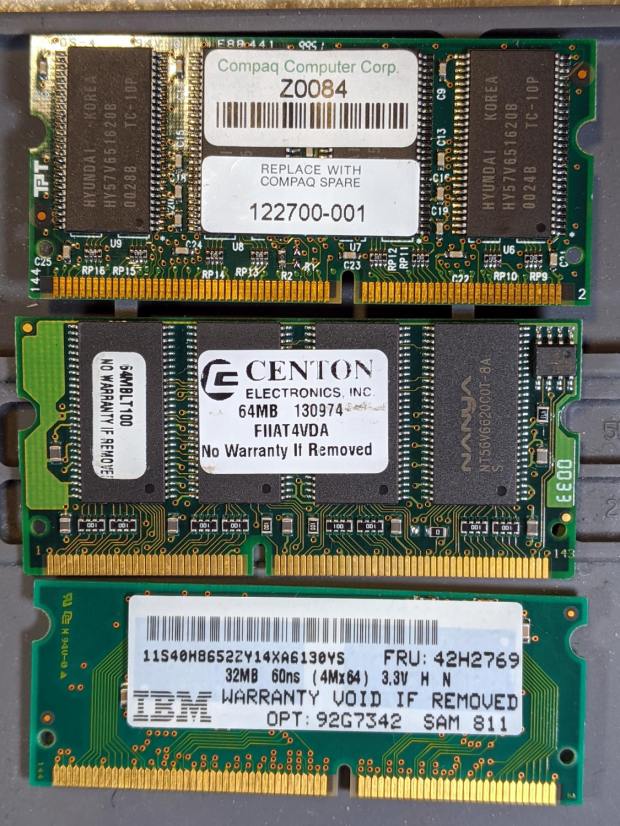
Some 32 and 64 MB DRAM from a few IBM laptops I turned into picture frames:
DDR2 DRAM in assorted sizes & speeds:
DRAM Assortment – PC2 DDR
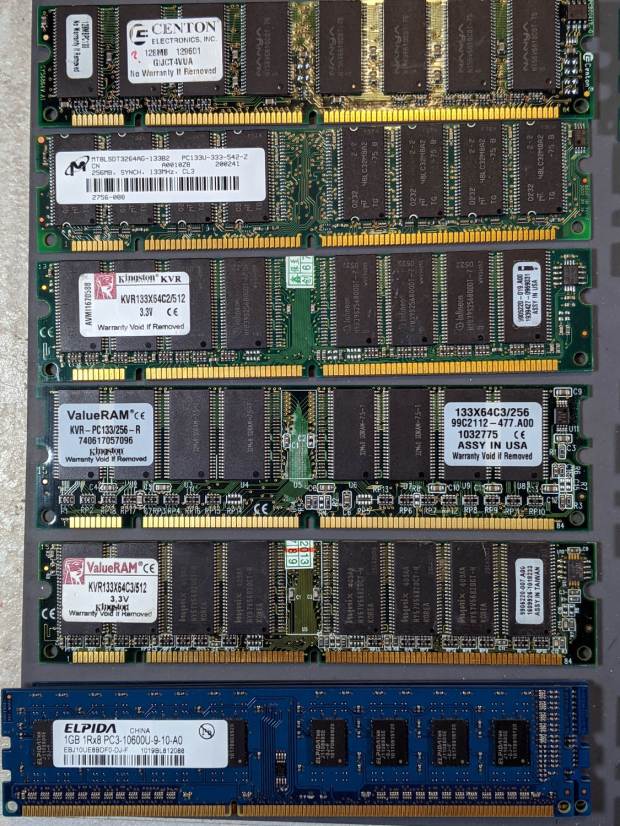
PC133 DDR DRAM, with four sticks of 1 GB PC3 along the bottom:
DRAM Assortment – PC133
If you look closely, you may see something you can use. No reasonable offer refused …
The Mini-Lathe DROs eat a 390 alkaline coin cell a year, more or less:
Mini-Lathe DRO – battery life
The other DRO’s cell was 10 mV higher, so it might have survived another few weeks. I’ll call it a year, as the OEM cells failed half a year after I got the thing and these are the second set.
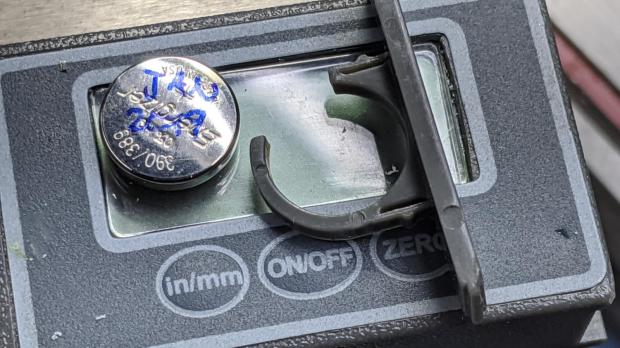
The last time I did this, I wedged a thin foam sheet below the display PCB to put a bit more pressure on the (+) contact tab sticking down from the middle of the plate:
Mini-Lathe DRO – battery compartment
The (-) contact is a pad on the PCB below the battery compartment. The glaring metal reflector is part of the curved cell retainer.
lsusb
Bus 002 Device 002: ID 8087:0024 Intel Corp. Integrated Rate Matching Hub
Bus 002 Device 001: ID 1d6b:0002 Linux Foundation 2.0 root hub
Bus 001 Device 004: ID 248a:ff0f
Bus 001 Device 007: ID 058f:9410 Alcor Micro Corp. Keyboard
Bus 001 Device 006: ID 047d:1020 Kensington Expert Mouse Trackball
Bus 001 Device 005: ID 046d:c508 Logitech, Inc. Cordless Trackball
Bus 001 Device 003: ID 0451:2046 Texas Instruments, Inc. TUSB2046 Hub
Bus 001 Device 002: ID 8087:0024 Intel Corp. Integrated Rate Matching Hub
Bus 001 Device 001: ID 1d6b:0002 Linux Foundation 2.0 root hub
Bus 004 Device 006: ID 05e3:0748 Genesys Logic, Inc.
Bus 004 Device 005: ID 0480:a202 Toshiba America Inc Canvio Basics HDD
Bus 004 Device 004: ID 0bda:0411 Realtek Semiconductor Corp.
Bus 004 Device 003: ID 0451:8041 Texas Instruments, Inc.
Bus 004 Device 002: ID 0bda:0411 Realtek Semiconductor Corp.
Bus 004 Device 001: ID 1d6b:0003 Linux Foundation 3.0 root hub
Bus 003 Device 006: ID 256c:006d
Bus 003 Device 004: ID 0bda:5411 Realtek Semiconductor Corp.
Bus 003 Device 003: ID 0451:8043 Texas Instruments, Inc.
Bus 003 Device 002: ID 0bda:5411 Realtek Semiconductor Corp.
Bus 003 Device 001: ID 1d6b:0002 Linux Foundation 2.0 root hub
Yes, the space normally occupied by the product description is blank. The first blank description comes from a generic wireless keypad’s USB receiver; the 0x248a Vendor ID claims be Maxxter, a step down from the usual Logitech ID rip, and its 0xff0f Device ID looks bogus to me, too.
The 0x256c Vendor ID isn’t in the online databases yet, but some grepping found it in /lib/udev/rules.d/65-libwacom.rules:
Note, however, that the Device ID is 0x006e, where the upgraded V2 tablet is 0x006d; I have no idea why the number goes down as the version goes up. Change all instances of the former to the latter.
Even though the Wacom driver can apparently handle the older H610Pro, the V2 tablet’s buttons were missing in action.
xsetwacom --verbose set "HUION Huion Tablet Pen stylus" MapToOutput "DP-1"
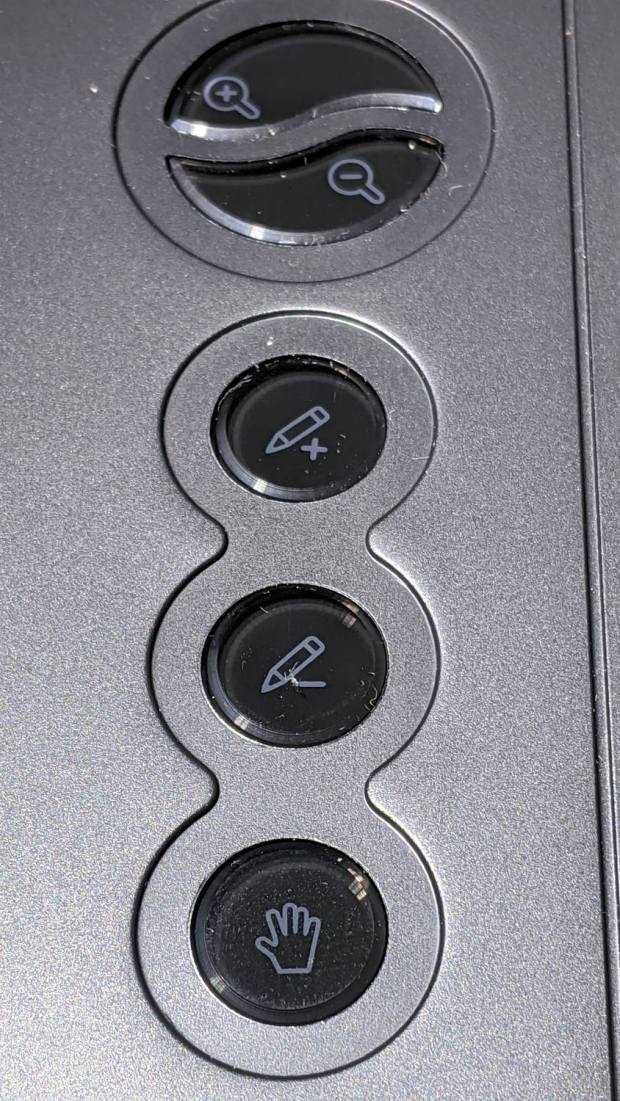
The various buttons still need configuration, although that’s in the nature of fine tuning. The top three buttons are 1, 2, 3, with the rest tagging along at 8 through 12. They take trendy gray-on-black labeling to an absurd limit:
Huion H610Pro V2 – embedded gray-on-black buttons
That’s with intense overhead lighting shining into the buttons and lighting up the lower-surface iconography. In normal light, they’re shiny black disks with invisible legends and, no, they’re not backlit.
The overall button-tweaking syntax:
xsetwacom set "HUION Huion Tablet Pad pad" button 12 key whatever
Where whatever comes from the list in /usr/include/X11/keysymdef.h, per the doc in man xsetwacom and a list of possibilities from:
xsetwacom --list modifiers "HUION Huion Tablet Pad pad"
For example, this causes the bottom button to spit out a question mark:
xsetwacom set "HUION Huion Tablet Pad pad" button 12 key shift /
It’s not obvious changing the buttons from their default button numbers to anything else makes any sense; just tweaking individual programs to map those numbers into useful actions should work better.
(*) It has a “battery-free” stylus which, to my way of thinking, is a major selling point.