Ed Nisley's Blog: Shop notes, electronics, firmware, machinery, 3D printing, laser cuttery, and curiosities. Contents: 100% human thinking, 0% AI slop.
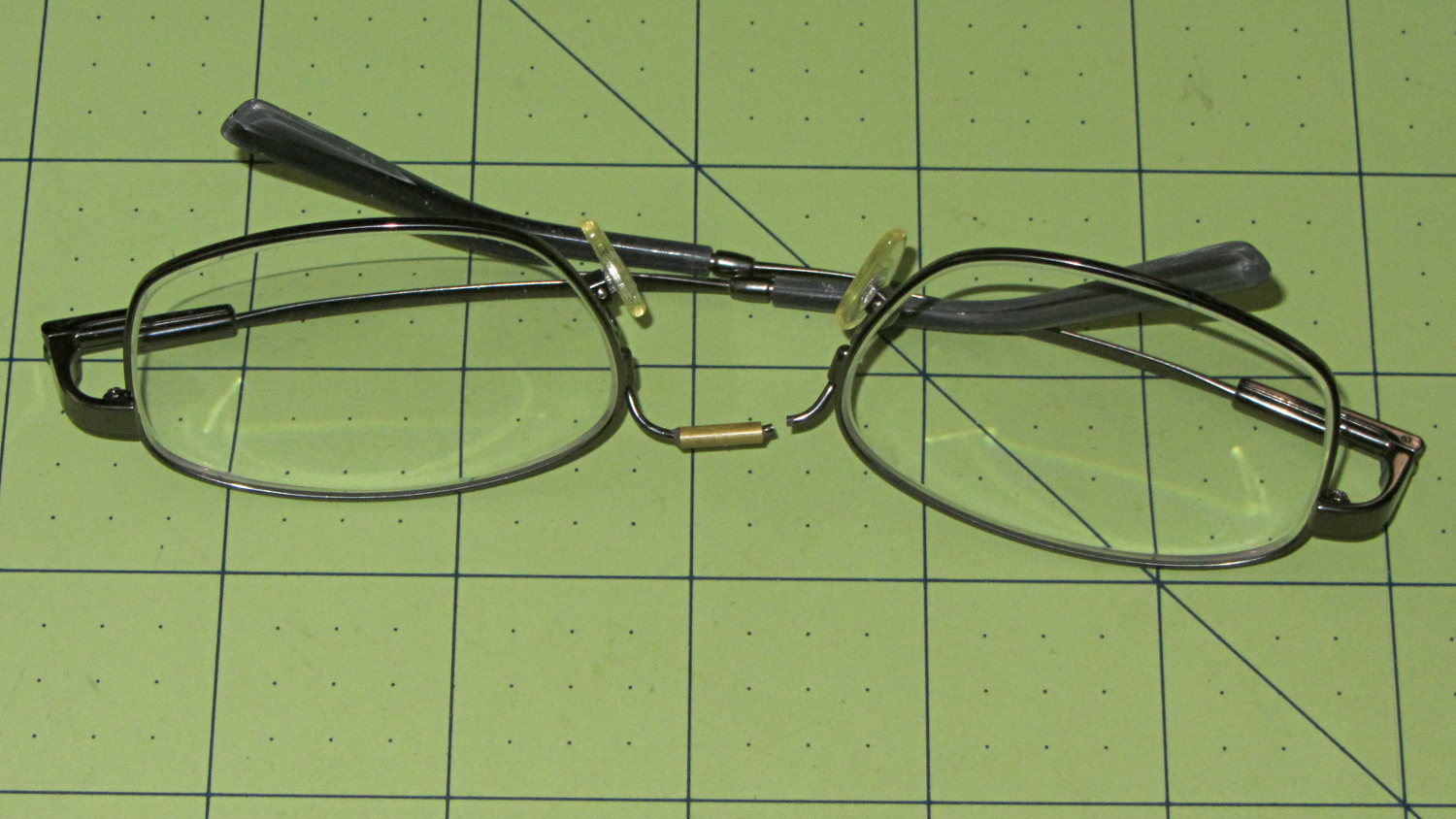
Having repaired these once before, I wasn’t too surprised when this happened:
Eyeglasses – broken nose bridge wire
Evidently the “titanium” has fatigued, because the repair lasted barely nine months.
Rather than try to fix them again, I sent my new prescriptions halfway around the planet and, a bit under two weeks later, had three glasses: normal, computer, and sun. This time, I went with 38 mm tall lenses, a heavier nose bridge, and traditional aviator sunglasses.
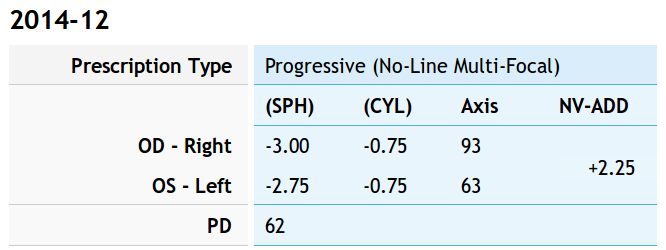
For the record, the regular prescription was:
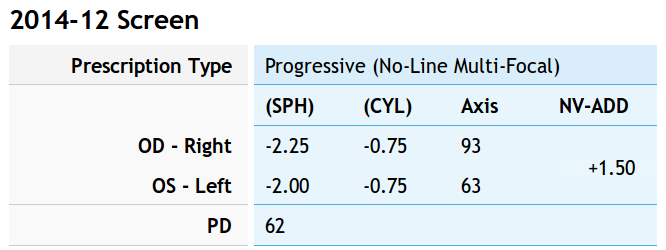
Tweaking that by +0.75 diopter on the sphere puts my far point focus on the monitors across the desk and backing -0.75 diopter from the adder keeps the same near-point reading correction:
Computer prescription – 2014-12
They’re all no-line progressive bifocals made from 1.57 high-index plastic with anti-reflection coating, for a grand total of $135 delivered.
Part of the flailing about while working around the Ubuntu video driver update glitch included blindly swapping a Displayport cable, which triggered another failure after everything settled down: the (empty) DVD drive’s activity light remained dimly lit with the PC off and both monitors in power-save mode. Unplugging the PC’s power cord extinguished all the internal LEDs on the system board, but left the drive light shining the same dim green. Disconnecting the USB cables to the monitors (they both have USB hubs) had no effect. Unplugging the monitors extinguished the LED after a bit. Unplugging one of the Displayport cables turned it off instantly, which was a clue that took a while to recognize.
Worse, the landscape monitor, a year-old Dell U2711, now refused to wake up from power-save mode during boot, even when it was the only monitor connected to the PC. Searching with an assortment of relevant keywords produced severalinterestingresults, including a lengthy Dell support forum thread, all suggesting a deeper and surprisingly longstanding problem with Displayport connections on big Dell monitors.
I knew most of the remedies weren’t relevant, because this failure happened while the BIOS felt around to identify the monitors: not a driver issue (not in effect yet), not a Windows issue (fer shure!), not a Linux issue, and not a BIOS configuration issue (nothing changed, plus Dell doesn’t allow much configuration).
It turns out that the original pair of Displayport cables bore Amphenol logos on the connector shells and cable. One of the replacements was a Genuine eBay cable from halfway around the planet, bearing no markings of any sort. Given the hints in those search hits, I discovered that the Amphenol-branded cables did not carry pin 20 between the connectors, but the eBay cables did: just a little something extra from eBay!
Installing the two Amphenol cables extinguished the DVD drive light by preventing the monitor standby power from backfeeding the PC through the video card and the monitor woke up correctly on the next two boots. Whether that will permanently cure the startup problem remains to be seen, as it was somewhat intermittent with the wrong cable and the forum threads suggest that the monitor will continue to work for a while before failing again.
While pondering all that, I severed the pin 20 connection in one of the eBay cables, just to have a different cable in hand. This diagram from the Wikipedia article, with pin 20 highlighted, shows it sitting under the longer blank section above one of the keys:
DisplayPort Connector – pin 20 highlight
The connector shell has snap latches that succumb to gentle prying with a razor knife, revealing the hot-melt-glue potted interior, with the orange wire snaking away from pin 20 at the top of the other side:
DP connector – latch side
One snip, a bit of prying to extract the end from the glue, and it’s ready to be buttoned up again:
DP connector – pin 20 wire cut
Both Amphenol cables and the modified eBay cable now have labels noting that they do not connect pin 20. We’ll see if that makes any difference…
So there’s been a conflict between Ubuntu’s kernel update procedure (which has trouble with non-GPL kernel modules) and the nVidia proprietary drivers (which you must use in order to Make Things Work). Ever since 14.04LTS came out, some-but-not-all kernel updates have produced anything from no problem at all to a totally broken system requiring esoteric manual tweakage that shouldn’t be expected of mere mortals.
**WARNING:** This bug has been widely reported and has *many* automatic subscribers. Please be considerate.
The most recent update to my desktop box clobbered it hard enough that the landscape display didn’t start up properly and the portrait display wasn’t rotated. The same update to other boxes seems to have worked, but that may be a set of unwarranted assumptions; the boxes simply haven’t displayed any obvious symptoms.
After having to fix this mess every now and again over the last year, this worked:
sudo apt-get install --reinstall nvidia-331-uvm
As nearly as I can tell, reinstalling any nVidia package that’s already installed simply retriggers the failing step, resulting in a clean and workable installation. There’s apparently something wrong with the Dynamic Kernel Module Support structure that works the second time around, but I have no idea (and little interest) about the details.
However, that “fix” required this sequence:
Boot the rescue session from the Grub menu
Activate networking
Clean out any broken packages
Drop to a root shell prompt
Do the apt-get dance
Power off
Unplug the portrait montitor’s Displayport cable
Boot to the BIOS settings to force-start the landscape monitor
Power off
Reconnect the portrait monitor
Reboot into Xubuntu as usual
Reset the monitor positions
Reload the desktop backgrounds
Now, at least, all that’s written down where I can refer to it the next time this happens… on a separate laptop, of course.
This has been happening for nigh onto a year in what Ubuntu charmingly calls a “long term support” release.
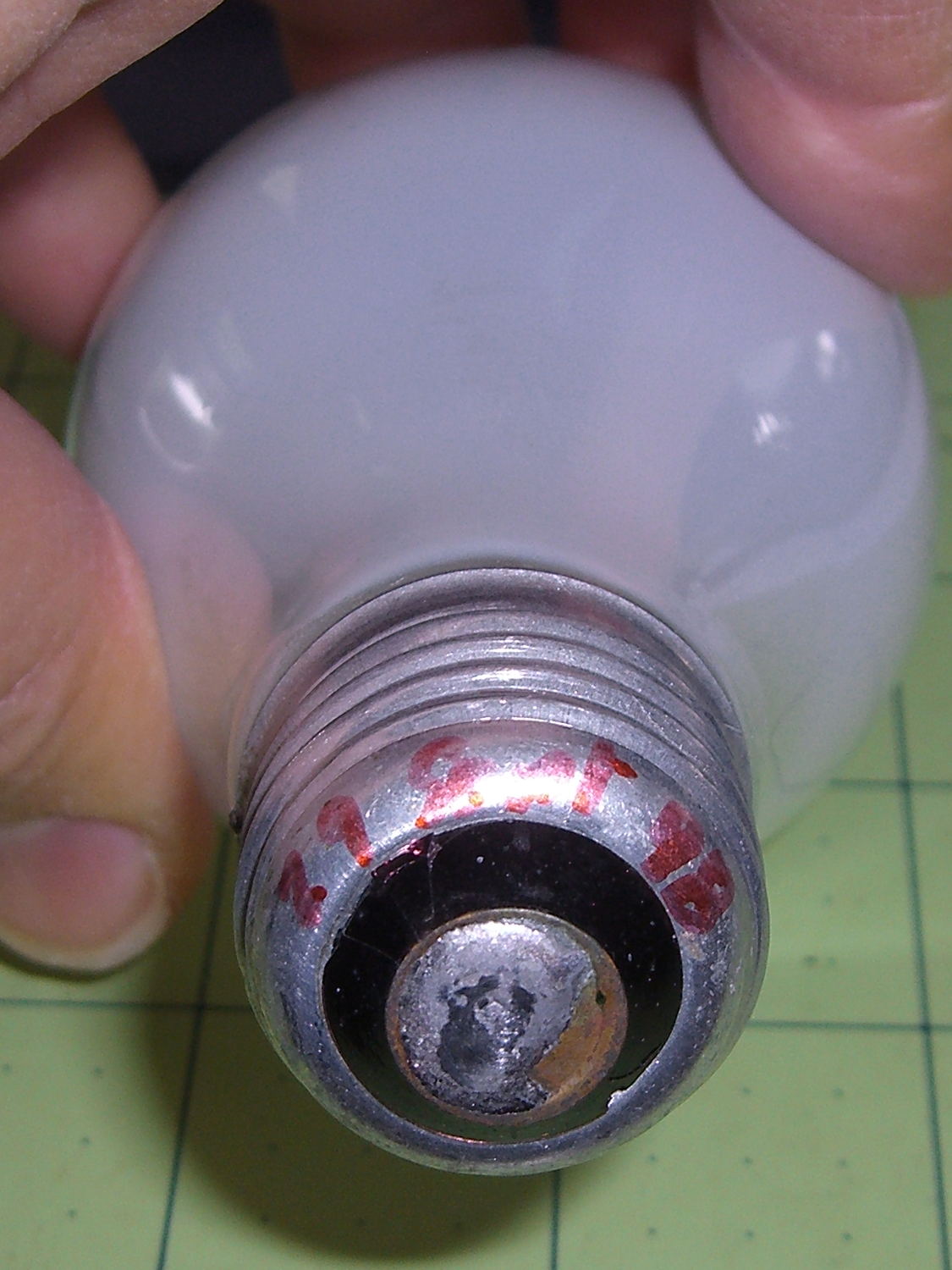
One of the four 40 W bulbs in the classic 1955 fixture over the front bathroom mirror burned out, leading to this discovery:
40 W bulb – lifetime
Yup, I installed that bulb in late September 1998, when we repainted that bathroom (for the first time since the original owners painted it in 1955). Getting a decade and a half from an incandescent bulb in regular use ain’t all that bad, sez I. Two other bulbs appeared in mid 2014, replacing bulbs with barely 6 years of service. Inexplicably, the third bulb has no date; I must be slipping.
Having burned through the 40 W bulb stash, I put two 60 W incandescents in the center sockets, leaving me with four new-old-stock bulbs on the shelf. Might be a lifetime supply for this house…
Once again, another Xubuntu desktop box started having troubles with the Gnome keyring manager, with baffling symptoms including a request for a password you don’t know and forgetting passwords you’ve entered correctly.
The solution, much as before, requires at least some of:
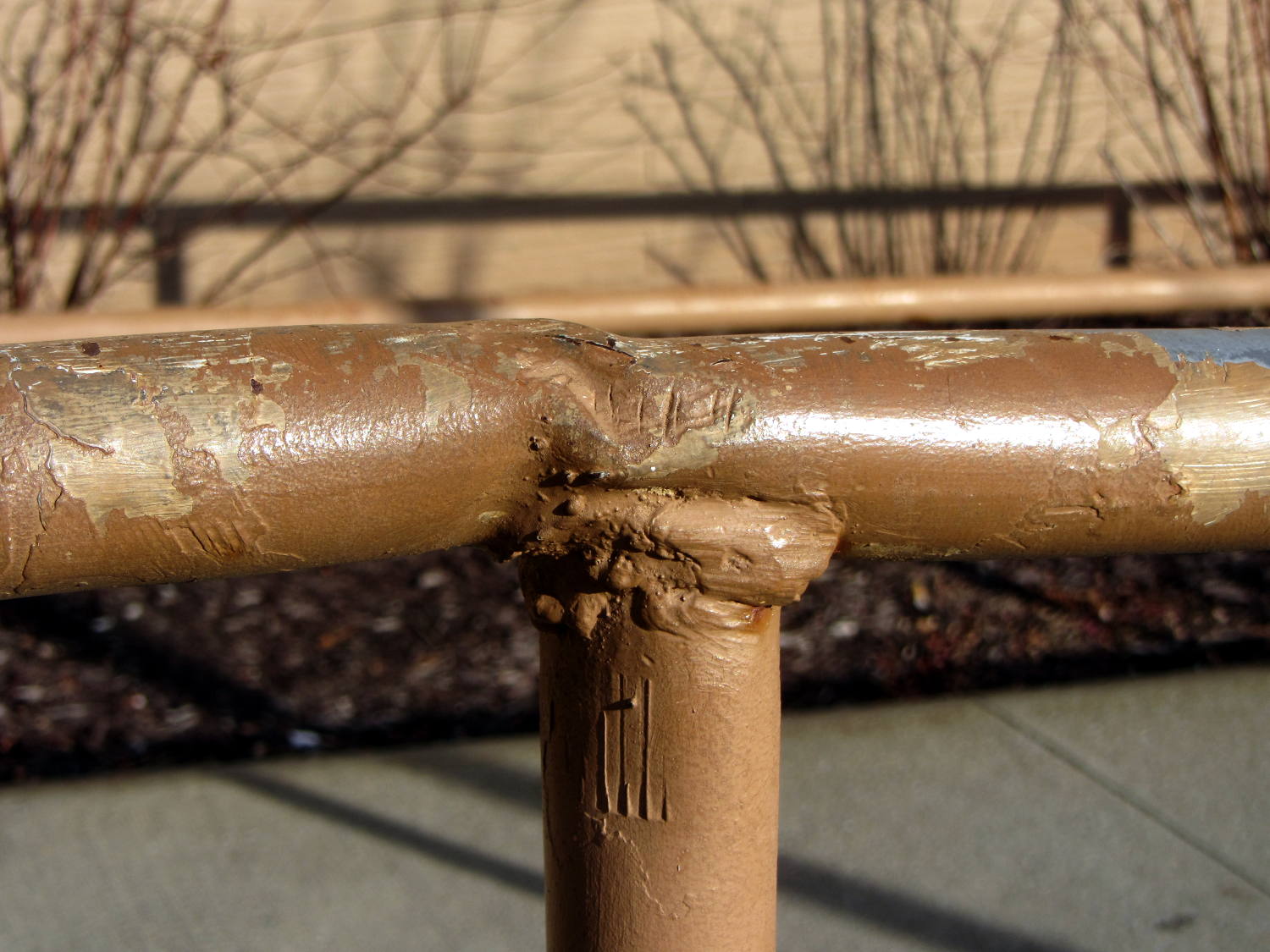
In all fairness, I don’t know how you’d weld a decent joint in a situation like that, without far more prep work than seems appropriate. There’s not much metal in those tubes for proper grinding and fishmouthing.
The handrail may not be long for this world: the bottom few inches of many posts have corroded to the vanishing point due all the salt applied to the pavement…
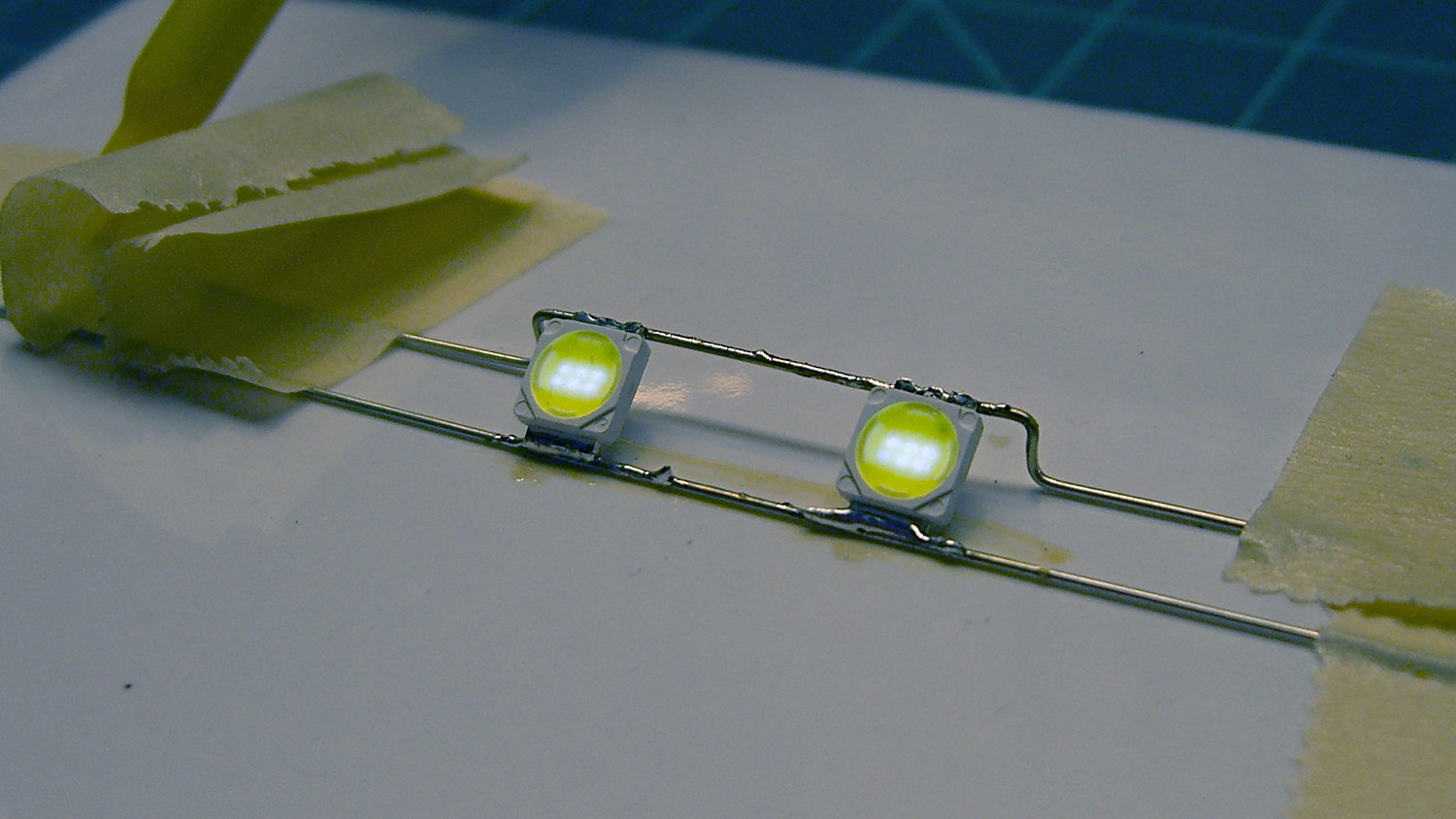
Even though the current has the usual exponential relationship to the terminal voltage, the slope at 200 mA (100 mA each, assuming they share & share alike) remains low enough that I (think I) can get away with just dialing in a voltage and leaving it at that; changes due to small temperature variations won’t cause meaningful differences in the current.
That’s easier than building an adjustable current regulator, anyway.
The heap disgorged two cheap DC-to-DC boost converters from halfway around the planet, with about the right specs:
So I wired one up to the bench supply, set it for 12 V, turned it on, and wham it maxed out the supply at 3 A with no load on the converter’s output.
Huh.
Adding a suitable load resistor brought the input current down, but the voltage adjustment trimpot didn’t have much effect and the bench supply would still wham hit 3 A with no provocation, so the load resistor didn’t actually make any difference. Eventually, I figured out that simply pressing my finger on the trimpot caused the output to vary wildly.
Given that fairly broad hint, this became obvious:
Boost Converter – trimpot pins
Evidently, I had used the other converter for the previous tests. Huh.
With that trimpot pin soldered in place, the converter worked fine. Eyeballometrically speaking, the LEDs seem bright enough at 100 mA total (50 mA each) for my purposes, which happens at 18-ish V. Dissipating only 2 W won’t require nearly as much heatsink as they’re presently mounted on, although I should wait for warmer weather before concluding that they’re doing OK while crammed inside the end cap.
Before declaring victory, I took a closer look at the board and found this mmm oversight:
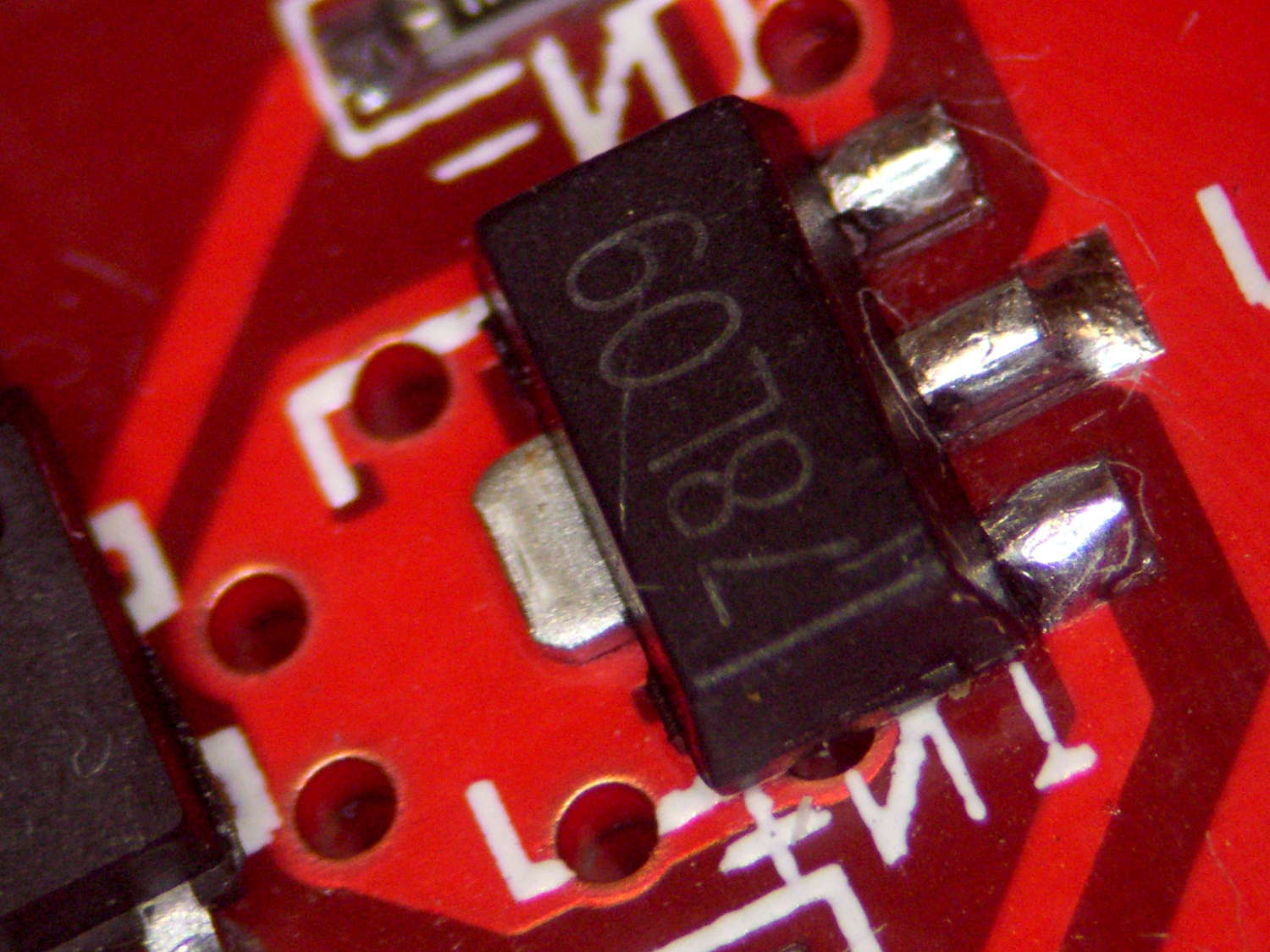
Boost Converter – masked 78L09 tab
Notice the big pad under the 78L09 regulator, with six thermal vias to an expansive copper pour on the other side of the board, completely covered with red solder mask.
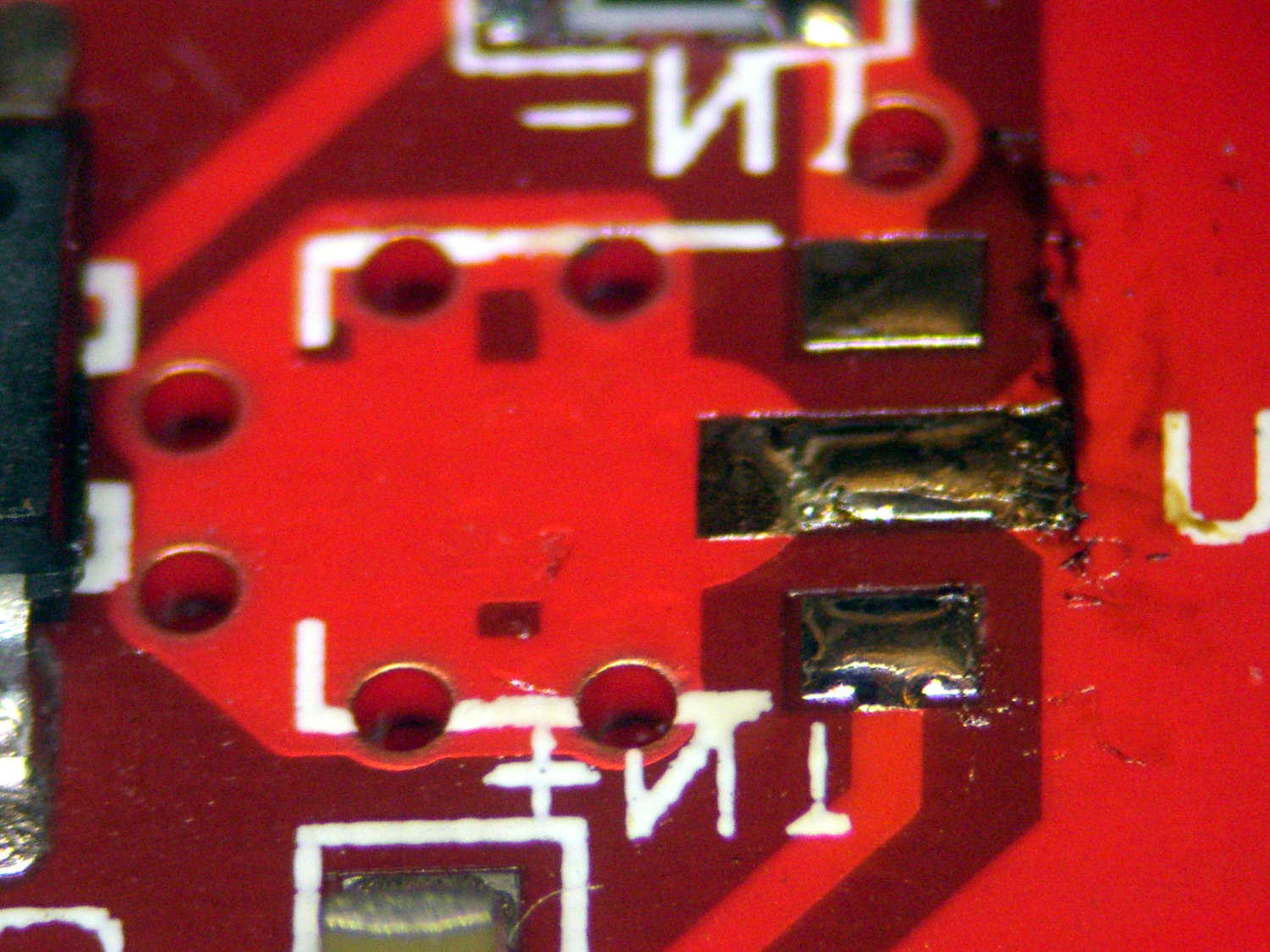
Removing the regulator show the regulator’s footprint didn’t include the tab:
Boost Converter – 78L09 footprint
Maybe they decided, after a careful analysis, that the regulator couldn’t possibly dissipate enough power to warrant the additional solder required for the entire thermal pad. Heck, pocket a fraction of a yuan on ten million boards and you’re livin’ large.
Scraping the mask off, fluxing everything in sight, and soldering the regulator down probably won’t make any difference:
Boost Converter – scraped and soldered
Yes, The Bigger The Blob, The Better The Job strikes again. It does make me feel better and that’s all that counts.