Ed Nisley's Blog: Shop notes, electronics, firmware, machinery, 3D printing, laser cuttery, and curiosities. Contents: 100% human thinking, 0% AI slop.
The elevation tension adjustment on both our bike helmet mirror mounts have become a bit sloppy. That’s no surprise, because I expected the tiny set screw in the tiny square hole near the top to eventually wear a depression in the ABS plastic arc upon which it bears:
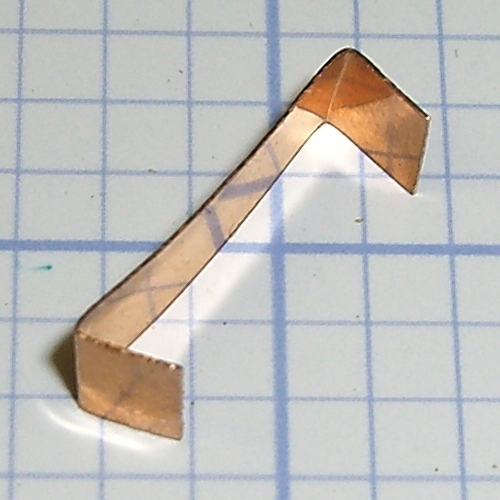
So I got to do something I planned pretty much from the beginning of the project: cut a snippet of phosphor bronze spring stock to go between the Elevation mount and the arc, then bend the ends bent inward so they don’t slash an errant fingertip:
Helmet mirror mount – elevation slide
Slipped in place, the ends look like they stick out anyway, but they’re really just about flush:
Helmet mirror mount – El slide in place
Tightening the set screw pushes the strip against the arc, where it provides enough resistance to prevent slipping and enough smoothness for easy adjustment.
While I had the mounts up on the repair stand, I unscrewed the mirror shaft and snugged up the Azimuth pivot screw by a micro-smidgen to tighten that motion.
Four years ago, those ABS parts popped off the much-hacked Thing-O-Matic’s platform. The M2 produces somewhat better-looking results, but that yellow plastic has a certain charm…
Plotters date back to the days before companies started using DRM to protect their monopoly positions, so refilling plotter pens requires little more than prying out the plug and squirting in more ink. Refilling the disposable liquid ink pens and the green ceramic pen suggested this would work.
I shaved down the side of a Genuine HP pen to find out why the plug didn’t pop out. It turns out the plug has a long and aggressively ribbed profile to ensure a gas-tight fit:
HP Plotter Pen – exposed plug
The easiest way to refill those is to drill an off-center 1/16 inch hole in the plug, then inject ink into the sponge with a syringe and blunt needle (and bulk ink!) from an inkjet cartridge refill kit. Angling the needle through the sponge close to the pen wall, then filling slowly, loads the sponge from the bottom up and expels the air along the way.
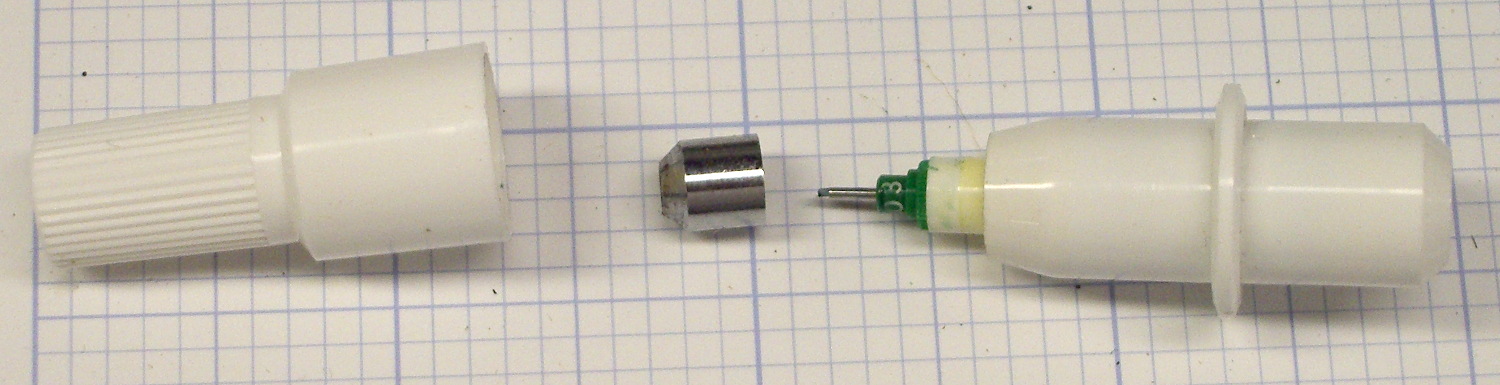
Inmac pens have a shallow plug, more of a flat cap, that pries out with zero drama:
Inmac Plotter Pen – removed plug
Dripping the ink atop the sponge seems to work well, although that sponge is definitely over-filled.
Inmac caps push back in place with zero drama.
The pens have fiber nibs with vent channels along their sides that allow air into the reservoir, so overfilling the sponge nets you a mess when you take the cap off the nib: those same channels allow excess ink to run from the reservoir around the nib, without (much to my surprise) wetting the fiber tip.
About 0.2 ml of ink fills the reservoir to saturation, 0.1 ml leaves it wet, and 0.05 ml seems to work well. The 1.0 ml syringes I’m using require about 0.05 ml to fill the (blunt!) needle shaft & hub, plus the syringe tip below the 0.0 ml index, so measuring the ink by drops might make practical sense.
The old physician’s trick of expelling that air by inverting the syringe and pressing the plunger until liquid squirts from the needle is so not happening…
I’ve had zero success refilling fossilized pens, probably because the OEM ink slowly evaporating from the nib clogs all the gaps between the fibers with pigment or coagulated solvent. Preemptively refilling good pens when they first show signs of running dry generally works well.
Given the number of New Old Stock pens I have that are still in their original wrappers, this is more of a “Does it work?” exercise than a necessity.
But, y’know, maybe becoming the last plotter pen refiller on the planet will be my ticket to fame & fortune! For sure, we’ve all seen over-hyped Internet startups with worse business plans and (the admittedly few) typewriter repair shops occupy a stable niche.
As I rolled into the Stewart’s Shop on a milk-and-eggs run, a plume of smoke spiraled out of the cigarette butt station near the door, way off on the left side:
Smoldering Cigarette Dump
A closer look:
Smoldering Cigarette Dump – Detail
By the time I unhitched myself from the bike and reached the door, two smoke jets squirted from the top and a pall of breathtakingly foul smoke filled the parking lot. I mooched a big cup of water from the folks behind the counter and pulled off the container’s lid, which let in enough oxygen to ignite a full-up fire in the heap of cigarette packs, plastic wrappers, butts, lottery tickets, receipts, and other combustible junk atop the sand bucket in the base of the butt dump. Sprinkling the water over the blaze knocked it back; I replaced the lid and declared victory.
I always take a shower after returning home from a ride, but, this time, we also ran all my bike clothing through the washer right away.
Phew…
Verily, it is written: Kissing a smoker is like licking an ashtray.
The ceramic-tip green pen I’ve been using finally ran dry and, having nothing to lose, I tried refilling it.
Grabbing the metal ferrule in the drill press chuck provided enough traction to twist / pull it off, revealing the pen nib assembly inside:
HP 7475A Ceramic-tip pen – ferrule
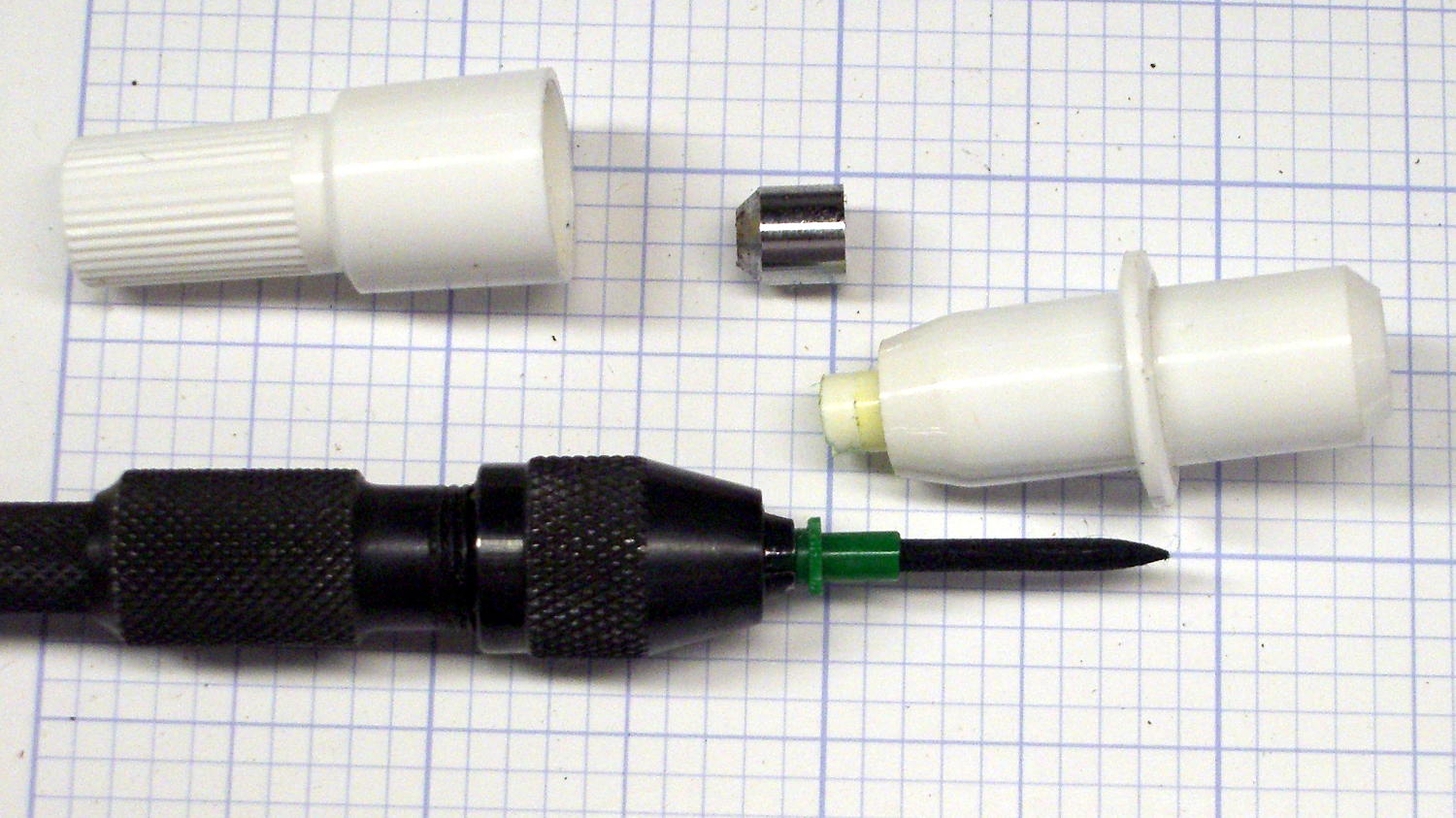
A pin vise provided enough traction to remove the nib, which had the expected fiber cylinder extending into the ink reservoir:
HP 7475A Ceramic-tip pen – disassembly
I injected 0.5 ml of yellow ink from my lifetime supply of bulk inkjet ink (*), then tried to inject 0.5 ml of cyan, which promptly overflowed. In retrospect, allowing a few minutes for the new ink to seep into whatever’s inside the reservoir would be prudent.
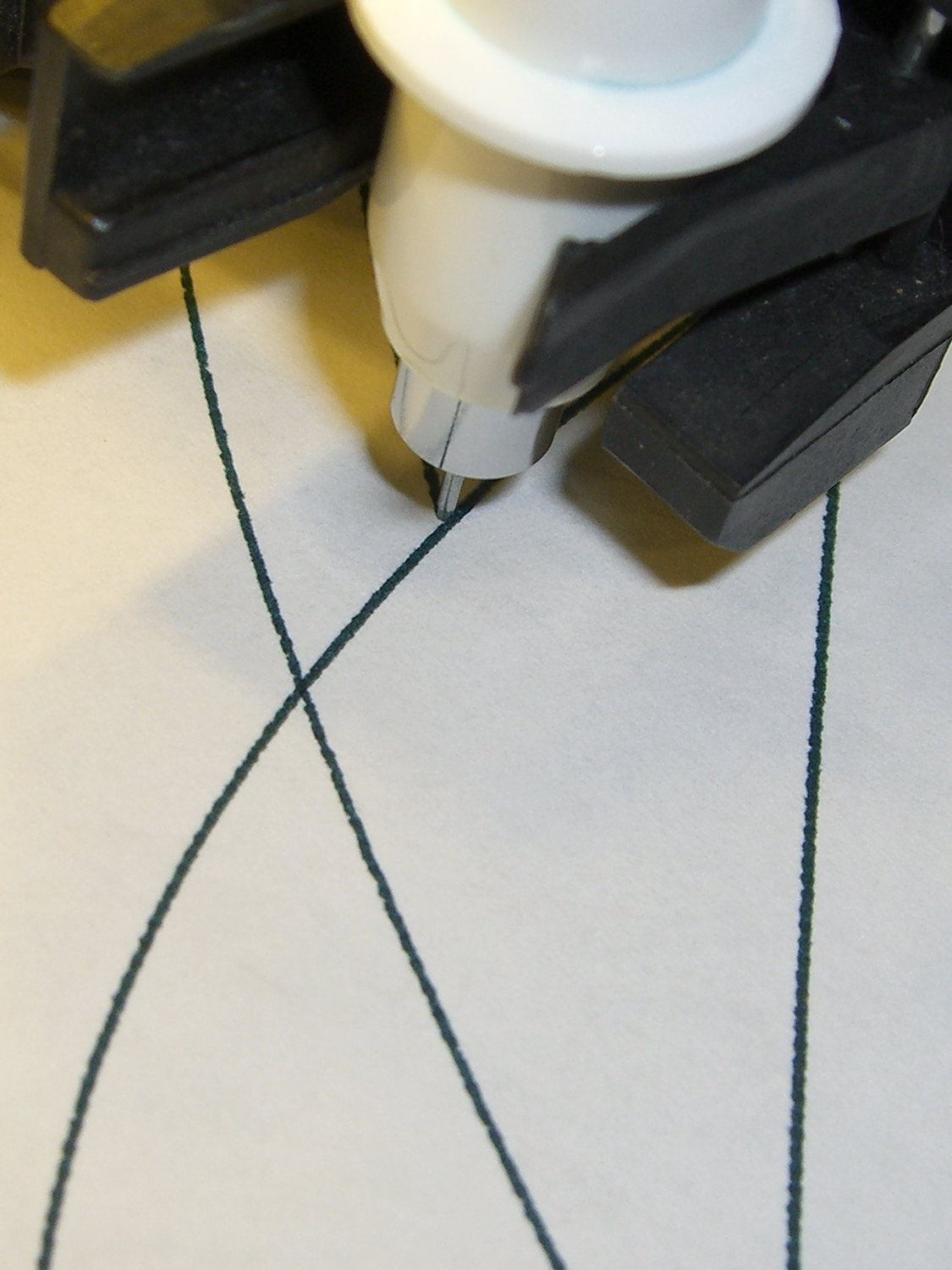
After wiping the mess off the pen and reassembling it in reverse order, it works just like new:
HP 7475A Ceramic-tip pen – C-Y refill
During the course of the first plot, the trace went from green to deep blue-green to a different green, which suggests the yellow ink took a while to make its presence known. No problem; whatever comes out of that tip is all good with me.
The stain around the rim of the pen body above the flange suggests a cap that might come off with sufficient persuasion. If it’s firmly fused to the flange, which would make perfect sense, injecting ink through a small hole drilled in the end might produce better results than ripping the nib out yet again.
(*) This leftover came from the never-sufficiently-to-be-damned HP2000C inkjet printer. ‘Nuff said.
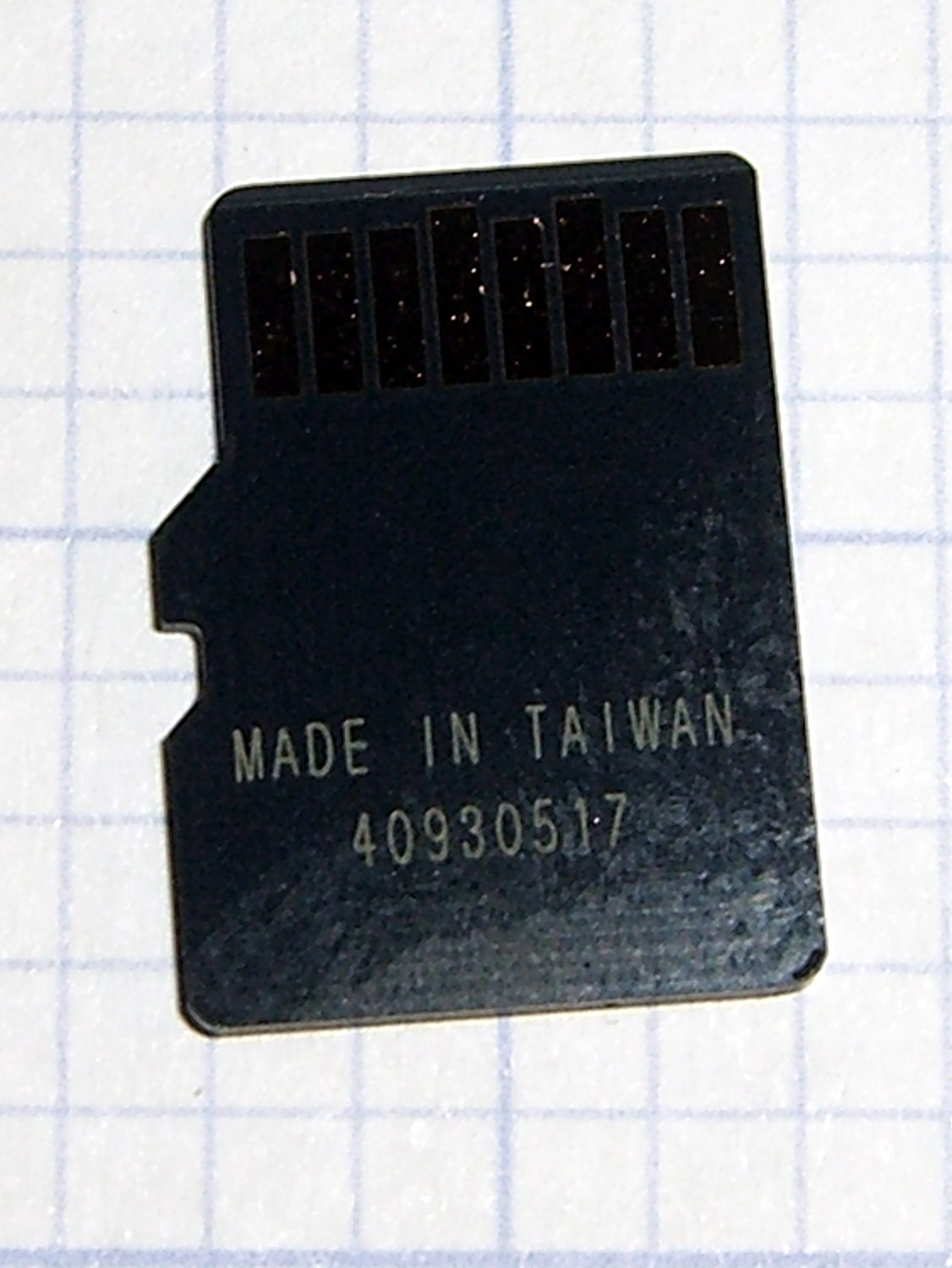
The previous cards were made in Korea, but this one came from Taiwan with a different serial number format:
Sony SR-64UX 64 GB MicroSDXC card – back
The tiny letters on the front identify it as an SR-64UX, but I haven’t been able to find any definitive Sony source describing the various cards; their catalog page listing cards for digital still cameras may be as good as it gets. This one seems to have a higher read speed, for whatever little good that may do.
It stored and regurgitated the usual deluge of video files with no problem, which is only to be expected. This time around, I checked the MD5 sums, rather than unleashing diff on the huge files:
cd /media/ed/9C33-6BBD/
for f in * ; do find /mnt/video/ -name $f | xargs md5sum $f ; done
11e31c9ba3befbef6dd3630bb68064d6 MAH00539.MP4
11e31c9ba3befbef6dd3630bb68064d6 /mnt/video/2015-07-05/MAH00539.MP4
... snippage ...
It now sits in the fancy plastic display case that the HDR-AS30V camera came in until the previous replacement card fails.
The step change in Week 22 shows when the replacement took over. After some poking around, Amazon Prime FTW.
The square-ish pulse starting in Week 26 marks a change from 55% RH to 60%RH and back again, to see how the front panel meter compares with the low end lab-grade hygrometer in the other side of the basement near the Hobo datalogger on the water inlet; they’re all off by a bit, but well within their expected tolerances. The 5% RH height of the step suggests a good match between their incremental calibrations.
It seems dehumidifiers last a few years, no matter which Brand Name you’ve decided to trust, so there’s not much point in developing a deep emotional attachment.
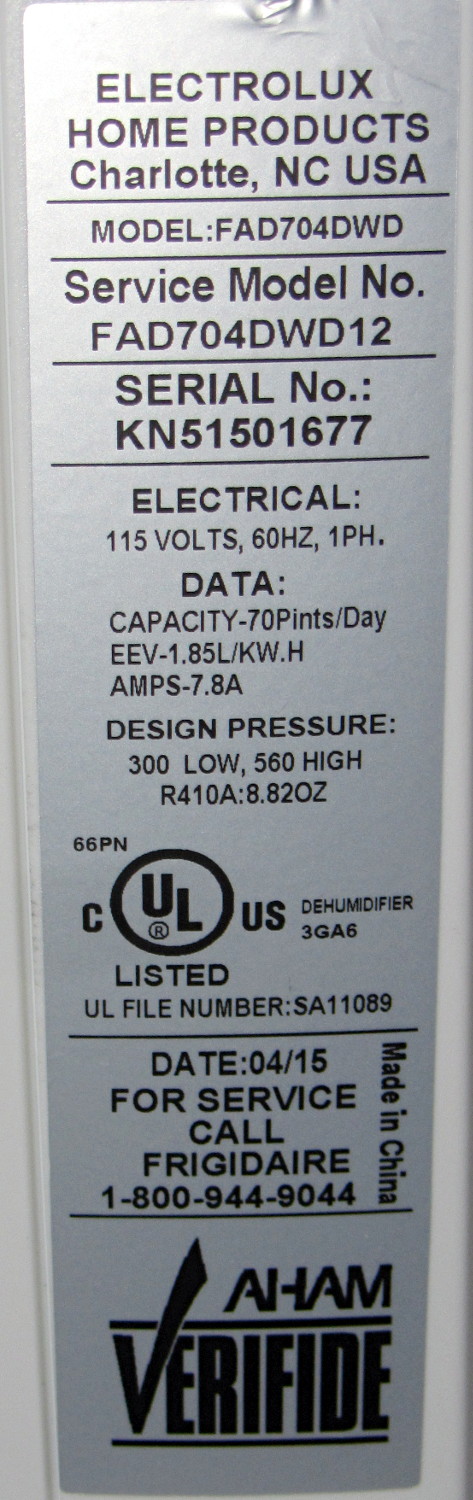
For the record, the old dehumidifier sported a GE label:
As it turns out, Electrolux bought Frigidaire a while ago, then absorbed GE’s appliances in 2014, so they’re all one big happy family now.
The various names notwithstanding, a recall notice suggests Gree Electric actually makes all the dehumidifiers badged with Brand Names you might think represent something significant.
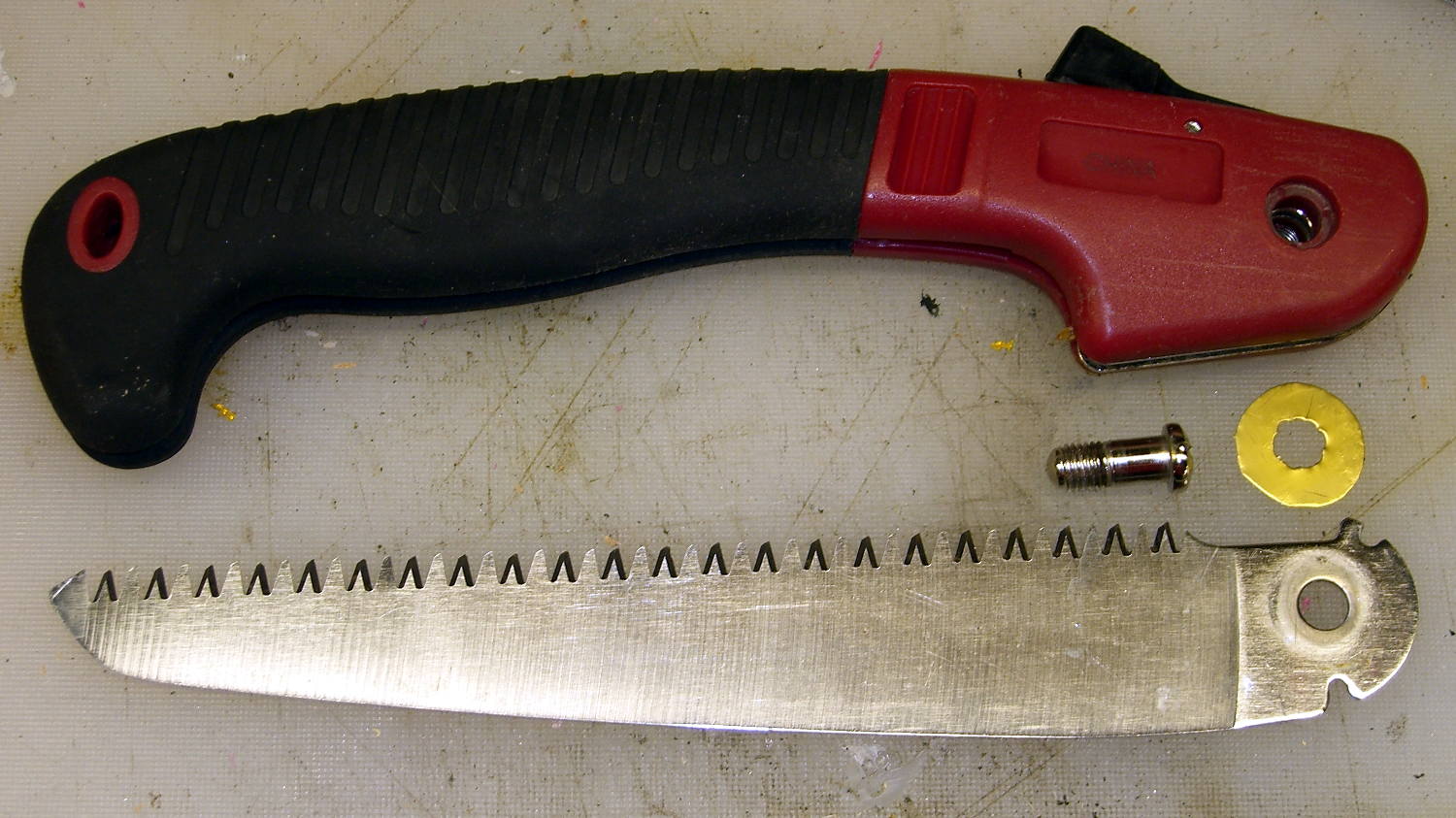
Mary found a folding saw buried under a compost heap at Vassar Farms, where it had evidently been for quite a while. It cleaned up surprisingly well:
Folding saw – pivot shim
I made a crude brass shim to stabilize the crude blade in its crudely bent metal frame; the ugly hole came from freehand punching with the rebuilt leather punch tool. Probably spent as much time doing that as they did on the whole rest of the saw: it’s not a high-quality tool.
It could be an older version of the Harbor Freight Folding Saw, minus a fancy plastic-encased joint screw. I added a dot of Loctite to discourage this one from leaping to its doom.
As with the other pruning saws in my collection, that blade scares me just looking at it. I managed to avoid slicing myself open, although I did stab a finger with a sharp brass sliver…








 The Smell of Molten Projects in the Morning