Ed Nisley's Blog: Shop notes, electronics, firmware, machinery, 3D printing, laser cuttery, and curiosities. Contents: 100% human thinking, 0% AI slop.
If all has gone according to plan, I’m in Detroit today and will give a talk at the CNC Workshop on (my view of) the status of personal 3D printing, what to expect in the future, and what you can do with it today.
A sampling of the various Y connectors and manifolds that water Mary’s gardens:
Y valve 1
Y valve 2
Garden hose manifold
Those little handles don’t turn nearly as easily as they should and some require far more finger pressure than Mary can exert. Lubrication being unavailing, the solution is to apply torque through a wrench, rather than fingertips, but fiddling around to match the proper wrench with the valve in hand isn’t acceptable.
The first pass at a Universal Wrench:
Hose Valve Knob – with measurements
The embossed sheet (the back of my Geek Scratch Paper) carried the knob shapes & dimensions from the garden to the desk, where I measured & laid out the wrench:
Hose Connector Knob – Build layout
I filched the knob design from the OXO Can Opener Handle, made it somewhat taller, and applied a scale() operation to mash it into an ellipse aligned with the wrench slot. That huge hexagonal socket in the middle bridged just fine, even though the threads came out as distinct cylinders:
Adding one thread width of clearance around the stem to form the socket produced a slip fit, with a dollop of fast-cure epoxy holding the pieces together.
The wrench fits the largest valve knob with enough clearance to eliminate fiddling. A cylinder punched into the middle of the slot accommodates those teardrop handles:
Hose Connector Knob – Show layout – bottom view
It’s oversized for the smallest “knob”, a vicious triangular stalk that’s murder on the fingers (and not shown here), but fits well enough that, should we deploy any of those, she’ll be ready.
The stem diameter can’t be any larger, because the knobs on Valve 1 don’t allow any clearance. It could be more circular, but I doubt that buys anything. The open ends of the slot won’t let mulch pack into the recesses.
I expect a wrench jaw will eventually snap off as the layers delaminate. In that case I’ll either sink a pair of steel pins into each jaw or, more likely, combine the handle & stem into one object, split the whole affair across the jaws, print the two halves, and glue them together so that the threads run in the proper direction to meet the stress.
Be that as it may, as of right now this is The Best Thing I’ve Ever Built…
The OpenSCAD source code:
// Hose connector knob
// Ed Nisley KE4ZNU - June 2015

Layout = "Build";				// Show Build Knob Stem

//- Extrusion parameters - must match reality!

ThreadThick = 0.25;
ThreadWidth = 0.40;

function IntegerMultiple(Size,Unit) = Unit * ceil(Size / Unit);

Protrusion = 0.1;

HoleWindage = 0.2;

//------
// Dimensions

StemOD = 30.0;					// max OD for valve-to-valve clearance

BossOD = 16.0;					// single-ended handle boss

SlotWidth = 13.0;
SlotHeight = 10.0;

StemInset = 10.0;
StemLength = StemInset + SlotHeight + 25.0;
StemSides = 2*4;

KnobOD1 = 70;						// maximum dia without chamfer
KnobOD2 = 60;						// top dia

KnobSides = 4*4;

DomeHeight = 12;					// dome shape above lobes

KnobHeight = DomeHeight + 2*SlotHeight;

DomeOD = KnobOD2 + (KnobOD1 - KnobOD2)*(DomeHeight/KnobHeight);

DomeArcRad = (pow(KnobHeight,2) + pow(DomeOD,2)/4) / (2*DomeHeight);

//- Adjust hole diameter to make the size come out right

module PolyCyl(Dia,Height,ForceSides=0) {			// based on nophead's polyholes

  Sides = (ForceSides != 0) ? ForceSides : (ceil(Dia) + 2);

  FixDia = Dia / cos(180/Sides);

  cylinder(r=(FixDia + HoleWindage)/2,h=Height,$fn=Sides);
}

//-- Stem for valve handles

module Stem() {

	difference() {
		rotate(0*180/StemSides)
			cylinder(d=StemOD,h=StemLength,$fn=StemSides);
		translate([0,0,SlotHeight/2 - Protrusion/2])
			cube([2*StemOD,SlotWidth,(SlotHeight + Protrusion)],center=true);
		translate([0,0,-Protrusion])
			cylinder(d=BossOD,h=SlotHeight,$fn=2*StemSides);
	}

}

//-- Hand-friendly knob

module KnobCap() {
	difference() {
		scale([1.0,0.75,1.0])
		intersection() {
			translate([0,0,(KnobHeight-DomeArcRad)])
				rotate(180/KnobSides)
					sphere(r=DomeArcRad,$fa=180/KnobSides);
				rotate(180/KnobSides)
					cylinder(r1=KnobOD1/2,r2=KnobOD2/2,h=KnobHeight,$fn=KnobSides);
				rotate(180/KnobSides)
					cylinder(r1=KnobOD2/2,r2=KnobOD1/2,h=KnobHeight,$fn=KnobSides);
		}
		translate([0,0,-Protrusion])
			rotate(0*180/StemSides)
				cylinder(d=(StemOD + 2*ThreadWidth),h=(StemInset + Protrusion),$fn=StemSides);
	}
}

//- Build it

if (Layout == "Knob")
	KnobCap();

if (Layout == "Stem")
	Stem();

if (Layout == "Build") {
	translate([-KnobOD1/2,0,0])
		KnobCap();
	translate([StemOD/2,0,StemLength])
		rotate([180,0,0])
			Stem();
}

if (Layout == "Show") {
	translate([0,0,0])
		Stem();
	translate([0,0,StemLength - StemInset])
		KnobCap();
}
Somewhat encouraged by the results of the height-map cap atop the plotter’s pen holder, I figured a unified knife adapter and stabilizer cap would work even better. That requires enough accuracy to build a real solid model, rather than just sketch a height map…
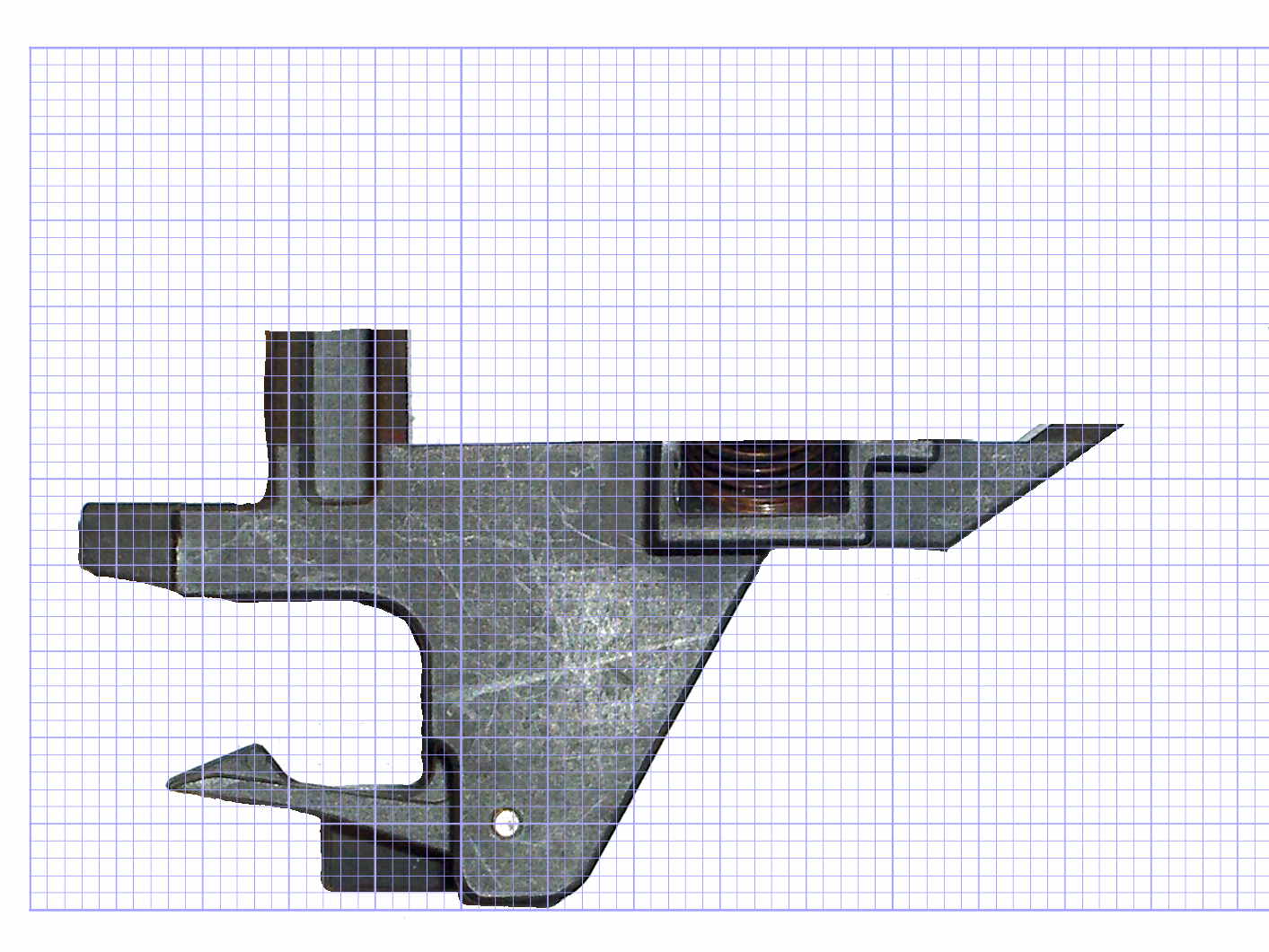
Print out the the grid-overlaid image of the pen holder, then doodle coordinates & measurements all over the poor thing:
HP 7475A Pen Holder – gridded doodle
Now I can toss that piece of paper…
That, plus a bit of digital caliper work, produces a flurry of dimensions & an array of vertices:
//-- Plotter pen holder stabilizer

HolderPlateThick = 3.0;				// thickness of plate atop holder
RimHeight = 5.0;					// rim around sides of holder
RimThick = 2.0;

HolderOrigin = [17.0,12.2,0.0];		// center of pen relative to polygon coordinates

HolderZOffset = 30.0;				// top of holder in pen-down position
HolderTopThick = 1.7;				// top of holder to top of pen flange
HolderCylinderLength = 17.0;		// length of pen support structure

HolderKnifeOffset = -2.0;			// additional downward adjustment range (not below top surface)

LockScrewInset = 3.0;				// from right edge of holder plate
LockScrewOD = 2.0;					// tap for 2.5 mm screw

// Beware: update hardcoded subscripts in Stabilizer() when adding / deleting point entries

HolderPlate = [
	[8.6,18.2],[8.6,23.9],			// 0 lower left corner of pen recess
	[13.9,23.9],[13.9,30.0],		// 2
//	[15.5,30.0],[15.5,25.0],		// 4 omit middle of support beam
//	[20.4,25.0],[20.4,30.0],		// 6
	[22.7,30.0],[22.7,27.5],		// 4
	[35.8,27.5],[35.8,20.7],		// 6 spring box corner
	[43.0,20.7],					// 8
	[31.5,0.0],						// 9
//	[24.5,0.0],[24.5,8.0],			// 10 omit pocket above pen clamp
//	[22.5,10.0],[22.5,16.5],		// 12
//	[20.5,18.2]						// 14
	[13.6,0.0],						// 10
	[8.6,5.0]						// 11
	];

BeamWidth = HolderPlate[4][0] - HolderPlate[2][0];
The general idea is to extrude the overall shape of the stabilizer cap, carve out chunks to fit it onto the pen holder, then add a cylinder around the knife bearing:
HP7475A – Roland knife stabilizer – bottom – thrown together view
The OpenSCAD source code contains a bunch of magic numbers and indexes that pull values from the vertex array:
module Stabilizer(SeeKnife = false) {

  difference() {
    union() {
      translate(-HolderOrigin)                                            // put center of pen at origin
        difference() {
            render(convexity=4)
            linear_extrude(height=(HolderPlateThick + RimHeight))         // overall flange around edges
              offset(r=RimThick)
                  polygon(points=HolderPlate);

            render(convexity=4)
            translate([0,0,-Protrusion])                                  // recess for pen holder plate
              linear_extrude(height=(RimHeight + Protrusion))
                polygon(points=HolderPlate);

            translate([HolderPlate[7][0] - Protrusion,HolderPlate[7][1] - Protrusion,-Protrusion])  // trim spring box from top plate
              cube([30,20,(RimHeight + HolderPlateThick + 2*Protrusion)]);

            translate([27.0,HolderPlate[6][1] - Protrusion,-Protrusion])  // trim pivot plate clearance
              cube([30,20,(RimHeight + HolderPlateThick + 2*Protrusion)]);

            translate([HolderPlate[2][0],20,-Protrusion])                 // trim left support beam
              cube([BeamWidth,20,(RimHeight + Protrusion)]);

            translate([HolderPlate[9][0] - LockScrewInset,RimThick,RimHeight - HolderTopThick - LockScrewOD/2])                        // lock screw on front edge
              rotate([90,0,0])
                rotate(180/4)
                  PolyCyl(LockScrewOD,3*RimThick);                        // hold-down screw hole
        }

      translate([0,0,(RimHeight - HolderCylinderLength + Protrusion)])
        cylinder(d=BodyOD,h=HolderCylinderLength + Protrusion,$fn=NumSides);  // surround knife threads
    }

    translate([0,0,-HolderZOffset + HolderKnifeOffset])
      if (SeeKnife)
#        Knife();
      else
        Knife();
  }
}
A bottom view shows all the cutouts:
HP7475A – Roland knife stabilizer – build layout
The little hole in the front fits a screw that will pass under the top plate of the pen holder and prevent the cutting forces from pushing it off.
As with the Sakura pen adapter, the knife point sits at (0,0,0) with the stabilizer cap positioned at the (estimated) top of the pen holder:
Roland knife stabilizer – show layout
After a few print-and-try iterations to align all the fiddly cutouts:
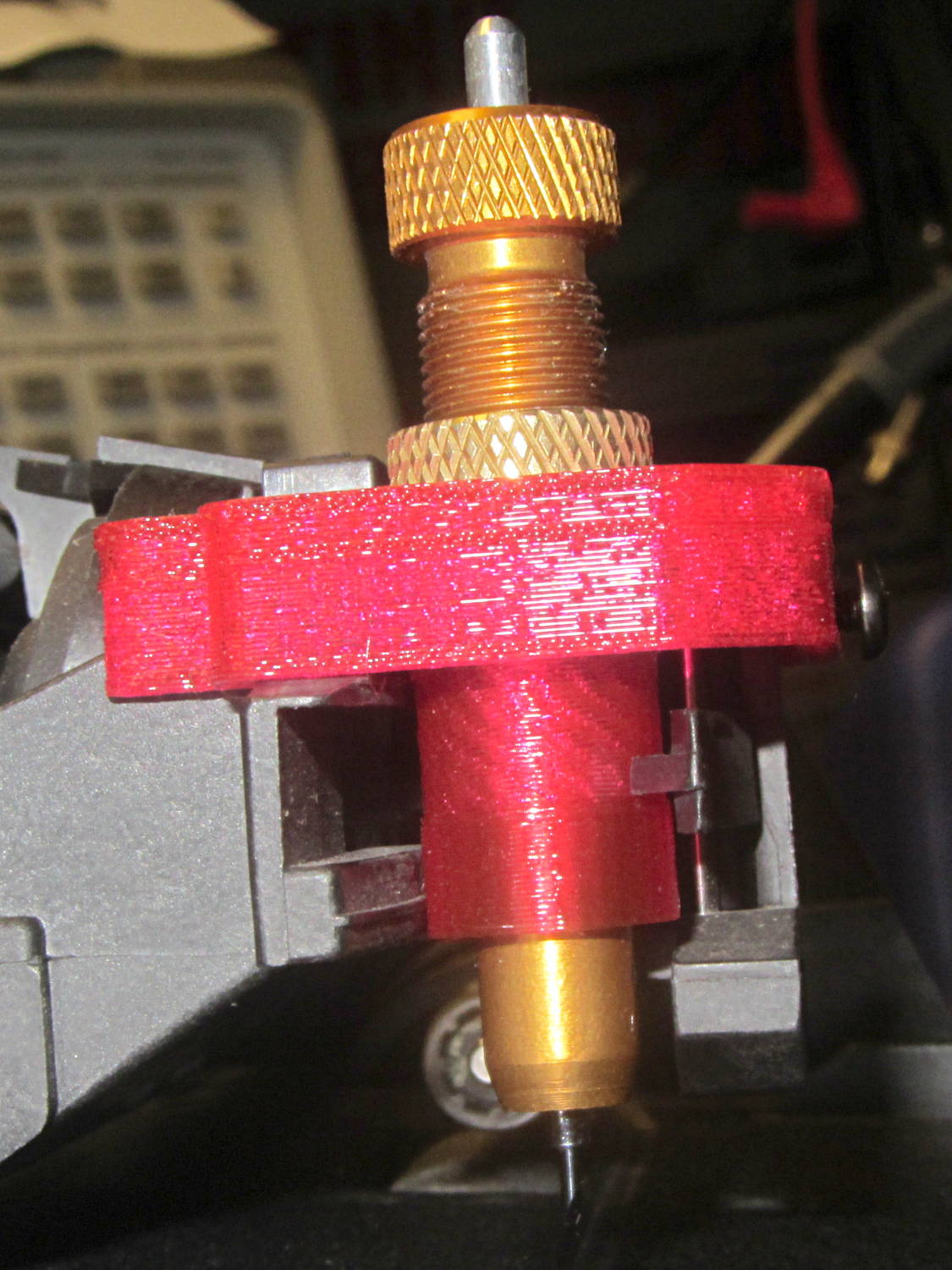
HP 7475A – Roland knife stabilizer – installed
The slope-topped block protruding toward you from the bottom right actuates the carousel’s pen capping mechanism; it doesn’t quite touch the side of an HP pen and is well clear of the knife holder.
Because there’s still no depth control surrounding the knife blade, this won’t work well at all, but it should suffice for better measurements.
The “pen holder” in an HP 7475A plotter carries the pen across the width of the paper:
HP 7475A – Pen Holder – overview
Given that it was designed to carry pens, not knives, I wasn’t surprised that the spring-loaded finger clamping the knife adapter didn’t apply enough force to hold the adapter in place against the cutting forces. I figured a quick test of a gizmo to stabilize the adapter would be in order, even though I knew:
The pen holder doesn’t apply enough downward force
The knife adapter doesn’t have a depth-of-cut shroud around the blade
In order to build the gizmo, I need the carrier’s dimensions…
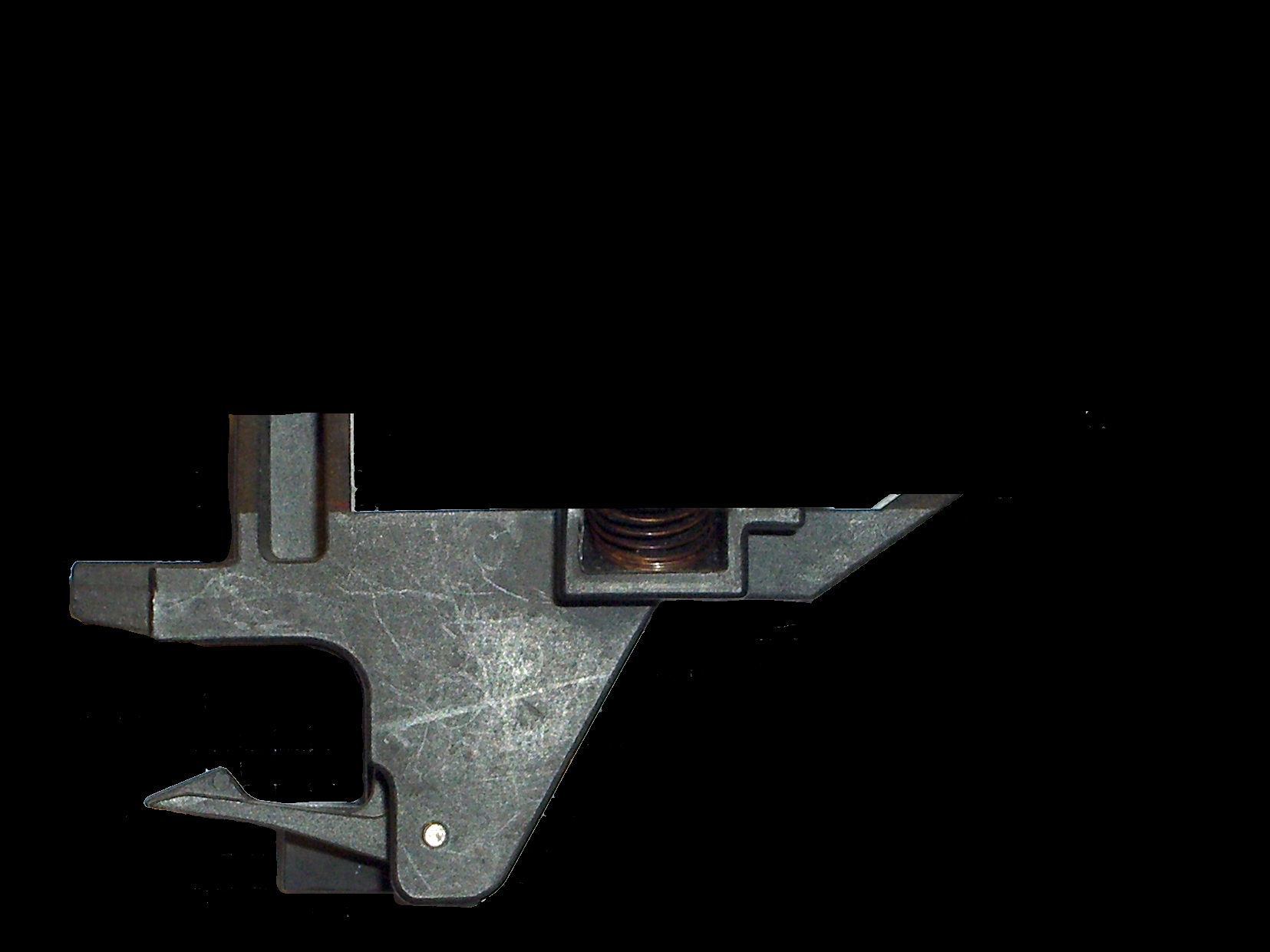
An overhead photo of the pen holder shows the layout in the XY plane:
HP7475A – pen holder – top view
I shouldn’t have used graph paper as a background, because the next step was to remove the background and isolate the carrier:
HP7475A – pen holder – top view – isolated
The carrier measures 26.8 mm front-to-back, so scaling a grid to match that dimension provides a coordinate system overlay:
HP7475A – pen holder – top view – 1 mm grid
The (0,0) origin sits at the lower left, so you can read off all the relevant coordinates as needed.
However, rather than go full-frontal digital, I resized the isolated image to 20 pixel/mm, turned it into a height map, and treated it like a chocolate mold or cookie cutter with gray values scaled to the desired height:
Black = background to be removed
Dark gray = 2.5 mm thick
Medium gray = 3.5 mm
Light gray = 7 mm
White = 10 mm
Drawing the walls with a 40 pixel diameter pen makes them 2 mm wide at 20 pixel/mm:
HP7475A – knife stabilizer
It’s painfully obvious why I don’t do much freehand drawing, although the knife adapter hole is supposed to be oval.
As with cookie cutters and chocolate molds, there’s no need for that much resolution, so I rescaled it to 4 pixel/mm, saved that tiny image as a PNG file, and handed it to OpenSCAD’s surface() function to get a solid model. This being a one-off, I typed this OpenSCAD source code directly into the OpenSCAD editor on the fly, then remembered to save it (!) before shutting down:
The mirror() transformation inverts the model top-to-bottom along the Z axis, compensating for the flip from drawing the height map as though the walls rise upward from the pen carrier, after which the flip() transformation puts the flat side down to make it buildable.
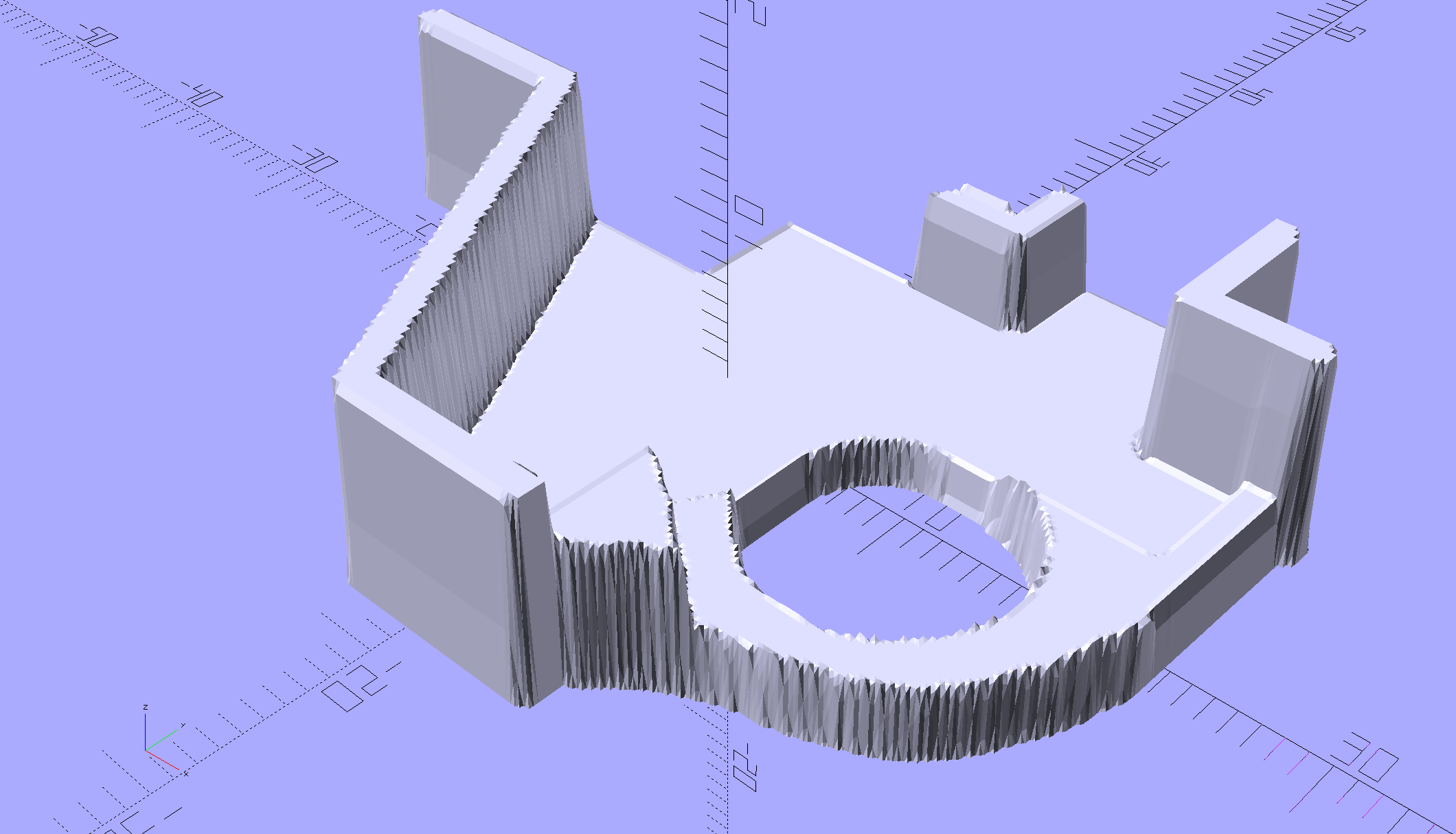
The height map image conversion produces a bazillion irrelevant faces, but it’s quick and easy:
HP7475A – Roland knife stabilizer – height map model
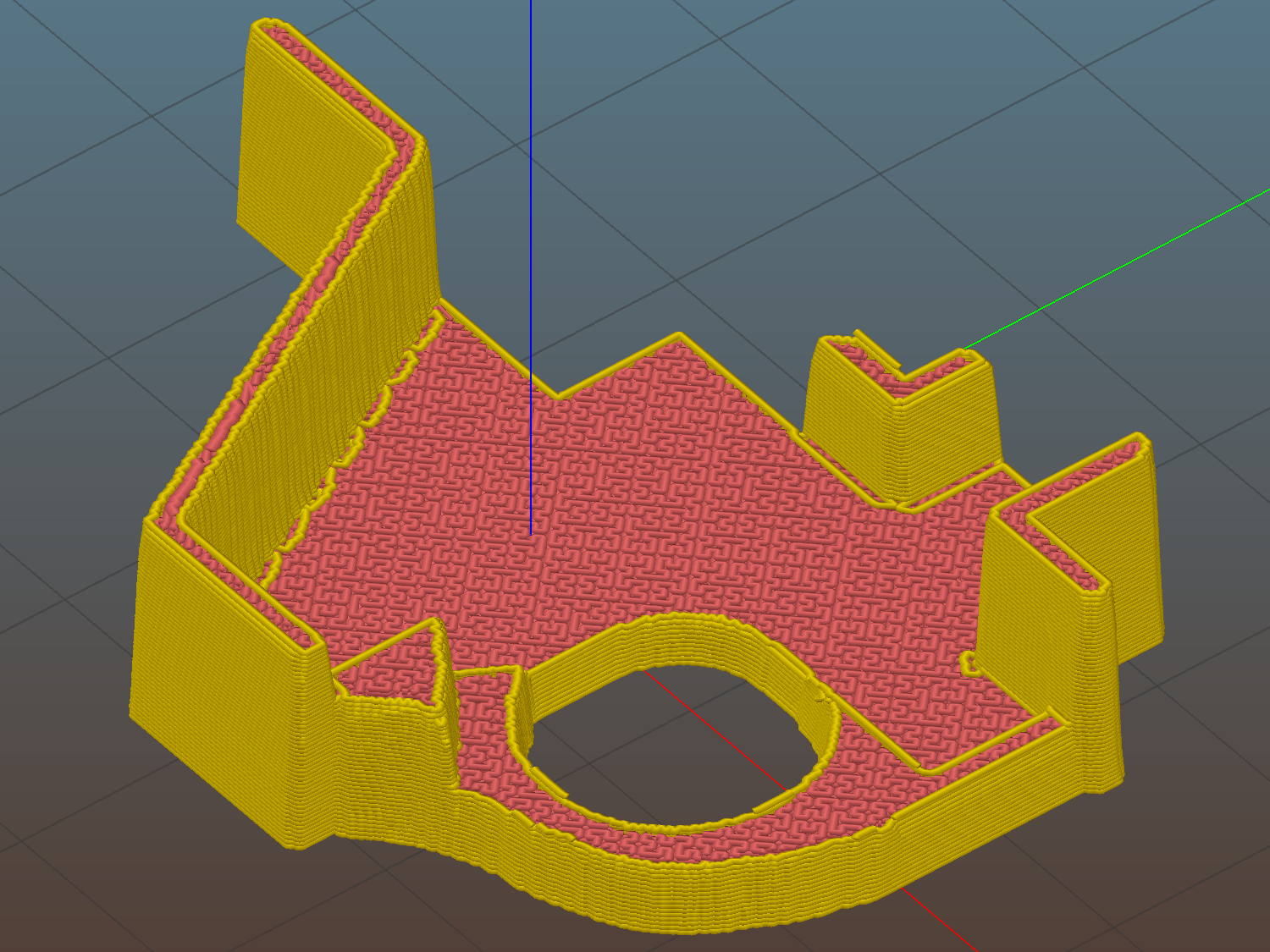
I’ve been using Slic3r’s Hilbert Curve pattern for top & bottom infill to get a nice textured result:
Roland knife stabilizer – height map – Slic3r preview
Which printed just about like you’d expect:
HP 7475A – Roland knife adapter and stabilizer – height map – bottom view
I reamed out the hole with a step drill (the HP pens are close enough to 7/16 as to make no difference here) to get the knife adapter to fit, but the walls and suchlike came out close enough.
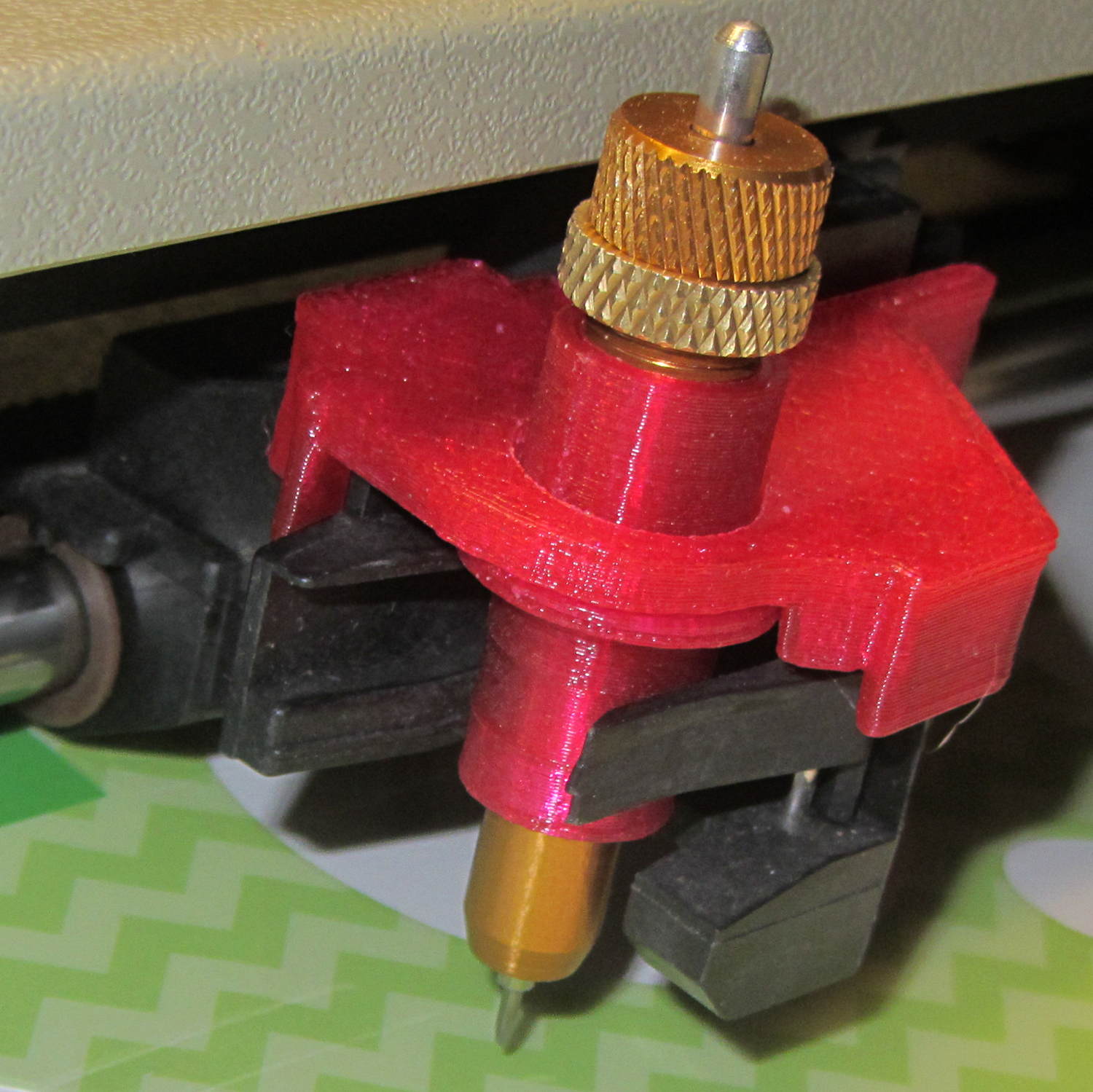
Then it just snapped into place:
HP 7475A – Roland knife adapter and stabilizer – height map
Actually, no, it didn’t just snap into place: some (dis)assembly was required.
First, remove the brass knife bearing from the adapter, push the knife adapter shell into the pen holder, slide the stabilizer cap down over the adapter, press it firmly around the pen holder, reinstall the brass knife bearing, then it’s ready.
The cuts in the green vinyl just to the left of the knife blade (in a window decoration sheet I spotted in a trash can) show that the blade can cut, albeit with some finger pressure, but the fancy red stabilizer didn’t stay stuck on the pen carrier nearly as well as I expected. A screw attachment will help with that, which calls for going all digital on those coordinates.
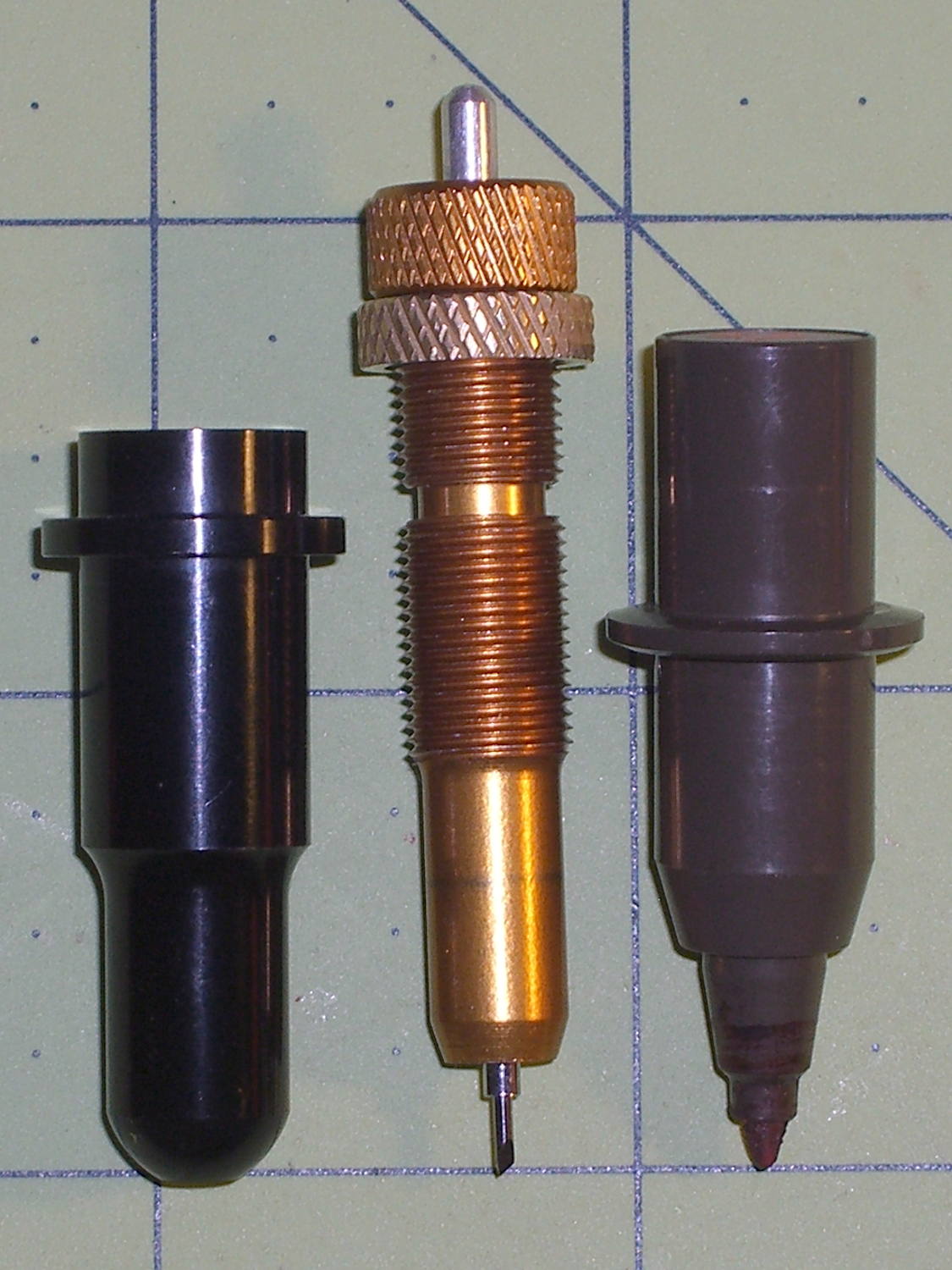
Knockoff Roland drag knife blades and holders being cheap and readily available on eBay, it didn’t take long to figure out that they’re not drop-in replacements for HP pens:
HP 7475A – Roland knife holder vs HP pen
The Roland Cutter Knowledge PDF shows that the blade must protrude just slightly beyond the holder shell, letting the flat end stabilize the media and regulate the cut depth, but some experimentation was in order just to get the mechanics worked out.
The central brass blade holder looks like it should fit neatly inside the pen body outline:
HP 7475A – Roland knife holder – internal
A small O-ring normally fits in the thread gap to provide some friction between the two metal parts, with the knurled nut locking them together at the desired setting.
The blade rides on a smooth bearing pushed upward against a stop by a spring exerting 220-400 g on that rounded shaft. I think a real vinyl cutter would have a spring-loaded pin pushing downward on that shaft to provide vertical compliance at the blade tip, but I’ve never seen such a thing in real life.
That suggests half a pound of downward cutter force that the HP pen holder definitely can’t provide; the spec is 19±10 g.
Applying a digital caliper to the blade holder produced the usual measurement array:
//-- Drag knife holder

ExpRK = 0.30;						// expand critical sections (by radius)
AdjLen = 2.0;						// allowance for adjustment travel

KnifeOutline = [
	[0,0],							//  0 blade point (actually 0.25 mm offset)
	[1.0/2,0.0],					//  1  ... blunt end
	[1.0/2,4.0],					//  2  ... cylinder
	[2.0/2,4.0],					//  3 shank
	[2.0/2,5.9],					//  4  .. at bearing
	[6.0/2,5.9],					//  5 holder - shell
	[7.3/2 + ExpRK,8.3],			//  6 holder - taper to body
	[7.3/2 + ExpRK,21.0 - AdjLen],	//  7 holder body
	[8.8/2 + ExpRK,22.0 - AdjLen],	//  8 holder - threads bottom
	[8.8/2 + ExpRK,25.0],[9.0/2 + ExpRK,26.0],		//  9 clear threads to reduce friction
	[9.0/2 + ExpRK,32.0],[8.8/2 + ExpRK,33.0],		// 11  ... end clearance
	[8.8/2 + ExpRK,42.5 - AdjLen],	// 13 holder - threads top = locknut bottom
	[12.5/2,42.5 - AdjLen],			// 14 knurled locknut - adjustment travel
	[12.5/2,45.8],					// 15 knurled locknut - top
	[11.0/2,45.8],					// 16 holder - adjusting knurl
	[11.0/2,52.0],					// 17 holder - top surface
	[3.0/2,52.0],[3.0/2,57.2],		// 18 spring post
	[0.0,57.2]						// 19 end of post
	];

ThreadLength = KnifeOutline[13][HEIGHT] - KnifeOutline[8][HEIGHT];
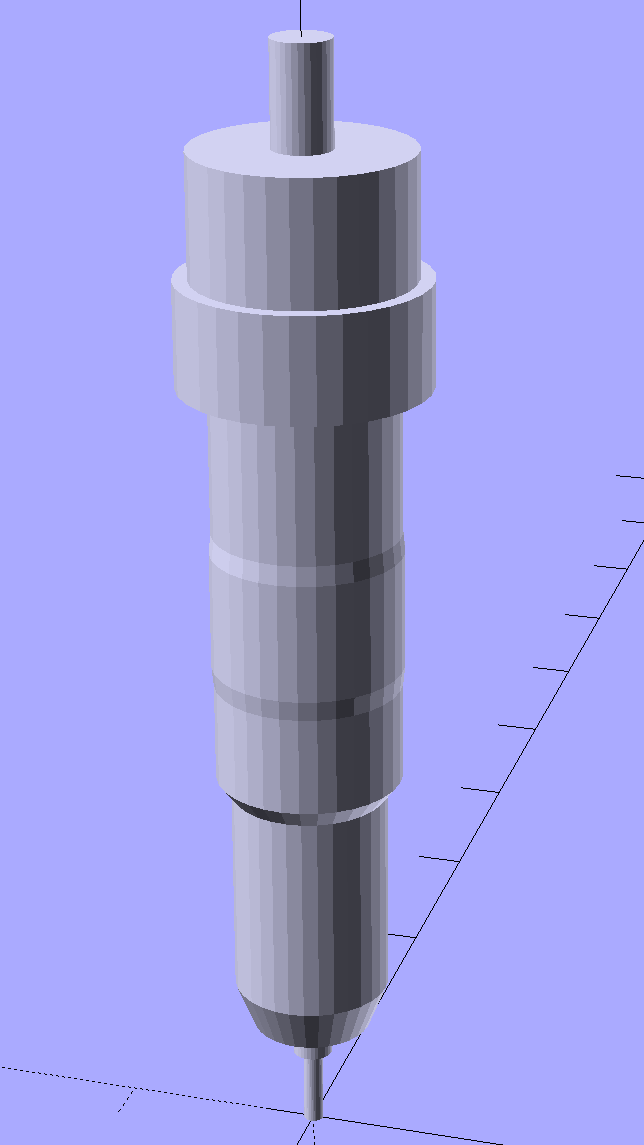
Which spins up into a solid model of the brass part:
HP7475A – Roland knife holder – solid model
The large ring is slightly larger than the actual knurled nut, to ensure it cuts off the top of the HP pen body.
The raised section in the middle of the threads provides a little relief, as screwing the holder into a sufficiently snug plastic sleeve turned out to require more effort than seemed reasonable. I don’t have a tap for what might be a loose 9×0.75 mm fine-pitch thread (the actual OD is 8.75), so it’s gotta form its own path.
Running the plotter in Etch A Sketch mode, that little blade actually cut a sheet of paper:
HP 7475A – Roland knife adapter – first cut
However, it didn’t cut very well at all, mostly because the pen holder doesn’t grip the adapter tightly enough to resist the lateral forces required to drive the blade through the paper, nor does it provide enough downward force to maintain the cut; I cheated by pressing on the holder to encourage the blade to keep on cutting.
By design, the plotter pen lift / drop mechanism doesn’t (and really can’t) apply enough downward force. A sliding bar across the entire width of the plotter raises the holder through a mechanical tab and lowers the holder by releasing the tab. A small spring then provides all the downward force, overcoming a dashpot that slows the pen drop to prevent crushing the nib against the paper.
Just for fun, though, I figured I should see what happens with the blade firmly anchored in the pen holder…
The HP 7475A plotter comes with a transparent smoke-brown plastic flip-up lid covering the carousel and pen holder, presumably to keep dust and fingers out of the moving parts. That lid also has has the side effect of limiting the pen length, presumably because HP didn’t want the 7475A to eat into their large-format plotter market. In any event, removing the lid leaves another barrier to longer pens: the rugged plastic case between the carousel and the pen holder.
That’s from an earlier test, before I sawed the slot in the case, with all the machinery behind the pen holder in full view.
The test plot, with the proper pen colors and widths loaded in the carousel, looks pretty good:
HP7475A – Sakura Micro Pens – self-test plot
The pen holder wasn’t intended to support a long pen, so that shaft tends to torque the pen tip out of position, particularly while drawing characters:
HP 7475A – long black pen – misalignment
The various pen tips don’t all point to the same place:
HP 7475A – long RGBK pen misalignment
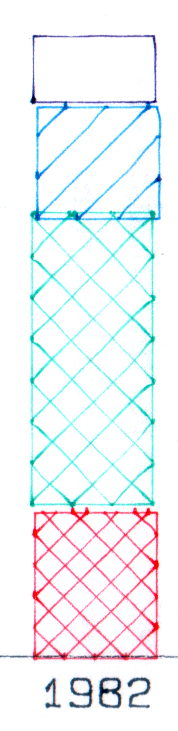
That could be non-concentric pen adapters, misalignment in the pen holder, or slightly off-center pen nibs. The offsets between the colors remains consistent in all the bar-chart columns, so the pen adapters aren’t shifting in the holder.
The worst-case error between bar-chart rectangles amounts to 0.5 mm parallel to the pen holder motion and 0.8 mm parallel to the paper motion. In round numbers, the pen tip is 30 mm from the flange, so moving it 0.5 mm to the side tips the pen 1°. The flange is 17 mm OD, which means a 1° tilt raises one edge by 0.3 mm or both edges by ±0.15 mm. Given a 0.25 mm 3D printed thread thickness, that’s certainly within reach of a random plastic blob.
Looking closely at the printed-and-glued flange shows plenty of room for misunderstanding betwixt pen and holder, even after cleaning off all that PETG hair:
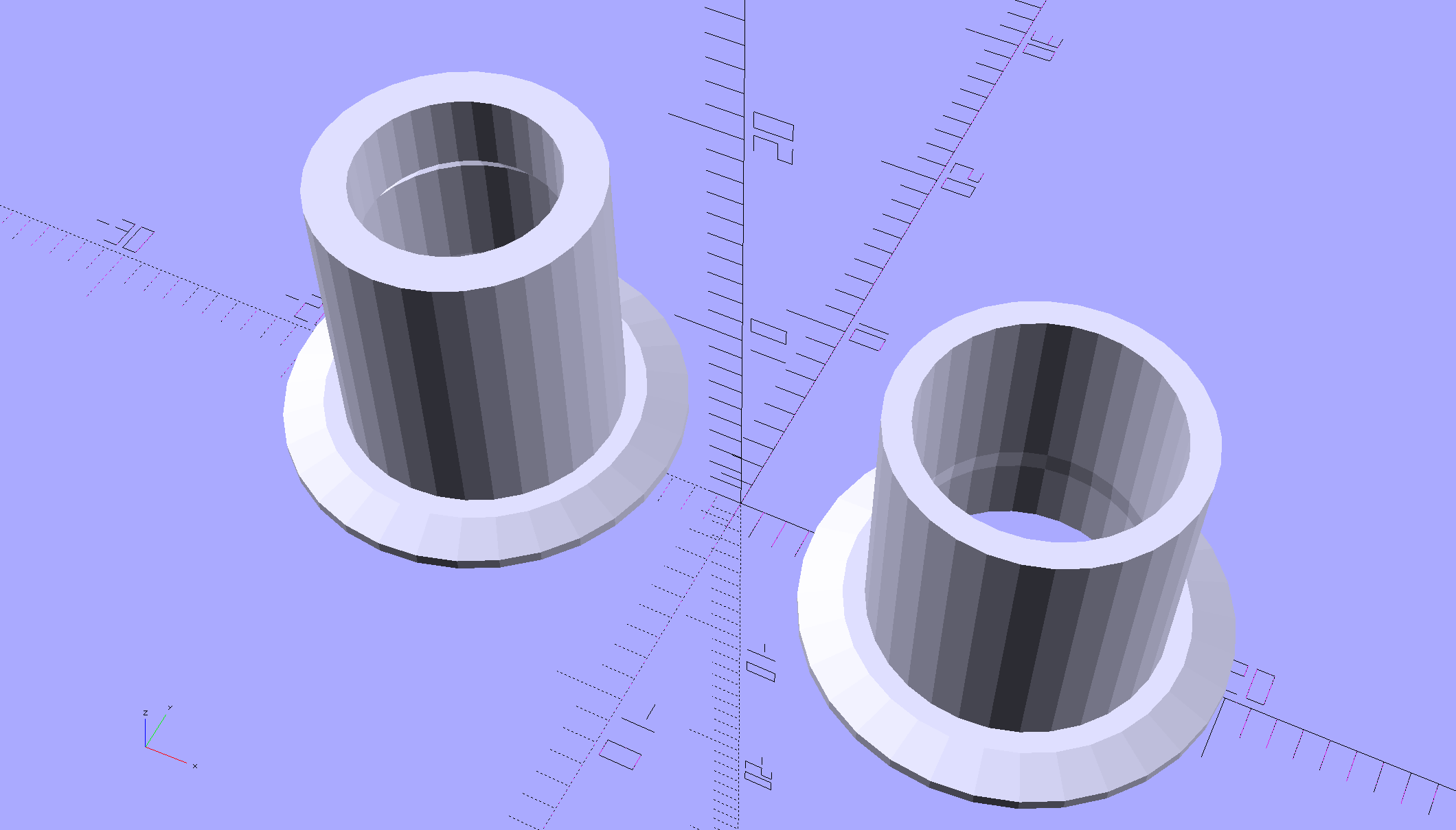
HP7475A – Sakura Micro Pen Adapter – vs HP pen
Given that the Sakura pens aren’t intended for this application, a slight tip misalignment due to body molding tolerances isn’t unreasonable; a perfect adapter might not solve the problem.
The HP maintenance manual lists a BASIC program to produce a test plot that verifies pen alignment, although the prospect of transliterating 2+ pages of quoted strings from a scanned document doesn’t fill me with desire.















 The Smell of Molten Projects in the Morning