The Smell of Molten Projects in the Morning

Ed Nisley's Blog: Shop notes, electronics, firmware, machinery, 3D printing, laser cuttery, and curiosities. Contents: 100% human thinking, 0% AI slop.

Tag: M2

Using and tweaking a Makergear M2 3D printer

  • M2 Thermistor Rebuild

    The MAXTEMP error killing the M2 while printing the bar clamp mounts (probably) came from a short in the thermistor pellet that lowered the thermistor resistance and raised the calculated temperature. I manually heated the extruder and, although the temperature stabilized at 250 °C, the history plot showed irregular downward jogs from increasing resistance. Whenever this constellation of symptoms appears on the M2 forums, I always recommend ordering another thermistor or two, so …

    Start by turning a 1/8 inch OD brass tube down to 3.00 mm, parting off a suitable length, facing the ends:

    M2 - thermistor brass tube turning
    M2 – thermistor brass tube turning

    Countersink the ends just for pretty.

    The tube should be a slip fit in the hot end:

    M2 - hot end thermistor - turned brass tube
    M2 – hot end thermistor – turned brass tube

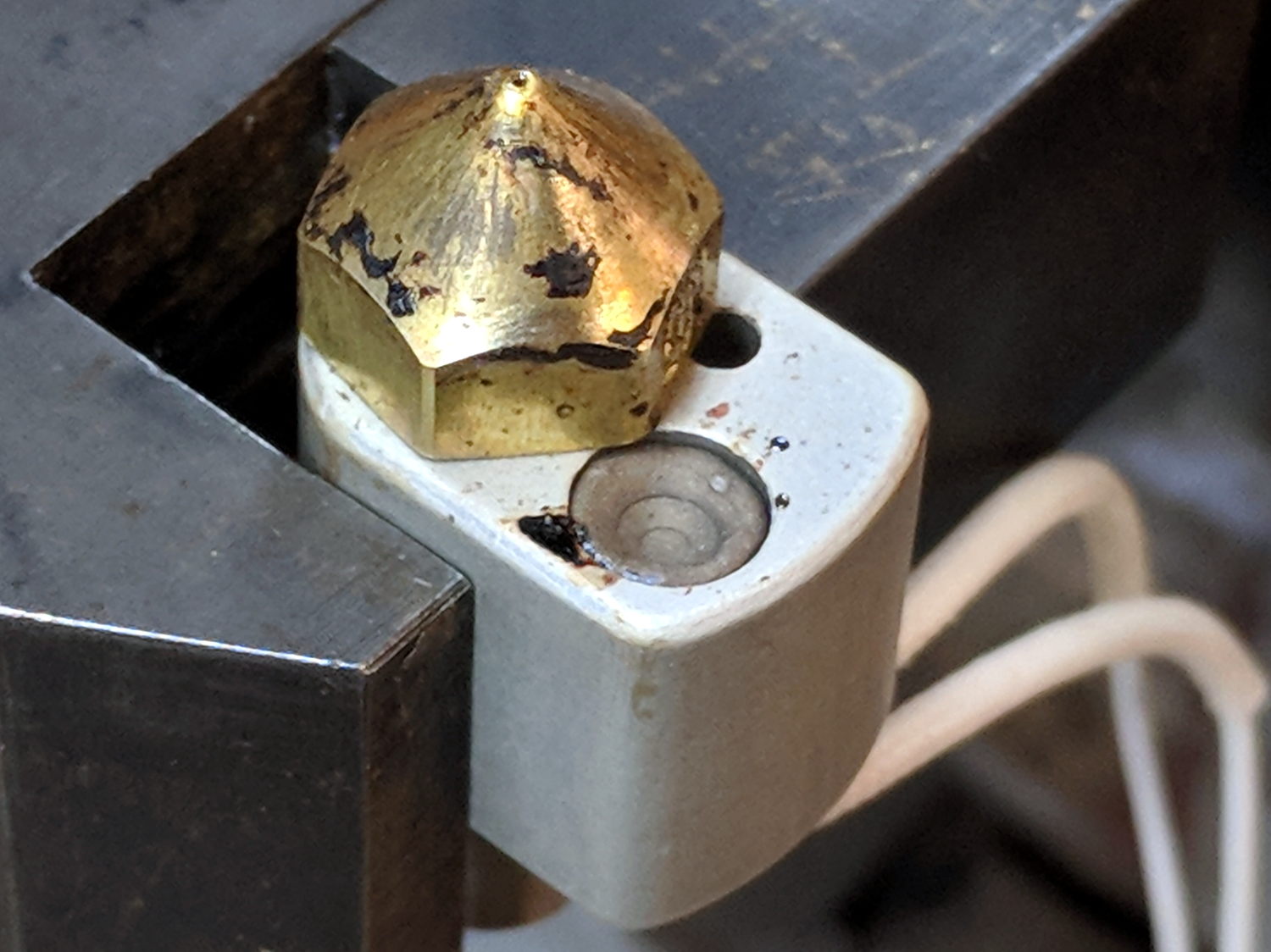
    While I had the hot end on the bench, I scuffed the nozzle to remove (most of) the baked-on crud:
    M2 - nozzle silicone - cleaned nozzle
    M2 – nozzle silicone – cleaned nozzle

    The plan is to seal the thermistor bead inside the tube with JB Weld epoxy, which I’ve verified (!) to work at extrusion temperatures, depending on the epoxy to insulate the wiring and immobilize all the pieces.

    Harvest the original wire harness from the defunct thermistor, solder to the bead, lay out guide lines:

    M2 - thermistor - assembly 1 layout
    M2 – thermistor – assembly 1 layout

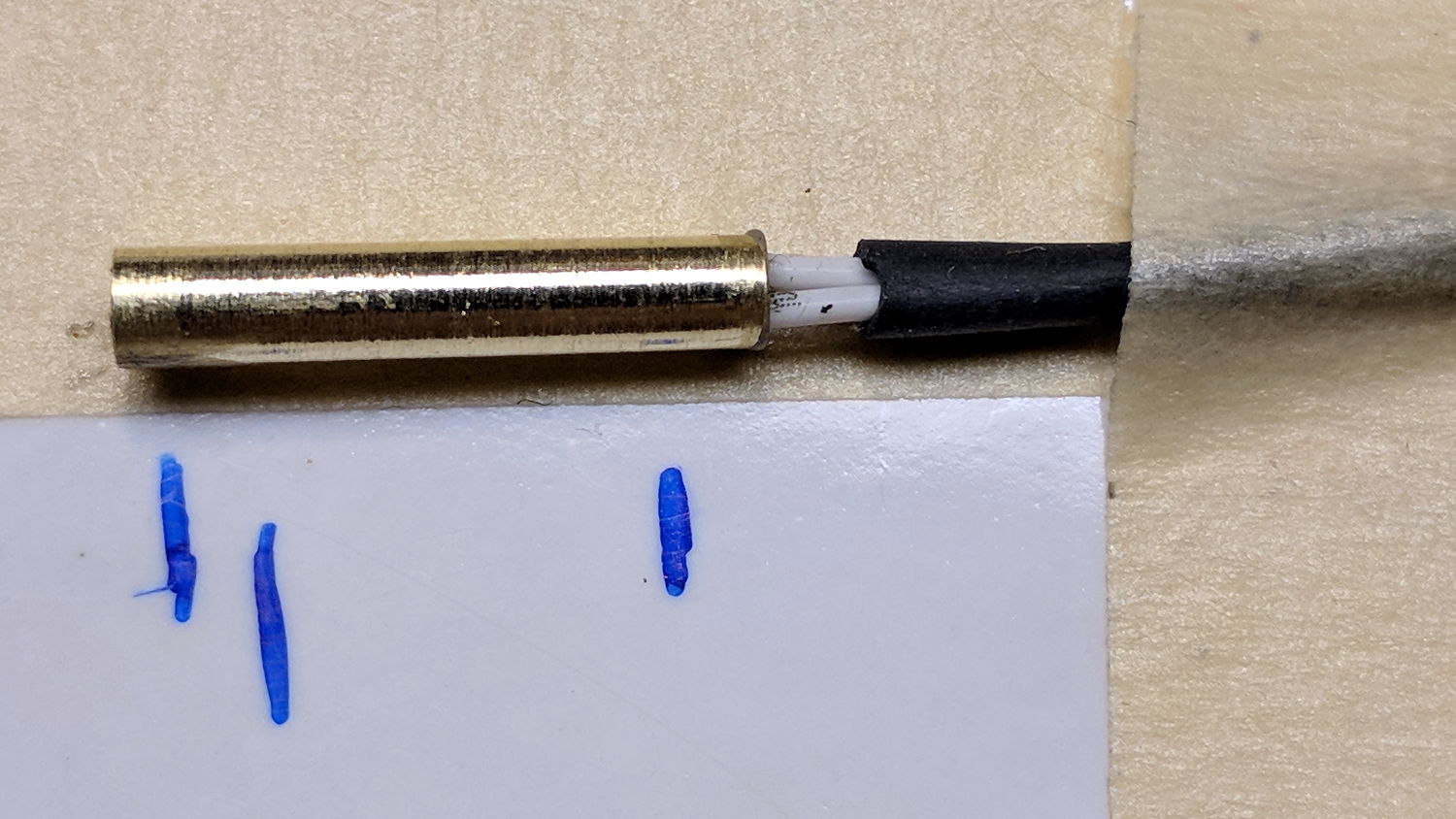
    Slobber epoxy over everytyhing, fill the tube, insert bead into tube, stabilize with tape:
    M2 - thermistor - assembly 1 curing
    M2 – thermistor – assembly 1 curing

    Verify connectivity through the thermistor and isolation from the brass tube, then return upstairs to warm up thaw out while the epoxy cures.

    At this point, the observant reader should be thinking “Uh, Ed, that bead looked a tad large. Are you absolutely sure  … ?”

    Halfway up the basement stairs I realized I’d meticulously entombed a 10 kΩ thermistor, not the 100 kΩ thermistor used in the M2’s hot end. You can easily verify the resistance, as I did, with a quick web search; I have hella-good SEO for some specific topics.

    Back to the lab …

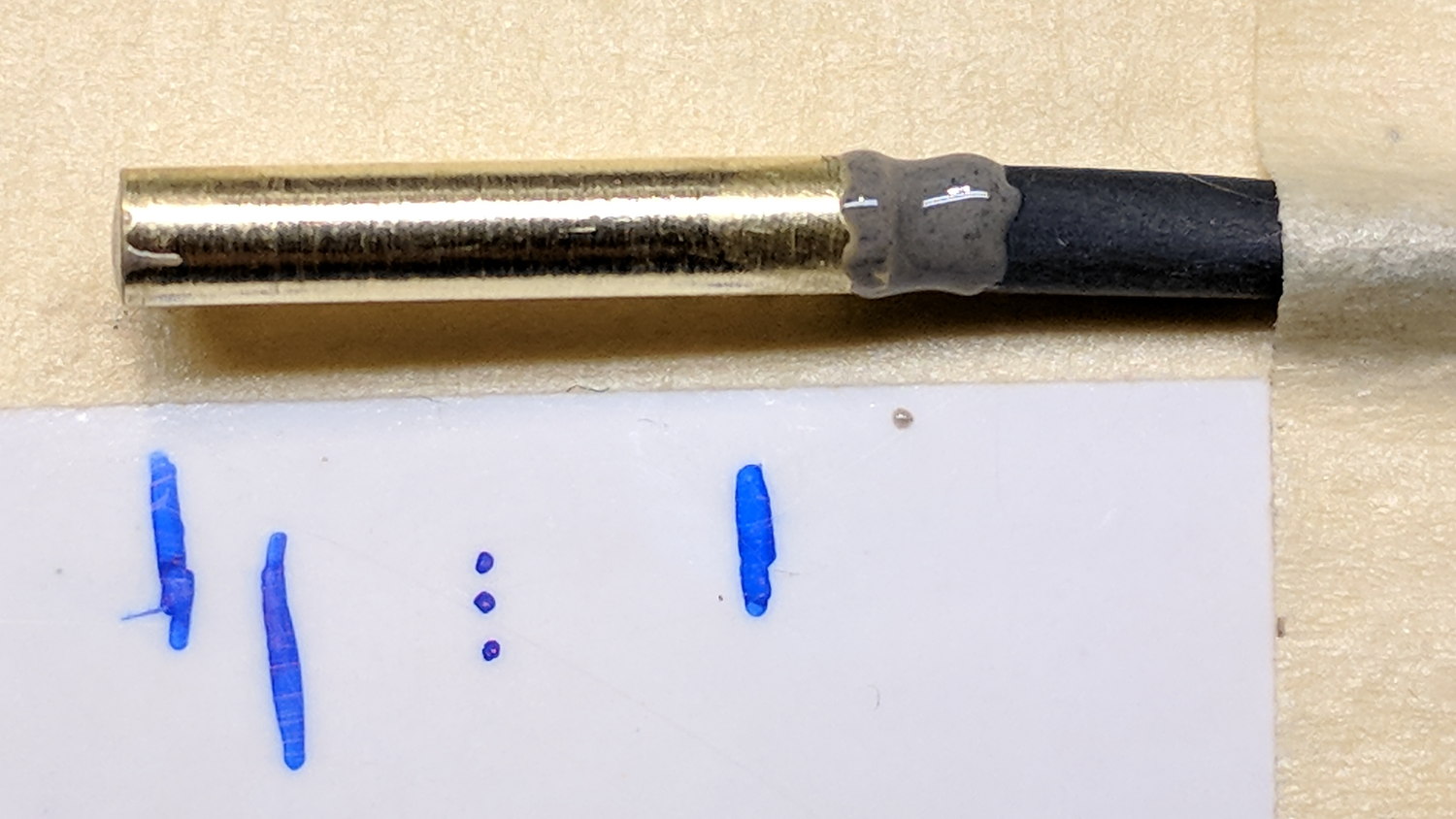
    Fortunately, JB Weld has a pot life over an hour, so extract the wrong bead, unsolder, install the right thermistor using snippets of insulation harvested from the original wiring, realign components:

    M2 - thermistor - assembly 2 layout
    M2 – thermistor – assembly 2 layout

    Reapply epoxy:

    M2 - thermistor - assembly 2
    M2 – thermistor – assembly 2

    Re-verify resistances, return upstairs, fast-forward through the night, have another good idea …

  • MPCNC: Bar Clamps

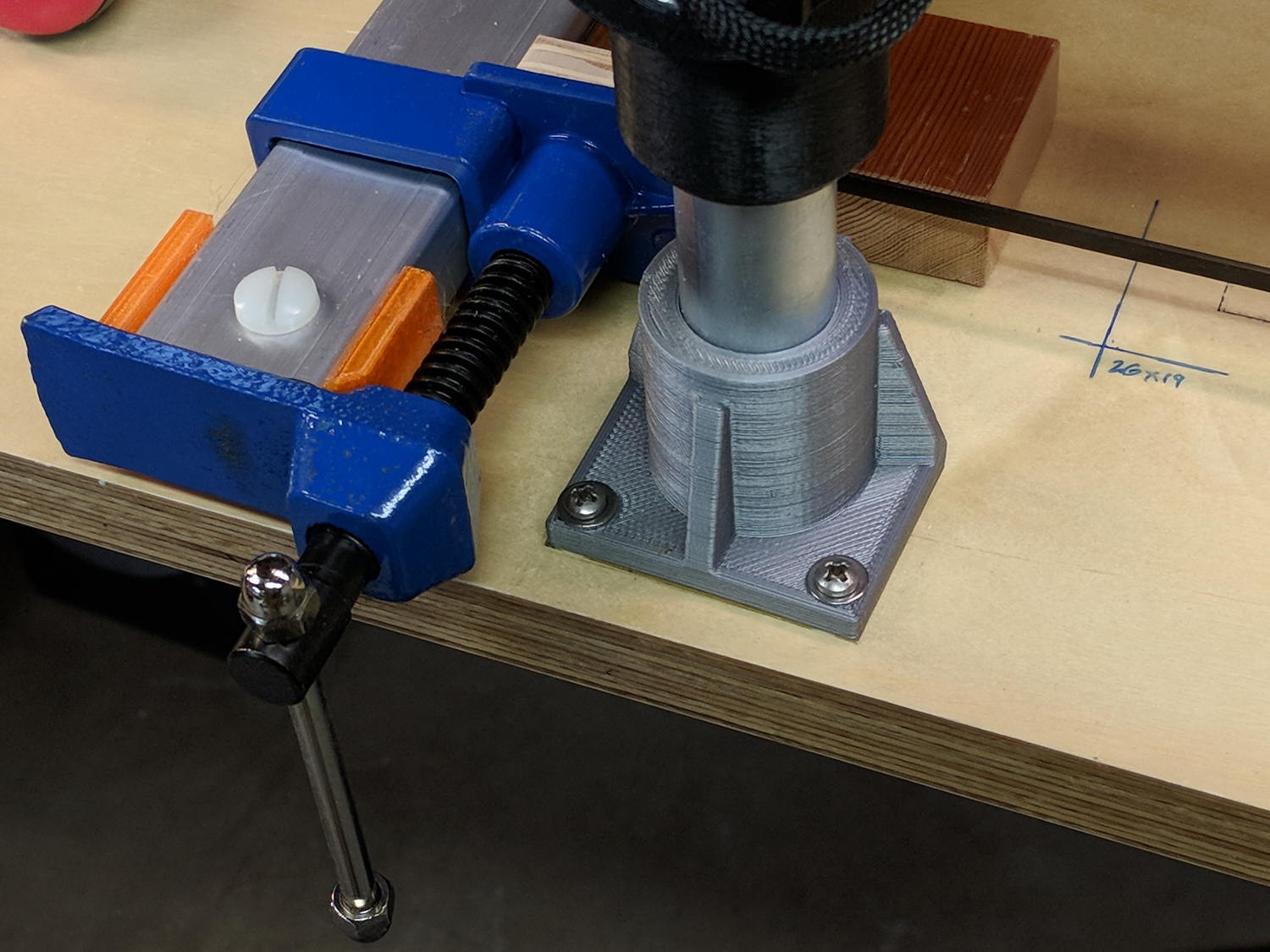
    Using various prototypes of the bar clamp mounts, here’s the left-side clamp in action:

    MPCNC - bar clamp trial installation
    MPCNC – bar clamp trial installation

    In round numbers, the (yet to be installed) spindle won’t exert any upward force worth mentioning, so clamping the material in the horizontal plane should hold it firmly enough for my simple needs. A more robust router needs more downward force.

    The left-side clamp sits outside the MPCNC’s frame to prevent blocking the leftmost inch or so of the work area:

    MPCNC - bar clamp left
    MPCNC – bar clamp left

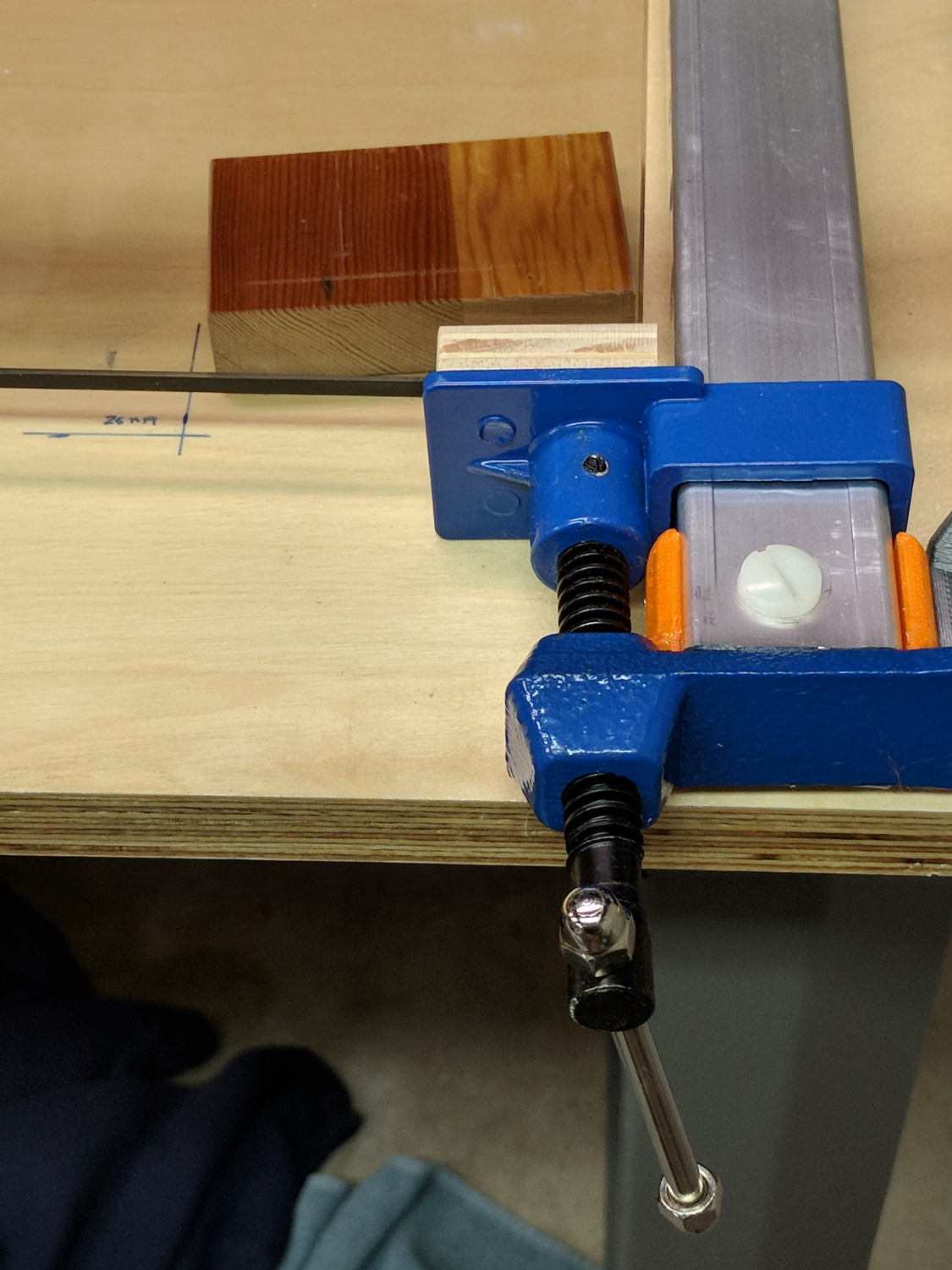
    Although the right-side clamp is inside the frame rails, the gantry’s asymmetry puts the clamp outside of the work area:

    MPCNC - bar clamp right
    MPCNC – bar clamp right

    Yes, those are nylon bolts; my 1/4-20 bolt stash is greatly depleted. I picked up a small assortment of stainless bolts in useful sizes, but they top out at 1-½ inch.

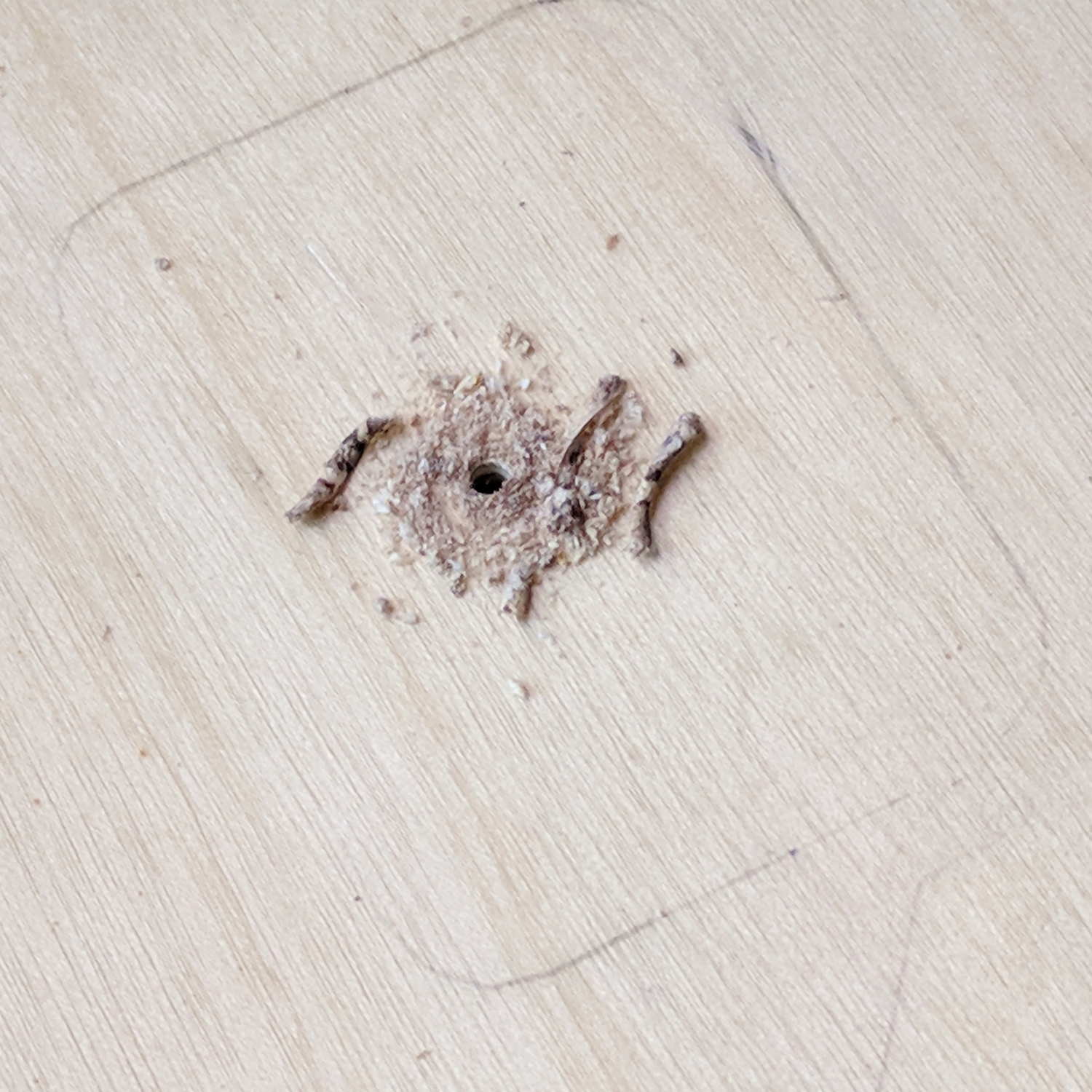
    Fastening the blocks to the bench required a bit of fiddling after squaring the bars against the edge. Transfer-punch the hole location, then drill a 1/16 inch pilot hole:

    Gingerly counterbore a t-nut recess in the bottom with a 3/4 inch Forstner bit marked with a suitable depth to completely sink the t-nut:

    MPCNC - t-nut counterbore
    MPCNC – t-nut counterbore

    The shop vac snout keeps the chips out of your face. Works like a champ!

    Redrill the pilot hole with a 5/16 inch brad-point bit to fit the 1/4-20 t-nut body:

    MPCNC - t-nut in counterbore
    MPCNC – t-nut in counterbore

    The t-nut may not be exactly centered in the counterbore, but nobody will ever notice.

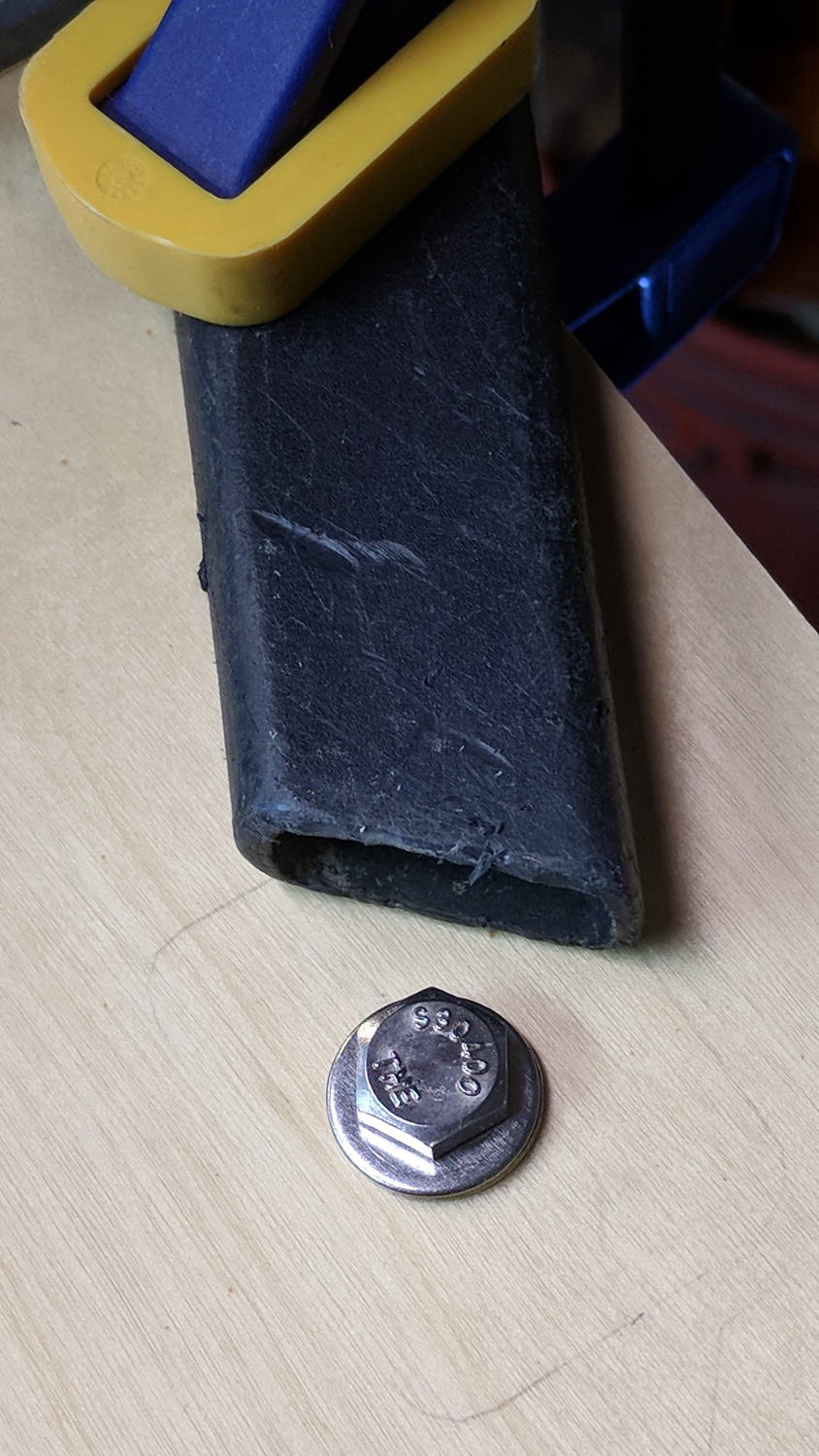
    Rather than hammering the t-nut into the bench, gently & quietly pull it in place with a bolt atop a pair of washers:

    MPCNC - bolt for t-nut installation
    MPCNC – bolt for t-nut installation

    Again, the shop vac collected all the chips from the brad-point bit.

    Of course, Harbor Freight bar clamps aren’t intended for this duty, so they’re held together with assemble-only pins and clips. Disassemble the clip with a Dremel cutoff wheel and the pin will fall right out:

    Bar Clamp - pin removal
    Bar Clamp – pin removal

    I had to through-drill the bar + hardware + 3D printed mount to get a consistent hole, as the overall tolerances aren’t particularly tight and things tend to not fit back together the way they came apart.

    The bar clamps started out at 36 inches and stuck out over the far end of the bench. I hacksawed them to a suitable length, cleaned up the cut on the bandsaw, and the cut disappears in the end block:

    MPCNC - bar clamp end block
    MPCNC – bar clamp end block

    By complete coincidence, the rear bolt holes turned out to be exactly lined up with the edge of the metal bench frame, so I had to remove eleven of the twelve screws holding the bench to the frame, rotate it slightly, drill the rear holes, install the t-nuts, un-rotate the top, and reinstall all the screws. As it turns out, the four end screws are located in blind parts of the frame where I could remove three of them, but cannot re-install them with any tool at my command. I think I can conjure a modified finger wrench, but …

    The bars are made of the softest aluminum known to man in the thinnest cross-section that won’t crumple under a stiff glance, so they’re more flexy than you’d (well, I’d) like. Various comments suggest running a snug-fitting strip of 3/4 inch plywood inside the rail to stiffen it up; we’ll see how they fare against the MPCNC’s actual cutting forces before doing anything rash.

    The jaws are also way slicker than I’d like and may need screwed- or glued-on plywood pads for better grip.

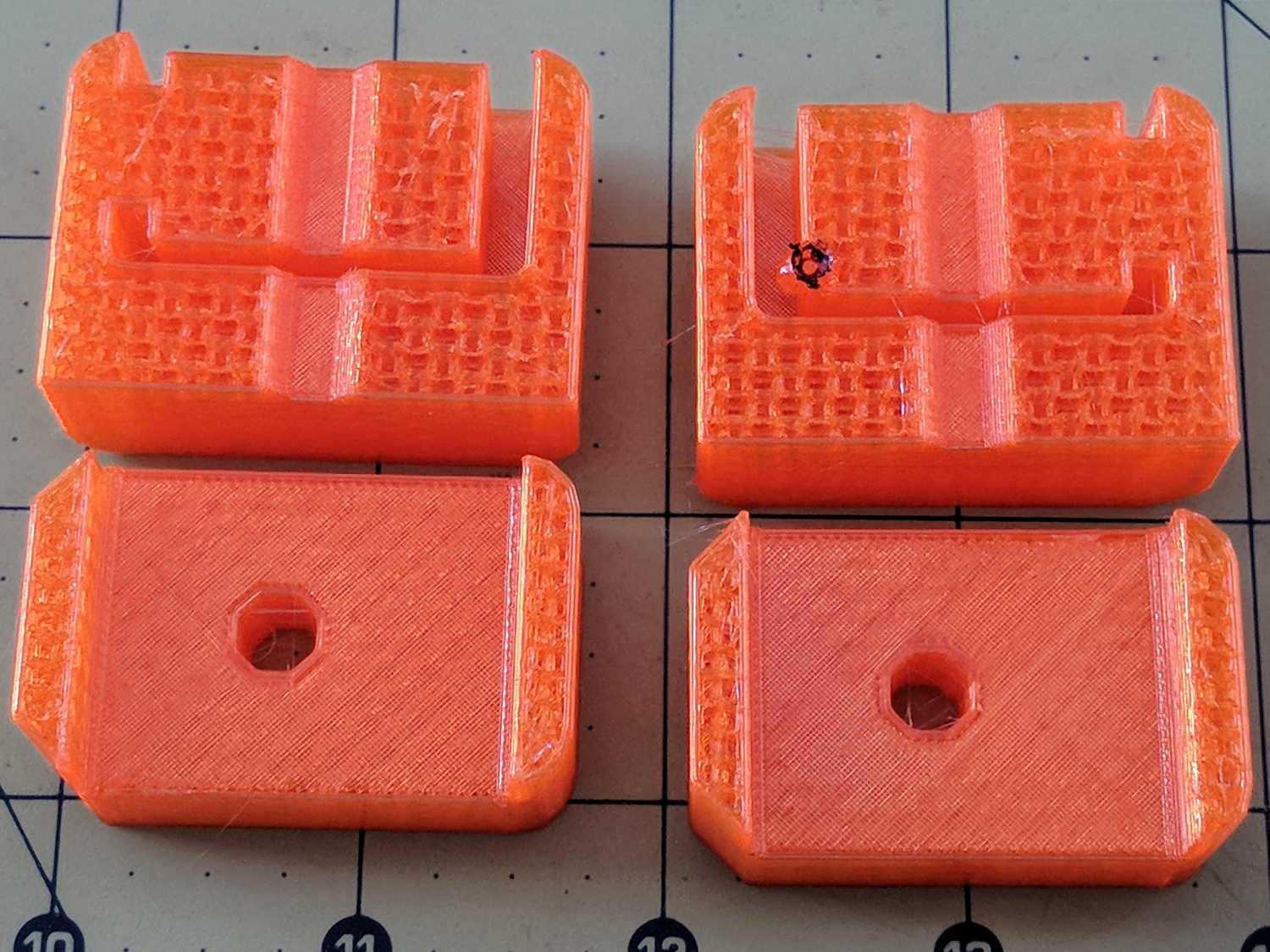
    Those are all early versions of the mounting blocks, because this happened while printing the final set:

    MPCNC - failed bar clamp mounts
    MPCNC – failed bar clamp mounts

    The black smudge on the block in the upper right is what happens when a MAXTEMP error shuts the printer down in mid-stride, leaving the nozzle to cool in the part. Looks like it’s time for a new thermistor …

  • Measuring Spoon Drainer

    We just scrapped out the old dish drainer, only to find the gadget bin on the new drainer let the measuring spoons fall over and lie along its bottom. After a week of fishing them out from under paring knives, cheese slicers, and suchlike, I gimmicked up a holder:

    Measuring Spoon Drainer - installed
    Measuring Spoon Drainer – installed

    One might suggest natural PETG, rather than orange, thereby displaying a shocking ignorance of the MVP concept. We’ll run with orange for the shakedown trials, then build-measure-learn, iterate, and, for all I know, we may even pivot.

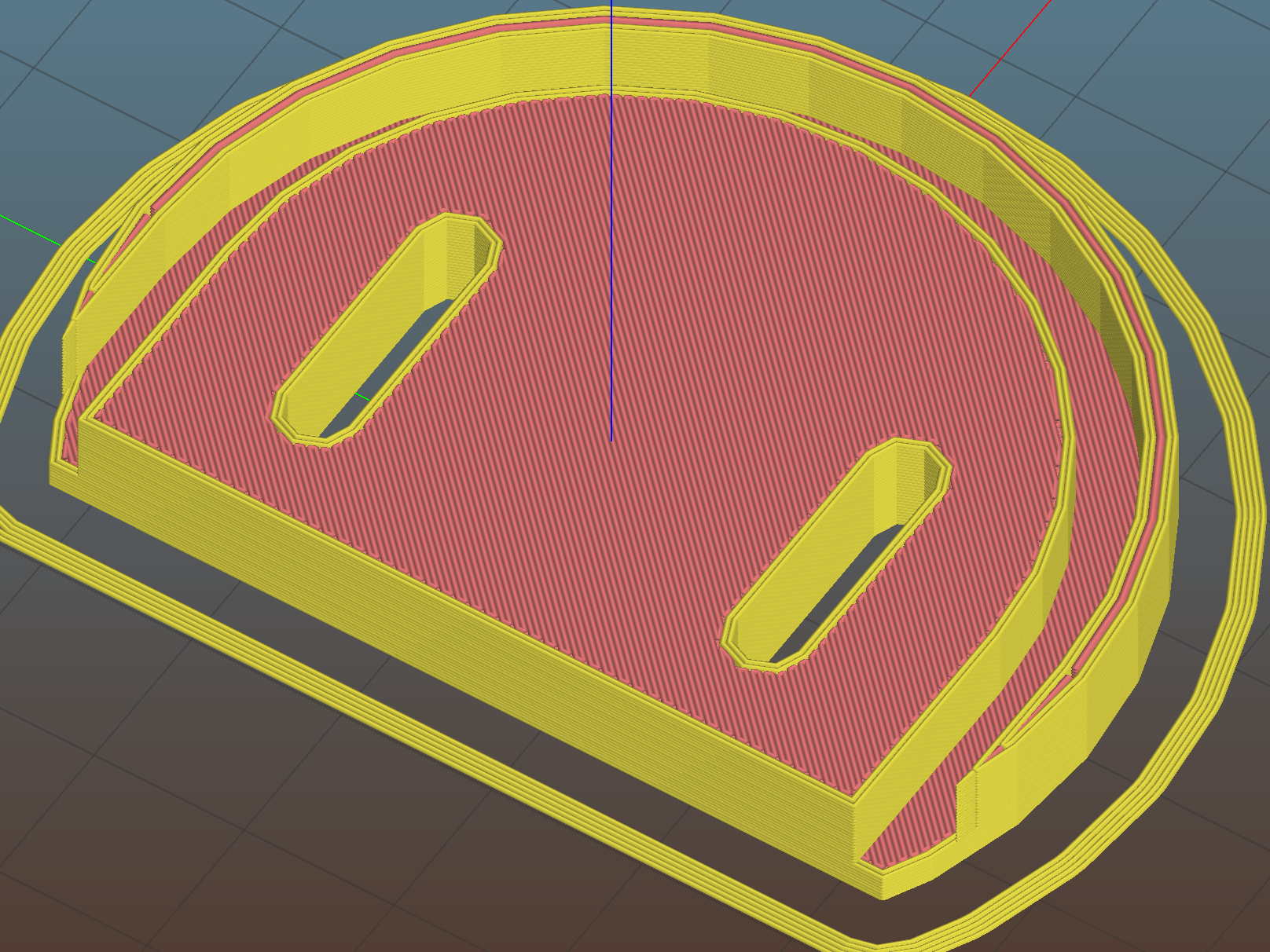
    A bottom-up view of the solid model shows the trench accommodating the bin lip:

    Measuring Spoon Drainer - Slic3r preview
    Measuring Spoon Drainer – Slic3r preview

    The OpenSCAD source code as a GitHub Gist:

    // Measuring spoon drainer
    // Ed Nisley KE4ZNU – 2018-01-13
    /* [Extrusion] */
    ThreadThick = 0.25; // [0.20, 0.25]
    ThreadWidth = 0.40; // [0.40]
    /* [Hidden] */
    Protrusion = 0.1; // [0.01, 0.1]
    HoleWindage = 0.2;
    function IntegerMultiple(Size,Unit) = Unit * ceil(Size / Unit);
    ID = 0;
    OD = 1;
    LENGTH = 2;
    //- Adjust hole diameter to make the size come out right
    module PolyCyl(Dia,Height,ForceSides=0) { // based on nophead's polyholes
    Sides = (ForceSides != 0) ? ForceSides : (ceil(Dia) + 2);
    FixDia = Dia / cos(180/Sides);
    cylinder(r=(FixDia + HoleWindage)/2,h=Height,$fn=Sides);
    }
    /* [Spoon] */
    SpoonOD = IntegerMultiple(3.3,2);
    SpoonWidth = IntegerMultiple(16.5,2.0);
    SpoonOC = 30.0;
    /* [Drainer] */
    Drainer = [52.0,59.5,100.0]; // overall drainer cup
    DrainerRimWidth = (Drainer[1] – Drainer[0])/2;
    DrainerRimHeight = 2.5;
    DrainerExtent = 15.0;
    /* [Hidden] */
    WallThick = 2.0; // basic wall & floor thickness
    PlateThick = WallThick + 2*DrainerRimHeight;
    NumSides = 8*4;
    //—–
    // Define shapes
    module CoverPlate() {
    OD = Drainer[OD] + 2*WallThick;
    difference() {
    cylinder(d=OD,h=PlateThick,$fn=NumSides);
    for (j=[-1,1])
    translate([-(OD/2 – Protrusion),j*(Drainer[ID]/2 + DrainerRimWidth/2),WallThick + DrainerRimHeight + Protrusion/2])
    cube([OD,DrainerRimWidth,2*DrainerRimHeight + Protrusion],center=true);
    translate([0,0,WallThick + PlateThick/2])
    rotate(-90)
    rotate_extrude(angle=180,$fn=NumSides)
    translate([Drainer[ID]/2 + DrainerRimWidth/2,0])
    square([DrainerRimWidth,PlateThick],center=true);
    translate([-(OD/2 + DrainerExtent),0,PlateThick/2])
    cube([OD,OD,PlateThick + 2*Protrusion],center=true);
    }
    }
    //—–
    // Build it
    difference() {
    CoverPlate();
    for (j=[-1,1])
    translate([0,j*(SpoonOC/2),-Protrusion])
    linear_extrude(height=PlateThick + 2*Protrusion)
    hull()
    for (i=[-1,1])
    translate([i*(SpoonWidth – SpoonOD)/2,0])
    circle(d=SpoonOD,$fn=8);
    }

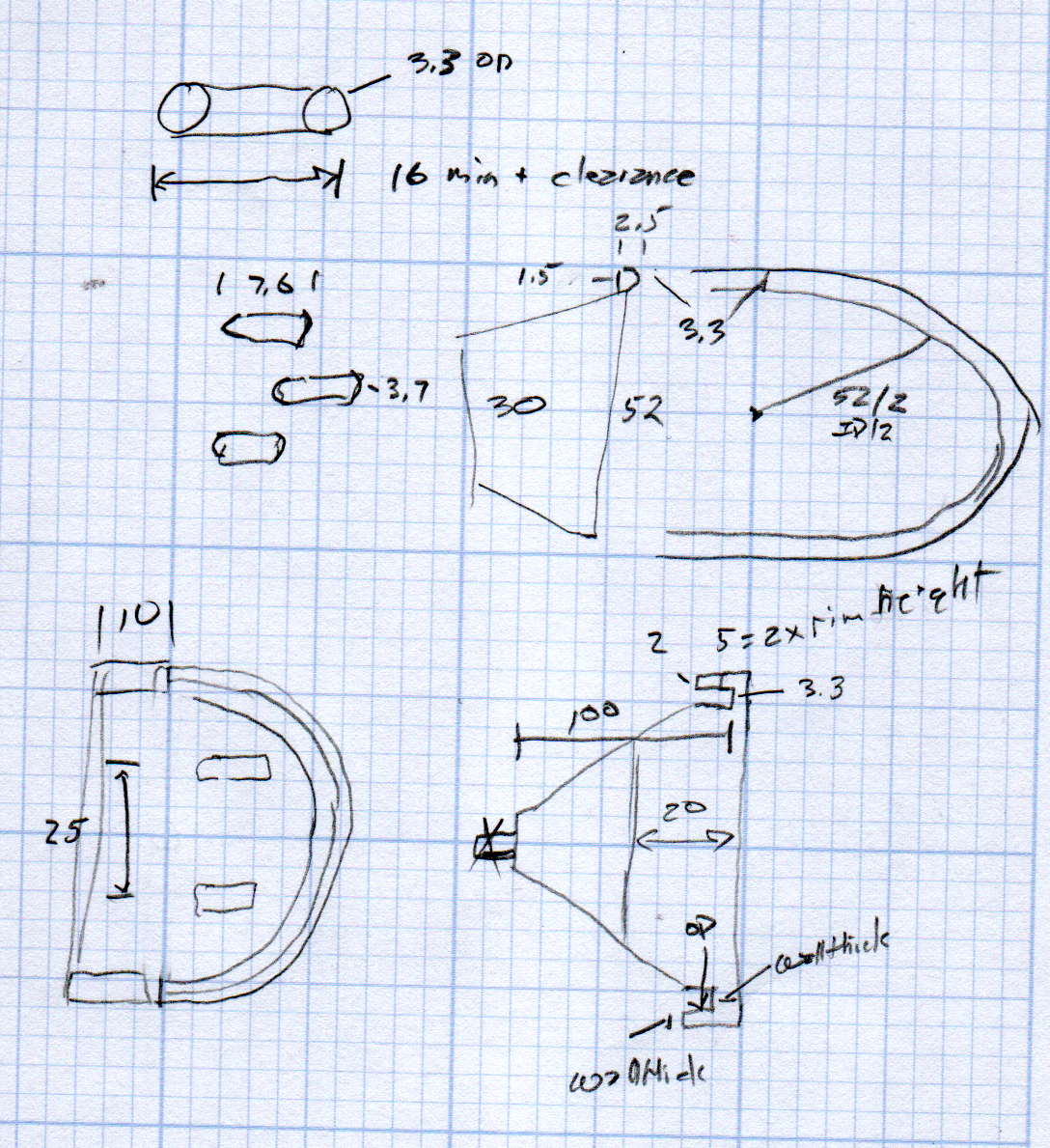
    The original doodle has useful dimensions, along with the usual over-elaborate features sacrificed in order to get it made:

    Measuring spoon drainer - doodles
    Measuring spoon drainer – doodles
  • MPCNC: DeWalt DW660 Collet Grip Removal

    The MPCNC uses a DW660 Cutout tool as a low-cost spindle for tools with 1/8 and 1/4 inch shanks. It features a tool-free “collet grip” to twist the collet nut against the shaft lock, which is convenient for a hand tool and not so much for a CNC spindle: I find it difficult to get two hands into the MPCNC setup with the proper orientation to push-and-hold two locking buttons, while applying enough torque to twist the collet nut:

    DW660 - collet grip
    DW660 – collet grip

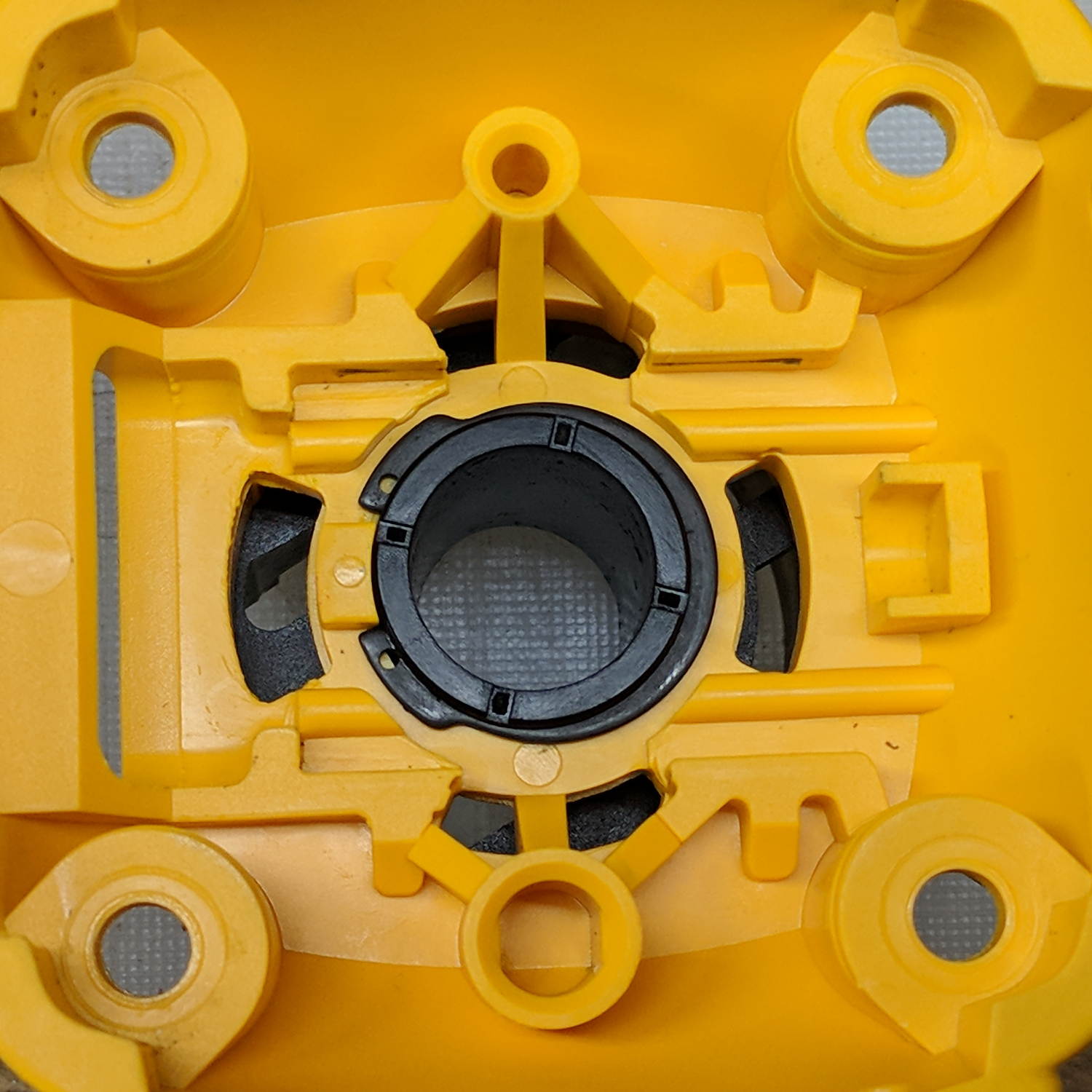
    Fortunately, it’s easy enough to remove the collet grip. Remove the collet nut, unscrew the four screws holding the yellow snout in place, then pull the snout straight off to reveal the spindle lock plate:

    DW660 - nose cap interior
    DW660 – nose cap interior

    Capture the spring, slide the spindle lock plate out to expose the snap ring (a.k.a. Jesus clip) holding the collet grip in place:

    DW660 - collet grip snap ring
    DW660 – collet grip snap ring

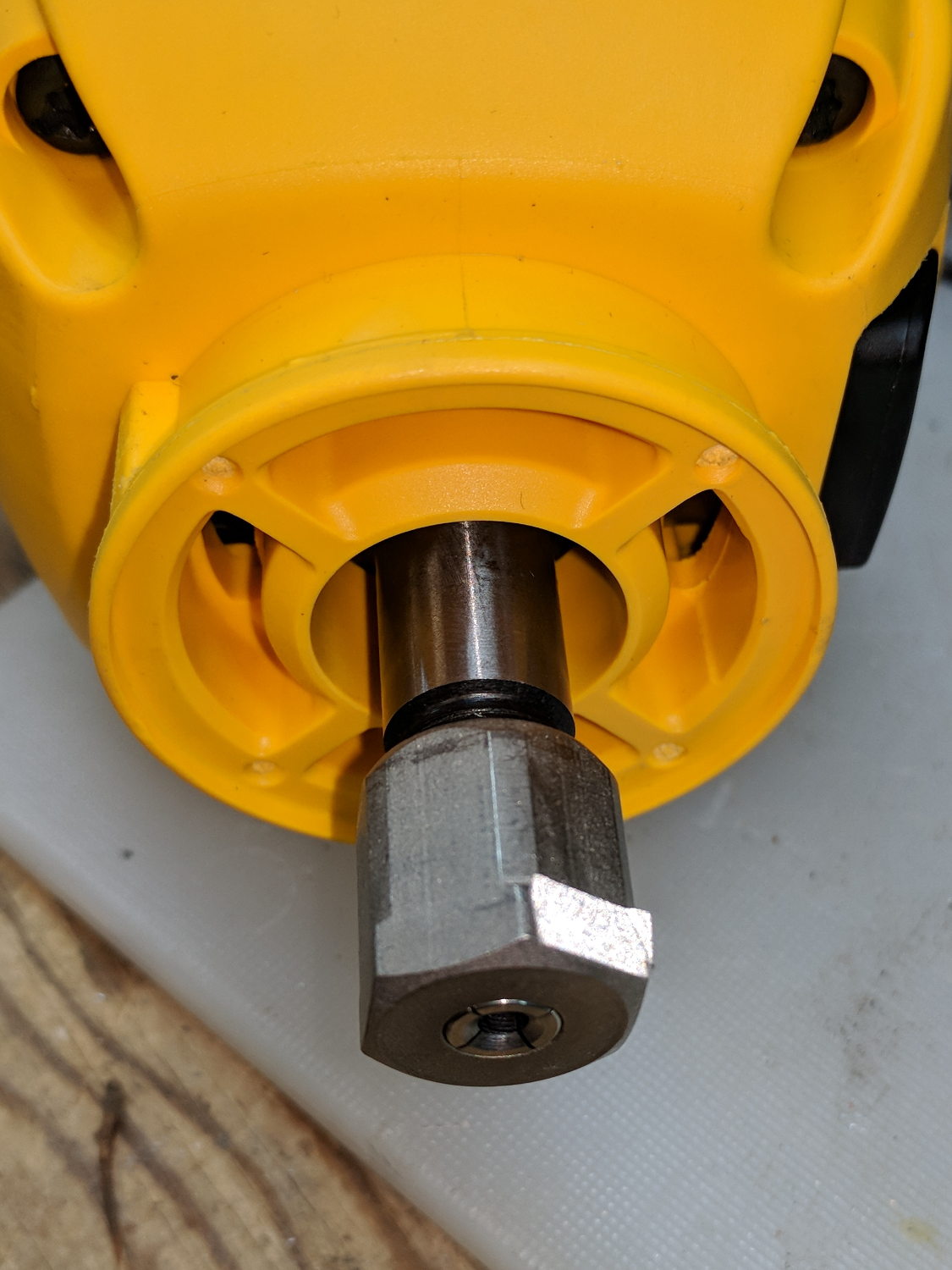
    Remove the snap ring, make the appropriate remark, pull the collet grip out of the snout, reassemble the snout in its One Correct Orientation, and you’re done:

    DW660 - collet grip removed
    DW660 – collet grip removed

    The retroreflective tape snippet let my laser tachometer report a top speed over 29 k rpm, pretty close to the advertised 30 k rpm.

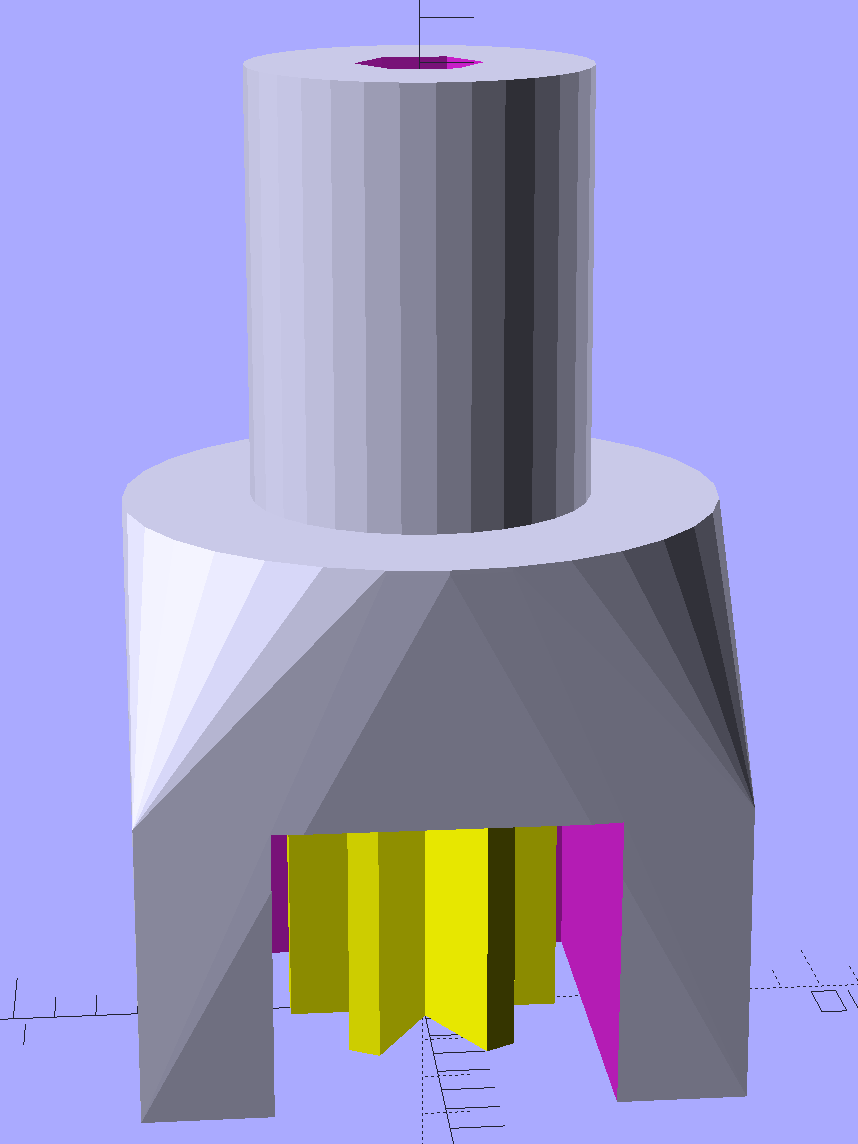
    If one were fussy, one would 3D print a thing to cover the snout’s open end:

    DW660 - snout cover
    DW660 – snout cover

    The original snap ring holds it in place and the fancy pattern comes from octogram spiral infill on the bottom.

    The collet nut fits either a 5/8 inch or 16 mm wrench, both of which stick out to the side far enough for a convenient hold while pressing the shaft lock button.


  • MPCNC: Z Height Probe

    A little support pillar makes a printable holder for a small tactile pushbutton:

    Z Axis Height Probe - solid model
    Z Axis Height Probe – solid model

    A(n) 0-80 brass washer epoxied atop the butt end of a P100-B1 pogo pin keeps the pin from falling out and provides a flat button pusher:

    MPCNC - Simple Z probe - push plate
    MPCNC – Simple Z probe – push plate

    With the epoxy mostly cured, ease the pin off the tape, flip the whole affair over, shove the switch into position, realign vertically with point down, then let the epoxy finish curing with the washer held in place against the switch to ensure good alignment:

    MPCNC - Simple Z probe - epoxy curing
    MPCNC – Simple Z probe – epoxy curing

    The brass tube ID is a sloppy fit around the pogo pin, but it’s also many pin diameters long and the position error isn’t worth worrying about.

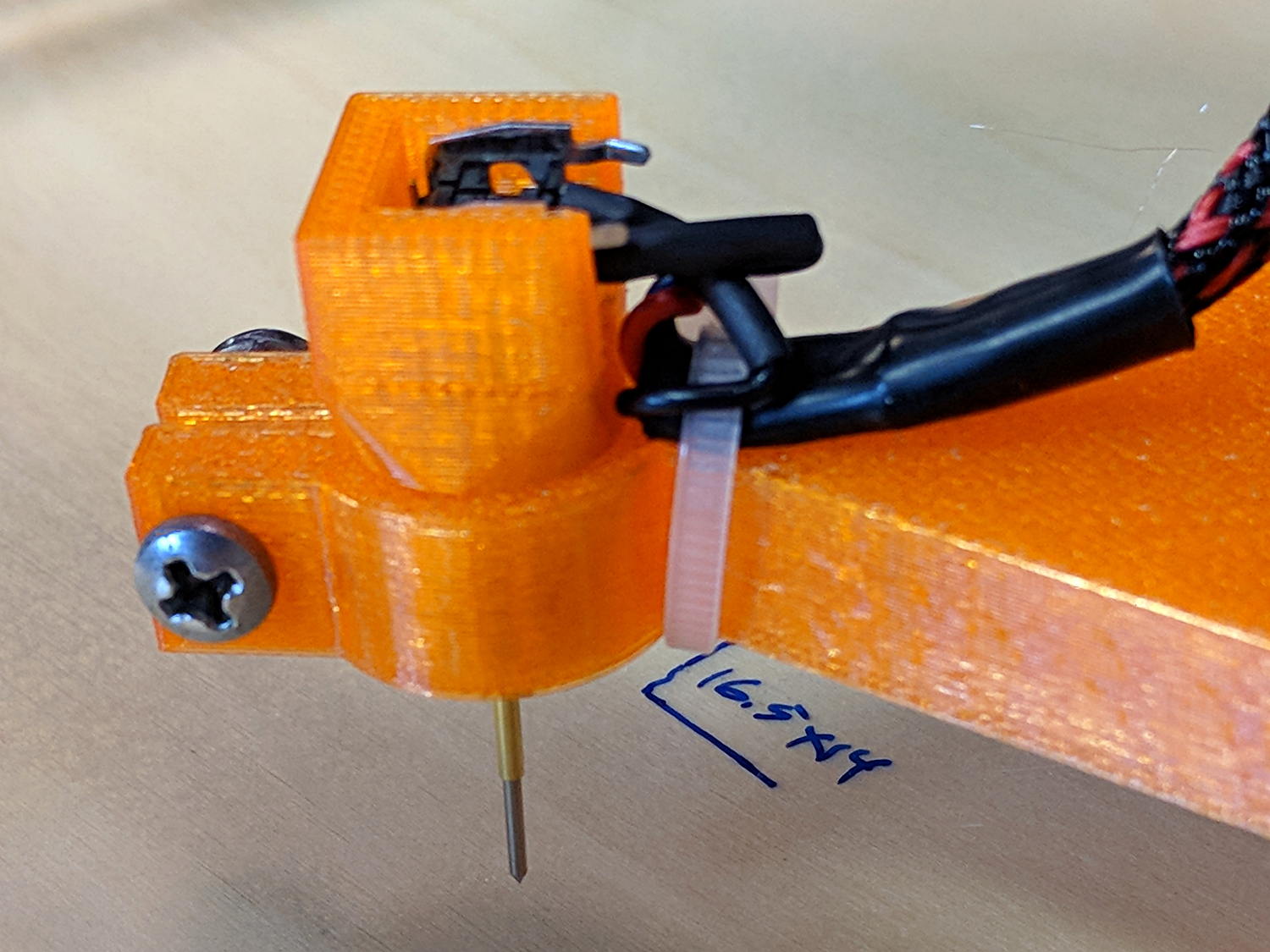
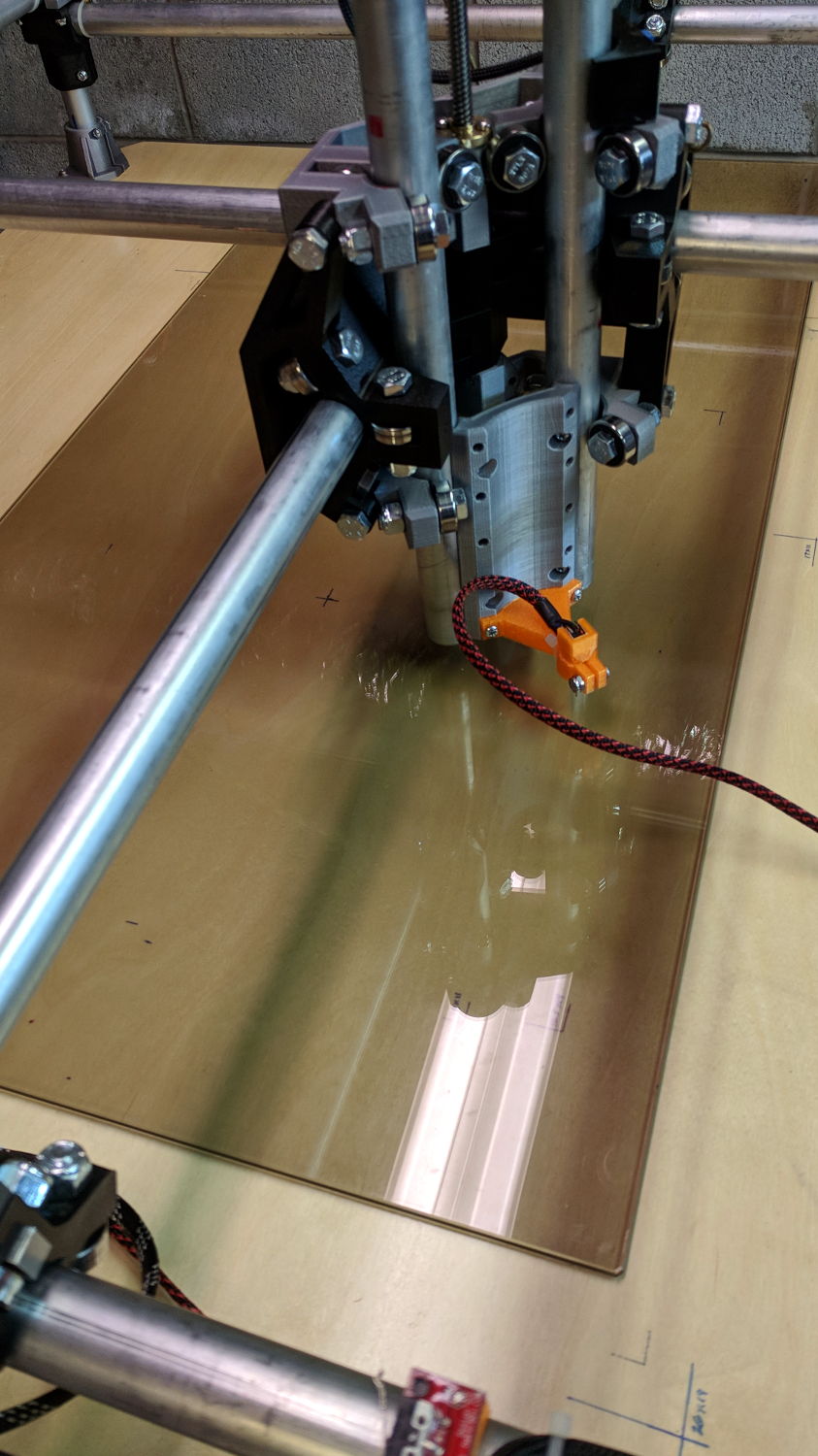
    Solder a cable, clamp it in the pen holder, attach to tool holder:

    MPCNC - Simple Z probe - installed
    MPCNC – Simple Z probe – installed

    The pogo pin provides half a dozen millimeters of compliance,  letting the initial probe speed be much higher than the tactile pushbutton’s overshoot could survive, after which a low-speed probe produces a consistent result.

    Unleashing bCNC’s Autolevel probe cycle:

    MPCNC - Z-probing glass plate
    MPCNC – Z-probing glass plate

    Although the picture shows the MPCNC probing a glass plate, here’s the first height map taken from the bare workbench top with 100 mm grid spacing:

    ProbeArray-100-2018-01-04
    ProbeArray-100-2018-01-04

    The ridge along the right side comes from a visible irregularity in the wood grain, so the numbers actually represent a physical reality.

    Doing it with a 50 mm grid after re-probing the Z=0 level:

    ProbeArray-50-2018-01-04
    ProbeArray-50-2018-01-04

    Eyeballometrically, the second plot is 0.2 mm higher than the first, but this requires a bit more study.

    All in all, not bad for a first pass.


  • MPCNC: Pen Holder Crunch

    A few tweaks to the Customizable MPCNC Mount for Round Tools produces a Sakura Micron pen holder:

    MPCNC - Sakura Pen Holder - Slic3r preview
    MPCNC – Sakura Pen Holder – Slic3r preview

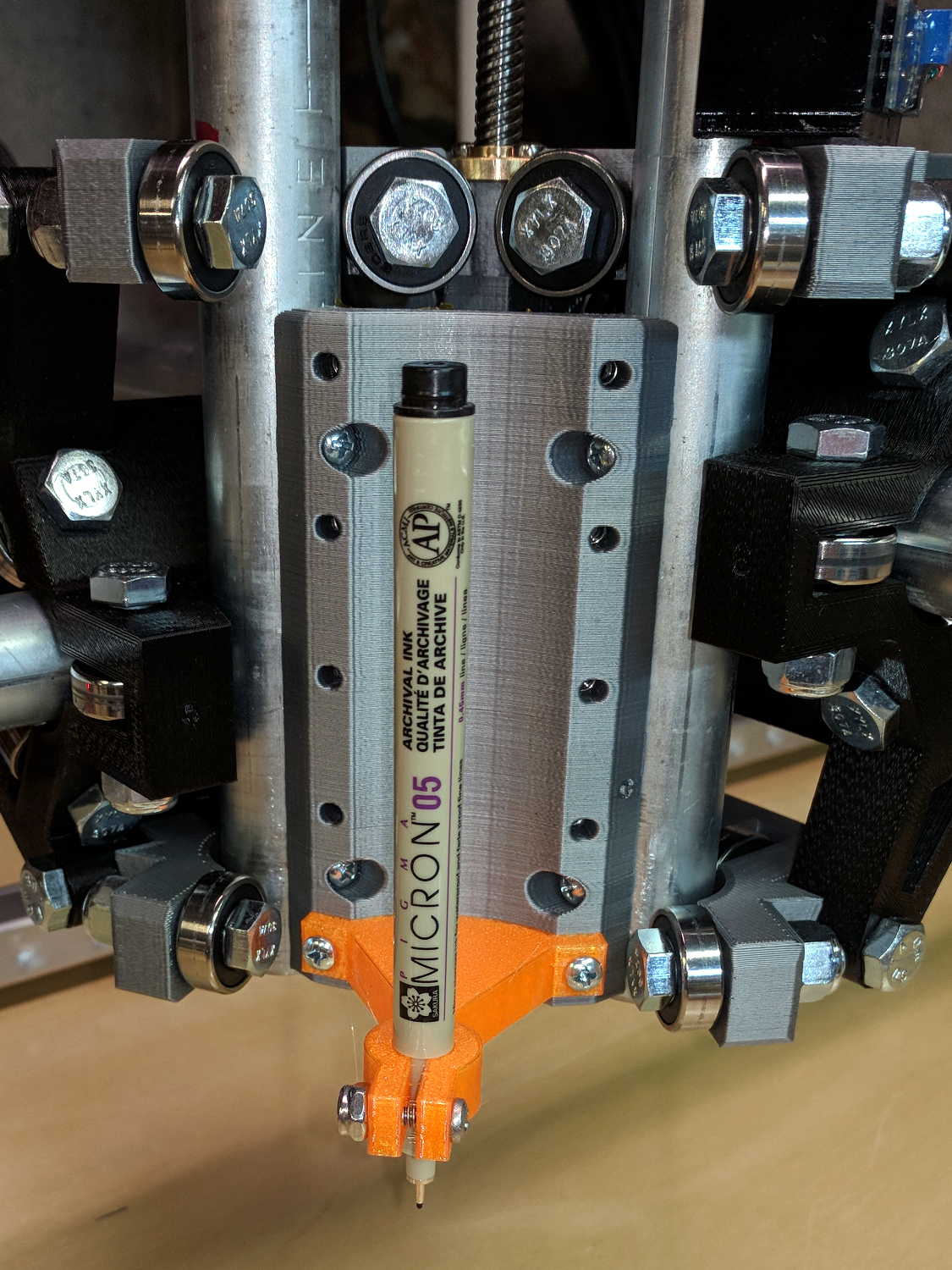
    The pen body seats atop the holder, with its narrower snout inside the clamp, giving positive control of the point position:

    MPCNC - Sakura in pen adapter
    MPCNC – Sakura in pen adapter

    Unfortunately, should one forget to zero the pen tip to the paper surface before starting a plot, Bad Things happen to good tips:

    MPCNC - Sakura pen - crushed tip
    MPCNC – Sakura pen – crushed tip

    The holder really needs at least a few millimeters of compliance, as a fiber-tip pen makes a fairly delicate tool not intended for applying much force at all to anything.

    But the holder might make a Z axis probe …

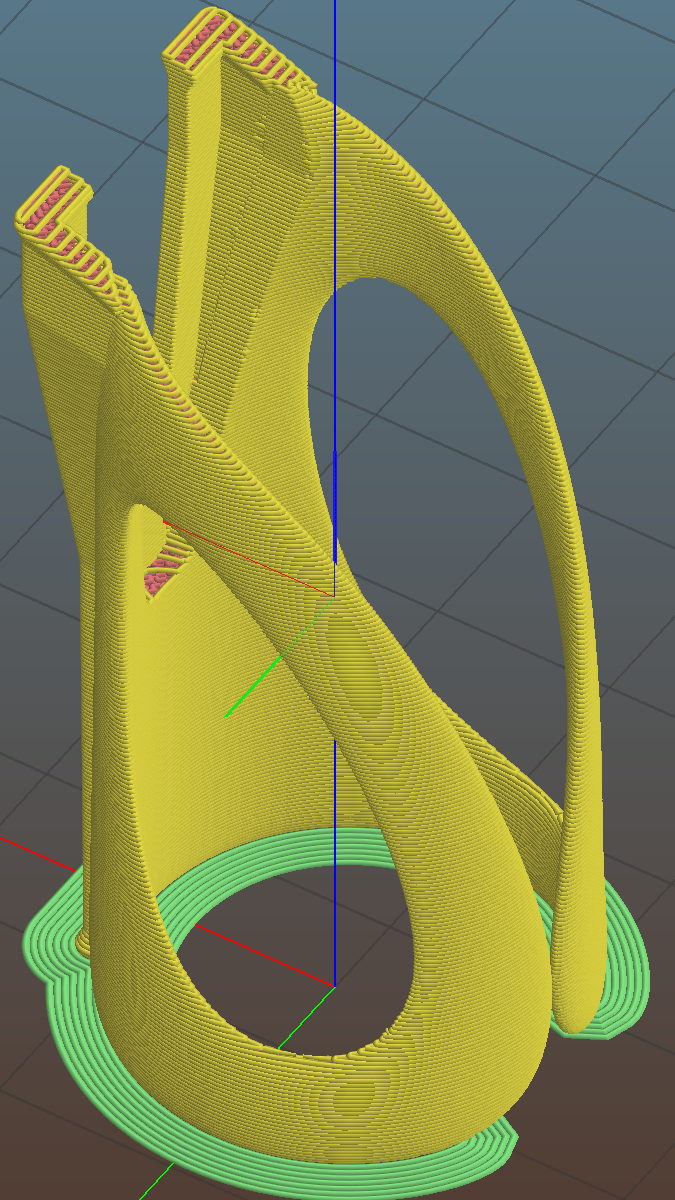
  • Finger Wrench

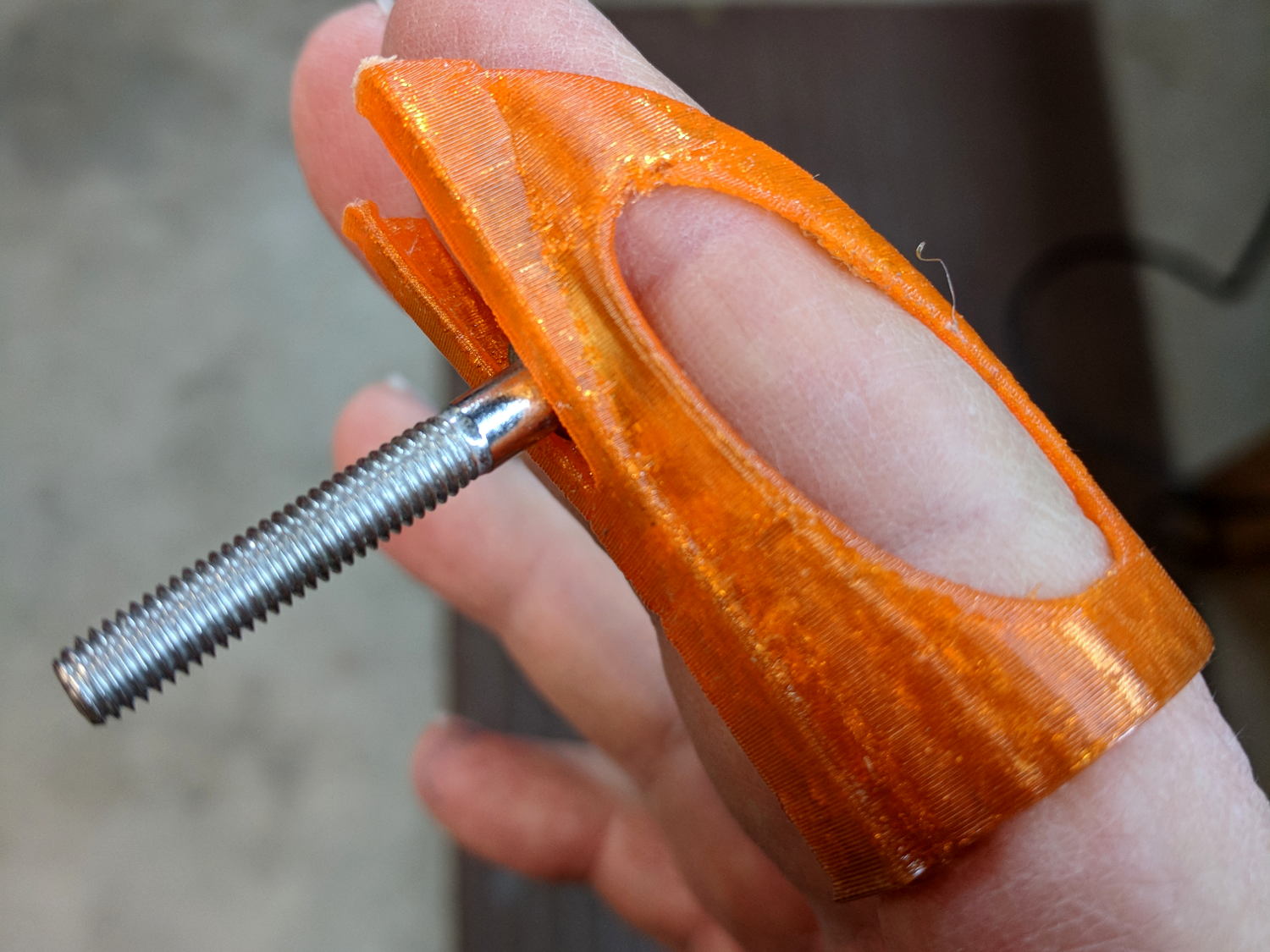
    A friend recommended a Finger Wrench and it looks useful, indeed:

    Finger Wrench
    Finger Wrench

    That’s a 10-32 socket head cap screw, on the large end of the screws I normally use.

    The orange PETG required a bit of smoothing around the overhangs, but should work well enough. The dark tinge near the bottom comes from the black filament I used for the MPCNC’s Z Axis sensor and won’t affect its operation in the least.

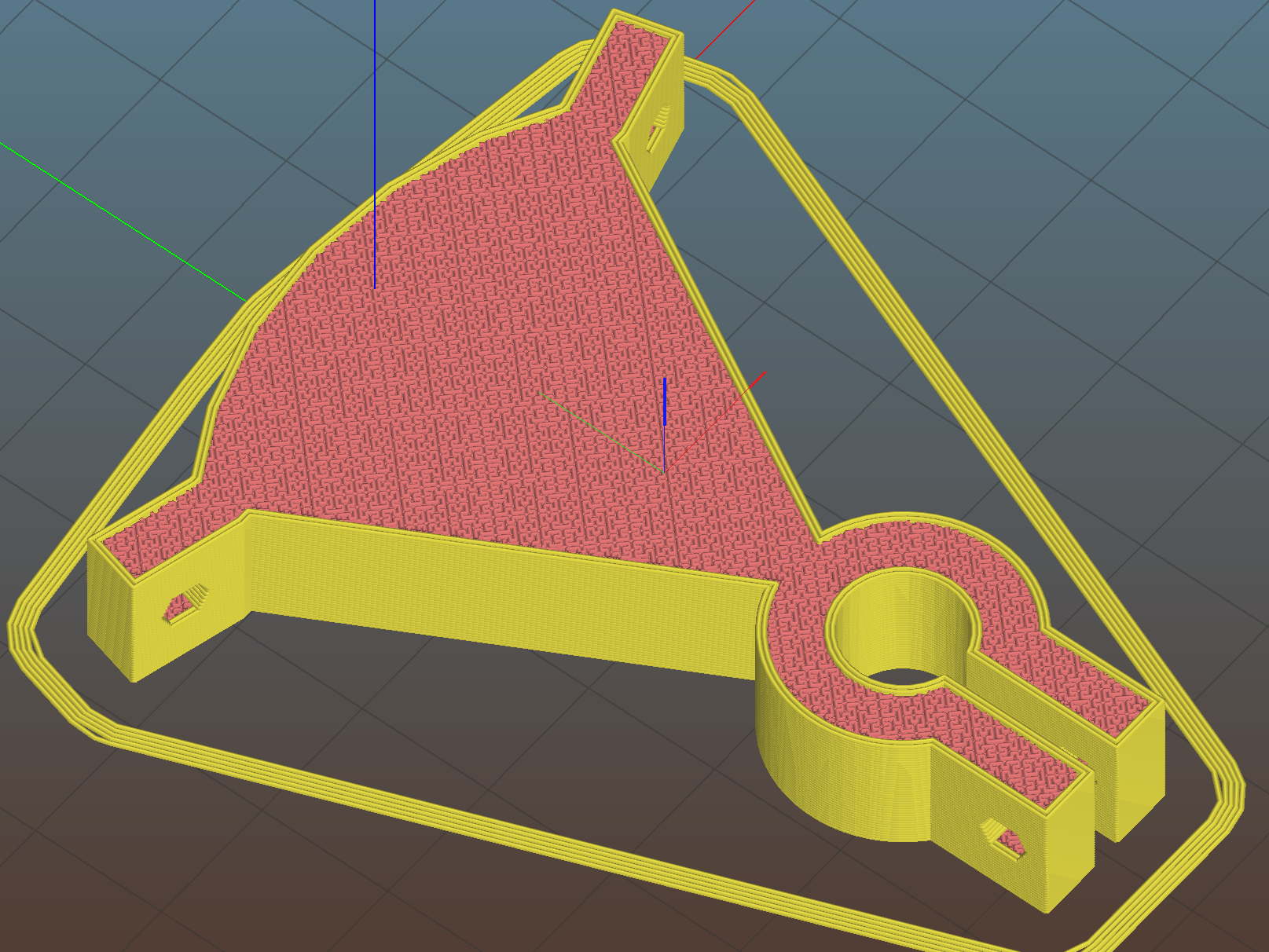
    Done with one perimeter thread and a 3 mm brim to glue down the bottom:

    Finger Wrench - Slic3r preview
    Finger Wrench – Slic3r preview

    That was easy …