The Smell of Molten Projects in the Morning

Ed Nisley's Blog: Shop notes, electronics, firmware, machinery, 3D printing, laser cuttery, and curiosities. Contents: 100% human thinking, 0% AI slop.

Category: Software

General-purpose computers doing something specific

  • CNC 3018-Pro: GRBL Configuration

    The CNC 3018-Pro router arrived with GRBL 1.1f installed on the Camtool V3.3 board and ran well enough, although it accelerated very slowly. After installing Home switches, figuring out the travel limits, and trying different speeds & accelerations, it runs much better:

    3018 CNC - Endstop switches - overview
    3018 CNC – Endstop switches – overview

    Configuration values to remember for next time:

    $1=100 turns off the stepper motor drivers after 100 ms of inactivity:

    3018 X - 100ms timeout - 100mm-min 12V 500 ma-div
    3018 X – 100ms timeout – 100mm-min 12V 500 ma-div

    There’s no force worth mentioning on a diamond scribe when the motors stop, so there’s no reason to keep them energized, and the DRV8825 chips resume from the same microstep when re-enabled.

    $3=5 reverses the X and Z motor rotation, so you can use the same type of cable on all three axes and have them move the way you’d expect.

    $20=1 turns on Soft Limits, thereby producing an error when you (or the G-Code) tries to move beyond the machine’s limits, as defined by the $120 $121 $122 values relative to the Home switch positions.

    $21=0 leaves Hard Limits off, because I didn’t see much point in switches on both ends of all the axes for this little bitty machine.

    $22=1 enables the Home cycle, after which you must start each session by homing the machine.

    $27=1.000 sets the Pull-off distance from all three Home positions, so the machine ends up at absolute XYZ = -1.000 mm relative to the switch trip points after homing. This depends on the mechanics of the limit switches, but seems OK with the MBI-style switches I used:

    3018 CNC - X axis endstop - 1 mm pull-off
    3018 CNC – X axis endstop – 1 mm pull-off

    $100 $101 $102 = 1600 set the XYZ step/mm, which requires knowing the 3018-Pro uses two-start leadscrews with a 2 mm pitch = 4 mm lead:

    3018 CNC - two-start leadscrew
    3018 CNC – two-start leadscrew

    The Camtool V3.3 board hardwires the DRV8825 stepper controllers into 32 microstep mode, so:

    1600 step/mm = (200 full step/rev) × (32 microstep/full step) / (4 mm/rev)

    $110 $111 $112 = 1100 set the maximum speed along the XYZ axes in mm/min. Note the hard upper limit set by the maximum microcontroller interrupt rate of about 40 k/s:

    1500 mm/min = 25 mm/s = (40×10³ step/s) / (1600 step/mm)

    I’ll have more to say about speed limits, stepper current, torque, and similar topics.

    $120 $121 $122 = 3000 set the acceleration along the XYZ axes in mm/sec². These are two orders of magnitude higher than the default acceleration, which accounts for the as-received sluggish acceleration.

    $130=299.000 $131=179.000 $132=44.000 set the XYZ travel limits relative to the Home switch trip points, which feed into the $20=1 Soft Limits. You could probably eke out another millimeter along each axis, but this is what I came up with.

    With all those in place, the G54 coordinate system puts the XY origin dead in the middle of the platform and the Z origin a little bit below its upper travel limit. Set them thusly:

    G10 L2 P1 X-147 Y-90.6 Z-1.5

    The original and tweaked GRBL configuration settings as a GitHub Gist:

    $0=10
    $1=25
    $2=0
    $3=5
    $4=0
    $5=0
    $6=0
    $10=1
    $11=0.010
    $12=0.002
    $13=0
    $20=0
    $21=0
    $22=0
    $23=0
    $24=25.000
    $25=500.000
    $26=250
    $27=1.000
    $30=1000
    $31=0
    $32=0
    $100=1600.000
    $101=1600.000
    $102=1600.000
    $110=1000.000
    $111=1000.000
    $112=800.000
    $120=30.000
    $121=30.000
    $122=30.000
    $130=200.000
    $131=200.000
    $132=200.000
    $0=10
    $1=100
    $2=0
    $3=5
    $4=0
    $5=0
    $6=0
    $10=1
    $11=0.010
    $12=0.020
    $13=0
    $20=1
    $21=0
    $22=1
    $23=0
    $24=100.000
    $25=1000.000
    $26=25
    $27=1.000
    $30=1000
    $31=0
    $32=0
    $100=1600.000
    $101=1600.000
    $102=1600.000
    $110=1100.000
    $111=1100.000
    $112=1100.000
    $120=3000.000
    $121=3000.000
    $122=3000.000
    $130=299.000
    $131=179.000
    $132=44.000
    ok
    [G54:-147.000,-90.600,-1.500]
    [G55:0.000,0.000,0.000]
    [G56:0.000,0.000,0.000]
    [G57:0.000,0.000,0.000]
    [G58:0.000,0.000,0.000]
    [G59:0.000,0.000,0.000]
    [G28:0.000,0.000,0.000]
    [G30:0.000,0.000,0.000]
    [G92:0.000,0.000,0.000]
    [TLO:0.000]
    [PRB:0.000,0.000,0.000:0]
    ok

    The as-shipped configuration is mostly for reference, but ya never know when it might come in handy.

  • Xiaomi-Dafang Hacks: FTP Server for Camera Files

    Since the PiHole runs all the time, it now hosts an FTP server to stash snapshots from the cameras onto a 64 GB USB stick. I installed ProFTPD, which Just Worked with a few configuration tweaks:

    UseIPv6             off
    ServerName          "PiHole"
    DefaultRoot         /mnt/cameras
    RequireValidShell   off

    The cameras use the BusyBox ftpput command to stash their images (with the hostname prepended), which requires a few changes to motion.conf in the cameras:

    ftp_snapshot=true
    ftp_host="192.168.1.2"
    ftp_port=21
    ftp_username=$(/bin/hostname)
    ftp_password="make up your own"
    ftp_stills_dir=$(/bin/hostname)

    The last line uses a separate directory for each camera, although they quickly ran into the FAT32 limit of 64 K files per directory; reformatting the USB stick with an ext3 filesystem solved that problem.

    Fortunately, nothing much ever happens around here

    New Utility Pole Arrives
    New Utility Pole Arrives
  • Beware the Domain Squatters

    A squatter has taken over a defunct domain at the far end of a link buried somewhere in the 3800 posts you find here. In place of the useful page I saw, you’ll see this stylin’ popover:

    Domain Squat - engineeration dot com
    Domain Squat – engineeration dot com

    The “standard security check” is a nice touch, although you should keep in mind the Dilbert cartoon about unexpected side effects.

    The actual URL, which I will not make clickable, includes the domain ffgetsplendidapps, which tells you just about everything you need to know about what’s going on.

    Because they’re squatting, “continue directly to your destination” means being dumped into a Google search after they’ve meddled with your browser & system configuration. Clicking the inconspicuous × in the upper right closes the popover and dumps you into the search, perhaps before doing anything.

    I have no good (i.e., automated) way to find broken links and, as far as I know, there is no way to automatically detect domain squatting, so you’re on your own.

    Trust, but verify!

  • Step2 Garden Seat: Replacement Seat

    Step2 Garden Seat: Replacement Seat

    A pair of Step2 rolling garden seats (they have a new version) served in Mary’s gardens long enough to give their seat panels precarious cracks:

    Step2 Seat - OEM seat
    Step2 Seat – OEM seat

    The underside was giving way, too:

    Step2 Seat - cracks
    Step2 Seat – cracks

    We agreed the new seat could be much simpler, although it must still hinge upward, so I conjured a pair of hinges from the vasty digital deep:

    Rolling Cart Hinges - solid model - bottom
    Rolling Cart Hinges – solid model – bottom

    The woodpile disgorged a slab of 1/4 inch = 6 mm plywood (used in a defunct project) of just about the right size and we agreed a few holes wouldn’t be a problem for its projected ahem use case:

    Step2 Seat - assembled
    Step2 Seat – assembled

    The screw holes on the hinge tops will let me run machine screws all the way through, should that be necessary. So far, a quartet of self-tapping sheet metal (!) screws are holding firm.

    Rolling Cart Hinges - solid model - top
    Rolling Cart Hinges – solid model – top

    A closer look at the hinges in real life:

    Step2 Seat - top view
    Step2 Seat – top view

    The solid model now caps the holes; I can drill them out should the need arise.

    From the bottom:

    Step2 Seat - bottom view
    Step2 Seat – bottom view

    Three coats of white exterior paint make it blindingly bright in the sun, although we expect a week or two in the garden will knock the shine right off:

    Step2 Seat - painted
    Step2 Seat – painted

    After the first coat, I conjured a drying rack from a bamboo skewer, a cardboard flap, and some hot-melt glue:

    Step2 Seat - drying fixture
    Step2 Seat – drying fixture

    Three small scars on the seat bottom were deemed acceptable.

    The OpenSCAD source code as a GitHub Gist:

    // Hinge brackets for rolling garden stool
    // Ed Nisley – KE4ZNU – 2019-06
    Layout = "Build"; // [Block,Build,Show]
    Support = true;
    /* [Hidden] */
    ThreadThick = 0.20;
    ThreadWidth = 0.40;
    HoleWindage = 0.2;
    Protrusion = 0.1; // make holes end cleanly
    ID = 0;
    OD = 1;
    LENGTH = 2;
    //———————-
    // Dimensions
    SeatThick = 6.0; // seat panel above cart body
    HingePin = [11.5,12.0,7.0]; // ID = tip OD = base
    HingeOffset = 8.0; // hinge axis above cart body (larger than radius!)
    HingeBolster = [5.0,24.0,SeatThick]; // backing block below hinge
    Block = [25.0,HingeOffset + 30.0,23.0]; // Z = above cart body
    Screw = [3.8,11.0,2.5]; // self-tapping #8 OD=head LENGTH=head thickness
    ScrewOC = 15.0; // spacing > greater than head OD
    ScrewOffset = Block.y/2 – (ScrewOC/2 + Screw[OD]/2 + HingeOffset); // space for head behind hinge
    BlockRadius = 7.0; // corner rounding
    //———————-
    // Useful routines
    module PolyCyl(Dia,Height,ForceSides=0) { // based on nophead's polyholes
    Sides = (ForceSides != 0) ? ForceSides : (ceil(Dia) + 2);
    FixDia = Dia / cos(180/Sides);
    cylinder(r=(FixDia + HoleWindage)/2,
    h=Height,
    $fn=Sides);
    }
    // Basic block shape
    // X axis collinear with hinge axes, hinge base at X=0
    module HingeBlock() {
    PinSides = 3*4;
    PinSupport = [HingePin[LENGTH] – 2*ThreadWidth,0.6*HingeOffset,HingePin[OD]]; // pre-rotated
    union() {
    translate([Protrusion,Block.y/2 – HingeOffset,HingeOffset])
    rotate([0,-90,0])
    rotate(180/PinSides)
    cylinder(d=HingePin[OD],h=HingePin[LENGTH] + Protrusion,$fn=PinSides);
    difference() {
    hull() {
    translate([Block.x – BlockRadius,-(Block.y/2 – BlockRadius),Block.z – BlockRadius])
    rotate(180/PinSides)
    sphere(r=BlockRadius/cos(180/PinSides),$fn=PinSides);
    translate([0,-(Block.y/2 – BlockRadius),Block.z – BlockRadius])
    rotate([0,90,0]) rotate(180/PinSides)
    cylinder(r=BlockRadius/cos(180/PinSides),h=Block.x/2,$fn=PinSides);
    translate([Block.x – BlockRadius,(Block.y/2 – BlockRadius),Block.z – BlockRadius])
    sphere(r=BlockRadius/cos(180/PinSides),$fn=PinSides);
    translate([0,(Block.y/2 – BlockRadius),Block.z – BlockRadius])
    rotate([0,90,0]) rotate(180/PinSides)
    cylinder(r=BlockRadius/cos(180/PinSides),h=Block.x/2,$fn=PinSides);
    translate([0,-Block.y/2,0])
    cube([Block.x,Block.y – HingeOffset,Block.z/2],center=false);
    translate([0,Block.y/2 – HingeOffset,HingeOffset])
    rotate([0,90,0]) rotate(180/PinSides)
    cylinder(r=HingeOffset/cos(180/PinSides),h=Block.x,$fn=PinSides);
    }
    translate([Block.x/2 + HingeBolster.x,0,(SeatThick – Protrusion)/2])
    cube([Block.x,2*Block.y,SeatThick + Protrusion],center=true);
    translate([0,-HingeBolster.y,(SeatThick – Protrusion)/2])
    cube([3*Block.x,Block.y,SeatThick + Protrusion],center=true);
    for (j=[-1,1])
    translate([Block.x/2,j*ScrewOC/2 + ScrewOffset,-4*ThreadThick])
    rotate(180/8)
    PolyCyl(Screw[ID],Block.z,8);
    }
    }
    if (Support) { // totally ad-hoc
    color("Yellow") render(convexity=4)
    difference() {
    translate([-(PinSupport.x/2 + 2*ThreadWidth),Block.y/2 – PinSupport.y/2,HingeOffset])
    cube(PinSupport,center=true);
    translate([Protrusion,Block.y/2 – HingeOffset,HingeOffset])
    rotate([0,-90,0])
    rotate(180/PinSides)
    cylinder(d=HingePin[OD] + 2*ThreadThick,h=2*HingePin[LENGTH],$fn=PinSides);
    for (i=[-1:1])
    translate([i*4*ThreadWidth – HingePin[LENGTH]/2,
    Block.y/2 – (PinSupport.y + 1*ThreadThick),
    HingeOffset])
    cube([2*ThreadWidth,2*PinSupport.y,2*PinSupport.z],center=true);
    }
    }
    }
    module Blocks(Hand = "Left") {
    if (Hand == "Left")
    HingeBlock();
    else
    mirror([1,0,0])
    HingeBlock();
    }
    //- Build it
    if (Layout == "Block")
    HingeBlock();
    if (Layout == "Show") {
    translate([1.5*HingePin[LENGTH],0,0])
    Blocks("Left");
    translate([-1.5*HingePin[LENGTH],0,0])
    Blocks("Right");
    }
    if (Layout == "Build") {
    translate([0,-Block.z/2,Block.y/2])
    rotate([-90,0,0]) {
    translate([1.5*HingePin[LENGTH],0,0])
    Blocks("Left");
    translate([-1.5*HingePin[LENGTH],0,0])
    Blocks("Right");
    }
    }

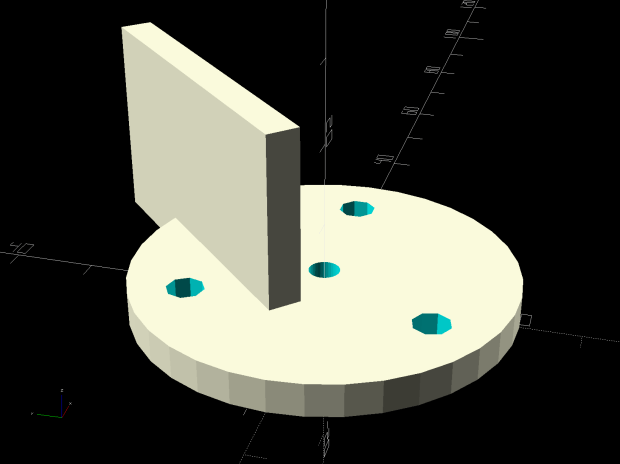
    This original doodle gives the key dimensions, apart from the rounded rear edge required so the seat can pivot vertically upward:

    Cart Hinge - dimension doodle
    Cart Hinge – dimension doodle

    The second seat looks just like this one, so life is good …

  • MPCNC: Calculating Spring Rates

    Calculate the spring rates for the drag knife, diamond engraver, and collet pen holders by measuring the downforce every 0.5 mm (or so):

    LM12UU Collet Pen Holder - spring rate test
    LM12UU Collet Pen Holder – spring rate test

    Then plotting the data points and eyeballing a straight-line curve fit:

    MPCNC - Drag Knife Holder - spring constant
    MPCNC – Drag Knife Holder – spring constant

    Doing it on hard mode definitely has a certain old-school charm. The graph highlights mis-measured data and similar problems, because, if you don’t see a pretty nearly straight line, something’s gone awry.

    But we live in the future, so there’s an easier way:

    Droid48 - Spring Rate - Linear Fit coefficients
    Droid48 – Spring Rate – Linear Fit coefficients

    Well, OK, it’s the future as of the early 1990s, when HP introduced its HP 48 calculators. I’m using the Droid48 emulator on my ancient Google Pixel: living in the past, right here in the future.

    Start by firing up the STAT library (cyan arrow, then the 5 key), selecting Fit Data … from the dropdown list, then selecting the Linear Fit model:

    Droid48 - Spring Rate - Linear Fit screen
    Droid48 – Spring Rate – Linear Fit screen

    Then tap EDIT and enter the data in a tiny spreadsheet:

    Droid48 - Spring Rate - Linear Fit data
    Droid48 – Spring Rate – Linear Fit data

    My default “engineering mode” numeric display format doesn’t show well on the tiny screen. Tapping the WID→ key helps a bit, but shorter numbers would be better.

    With the data entered, set an X value and tap the PRED key to get the corresponding Y value:

    Droid48 - Spring Rate - Linear Fit prediction
    Droid48 – Spring Rate – Linear Fit prediction

    Tapping the OK button puts the line’s coefficients on the stack, as shown in the first picture. Write ’em on a strip of tape, stick to the top of the holder, and it’s all good:

    LM12UU Collet Pen Holder - test plot - overview
    LM12UU Collet Pen Holder – test plot – overview

    Works for me, anyhow.

    HP still has the HP 48g manuals online. The (unofficial) HP Museum has a page on the HP 48S. More than you want to know about the 48 series.

  • MPCNC Collet Pen Holder: LM12UU Edition

    Encouraged by the smooth running of the LM12UU drag knife mount, I chopped off another length of 12 mm shaft:

    LM12UU Collet Pen Holder - sawing shaft
    LM12UU Collet Pen Holder – sawing shaft

    The MicroMark Cut-off saw was barely up to the task; I must do something about its craptastic “vise”. In any event, the wet rags kept the shaft plenty cool and the ShopVac hose directly behind the motor sucked away all of the flying grit.

    The reason I used an abrasive wheel: the shaft is case-hardened and the outer millimeter or two is hard enough to repel a carbide cutter:

    LM12UU Collet Pen Holder - drilling shaft
    LM12UU Collet Pen Holder – drilling shaft

    Fortunately, the middle remains soft enough to drill a hole for the collet pen holder, which I turned down to a uniform 8 mm (-ish) diameter:

    LM12UU Collet Pen Holder - turning collet body
    LM12UU Collet Pen Holder – turning collet body

    Slather JB Kwik epoxy along the threads, insert into the shaft, wipe off the excess, and it almost looks like a Real Product:

    LM12UU Collet Pen Holder - finished body
    LM12UU Collet Pen Holder – finished body

    The far end of the shaft recesses the collet a few millimeters to retain the spring around the pen body, which will also require a knurled ring around the outside so you (well, I) can tighten the collet around the pen tip.

    Start the ring by center-drilling an absurdly long aluminum rod in the steady rest:

    M12UU Collet Pen Holder - center drilling
    M12UU Collet Pen Holder – center drilling

    Although it’s not obvious, I cleaned up the OD before applying the knurling tool:

    LM12UU Collet Pen Holder - knurling
    LM12UU Collet Pen Holder – knurling

    For some unknown reason, it seemed like a Good Idea to knurl without the steady rest, perhaps to avoid deepening the ring where the jaws slide, but Tiny Lathe™ definitely wasn’t up to the challenge. The knurling wheels aren’t quite concentric on their bores and their shafts have plenty of play, so I got to watch the big live center and tailstock wobbulate as the rod turned.

    With the steady rest back in place, drill out the rod to match the shaft’s 12 mm OD:

    LM12UU Collet Pen Holder - drilling shaft
    LM12UU Collet Pen Holder – drilling shaft

    All my “metric” drilling uses hard-inch drills approximating the metric dimensions, of course, because USA.

    Clean up the ring face, file a chamfer on the edge, and part it off:

    LM12UU Collet Pen Holder - parting ring
    LM12UU Collet Pen Holder – parting ring

    Turn some PVC pipe to a suitable length, slit one side so it can collapse to match the ring OD, wrap shimstock to protect those lovely knurls, and face off all the ugly:

    LM12UU Collet Pen Holder - knurled ring facing
    LM12UU Collet Pen Holder – knurled ring facing

    Tweak the drag knife’s solid model for a different spring from the collection and up the hole OD in the plate to clear the largest pen cartridge in the current collection:

    Collet Holder - LM12UU - solid model
    Collet Holder – LM12UU – solid model

    Convince all the parts to fly in formation, then measure the spring rate:

    LM12UU Collet Pen Holder - spring rate test
    LM12UU Collet Pen Holder – spring rate test

    Which works out to be 128 g + 54 g/mm:

    LM12UU Collet Pen Holder - test plot - overview
    LM12UU Collet Pen Holder – test plot – overview

    I forgot the knurled ring must clear the screws and, ideally, the nyloc nuts. Which it does, after I carefully aligned each nut with a flat exactly tangent to the ring. Whew!

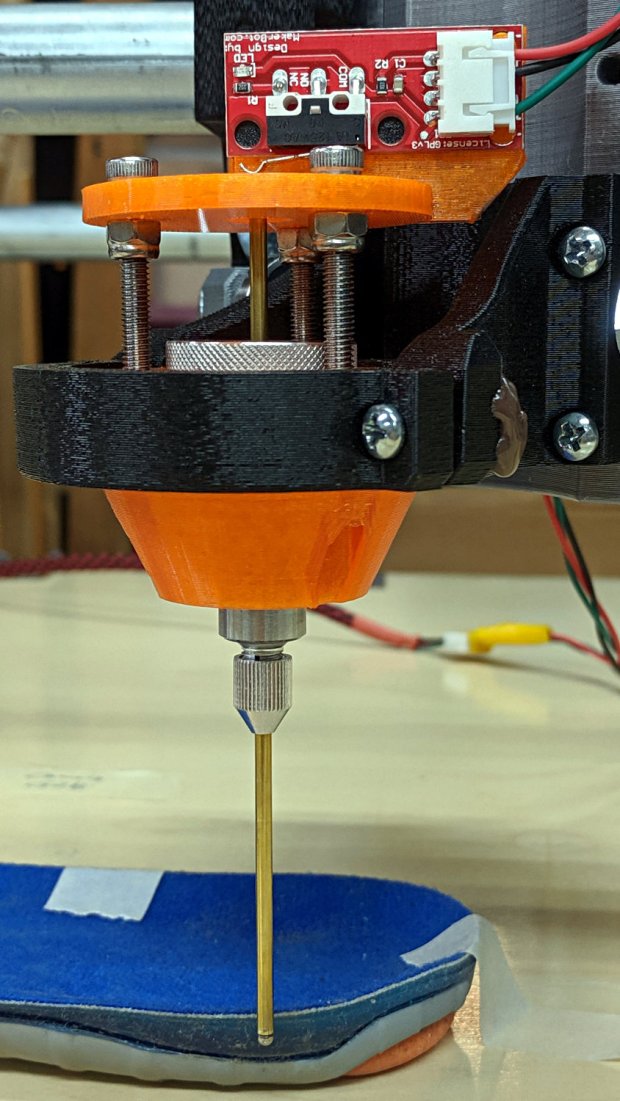
    A closer look at the business end:

    LM12UU Collet Pen Holder - test plot - detail
    LM12UU Collet Pen Holder – test plot – detail

    The shaft has 5 mm of travel, far more than enough for the MPCNC’s platform. Plotting at -1 mm applies 180 g of downforce; the test pattern shown above varies the depth from 0.0 mm in steps of -0.1 mm; anything beyond -0.2 mm gets plenty of ink.

    Now I have a pen holder, a diamond scribe, and a drag knife with (almost) exactly the same “tool offset” from the alignment camera, thereby eliminating an opportunity to screw up.

    The OpenSCAD source code as a GitHub Gist:

    // Collet pen cartridge holder using LM12UU linear bearing
    // Ed Nisley KE4ZNU – 2019-04-26
    // 2019-06 Adapted from LM12UU drag knife holder
    Layout = "Build"; // [Build, Show, Puck, Mount, Plate]
    /* [Extrusion] */
    ThreadThick = 0.25; // [0.20, 0.25]
    ThreadWidth = 0.40; // [0.40]
    /* [Hidden] */
    Protrusion = 0.1; // [0.01, 0.1]
    HoleWindage = 0.2;
    inch = 25.4;
    function IntegerMultiple(Size,Unit) = Unit * ceil(Size / Unit);
    ID = 0;
    OD = 1;
    LENGTH = 2;
    //- Adjust hole diameter to make the size come out right
    module PolyCyl(Dia,Height,ForceSides=0) { // based on nophead's polyholes
    Sides = (ForceSides != 0) ? ForceSides : (ceil(Dia) + 2);
    FixDia = Dia / cos(180/Sides);
    cylinder(r=(FixDia + HoleWindage)/2,h=Height,$fn=Sides);
    }
    //- Dimensions
    // Basic shape of DW660 snout fitting into the holder
    // Lip goes upward to lock into MPCNC mount
    Snout = [44.6,50.0,9.6]; // LENGTH = ID height
    Lip = 4.0; // height of lip at end of snout
    // Holder & suchlike
    Spring = [8.8,10.0,3*ThreadThick]; // compression spring loading knife blade
    PenShaft = 4.5; // hole to pass pen cartridge
    WallThick = 4.0; // minimum thickness / width
    Screw = [4.0,8.5,25.0]; // thread ID, washer OD, length
    Insert = [4.0,6.0,10.0]; // brass insert
    Bearing = [12.0,21.0,30.0]; // linear bearing body
    Plate = [PenShaft,Snout[OD] – WallThick,WallThick]; // spring reaction plate
    echo(str("Plate: ",Plate));
    SpringSeat = [0.56,7.2,2*ThreadThick]; // wire = ID, coil = OD, seat depth = length
    PuckOAL = max(Bearing[LENGTH],(Snout[LENGTH] + Lip)); // total height of DW660 fitting
    echo(str("PuckOAL: ",PuckOAL));
    Key = [Snout[ID],25.7,(Snout[LENGTH] + Lip)]; // rectangular key
    NumScrews = 3;
    //ScrewBCD = 2.0*(Bearing[OD]/2 + Insert[OD]/2 + WallThick);
    ScrewBCD = (Snout[ID] + Bearing[OD])/2;
    echo(str("Screw BCD: ",ScrewBCD));
    NumSides = 9*4; // cylinder facets (multiple of 3 for lathe trimming)
    module DW660Puck() {
    translate([0,0,PuckOAL])
    rotate([180,0,0]) {
    cylinder(d=Snout[OD],h=Lip/2,$fn=NumSides);
    translate([0,0,Lip/2])
    cylinder(d1=Snout[OD],d2=Snout[ID],h=Lip/2,$fn=NumSides);
    cylinder(d=Snout[ID],h=(Snout[LENGTH] + Lip),$fn=NumSides);
    translate([0,0,(Snout[LENGTH] + Lip) – Protrusion])
    cylinder(d1=Snout[ID],d2=2*WallThick + Bearing[OD],h=PuckOAL – (Snout[LENGTH] + Lip),$fn=NumSides);
    intersection() {
    translate([0,0,0*Lip + Key.z/2])
    cube(Key,center=true);
    cylinder(d=Snout[OD],h=Lip + Key.z,$fn=NumSides);
    }
    }
    }
    module MountBase() {
    difference() {
    DW660Puck();
    translate([0,0,-Protrusion]) // bearing
    PolyCyl(Bearing[OD],2*PuckOAL,NumSides);
    for (i=[0:NumScrews – 1]) // clamp screws
    rotate(i*360/NumScrews)
    translate([ScrewBCD/2,0,-Protrusion])
    rotate(180/8)
    PolyCyl(Insert[OD],2*PuckOAL,8);
    }
    }
    module SpringPlate() {
    difference() {
    cylinder(d=Plate[OD],h=Plate[LENGTH],$fn=NumSides);
    translate([0,0,-Protrusion]) // pen cartridge hole
    PolyCyl(PenShaft,2*Plate[LENGTH],NumSides);
    translate([0,0,Plate[LENGTH] – Spring[LENGTH]]) // spring retaining recess
    PolyCyl(Spring[OD],Spring[LENGTH] + Protrusion,NumSides);
    for (i=[0:NumScrews – 1]) // clamp screws
    rotate(i*360/NumScrews)
    translate([ScrewBCD/2,0,-Protrusion])
    rotate(180/8)
    PolyCyl(Screw[ID],2*PuckOAL,8);
    if (false)
    for (i=[0:NumScrews – 1]) // coil positioning recess
    rotate(i*360/NumScrews)
    translate([ScrewBCD/2,0,-Protrusion])
    rotate(180/8)
    PolyCyl(SpringSeat[OD],SpringSeat[LENGTH] + Protrusion,8);
    }
    }
    //—–
    // Build it
    if (Layout == "Puck")
    DW660Puck();
    if (Layout == "Plate")
    SpringPlate();
    if (Layout == "Mount")
    MountBase();
    if (Layout == "Show") {
    MountBase();
    translate([0,0,1.6*PuckOAL])
    rotate([180,0,0])
    SpringPlate();
    }
    if (Layout == "Build") {
    translate([0,Snout[OD]/2,PuckOAL])
    rotate([180,0,0])
    MountBase();
    translate([0,-Snout[OD]/2,0])
    SpringPlate();
    }

  • Runtime Error!

    Spotted high on the wall of the local USPS office:

    Windows Runtime Error - VLC - monitor
    Windows Runtime Error – VLC – monitor

    A closer look:

    Windows Runtime Error - VLC
    Windows Runtime Error – VLC

    Huh.

    The USPS uses VLC. Who knew?

    I darken their doorway so infrequently I have no idea what’s normally displayed up there. Surely it shows advertisements for USPS products, which begs the question: why VLC?