Ed Nisley's Blog: Shop notes, electronics, firmware, machinery, 3D printing, laser cuttery, and curiosities. Contents: 100% human thinking, 0% AI slop.
Mary signed up for the National Bike Challenge and is currently ranked 4201 out of 32 k riders, by simply getting on the damn bike and riding. About 3/4 of her miles count as “transport”: grocery / gardening / shopping / suchlike. We’re no longer biking to work, but when we did, riding ten miles a day, every day, added up pretty quickly; we chose houses in locations that made bicycle commuting possible.
Her father, at age 84, also signed up and ranked neck-and-neck with her until cataract surgery cut into his riding schedule; their standings flip-flopped depending on who updated most recently. He’s our role model for getting old without slowing down.
I’m not participating, being far more quantified than anyone really should be.
Makes you wonder what the bottom 28 k (*) riders are doing, doesn’t it? I mean, sheesh, my esteemed wife spots most participants an entire lifetime or two; her father spots them three or four. They’re not star athletes, that’s for sure, but they’re doing just fine.
(*) The Challenge had over 40 k riders at one point. We think they’ve tossed folks who haven’t done any riding at all, which might serve to improve the overall averages.
Both Shimano SPD pedals on my Tour Easy have been creaking while climbing hills and I’ve gradually eliminated all the usual mechanical suspects: loose bottom bracket bearings (it’s a cartridge), loose cranks (they’re the old-school tapered squares), loose pedal spindles, and so forth. Of course, it’s impossible to produce the creak with the bike clamped in the work stand, which make debugging particularly frustrating.
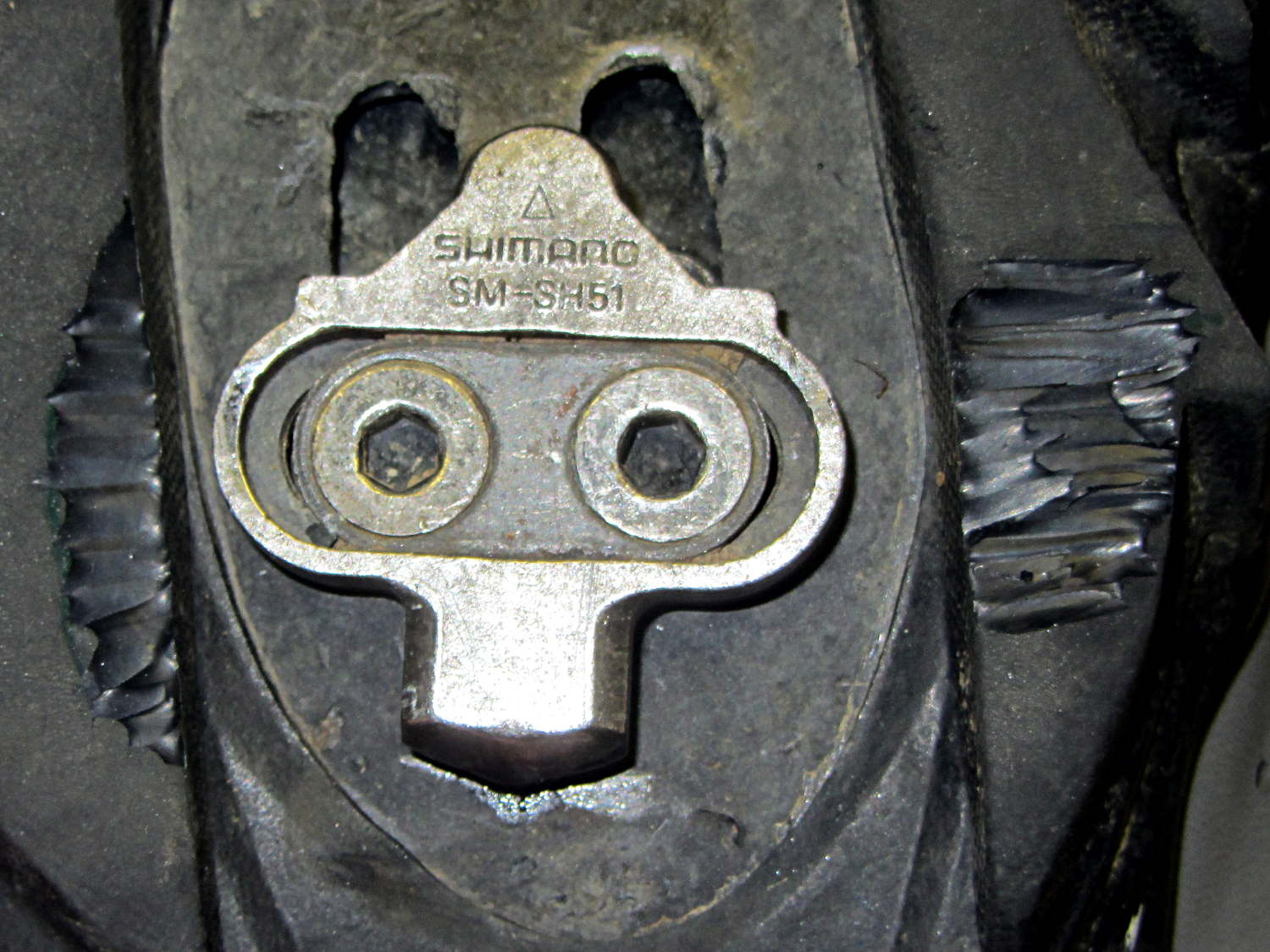
After all that, I noticed the shoe soles were wearing the pedal frames just outside the cleat clamps:
Shimano SPD pedal – shoe sole abrasion
So I went so far as to carve away a bit of the sole:
Shimano SPD cleat – trimmed shoe sole
Turns out none of that solved the problem.
What did solve the problem: a drop of oil on the rear of the cleat. You can see a smear of oil on the sole; it doesn’t take quite so much.
As nearly as I can tell, the rear of the cleat drags on the slightly irregular surface of the clamp and, both surfaces being hardened steel, they stick-and-slip just slightly.
A dab of grease may provide longer-lasting relief …
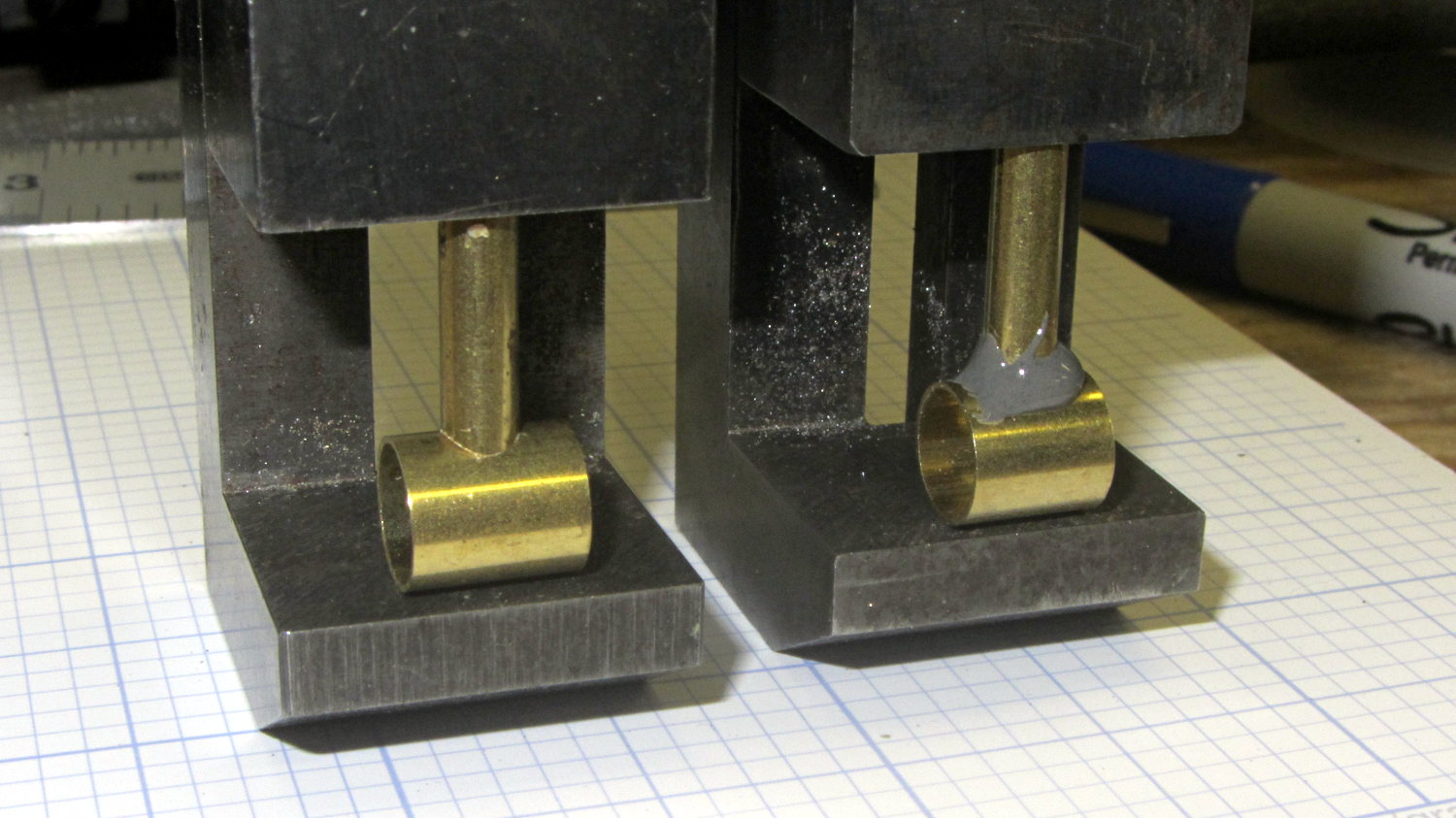
The last time around, this involved silver soldering the boom wire directly to the mic housing. This time, I filed a fishmouth in the smaller tube and epoxied it to the tube that’ll hold the mic capsule:
Bike Helmet Mic Boom – housing
The smaller tube is a loose slip fit for #10 copper wire, but that’s really too heavy for the boom. I’ll probably nestle #12 wire inside another tube and epoxy that whole affair in place.
The mic capsule tube needs a rounded notch filed in one end to accommodate the wire.
The 170° fisheye lens on the HDR-AS30V action camera protrudes from the front of the case, the better to view the passing scenery:
Sony HDR-AS30V Action Camera
Unfortunately, that means there’s nothing to protect it when the scenery gets a bit too close.
Mounting it upside-down in the skeleton frame provides a bit of protection, by putting it inside the straight line connecting the helmet brim with the top of the frame:
Sony HDR-AS30V camera on bike helmet – inverted
That won’t protect it from severe impacts, but perhaps a casual drop won’t scar the lens. You can tell from the scuffs that the helmet does get dropped every now and then.
When you remove the skeleton mount from the helmet, grip the camera between finger and thumb while releasing the latch with your other hand. The mount will dangle from your fingers and the camera won’t slide out; if you don’t have both hands free, don’t mess with the camera.
Even though it doesn’t look at all like a GoPro Hero, everybody recognizes the “camera on helmet” meme and, in general, behaves a bit more circumspectly. I didn’t see that coming, not at all.
Much of the boat traffic on the Hudson consists of barges shuttling bulk commodities between the Atlantic and the Port of Albany. I think this is a crude oil barge, based on the Christmas Tree plumbing that was more visible when it passed under the Mid Hudson Bridge:
Walkway and Barge – from Mid Hudson Bridge
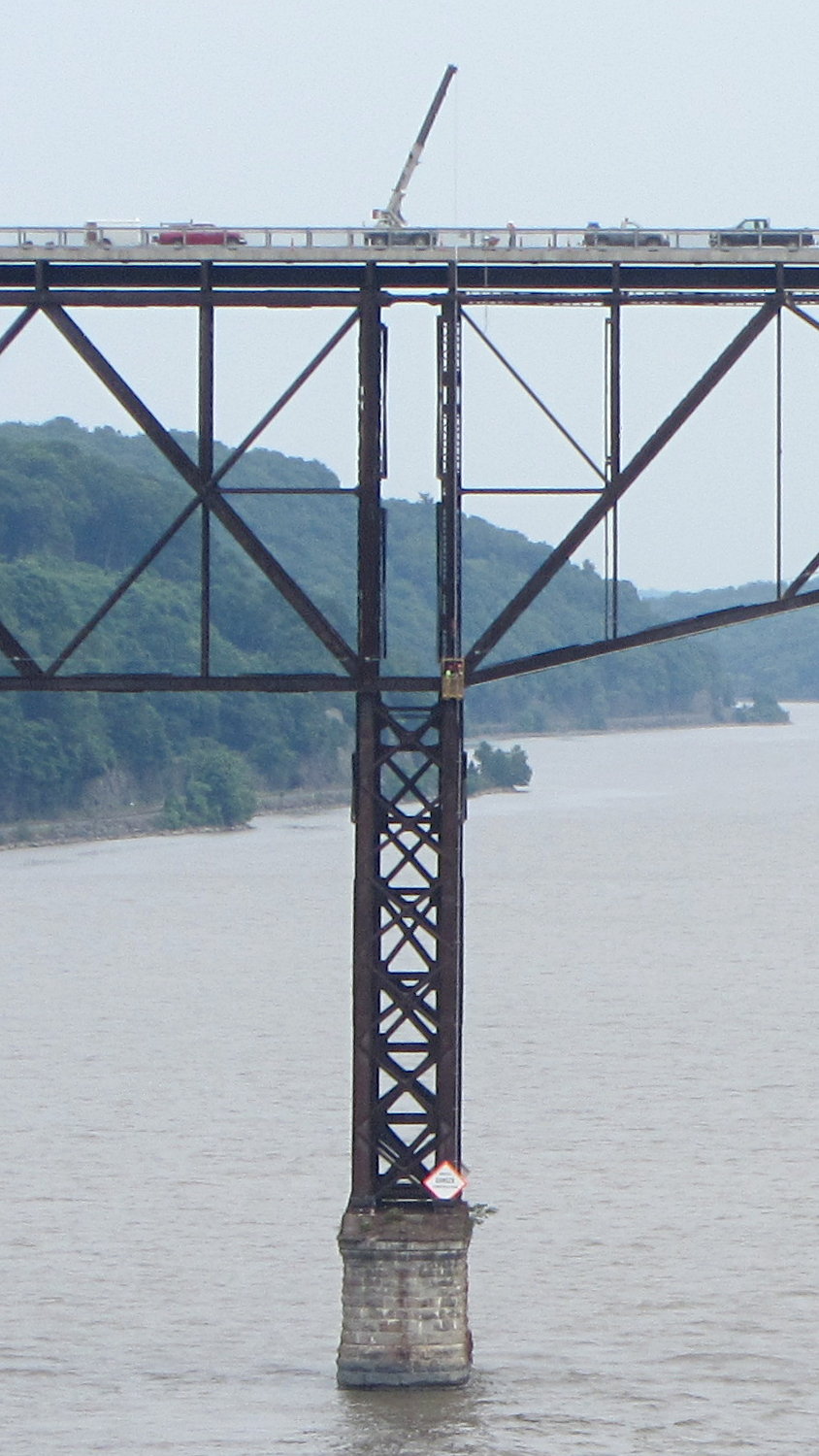
We crossed the Walkway Over the Hudson westbound, where a work crew was tending a crane. That’s how they do repair and inspection:
Walkway Inspection Crane – from Mid Hudson Bridge
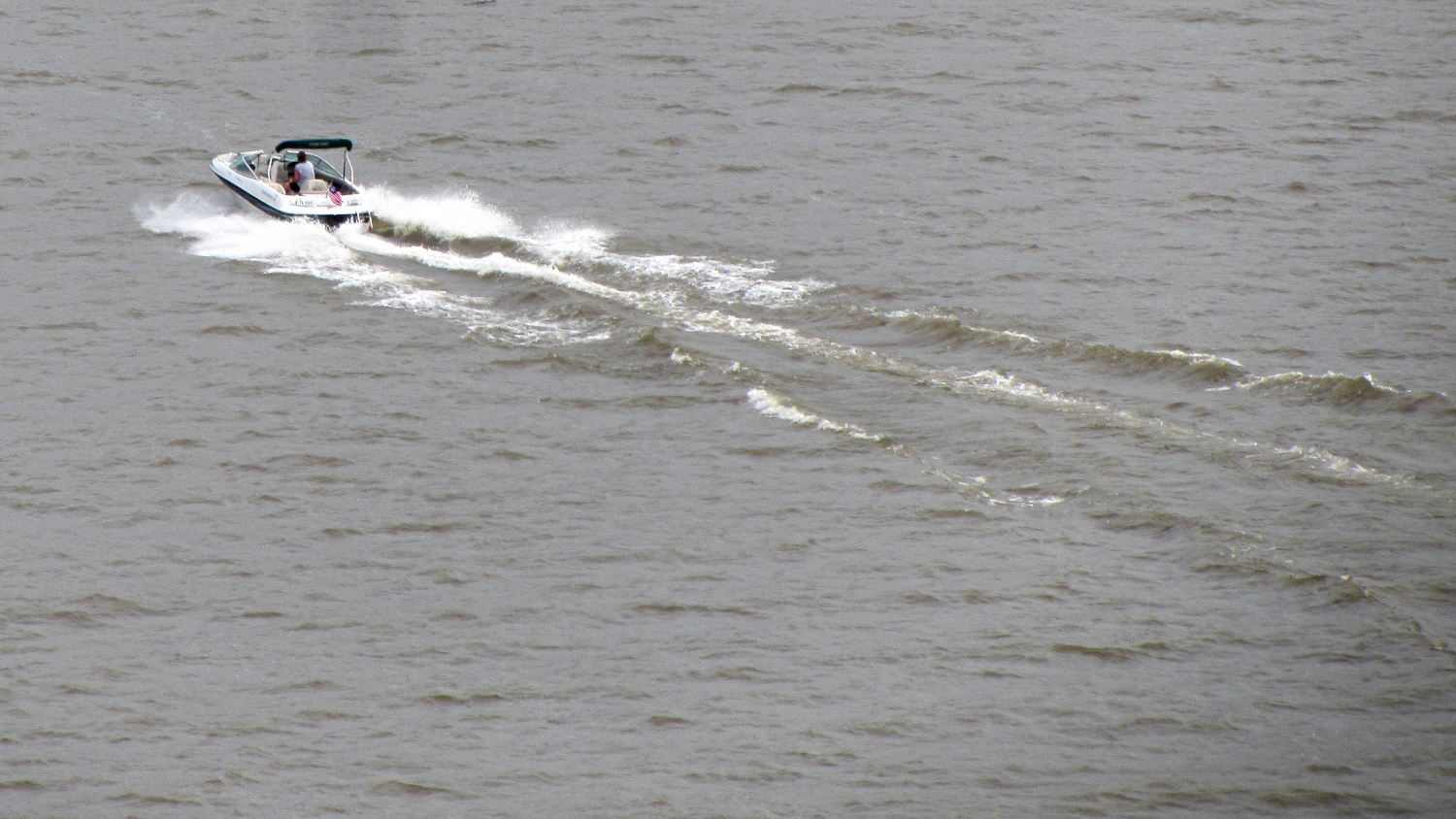
The Hudson River has far fewer power boats than in years gone by, probably due to their gallon-per-minute fuel consumption:
Power boat on Hudson River – from Mid Hudson Bridge
Because the current control loop closes through the Arduino loop(), the code’s path length limits the bandwidth. Worse, the PWM filter imposes a delay while the DC value catches up with the new duty cycle. Here’s what that looks like:
LoopStatus ILED 50 mA div – 200 50 150 25 mA
The setpoint current for this pulse is 200 mA, ramping upward from 50 mA. It should have started from 25 mA, but the loop really wasn’t under control here.
The top trace goes low during the drain current measurement, which occurs just before the code nudges the gate drive by 1 PWM count to reduce the error between the setpoint and the measurement. A delay(1) after each PWM change, plus the inherent delay due to all the program statements, produces an update every 1.7 ms, more or less.
Even at that low rate, the current overshoots by 50 mA before the loop can tamp it down again. The current varies by 200 mA for 7 PWM counts, call it 30 mA per count at the high end, so overshooting by 50 mA comes with the territory. There’s just not a lot of resolution available.
The program reads each pulse duration and amplitude from an array-of-structs, so it’s a simple matter of software to save the gate drive voltage at the end of each pulse and restore it when that pulse comes around on the guitar again:
if (millis() >= (EventStart + (unsigned long)Events[EventIndex].duration)) {
Events[EventIndex].drive_a = VGateDriveA; // save drive voltages
Events[EventIndex].drive_b = VGateDriveB;
if (++EventIndex > MAX_EVENT_INDEX) // step to next event
EventIndex = 0;
VGateDriveA = Events[EventIndex].drive_a; // restore previous drives
VGateDriveB = Events[EventIndex].drive_b;
SetPWMVoltage(PIN_SET_VGATE_A,VGateDriveA);
SetPWMVoltage(PIN_SET_VGATE_B,VGateDriveB);
delay(PWM_Settle);
digitalWrite(PIN_ENABLE_A,Events[EventIndex].en_a); // enable gates for new state
digitalWrite(PIN_ENABLE_B,Events[EventIndex].en_b);
NeedHallNull = !(Events[EventIndex].en_a || Events[EventIndex].en_b); // null sensor if all off
EventStart = millis(); // record start time
}
… which produces this happy result, with a different time scale to show all four pulses in the array:
I Sense Amp ILED 50 mA div – 200 100 150 50 mA
The top trace shows the current amp output that goes into the Arduino analog input and the bottom trace shows the MOSFET drain current. Notice those nice, crisp edges with a nearly complete lack of current adjustment.
The small bumps in the amp output just after the LED turns off happen while the the code nulls the Hall effect sensor offset. Whenever the LEDs turn off, the code nulls the sensor, which is probably excessive; it really doesn’t have much else to do, so why not?
This trickery doesn’t improve the loop bandwidth at all, because the code must still drag the current to meet each setpoint, but now that happens only when the pulse first appears. After a few blinks, the current stabilizes at the setpoint and the loop need handle only slight variations due to temperature or battery voltage changes.
Speaking of voltages:
VDS ILED 50 mA div – 200 100 150 50 mA
The top trace now shows the MOSFET drain voltage and the bottom still has the LED current. There’s only 650 mV of difference at the drain for currents of 50 mA and 200 mA through the LEDs, with about 1 V of headroom remaining at 200 mA.
The power supply delivers 7.4 V to the anode end of the LEDs, so they drop 6.3 V @ 200 mA and 5.7 V @ 50 mA. Some informal knob twiddling suggests that the MOSFET loses control authority at about 6.5 V, so, given that there’s not much energy in the battery below 7.0 V anyway, the program could limit the maximum current to 50 mA when the battery hits 7 V, regain 650 mV of headroom, and run at reduced brightness (and perhaps a different blink pattern) until the battery drops to 6.5 V, at which point the lights go out.
There’s more improvement to be had in the code, but those pulses look much better.
(If you’re keeping track, as I generally don’t, this is Post Number 2048: love those round numbers!)