The Smell of Molten Projects in the Morning

Ed Nisley's Blog: Shop notes, electronics, firmware, machinery, 3D printing, laser cuttery, and curiosities. Contents: 100% human thinking, 0% AI slop.

Category: Photography & Images

Taking & making images.

  • HP 7475A Plotter: SuperFormula With Paper Size Sensing

    Well, it’s actually not “sensing”, but the demo code now sizes the graph to the paper size reported by the plotter, so you can plot on cheap and readily available A-size paper. The Vulcan Nerve Pinch that switches paper size on the fly is Enter+Size; I leave the DIP switches set for B-size sheets, because they’re more impressive and take longer to plot.

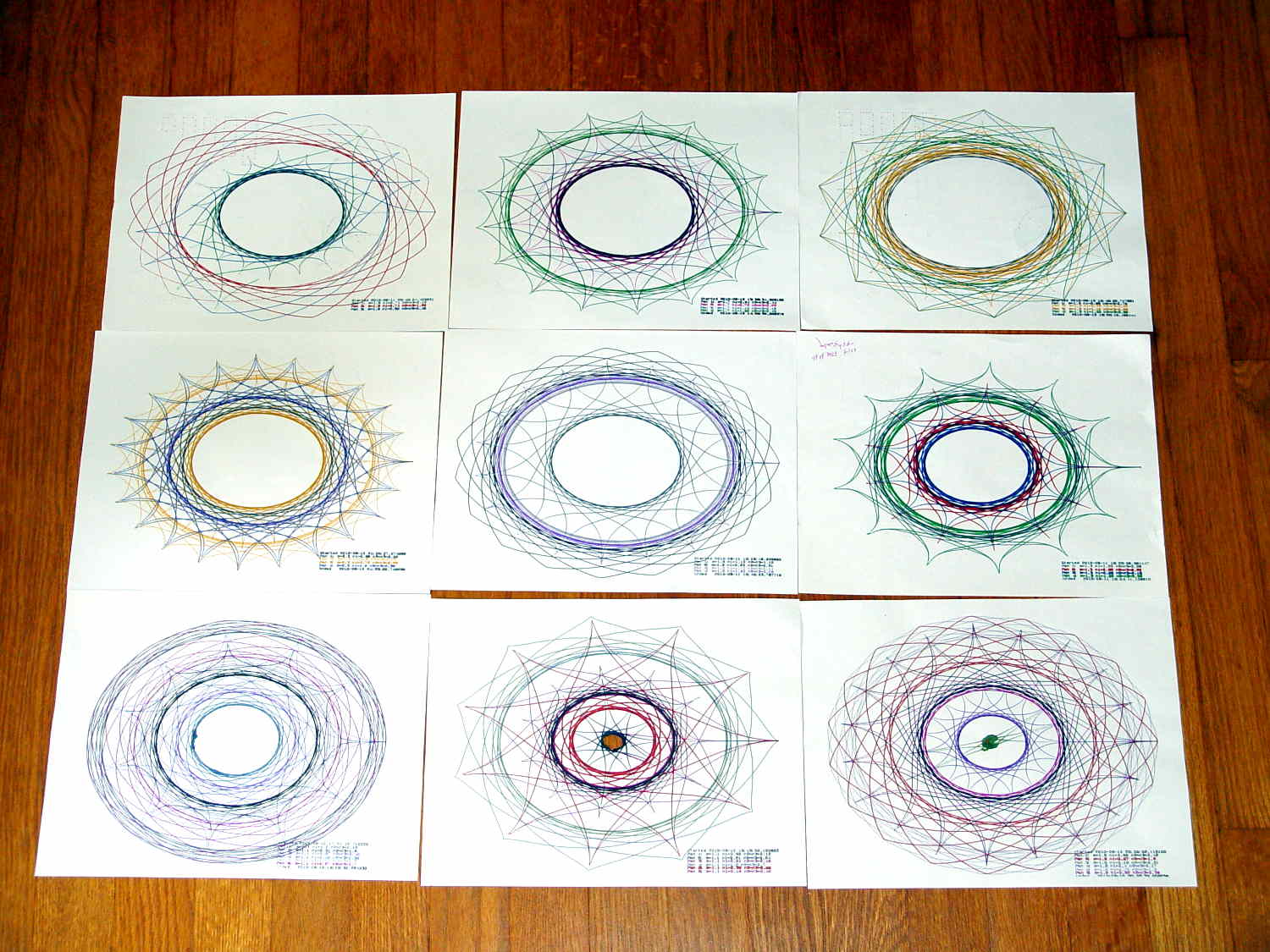
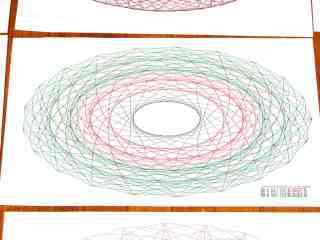
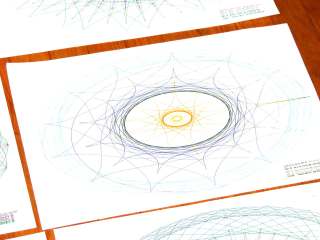
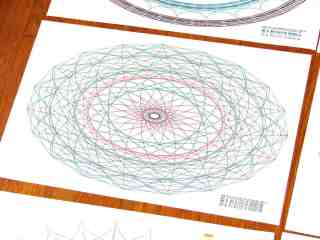
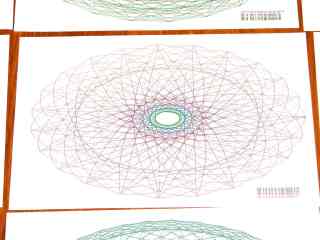
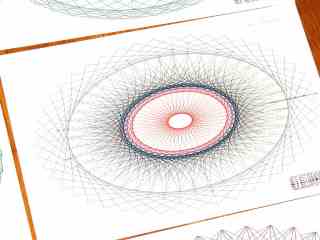
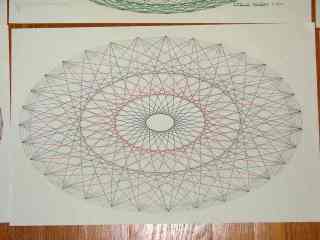
    A collection of A-size plots:


    Superformula Plots - A-size paper
    Superformula Plots – A-size paper

    The perspective foreshortening makes the sheets look square and the plots seem circular; they’re not.

    The plots lie in rough time sequence from lower left to upper right, showing that I tweaked the n1 parameter to avoid the sort of tiny middle that gnawed a hole right through the center-bottom sheet. I also removed higher m parameter values, because more than 50-ish points doesn’t work well on smaller sheets.

    I figured out how to use the Python ternary “operator” and tweaked the print formatting, but basically it’s a hack job through & through.

    The Python source code, including the hacked Chiplotle routines that produce the SuperFormula:

    from chiplotle import *
    from math import *
    from datetime import *
    import random
    
    def superformula_polar(a, b, m, n1, n2, n3, phi):
       ''' Computes the position of the point on a
       superformula curve.
       Superformula has first been proposed by Johan Gielis
       and is a generalization of superellipse.
       see: http://en.wikipedia.org/wiki/Superformula
       Tweaked to return polar coordinates
       '''
    
       t1 = cos(m * phi / 4.0) / a
       t1 = abs(t1)
       t1 = pow(t1, n2)
    
       t2 = sin(m * phi / 4.0) / b
       t2 = abs(t2)
       t2 = pow(t2, n3)
    
       t3 = -1 / float(n1)
       r = pow(t1 + t2, t3)
       if abs(r) == 0:
          return (0,0)
       else:
     #     return (r * cos(phi), r * sin(phi))
         return (r,phi)
    
    
    def supershape(width, height, m, n1, n2, n3, 
       point_count=10*1000, percentage=1.0, a=1.0, b=1.0, travel=None):
       '''Supershape, generated using the superformula first proposed 
       by Johan Gielis.
    
       - `points_count` is the total number of points to compute.
       - `travel` is the length of the outline drawn in radians. 
          3.1416 * 2 is a complete cycle.
       '''
       travel = travel or (10*2*pi)
    
       ## compute points...
       phis = [i * travel / point_count 
          for i in range(1 + int(point_count * percentage))]
       points = [superformula_polar(a, b, m, n1, n2, n3, x) for x in phis]
    
       ## scale and transpose...
       path = [ ]
       for r, a in points:
          x = width * r * cos(a)
          y = height * r * sin(a)
          path.append(Coordinate(x, y))
    
       return Path(path)
    
    
    ## RUN DEMO CODE
    
    if __name__ == '__main__':
        
       plt=instantiate_plotters()[0]
    #   plt.write('IN;')
       
       if plt.margins.soft.width < 11000:               # A=10365 B=16640
           maxplotx = (plt.margins.soft.width / 2) - 100
           maxploty = (plt.margins.soft.height / 2) - 150
           legendx = maxplotx - 2600
           legendy = -(maxploty - 650)
           tscale = 0.45
           numpens = 4
           m_list = [n/10.0 for n in [11, 13, 17, 19, 23]];   # prime/10 = number of spikes
           n1_list = [n/100.0 for n in range(55,75,1) + range(80,120,5) + range(120,200,10)]  # ring-ness 0.1 to 2.0, higher is larger
       else:
           maxplotx = plt.margins.soft.width / 2
           maxploty = plt.margins.soft.height / 2
           legendx = maxplotx - 3000
           legendy = -(maxploty - 700)
           tscale = 0.45
           numpens = 6
           m_list = [n/10.0 for n in [11, 13, 17, 19, 23, 29, 31, 37, 41, 43, 47, 53, 59]];   # prime/10 = number of spikes
           n1_list = [n/100.0 for n in range(15,75,1) + range(80,120,5) + range(120,200,10)]  # ring-ness 0.1 to 2.0, higher is larger
           
       print "Max: ({},{})".format(maxplotx,maxploty)
       
       n2_list = [n/100.0 for n in range(10,50,1) + range(55,100,5) + range(110,200,10)]  # spike-ness 0.1 to 2.0, lower is spiky
    
       plt.write(chr(27) + '.H200:')   # set hardware handshake block size
       plt.set_origin_center()
       plt.write(hpgl.SI(tscale*0.285,tscale*0.375))    # scale based on B size characters
       plt.write(hpgl.VS(10))                           # slow speed for those abrupt spikes
    
       plt.select_pen(1)                                # standard loadout has pen 1 = black
       plt.write(hpgl.PA([(legendx,legendy)]))
       plt.write(hpgl.LB("Started " + str(datetime.today())))
       m = random.choice(m_list)
    
       pen = 1
       for n1, n2 in zip(random.sample(n1_list,numpens),random.sample(n2_list,numpens)):
        n3 = n2
        print "{0} - m: {1:.1f}, n1: {2:.2f}, n2=n3: {3:.2f}".format(pen,m,n1,n2)
        plt.select_pen(pen)
        plt.write(hpgl.PA([(legendx, legendy - 100*pen)]))
        plt.write(hpgl.LB("Pen {0}: m={1:.1f} n1={2:.2f} n2=n3={3:.2f}".format(pen,m,n1,n2)))
        e = supershape(maxplotx, maxploty, m, n1, n2, n3)
        plt.write(e)
        pen = pen + 1 if (pen % numpens) else 1
    
       plt.select_pen(1)
       plt.write(hpgl.PA([(legendx, legendy - 100*(numpens + 1))]))
       plt.write(hpgl.LB("Ended   " + str(datetime.today())))
       plt.select_pen(0)
    
  • Stereo Zoom Microscope: USB Camera Mount

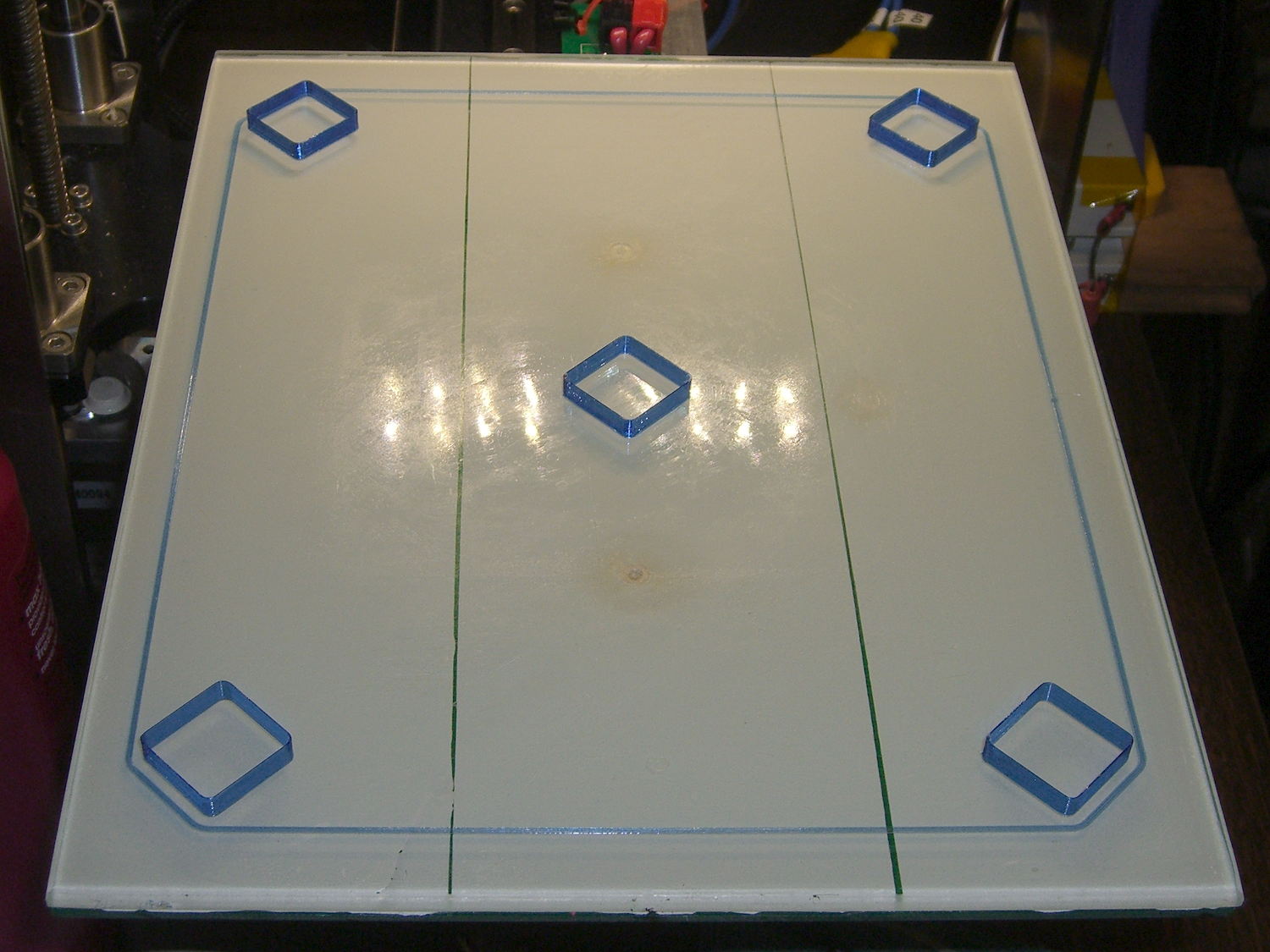
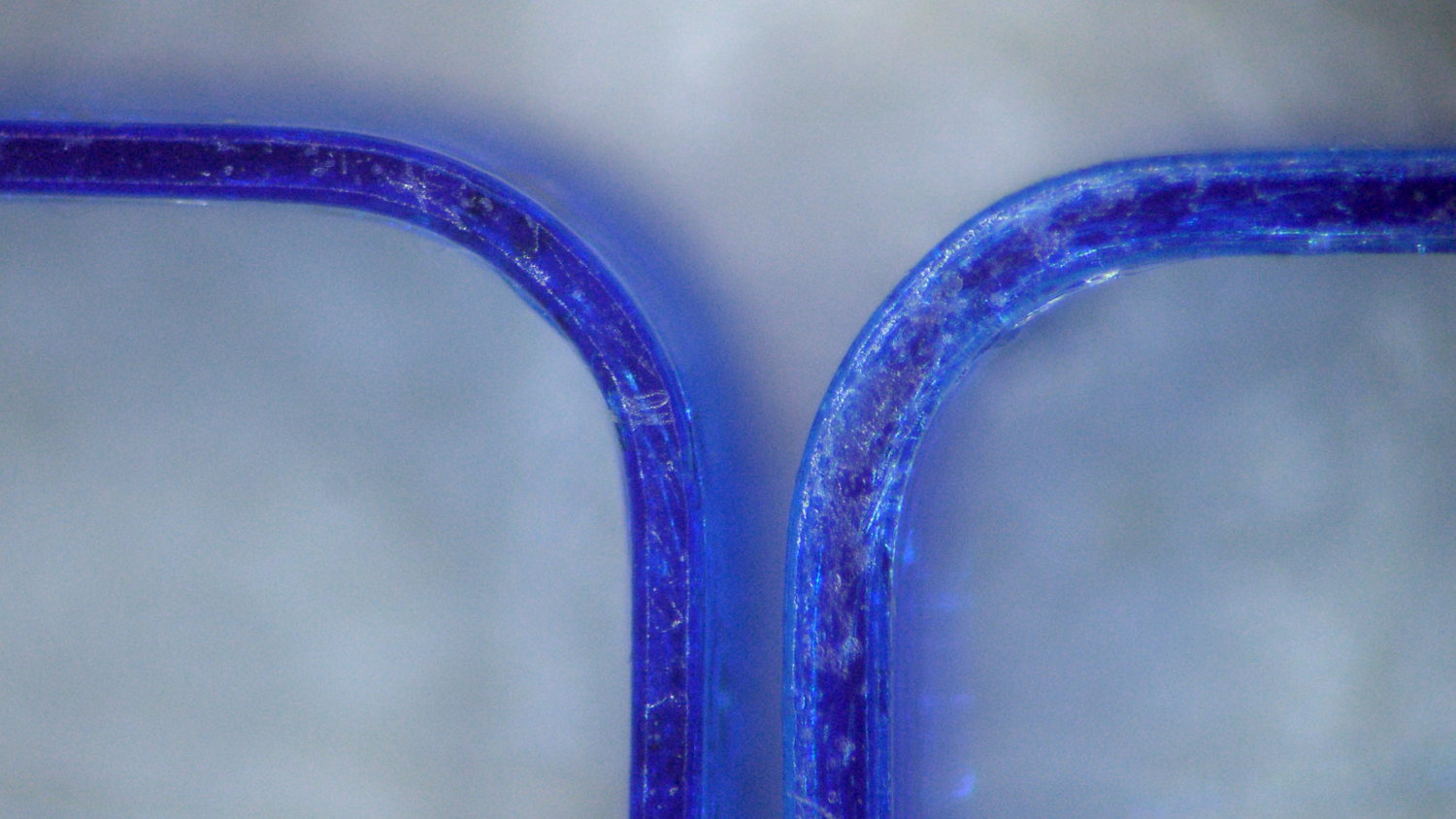
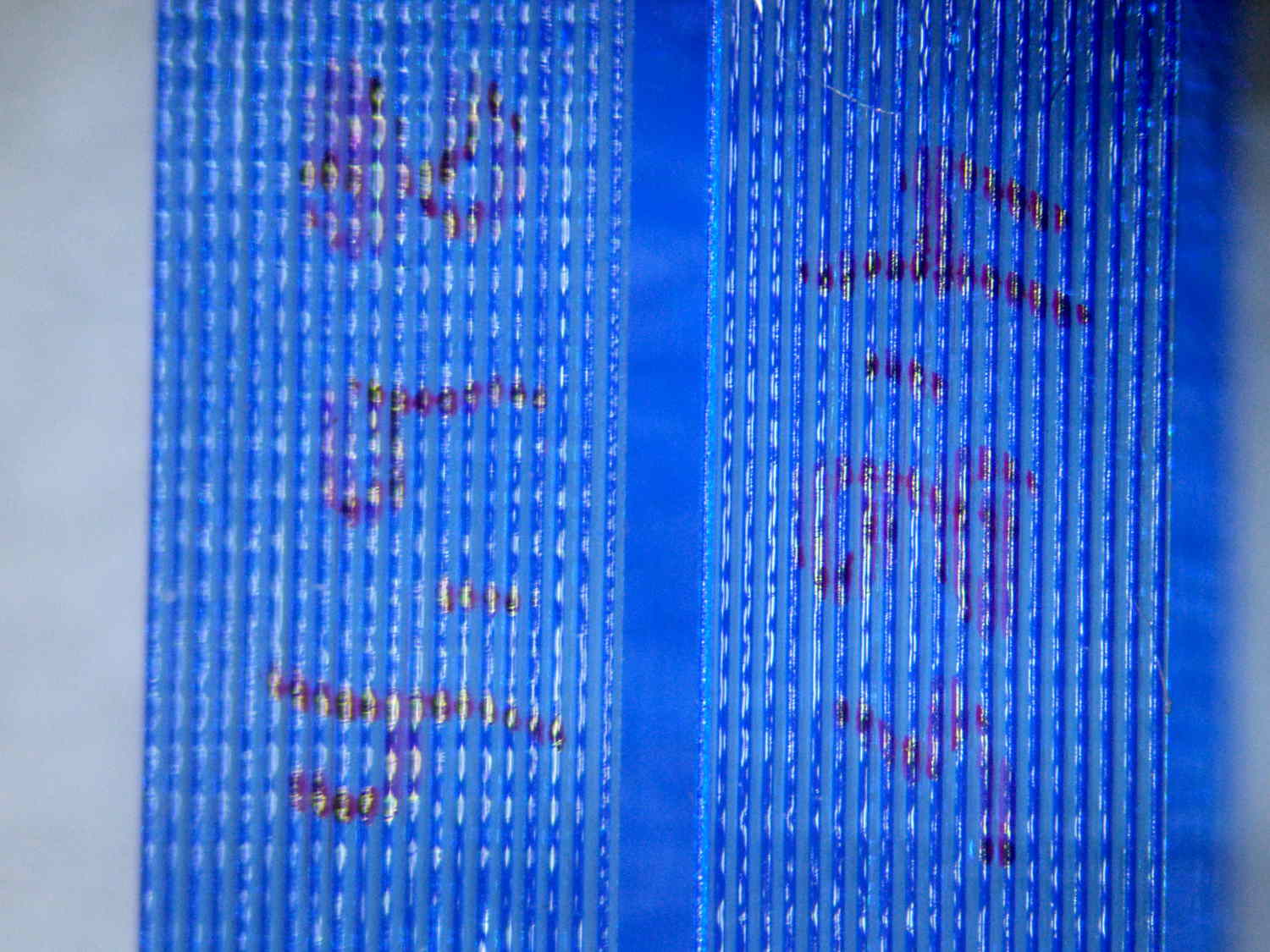
    My stereo zoom microscope neatly filled the entrance pupil of the late, lamented Casio EX-Z850, so that a simple adapter holding it on the eyepiece produced credible images:

    Thinwall open boxes - side detail - 4.98 4.85 measured
    Thinwall open boxes – side detail – 4.98 4.85 measured

    Alas, the shutter failed after that image, leaving me with pictures untaken and naught to take them with.

    The least-awful alternative seems to be gimmicking up an adapter for a small USB camera from the usual eBay source:

    Fashion USB video - case vs camera
    Fashion USB video – case vs camera

    The camera’s 640×480 VGA resolution is marginally Good Enough for the purpose, as I can zoom the microscope to completely fill all those pixels. The optics aren’t up to the standard set by the microscope, but we can cope with that for a while.

    A bit of doodling & OpenSCAD tinkering produced a suitable adapter:

    USB Camera Microscope Mount - solid model
    USB Camera Microscope Mount – solid model

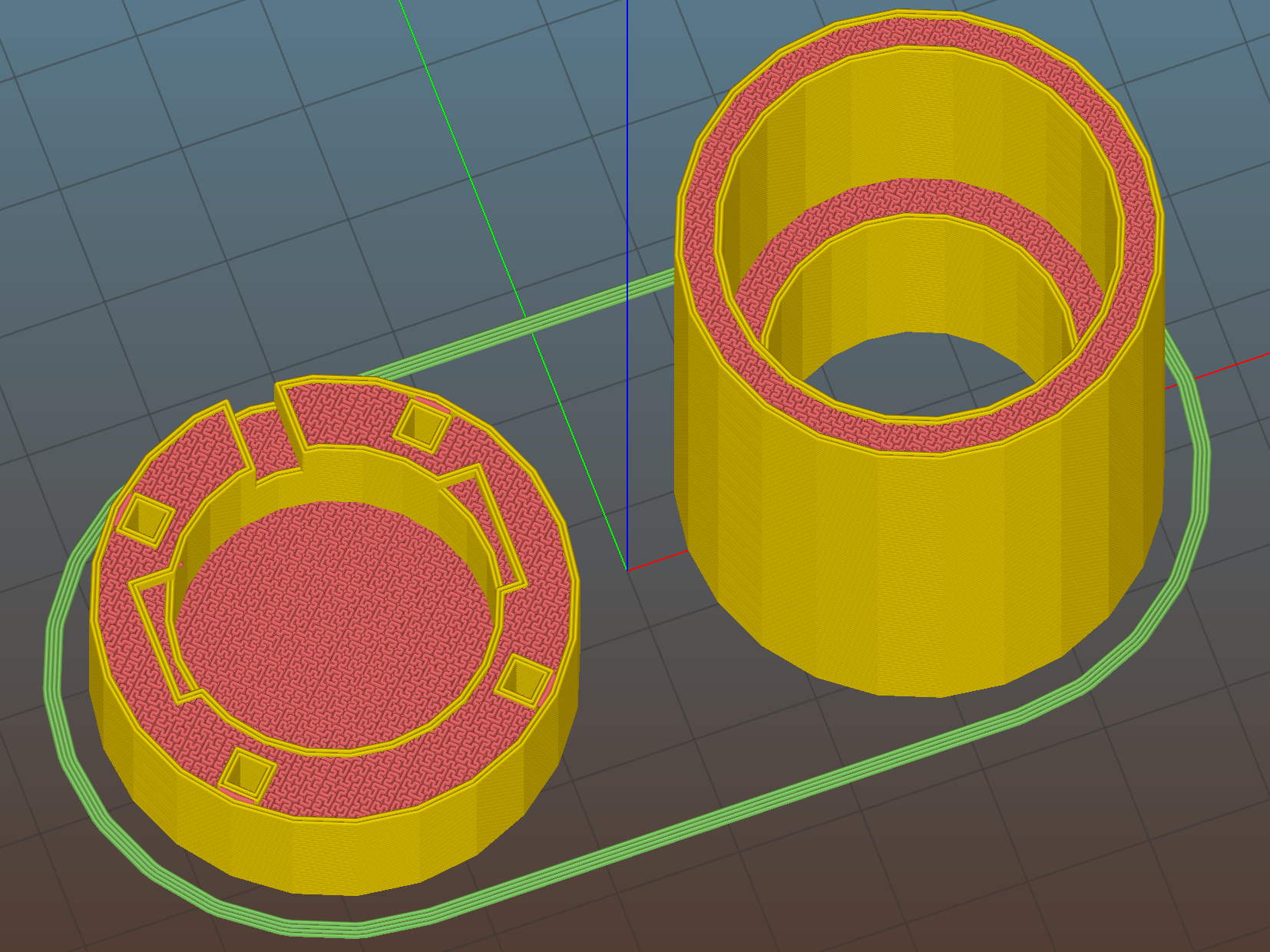
    To which Slic3r applied the usual finishing touches:

    USB Camera Microscope Mount - Slic3r preview
    USB Camera Microscope Mount – Slic3r preview

    A bit of silicone tape holds the sloppy focusing thread in place:

    USB Camera Microscope Mount - cap with camera
    USB Camera Microscope Mount – cap with camera

    Those are 2-56 screws that will hold the cap onto the tube. I drilled out the clearance holes in the cap and tapped the holes in the eyepiece adapter by hand, grabbing the bits with a pin vise.

    Focus the lens at infinity, which in this case meant an old DDJ cover poster on the far wall of the Basement Laboratory, and then it’ll be just as happy with the image coming out of the eyepiece as a human eyeball would be.

    I put a few snippets of black electrical tape atop the PCB locating tabs before screwing the tube in place. The tube ID is 1 mm smaller than the PCB OD, in order to hold the PCB perpendicular to the optical axis and clamp it firmly in place. Come to find out that the optical axis of the lens isn’t perfectly perpendicular to the PCB, but it’s close enough for my simple needs.

    And then it fits just like you’d expect:

    USB Camera Microscope Mount - on eyepiece
    USB Camera Microscope Mount – on eyepiece

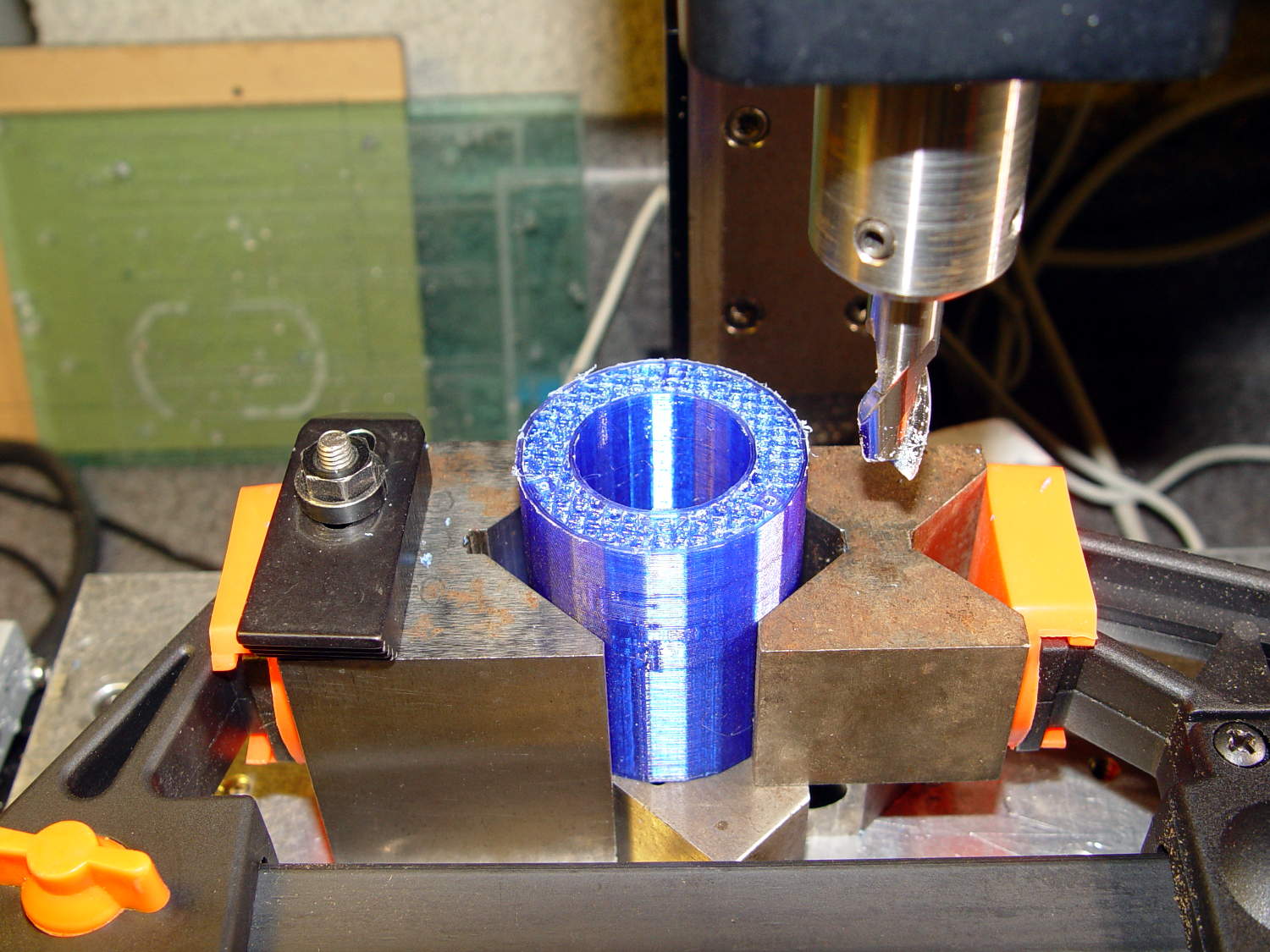
    Actually, that’s the second version. The distance from the camera lens (equivalently: the PCB below the optical block, which I used as the datum plane) to the eyepiece is a critical dimension that determines whether the image fills the entrance pupil. I guesstimated the first version by hand-holding the camera and measuring with a caliper, tried it out, then iteratively whacked 2 mm off the tube until the image lit up properly:

    USB Camera Microscope Mount - adjusting tube length
    USB Camera Microscope Mount – adjusting tube length

    Minus 4 mm made it slightly too short, but then I could measure the correct position, tweak that dimension in the code, and get another adapter, just like the first one (plus a few other minor changes), except that it worked:

    USB Camera Microscope Mount - first light
    USB Camera Microscope Mount – first light

    That’s a screen capture from VLC, which plays from /dev/video0 perfectly. Some manual exposure & color balance adjustment may be in order, but it’s pretty good for First Light.

    It turns out that removing the eyepiece and holding the bare sensor over the opening also works fine. The real image from the objective fills much more area than the camera’s tiny sensor: the video image covers about one digit in that picture, but gimmicking up a bare-sensor adapter might be useful.

    The OpenSCAD source code:

    // USB Camera mount for Microscope Eyepiece
    // Ed Nisley KE4ZNU - August 2015
    
    Layout = "Build";                    // Show Build Mount Cap
    
    //-------
    //- Extrusion parameters must match reality!
    //  Print with 2 shells
    
    ThreadThick = 0.25;
    ThreadWidth = 0.40;
    
    HoleWindage = 0.2;
    
    Protrusion = 0.1;           // make holes end cleanly
    
    function IntegerMultiple(Size,Unit) = Unit * ceil(Size / Unit);
    
    inch = 25.4;
    
    Tap2_56 = 0.070 * inch;
    Clear2_56 = 0.082 * inch;
    Head2_56 = 0.156 * inch;
    Head2_56Thick = 0.055 * inch;
    Nut2_56Dia = 0.204 * inch;
    Nut2_56Thick = 0.065 * inch;
    Washer2_56OD = 0.200 * inch;
    Washer2_56ID = 0.095 * inch;
    
    BuildGap = 5.0;
    
    //-------
    // Dimensions
    
    //-- Camera
    
    PCBThick = 1.1;
    PCBDia = 24.5;
    PCBClampDia = 23.0;
    
    KeySize = [IntegerMultiple(27.6,ThreadWidth),IntegerMultiple(9.5,ThreadWidth),IntegerMultiple(PCBThick,ThreadThick)];
    KeyOffset = [0.0,1.5,0];
    
    CameraOffset = 22.3;                    // distance from eyepiece to camera PCB
    
    WallThick = 4.0;
    
    EyePieceOD = 30.0;
    EyePieceLen = 30.0;
    
    BodyOD = EyePieceOD + 2*WallThick;
    BodyLen = CameraOffset + EyePieceLen - 5.0;
    
    echo(str("Body length: ",BodyLen));
    
    CapSocket = 10;
    CapLen = CapSocket + WallThick;
    CableOD = 3.7;
    
    echo(str("Cap length: ",CapLen));
    
    
    echo(str("Total length: ",BodyLen + CapLen));
    
    NumScrews = 4;
    ScrewAngle = 45;
    
    NumSides = 6*4;
    
    //-------
    
    module PolyCyl(Dia,Height,ForceSides=0) {           // based on nophead's polyholes
        Sides = (ForceSides != 0) ? ForceSides : (ceil(Dia) + 2);
        FixDia = Dia / cos(180/Sides);
        cylinder(r=(FixDia + HoleWindage)/2,
                 h=Height,
                 $fn=Sides);
    }
    
    
    //-------
    // Components
    
    module LensMount() {
        
        difference() {
            cylinder(d=BodyOD,h=BodyLen,$fn=NumSides);
            translate([0,0,CameraOffset])
                PolyCyl(EyePieceOD,EyePieceLen,NumSides);
            translate([0,0,-Protrusion])
                PolyCyl(PCBClampDia,(BodyLen + 2*Protrusion),NumSides);
            for (i=[0:NumScrews-1])
                rotate(ScrewAngle + i*360/NumScrews)
                    translate([(BodyOD/2 - 1.5*Head2_56/2),0,-Protrusion])
                        rotate(180/4)
                            PolyCyl(Tap2_56,10.0,4);
        }
    }
    
    module CamCap() {
        difference() {
            cylinder(d=BodyOD,h=CapLen,$fn=NumSides);
            translate([0,0,WallThick])
                PolyCyl(PCBDia,CapLen,NumSides);
            translate(KeyOffset + [0,0,(CapLen - KeySize[2]/2 + Protrusion/2)])
                cube((KeySize + [0,0,Protrusion]),center=true);
            if (false)
                translate([0,0,-Protrusion])
                    PolyCyl(CableOD,CapLen,8);
            else
                translate([0,BodyOD/2,(CapLen - CableOD/2 + Protrusion/2)])
                    rotate([90,0,0])
                        cube([CableOD,(CableOD + Protrusion),BodyOD],center=true);
            for (i=[0:NumScrews-1])
                rotate(ScrewAngle + i*360/NumScrews)
                    translate([(BodyOD/2 - 1.5*Head2_56/2),0,-Protrusion])
                        rotate(180/4)
                            PolyCyl(Clear2_56,(CapLen + 2*Protrusion),4);
            
        }
    }
    
    //-------
    // Build it!
    
    if (Layout == "Mount")
        LensMount();
    
    if (Layout == "Cap")
        CamCap();
    
    if (Layout == "Show") {
        CamCap();
        translate([0,0,CapLen + 5])
            LensMount();
    }
    if (Layout == "Build") {
        translate([-(BodyOD/2 + BuildGap),0,0])
            CamCap();
            translate([(BodyOD/2 + BuildGap),0,0])
            LensMount();
    }
    
  • Casio EX-Z850 Shutter Failure

    After nine years, the shutter on my muchrepaired Casio EX-Z850 camera has failed, producing images with horizontal white lines:

    Casio EX-Z850 Shutter Failure
    Casio EX-Z850 Shutter Failure

    That can also come from a sensor failure, but it takes perfectly good movies. That’s the differential diagnosis for shutter failure, because movies don’t use the shutter.

    The shutter still functions, in that peering into the lens shows the shutter closing as it takes a picture, so I suspect it’s gotten a bit sticky and slow over the years. None of the various shutter-priority speeds have any effect, which means that the shutter isn’t responding properly.

    A quick read of the service manual shows the Field Replaceable Unit for this situation is the entire lens assembly. Back in the day, a new lens assembly came with its own calibration constants on a floppy disk that you’d install with Casio’s service program (the latest version ran with Windows 98!) using a special USB communication mode triggered by a Vulcan Nerve Pinch on the camera. At this late date, none of that stuff remains available.

    While I could take the camera apart and crack the lens capsule open, I doubt that would make it better and, in this case, ending up with a crappy camera doesn’t count for much. Extracting the lens assembly requires dismantling the entire thing, which, frankly, doesn’t seem worth the effort…

    That image is number 7915: so it’s taken a bit over two images per day for the last nine years. I can’t swear the counter has never been reset, but that seems about right.

    Sic transit gloria mundi, etc.

  • HP 7475A Plotter: SuperFormula Demo Madness!

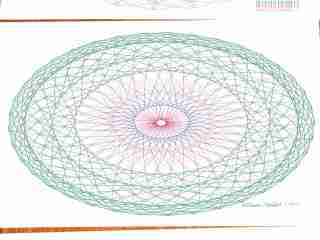
    A gallery of SuperFormula plots, resized / contrast stretched / ruthlessly compressed (clicky for more dots):

    The gray one at the middle-bottom suffered from that specular reflection; the automagic contrast stretch couldn’t boost the paper with those burned pixels in the way.

    Those sheets all have similar plots on the back, some plots used refilled pens that occasionally bled through the paper, others have obviously bad / dry pens, and you’ll spot abrupt color changes where I swapped out a defunct pen on the fly, but they should give you an idea of the variations.

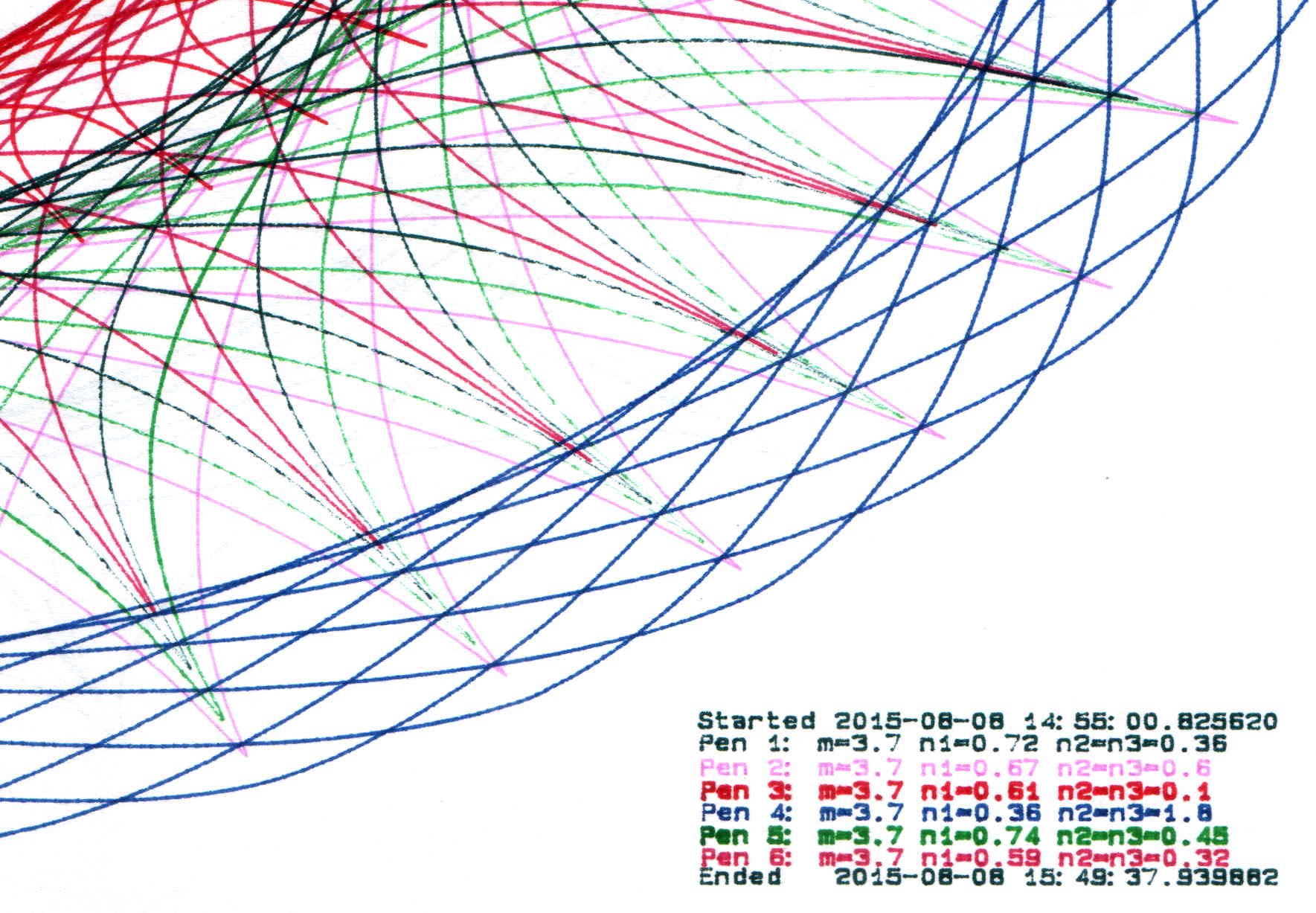
    The more recent plots have a legend in the right bottom corner with coefficients and timestamps:

    SuperFormula Plot - legend detail
    SuperFormula Plot – legend detail

    Limiting the pen speed to 10 cm/s (down from the default 38.1 cm/s = 15.00 inch/s) affects only the outermost segments of the spikes; down near the dense center, the 9600 b/s serial data rate limits the plotting speed. Plotting slowly helps old pens with low flow rates draw reasonably dense lines.

    Each plot takes an hour, which should suffice for most dog-and-pony events.

    I fill a trio of Python lists with useful coefficient values, then choose random elements for each plot: a single value of m determines the number of points for all six traces, then six pairs of values set n1 and n2=n3. The lists are heavily weighted to produce spiky traces, rather than smooth ovals, so the “random” list selections aren’t uniformly distributed across the full numeric range of the values.

    Because the coefficient lists contain fixed values, the program can produce only a finite number of different plots, but I’m not expecting to see any duplicates. You can work out the possibilities by yourself.

    The modified Chiplotle demo code bears little resemblance to the original:

    from chiplotle import *
    from math import *
    from datetime import *
    import random
    
    def superformula_polar(a, b, m, n1, n2, n3, phi):
       ''' Computes the position of the point on a
       superformula curve.
       Superformula has first been proposed by Johan Gielis
       and is a generalization of superellipse.
       see: http://en.wikipedia.org/wiki/Superformula
       Tweaked to return polar coordinates
       '''
    
       t1 = cos(m * phi / 4.0) / a
       t1 = abs(t1)
       t1 = pow(t1, n2)
    
       t2 = sin(m * phi / 4.0) / b
       t2 = abs(t2)
       t2 = pow(t2, n3)
    
       t3 = -1 / float(n1)
       r = pow(t1 + t2, t3)
       if abs(r) == 0:
          return (0,0)
       else:
     #     return (r * cos(phi), r * sin(phi))
         return (r,phi)
    
    
    def supershape(width, height, m, n1, n2, n3, 
       point_count=10*1000, percentage=1.0, a=1.0, b=1.0, travel=None):
       '''Supershape, generated using the superformula first proposed 
       by Johan Gielis.
    
       - `points_count` is the total number of points to compute.
       - `travel` is the length of the outline drawn in radians. 
          3.1416 * 2 is a complete cycle.
       '''
       travel = travel or (10*2*pi)
    
       ## compute points...
       phis = [i * travel / point_count 
          for i in range(1 + int(point_count * percentage))]
       points = [superformula_polar(a, b, m, n1, n2, n3, x) for x in phis]
    
       ## scale and transpose...
       path = [ ]
       for r, a in points:
          x = width * r * cos(a)
          y = height * r * sin(a)
          path.append(Coordinate(x, y))
    
       return Path(path)
    
    
    ## RUN DEMO CODE
    
    if __name__ == '__main__':
       paperx = 8000
       papery = 5000
       tscale = 0.45
       numpens = 6
       m_list = [n/10.0 for n in [11, 13, 17, 19, 23, 29, 31, 37, 41, 43, 47, 53, 59]];   # prime/10 = number of spikes
       n1_list = [n/100.0 for n in range(15,75,1) + range(80,120,5) + range(120,200,10)]  # ring-ness 0.1 to 2.0, higher is larger diameter
       n2_list = [n/100.0 for n in range(10,50,1) + range(55,100,5) + range(110,200,10)]  # spike-ness 0.1 to 2.0, lower means spiky points
       paramlist = [[n1,n2] for n1 in random.sample(n1_list,numpens) for n2 in random.sample(n2_list,numpens)]
       if  not False:
         plt=instantiate_plotters()[0]
         plt.write('IN;')
    #     plt.write(chr(27) + '.H200:')   # set hardware handshake block size
         plt.set_origin_center()
         plt.write(hpgl.SI(tscale*0.285,tscale*0.375))    # scale based on B size characters
         plt.write(hpgl.VS(10))                           # slow speed for those abrupt spikes
         pen = 1
         plt.select_pen(pen)
         plt.write(hpgl.PA([(paperx - 3000,-(papery - 600))]))
         plt.write(hpgl.LB("Started " + str(datetime.today())))
         m = random.choice(m_list)
         for n1, n2 in zip(random.sample(n1_list,numpens),random.sample(n2_list,numpens)):
            n3 = n2
            print "m: ", m, " n1: ", n1, " n2=n3: ", n2
            plt.write(hpgl.PA([(paperx - 3000,-(papery - 500 + 100*(pen - 1)))]))
            plt.select_pen(pen)
            plt.write(hpgl.LB("Pen " + str(pen) + ": m=" + str(m) + " n1=" + str(n1) + " n2=n3=" + str(n2)))
            e = supershape(paperx, papery, m, n1, n2, n3)
            plt.write(e)
            if pen < numpens: 
                pen += 1
            else:
                pen = 1
         pen = 1
         plt.select_pen(pen)
         plt.write(hpgl.PA([(paperx - 3000,-(papery - 500 + 100*numpens))]))
         plt.write(hpgl.LB("Ended   " + str(datetime.today())))
         plt.select_pen(0)
       else:
         e = supershape(paperx, papery, 1.9, 0.8, 3, 3)
         io.view(e)
    
  • Rail Trail Riding, With Road Rash

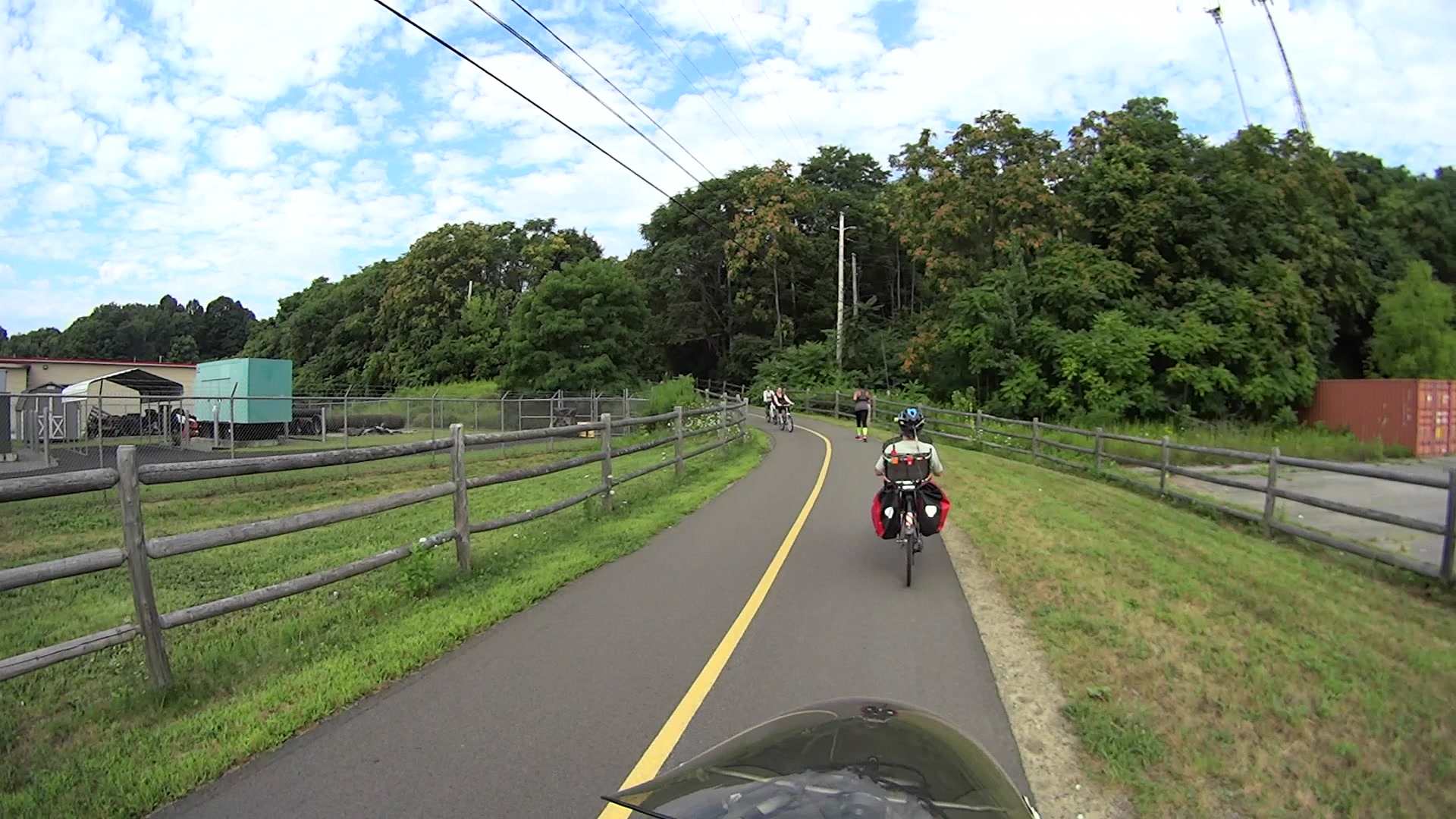
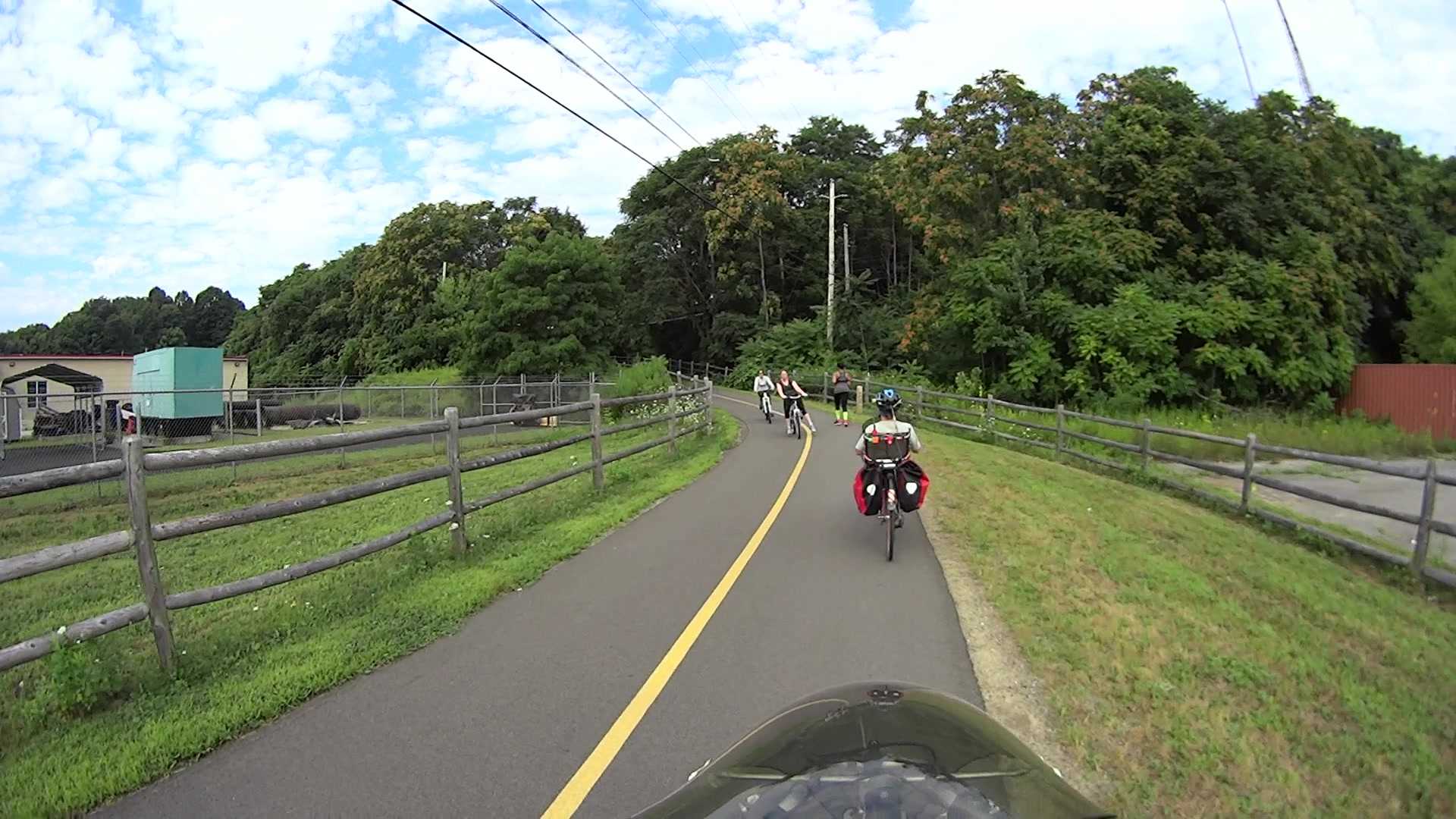
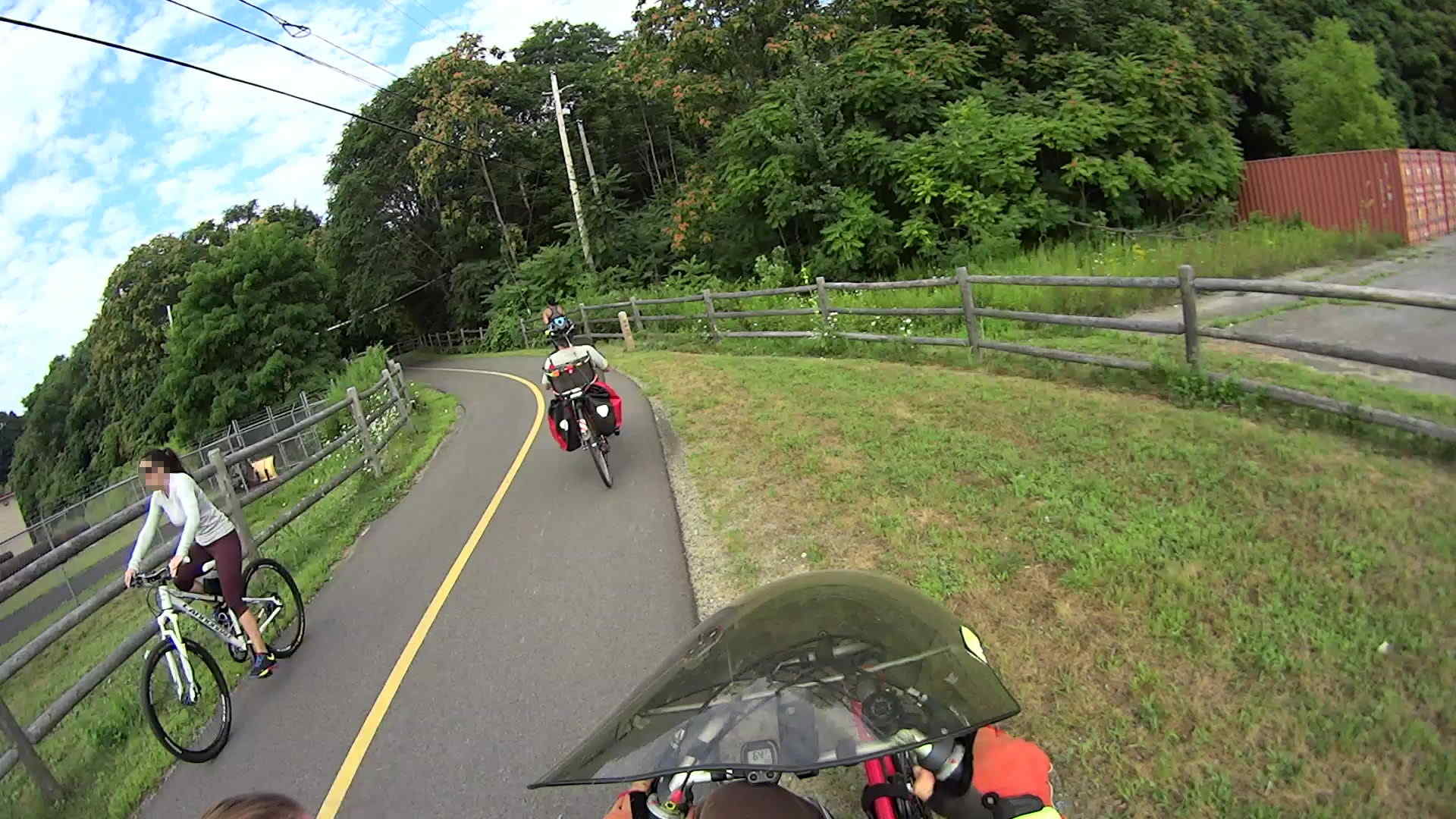
    The Dutchess Rail Trail sits atop a pipeline carrying water from the treatment plant in the City of Poughkeepsie to the GlobalFoundries (neé IBM East Fishkill) complex. For good engineering reasons, the mid-line pumping station (equipment yard visible to our left) in Page Industrial Park sits directly athwart the pipe, which forced an abrupt S-curve on a relatively steep slope into the rail trail layout.

    T=0.000 s — The lead cyclist just cut in front of her companion and isn’t leaning into the turn, at which point Mary and I both realize this isn’t going to end well:

    Road Rash 2015-08-15 - 131
    Road Rash 2015-08-15 – 131

    T=0.750 s — Newton grabs control of her bike and he’s not gonna let go:

    Road Rash 2015-08-15 - 176
    Road Rash 2015-08-15 – 176

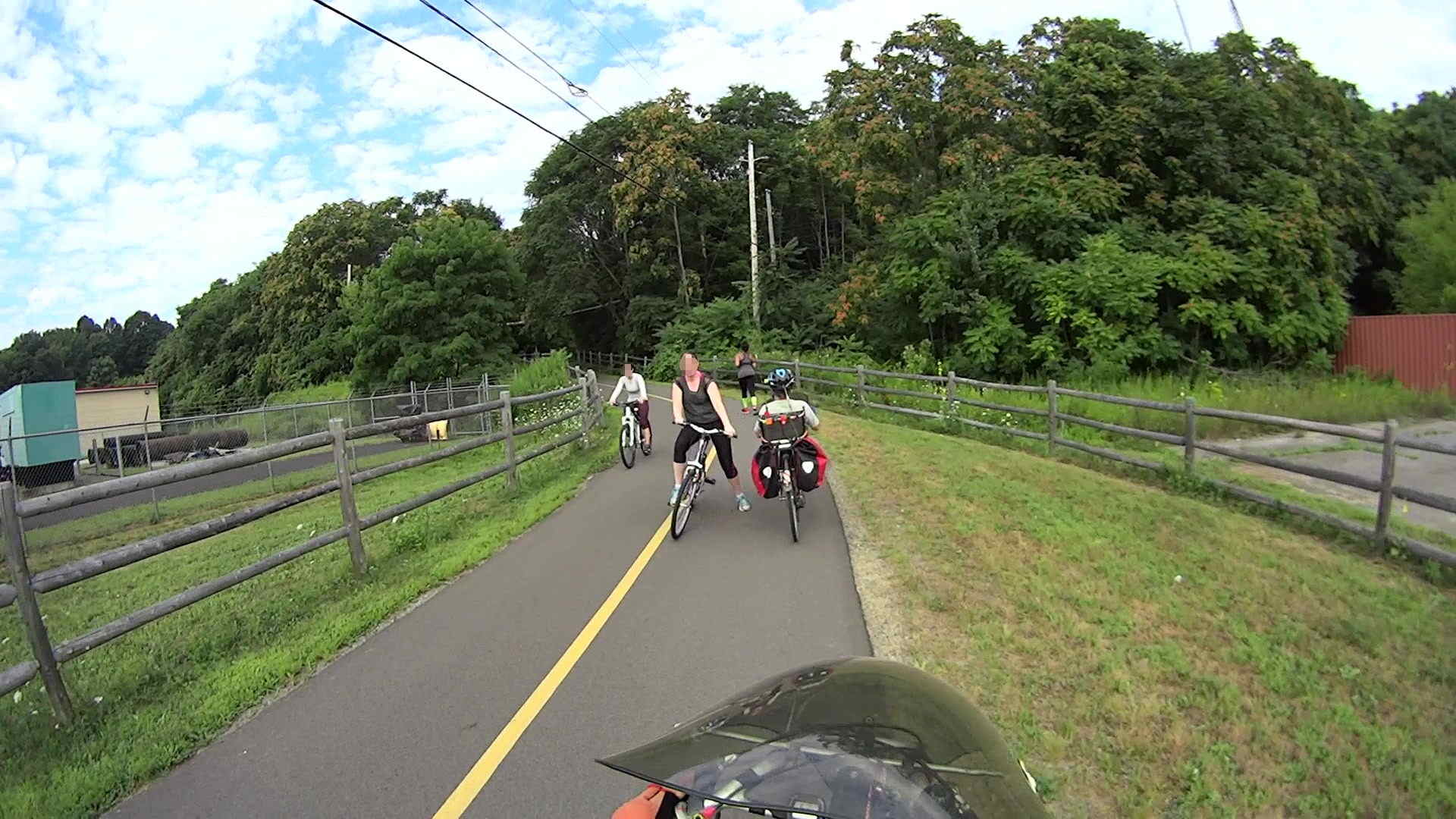
    T=1.633 s — The rear wheel locks as she passes Mary, she’s far off-center and falling to her left, the bike has gone inertial, and it’s obvious we’re about to arrive at the same place at the same time:

    Road Rash 2015-08-15 - 229
    Road Rash 2015-08-15 – 229

    T=2.100 s — Collision Alarm! I’m veering off the pavement, which is the only reason we didn’t have an offset frontal collision:

    Road Rash 2015-08-15 - 257
    Road Rash 2015-08-15 – 257

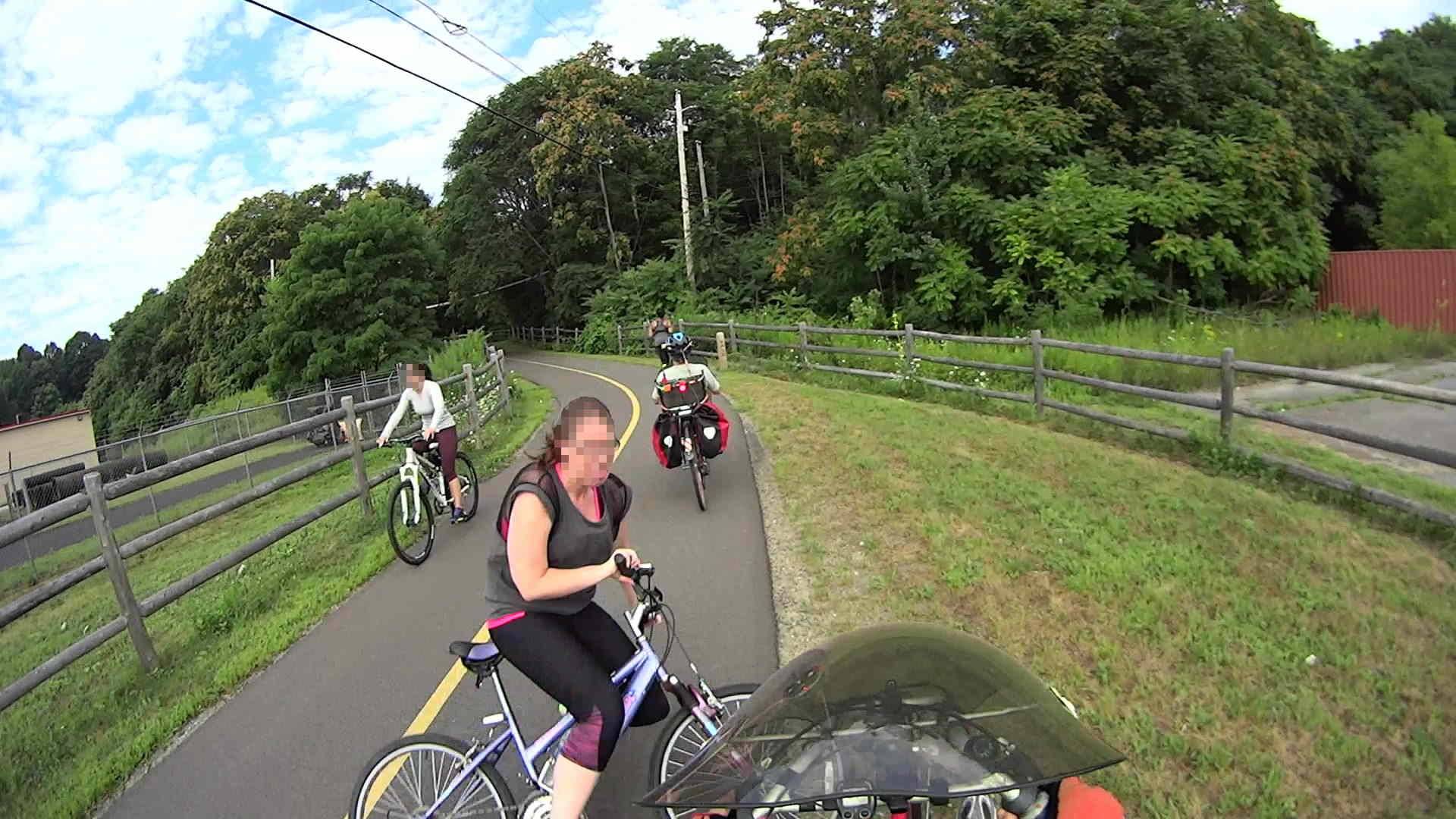
    T=2.333 s — Impact! I’m stopped and balanced on the bike, with my left foot out of the pedal cleat and heading for the ground. She’s sliding past me, pivoting around her bike’s left pedal skidding on the asphalt:

    Road Rash 2015-08-15 - 271
    Road Rash 2015-08-15 – 271

    She ended up sprawled atop her bike, facing up the slope, with the front wheel just beside the rear wheel of my bike; her foot or some part of her bike whacked my left-side underseat bag in passing, but there was no bike-on-bike collision. No injuries for her, other than perhaps a bit of road rash, but only by sheer raw good fortune.

    Reviewing the video shows she lost control at the transition from the trail to the downward S-curve, a few seconds before the first picture here and about five seconds before she stopped sliding past my bike, but the problem wasn’t obvious until the scene in the first picture. Mary never had a chance to react and, with less than two seconds until the not-quite-collision, my gross-motor reaction time just barely got me out of the way.

    Brake early and always wear a helmet.

  • Testing USB Memory Devices

    Tantris recommended the f3 set of programs to verify USB memory devices, which certainly seemed as though it would be faster and much less labor-intensive than my low-tech manual method.

    Compiling it from source required installing two dependencies, which I discovered by the simple expedient of iteratively smashing into “fatal error: parted/parted.h: No such file or directory” messages:

    • libudev-dev
    • libparted0-dev

    With those in place, unleashing f3probe on the most recent replacement Sony 64 GB MicroSD card went swimmingly:

    sudo ./f3probe --time-ops /dev/sdb
    F3 probe 5.0
    Copyright (C) 2010 Digirati Internet LTDA.
    This is free software; see the source for copying conditions.
    Please unplug and plug back the USB drive. Waiting... Thanks
    Please unplug and plug back the USB drive. Waiting... Thanks
    Please unplug and plug back the USB drive. Waiting... Thanks
    Please unplug and plug back the USB drive. Waiting... Thanks
    Please unplug and plug back the USB drive. Waiting... Thanks
    Please unplug and plug back the USB drive. Waiting... Thanks
    CAUTION		CAUTION		CAUTION
    No more resets are needed, so do not unplug the drive
    Probe finished, recovering blocks... Done
    
    Good news: The device `/dev/sdb' is the real thing
    
    Device geometry:
    	        *Real* size: 60.37 GB (126613504 blocks)
    	     Announced size: 60.37 GB (126613504 blocks)
    	             Module: 64.00 GB (2^36 Bytes)
    	Physical block size: 512.00 Byte (2^9 Bytes)
    
    Probe time: 61.19 seconds
    Probe read op: count=775, total time=4.00s, avg op time=5.16ms
    Probe write op: count=753, total time=3.77s, avg op time=5.00ms
    Probe reset op: count=6, total time=53.42s, avg op time=8903.21ms
    

    As predicted, most of the time passed while I fiddled with the SD Card adapter in the slot on the side of the U2711 monitor: push to release, push to insert, repeat as prompted.

    Despite the f3fix program’s ability to “repair” counterfeit USB memory by resetting the partition to the actual capacity, I think that’s a Bad Idea. Based on my admittedly limited experience, counterfeit junk generally doesn’t come from the middle of the quality-control bell curve, so expecting that crap to actually work over the long term seems, shall we say, overconfident.

    The f3 doc also told me about lsblk, which may come in handy every now & again:

    lsblk
    NAME   MAJ:MIN RM   SIZE RO TYPE MOUNTPOINT
    sda      8:0    0 111.8G  0 disk 
    ├─sda1   8:1    0  56.8G  0 part /
    └─sda2   8:2    0   9.3G  0 part [SWAP]
    sdb      8:16   1  60.4G  0 disk 
    └─sdb1   8:17   1  60.4G  0 part /media/ed/9C33-6BBD
    sr0     11:0    1  1024M  0 rom 
    

    Now I have a reminder of how to do this for The Next Time…

  • Sharing the Road on Raymond Avenue: Part 3

    This truck driver gave us as much room as he possibly could, given the cramped conditions on Raymond Avenue:

    Raymond Ave - 2015-07-17 - Truck Clearance 1
    Raymond Ave – 2015-07-17 – Truck Clearance 1

    Notice the street lamp in view directly above the cab? Keep that in mind.

    In order to give us that much clearance, he had to put the left wheels up on the median:

    Raymond Ave - 2015-07-17 - Truck Clearance 2
    Raymond Ave – 2015-07-17 – Truck Clearance 2

    That’s exactly what the NYSDOT engineer who designed Raymond Avenue explained to me drivers should do. Driving on the median is the intent of the Raymond Avenue layout.

    FWIW, the “brick paver” median surface is actually stamped asphalt (or some thermoplastic material) painted brick red. It has marginal durability; the same material in the rotary islands began disintegrating after a few months, has accumulated many non-textured patches, and was obviously not intended to support routine travel.

    After that truck passed, the FedEx driver also gave us plenty of clearance, also with left wheels on the median:

    Raymond Ave - 2015-07-17 - Truck Clearance 3
    Raymond Ave – 2015-07-17 – Truck Clearance 3

    Notice the minimal clearance between that lamp post and the protruding driver-side mirror? You’re supposed to drive on the median to avoid cyclists, while simultaneously not colliding with a zero-clearance black lamp post.

    Those lamp posts replaced the original bollards bracketing the crosswalk (just ahead of Mary in the first picture). Those bollards stood directly in the pseudo-brick area on both sides of the travel lane, with zero clearance from the inclined curb and roughly in line with those truck headlights: anyone driving up on the median at the crossing to avoid a cyclist would mow down a nonreflective black bollard.

    And, indeed, mowed down they were.

    A few years ago, NYSDOT removed the bollards from the “pedestrian refuges” (that’s their term for the crosswalk median area) and repositioned the remainder in the center of the median, presumably to protect them from drivers.

    Share the road, that we do…