The Smell of Molten Projects in the Morning

Ed Nisley's Blog: Shop notes, electronics, firmware, machinery, 3D printing, laser cuttery, and curiosities. Contents: 100% human thinking, 0% AI slop.

Category: Photography & Images

Taking & making images.

  • Baofeng BL-5 Battery Pack Base Dimensions

    My original idea for the APRS + voice gadget was a snap-in battery pack replacement holding the circuit boards and connected to an external battery pack. A trio of dead Wouxun radios, plus the ready availability of 18650 lithium cells, suggested putting two cells in the backpack, along with the circuitry, and skipping the external pack.

    Here’s the base of a Baofeng BL-5 pack overlaid with a 1 mm grid:

    Baofeng BL-5 - Base with mm grid overlay
    Baofeng BL-5 – Base with mm grid overlay

    The grid is parallel to the case body and centered left-to-right, with a Y grid line set at the front face of the pack, where it’s also flush with the lid surface. You can read off the coordinates of all the points, feed them into your CAD model, and maybe, with a bit of care, get something 3D-print-able.

    Haven’t used it yet, but it’s bound to come in handy at some point.

  • Monthly Image: March Snowfall

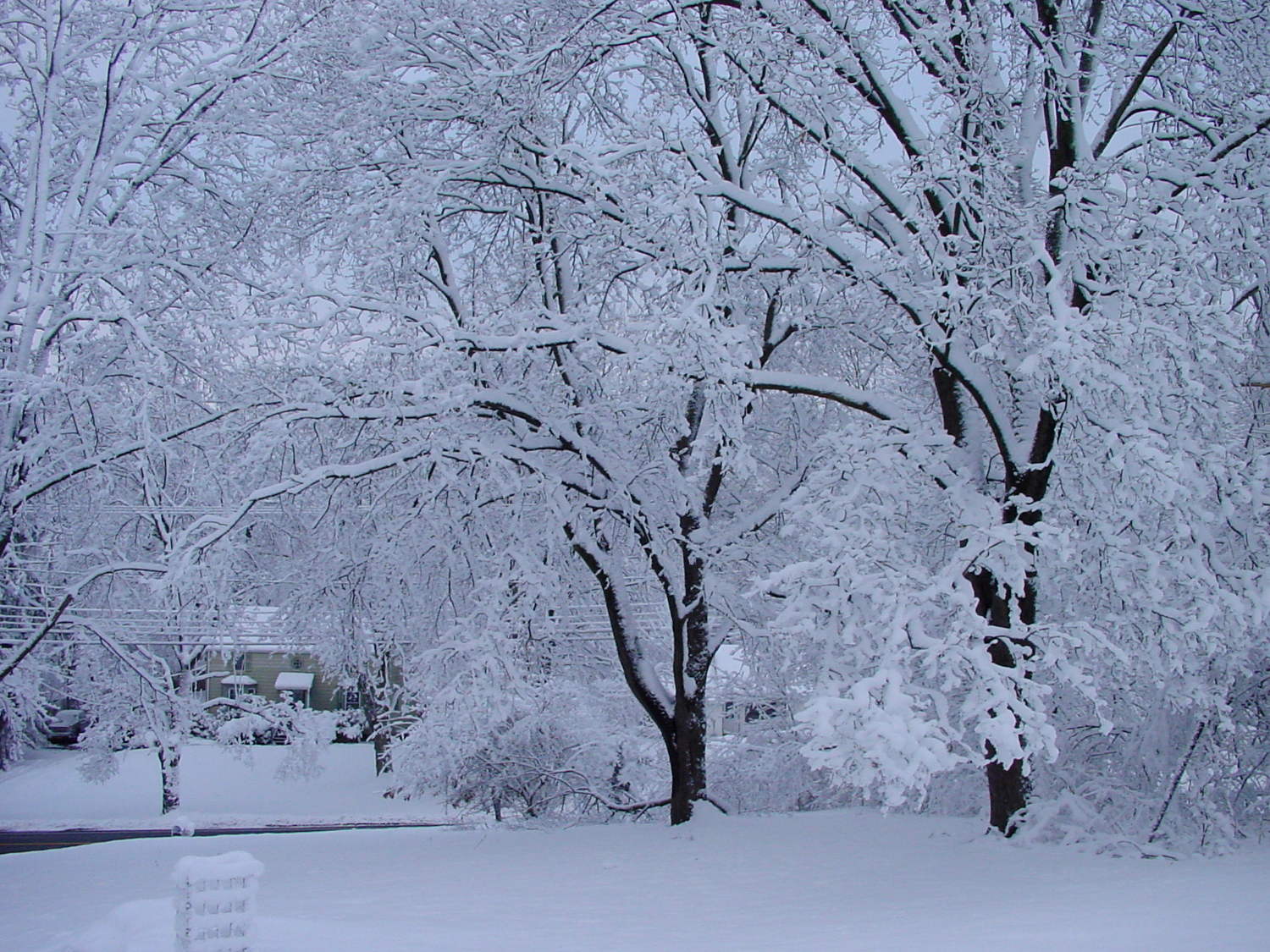
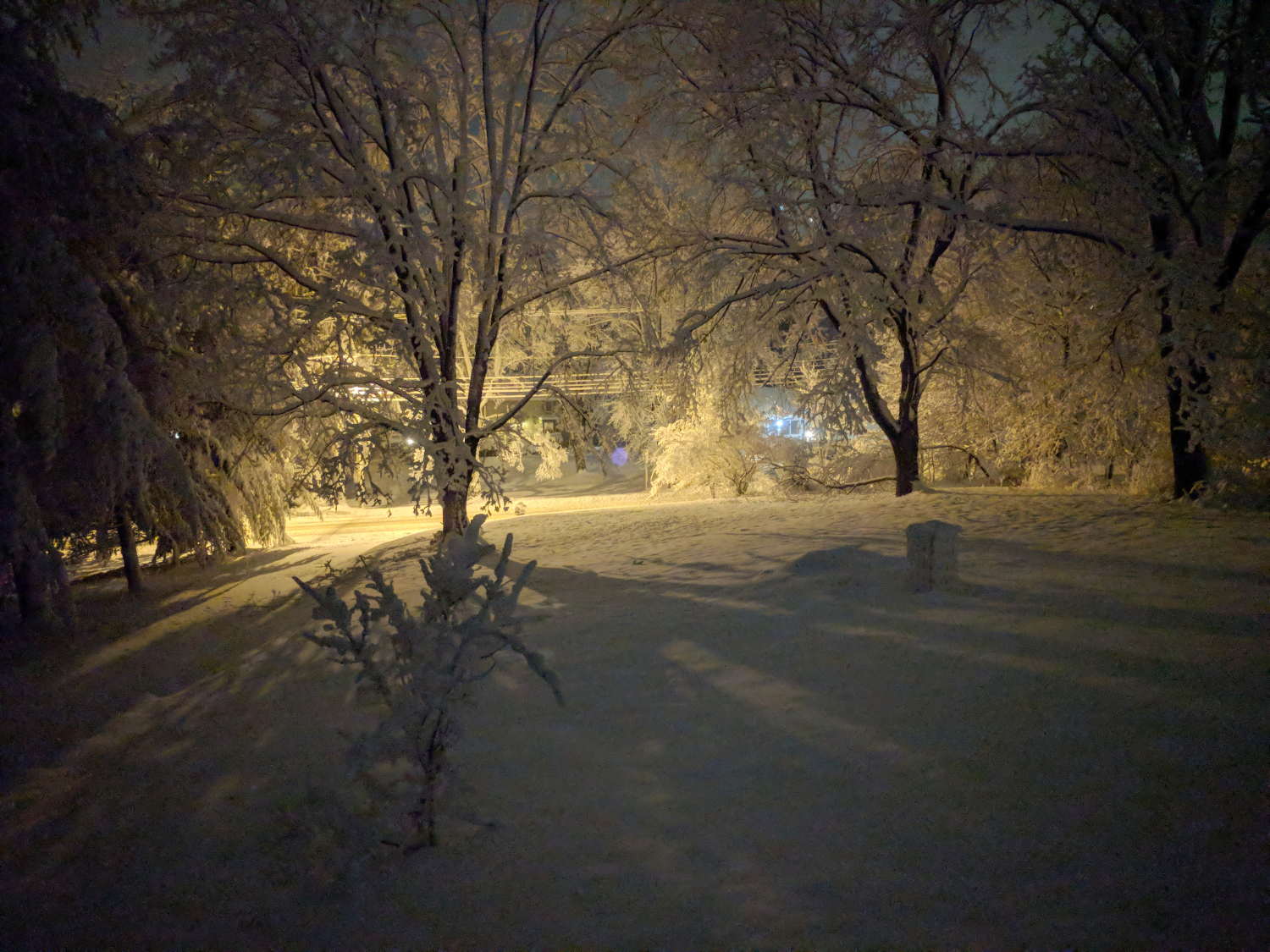
    One of the March snowstorms dumped about a foot of wet, sticky snow on our yard throughout the day and evening:

    Snowfall - Front yard
    Snowfall – Front yard

    The high-pressure sodium street light behind the tree glows orange, with LED yard lights on the right providing blue highlights.

    The faint purple disk dead center in the image comes from the Pixel XL’s IR laser (so they say) rangefinder reflected in 1950-era window glass. Another image, with the Pixel pressed flat against the glass, shows two reflections:

    Snowfall - Pixel IR rangefinder reflections - detail
    Snowfall – Pixel IR rangefinder reflections – detail

    Mary took a similar picture in the morning, standing in the patio just outside the front door:

    Snowfall - Front yard - day
    Snowfall – Front yard – day

    The downed branch will require some chainsaw work, but, if past experience is any guide, the sticks will vanish from the end of the driveway within a day. The previous storm dropped a tree on the power lines half a mile northward, leaving us in the dark for about 18 hours.

    Funny thing about major snowstorms, though: there’s not much looting in their aftermath.

  • SJCAM M20 Camera: Dimensions

    The SJCAM M20 action camera came with a whole bunch of doodads:

    SJCAM M20 Accessories - Manual pg 25
    SJCAM M20 Accessories – Manual pg 25

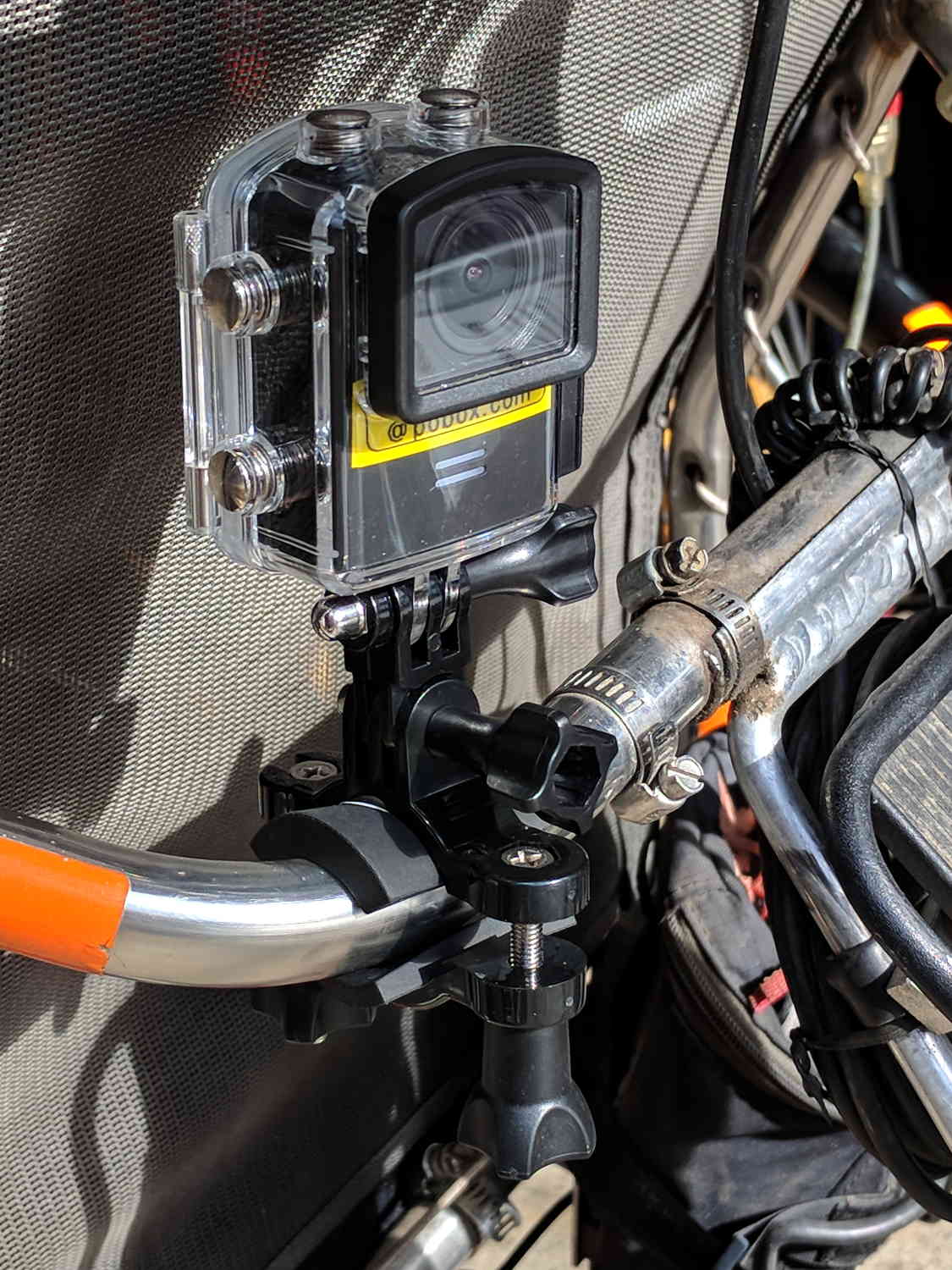
    Including a waterproof case, some right-angle connectors, and a pipe clamp:

    M20 in waterproof case - Tour Easy seat
    M20 in waterproof case – Tour Easy seat

    The stack turns out to be about as flexy as one might imagine, definitely a Bad Thing for a bike-mounted camera, and a somewhat more rugged mount seems in order.

    A diagram from the M20 manual shows the parts:

    SJCAM M20 Overview - Manual pg 5
    SJCAM M20 Overview – Manual pg 5

    Some camera dimensions:

    • 40.2 mm wide + 0.5 mm for the Up/Down buttons
    • 21.8 mm thick + 1.0 mm cylindrical front curve + 1.0 mm rear screen
    • 50.0 mm tall + 4.0 mm cylindrical top curve + buttons
    • 21.7 mm OD × 6.0 mm long lens housing, 1.3 mm down from top center

    All the edges have neat chamfers or radius rounding on the order of a few millimeters.

    Applying the chord equation to the spans inside the rounding:

    • Front radius: 162.5 mm
    • Top radius: 42.5 mm

    The new batteries survive for a bit over an hour, not quite enough for our usual rides. Rather than conjure a fake battery pack connected to an external 18650 cell with a wire chewed through the case, the least awful way to go may involve a relatively small battery pack (with internal 18650 cells, of course) plugged into the USB port with a right-angle cable and a rigid mount holding both the camera and the pack to the seat frame.

    More pondering is in order.

  • SJCAM M20 vs. Cycliq Fly6 Resolution: License Plates

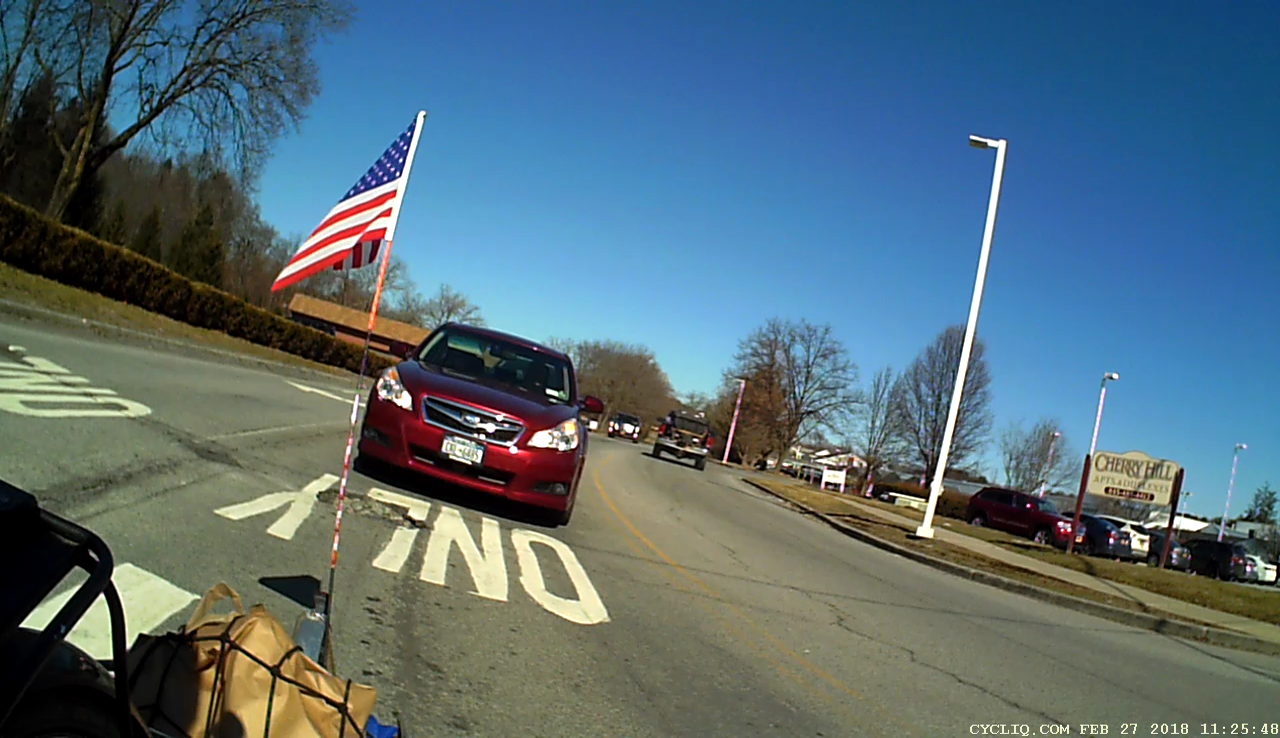
    The Cycliq Fly6 has marginal resolution for license plates at anything other than lethally close distances and, after its recent battery failure and rebuild, I picked up an SJCAM M20 to see whether more dots would be useful.

    The Fly6 records 1280×720 @ 30 fps, with somewhat high contrast and weird color balance:

    Fly6 - Backlit license
    Fly6 – Backlit license

    It works better with a stationary target in good light:

    Fly6 - Stationary license
    Fly6 – Stationary license

    The M20 records 1920×1080 @60 fps (among many other choices), with reasonable contrast and coloring:

    M20 - backlit license
    M20 – backlit license

    Good lighting and no motion helps it along, too:

    M20 - Stationary license
    M20 – Stationary license

    The original frames-grabbed-from-the-video aren’t visibly different from the JPGs you see here.

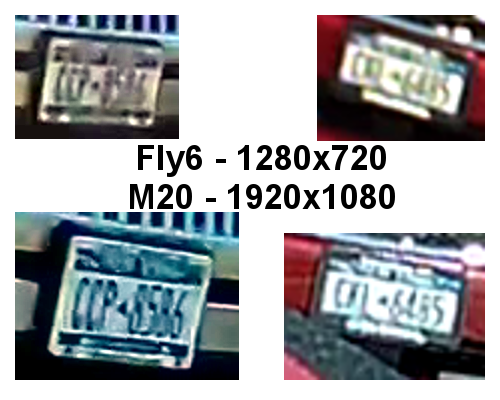
    Collecting all the plates in one montage:

    Fly6 vs M20 - License Plates
    Fly6 vs M20 – License Plates

    I enlarged the left pair by 200% and the right pair by 300%, using GIMP’s cubic interpolation, to make them large enough to see with the naked eye. The interpolation algorithm slightly smooths the edges, but the cameras put those weird compression artifacts / blobs in the original images.

    The left pair also got auto-brightness adjustments to drag ’em out of the murk.

    I saved the montage as a PNG, rather than a JPG, although JPG image compression made no difference.

    All in all, the M20 has better image quality than the Fly6, but its 1.5× higher resolution isn’t a slam-dunk win and, IMO, video compression has more effect than image resolution. The Fly6 has no compression controls and I’ve set all the M20 controls to as good as they can be.

    Both those license plates sport NYS’s now-obsolete high-contrast blue-on-white color scheme: the current blue-on-gold NYS plates have much lower contrast. In this age of ubiquitous license plate reading and storing, I cannot explain why this was allowed to happen.

    The Fly6, now equipped with a high-quality 18650 lithium cell, should have more hours of run time than I can measure this early in the season. Perhaps six hours, with its red blinky LED at full throttle, according to the doc.

    The M20 lasted 72 minutes with a freshly charged battery, which means it didn’t quite survive the trip. Performing battery maintenance in the middle of a ride for groceries isn’t appealing; I should conjure an external 18650 battery pack for the thing.

  • Monthly Image: Red Sky in the Morning

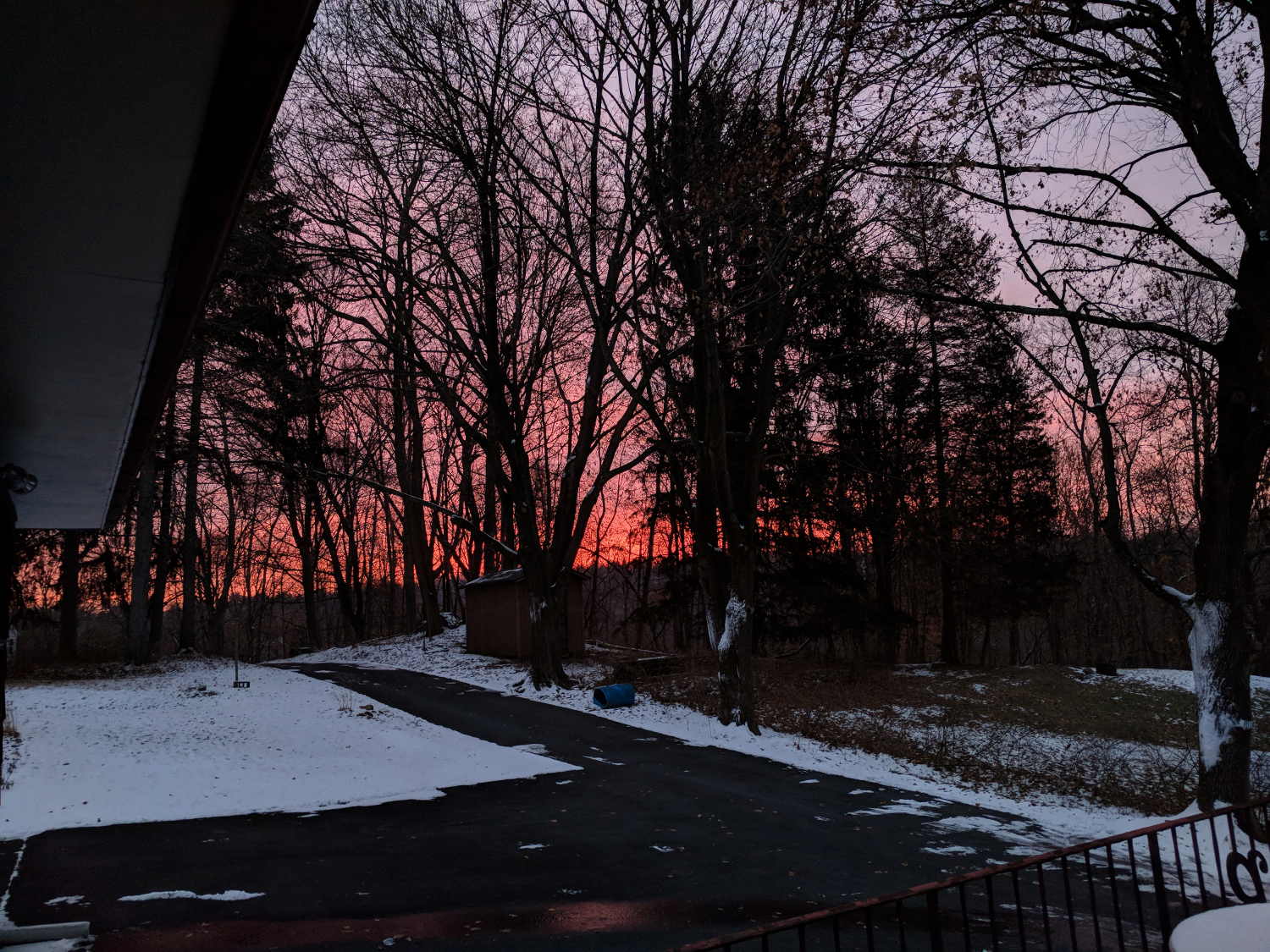
    You can tell the day’s weather won’t be good when you see this:

    Red Sky in the Morning - 2018-02-07
    Red Sky in the Morning – 2018-02-07

    Taken just before the snow started …

    I wish I could run the snowblower up and down the driveway to preemptively level it at -5 inches, so the snowfall would end with almost bare asphalt.

    Long ago, they promised me heated driveways and sidewalks to eliminate snow shoveling, but it hasn’t worked out that way, either.

  • VFAT Time Zone Offset Correction

    An SJCAM M20 action camera includes the date and time in its file names, but the directory entries appear with the wrong timestamp:

    sudo mount -o uid=ed /dev/sdc1 /mnt/part
    ll -tr /mnt/part/DCIM/Photo/ | head
    total 4.8G
    drwxr-xr-x 4 ed root  16K Apr  8  2016 ../
    drwxr-xr-x 2 ed root 144K Jan 25 18:52 ./
    -rwxr-xr-x 1 ed root 3.8M Jan 26 05:08 2018_0126_100825_001.JPG*
    -rwxr-xr-x 1 ed root 3.8M Jan 26 05:08 2018_0126_100830_002.JPG*
    

    I’m in the Eastern US time zone, -5 hr from UTC.

    By definition, FAT directory entries contain the “local time” when the file was created / changed. Because it cannot know which “local time” applies, the Linux VFAT filesystem treats the timestamp as UTC and adjusts it by -5 hr.

    So the camera writes the directory timestamps properly. When mounted, Linux correctly (for a reasonable definition of correctly) regards them as UTC, knocks off five hours to match this time zone, and displays the result.

    Alas, disabling the VFAT timestamp conversion has no effect:

    sudo mount -o uid=ed,tz=UTC /dev/sdc1 /mnt/part
    ll -tr /mnt/part/DCIM/Photo/ | head
    total 4.8G
    drwxr-xr-x 4 ed root  16K Apr  8  2016 ../
    drwxr-xr-x 2 ed root 144K Jan 25 18:52 ./
    -rwxr-xr-x 1 ed root 3.8M Jan 26 05:08 2018_0126_100825_001.JPG*
    -rwxr-xr-x 1 ed root 3.8M Jan 26 05:08 2018_0126_100830_002.JPG*
    

    I’m not sure why that doesn’t do anything; it doesn’t generate any error messages.

    Although it seems like a reasonable thing, one cannot force a specific time zone with, say, tz=EST or tz=EDT or tz=UTC8 or whatever.

    You can specify an offset in minutes:

    sudo mount -o uid=ed,time_offset=$((-5*60)) /dev/sdc1 /mnt/part
    ll -tr /mnt/part/DCIM/Photo/ | head
    total 4.8G
    drwxr-xr-x 4 ed root  16K Apr  8  2016 ../
    drwxr-xr-x 2 ed root 144K Jan 25 23:52 ./
    -rwxr-xr-x 1 ed root 3.8M Jan 26 10:08 2018_0126_100825_001.JPG*
    -rwxr-xr-x 1 ed root 3.8M Jan 26 10:08 2018_0126_100830_002.JPG*
    

    The time_offset value is subtracted from the directory timestamp, which means you’re feeding in the actual time offset from UTC, including whatever Daylight Saving Time offset may be in order.

    So Linux takes the FAT timestamp, adds (subtracts a negative) 5 hr, and displays the result as my (now correct) local time.

    I suppose I could set the camera to UTC, but then the camera’s on-screen and in-video timestamps would be off by four or five hours, depending on the season. So it goes.

  • Hawk vs. Squirrel Scuffle

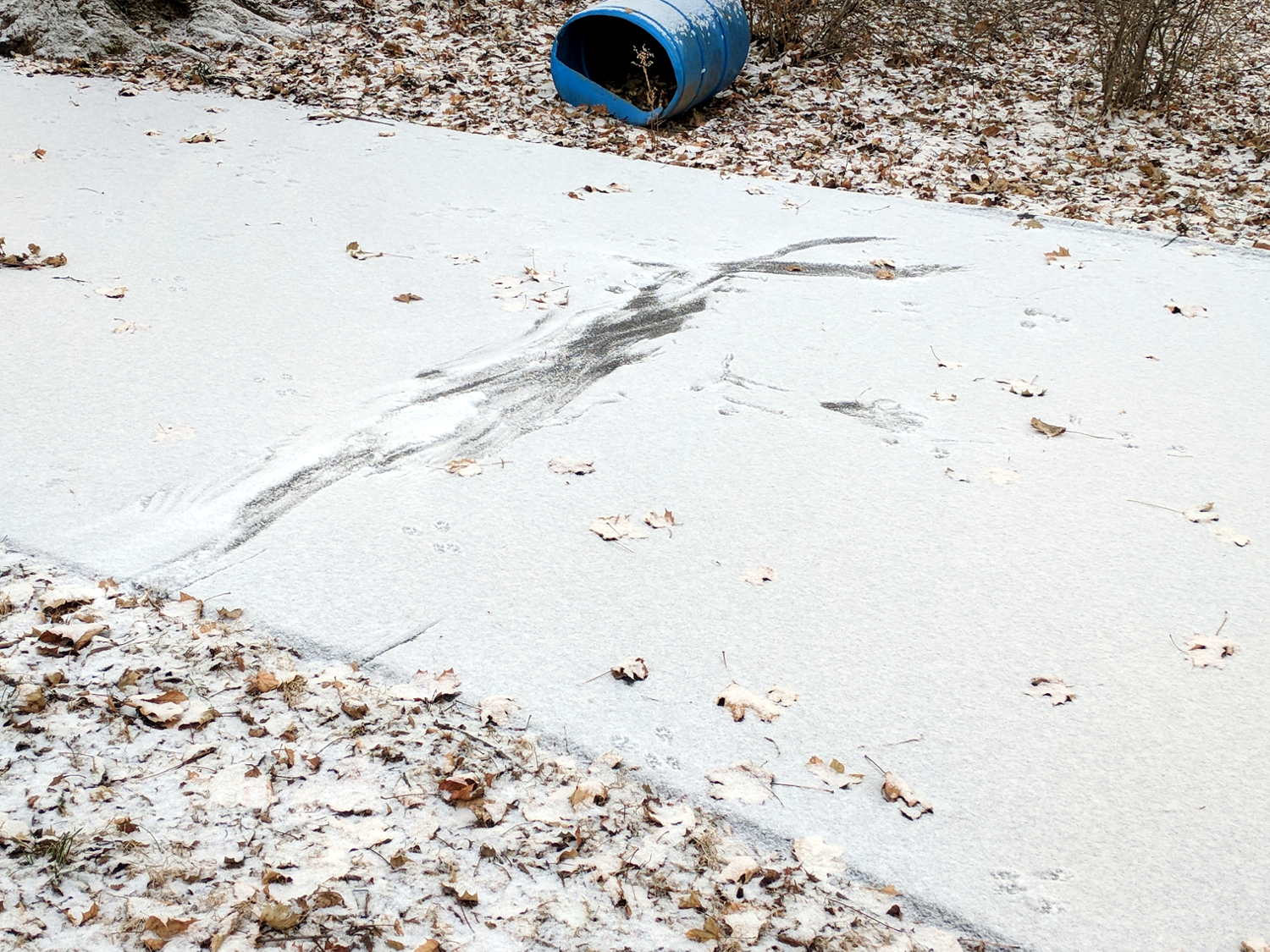
    A light overnight snowfall revealed an early morning drama:

    Hawk vs squirrel scuffle - overview
    Hawk vs squirrel scuffle – overview

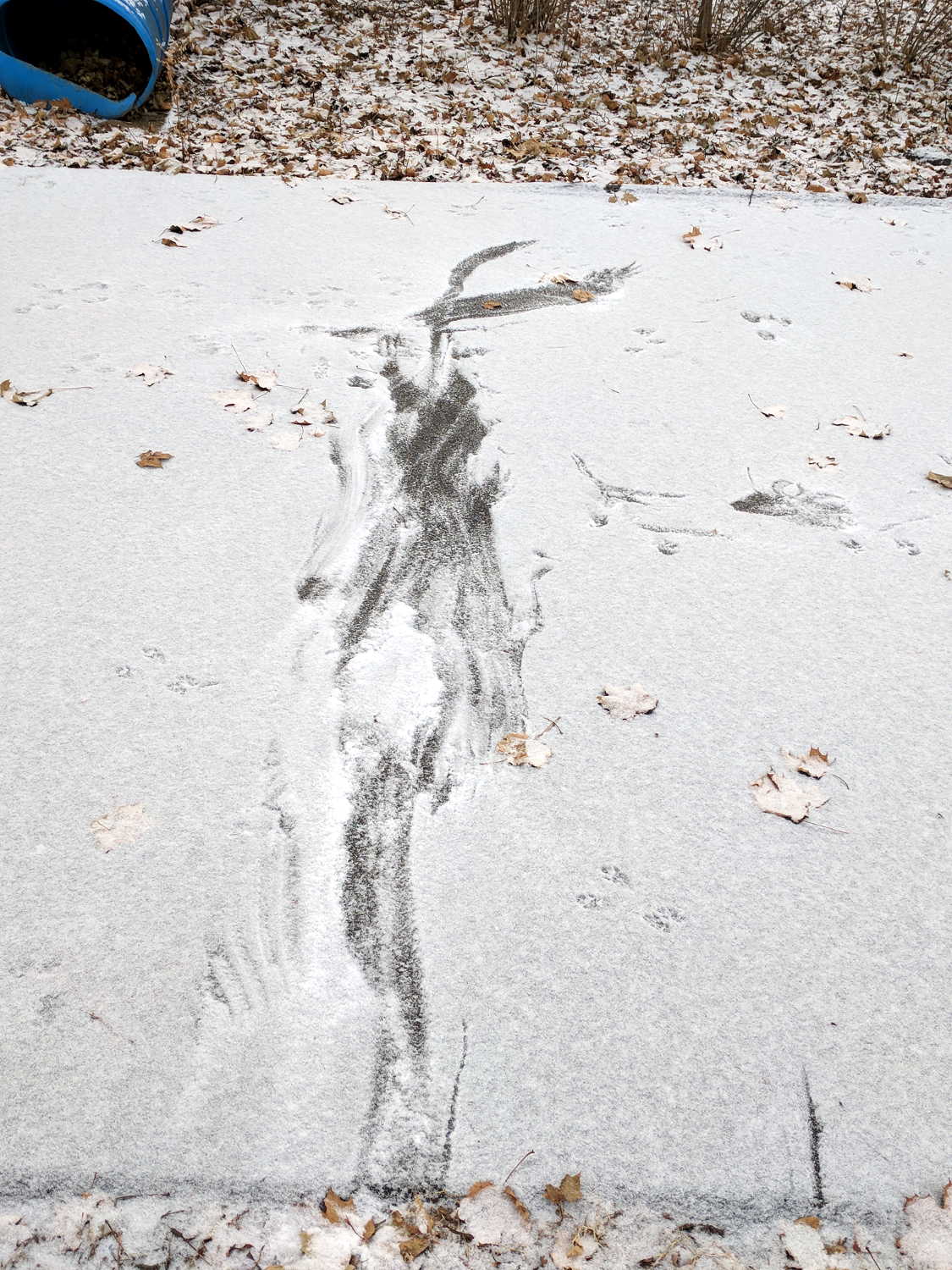
    I think a hawk stooped on a squirrel, perhaps launching from the utility pole by the garden, scuffled across the driveway to the right, and hauled breakfast off to a nearby tree:

    Hawk vs squirrel scuffle - approach
    Hawk vs squirrel scuffle – approach

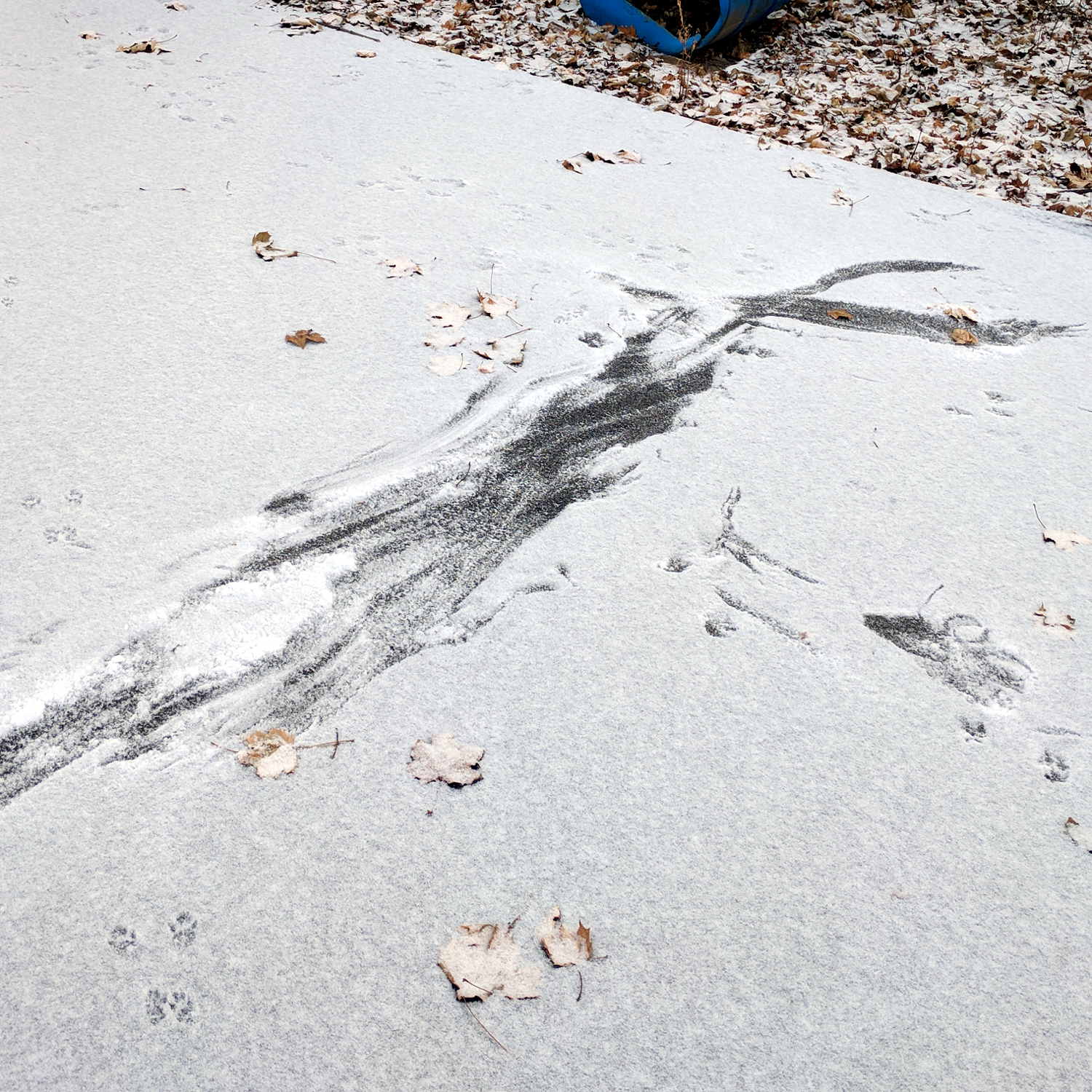
    The driveway always shows many tracks, but the ones entering from the center-right don’t continue out the left:

    Hawk vs squirrel scuffle - tracks right
    Hawk vs squirrel scuffle – tracks right

    Another view:

    Hawk vs squirrel scuffle - tracks left
    Hawk vs squirrel scuffle – tracks left

    A pair of squirrel pups appeared in the last week. They’d make a good, easily carried hawk breakfast.

    Go, hawk, go!