The Smell of Molten Projects in the Morning

Ed Nisley's Blog: Shop notes, electronics, firmware, machinery, 3D printing, laser cuttery, and curiosities. Contents: 100% human thinking, 0% AI slop.

Category: Photography & Images

Taking & making images.

  • Siglent SDS2304X Screen Shot File

    Poking the Print button on the front of the Siglent SDS2304X scope saves the screen to a BMP file (in the /BMP directory) on a USB flash drive plugged into its front-panel port:

    Siglent SDS2304X Front Panel - Print Button - USB port
    Siglent SDS2304X Front Panel – Print Button – USB port

    Which produces files like these:

    ll --block-size=1 /path-to-USB-stick/BMP/
    total 2318336
    drwxr-xr-x 2 ed ed    4096 May 23 13:13 ./
    drwxr-xr-x 4 ed ed    4096 Dec 31  1969 ../
    -rw-r--r-- 1 ed ed 1152054 May 23 13:13 SDS00001.BMP
    -rw-r--r-- 1 ed ed 1152054 May 23 13:13 SDS00002.BMP
    

    The files are 1152054 bytes long, as specified by the BMP header inside the file:

    hexdump -C /path-to-USB-stick/BMP/SDS00001.BMP | head
    00000000  42 4d 36 94 11 00 00 00  00 00 36 00 00 00 28 00  |BM6.......6...(.|
    00000010  00 00 20 03 00 00 e0 01  00 00 01 00 18 00 00 00  |.. .............|
    00000020  00 00 00 94 11 00 00 00  00 00 00 00 00 00 00 00  |................|
    00000030  00 00 00 00 00 00 01 01  01 01 01 01 01 01 01 01  |................|
    00000040  01 01 01 01 01 01 01 01  01 01 01 01 01 01 01 01  |................|
    *
    00000880  01 01 01 01 01 01 01 01  01 01 01 01 01 01 1e 1e  |................|
    00000890  1e 1e 1e 1e 1e 1e 1e 1e  1e 1e 1e 1e 1e 1e 1e 1e  |................|
    *
    00000990  1e 1e 1e 1e 1e 1e 01 01  01 01 01 01 01 01 01 01  |................|
    

    The first 14 bytes contain the Bitmap file header, with the file size in Little-Endian order in the four bytes at offset +0x02: 0x00119436 = 1152054.

    The four bytes at offset +0x0A give the offset of the pixel data: +0x36. That’s the series of 0x01 bytes in the fourth row. Unlike most images, BMP pixel arrays start at the lower left corner of the image and proceed rightward / upward to the last pixel at the upper right corner.

    The data between the Bitmap file header and the start of the pixel data contains at least a Device Independent Bitmap header, identified by its length in the first four bytes at offset +0x0E. In this case, the length of 0x28 = 40 bytes makes it a Windows (no surprise) header.

    The two bytes at +1C give the bits-per-pixel value: 0x18 = 24 = 3 bytes/pixel, so parse the pixels in RGB order.

    The four bytes at +0x12 give the bitmap width in pixels: 0x320 = 800. Each pixel row must be a multiple of 4 bytes long, which works out fine at 2400 bytes.

    The tail end of the file shows one dark pixel at the upper right:

    hexdump -C /path-to-USB-stick/BMP/SDS00001.BMP | tail
    00118330  00 cc 00 00 cc 00 00 cc  00 00 cc 00 00 cc 00 00  |................|
    00118340  cc 00 00 cc 00 00 cc 00  00 cc 00 00 cc 00 00 cc  |................|
    00118350  00 00 cc 00 00 cc 00 00  cc 0f 0f 75 1e 1e 1e 1e  |...........u....|
    00118360  1e 1e 1e 1e 1e 1e 1e 1e  1e 1e 1e 1e 1e 1e 1e 1e  |................|
    *
    00118ad0  1e 1e 1e 01 01 01 1e 1e  1e 1e 1e 1e 1e 1e 1e 1e  |................|
    00118ae0  1e 1e 1e 1e 1e 1e 1e 1e  1e 1e 1e 1e 1e 1e 1e 1e  |................|
    *
    00119430  1e 1e 1e 01 01 01                                 |......|
    

    Which looks like this, expanded by a factor of eight (clicky for more dots to reveal the situation):

    Screenshot - upper right corner - 8x expansion
    Screenshot – upper right corner – 8x expansion

    The scope can also transfer a screenshot over the network:

    lxi screenshot -a 192.168.1.42 /tmp/lxi-shot.bmp 
    Loaded siglent-sds screenshot plugin
    Saved screenshot image to /tmp/lxi-shot.bmp
    

    Which has the same header:

    hexdump -C /tmp/lxi.bmp | head
    00000000  42 4d 36 94 11 00 00 00  00 00 36 00 00 00 28 00  |BM6.......6...(.|
    00000010  00 00 20 03 00 00 e0 01  00 00 01 00 18 00 00 00  |.. .............|
    00000020  00 00 00 94 11 00 00 00  00 00 00 00 00 00 00 00  |................|
    00000030  00 00 00 00 00 00 01 01  01 01 01 01 01 01 01 01  |................|
    00000040  01 01 01 01 01 01 01 01  01 01 01 01 01 01 01 01  |................|
    *
    00000880  01 01 01 01 01 01 01 01  01 01 01 01 01 01 1e 1e  |................|
    00000890  1e 1e 1e 1e 1e 1e 1e 1e  1e 1e 1e 1e 1e 1e 1e 1e  |................|
    *
    00000990  1e 1e 1e 1e 1e 1e 01 01  01 01 01 01 01 01 01 01  |................|
    

    But the resulting file is three bytes = one pixel (!) too large:

    ll --block-size=1 /tmp/lxi.bmp
    -rw-rw-r-- 1 ed ed 1152057 May 23 19:09 /tmp/lxi.bmp
    

    The tail end of the file:

    hexdump -C /tmp/lxi.bmp | tail
    00118330  00 cc 00 00 cc 00 00 cc  00 00 cc 00 00 cc 00 00  |................|
    00118340  cc 00 00 cc 00 00 cc 00  00 cc 00 00 cc 00 00 cc  |................|
    00118350  00 00 cc 00 00 cc 00 00  cc 0f 0f 75 1e 1e 1e 1e  |...........u....|
    00118360  1e 1e 1e 1e 1e 1e 1e 1e  1e 1e 1e 1e 1e 1e 1e 1e  |................|
    *
    00118ad0  1e 1e 1e 01 01 01 1e 1e  1e 1e 1e 1e 1e 1e 1e 1e  |................|
    00118ae0  1e 1e 1e 1e 1e 1e 1e 1e  1e 1e 1e 1e 1e 1e 1e 1e  |................|
    *
    00119430  1e 1e 1e 01 01 01 01 01  0a                       |.........|
    

    Because the file header doesn’t include those three bytes, they don’t go into the image and the resulting screenshot is visually the same.

    Which looks like a picket-fence error, doesn’t it? I’d lay long odds the erroneous loop runs from 0 to NUMPIXELS, rather than 0 to NUMPIXELS-1. Raise your hand if you’ve ever made that exact mistake.

    I have no practical way to determine whether the error is inside the scope or the LXI network code, but given Siglent’s overall attention to software fit-and-finish, I suspect the former.

    One can convert BMP files to the much more compact PNG format:

    convert /tmp/lxi.bmp /tmp/lxi.png
    convert: length and filesize do not match `/tmp/lxi.bmp' @ warning/bmp.c/ReadBMPImage/829.
    

    Yes. Yes, there is a mismatch.

    The space savings is impressive, particularly in light of PNG being a lossless format:

    ll /tmp/lxi.*
    -rw-rw-r-- 1 ed ed 1.1M May 23 19:09 /tmp/lxi.bmp
    -rw-rw-r-- 1 ed ed  14K May 23 19:17 /tmp/lxi.png
    

    You can eliminate the nag by truncating the file:

    truncate --size=1152054 /tmp/lxi.bmp
    

    One could wrap it all up in a script:

    #!/bin/bash
    lxi screenshot -a 192.168.1.42 /tmp/"$1".bmp
    truncate --size=1152054 /tmp/"$1".bmp
    convert /tmp/"$1".bmp "$1".png
    echo Screenshot: "$1".png

    And then It Just Works:

    getsds2304x.sh "Test Shot Starfish"
    Loaded siglent-sds screenshot plugin
    Saved screenshot image to /tmp/Test Shot Starfish.bmp
    Screenshot: Test Shot Starfish.png
    
    Test Shot Starfish
    Test Shot Starfish

    SpaceX uses Test Shot Starfish tracks for pre-launch background music; the actual test shot was spectacular.

  • SJCAM M20 Date/Time vs. Battery Change

    A recent ride reminded me to do something about this:

    M20 - Date-Time Reset - detail - 2018-05-18
    M20 – Date-Time Reset – detail – 2018-05-18

    So I wrote up a support ticket on the SJCAM site:

    The time-of-day clock in my M20 often resets when I change the battery in the middle of a bike ride.

    I turn the camera off, wait for the status light to go out, remove the battery, install the new battery, turn it on, and the time-of-day displayed on the screen has reset to 2016-01-01 00:00:00.

    I’m using firmware 1.3.1 (the latest), genuine and fully charged SJCAM batteries, and swap the batteries as fast as I can. Sometimes it works, but maybe half of my bike rides end years before they start! [grin]

    It seems my turned-off M20 is extremely sensitive to the power fluctuations occurring during a battery change.

    What do you recommend?

    Thanks …

    Their reply:

    The capacity of internal memory battery on main board is very small due to hardware limitation so it can save date and setting for about 10 seconds after pulling out battery.

    Would you please check it again ?

    I’d call that a design screwup, not a “hardware limitation”. Perhaps I don’t understand how putting a slightly larger capacitor on the PCB, in place of the one that’s already there, would pose a problem.

    They also recommend checking with my “re-seller”, but, seeing as how I bought it directly from their nominally official Amazon store, so:

    In case they are not able to offer help, SJCAM Technical Department offers a maintenance service. The steps of such service are:
    1. You ship the camera directly to our Technical Department address at your own cost (it is located in Shenzhen, China).
    2. We check and repair the camera. The repair process usually takes about 3-5 working days.
    3. We ship the camera back to you.
    Note: The whole process usually takes about 20-30 days, and if your camera doesn’t have damage on the main-board, screen or lens, the maintenance will be free, but we charge 15$ as return shipping cost.

    As usual, round trip shipping to Shenzen costs half the price of the M20 camera package, a fact I’m sure they’re well aware of. I did a warranty return to Australia with the Cycliq Fly6, before replacing the battery myself, and (re)learned valuable lessons about warranties and batteries.

    I turned SJCam’s offer down, which prompted a curious proposal:

    You can send back your camera to SJCAM factory and then we can replace internal memory battery for you.

    So the “hardware limitation” has morphed into a (presumably inadequate) internal battery that, when replaced, will resolve the problem. Huh.

    Note: you can’t use the M20’s “Car mode” with the timestamp function, because you must remove the battery to let the camera start when the USB power goes on. Unlike basically all other cameras-with-clocks, the M20 wasn’t designed to run its internal clock without a battery.

    Improving my battery change speed definitely has the best ROI. Alas, my dexterity has a definite upper limit …

    AFAICT, the M2 has a glued-together / assemble-only shell, so cracking the case and hacking a cap isn’t happening.

  • Monthly Image: Nice Doggie

    “He’s very friendly!”

    “She won’t bite!”

    That’s what all dog owners say when their dog lunges at you:

    Dog Lunge - DCRT 2017-05-13
    Dog Lunge – DCRT 2017-05-13

    We sounded our usual bike bell dings while approaching and moved as far to the left as we could. The group compressed to the right, which was unusually courteous, we said nothing, and they said nothing while their dog barked and lunged at both of us.

    Perhaps we are easily startled, but we do not regard lunging and barking as friendly or sociable gestures. Even as pedestrians, we do not want our crotches explored, our hands licked, or our chests pawed.

    AFAICT the only reason Mary didn’t get knocked over and gnawed was a good grip on a thin leash. Maybe the dog would just lick her to death, but it’s still unwanted aggression.

    From what I’ve read, dog shoulders operate as front-to-back rotating pivots, rather than all-direction ball joints. Disabling an attacking dog thus requires grabbing its front legs and spreading them as far apart as possible, which is feasible because human arms are much stronger laterally than dog legs. While the process brings one’s head entirely too close to the dog’s jaws, it apparently breaks most of the dog’s ribs, collapses its lungs, and instantly puts it out of action.

    I devoutly hope I need never test that maneuver under field conditions, as I can see serious repercussions. If it’s in Mary’s face, however, I will not err on the side of generosity.

    Protip: if your dog isn’t well-trained enough to completely ignore strangers, don’t bring it near strangers who may not be dog people.

  • Sony NP-BX1 Battery Status

    The genuine Sony NP-BX1 that came with the AS30V camera suffers from voltage depression (green trace) and no longer survives a typical ride:

    Sony NP-BX1 - 2018-04-24
    Sony NP-BX1 – 2018-04-24

    The STK C battery (red trace) is also pretty much kaput, so the two of them go into the recycle bag.

    The very short blue trace is the Wasabi F battery after a ride, showing about 1 W·h remaining of the initial charge. After a full change, the upper blue trace shows it has a capacity in the same range as the others. Our rides are about an hour long, so the camera draws somewhat less than the 1 A test current, roughly what I’d estimated from other data.

    The cluster of traces along the top show the remaining Wasabi batteries are all pretty much alike, with the older F and G batteries no worse than the newer (and unused) H I J K batteries. I’m underwhelmed by the overall performance of the latter four, as I’d expect them to be better than their well-used predecessors.

    I’m still mulling an external 18650 cell grafted into a NP-BX1 carcass, but it’s stalled behind some other projects.

  • Zeiss Ikon Ikoflash 4

    A flash gun is hard to beat for straight-up nostalgia:

    Zeiss Ikon Ikoblitz 4 - box
    Zeiss Ikon Ikoblitz 4 – box

    This Zeiss Ikon Ikoblitz 4 is in fine shape:

    Zeiss Ikon Ikoblitz 4 - front
    Zeiss Ikon Ikoblitz 4 – front

    And no more grubby than one might expect after all those decades:

    Zeiss Ikon Ikoblitz 4 - back
    Zeiss Ikon Ikoblitz 4 – back

    I distinctly remember Flash Guide Numbers:

    Zeiss Ikon Ikoblitz 4 - guide-number calculator
    Zeiss Ikon Ikoblitz 4 – guide-number calculator

    The red dial scale has the Guide Numbers (aperture × feet) and the lower black dial scale gives the lens apertures. The manual doesn’t mention the black figures above the red Guide Numbers; they’re metric Guide Number (aperture × meters), which would have been obvious back in the day.

    The tidy shell slides off when you release a latch in the back:

    Zeiss Ikon Ikoblitz 4 - front - stowed
    Zeiss Ikon Ikoblitz 4 – front – stowed

    Then the reflector unfurls:

    Zeiss Ikon Ikoblitz 4 - front unfurled
    Zeiss Ikon Ikoblitz 4 – front unfurled

    Mirabile dictu, the previous owner removed the 15 V “hearing aid” battery (Eveready 504, 60 mA·h in the 504A alkaline version) before storing the flash, leaving the contacts in pristine condition:

    Zeiss Ikon Ikoblitz 4 - CR123A test fit
    Zeiss Ikon Ikoblitz 4 – CR123A test fit

    A 3 V CR123A primary lithium cell snaps perfectly into the battery holder, which I define as a Good Omen: a dab of circuitry could turn this into self-powered and highly attractive Art. This would be one of the very few applications well-suited for the coldest blue-white LEDs.

    One could adapt an A23 12 V alkaline battery (33 mA·h) to the holder, at the cost of half the capacity.

    The silver shield just to the left of the battery conceals a 250 μF (!) nonpolarized capacitor.

    One could build a bayonet-base (GE #5 / Press 25) adapter or poke a doodad with a 9 mm cylindrical base into the M2 bulb adapter (unrelated to my M2 printer):

    Zeiss Ikon Ikoblitz 4 - bulb adapter
    Zeiss Ikon Ikoblitz 4 – bulb adapter

    Herewith, the Zeiss Ikon Ikoblitz 4 – Instruction Manual, should you need more details.

    This hardware may be a progenitor of Gibson’s vat-grown Zeiss Ikon eyes.

  • Heavy Hauling

    A recent road trip presented this spectacle in the first Pennsylvania rest step on northbound I-83 (clicky for many more dots, then scroll to see it all):

    Heavy Hauling - panorama mid
    Heavy Hauling – panorama mid

    It’s a 150 Ton Flat and Depressed Well 19 Axle Trailer, including four axles on the front truck:

    Heavy Hauling - front
    Heavy Hauling – front

    Another truck on the rear pushes uphill and provides lateral control downhill:

    Heavy Hauling - panorama rear
    Heavy Hauling – panorama rear

    The weight block on the rear truck provides more traction, because friction depends on normal force.

    The PA transportation folks were verifying the overall weight and per-axle distribution by weighing three axles at a time:

    Heavy Hauling - weight check
    Heavy Hauling – weight check

    Each scale has a 20 k pound range:

    Heavy Hauling - weight check - detail
    Heavy Hauling – weight check – detail

    The ones I saw reported 10-14 k pounds, so figure 24 k pounds per axle, then multiply by 19 to get 456 k pounds overall.

    The driver of the lead escort vehicle said the tarp covers a machined steel assembly weighing around 200 k pounds, with a total “vehicle” weight a bit under 500 k pounds. This is the second of four similar loads going from the Port of Baltimore to somewhere in Ohio where they’re assembling a huge press. It seems American manufacturing is still a thing.

    They’ll be driving for four or five days from Port o’ Baltimore to Ohio, following a route described in excruciating detail on four pages of notes, plus another 16 pages of permits for the series of bridges rated to carry however many axles will be on them simultaneously.

    Some searching produced a video of a similar load in transit, perhaps on the same trailer. Another video shows a different trailer jockeying into position beside a ferry (!).

    For the folks involved, it was just another day at the office.

  • Pixel XL Camera vs. Barred Owl

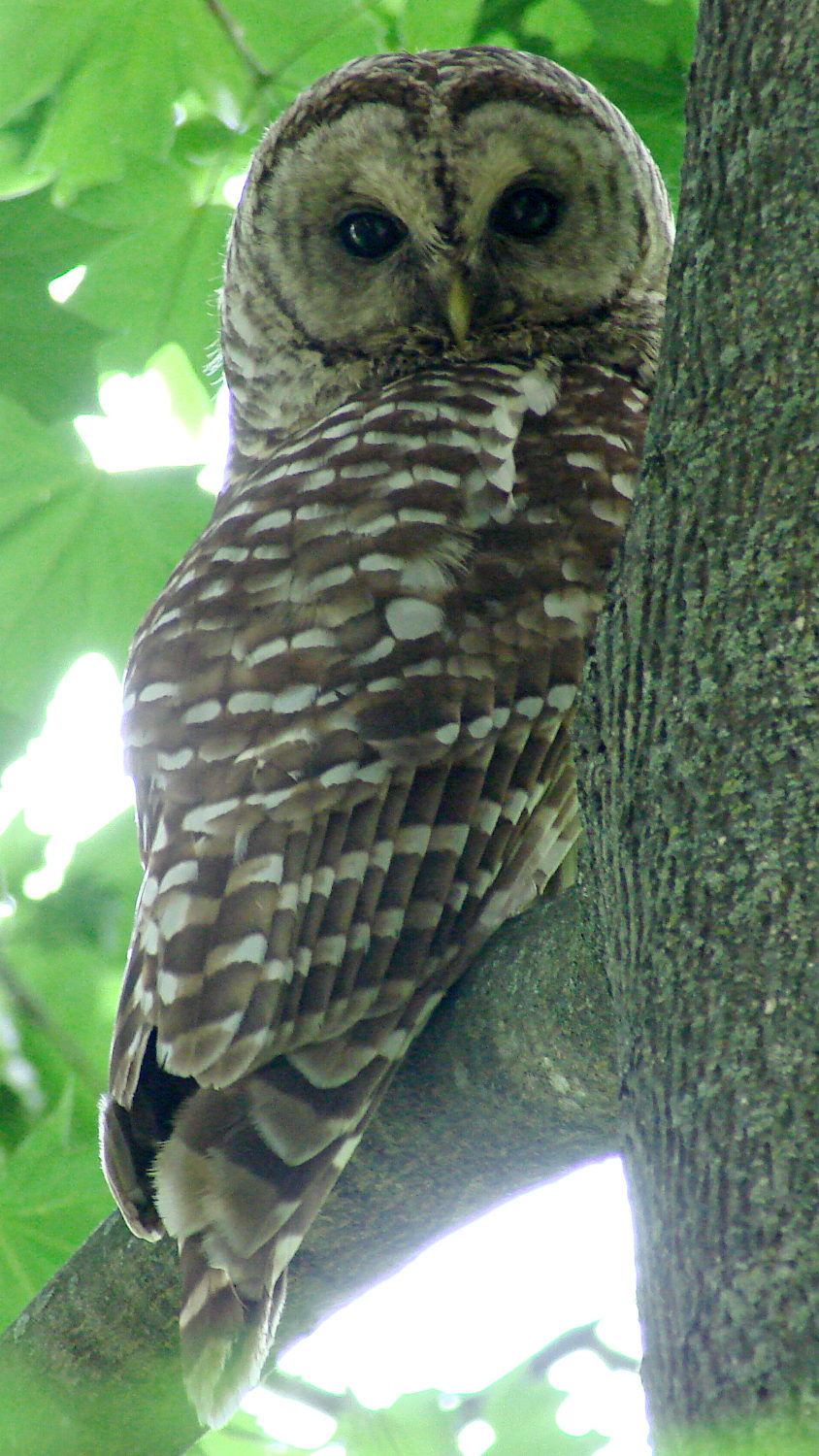
    A pair of barred owls have been doing call-response “Who cooks for you” chants during the late afternoon, we finally spotted one, and I have a Pixel XL in my pocket:

    Barred owl - overview
    Barred owl – overview

    That’s with the camera zoomed all the way, so it’s blowing up the raw pixels by a factor of four. Cropping out the middle and resizing by 300% shows the result doesn’t have much detail:

    Barred owl - zoomed 3x cropped
    Barred owl – zoomed 3x cropped

    We snagged the binoculars on the way out the door, so we got a better look than you do. The camera you have is much better than the camera you don’t, but big glass always wins over tiny optics!