Ed Nisley's Blog: Shop notes, electronics, firmware, machinery, 3D printing, laser cuttery, and curiosities. Contents: 100% human thinking, 0% AI slop.
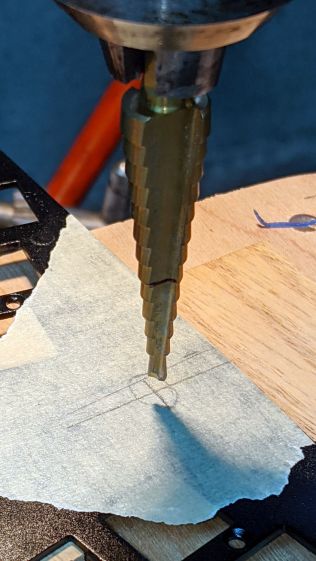
Reattaching the plate to the PCB with only three screws allows marking the hole position on the PCB, which is much easier than pretending to derive the position from first principles:
Atreus keyboard – LED marking
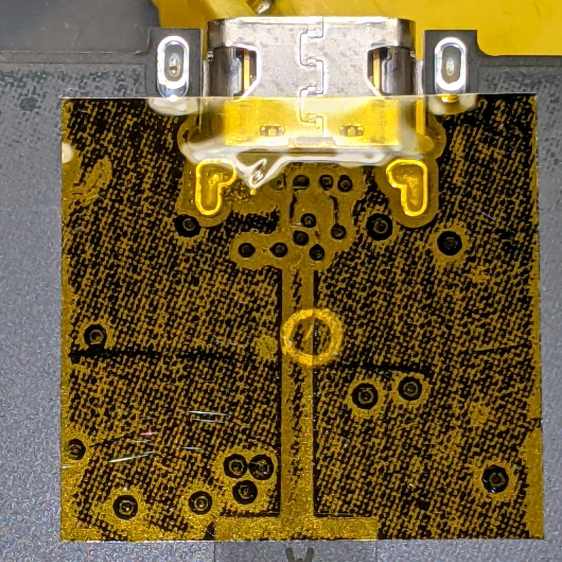
Despite appearances, I traced the hole with a mechanical pencil: black graphite turns shiny silvery gray against matte black soldermask. Also, the PCB trace is off-center, not the hole.
Overlay the neighborhood with Kapton tape to protect the PCB from what comes next:
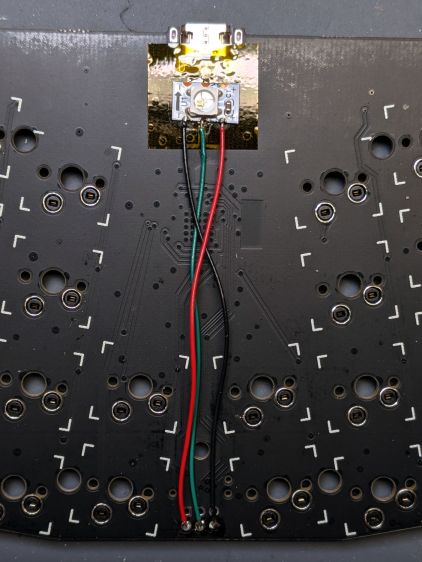
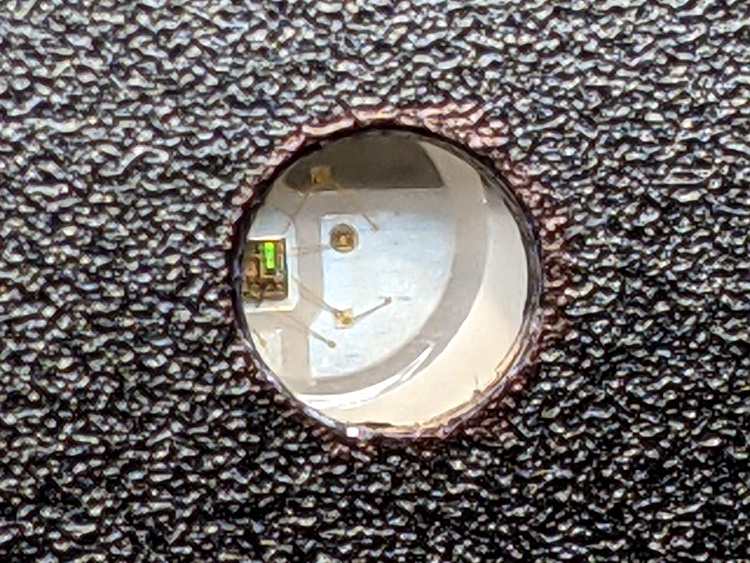
Snip a WS2812 RGB LED from a strip, stick it in place with eyeballometric alignment over the target, and wire it up:
Having a customizable keyboard like the KeyboardIO Atreus means one must customize it. As it turns out, I wanted to use some features of the underlying QMKKaleidoscope firmware that aren’t exposed by Chrysalis, KeyboardIO’s otherwise competent keymap configuration utility, so what you see below runs on hard mode.
Start by installing QMK, compiling the default Atreus layout, and flashing the keyboard just to confirm all the steps work:
Atreus keyboard – overview
With all that working, add (or create) two lines to the rules.mk file in the keymap directory you’re tweaking:
Enabling Auto-Shift lets you generate shifted characters (like Z) by briefly holding down the unshifted key (like z). This requires unlearning an entire lifetime of touch typing practice, but is definitely worthwhile; if a thumb still reaches for the shift key, there’s no harm done. There are, of course, a myriad options, all of which I left unchanged.
Complex passwords suffer, as you must blind-type carefully while tapping each key rapidly.
Enabling Tap Dance lets a key generate one character when tapped and another when double-tapped; you can go crazy with more taps. An enum{} in the keymap.c file generates indexes for the keys and an array holds the action definitions:
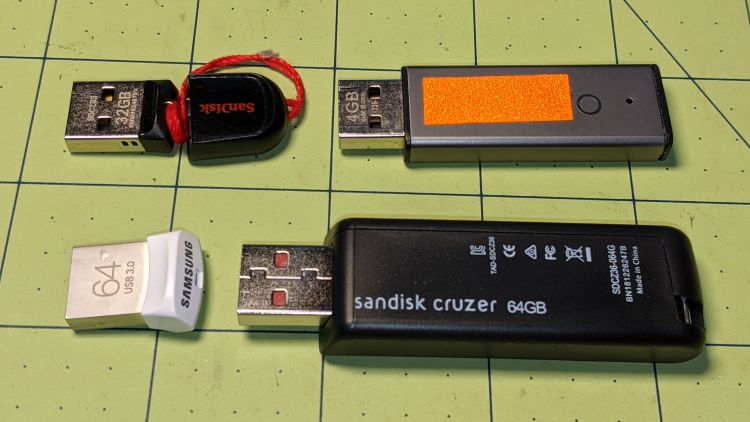
After about a year of streaming music, the music died over the course of a month, producing progressively bizarre symptoms on all the local Icecast stations. Killing the streaming server and yanking all the USB memory sticks produced this tableau:
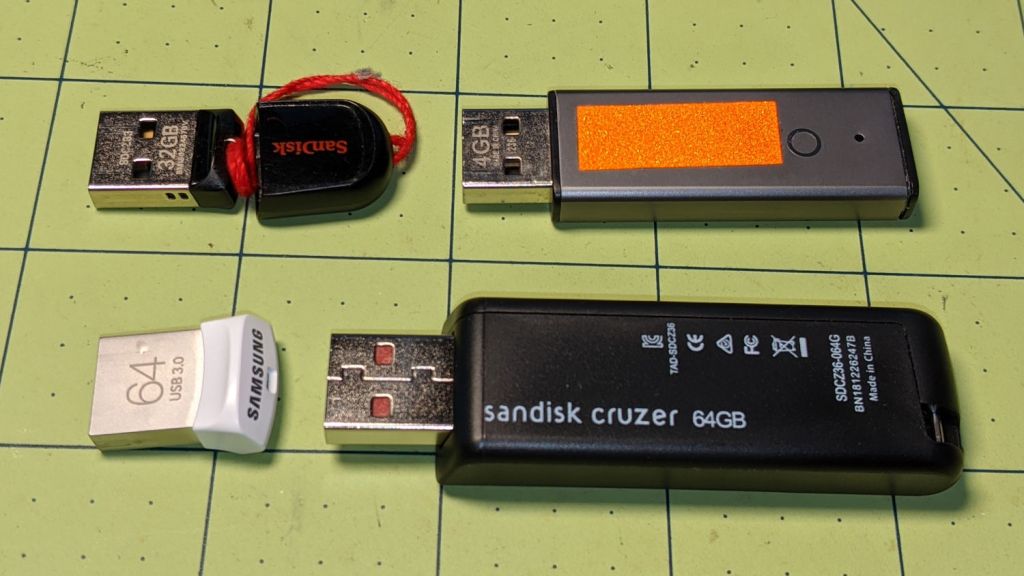
USB Memory – streamer failures
The USB 2.0 32 GB SanDisk Cruzer Fit (tiny, black, upper left) holds images from various network cameras and is not involved with music. It’s nigh onto seven years old and, apparently, still going strong.
The USB 2.0 Centron (gray-and-retroreflective, upper right) was forgotten from the last time I set up a drive for our Forester’s player. There’s another one just like it in the car; they’re impossibly old, as you’d expect from their minuscule size.
The USB 3.0 64 GB Samsung Fit (small, white, lower left) is totally dead, to the extent it doesn’t even announce its presence when plugged into a USB socket. It’s 2.5 years into a five year warranty, but their new USB 3.1 version is twelve bucks; Samsung wins. It formerly contained an extensive selection of public-domain music.
The 64 GB Sandisk Cruzer (huge, black, lower right) suffered some serious damage:
sudo mount -o ro /dev/sdg1 /mnt/part
ll /mnt/part
 ls: cannot access '/mnt/part/PILZ': Input/output error
 total 384K
 drwxr-xr-x   6 ed   users 4.0K Nov 28  2019 ./
 drwxr-xr-x  17 root root  4.0K Jun  7  2019 ../
 -rw-r--r--   1 ed   ed    215K Mar  9  2019 CDClassical.m3u
 drwxrwxr-x  56 ed   ed    4.0K Mar  9  2019 Classical/
 drwx------   2 root root   16K Mar  9  2019 lost+found/
 d?????????   ? ?    ?        ?            ? PILZ/
 drwxrwxr-x 116 ed   ed     12K Mar  9  2019 Pop/
 -rw-r--r--   1 ed   ed    117K Nov 28  2019 Pop.m3u
It still contains a fair amount of music ripped from the CDs we’ve collected over the decades, but it’s obviously unusable. Just for fun, I tried reformatting and copying some files to it, but it eventually hard-crashed with I/O errors:
[37787.872410] usb 2-1: new high-speed USB device number 2 using xhci_hcd
 [37788.013027] usb 2-1: New USB device found, idVendor=0781, idProduct=5530, bcdDevice= 1.00
 [37788.013030] usb 2-1: New USB device strings: Mfr=1, Product=2, SerialNumber=3
 [37788.013032] usb 2-1: Product: Cruzer
 [37788.013034] usb 2-1: Manufacturer: SanDisk
 [37788.013036] usb 2-1: SerialNumber: 4C530001151215101233
 [37788.013604] usb-storage 2-1:1.0: USB Mass Storage device detected
 [37788.014778] scsi host9: usb-storage 2-1:1.0
 [37789.033409] scsi 9:0:0:0: Direct-Access     SanDisk  Cruzer           1.00 PQ: 0 ANSI: 6
 [37789.034569] sd 9:0:0:0: [sdf] 120225792 512-byte logical blocks: (61.6 GB/57.3 GiB)
 [37789.035820] sd 9:0:0:0: [sdf] Write Protect is off
 [37789.035825] sd 9:0:0:0: [sdf] Mode Sense: 43 00 00 00
 [37789.036137] sd 9:0:0:0: [sdf] Write cache: disabled, read cache: enabled, doesn't support DPO or FUA
 [37789.086533]  sdf: sdf1
 [37789.089418] sd 9:0:0:0: [sdf] Attached SCSI removable disk
 [38035.071013] EXT4-fs (sdf1): mounting ext3 file system using the ext4 subsystem
 [38035.183172] EXT4-fs (sdf1): mounted filesystem with ordered data mode. Opts: (null)
 [38485.302549] usb 2-1: reset high-speed USB device number 2 using xhci_hcd
 [38490.622285] usb 2-1: device descriptor read/64, error -110
 [38506.195617] usb 2-1: device descriptor read/64, error -110
 [38506.425616] usb 2-1: reset high-speed USB device number 2 using xhci_hcd
 [38511.742339] usb 2-1: device descriptor read/64, error -110
 <<< snippage >>>
 [38548.845743] usb 2-1: USB disconnect, device number 2
 [38548.858925] blk_update_request: I/O error, dev sdf, sector 99556320 op 0x1:(WRITE) flags 0x4800 phys_seg 30 prio class 0
 [38548.858933] EXT4-fs warning (device sdf1): ext4_end_bio:309: I/O error 10 writing to inode 1531939 (offset 0 size 0 starting block 12444541
 )
 [38548.858937] Buffer I/O error on device sdf1, logical block 12444284
 [38548.858944] EXT4-fs warning (device sdf1): ext4_end_bio:309: I/O error 10 writing to inode 1531939 (offset 0 size 0 starting block 12444542
 )
 <<< snippage >>>
 [38548.858984] Buffer I/O error on device sdf1, logical block 12444293
 [38548.859034] blk_update_request: I/O error, dev sdf, sector 99017520 op 0x1:(WRITE) flags 0x4000 phys_seg 3 prio class 0
 [38548.859158] blk_update_request: I/O error, dev sdf, sector 99556560 op 0x1:(WRITE) flags 0x4800 phys_seg 30 prio class 0
 [38548.859224] blk_update_request: I/O error, dev sdf, sector 99017760 op 0x1:(WRITE) flags 0x4000 phys_seg 2 prio class 0
 [38548.859237] blk_update_request: I/O error, dev sdf, sector 99018000 op 0x1:(WRITE) flags 0x4000 phys_seg 2 prio class 0
 >>
 [38549.230765] JBD2: Detected IO errors while flushing file data on sdf1-8
 [38549.230920] Aborting journal on device sdf1-8.
 [38549.231008] Buffer I/O error on dev sdf1, logical block 1545, lost sync page write
 [38549.231011] JBD2: Error -5 detected when updating journal superblock for sdf1-8.
 [38549.231325] Buffer I/O error on dev sdf1, logical block 0, lost sync page write
 [38549.231332] EXT4-fs (sdf1): I/O error while writing superblock
 [38549.231333] EXT4-fs error (device sdf1): ext4_journal_check_start:61: Detected aborted journal
 [38549.231334] EXT4-fs (sdf1): Remounting filesystem read-only
 <<< and so forth and so on >>>
The Icecast streaming server reads data continuously from the USB sticks and, given that I set up half a dozen “stations”, there’s plenty of reading going on. The drives are formatted as ext3 and mounted with the noatime option, so there shouldn’t be any writing going on, but it seems a year of constant reading can kill a USB drive.
Fortunately, the original data lives elsewhere, with scripts to copy the appropriate files to the right places, so rebuilding the drives on a pair of new USB sticks wasn’t a big deal.
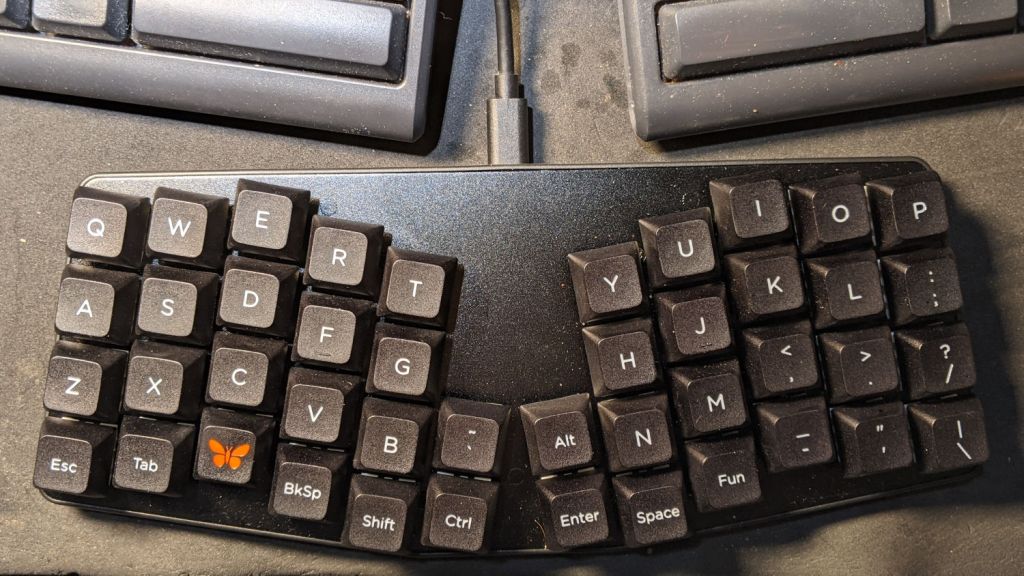
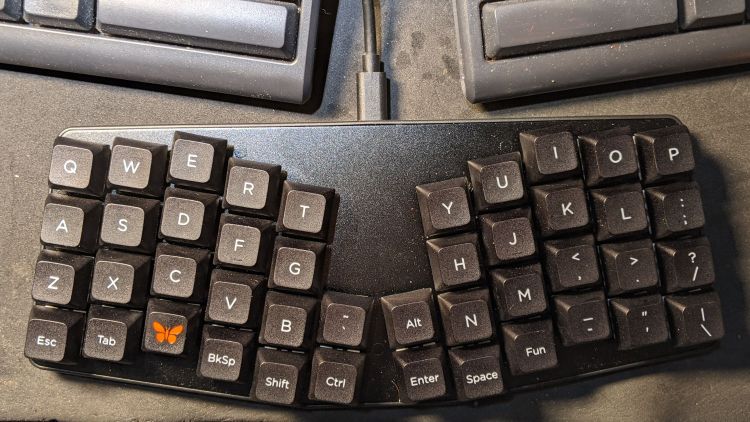
Having helped grossly over-fund the Atreus Kickstarter earlier this year, a small box arrived pretty much on-time:
Atreus keyboard – overview
I did get the blank keycap set, but have yet to screw up sufficient courage to install them. The caps sit atop the stock Kailh (pronounced, I think, kale) BOX Brown soft tactile switches; they’re clicky, yet not offensively loud.
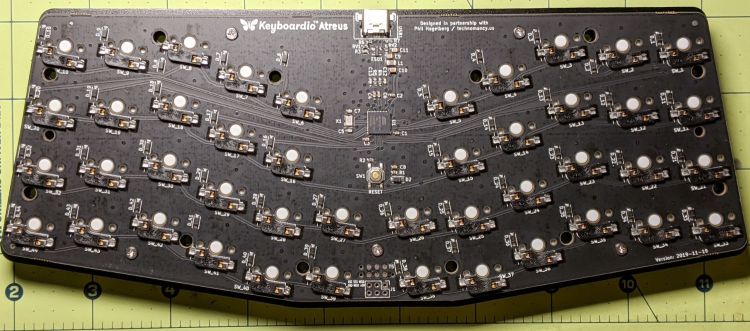
Removing a dozen screws lets you take it apart, revealing all the electronics on the underside of the PCB:
Atreus keyboard – PCB overview
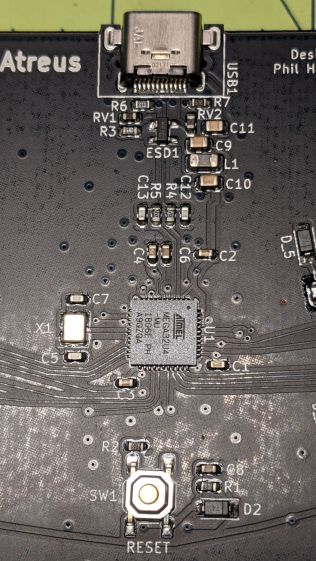
The central section holds most of the active ingredients:
Of interest is the JTAG header at the front center of the PCB:
Atreus keyboard – JTAG header
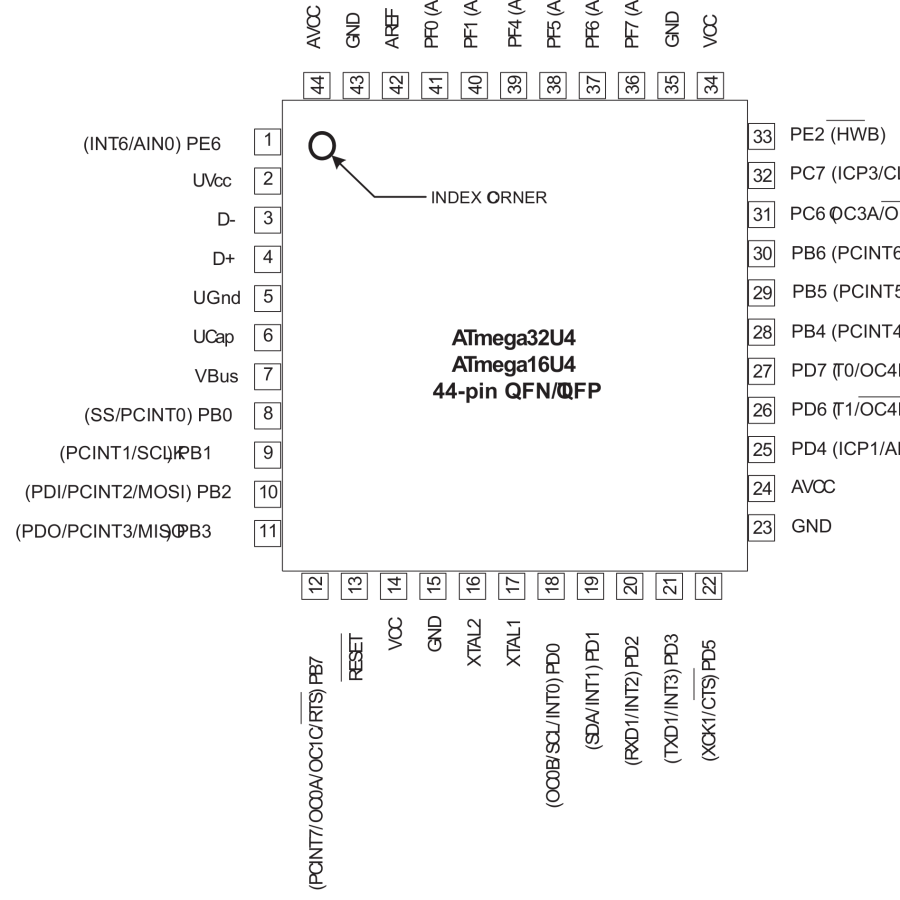
I have yet to delve into the code, but I think those signals aren’t involved with the key matrix and one might be available to drive an addressable RGB LED.
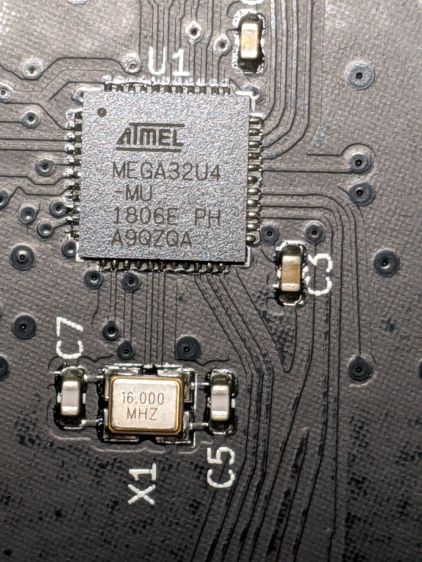
For future reference, they’re tucked into the lower left corner of the chip (the mauled format comes from the original PDF):
Atmel 32U4 – JTAG pins
The alternate functions:
SCK = PB1
MOSI = PB2
MISO = PB3
I don’t need exotic lighting, but indicating which key layer is active would be helpful.
Love the key feel, even though I still haven’t hit the B key more than 25% of the time.
Transferring the printers to a new “server” provided an opportunity to dump another king’s ransom of waste ink down the drain, whereupon the tank cracked under finger pressure:
Epson R380 – fractured CISS waste tank
The black smudge on the far side is an ink stain on adhesive left over from the hook-n-loop strip formerly holding it to the printer.
It looks to be an ordinary polypropylene tube, nothing fancy, and, after a decade, it really doesn’t owe me anything.
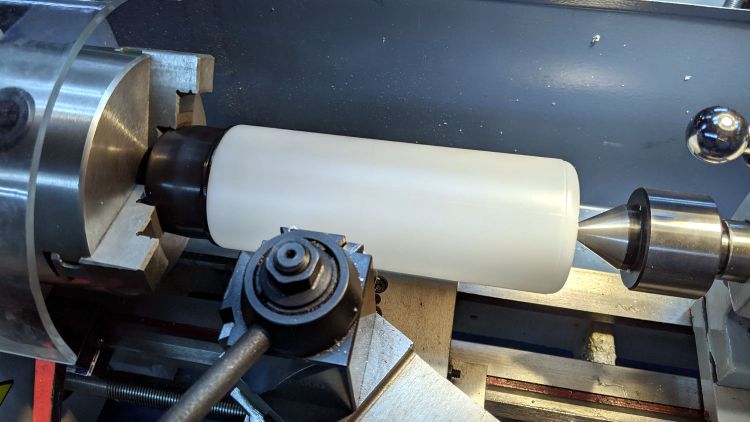
Scrounge a suitable bottle from one of the Big Boxes o’ Containers, run a bead of JB Weld Plasticbonder around the shoulder matching the discarded lid, jam on an original waste ink tank cap, and let the urethane goo cure while rotating slowly in the lathe to avoid unsightly dribbles:
Epson R380 – DIY waste tank – epoxy curing
The goo surely won’t bond to the polyethylene bottle, but it’s likely better than anything else in my inventory. We shall see.
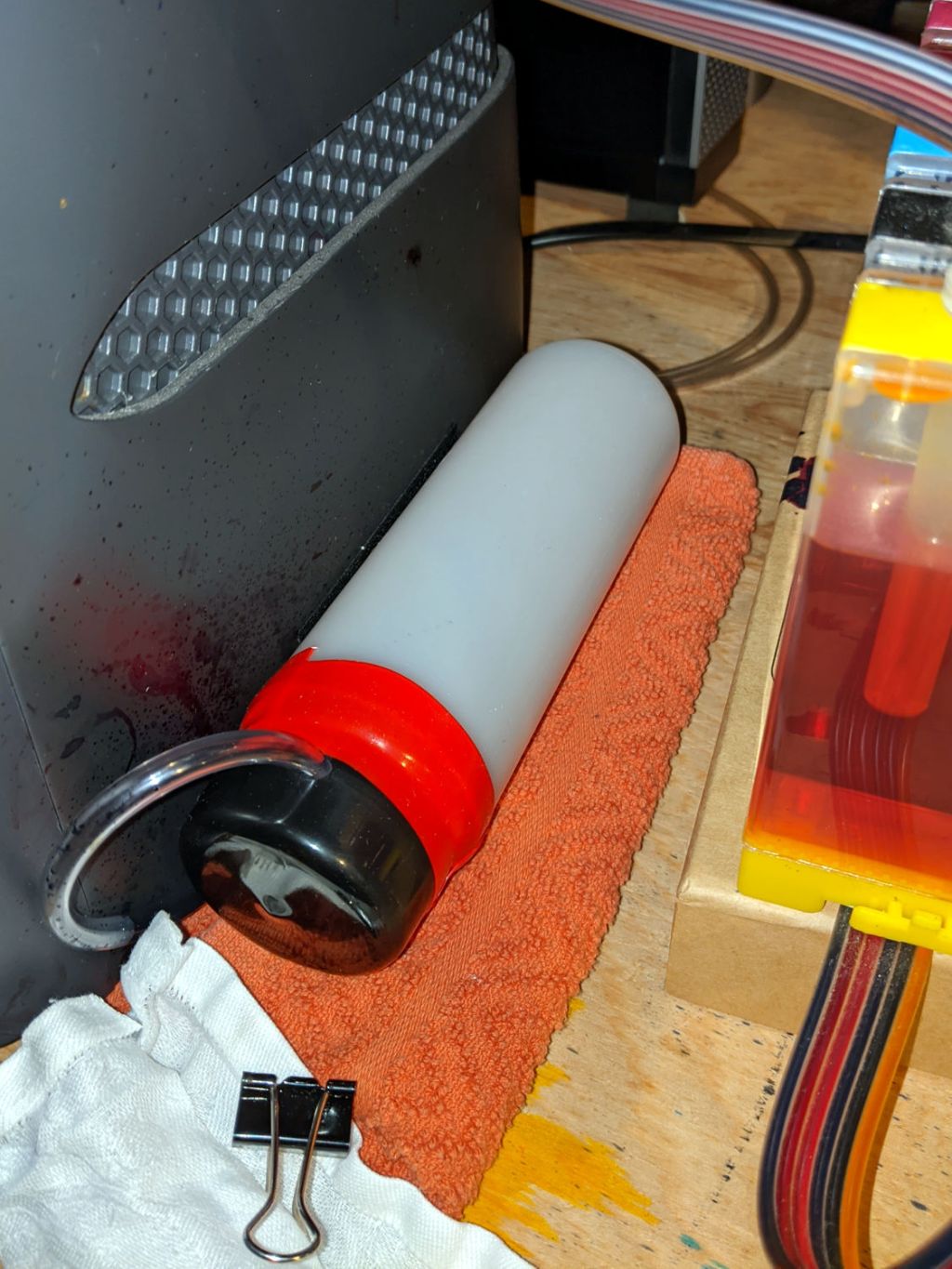
Drill a hole for the hose, ignore the chips left inside the tank due to a sequence error, stick the original hook-n-loop tape in place, replace the drip-catcher rags, and install:
Epson R380 – DIY waste tank – installed
The red silicone tape encourages the cap to remain in place against the urethane adhesive. One fewer endcap = one less seal.
The cap need not be removable, as you just squeeze the tube slightly to squirt the aforementioned king’s ransom down the drain.
It ought to last until I finally scrap out the printer.
No CUPS server setup can be considered complete without sending a print job to the wrong printer:
HPLJ1200 – CUPS Pinball Panic – detail
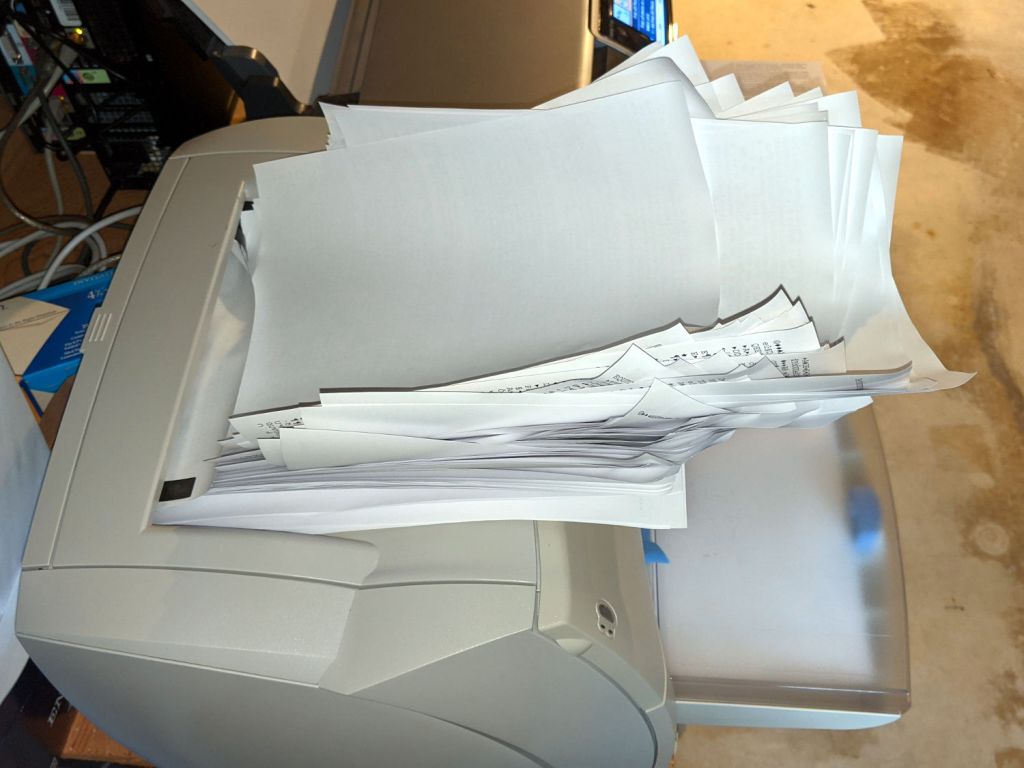
Which wouldn’t be quite so bad if the printer weren’t ever so much faster than I am:
HPLJ1200 – CUPS Pinball Panic – output pileup
It turns out an ordinary clothes iron can flatten those pages. Set it to “silk”, spread packing paper on the ironing board to intercept the toner, iron a few millimeters of pages at a time, and feed them back into the printer.
Back in the day, laser-specific printer paper came with a grain arranged so it wouldn’t curl when you fed it into the printer with the proper side up. Those days are gone; I’ve tried both ways and they both curl.
Protip: When CUPS thinks it’s done with the job and the Web interface shows nothing’s going on, it’s handed the job to the server’s printing subsystem, which continues spooling data to the printer. Choking off the bitstream requires one command-line invocation on the server connected to the printer:
cancel -a
A paper jam gives you enough time to figure all that out.
Tweaking a new Manjaro Linux 20.1 installation to share printers and allow remote administration, done while replacing an aging Optiplex desktop box that’s been running unattended for far too long.








 The Smell of Molten Projects in the Morning