The Smell of Molten Projects in the Morning

Ed Nisley's Blog: Shop notes, electronics, firmware, machinery, 3D printing, laser cuttery, and curiosities. Contents: 100% human thinking, 0% AI slop.

Category: Oddities

Who’d’a thunk it?

  • Fiskars Small Detail Scissors: Pivot Restaking

    Fiskars Small Detail Scissors: Pivot Restaking

    The pivot on the Fiskars Small Detail Scissors (the name is larger than the hardware!) in the bathroom gradually worked loose to the point where I hauled it to the Basement Shop and whacked the rivet with a concave punch:

    Fiskars Small Detail Scissors - pivot restaking
    Fiskars Small Detail Scissors – pivot restaking

    Setting the rim of the rivet down a smidge tightened the joint wonderfully well and two oil dots smoothed the action.

    I grew up using these concave punches (I have several sizes) to set finish(ing) nails, but apparently real nail punches have a nubbin in the middle to engage the little recess in the nail head which used to be common, back when finish nails arrived well-finished from the factory.

    They’re not roll pin punches, either, because those have a different nubbin to support the inside of the pin.

  • Halogen H3 Bulb

    Halogen H3 Bulb

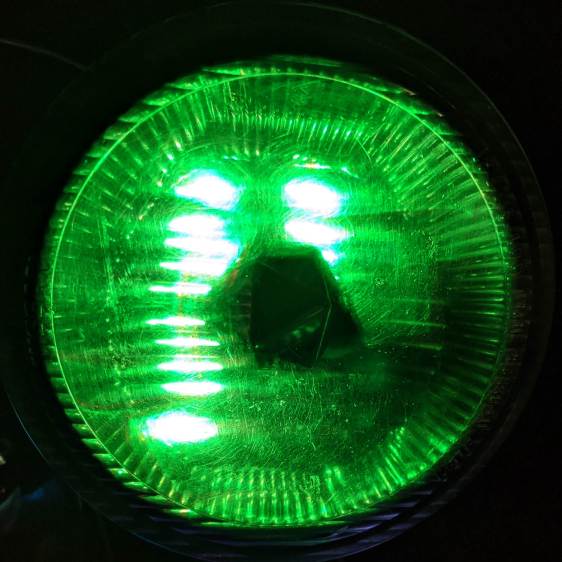
    Peering into the bulb salvaged from the Nissan fog light suggests the scuff on the lens corresponds to an impact mighty enough to disarrange the filament:

    Halogen H3 bulb - 1.5 A - light
    Halogen H3 bulb – 1.5 A – light

    No surprise, as the car completely shattered the utility pole.

    The glow draws 1.5 A from a bench supply at 1 V, just to show the filament isn’t lighting up evenly across those gaps. The bulb runs at 55 W from 12 V and would be, I’m sure, blindingly bright, although the heat concentrated in those few coils suggests it’d burn out fairly quickly.

    By LED standards, though, you don’t get much light for your 1.5 W …

    An underexposed version highlights the filament, just for pretty:

    Halogen H3 bulb - 1.5 A - dark
    Halogen H3 bulb – 1.5 A – dark

    Cropped to 9:16, it’s now a desktop background.

  • Pileated Woodpecker vs. Stump

    Pileated Woodpecker vs. Stump

    A pileated woodpecker devoted considerable attention to debugging the remains of a stump in our front yard:

    Pileated Woodpecker - front yard stump
    Pileated Woodpecker – front yard stump

    It’s surely a descendant of this one, eleven years ago:

    Pileated Woodpecker
    Pileated woodpecker

    If you’re willing to wait a decade or so, a stump pretty much falls apart on its own, meanwhile providing habitat for critters both great and small.

    Update: By popular demand, a slightly pixelated pileated woodpecker:

    Pileated Woodpecker - front yard stump - pixelated
    Pileated Woodpecker – front yard stump – pixelated
  • Tek Circuit Computer: Water Test

    Tek Circuit Computer: Water Test

    So the question came up: “Exactly what happens when one of those things gets wet?”

    Which obviously requires an experiment:

    Laminated Tek CC vs Water - start
    Laminated Tek CC vs Water – start

    That’s the mis-cut top deck revealing why GRBL really needs four digits after the decimal point, but, other than that, it’s perfectly representative of the genre: heavy paper, good ink, nicely laminated in plastic.

    Prediction: water should seep into the paper, dissolve the ink, maybe delaminate the plastic, and generally make a mess.

    Which is exactly what happens:

    Laminated Tek CC vs Water - finish
    Laminated Tek CC vs Water – finish

    User Advisory: your shiny new Homage Tektronix Circuit Computer is not waterproof, so don’t use it in the sauna!

  • Nissan Fog Lamp: Salvage & Lens Clearing

    Nissan Fog Lamp: Salvage & Lens Clearing

    The debris field from a recent high-energy collision with a utility pole just north of Red Oaks Mill included another attractive hunk of jewelry:

    Nissan Fog Lamp - as found
    Nissan Fog Lamp – as found

    I asked the guy who runs the towing service across the intersection if this was a “high-performance car / low-performance driver” situation. He said “Nah, the car was a piece of crap.” It apparently collided with the pole after pulling out of the adjacent gas station with entirely too much foot on the throttle; the young driver was last seen having considerable difficulty with a field sobriety test.

    Anyhow, the labeling suggests it’s the right-side fog light from a Nissan car.

    After removing various shattered plastic mounts and scrubbing off the obvious dirt, the lens didn’t look much better:

    Nissan Fog Lamp - as-found lens
    Nissan Fog Lamp – as-found lens

    The bright triangle is one facet of the hood over the 55 W halogen bulb. The lens seems to be covered with a scattershot coat of gray spray paint or primer, rather than ordinary road grime, applied with surprising uniformity over the entire surface.

    A quick wet-sand operation with 400 through 3000 grit paper, then some Simichrome, cleaned it up pretty well:

    Nissan Fog Lamp - semi-cleared lens
    Nissan Fog Lamp – semi-cleared lens

    Repeating the whole process, this time with a vigorous circular motion:

    Nissan Fog Lamp - cleared lens
    Nissan Fog Lamp – cleared lens

    It’s definitely got a used-car finish: nice polish over deep gouges.

    Look closely to see 400 grit diagonal scratches headed upward to the right; I must use 600 or 800 grit paper between the 400 and 1000. I don’t care about optical clarity, just knocking back the worst of the damage will suffice.

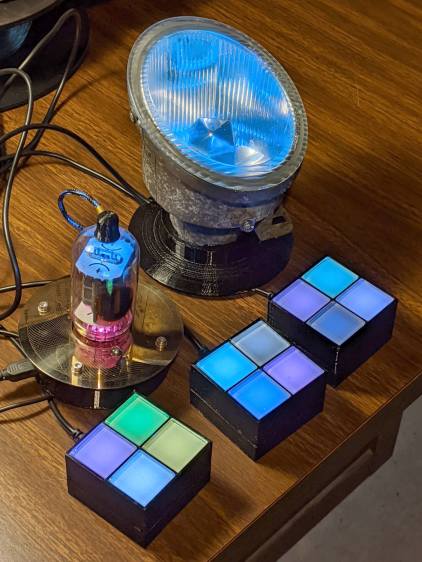
    Methinks it would look pretty with internal RGB LED lighting, although the optics are obviously set up for a halogen filament just under the edge of the internal hood. If I get it just right, the thing could project a beam across the room …

  • Cheapnified Brother TZ Label Cartridge

    Cheapnified Brother TZ Label Cartridge

    After four years, I finally had occasion to use the blue label cartridge, only to have the tape refuse to feed. The mess on the tongue sticking out shows the result after I forcibly pulled the tape from the cartridge:

    Cheapnified Brother Label Cartridge - exterior
    Cheapnified Brother Label Cartridge – exterior

    The proximate cause was a fold in the imaging tape takeup path causing the driven spool to stop turning:

    Cheapnified Brother Label Cartridge - folded dye tape
    Cheapnified Brother Label Cartridge – folded dye tape

    Some delicate unspooling, unfolding, and respooling put things back in order.

    However, with the cartridge opened on the desk, it became obvious this was the cheapnified version:

    Cheapnified Brother Label Cartridge - overview
    Cheapnified Brother Label Cartridge – overview

    Compare with a genuine Brother cartridge:

    Brother P-Touch TZ tape cartridge - detail
    Brother P-Touch TZ tape cartridge – detail

    In the genuine cartridge, the base tape (with the sticky side and the colored side) feeds from the lower right directly into the assembly pressure roller. The transparent cover tape feeds from the spool in the lower left, up around the imaging tape supply spool, has the image fused to it, and is then pressed against the base tape on the assembly roller.

    Update: Per david’s comment, the cartridges are even more complex than I thought! The printer has sense pins matching a group of cartridge holes to determine (at least) the tape size & orientation. See the pix added below.

    Despite using the same cartridge body, the cheapnified tape path is entirely different. The base tape now feeds from the spool in the lower right through what should be the cover tape supply reel, around the imaging film supply spool, has the image fused directly to it, then passes out through the assembly pressure roller.

    The cover tape is completely missing!

    It turns out the cheapnified cartridges don’t bother with lamination. Instead, the printhead presses the imaging film against the top of the base tape, leaving the black image exposed to the elements. The assembly roller does nothing, apart from pulling the base tape through the cartridge.

    Now that I know what to look for, the visible difference is the orientation of the base tape. A cartridge with the correct innards feeds the base tape with the colored side + image facing away from the long side of the cartridge. A cheapnified cartridge has the color + image facing the long side, with the major benefit of making the advertising look more appealing:

    Fake Brother TZ cartridge - Amazon image
    Fake Brother TZ cartridge – Amazon image

    A genuine Brother cartridge would print the image on the bottom of the tape in that picture, so you’d see the blank side of the tape in that picture.

    The “Amazon Marketplace” being what it is, I assume any pictures will not, in general, have much in common with what you actually receive, but at least I now know which ones to reject out of hand.

    Update: The PT-1090 label printer has cartridge sensing pins:

    Brother PT-1090 Labelmaker - sense pins
    Brother PT-1090 Labelmaker – sense pins

    And the cartridges have corresponding holes, although the printer doesn’t sense all of them:

    Brother PT-1090 Labelmaker - cartridge ID holes
    Brother PT-1090 Labelmaker – cartridge ID holes

    Despite that, cheapnified cartridges are still cheapnified.

    I learn something new every day around here! Thanks!
  • Pickett 110-ES Circular Slide Rule Manual: Scanning Thereof

    Pickett 110-ES Circular Slide Rule Manual: Scanning Thereof

    Having mostly finished futzing with the Homage Tektronix Circuit Computer, my Pickett 110-ES Circular Slide Rule once again came to mind:

    Homage Tek CC vs Pickett 110ES colors
    Homage Tek CC vs Pickett 110ES colors

    Casual searching didn’t reveal an online copy of its manual, so here ya go:

    After a cluestick whack, here’s a better-looking version made with ScanTailor, as installed from the normal Ubuntu repo:

    There’s some backstory, of course …

    I gimmicked a scanner fixture to align a pair of pages:

    Pickett 110-ES Scanning Fixture
    Pickett 110-ES Scanning Fixture

    Yes, I destroyed the collectible value of my manual by removing two slightly rusted staples.

    The black paper taped to the scanner lid prevents the type on the upper surface of the paper from producing dark blurs.

    Set up XSane for batch scanning (one selection over each two-page spread), get a pipeline going (disassembly → face up → face down → reassembly), and eventually create 34 images named Scan-??.jpg. They’re in color, although it matters only for the rust stains around the staple holes, with the contrast stretched enough to make them mostly B&W.

    Somehow, Pickett printed / cut half the sheets slightly off-kilter, so I rotated them -1° rotation to re-align the text. To simplify plucking the rotated pages out of the image, composite the spread atop a blank white background:

    for i in $(seq -w 3 2 33) ; do composite -compose atop Scan-$i.jpg -size 2200x1400 -geometry +100+100 canvas:white -rotate -1 Comp-$i.jpg ; done

    Rather than thinking too hard, do exactly the same thing to the other pages without rotation:

    for i in $(seq -w 2 2 34) ; do composite -compose atop Scan-$i.jpg -size 2200x1400 -geometry +100+100 canvas:white -rotate 0 Comp-$i.jpg ; done

    Each scanned image has two pages, so crop it into two files with names corresponding to the actual page numbers:

    for i in $(seq 2 2 34) ; do convert -crop 960x1240+1050+110 Comp-$i.jpg Crop-$(( $i - 1 )).jpg ; done
    for i in $(seq 3 2 34) ; do convert -crop 960x1240+130+110 Comp-$i.jpg Crop-$(( $i - 1 )).jpg ; done
    for i in $(seq 3 2 33) ; do convert -crop 960x1240+1050+110 Comp-$i.jpg Crop-$(( 66 - $i )).jpg ; done
    for i in $(seq 2 2 32) ; do convert -crop 960x1240+110+110 Comp-$i.jpg Crop-$(( 66 - $i )).jpg ; done

    Fix the single-digit pages to simplify globbing later on:

    rename 's/-/-0/' Crop-[1-9].jpg

    A bit of tedious fixup for some truly misaligned sheets produced images with slightly different sizes, so composite all of them onto slightly larger backgrounds to avoid screwing up the PDF conversion:

    mkdir Final
    for f in Crop* ; do composite -compose atop $f -size 1000x1300 -geometry +10+10 canvas:white -Final/$f ; done

    Then jam them into a PDF for convenience:

    cd Final
    convert Crop-C[12].jpg Crop-[0-6]*.jpg Crop-C[34].jpg "Pickett 110-ES Circular Slide Rule Manual.pdf"

    You can print it six-up to a sheet to produce text just about the same size as the original manual. If you omit (blank) cover pages 2, 67, and 68, the whole thing fits neatly on 11 sheets of paper.

    Someone with better facilities and more attention to detail can surely produce a better-looking result, but this will be better than nothing.