The Smell of Molten Projects in the Morning

Ed Nisley's Blog: Shop notes, electronics, firmware, machinery, 3D printing, laser cuttery, and curiosities. Contents: 100% human thinking, 0% AI slop.

Category: Machine Shop

Mechanical widgetry

  • Coaster Generator: Rounded Petals

    Coaster Generator: Rounded Petals

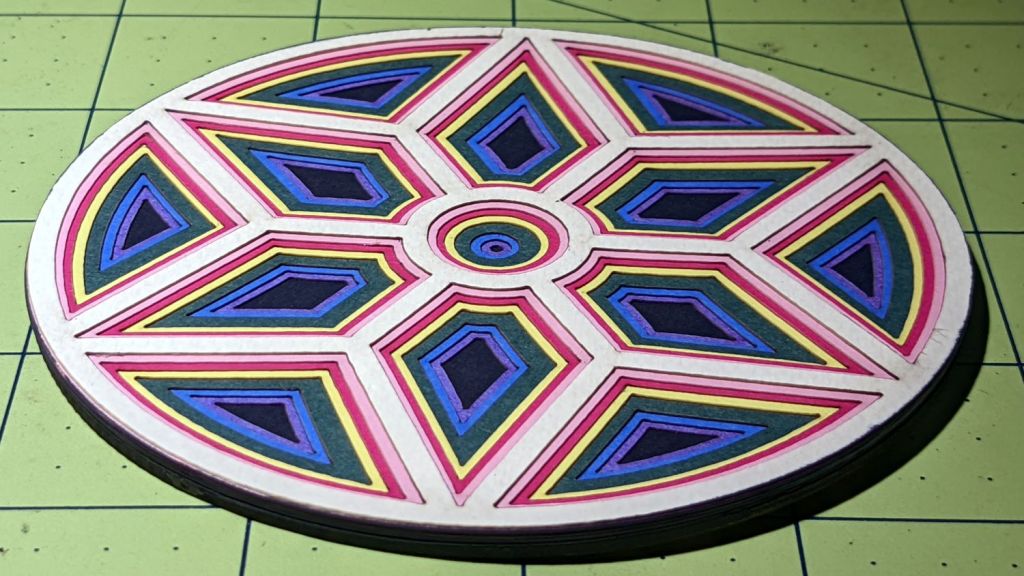
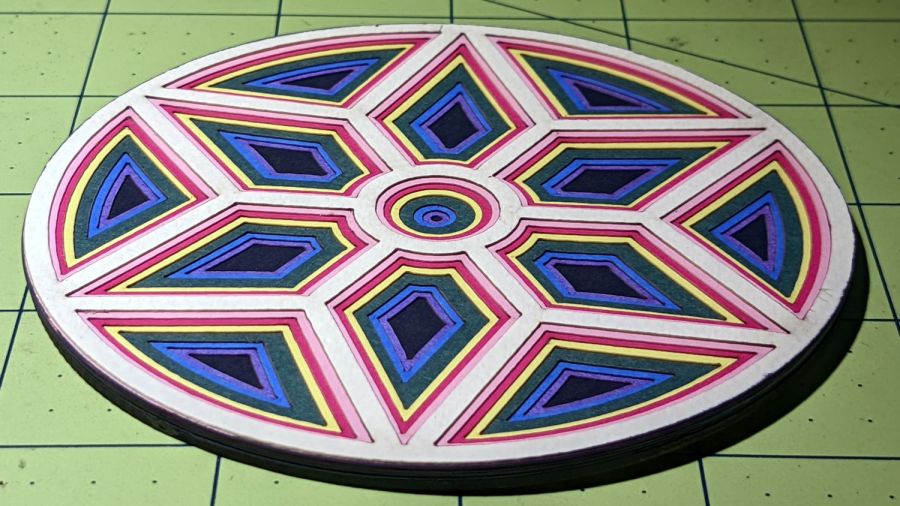
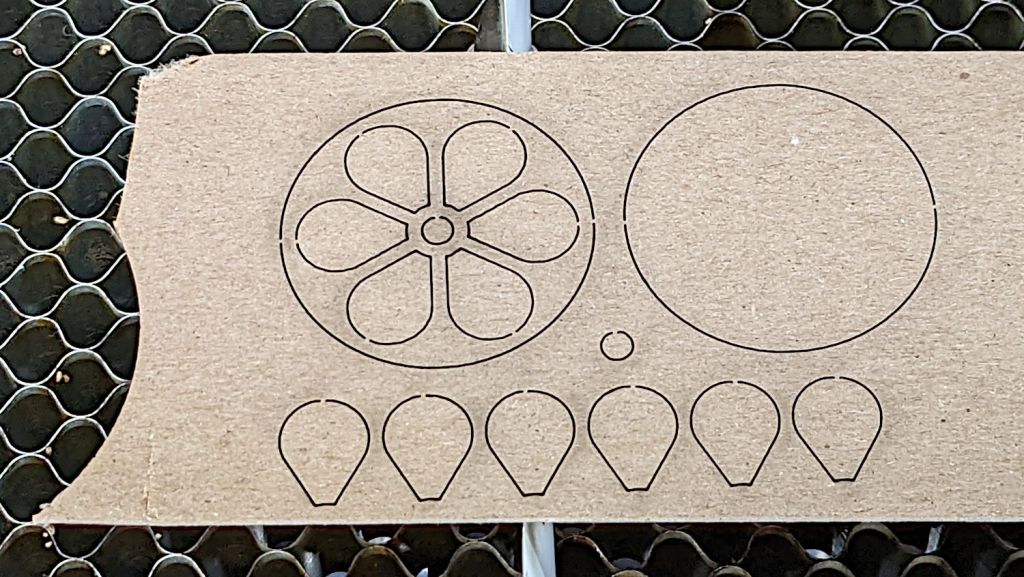
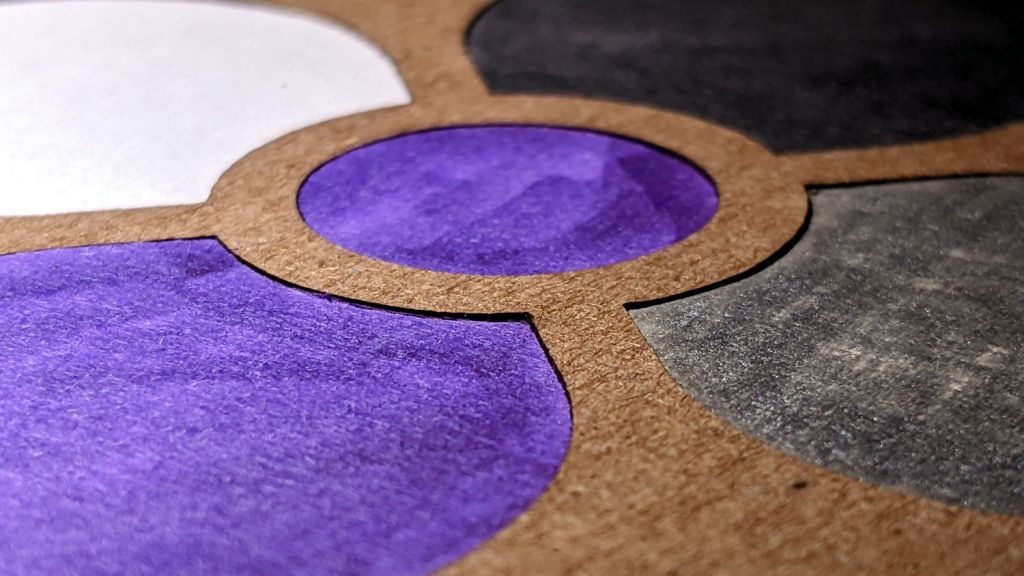
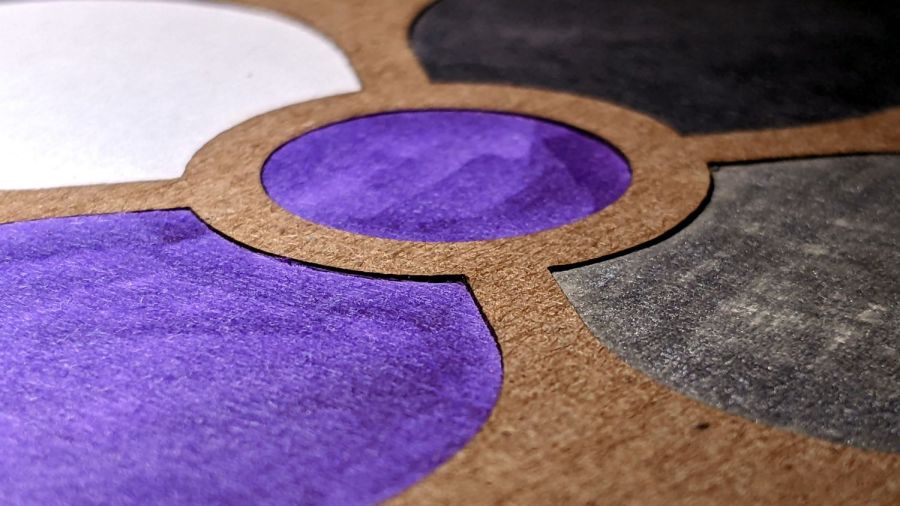
    Making a coaster with petals from the NBC peacock turned out to be trickier than I expected:

    Chipboard coaster - rounded petals
    Chipboard coaster – rounded petals

    Protracted doodling showed that I cannot math hard enough to get a closed-form solution gluing a circular section onto the end of those diverging lines:

    Chipboard coaster - rounded petal geometry doodle
    Chipboard coaster – rounded petal geometry doodle

    However, I can write code to recognize a solution when it comes around on the guitar.

    Point P3 at the center of the end cap circle will be one radius away from both P2 at the sash between the petals and P4 at the sash around the perimeter, because the circle will be tangent at those points. The solution starts by sticking an absurdly small circle around P3 out at P4, then expanding its radius and relocating its center until the circle just kisses the sash, thus revealing the location of P2:

    t1 = tan(PetalHA);
    sc = (Sash/2) / cos(PetalHA);
    
    << snippage >>
    
    P3 = P4;        // initial guess
    r = 1.0mm;      // ditto
    delta = 0.0mm;
    do {
      r += sin(PetalHA) * delta;
      P3.x = P4.x - r;
      dist = abs(P3.x * t1 - sc) / sqrt(pow(t1,2) + 1);
      delta = dist - r;
      message("r: ",r,"  delta: ",delta);
    } while (abs(delta) > 0.001mm);
    
    P2 = [P3.x - r*sin(PetalHA),r*cos(PetalHA)];
    

    The dist variable is the perpendicular distance from the sash line to P3, which will be different than the test radius r between P3 and P4 until it’s equal at the kissing point. The radius update is (pretty close to) the X-axis difference between the two, which is (pretty close to) how wrong the radius is.

    As far as I can tell, this will eventually converge on the right answer:

    r: 1.0000mm  delta: 13.3381mm
    r: 6.1043mm  delta: 6.2805mm
    r: 8.5077mm  delta: 2.9573mm
    r: 9.6394mm  delta: 1.3925mm
    r: 10.1723mm  delta: 0.6557mm
    r: 10.4232mm  delta: 0.3087mm
    r: 10.5414mm  delta: 0.1454mm
    r: 10.5970mm  delta: 0.0685mm
    r: 10.6232mm  delta: 0.0322mm
    r: 10.6355mm  delta: 0.0152mm
    r: 10.6413mm  delta: 0.0071mm
    r: 10.6441mm  delta: 0.0034mm
    r: 10.6454mm  delta: 0.0016mm
    r: 10.6460mm  delta: 0.0007mm

    Obviously, efficiency isn’t a big concern here.

    Having found the center point of the end cap, all the other points fall out easily enough and generating the paths follows the same process as with the simple petals. The program performs no error checking and fails in amusing ways.

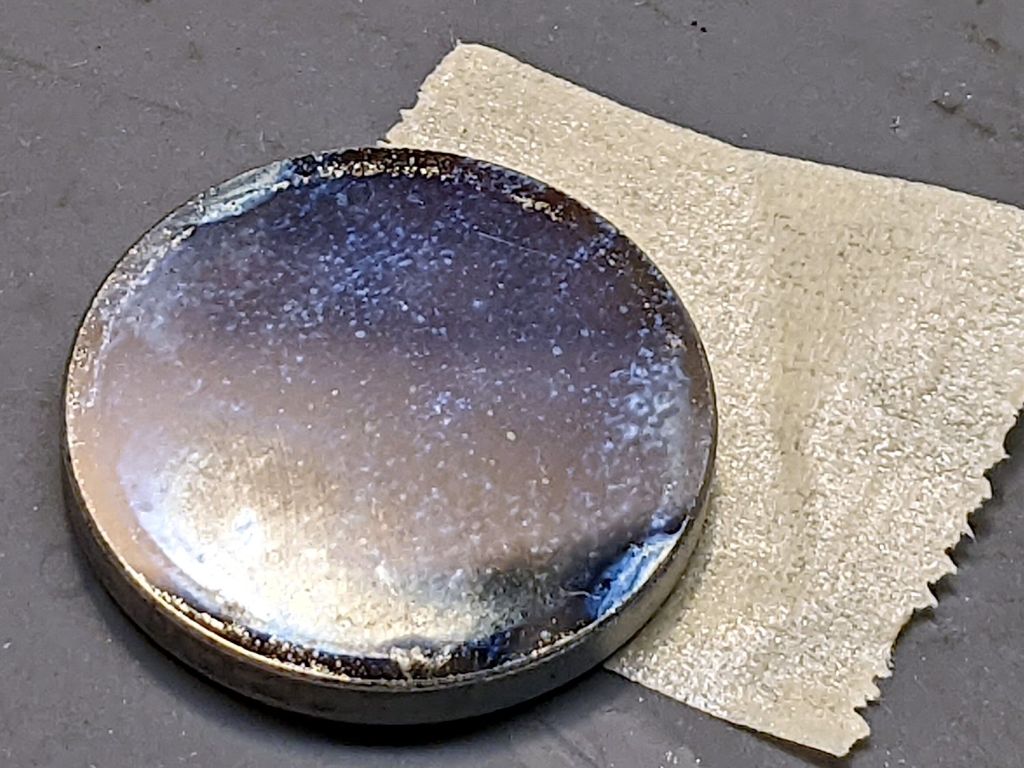
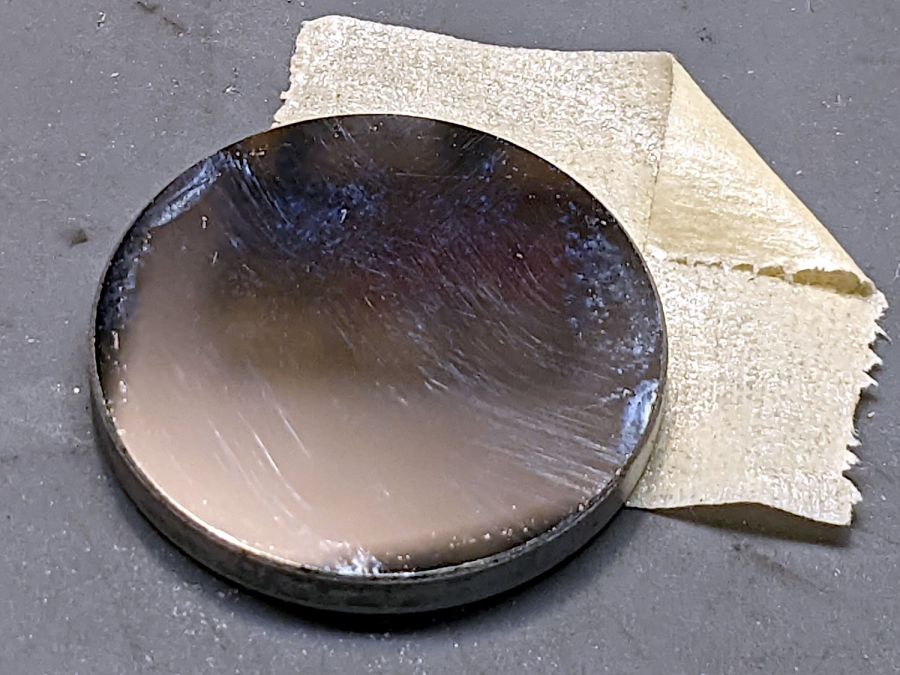
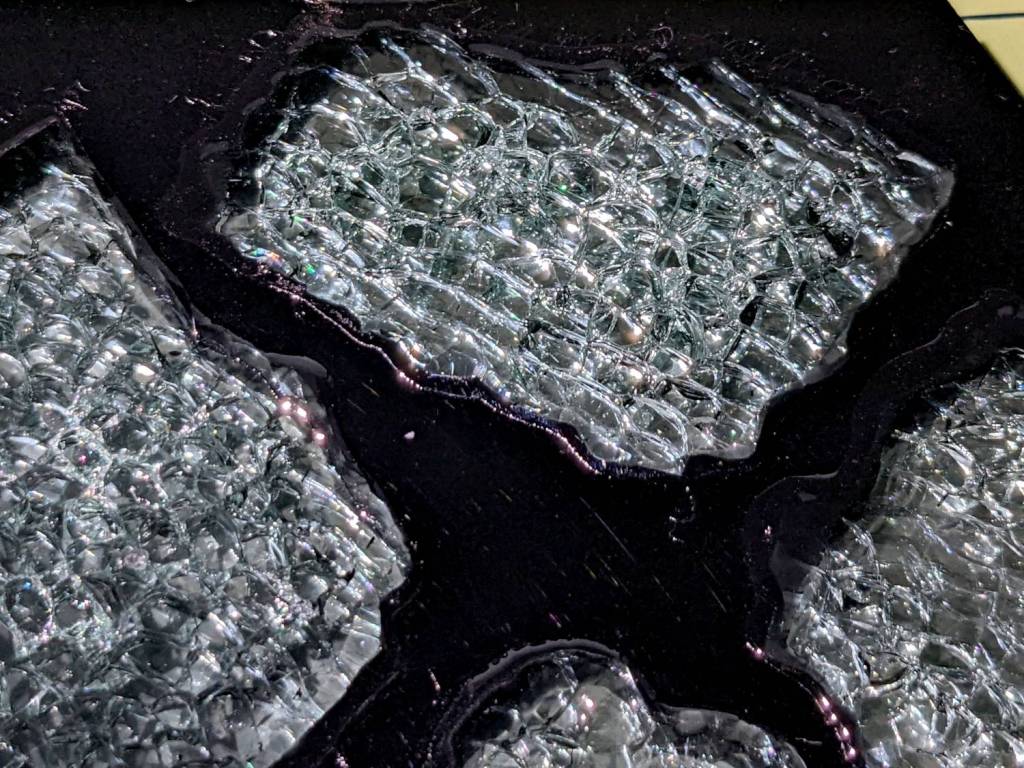
    As before, laser cutting the chipboard deposits some soot along both sides of the kerf. It’s noticeable on brown chipboard and painfully obvious on white-surface chipboard, particularly where all those cuts converge toward the middle. I applied low-tack blue masking tape as a (wait for it) mask:

    Chipboard coaster - tape shield
    Chipboard coaster – tape shield

    Whereupon I discovered the white surface has the consistency of tissue paper and removing the tape pretty much peels it right off:

    Chipboard coaster - white surface vs tape
    Chipboard coaster – white surface vs tape

    Putting the chipboard up on spikes and cutting it from the back side, with tabs holding the pieces in place (so they don’t fall out and get torched while cutting the next piece), should solve that problem.

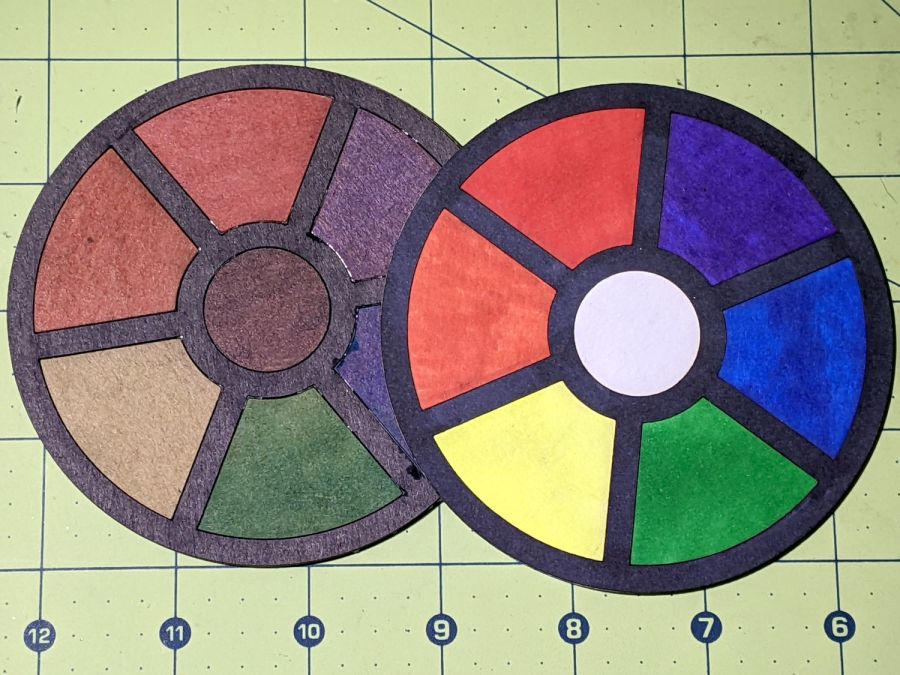
    In the meantime, a black frame conceals many issues:

    Chipboard coaster - rounded petals - front vs back cut
    Chipboard coaster – rounded petals – front vs back cut

    I must up my coloring game; those fat-tip markers just ain’t getting it done.

    The GCMC and Bash source code as a GitHub Gist:

    // Round Petals Test Piece
    // Ed Nisley KE4ZNU
    // 2022-07-17 Coasters with round-end petals
    layerstack("Frame","Petals","Rim","Base","Center","Tool1"); // SVG layers map to LightBurn colors
    //—–
    // Library routines
    include("tracepath.inc.gcmc");
    include("tracepath_comp.inc.gcmc");
    include("varcs.inc.gcmc");
    include("engrave.inc.gcmc");
    FALSE = 0;
    TRUE = !FALSE;
    //—–
    // Command line parameters
    // -D various useful tidbits
    // add unit to speeds and depths: 2000mm / -3.00mm / etc
    if (!isdefined("OuterDia")) {
    OuterDia = 100.0mm;
    }
    if (!isdefined("CenterDia")) {
    CenterDia = 0.0mm;
    }
    if (!isdefined("NumPetals")) {
    NumPetals = 6;
    }
    if (!isdefined("Sash")) {
    Sash = 5.0mm;
    }
    // Petal values
    PetalAngle = 360.0deg/NumPetals; // subtended by inner sides
    PetalHA = PetalAngle/2;
    PetalOD = OuterDia – 2*Sash;
    PetalID = CenterDia + 2*Sash;
    PetalOAL = OuterDia/2 – Sash – (Sash/2)/sin(PetalHA);
    //message("petalOAL: ",PetalOAL);
    P4 = [PetalOD/2,0.0mm];
    // Find petal vertices
    P0 = [(Sash/2) / sin(PetalHA),0.0mm];
    t1 = tan(PetalHA);
    sc = (Sash/2) / cos(PetalHA);
    if (P0.x < PetalID/2) {
    a = 1 + pow(t1,2);
    b = -2 * t1 * sc;
    c = pow(sc,2) – pow(PetalID/2,2);
    xp = (-b + sqrt(pow(b,2) – 4*a*c))/(2*a);
    xn = (-b – sqrt(pow(b,2) – 4*a*c))/(2*a);
    y = xp*t1 – sc;
    if (FALSE) {
    message("a: ",a);
    message("b: ",b);
    message("c: ",c);
    message("p: ",xp," n: ",xn," y: ",y);
    }
    P1 = [xp,y];
    }
    else {
    P1 = P0;
    }
    P3 = P4; // initial guess
    r = 1.0mm; // ditto
    delta = 0.0mm;
    do {
    r += sin(PetalHA) * delta;
    P3.x = P4.x – r;
    dist = abs(P3.x * t1 – sc) / sqrt(pow(t1,2) + 1);
    delta = dist – r;
    message("r: ",r," delta: ",delta);
    } while (abs(delta) > 0.001mm);
    P2 = [P3.x – r*sin(PetalHA),r*cos(PetalHA)];
    PetalWidth = 2*r;
    if (FALSE) {
    message("P0: ",P0);
    message("P1: ",P1);
    message("P2: ",P2);
    message("P3: ",P3);
    message("P4: ",P4);
    }
    // Construct paths
    PetalPoints = {P1,P2};
    OutArc = varc_cw([P2.x,-P2.y] – P2,-r);
    OutArc += P2;
    PetalPoints += OutArc;
    if (P0 != P1) {
    PetalPoints += {[P1.x,-P1.y]};
    InArc = varc_ccw(P1 – [P1.x,-P1.y],PetalID/2);
    InArc += [P1.x,-P1.y];
    PetalPoints += InArc;
    }
    else {
    PetalPoints += {P0};
    }
    //— Lay out the frame
    linecolor(0xff0000);
    layer("Frame");
    if (CenterDia) {
    goto([CenterDia/2,0mm]);
    circle_cw([0mm,0mm]);
    }
    repeat(NumPetals;i) {
    a = (i-1)*PetalAngle;
    tracepath(rotate_xy(PetalPoints,a));
    }
    goto([OuterDia/2,0]);
    circle_cw([0mm,0mm]);
    //— Lay out internal pieces for oriented cutting
    // baseplate
    layer("Base");
    relocate([OuterDia + 2*Sash,0]);
    goto([OuterDia/2,0]);
    circle_cw([0mm,0mm]);
    // central circle
    if (CenterDia) {
    layer("Center");
    relocate([OuterDia/2 + Sash,-(OuterDia – CenterDia)/2]);
    goto([CenterDia/2,0mm]);
    circle_cw([0mm,0mm]);
    }
    // petals
    layer("Petals");
    repeat(NumPetals;i) {
    org = [PetalWidth/2 – OuterDia/2,-(OuterDia + Sash)];
    relocate([(i-1)*(PetalWidth + Sash) + org.x,org.y]);
    tracepath(rotate_xy(PetalPoints,90deg));
    }
    // Debugging by printf()
    if (FALSE) {
    layer("Tool1");
    linecolor(0xff1f00);
    goto([Sash/2,0mm]);
    circle_cw([0mm,0mm]);
    goto(P0);
    circle_cw([0mm,0mm]);
    goto([0,0]);
    move([OuterDia/2,0]);
    goto([0,0]);
    move(OuterDia/2 * [cos(PetalHA),sin(PetalHA)]);
    goto(P2);
    move_r([0,-PetalWidth/2]);
    }
    #!/bin/bash
    # Round petals test piece
    # Ed Nisley KE4ZNU – 2022-07-17
    Flags='-P 4 –pedantic' # quote to avoid leading hyphen gotcha
    SVGFlags='-P 4 –pedantic –svg –svg-no-movelayer –svg-opacity=1.0 –svg-toolwidth=0.2'
    # Set these to match your file layout
    ProjPath='/mnt/bulkdata/Project Files/Laser Cutter/Coasters/Source Code'
    LibPath='/opt/gcmc/library'
    ScriptPath=$ProjPath
    Script='Round Petals.gcmc'
    [ -z "$1" ] && petals="6" || petals="$1"
    fn=RoundPetals-$petals.svg
    echo Output: $fn
    gcmc $SVGFlags \
    -D "NumPetals=$petals" \
    –include "$LibPath" \
    "$ScriptPath"/"$Script" > "$fn"
    view raw roundpetals.sh hosted with ❤ by GitHub

  • Epoxy Mixing Rack

    Epoxy Mixing Rack

    First you mix the epoxy, then you blend in the dye, then you dispense it into the thing you are making. If you’re using many colors, this is obviously not the right way to go about it:

    Acrylic Coaster - epoxy coloring
    Acrylic Coaster – epoxy coloring

    A bit of pondering converted some scrap MDF into a rack holding the little cups and dispensing pipettes:

    Epoxy Mixing Rack
    Epoxy Mixing Rack

    The bar magnet holds the backplate against a bench block to keep it at right angles to the base while the adhesive cures. The base is three layers of MDF with no, small, and large holes fitting the cups. I expect many epoxy spills; scrap MDF reduces deep emotional bonding to the result.

    The LightBurn project has the sign outline as a tool layer to simplify aligning the victims with the laser path, plus one layer defining the cuts for the three plates. I exported it as an SVG image with the same information as colored vectors for use in whatever laser control program you might use.

    The SVG image as a GitHub Gist:

    Loading
    Sorry, something went wrong. Reload?
    Sorry, we cannot display this file.
    Sorry, this file is invalid so it cannot be displayed.

  • Poured Epoxy Coaster: Proof of Concept

    Poured Epoxy Coaster: Proof of Concept

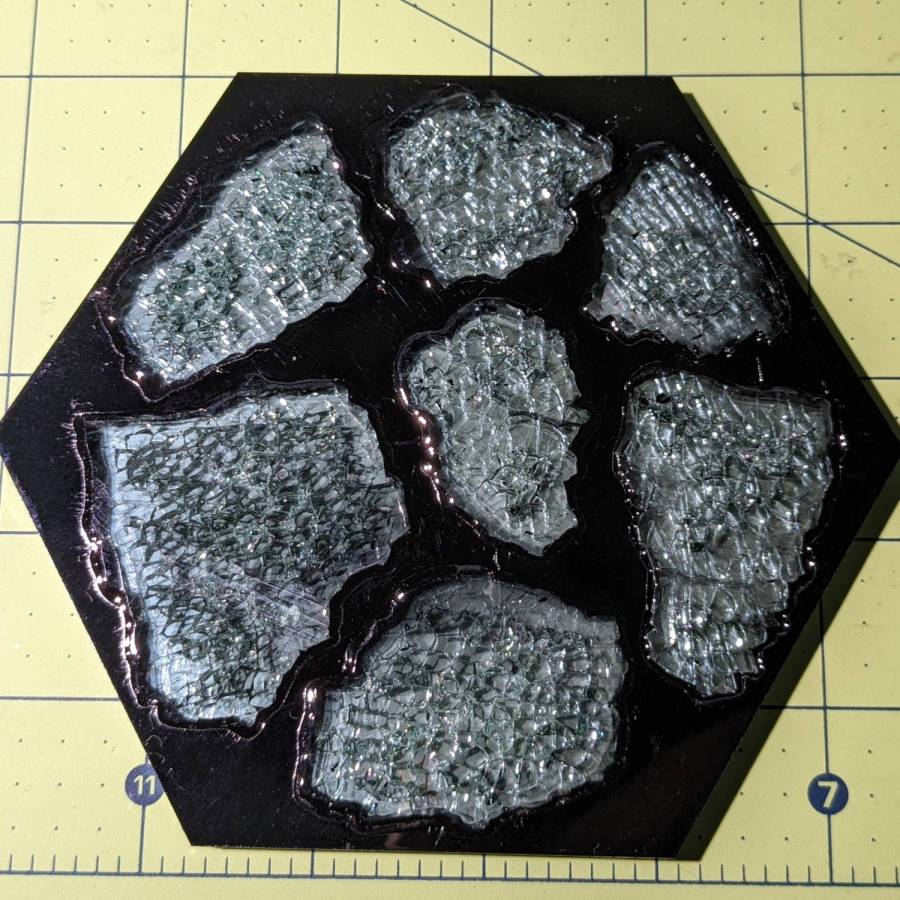
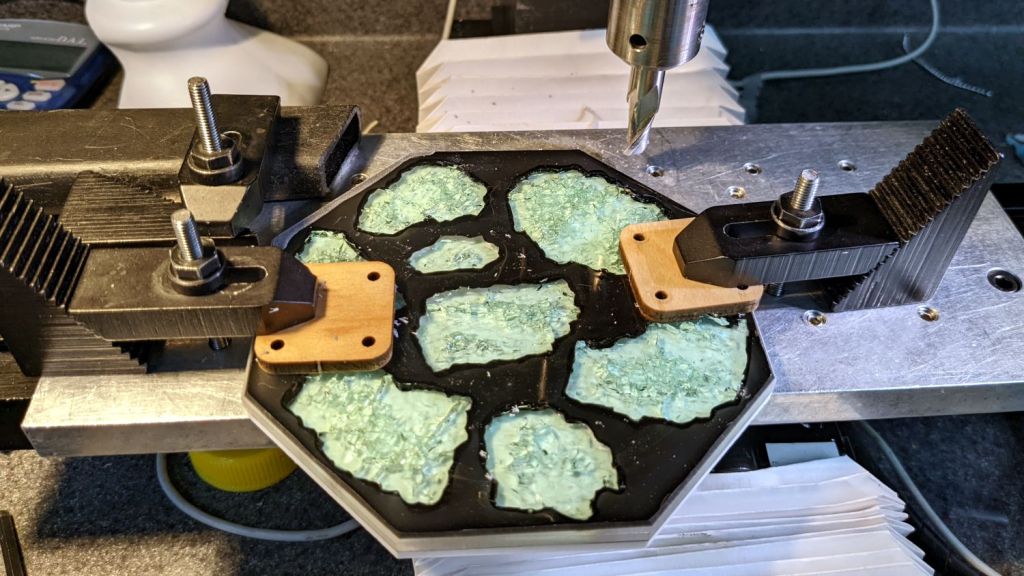
    Although I’m getting better about fitting laser-cut pieces into frames, it occurred to me that mashing colored epoxy together with coaster-shaped scrap acrylic might be interesting:

    Acrylic Coaster - epoxy petals
    Acrylic Coaster – epoxy petals

    I eased a thin bead of clear epoxy along the frame sash, using less than I thought necessary, and aligned it atop the base plate:

    Acrylic Coaster - frame epoxy
    Acrylic Coaster – frame epoxy

    The excess epoxy formed fillets along the petals, a little oozed out the perimeter, and even less smeared on the top surface. The scrap acrylic didn’t have a surface mask, but that’s definitely a Good Idea for the next attempt.

    Two drops of transparent red tinted the remainder of the epoxy well enough:

    Acrylic Coaster - first color pour
    Acrylic Coaster – first color pour

    The clear epoxy was still liquid (which is why the red epoxy was still pourable!), but the red tint stayed atop the fillet around the spot.

    The next day:

    Acrylic Coaster - epoxy coloring
    Acrylic Coaster – epoxy coloring

    Obviously, coloring epoxy for a single coaster makes absolutely no sense whatsoever, but ya gotta start somewhere.

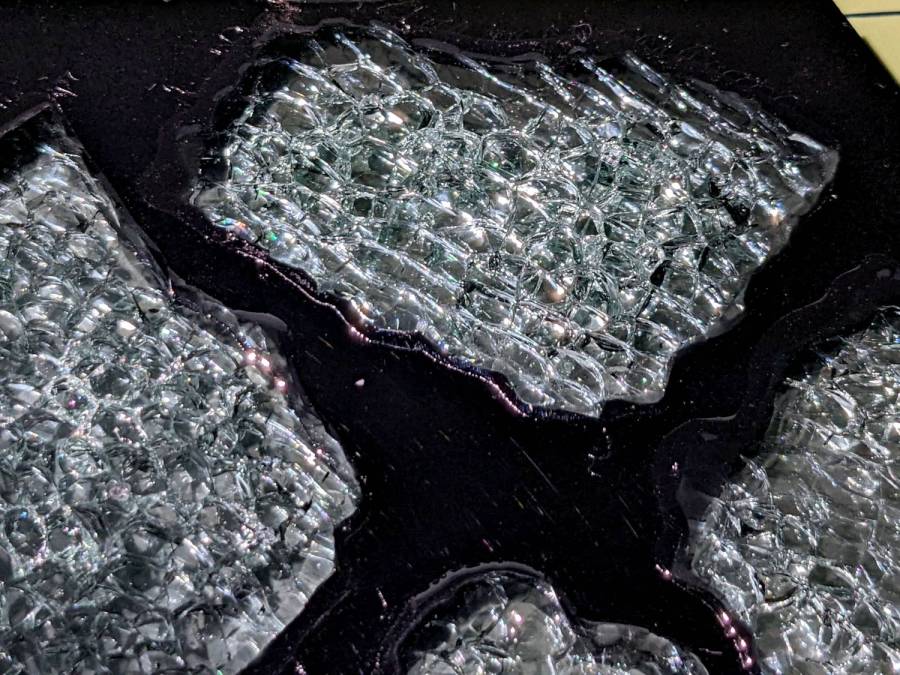
    You (well, I) can suck most of the inevitable bubbles out of the epoxy back into the dispensing pipette, but those last few bubbles will remain forever. Popping bubbles by waving a propane torch flame over the surface seems better-suited to tabletop-scale projects not involving an acrylic frame.

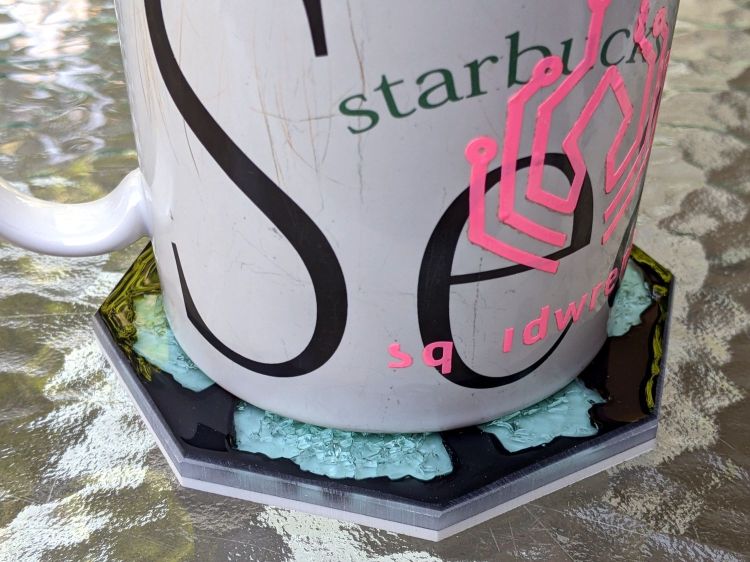
    The epoxy puddles are about 1 mm deep inside the 2.5 mm thick frame, so (if this were a real coaster) the sashes between the petals would support the chilled mug and the petals would collect all the condensation.

    Thicker epoxy would have more saturated colors and a white base plate might be in order.

  • Coaster Generator: Simple Petals

    Coaster Generator: Simple Petals

    Having figured out how to intersect a line with a circle, I figured I could do it twice to put arcs on both the inside and the outside of each petal:

    Chipboard coaster - double arcs
    Chipboard coaster – double arcs

    As before, scribbling markers on plain chipboard makes for a … subdued … coaster, so I tried chipboard with one white surface:

    Chipboard coaster - plain vs white
    Chipboard coaster – plain vs white

    Much better.

    Clamping the coaster produces a flatter result:

    Chipboard coaster - clamping
    Chipboard coaster – clamping

    With the risk of squishing excess glue through the kerf:

    Chipboard coaster - excess glue
    Chipboard coaster – excess glue

    That’s the same coaster as in the first picture, carefully arranged with light reflecting off the flat glue surface. In real life, the nearly transparent glue doesn’t look nearly so awful, but smoothing much less glue than seems necessary across the bottom disk suffices.

    The geometry doodle with the arcs:

    Chipboard coaster - double arc petal geometry doodle
    Chipboard coaster – double arc petal geometry doodle

    I suppose I should refactor the code with a quadratic solver returning a list of roots, but copypasta suffices for now.

    The GCMC and Bash source code as a GitHub Gist:

    #!/bin/bash
    # Simple petals test piece
    # Ed Nisley KE4ZNU – 2022-07-01
    Flags='-P 4 –pedantic' # quote to avoid leading hyphen gotcha
    SVGFlags='-P 4 –pedantic –svg –svg-no-movelayer –svg-opacity=1.0 –svg-toolwidth=0.2'
    # Set these to match your file layout
    ProjPath='/mnt/bulkdata/Project Files/Laser Cutter/Coasters/Source Code'
    LibPath='/opt/gcmc/library'
    ScriptPath=$ProjPath
    Script='Simple Petals.gcmc'
    [ -z "$1" ] && petals="6" || petals="$1"
    fn=Petals-$petals.svg
    echo Output: $fn
    gcmc $SVGFlags \
    -D "NumPetals=$petals" \
    –include "$LibPath" \
    "$ScriptPath"/"$Script" > "$fn"
    view raw petals.sh hosted with ❤ by GitHub
    // Simple Petals Test Piece
    // Ed Nisley KE4ZNU
    // 2022-07-12 Simplest possible petals
    layerstack("Frame","Petals","Rim","Base","Center","Tool1"); // SVG layers map to LightBurn colors
    //—–
    // Library routines
    include("tracepath.inc.gcmc");
    include("tracepath_comp.inc.gcmc");
    include("varcs.inc.gcmc");
    include("engrave.inc.gcmc");
    FALSE = 0;
    TRUE = !FALSE;
    //—–
    // Command line parameters
    // -D various useful tidbits
    // add unit to speeds and depths: 2000mm / -3.00mm / etc
    if (!isdefined("OuterDia")) {
    OuterDia = 100.0mm;
    }
    if (!isdefined("CenterDia")) {
    CenterDia = 25.0mm;
    }
    if (!isdefined("NumPetals")) {
    NumPetals = 6;
    }
    if (!isdefined("Sash")) {
    Sash = 5.0mm;
    }
    // Petal values
    PetalAngle = 360.0deg/NumPetals; // subtended by inner sides
    PetalHA = PetalAngle/2;
    PetalOD = OuterDia – 2*Sash;
    PetalID = CenterDia + 2*Sash;
    PetalOAL = OuterDia/2 – Sash – (Sash/2)/sin(PetalHA);
    //message("petalOAL: ",PetalOAL);
    // Find petal vertices
    P0 = [(Sash/2) / sin(PetalHA),0.0mm];
    t1 = tan(PetalHA);
    sc = (Sash/2) / cos(PetalHA);
    if (P0.x < PetalID/2) {
    a = 1 + pow(t1,2);
    b = -2 * t1 * sc;
    c = pow(sc,2) – pow(PetalID/2,2);
    xp = (-b + sqrt(pow(b,2) – 4*a*c))/(2*a);
    xn = (-b – sqrt(pow(b,2) – 4*a*c))/(2*a);
    y = xp*t1 – sc;
    if (FALSE) {
    message("a: ",a);
    message("b: ",b);
    message("c: ",c);
    message("p: ",xp," n: ",xn," y: ",y);
    }
    P1 = [xp,y];
    }
    else {
    P1 = P0;
    }
    a = 1 + pow(t1,2);
    b = -2 * t1 * sc;
    c = pow(sc,2) – pow(PetalOD/2,2);
    if (FALSE) {
    message("a: ",a);
    message("b: ",b);
    message("c: ",c);
    }
    xp = (-b + sqrt(pow(b,2) – 4*a*c))/(2*a);
    xn = (-b – sqrt(pow(b,2) – 4*a*c))/(2*a);
    y = to_mm(sqrt(pow(PetalOD/2,2) – pow(xp,2)));
    //message("p: ",xp," n: ",xn," y: ",y);
    P2 = [xp,y];
    PetalWidth = 2*P2.y;
    P3 = [PetalOD/2,0.0mm];
    if (FALSE) {
    message("P0: ",P0);
    message("P1: ",P1);
    message("P2: ",P2);
    message("P3: ",P3);
    }
    // Construct paths
    PetalPoints = {P1,P2};
    OutArc = varc_cw([P2.x,-P2.y] – P2,PetalOD/2);
    OutArc += P2;
    PetalPoints += OutArc;
    if (P0 != P1) {
    PetalPoints += {[P1.x,-P1.y]};
    InArc = varc_ccw(P1 – [P1.x,-P1.y],PetalID/2);
    InArc += [P1.x,-P1.y];
    PetalPoints += InArc;
    }
    else {
    PetalPoints += {P0};
    }
    //— Lay out the frame
    linecolor(0xff0000);
    layer("Frame");
    if (CenterDia) {
    goto([CenterDia/2,0mm]);
    circle_cw([0mm,0mm]);
    }
    repeat(NumPetals;i) {
    a = (i-1)*PetalAngle;
    tracepath(rotate_xy(PetalPoints,a));
    }
    goto([OuterDia/2,0]);
    circle_cw([0mm,0mm]);
    //— Lay out internal pieces for oriented cutting
    // baseplate
    layer("Base");
    relocate([OuterDia + 2*Sash,0]);
    goto([OuterDia/2,0]);
    circle_cw([0mm,0mm]);
    // central circle
    if (CenterDia) {
    layer("Center");
    relocate([OuterDia/2 + Sash,-(OuterDia – CenterDia)/2]);
    goto([CenterDia/2,0mm]);
    circle_cw([0mm,0mm]);
    }
    // petals
    layer("Petals");
    repeat(NumPetals;i) {
    org = [PetalWidth/2 – OuterDia/2,-(OuterDia + Sash)];
    relocate([(i-1)*(PetalWidth + Sash) + org.x,org.y]);
    tracepath(rotate_xy(PetalPoints,90deg));
    }
    // Debugging by printf()
    if (FALSE) {
    layer("Tool1");
    linecolor(0xff1f00);
    goto([Sash/2,0mm]);
    circle_cw([0mm,0mm]);
    goto(P0);
    circle_cw([0mm,0mm]);
    goto([0,0]);
    move([OuterDia/2,0]);
    goto([0,0]);
    move(OuterDia/2 * [cos(PetalHA),sin(PetalHA)]);
    goto(P2);
    move_r([0,-PetalWidth/2]);
    }

  • Onion Maggot Flies vs. Sticky Traps: Round 2

    Onion Maggot Flies vs. Sticky Traps: Round 2

    Mary decided the second round of sticky traps had collected enough Onion Maggot Flies (and other detritus) to warrant replacement, so this season will have three sets of cards.

    The two sides of each card after about a month in the garden:

    • VCCG Onion Card A - 2022-07-17
    • VCCG Onion Card B - 2022-07-17
    • VCCG Onion Card C - 2022-07-17
    • VCCG Onion Card D - 2022-07-17
    • VCCG Onion Card E - 2022-07-17
    • VCCG Onion Card F - 2022-07-17

    There are many flies that look (to me) like Onion Maggot Flies, in contrast with the first round of cards which had far fewer flies after about six weeks in the bed.

    Some could be Cabbage Maggot Flies, but my fly ID hand is weak.

    One of the frames screwed to a fence post suffered a non-fatal mishap, so I made and deployed a seventh trap. We’re pretty sure the garden has enough flies to go around.

  • Wheelbarrow Wheel Transplant

    Wheelbarrow Wheel Transplant

    The rubber in pneumatic tires / tubes rots when left out in the open for a year or three, so I volunteered to replace the dead-flat tire (on the wheelbarrow I rebuilt last year) with the “flat free” solid foam tire+wheel harvested from an irreparably damaged wheelbarrow. Which, as it turned out, had lost one bearing and the remaining bearing wasn’t in good shape:

    Wheelbarrow Wheel - victim bearing
    Wheelbarrow Wheel – victim bearing

    The bearings in the pneumatic wheel were in comparatively good shape:

    Wheelbarrow Wheel - donor bearing
    Wheelbarrow Wheel – donor bearing

    So I knocked the good bearings out, cleaned up / re-lubed them with squirts from my lifetime supply of genuine Mobil Vactra No. 2 Sticky Way Oil, and hammered tapped them into the solid-tire wheel.

    Whereupon I discovered the two wheels have different hub lengths and, unfortunately, the axle clamps in the recipient wheelbarrow lacked enough adjustment range.

    Well, I can fix that:

    Wheelbarrow Wheel - axle clamp cutting
    Wheelbarrow Wheel – axle clamp cutting

    I briefly considered cleaning and repainting the wheel, but came to my senses when I considered the tire’s condition:

    Wheelbarrow Wheel - transplanted
    Wheelbarrow Wheel – transplanted

    I suppose when the tread flakes off, the interior foam will rapidly erode, but we’ll burn that bridge when we encounter it.

    The alert reader will have immediately noted the grease fitting on that rusty wheel: you’re supposed to periodically fill the entire hub with sufficient grease to push the crud out of the bearings. IMO, that’s so deep in silk purse territory as to be irrelevant.

    The remaining useful parts from the defunct wheelbarrow will, most likely, come to good use next year …

  • Laser Kerf Width Test Pattern / Coaster Generator

    Laser Kerf Width Test Pattern / Coaster Generator

    Before trying to make decorative coasters from colorful acrylic, I figured a few practice sessions in chipboard would be in order:

    Chipboard coasters
    Chipboard coasters

    They’re colored with wide tip Sharpies of various ages and, as the yellow and uncolored sections show, chipboard never gets very bright. On the other paw, chipboard is also known as “beer mat”, so at least I have the right general idea.

    The patterns come from a GCMC program producing SVG figures for LightBurn to apply kerf compensation:

    Chipboard coasters - cut and color
    Chipboard coasters – cut and color

    It’s obviously too late to have me color within the lines.

    The overall frame in the upper left and the base plate in the upper right get the kerf compensation, which (for chipboard) turns out to be +0.15 mm outward (thus making the holes smaller and the diameter larger). If I were doing marquetry, I’d want to arrange each piece on a separate wood veneer sheet with proper grain orientation and similar fussiness, but that’s not the point right now.

    Without compensation, the pieces have a drop-in fit with an obvious gap:

    Coaster - chipboard - no kerf comp
    Coaster – chipboard – no kerf comp

    Adding a mere 0.15 mm on each side produces a very snug fit:

    Coaster - chipboard - frame 0.15 out
    Coaster – chipboard – frame 0.15 out

    In fact, the pieces go in from the back and require hammering gentle tapping to persuade all the corners into place.

    Protip: putting a dark color on the frame and around the edges conceals many flaws.

    Increasing the compensation to +0.20 mm means the pieces no longer fit and, when eventually battered into the frame, the surface becomes a concave-upward dish.

    With the (colored) pieces in the frame, I covered the base plate with a thin layer of good old Elmer’s Yellow Wood Glue, dropped the top over it with some attention to good alignment on all sides, and clamped the assembly between two planks for a while. Obviously, you’d want to make more than one at a time, but they’re rather labor intensive.

    The GCMC program produces the patterns from the coaster’s dimensions:

    • Outer diameter
    • Number of leaves around the center
    • Center spot diameter
    • Sash width (it’s really a muntin, but quilters say sash)
    • Leaf aspect ratio (max width / overall length)

    Due to the relentless symmetry, finding the points describing half a leaf and half the sector between two leaves suffices to generate the entire coaster by various rotations around the center. The code performs no error checking whatsoever, so some dimensions emit a hard crash rather than a coaster.

    A geometry doodle with some incorrect values:

    Coaster Geometry doodle
    Coaster Geometry doodle

    Poinr P1 (where the leaf snugs against the circular sash around the center spot) sits at the intersection of a line and a circle, so the code solves a quadratic equation with grisly coefficients:

      a = 1 + pow(tan(LeafStemHA),2);
      b = -2 * tan(LeafStemHA) * (Sash/2) / cos(LeafStemHA);
      c = pow((Sash/2) / cos(LeafStemHA),2) - pow(LeafID/2,2);
      xp = (-b + sqrt(pow(b,2) - 4*a*c))/(2*a);
      xn = (-b - sqrt(pow(b,2) - 4*a*c))/(2*a);
      y = xp*tan(LeafStemHA) - (Sash/2) / cos(LeafStemHA);
      P1 = [xp,y];
    

    Given the geometry, the “plus” root is always the one to use.

    A doodle working out that intersection, as well as for P5 out at the widest part of the leaf, carrying some errors from the geometry doodle:

    Coaster Geometry equations
    Coaster Geometry equations

    Both of those doodles have errors; the GCMC source code remains the final arbiter of coaster correctness.

    The Bash and GCMC source code as a GitHub Gist:

    #!/bin/bash
    # Marquetry test piece
    # Ed Nisley KE4ZNU – 2022-07-01
    Flags='-P 4 –pedantic' # quote to avoid leading hyphen gotcha
    SVGFlags='-P 4 –pedantic –svg –svg-no-movelayer –svg-opacity=1.0 –svg-toolwidth=0.2'
    # Set these to match your file layout
    ProjPath='/mnt/bulkdata/Project Files/Laser Cutter/Marquetry/Source Code'
    LibPath='/opt/gcmc/library'
    ScriptPath=$ProjPath
    Script='Marquetry Test Piece.gcmc'
    leaves="NumLeaves=$1"
    aspect="LeafAspect=$2"
    fn=Marq-$1-$2.svg
    echo Output: $fn
    gcmc $SVGFlags -D "$leaves" -D "$aspect" \
    –include "$LibPath" \
    "$ScriptPath"/"$Script" > "$fn"
    view raw marq.sh hosted with ❤ by GitHub
    // Marquetry Laser Cuttery Test Piece
    // Ed Nisley KE4ZNU
    // 2022-07-01 Simplest possible mandala
    layerstack("Frame","Leaves","Rim","Base","Center","Tool1"); // SVG layers map to LightBurn colors
    //—–
    // Library routines
    include("tracepath.inc.gcmc");
    include("tracepath_comp.inc.gcmc");
    include("varcs.inc.gcmc");
    include("engrave.inc.gcmc");
    FALSE = 0;
    TRUE = !FALSE;
    //—–
    // Command line parameters
    // -D various useful tidbits
    // add unit to speeds and depths: 2000mm / -3.00mm / etc
    if (!isdefined("OuterDia")) {
    OuterDia = 120.0mm;
    }
    if (!isdefined("CenterDia")) {
    CenterDia = 20.0mm;
    }
    if (!isdefined("NumLeaves")) {
    NumLeaves = 5;
    }
    if (!isdefined("Sash")) {
    Sash = 4.0mm;
    }
    if (!isdefined("LeafAspect")) {
    LeafAspect = 0.40;
    }
    // Leaf values
    LeafStemAngle = 360.0deg/NumLeaves; // subtended by inner sides
    LeafStemHA = LeafStemAngle/2;
    LeafLength = OuterDia/2 – Sash – (Sash/2)/sin(LeafStemHA);
    LeafWidth = LeafAspect*LeafLength;
    L1 = (LeafWidth/2)/tan(LeafStemHA);
    L2 = LeafLength – L1;
    // message("Len: ",LeafLength," L1: ",L1," L2: ",L2);
    LeafTipHA = to_deg(atan(LeafWidth/2,L2)); // subtended by outer sides
    LeafTipAngle = 2*LeafTipHA;
    // message("Width: ",LeafWidth);
    // message("Tip HA: ",LeafTipHA);
    LeafID = CenterDia + 2*Sash;
    LeafOD = LeafID + LeafLength;
    // message("ID: ",LeafID," OD: ",LeafOD);
    // Find leaf and rim vertices
    P0 = [(Sash/2) / sin(LeafStemHA),0.0mm];
    if (P0.x < LeafID/2) {
    a = 1 + pow(tan(LeafStemHA),2);
    b = -2 * tan(LeafStemHA) * (Sash/2) / cos(LeafStemHA);
    c = pow((Sash/2) / cos(LeafStemHA),2) – pow(LeafID/2,2);
    // message("a: ",a);
    // message("b: ",b);
    // message("c: ",c);
    xp = (-b + sqrt(pow(b,2) – 4*a*c))/(2*a);
    xn = (-b – sqrt(pow(b,2) – 4*a*c))/(2*a);
    y = xp*tan(LeafStemHA) – (Sash/2) / cos(LeafStemHA);
    // message("p: ",xp," n: ",xn," y: ",y);
    P1 = [xp,y];
    }
    else {
    P1 = P0;
    }
    P2 = P0 + [L1,LeafWidth/2];
    P3 = P0 + [LeafLength,0mm];
    P4 = P3 + [Sash/sin(LeafTipHA),0.0mm];
    P5r = P4.x * sin(LeafTipHA) / sin(180deg – LeafStemHA – LeafTipHA);
    P5 = rotate_xy([P5r,0.0mm],LeafStemHA);
    P6 = rotate_xy(P4,LeafStemAngle);
    t2 = pow(tan(-LeafTipHA),2);
    a = 1 + t2;
    b = -2 * t2 * P4.x;
    c = t2 * pow(P4.x,2) – pow(P3.x,2);
    xp = (-b + sqrt(pow(b,2) – 4*a*c))/(2*a);
    xn = (-b – sqrt(pow(b,2) – 4*a*c))/(2*a);
    y = (xp – P4.x)*tan(-LeafTipHA);
    // message("p: ",xp," n: ",xn," y: ",y);
    P4a = [xp,y];
    P6a = rotate_xy(P4a,LeafStemAngle – 2*atan(P4a.y,P4a.x));
    // message("P4a: ",P4a);
    // message("P6a: ",P6a);
    // message("P0: ",P0);
    // message("P1: ",P1);
    // message("P2: ",P2);
    // message("P3: ",P3);
    // message("P4: ",P4);
    // message("P5: ",P5);
    // message("P6: ",P6);
    // Construct paths
    LeafPoints = {P1,P2,P3,[P2.x,-P2.y],[P1.x,-P1.y]};
    if (P0 != P1) {
    StemArc = varc_ccw(P1 – [P1.x,-P1.y],LeafID/2);
    StemArc += [P1.x,-P1.y];
    LeafPoints += StemArc;
    }
    RimChord = length(P4a – P6a);
    RimThick = OuterDia/2 – Sash – length(P5);
    RimPoints = {P4a,P5,P6a};
    RimArc = varc_cw(P4a – P6a,P4a.x);
    RimArc += P6a;
    RimPoints += RimArc;
    //— Lay out the frame
    linecolor(0xff0000);
    layer("Frame");
    goto([CenterDia/2,0mm]);
    circle_cw([0mm,0mm]);
    repeat(NumLeaves;i) {
    a = (i-1)*LeafStemAngle;
    tracepath(rotate_xy(LeafPoints,a));
    }
    repeat(NumLeaves;i) {
    a = (i-1)*LeafStemAngle;
    tracepath(rotate_xy(RimPoints,a));
    }
    linecolor(0xff0000);
    goto([OuterDia/2,0]);
    circle_cw([0mm,0mm]);
    //— Lay out internal pieces for oriented cutting
    // baseplate
    layer("Base");
    relocate([OuterDia + 2*Sash,0]);
    goto([OuterDia/2,0]);
    circle_cw([0mm,0mm]);
    // central circle
    layer("Center");
    relocate([OuterDia/2 + Sash,-(OuterDia – CenterDia)/2]);
    goto([CenterDia/2,0mm]);
    circle_cw([0mm,0mm]);
    // leaves
    layer("Leaves");
    repeat(NumLeaves;i) {
    org = [LeafWidth/2 – OuterDia/2,-(OuterDia + Sash)];
    relocate([(i-1)*(LeafWidth + Sash) + org.x,org.y]);
    tracepath(rotate_xy(LeafPoints,90deg));
    }
    // rim
    layer("Rim");
    repeat(NumLeaves;i) {
    org = [-Sash,-(OuterDia + 2*Sash + RimChord/2)];
    relocate([(i-1)*(RimThick + Sash) + org.x,org.y]);
    tracepath(rotate_xy(RimPoints,180 – LeafStemHA));
    }
    // Debugging by printf()
    if (FALSE) {
    layer("Tool1");
    linecolor(0xff1f00);
    goto([Sash/2,0mm]);
    circle_cw([0mm,0mm]);
    goto(P0);
    circle_cw([0mm,0mm]);
    goto([0,0]);
    move([OuterDia/2,0]);
    goto([0,0]);
    move(OuterDia/2 * [cos(LeafStemHA),sin(LeafStemHA)]);
    goto(P2);
    move_r([0,-LeafWidth/2]);
    }