Ed Nisley's Blog: Shop notes, electronics, firmware, machinery, 3D printing, laser cuttery, and curiosities. Contents: 100% human thinking, 0% AI slop.
The retina-burn white reflective tag under the black hand strap is actually a foreshortened view of the Arkel logo.
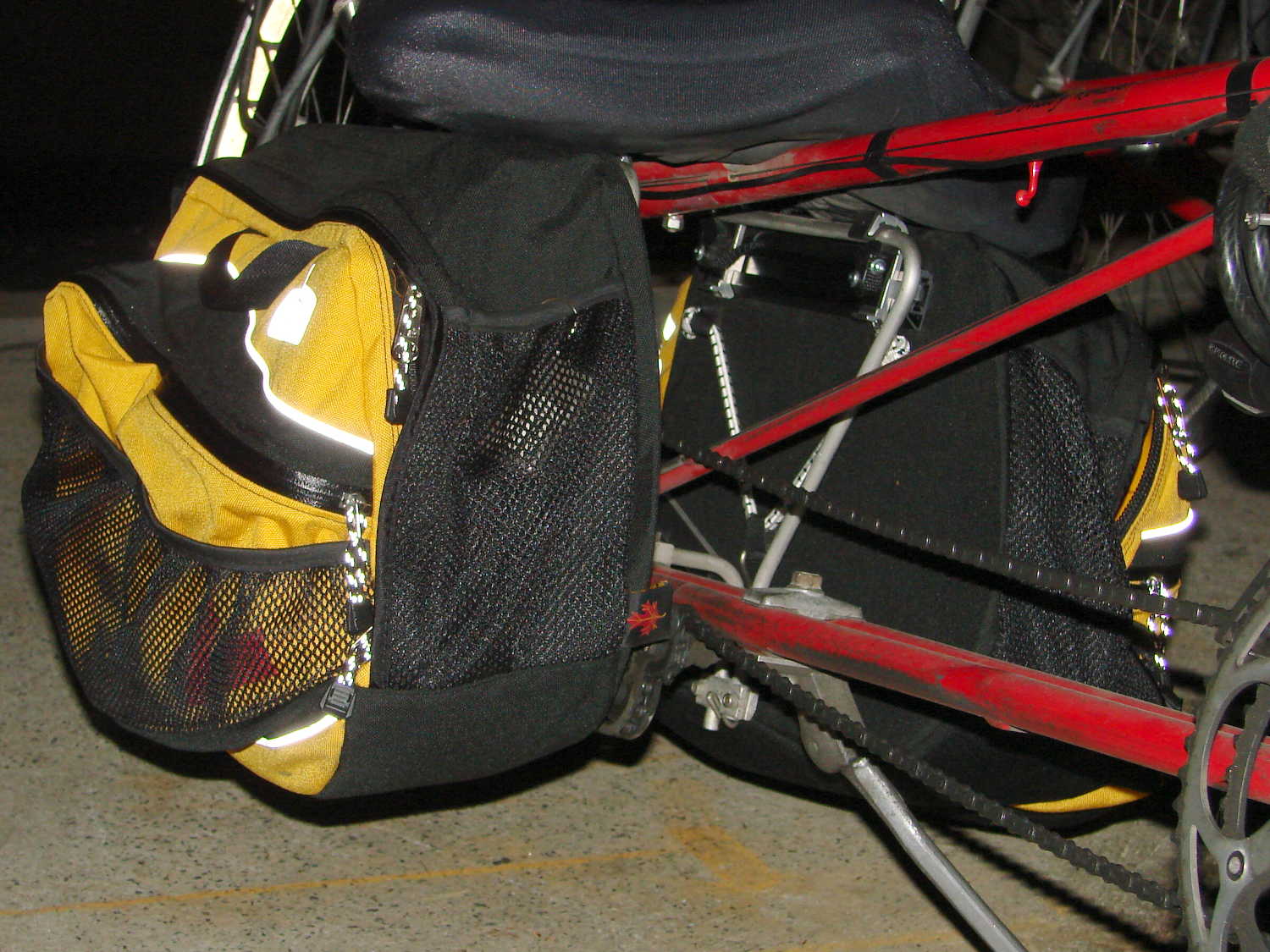
They’re longer and taller than the old packs, which isn’t entirely a Good Thing: the inside bag gently kisses the pavement during steeply banked high speed turns. The main compartment is slightly narrower, so I bent the license plates (which used to fit neatly on the bottom) to form a hard floor with a low lip on the inside edge. That, in combination with tightening the pack’s internal strap, prevents the foam-core bottom panel from drooping; maybe the edge won’t hit the pavement quite so often.
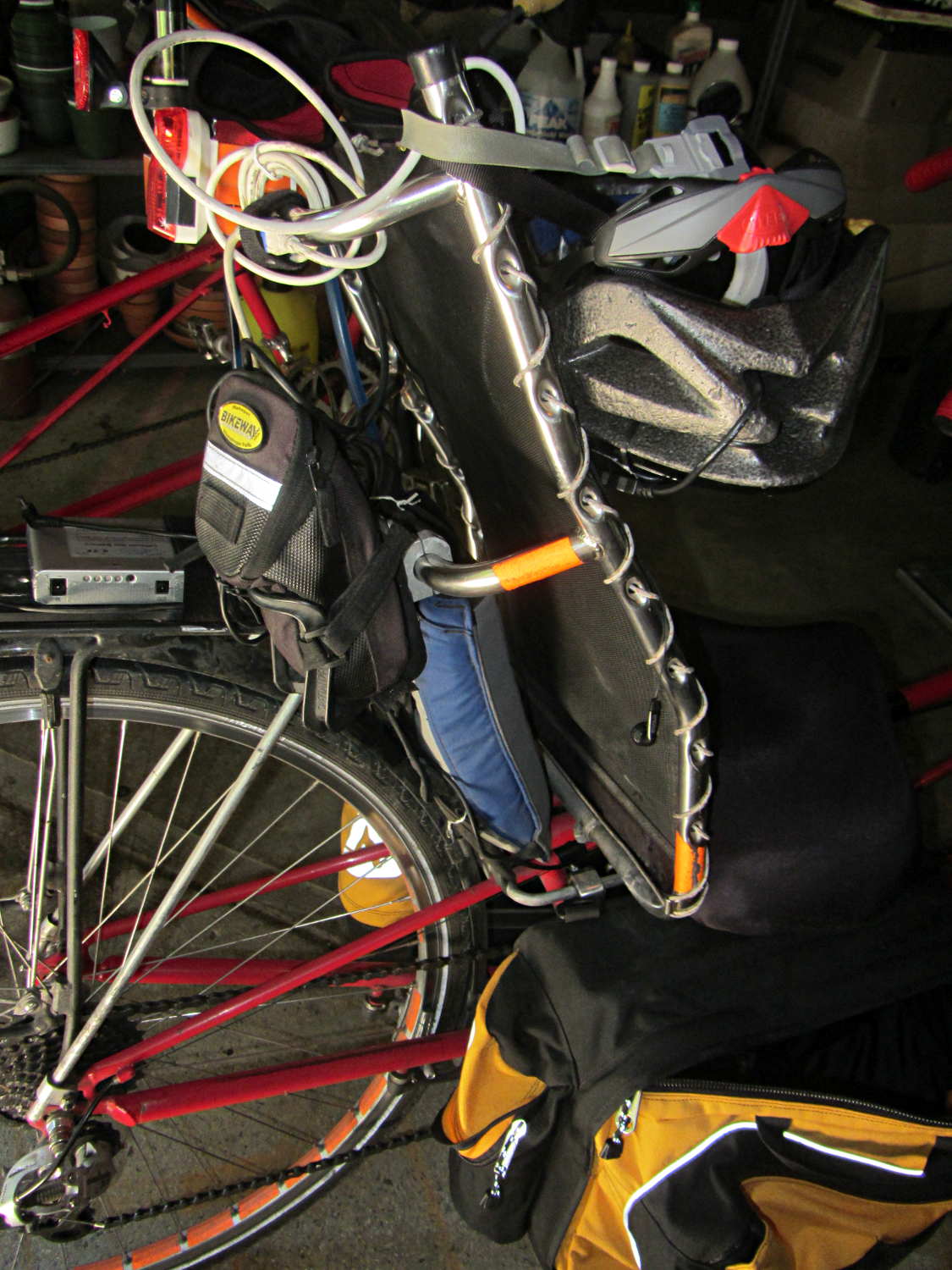
They also ride much higher on the racks. To install the packs, I had to unbolt the seat to raise it upward, slide the packs underneath, twiddle the clamps onto the rack rods, then reinstall the seat. Those puppies are not getting loose without tools and a struggle!
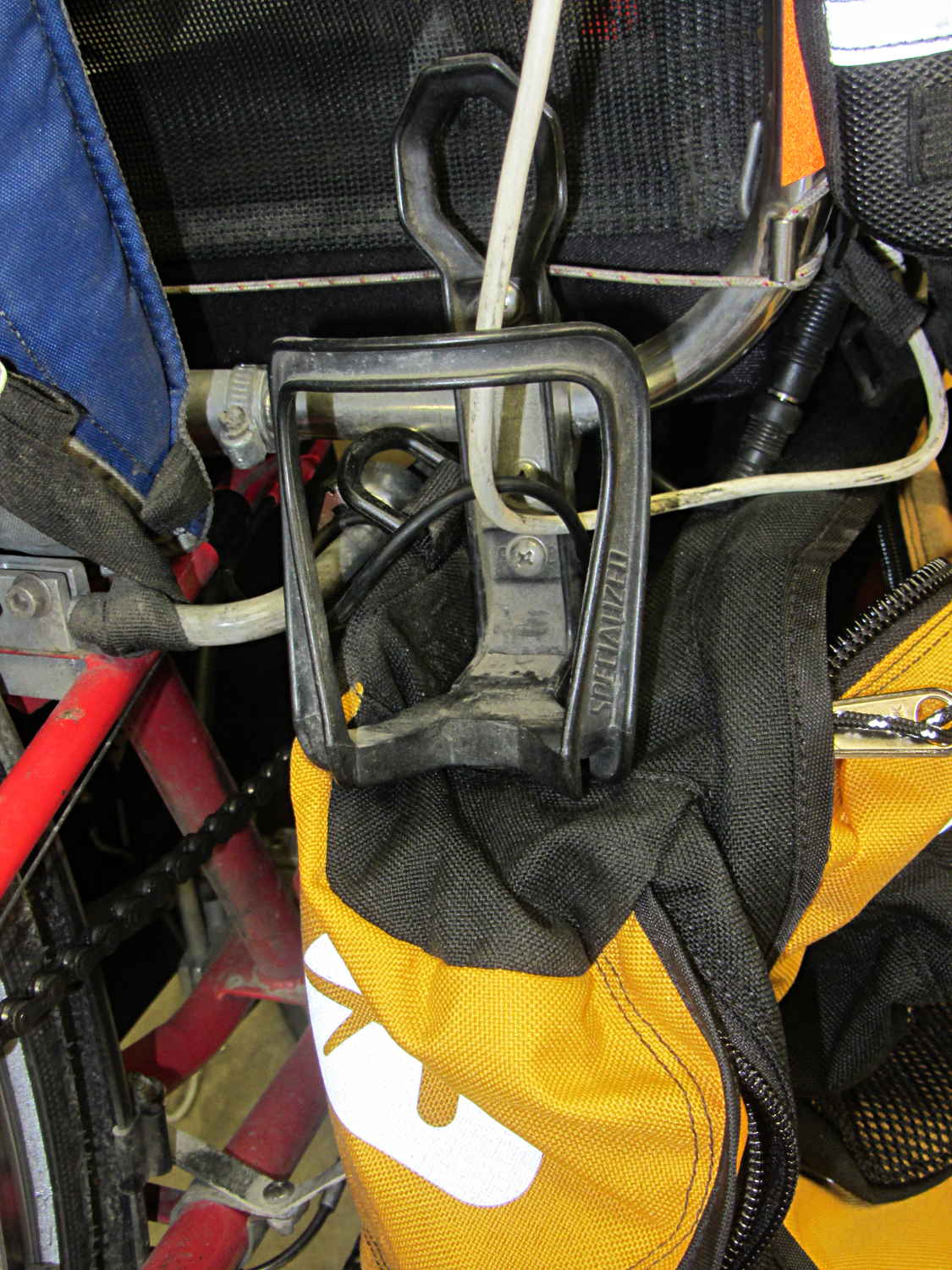
I’m not entirely happy with that arrangement, as the holder sits snug against the rear packs. So far, I rarely need those in addition to the RT-40s, as each underseat bag can swallow an upright gallon milk jug or two Butternut squashes in addition to all the other stuff I normally carry.
The array of reflective patches and piping and pull tabs probably makes me look (more) like a low-flying UFO at night, but that’s fine with me: the more it resembles a UFO, the less hassle I get.
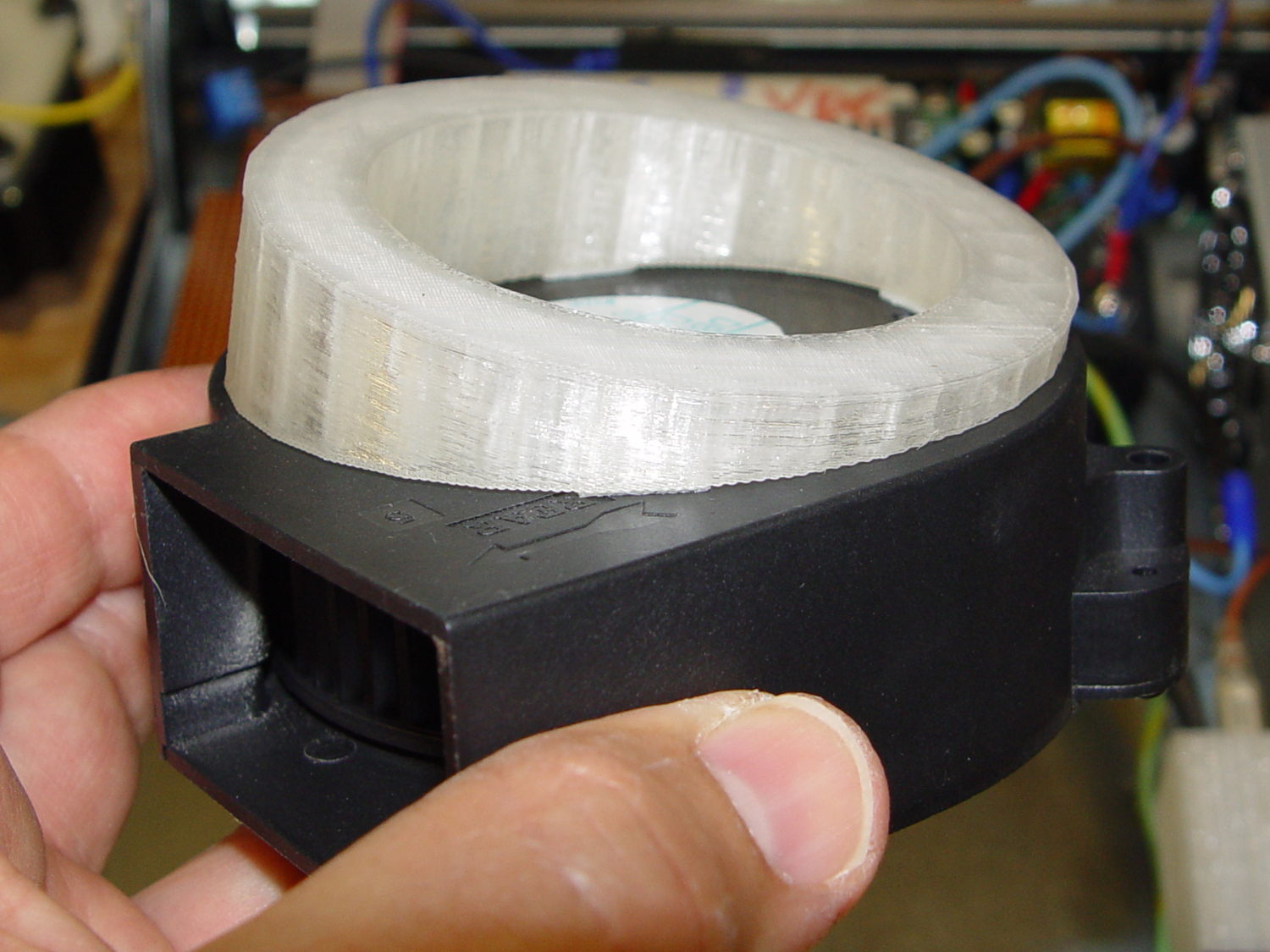
This angled ring fits under a repurposed CPU cooler:
Blower Mount – solid model
Viewed perpendicular to the angled surface, it’s a circle, so what looks like a vertical cylinder is actually slightly oval to make the top come out right. That way, the walls are vertical, not angled, and it doesn’t stand crooked on the base plate.
Such a shape is trivially easy for a 3D printer:
Blower mount – on build platform
And looks about like you’d expect on the blower, which is why that surface must be a circle:
Blower Mount – bottom view
A trial fit in the case, along with a bunch of parts I haven’t written up yet:
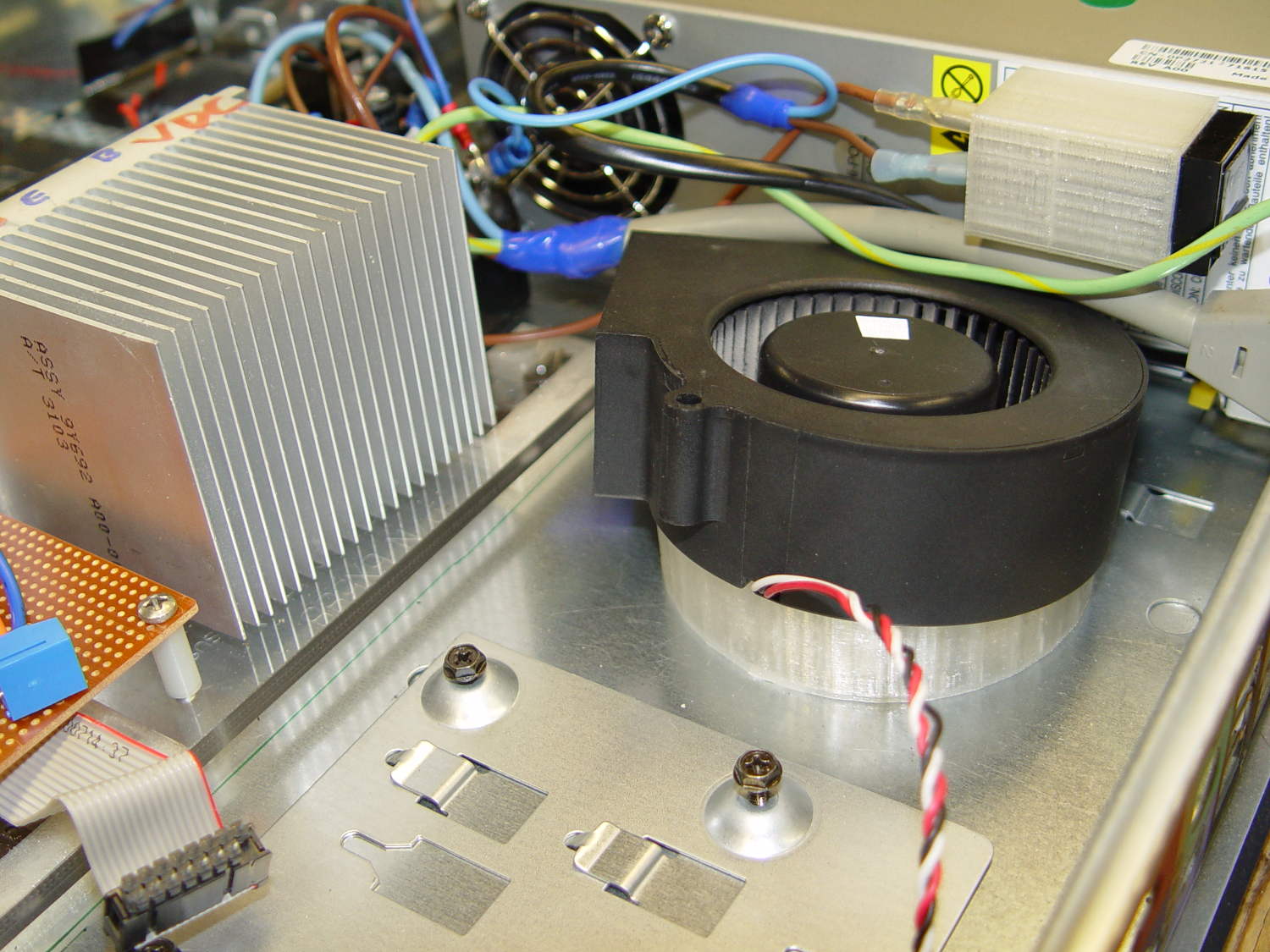
Blower Mount – installed
Under normal circumstances, you’d want the blower a bit higher and level, but there just wasn’t anywhere else to fit the fuseholder. Besides, this way the airflow goes slightly upward toward the clearance over the top of that monster heatsink. Some air flows along the side of the heatsink to cool the isolated power supply you can’t quite see in the far corner of the chassis beyond that tangle of wires.
The angle seems pretty close to right, although I must get the rest of the circuitry running to know if the airflow can actually transfer the heat from the heatsink out of the case.
It doesn’t take much OpenSCAD source code to define the shape:
// Blower mount
// Ed Nisley - KE4ZNU - August 2014

//- Extrusion parameters must match reality!

ThreadThick = 0.20;
ThreadWidth = 0.40;

HoleWindage = 0.2;			// extra clearance

Protrusion = 0.1;			// make holes end cleanly

AlignPinOD = 1.70;			// assembly alignment pins: filament dia

function IntegerMultiple(Size,Unit) = Unit * ceil(Size / Unit);

//----------------------
// Dimensions

MountOD = 85.0;						// a bit smaller than the housing OD

MountID = 60.0;						// carve out to reduce printing time

Base = 5.0;							// minimum thickness (allowing for some overhang)

ElevationAngle = atan(20/90);		// net tilt across fan base

ElevationDelta = MountOD * tan(ElevationAngle);

echo(str("Elevation angle: ",ElevationAngle," delta: ",ElevationDelta));

//----------------------
// Useful routines

module PolyCyl(Dia,Height,ForceSides=0) {			// based on nophead's polyholes

  Sides = (ForceSides != 0) ? ForceSides : (ceil(Dia) + 2);

  FixDia = Dia / cos(180/Sides);

  cylinder(r=(FixDia + HoleWindage)/2,
           h=Height,
           $fn=Sides);
}

module ShowPegGrid(Space = 10.0,Size = 1.0) {

  RangeX = floor(100 / Space);
  RangeY = floor(125 / Space);

	for (x=[-RangeX:RangeX])
	  for (y=[-RangeY:RangeY])
		translate([x*Space,y*Space,Size/2])
		  %cube(Size,center=true);

}

//----------------------
// Build it

ShowPegGrid();

difference() {
	scale([1,cos(ElevationAngle),1])
		cylinder(d=MountOD,h=Base + ElevationDelta);
	translate([-MountOD,-MountOD/2,Base])
		rotate([ElevationAngle,0,0])
			cube([2*MountOD,2*MountOD,ElevationDelta],center=false);
	translate([0,0,-Protrusion])
		cylinder(d=MountID,h=Base + 3*ElevationDelta);
}
Dell built the GX270 I’m repurposing back in 2004, early on in the capacitor plague years, but only one of the system board caps showed signs of leakage:
Capacitor plague – 2004 Dell Edition
While I was harvesting some of the connectors, it occurred to me that those powdered iron inductors might make good current sensors, as they’re already wound with heavy gauge copper wires.
I picked an inductor with enough turns and, although slitting didn’t pose much of a problem, the saw did make a mess of the turns adjacent to the cut:
Powdered iron toroid – slitting
Iron powder has more magnetic remnance than ferrite, to the extent that iron swarf clogged the gap. After the first pass, I ran the slit toroid through the degausser to shake it clean and see what damage had been done. It looked OK, so I realigned it on the saw blade and continued the mission, with all the dust vanishing into the vacuum cleaner’s snout.
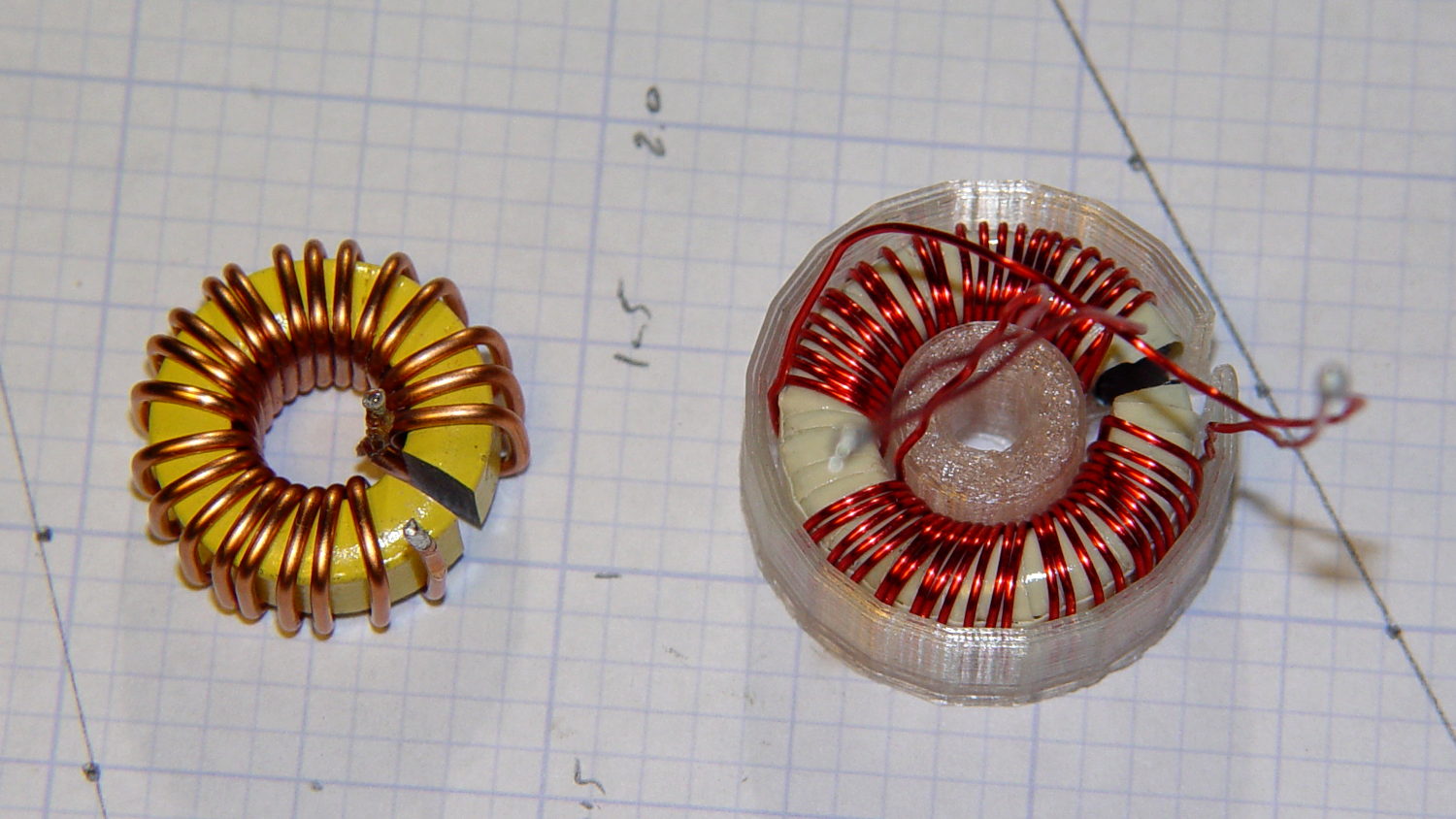
Removing the damaged sections left 22 turns. For comparison, I converted the 56 turn ferrite toroid into a 25 turn model by paralleling two 25 turn sections:
Slit toroids – iron – ferrite
The enamel wire on the iron toroid measures 40 mil diameter, close enough to 18 AWG.
Paralleling two 24 AWG windings on the ferrite toroid produces twice the copper area of a single winding, so the resistance is the same as a single 21 AWG winding (3 AWG steps = factor of two area change). That’s three steps smaller than the 18 AWG on the iron toroid, so the resistance is a factor of two larger than the heavier wire.
The paralleled winding has the advantage of reducing the power dissipation required to produce the same magnetic flux density, without the difficulty of winding heavier wire. That may not actually matter, given the relatively low currents required by the motor in normal operation.
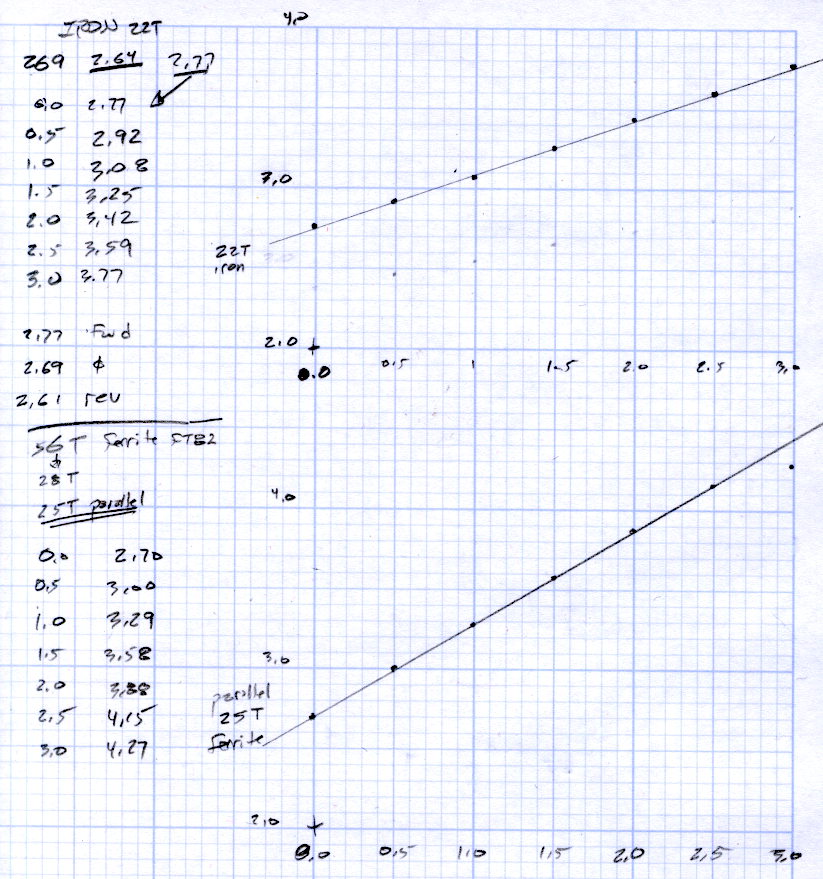
Wedging a Hall sensor into the gaps and stepping the current produced two useful graphs:
Iron and ferrite toroids – Hall sensor output
The iron toroid has lower permittivity (less flux density for a given magnetizing force), which means the full-scale range exceeds 3 A and the useful range up to 1 A covers only 300 mV.
The last point on the ferrite curve shows the Hall sensor output saturating just over 4 V, with 1.5 V of range.
The slope, in mV/A
Powdered iron: 340
Ferrite: 540
Boosting the slope of the powdered iron by 25/22 gives 386 mV/A, so the iron permeability really is 70% of the ferrite. That’s modulo the gap size, of course, which surely differs by enough to throw out all the significant digits.
Obviously, an op amp circuit to remove the offset and rescale the output to 0-5 V will be in order.
The previous graph for the ferrite toroid with the complete 56 turn winding shows, as expected, about twice the output of this 25 turn version:
FT82-43 – 56 turns – 24 AWG
The linear part of that line is 1375 mV/A, although I can’t vouch that the data came from the same Hall effect sensor. Scaling it by 25/56 gives 613 mV/A, suggesting it’s not the same sensor.
Having developed an emotional attachment to the ferrite toroid, I’ll use it in the first pass of the current feedback circuit. If the motor need a bit less sensitivity or lower resistance, the powdered iron toroid looks like a winner.
Memo to self: Always degauss iron toroids before slitting!
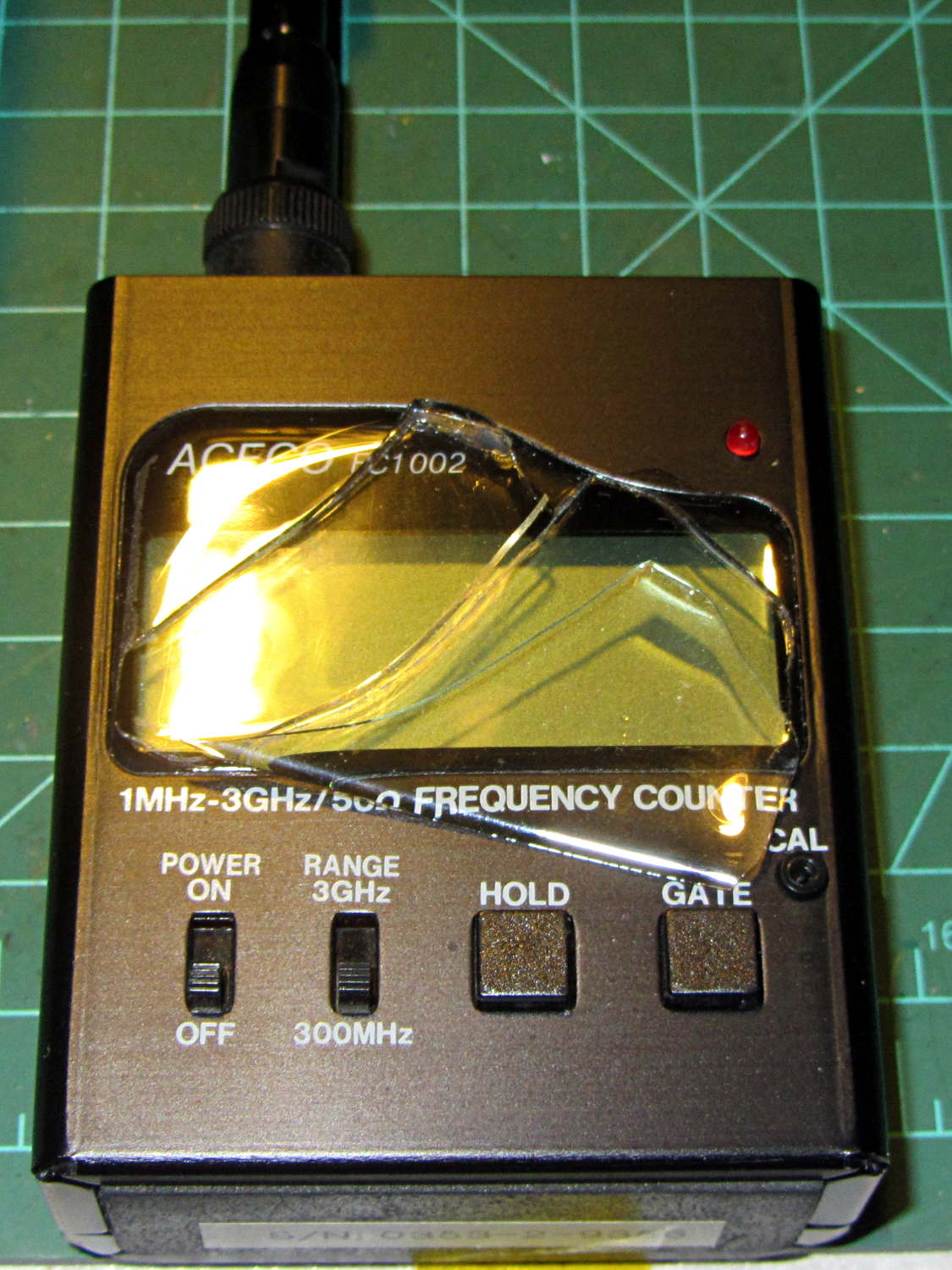
So I picked up the frequency counter and found this:
FC1002 Frequency Counter – split shattered faceplate
The outer, previously cracked pieces of the faceplate split parallel to the front panel, separating into two layers, and popped free of their mount. The layer closest to the panel remains intact.
The fragments were flexible and the bottom layer was rigid, suggesting the faceplate consisted of two parts, perhaps an acrylic (?) base with a soft silicone (?) poured atop it for armor and scratch protection.
It still works fine and the acrylic (?) layer will suffice for my simple needs, despite being slightly marred by the cyanoacrylate glue I slobbered into the cracks.
Steelcase lists the arm rests on their Leap chairs as “factory installed” and not removable, perhaps because the brackets supporting the arms also support the backrest. In the event you must ever remove the arms, perhaps because your wife decides she’d like to try the chair without them, it’s straightforward.
Loosen the Torx screw visible through the slot in the bottom of the plastic shroud about a dozen turns (it will not click or feel loose), use a flat screwdriver to unlock the shroud from the flat plastic plate on the seat side of the bracket, then forcibly pull the sides of the shroud outward until you can pull the arm extension mechanism up-and-out of these slots in the bracket:
Steelcase Leap – arm bracket
This view from the side of the chair shows the screw hole in the bottom, with a pair of holes for alignment pins beside it:
Steelcase Leap – arm bracket
You can remove the flat plate by pushing the latch at the top center (just below the backrest screw boss), then sliding the plate upward.
As nearly as I can tell, there’s no way to remove the shroud from around the arm extension mechanism, so you must pull off the whole thing in one lump:
Steelcase Leap – arm mechanism
The two pairs of slots in the edges of the shroud engage tabs on the plastic plate; that’s why you need the flat screwdriver.
The two pins on the bottom lock the arm into the bracket: you must raise it vertically until those come out, after which you can ease the bottom outward until the pins on the sides (which you can’t see inside the shroud) disengage from the bracket slots.
It takes a whole lot more force than seems necessary, but it can be done.
Wrap Gorilla tape around the raw edges until you decide whether it’s worthwhile to design and print a pair of plastic caps to cover the whole bracket.
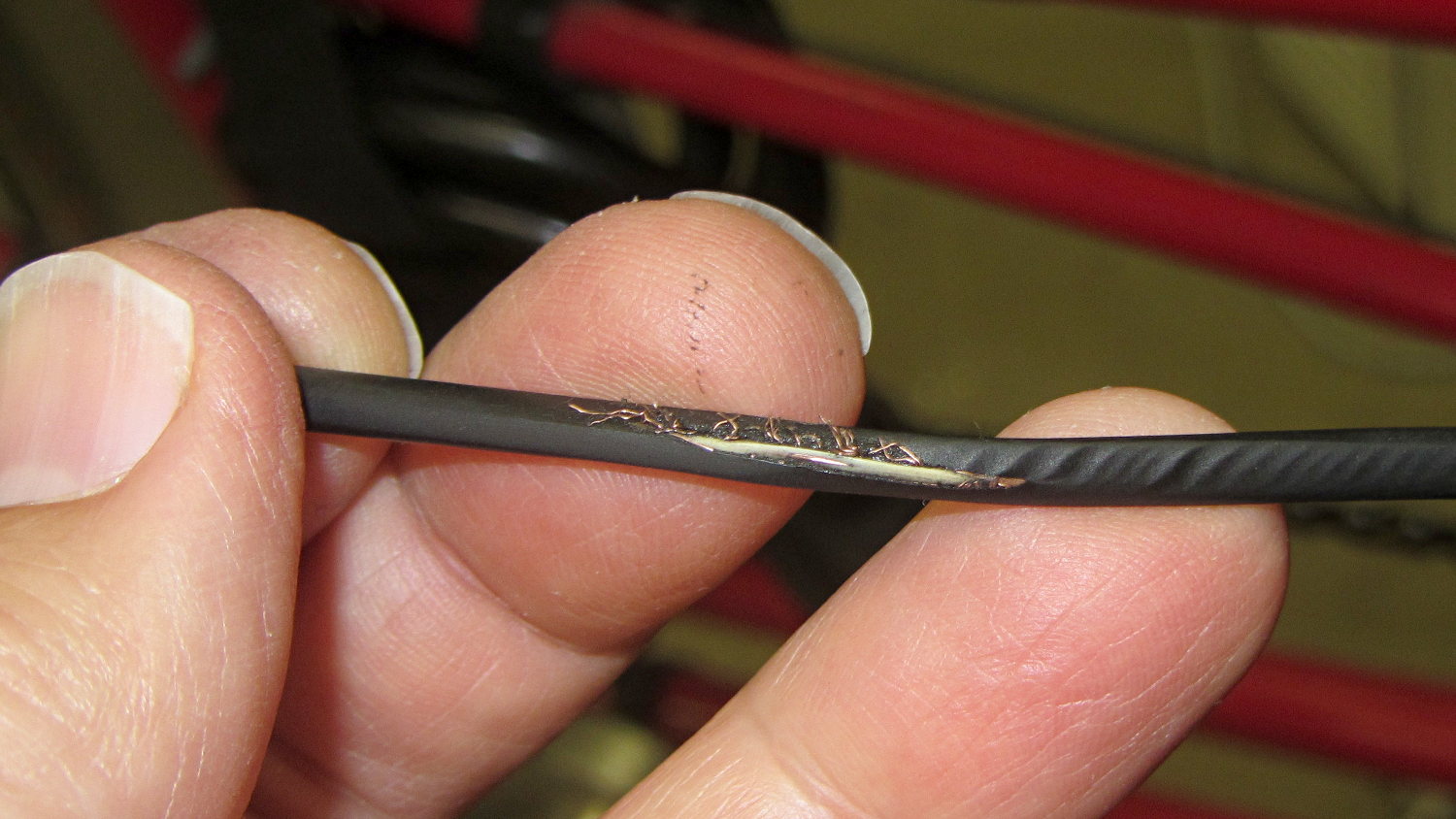
While installing new underseat packs (about which, more later) on my Tour Easy, I discovered a bight of PTT cable had been touching the top of the chain:
Eroded PTT cable – Tour Easy
The gentle ripples to the right of the worn-through section seem particularly nice; you couldn’t do that deliberately if you had to.
This section of cable should have been taped to the upper frame bars. It’s hidden under the seat, just in front of the rear fender, and between the under-seat packs, so it’s basically invisible from any angle.
Soooo, that probably explains a bit of the intermittent trouble I’d been having with the PTT switch, although most of it came from the corroded switch contacts.
Rather than replace the whole cable, I cut out the eroded section, spliced the conductors, and taped it firmly back on the tubes.
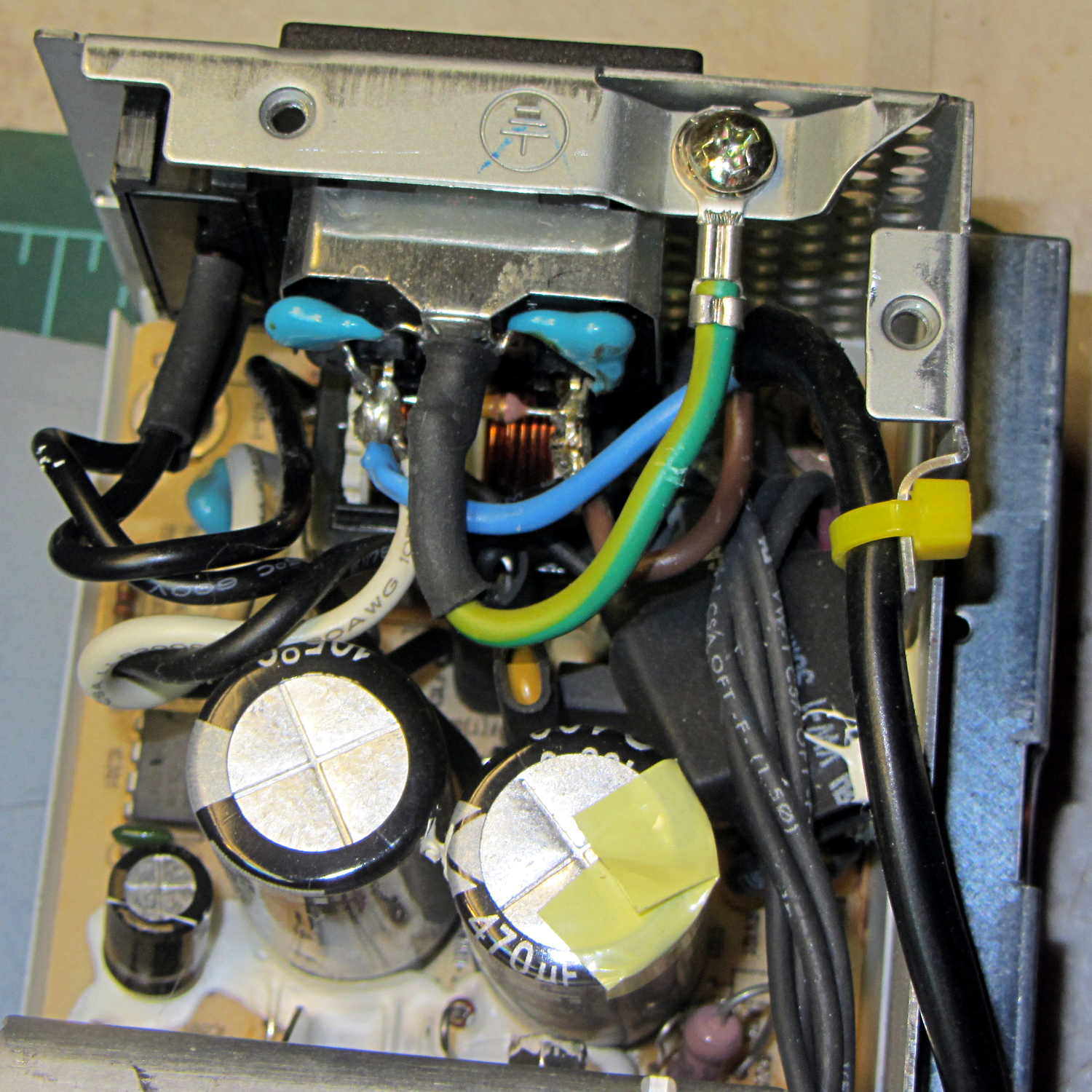
The case from a Dell Optiplex GX270 will hold the Kenmore 158 sewing machine’s motor control electronics, because it has a well-grounded metal box inside the plastic shell that will protect fragile humans from line voltages. The GX270 power supply will suffice for the usual stuff, but the bridge rectifier, power transistor, and suchlike require a direct connection to the AC line.
Rather than add another plug, I soldered a nice two-wire line cord to the IEC socket terminals inside the GX270’s power supply:
Modified Dell power supply – interior
The cord follows the IEC/EU standard color code:
Blue – neutral
Brown – hot
The power supply follows the US standard color code:
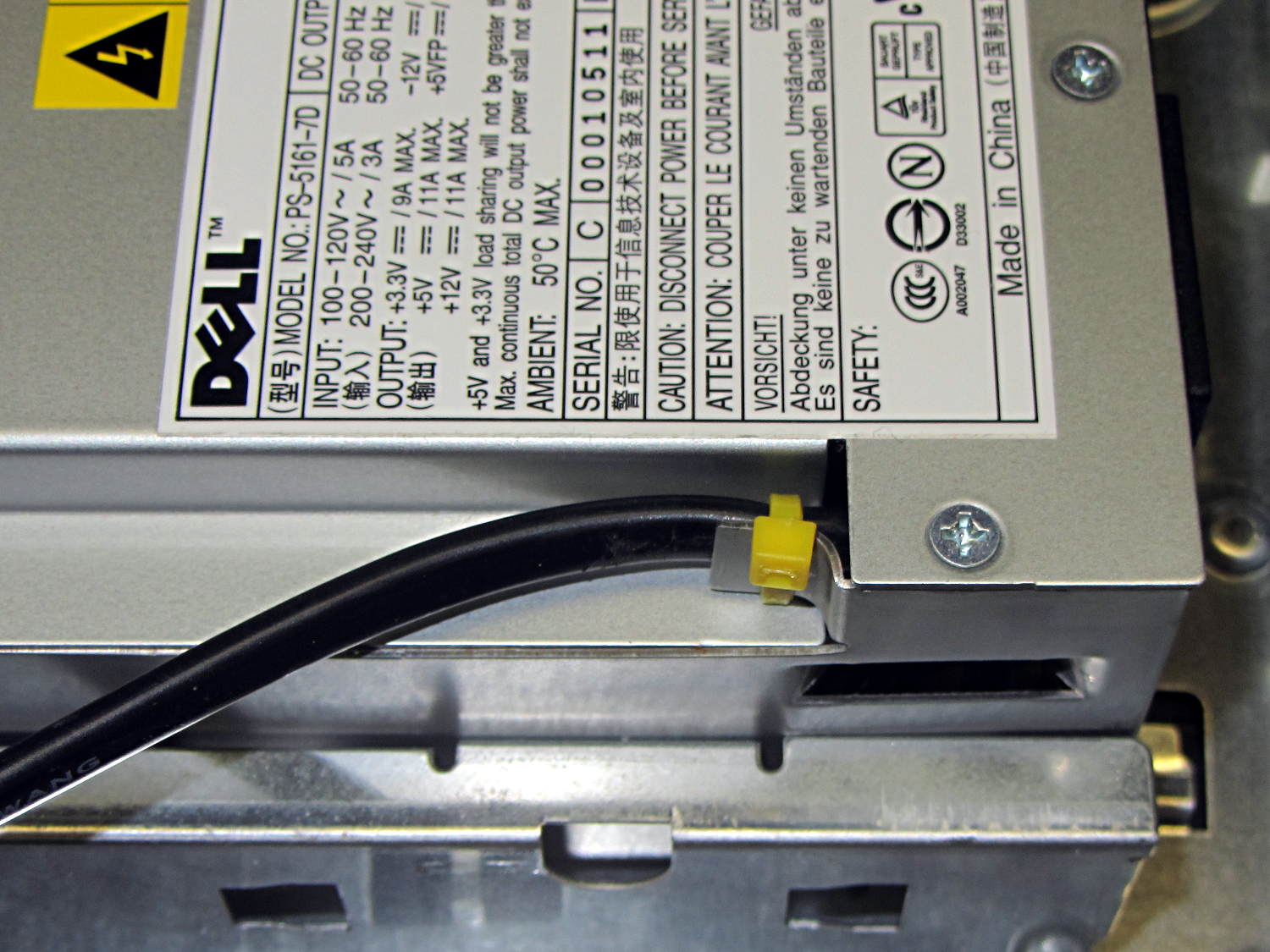
The yellow cable tie anchors the cord to a metal tab that, when bent at right angles, provides a convenient exit from the power supply at exactly the right location:
Modified Dell power supply – AC cord exit
The power supply mounts with the label facing inward, directly adjacent to the PCI slot covers. The new cord emerges near the bottom, inside the recess that formerly accommodated the board.
Definitely not UL approved, but we’re well beyond that stage anyway…







 The Smell of Molten Projects in the Morning