The Smell of Molten Projects in the Morning

Ed Nisley's Blog: Shop notes, electronics, firmware, machinery, 3D printing, laser cuttery, and curiosities. Contents: 100% human thinking, 0% AI slop.

Category: Machine Shop

Mechanical widgetry

  • Vacuum Tube LEDs: Aligning the Plate Cap Leads

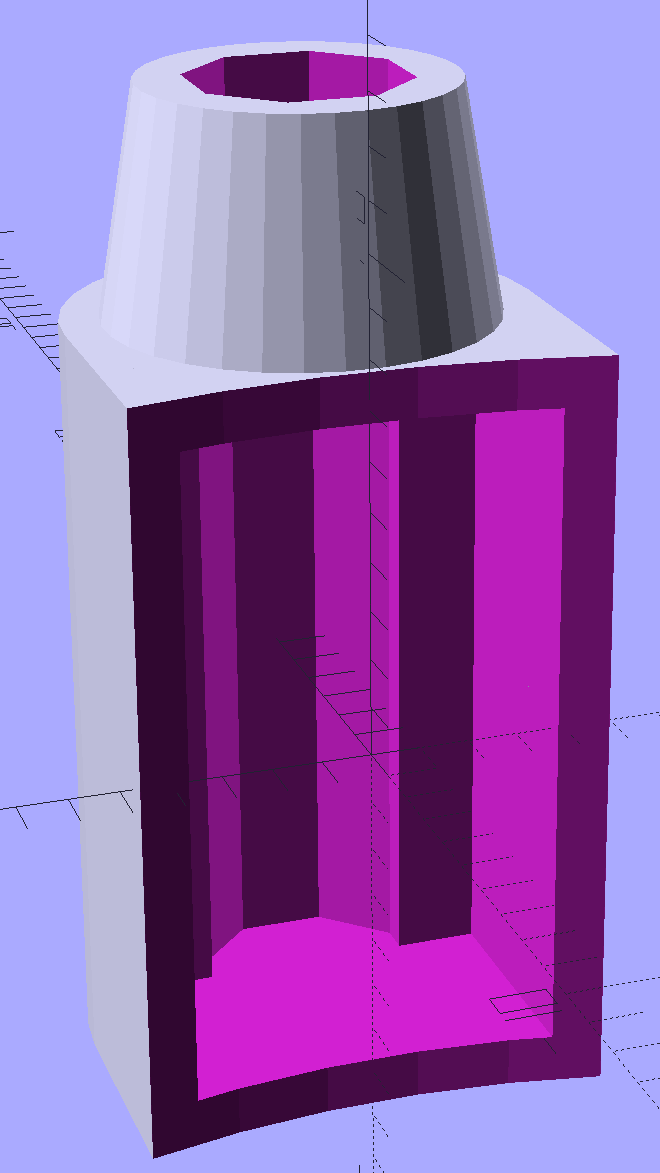
    The original plate cap, even without fins, seemed entirely too large for the 21HB5A tube.  There’s not much wasted space inside and, after trimming the outside a bit, this is about as small as seems possible:

    Vacuum Tube Lights - thin cap solid model - section
    Vacuum Tube Lights – thin cap solid model – section

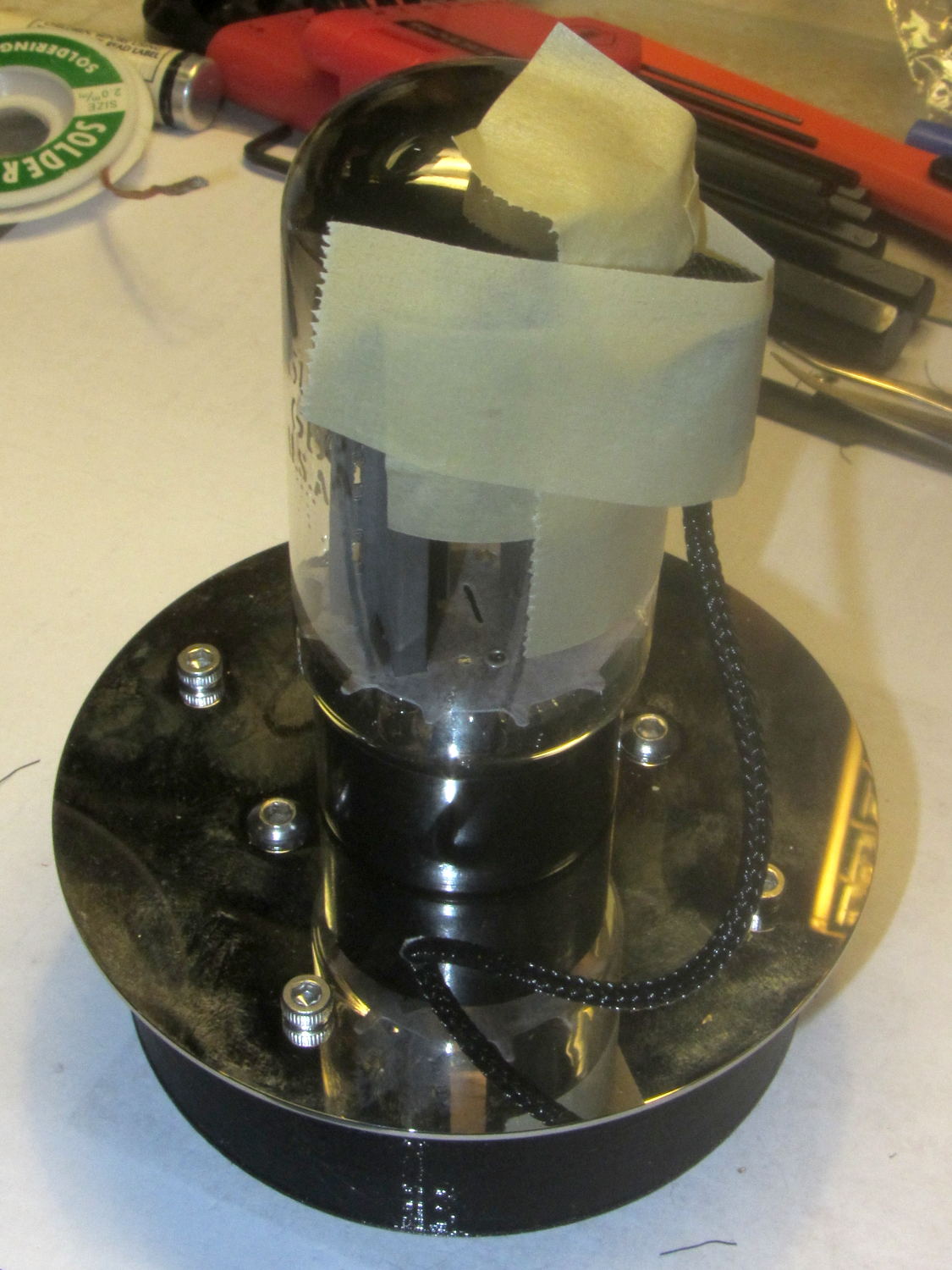
    PETG doesn’t bridge well and, after cleaning out the wire hole, the remaining shell didn’t hold the brass tube very securely. Epoxying tubes into two caps at once, with a longer brass tube holding them in alignment, worked well:

    Black PETG Plate Caps - brass tube alignment
    Black PETG Plate Caps – brass tube alignment

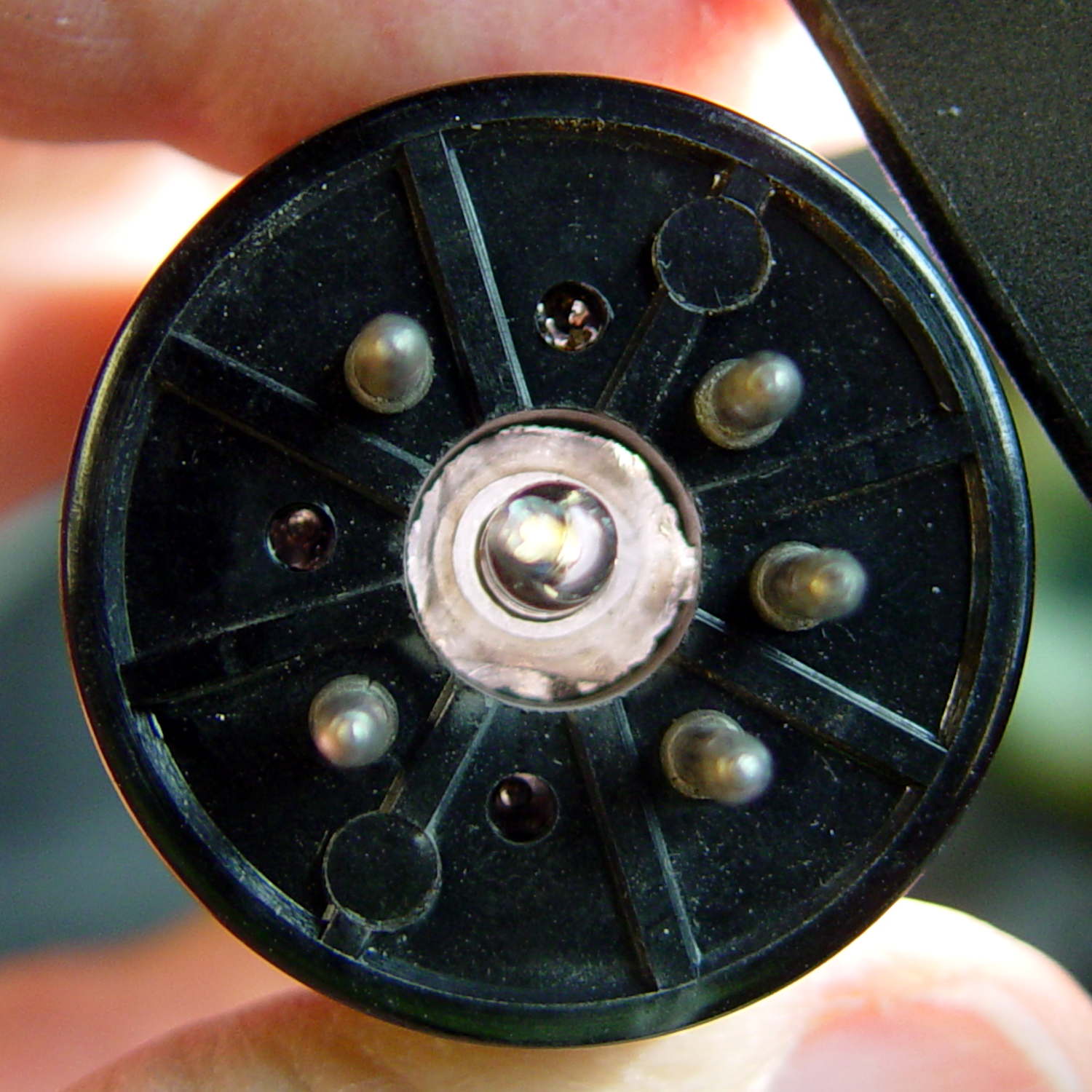
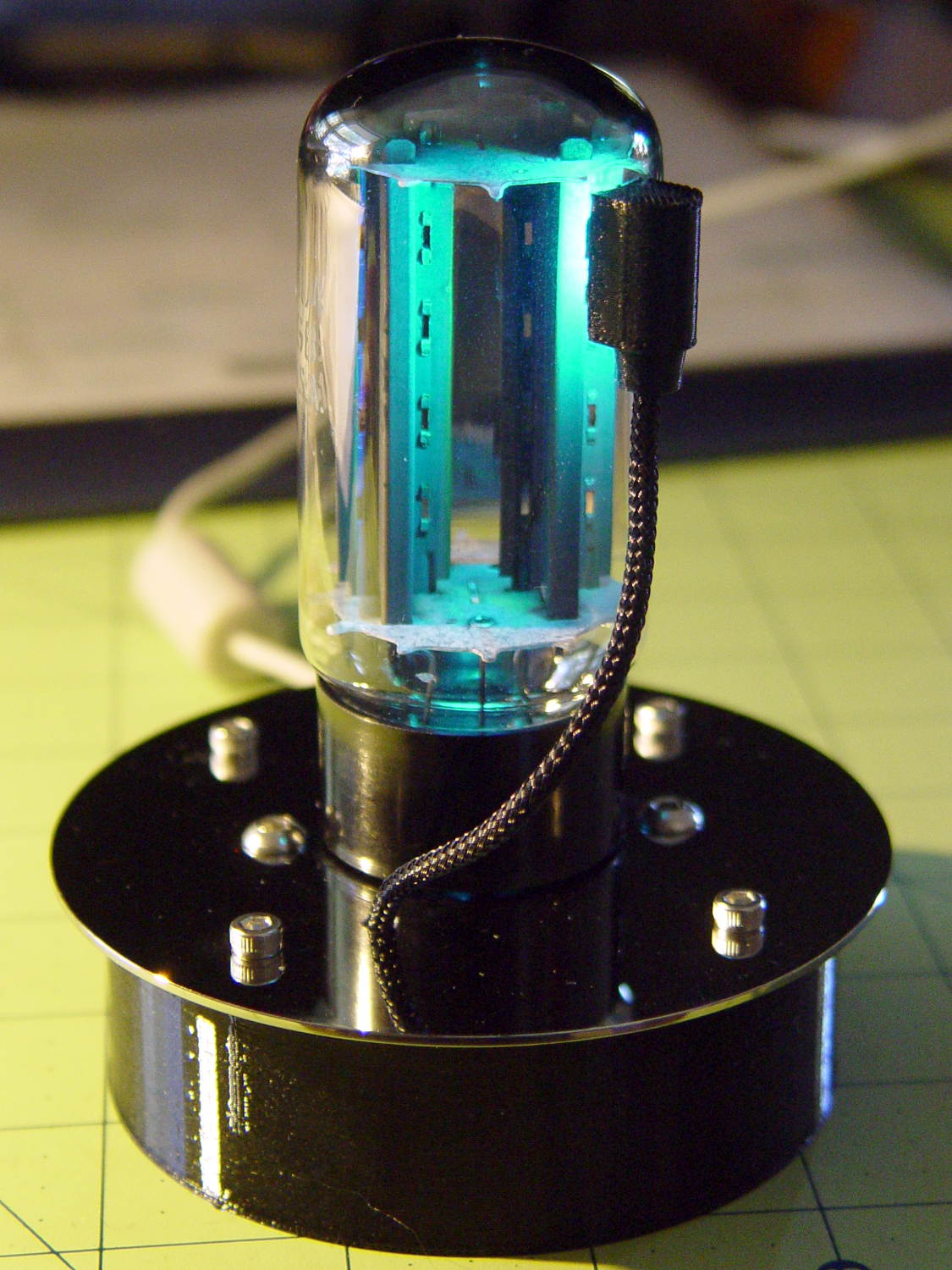
    The tube eliminates vertical tilt and you (well, I) can eyeballometrically align the caps and tubes in azimuth. The thin ring of JB Kwik epoxy around the brass tube isn’t visible, so it’s all good:

    21HB5A - Black PETG base - flash
    21HB5A – Black PETG base – flash

    This project may eventually force me to try epoxy coating, high-build primer, and good paint…

  • Hard Drive Platter Drilling Fixture

    After drilling the platter for a Noval tube, I finally made a fixture to hold the platters firmly, but gently, in the proper position for drilling:

    Hard drive platter - drilling fixture
    Hard drive platter – drilling fixture

    The platter sits more-or-less flush with the surface, where credit-card plastic pads work fine. Thinner platters may require compliant padding.

    The solid model has locating pips at ±50 mm from the center and airspace below the platter for the drill bit:

    Vacuum Tube Lights - hard drive fixture - solid model
    Vacuum Tube Lights – hard drive fixture – solid model

    The 1.16 inch hole spacing matches the Sherline’s tooling plate. The center hole seemed like a Good Idea, although it has no purpose right now.

    The OpenSCAD source code is the same as before; just set Layout = PlatterFixture; and it’ll produce the right thing.

  • Vacuum Tube LEDs: Hard Drive Platter Base

    Stainless steel socket head and button head screws add a certain techie charm to the hard drive platter mirroring the Noval tube:

    Noval - Black PETG base - magenta phase
    Noval – Black PETG base – magenta phase

    Black PETG, rather than cyan or natural filament, suppresses the socket’s glow and emphasizes the tube’s internal lighting:

    Noval tube on platter - button-head screws
    Noval tube on platter – button-head screws

    The base puts the USB-to-serial adapter on the floor and stands the Pro Mini against a flat on the far wall:

    Noval tube socket and base - interior layout
    Noval tube socket and base – interior layout

    A notch for the cable seems like a useful addition subtraction to the socket, because that cable tie just doesn’t look right. I used 4 mm threaded inserts, as those button head screws looked better.

    The solid model looks like you’d expect:

    Vacuum Tube Lights - hard drive platter base - solid model
    Vacuum Tube Lights – hard drive platter base – solid model

    Those are 3 mm threaded inserts, again to get the right head size screw on the platter.

    The height of the base depends on the size of the socket, with the model maintaining a bit of clearance above the USB adapter. The OD depends on the platter OD, with a fixed overhang, and the insert BCD depends on the OD / insert OD / base wall thickness.

    Although I’m using an Arduino Pro Mini and a separate USB-to-serial adapter, a (knockoff) Arduino Nano would be better and cheaper, although the SMD parts on the Nano’s bottom surface make it a bit thicker and less suitable for foam-tape mounting.

    I drilled the platter using manual CNC:

    Hard drive platter - Noval base drilling
    Hard drive platter – Noval base drilling

    After centering the origin on the platter hole, the hole positions (for a 71 mm BCD) use LinuxCNC’s polar notation:

    g0 @[71/2]^45
    g0 @[71/2]^[45+90]
    g0 @[71/2]^[45+180]
    g0 @[71/2]^-45
    

    I used the Joggy Thing for manual drilling after each move; that’s easier than figuring out the appropriate g81 feed & speed.

    The 3D printed base still looks a bit chintzy compared with the platter, but it’s coming along.

    The OpenSCAD source code as a GitHub Gist:

    // Vacuum Tube LED Lights
    // Ed Nisley KE4ZNU February … September 2016
    Layout = "PlatterBase"; // Cap LampBase USBPort Bushings
    // Socket(s) (Build)FinCap Platter[Base|Fixture]
    DefaultSocket = "Noval";
    Section = false; // cross-section the object
    Support = true;
    //- Extrusion parameters must match reality!
    ThreadThick = 0.25;
    ThreadWidth = 0.40;
    HoleWindage = 0.2;
    Protrusion = 0.1; // make holes end cleanly
    inch = 25.4;
    function IntegerMultiple(Size,Unit) = Unit * ceil(Size / Unit);
    //———————-
    // Dimensions
    // https://en.wikipedia.org/wiki/Tube_socket#Summary_of_Base_Details
    // punch & screw OC modified for drive platter chassis plate
    // platter = 25 mm ID
    // CD = 15 mm ID with raised ring at 37 mm, needs screw head clearance
    T_NAME = 0; // common name
    T_NUMPINS = 1; // total, with no allowance for keying
    T_PINBCD = 2; // tube pin circle diameter
    T_PINOD = 3; // … diameter
    T_PINLEN = 4; // … length (must also clear evacuation tip / spigot)
    T_HOLEOD = 5; // nominal panel hole from various sources
    T_PUNCHOD = 6; // panel hole optimized for inch-size Greenlee punches
    T_TUBEOD = 7; // envelope or base diameter
    T_PIPEOD = 8; // light pipe from LED to tube base (clear evac tip / spigot)
    T_SCREWOC = 9; // mounting screw holes
    // Name pins BCD dia length hole punch tube pipe screw
    TubeData = [
    ["Mini7", 8, 9.53, 1.016, 7.0, 16.0, 25.0, 18.0, 5.0, 35.0], // punch 11/16, screw 22.5 OC
    ["Octal", 8, 17.45, 2.36, 10.0, 36.2, (8 + 1)/8 * inch, 32.0, 11.5, 47.0], // screw 39.0 OC
    ["Noval", 10, 11.89, 1.1016, 7.0, 22.0, 25.0 , 21.0, 7.5, 35.0], // punch 7/8, screw 28.0 OC
    ["Magnoval", 10, 17.45, 1.27, 9.0, 29.7, (4 + 1)/4 * inch, 46.0, 12.4, 38.2], // similar to Novar
    ["Duodecar", 13, 19.10, 1.05, 9.0, 32.0, (4 + 1)/4 * inch, 38.0, 12.5, 47.0], // screw 39.0 OC
    ];
    ID = 0;
    OD = 1;
    LENGTH = 2;
    Pixel = [7.0,10.0,3.0]; // ID = contact patch, OD = PCB dia, LENGTH = overall thickness
    SocketNut = // socket mounting: threaded insert or nut recess
    // [3.5,5.2,7.2] // 6-32 insert
    [4.0,6.0,5.9] // 4 mm short insert
    ;
    NutSides = 8;
    SocketShim = 2*ThreadThick; // between pin holes and pixel top
    SocketFlange = 1.5; // rim around socket below punchout
    PanelThick = 1.5; // socket extension through punchout
    FinCutterOD = 1/8 * inch;
    FinCapSize = [(Pixel[OD] + 2*FinCutterOD),30.0,(10.0 + 2*Pixel[LENGTH])];
    USBPCB =
    // [28,16,6.5] // small Sparkfun knockoff
    [36,18 + 1,5.8 + 0.4] // Deek-Robot fake FTDI with ISP header
    ;
    Platter = [25.0,95.0,1.26]; // hard drive platter dimensions
    //———————-
    // Useful routines
    module PolyCyl(Dia,Height,ForceSides=0) { // based on nophead's polyholes
    Sides = (ForceSides != 0) ? ForceSides : (ceil(Dia) + 2);
    FixDia = Dia / cos(180/Sides);
    cylinder(d=(FixDia + HoleWindage),h=Height,$fn=Sides);
    }
    //———————-
    // Tube cap
    CapTube = [4.0,3/16 * inch,10.0]; // brass tube for flying lead to cap LED
    CapSize = [Pixel[ID],(Pixel[OD] + 2.0),(CapTube[OD] + 2*Pixel[LENGTH])];
    CapSides = 8*4;
    module Cap() {
    difference() {
    union() {
    cylinder(d=CapSize[OD],h=(CapSize[LENGTH]),$fn=CapSides); // main cap body
    translate([0,0,CapSize[LENGTH]]) // rounded top
    scale([1.0,1.0,0.65])
    sphere(d=CapSize[OD]/cos(180/CapSides),$fn=CapSides); // cos() fixes slight undersize vs cylinder
    cylinder(d1=(CapSize[OD] + 2*3*ThreadWidth),d2=CapSize[OD],h=1.5*Pixel[LENGTH],$fn=CapSides); // skirt
    }
    translate([0,0,-Protrusion]) // bore for wiring to LED
    PolyCyl(CapSize[ID],(CapSize[LENGTH] + 3*ThreadThick + Protrusion),CapSides);
    translate([0,0,-Protrusion]) // PCB recess with clearance for tube dome
    PolyCyl(Pixel[OD],(1.5*Pixel[LENGTH] + Protrusion),CapSides);
    translate([0,0,(1.5*Pixel[LENGTH] – Protrusion)]) // small step + cone to retain PCB
    cylinder(d1=(Pixel[OD]/cos(180/CapSides) + HoleWindage),d2=Pixel[ID],h=(Pixel[LENGTH] + Protrusion),$fn=CapSides);
    translate([0,0,(CapSize[LENGTH] – CapTube[OD]/(2*cos(180/8)))]) // hole for brass tube holding wire loom
    rotate([90,0,0]) rotate(180/8)
    PolyCyl(CapTube[OD],CapSize[OD],8);
    }
    }
    //———————-
    // Heatsink tube cap
    module FinCap() {
    CableOD = 3.5; // cable + braid diameter
    BulbOD = 3.75 * inch; // bulb OD; use 10 inches for flat
    echo(str("Fin Cutter: ",FinCutterOD));
    FinSides = 2*4;
    BulbRadius = BulbOD / 2;
    BulbDepth = BulbRadius – sqrt(pow(BulbRadius,2) – pow(FinCapSize[OD],2)/4);
    echo(str("Bulb OD: ",BulbOD," recess: ",BulbDepth));
    NumFins = floor(PI*FinCapSize[ID] / (2*FinCutterOD));
    FinAngle = 360 / NumFins;
    echo(str("NumFins: ",NumFins," angle: ",FinAngle," deg"));
    difference() {
    union() {
    cylinder(d=FinCapSize[ID],h=FinCapSize[LENGTH],$fn=2*NumFins); // main body
    for (i = [0:NumFins – 1]) // fins
    rotate(i * FinAngle)
    hull() {
    translate([FinCapSize[ID]/2,0,0])
    rotate(180/FinSides)
    cylinder(d=FinCutterOD,h=FinCapSize[LENGTH],$fn=FinSides);
    translate([(FinCapSize[OD] – FinCutterOD)/2,0,0])
    rotate(180/FinSides)
    cylinder(d=FinCutterOD,h=FinCapSize[LENGTH],$fn=FinSides);
    }
    rotate(FinAngle/2) // cable entry boss
    translate([FinCapSize[ID]/2,0,FinCapSize[LENGTH]/2])
    cube([FinCapSize[OD]/4,FinCapSize[OD]/4,FinCapSize[LENGTH]],center=true);
    }
    for (i = [1:NumFins – 1]) // fin inner gullets, omit cable entry side
    rotate(i * FinAngle + FinAngle/2) // joint isn't quite perfect, but OK
    translate([FinCapSize[ID]/2,0,-Protrusion])
    rotate(0*180/FinSides)
    cylinder(d=FinCutterOD/cos(180/FinSides),h=(FinCapSize[LENGTH] + 2*Protrusion),$fn=FinSides);
    translate([0,0,-Protrusion]) // PCB recess
    PolyCyl(Pixel[OD],(1.5*Pixel[LENGTH] + Protrusion),FinSides);
    PolyCyl(Pixel[ID],(FinCapSize[LENGTH] – 3*ThreadThick),FinSides); // bore for LED wiring
    translate([0,0,(FinCapSize[LENGTH] – 3*ThreadThick – 2*CableOD/(2*cos(180/8)))]) // cable inlet
    rotate(FinAngle/2) rotate([0,90,0]) rotate(180/8)
    PolyCyl(CableOD,FinCapSize[OD],8);
    if (BulbOD <= 10.0 * inch) // curve for top of bulb
    translate([0,0,-(BulbRadius – BulbDepth + 2*ThreadThick)]) // … slightly flatten tips
    sphere(d=BulbOD,$fn=16*FinSides);
    }
    }
    //———————-
    // Aperture for USB-to-serial adapter snout
    // These are all magic numbers, of course
    module USBPort() {
    translate([0,USBPCB[0]])
    rotate([90,0,0])
    linear_extrude(height=USBPCB[0])
    polygon(points=[
    [0,0],
    [USBPCB[1]/2,0],
    [USBPCB[1]/2,0.5*USBPCB[2]],
    [USBPCB[1]/3,USBPCB[2]],
    [-USBPCB[1]/3,USBPCB[2]],
    [-USBPCB[1]/2,0.5*USBPCB[2]],
    [-USBPCB[1]/2,0],
    ]);
    }
    //———————-
    // Box for Leviton ceramic lamp base
    module LampBase() {
    Insert = [3.5,5.2,7.2]; // 6-32 brass insert to match standard electrical screws
    Bottom = 3.0;
    Base = [4.0*inch,4.5*inch,20.0 + Bottom];
    Sides = 12*4;
    Retainer = [3.5,11.0,1.0]; // flat fiber washer holding lamp base screws in place
    StudSides = 8;
    StudOC = 3.5 * inch;
    Stud = [Insert[OD], // insert for socket screws
    min(15.0,1.5*(Base[ID] – StudOC)/cos(180/StudSides)), // OD = big enough to merge with walls
    (Base[LENGTH] – Retainer[LENGTH])]; // leave room for retainer
    union() {
    difference() {
    rotate(180/Sides)
    cylinder(d=Base[OD],h=Base[LENGTH],$fn=Sides);
    rotate(180/Sides)
    translate([0,0,Bottom])
    cylinder(d=Base[ID],h=Base[LENGTH],$fn=Sides);
    translate([0,-Base[OD]/2,Bottom + 1.2]) // mount on double-sided foam tape
    rotate(0)
    USBPort();
    }
    for (i = [-1,1])
    translate([i*StudOC/2,0,0])
    rotate(180/StudSides)
    difference() {
    cylinder(d=Stud[OD],h=Stud[LENGTH],$fn=StudSides);
    translate([0,0,Bottom])
    PolyCyl(Stud[ID],(Stud[LENGTH] – (Bottom – Protrusion)),6);
    }
    }
    }
    //———————-
    // Base for hard drive platters
    module PlatterBase(TubeName = DefaultSocket) {
    PCB =
    [36,18,3] // Arduino Pro Mini
    ;
    Tube = search([TubeName],TubeData,1,0)[0];
    SocketHeight = Pixel[LENGTH] + SocketShim + TubeData[Tube][T_PINLEN] – PanelThick;
    echo(str("Base for ",TubeData[Tube][0]," socket"));
    Overhang = 5.5; // platter overhangs base by this much
    Bottom = 4*ThreadThick;
    Base = [(Platter[OD] – 3*Overhang), // smaller than 3.5 inch Sch 40 PVC pipe…
    (Platter[OD] – 2*Overhang),
    2.0 + max(PCB[1],(2.0 + SocketHeight + USBPCB[2])) + Bottom];
    Sides = 24*4;
    echo(str(" Height: ",Base[2]," mm"));
    Insert = // platter mounting: threaded insert or nut recess
    // [3.5,5.2,7.2] // 6-32 insert
    [3.9,5.0,8.0] // 3 mm – long insert
    ;
    NumStuds = 4;
    StudSides = 8;
    Stud = [Insert[OD], // insert for socket screws
    2*Insert[OD], // OD = big enough to merge with walls
    Base[LENGTH]]; // leave room for retainer
    StudBCD = floor(Base[ID] – Stud[OD] + (Stud[OD] – Stud[ID])/2);
    echo(str("Platter screw BCD: ",StudBCD," mm"));
    PCBInset = Base[ID]/2 – sqrt(pow(Base[ID]/2,2) – pow(PCB[0],2)/4);
    union() {
    difference() {
    rotate(180/Sides)
    cylinder(d=Base[OD],h=Base[LENGTH],$fn=Sides);
    rotate(180/Sides)
    translate([0,0,Bottom])
    cylinder(d=Base[ID],h=Base[LENGTH],$fn=Sides);
    translate([0,-Base[OD]/2,Bottom + 1.2]) // mount PCB on foam tape
    rotate(0)
    USBPort();
    }
    for (a = [0:(NumStuds – 1)]) // platter mounting studs
    rotate(180/NumStuds + a*360/(NumStuds))
    translate([StudBCD/2,0,0])
    rotate(180/StudSides)
    difference() {
    cylinder(d=Stud[OD],h=Stud[LENGTH],$fn=2*StudSides);
    translate([0,0,Bottom])
    PolyCyl(Stud[ID],(Stud[LENGTH] – (Bottom – Protrusion)),StudSides);
    }
    intersection() { // microcontroller PCB mounting plate
    rotate(180/Sides)
    cylinder(d=Base[OD],h=Base[LENGTH],$fn=Sides);
    translate([-PCB[0]/2,(Base[ID]/2 – PCBInset),0])
    cube([PCB[0],Base[OD]/2,Base[LENGTH]],center=false);
    }
    difference() {
    intersection() { // totally ad-hoc bridge around USB opening
    rotate(180/Sides)
    cylinder(d=Base[OD],h=Base[LENGTH],$fn=Sides);
    translate([-1.25*USBPCB[1]/2,-(Base[ID]/2),0])
    cube([1.25*USBPCB[1],2.0,Base[LENGTH]],center=false);
    }
    translate([0,-Base[OD]/2,Bottom + 1.2]) // mount PCB on foam tape
    rotate(0)
    USBPort();
    }
    }
    }
    //———————-
    // Drilling fixture for disk platters
    module PlatterFixture() {
    StudOC = [1.16*inch,1.16*inch]; // Sherline tooling plate screw spacing
    StudClear = 5.0;
    BasePlate = [(20 + StudOC[0]*ceil(Platter[OD] / StudOC[0])),(Platter[OD] + 10),7.0];
    PlateRound = 10.0; // corner radius
    difference() {
    hull() // basic block
    for (i=[-1,1], j=[-1,1])
    translate([i*(BasePlate[0]/2 – PlateRound),j*(BasePlate[1]/2 – PlateRound),0])
    cylinder(r=PlateRound,h=BasePlate[2],$fn=4*4);
    for (i=[-1:1], j=[-1:1]) // index marks
    translate([i*100/2,j*100/2,BasePlate[2] – 2*ThreadThick])
    cylinder(d=1.5,h=1,$fn=6);
    for (i=[-1,1], j=[-1,0,1]) // holes for tooling plate studs
    translate([i*StudOC[0]*ceil(Platter[OD] / StudOC[0])/2,j*StudOC[0],-Protrusion])
    PolyCyl(StudClear,BasePlate[2] + 2*Protrusion,6);
    translate([0,0,-Protrusion]) // center clamp hole
    PolyCyl(StudClear,BasePlate[2] + 2*Protrusion,6);
    translate([0,0,BasePlate[2] – Platter[LENGTH]]) // disk locating recess
    linear_extrude(height=(Platter[LENGTH] + Protrusion),convexity=2)
    difference() {
    circle(d=(Platter[OD] + 1),$fn=8*4);
    circle(d=Platter[ID],$fn=8*4);
    }
    translate([0,0,BasePlate[2] – 4.0]) // drilling recess
    linear_extrude(height=(4.0 + Protrusion),convexity=2)
    difference() {
    circle(d=(Platter[OD] – 10),$fn=8*4);
    circle(d=(Platter[ID] + 10),$fn=8*4);
    }
    }
    }
    //———————-
    // Tube Socket
    module Socket(Name = DefaultSocket) {
    NumSides = 6*4;
    Tube = search([Name],TubeData,1,0)[0];
    echo(str("Building ",TubeData[Tube][0]," socket"));
    echo(str(" Punch: ",TubeData[Tube][T_PUNCHOD]," mm = ",TubeData[Tube][T_PUNCHOD]/inch," inch"));
    echo(str(" Screws: ",TubeData[Tube][T_SCREWOC]," mm =",TubeData[Tube][T_SCREWOC]/inch," inch OC"));
    OAH = Pixel[LENGTH] + SocketShim + TubeData[Tube][T_PINLEN];
    BaseHeight = OAH – PanelThick;
    difference() {
    union() {
    linear_extrude(height=BaseHeight) // base outline
    hull() {
    circle(d=(TubeData[Tube][T_PUNCHOD] + 2*SocketFlange),$fn=NumSides);
    for (i=[-1,1])
    translate([i*TubeData[Tube][T_SCREWOC]/2,0])
    circle(d=2.0*SocketNut[OD],$fn=NumSides);
    }
    cylinder(d=TubeData[Tube][T_PUNCHOD],h=OAH,$fn=NumSides); // boss in chassis punch hole
    }
    for (i=[0:(TubeData[Tube][T_NUMPINS] – 1)]) // tube pins
    rotate(i*360/TubeData[Tube][T_NUMPINS])
    translate([TubeData[Tube][T_PINBCD]/2,0,(OAH – TubeData[Tube][T_PINLEN])])
    rotate(180/4)
    PolyCyl(TubeData[Tube][T_PINOD],(TubeData[Tube][T_PINLEN] + Protrusion),4);
    for (i=[-1,1]) // mounting screw holes & nut traps / threaded inserts
    translate([i*TubeData[Tube][T_SCREWOC]/2,0,-Protrusion]) {
    PolyCyl(SocketNut[OD],(SocketNut[LENGTH] + Protrusion),NutSides);
    PolyCyl(SocketNut[ID],(OAH + 2*Protrusion),NutSides);
    }
    translate([0,0,-Protrusion]) { // LED recess
    PolyCyl(Pixel[OD],(Pixel[LENGTH] + Protrusion),8);
    }
    translate([0,0,(Pixel[LENGTH] – Protrusion)]) { // light pipe
    rotate(180/TubeData[Tube][T_NUMPINS])
    PolyCyl(TubeData[Tube][T_PIPEOD],(OAH + 2*Protrusion),TubeData[Tube][T_NUMPINS]);
    }
    }
    // Totally ad-hoc support structures …
    if (Support) {
    color("Yellow") {
    for (i=[-1,1]) // nut traps
    translate([i*TubeData[Tube][T_SCREWOC]/2,0,(SocketNut[LENGTH] – ThreadThick)/2])
    for (a=[0:5])
    rotate(a*30 + 15)
    cube([2*ThreadWidth,0.9*SocketNut[OD],(SocketNut[LENGTH] – ThreadThick)],center=true);
    if (Pixel[OD] > TubeData[Tube][T_PIPEOD]) // support pipe only if needed
    translate([0,0,(Pixel[LENGTH] – ThreadThick)/2])
    for (a=[0:7])
    rotate(a*22.5)
    cube([2*ThreadWidth,0.9*Pixel[OD],(Pixel[LENGTH] – ThreadThick)],center=true);
    }
    }
    }
    //———————-
    // Greenlee punch bushings
    module PunchBushing(Name = DefaultSocket) {
    PunchScrew = 9.5;
    BushingThick = 3.0;
    Tube = search([Name],TubeData,1,0)[0];
    echo(str("Building ",TubeData[Tube][0]," bushing"));
    NumSides = 6*4;
    difference() {
    union() {
    cylinder(d=Platter[ID],h=BushingThick,$fn=NumSides);
    cylinder(d=TubeData[Tube][T_PUNCHOD],h=(BushingThick – Platter[LENGTH]),$fn=NumSides);
    }
    translate([0,0,-Protrusion])
    PolyCyl(PunchScrew,5.0,8);
    }
    }
    //———————-
    // Build it
    if (Layout == "Cap") {
    if (Section)
    difference() {
    Cap();
    translate([-CapSize[OD],0,CapSize[LENGTH]])
    cube([2*CapSize[OD],2*CapSize[OD],3*CapSize[LENGTH]],center=true);
    }
    else
    Cap();
    }
    if (Layout == "FinCap") {
    if (Section) render(convexity=5)
    difference() {
    FinCap();
    // translate([0,-FinCapSize[OD],FinCapSize[LENGTH]])
    // cube([2*FinCapSize[OD],2*FinCapSize[OD],3*FinCapSize[LENGTH]],center=true);
    translate([-FinCapSize[OD],0,FinCapSize[LENGTH]])
    cube([2*FinCapSize[OD],2*FinCapSize[OD],3*FinCapSize[LENGTH]],center=true);
    }
    else
    FinCap();
    }
    if (Layout == "BuildFinCap")
    translate([0,0,FinCapSize[LENGTH]])
    rotate([180,0,0])
    FinCap();
    if (Layout == "LampBase")
    LampBase();
    if (Layout == "PlatterBase")
    PlatterBase();
    if (Layout == "PlatterFixture")
    PlatterFixture();
    if (Layout == "USBPort")
    USBPort();
    if (Layout == "Bushings")
    PunchBushing();
    if (Layout == "Socket")
    if (Section) {
    difference() {
    Socket();
    translate([-100/2,0,-Protrusion])
    cube([100,50,50],center=false);
    }
    }
    else
    Socket();
    if (Layout == "Sockets") {
    translate([0,50,0])
    Socket("Mini7");
    translate([0,20,0])
    Socket("Octal");
    translate([0,-15,0])
    Socket("Duodecar");
    translate([0,-50,0])
    Socket("Noval");
    translate([0,-85,0])
    Socket("Magnoval");}
  • Cast Iron Pan Seasoning

    The motivation for stripping our cast iron pans:

    Wagner cast iron skillet - before - top
    Wagner cast iron skillet – before – top

    The bottom, of course, carried a heavier layer of crust:

    Wagner cast iron skillet - before - bottom
    Wagner cast iron skillet – before – bottom

    The wet areas came from the usual after-breakfast washing.

    Looking down into the electrolytic stripping bath, with bubbles forming on exposed metal areas around the crust on the bottom of the pan:

    Wagner cast iron skillet - in stripping bath
    Wagner cast iron skillet – in stripping bath

    After a day of electrolysis, all the crust was gone. Low labor, low danger, no fuss, not much muss.

    Given three stripped pans, the seasoning process involved wiping them with flaxseed oil, baking at 500 °F for an hour, cooling for two hours, and repeating. Six iterations occupied a long day, uncomfortably warmed the kitchen during a long hot summer day, and turned out to be just fussy enough to fit around some short-attention-span projects.

    Fast forward one day.

    The outside of the seasoned pans looks lovely:

    Wagner cast iron skillet - after - bottom
    Wagner cast iron skillet – after – bottom

    I’d have been hard-pressed to pick out the “Wagner Ware” before stripping the pan.

    The inside of all three pans had a peculiar mottled appearance:

    Wagner cast iron skillet - after - top
    Wagner cast iron skillet – after – top

    The medium pan:

    Medium cast iron pan - after - top
    Medium cast iron pan – after – top

    The small pan:

    Small cast iron pan - after - top
    Small cast iron pan – after – top

    The dark spots might suggest I used too much oil and it puddled / collected / whatever while baking, except that I’d slathered the oil on using a scrap from a cotton towel (actually, many scraps, one per iteration), then wiped it off with more towel scraps before baking the pans.

    Protip: You’ll eventually have a pile of cotton rags soaked in a drying oil similar to linseed oil. Woodworkers will tell you to wet oily rags with water before sealing them in a plastic bag, because the “drying” process is exothermic: oil-soaked rags can get hot enough for spontaneous combustion. Make it so.

    Breakfast proceeded pretty much as usual and the giant omelet (5 eggs, lots of chopped chard, two finely chopped bacon rashers, cheddar cheese, plenty of oil, stuff like that) seemed to stick somewhat less than usual: it’s not a Teflon-coated pan, but worked pretty well.

    I did the usual post-breakfast KP, which involves washing the pan with ordinary dish soap, scuffing the recalcitrant bits, and dropping the pan in the dish drainer. I don’t scour the pans, but I don’t treat them with fawning obeisance, either; they’re utensils, not sacred objects.

    Just before lunch, this appeared:

    Wagner cast iron skillet - washed - top
    Wagner cast iron skillet – washed – top

    The bottom sported similar rust spots:

    Wagner cast iron skillet - washed - bottom
    Wagner cast iron skillet – washed – bottom

    So that suggests I didn’t apply enough oil. Or scrubbed too hard. Or did something utterly wrong.

    Haven’t a clue about what happened. If I didn’t follow the seasoning process, I don’t know what I’d change. Ditto for washing up; it’s not like we haven’t been using the pan for decades.

    After supper, I washed & dried the pan, slathered on a generous oil coating, and let it sit, all in the hope the oil eventually forms a good crusty layer.

    By and large, the pan works better than it did before and the seasoning not nearly as well as I expected.

  • Taylor Kitchen Thermometer Dial Cover

    Fortunately, it didn’t fall off into the roasting pan:

    Taylor meat thermometer - cover failure
    Taylor meat thermometer – cover failure

    The lens slides right out of that nicely curved and crimped housing, the rim ID of which should be slightly smaller than the lens OD. But it ain’t and I definitely can’t crimp it any further.

    Three small dabs of clear epoxy and it should be good forever more…

    It’s a simpler replacement for the digital thermometer, when continuous monitoring isn’t needed. I thought it’d be more durable, but … no.

  • Diurnal Pumping, Fluid Division

    I caught this just before it made a mess:

    Sta-Bil jar - diurnal pumping
    Sta-Bil jar – diurnal pumping

    That container lives in the garage, where the air temperature pretty much tracks the weather.

    When the air in the main compartment heats up, it pushes fluid up into the dispensing compartment. Although both caps were screwed on finger-tight, apparently the smaller cap leaks just enough that the pumped fluid can push the air out through the not-so-good seal.

    Another few weeks and it’d be sitting in a puddle!

  • Red Oaks Mill APRS iGate: KE4ZNU-10

    APRS coverage of this part of the Mighty Wappinger Creek Valley isn’t very good, particularly for our bicycle radios (low power, crappy antennas, lousy positions), so I finally got around to setting up a receive-only APRS iGate in the attic.

    The whole setup had that lashed-together look:

    KE4ZNU-10 APRS iGate - hardware
    KE4ZNU-10 APRS iGate – hardware

    It’s sitting on the bottom attic stair, at the lower end of a 10 °F/ft gradient, where the Pi 3’s onboard WiFi connects to the router in the basement without any trouble at all.

    After about a week of having it work just fine, I printed a case from Thingiverse:

    KE4ZNU-10 APRS iGate - RPi TNC-Pi case
    KE4ZNU-10 APRS iGate – RPi TNC-Pi case

    Minus the case, however, you can see a TNC-Pi2 kit atop a Raspberry Pi 3, running APRX on a full-up Raspbian Jessie installation:

    RPi TNC-Pi2 stack - heatshrink spacers
    RPi TNC-Pi2 stack – heatshrink spacers

    You must solder the TNC-Pi2 a millimeter or two above the feedthrough header to keep the component leads off the USB jacks. The kit includes a single, slightly too short, aluminum standoff that would be perfectly adequate, but I’m that guy: those are four 18 mm lengths of heatshrink tubing to stabilize the TNC, with the obligatory decorative Kapton tape.

    The only misadventure during kit assembly came from a somewhat misshapen 100 nF ceramic cap:

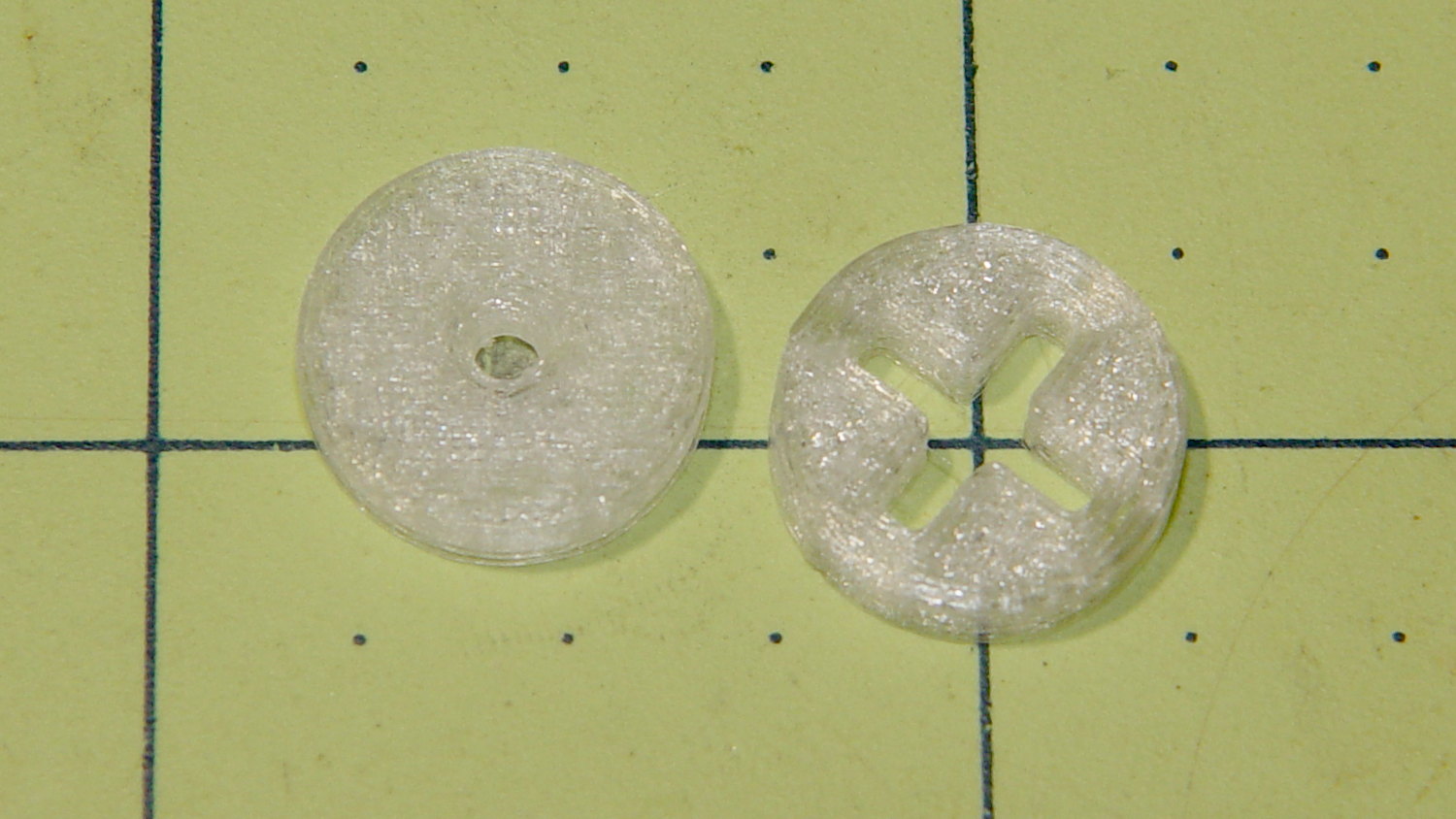
    Monolithic cap - 100 nF - QC failure
    Monolithic cap – 100 nF – QC failure

    Oddly, it measured pretty close to the others in the kit package. I swapped in a 100 nF ceramic cap from my heap and continued the mission.

    The threaded brass inserts stand in for tiny 4-40 nuts that I don’t have. The case has standoffs with small holes; I drilled-and-tapped 4-40 threads and it’ll be all good.

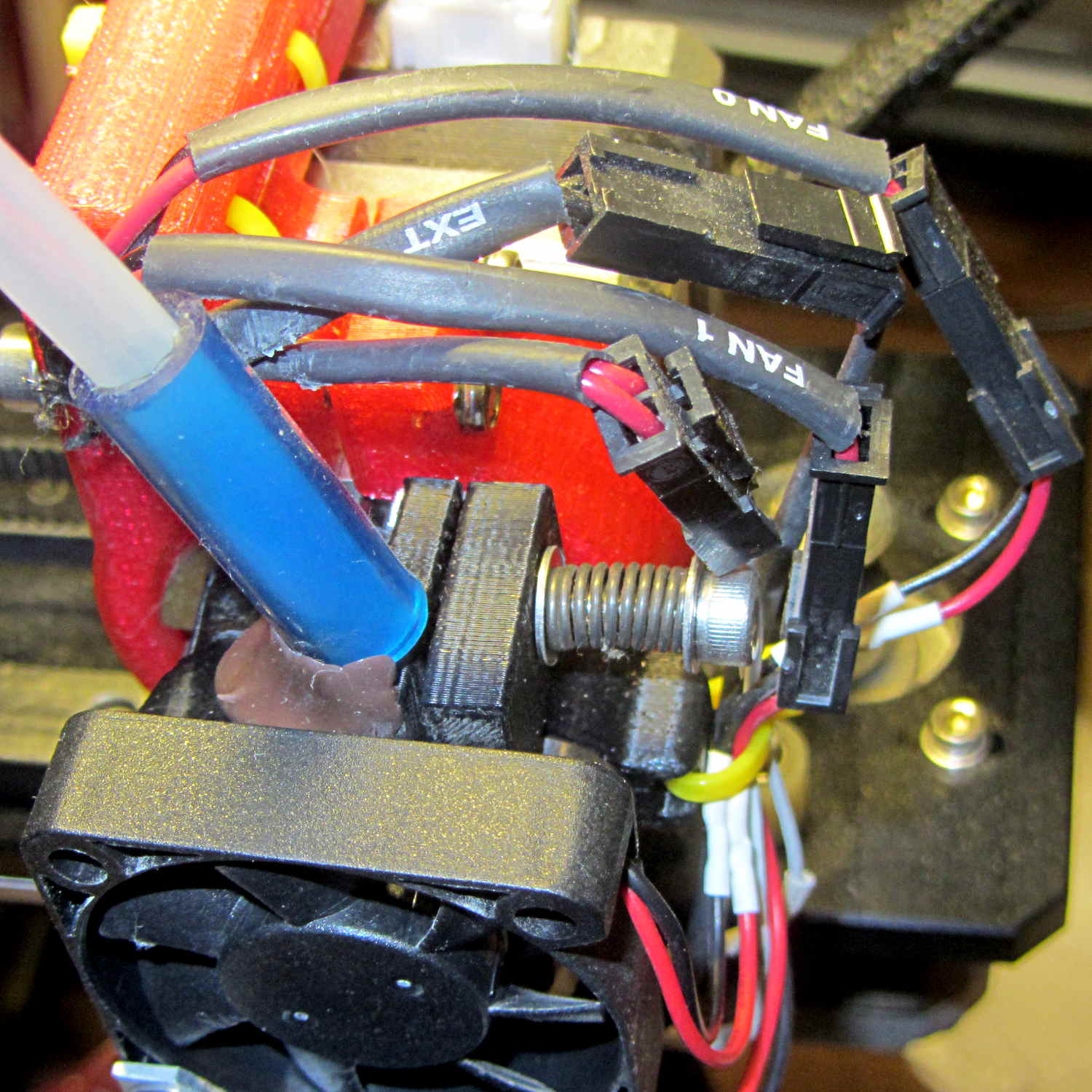
    The radio, a craptastic Baofeng UV-5R, has a SMA-RP to UHF adapter screwed to the cable from a mobile 2 meter antenna on a random slab of sheet metal on the attic floor. It has Kenwood jack spacing, but, rather than conjure a custom plug, I got a clue and bought a pair of craptastic Baofeng speaker-mics for seven bucks delivered:

    Baofeng speaker-mic wiring
    Baofeng speaker-mic wiring

    For reference, the connections:

    Baofeng speaker-mic cable - pins and colors
    Baofeng speaker-mic cable – pins and colors

    Unsoldering the speaker-mic head and replacing it with a DE-9 connector didn’t take long.

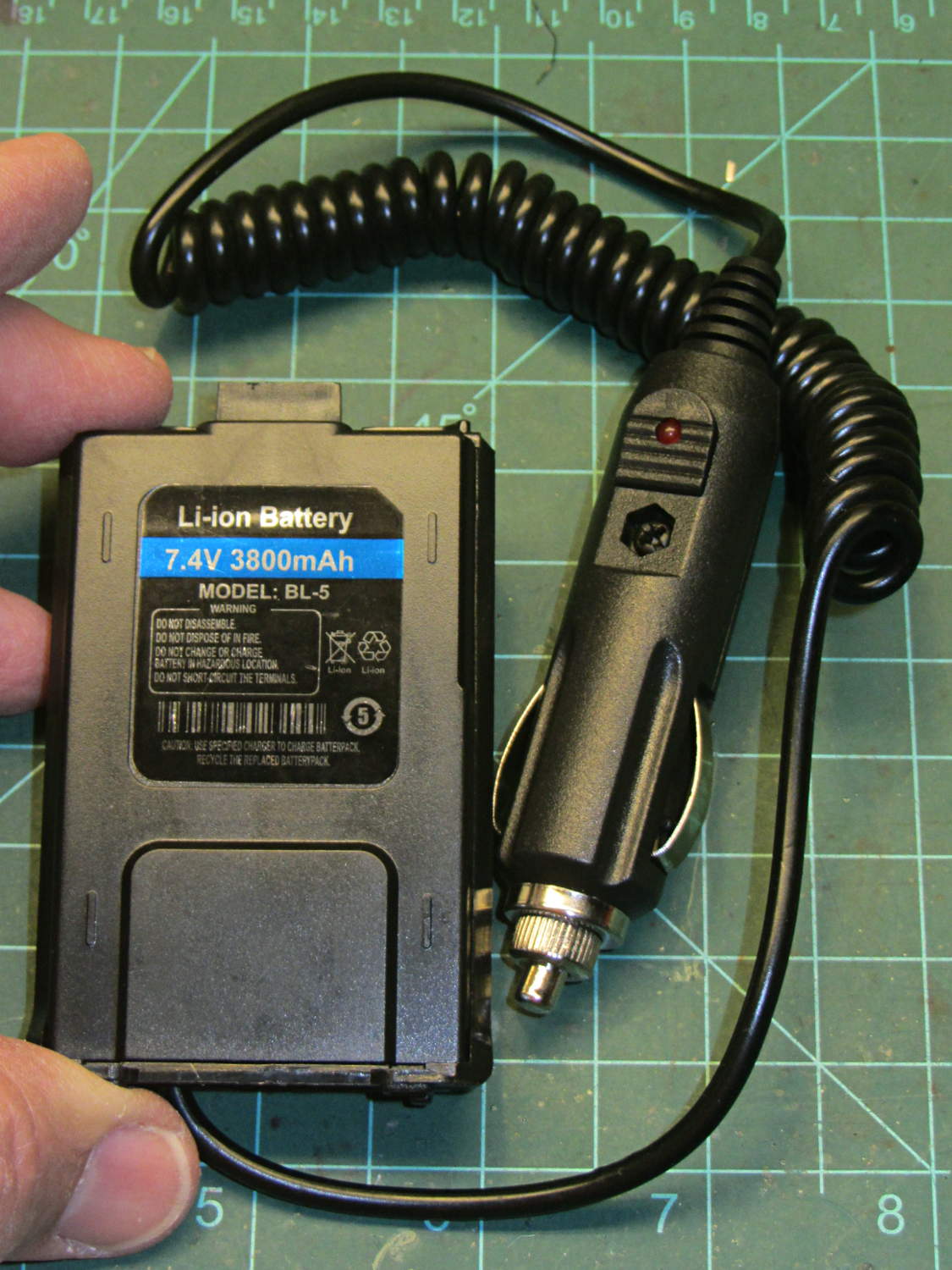
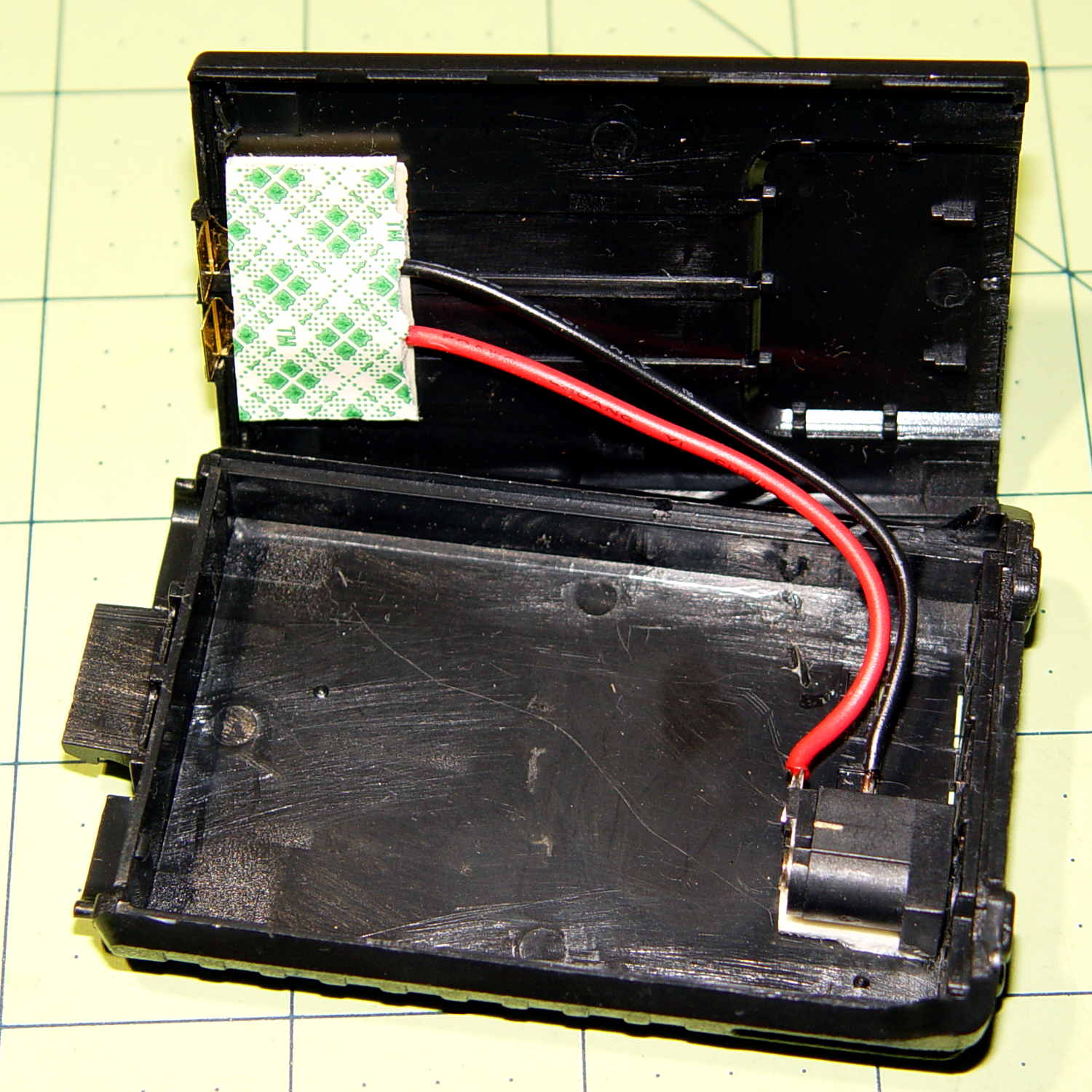
    The radio sits in the charging cradle, which probably isn’t a good idea for the long term. The available Baofeng “battery eliminators” appear to be even more dangerously craptastic than the radios and speaker-mics; I should just gut the cheapest one and use the shell with a better power supply.

    I initially installed Xastir on the Pi, but it’s really too heavyweight for a simple receive-only iGate. APRX omits the fancy map displays and runs perfectly well in a headless installation with a trivial setup configuration.

    There are many descriptions of the fiddling required to convert the Pi 3’s serial port device names back to the Pi / Pi 2 “standard”. I did some of that, but in point of fact none’s required for the TNC-Pi2; use the device name /dev/serial0 and it’s all good:

    <interface>
    serial-device /dev/serial0 19200 8n1 KISS
    callsign $mycall # callsign defaults to $mycall
    tx-ok false # transmitter enable defaults to false
    telem-to-is false # set to 'false' to disable
    </interface>
    

    Because the radio looks out over an RF desert, digipeating won’t be productive and I’ve disabled the PTT. All the received packets go to the Great APRS Database in the Cloud:

    server   noam.aprs2.net
    

    An APRS reception heat map for the last few days in August:

    KE4ZNU-10 Reception Map - 2016-08
    KE4ZNU-10 Reception Map – 2016-08

    The hot red square to the upper left reveals a peephole through the valley walls toward Mary’s Vassar Farms garden plot, where her bike spends a few hours every day. The other hotspots show where roads overlap the creek valley; the skinny purple region between the red endcaps covers the vacant land around the Dutchess County Airport. The scattered purple blocks come from those weird propagation effects that Just Happen; one of the local APRS gurus suggests reflections from airplane traffic far overhead.

    An RPi 3 is way too much computer for an iGate: all four cores run at 0.00 load all day long. On the other paw, it’s $35 and It Just Works.