Ed Nisley's Blog: Shop notes, electronics, firmware, machinery, 3D printing, laser cuttery, and curiosities. Contents: 100% human thinking, 0% AI slop.
It Would Be Nice to turn the various Raspberry Pi camera boxen around here into more-or-less full-automatic IP streaming cameras, perhaps using RTSP, so as to avoid having to start everything manually, then restart the machinery after a trivial interruption. I naively thought video streaming was a solved problem, especially on an RPi, particularly with an Official RPi Camera, given the number of solutions found by casual searching with the obvious keywords.
As far as I can tell, however, all of the recommended setups fail in glorious / amusing / tragic ways. Some failures may be due to old configurations no longer applicable to new software, but I’m nowhere near expert experienced enough to figure out what’s broken and how to fix anything in particular.
Doing RTSP evidently requires the live555.com Streaming Media libraries & test suite. Compiling requires adding -DNO_SSL=1 to the COMPILE_OPTS line in the Makefile, then letting it bake it for a while.
The v4l2rtspserver code fetches & cleanly compiles its version of the live555 code, then emits various buffer overflow errors while streaming; the partial buffers clearly show how the compression works on small blocks in successive lines. Increasing various buffer sizes from 60 kB to 100 kB to 300 kB had little effect. This may have to do with the stream’s encoding / compression methods / bit rates, none of which seem amenable to random futzing.
Another straightforward configuration compiled fine, but VLC failed to actually show the stream, perhaps due to differences between the old version of Raspbian (“Stretch”) and the new version of Raspberry Pi OS (“Buster”).
Running the RPi camera through the Video4Linux2 interface to create a /dev/video0 device seems to work, but controlling the camera’s exposure (and suchlike) with v4l2_ctl behaves erratically. Obvious effects, like rotation & flipping, work fine, but not the fine details along the lines of auto exposure and color modes.
Attempting to fire raspivid through cvlc to produce an RTSP stream required installing VLC on a headless Raspberry Pi, plus enough co-requisite packages to outfit world+dog+kitchenSink. After all the huffing & puffing wound down, the recommended VLC parameters failed to produce an output stream. The VLC doc regarding streaming is, to me, impenetrable, so I have no idea how to improve the situation; I assume RTSP streaming is possible, just not by me.
Whenever any of those lashups produced any video whatsoever, the images suffered from tens-of-seconds latency, dropped frames, out-of-order video updates, and generally poor behavior. Some maladies certainly came from the aforementioned inappropriate encoding / compression methods / bit rates.
The least horrible alternative seems to be some variation on the original theme of using raspivid to directly create a tcp stream or firing raspivid into netcat to the same effect, then re-encoding it on a beefier PC as needed. I’m sure systemd can automagically restart raspivid (or, surely, a script with all the parameters) after it shuts down.
So far, this has been an … unsatisfactory … experience, but now I can close a dozen browser tabs.
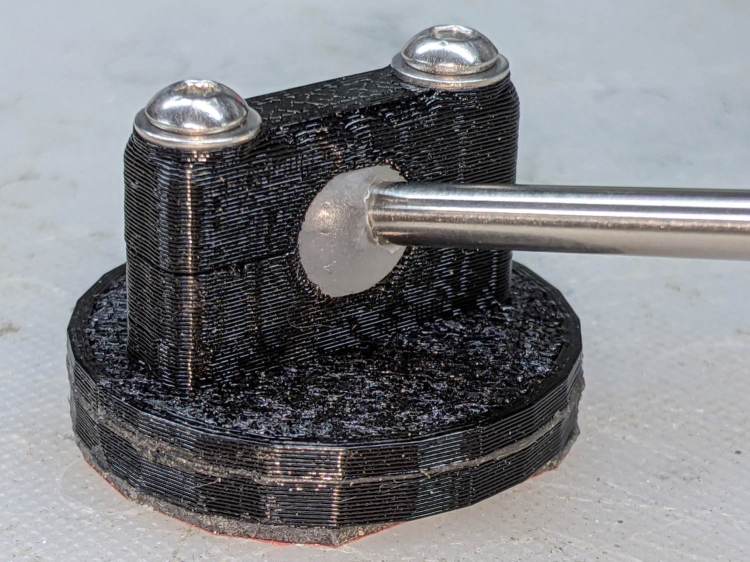
The stiffness of the bike helmet mirror mount suggested a similar clamp would have enough griptivity to immobilize the ball while cutting it in the lathe:
Helmet Mirror Mount – 10 mm ball
Building the clamp around the lathe’s three-jaw lathe chuck eliminates the need for screws / washers / inserts:
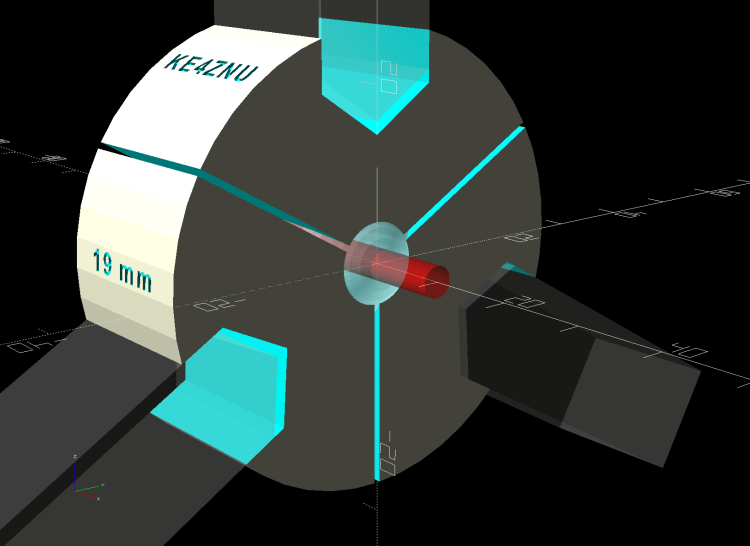
Lathe Ball Fixture – 19 mm – Show
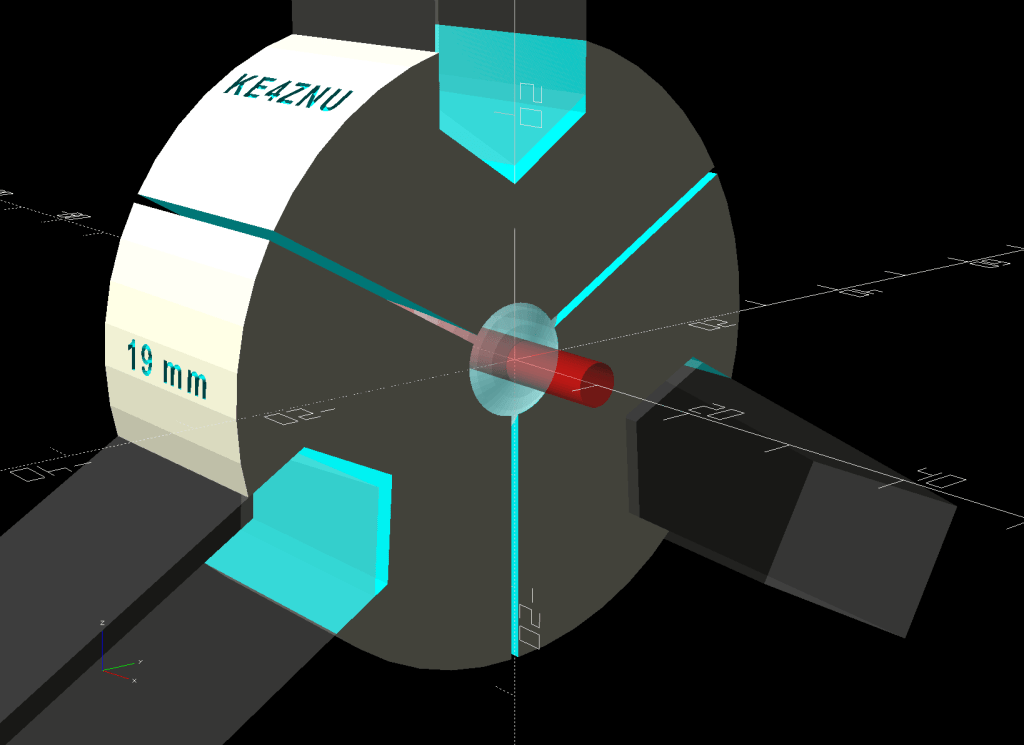
The Ah-ha! moment came when I realized the fixture can expose half of the ball’s diameter for drilling while clamping 87% of its diameter, because 0.5 = sin 30° and 0.87 = cos 30°:
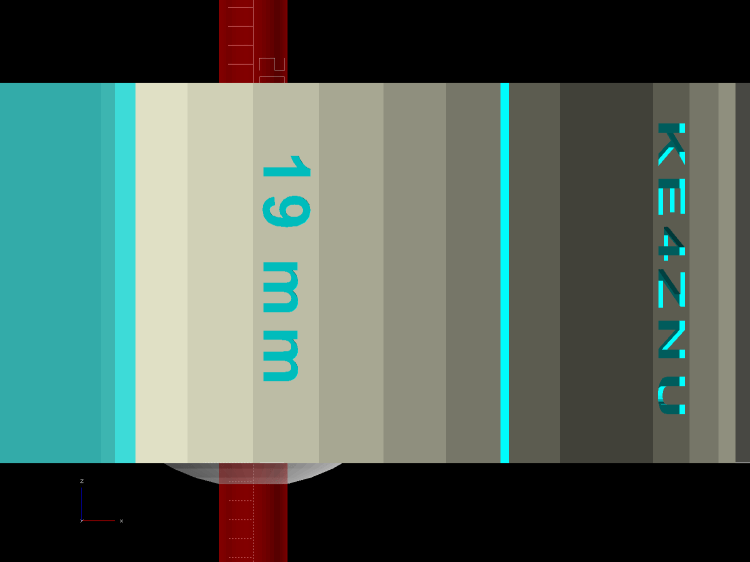
Lathe Ball Fixture – 19 mm – Show – front orthogonal
That’s an orthogonal view showing 13% of the ball radius sticking out of the fixture; it’s 6% of the diameter.
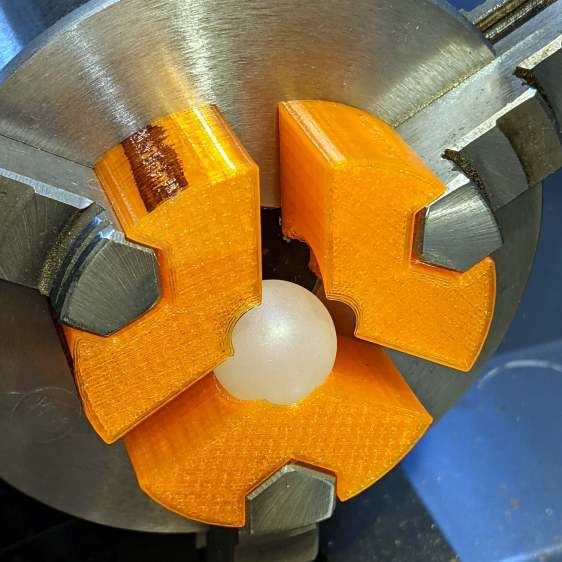
Which looks like this in real life:
Lathe Ball Fixture – 19 mm – sections with ball
The socket is offset toward the tailstock end of the clamp (on the right in the picture) to expose half its diameter flush with the surface perpendicular to the lathe axis. The other side necks down into a cylinder of the same diameter to clear the drill bit.
This works nicely until the ball diameter equals the chuck jaw’s 20 mm length, whereupon larger balls protrude into the chuck body’s spindle opening. Although I haven’t yet built one, the 25 mm balls in my Box o’ Bearings should fit, with exceedingly sissy cuts required for large holes.
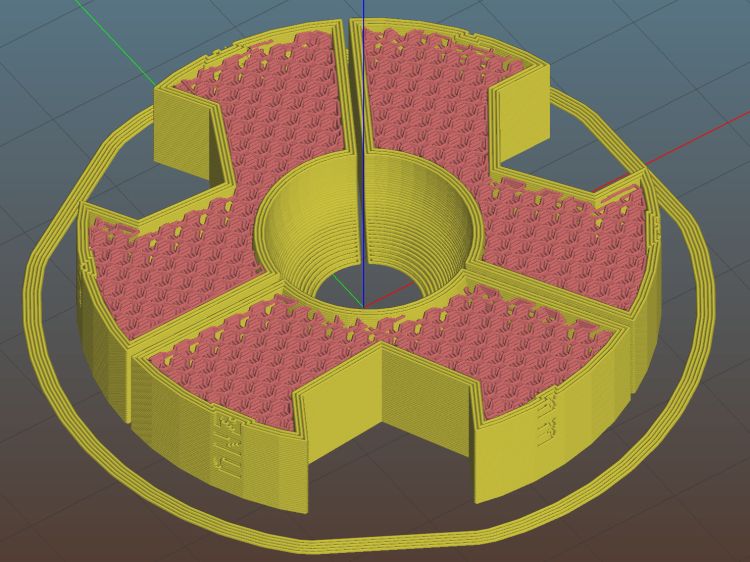
The fixture doesn’t require support material, because the axial holes eliminate the worst of the overhang. Putting the tailstock side flat on the platform gives it the best-looking surface:
Lathe Ball Fixture – 19 mm – Slic3r – equator
The kerf between the segments ensures the jaws can apply pressure to the ball, whereupon the usual crappy serrated 3D printed surface firmly grabs it.
The fixture is a slip fit on the chuck jaws:
Lathe Ball Fixture – 19 mm – installed
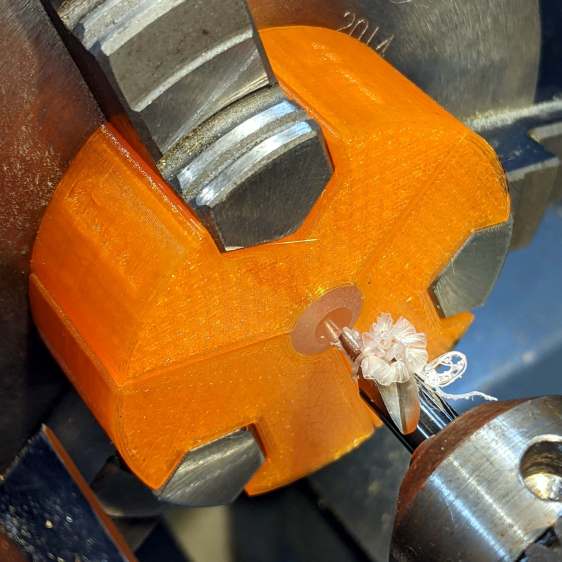
Tightening the jaws shoves them all the way into the fixture’s slots and clamps the ball:
Lathe Ball Fixture – 19 mm – center drill
Overtightening the chuck will (probably) compress the ball around the drill, which will (best case) give you slightly oversize holes or (worst case) cause the ball to seize / melt around the drill bit, so sleaze up to the correct hole diameter maybe half a millimeter at a time:
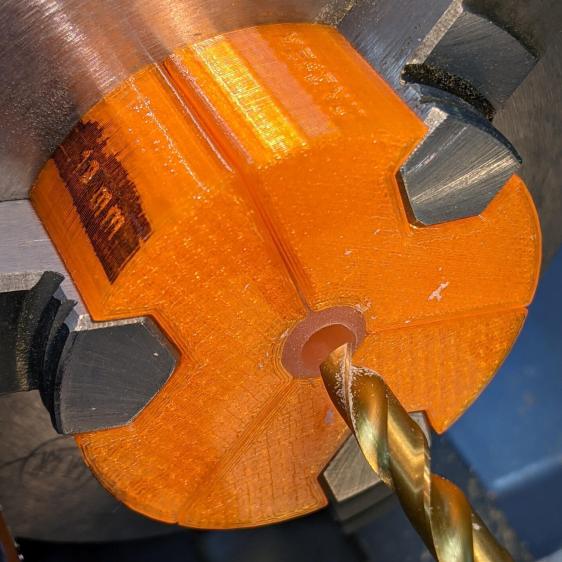
Lathe Ball Fixture – 19 mm – 6 mm drill
That fixture exposes 9.5 mm = 19/2 of the ball. The drill makes a 6 mm hole to fit the telescoping shaft seen above.
Obviously, you must build a custom fixture for every ball diameter in your inventory, which is no big deal when you have a hands-off manufacturing process. Embossing the diameter into the fixture helps match them, although the scribbled Sharpie isn’t particularly elegant.
This file contains hidden or bidirectional Unicode text that may be interpreted or compiled differently than what appears below. To review, open the file in an editor that reveals hidden Unicode characters.
Learn more about bidirectional Unicode characters
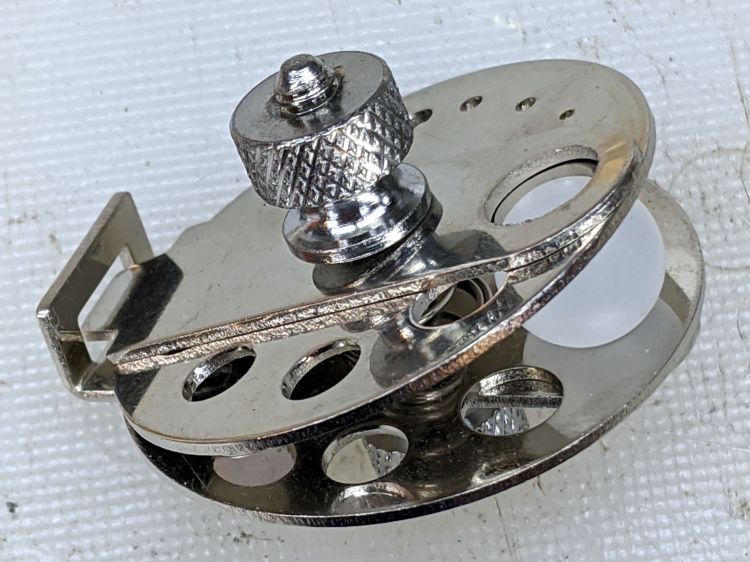
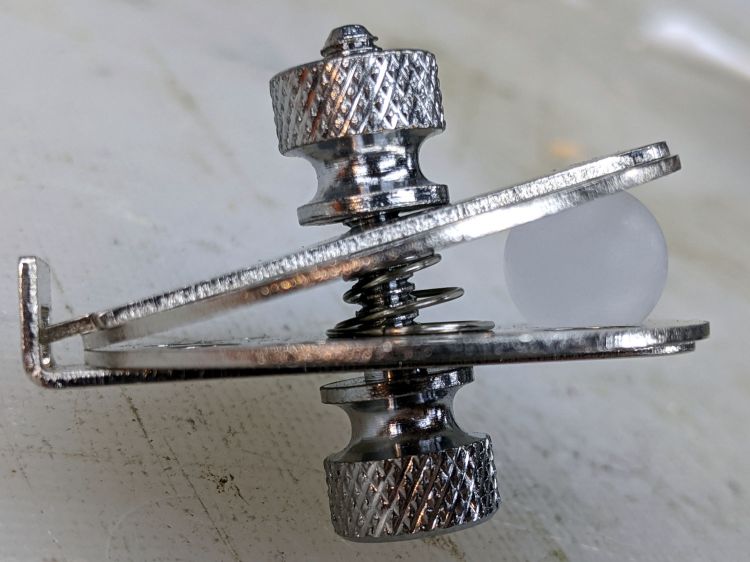
Given the angle between the two plates, I didn’t see any way to put a large hole though the center of the ball:
Micromark Ball Vise – 10 mm ball
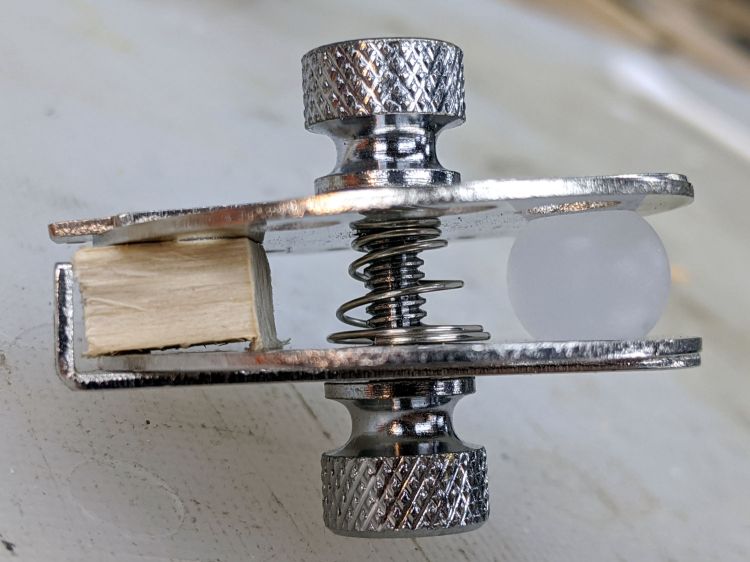
A scrap of wood aligned the two plates somewhat better:
Micromark Ball Vise – wood block
With that as a hint, the Box o’ Brass Cutoffs disgorged a better spacer, although the original screw was just an itsy too short:
Micromark Ball Vise – brass tube
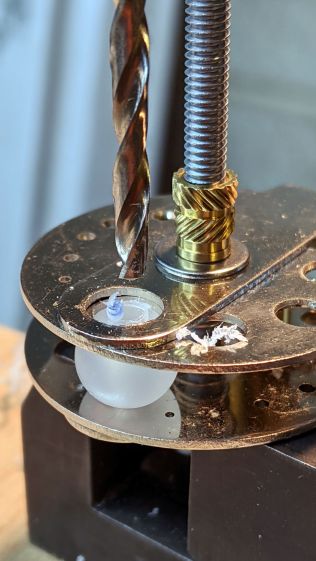
Grabbing the modified vise in a machinist’s vise got me most of the way toward the goal:
Micromark Ball Vise – drill press
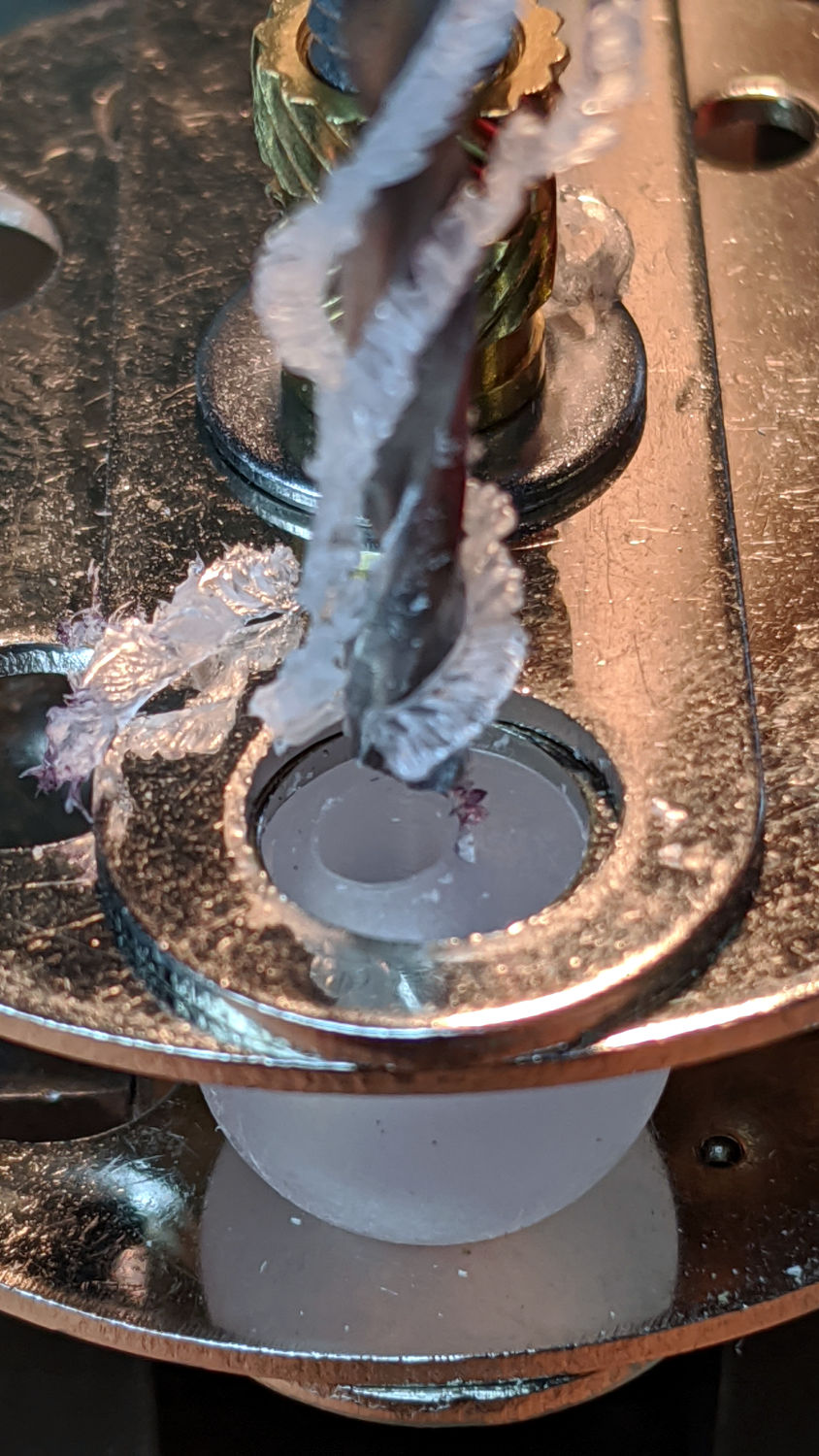
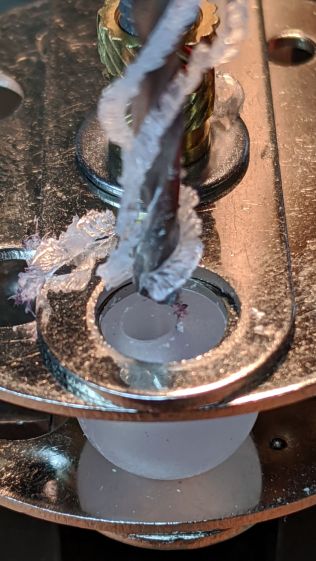
Polypropylene is grabby, so the drill stuck / rotated the ball inside the vise / made a mess:
Micromark Ball Vise – offset hole
A close look at the top picture shows the nasty ring around the hole (on the right side). The vise grips the ball between two holes punched in the metal plates, contacting it only at the right-angle (-ish) edges forming two rings, so there’s really not enough friction against the plastic to hold the ball in position and any slippage results in a gouge. Perhaps pearls / beads / jewelry behave differently?
Fortunately, I had a bag of 100 balls, so a few failures gave me enough of a clue to do what I should have done from the beginning:
Micromark Ball Vise – lathe ball hack
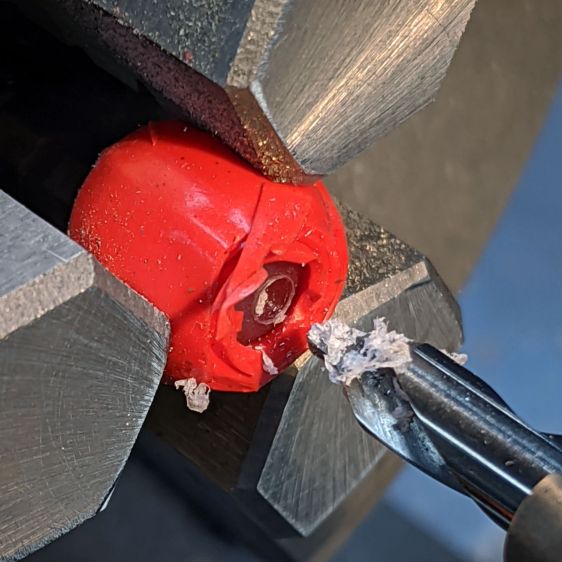
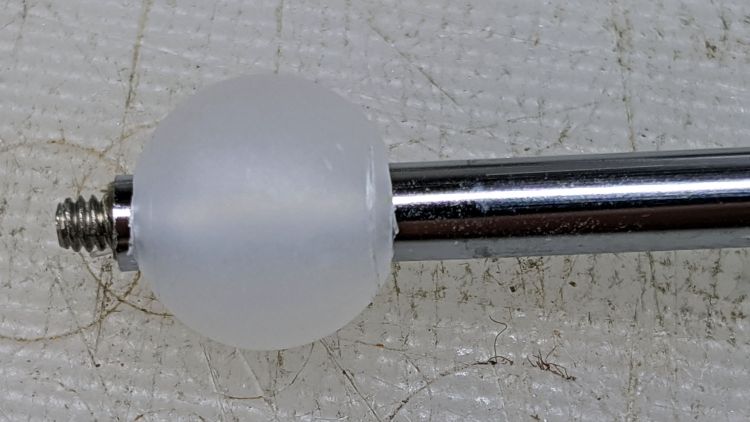
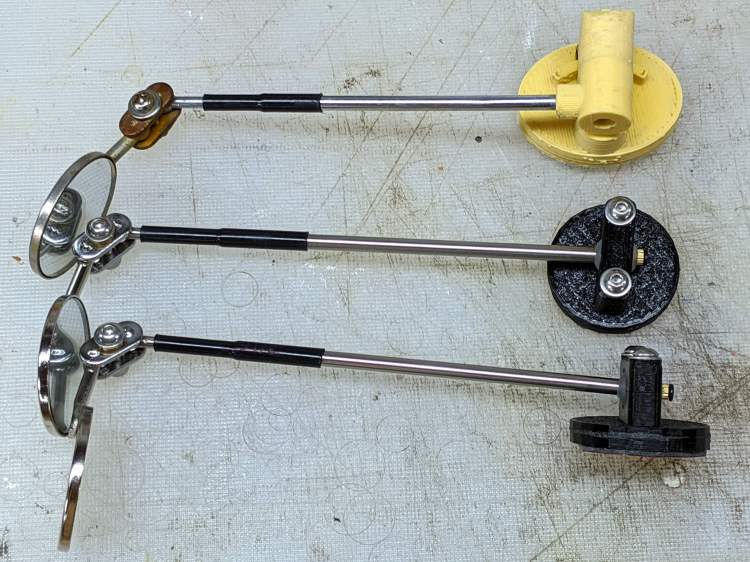
That’s silicone tape wrapped around a ball grabbed in the lathe chuck, with a center drill in the tailstock. There’s barely enough traction between the ball and the chuck to get the job done, but it worked out well enough to build a few new mirrors:
Helmet Mirror Ball Mount – new vs old
There’s obviously a better way, although it took a few weeks to shake out the solid model …
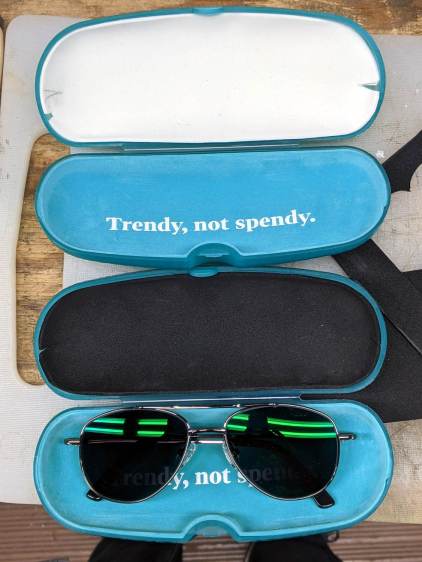
Zenni ships their glasses in a snap-close case with a fuzzy insert on the bottom, but after you unpack the cleaning cloth and suchlike, the glasses rattle against the hard plastic top.
Make trial fit prototype from thin cardboard and trace it onto a sheet of craft foam:
Eyeglass case foam padding – outline
The pen, much favored by quiltists, has a white ceramic lead that washes out of dark fabrics. You can find a corresponding dark-lead pen, but I can use an ordinary pencil.
Use different colors for different glasses:
Eyeglass case foam padding – installed
Then walk ninja-style again.
Protip: slip an address label atop the foam so a nice person can reunite you with your glasses, should they slip out of your pocket in the unlikely event you sit down anywhere other than in your house.
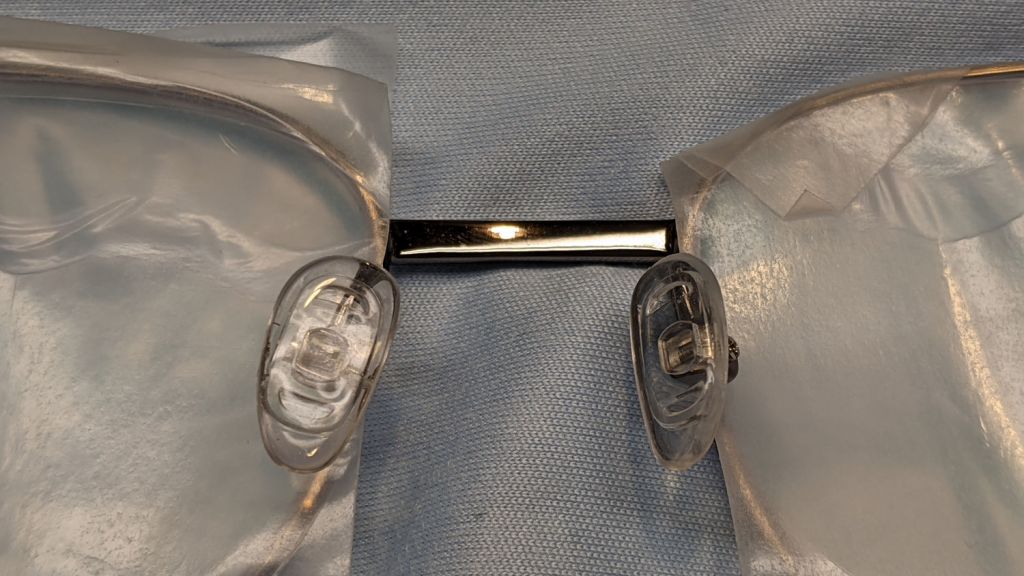
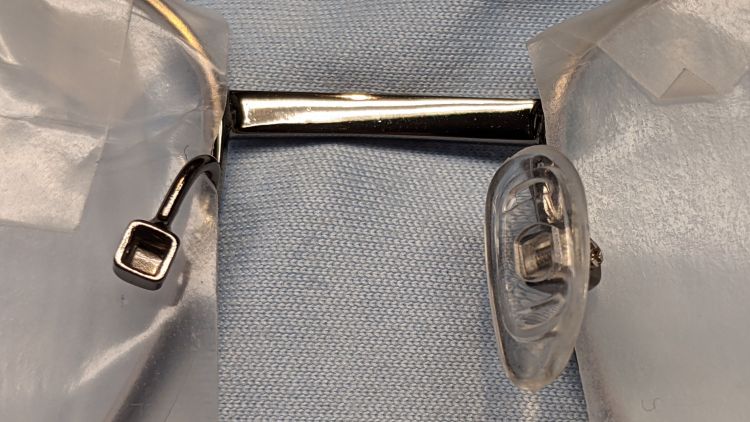
Start by removing the tiny screw and the nose pad:
Zenni glasses nosepad – socket
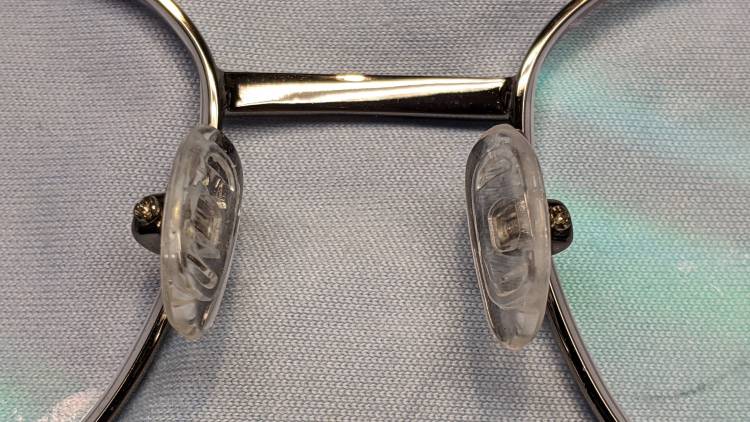
Apply a metal bending pliers (with the concave jaw around bottom of the socket), twist until it lines up properly, then reinstall the pad:
Zenni glasses nosepad – aligned
No big deal if you happen to have the pliers. Bonus: apply Parafilm to prevent scratching the lenses, OK?
For what it’s worth, the latest set of four spectacles with high-index (not polycarbonate) progressive lenses in metal frames cost a bit over $200 delivered. The last time around, two specs cost a bit more than half that.
On the other paw, I’ve been repairing Mary’s collection of full-frontal retailglasses for quite a while, because she’s frustrated with making multiple trips to have The Nice Man repeatedly apply final tweakage.
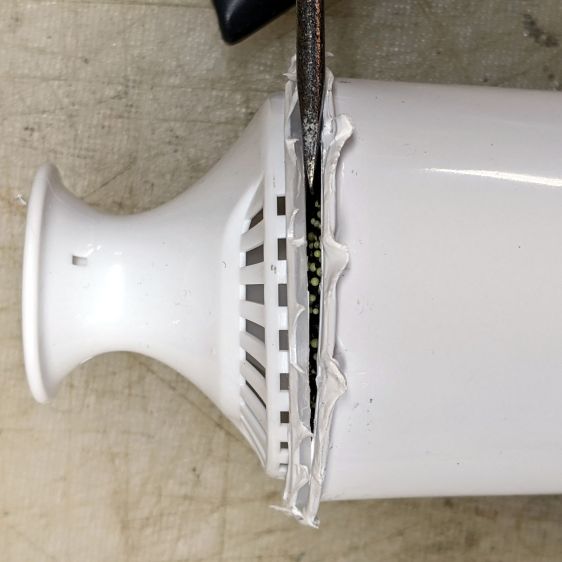
Having replaced our disintegrating Brita pitcher a few years ago, I finally got around to opening a used filter to see what’s inside. Start by cutting off the flexible rim (intended as a seal against the pitcher) to reveal the joint, then pry the lid off:
Brita pitcher filter – opening
Stand it upright before getting the lid off, because the filter contains a zillion charcoal granules and two zillion ion-exchange resin beads:
Brita pitcher filter – granules
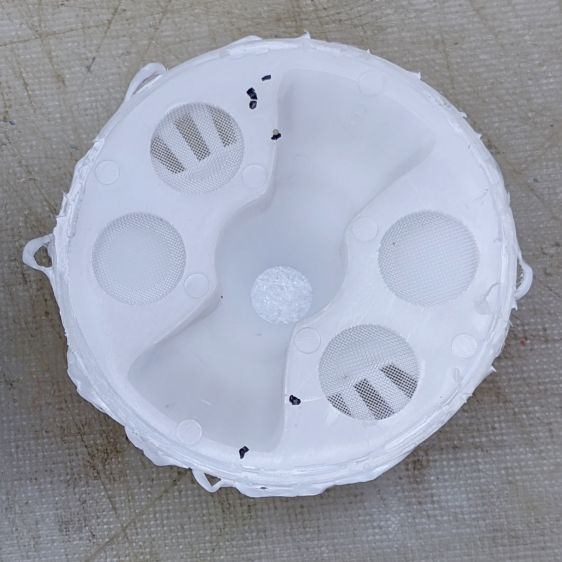
The inside of the lid has mesh screens to keep the innards in place while distributing the raw water:
Brita pitcher filter – lid
Similarly, mesh on the bottom drains let the filtered water out:
Brita pitcher filter – emptied
No surprises, but now we all know what’s in there.
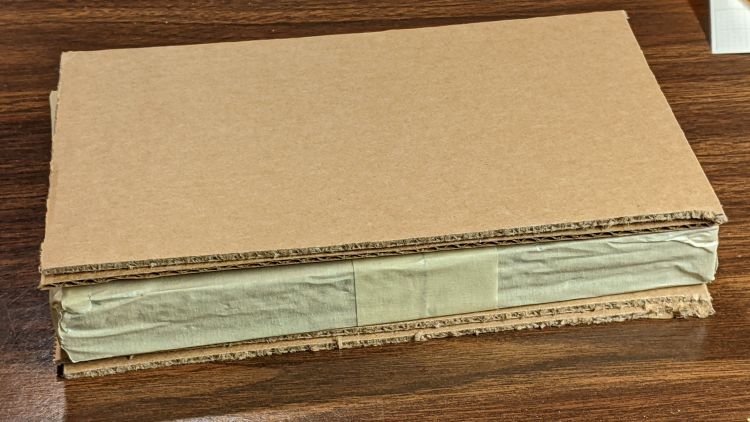
For reasons not relevant here, I sent the Beckman DM73 to a good home in Europe. Having some experience with the brutality applied to innocent packages by various package-delivery organizations, I filled a Priority Mail Flat Rate Small Box with a solid block of corrugated cardboard:
DM73 – cardboard armor
One inner layer has a cutout for the manual:
DM73 – Operator Manual package
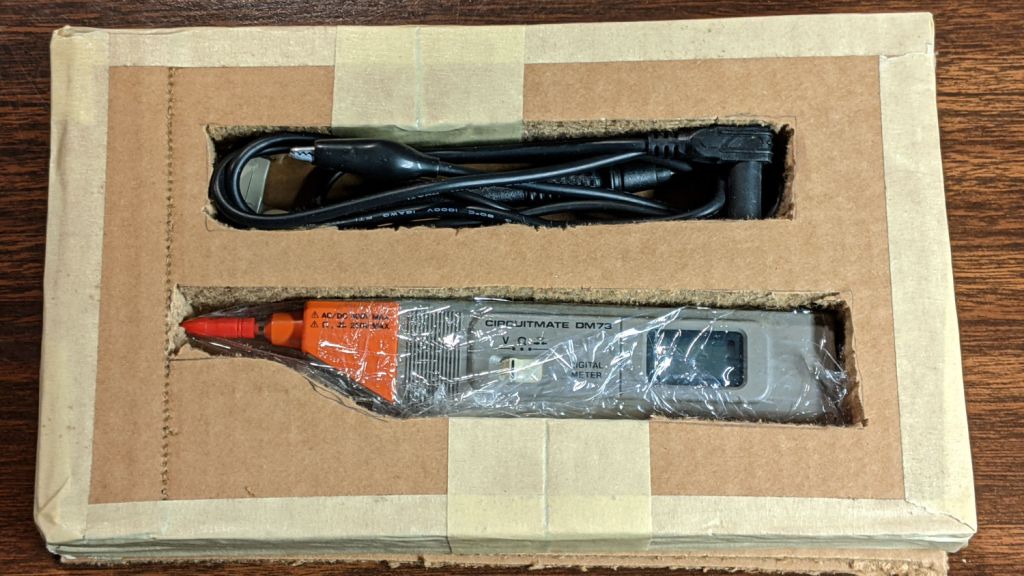
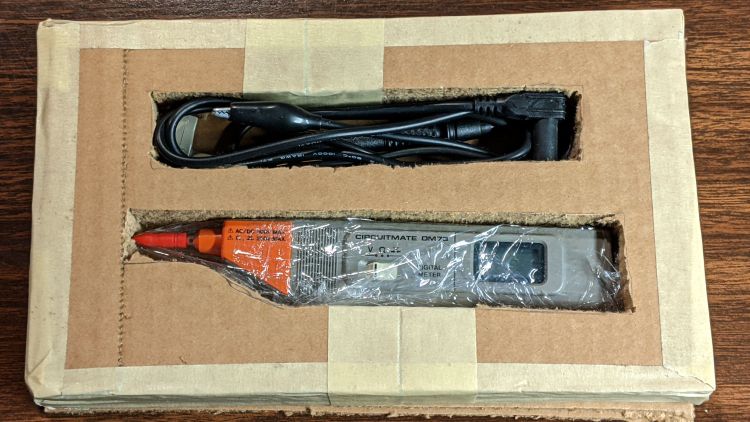
The meter and its leads tuck into form-fitting cutouts:
Beckman DM73 – cardboard packing
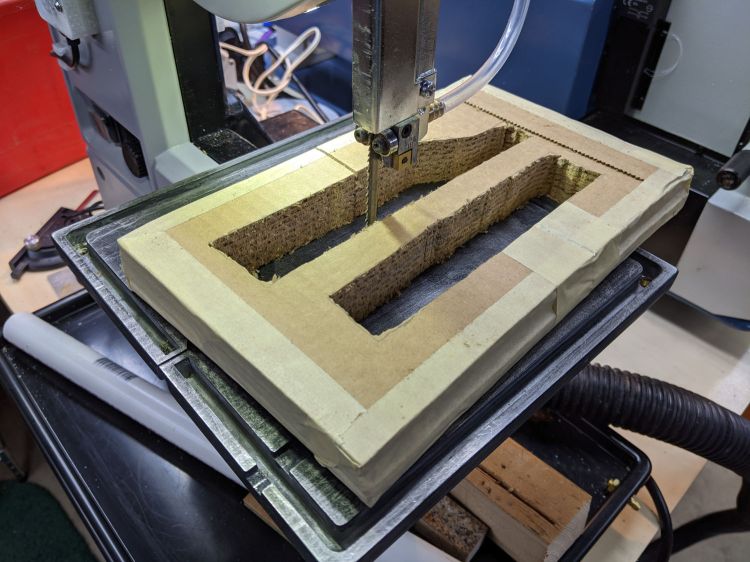
I bandsawed the cutouts from a block with enough layers for some space on the top and bottom:
DM73 – bandsawing cardboard package
After mulling that layout overnight, I made a similar block with the saw cuts on diagonally opposite corners, so pressure on the center of the edges won’t collapse the unsupported sides. A slightly larger meter cutout allowed a wrap of closed-cell foam sheet that likely doesn’t make any difference at all.
With everything in place, the box had just enough space for a pair of plastic sheets to better distribute any top & bottom impacts.
I won’t know how the armor performed for a few weeks, but it’s definitely the best packaging idea I’ve had so far.
Update: After nearly two weeks, the package arrived undamaged and the meter was in fine shape. Whew!










 The Smell of Molten Projects in the Morning