The Smell of Molten Projects in the Morning

Ed Nisley's Blog: Shop notes, electronics, firmware, machinery, 3D printing, laser cuttery, and curiosities. Contents: 100% human thinking, 0% AI slop.

Category: Machine Shop

Mechanical widgetry

  • Micro-Mark Bandsaw: Acetal Blade Guide

    Micro-Mark Bandsaw: Acetal Blade Guide

    The Micro-Mark bandsaw has a metal blade guide below the table that contributes to the awful noise it makes while running, even when it’s not cutting anything. Having recently touched the Delrin = acetal rod stash, a simple project came to mind.

    A doodle with the original metal guide dimensions:

    Micro-Mark Bandsaw - metal blade guide dimensions
    Micro-Mark Bandsaw – metal blade guide dimensions

    The 10 mm dimension is non-critical, so I started with a 1/2 inch acetal rod and turned the stub end to match.

    A doodle suggested how to carve the slot with a 20.5 mil = 0.52 mm slitting saw, with the offset from a Z touchoff at the top:

    Micro-Mark Bandsaw - acetal blade guide - slitting doodles
    Micro-Mark Bandsaw – acetal blade guide – slitting doodles

    The V block setup required swapping out the overly long OEM screw for a shorter 5 mm SHCS to clear the Sherline’s motor:

    Micro-Mark Bandsaw - acetal guide slitting
    Micro-Mark Bandsaw – acetal guide slitting

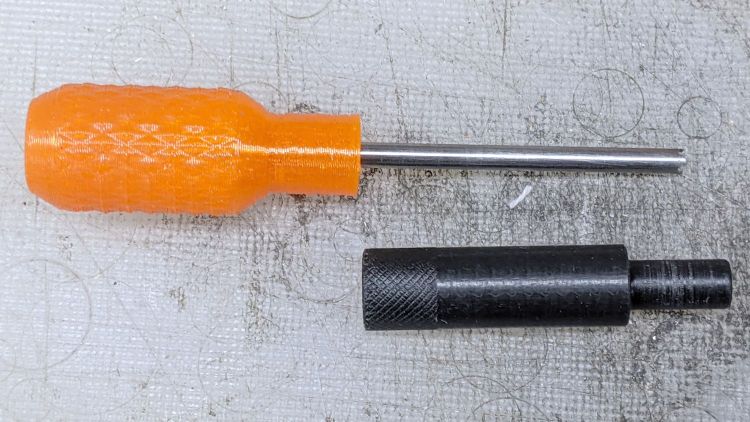
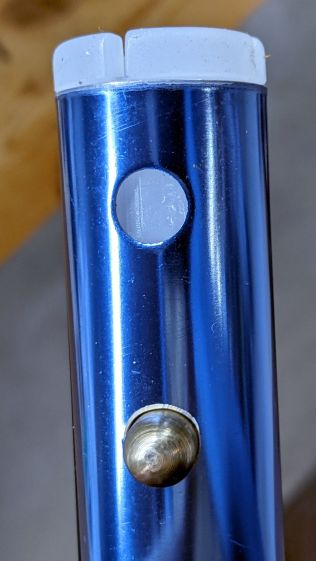
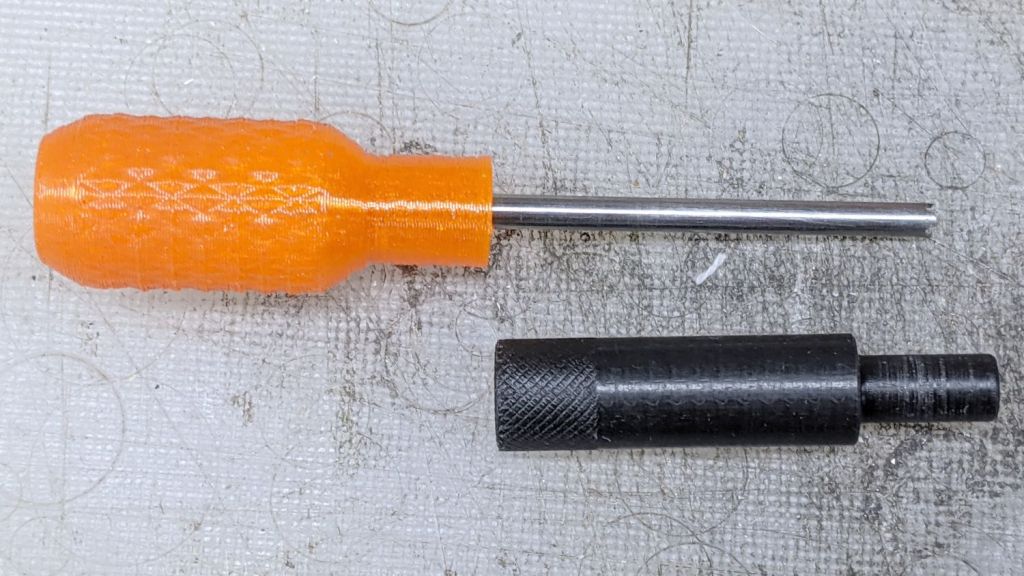
    The end result looked pretty good:

    Micro-Mark Bandsaw - acetal vs steel blade guides
    Micro-Mark Bandsaw – acetal vs steel blade guides

    And it looks like it pretty much belongs in the saw:

    Micro-Mark Bandsaw - acetal blade guide installed
    Micro-Mark Bandsaw – acetal blade guide installed

    The 6 mm stud goes into a hole in the frame, where a setscrew holds it in place. You must remove the blade to extract / replace the guide, with the correct position having the end of the slot just touching the back of the blade.

    The foam ring apparently keeps crud away from the stud on the backside; I doubt it’s mission-critical.

    The saw became somewhat quieter; the ball bearing guides above the table now generate most of the racket. At some point I’ll try replacing them with a block, probably made from UHMW, with a simple slit to guide the blade.

    Plastic guides may not last as long as the steel ones, but occasional replacements will be worth it if the saw runs quieter.

  • Bondhus Wrench: Missing Ball

    Bondhus Wrench: Missing Ball

    Around the beginning of the year, I updated my collection of somewhat worn hex wrenches with a set of metric and inch ball-end hex wrenches from Bondhus sold by and shipped from Amazon:

    Bondhus hex wrenches - missing 7-64 ball
    Bondhus hex wrenches – missing 7-64 ball

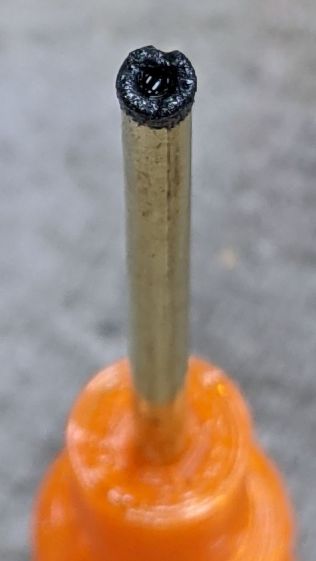
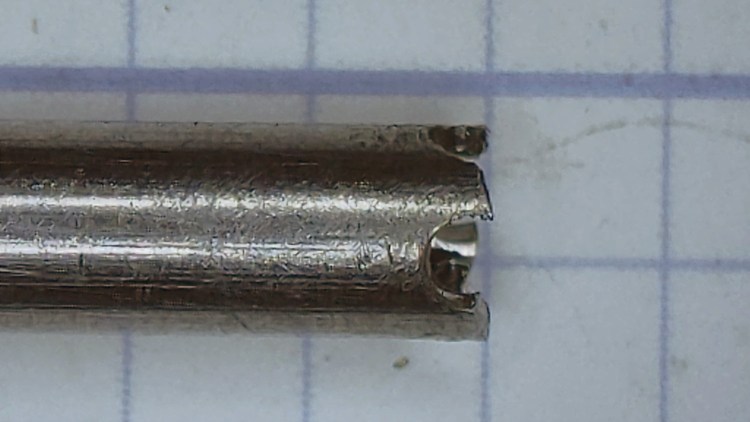
    When I applied the 7/64 wrench to a setscrew, the missing ball came as a surprise.

    Even though the inch wrench set doesn’t get a lot of use, it’s possible I broke the ball off during a previous adventure, but a look at the end shows the black oxide coating covering the end:

    Bondhus hex wrenches - missing 7-64 ball - detail
    Bondhus hex wrenches – missing 7-64 ball – detail

    Yeah, it was born that way.

    I wonder if and how their lifetime guarantee works.

    [Update: It does!]

    Protip: as of this writing, the Amazon listing has two other “sizes” showing exactly the same set at significantly higher prices from two randomly named sellers:

    Bondhus hex wrench set - Amazon listing
    Bondhus hex wrench set – Amazon listing

    It is safe to assume Amazon no longer has its customers’ best interests in mind.

  • Depth Gauge Mounting Rods

    Depth Gauge Mounting Rods

    A depth gauge arrived with a 3/8 inch = 9.5 mm mounting rod that fit one of my magnetic bases, but another base in my collection has a 5/16 inch = 7.9 mm clamp. Having recently rummaged through the aluminum rod stash, this happened:

    Depth Gauge mounting rods
    Depth Gauge mounting rods

    The original rod at the top has an M6 thread, the drawer of random M6 screws provided suitable volunteers, and a bit of lathe work removed / shaped their heads accordingly.

    The shorter rod has a blind hole, with a dab of epoxy holding the headless screw in place. Not that it matters, but the lathe held them in alignment for curing:

    Depth Gauge mounting rod - epoxy alignment
    Depth Gauge mounting rod – epoxy alignment

    The longer rod got drilled all the way through, with more epoxy holding the screw, and, even with a relatively loose fit, no worries about alignment.

    The longer rod gets the clamp away from the depth gauge’s base plate for better positioning:

    Depth Gauge mounting rod - in use
    Depth Gauge mounting rod – in use

    They’ll surely come in handy along the way …

  • 1-by-One Folding Bluetooth Keyboard: Flex Cable Fix

    1-by-One Folding Bluetooth Keyboard: Flex Cable Fix

    Four years ago I got a folding Bluetooth keyboard for my then-newish Pixel phone:

    Folding keyboard - front
    Folding keyboard – front

    A few days ago, the 2 W S X Win keys stopped working, suggesting a problem with the matrix scan of that column.

    The trim cover over the fold on the back of the keyboard disengages from the hinge with gentle prying at the obvious places, exposing a flex cable pressed against a disturbingly right-angled edge:

    Folding keyboard - acute cable fold edge
    Folding keyboard – acute cable fold edge

    Unfolding the keyboard makes the acute bend against the case obvious, even though it’s hidden under the cable:

    Folding keyboard - failed cable - borrom view
    Folding keyboard – failed cable – borrom view

    Some tedious poking around with a continuity meter revealed not only a broken trace, but a crack in the flex cable:

    Folding keyboard - cracked flex conductor
    Folding keyboard – cracked flex conductor

    Protip: when you have nothing to lose, poke a pin through the flex cable into the trace to localize the break. The point leaves little holes, but so what?

    I scraped off the black coating and the insulation over the traces with an Xacto knife under the microscope, which definitely reveals my need for a tiny Waldo manipulator.

    Coating the exposed copper with solder and bridging the crack with one strand of the finest wire in my collection produced a truly horrific scene:

    Folding keyboard - patched flex conductors
    Folding keyboard – patched flex conductors

    The glop on the left is flux applied before soldering. The rugged terrain on the right is the exceedingly gummy adhesive holding the cable to the keyboard, which turned out to be surprisingly heat-sensitive.

    Fairly obviously, those patches will not survive much more flexing, so wrap the cable with Kapton tape and apply a stiffening layer of thick plastic tape:

    Folding keyboard - reinforced cable section
    Folding keyboard – reinforced cable section

    Apply more reinforcing tape and button it up again:

    Folding keyboard - reinforced cable flex edge
    Folding keyboard – reinforced cable flex edge

    I stuck the flex cable down with the repaired joint about a millimeter under that sharp edge, with double-sided sticky tape underneath to help immobilize the bruised area.

    While I had the covers off, I also reinforced the same section of the cable on the other side of the keyboard, in the hopes of preventing a crack.

    I have little faith in the long-term survival of this repair. Similar keyboards routinely emerge from the quantum froth of randomly named Amazon sellers, most of which have negative reviews reporting the failure of entire key columns; there’s no indication of any design improvement.

    The alert reader will have noted the cable has eight traces, enough for a 3×5 matrix of 15 keys, but the folding wing has 16 keys: the second row has four keys. I have no idea how they made that work, other than perhaps resistive coding for some of the keys.

  • Tour Easy 1 W Amber Running Light: Holder and First Light

    Tour Easy 1 W Amber Running Light: Holder and First Light

    Wrapping a left-side ball mount around the PVC case produced a holder:

    Fairing 1 W LED Mount - Left side - show view
    Fairing 1 W LED Mount – Left side – show view

    Which looks like this in real life:

    1 W Amber Running Light - installed front
    1 W Amber Running Light – installed front

    The support structure under the arch required a bit more cleanup than it got, so the clamp didn’t quite close around the ball on the first full test:

    1 W Amber Running Light - installed side
    1 W Amber Running Light – installed side

    Both the phone camera and the eyeballometer report the 1 W amber LED isn’t quite as bright as the 400 lumen Anker flashlight on its low setting:

    1 W Amber Running Light - First Light
    1 W Amber Running Light – First Light

    Stir the unusual (for a bike) amber color together with some blinkiness, though, and it’s definitely attention-getting.

    The OpenSCAD source code as a GitHub Gist:

    // Tour Easy Fairing Flashlight Mount
    // Ed Nisley KE4ZNU – July 2017
    // August 2017 –
    // August 2020 – add reinforcing columns under mount cradle
    // August 2021 – 1 W Amber LED
    /* [Build Options] */
    FlashName = "1WLED"; // [AnkerLC40,AnkerLC90,J5TactV2,InnovaX5,Sidemarker,Clearance,Laser,1WLED]
    Component = "BallClamp"; // [Ball, BallClamp, Mount, Plates, Bracket, Complete]
    Layout = "Build"; // [Build, Show]
    Support = true;
    MountSupport = true;
    /* [Hidden] */
    ThreadThick = 0.25; // [0.20, 0.25]
    ThreadWidth = 0.40; // [0.40]
    function IntegerMultiple(Size,Unit) = Unit * ceil(Size / Unit);
    Protrusion = 0.01; // [0.01, 0.1]
    HoleWindage = 0.2;
    /* [Fairing Mount] */
    Side = "Right"; // [Right,Left]
    ToeIn = -10; // inward from ahead
    Tilt = 20; // upward from forward (M=20 E=10)
    Roll = 0; // outward from top
    //- Screws and inserts
    /* [Hidden] */
    ID = 0;
    OD = 1;
    LENGTH = 2;
    /* [Hidden] */
    ClampInsert = [3.0,4.2,8.0];
    ClampScrew = [3.0,5.9,35.0]; // thread dia, head OD, screw length
    ClampScrewWasher = [3.0,6.75,0.5];
    ClampScrewNut = [3.0,6.1,4.0]; // nyloc nut
    /* [Hidden] */
    F_NAME = 0;
    F_GRIPOD = 1;
    F_GRIPLEN = 2;
    LightBodies = [
    ["AnkerLC90",26.6,48.0],
    ["AnkerLC40",26.6,55.0],
    ["J5TactV2",25.0,30.0],
    ["InnovaX5",22.0,55.0],
    ["Sidemarker",15.0,20.0],
    ["Clearance",50.0,20.0],
    ["Laser",10.0,30.0],
    ["1WLED",25.4,40.0],
    ];
    //- Fairing Bracket
    // Magic numbers taken from the actual fairing mount
    /* [Hidden] */
    inch = 25.4;
    BracketHoleOD = 0.25 * inch; // 1/4-20 bolt holes
    BracketHoleOC = 1.0 * inch; // fairing hole spacing
    // usually 1 inch, but 15/16 on one fairing
    Bracket = [48.0,16.3,3.6 – 0.6]; // fairing bracket end plate overall size
    BracketHoleOffset = (3/8) * inch; // end to hole center
    BracketM = 3.0; // endcap arc height
    BracketR = (pow(BracketM,2) + pow(Bracket[1],2)/4) / (2*BracketM); // … radius
    //- Base plate dimensions
    Plate = [100.0,30.0,6*ThreadThick + Bracket[2]];
    PlateRad = Plate[1]/4;
    RoundEnds = true;
    echo(str("Base plate thick: ",Plate[2]));
    //- Select flashlight data from table
    echo(str("Flashlight: ",FlashName));
    FlashIndex = search([FlashName],LightBodies,1,0)[F_NAME];
    //- Set ball dimensions
    BallWall = 5.0; // max ball wall thickness
    echo(str("Ball wall: ",BallWall));
    BallOD = IntegerMultiple(LightBodies[FlashIndex][F_GRIPOD] + 2*BallWall,1.0);
    echo(str(" OD: ",BallOD));
    BallLength = IntegerMultiple(min(sqrt(pow(BallOD,2) – pow(LightBodies[FlashIndex][F_GRIPOD],2)) – 2*4*ThreadThick,
    LightBodies[FlashIndex][F_GRIPLEN]),1.0);
    echo(str(" length: ",BallLength));
    BallSides = 8*4;
    //- Set clamp ring dimensions
    //ClampOD = 50;
    ClampOD = BallOD + 2*5;
    echo(str("Clamp OD: ",ClampOD));
    ClampLength = min(20.0,0.75*BallLength);
    echo(str(" length: ",ClampLength));
    ClampScrewOC = IntegerMultiple((ClampOD + BallOD)/2,1);
    echo(str(" screw OC: ",ClampScrewOC));
    TiltMirror = (Side == "Right") ? [0,0,0] : [0,1,0];
    //- Adjust hole diameter to make the size come out right
    module PolyCyl(Dia,Height,ForceSides=0) { // based on nophead's polyholes
    Sides = (ForceSides != 0) ? ForceSides : (ceil(Dia) + 2);
    FixDia = Dia / cos(180/Sides);
    cylinder(r=(FixDia + HoleWindage)/2,h=Height,$fn=Sides);
    }
    //- Fairing Bracket
    // This part of the fairing mount supports the whole flashlight mount
    // Centered on screw hole
    module Bracket() {
    linear_extrude(height=Bracket[2],convexity=2)
    difference() {
    translate([(Bracket[0]/2 – BracketHoleOffset),0,0])
    offset(delta=ThreadWidth)
    intersection() {
    square([Bracket[0],Bracket[1]],center=true);
    union() {
    for (i=[-1,0,1]) // middle circle fills gap
    translate([i*(Bracket[0]/2 – BracketR),0])
    circle(r=BracketR);
    }
    }
    circle(d=BracketHoleOD/cos(180/8),$fn=8); // dead center at the origin
    }
    }
    //- General plate shape
    // Centered in the middle of the plate
    module PlateBlank() {
    difference() {
    intersection() {
    translate([0,0,Plate[2]/2]) // select upper half of spheres
    cube(Plate,center=true);
    hull()
    if (RoundEnds)
    for (i=[-1,1])
    translate([i*(Plate[0]/2 – PlateRad),0,0])
    resize([Plate[1]/2,Plate[1],2*Plate[2]])
    sphere(r=PlateRad); // nice round ends!
    else
    for (i=[-1,1], j=[-1,1])
    translate([i*(Plate[0]/2 – PlateRad),j*(Plate[1]/2 – PlateRad),0])
    resize([2*PlateRad,2*PlateRad,2*Plate[2]])
    sphere(r=PlateRad); // nice round corners!
    }
    translate([BracketHoleOC,0,-Protrusion]) // punch screw holes
    PolyCyl(BracketHoleOD,2*Plate[2],8);
    translate([-BracketHoleOC,0,-Protrusion])
    PolyCyl(BracketHoleOD,2*Plate[2],8);
    }
    }
    //- Inner plate
    module InnerPlate() {
    difference() {
    PlateBlank();
    translate([-BracketHoleOC,0,Plate[2] – Bracket[2] + Protrusion]) // punch fairing bracket
    Bracket();
    }
    }
    //- Outer plate
    // With optional legend for orientation and parameters
    module OuterPlate(Legend = true) {
    TextRotate = (Side == "Left") ? 0 : 180;
    difference() {
    PlateBlank();
    if (Legend)
    mirror([0,1,0])
    translate([0,0,-Protrusion])
    linear_extrude(height=3*ThreadThick + Protrusion) {
    translate([BracketHoleOC + 15,0,0])
    text(text=">>>",size=5,spacing=1.20,font="Arial",halign="center",valign="center");
    translate([-BracketHoleOC,8,0]) rotate(TextRotate)
    text(text=str("Toe ",ToeIn),size=5,spacing=1.20,font="Arial",halign="center",valign="center");
    translate([-BracketHoleOC,-8,0]) rotate(TextRotate)
    text(text=str("Tilt ",Tilt),size=5,spacing=1.20,font="Arial",halign="center",valign="center");
    translate([BracketHoleOC,-8,0]) rotate(TextRotate)
    text(text=Side,size=5,spacing=1.20,font="Arial",halign="center",valign="center");
    translate([BracketHoleOC,8,0]) rotate(TextRotate)
    text(text=str("Roll ",Roll),size=5,spacing=1.20,font="Arial",halign="center",valign="center");
    translate([0,0,0])
    rotate(90)
    text(text="KE4ZNU",size=4,spacing=1.20,font="Arial",halign="center",valign="center");
    }
    }
    }
    //- Slotted ball around flashlight
    // Print with brim to ensure adhesion!
    module SlotBall() {
    NumSlots = 8*2; // must be even, half cut from each end
    SlotWidth = 2*ThreadWidth;
    SlotBaseThick = 10*ThreadThick; // enough to hold finger ends together
    RibLength = (BallOD – LightBodies[FlashIndex][F_GRIPOD])/2;
    translate([0,0,(Layout == "Build") ? BallLength/2 : 0])
    rotate([0,(Layout == "Show") ? 90 : 0,0])
    difference() {
    intersection() {
    sphere(d=BallOD,$fn=2*BallSides); // basic ball
    cube([2*BallOD,2*BallOD,BallLength],center=true); // trim to length
    }
    translate([0,0,-LightBodies[FlashIndex][F_GRIPOD]])
    rotate(180/BallSides)
    PolyCyl(LightBodies[FlashIndex][F_GRIPOD],2*BallOD,BallSides); // remove flashlight body
    for (i=[0:NumSlots/2 – 1]) { // cut slots
    a=i*(2*360/NumSlots);
    SlotCutterLength = LightBodies[FlashIndex][F_GRIPOD];
    rotate(a)
    translate([SlotCutterLength/2,0,SlotBaseThick])
    cube([SlotCutterLength,SlotWidth,BallLength],center=true);
    rotate(a + 360/NumSlots)
    translate([SlotCutterLength/2,0,-SlotBaseThick])
    cube([SlotCutterLength,SlotWidth,BallLength],center=true);
    }
    }
    color("Yellow")
    if (Support && (Layout == "Build")) {
    for (i=[0:NumSlots-1]) {
    a = i*360/NumSlots;
    rotate(a + 180/NumSlots)
    translate([(LightBodies[FlashIndex][F_GRIPOD] + RibLength)/2 + ThreadWidth,0,BallLength/(2*4)])
    cube([RibLength,2*ThreadWidth,BallLength/4],center=true);
    }
    }
    }
    //- Clamp around flashlight ball
    BossLength = ClampScrew[LENGTH] – 1*ClampScrewWasher[LENGTH];
    BossOD = ClampInsert[OD] + 2*(6*ThreadWidth);
    module BallClamp(Section="All") {
    difference() {
    union() {
    intersection() {
    sphere(d=ClampOD,$fn=BallSides); // exterior ball clamp
    cube([ClampLength,2*ClampOD,2*ClampOD],center=true); // aiming allowance
    }
    hull()
    for (j=[-1,1])
    translate([0,j*ClampScrewOC/2,-BossLength/2])
    cylinder(d=BossOD,h=BossLength,$fn=6);
    }
    sphere(d=(BallOD + 1*ThreadThick),$fn=BallSides); // interior ball with minimal clearance
    for (j=[-1,1]) {
    translate([0,j*ClampScrewOC/2,-ClampOD]) // screw clearance
    PolyCyl(ClampScrew[ID],2*ClampOD,6);
    translate([0,j*ClampScrewOC/2, // insert clearance
    -0*(BossLength/2 – ClampInsert[LENGTH] – 3*ThreadThick) + Protrusion])
    rotate([0,180,0])
    PolyCyl(ClampInsert[OD],2*ClampOD,6);
    translate([0,j*ClampScrewOC/2, // insert transition
    -(BossLength/2 – ClampInsert[LENGTH] – 3*ThreadThick)])
    cylinder(d1=ClampInsert[OD]/cos(180/6),d2=ClampScrew[ID],h=6*ThreadThick,$fn=6);
    }
    if (Section == "Top")
    translate([0,0,-ClampOD/2])
    cube([2*ClampOD,2*ClampOD,ClampOD],center=true);
    else if (Section == "Bottom")
    translate([0,0,ClampOD/2])
    cube([2*ClampOD,2*ClampOD,ClampOD],center=true);
    }
    color("Yellow")
    if (Support) { // ad-hoc supports
    NumRibs = 6;
    RibLength = 0.5 * BallOD;
    RibWidth = 1.9*ThreadWidth;
    SupportOC = ClampLength / NumRibs;
    if (Section == "Top") // base plate for adhesion
    translate([0,0,ThreadThick])
    cube([ClampLength + 6*ThreadWidth,RibLength,2*ThreadThick],center=true);
    else if (Section == "Bottom")
    translate([0,0,-ThreadThick])
    cube([ClampLength + 6*ThreadWidth,RibLength,2*ThreadThick],center=true);
    render(convexity=2*NumRibs)
    intersection() {
    sphere(d=BallOD – 0*ThreadWidth); // cut at inner sphere OD
    cube([ClampLength + 2*ThreadWidth,RibLength,BallOD],center=true);
    if (Section == "Top") // select only desired section
    translate([0,0,ClampOD/2])
    cube([2*ClampOD,2*ClampOD,ClampOD],center=true);
    else if (Section == "Bottom")
    translate([0,0,-ClampOD/2])
    cube([2*ClampOD,2*ClampOD,ClampOD],center=true);
    union() { // ribs for E-Z build
    for (j=[-1,0,1])
    translate([0,j*SupportOC,0])
    cube([ClampLength,RibWidth,1.0*BallOD],center=true);
    for (i=[0:NumRibs]) // allow NumRibs + 1 to fill the far end
    translate([i*SupportOC – ClampLength/2,0,0])
    rotate([0,90,0])
    cylinder(d=BallOD – 2*ThreadThick,
    h=RibWidth,$fn=BallSides,center=true);
    }
    }
    }
    }
    //- Mount between fairing plate and flashlight ball
    // Build with support for bottom of clamp screws!
    module Mount() {
    MountShift = [ClampOD*sin(ToeIn/2),0,ClampOD/2];
    OuterPlate();
    mirror(TiltMirror) {
    intersection() {
    translate(MountShift)
    rotate([-Roll,ToeIn,Tilt])
    BallClamp("Bottom");
    translate([0,0,Plate.x/2 + 3*ThreadThick])
    cube(Plate.x,center=true);
    }
    if (MountSupport) // anchor outer corners at worst overhang
    color("Yellow") {
    RibWidth = 1.9*ThreadWidth;
    SupportOC = 0.1 * ClampLength;
    intersection() {
    difference() {
    rotate([0,0,Tilt])
    translate([(ClampOD – BallOD)*sin(ToeIn/2),0,3*ThreadThick]) // Z = avoid legends
    for (i=[-4.5,-2.5,0,2.0,4.5])
    translate([i*SupportOC – 0.0,0,(5 + Plate[2])/2])
    cube([RibWidth,0.7*ClampOD,(5 + Plate[2])],center=true);
    translate(MountShift)
    rotate([-Roll,ToeIn,Tilt])
    sphere(d=ClampOD – 2*ThreadWidth,$fn=BallSides);
    }
    translate([0,0,ClampOD/2])
    cube([Plate.x,Plate.y,ClampOD],center=true);
    }
    }
    }
    }
    //- Build things
    if (Component == "Bracket")
    Bracket();
    if (Component == "Ball")
    SlotBall();
    if (Component == "BallClamp")
    if (Layout == "Show")
    BallClamp("All");
    else if (Layout == "Build")
    BallClamp("Top");
    if (Component == "Mount")
    Mount();
    if (Component == "Plates") {
    translate([0,0.7*Plate[1],0])
    InnerPlate();
    translate([0,-0.7*Plate[1],0])
    OuterPlate(Legend = false);
    }
    if (Component == "Complete") {
    OuterPlate();
    mirror(TiltMirror) {
    translate([0,0,ClampOD/2 + BossOD*abs(sin(ToeIn))]) {
    rotate([-Roll,ToeIn,Tilt])
    SlotBall();
    rotate([-Roll,ToeIn,Tilt])
    BallClamp();
    }
    }
    }

  • Tour Easy 1 W Amber Running Light: Firmware

    Tour Easy 1 W Amber Running Light: Firmware

    Rather than conjure a domain specific language to blink an LED, it’s easier to use Morse code:

    Herewith, Arduino source code using Mark Fickett’s Morse library to blink an amber running light:

    // Tour Easy Running Light
    // Ed Nisley - KE4ZNU
    // September 2021
    
    #include <morse.h>
    
    #define PIN_OUTPUT	13
    
    LEDMorseSender Morser(PIN_OUTPUT,(float)10.0);
    
    void setup()
    {
    	Morser.setup();
    
        Morser.setMessage(String("qst de ke4znu "));
        Morser.sendBlocking();
    
    //    Morser.setWPM((float)3.0);
        Morser.setSpeed(50);
    	Morser.setMessage(String("s   "));
    }
    
    void loop()
    {
    	if (!Morser.continueSending())
    		Morser.startSending();
    
    }
    

    Bonus: a trivially easy ID string.

    A dit time of 50 ms produces a brief flash that’s probably about as fast as it can be, given that the regulator must ramp the LED current up from zero after its Enable input goes high. In round numbers, a 50ms dit corresponds to 24 WPM Morse.

    Each of the three blanks after the “s” produces a seven element word space to keep the blinks from running together.

    Sending “b ” (two blanks) with a 75 ms dit time may be more noticeable. You should tune for maximum conspicuity on your rides.

    1 W Amber Running Light - installed front
    1 W Amber Running Light – installed front

    On our first ride, Mary got a friendly wave from a motorcyclist, an approving toot from a driver, and several “you go first” gestures at intersections.

    Works for us …

  • Tour Easy 1 W Amber Running Light: End Cap

    Tour Easy 1 W Amber Running Light: End Cap

    My initial doodles suggested an end cap with an opening for the Arduino’s USB port and something for the power cable from the Bafang controller:

    1 W LED Running Light - internal assembly
    1 W LED Running Light – internal assembly

    Common sense finally broke out and I made a simple disk cover held in place with an M3 screw:

    1 W Amber Running Light - bench test
    1 W Amber Running Light – bench test

    Unfortunately, I cut the PVC shell flush with the USB port, which meant the cap couldn’t have a little shoulder to stabilize it on the shell. Maybe next time?

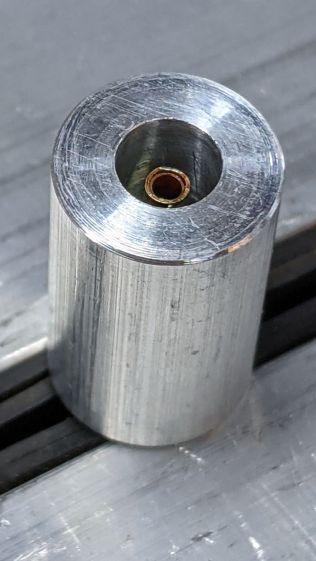
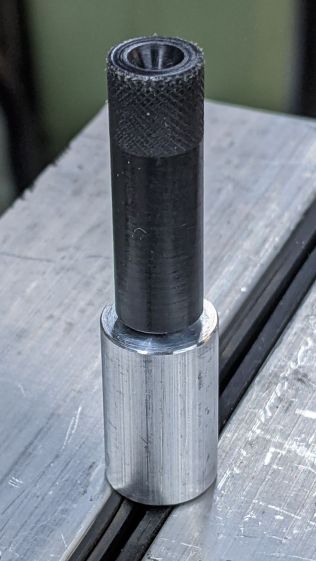
    Machining the disk required using the scrap of aluminum rod left over from the heatsink as a fixture with a piece of sandpaper stuck to the front surface:

    1 W Amber Running Light - end cap setup
    1 W Amber Running Light – end cap setup

    The live center presses the bandsawed + disk sanded cap against the sandpaper, providing barely enough traction for sissy cuts reducing the disk to the proper diameter:

    1 W Amber Running Light - end cap turning
    1 W Amber Running Light – end cap turning

    It actually worked pretty well, although next time I’ll skip the sandpaper, affix the disk directly to the double sided duct tape, and be done with it.

    Line up the center punch dimple and drill a hole for the M3 screw:

    1 W Amber Running Light - end cap drilling
    1 W Amber Running Light – end cap drilling

    The power cable port turned into a little slot bandsawed into the edge of the disk with the sharp edges filed off.

    Basically, the thing needs some road testing before I build one for real …