The Smell of Molten Projects in the Morning

Ed Nisley's Blog: Shop notes, electronics, firmware, machinery, 3D printing, laser cuttery, and curiosities. Contents: 100% human thinking, 0% AI slop.

Category: Home Ec

Things around the home & hearth

  • Dry Ice Sublimation Rate

    For reasons I’m not at liberty to discuss, we had a cooler of dry ice pellets in the freezer for a few days. I used about a pound of it a time to mumble.

    I started with “10 pounds” of dry ice in a half-pound Styrofoam container with 1.5-inch thick walls; the total weights include the container. For what it’s worth, dry ice costs $3.50/pound under 10 pounds, then $2.75/pound over that. It used to be plenty cheaper in the old days, evidently, but everything else was, too.

    In between withdrawals, the cooler sat in the freezer and and the dry ice quietly sublimated; here’s how the weight varied between uses.

    Starting weight: 9.2 lb gross, so I lost quite a bit in transit. Which, as it happened, was about half an hour in a bike trailer during a rather hot afternoon.

    A) 7.2 to 6.7 lb -> 0.5 lb / 15 hr = 0.033 lb/hr

    B) 3.8 to 3.0 lb -> 0.8 lb / 11 hr = 0.072 lb/hr

    C) 2.7 lb to 2.0 lb -> 0.7 lb / 11 hr = 0.064 lb/hr

    I’m suspicious of that low number for the first stay, too. Maybe a side effect of having the cooler’s cavity nearly full of dry ice? Or the freezer ran defrost cycles for the other two?

    Anyhow, to a back-of-the-envelope resolution the cooler loses a bit over 0.05 lb/hour of dry ice. Call it 15 hr/lb.

    The temperature of sublimation is, according to Wikipedia, -109°F. The freezer is around 0°F: a differential of 109°F across 1.5 inches of Styrofoam. Assuming the cooler foam has R=4 with units of (ft^2·hr·°F) / (BTU·in ) and an internal surface area of 304 in^2, the cooler leaks heat at 38 BTU/hr. Call it 11 W.

    Cross check: Wikipedia says the enthalpy of sublimation at STP is 571 kJ/kg. Sublimating 0.07 lb = 0.031 kg requires 18 kJ (18 kW·s) and doing that over the course of an hour requires 5 W.

    Well, considering the rough-and-ready measurements and the fact that the freezer isn’t at STP and that I’m ignoring gas leakage and a bunch of other stuff, a factor of two error is spot on.

    If I were you, though, I’d double-check those calculations before leaping to any particular conclusions. Fair enough?

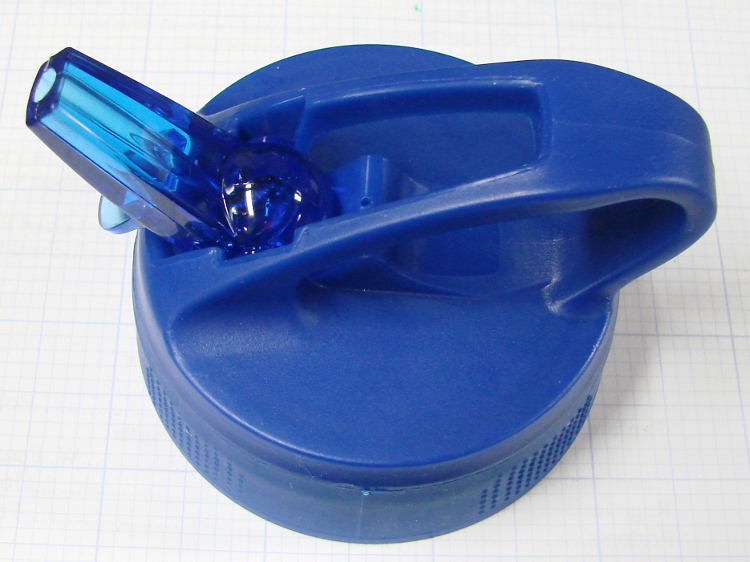
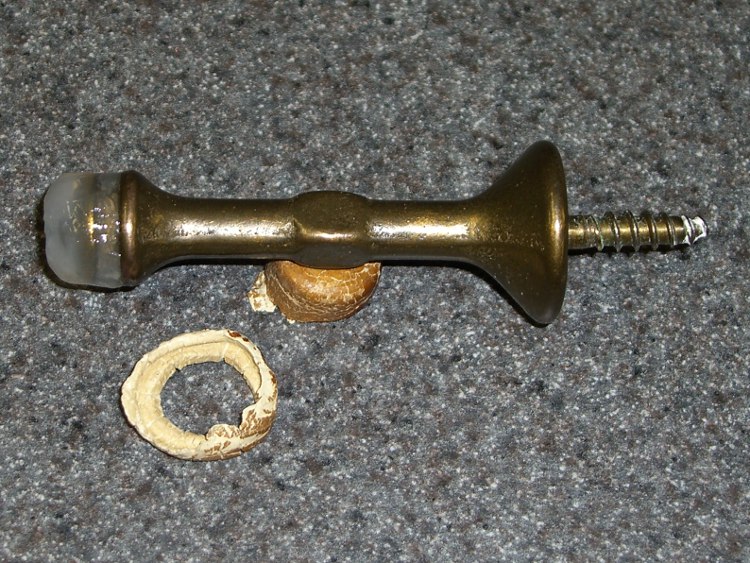
    When all was said and done, I found this thing in the bottom of the cooler. It wasn’t there when we started, soooo

    Dry Ice Thing
    Dry Ice Thing
  • Sears Kenmore HE3 Washer: Tub Teardown 1

    The discussion following that post prompted me to take a closer look at the corroded spider. I planned to pull the spider off the back of the drum and examine the pieces, but a week of dribbling thread lube around the bolts left two of them firmly affixed.

    While I don’t have it completely apart yet, some observations are in order…

    Spider mounting bolts through drum
    Spider mounting bolts through drum

    The bolts are stainless steel and utterly immovable with the usual screwdriver-handle-mounted Torx bit. I got the first two bolts out by putting a T30 bit in a 1/4-inch socket in a ratchet wrench and applying brute force.

    A few days of thread lube (the incomparable PB B’Laster) persuaded two more out of their lairs. The remaining bolts may require even more brute force, but I’ll give the lube a few more days to work its magic.

    Despite that, the bolts and holes are not corroded. They may have some thread locker down in there, but I see little evidence of that. I think it’s just a case of being torqued down hard, then set adrift in ionic water for half a decade.

    The outer third of each arm has a covering of corrosion products, but the metal below that (now dried and flaking) gunk seems undamaged. The arms have severe corrosion and cracking throughout the inner two-thirds of their length.

    Spider corrosion
    Spider corrosion

    If this were chemical corrosion, I’d expect it to apply evenly throughout the length of the arm, because the presence of corrosion products over the entire arm indicates pretty good distribution.

    However, galvanic corrosion should follow the same pattern, so I’m not sure what to make of this.

    The fact that an oxidation layer on the stainless steel tends to passivate it may not really matter. Compare the surface areas of the drum and the spider: there’s a whole lot more drum than spider, so even a passivated drum could provide enough current to rot the spider.

    The ends of the spider spend their lives whipping through the water inside the tub at a pretty good clip. That could dislodge most of the crud and leave them reasonably clean, at least compared to the hub that moves more slowly (same rotational speed, smaller radius). It’s also true that the water level never reaches the hub, remaining below the level of the door seal.

    Thus, the hub probably gets splashed, but never immersed, and thus has no way to remove any contaminants. The corrosion products simply build up there, keeping it wet throughout its life.

    I maintain there’s little drying going on, even with the door open, in the relatively short intervals between washings. The hub region would be least likely to dry, however, because there’s absolutely no ventilation back there.

    All that notwithstanding, this corrosion should not happen.

    I’d very much like to see some measurements: we’re all obviously guessing at the conditions. The plastic tub surrounding the drum has a port for the rear vent near the perimeter, so it’s possible to get a (cramped, inconvenient) look in there without tearing the washer apart.

    More later, after I get the mumble thing apart…

  • Epson R380 Waste Ink: Gadzooks!

    The amount of ink dumped into the external waste ink tank is staggering. A single head cleaning results in a stream of ink pouring into the tank. After a few weeks of watching that, I stood the tank on end: to my astonishment, the ink pretty much fills the black endcap.

    Waste ink collection
    Waste ink collection

    In round numbers, the cylinder is 40 mm ID and the cap is 20 mm tall. Volume of a cylinder is πr2h, so you’re looking at 25×103 mm3 of waste ink.

    Seeing as how 1 mm3 = 0.001 ml, the tank currently holds about 25 ml of ink!

    The printer has six cartridges. Assuming head cleanings drain an equal amount from each cartridge, that’s 4 ml apiece. Given that the large OEM ink cartridges come with 11 ml of ink, you can do the math: a third of a cartridge of each color just for head cleanings so far.

    I do not object to head cleanings; that’s how they keep all those teeny little nozzles free of gunk. However, coupling that ink usage with minuscule ink tanks is robbery, plain and simple.

    The next time you hear a printer manufacture tout their greenness, you can spit right into their shadow for me.

  • Verizon FiOS: The Truly Fine Print

    The current FiOS triple-play deal is $90/month for two years, plus the usual unknowable taxes & fees.

    The flyer touts numerous advantages, including this bit of seemingly significant numerology (emphasis theirs):

    50X MORE BANDWIDTH THAN CABLE

    America’s top-rated broadband. With FiOS Internet, you get an average download bandwidth capacity per household that’s 50 times that of cable.^

    They used a caret because disclaiming earlier claims had burned through *, †, and ††.

    Anyhow, the ^ leads you to this baffling explanation:

    Based on FiOS GPON download access network bandwidth capacity of 2,400 Mbps and 32 households & cable capacity of 160 Mbps and a typical node size of 125 households for DOCSIS with 4 bonded channels.

    Now, if that doesn’t make you all giddy with desire and admiration, I don’t know what will.

    The numbers don’t quite work out, but that’s in the nature of advertising. The upstream bandwidth oversubscription seems to be:

    • FiOS: (15 * 32) / 2400 = 0.2
    • Cable: (15 * 125) / 160 = 11.7

    Ratio: 58.6. If you assume the cable cap is 12 Mb/s, the ratio is 46.8. Evidently, Verizon puts the cable cap at exactly 12.8.

    A bit of rummaging shows that FiOS generally uses BPON, with a downstream limit of 622 Mb/s downstram, which would give a non-bragworthy ratio of 1.25. Whether we have GPON running past the house is unknowable.

    They’ve eliminated all the kickbacks and incentives, so $90/month now seems to be the standard FiOS triple-play price. If we actually wanted TV, it would be attractive.

    As you might expect, there’s another bold claim sporting a double caret (^^) further down the page.

  • American Standard Elite Kitchen Faucet: More O-ring Troubles

    Half a year after replacing the O-rings on the kitchen faucet, it’s dribbling again. This time, the symptom looked like a leak from the top of the faucet, which implied the three O-rings on the Spacer plate rather than big O-rings that seal the spout.

    You can see the O-rings look different on the old and new spacers …

    Old and New Faucet Spacers
    Old and New Faucet Spacers

    Indeed, the old O-rings are flattened out. It’s most visible over on the right edge of the lower ring; the top ring is new.

    Flattened O-ring
    Flattened O-ring

    Replacing them is no big deal; follow the directions in the earlier post to get everything apart. But: only half a year?

    Here’s a view of the diverter on the back of the column.

    Diverter viewed in mirror
    Diverter viewed in mirror

    Notice that the larger O-rings that seal the spout to the column had glued themselves to the column and left shreds when I removed them. A narrow strip of Scotch-Brite scouring pad, applied shoe-shine style, cleaned the O-ring debris off the column and made it nice & shiny. I suppose as long as they slip freely on the spout, then it’s all good, but there are new ones in place now.

    I used a bit more silicone grease on the O-rings this time; we’ll see if that makes it better or worse.

  • Virgin Mobile Customer Service

    Got an email from Virgin Mobile:

    From: Virgin Mobile <virginmobile-service@my.vmu-mail.com>
    Date: Today 14:34:24

    Hi ED,

    Top-Up now to save your service!

    Since you haven’t added money to your account in the last 90 days, your phone has stopped working. If you don’t take emergency action and Top-Up now, you might lose your phone number and any balance remaining in your account.

    Given that I have the account set to recharge itself every 90 days and it’s been doing that for a couple of years, I thought perhaps my credit card had flipped past the expiration date on file. Fighting my way through VM’s craptastic website, noooo, that’s not the case.

    Nay, verily, the account had topped itself off at 11:34, exactly three hours before that email went out.

    So I asked the obvious question, doggedly using the impenetrable Customer Service form:

    The phone seems OK.
    What’s going on?

    Which produced this missive:

    Response (Rommel) – 06/23/2010 08:32 AM
    Hello Ed,

    Thanks for contacting Virgin Mobile Customer Care.

    I really appreciate the time you took to provide us with the information requested. I reviewed your account and found that indeed you have the auto payment set up correctly in your account. What happened is that the system always sent this alerts to keep the customers aware of their account status but since you have the auto payment option, please ignore this alerts, you don’t have to worry about it. The system charged your card for $15 on 6/22/2010.

    Now, your account will be active until 9/20/2010. You don’t have to worry about the alerts, if you have credit on your card the system will always do it automatically. I apologize on behalf Virgin Mobile for any misunderstanding.

    Perhaps it’s just me, but formulaic cut-and-paste obsequious fawning grates on my sensibilities. What I really want is action that resolves the problem, not just having VM’s Customer Service team blow it off. So I fired off a reply:

    > please ignore this alerts,
    > you don’t have to worry about it.

    So, if I understand your advice correctly, when VM sends me a warning message like this:

    ——-
    Since you haven’t added money to your account in the last 90 days, your phone has stopped working.
    ——-

    I should just ignore it. Is that what you mean?

    That’s stupid advice. You do not want to train your customers to ignore email from VM, particularly information saying their phones are “not working”.

    The correct response is that you will take steps to ensure that VM never sends a bogus warning. The people responsible for sending that message must fix their own problem, at the source of the problem, where it happens.

    Your customers should not be required to ignore anything from VM.

    Let me know when you’ve taken effective action to prevent this from happening again.

    Thanks…

    No answer to date. I suspect VM doesn’t monitor incoming email. I wonder why?

  • Epson R380 Printer: External Waste Ink Tank

    Side cover latch and external tank hose
    Side cover latch and external tank hose

    Having reset the waste ink counter on my Epson R380 printer, I finally got around to installing the external waste ink tank that will prevent the printer from drooling all over its innards.

    Fortunately, rerouting the waste ink hose out of the printer doesn’t require the complete teardown mandated to remove the waste ink tank itself: you can do it by removing the cover, drilling a hole, moving the hose, and abandoning the tank in place.

    The recommended way to remove the right-side side cover (as you face the printer) involves jamming a steel ruler into the “vent” (it’s actually a decorative feature) and shoving a latch out of the way. I trimmed a bit of stainless steel strip, shoved it in, and it worked fine. The cover latch is the complex central feature in the vertical gap between the case and the cover. The hose is routed out through a new hole down in the lower right corner.

    With the cover off, it turns out that the “tank” is actually a “tray” (which is what it’s called in the maintenance manual) filled with absorbent fuzz. There’s no lid, so it appears they’re counting on evaporation to keep the total volume under control and surface tension on the fuzz to keep the ink from leaking when you tip the printer. I suspect if the printer spent a lot of time on its ear, though, things would get messy.

    Internal tank and OEM hose
    Internal tank and OEM hose

    Removing the hose from the barbed fitting goes easier with a small screwdriver pushing it along; you (well, I) can’t just pull the hose off. It’s a very flexible silicone rubber (?) hose with an internal liner: very nice stuff.

    The hose seems to drain only the head-cleaning station, not the long waste ink tank / tray across the width of the printer that catches overspray from borderless printing. That counter is at 5% of its rated maximum, so I’ll let it slide.

    The ink, being adsorbed in the fuzz, won’t leak back out of the tray, so there’s no need to plug the barbed fitting.

    Hole in case and rerouted hose
    Hole in case and rerouted hose

    I used the 1/4-inch tip of a fat step drill to poke a hole at the very bottom of the plastic case, behind the pillar holding the white printer mechanism. The far end of the hose connects to a pump somewhere back in the bowels of the printer and that hole position freed up the longest amount of hose.

    Much to my surprise, the tube wasn’t full of ink and didn’t bloosh blackness all over everything. Perhaps the hose drains back to the pump between head cleanings?

    Then it’s just a matter of buttoning up the case, joining the hoses with the supplied barbed fitting, sticking the external tank’s hook-and-loop strip to the printer, and trimming the hose to fit. It Would Be Nice If the new tank hose were the same flexy silicone stuff as the OEM hose, but it looks to be ordinary Tygon-ish tubing and is a bit stiffer than I’d like.

    External waste ink tank in place
    External waste ink tank in place

    No ink has reached the new hose yet, but I’m sure the next few head cleaning cycles will push out some oodge.

    The tank vendor suggests “recycling” the waste ink by diluting it with black ink, but I’ll just discard it. Bulk ink isn’t all that expensive, compared to OEM ink cartridges, and I’d rather not borrow trouble.