The Smell of Molten Projects in the Morning

Ed Nisley's Blog: Shop notes, electronics, firmware, machinery, 3D printing, laser cuttery, and curiosities. Contents: 100% human thinking, 0% AI slop.

Category: Electronics Workbench

Electrical & Electronic gadgets

  • MPCNC: Z Height Probe

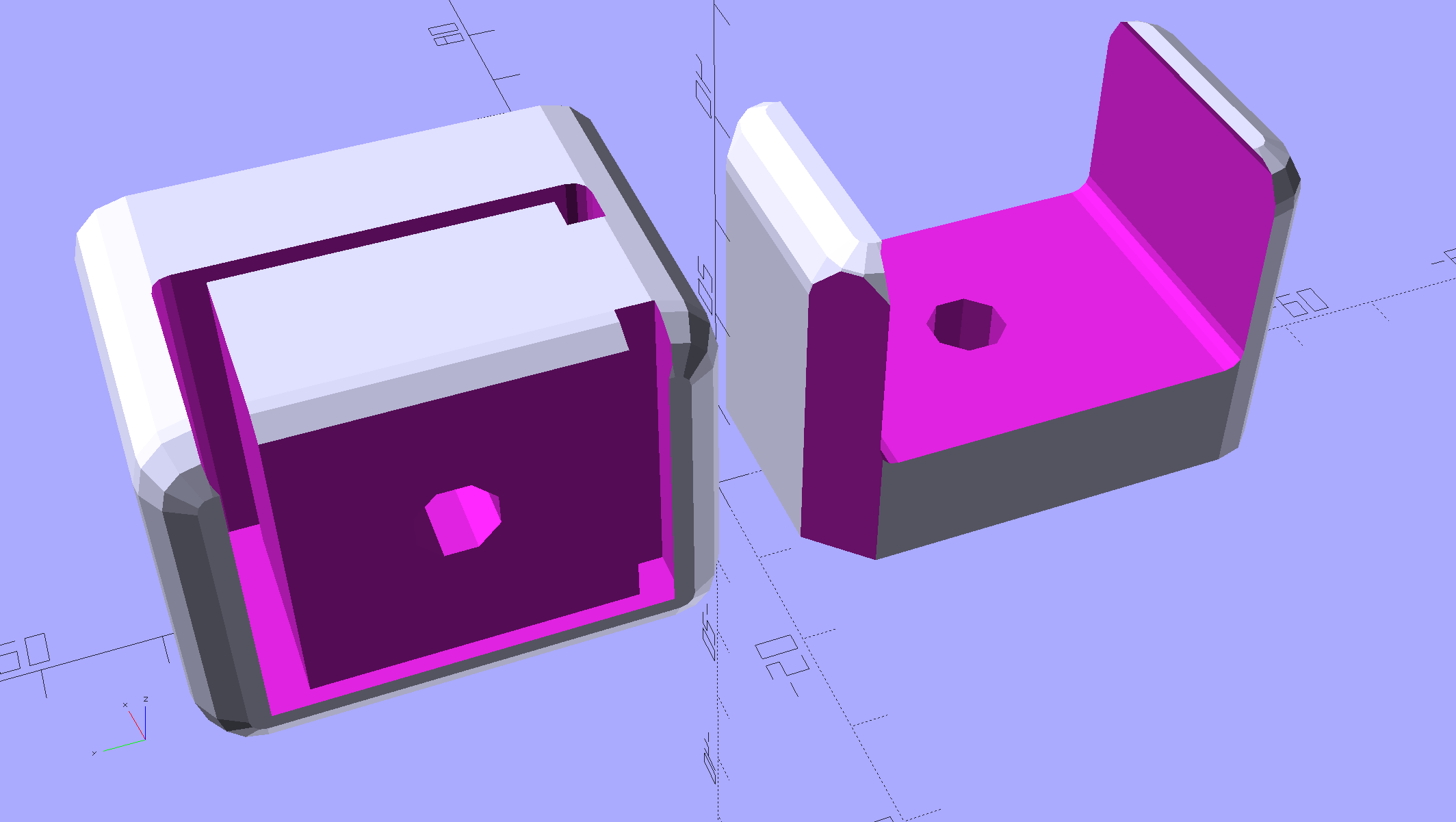
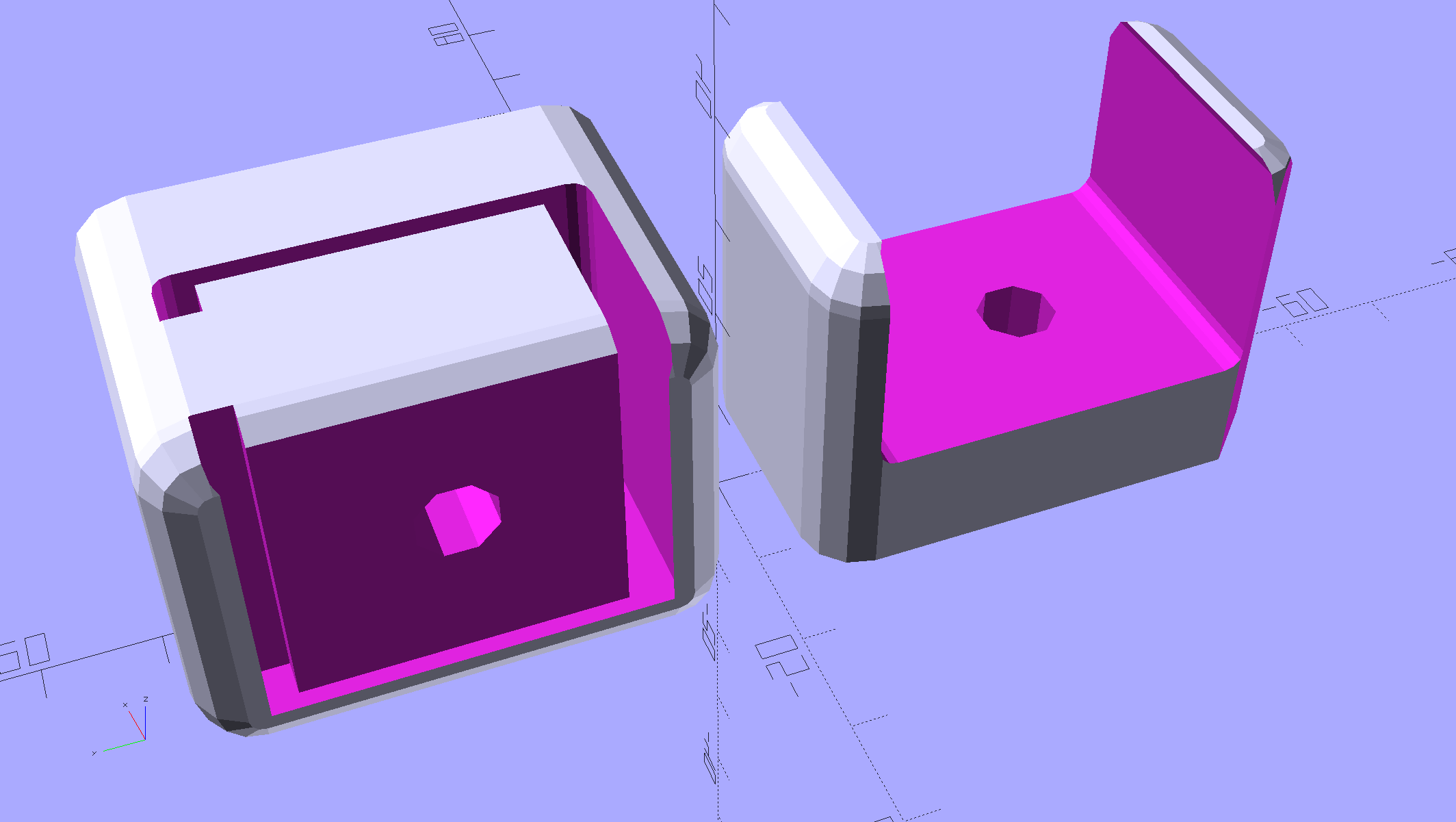
    A little support pillar makes a printable holder for a small tactile pushbutton:

    Z Axis Height Probe - solid model
    Z Axis Height Probe – solid model

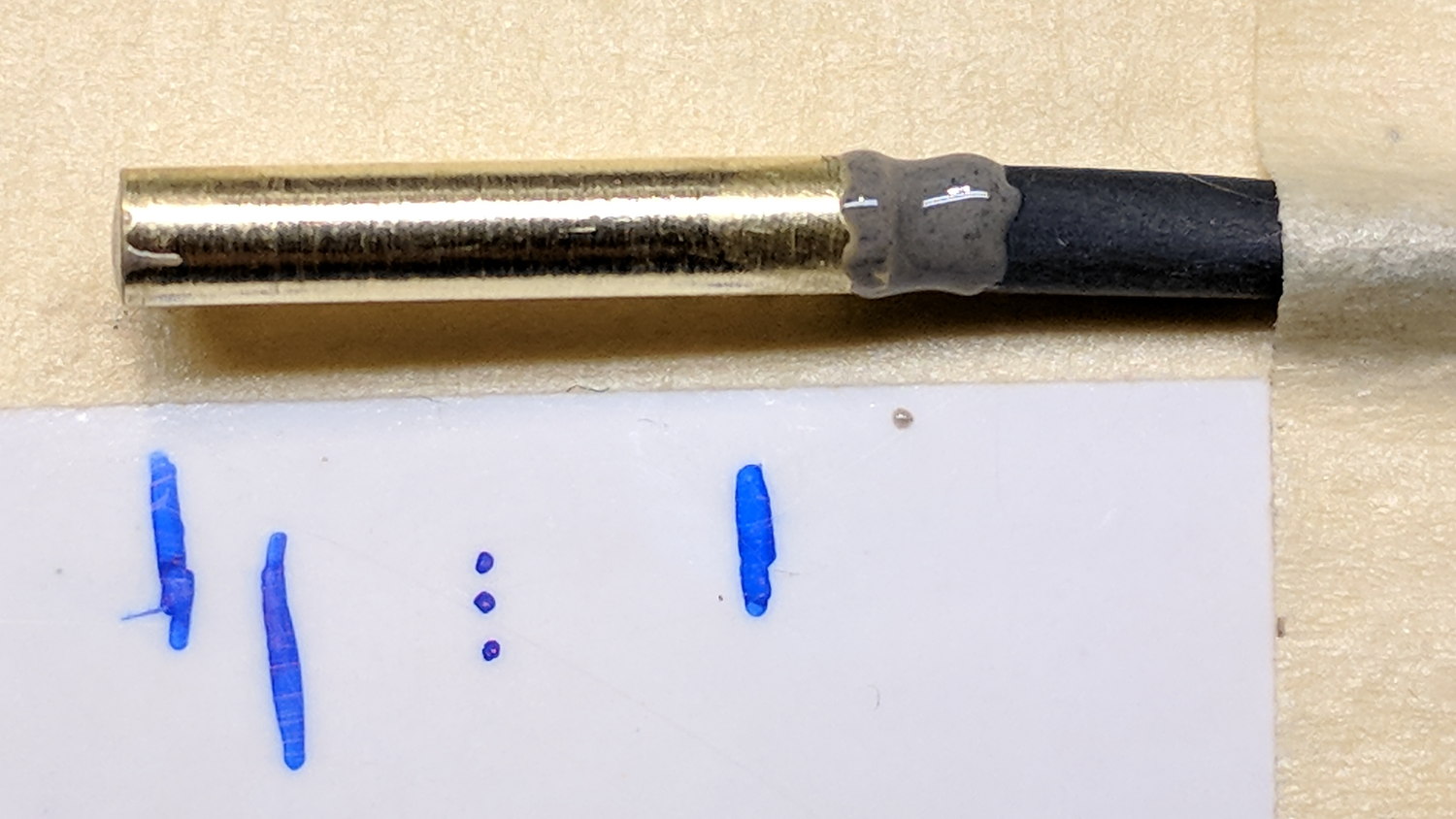
    A(n) 0-80 brass washer epoxied atop the butt end of a P100-B1 pogo pin keeps the pin from falling out and provides a flat button pusher:

    MPCNC - Simple Z probe - push plate
    MPCNC – Simple Z probe – push plate

    With the epoxy mostly cured, ease the pin off the tape, flip the whole affair over, shove the switch into position, realign vertically with point down, then let the epoxy finish curing with the washer held in place against the switch to ensure good alignment:

    MPCNC - Simple Z probe - epoxy curing
    MPCNC – Simple Z probe – epoxy curing

    The brass tube ID is a sloppy fit around the pogo pin, but it’s also many pin diameters long and the position error isn’t worth worrying about.

    Solder a cable, clamp it in the pen holder, attach to tool holder:

    MPCNC - Simple Z probe - installed
    MPCNC – Simple Z probe – installed

    The pogo pin provides half a dozen millimeters of compliance,  letting the initial probe speed be much higher than the tactile pushbutton’s overshoot could survive, after which a low-speed probe produces a consistent result.

    Unleashing bCNC’s Autolevel probe cycle:

    MPCNC - Z-probing glass plate
    MPCNC – Z-probing glass plate

    Although the picture shows the MPCNC probing a glass plate, here’s the first height map taken from the bare workbench top with 100 mm grid spacing:

    ProbeArray-100-2018-01-04
    ProbeArray-100-2018-01-04

    The ridge along the right side comes from a visible irregularity in the wood grain, so the numbers actually represent a physical reality.

    Doing it with a 50 mm grid after re-probing the Z=0 level:

    ProbeArray-50-2018-01-04
    ProbeArray-50-2018-01-04

    Eyeballometrically, the second plot is 0.2 mm higher than the first, but this requires a bit more study.

    All in all, not bad for a first pass.


  • Eyebrow Lights

    A high energy collision / accident / mishap in front of Adams Fairacre Farms (a.k.a., the grocery store) demolished 20 feet of their dry laid stone wall along Rt 44, flattened several bushes, gouged trenches in the grass, and scattered plastic debris into the parking lot. The remains of a headlight eyebrow running light emerged from a snow pile:

    Eyebrow light - front
    Eyebrow light – front

    From the back:

    Eyebrow light - back
    Eyebrow light – back

    Contrary to what I expected, it has one white LED at each end of the chromed reflecting channel, topped with a shaped plastic lens collecting the light:

    Eyebrow light - Lens mount
    Eyebrow light – Lens mount

    The LED PCBs are in series, which produced a backwards wire color code on one end:

    Eyebrow light - LED PCB 1
    Eyebrow light – LED PCB 1

    The other end looked more reasonable:

    Eyebrow light - LED PCB 2
    Eyebrow light – LED PCB 2

    The white SMD LEDs draw 300+ mA at 3.6 V, so they’re obviously depending on external current limiting provided by the regulator PCB, sporting a TLE4242 linear current regulator and a handful of passives:

    Eyebrow light - Regulator PCB
    Eyebrow light – Regulator PCB

    AFAICT, they didn’t use the chip’s PWM control input or its LED failure status output.

    Extracting the various PCBs from the wreckage and reconnecting the wires produced a satisfactory result:

    Eyebrow light - resurrection
    Eyebrow light – resurrection

    The regulator limits the LED current to 120 mA at any input from a bit over 7 V to well past 12 V, with each LED dropping 3.0 V.

    Dunno what I’ll use this junk for, but at least I know a bit more about eyebrow lights. The chip date codes suggest 2010 and 2012; perhaps linear regulators have become passe by now.

  • MPCNC: Emergency Stop / Feed Hold / Resume Pendant

    The Protoneer CNC Shield has pin headers for GRBL’s Feed Hold and Resume inputs, so it seemed appropriate to put big buttons on the far end of the cable:

    MPCNC - E-stop Hold Resume switch box
    MPCNC – E-stop Hold Resume switch box

    The Emergency Stop Push Button Switch Station arrived for ten bucks delivered halfway around the planet.

    There’s not much to the wiring inside the box:

    MPCNC - E-Stop switch box - interior
    MPCNC – E-Stop switch box – interior

    I drilled a hole to fit the 6 pin Aviation Wire Connectors  I got for this very purpose:

    MPCNC - E-stop switch box - drilling
    MPCNC – E-stop switch box – drilling

    You could CNC machine a precise D-hole, but let’s stay realistic about the application. Applying a deburring tool enlarged the 9/16 inch hole enough to force the 16 mm threads into it, with the drill press holding the connector perpendicular to the box while I hand-turned the chuck to screw it in.

    Although I like the Protoneer CNC Shield, I really really dislike using header pins as connectors:

    MPCNC - Protoneer Wiring - SSR
    MPCNC – Protoneer Wiring – SSR

    Those pins are much too delicate.

    The DC-DC solid state relay input connects to the Arduino’s +5 V power supply through the red mushroom disconnect switch. The mushroom is normally closed to turn on the SSR and connect the power brick’s +24 V supply to the motors; it opens when slapped. GRBL will continue about its business, but without any power to the steppers the MPCNC will stop dead in its tracks. Turn the mushroom cap clockwise to unlatch and reset.

    The disconnect switch should also kill AC power to the router, when I get around to adding one to the mix, probably through a DC-AC SSR.

    AFAICT, the cable should come out of the box on the end with the mushroom switch, putting the “normal” pushbuttons closer to me. I did it the other way around, because I want the panic button to be the most easily reached thing on the benchtop. If I have time to think about it, I can reach around the mushroom to the Hold switch.

  • Pogo Pins

    A Pogo Pin reference may be useful:

    • P.. and R.. refer to Pin and Receptacle (a.k.a. socket), respectively
    • Pxx  and Rxx = nominal pin diameter in 0.01 mm units: P50 = 0.48 mm

    For pins, the suffix -hn indicates pin head shape, the most useful of which may be:

    • B1: 45° cone
    • J1: dome end
    • Dx: large dome, also 1D
    • Gx: cylinder
    • Ex: large 90° cone, sometimes 1E
    • T2 – large chisel

    For sockets, the suffix -ntl gives:

    • n – entry shape: 1 = shaped entry, 2 = straight entry
    • t – termination: C = crimp, S = solder, W = wire
    • l – length of wire in 100 mm units: 7 = 700 mm

    From what I can find on eBay, all pins have 6 mm travel with typically 75 / 100 / 180 g spring force.

    A picture ripped from the reference to forestall link rot:

    P75 Spring Test Probes
    P75 Spring Test Probes

    Memo to Self: US-based eBay sellers charge three times more than Chinese sellers, but deliver in one-third the time.

    [Update: Simon sends a link to Everett Charles Technologies, a pogo-pin manufacturer providing “Probably much more information than anyone should ever want”. Of course, eBay / Amazon junk may not meet any particular specs, so scale your expectations accordingly.]

  • Cycliq Fly6: Battery Replacement

    After verifying my defunct Cycliq Fly6 has a dead battery, I ordered a handful of 18650 cells from Batteryspace (a known-reputable source):

    Fly6 - battery replacement - Samsung label
    Fly6 – battery replacement – Samsung label

    The transplanted protection PCB goes between the tabs, with a nickel strip snippet because I didn’t cut the old strip in the right place:

    Fly6 - battery replacement - PCB
    Fly6 – battery replacement – PCB

    The PCB goes under a manila paper layer, the ends get similar caps, and the whole affair receives an obligatory Kapton tape wrap:

    Fly6 - battery replacement - endcap
    Fly6 – battery replacement – endcap

    Reassembly is in reverse order. I now know the Fly6 will reset / start up when the battery connector snaps into place, but, because it emits identical battery-charge beeps when it starts and shuts off, there’s no way to tell what state it’s in. I don’t see any good way to install the ribbon cable from the LED PCB before plugging in the battery, so just blindly press-and-hold the power button to shut it off.

    After an overnight charge, it makes videos of my desk just fine and will, I expect, do the same on the bike.

    Now that I’ve taken the thing apart, I should open it up and tinker with the (glued-down) camera focus adjustment to discover whether:

    We’ll find out when the weather warms up in a week or two.

  • MPCNC: Tool Length Probe Station

    Having a tool length probe station on the Sherline, I had to build one for the MPCNC:

    MPCNC Tool Length Probe - plotter pen
    MPCNC Tool Length Probe – plotter pen

    It’s little more than a flange atop a wide base:

    MPCNC Tool Length Probe - Slic3r preview
    MPCNC Tool Length Probe – Slic3r preview

    The flange offset puts the switch actuator on the midline of the base, not that that matters, and the base features rounded corners and a suitable legend, because I can.

    I clipped the PCB’s through-hold leads nearly flush and stuck it to the flange with 3M permanent foam tape, which seems to work much better than screws & inserts for simple things that need never come apart.

    The Protoneer CNC Shield includes a Probe input on the GRBL-compliant A5, although it took me a while to find the legend on the SCL pin in the I2C header. I moved the endstop power jumper to another header, then conjured a quick-and-dirty connector:

    Protoneer CNC Shield - Tool Probe Wiring
    Protoneer CNC Shield – Tool Probe Wiring

    When I embed the endstop switch PCB in epoxy, I’ll add a drop to the connector while engaging in Magical Thinking. The whole Arduino + CNC Shield must go into an enclosure after I finish measuring the motor currents.

    To forestall discussions about switch repeatability and accuracy, suffice it to say the MPCNC doesn’t claim to be much more than a woodworking router, so those switches seem Good Enough.

    The OpenSCAD source code as a GitHub Gist:

    // MPCNC Tool Length Probe Station
    // Ed Nisley KE4ZNU – 2017-12-08
    /* [Extrusion] */
    ThreadThick = 0.25; // [0.20, 0.25]
    ThreadWidth = 0.40; // [0.40]
    function IntegerMultiple(Size,Unit) = Unit * ceil(Size / Unit);
    /* [Hidden] */
    Protrusion = 0.1; // [0.01, 0.1]
    HoleWindage = 0.2;
    /* [Sizes] */
    EndstopPCB = [40.0,16.5,1.6]; // endstop PCB
    ComponentHeight = 6.0; // max component height above PCB
    SwitchOffset = [35.0,21.0,4.75]; // touch point center from lower left PCB corner
    SwitchTravel = 2.5; // first touch to switch actuation
    TapeThick = 1.0; // foam mounting tape
    WallThick = 4.0; // basic wall & floor thickness
    BaseRadius = 5.0;
    Base = [IntegerMultiple(EndstopPCB[0] + 2*BaseRadius,20),
    IntegerMultiple(EndstopPCB[2] + TapeThick + WallThick + 2*BaseRadius,2*25),
    2.0];
    NumSides = 8*4;
    TextDepth = 2*ThreadThick;
    //- Build it
    union() {
    difference() {
    hull()
    for (i=[-1,1], j=[-1,1])
    translate([i*(Base[0]/2 – BaseRadius),j*(Base[1]/2 – BaseRadius),0])
    resize([0,0,Base[2]])
    intersection() {
    cylinder(r=BaseRadius,h=BaseRadius,$fn=NumSides);
    sphere(r=BaseRadius,$fn=NumSides);
    }
    translate([0,0,Base[2] – TextDepth])
    linear_extrude(height=TextDepth + Protrusion) {
    translate([0,-10,0])
    text(text="MPCNC",size=8,spacing=1.05,font="Arial:style=Bold",halign="center");
    translate([0,-18,0])
    text(text="Tool Probe",size=6,spacing=1.05,font="Arial:style=Regular",halign="center");
    }
    }
    translate([0,
    WallThick/2 + TapeThick + SwitchOffset[2],
    (EndstopPCB[1] – Protrusion)/2 + Base[2]])
    cube([EndstopPCB[0],WallThick,EndstopPCB[1] + Protrusion],center=true);
    }

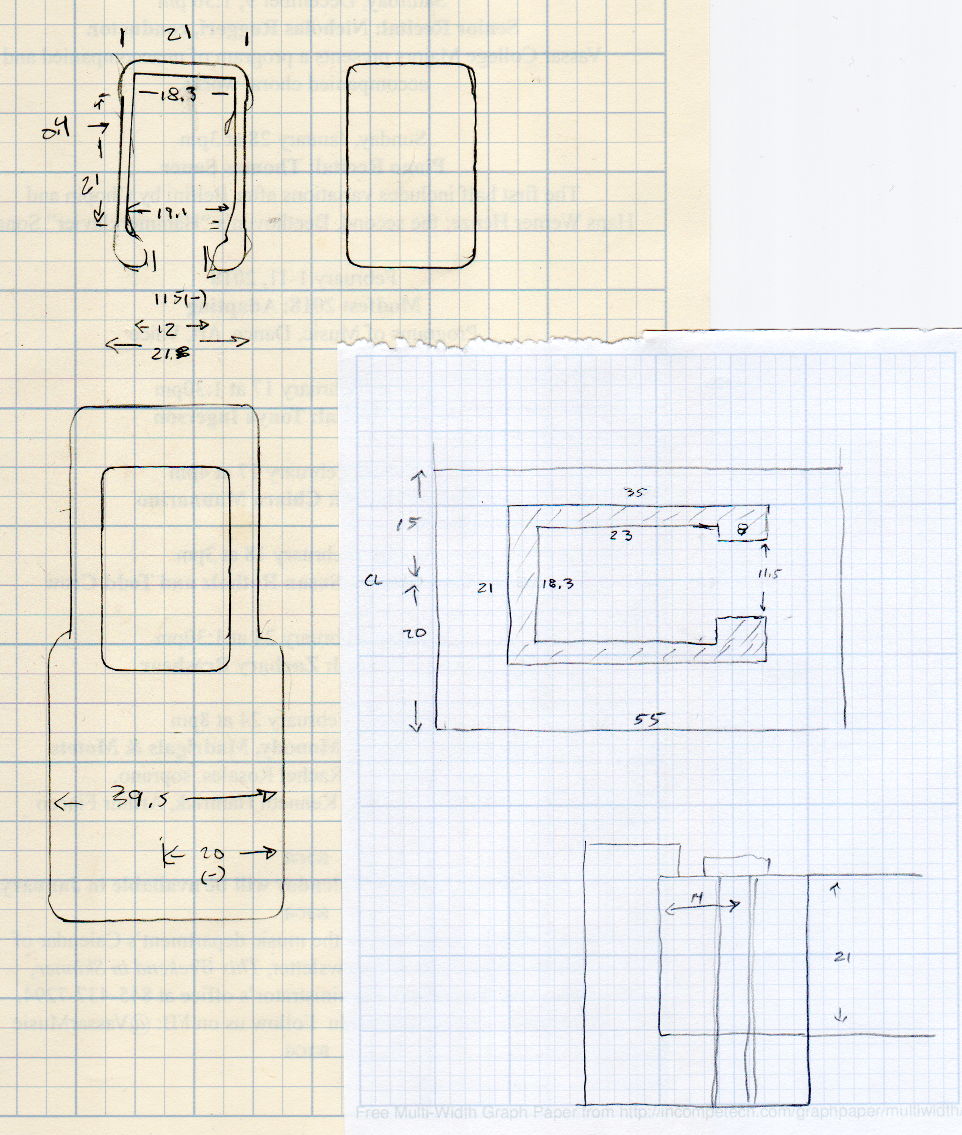
    The original doodles show a severely over-complexicated solution desperately searching for an actual problem:

    MPCNC Tool Length Probe - doodles
    MPCNC Tool Length Probe – doodles

    Putting a large flat pan at the end of a relatively long lever arm, with the pivot arranged to put the pan level at the switch actuation point, made sense at the time. Give the relatively small tools I expect to use, directly ramming them into the switch lever should work just as well.

    Putting all that complexity in harm’s way seemed like a Bad Idea when I sat down and looked at it in cold blood.

  • Cycliq Fly6 Failure and Teardown

    Cycliq Fly6 Failure and Teardown

    My Cycliq Fly6 continued to shut down during rides, even with a new video-rated card, suggesting:

    • The fault resides in the camera
    • The Samsung card is just fine

    Following all the steps recommended by Cycliq Tech Support didn’t improve the situation. It’s just under two years old and thus outside the warranty, so they advised me to buy their new, not-quite-released-yet Fly6, now with Bluetooth / ANT+ / phone app / shiny, but still with a non-replaceable battery.

    Seeing as how the Fly6 works as well as it ever did, apart from the minor issue of shutting down both dependably and intermittently, the problem is almost certainly a bad battery. Cycliq does not offer a repair service, nor a battery replacement service; being based in Australia probably contributes to not wanting to get into those businesses. You’re supposed to responsibly recycle the Whole Damn Thing when the battery goes bad. Which, inevitably, it does.

    Protip: anything with a non-replaceable battery is a toy, not a tool.

    The most recent ride gave some evidence supporting a bad battery. The first shutdown happened after about half an hour and it gave off three battery status beeps (four = full charge, as at the start of the ride) when I restarted it a few minutes later. It shut down again a few minutes later while we were stopped at a traffic signal and gave off one lonely charge beep when I reached back to restart it, indicating a very low battery voltage. The battery voltage (and the number of startup beeps) increased with longer delays between shutdown and restart, but after the first shutdown it’s never very enthusiastic.

    Having nothing to lose, let’s see what’s inside:

    Cycliq Fly6 Teardown from inside
    Cycliq Fly6 Teardown from inside

    Don’t do as I did: you should extract the MicroSD card before you dismantle the camera.

    Remove the rubber plugs sealing the four case screws:

    Fly6 - Exterior screw plugs out
    Fly6 – Exterior screw plugs out

    The case pops open, with a ribbon cable between the LEDs and the main circuit board:

    Fly6 - Case opened
    Fly6 – Case opened

    Pull the ribbon cable latch away from the connector before pulling the cable out.

    It’s amazing what you find inside a blinky taillight these days:

    Fly6 - PCB Top side
    Fly6 – PCB Top side

    I’m sure there’s a fancy 32 bit RISC computer in the big chip, along with plenty of flash ROM just below it. The clutter over on the right seems to be the power supply. Yeah, it has a camera in addition to blinky LED goodness, plus USB charging, so eight bits of microcontroller aren’t nearly enough.

    There’s supposed to be some nanotech waterproofing protecting everything inside. It sure looks like magic to me and, in any event, solders just like a layer of ordinary air.

    Note: the case screws are slightly longer than the PCB retaining screws:

    Fly6 - Case and PCB Screws
    Fly6 – Case and PCB Screws

    The underside of the PCB has even more teeny parts, along with, mirabile dictu, a battery connector and (most likely) battery charging stuff:

    Fly6 - PCB Underside
    Fly6 – PCB Underside

    A plastic piece holds the “Rechargeable Li-Ion Battery Pack” in place:

    Fly6 - Battery in place
    Fly6 – Battery in place

    A strip of gooey adhesive holding the mic and speaker wires in place also glues the battery strap to the case, but it will yield to gentle suasion from a razor knife.

    Pause to count ’em up:

    • Four case screws (longer)
    • Three PCB screws
    • Two battery screws

    It looked a lot like an ordinary 18650 lithium cell to me and, indeed, it is:

    Fly6 - Battery - label
    Fly6 – Battery – label

    More razor knife work removes the outer shrinkwrap. The cell has a protection PCB under the black cardboard cover:

    Fly6 - Battery Protection PCB - on 18650 cell
    Fly6 – Battery Protection PCB – on 18650 cell

    I don’t know what the yellow wire does:

    Fly6 - Battery Protection PCB - wire side
    Fly6 – Battery Protection PCB – wire side

    The FS8205A on the left may be an SII S8205 protection IC preset and packaged for a single cell:

    Fly6 - Battery Protection PCB - components
    Fly6 – Battery Protection PCB – components

    After all that, yeah, it’s a dead battery:

    Fly6 OEM 18650 - EOL - 2017-12-06
    Fly6 OEM 18650 – EOL – 2017-12-06

    The red curve shows the in-circuit charge state after taking it apart, the green curve comes from charging the bare cell in my NiteCore D4 charger. I have no idea what the nominal current drain might be, but a 0.25 Ah capacity is way under those Tenergy cells.

    A new cell-with-tabs should arrive next week, whereupon I’ll solder the protection circuit in place, wrap it up, pop it back in the case, and see how it behaves.