Ed Nisley's Blog: Shop notes, electronics, firmware, machinery, 3D printing, laser cuttery, and curiosities. Contents: 100% human thinking, 0% AI slop.
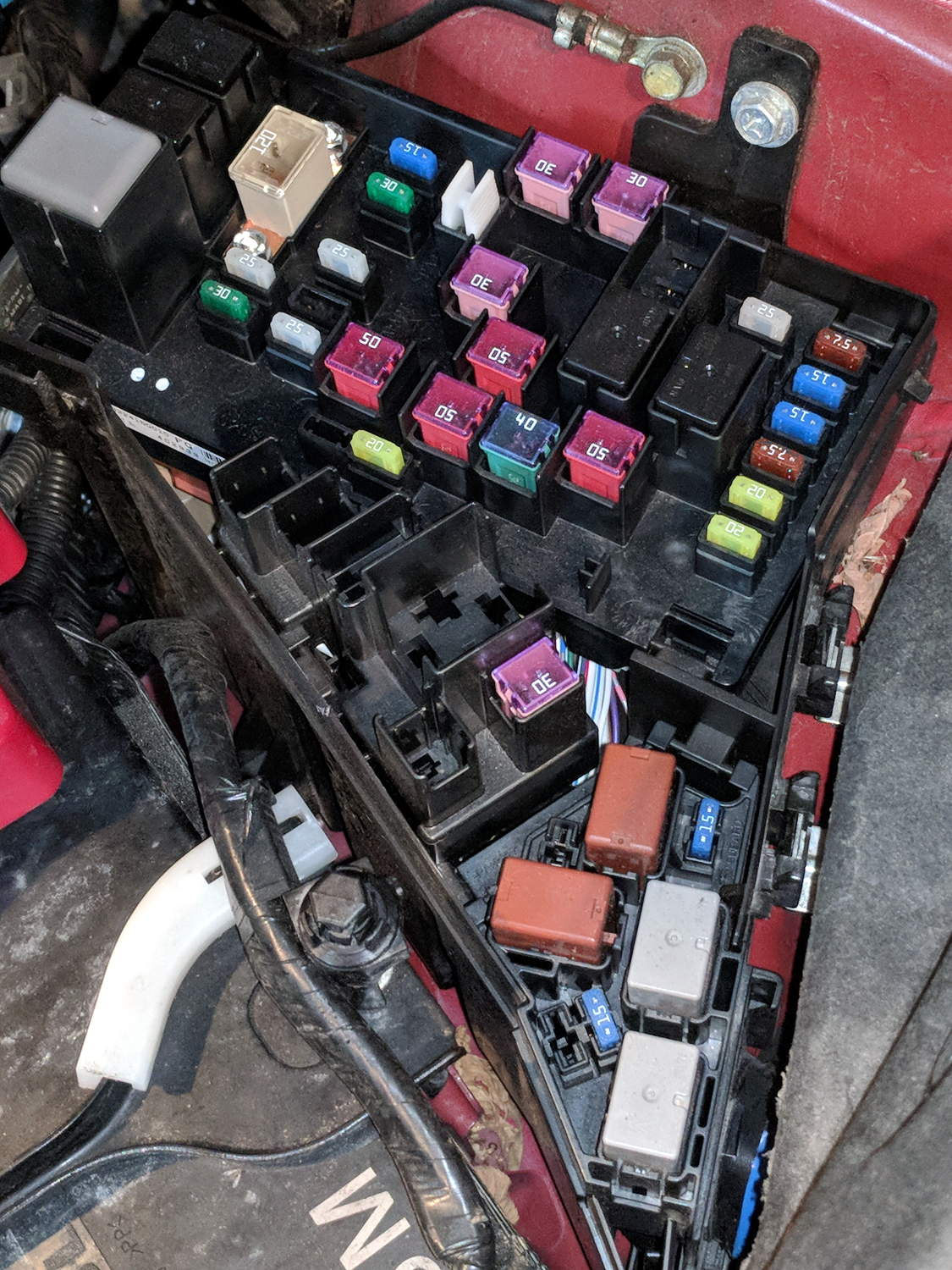
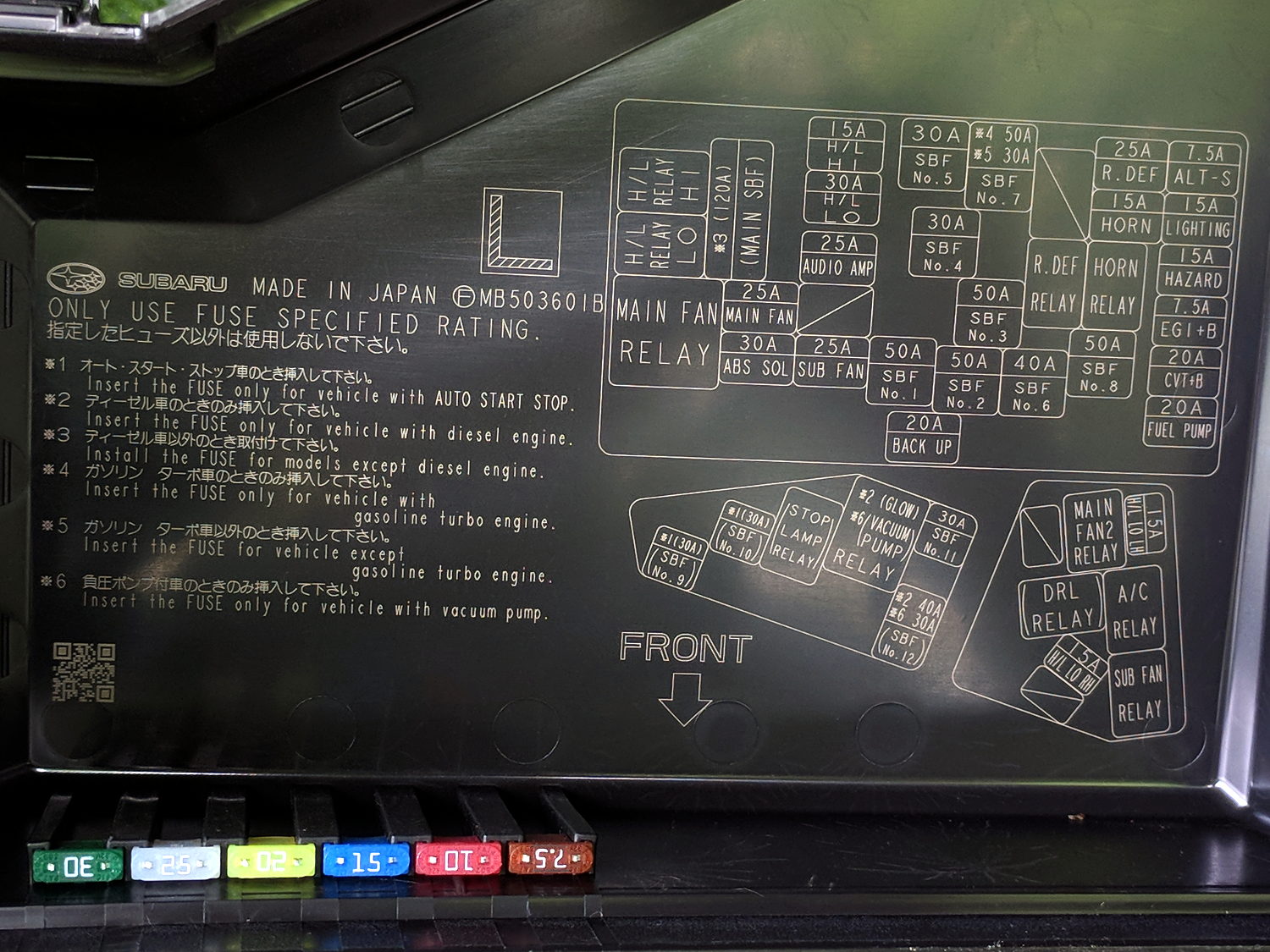
The layout chart doesn’t say what “SBF” might be (per the comment: Slow Blow Fuse), but we have a lot of whatever it is:
2015 Subaru Forester – engine compartment fuse ID
The spare fuses line up along the lower edge of the cover.
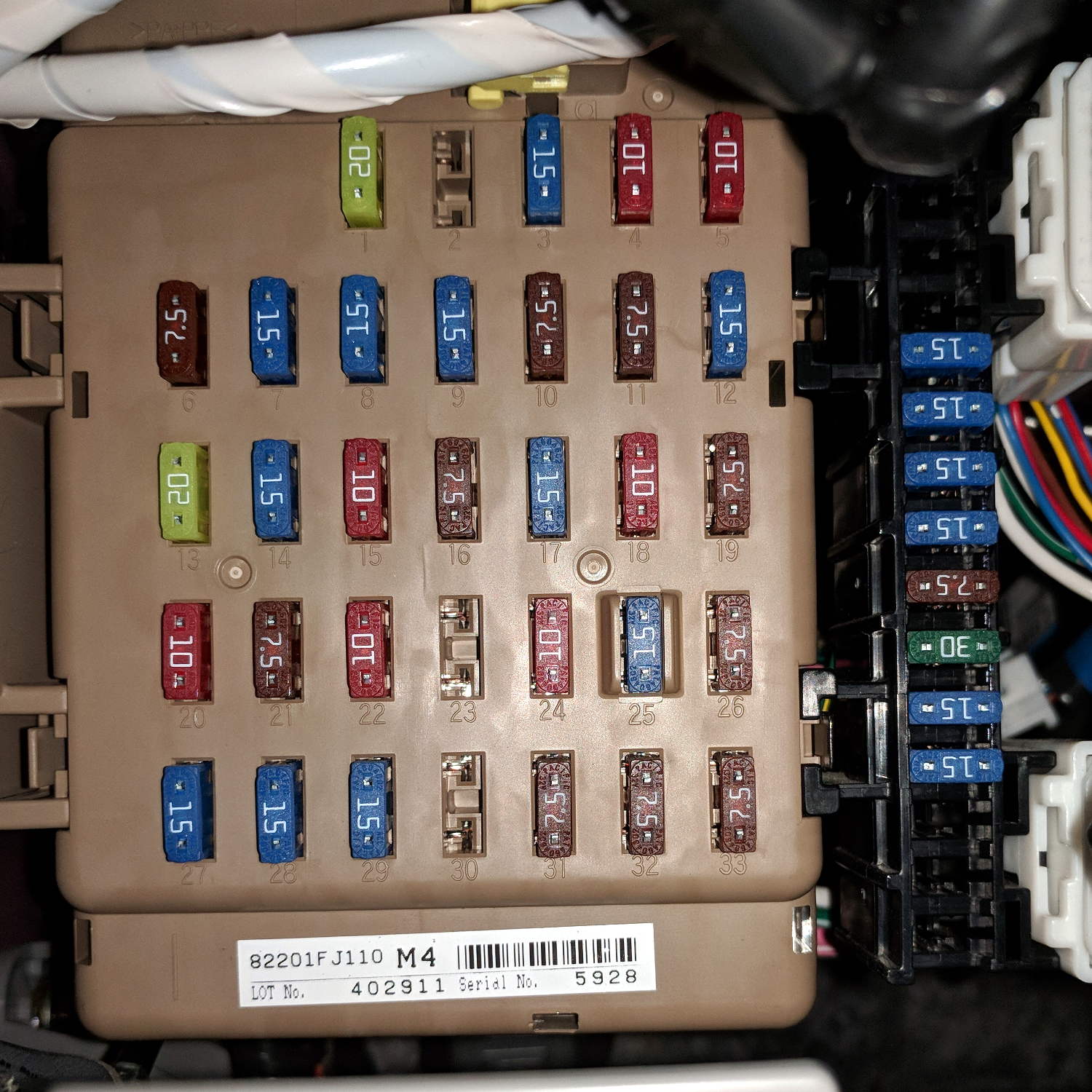
Another under the dashboard:
2015 Subaru Forester – dashboard fuse box
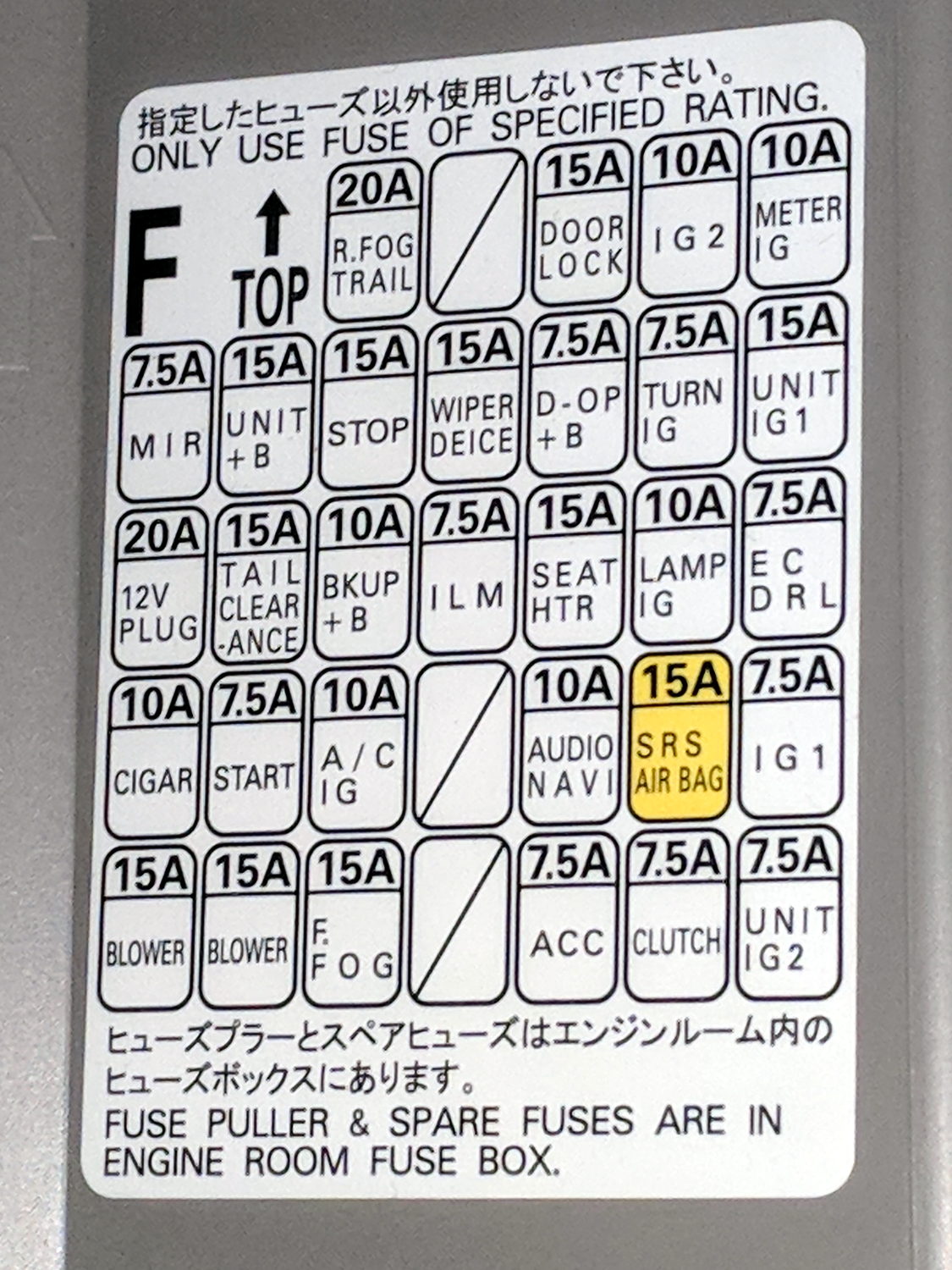
And their functions:
2015 Subaru Forester – dashboard fuse ID
The string of fuses down the right side of the main block looks like a line of spares, but they’re not. What they might be isn’t documented anywhere, which seems to be very deliberate.
Memo to Self: Having never replaced an automotive fuse, I shouldn’t start worrying now.
The time-of-day clock in my M20 often resets when I change the battery in the middle of a bike ride.
I turn the camera off, wait for the status light to go out, remove the battery, install the new battery, turn it on, and the time-of-day displayed on the screen has reset to 2016-01-01 00:00:00.
I’m using firmware 1.3.1 (the latest), genuine and fully charged SJCAM batteries, and swap the batteries as fast as I can. Sometimes it works, but maybe half of my bike rides end years before they start! [grin]
It seems my turned-off M20 is extremely sensitive to the power fluctuations occurring during a battery change.
What do you recommend?
Thanks …
Their reply:
The capacity of internal memory battery on main board is very small due to hardware limitation so it can save date and setting for about 10 seconds after pulling out battery.
Would you please check it again ?
I’d call that a design screwup, not a “hardware limitation”. Perhaps I don’t understand how putting a slightly larger capacitor on the PCB, in place of the one that’s already there, would pose a problem.
They also recommend checking with my “re-seller”, but, seeing as how I bought it directly from their nominally official Amazon store, so:
In case they are not able to offer help, SJCAM Technical Department offers a maintenance service. The steps of such service are:
1. You ship the camera directly to our Technical Department address at your own cost (it is located in Shenzhen, China).
2. We check and repair the camera. The repair process usually takes about 3-5 working days.
3. We ship the camera back to you.
Note: The whole process usually takes about 20-30 days, and if your camera doesn’t have damage on the main-board, screen or lens, the maintenance will be free, but we charge 15$ as return shipping cost.
As usual, round trip shipping to Shenzen costs half the price of the M20 camera package, a fact I’m sure they’re well aware of. I did a warranty return to Australia with the Cycliq Fly6, before replacing the battery myself, and (re)learned valuable lessons about warranties and batteries.
I turned SJCam’s offer down, which prompted a curious proposal:
You can send back your camera to SJCAM factory and then we can replace internal memory battery for you.
So the “hardware limitation” has morphed into a (presumably inadequate) internal battery that, when replaced, will resolve the problem. Huh.
Note: you can’t use the M20’s “Car mode” with the timestamp function, because you must remove the battery to let the camera start when the USB power goes on. Unlike basically all other cameras-with-clocks, the M20 wasn’t designed to run its internal clock without a battery.
Improving my battery change speed definitely has the best ROI. Alas, my dexterity has a definite upper limit …
Littelfuse Mini Auto Fuse Puller-tester – as opened
Somewhat to my surprise, the other side of the PCB has components:
Littelfuse Mini Auto Fuse Puller-tester – circuitry
It looks like a transistor switch to minimize the current through the fuse and protect the LED from over / reverse voltage, should you apply it to a live circuit.
A pair of new cells had it working just fine, not that I expect to need it in real life.
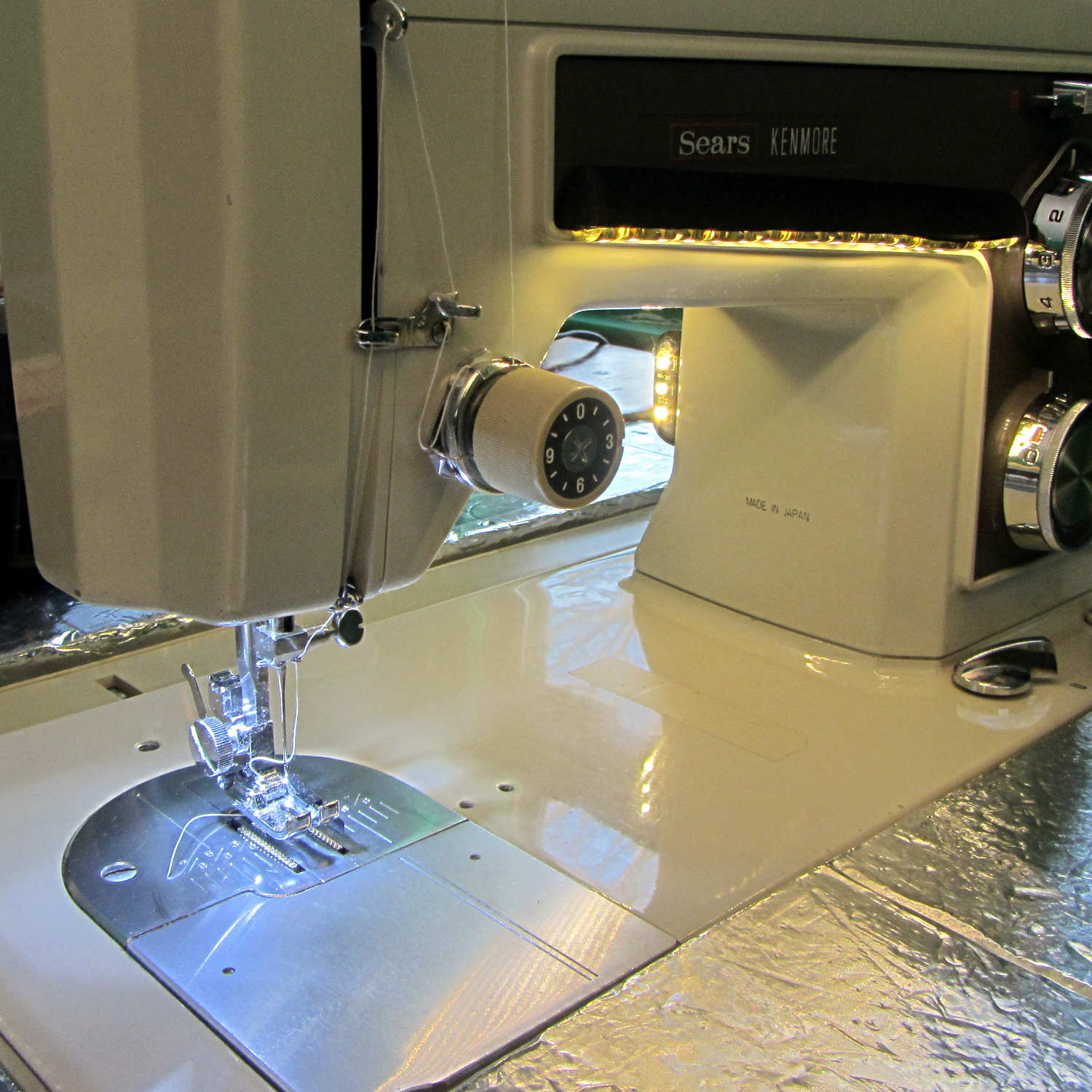
The first white LED fixture built to illuminate one of Mary’s Kenmore 158 sewing machines has been in regular use for the last four years:
Kenmore 158 Sewing Machine – mixed LED lighting
We never found a good time to rip-and-replace the “prototype” with brighter SMD LEDs and one of the LEDs finally gave up.
They’re 10 mm white LEDs with five chips wired in parallel, which is obvious when you look into the remaining LED running at 1 mA:
10 mm white LED – chips
The center chip is just dimmer than the others, which means their QC doesn’t tightly control the forward voltage spec.
The wire bonds on the anode terminal of the failed LED look a bit sketchy:
10 mm white LED – wire bonds
Fortunately, I hadn’t removed the 120 VAC wiring for the original bulb and I have two OEM bulbs from other machines, so I just removed my LED gimcrackery, installed a good old incandescent bulb, and she’s back to sewing with a pleasantly warm machine.
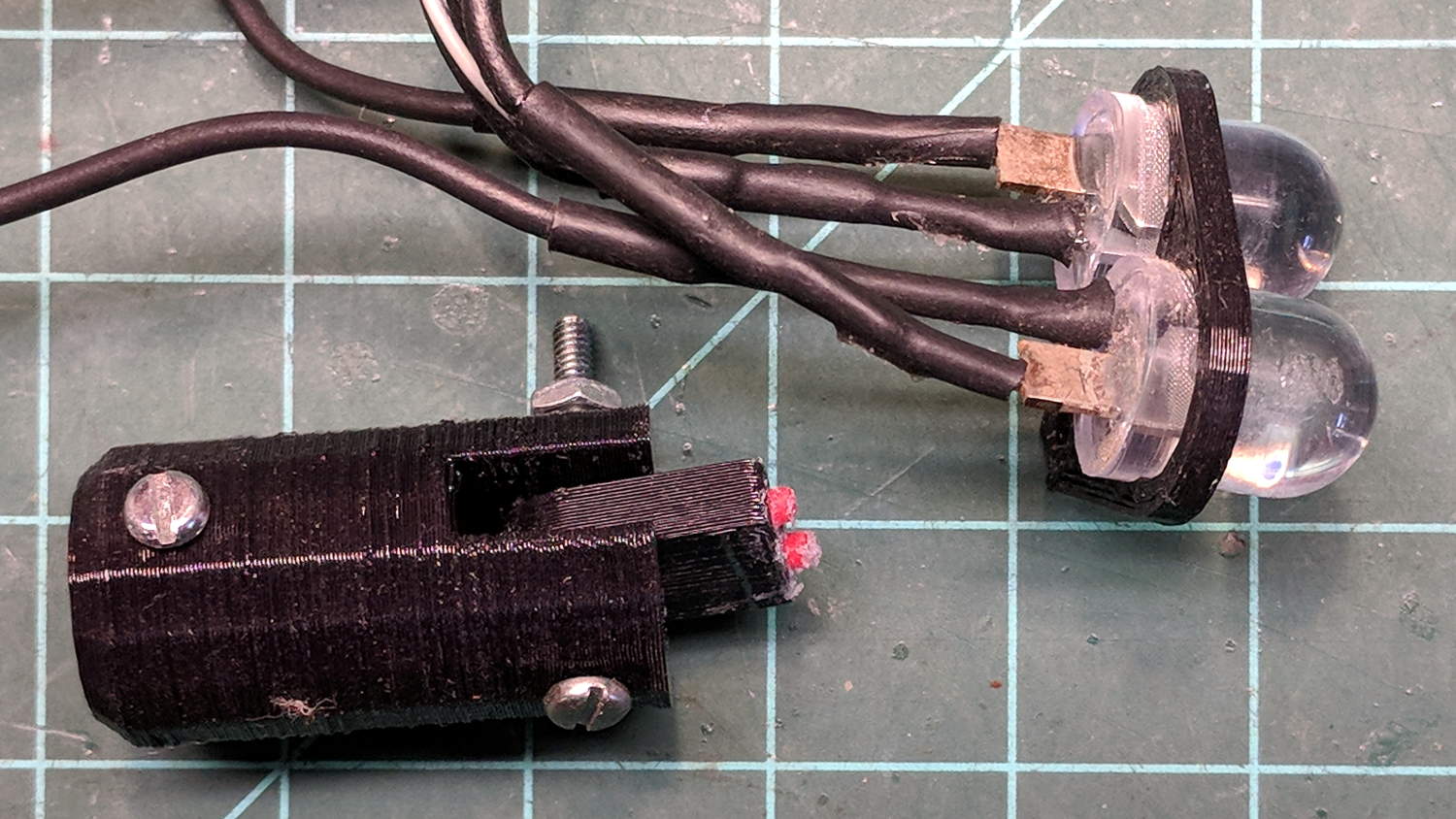
The fixture holding the LEDs broke apart as I extracted it, but it’ll never be used again:
10 mm white LED – fixture
The LEDs are rated at 3.5 V and 200 mA (!), but were reasonably bright in series from a 6 V unregulated supply. Perhaps a power glitch killed the poor thing? We’ll never know.
LEDs are reputed to have lifetimes in the multiple tens of thousands of hours, but I’ve seen plenty of failed automotive LEDs and fancy new LED streetlights out there, not to mention many dead and dying traffic signals. Seeing as how they’re in (presumably) well-engineered fixtures with good power supplies and are at most only a few years old, there shouldn’t be any failures yet.
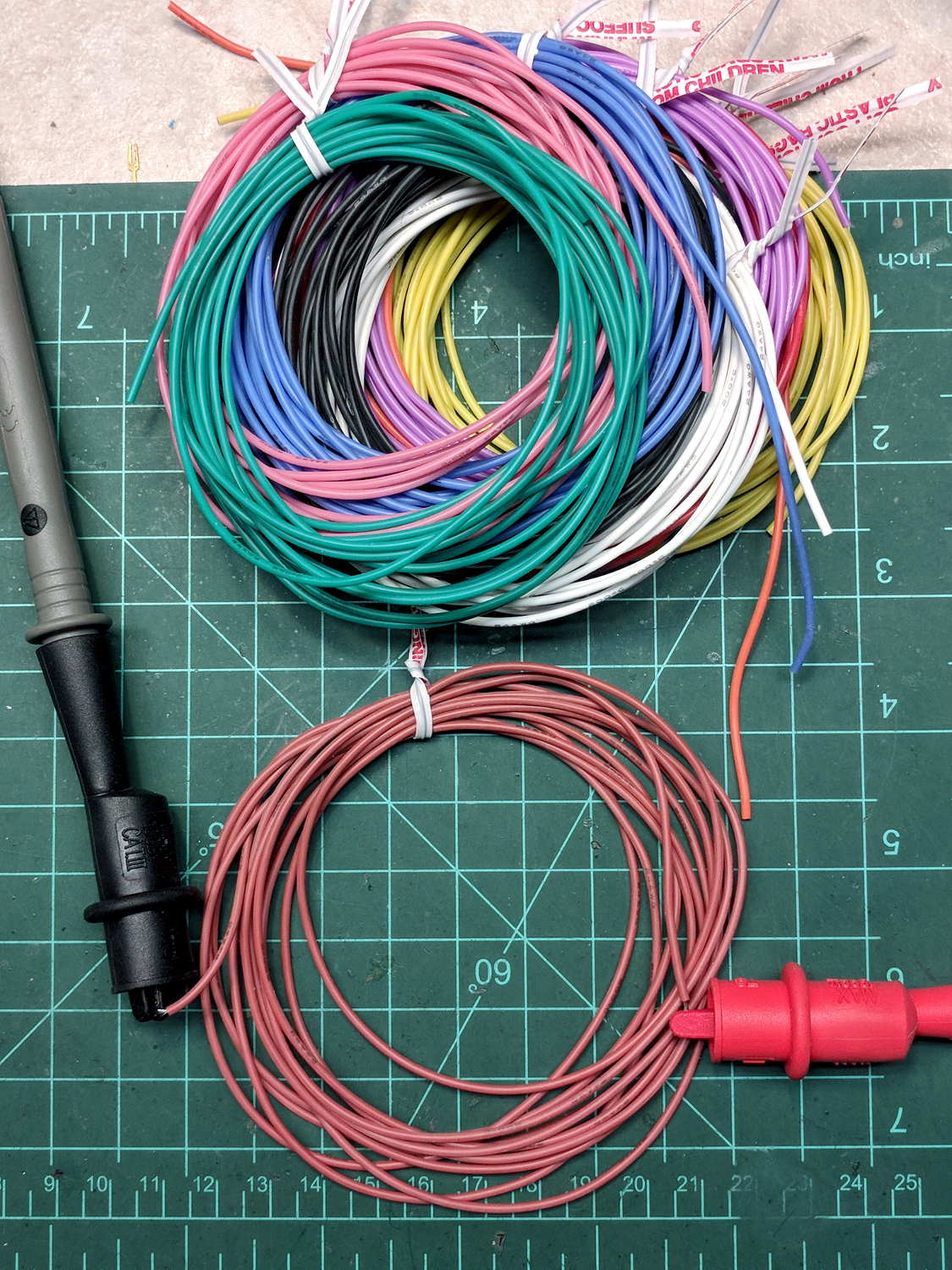
The probes report a resistance of 270 mΩ (net of the 50 mΩ probe-to-probe resistance), as close as one could ask to the nominal 26 Ω/1000 ft spec for 24 AWG wire at the current Basement Laboratory temperature.
They are exceedingly limp and flexy, due to many teensy conductors; not at all like PVC hookup wire.
If you’re willing to buy 500 feet of each color, the cost-per-foot from a reputable supplier gets downright competitive, but I’m not in that market.
A QRPme Pocket Pal II could be a suitable project for a Squidwrench “advanced soldering” class:
QRPme Pocket Pal II – front
Yes, it comes with a tin case:
QRPme Pocket Pal II – tin case
You must fit your own insulating sheet under the PCB; polypropylene snipped from a retail package works fine.
It’s intended as a “mint tin sized tester for all kinds of hamfest goodies”, but it seems like a nice source of small currents, voltages, and signals suitable for stimulating all manner of circuitry one might encounter in later sessions of a beginningelectronics class.
Before using it, of course, one must solder a handful of small through-hole parts into the PCB, a skill none of us were born with.
For completeness, the back side, hot from the soldering iron:
QRPme Pocket Pal II – rear
The kits (always buy two of anything like this) arrived minus a few parts, which I suspect was due to an avalanche of orders brought on by a favorable QST review. Fortunately, I (still) have a sufficient Heap o’ Parts to finish it off without resupply, although a hank of 9 V battery snaps will arrive in short order.
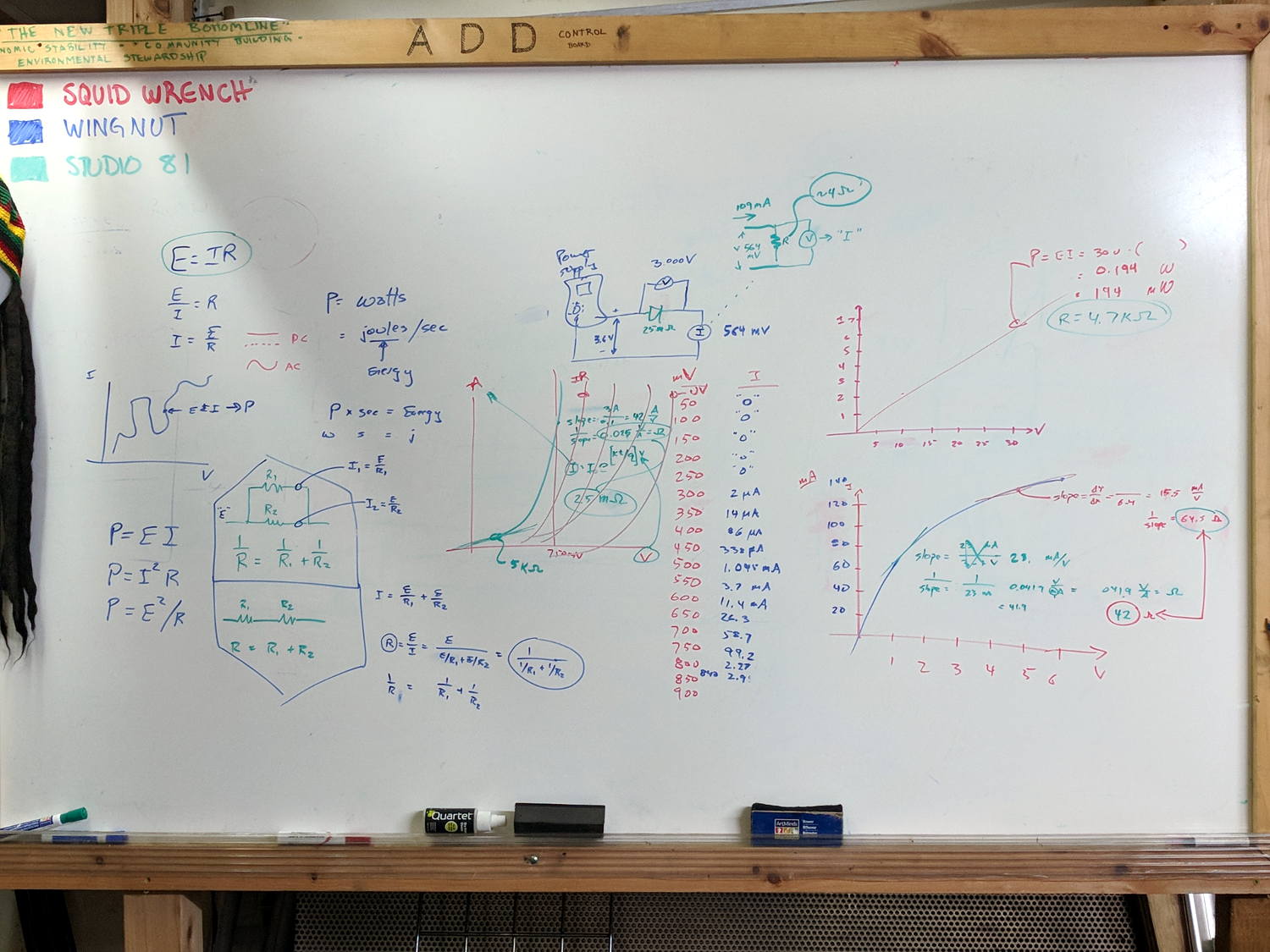
Some ex post facto notes from the second SquidWrench Electronics Workshop. This turned out much more intense than the first session, with plenty of hands-on measurement and extemporized explanations.
Measure voltage across and current through 4.7 kΩ 5 W resistor from 0.5 V to 30 V. Note importance of writing down what you intend to measure, voltage values, units. Plot data, find slope, calculate 1/slope.
Introduce power equation (P = E I) and variations (P = I² R, P = E²/R)
Measure voltage across and current through incandescent bulb (6 V flashlight) at 0.1 through 6 V, note difference between voltage at power supply and voltage across bulb. Plot data, find slopes at 1 V and 5 V, calculate 1/slopes.
Measure voltage across ammeter with bulb at 6 V, compute meter internal resistance, measure meter resistance. Note on ammeter resistance trimming.
Measure voltage across and current through hulking power diode from 50 mV – 850 mV. Note large difference between power supply voltage and diode voltage above 750-ish mV. Note power supply current limit at 3 A. Plot, find slopes at 100 mV and 800 mV, calculate 1/slopes. Compare diode resistance with ammeter resistance.