The Smell of Molten Projects in the Morning

Ed Nisley's Blog: Shop notes, electronics, firmware, machinery, 3D printing, laser cuttery, and curiosities. Contents: 100% human thinking, 0% AI slop.

Category: Electronics Workbench

Electrical & Electronic gadgets

  • Kenmore 158: Pulse Drive First Light

    This worked right out of the box:

    Pulse Drive - Tek 1 A-div
    Pulse Drive – Tek 1 A-div

    That’s roughly two half-cycles of the full-wave rectified AC with about 100 ms between pulses.

    The upper trace comes from the differential amp, the lower trace from the Tek current probe at 1 A/div. The overall amp transconductance looks to be 1.3 A/V = 1.3 A/div, minus that small DC offset, so the ADC range is actually 6.5 A. That might be a bit too much, all things considered, but not worth changing right now.

    Notice that the upper trace drops like a rock at the end of the pulse, while the Tek probe shows a gradual decrease. The missing current goes ’round and ’round through the flyback diode across the motor:

    Pulse Drive - Flyback Diode - Tek 1 A-div
    Pulse Drive – Flyback Diode – Tek 1 A-div

    The Tek probe in the lower trace goes on the green wire connecting the diode to the bridge rectifier, oriented to match the diode polarity (+ current flows from motor to blue wire on collector to brown wire on rectifier to motor):

    Motor flyback diode - installed
    Motor flyback diode – installed

    That nasty little spike in the middle of the diff amp output occurs when the collector voltage drops to zero and the ET227 shuts off, but the motor current continues to flow due to the winding inductance. In the first scope shot, the Tek probe doesn’t show any spikes in the motor current, because there aren’t any.

    Compare that with the voltage and current of the motor running from an isolation transformer:

    Rectified AC - 200 mA div - 875 RPM
    Rectified AC – 200 mA div – 875 RPM

    As the pulse repetition frequency increases, the motor speed goes up and the current goes down:

    Pulse Drive - Fast - Tek 1 A-div
    Pulse Drive – Fast – Tek 1 A-div

    The dropouts between successive pairs of half-cycles show where the firmware shuts off the current and goes once around the main loop.

    The Arduino code making that happen:

    PedalPosition = ReadAI(PIN_PEDAL);
    if (PedalPosition > 190) {
    	BaseDAC.setVoltage(Cvt_mA_to_DAC(3000),false);					// give it a solid pulse
    	MotorDrive.ADCvalue = SampleCurrent(PIN_CURRENT_SENSE);			// measure current = half cycle delay
    	MotorDrive.ActualCurrent = Cvt_ADC_to_mA(MotorDrive.ADCvalue);
    	printf("%5u, %5u, %5u, %5u, %5u, %5u, %5u\r\n",
    		MotorSensor.RPM,ShaftSensor.RPM,MotorDrive.State,
    		MotorDrive.DACvalue,MotorDrive.ADCvalue,MotorDrive.ActualCurrent,PedalPosition);
    	delay(3);														// finish rest of half cycle
    	BaseDAC.setVoltage(0,false);									//  ... then turn it off
    
    	delay(map(PedalPosition,190,870,100,0));						// pedal controls off time
    }
    

    The map() function flips the sense of the analog voltage coming from the pedal, so that more pedal pressure = higher voltage = lower delay. The pedal voltage produces ADC values from about 185 through 860, with a pleasant sigmoid shape that gives good speed control.

    The maximum motor speed isn’t quite high enough for bobbin winding, but I like what I see so far!

  • Improved Pilot InstaBoost Jumpstarter Clamps

    The Sienna now spends all its time sitting outdoors in an apartment parking lot and gets even less driving (hence, battery-charging) time than we used to give it. Fortunately, Santa being my kind of guy, our Larval Engineer received a Pilot InstaBoost jumpstarter, which is basically a 10 A·h / 40 W·h lithium battery with husky plug & socket connectors, a pair of 10 AWG wires, and big alligator clamps. The package claims a 400 A peak discharge rate, but the tiny inscription on the back of the case reports 200 A; either of those seems mmmm somewhat optimistic to me.

    The customer reviews suggest that the plastic battery clamp handles feature a crappy hinge joint which disintegrates under moderate stress on a cold winter night, firing the spring into the nearest snowbank and rendering the clamp completely useless. The joint consists of a plastic post on each side of the inner handle that protrudes into a hole in the outer handle:

    Battery Clamp - original joint
    Battery Clamp – original joint

    I assigned her some Mandatory Quality Shop Time to improve the joint. She found some brass tubing that fit the existing hole and cut two pieces to length:

    Battery Clamp - cutting brass tube
    Battery Clamp – cutting brass tube

    A 1 inch stainless screw was just barely long enough (that’s Loctite Red in the nut), but the end result certainly looks durable enough:

    Battery Clamp - improved joint
    Battery Clamp – improved joint

    It’s along the same lines as the improvement I applied to my old Park Tool MTB-7 Rescue Tool.

    Apart from that, the clamps look pretty good. There’s even a husky braid between the two jaw pads, ensuring at least one reasonably low resistance joint to the battery post:

    Battery Clamp - jaw strap
    Battery Clamp – jaw strap

    With a bit of luck, we’ll never know how well it works as a jumpstarter. She can use the USB port to keep her phone charged, which may provide enough motivation to keep the thing topped up and ready for use…

    [Update: two days after this post went live, someone found it by searching for:

    how to repair clamps pilot instaboost 400

    You have been warned!]

  • Kenmore 158: Recalibrated Optoisolator Drive

    Because the motor will draw more current during pulsed operation, the ET227 needs more base drive. The existing circuit topped out around 2.5 A, so I reduced the current sampling resistor by a bit:

    Optoisolator Driver
    Optoisolator Driver

    If you care about the exact current, you’d use a 1% resistor, but if you care about the current, you’ll be doing closed-loop feedback to compensate for the transistor gain variations. Compared to those, the resistor doesn’t matter.

    Running the MCP4725 DAC through its range produces a nice graph:

    Current Calibrate - DAC - 270k Hall 2.7k opto
    Current Calibrate – DAC – 270k Hall 2.7k opto

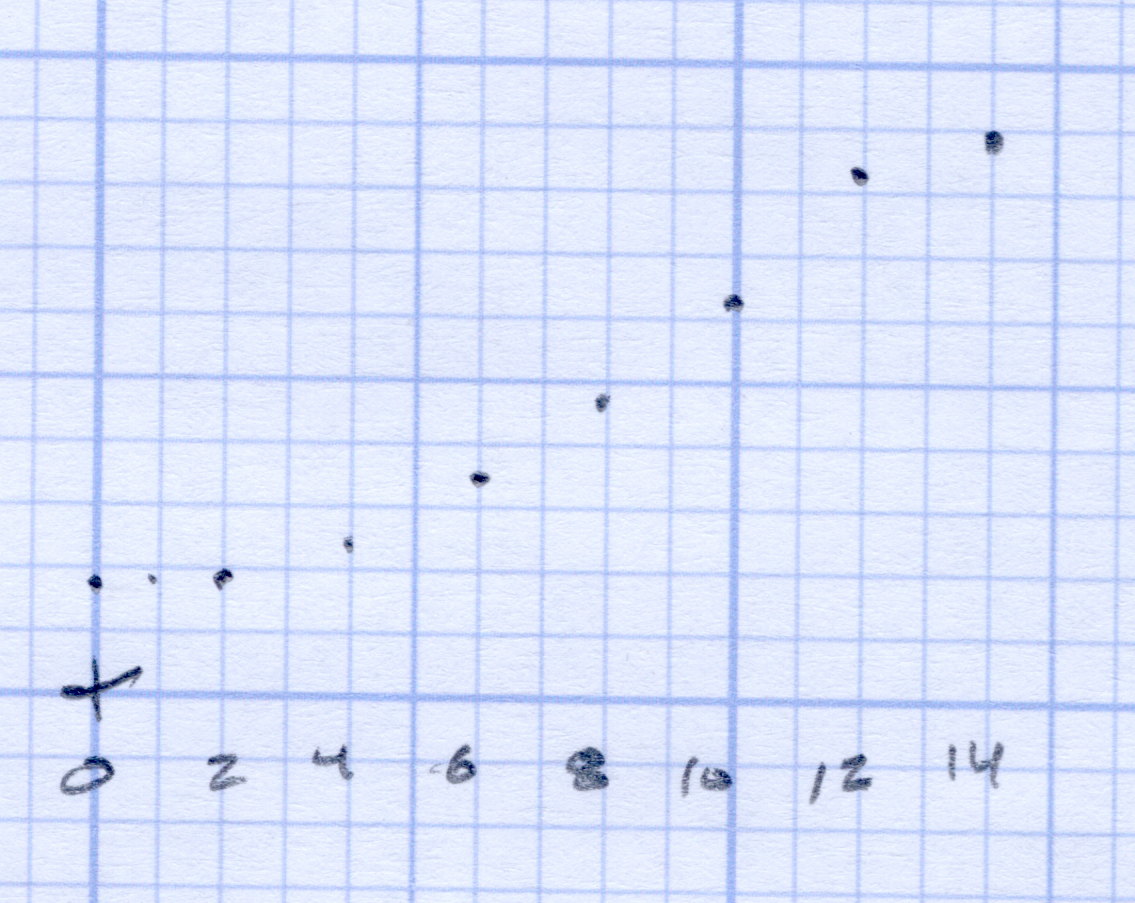
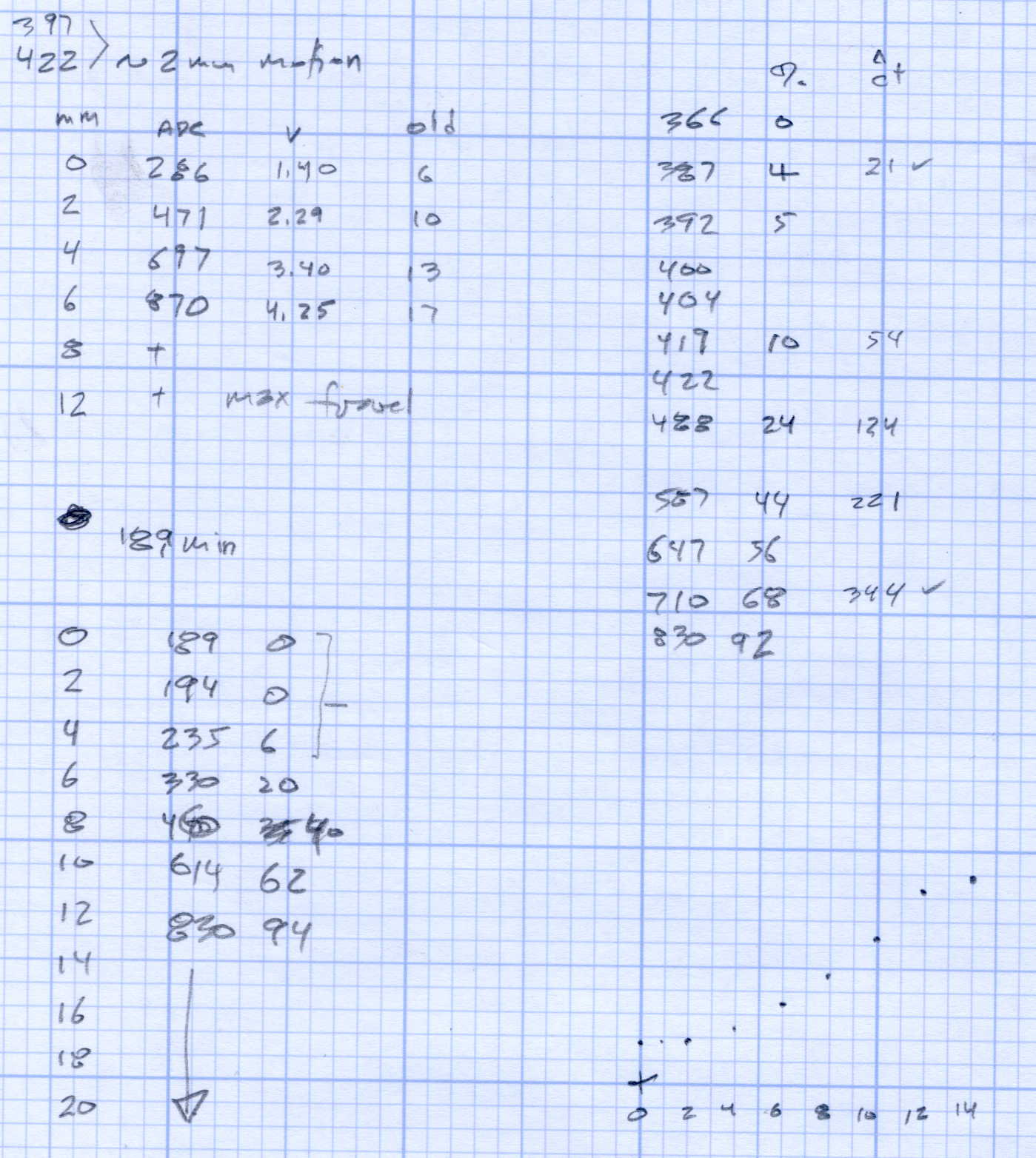
    The X axis comes from the Tek Hall-effect current probe, so the numbers don’t depend on the ferrite toroid & differential amp calibration. They do, of course, require a bit of eyeballometric calibration to extract the flat top from the waveform, as shown by this old waveform:

    Motor current - ADC sample timing
    Motor current – ADC sample timing

    Ya gotta start somewhere.

    The linear fit to those dots gives the DAC value required to produce the observed current, at least for these particular transistors at whatever temperature they’re at in a rather chilly Basement Laboratory.

    Of course, the observed current tops out at 1.2 A: the motor’s peak current during normal linear operation. The line looks so pretty that I’ll assume it continues upward to the maximum 12-bit DAC value of 4095 and the corresponding ET227 current. Working backwards, that will be 3.1 A and should suffice for all but the highest peaks at high line voltage.

  • Kenmore 158: Recalibrated Hall Effect Sensor Amp

    Reducing the differential amp gain fits a higher current into the Arduino’s fixed 5 V ADC range:

    Hall Sensor Differential Amp
    Hall Sensor Differential Amp

    Those are 1% resistors, chosen from the heap for being pretty close to what I needed. Given that it’s an LM324 op amp, we’re not talking instrumentation grade results here.

    The same calibration run that produced the DAC plot gave these values:

    Current Calibrate - ADC - 270k Hall 2.7k opto
    Current Calibrate – ADC – 270k Hall 2.7k opto

    The linear fit gives the actual current, as seen by the Tek probe, for a given ADC reading.

    The trimpot controls the offset voltage at zero current; working backwards, ADC = 0 corresponds to 140 mV, a bit higher than the actual 90 mV. Close enough, at least for a linear fit to eyeballed data, sez I.

    Working forward, the maximum ADC value of 1023 corresponds to 4 A, which should suffice.

  • Kenmore 158: Motor Flyback Diode

    Although small power diodes make fine flyback diodes for relays, the motor can draw several amps during the startup pulse, which will be a bit out of spec for the usual 1N4007-class diodes. Pressing an old 5 A / 200 V stud diode into service produces the ungainly black-and-blue lump eating the end of the green wire:

    Motor flyback diode - installed
    Motor flyback diode – installed

    For completeness, here’s the entire AC line interface part of the schematic:

    AC Power Interface
    AC Power Interface

    The diode’s 200 V limit should suffice, even for cold starts at high line peaks, but, when you build this with new parts, get something rated a bit higher, OK?

    The four NTC power thermistors lie just to the right of the relay, before the bridge rectifier.

  • Kenmore 158: Pulse Drive

    A Circuit Cellar reader sent me a lengthy note describing his approach to slow-motion AC motor drives, designed for an already ancient truck mounted radar antenna back in 1972-ish, that prompted me to try it his way.

    The general idea is to pulse the motor at full current for half a power line cycle with an SCR (rather than a triac) at a variable pulse repetition rate: the high current pulse ensures that the motor will start turning and the variable repetition frequency determines the average speed. As he puts it, the motor will give off a distinct tick at very low speeds and the maximum speed will depend on how the motor reacts to half-wave drive.

    Note that this is not the chopped-current approach to speed control: the SCR always begins conducting at the first positive-going 0 V crossing after the command and continues until the motor current drops to zero. There are no sharp edges generating high-pitched acoustic noise and EMI: silence is golden.

    The existing speed control circuitry limits the peak current and assumes that the motor trundles along more-or-less steadily. That won’t be the case when it’s coasting between discontinuous current pulses.

    When I first looked at running the motor on DC, these measurements showed the expected relationship:

    Kenmore Model 158 AC Motor on DC - Loaded and Unloaded RPM vs Voltage
    Kenmore Model 158 AC Motor on DC – Loaded and Unloaded RPM vs Voltage

    Later on, plotting RPM against current (50 mA/step starting at 550 mA):

    Motor RPM vs Current Steps - Accelerating
    Motor RPM vs Current Steps – Accelerating

    Eyeballometrically, the slowest useful speed will be 2 stitch/s = 120 shaft RPM = 1300 motor RPM. At that speed, under minimal load, the motor runs on about 20 V and draws 550 mA. At that current, the 40 Ω winding drops 22 V, which we’ll define as “about 20 V” for this discussion, so the back EMF amounts to pretty nearly zilch.

    That’s what you’d expect for the fraction of a second while the motor comes up to full speed, but in this case it never reaches full speed, so the motor current during the pulses will be limited only by the winding resistance. At the 200 V peak I’ve been using for the high-line condition, that’s about 5 A peak, although I’d expect 4 A to be more typical.

    So, in order to make this work:

    • the optocoupler driving the base needs more current
    • the differential amp from the Hall effect sensor needs less gain

    Given the ease with which I’ve pushed the hulking ET227 transistor out of its SOA, the motor definitely needs a flyback diode to direct the winding current away from the collector as the transistor shut off at the end of the pulse. Because it’s running from full-wave rectified AC, the winding current never drops to zero: there will definitely be enough current to wreck the transistor.

    The firmware needs reworking to produce discrete pulses at a regular pace, rather than slowly adjusting the current over time, but that’s a simple matter of software…


  • Kenmore 158: Relay Transient Simulation

    After having blown two ET227 transistors, I fiddled with some SPICE models to explore the ahem problem space. This seems to be the simplest model with all the relevant details:

    Motor Transient - no NTC - schematic
    Motor Transient – no NTC – schematic

    A step change in the voltage source simulates the relay clicking closed with the AC line at a peak. R4 might resemble the total wiring resistance, but is more of a placeholder.

    I measured 1 nF from each motor wire to the motor shell, so I assume a similar value from wire to wire across the winding. I can’t measure that, because, as far as my capacitance meters are concerned, the 40 Ω motor winding looks exactly like a resistor. R1 and L1 model the winding / commutator, but on the time scale we’re interested in, that branch remains an open circuit.

    There’s no transistor model even faintly resembling a hulking ET227, so a current controlled current source must suffice. The 0 V VIB “source” in the base lead measures the base current for the CCCS labeled ET227, which applies a gain of 10 to that value and pulls that current from the collector node. R2 is the internal base-emitter resistor built into the ET227.

    C2 is the 6 nF (!) collector-base capacitance I measured at zero DC bias on a good ET227. That’s much more than you’ll find on any normal transistor and I’m basically assuming it’s vaguely related to the Miller capacitance of small-signal fame. C3 is a similar collector-emitter capacitor; I can’t tell what’s going on under the hood without a whole lot of measurement equipment I don’t have.

    So, without further ado:

    Simple Transient Model - current pulse
    Simple Transient Model – current pulse

    Whenever you see a simulation result like that, grab your hat in both hands and hunker down; the breeze from the handwaving will blow you right off your seat.

    The key unknown: the rise time of the voltage step as the relay contacts snap closed. Old-school mercury-wetted relay contacts have rise times in the low tens of picoseconds. Figuring dry high-power contacts might be 100 times slower gives a 1 ns rise time that I can’t defend very strongly; it seems to be in the right ballpark. The green trace shows the input voltage ramping to 180 V in 1 ns, which is pretty much an irresistible force.

    The motor shunt capacitance forms a voltage divider with the parallel base and collector capacitors, so the collector voltage shouldn’t exceed 180 * (1/(1+3)) = 45 V. In fact, the blue trace shows the collector voltage remains very low, on the order of 10 V, during the whole pulse.

    The red trace shows the collector current hitting 150 A during the entire input ramp, which is exactly what you’d expect from the basic capacitor equation: I = C dv/dt. The current depends entirely on the absurdly fast 180 V / 1 ns rate: if the relay rise time is actually smaller, the current gets absurdly higher.

    The ET227 datasheet remains mute on things like junction capacitance, damage done by nanosecond-scale high-current pulses, and the like.

    Absolutely none of those numbers have even one significant figure of accuracy, but I think the overall conclusion that I’m blowing junctions based on transient startup currents through the collector holds water.

    Adding four of those NTC power thermistors seems in order. This picture also shows the snubber hanging from the back of the ET227, but I eventually took that off because the simulations show it’s not doing anything useful and it does resonate with the 120 Hz halfwave supply:

    HV Interface - snubber and thermistors
    HV Interface – snubber and thermistors

    The thermistors get comfortably warm after a few minutes and settle out around 1 Ω apiece. Adding 4 Ω to the simulation reduces the current to 30 A during a 1 ns ramp, which number obviously depends on all the assumptions mentioned above.

    I’ve been running it like that for a few hours of start-stop operation and the ET227 lives on, so maybe I can declare victory.