The Smell of Molten Projects in the Morning

Ed Nisley's Blog: Shop notes, electronics, firmware, machinery, 3D printing, laser cuttery, and curiosities. Contents: 100% human thinking, 0% AI slop.

Category: Electronics Workbench

Electrical & Electronic gadgets

  • Vacuum Tube LEDs: Halogen Lamp Success

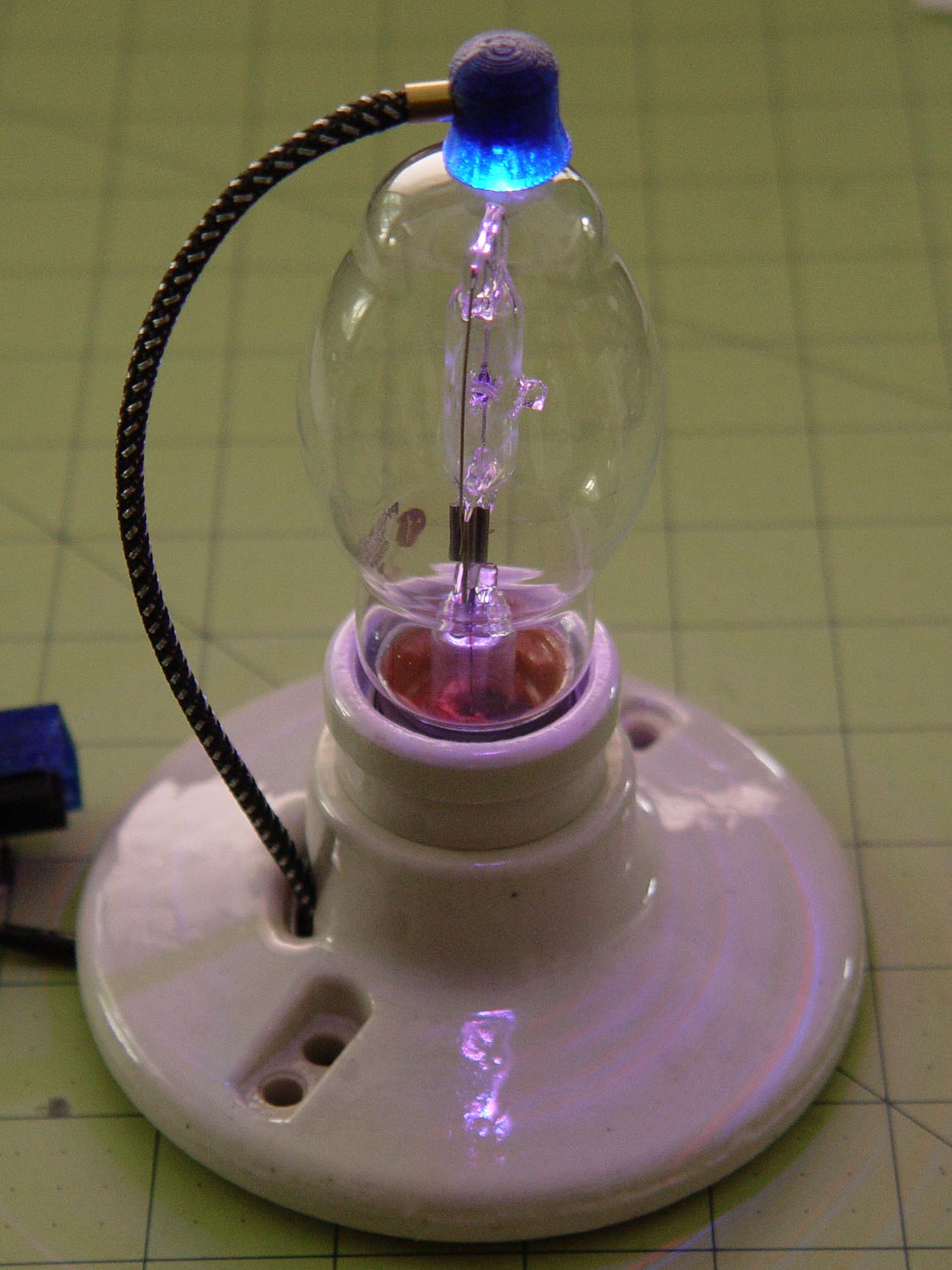
    The Neopixel-illuminated halogen lamp looks much, much better than I expected:

    Vacuum Tube LEDs - halogen lamp - red phase
    Vacuum Tube LEDs – halogen lamp – red phase

    The ceramic ring screws down around the socket shell and pulls it up against the base; the threads have only as much precision as required to keep it from falling off. I may need to add a leveling shim just so I don’t have to explain why it’s always crooked.

  • Monthly Science: Hard Drive Mood Light Thermal Coefficient

    Having that knockoff Neopixel fail from overheating prompted me to measure what was going on. Because the LEDs sink most of their heat into the package leads, the back of the LED strip should be the hottest part of the package and the Mood Light’s central pillar should be pretty nearly isothermal. Despite that, I figured I should measure the temperature closer to the back of the strip, sooo I drilled a hole for the thermocouple…

    Clamp the whole Mood Light to the Sherline’s tooling plate with the pillar sides mostly square to the axes and line up the spindle 2 mm behind the LED strip:

    Mood Light - aligning thermocouple hole
    Mood Light – aligning thermocouple hole

    The two clamp pads are CD chunks, under just enough pressure to anchor the Mood Light.

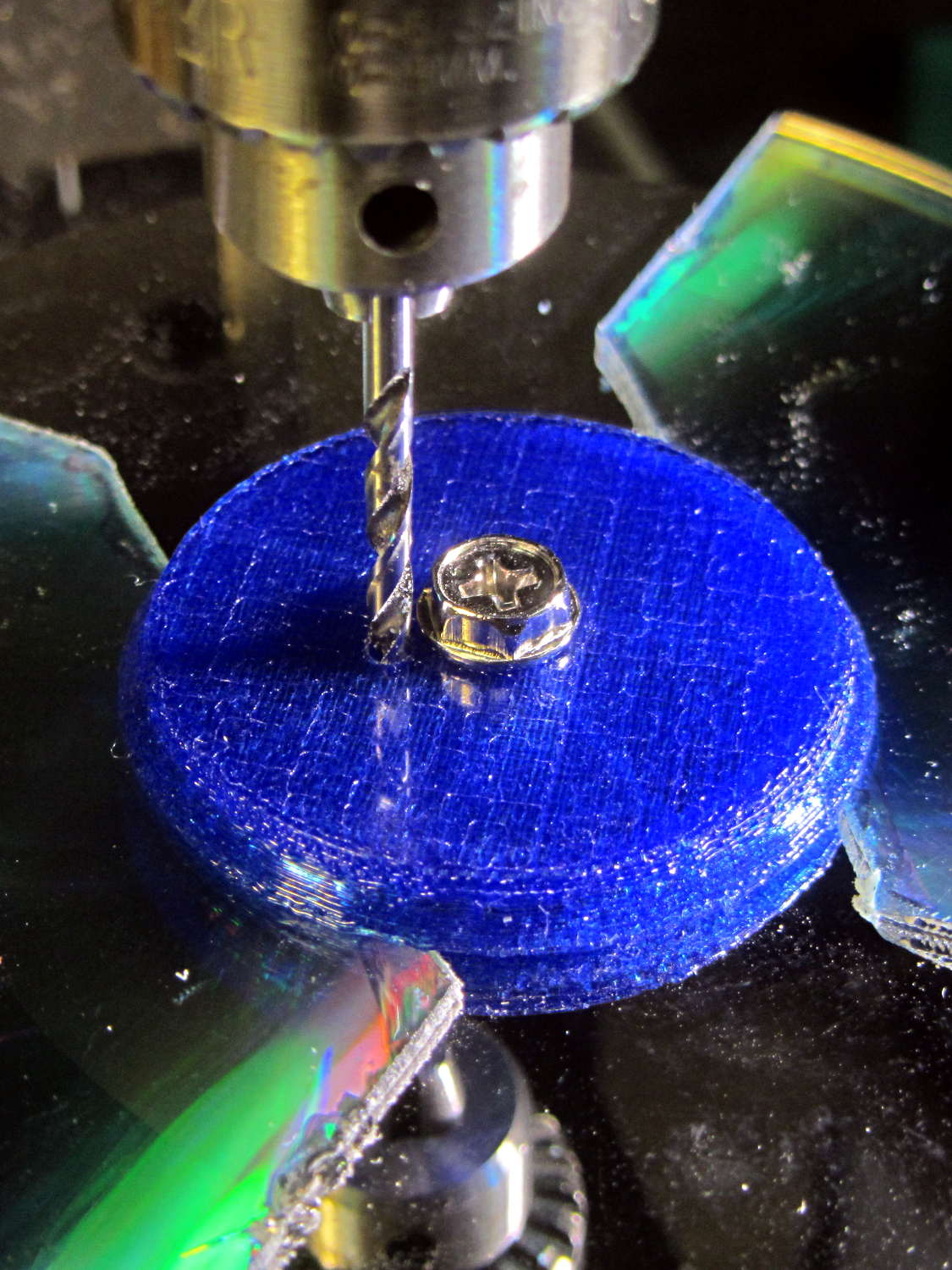
    Screw the cap in place (to match-drill both holes at once) and drill a 2 mm (#46, close enough) hole down past the top LED:

    Mood Light - drilling thermocouple hole
    Mood Light – drilling thermocouple hole

    I tucked the Mood Light into a box to ward off breezes, jammed one thermocouple into the new hole, let another float over the top platter, then forced the Neopixels to display constant grayscale PWM values (R=G=B) while recording the LED and air temperatures every five minutes:

    Hard Drive Mood Light - temp vs power data
    Hard Drive Mood Light – temp vs power data

    That was easier and faster than screwing around with automated data collection. The data has some glaring gaps where I went off to do other things during the day.

    I turned those numbers into a graph, printed it out, puzzled over it for a bit, then annotated it with useful numbers:

    Hard Drive Mood Light - temp vs power data - graph
    Hard Drive Mood Light – temp vs power data – graph

    That first little blip over on the left comes from a minute or two at PWM 32; the cooling time constant works out to be a bit under 10 minutes. The warming time constant looks to be somewhat longer, but not by much.

    Eyeballing the endpoint temperatures for each PWM value, feeding in the current measurements, and creating a small table:

    VCC 5 V
    Current 0.057 A
    Package 0.285 W
    Total 3.42 W
    PWM Duty Nom Power Failed LEDs Net Power °C Rise
    0 0.00 0.00 0 0.00 0
    32 0.13 0.43 0 0.43 6
    64 0.25 0.86 0 0.86 12
    85 0.33 1.14 1 1.04 16
    128 0.50 1.71 1 1.62 24
    192 0.75 2.57 1 2.47 35
    255 1.00 3.41 4 3.03 42

    The same blue LED that failed earlier dropped out again, plus another package (on a different strip) went completely dark shortly after I clobbered the LEDs with full power at PWM 255. The Net Power column deducts the power not used by the failed LEDs, under the reasonable assumption that the total heating depends on the number of active LEDs.

    All the failed LEDs worked fine when they cooled to room temperature, so, whatever the failure mode might be, it’s not permanent. The skimpy WS2812B datasheet says bupkis about a protective thermal shutdown circuit, although it specs an 80 °C maximum operating junction temperature. I’ll stipulate a 20 °C temperature difference from junction to thermocouple at PWM 255, but that doesn’t explain the first blue LED failure at PWM 85.

    Methinks these knockoffs will be much happier operating in the mid-30s.

    Turning the last two columns of that table into a graph (minus the PWM 0 line to let the intercept float around) looks like I’m faking it:

    Hard Drive Mood Light - Temperature vs Power
    Hard Drive Mood Light – Temperature vs Power

    The Y intercept is off by less than 1 °C, which seems pretty good under the circumstances. The  kink at PWM 85 shows that I probably didn’t allow enough time for the temperature to stabilize after the blue LED failed.

    So, in round numbers, the thermal coefficient for a dozen knockoff Neopixels on a plastic pillar inside a stack of hard drive platters works out to 14 °C/W.

    The raised sine waves in the Mood Light produce a long-term average PWM half of their maximum PWM. They’ve been perfectly happy with MaxPWM = 64 pushing them barely 6 °C over ambient, so they should continue to work fine at PWM 128 for a 12 °C rise… except, perhaps, during the hottest of mid-summer days.

    Obviously, I should jam a thermistor inside the column and have the Arduino wrap a feedback loop around the column temperature…

  • Vacuum Tube LEDs: Halogen Lamp Base

    This lamp needs a base for its (minimal) electronics:

    Vacuum Tube LEDs - plate lead - overview
    Vacuum Tube LEDs – plate lead – overview

    The solid model won’t win many stylin’ points:

    Vacuum Tube Lights - lamp base solid model
    Vacuum Tube Lights – lamp base solid model

    It’s big and bulky, with a thick wall and base, because that ceramic lamp socket wants to screw down onto something solid. The screw holes got tapped 6-32, the standard electrical box screw size.

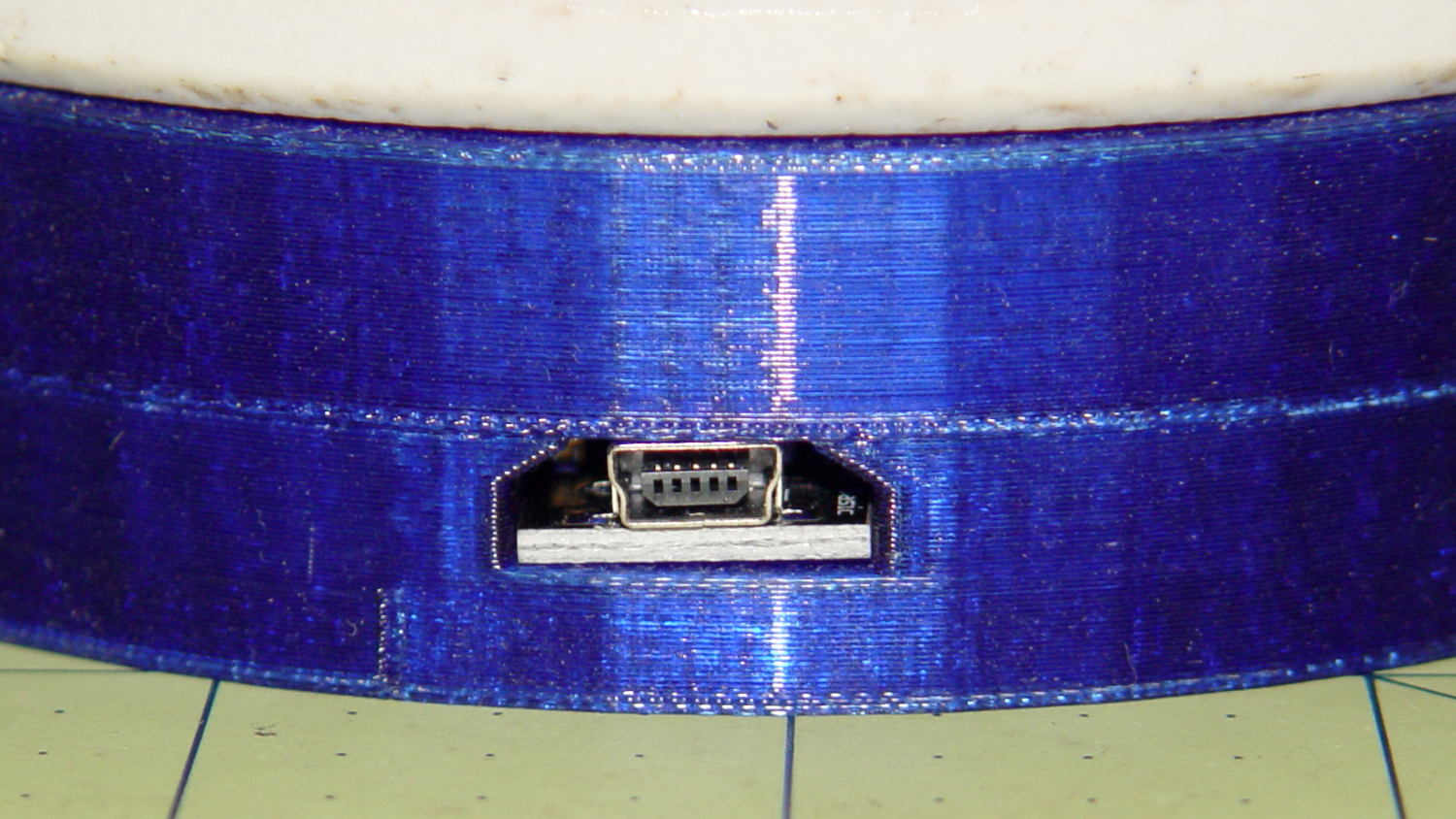
    The odd little hole on the far side accommodates a USB-to-serial adapter that both powers the lamp and lets you reprogram the Arduino Pro Mini without tearing the thing apart:

    Vacuum Tube Lights - USB adapter cutout
    Vacuum Tube Lights – USB adapter cutout

    The sloped roof makes the hole printable in the obvious orientation:

    Lamp Base - USB port
    Lamp Base – USB port

    There’s an ugly story behind the horizontal line just above the USB adapter that I’ll explain in a bit.

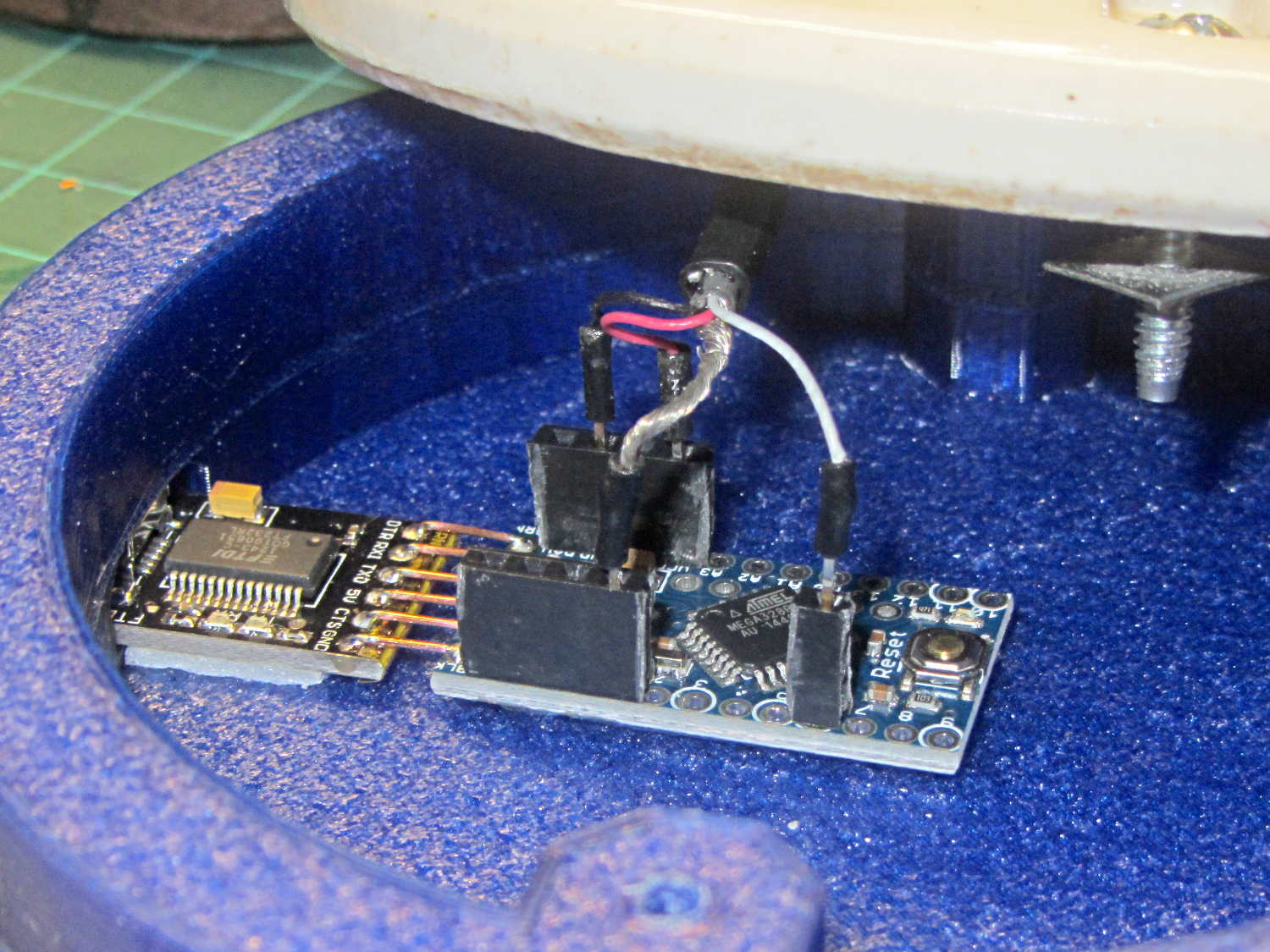
    The adapter hole begins 1.2 mm above the interior floor to let the adapter sit on a strip of double-sticky foam tape. I removed the standard header socket and wired the adapter directly to the Arduino Pro Mini with 24 AWG U-wires:

    Lamp Base - interior
    Lamp Base – interior

    I didn’t want to use pin connectors on the lamp cable leads, but without those you (well, I) can’t take the base off without un-/re-soldering the wires in an awkward location; the fact that I hope to never take it apart is irrelevant. Next time, I’ll use a longer wire from the plate cap and better connectors, but this was a trial fit that became Good Enough for the purpose.

    And then It Just Worked… although black, rather than cyan, plastic would look spiffier.

    Bluish phases look icy cold:

    Vacuum Tube LEDs - halogen lamp - purple phase
    Vacuum Tube LEDs – halogen lamp – purple phase

    Reddish phases look Just Right for a hot lamp:

    Vacuum Tube LEDs - halogen lamp - red phase
    Vacuum Tube LEDs – halogen lamp – red phase

    A ring of white double sided foam tape now holds the plate cap in place; that should be black, too.

    The OpenSCAD source code adds the base to the plate cap as a GitHub gist:

    // Vacuum Tube LED Lights
    // Ed Nisley KE4ZNU January 2016
    Layout = "LampBase"; // Show Build Cap LampBase USBPort
    Section = true; // cross-section the object
    //- Extrusion parameters must match reality!
    ThreadThick = 0.25;
    ThreadWidth = 0.40;
    HoleWindage = 0.2;
    Protrusion = 0.1; // make holes end cleanly
    inch = 25.4;
    function IntegerMultiple(Size,Unit) = Unit * ceil(Size / Unit);
    ID = 0;
    OD = 1;
    LENGTH = 2;
    Pixel = [7.0,10.0,3.0]; // ID = contact patch, OD = PCB dia, LENGTH = overall thickness
    //———————-
    // Useful routines
    module PolyCyl(Dia,Height,ForceSides=0) { // based on nophead's polyholes
    Sides = (ForceSides != 0) ? ForceSides : (ceil(Dia) + 2);
    FixDia = Dia / cos(180/Sides);
    cylinder(r=(FixDia + HoleWindage)/2,
    h=Height,
    $fn=Sides);
    }
    //———————-
    // Tube cap
    CapTube = [4.0,3/16 * inch,10.0]; // brass tube for flying lead to cap LED
    CapSize = [Pixel[ID],(Pixel[OD] + 3.0),(CapTube[OD] + 2*Pixel[LENGTH])];
    CapSides = 6*4;
    module Cap() {
    difference() {
    union() {
    cylinder(d=CapSize[OD],h=(CapSize[LENGTH]),$fn=CapSides); // main cap body
    translate([0,0,CapSize[LENGTH]]) // rounded top
    scale([1.0,1.0,0.65])
    sphere(d=CapSize[OD]/cos(180/CapSides),$fn=CapSides); // cos() fixes slight undersize vs cylinder
    cylinder(d1=(CapSize[OD] + 2*3*ThreadWidth),d2=CapSize[OD],h=1.5*Pixel[LENGTH],$fn=CapSides); // skirt
    }
    translate([0,0,-Protrusion]) // bore for wiring to LED
    PolyCyl(CapSize[ID],(CapSize[LENGTH] + 3*ThreadThick + Protrusion),CapSides);
    translate([0,0,-Protrusion]) // PCB recess with clearance for tube dome
    PolyCyl(Pixel[OD],(1.5*Pixel[LENGTH] + Protrusion),CapSides);
    translate([0,0,(1.5*Pixel[LENGTH] – Protrusion)]) // small step + cone to retain PCB
    cylinder(d1=(Pixel[OD]/cos(180/CapSides)),d2=Pixel[ID],h=(Pixel[LENGTH] + Protrusion),$fn=CapSides);
    translate([0,0,(CapSize[LENGTH] – CapTube[OD]/(2*cos(180/8)))]) // hole for brass tube holding wire loom
    rotate([90,0,0]) rotate(180/8)
    PolyCyl(CapTube[OD],CapSize[OD],8);
    }
    }
    //———————-
    // Aperture for USB-to-serial adapter snout
    // These are all magic numbers, of course
    module USBPort() {
    translate([0,28.0])
    rotate([90,0,0])
    linear_extrude(height=28.0)
    polygon(points=[
    [0,0],
    [8.0,0],
    [8.0,4.0],
    // [4.0,4.0],
    [4.0,6.5],
    [-4.0,6.5],
    // [-4.0,4.0],
    [-8.0,4.0],
    [-8.0,0],
    ]);
    }
    //———————-
    // Box for Leviton ceramic lamp base
    module LampBase() {
    Bottom = 5.0;
    Base = [3.75*inch,4.5*inch,25.0 + Bottom];
    Sides = 12*4;
    Stud = [0.107 * inch,15.0,Base[LENGTH]]; // 6-32 mounting screws, OD = ceramic boss size
    StudOC = 3.5 * inch;
    union() {
    difference() {
    rotate(180/Sides)
    cylinder(d=Base[OD],h=Base[LENGTH],$fn=Sides);
    rotate(180/Sides)
    translate([0,0,Bottom])
    cylinder(d=Base[ID],h=Base[LENGTH],$fn=Sides);
    translate([0,-Base[OD]/2,Bottom + 1.2]) // mount on double-sided foam tape
    rotate(0)
    USBPort();
    }
    for (i = [-1,1])
    translate([i*StudOC/2,0,0])
    rotate(180/8)
    difference() {
    cylinder(d=Stud[OD],h=Stud[LENGTH],$fn=8);
    translate([0,0,Bottom])
    PolyCyl(Stud[ID],(Stud[LENGTH] – (Bottom – Protrusion)),6);
    }
    }
    }
    //———————-
    // Build it
    if (Layout == "Cap") {
    if (Section)
    difference() {
    Cap();
    translate([-CapSize[OD],0,CapSize[LENGTH]])
    cube([2*CapSize[OD],2*CapSize[OD],3*CapSize[LENGTH]],center=true);
    }
    else
    Cap();
    }
    if (Layout == "LampBase")
    LampBase();
    if (Layout == "USBPort")
    USBPort();
    if (Layout == "Build") {
    Cap();
    Spigot();
    }
  • Vacuum Tube LEDS: Neopixel Plate Cap

    [Edit: Welcome Hackaday! You might prefer real vacuum tubes; searching for “vacuum tube leds” will turn up more posts about this long-running project. And, yes, I lit up a tube, just for old time’s sake, and have some plans for that huge triode.]

    A single (knockoff) Neopixel hovers over a defunct halogen bulb:

    Vacuum Tube LEDs - plate lead - overview
    Vacuum Tube LEDs – plate lead – overview

    The Arduino code comes from stripping down the Hard Drive Platter Mood Light to suit just one Neopixel, with the maximum PWM values favoring the red-blue-purple end of the color wheel:

    	Pixels[RED].Prime = 3;
    	Pixels[GREEN].Prime = 5;
    	Pixels[BLUE].Prime = 7;
    	printf("Primes: (%d,%d,%d)\r\n",Pixels[RED].Prime,Pixels[GREEN].Prime,Pixels[BLUE].Prime);
    
    	Pixels[RED].MaxPWM = 255;
    	Pixels[GREEN].MaxPWM = 64;
    	Pixels[BLUE].MaxPWM = 255;
    

    Unlike the Mood Light’s dozen Neopixels jammed into the platter’s hub ring, running one Neopixel at full throttle atop the tube doesn’t overheat the poor controller. In a 22 °C room, PWM 255 white raises the cap’s interior temperature to 35 °C, which looks like a horrific 40 °C/W thermal coefficient if you figure the dissipation at 300 mW = 5 V x 60 mA.

    Feeding those parameters into the raised sine wave equation causes the cap to tick along at 27 °C for an average dissipation of 120 mW, which sounds about right:

    113 mW = 5 V x (20 + 20 + 5 mA) / 2

    The effect is striking in a dark room, but it’s hard to photograph; the halogen capsule inside the bulb resembles a Steampunk glass jellyfish:

    Vacuum Tube LEDs - plate lead - detail
    Vacuum Tube LEDs – plate lead – detail

    That ceramic light socket should stand on a round base with room for the Arduino controller. I think powering it from a wall wart through a USB cable makes sense, with a USB-to-serial converter epoxied inside the box for reprogramming.

    It looks pretty good, methinks, should you like that sort of thing.

    The Arduino source code as a GitHub gist:

    // Neopixel mood lighting for vacuum tubes
    // Ed Nisley – KE4ANU – January 2016
    #include <Adafruit_NeoPixel.h>
    //———-
    // Pin assignments
    const byte PIN_NEO = 6; // DO – data out to first Neopixel
    const byte PIN_HEARTBEAT = 13; // DO – Arduino LED
    //———-
    // Constants
    #define UPDATEINTERVAL 25ul
    const unsigned long UpdateMS = UPDATEINTERVAL – 1ul; // update LEDs only this many ms apart minus loop() overhead
    // number of steps per cycle, before applying prime factors
    #define RESOLUTION 100
    // want to randomize the startup a little?
    #define RANDOMIZE true
    //———-
    // Globals
    // instantiate the Neopixel buffer array
    Adafruit_NeoPixel strip = Adafruit_NeoPixel(1, PIN_NEO, NEO_GRB + NEO_KHZ800);
    uint32_t FullWhite = strip.Color(255,255,255);
    uint32_t FullOff = strip.Color(0,0,0);
    struct pixcolor_t {
    byte Prime;
    unsigned int NumSteps;
    unsigned int Step;
    float StepSize;
    byte MaxPWM;
    };
    unsigned int PlatterSteps;
    // colors in each LED
    enum pixcolors {RED, GREEN, BLUE, PIXELSIZE};
    struct pixcolor_t Pixels[PIXELSIZE]; // all the data for each pixel color intensity
    unsigned long MillisNow;
    unsigned long MillisThen;
    //– Figure PWM based on current state
    byte StepColor(byte Color, float Phi) {
    byte Value;
    Value = (Pixels[Color].MaxPWM / 2.0) * (1.0 + sin(Pixels[Color].Step * Pixels[Color].StepSize + Phi));
    // Value = (Value) ? Value : Pixels[Color].MaxPWM; // flash at dimmest points
    return Value;
    }
    //– Helper routine for printf()
    int s_putc(char c, FILE *t) {
    Serial.write(c);
    }
    //——————
    // Set the mood
    void setup() {
    pinMode(PIN_HEARTBEAT,OUTPUT);
    digitalWrite(PIN_HEARTBEAT,LOW); // show we arrived
    Serial.begin(57600);
    fdevopen(&s_putc,0); // set up serial output for printf()
    printf("Vacuum Tube Mood Light with Neopixels\r\nEd Nisley – KE4ZNU – January 2016\r\n");
    /// set up Neopixels
    strip.begin();
    strip.show();
    // lamp test: a brilliant white dot
    printf("Lamp test: flash white\r\n");
    for (byte i=0; i<3 ; i++) {
    for (int j=0; j < strip.numPixels(); j++) { // fill LEDs with white
    strip.setPixelColor(j,FullWhite);
    }
    strip.show();
    delay(500);
    for (int j=0; j < strip.numPixels(); j++) { // fill LEDs with black
    strip.setPixelColor(j,FullOff);
    }
    strip.show();
    delay(500);
    }
    // set up the color generators
    MillisNow = MillisThen = millis();
    if (RANDOMIZE)
    randomSeed(MillisNow + analogRead(7));
    else
    printf("Start not randomized\r\n");
    printf("First random number: %ld\r\n",random(10));
    Pixels[RED].Prime = 3;
    Pixels[GREEN].Prime = 5;
    Pixels[BLUE].Prime = 7;
    printf("Primes: (%d,%d,%d)\r\n",Pixels[RED].Prime,Pixels[GREEN].Prime,Pixels[BLUE].Prime);
    Pixels[RED].MaxPWM = 255;
    Pixels[GREEN].MaxPWM = 64;
    Pixels[BLUE].MaxPWM = 255;
    for (byte c=0; c < PIXELSIZE; c++) {
    Pixels[c].NumSteps = RESOLUTION * (unsigned int) Pixels[c].Prime;
    Pixels[c].Step = (RANDOMIZE) ? random(Pixels[c].NumSteps) : (3*Pixels[c].NumSteps)/4;
    Pixels[c].StepSize = TWO_PI / Pixels[c].NumSteps; // in radians per step
    printf("c: %d Steps: %d Init: %d",c,Pixels[c].NumSteps,Pixels[c].Step);
    printf(" PWM: %d\r\n",Pixels[c].MaxPWM);
    }
    }
    //——————
    // Run the mood
    void loop() {
    MillisNow = millis();
    if ((MillisNow – MillisThen) > UpdateMS) {
    digitalWrite(PIN_HEARTBEAT,HIGH);
    for (byte c=0; c < PIXELSIZE; c++) { // step to next increment in each color
    if (++Pixels[c].Step >= Pixels[c].NumSteps) {
    Pixels[c].Step = 0;
    printf("Cycle %d steps %d at %8ld delta %ld ms\r\n",c,Pixels[c].NumSteps,MillisNow,(MillisNow – MillisThen));
    }
    }
    byte Value[PIXELSIZE];
    for (byte c=0; c < PIXELSIZE; c++) { // … for each color
    Value[c] = StepColor(c,0.0); // figure new PWM value
    // Value[c] = (c == RED && Value[c] == 0) ? Pixels[c].MaxPWM : Value[c]; // flash highlight for tracking
    }
    uint32_t UniColor = strip.Color(Value[RED],Value[GREEN],Value[BLUE]);
    for (int j=0; j < strip.numPixels(); j++) { // fill LEDs with color
    strip.setPixelColor(j,UniColor);
    }
    strip.show();
    MillisThen = MillisNow;
    digitalWrite(PIN_HEARTBEAT,LOW);
    }
    }
    view raw TubeMood.ino hosted with ❤ by GitHub

  • Vacuum Tube LEDS: Ersatz Plate Cap

    Lighting up that old voltage regulator tube conclusively demonstrated there’s no point in conjuring high voltages in this day & age. Nay, verily, merely lighting the filament of some tubes would require more power than seems reasonable.

    1B3GT high-voltage regulator tube in the Box o’ Hollow State Electronics suggested a different approach:

    1B3GT HV tube regulator
    1B3GT HV tube regulator

    With only a slight loss of historical accuracy, one could light the tube from the top with a Neopixel LED tucked into a similar cap, with power-and-data arriving through a suitably antiqued flying lead. That won’t work on tubes like that 1B3GT with an actual plate terminal  at the top, nor with small Noval / miniature 7-pin tubes topped with an evacuation tip, but it’s fine for tubes like this 6SN7GTB:

    6SN7GTB Vacuum Tube
    6SN7GTB Vacuum Tube

    Obviously, you want a relatively small cap atop the tube, lest the LED visually overwhelm the tube. Some preliminary tests (a.k.a. screwing around) showed that the mica spacer holding the dual triode elements together lights up wonderfully well and diffuses the glow throughout the tube.

    Adafruit has relatively large round (and smaller roundish) Neopixel breakout boards, but I bought a bunch of knockoff Neopixels mounted on a 10 mm circular PCB from the usual eBay supplier:

    Vacuum Tube LEDs - plate lead - connections
    Vacuum Tube LEDs – plate lead – connections

    Some PET braid tucked into a snippet of brass tubing dresses up a length of what might once have been audio cable. The braid wants to fray on the ends; confining it with heatstink or brass tubing is mandatory.

    That’s a 1 µF ceramic SMD cap soldered between the +5 V and Gnd traces, atop a snippet of Kapton tape, in the hopes that it will help the 100 nF cap (on the other side of the board) tamp down the voltage dunks from PWM current pulses through that long thin wire. The leads come off toward the center to bend neatly upward into the cap.

    Duplicating that old plate cap on the 1B3GT would be a fool’s errand, so I went full frontal Vader:

    Vacuum Tube Lights - cap solid model - Overview
    Vacuum Tube Lights – cap solid model – Overview

    The interior recesses the LED far enough to allow for the tube’s top curvature, with a conical adapter to the smaller wiring channel that allows for more plastic supporting the brass tube:

    Vacuum Tube Lights - cap solid model - section
    Vacuum Tube Lights – cap solid model – section

    A glob of epoxy inside the cap anchors the PCB and fuses all the loose ends / floppy wires / braid strands into a solid block that will never come apart again.

    It should be printed (or primered and painted) with opaque black or maybe Bakelite Brown, but right now I have cyan PETG and want to see how it plays, soooo:

    Vacuum Tube LEDs - plate lead - overview
    Vacuum Tube LEDs – plate lead – overview

    The cap floats in mid-air over a defunct Philips 60 W halogen bulb that I’ve been saving for just such an occasion. Obviously, you must epoxy / glue the cap in place for a permanent display.

    The OpenSCAD source code as a Github gist:

    // Vacuum Tube LED Lights
    // Ed Nisley KE4ZNU January 2016
    Layout = "Cap"; // Show Build Cap Box Octal Noval Mini7
    Section = true; // cross-section the object
    //- Extrusion parameters must match reality!
    ThreadThick = 0.25;
    ThreadWidth = 0.40;
    HoleWindage = 0.2;
    Protrusion = 0.1; // make holes end cleanly
    inch = 25.4;
    function IntegerMultiple(Size,Unit) = Unit * ceil(Size / Unit);
    //———————-
    // Dimensions
    // https://en.wikipedia.org/wiki/Tube_socket#Summary_of_Base_Details
    T_NAME = 0;
    T_NUMPINS = 1; // Socket specifications
    T_PINCIRC = 2;
    T_PINDIA = 3;
    T_SOCKDIA = 4;
    TubeBase = [
    ["Mini7", 8, 9.53, 1.016, 19.0],
    ["Octal", 8, 17.45, 2.36, 33.0],
    ["Noval",10, 11.89, 1.1016,20.5],
    ];
    ID = 0;
    OD = 1;
    LENGTH = 2;
    Pixel = [7.0,10.0,3.0]; // ID = contact patch, OD = PCB dia, LENGTH = overall thickness
    //———————-
    // Useful routines
    module PolyCyl(Dia,Height,ForceSides=0) { // based on nophead's polyholes
    Sides = (ForceSides != 0) ? ForceSides : (ceil(Dia) + 2);
    FixDia = Dia / cos(180/Sides);
    cylinder(r=(FixDia + HoleWindage)/2,
    h=Height,
    $fn=Sides);
    }
    //———————-
    // Tube cap
    CapTube = [4.0,3/16 * inch,10.0]; // brass tube for flying lead to cap LED
    CapSize = [Pixel[ID],(Pixel[OD] + 3.0),(CapTube[OD] + 2*Pixel[LENGTH])];
    CapSides = 6*4;
    module Cap() {
    difference() {
    union() {
    cylinder(d=CapSize[OD],h=(CapSize[LENGTH]),$fn=CapSides); // main cap body
    translate([0,0,CapSize[LENGTH]]) // rounded top
    scale([1.0,1.0,0.65])
    sphere(d=CapSize[OD]/cos(180/CapSides),$fn=CapSides); // cos() fixes slight undersize vs cylinder
    cylinder(d1=(CapSize[OD] + 2*3*ThreadWidth),d2=CapSize[OD],h=1.5*Pixel[LENGTH],$fn=CapSides); // skirt
    }
    translate([0,0,-Protrusion]) // bore for wiring to LED
    PolyCyl(CapSize[ID],(CapSize[LENGTH] + 3*ThreadThick + Protrusion),CapSides);
    translate([0,0,-Protrusion]) // PCB recess with clearance for tube dome
    PolyCyl(Pixel[OD],(1.5*Pixel[LENGTH] + Protrusion),CapSides);
    translate([0,0,(1.5*Pixel[LENGTH] – Protrusion)]) // step + cone to retain PCB
    cylinder(d1=(Pixel[OD]/cos(180/CapSides)),d2=Pixel[ID],h=(Pixel[LENGTH] + Protrusion),$fn=CapSides);
    translate([0,0,(CapSize[LENGTH] – CapTube[OD]/(2*cos(180/8)))]) // hole for brass tube holding wire loom
    rotate([90,0,0]) rotate(180/8)
    PolyCyl(CapTube[OD],CapSize[OD],8);
    }
    }
    //———————-
    // Build it
    if (Layout == "Cap") {
    if (Section)
    difference() {
    Cap();
    translate([-CapSize[OD],0,CapSize[LENGTH]])
    cube([2*CapSize[OD],2*CapSize[OD],3*CapSize[LENGTH]],center=true);
    }
    else
    Cap();
    }
    if (Layout == "Build") {
    Cap();
    Spigot();
    }

  • Poughkeepsie ACM Chapter Presentation: Plotting Like It’s 1989!

    I’ll be giving an in-depth talk about my adventures restoring that old HP 7475A plotter for the Poughkeepsie ACM Chapter at Marist College this evening:

    Superformula Plot - Composite D
    Superformula Plot – Composite D

    This being the Association for Computing Machinery, I will talk a bit about the Superformula that makes it all possible:

    Gielis Superformula - parameters
    Gielis Superformula – parameters

    The presentation will look a lot like this: ACM – Plotting Like Its 1989. The PDF doesn’t include my patter, but perhaps the linky love on each screen can fill in the details.

    If you’re following along, the Python source code running on the plotter as a GitHub Gist:

    from chiplotle import *
    from math import *
    from datetime import *
    from time import *
    from types import *
    import random
    def superformula_polar(a, b, m, n1, n2, n3, phi):
    ''' Computes the position of the point on a
    superformula curve.
    Superformula has first been proposed by Johan Gielis
    and is a generalization of superellipse.
    see: http://en.wikipedia.org/wiki/Superformula
    Tweaked to return polar coordinates
    '''
    t1 = cos(m * phi / 4.0) / a
    t1 = abs(t1)
    t1 = pow(t1, n2)
    t2 = sin(m * phi / 4.0) / b
    t2 = abs(t2)
    t2 = pow(t2, n3)
    t3 = -1 / float(n1)
    r = pow(t1 + t2, t3)
    if abs(r) == 0:
    return (0, 0)
    else:
    # return (r * cos(phi), r * sin(phi))
    return (r, phi)
    def supershape(width, height, m, n1, n2, n3,
    point_count=10 * 1000, percentage=1.0, a=1.0, b=1.0, travel=None):
    '''Supershape, generated using the superformula first proposed
    by Johan Gielis.
    – `points_count` is the total number of points to compute.
    – `travel` is the length of the outline drawn in radians.
    3.1416 * 2 is a complete cycle.
    '''
    travel = travel or (10 * 2 * pi)
    # compute points…
    phis = [i * travel / point_count
    for i in range(1 + int(point_count * percentage))]
    points = [superformula_polar(a, b, m, n1, n2, n3, x) for x in phis]
    # scale and transpose…
    path = []
    for r, a in points:
    x = width * r * cos(a)
    y = height * r * sin(a)
    path.append(Coordinate(x, y))
    return Path(path)
    # RUN DEMO CODE
    if __name__ == '__main__':
    override = False
    plt = instantiate_plotters()[0]
    # plt.write('IN;')
    if plt.margins.soft.width < 11000: # A=10365 B=16640
    maxplotx = (plt.margins.soft.width / 2) – 100
    maxploty = (plt.margins.soft.height / 2) – 150
    legendx = maxplotx – 2900
    legendy = -(maxploty – 750)
    tscale = 0.45
    numpens = 4
    # prime/10 = number of spikes
    m_values = [n / 10.0 for n in [11, 13, 17, 19, 23]]
    # ring-ness 0.1 to 2.0, higher is larger
    n1_values = [
    n / 100.0 for n in range(55, 75, 2) + range(80, 120, 5) + range(120, 200, 10)]
    else:
    maxplotx = plt.margins.soft.width / 2
    maxploty = plt.margins.soft.height / 2
    legendx = maxplotx – 3000
    legendy = -(maxploty – 900)
    tscale = 0.45
    numpens = 6
    m_values = [n / 10.0 for n in [11, 13, 17, 19, 23, 29, 31,
    37, 41, 43, 47, 53, 59]] # prime/10 = number of spikes
    # ring-ness 0.1 to 2.0, higher is larger
    n1_values = [
    n / 100.0 for n in range(15, 75, 2) + range(80, 120, 5) + range(120, 200, 10)]
    print " Max: ({},{})".format(maxplotx, maxploty)
    # spiky-ness 0.1 to 2.0, higher is spiky-er (mostly)
    n2_values = [
    n / 100.0 for n in range(10, 60, 2) + range(65, 100, 5) + range(110, 200, 10)]
    plt.write(chr(27) + '.H200:') # set hardware handshake block size
    plt.set_origin_center()
    # scale based on B size characters
    plt.write(hpgl.SI(tscale * 0.285, tscale * 0.375))
    # slow speed for those abrupt spikes
    plt.write(hpgl.VS(10))
    while True:
    # standard loadout has pen 1 = fine black
    plt.write(hpgl.PA([(legendx, legendy)]))
    pen = 1
    plt.select_pen(pen)
    plt.write(hpgl.PA([(legendx, legendy)]))
    plt.write(hpgl.LB("Started " + str(datetime.today())))
    if override:
    m = 4.1
    n1_list = [1.15, 0.90, 0.25, 0.59, 0.51, 0.23]
    n2_list = [0.70, 0.58, 0.32, 0.28, 0.56, 0.26]
    else:
    m = random.choice(m_values)
    n1_list = random.sample(n1_values, numpens)
    n2_list = random.sample(n2_values, numpens)
    pen = 1
    for n1, n2 in zip(n1_list, n2_list):
    n3 = n2
    print "{0} – m: {1:.1f}, n1: {2:.2f}, n2=n3: {3:.2f}".format(pen, m, n1, n2)
    plt.select_pen(pen)
    plt.write(hpgl.PA([(legendx, legendy – 100 * pen)]))
    plt.write(
    hpgl.LB("Pen {0}: m={1:.1f} n1={2:.2f} n2=n3={3:.2f}".format(pen, m, n1, n2)))
    e = supershape(maxplotx, maxploty, m, n1, n2, n3)
    plt.write(e)
    pen = pen + 1 if (pen % numpens) else 1
    pen = 1
    plt.select_pen(pen)
    plt.write(hpgl.PA([(legendx, legendy – 100 * (numpens + 1))]))
    plt.write(hpgl.LB("Ended " + str(datetime.today())))
    plt.write(hpgl.PA([(legendx, legendy – 100 * (numpens + 2))]))
    plt.write(hpgl.LB("More at https://softsolder.com/?s=7475a&quot;))
    plt.select_pen(0)
    plt.write(hpgl.PA([(-maxplotx,maxploty)]))
    print "Waiting for plotter… ignore timeout errors!"
    sleep(40)
    while NoneType is type(plt.status):
    sleep(5)
    print "Load more paper, then …"
    print " … Press ENTER on the plotter to continue"
    plt.clear_digitizer()
    plt.digitize_point()
    plotstatus = plt.status
    while (NoneType is type(plotstatus)) or (0 == int(plotstatus) & 0x04):
    plotstatus = plt.status
    print "Digitized: " + str(plt.digitized_point)


  • Fashion Decoration Accessories: U.FL RF Connectors

    Just like all those EULAs we click through without reading, nobody pays any attention to the Customs declarations on packages:

    U.FL Connectors - Customs declaration
    U.FL Connectors – Customs declaration

    The pick-and-place strip across the top contains ten U.FL connectors, a few of which might make their way onto the Ham It Up board. They cost a grand total of $2.09 (not the $12.00 shown on the label) delivered halfway around the planet in a bit over two weeks.

    I confess: I just couldn’t pass up some new fashion accessories…