Ed Nisley's Blog: Shop notes, electronics, firmware, machinery, 3D printing, laser cuttery, and curiosities. Contents: 100% human thinking, 0% AI slop.
While looking for something else, I found a reference to the /boot/overlays/README file, wherein it is written:
        act_led_trigger         Choose which activity the LED tracks.
                                Use "heartbeat" for a nice load indicator.
                                (default "mmc")

        act_led_activelow       Set to "on" to invert the sense of the LED
                                (default "off")

        act_led_gpio            Set which GPIO to use for the activity LED
                                (in case you want to connect it to an external
                                device)
                                (default "16" on a non-Plus board, "47" on a
                                Plus or Pi 2)

... snippage ...

        pwr_led_trigger
        pwr_led_activelow
        pwr_led_gpio
                                As for act_led_*, but using the PWR LED.
                                Not available on Model A/B boards.
Although the power LED isn’t (easily) visible through the Canakit cases I’m using (it’s under the barely visible hole in front of the small hole near the hacked RUN connector), turning it into a heartbeat pulse distinguishes the CPU’s “running” and “halted” states; whether it will also distinguish “crashed” is up for grabs.
It’s not at all clear what other choices you have.
To enable heartbeating, add this to /boot/config.txt:
# turn power LED into heartbeat
dtparam=pwr_led_trigger=heartbeat
#
I expected a simple 50% duty cycle heartbeat, but it’s an annoying double blink: long off / on / off / on / long off. Fortunately, it still isn’t (easily) visible …
While you have that file open, reduce the GPU memory to the absolute minimum for headless operation:
# minimal GPU memory for headless operation
gpu_mem=16
#
All three had 36 working bulbs and, with a bit of good QC, should continue that way for a long, long time.
LED bulbs don’t have the intense point-source brilliance of clear tungsten bulbs and even the warm-white ones tend toward the cool end of the spectrum, but they’re Good Enough …
These QC20 earbuds came in the Android flavor, also known as the CTIA/AHJ “standard”:
Bose QC20 Earphones
The 3.5 mm plug connections:
Tip = left audio
Ring 1 = right audio
Ring 2 = ground
Sleeve = microphone and button signals
The blue Mode button on the side of the splitter box switches the noise cancelling between “some” and “silent”. The latter works surprisingly well; it can knock our vacuum cleaner down to a bearable level.
The three black buttons place resistive loads on the otherwise open-circuit microphone connection:
Volume + = 220 Ω
Answer/End = 56 Ω
Volume – = 520 Ω
Now, if only I had a device that would do something with those signals …
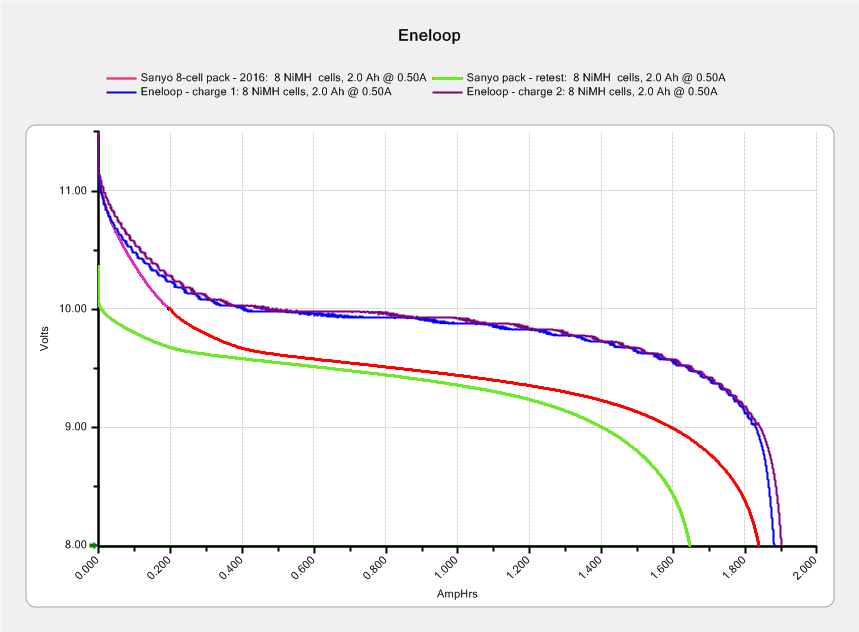
The two upper curves show the first two charges for those eight cells back in 2010.
The lower curve(s) started out with the wrong endpoint voltage (purple part of the middle curve), so I restarted the test (green curve) and edited the graph image to splice the two curves together into the purple/red curve.
Although the capacity measured in mA·h isn’t much lower, the voltage depression reduces the available energy and trips the “low battery” alarm much earlier. In round numbers, the old cells were good for a few pictures, even hot off the charger, and didn’t have much energy left without being recharged before use.
A quartet of Panasonic Eneloop Pro cells just arrived from BatterySpace, a nominally reputable supplier, all sporting a 14-05 date code suggesting they’re just shy of two years old. The packaging claims 85% charge retention after a year, so they should have a bit more than half of their rated 2.45 A·h “minimum” (or 2.55 mA·h “typical”, depending on whether you trust the label on the cell or the big print on the package) capacity remaining (although we don’t know the original state of charge, done from “solar power”). The lower curves say they arrived with 1 A·h remaining:
Panasonic Eneloop – First Charge
However, the terminal voltage on those bottom curves would have any reasonable device reporting them as dead flat almost instantly, so you really can’t store Eneloops for two years: no surprise there.
One pass through the 400 mA Sony charger produced the upper curves, with the dotted red curve from Cell A lagging in the middle. After that test, another pass through the charger brought Cell A back (upper solid red line) with the others, so I’ll assume it took a while to wake up.
A pair of these in the camera will produce 2.2 V through 2.2 A·h, far better than the aged-out Sanyo Eneloops.
Charging them at 400 mA = C/6 certainly counts as a slow charge. I’ve been charging the Sanyo cells in slow chargers in the hope that they’ll remain happier over the long term.
It seems that two years is about as long as the NP-FS11 batteries last, as shown by the two lower curves from the ones I rebuilt in December 2013 with cells from 2011:
Sony NP-FS11 2011-2016 Packs
The two middle curves with those same colors show the “back then” performance of those batteries: they’re shot in both total capacity and terminal voltage.
I bought enough cells back in 2011 to leave two cells unused until now, which I built into a pack and charged. The green curve in the middle shows the result: those cells haven’t lost anything over the last five (!) years, as their performance still matches the other two batteries when they were new.
The red curves come from a pair of batteries made with fresh new cells from batteryspace.com. They’re nominally 650 mA·h cells, so the NP-FS11 configuration (two parallel cells) should produce 1300 mA·h; surprisingly, they show 1500 mA·h with a nice voltage curve.
So, although the 2011 cells work as well as their (now defunct) siblings, that pack can’t deliver the same capacity as the new cells. I expect I’ll rebuild it with 2016 cells in about a year.
For whatever it’s worth, rebuilding these batteries goes much faster when I don’t have to saw them open. The Kapton tape wrapped around the case halves secures them well enough; there’s no need for fancy gluing.
NP-FS11 Battery Rebuilds – 2016-03
Yeah, I should make better labels. It’s hard to form a deep emotional attachment to the poor things, though.
Here’s a case where something performs better than expected; I don’t always buy cheap junk from the usual eBay vendor…
Being a Linux box, a Raspberry Pi requires a tidy shutdown, but, because it uses so little power after that, I decided to forego a power switch and just blip the CPU reset line to start it up again. Canakit cases require a bit of flush-cutter hackage to accommodate a crude socket atop the RUN header:
Canakit RPi Case – reset switch – header clearance
The switch originally had three terminals, but turned out to be SPST NO with one unused pin. Flush cutters and some hot melt glue to the rescue:
Canakit RPi Case – reset switch – interior
The end result looks OK, modulo a few scuffs on the shiny black plastic:
Canakit RPi Case – reset switch – exterior
Yeah, a clumsy swipe could wipe that actuator right off the top; we’ll see how long it lasts…
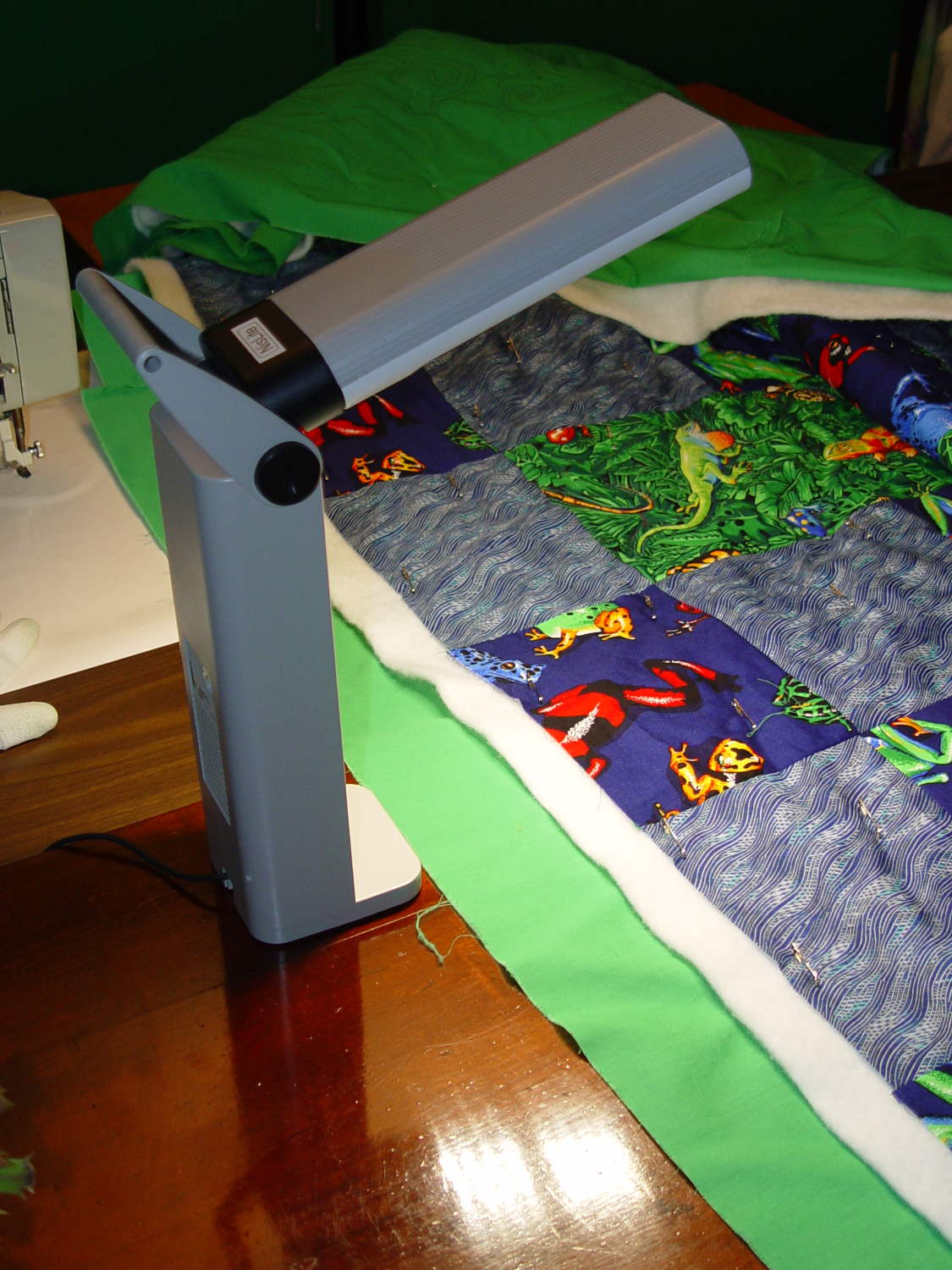
Although Mary liked the illumination from her OttLite (an old 13 W fluorescent Folding Task Lamp), neither of us liked its tiny base and tippy nature. It recently fell / was dropped / jumped to its doom, smashing the CFL tube and wreaking havoc on the tiny plastic studs holding its large cast-iron weight and steel base in position. Given that the CFL ballast had started humming a while ago, I took it apart to see whether I could salvage anything from the rubble.
Remove:
Four screws under the fuzzy felt feet
One screw under the label on the back
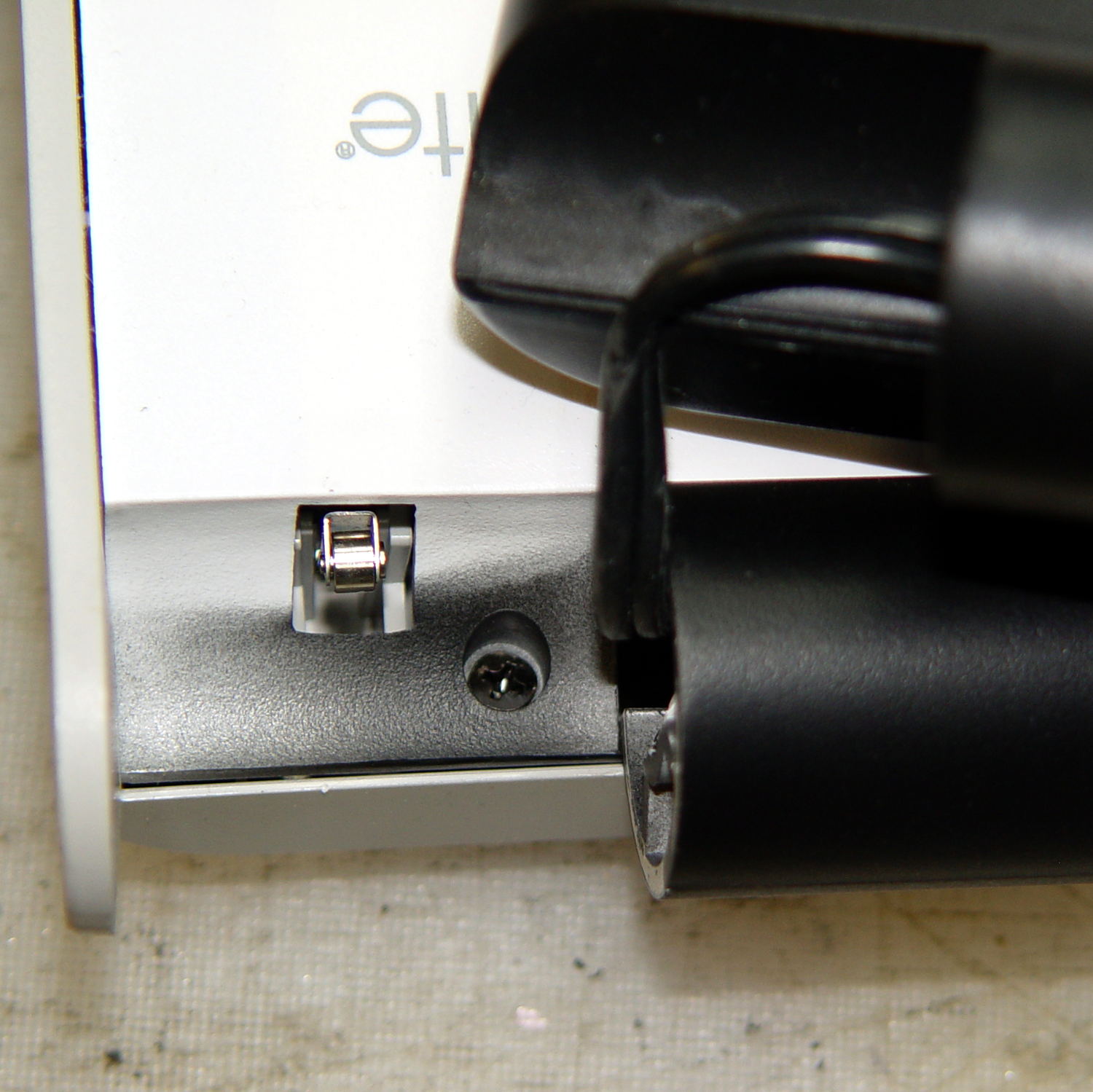
A final screw that becomes visible only after disemboweling the hinge assembly by unscrewing the obvious endcaps:
OttLite LED Conversion – hinge screw
Pull the hinge end of the white inside panel away from the outer stand at enough of an angle to disengage all three latches holding it to the base, then remove it just enough to let you start cutting wires around the ballast…
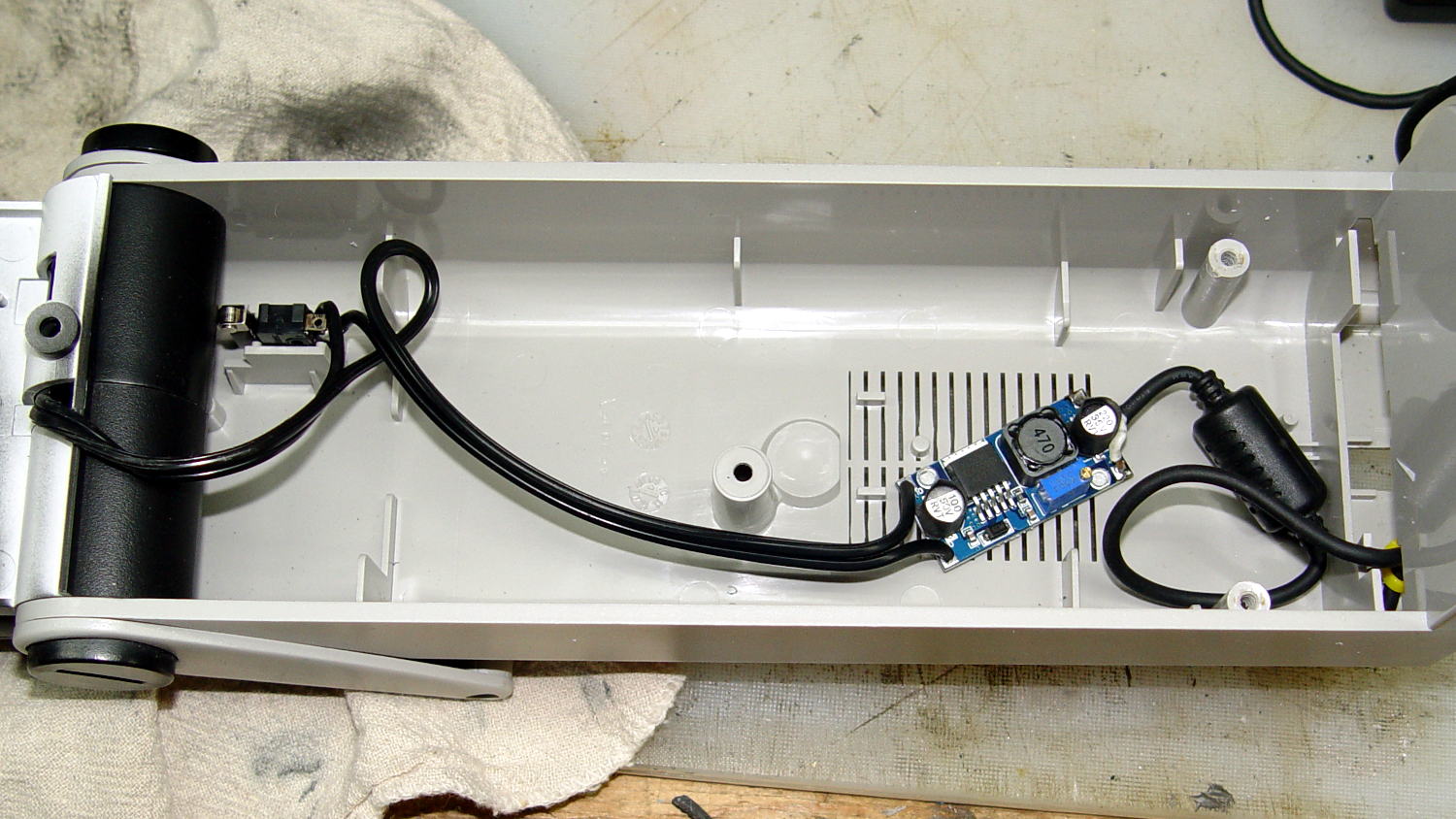
I rebuilt the thing with a pair of 24 V 150 mA warm-white LED panels (good industrial surplus, not the usual cheap eBay crap) powered by a 19 V laptop adapter (from IBM, no less) through a (cheap eBay) boost converter sticky-foam-taped where the fluorescent ballast used to live:
OttLite LED Conversion – boost supply wiring
The power supply had only two conductors, the central wire surrounded by twisted shielding, and didn’t require a fussy interface. Hooray for simple bulk power supplies; I lopped off the connector and soldered the wires directly to the boost converter.
The original lamp wiring has a 120 VAC switch inside the hinge that turned the lamp on as you raise the arm holding the CFL tube: exactly what I need for its new use. That eliminated figuring out how to crack the arm apart to rewire it.
I harvested the base from a(nother) defunct CFL bulb:
OttLite LED Conversion – harvested CFL base
By soldering wires directly into the pins, I could reuse the existing CFL socket in the lamp arm, the existing wiring, and the switch.
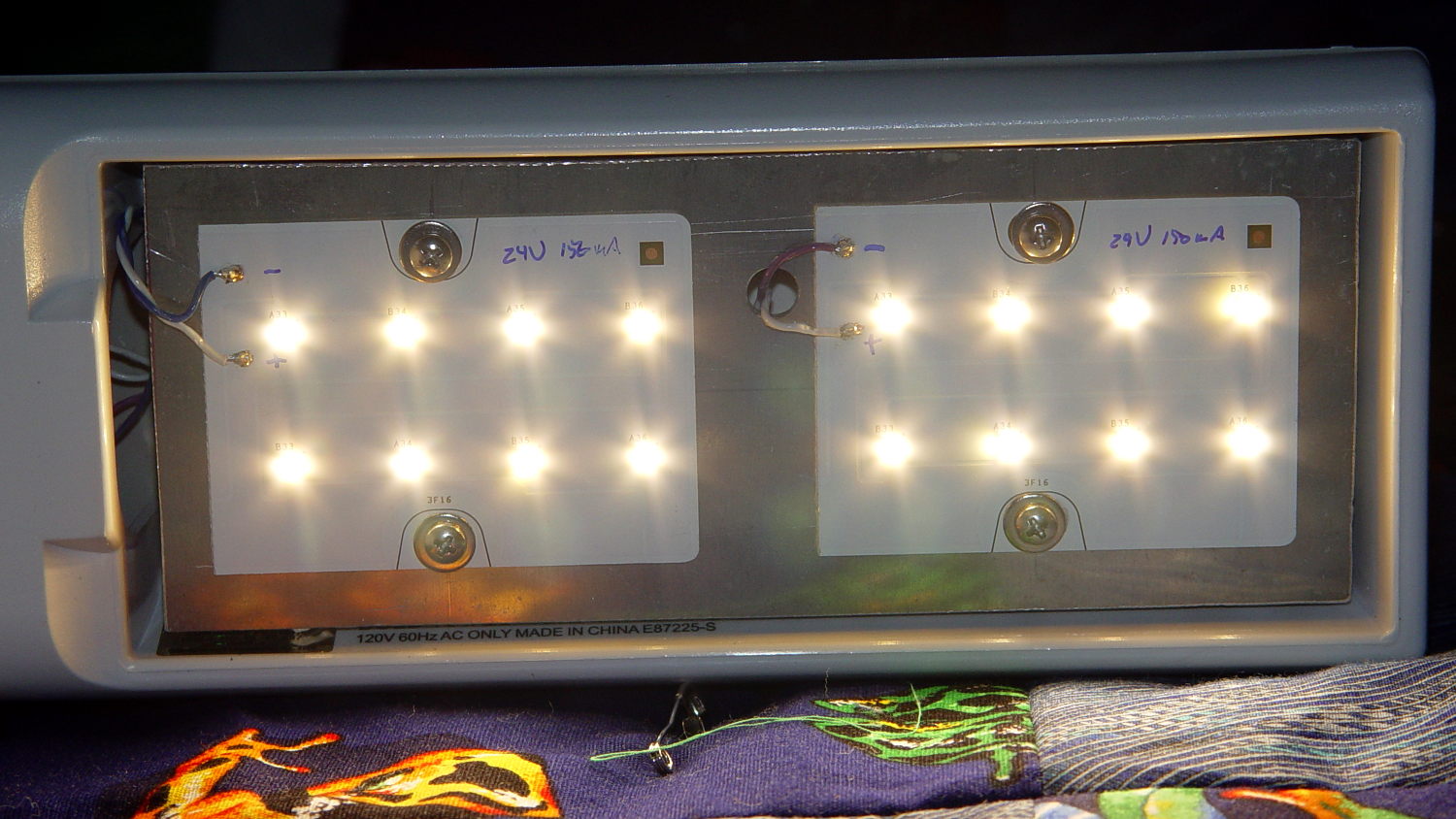
The LED panels dissipate 3-ish W each:
OttLite LED Conversion – LED panel layout
They’re mounted on a 0.1 inch aluminum sheet from the heap that required exactly one saw cut to fit into the space available, so I defined it to be perfect. The 4-40 screws holding the panels in place continue through the plate and 3/8 inch aluminum standoffs into a quartet of knurled inserts epoxied into eyeballometrically match-drilled holes in the lamp arm:
OttLite LED Conversion – epoxied threaded inserts
The faint yellowish discoloration from the CFL tube’s heat and UV is much more visible in real life, but nobody will ever see it again. The scrawled blue (+) and (-) marks give the socket polarity; it’s not mechanically polarized and a bit of care is in order. The black rectangle is actually a shiny metal sheet intended to reflect heat from the CFL tube’s base away from the plastic arm.
I set the boost converter to 23.5 V, at which point the LED panels draw about 100 mA each and get just over uncomfortably warm after an hour or two:
OttLite LED Conversion – in action
The panels run 120 °F = 50 °C and the SMD LEDs probably exceed 150 °F = 65 °C. The scant surplus doc touted “No heatsink required” and the single-sided FR4 PCB insulates the LEDs from the aluminum sheet, but I still smeared some heatsink compound behind the panels in the hopes of spreading the heat out a bit.
I glued the shattered base studs back in place with IPS #3, surrounded them with generous epoxy fillets, plunked the cast iron weight in place atop some waxed paper to mold the epoxy to fit (and let me remove it again, if needs be), screwed everything together, and stuck a foam sheet over the steel base plate. It’s as tippy as before, but at least the LEDs won’t shatter if when it falls. It really needs a larger base; a polycarbonate plate might work, if only I could figure out how to attach it.
All in all, the lamp looks good and the warm-white LEDs with DC drive don’t produce that horrible fluorescent flicker.
The lamp now sports a label identifying it as a NisLite; because P-Touch labeler.