|
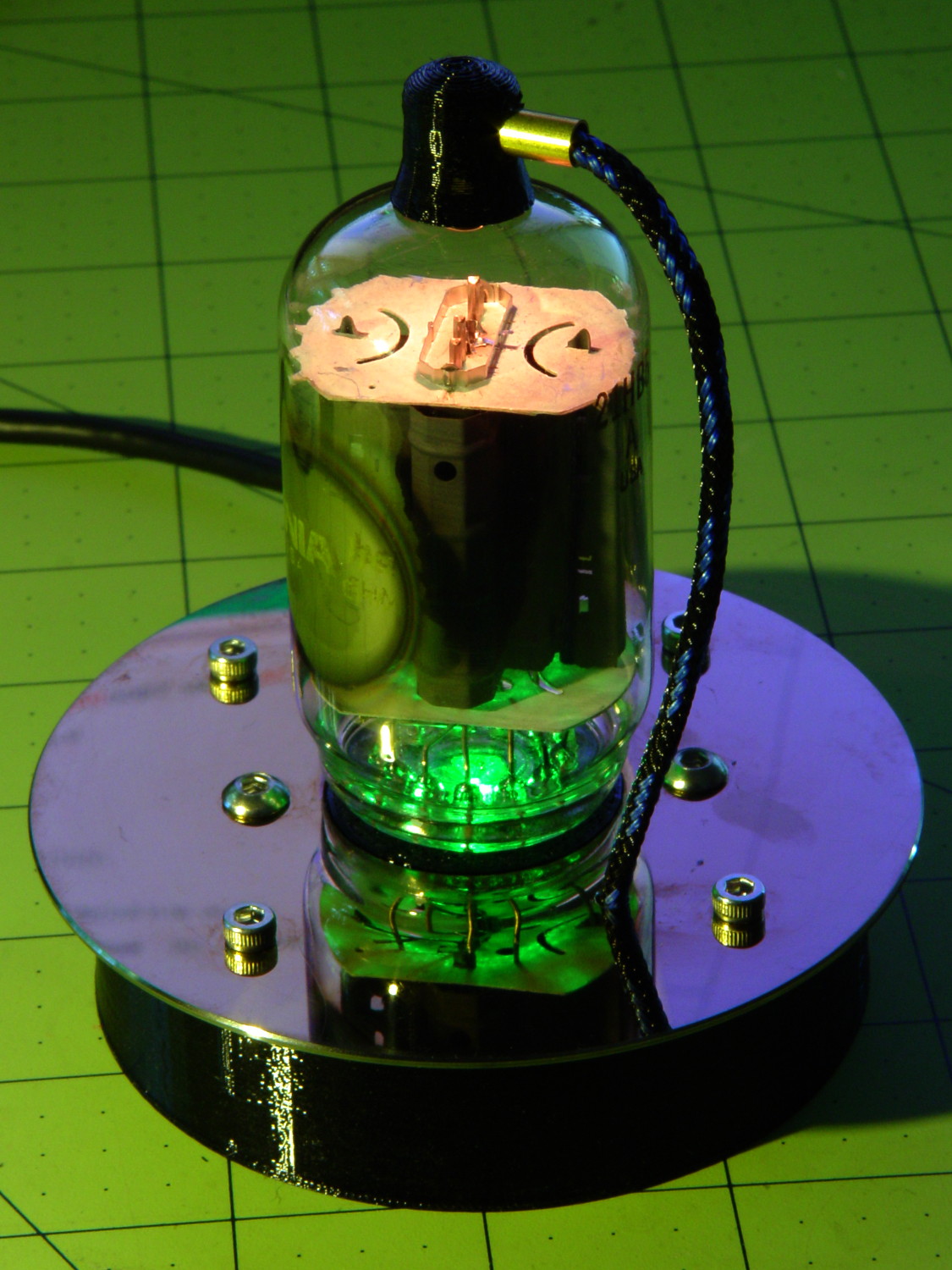
// Neopixel mood lighting for vacuum tubes |
|
// Ed Nisley – KE4ANU – June 2016 |
|
// September 2016 – Add Morse library and blinkiness |
|
|
|
#include <Adafruit_NeoPixel.h> |
|
#include <morse.h> |
|
#include <Entropy.h> |
|
|
|
//———- |
|
// Pin assignments |
|
|
|
const byte PIN_NEO = A3; // DO – data out to first Neopixel |
|
|
|
const byte PIN_HEARTBEAT = 13; // DO – Arduino LED |
|
|
|
#define PIN_MORSE 12 |
|
|
|
//———- |
|
// Constants |
|
|
|
#define PIXELS 2 |
|
#define PIXEL_MORSE 1 |
|
|
|
#define MORSE_WPM 10 |
|
|
|
#define UPDATEINTERVAL 50ul |
|
const unsigned long UpdateMS = UPDATEINTERVAL – 1ul; // update LEDs only this many ms apart (minus loop() overhead) |
|
|
|
// number of steps per cycle, before applying prime factors |
|
#define RESOLUTION 250 |
|
|
|
// want to randomize the startup a little? |
|
#define RANDOMIZE true |
|
|
|
//———- |
|
// Globals |
|
|
|
// instantiate the Neopixel buffer array |
|
|
|
Adafruit_NeoPixel strip = Adafruit_NeoPixel(PIXELS, PIN_NEO, NEO_GRB + NEO_KHZ800); |
|
|
|
uint32_t FullWhite = strip.Color(255,255,255); |
|
uint32_t FullOff = strip.Color(0,0,0); |
|
uint32_t MorseColor = strip.Color(255,191,0); |
|
|
|
struct pixcolor_t { |
|
byte Prime; |
|
unsigned int NumSteps; |
|
unsigned int Step; |
|
float StepSize; |
|
byte MaxPWM; |
|
}; |
|
|
|
unsigned int PlatterSteps; |
|
|
|
byte PrimeList[] = {3,5,7,13,19,29}; |
|
|
|
// colors in each LED |
|
enum pixcolors {RED, GREEN, BLUE, PIXELSIZE}; |
|
|
|
struct pixcolor_t Pixels[PIXELSIZE]; // all the data for each pixel color intensity |
|
|
|
uint32_t UniColor; |
|
|
|
unsigned long MillisNow; |
|
unsigned long MillisThen; |
|
|
|
// Morse code |
|
|
|
LEDMorseSender Morse(PIN_MORSE, (float)MORSE_WPM); |
|
|
|
uint8_t PrevMorse, ThisMorse; |
|
|
|
//– Figure PWM based on current state |
|
|
|
byte StepColor(byte Color, float Phi) { |
|
|
|
byte Value; |
|
|
|
Value = (Pixels[Color].MaxPWM / 2.0) * (1.0 + sin(Pixels[Color].Step * Pixels[Color].StepSize + Phi)); |
|
|
|
// Value = (Value) ? Value : Pixels[Color].MaxPWM; // flash at dimmest points |
|
|
|
return Value; |
|
} |
|
|
|
|
|
//– Helper routine for printf() |
|
|
|
int s_putc(char c, FILE *t) { |
|
Serial.write(c); |
|
} |
|
|
|
//—————— |
|
// Set the mood |
|
|
|
void setup() { |
|
|
|
pinMode(PIN_HEARTBEAT,OUTPUT); |
|
digitalWrite(PIN_HEARTBEAT,LOW); // show we arrived |
|
|
|
Serial.begin(57600); |
|
fdevopen(&s_putc,0); // set up serial output for printf() |
|
|
|
printf("Vacuum Tube Mood Light\r\nEd Nisley – KE4ZNU – September 2016\r\n"); |
|
|
|
Entropy.initialize(); // start up entropy collector |
|
|
|
// set up Neopixels |
|
|
|
strip.begin(); |
|
strip.show(); |
|
|
|
// lamp test: a brilliant white flash |
|
|
|
printf("Lamp test: flash white\r\n"); |
|
|
|
for (byte i=0; i<3 ; i++) { |
|
for (int j=0; j < strip.numPixels(); j++) { // fill LEDs with white |
|
strip.setPixelColor(j,FullWhite); |
|
} |
|
strip.show(); |
|
delay(500); |
|
|
|
for (int j=0; j < strip.numPixels(); j++) { // fill LEDs with black |
|
strip.setPixelColor(j,FullOff); |
|
} |
|
strip.show(); |
|
delay(500); |
|
} |
|
|
|
// set up real random numbers |
|
|
|
uint32_t rn = Entropy.random(); |
|
|
|
if (RANDOMIZE) { |
|
printf("Preloading LED array with seed: %08lx\r\n",rn); |
|
randomSeed(rn); |
|
} |
|
else { |
|
printf("Start not randomized\r\n"); |
|
} |
|
printf("First random number: %ld\r\n",random(10)); |
|
|
|
// set up the color generators |
|
|
|
Pixels[RED].Prime = PrimeList[random(sizeof(PrimeList))]; |
|
|
|
do { |
|
Pixels[GREEN].Prime = PrimeList[random(sizeof(PrimeList))]; |
|
} while (Pixels[RED].Prime == Pixels[GREEN].Prime); |
|
|
|
do { |
|
Pixels[BLUE].Prime = PrimeList[random(sizeof(PrimeList))]; |
|
} while (Pixels[BLUE].Prime == Pixels[RED].Prime || |
|
Pixels[BLUE].Prime == Pixels[GREEN].Prime); |
|
|
|
printf("Primes: (%d,%d,%d)\r\n",Pixels[RED].Prime,Pixels[GREEN].Prime,Pixels[BLUE].Prime); |
|
|
|
Pixels[RED].MaxPWM = 255; |
|
Pixels[GREEN].MaxPWM = 255; |
|
Pixels[BLUE].MaxPWM = 255; |
|
|
|
for (byte c=0; c < PIXELSIZE; c++) { |
|
Pixels[c].NumSteps = RESOLUTION * (unsigned int) Pixels[c].Prime; |
|
Pixels[c].Step = RANDOMIZE ? random(Pixels[c].NumSteps) : (3*Pixels[c].NumSteps)/4; |
|
Pixels[c].StepSize = TWO_PI / Pixels[c].NumSteps; // in radians per step |
|
|
|
printf("c: %d Steps: %d Init: %d",c,Pixels[c].NumSteps,Pixels[c].Step); |
|
printf(" PWM: %d\r\n",Pixels[c].MaxPWM); |
|
} |
|
|
|
// set up Morse generator |
|
|
|
printf("Morse %d wpm\n",MORSE_WPM); |
|
Morse.setup(); |
|
Morse.setMessage(String(" cq cq cq de ke4znu ")); |
|
PrevMorse = ThisMorse = digitalRead(PIN_MORSE); |
|
|
|
MillisNow = MillisThen = millis(); |
|
|
|
} |
|
|
|
//—————— |
|
// Run the mood |
|
|
|
void loop() { |
|
|
|
if (!Morse.continueSending()) { |
|
Morse.startSending(); |
|
} |
|
ThisMorse = digitalRead(PIN_MORSE); |
|
|
|
MillisNow = millis(); |
|
if (((MillisNow – MillisThen) > UpdateMS) || // time for color change? |
|
(PrevMorse != ThisMorse)) { // Morse output bit changed? |
|
digitalWrite(PIN_HEARTBEAT,HIGH); |
|
|
|
if (ThisMorse) { // if Morse output high, overlay |
|
strip.setPixelColor(PIXEL_MORSE,MorseColor); |
|
} |
|
PrevMorse = ThisMorse; |
|
strip.show(); // send out precomputed colors |
|
|
|
for (byte c=0; c < PIXELSIZE; c++) { // compute next increment for each color |
|
if (++Pixels[c].Step >= Pixels[c].NumSteps) { |
|
Pixels[c].Step = 0; |
|
printf("Cycle %d steps %d at %8ld delta %ld ms\r\n",c,Pixels[c].NumSteps,MillisNow,(MillisNow – MillisThen)); |
|
} |
|
} |
|
|
|
byte Value[PIXELSIZE]; |
|
for (byte c=0; c < PIXELSIZE; c++) { // … for each color |
|
Value[c] = StepColor(c,0.0); // figure new PWM value |
|
} |
|
UniColor = strip.Color(Value[RED],Value[GREEN],Value[BLUE]); |
|
for (int j=0; j < strip.numPixels(); j++) { // fill all LEDs with color |
|
strip.setPixelColor(j,UniColor); |
|
} |
|
|
|
MillisThen = MillisNow; |
|
digitalWrite(PIN_HEARTBEAT,LOW); |
|
} |
|
|
|
} |