The Smell of Molten Projects in the Morning

Ed Nisley's Blog: Shop notes, electronics, firmware, machinery, 3D printing, laser cuttery, and curiosities. Contents: 100% human thinking, 0% AI slop.

Category: Electronics Workbench

Electrical & Electronic gadgets

  • Cast Iron Pan Electrolysis Stripping

    Our cast iron pans need seasoning, so I decided to start with full-metal-jacket electrolysis stripping, rather than soaking them in oven cleaner / smogging the kitchen with the self-cleaning oven / actually doing any work. The electrolysis setup involves the big battery charger and a bucket of sodium carbonate solution:

    Cast iron pan electrolysis - setup
    Cast iron pan electrolysis – setup

    Although the charger has a 40 A capacity, the small pan bubbles along merrily at a self-limited 7 A:

    Cast iron pan electrolysis - bucket
    Cast iron pan electrolysis – bucket

    The anode is a big sheet of steel that was once an EMI shield in a big PC case. The side facing the pan corroded very quickly, but the outside remains in good shape and I think it’ll suffice for the medium and large pans.

    After two hours, only the crustiest bits of the crust remained:

    Cast iron pan electrolysis - 2 hours
    Cast iron pan electrolysis – 2 hours

    Those flakes fell right off after a few pokes from my demolition scraper; definite anticlimax, that.

    Another hour in the tank cleaned the handle and removed a few other spots; it now sports a layer of flash rust that’ll require another pass after I strip the other two pans…

  • Counterfeit FTDI USB-Serial Adapter Roundup

    As part of the vacuum tube lighting project, I picked up a bunch of USB-Serial adapters, with the intent of simply building them into the lamp base along with a knockoff Arduino Pro Mini, then plugging in a cheap USB wall wart for power. An Arduino Nano might make more sense, but this lets me use the Pro Minis for other projects where power comes from elsewhere.

    Anyhow, I deliberately paid a few bucks extra for “genuine” FTDI chips, knowing full well what was about to happen:

    Assorted FT232 Converters
    Assorted FT232 Converters

    The two boards on the bottom have been in my collection forever and seem to be genuine FTDI; the one on the left came from Sparkfun:

    FT232RL - genuine
    FT232RL – genuine

    The top six have counterfeit chips, although you’d be hard-pressed to tell from the laser etching:

    FT232RL - fake
    FT232RL – fake

    In addition to the boards, I picked up the blue square-ish cable adapters for the HP 7475A plotter project and, again, paid extra for “genuine” FTDI chips. The other adapters, based on Prolific PL2303 chips, I’ve had basically forever:

    Assorted FT232 Converters - Cabled
    Assorted FT232 Converters – Cabled

    Those two have chips with different serial numbers: genuine FTDI chips get different serial numbers programmed during production. The counterfeits, well, they’re all pretty much the same.

    Display the serial numbers thusly:

    lsusb
    Bus 002 Device 024: ID 0403:6001 Future Technology Devices International, Ltd FT232 Serial (UART) IC
    ... snippage ...
    udevadm info --query=all --attribute-walk  --name=/dev/bus/usb/002/024 | grep ser
        ATTR{serial}=="A6005qSB"
    

    All the counterfeit FTDI chips report the same serial number: A50285BI. The PL2303 chips don’t report serial numbers.

    For my simple needs, they all work fine, but apparently fancier new microcontrollers expect more from their adapters and the counterfeits just can’t live up to their promises.

    For a while, FTDI released Windows drivers that bricked counterfeit chips; the Linux drivers were unaffected.

  • Monthly Science: Sony NP-BX1 Battery Status

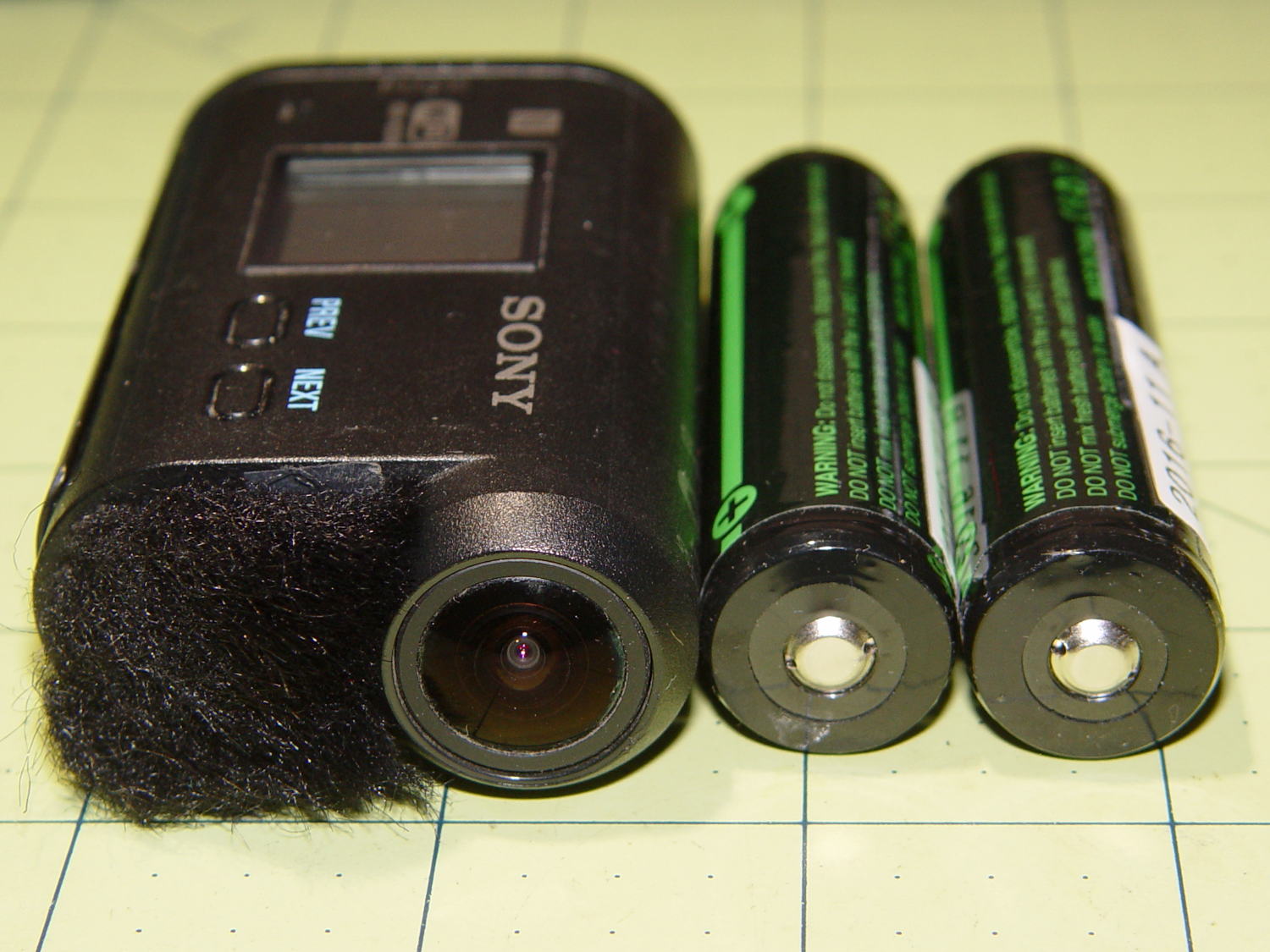
    Having had the weaker of the two surviving STK batteries die 36 minutes into a ride, I tested them all:

    Sony NP-BX1 - 1 A test - 2016-08-17
    Sony NP-BX1 – 1 A test – 2016-08-17

    The X axis shows W·h, rather than the usual A·h, because that seems more useful in a world of constant-power supplies.

    The test current is now 1 A, rather than the previous 500 mA, to more closely match the camera’s actual load. The CBA tester doesn’t have a constant-power mode; I think that doesn’t make much practical difference.

    The orange curve (STK D) is the failed battery, ending after 1.4 W·h. At an average 3.2-ish V, that’s 26 minutes, which is close enough to the actual run time, given the different current.

    The red curve (STK C) is the sole STK battery of the original four from last November that actually worked.

    The upper two curves come from the mostly unused Wasabi batteries (F and G), also from November. They have lost a bit of their capacity, but show the highest voltage out toward the end, so that’s good.

    The black curve is the lightly used Sony OEM battery that came with the camera. Although it has about the same ultimate capacity as the other three “good” batteries, the voltage depression suggests it’ll trip out early.

    The others are pretty much debris by now. I suppose they might be good for LED blinkies or some other low-voltage and low-current application, but …

    So I’ll start using all four of the better batteries and see how the run times work out in actual use.

  • ITead Studio Quasi-Colorduino RGB LED Matrix Shield: Redesign Doodles

    Some notes on a recent acquisition that ought to allow random dots with individual brightness control (unlike my simple resistor-limited hack job):

    Color Shield - DM163 M54565 - demo
    Color Shield – DM163 M54565 – demo

    A Colorduino is a dedicated board that combines an Arduino-class microcontroller with hardware drivers for an 8×8 RGB LED matrix, with daisy-chaining I/O to build bigger displays. The Colors Shield you see above omits the Arduino circuitry and daisy-chaining hardware: it plugs atop an ordinary Arduino UNO-class board as a dedicated 8×8 tile driver.

    I do not profess to understand the ancestry & family tree of those designs and their various incarnations. This schematic doesn’t match the knockoff hardware in hand, which isn’t surprising after half a dozen years of relentless product cheapnification:

    ITeadStudio - RGB LED shield - DM163 M54564 - SPI notes
    ITeadStudio – RGB LED shield – DM163 M54564 – SPI notes

    It comes close enough for a big-picture overview…

    The DM163 has 8×3 constant current sink PWM pins that connect to the column cathodes of the RGB matrix. It provides either 8 or 6 bits of PWM control for each output, with either 6 or 8 bits of gamma correction to make the grayscale shades work out properly (those are separate shift registers and the PWM generators use both, so the chip doesn’t care how you divvy up the 14 bits).

    The three 1 kΩ resistors set the current to 60 mA per output pin. The LED matrix might support anywhere from  70 to 120 mA peak current per LED, but I doubt the supplied matrix matches any of the available datasheets. The total current depends on the number of LEDs lit on each row, so large dark areas are a Good Thing.

    The serial protocol looks enough like SPI to get by, with controls for Reset, Latch, and Bank Select.

    The board has no power supply other than the single Arduino VCC pin, so you’re looking at a peak of 24 x 60 mA = 1.44 A through that pin. The Arduino regulator must supply that load pretty much full-time, which is obviously a Bad Thing; plan on plenty of dark areas.

    The DM163 SPI connections don’t use the Arduino’s hardware SPI, so it’s full-frontal bit-banging all the way. Three DM163 control bits use a trio of analog inputs as digital outputs. No harm in that, works fine with the knockoff Neopixels.

    The M54564 is a PNP high-side driver converting logic-level inputs to the current required for the row anodes of the matrix. The eight input bits are non-contiguous across the Arduino’s digital outputs. You could turn on all the M54564 outputs at once, which would be a Bad Thing.

    You shift 24 bytes of RGB data into the DM163 and latch the data, then raise one of the M54564 inputs to enable a given row of LEDs, which light up with the corresponding colors.

    The bit-banged SPI runs at 1.9 µs/bit and sending all 24 bits to the DM163 requires 450 µs. With a 100 Hz refresh, that’s a mere 5% overhead, but the fact that the board soaks up essentially all the I/O pins means the Arduino isn’t not doing much else in the way of real-world interaction.

    The Arduino driver, of dubious provenance, sets Timer 0 for 100-ish Hz interrupts. Each interrupt shifts another batch of bytes into the DM163 and selects the appropriate row. The driver uses a double-buffered array that soaks up 2x8x8x3 = 384 bytes of precious RAM, in addition to a bunch of working storage.

    If I were (re)designing this board…

    A separate power input jack for the DM163 that might optionally feed the Arduino’s VIN raw power pin.

    Use the Arduino SPI hardware, dammit.

    Put an HC595 shift register behind the M54564, so you’d shift 24 + 8 = 32 bits into the board, then strobe the latches. That eliminates eight digital pins used as a parallel port.

    You’d surely want to disable the row driver while switching the column drivers to avoid ghosting, so figure on a separate output enable for the HC595. That tri-states the 595’s outputs; although the M54564 has internal pulldowns, it might need more.

    It’s entirely usable as-is, but sheesh it’d be so easy to do a better job. That wouldn’t be software compatible with all the Arduino Love for the existing boards out there; there’s no point.


  • Switch Contact Bounce

    An Arduino hairball for an upcoming Digital Machinist column:

    Arduino UNO clone - test setup
    Arduino UNO clone – test setup

    A short program monitors the switch. When it closes, the program reads the analog voltage from the pot and blinks the LED (on Pin 13, so you don’t need an external LED) for that number of milliseconds.

    Some diligent rummaging produced a spectacularly bouncy switch (lower trace) with the output pulse (upper trace):

    Contact Bounce - Matsuhita - NO 1
    Contact Bounce – Matsuhita – NO 1

    A longer timebase shows it’s rattling around for nearly half a millisecond:

    Contact Bounce - Matsuhita - NO 2
    Contact Bounce – Matsuhita – NO 2

    The second pulse in the upper trace shows that the code gets around the loop() fast enough to retrigger on the same button push, which is part of the lesson in the column

    A midrange timebase:

    Contact Bounce - Matsuhita - NO 3
    Contact Bounce – Matsuhita – NO 3

    You could surely get a few random numbers out of that noise, although the first few bounces seem surprisingly consistent.

  • Random LED Dots: Entropy Library for Moah Speed with Less Gimcrackery

    A discussion over the Squidwrench Operating Table about injecting entropy into VMs before / during their boot sequence reminded me that I wanted to try the Entropy library with my 8×8 RGB LED matrix:

    8x8 RGB LED Matrix - board overview
    8×8 RGB LED Matrix – board overview

    The original version trundled along with random numbers produced by timing Geiger counter ticks. The second version, digitizing the amplified noise from a reverse-biased PN junction, ran much faster.

    What’s new & different: the Entropy library measures the jitter between the ATmega328 watchdog timer’s RC oscillator and the ceramic resonator (on Pro Mini boards) driving the CPU. It cranks out four bytes of uncorrelated bits every half-second, which isn’t quite fast enough for a sparkly display, but re-seeding the Arduino PRNG whenever enough entropy arrives works well enough.

    One could, of course, re-seed the PRNG with Geiger bits or junction noise to the same effect. The key advantage of the Entropy library: no external hardware required. The downside: no external hardware required, so, minus those techie transistors / resistors / op amps, it will look like Just Another Arduino Project.

    Reverse-bias noise amplifier - detail
    Reverse-bias noise amplifier – detail

    Le sigh.

    In any event, the Entropy library has excellent documentation and works perfectly.

    The Arduino PRNG can produce results fast enough for wonderfully twinkly output that’s visually indistinguishable from the “true” random numbers from the Geiger counter or PN junction. I dialed it back to one update every 5 ms, because letting it free-run turned the display into an unattractive blur.

    The top trace shows the update actually happens every 6 ms:

    Entropy TRNG - LED update vs refresh
    Entropy TRNG – LED update vs refresh

    The lower trace shows that each matrix row refresh takes about a millisecond. Refreshes occur on every main loop iteration and interfere with the update, not that that makes any difference. Should it matter, subtract one from the update period and it’ll be all good.

    The Arduino source code as a GitHub Gist:

    // Random LED Dots
    // Based on Entropy library using watchdog timer jitter
    // https://sites.google.com/site/astudyofentropy/project-definition/timer-jitter-entropy-sources/entropy-library
    // Ed Nisley – KE4ANU – August 2016
    #include <Entropy.h>
    //———-
    // Pin assignments
    const byte PIN_HEARTBEAT = 8; // DO – heartbeat LED
    const byte PIN_SYNC = A3; // DO – scope sync
    const byte PIN_LATCH = 4; // DO – shift register latch clock
    const byte PIN_DIMMING = 9; // AO – LED dimming control
    // These are *hardware* SPI pins
    const byte PIN_MOSI = 11; // DO – data to shift reg
    const byte PIN_MISO = 12; // DI – data from shift reg (unused)
    const byte PIN_SCK = 13; // DO – shift clock to shift reg (also Arduino LED)
    const byte PIN_SS = 10; // DO – -slave select (must be positive for SPI output)
    //———-
    // Constants
    #define UPDATE_MS 5
    //———-
    // Globals
    // LED selects are high-active bits and low-active signals: flipped in UpdateLEDs()
    // *exactly* one row select must be active in each element
    typedef struct {
    const byte Row;
    byte ColR;
    byte ColG;
    byte ColB;
    } LED_BYTES;
    // altering the number of rows & columns will require substantial code changes…
    #define NUMROWS 8
    #define NUMCOLS 8
    LED_BYTES LEDs[NUMROWS] = {
    {0x80,0,0,0},
    {0x40,0,0,0},
    {0x20,0,0,0},
    {0x10,0,0,0},
    {0x08,0,0,0},
    {0x04,0,0,0},
    {0x02,0,0,0},
    {0x01,0,0,0},
    };
    byte RowIndex;
    #define LEDS_ON 0
    #define LEDS_OFF 255
    unsigned long MillisNow;
    unsigned long MillisThen;
    //– Helper routine for printf()
    int s_putc(char c, FILE *t) {
    Serial.write(c);
    }
    //– Useful stuff
    // Free RAM space monitor
    // From http://playground.arduino.cc/Code/AvailableMemory
    uint8_t * heapptr, * stackptr;
    void check_mem() {
    stackptr = (uint8_t *)malloc(4); // use stackptr temporarily
    heapptr = stackptr; // save value of heap pointer
    free(stackptr); // free up the memory again (sets stackptr to 0)
    stackptr = (uint8_t *)(SP); // save value of stack pointer
    }
    void TogglePin(char bitpin) {
    digitalWrite(bitpin,!digitalRead(bitpin)); // toggle the bit based on previous output
    }
    void PulsePin(char bitpin) {
    TogglePin(bitpin);
    TogglePin(bitpin);
    }
    //———
    //– SPI utilities
    void EnableSPI(void) {
    digitalWrite(PIN_SS,HIGH); // make sure this is high!
    SPCR |= 1 << SPE;
    }
    void DisableSPI(void) {
    SPCR &= ~(1 << SPE);
    }
    void WaitSPIF(void) {
    while (! (SPSR & (1 << SPIF))) {
    // TogglePin(PIN_HEARTBEAT);
    continue;
    }
    }
    byte SendRecSPI(byte Dbyte) { // send one byte, get another in exchange
    SPDR = Dbyte;
    WaitSPIF();
    return SPDR; // SPIF will be cleared
    }
    void UpdateLEDs(byte i) {
    SendRecSPI(~LEDs[i].ColB); // low-active outputs
    SendRecSPI(~LEDs[i].ColG);
    SendRecSPI(~LEDs[i].ColR);
    SendRecSPI(~LEDs[i].Row);
    analogWrite(PIN_DIMMING,LEDS_OFF); // turn off LED to quench current
    PulsePin(PIN_LATCH); // make new shift reg contents visible
    analogWrite(PIN_DIMMING,LEDS_ON);
    }
    //—————
    // Set LED from integer
    // On average, this leaves the LED unchanged for 1/8 of the calls…
    void SetLED(unsigned long Value) {
    byte Row = Value & 0x07;
    byte Col = (Value >> 3) & 0x07;
    byte Color = (Value >> 6) & 0x07;
    byte BitMask = (0x80 >> Col);
    // printf("%u %u %u %u\r\n",Row,Col,Color,BitMask);
    LEDs[Row].ColR &= ~BitMask;
    LEDs[Row].ColR |= (Color & 0x04) ? BitMask : 0;
    LEDs[Row].ColG &= ~BitMask;
    LEDs[Row].ColG |= (Color & 0x02) ? BitMask : 0;
    LEDs[Row].ColB &= ~BitMask;
    LEDs[Row].ColB |= (Color & 0x01) ? BitMask : 0;
    }
    //——————
    // Set things up
    void setup() {
    pinMode(PIN_HEARTBEAT,OUTPUT);
    digitalWrite(PIN_HEARTBEAT,HIGH); // show we arrived
    pinMode(PIN_SYNC,OUTPUT);
    digitalWrite(PIN_SYNC,LOW);
    pinMode(PIN_MOSI,OUTPUT); // SPI-as-output is not strictly necessary
    digitalWrite(PIN_MOSI,LOW);
    pinMode(PIN_SCK,OUTPUT);
    digitalWrite(PIN_SCK,LOW);
    pinMode(PIN_SS,OUTPUT);
    digitalWrite(PIN_SS,HIGH); // OUTPUT + HIGH is required to make SPI output work
    pinMode(PIN_LATCH,OUTPUT);
    digitalWrite(PIN_LATCH,LOW);
    Serial.begin(57600);
    fdevopen(&s_putc,0); // set up serial output for printf()
    printf("Random LED Dots – Watchdog Entropy\r\nEd Nisley – KE4ZNU – August 2016\r\n");
    Entropy.initialize(); // start up entropy collector
    //– Set up SPI hardware
    SPCR = B01110001; // Auto SPI: no int, enable, LSB first, master, + edge, leading, f/16
    SPSR = B00000000; // not double data rate
    EnableSPI(); // turn on the SPI hardware
    SendRecSPI(0); // set valid data in shift registers: select Row 0, all LEDs off
    //– Dimming pin must use fast PWM to avoid beat flicker with LED refresh rate
    // Timer 1: PWM 9 PWM 10
    analogWrite(PIN_DIMMING,LEDS_OFF); // disable column drive (hardware pulled it low before startup)
    TCCR1A = B10000001; // Mode 5 = fast 8-bit PWM with TOP=FF
    TCCR1B = B00001001; // … WGM, 1:1 clock scale -> 64 kHz
    //– lamp test: send a white flash through all LEDs
    printf("Lamp test begins: white flash each LED…");
    digitalWrite(PIN_HEARTBEAT,LOW); // turn off while panel blinks
    analogWrite(PIN_DIMMING,LEDS_ON); // enable column drive
    for (byte i=0; i<NUMROWS; i++) {
    for (byte j=0; j<NUMCOLS; j++) {
    LEDs[i].ColR = LEDs[i].ColG = LEDs[i].ColB = 0x80 >> j;
    for (byte k=0; k<NUMROWS; k++) {
    UpdateLEDs(k);
    delay(25);
    }
    LEDs[i].ColR = LEDs[i].ColG = LEDs[i].ColB = 0;
    }
    }
    UpdateLEDs(NUMROWS-1); // clear the last LED
    printf(" done!\r\n");
    //– Preload LEDs with random values
    digitalWrite(PIN_HEARTBEAT,LOW);
    uint32_t rn = Entropy.random();
    printf("Preloading LED array with seed: %08lx\r\n",rn);
    randomSeed(rn);
    for (byte Row=0; Row<NUMROWS; Row++) {
    for (byte Col=0; Col<NUMCOLS; Col++) { // Col runs backwards, but we don't care
    LEDs[Row].ColR |= random(2) << Col; // random(2) returns 0 or 1
    LEDs[Row].ColG |= random(2) << Col;
    LEDs[Row].ColB |= random(2) << Col;
    }
    UpdateLEDs(Row);
    }
    check_mem();
    printf("SP: %u HP: %u Free RAM: %u\r\n",stackptr,heapptr,stackptr – heapptr);
    printf("Running…\r\n");
    MillisThen = millis();
    }
    //——————
    // Run the test loop
    void loop() {
    unsigned long Hash;
    uint32_t rn;
    MillisNow = millis();
    // Re-seed the generator whenever we get enough entropy
    if (Entropy.available()) {
    digitalWrite(PIN_HEARTBEAT,HIGH);
    rn = Entropy.random();
    // printf("Random: %08lx ",rn);
    randomSeed(rn);
    digitalWrite(PIN_HEARTBEAT,LOW);
    }
    // If it's time for a change, whack a random LED
    if ((MillisNow – MillisThen) > UPDATE_MS) {
    MillisThen = MillisNow;
    SetLED(random());
    }
    // Refresh LED array to maintain the illusion of constant light
    UpdateLEDs(RowIndex++);
    if (RowIndex >= NUMROWS) {
    RowIndex = 0;
    PulsePin(PIN_SYNC);
    }
    }
    view raw TimerDots.ino hosted with ❤ by GitHub
  • Kenmore Model 158: Needle Lights, Now With Moah LEDs

    The first pass at retrofitting SMD LEDs to light the needle area in Mary’s Model 158 sewing machine worked well enough:

    Kenmore 158 Needle Light - heatsink
    Kenmore 158 Needle Light – heatsink

    However, she wanted more light on the right side of the needle, so now she has it:

    Needle LEDs - front
    Needle LEDs – front

    That’s without any LEDs along the front and back of the arm, hence the dark pool beyond the sewing machine’s base.

    Those are the same 5050 warm white LEDs I used on the other side:

    Needle LEDs - lower right
    Needle LEDs – lower right

    Seen without the glare:

    Needle LEDs - bottom
    Needle LEDs – bottom

    They’re mounted on a 32 mil brass strip from the shimstock stash, carefully hand-bent and twisted to match the curvature of the arm, and held in place with JB Kwik steel-filled epoxy for good heat conduction to the aluminum arm. One can argue with the epoxy oozing out from under the brass, but it’s invisible from above.

    No construction photos, alas, because I made this in a white-hot frenzy one afternoon and managed to not take any pix during the entire session. Call it working in the flow, OK?

    All four SMD LEDs sit in epoxy blobs that isolate them from the brass strip, with 26 AWG solid wire “bus bars” soldered to the top of their terminals and a length of that lovely PTFE-insulated miniature coax leading off into the endcap. More epoxy encloses all the wiring & connections to provide a surprisingly smooth surface that shouldn’t snag the fabric.

    The power supply uses an 18 W 120 VAC to 12 VDC brick intended for small LED installations:

    Needle LEDs power supply - exterior
    Needle LEDs power supply – exterior

    The AC comes from the same zip cord that formerly supplied the original 15 W incandescent bulb in the endcap, so the new lights behave the same way: push the power button to turn on the machine and the LEDs pop on just like they should. I put quick-disconnect terminals in the AC line to make it removable, although those need some sort of insulated plug to cover the exposed blades inside their housing.

    Inside the black box, a small boost supply steps the voltage up to just under the nominal operating level of 21 VDC:

    Needle LEDs power supply - interior
    Needle LEDs power supply – interior

    You can just see the adjusting screw hole in front of the AC brick in the overall view.

    The DC output exits in the middle of the far side, through a coax jack epoxied to the base.

    As before, all six LEDs run in parallel at (for now) 18.5 VDC and maybe 50 mA each, for a total of 300 mA, and seem fearsomely bright even at that. We can now tune for best light as needed.

    This is a major major major improvement over the previous tangle of wires stuck on the outside of the machine, with all the wiring internal to the arm and the power supply out of sight under the sewing table.

    After an hour, the arm above the four LEDs runs 13 °C above ambient and the endcap over the two LED heatsink is 6 °C over ambient. The AC supply runs at 104 °C and its plastic case offers no provision for heatsinking. All in all, things are warm and not hazardous.

    I haven’t retrofit this machine with LED strips along the front & back of the arm, as those may not be needed with the intense needle lighting; the NisLite desk lamp may suffice for area illumination.