The Smell of Molten Projects in the Morning

Ed Nisley's Blog: Shop notes, electronics, firmware, machinery, 3D printing, laser cuttery, and curiosities. Contents: 100% human thinking, 0% AI slop.

Category: Electronics Workbench

Electrical & Electronic gadgets

  • X10 TM751 RF Transciever: End of Life

    X10 control from the two HR12A remotes got much worse over the last few months and eventually failed completely, which meant I had to actually walk over to the lights and click the switches. Not to be tolerated, sez I, so I would walk to the bedroom and poke the appropriate buttons on the wired controller (long since obsolete) by the bed. That worked perfectly, which eventually convinced me to dismantle the TM 751 transceiver.

    It’s not good when soot plates the case:

    X10 TM751 - Smoked case
    X10 TM751 – Smoked case

    I like how they capacitively coupled RF from the antenna for complete line-voltage isolation.

    The PCB looked like it got rather hot over there on the left side:

    X10 TM751 - Overheated PCB
    X10 TM751 – Overheated PCB

    A Zener diode on the component side of the PCB looked a bit toasty, so I decided this gadget had passed its best-used-by-date and dropped it in the electronics recycling box (after harvesting the antenna, just in case).

    A new-in-box TM 751 from eBay arrived a few days ago and works just fine.

    Done!


  • Kenmore 158 Foot Pedal: Fine Tuning

    After a week of use, Mary decided the single additional graphite disk in each stack produced a too-high initial speed when the sewing machine started up; this being a matter of how it feels injects some of trial-and-error into the repair.

    Shaving a graphite disk down from 0.8 to 0.4 mm seemed entirely too messy, so I snipped squares from 0.40 mm = 16 mil brass shim stock, nibbled the edges into a polygon, and filed the resulting vertexes to produce a (rough) circle:

    Kenmore 158 Foot Pedal - 0.40 mm brass shims
    Kenmore 158 Foot Pedal – 0.40 mm brass shims

    Each stack looks like this:

    • 1.5 mm graphite disk (double-thick)
    • 0.30 mm brass (original part)
    • 0.79 mm graphite disk
    • 0.40 brass (new part)
    • The rest of the stack

    Protip: dump those shards onto a strip of wide masking tape, fold gently until it’s all corners, and drop in the trash. Otherwise, you’ll pull those things out of your shoes and fingers for months…

    You can get cheaper nibbling tools nowadays; I’ve had mine for decades.

  • 60 kHz Preamp: Board Holder

    A cleaned up version of my trusty circuit board holder now keeps the 60 kHz preamp off what passes for a floor in the attic:

    Preamp in attic
    Preamp in attic

    The solid model became slightly taller than before, due to a serious tangle of wiring below the board, with a narrower flange that fits just as well in the benchtop gripper:

    Proto Board - 80x110
    Proto Board – 80×110

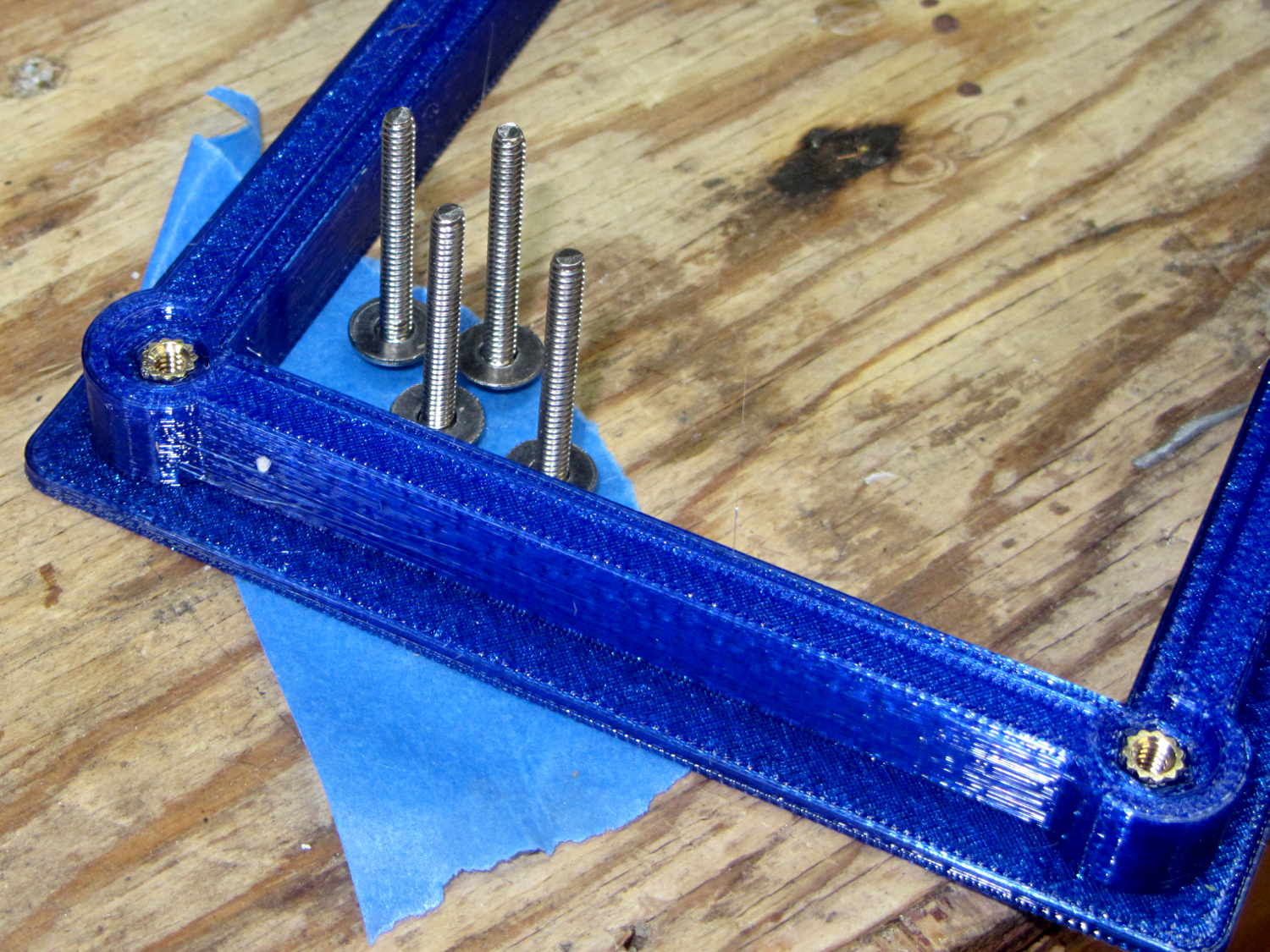
    Tidy brass inserts epoxied in the corners replace the previous raw screw holes in the plastic:

    Proto Board Holder - 4-40 inserts and screws
    Proto Board Holder – 4-40 inserts and screws

    The screws standing on their heads have washers epoxied in place, although that’s certainly not necessary; the dab of left-over epoxy called out for something. The screws got cut down to 7 mm after curing.

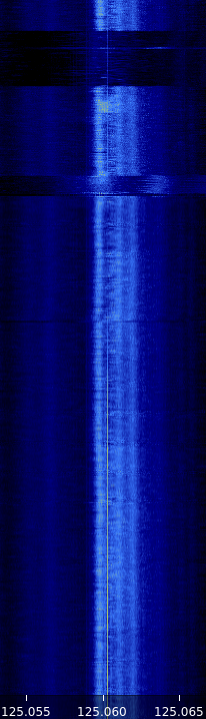
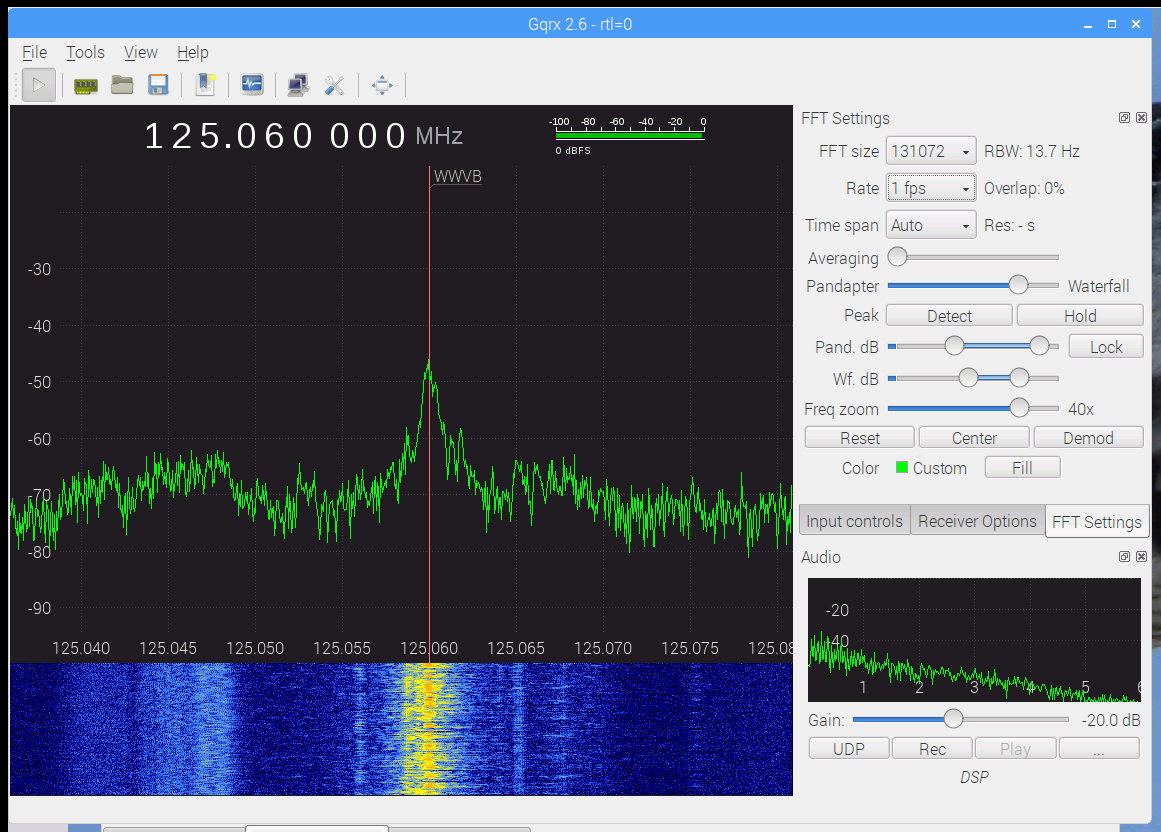
    The preamp attaches to a lumpy circle of loop antenna hung from the rafters and returns reasonable results:

    WWVB - morning - 2017-01-16
    WWVB – morning – 2017-01-16

    The OpenSCAD source code as a GitHub Gist:

    // Test support frame for proto boards
    // Ed Nisley KE4ZNU – Jan 2017
    ClampFlange = true;
    Channel = false;
    //- Extrusion parameters – must match reality!
    ThreadThick = 0.25;
    ThreadWidth = 0.40;
    function IntegerMultiple(Size,Unit) = Unit * ceil(Size / Unit);
    Protrusion = 0.1;
    HoleWindage = 0.2;
    //- Screw sizes
    inch = 25.4;
    Tap4_40 = 0.089 * inch;
    Clear4_40 = 0.110 * inch;
    Head4_40 = 0.211 * inch;
    Head4_40Thick = 0.065 * inch;
    Nut4_40Dia = 0.228 * inch;
    Nut4_40Thick = 0.086 * inch;
    Washer4_40OD = 0.270 * inch;
    Washer4_40ID = 0.123 * inch;
    ID = 0;
    OD = 1;
    LENGTH = 2;
    Insert = [3.9,4.6,5.8];
    //- PCB sizes
    PCBSize = [110.0,80.0,1.5];
    PCBShelf = 2.0;
    Clearance = 2*[ThreadWidth,ThreadWidth,0];
    WallThick = 5.0;
    FrameHeight = 10.0;
    ScrewOffset = 0.0 + Clear4_40/2;
    ScrewSites = [[-1,1],[-1,1]]; // -1/0/+1 = left/mid/right and bottom/mid/top
    OAHeight = FrameHeight + Clearance[2] + PCBSize[2];
    FlangeExtension = 3.0;
    FlangeThick = IntegerMultiple(2.0,ThreadThick);
    Flange = PCBSize
    + 2*[ScrewOffset,ScrewOffset,0]
    + 2*[Washer4_40OD,Washer4_40OD,0]
    + [2*FlangeExtension,2*FlangeExtension,(FlangeThick – PCBSize[2])]
    ;
    echo("Flange: ",Flange);
    NumSides = 4*5;
    WireChannel = [Flange[0],15.0,3.0 + PCBSize[2]];
    WireChannelOffset = [Flange[0]/2,25.0,(FrameHeight + PCBSize[2] – WireChannel[2]/2)];
    //- Adjust hole diameter to make the size come out right
    module PolyCyl(Dia,Height,ForceSides=0) { // based on nophead's polyholes
    Sides = (ForceSides != 0) ? ForceSides : (ceil(Dia) + 2);
    FixDia = Dia / cos(180/Sides);
    cylinder(r=(FixDia + HoleWindage)/2,h=Height,$fn=Sides);
    }
    //- Build it
    difference() {
    union() { // body block
    translate([0,0,OAHeight/2])
    cube(PCBSize + Clearance + [2*WallThick,2*WallThick,FrameHeight],center=true);
    for (x=[-1,1], y=[-1,1]) { // screw bosses
    translate([x*(PCBSize[0]/2 + ScrewOffset),
    y*(PCBSize[1]/2 + ScrewOffset),
    0])
    cylinder(r=Washer4_40OD,h=OAHeight,$fn=NumSides);
    }
    if (ClampFlange) // flange for work holder
    linear_extrude(height=Flange[2])
    hull()
    for (i=[-1,1], j=[-1,1]) {
    translate([i*(Flange[0]/2 – Washer4_40OD/2),j*(Flange[1]/2 – Washer4_40OD/2)])
    circle(d=Washer4_40OD,$fn=NumSides);
    }
    }
    for (x=[-1,1], y=[-1,1]) { // screw position indexes
    translate([x*(PCBSize[0]/2 + ScrewOffset),
    y*(PCBSize[1]/2 + ScrewOffset),
    -Protrusion])
    rotate(x*y*180/(2*6))
    PolyCyl(Clear4_40,(OAHeight + 2*Protrusion),6); // screw clearance holes
    translate([x*(PCBSize[0]/2 + ScrewOffset),
    y*(PCBSize[1]/2 + ScrewOffset),
    OAHeight – PCBSize[2] – Insert[LENGTH]])
    rotate(x*y*180/(2*6))
    PolyCyl(Insert[OD],Insert[LENGTH] + Protrusion,6); // inserts
    translate([x*(PCBSize[0]/2 + ScrewOffset),
    y*(PCBSize[1]/2 + ScrewOffset),
    OAHeight – PCBSize[2]])
    PolyCyl(1.2*Washer4_40OD,(PCBSize[2] + Protrusion),NumSides); // washers
    }
    translate([0,0,OAHeight/2]) // through hole below PCB
    cube(PCBSize – 2*[PCBShelf,PCBShelf,0] + [0,0,2*OAHeight],center=true);
    translate([0,0,(OAHeight – (PCBSize[2] + Clearance[2])/2 + Protrusion/2)]) // PCB pocket on top
    cube(PCBSize + Clearance + [0,0,Protrusion],center=true);
    if (Channel)
    translate(WireChannelOffset) // opening for wires from bottom side
    cube(WireChannel + [0,0,Protrusion],center=true);
    }
  • 60 kHz Preamp: First Pass

    Encouraged by the simulation, the 60 kHz preamp hardware sprawls over a phenolic proto board:

    60 kHz preamp board - fake antenna
    60 kHz preamp board – fake antenna

    The inductors and resistors hanging off the screw terminals produce more-or-less the same impedance  as the real loop antenna. The alligator clips connect a function generator to the secondary winding of a current transformer (used backwards), thus injecting a wee differential signal into the “antenna”.

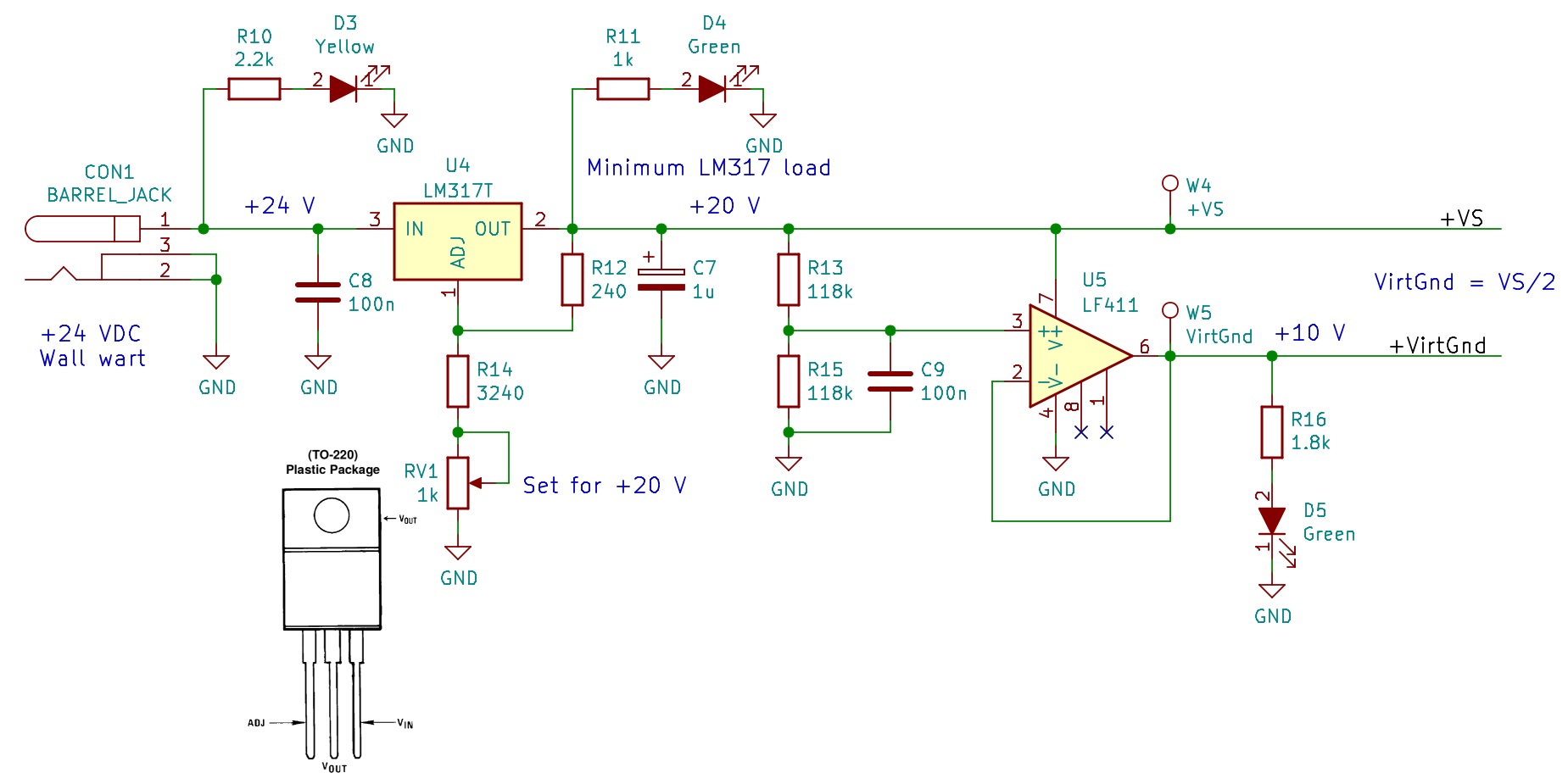
    The clump of parts in the lower left knock the 24 VDC wall wart down to 20 V and produce a 10 V virtual ground in the middle:

    60 kHz Preamp - power supply - Kicad schematic
    60 kHz Preamp – power supply – Kicad schematic

    The LEDs give a cheerful indication that the power supplies have reported for duty, plus apply a minimum load to the LM317 while I was tinkering. The heatsink gets tolerably warm, so I should dial back or disconnect the LEDs to reduce the load.

    The preamp hardware matches the simulated layout, with a few extra bits tossed in:

    60 kHz Preamp - Kicad schematic
    60 kHz Preamp – Kicad schematic

    The weird values come from whatever 1% resistors and silver-mica caps emerged from the heap. The 27 V Zener diodes and 5 kΩ resistors may or may not protect the instrumentation amp inputs from lightning-induced transients.

    Because the HP8591 analyzer’s tracking generator starts at 100 kHz, I fed the DDS function generator into the preamp, manually stepped the frequency in 250 Hz increments, and had the analyzer show the maximum response of 19 separate sweeps:

    Preamp - max hold - 250 Hz steps
    Preamp – max hold – 250 Hz steps

    That was tedious and, no, it’s not a comb filter: the actual response skates across the peaks of all those bumps.

    The marker shows the preamp bandwidth is 2 kHz, roughly what the simulation predicts; the extremely tight span of that plot makes it look a lot flatter that the usual presentation.

    Tightening the span even more shows an unexpected effect:

    Preamp - 120 Hz modulation
    Preamp – 120 Hz modulation

    Those sidebands at ±120 Hz (probably) come from power-line magnetic fields into the “antenna”, because the magnetic field strength depends on the absolute value of the voltage. If they came from the signal generator, they’d be at ±60 Hz: the waveform amplitude depends directly on the voltage.

  • LED Filaments: Whoops

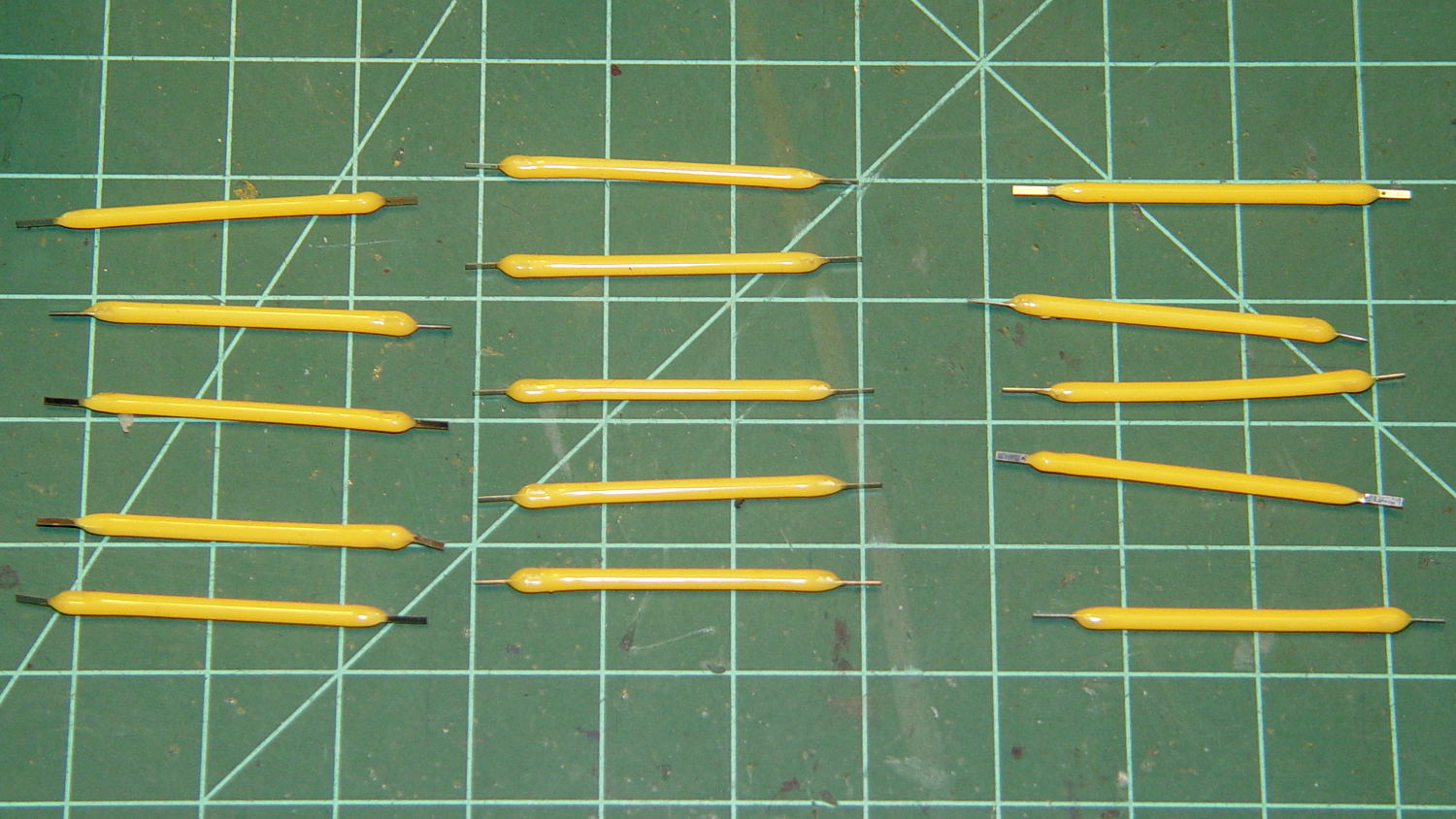
    Five bucks delivered three sets of five warm-white LED filaments from halfway around the planet:

    LED Filaments - 3x5 sets
    LED Filaments – 3×5 sets

    Unfortunately, the “Top Rated Plus” eBay seller just popped three ziplock baggies into an unpadded envelope and tossed it in the mail:

    Unpadded LED Filament Envelope
    Unpadded LED Filament Envelope

    Which had pretty much the result you’d expect on the glass substrates within:

    Broken LED Filament 1
    Broken LED Filament 1

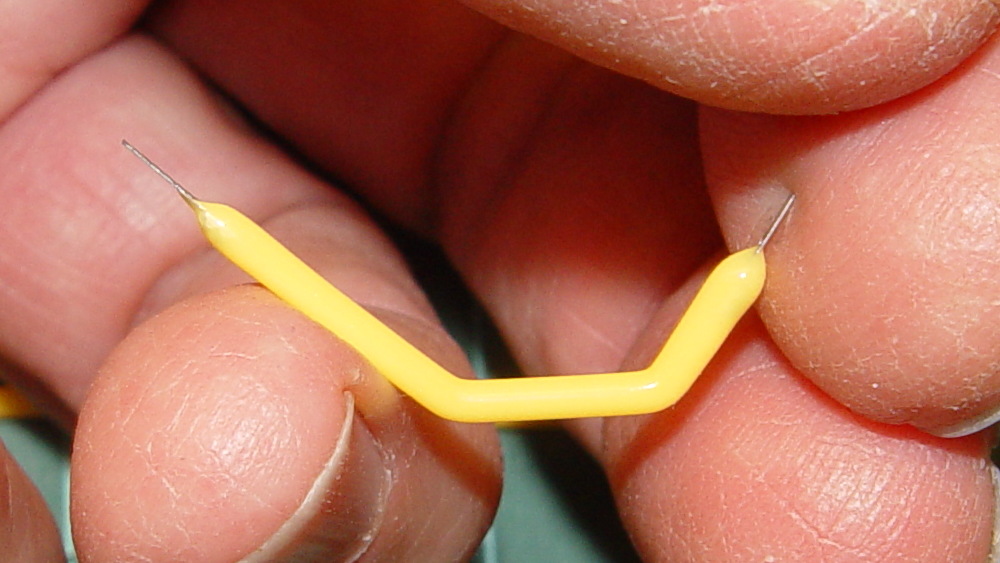
    Turns out every single filament had at least one break:

    Broken LED Filament 3
    Broken LED Filament 3

    Indeed, some seemed just as flexy as the silicone cylinder surrounding the pulverized substrate.

    I reported this to the seller, with photographs, and got a classic response:

    can you use?

    No, I cannot imagine a use for broken LED filaments.

    The seller proposed shipping replacements that would might arrive just after the eBay feedback window closed. I proposed refunding the five bucks. The seller ignored that and sent the replacements in an untracked package “as it is an economical shipping, we have to reduce our loss, so is it ok?”.

    No, it’s not, but he / she / it didn’t actually intend that as a question.

    Were the filaments intact, they’d pass 15 mA with 50 to 60 V applied in one direction or the other, for 1 W average dissipation. That’s probably too high for prolonged use in air (spendy bulbs with similar LEDs have argon / krypton fill for better heat transfer), but I can surely throttle them back a bit.

    Perhaps the replacements will arrive before the feedback window closes?

    I did order another batch from a different seller that might arrive intact before then. We shall see…

  • Raspberry Pi vs. Avahi

    It turns out that the various Avahi daemons performing the magick between whatever.local names and dotted-quad 192.168.1.101 addresses for Raspberry Pi descend into gibbering madness when confronted with:

    • One name corresponding to multiple IP addresses
    • One IP address used for multiple MAC addresses
    • Multiple names for one IP address
    • Multiple names for one MAC address
    • Multiple IP addresses for one MAC address
    • Multiple MAC addresses for one IP address
    • Any and all combinations of the above at various times

    The least of the confusion involved an incorrect IP address linked to a familiar name pulled from deep history by a baffled daemon doing the best it can with what it thinks it knows. Despite what I concluded, rather early in the process, there’s no real error, other than my performing what amounted to a self-inflicted fast-flux nameserver attack.

    Anyhow, I devoted the better part of an afternoon to sorting out the mess, which involved labeling all the streaming radio players with their MAC addresses and rebooting them one-by-one to allow all the daemons time to recognize the current situation:

    Raspberry Pi 3 - WiFi MAC address
    Raspberry Pi 3 – WiFi MAC address

    That label corresponds to the Pi 3’s on-board WiFi adapter.

    For Pi 2 boxen, the MAC address travels with the WiFi adapter jammed into a USB port:

    SunFounder WiFi Adapter - MAC address
    SunFounder WiFi Adapter – MAC address

    I didn’t label the (unused) Ethernet jacks, figuring I’d solve that problem after it trips me up.

  • Kenmore 158 Sewing Machine: Another Foot Pedal Rebuild

    The pedal on Mary’s most recent Kenmore 158 lost its low-speed control, which meant I must add a few more graphite / carbon disks to the stacks:

    Kenmore 158 - carbon disks
    Kenmore 158 – carbon disks

    The contacts needed a bit of attention, too:

    Kenmore 158 - carbon contact plates - detail
    Kenmore 158 – carbon contact plates – detail

    Contrary to what I found in the previous rheostats, these stacks end with a double-thick graphite disk backed up by a disk of brass shimstock, all of which needed cleaning, too. No broken disks, none severely eroded, no debris, just a general shortening of the stacks; I think the disks gradually turn into carbon dioxide.

    Each stack has 42 graphite disks that average 0.79 mm thick, the double-thick disks measure 1.5 mm, and the brass shims are 0.30 mm = 12 mil. The punched contacts on those brass plates stand 0.95 mm proud of the surface.

    With the big graphite plugs in place, the ceramic housing had 37 mm deep holes for the disk stacks. Subtracting the 0.95 mm contact leaves about 36 mm and, seeing as how the stacks add up to just under 36 mm overall, there’s barely room for one additional disk. I added one to each stack, buttoned the pedal up, and it works perfectly again.

    Good thing I have a bag of those disks from the crash test dummy machine!