The Smell of Molten Projects in the Morning

Ed Nisley's Blog: Shop notes, electronics, firmware, machinery, 3D printing, laser cuttery, and curiosities. Contents: 100% human thinking, 0% AI slop.

Category: Electronics Workbench

Electrical & Electronic gadgets

  • Raspberry Pi: OLED Display

    These cute displays have barely enough dots for the job:

    RPi OLED Display - Classical
    RPi OLED Display – Classical

    That’s a 0.96 inch = 24.4 mm OLED display, measured diagonally, with a breathtaking 8192 = 128×64 dots. It’s a binary display: on or off pixels, nothing in between. This is not a color display: what you see is what it does, with a two-pixel void between the yellow and blue sections.

    The void is a physical separation that does not affect the display addressing: the yellow section has 16 rows, the blue section has 48. It’s your responsibility to keep things where they belong; a character descender from the yellow section will appear in the blue section.

    They’re three bucks each, shipped halfway around the planet: search eBay / Amazon for oled 128x64 yellow. The all-blue and all-white versions do not have the two-pixel void. I have some white 1.3 inch versions on the way for those applications requiring 35% more visibility.

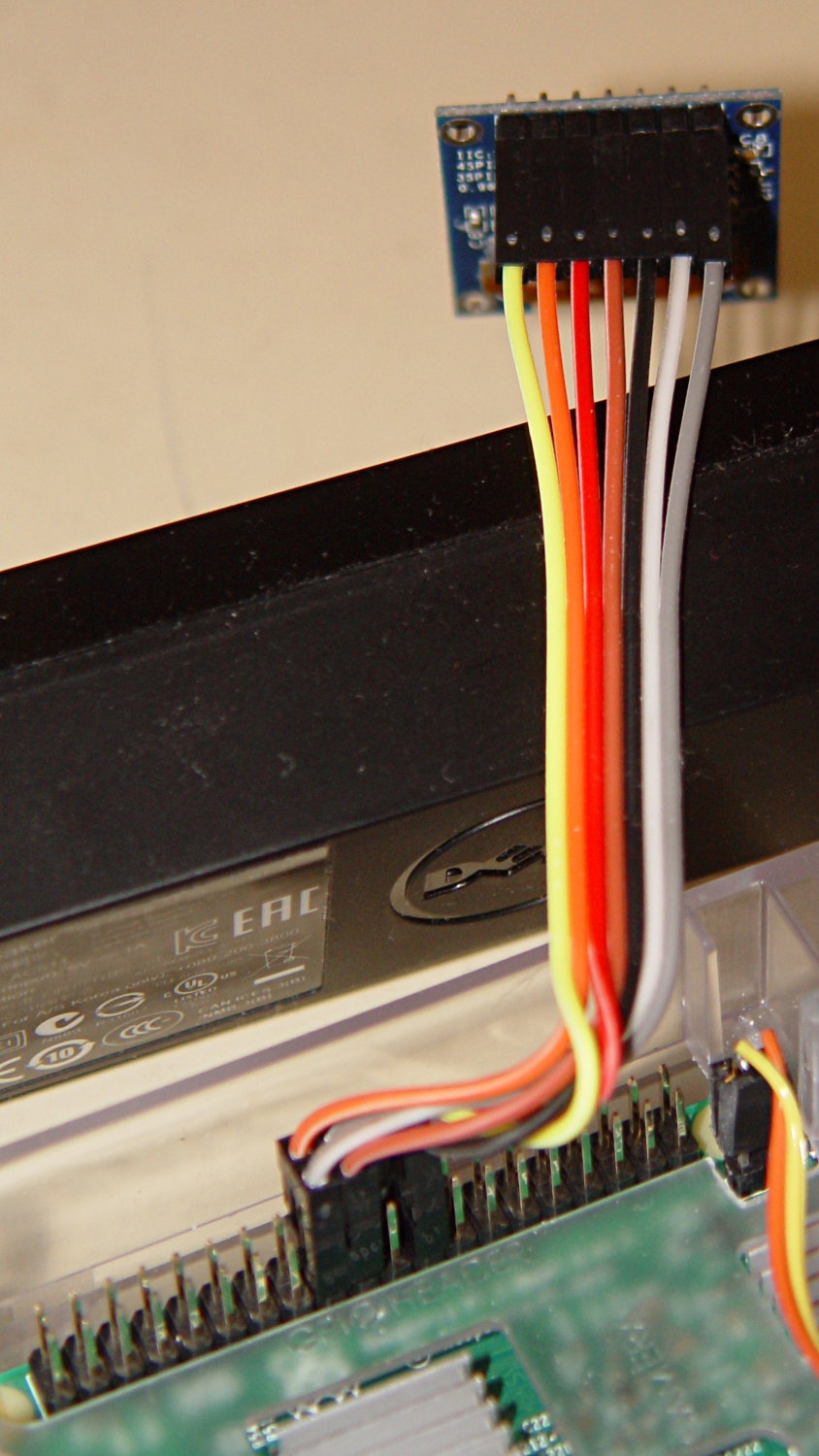
    The SPI interface uses all seven wires, peeled from a premade 100 mm 40-pin cable with female pin connectors:

    RPi OLED Display - Wiring
    RPi OLED Display – Wiring

    Other OLED versions have a four-wire I2C interface. The boards have option jumpers on the back, but the pin header along the edge will have 7 holes for SPI or 4 holes for I2C .

    Caveat emptor for online buyers: the item picture(s) may not match the title or the description text. The low-end sellers carrying beach balls, cookware, MOSFETs, cheap consumer electronics, and OLEDs do not understand the tech on a small board that’s Just Another SKU among thousands.

    For cables, search eBay or Amazon for ribbon dupont "female to female" 10cm. Amazon has sets of male-female, male-male, and female-female jumpers for ten bucks in various lengths. The insulation seems rather stiff and I may be forced to build better cables with fine wire inside PET braid.

    The SPI interface soaks up a tidy block of pins on the RPi’s big header:

    RPi OLED Display - RPi connector detail
    RPi OLED Display – RPi connector detail

    The LUMA-OLED Python driver doc gives a useful summary of those connections, herewith extracted for future reference:

    • 17 VCC – 3.3 V works for sure, 5 V might not
    • 18 DC – Data/Command
    • 19 D1 (“dee one”) – Data to display = MOSI
    • 20 GND
    • 21 not used, that’s the pin in the midst of the block
    • 22 RST – Reset
    • 23 D0 (“dee zero”) – clock to display = SCLK
    • 24 CS – Chip Select = CE0 (“cee ee zero”)

    Pin 1 is in front on the left end of that picture, closest to the MicroSD card slot, and proceeds 1-2, 3-4, and so forth along the length of the connector: odds toward the CPU, evens toward the PCB edge.

    The LUMA-OLD maintainter must have OLED boards with a slightly different SPI pinout than mine: VCC and GND are interchanged. Caveat emptor!

    Obviously, it’s desperately in need of a cute little case, which is in the nature of fine tuning.


  • SK2812 RGBW LED: Test Fixture

    [Edit: The SK2812 in the title and elsewhere should be SK6812. If I change the title, then all the other links break. So it goes.]

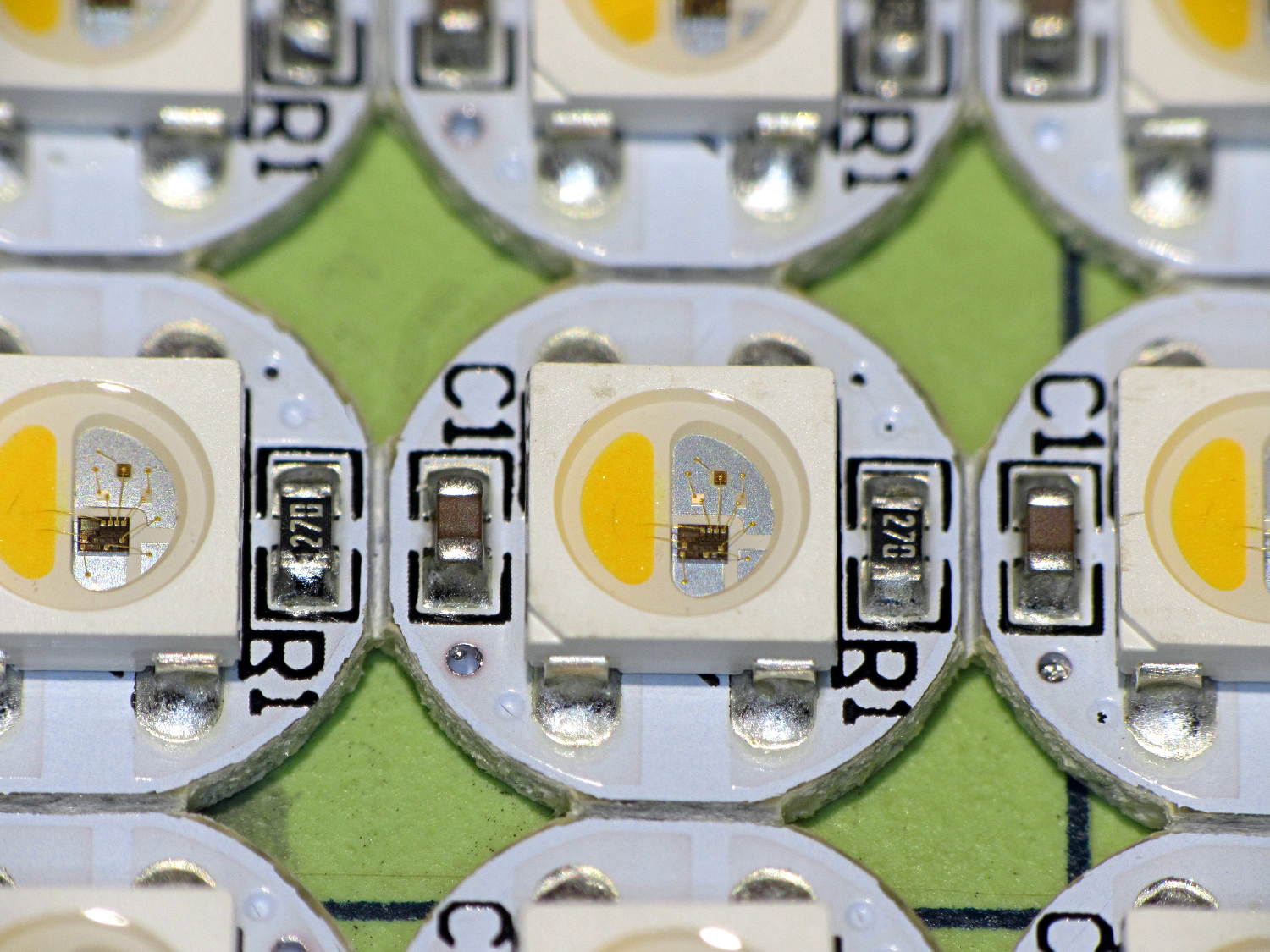
    An envelope of RGBW LEDs, allegedly with SK6812 controllers, arrived from halfway around the planet:

    SK2812RGBW LEDs - as received
    SK2812RGBW LEDs – as received

    The yellow phosphor sauce poured atop the blue LED on the left that makes it glow white leaves the upper loop of two wire bonds sticking out, but I can’t fault ’em for that. The overall build quality looks better than the ill-fated WS2812 LEDs, although it’s hard to tell by looking.

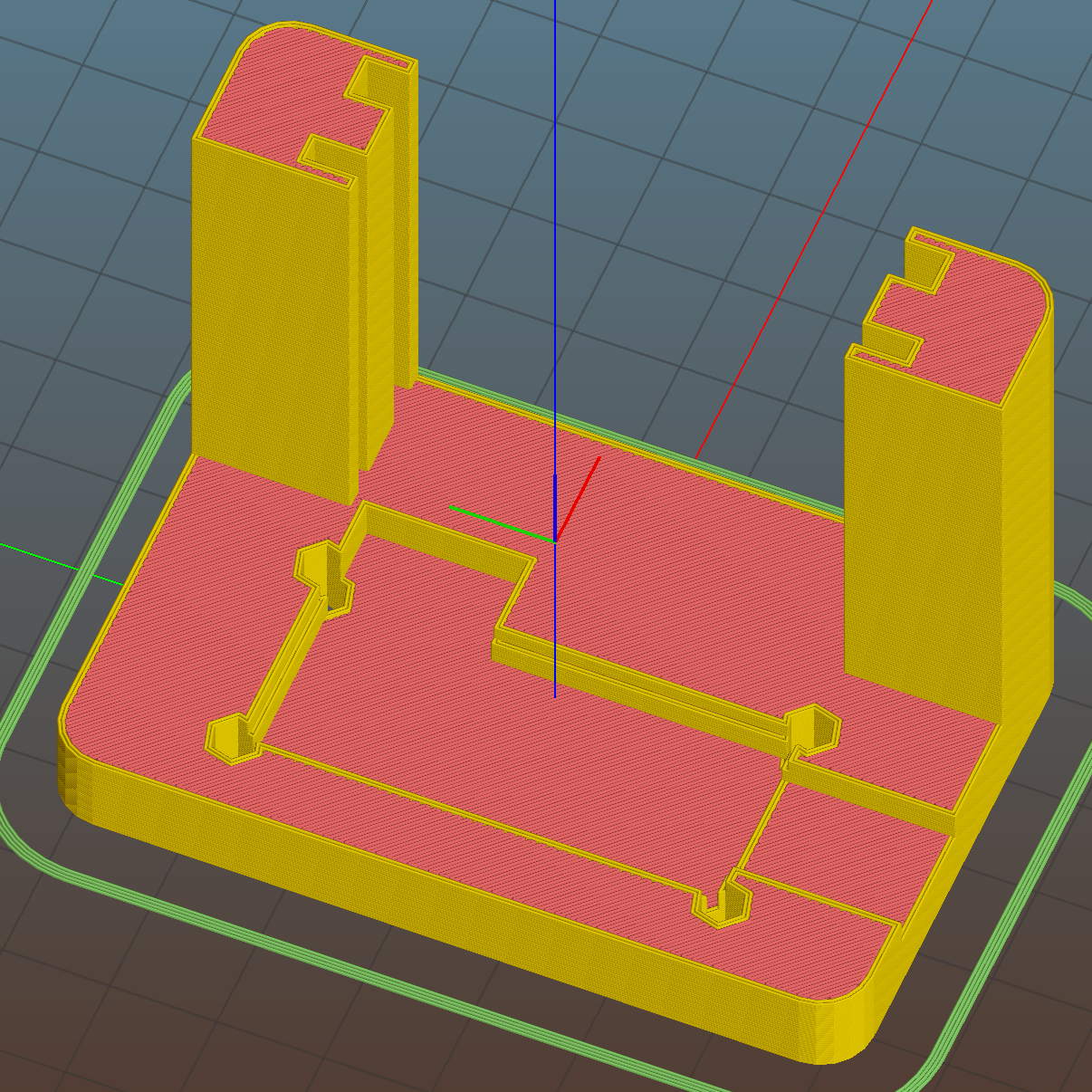
    I conjured a test stand from the vasty digital deep by tweaking the WS2812 mount:

    SK6812 LED Array Test Fixture - Slic3r preview
    SK6812 LED Array Test Fixture – Slic3r preview

    Wiring up a 5×5 panel went as before:

    SK2812RGBW test fixture - rear
    SK2812RGBW test fixture – rear

    The array test code adds another pixel channel and runs another raised sine wave with another random period, accomplished without much hackage.

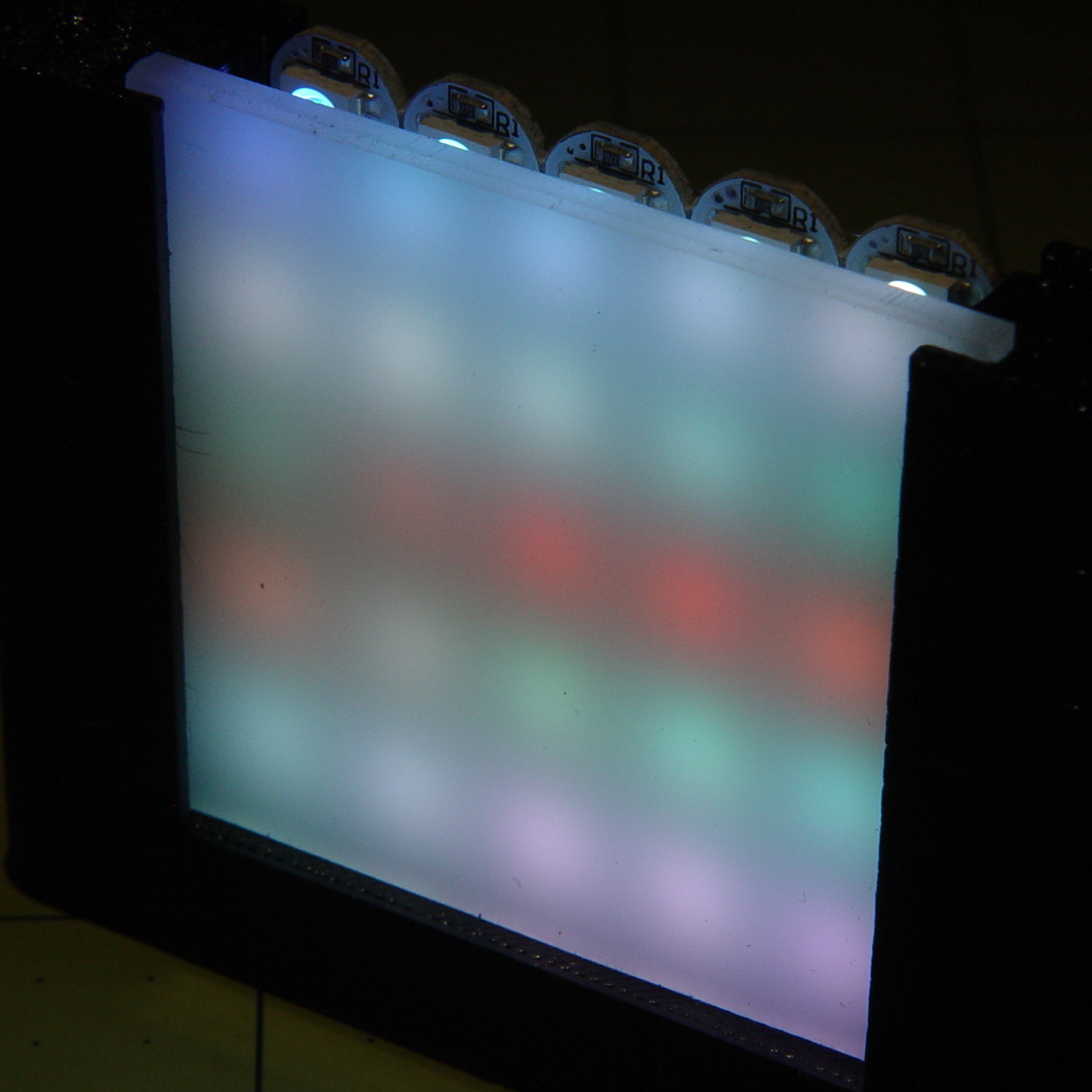
    With the warm-white LED at full throttle (MaxPWM = 255), the panel tends toward the pallid end of HSV space:

    SK2812RGBW test fixture - front - W PWM255
    SK2812RGBW test fixture – front – W PWM255

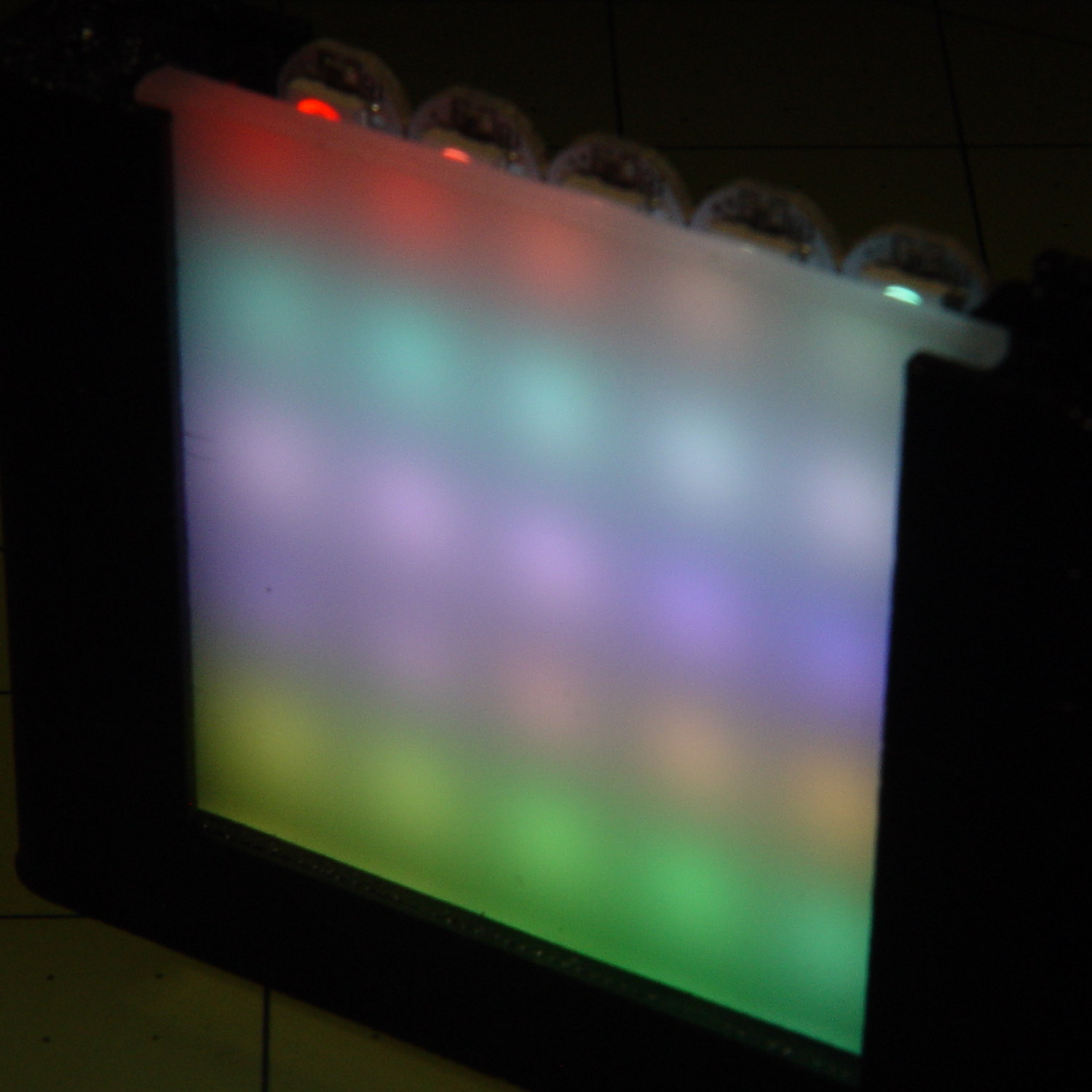
    Dialing the white MaxPWM back to 32 crisps things a bit:

    SK2812RGBW test fixture - front - W PWM32
    SK2812RGBW test fixture – front – W PWM32

    Of course, the RGBW data stream isn’t compatible with the RGB data stream, so vacuum tubes with SK6812 chips require a slightly different driver and I can’t mix the two chips on a single tube.

    The Arduino source code as a GitHub Gist:

    // SK6812 RGBW LED array exerciser
    // Ed Nisley – KE4ANU – February 2017
    #include <Adafruit_NeoPixel.h>
    //———-
    // Pin assignments
    const byte PIN_NEO = A3; // DO – data out to first Neopixel
    const byte PIN_HEARTBEAT = 13; // DO – Arduino LED
    //———-
    // Constants
    #define UPDATEINTERVAL 20ul
    const unsigned long UpdateMS = UPDATEINTERVAL – 1ul; // update LEDs only this many ms apart minus loop() overhead
    // number of steps per cycle, before applying prime factors
    #define RESOLUTION 100
    // phase difference between LEDs for slowest color
    #define BASEPHASE (PI/16.0)
    // LEDs in each row
    #define NUMCOLS 5
    // number of rows
    #define NUMROWS 5
    #define NUMPIXELS (NUMCOLS * NUMROWS)
    #define PINDEX(row,col) (row*NUMCOLS + col)
    //———-
    // Globals
    // instantiate the Neopixel buffer array
    Adafruit_NeoPixel strip = Adafruit_NeoPixel(NUMPIXELS, PIN_NEO, NEO_GRBW + NEO_KHZ800);
    uint32_t FullWhite = strip.Color(255,255,255,255);
    uint32_t FullOff = strip.Color(0,0,0,0);
    struct pixcolor_t {
    byte Prime;
    unsigned int NumSteps;
    unsigned int Step;
    float StepSize;
    float TubePhase;
    byte MaxPWM;
    };
    // colors in each LED
    enum pixcolors {RED, GREEN, BLUE, WHITE, PIXELSIZE};
    struct pixcolor_t Pixels[PIXELSIZE]; // all the data for each pixel color intensity
    unsigned long MillisNow;
    unsigned long MillisThen;
    //– Figure PWM based on current state
    byte StepColor(byte Color, float Phi) {
    byte Value;
    Value = (Pixels[Color].MaxPWM / 2.0) * (1.0 + sin(Pixels[Color].Step * Pixels[Color].StepSize + Phi));
    // Value = (Value) ? Value : Pixels[Color].MaxPWM; // flash at dimmest points
    // printf("C: %d Phi: %d Value: %d\r\n",Color,(int)(Phi*180.0/PI),Value);
    return Value;
    }
    //– Helper routine for printf()
    int s_putc(char c, FILE *t) {
    Serial.write(c);
    }
    //——————
    // Set the mood
    void setup() {
    pinMode(PIN_HEARTBEAT,OUTPUT);
    digitalWrite(PIN_HEARTBEAT,LOW); // show we arrived
    Serial.begin(57600);
    fdevopen(&s_putc,0); // set up serial output for printf()
    printf("WS2812 / SK6812 array exerciser\r\nEd Nisley – KE4ZNU – February 2017\r\n");
    /// set up Neopixels
    strip.begin();
    strip.show();
    // lamp test: run a brilliant white dot along the length of the strip
    printf("Lamp test: walking white\r\n");
    strip.setPixelColor(0,FullWhite);
    strip.show();
    delay(250);
    for (int i=1; i<NUMPIXELS; i++) {
    digitalWrite(PIN_HEARTBEAT,HIGH);
    strip.setPixelColor(i-1,FullOff);
    strip.setPixelColor(i,FullWhite);
    strip.show();
    digitalWrite(PIN_HEARTBEAT,LOW);
    delay(250);
    }
    strip.setPixelColor(NUMPIXELS – 1,FullOff);
    strip.show();
    delay(250);
    // fill the array, row by row
    printf(" … fill\r\n");
    for (int i=NUMROWS-1; i>=0; i–) { // for each row
    digitalWrite(PIN_HEARTBEAT,HIGH);
    for (int j=NUMCOLS-1; j>=0 ; j–) {
    strip.setPixelColor(PINDEX(i,j),FullWhite);
    strip.show();
    delay(100);
    }
    digitalWrite(PIN_HEARTBEAT,LOW);
    }
    // clear to black, column by column
    printf(" … clear\r\n");
    for (int j=NUMCOLS-1; j>=0; j–) { // for each column
    digitalWrite(PIN_HEARTBEAT,HIGH);
    for (int i=NUMROWS-1; i>=0; i–) {
    strip.setPixelColor(PINDEX(i,j),FullOff);
    strip.show();
    delay(100);
    }
    digitalWrite(PIN_HEARTBEAT,LOW);
    }
    delay(1000);
    // set up the color generators
    MillisNow = MillisThen = millis();
    printf("First random number: %ld\r\n",random(10));
    Pixels[RED].Prime = 3;
    Pixels[GREEN].Prime = 5;
    Pixels[BLUE].Prime = 7;
    Pixels[WHITE].Prime = 11;
    printf("Primes: (%d,%d,%d,%d)\r\n",
    Pixels[RED].Prime,Pixels[GREEN].Prime,Pixels[BLUE].Prime,Pixels[WHITE].Prime);
    unsigned int PixelSteps = (unsigned int) ((BASEPHASE / TWO_PI) *
    RESOLUTION * (unsigned int) max(max(max(Pixels[RED].Prime,Pixels[GREEN].Prime),Pixels[BLUE].Prime),Pixels[WHITE].Prime));
    printf("Pixel phase offset: %d deg = %d steps\r\n",(int)(BASEPHASE*(360.0/TWO_PI)),PixelSteps);
    Pixels[RED].MaxPWM = 255;
    Pixels[GREEN].MaxPWM = 255;
    Pixels[BLUE].MaxPWM = 255;
    Pixels[WHITE].MaxPWM = 32;
    for (byte c=0; c < PIXELSIZE; c++) {
    Pixels[c].NumSteps = RESOLUTION * (unsigned int) Pixels[c].Prime;
    Pixels[c].Step = (3*Pixels[c].NumSteps)/4;
    Pixels[c].StepSize = TWO_PI / Pixels[c].NumSteps; // in radians per step
    Pixels[c].TubePhase = PixelSteps * Pixels[c].StepSize; // radians per tube
    printf("c: %d Steps: %5d Init: %5d",c,Pixels[c].NumSteps,Pixels[c].Step);
    printf(" PWM: %3d Phi %3d deg\r\n",Pixels[c].MaxPWM,(int)(Pixels[c].TubePhase*(360.0/TWO_PI)));
    }
    }
    //——————
    // Run the mood
    void loop() {
    MillisNow = millis();
    if ((MillisNow – MillisThen) > UpdateMS) {
    digitalWrite(PIN_HEARTBEAT,HIGH);
    unsigned int AllSteps = 0;
    for (byte c=0; c < PIXELSIZE; c++) { // step to next increment in each color
    if (++Pixels[c].Step >= Pixels[c].NumSteps) {
    Pixels[c].Step = 0;
    printf("Color %d steps %5d at %8ld delta %ld ms\r\n",c,Pixels[c].NumSteps,MillisNow,(MillisNow – MillisThen));
    }
    AllSteps += Pixels[c].Step; // will be zero only when all wrap at once
    }
    if (0 == AllSteps) {
    printf("Grand cycle at: %ld\r\n",MillisNow);
    }
    for (int k=0; k < NUMPIXELS; k++) { // for each pixel
    byte Value[PIXELSIZE];
    for (byte c=0; c < PIXELSIZE; c++) { // … for each color
    Value[c] = StepColor(c,-k*Pixels[c].TubePhase); // figure new PWM value
    // Value[c] = (c == RED && Value[c] == 0) ? Pixels[c].MaxPWM : Value[c]; // flash highlight for tracking
    }
    uint32_t UniColor = strip.Color(Value[RED],Value[GREEN],Value[BLUE],Value[WHITE]);
    strip.setPixelColor(k,UniColor);
    }
    strip.show();
    MillisThen = MillisNow;
    digitalWrite(PIN_HEARTBEAT,LOW);
    }
    }

  • Kenmore Electric Clothes Dryer Rebuild

    Our ancient Kenmore clothes dryer (Model 110.96282100 for maximal SEO goodness) developed symptoms suggesting the heater and overtemperature cutouts were in fine shape: it continued to turn and heat, but didn’t completely dry the clothes. In addition, it emitted a horrible whine that sounded like a bad bearing.

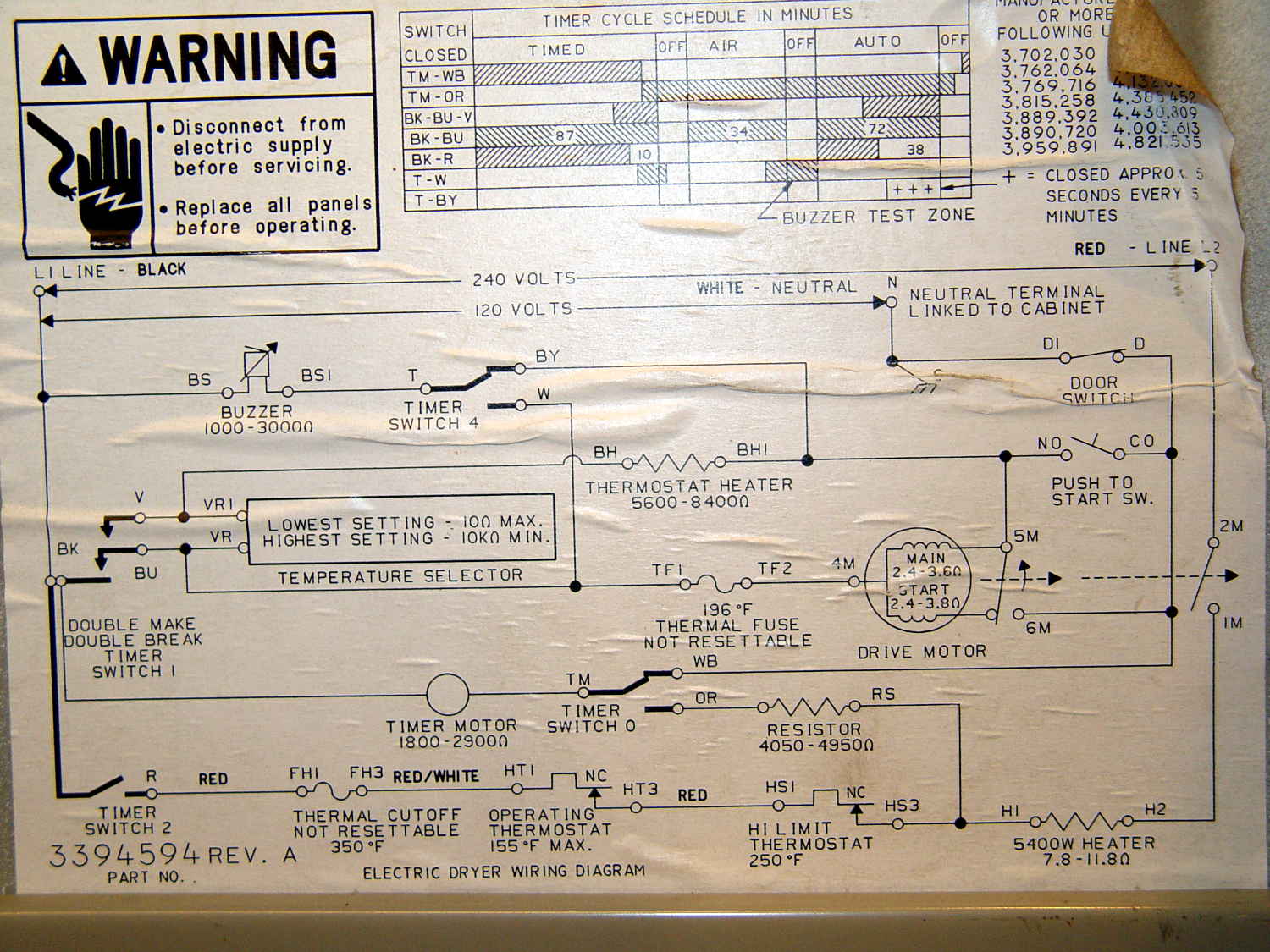
    The wiring diagram pasted on the back panel shows how it works (clicky for more dots):

    Kenmore clothes dryer 110.96282100 - wiring diagram
    Kenmore clothes dryer 110.96282100 – wiring diagram

    Obviously, it’s not a firmware problem…

    The motor ran just fine, so Thermal Fuse 2 had never blown at 196 °F.

    The Operating Thermostat (along the bottom edge of the diagram) switches the 240 VAC heater off when the clothes temperature (actually, the drum exhaust temperature) exceeds 155 °F. It’s in series with the non-resettable 350 °F thermal cutoff and the resettable 250 °F high limit thermostat, both of which were intact, as shown by the fact that the heater still worked.

    We generally run the dryer in Auto mode, with the Temperature Selector in the middle position. The Selector varies the resistance in series with the Operating Thermostat heater (near the middle of the diagram), controlled by Timer Switch 1: increasing resistance reduces the heater current and requires hotter clothes before the Thermostat trips. For the first part of the cycle, the BK-BU contact closes to allow the Selector to affect the current. The BK-V contact also closes during the last part of the cycle, cutting out the Selector and letting the Thermostat hold the clothes at 155 °F by cycling the drum heater.

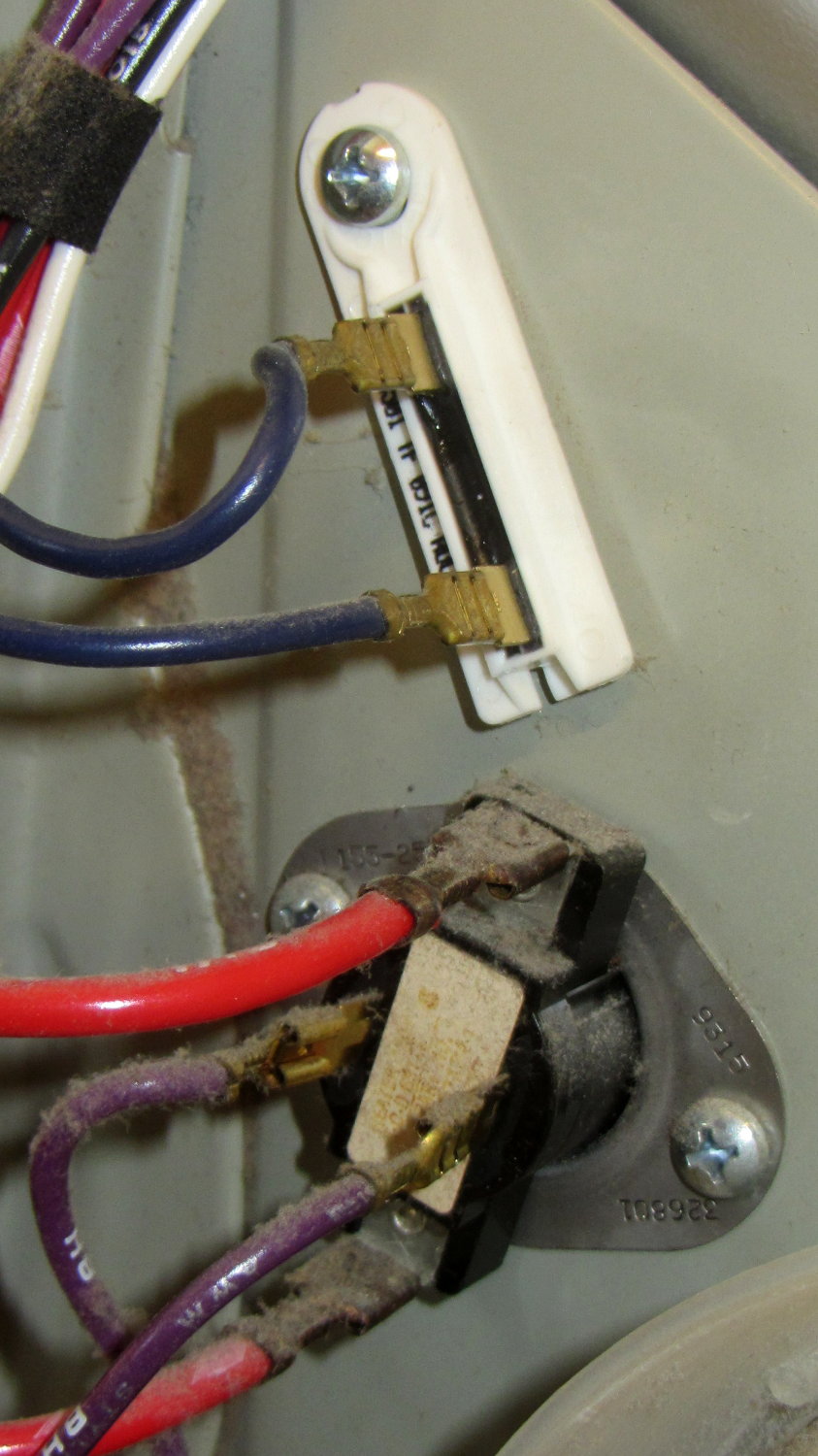
    So I installed a new Operating Thermostat (plus the accompanying thermal fuse I didn’t need):

    Kenmore clothes dryer - operating thermostat
    Kenmore clothes dryer – operating thermostat

    You can do that from the back of the dryer without dismantling it, by removing the rear cover.

    For whatever it’s worth, the replacement Operating Thermostat heater has a 74 kΩ resistance, not the 5.6 to 8.4 kΩ range shown on the wiring diagram. Preliminary testing suggests it does what it’s supposed to, so maybe they’ve improved (and, surely, cheapnified) its guts to work with 1% of the original power. More likely, the Temperature Selector now doesn’t do anything, as its (minimum) 10 kΩ resistance on the High setting doesn’t amount to squat compared with the new thermostat heater, but we don’t have enough experience to say anything definite.

    In an attempt to fix the whine, I took the whole thing apart to replace the idler wheels supporting the drum, the drum drive belt, and the belt tensioner pulley. The interior of the dryer is filled with sharp edges and hatred, so expect some bloodshed.

    Removing and installing the triangular wheel retainers requires a small flat-blade screwdriver and considerable muttering. Here’s the old wheel to the left of the motor, before replacement:

    Kenmore clothes dryer - tub support wheel
    Kenmore clothes dryer – tub support wheel

    After reassembling the dryer, the heater worked fine.

    The whine also worked fine, much to my dismay.

    So I took it all apart again, removed the plate covering the duct from the drum exhaust port to the blower wheel on the motor, removed a generous handful of lint from the middle of the blower wheel, extracted a pile of debris from the bottom of the duct below the wheel, vacuumed everything in sight, reassembled the dryer, and it now sounds great.

    Along the way, a small square brass (?) rod fell out of the debris, sporting one shiny end, well-worn to a diagonal slope. I think the rod got trapped between the duct and the back of the blower wheel, where it would produce the whine only when the motor got up to speed (thus, sounding OK while hand-turning the motor). The accumulated debris & lint held it in place, so flipping the dryer on its face and rotating the motor in both directions had no effect: turning the dryer upright simply let it fall back into the same position.

    No pictures, alas. We did the second teardown in a white-hot frenzy to Get It Done and swept the brass rod away with all the other debris.

    Whew!

  • Cheap WS2812 LEDs: Another Failure

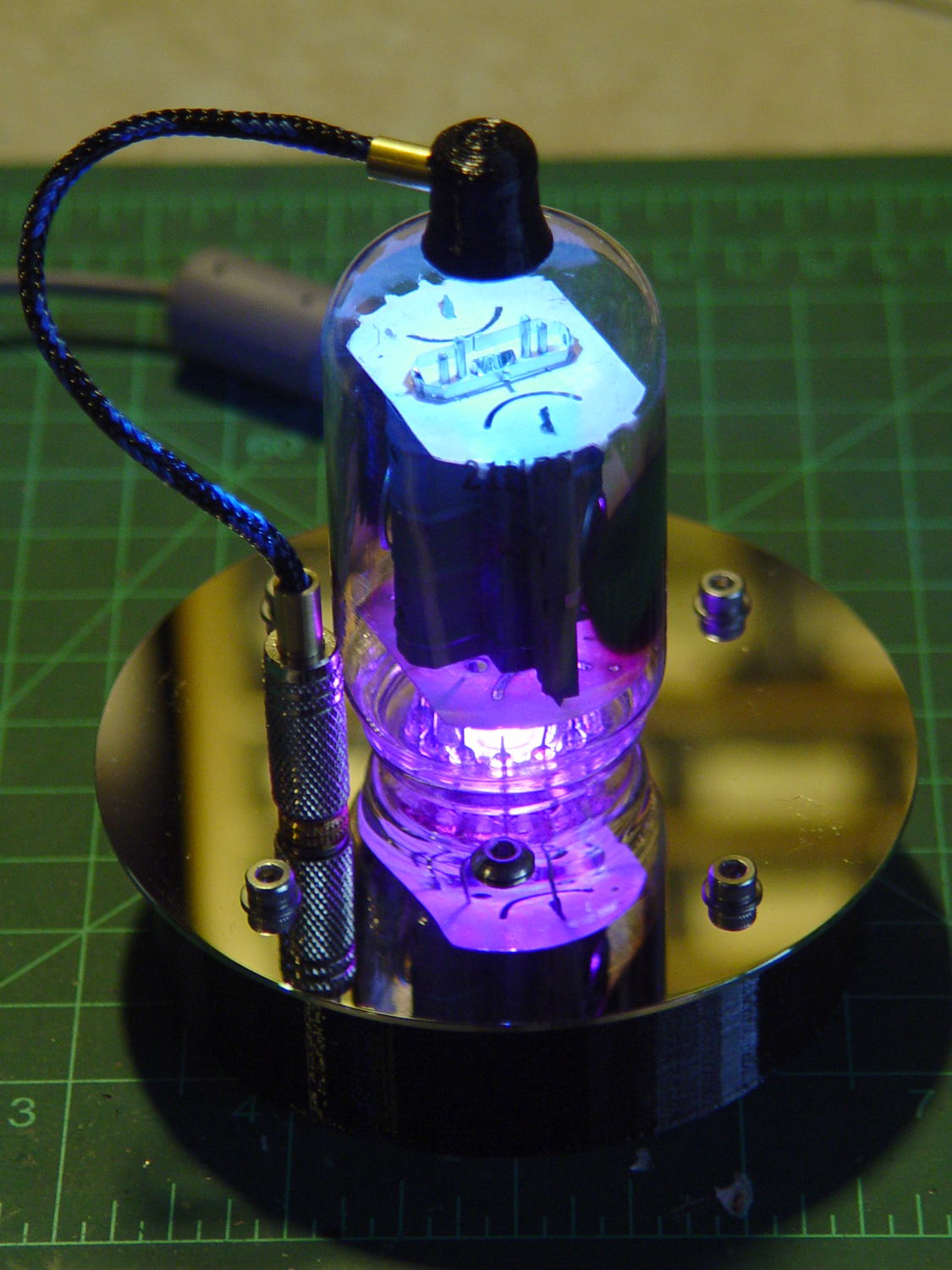
    A few days after epoxying a replacement WS2812 RGB LED into the base of the 21HB5A and, en passant, soldering a 3.5 mm plug-and-jack into the plate lead for EZ removal, the top LED failed.

    21HB5A - Audio plug cable
    21HB5A – Audio plug cable

    In this case, it also failed the Josh Sharpie test with bad encapsulation sealing:

    WS2812 LED failure - ink test patterns
    WS2812 LED failure – ink test patterns

    Here’s a view from another angle, with a warm-white desk lamp for a bit of color:

    WS2812 LED failure - ink test patterns - 2
    WS2812 LED failure – ink test patterns – 2

    Those patterns took a few days to appear and also showed up in some, but not all, of the previous failing LEDs.

    Although I have no idea what’s going on, it’s certainly distinctive!

    An envelope of RGBW LEDs, allegedly with SK2812 controllers, has arrived from a different eBay supplier, so it’s time for an upgrade.

  • SMA Attenuators vs. Broadcast FM vs. NooElec SDR

    Four SMA attenuators arrived from halfway around the planet:

    SMA Attenuators
    SMA Attenuators

    The top line has ATTENUATOR wrapped around the body. They’re rated for 2 W = +33 dBm, suitable for antennas and SDR and suchlike, not real radios or even HTs.

    That assortment provides 39 dB of attenuation in 3 dB steps:

    • 3 6 9
    • 10 13 16 19
    • 20 23 26 29
    • 30 33 36 39

    Sweeping them on the spectrum analyzer shows they’re doing what they claim, to within the resolution of the analyzer, and remain flat through 1.5 GHz, where my cheap N-to-SMA adapter cables roll off by 3 dB. Stacking them produces 38 dB of attenuation, which is certainly the small difference of large values and fine for my simple needs.

    Conversely, a quick test with a NooElec SDR shows plenty of hocus-pocus betwixt antenna and display: the RF doesn’t attenuate nearly the way you’d (well, I’d) expect.

    Direct from the antenna, with AGC off and 50 dB of RF gain:

    WPDH Spectrum - 0 dB atten
    WPDH Spectrum – 0 dB atten

    3 dB attenuator:

    WPDH Spectrum - 3 dB atten
    WPDH Spectrum – 3 dB atten

    6 dB attenuator:

    WPDH Spectrum - 6 dB atten
    WPDH Spectrum – 6 dB atten

    10 dB attenuator:

    WPDH Spectrum - 10 dB atten
    WPDH Spectrum – 10 dB atten

    20 dB attenuator:

    WPDH Spectrum - 20 dB atten
    WPDH Spectrum – 20 dB atten

    Ain’t nothin’ simple…

  • Cheap WS2812 LEDs: Test Fixture Failure 1

    Well, that didn’t take long:

    WS2812 array - failure 1
    WS2812 array – failure 1

    The red spot in the next-to-bottom row of the test fixture (*) marks a failed WS2812 LED. All of the LEDs above it, plus the LED just to its left, are in pinball panic mode: random colors flicker across the panel as the LED’s controller transmits garbled data and the downstream LEDs pass it on.

    This failure provides several bits of information:

    • The LED sees the same power supply as all the rest, so it’s not a power thing
    • The LED gets data from the adjacent WS2812, so it’s not an Arduino output thing
    • It failed after about four days = 100 hours of continuous operation

    I connected the previous LED’s output (#6) to the next one’s input (#8), so the failed LED (#7, now with output disconnected) continues to flicker, but doesn’t influence any of the downstream LEDs.

    (*) The LEDs are daisy-chained from lower right to upper left, row by row, so that’s LED #7 of 28.

  • Another Numeric Keypad Snowflake

    I got another batch of wireless keypads that, from the outside, look identical to the previous set:

    Wireless USB Numeric keypads
    Wireless USB Numeric keypads

    The keypad on the right reports Model ID 0x4182, the same as the black plastic batch, and different from the 0x4101 of the previous batch (on the left). Apparently, the small USB dongle carries the Model ID data and the keypads can carry anybody’s logo.

    The Vendor ID, of course, still shows Creative Lab’s 0x062a and all the serial numbers are 1.

    Fortunately, the udev rules already have that combination and the streaming player can’t tell the difference.

    Those labels on the keytops still don’t quite fit, but we’re coping as best we can.