The Smell of Molten Projects in the Morning

Ed Nisley's Blog: Shop notes, electronics, firmware, machinery, 3D printing, laser cuttery, and curiosities. Contents: 100% human thinking, 0% AI slop.

Author: Ed

  • OpenSCAD: Quantized Vertices

    Back when I started fiddling with 3D printed chain mail, the whole process from model to plastic worked wonderfully well. That continued with the larger sheets, but now, occasionally, the OpenSCAD model would produce weirdly sliced links. Depending on nothing repeatable, some links wouldn’t bridge correctly: the thread paths in the bottom layer across the gap would mysteriously stop just short of one pillar, return to the start, and leave an unsupported shelf that would, of course, fall into the gap.

    Shortly before Christmas, I managed to get a consistent failure that manifested differently: upon loading the STL file, Slic3r would quietly perform dozens of automatic corrections that (sometimes!) produced bizarrely distorted results. Feeding a failing model into Meshlab showed an irregular assortment of “self intersecting faces”, highlighted in red:
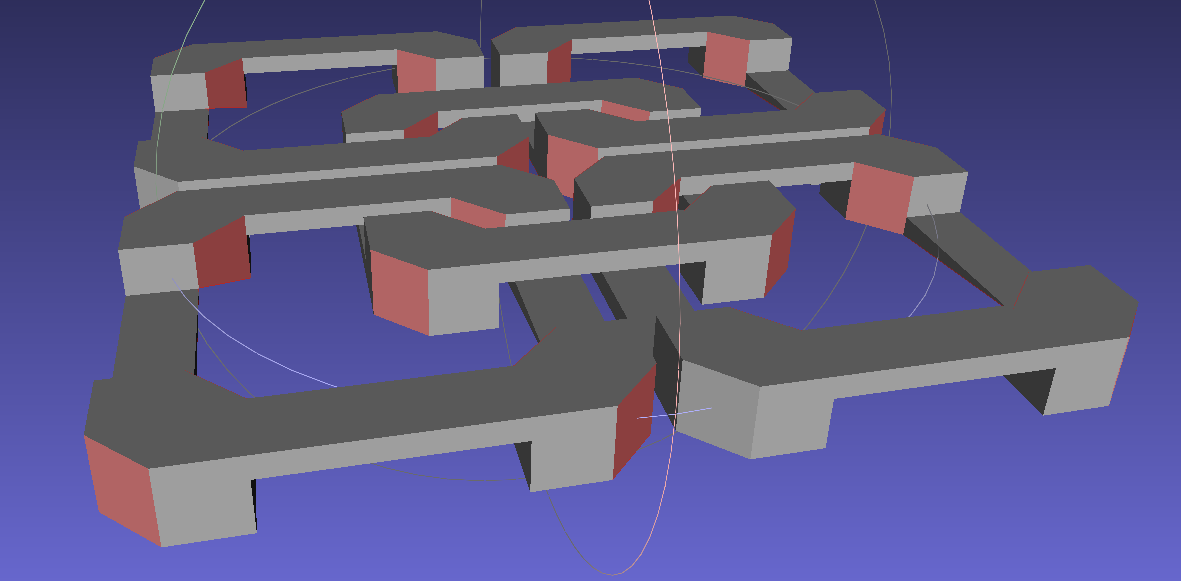
    Chain Mail Square Armor - open - 2x2 - Meshlab self-intersecting faces
    Chain Mail Square Armor – open – 2×2 – Meshlab self-intersecting faces

    Although all four outer links in that image come from the same OpenSCAD module with identical sizes, they don’t all exhibit the same problem in the (nominally identical) faces on each of their four corners. In fact, those faces come from the intersection of two square slabs, carefully sized and positioned to avoid creating coincident planes:

    Chain Mail Link - Outer shape
    Chain Mail Link – Outer shape

    The central opening comes from a similar, slightly smaller, intersected-squares shape, but all four interior corner faces in each link show that they’re self-intersecting.

    The STL looked fine in Meshlab, except for the highlit self-intersecting faces, so the geometry seemed OK.

    When Slic3r autocorrected the “problems”, it apparently removed one vertex on the bottom surface of each bar, deleted the triangles connected to that vertex, then repaired the mesh to produce a delightfully symmetric pattern:

    Chain Mail Square Armor - open - 2x2 - Slic3r corrections
    Chain Mail Square Armor – open – 2×2 – Slic3r corrections

    Although the links are resolutely symmetric, Slic3r seemed happy with the identical vertices at the other end of the bar.

    Unfortunately, the resulting G-Code won’t produce good links:
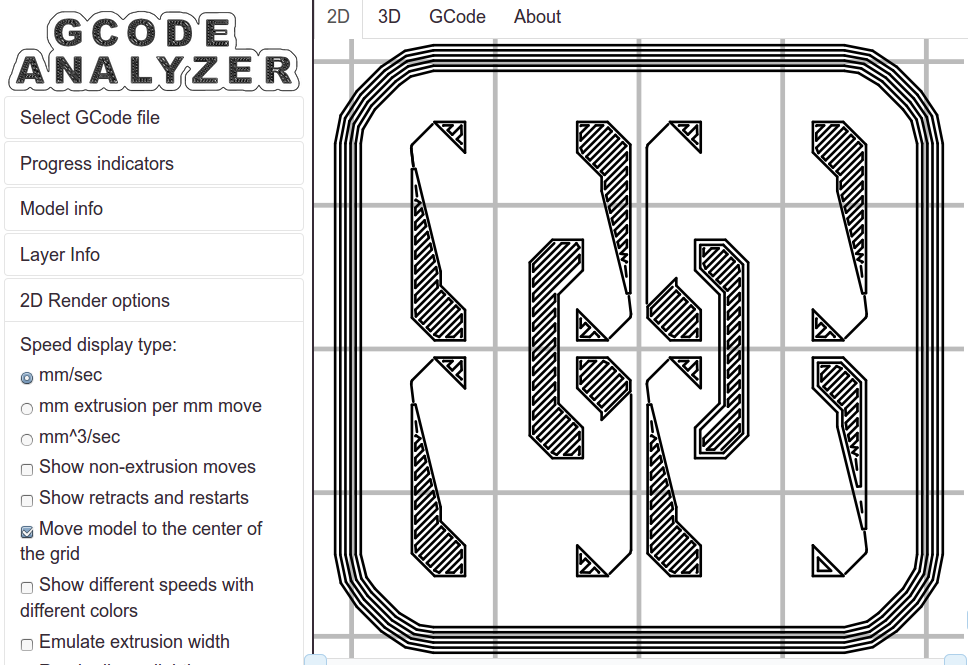
    Chain Mail Square Armor - open - 2x2 - first layer G-code visualization
    Chain Mail Square Armor – open – 2×2 – first layer G-code visualization

    So, shortly before Christmas, I filed an issue on OpenSCAD’s Github repository.

    The ensuing discussion showed that Meshlab flags faces as “self intersecting” when they have different vertices, even if their values are numerically equal, as well as vertices that differ by teeny amounts. Slic3r applies slightly different criteria to vertices & faces when it automagically corrects “problems” in the STL file, so that Meshlab may:

    • Highlight faces that don’t bother Slic3r
    • Apply the same highlight to faces that cause horrible problems

    I don’t profess to understand much of that and may have the details wrong, but, apparently, OpenSCAD formerly used quantized coordinates that ensured all vertices within a tiny volume would have the same numeric value. In particular, all three faces that meet at a common point would, in fact, have numerically equal coordinate values for that point. The STL file format consists of a list of separate triangles, each with three coordinates for each of the three axes, and (without quantization) it was entirely possible for each of the three triangles with a common point to have three very slightly different positions for that point.

    In theoretic terms, quantized coordinates cause horrible problems during geometric manipulation, because numeric values that aren’t exact can make repeated transformations come out wrong; running an object through a transformation and it’s inverse might not yield an object identical to the original one.

    In practical terms, it seems that slicers and STL repair algorithms can reach incorrect conclusions based on minute differences produced by floating-point operations and numeric-to-text conversions. Those differences depend on slight changes in position, rotation, and size, so doing anything to the model produces completely different results.

    That notwithstanding, the day after Christmas brought a new OpenSCAD version that uses quantized coordinates. A bit of rummaging in the source shows that the 3D grid (defined in src/grid.h) isn’t all that coarse:

    const double GRID_FINE   = 0.00000095367431640625;
    

    STL files don’t carry units, so that could be in either millimeters (the Slic3r / RepRap convention) or inches (Sketchup, but we won’t go there). It’s exactly 1/10242, in case you were wondering, which produces a 5% speedup in the geometry engine compared to the more human-readable 1/10002.

    With that commit in hand, all the chain mail links slice perfectly again.

    A very nice Christmas present, indeed!

    Thanks, Marius…
  • Blog Summary: 2014

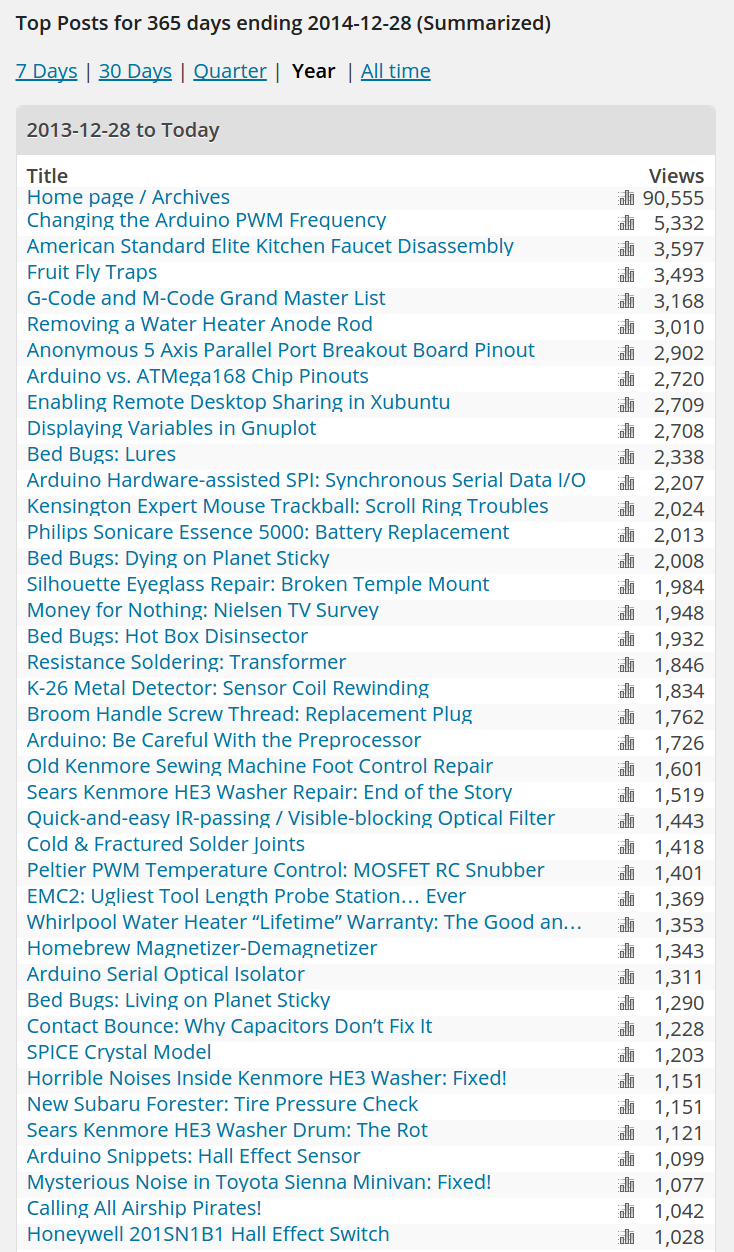
    You can tell what’s important, out there in Search Engine City:

    Blog Summary - YE 2014
    Blog Summary – YE 2014

    The Arduino PWM frequency remains entirely too low, American Standard faucets must be reaching the end of their service life, and fruit flies crawled above bed bugs to reach the top spot of entomological concern.

    For the third year in a row, the fifth most popular post described removing a water heater anode rod.

    I feel badly about the Airship Pirates post: it must be a great disappointment for most folks who expect lurid Steampunk Comix action.

    You gotta admit: it’s eclectic!

  • Pilot InstaBoost: Product Cheapnification in Full Effect

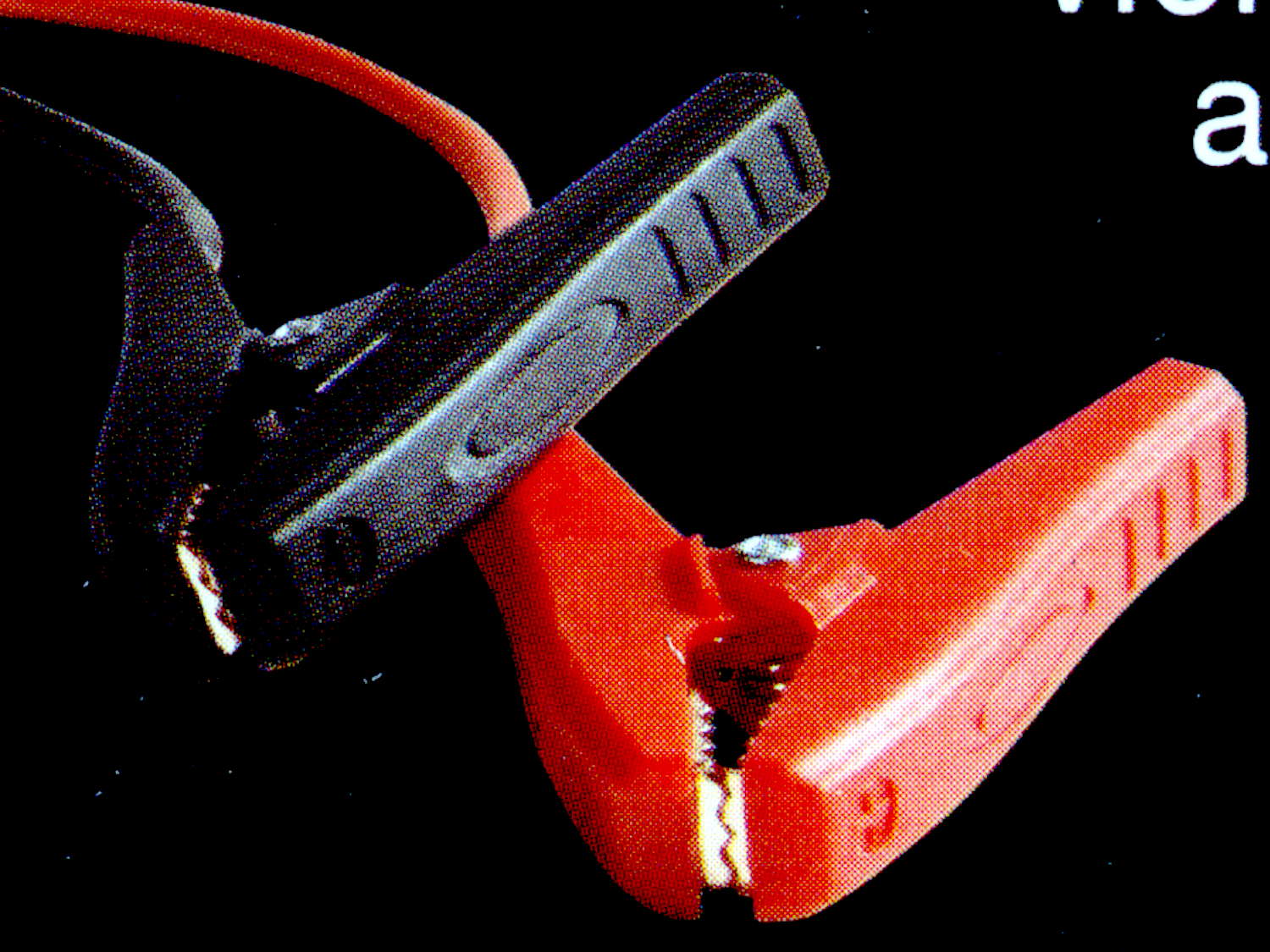
    After rebuilding the battery clamps on the Pilot Instaboost jump starter, something on the back of the package caught my eye:

    Pilot InstaBoost - clamp picture
    Pilot InstaBoost – clamp picture

    The un-modified joint on the as-delivered clamp has a plastic stud and nothing through the spring:

    Battery Clamp - original joint
    Battery Clamp – original joint

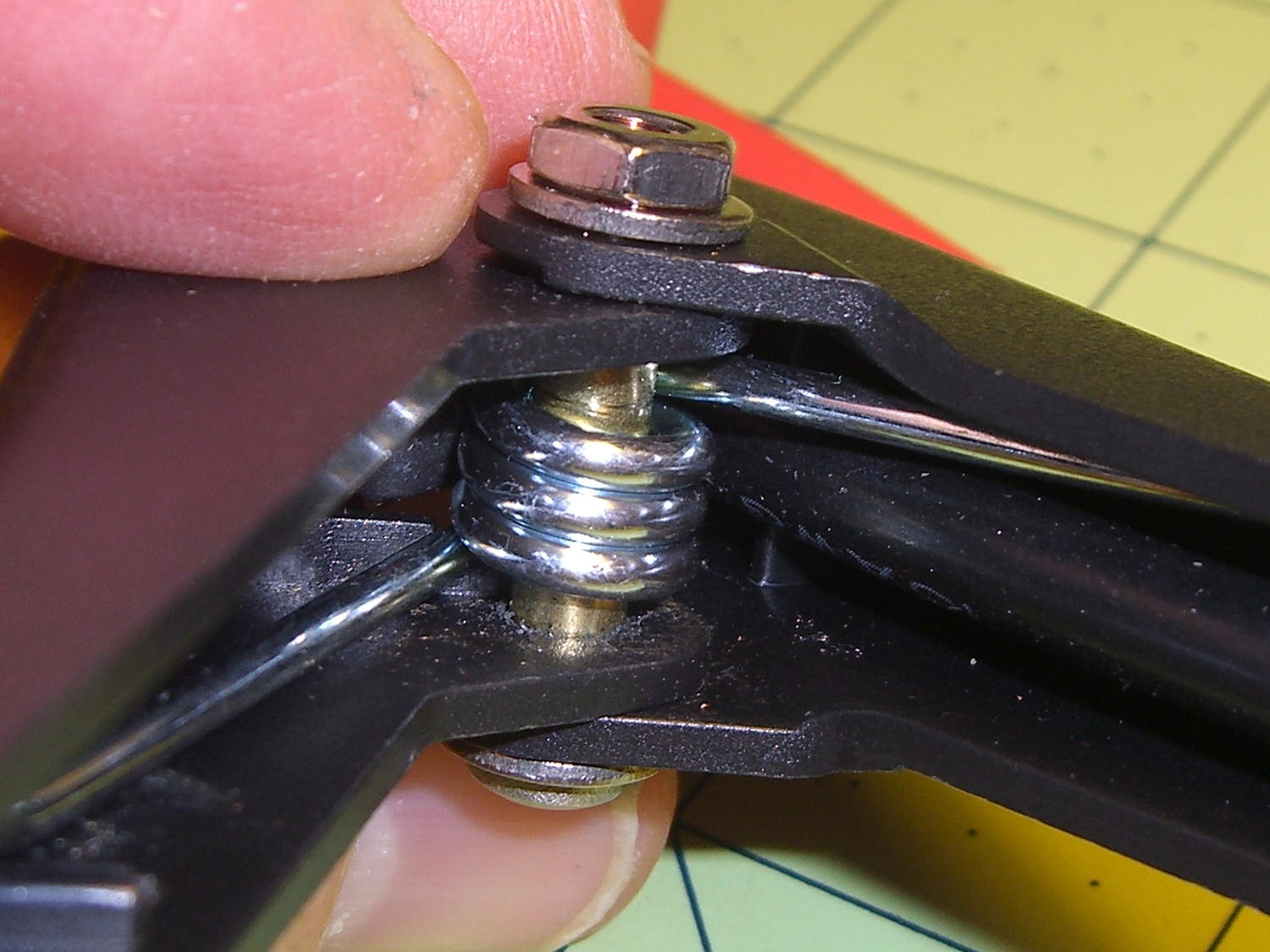
    Compare the first picture with our modifications:

    Battery Clamp - improved joint
    Battery Clamp – improved joint

    Looks like Pilot applied some cost reduction between taking the picture and shipping what we have now.

    I bet they cheapnified something else, too. Something that cost them a lot more and the absence of which can’t be verified by most consumers…

  • Sony 64 GB MicroSDXC Card: Speed Reduction Thereof

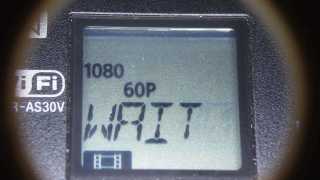
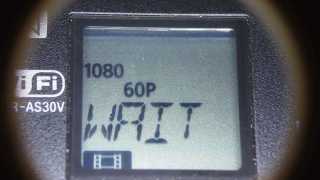
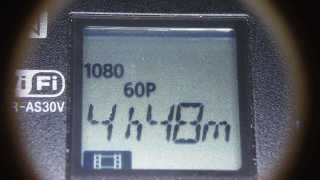
    So one of my Genuine Sony 64 GB MicroSDXC cards stopped working in my Genuine Sony HDR-AS30V action camera, failing to record video after starting normally.

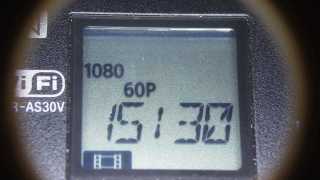
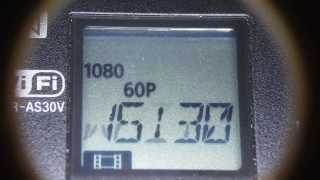
    For example:

    The RCVER status display doesn’t appear anywhere in the manual, but also occurs when the camera must rebuild its metadata indexes. Or something like that. Anyhow, it’s obviously unhappy about what just happened in the course of recording.

    After several weeks of having Sony ignore my emailed requests (no “email agent” never contacted me after the initial “we’re on it” autoreplies) and after several days of being blown off by their phone menu (800-222-7669 and 800-282-2848 lead to the same tree, after which 5 – 1 – 6 disconnects after one ringy dingy), I got another number by picking a reasonable (to me) option and bulldozing the pleasant voice off-script: 877-440-3453. It turns out that if you’re at the Digital Camera node in the Sony tech support tree, the helpful agent cannot find the model number of the SR-64UY MicroSDXC card in their database, even though I’m looking at the Sony Support web page describing it.

    Anyhow, 877-440-3453 (or the “direct” 956-795-4660) produces a pleasant voice that directs me to their Media Services center in Texas and, after clicking on the Ordering Information menu item (isn’t that obvious?), produces a PDF that one fills in and sends with the failed media for their perusal.

    Being that type of guy, I sent in a somewhat more extensive description than would fit in the tiny space on the form:

    The problem with this SR-64UY MicroSDXC card (serial N73WAXOP) is that it cannot record video at the highest resolution produced by my SONY HDR-AS30V action camera: 1920x1080p @ 60 fps.

    The formatted data capacity seems unchanged at 59 GB, so the problem is not a loss of capacity.

    The camera starts recording and will continue for a few seconds or a few minutes, at which point it stops recording, flashes WAIT, then RCVER (“recover”), then returns to its idle mode. The recorded video is correct up to the failure.

    I have reformatted the card in the camera, which does not correct the problem.

    An identical SR-64UY MicroSDXC card (serial N73WA9JM), bought shortly afterward and not used, continues to operate correctly, so the problem isn’t the fault of the camera.

    The failing card (XOP) has recorded less than 100 sessions since August, while the working card (9JM) has been sitting, unused, on my desk. Recording sessions generally run 45 to 90 minutes and the AS30V produces a 4 GB every 22 minutes, so each session involves 2 to 6 large video files, plus the same number of thumbnails. I transfer the files to a PC and delete them from the card after each session. The card has therefore recorded only 1000 GB of video before failing.

    The XOP card can record video at 1920×1080 @ 30 fps and all lower resolutions. The camera requires a Class 4 speed, which means that the SR-64UY card no longer meets its Class 10 / U 1 speed rating.

    Please replace this card with one that meets its speed rating.

    Thank you…

    The replacement card just arrived, so a speed reduction is a warranty failure.

    I’ll test this one by plugging it into the high-amperage Micro-USB charger for the Kindle, aiming it at a clock, and letting it run until it’s either filled the card with excruciatingly boring high-data-rate video or crashed & burned in the attempt.

  • Kenmore 158: Pulse Drive First Light

    This worked right out of the box:

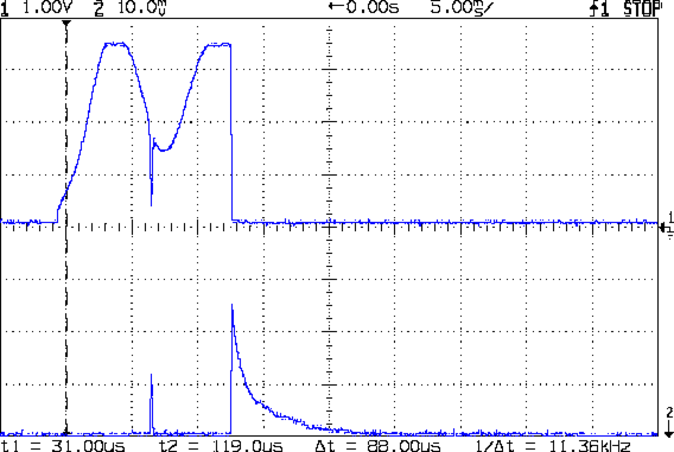
    Pulse Drive - Tek 1 A-div
    Pulse Drive – Tek 1 A-div

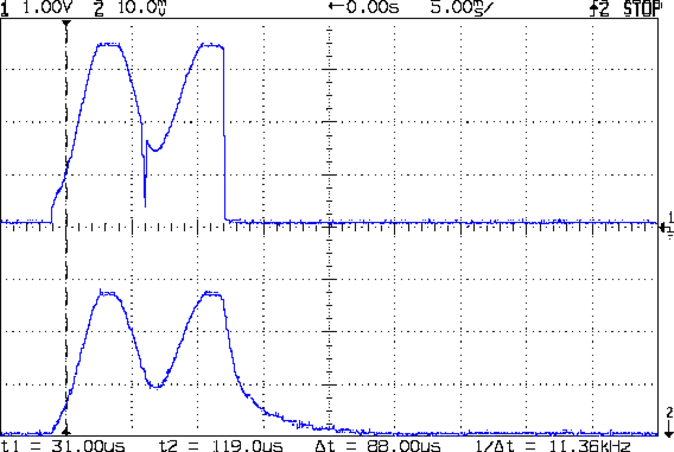
    That’s roughly two half-cycles of the full-wave rectified AC with about 100 ms between pulses.

    The upper trace comes from the differential amp, the lower trace from the Tek current probe at 1 A/div. The overall amp transconductance looks to be 1.3 A/V = 1.3 A/div, minus that small DC offset, so the ADC range is actually 6.5 A. That might be a bit too much, all things considered, but not worth changing right now.

    Notice that the upper trace drops like a rock at the end of the pulse, while the Tek probe shows a gradual decrease. The missing current goes ’round and ’round through the flyback diode across the motor:

    Pulse Drive - Flyback Diode - Tek 1 A-div
    Pulse Drive – Flyback Diode – Tek 1 A-div

    The Tek probe in the lower trace goes on the green wire connecting the diode to the bridge rectifier, oriented to match the diode polarity (+ current flows from motor to blue wire on collector to brown wire on rectifier to motor):

    Motor flyback diode - installed
    Motor flyback diode – installed

    That nasty little spike in the middle of the diff amp output occurs when the collector voltage drops to zero and the ET227 shuts off, but the motor current continues to flow due to the winding inductance. In the first scope shot, the Tek probe doesn’t show any spikes in the motor current, because there aren’t any.

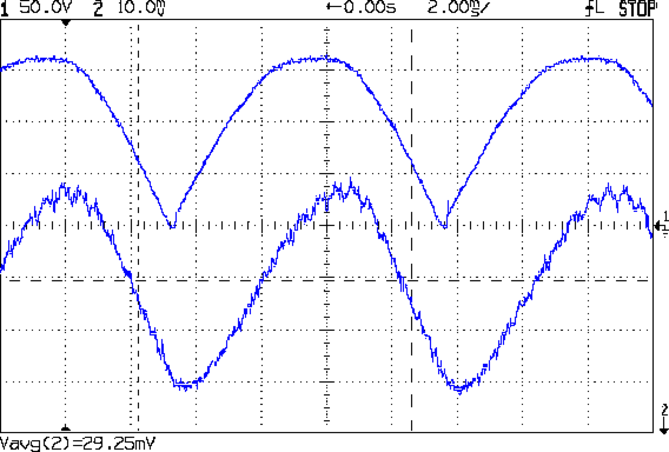
    Compare that with the voltage and current of the motor running from an isolation transformer:

    Rectified AC - 200 mA div - 875 RPM
    Rectified AC – 200 mA div – 875 RPM

    As the pulse repetition frequency increases, the motor speed goes up and the current goes down:

    Pulse Drive - Fast - Tek 1 A-div
    Pulse Drive – Fast – Tek 1 A-div

    The dropouts between successive pairs of half-cycles show where the firmware shuts off the current and goes once around the main loop.

    The Arduino code making that happen:

    PedalPosition = ReadAI(PIN_PEDAL);
    if (PedalPosition > 190) {
    	BaseDAC.setVoltage(Cvt_mA_to_DAC(3000),false);					// give it a solid pulse
    	MotorDrive.ADCvalue = SampleCurrent(PIN_CURRENT_SENSE);			// measure current = half cycle delay
    	MotorDrive.ActualCurrent = Cvt_ADC_to_mA(MotorDrive.ADCvalue);
    	printf("%5u, %5u, %5u, %5u, %5u, %5u, %5u\r\n",
    		MotorSensor.RPM,ShaftSensor.RPM,MotorDrive.State,
    		MotorDrive.DACvalue,MotorDrive.ADCvalue,MotorDrive.ActualCurrent,PedalPosition);
    	delay(3);														// finish rest of half cycle
    	BaseDAC.setVoltage(0,false);									//  ... then turn it off
    
    	delay(map(PedalPosition,190,870,100,0));						// pedal controls off time
    }
    

    The map() function flips the sense of the analog voltage coming from the pedal, so that more pedal pressure = higher voltage = lower delay. The pedal voltage produces ADC values from about 185 through 860, with a pleasant sigmoid shape that gives good speed control.

    The maximum motor speed isn’t quite high enough for bobbin winding, but I like what I see so far!

  • Improved Pilot InstaBoost Jumpstarter Clamps

    The Sienna now spends all its time sitting outdoors in an apartment parking lot and gets even less driving (hence, battery-charging) time than we used to give it. Fortunately, Santa being my kind of guy, our Larval Engineer received a Pilot InstaBoost jumpstarter, which is basically a 10 A·h / 40 W·h lithium battery with husky plug & socket connectors, a pair of 10 AWG wires, and big alligator clamps. The package claims a 400 A peak discharge rate, but the tiny inscription on the back of the case reports 200 A; either of those seems mmmm somewhat optimistic to me.

    The customer reviews suggest that the plastic battery clamp handles feature a crappy hinge joint which disintegrates under moderate stress on a cold winter night, firing the spring into the nearest snowbank and rendering the clamp completely useless. The joint consists of a plastic post on each side of the inner handle that protrudes into a hole in the outer handle:

    Battery Clamp - original joint
    Battery Clamp – original joint

    I assigned her some Mandatory Quality Shop Time to improve the joint. She found some brass tubing that fit the existing hole and cut two pieces to length:

    Battery Clamp - cutting brass tube
    Battery Clamp – cutting brass tube

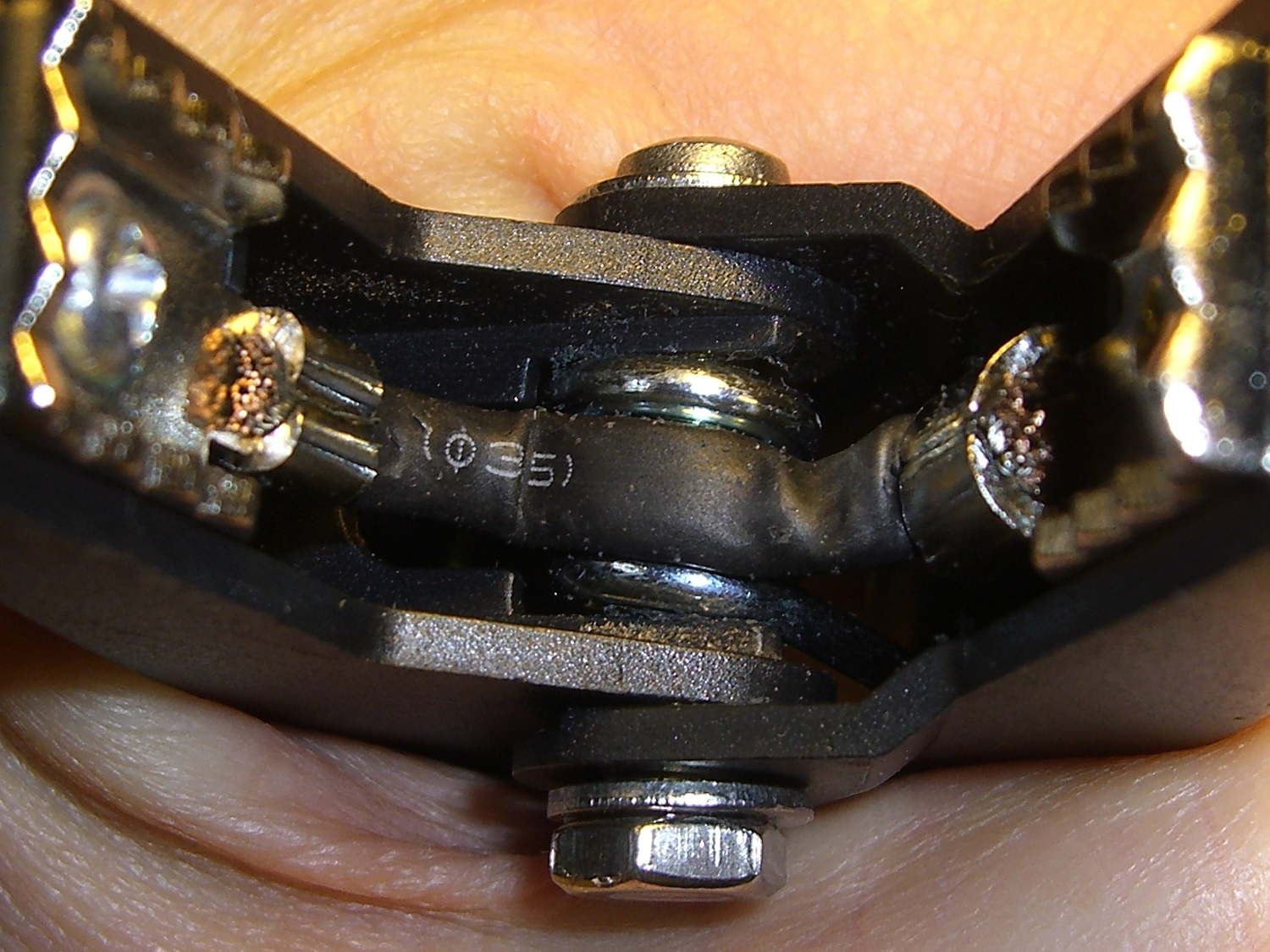
    A 1 inch stainless screw was just barely long enough (that’s Loctite Red in the nut), but the end result certainly looks durable enough:

    Battery Clamp - improved joint
    Battery Clamp – improved joint

    It’s along the same lines as the improvement I applied to my old Park Tool MTB-7 Rescue Tool.

    Apart from that, the clamps look pretty good. There’s even a husky braid between the two jaw pads, ensuring at least one reasonably low resistance joint to the battery post:

    Battery Clamp - jaw strap
    Battery Clamp – jaw strap

    With a bit of luck, we’ll never know how well it works as a jumpstarter. She can use the USB port to keep her phone charged, which may provide enough motivation to keep the thing topped up and ready for use…

    [Update: two days after this post went live, someone found it by searching for:

    how to repair clamps pilot instaboost 400

    You have been warned!]

  • Always Remove Your Data Before Disposing of Your Hardware

    Surely you’ve seen the reports on the plumber who sold his Ford F-250 pickup, only to have it reappear on the Syrian front lines, recycled into an anti-aircraft gun platform:

    Mark-1 Truck Cannon in Syria
    Mark-1 Truck Cannon in Syria

    That’s the most spectacular example I’ve seen of what happens when you leave personal data on hardware that’s no longer under your control, but imagine what would happen if your junked hard drive wound up holding, oh, say, a few gigabytes of kiddy porn, along with your old letters and spreadsheets.

    A visit from the DHS agents would look downright appealing.

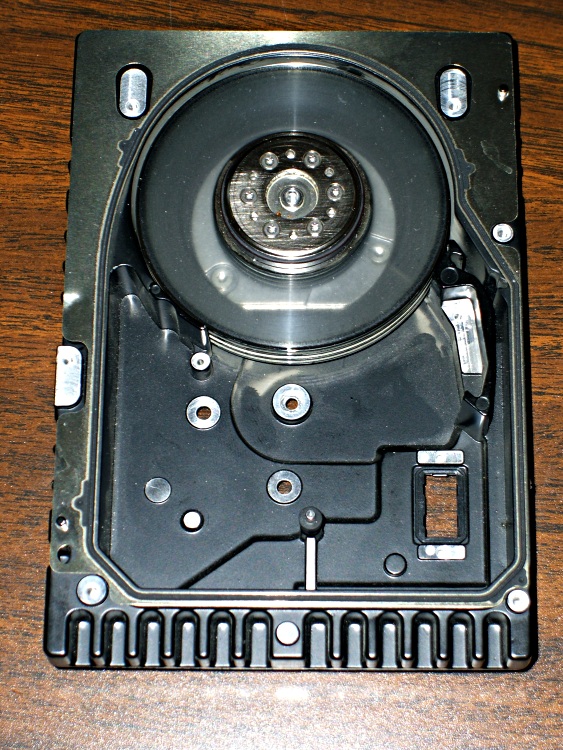
    You could always scrub the platters clean:

    Scrubbed hard drive platters
    Scrubbed hard drive platters

    The gun has shrapnel shields and might actually be an anti-aircraft gun, but it’s obviously pounding ground-level targets…