Ed Nisley's Blog: Shop notes, electronics, firmware, machinery, 3D printing, laser cuttery, and curiosities. Contents: 100% human thinking, 0% AI slop.
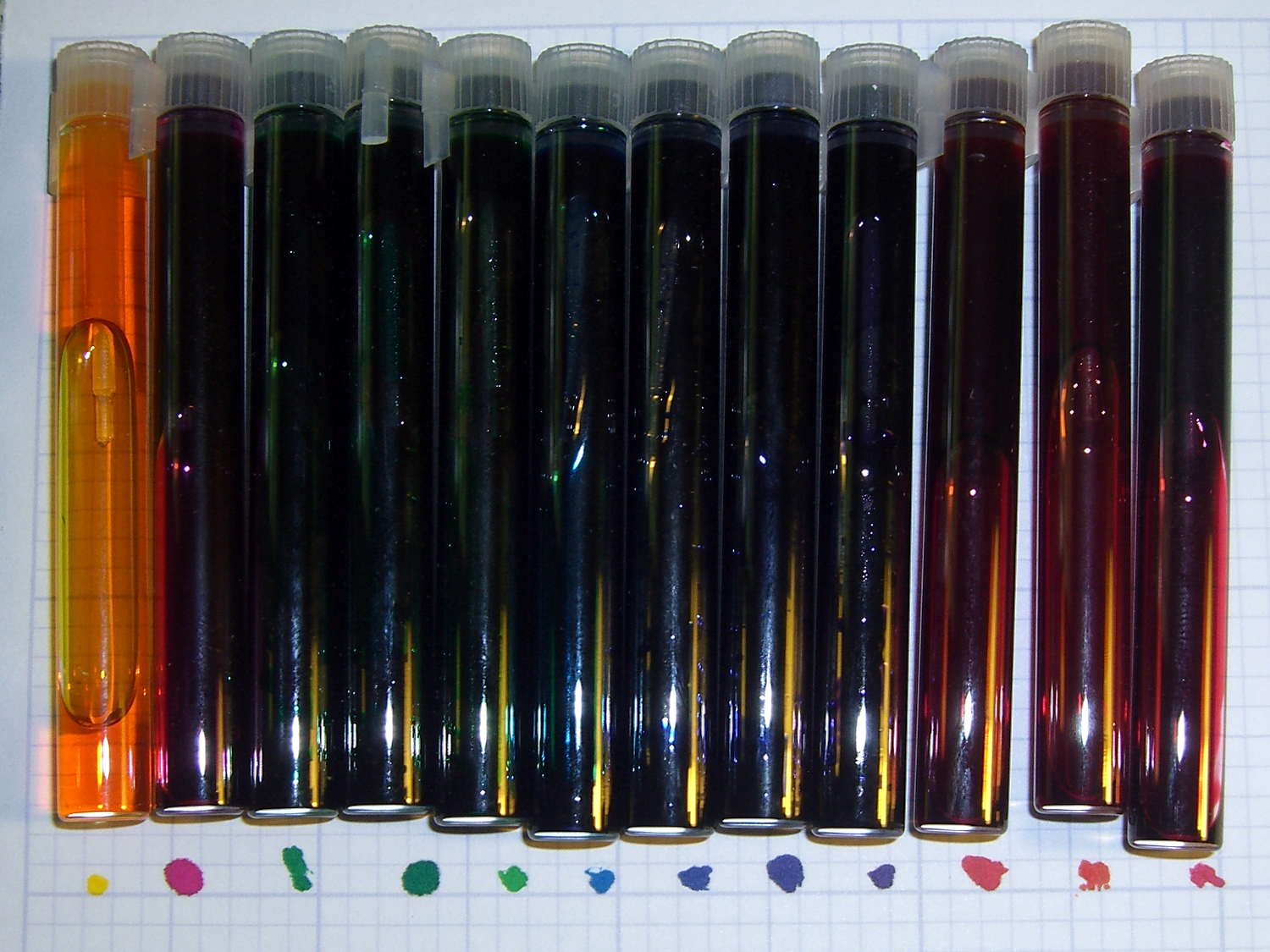
The small spots show the colors on paper (with the vials in a different order):
CMY Printer Ink Mixes – paper spots
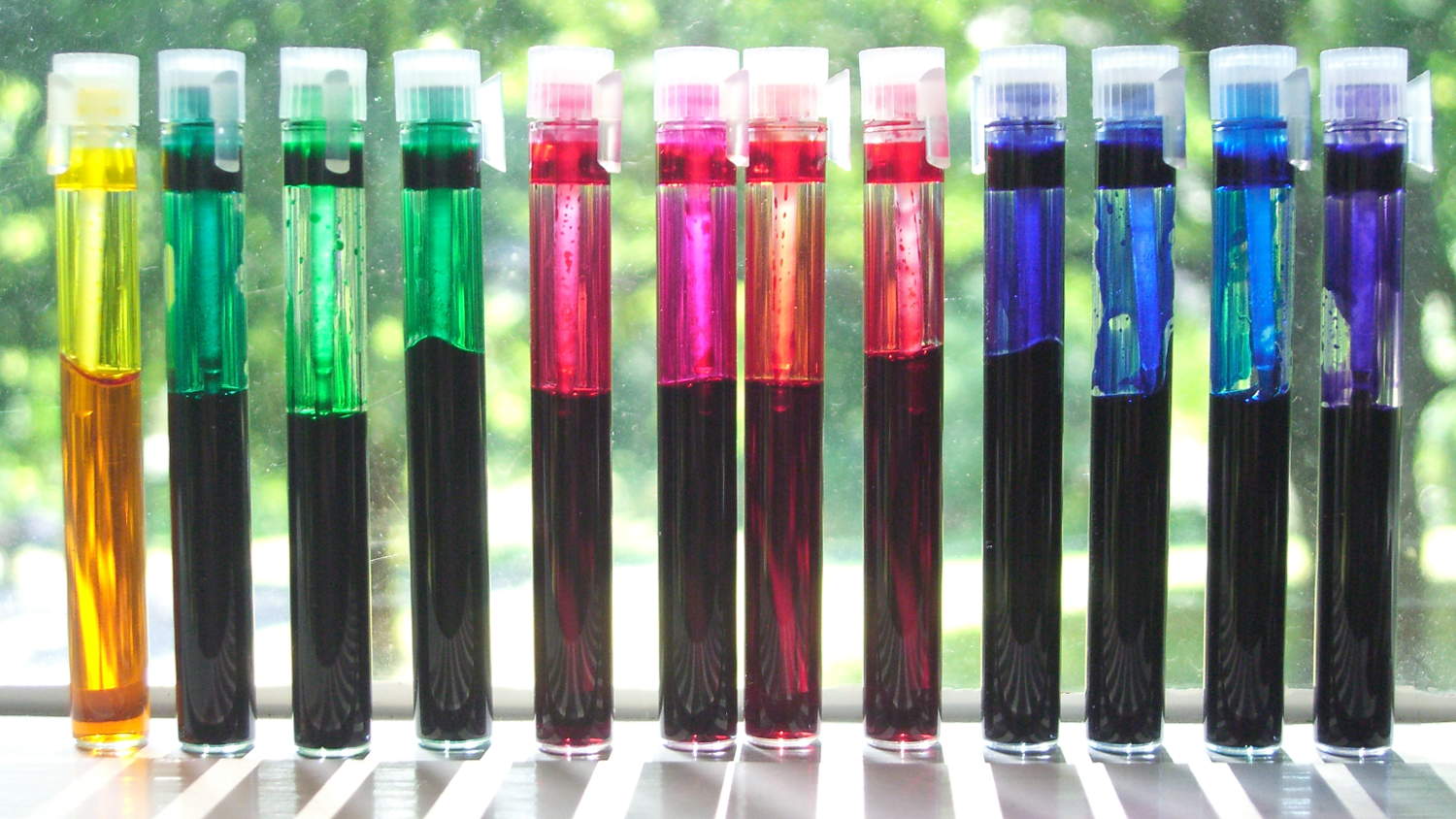
Three of those vials contain the original CMY inks, taken from a trio of small generic inkjet refill bottles.
Mixing 1:1 ratios of two inks produces the expected red / blue / green primaries.
Six other colors came from 2:1 blends of two inks and, except maybe for that purple over on the right of the top picture, aren’t worth the aggravation; plotter drawings don’t score higher for having a rich color palette.
In principle, I could dilute the mixes with water (alcohol? vodka?) to produce less saturated colors, but for plotter ink absolutely nothing exceeds like excess.
The CMY and 1:1 (= 0.5 ml each) vials should contain 1.0 ml and the 2:1 vials hold 0.9 ml (= 0.3 + 0.6 ml), but I didn’t sweat the small stuff and there was some, ah, spillage along the way.
The vials are 1.5 ml perfume sample vials from the usual eBay supplier: 50 of the things (with 10 squeezy plastic 3 ml pipettes) set me back nine bucks delivered. Refilling a plotter pen requires maybe 0.05 ml, so each vial holds 20-ish refills with plenty of headroom.
Uncapping and recapping the vials inside a towel makes a lot of sense; the ink makes its way between the cap and vial, creeps up to the lip, and spatters as the lid snaps closed. Fortunately, that t-shirt was getting on toward worn out…
Memo to Self: Do not fiddle with magenta ink immediately before chopping the supper vegetables.
Spring Road, the only route between Vassar Road and the Galleria / South Hills malls, had fallen into poor repair over the last few years, to the point where we rode to the end of Vassar Rd, crossed all seven lanes of Rt 9, low-geared up the southern access road to South Hills, then traversed the two-lane ring road. We had high hopes for the recently completed reconstruction project that closed Spring Rd for several weeks.
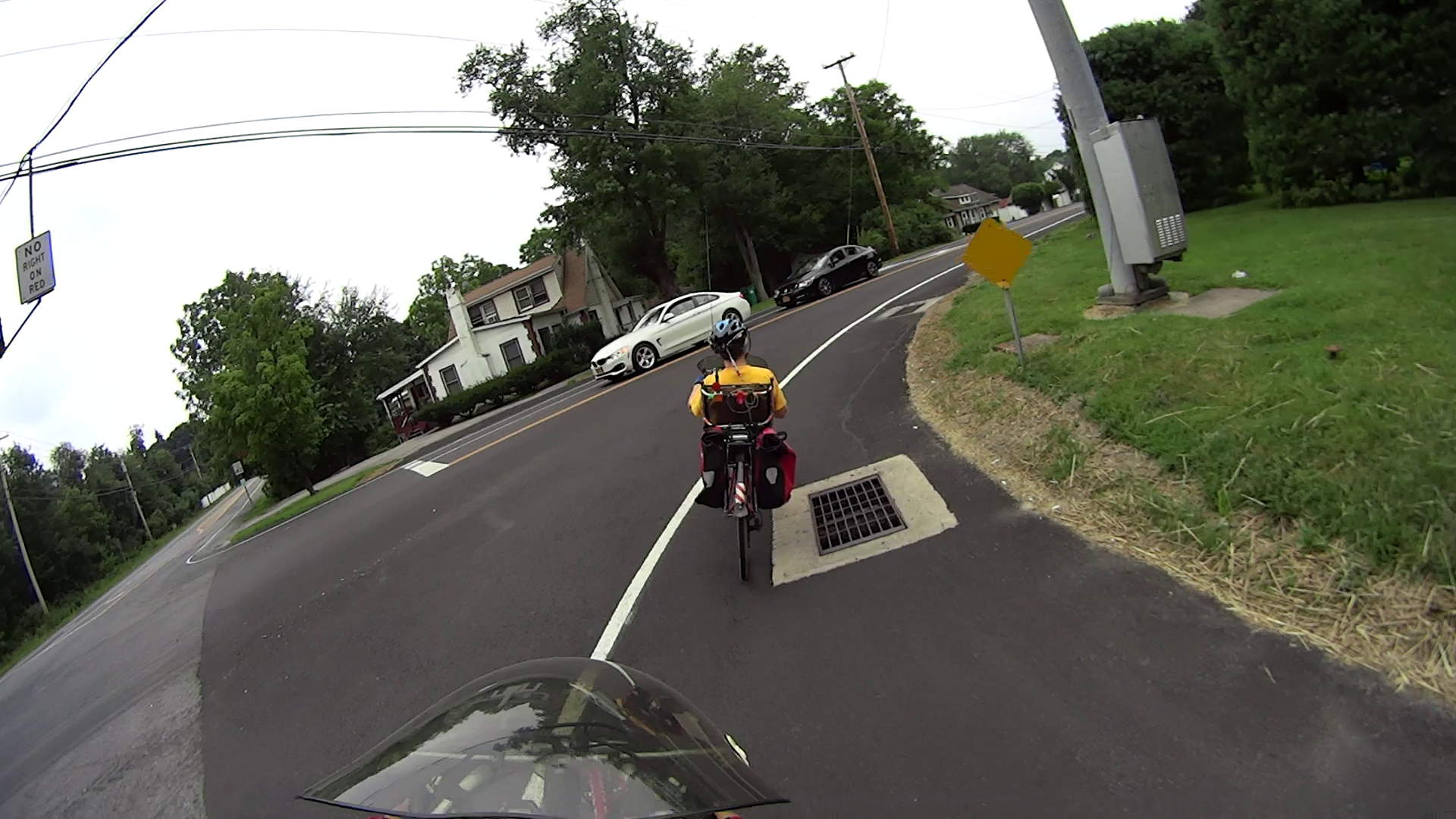
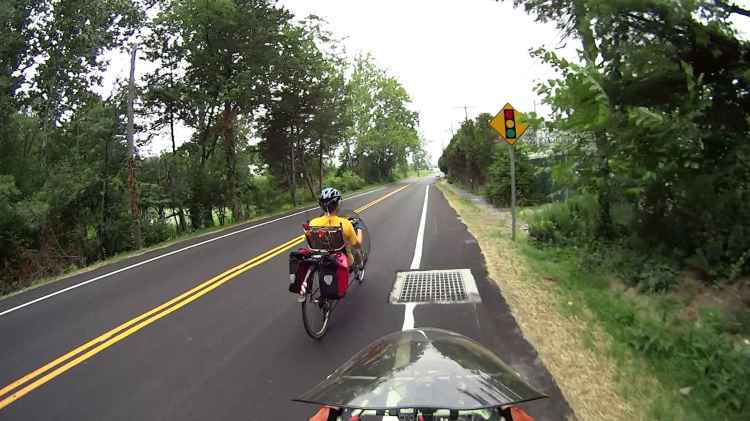
Although the paving is much better and the reconstruction removed a blind curve over a hill, the “rideable” shoulder now spans every single drain grate along both sides of the road. You encounter the first pair at speed in the turn from southbound Vassar Rd onto Spring Rd:
Spring Rd 2015-07-30 – Westbound at Vassar
Don’t cross either grate at full speed or you’ll flip over the high side into traffic.
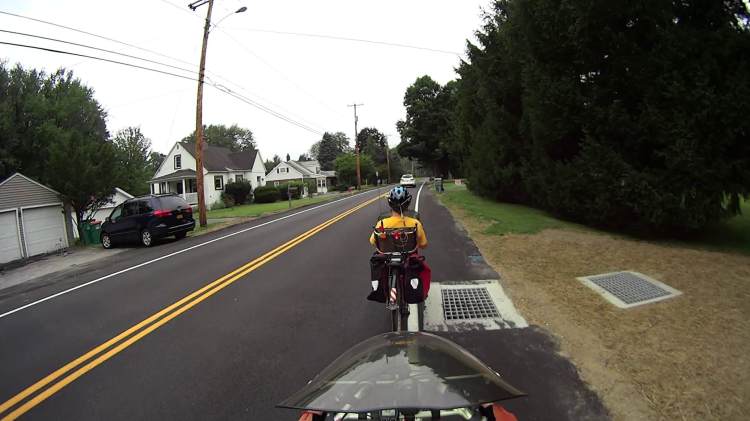
A gallery of some of the other fine grates on offer along Spring Road:
Spring Rd 2015-07-30 – WB – grate 1
Spring Rd 2015-07-30 – WB – grate 2
Spring Rd 2015-07-30 – WB – grate 3
Spring Rd 2015-07-30 – EB – grate 1
They’re not nearly as smooth-and-level-at-grade as you might expect from the pictures; some are recessed two inches into the pavement. I rode over some that looked passable and they’re definitely not the sort of obstacle you want to cross without thinking. Forsooth: steel bars and bike tires do not a stable encounter have.
I’m also certain, based on past experience, that motorists won’t understand why we’re (still) riding in the lane, rather than using the new, most-wonderful shoulder.
Like, for example, when Mary elected to jounce over a grate and I rode the fog line along the abrupt slope down to the concrete box:
Spring Rd 2015-08-01 – EB – grate front view
The rear view shows why bicycle-friendly design matters:
Spring Rd 2015-08-01 – EB – grate rear view
FWIW, I generally ride slightly to Mary’s left, because I figure that way they’ll almost certainly miss her.
Oh, well. The new Spring Road is about as good as road design and paving gets around here…
Mary flattens seam allowances and prepares appliqué pieces with a Clover MCI-900 Mini Iron. The stand resembles the wire gadgets that came with soldering irons, back in the day:
Clover MCI-900 Mini Iron – Clover holder
That stand may be suitable on a workbench, but it’s perilously unstable on an ironing board. After fiddling around for a while and becoming increasingly frustrated with it, she asked for a secure holder that wouldn’t fall over and perhaps had a heat shield around the hot end.
I ran off a quick prototype to verify my measurements and provide a basis for further discussion:
Clover MCI-900 Mini Iron – Level holder
I proposed screwing that holder to a rectangle of leftover countertop extending under the hot end, with a U-shaped heat shield extending upward to keep fingers and fabric away from the blade. She decided the countertop might be entirely too heavy and the heat shield might be too confining, so she suggested just angling the iron upward and adding a flat platform to stabilize it.
Her wish being my command:
Clover MCI-900 Mini Iron – Angled holder
I’m still not convinced that having the hot end up in the air is a Good Thing, but she thinks it’s worth trying as-is. A pair of 10-32 screw holes under each end will let it mount to a base board, should that becomes necessary.
I’ll stick a foam sheet under the platform so it doesn’t slide around. The cord normally dangles downward off the side of the ironing board or work table, so the iron won’t get up and walk away, but it might pull the whole affair toward the edge.
I should fill the letters with JB Weld epoxy darkened with laser printer toner (who knew?) to make them stand out. They’re more conspicuous in person than in the picture, so maybe it doesn’t matter.
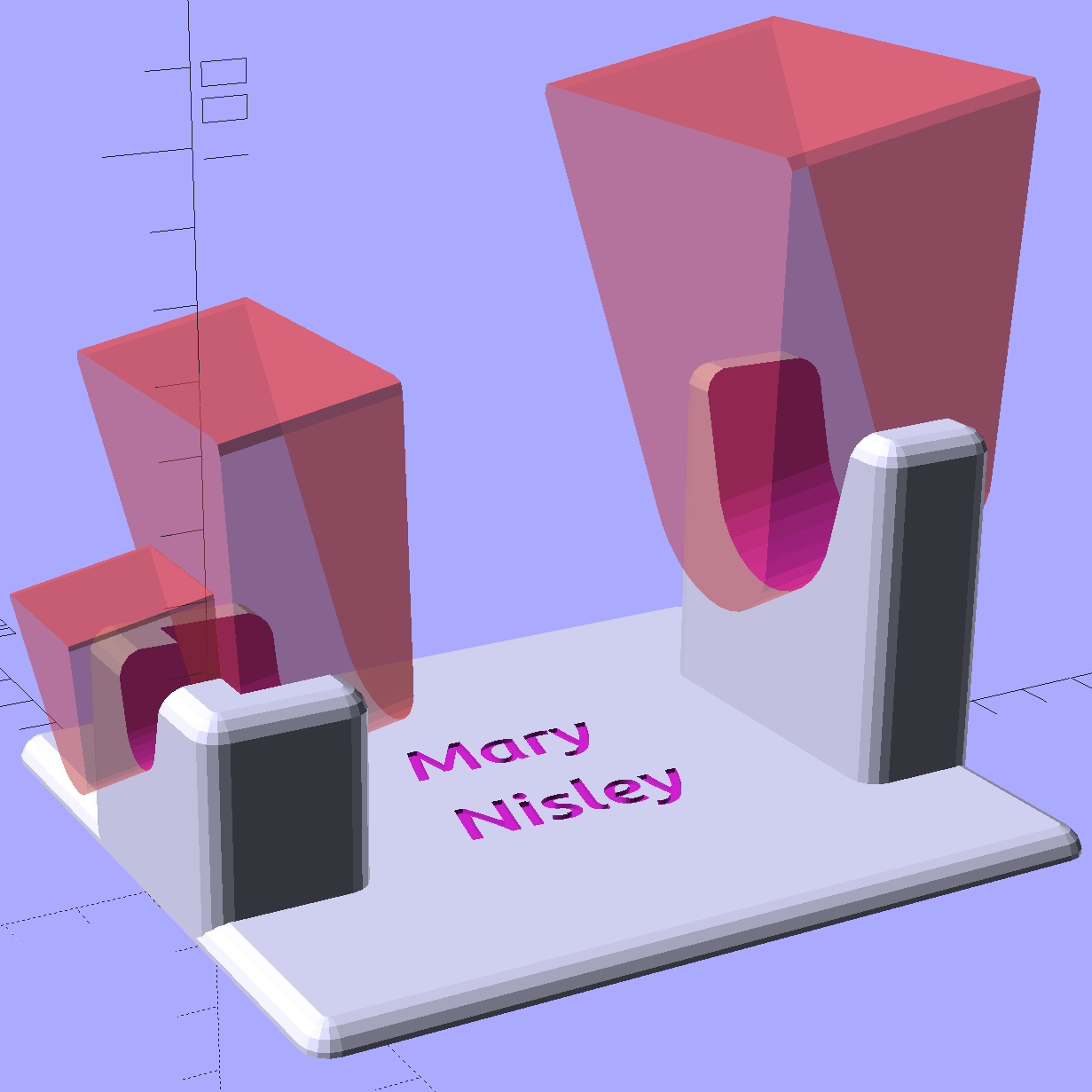
The slots holding the iron have a semicircular bottom and straight-wall sides, created by extruding hulled 2D shapes, arranging them along the iron’s central axis, and tilting the “iron” at the appropriate angle:
Clover Mini Iron Holder – solid model showing iron
That’s a 10° tilt, chosen because it looked right. The model recomputes itself around the key dimensions, so we can raise / lower the iron, change the angle, and so forth and so on, as needed.
Assuming that a hot end sticking out in mid-air isn’t too awful, this one looks like a keeper.
The OpenSCAD source code:
// Clover MCI-900 Mini Iron holder
// Ed Nisley KE4ZNU - August 2015

Layout = "Holder";					// Iron Holder

//- Extrusion parameters - must match reality!

ThreadThick = 0.25;
ThreadWidth = 0.40;

function IntegerMultiple(Size,Unit) = Unit * ceil(Size / Unit);

Protrusion = 0.1;

HoleWindage = 0.2;

inch = 25.4;

Tap10_32 = 0.159 * inch;
Clear10_32 = 0.190 * inch;
Head10_32 = 0.373 * inch;
Head10_32Thick = 0.110 * inch;
Nut10_32Dia = 0.433 * inch;
Nut10_32Thick = 0.130 * inch;
Washer10_32OD = 0.381 * inch;
Washer10_32ID = 0.204 * inch;

//------
// Dimensions

CornerRadius = 4.0;

CenterHeight = 25;							// center at cord inlet on body

BodyLength = 110;							// cord inlet to body curve at front flange

Incline = 10;								// central angle slope

FrontOD = 29;
FrontBlock = [20,1.5*FrontOD + 2*CornerRadius,FrontOD/2 + CenterHeight + BodyLength*sin(Incline)];

CordOD = 10;
CordLen = 10;

RearOD = 22;
RearBlock = [15 + CordLen,1.5*RearOD + 2*CornerRadius,RearOD/2 + CenterHeight];

PlateWidth = 2*FrontBlock[1];

TextDepth = 3*ThreadThick;

ScrewOC = BodyLength - FrontBlock[0]/2;
ScrewDepth = CenterHeight - FrontOD/2 - 5;

echo(str("Screw OC: ",ScrewOC));

BuildSize = [200,250,200];					// largest possible thing

module PolyCyl(Dia,Height,ForceSides=0) {			// based on nophead's polyholes

  Sides = (ForceSides != 0) ? ForceSides : (ceil(Dia) + 2);

  FixDia = Dia / cos(180/Sides);

  cylinder(r=(FixDia + HoleWindage)/2,
           h=Height,
	   $fn=Sides);
}

// Trim bottom from child object

module TrimBottom(BlockSize=BuildSize,Slice=CornerRadius) {

	intersection() {
		translate([0,0,BlockSize[2]/2])
			cube(BlockSize,center=true);
		translate([0,0,-Slice])
			children();
	}
}

// Build a rounded block-like thing

module RoundBlock(Size=[20,25,30],Radius=CornerRadius,Center=false) {

	HS = Size/2 - [Radius,Radius,Radius];
	translate([0,0,Center ? 0 : (HS[2] + Radius)])
	hull() {
		for (i=[-1,1], j=[-1,1], k=[-1,1]) {
			translate([i*HS[0],j*HS[1],k*HS[2]])
				sphere(r=Radius,$fn=4*4);
		}
	}
}

// Create a channel to hold something
// This will eventually be subtracted from a block
// The offsets are specialized for this application...

module Channel(Dia,Length) {

	rotate([0,90,0])
		linear_extrude(height=Length)
			rotate(90)
				hull() {
					for (i=[-1,1])
						translate([i*Dia,2*Dia])
							circle(d=Dia/8);
					circle(d=Dia,$fn=8*4);
				}
}

// Iron-shaped series of channels to be removed from blocks

module IronCutout() {

	union() {
		translate([-2*CordLen,0,0])
			Channel(CordOD,2*CordLen + Protrusion);
		Channel(RearOD,RearBlock[0] + Protrusion);
		translate([BodyLength - FrontBlock[0]/2 - FrontBlock[0],0,0])
			Channel(FrontOD,2*FrontBlock[0]);

	}

}

//- Build it

if (Layout == "Iron")
	IronCutout();

if (Layout == "Holder")
	difference() {
		union() {
			translate([(BodyLength + CordLen)/2 - CordLen,0,0])
				TrimBottom()
					RoundBlock(Size=[(CordLen + BodyLength),PlateWidth,CornerRadius]);

			translate([(RearBlock[0]/2 - CordLen),0,0])
				TrimBottom()
					RoundBlock(Size=RearBlock);

			translate([BodyLength - FrontBlock[0]/2,0,0]) {
				TrimBottom()
					RoundBlock(Size=FrontBlock);
			}
		}

		translate([0,0,CenterHeight])
			rotate([0,-Incline,0])
				IronCutout();

		translate([0,0,-Protrusion])
			PolyCyl(Tap10_32,ScrewDepth + Protrusion,6);

		translate([ScrewOC,0,-Protrusion])
			PolyCyl(Tap10_32,ScrewDepth + Protrusion,6);

		translate([(RearBlock[0] - CordLen) + BodyLength/2 - FrontBlock[0],0,CornerRadius - TextDepth]) {

			translate([0,10,0])
				linear_extrude(height=TextDepth + Protrusion,convexity=1)		// rendering glitches for convexity > 1
					text("Mary",font="Ubuntu:style=Bold Italic",halign="center",valign="center");

			translate([0,-10,0])
				linear_extrude(height=TextDepth + Protrusion,convexity=1)		// rendering glitches for convexity > 1
				text("Nisley",font="Ubuntu:style=Bold Italic",halign="center",valign="center");
		}

	}
The M2 buzzed away for four hours on that puppy, with the first 2½ hours devoted to building the platform. That’s the downside of applying Hilbert Curve infill to two big flat surfaces, but the texture looks really good.
This marks the end of my infatuation with tire liners:
Schwalbe 20 inch tube – tire liner damage
There seems to be no way to eliminate tube erosion at the end of the liner. I’ve tried tapering the thickness, taping the joint, and so forth and so on.
Fortunately, the tire went flat in the garage and I did a quick swap before our morning ride.
Searching for tire liner will reveal the rest of the stories, both good and bad.









 The Smell of Molten Projects in the Morning