Ed Nisley's Blog: Shop notes, electronics, firmware, machinery, 3D printing, laser cuttery, and curiosities. Contents: 100% human thinking, 0% AI slop.
Mary wonders if the designers scaled the grips and spring tensions to suit women’s hands. Her experience shows that “tools for men” are too big and require too much grip strength for her comfort; applying pink plastic won’t improve them in the least.
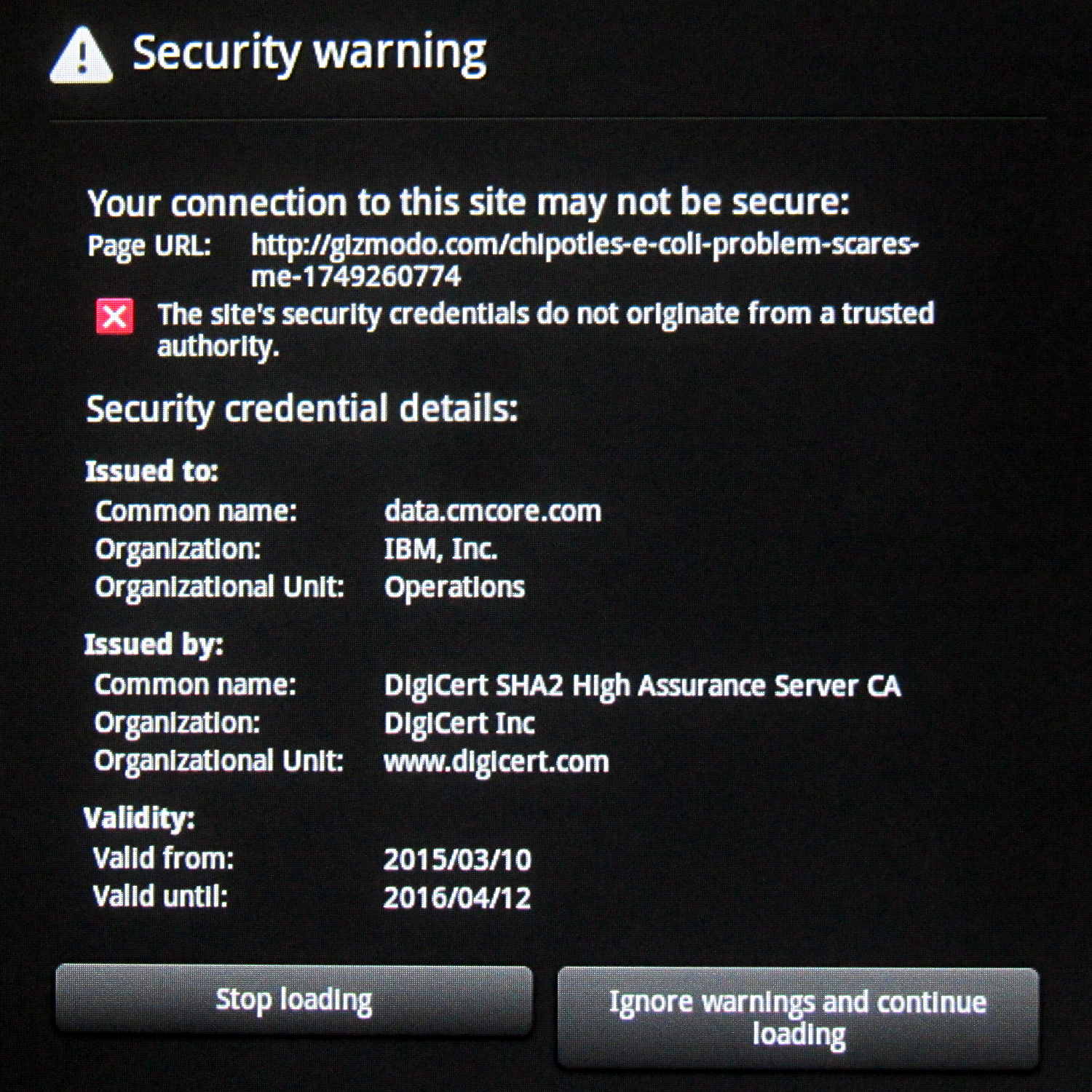
Having turned on my old Kindle Fire’s “security warnings” just to see what happens, I’m confronted by pop-ups like this on a regular basis:
Web Security Warning
People who know what they’re talking about tell me there’s no way for ordinary civilians, such as I, to evaluate the validity of the “credentials” described by that pop-up. In this case, the credential apparently comes from DigiCert, which ought to be trust-able, and was issued to cmcore.com, an actual IBM subsidiary that apparently does Web analytics.
It works fine through my desktop browsers. The Kindle, however, can’t even find digicert.com, so the problem must be an Amazon thing.
The only response that makes sense is to continue loading: gizmodo.com might have cat pictures!
I should just turn off the warnings and be done with it…
So, by and large, plumbing & home repair are where it’s at.
When Nielsen sends out another round of money in the mail, the obvious search terms pop to the top of the list. That’s weird, because the major search engines no longer provide the keywords in the URL (so WordPress can’t track them), which means a few folks still use minor-league search sites.
Who knew?
Thanks to those of you who put up with my “external memory” rambling; with a bit of luck, I can still serve as a bad example. [grin]
The Suction Control slider on the handle of our shiny new Kenmore Progressive vacuum cleaner varies the speed of the howling motor in the base unit, rather than venting more or less air into the pipe. We like that, but it’s all too easy to inadvertently slide the control and never notice it, sooo I marked the default condition:
Although every vacuum cleaner we’ve ever owned has touted its “quiet operation”, we always wear 30 dB ear muffs and it’s sometimes hard to tell the difference between full throttle and not quite so fast…
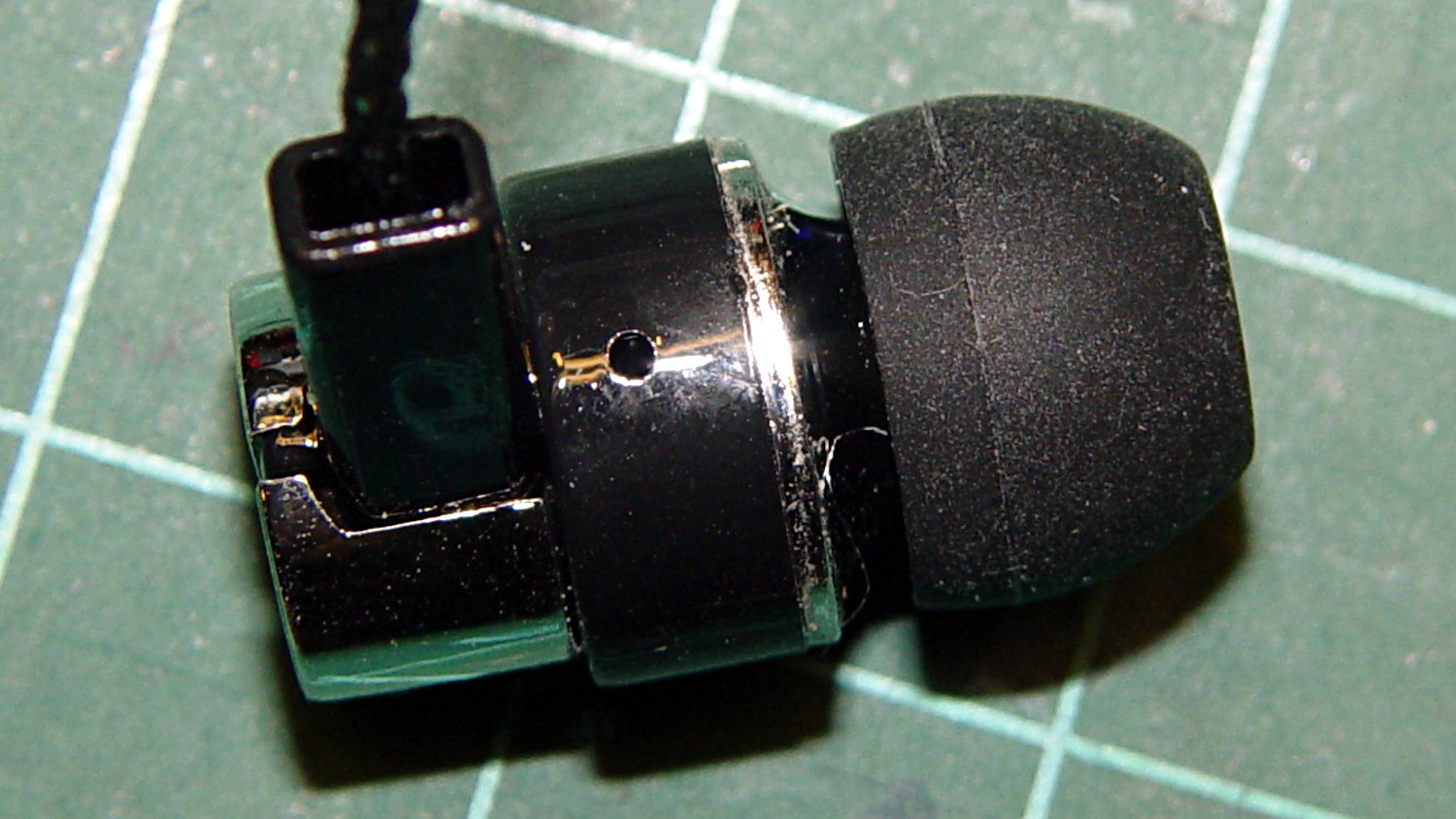
A bag arrived from halfway around the planet, bearing five sets of cheap earbuds. There was no way to tell from the eBay description, but they’re vented on the side:
Cheap earbud – side vent detail
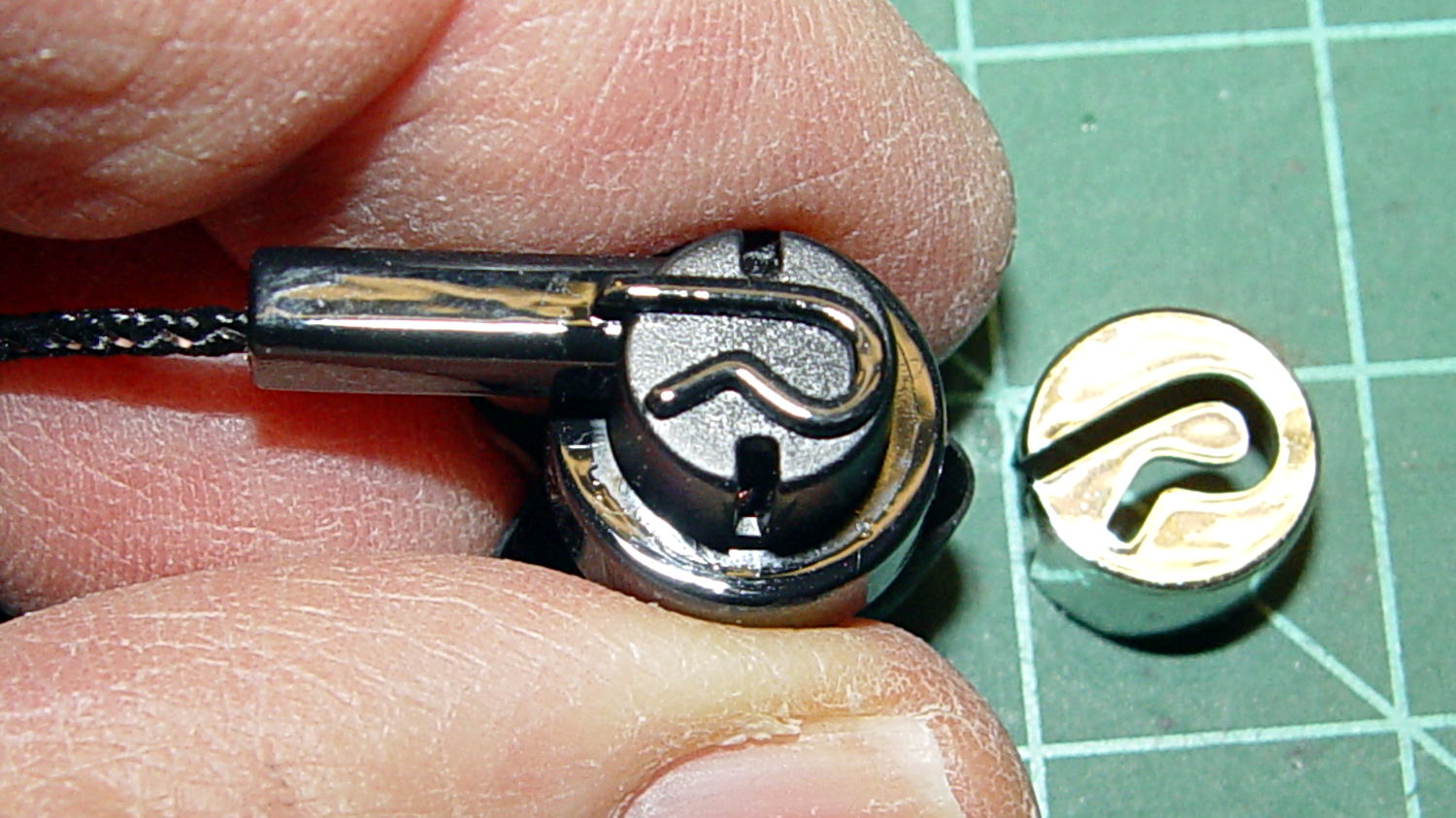
And also to the rear, down inside those deep slots below the chromed plastic cover:
Cheap earbud – back openings
The raised lettering is a nice touch; the other earbud has a script L.
The PET braid over the fragile wire should withstand a bit more abuse than usual. The strain relief isn’t anything to cheer, though, consisting of that rectangular channel with the wire loose inside. I figured I’d start minimal and fix whatever crops up; I have nine more earbuds to go.
The motivation for all this was having the Gorilla Tape peel off the helmet, leaving a hardened mass of glue behind, then snagging the earbud wires. This is the new, somewhat better protected, wiring:
Bell Helmet – mic-earbud wire – hardened tape adhesive
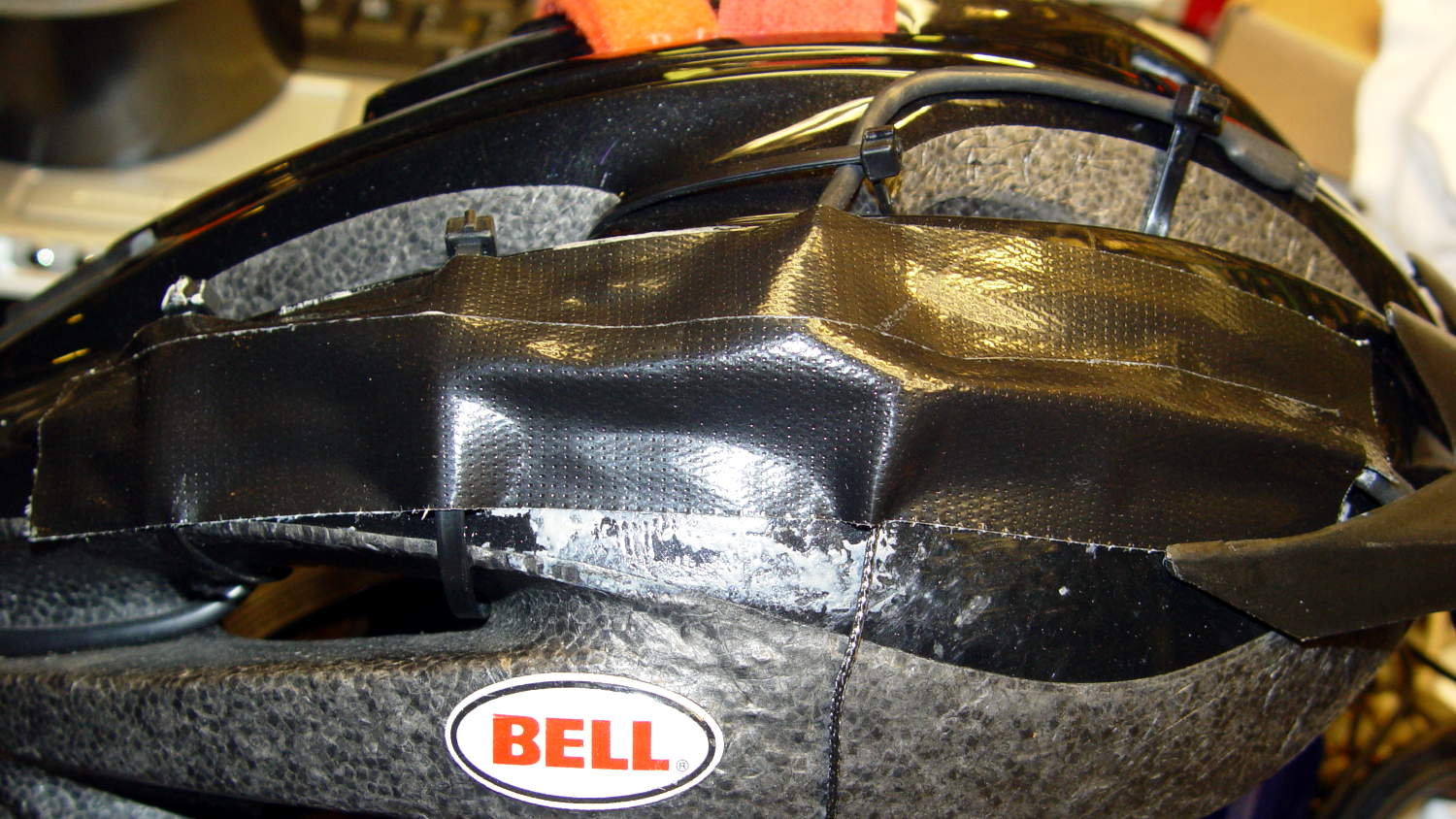
In a triumph of hope over experience, I applied more Gorilla Tape:
Bell Helmet – re-taped mic-earbud wiring
The helmet may need replacing after another iteration or two.
My solid modeling hand has become stronger these days, so I should gimmick up a flat-ish wart anchoring the mic boom and all the wiring to the helmet shell.
A recent and rather battered book-on-CD posed more than the usual problems for Asunder, so I finally broke down and fiddled around with cdparanoia and lame. This has obviously been done many times before, but breaking it into two simple steps per CD makes the inevitable errors easier to find and work around.
Invoke cdparanoia thusly to rip an entire CD into separate tracks:
cdparanoia -B -v
The files pop out sporting names like track01.cdda.wav, but they won’t be around long enough for you to develop a deep emotional attachment.
Throw a handful of parameters at lame to convert the WAV files into tagged MP3 files:
d=7
for t in {01..18} ; do lame --preset tape --tt "D${d}:T${t}" --ta "Author Name" --tl "Book title" --tn "${t}/18" --tg "Audio Book" --add-id3v2 track${t}.cdda.wav D${d}-${t}.mp3 ; done
rm track*
There’s surely a way to make a double substitution work in the track sequence, but the syntax, ah, escapes me at the moment.
You might want to not delete the WAV files until you’re happy with the MP3 results.
In any event, that produces a sequence of MP3 files imaginatively named along the lines of D1-01.mp3, which fits neatly into the cramped LCD space available on an MP3 player.
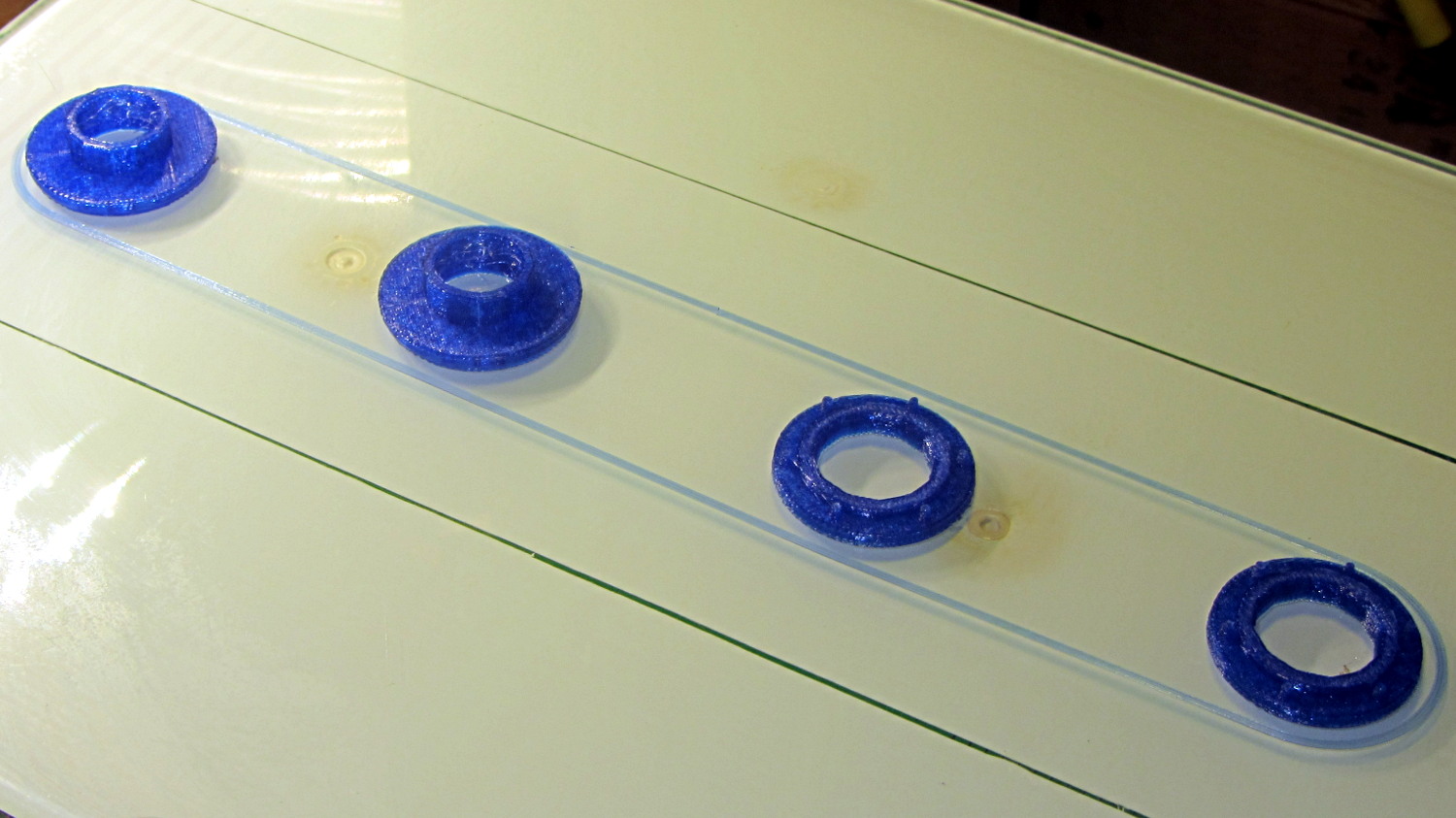
The tiny posts on the fencing helmet ear grommet produced a remarkable amount of PETG hair, because the nozzle had to skip between four separate pieces on the platform at each layer:
So I told Slic3r to build each part separately:
Fencing helmet grommet – separate builds – first attempt
Due to absolutely no forethought or planning on my part, that actually worked. Slic3r defines a cylindrical keep-out zone around the nozzle that I set to 15 mm radius and 25 mm height, but those numbers are completely wrong for the M2, particularly with a V4 hot end.
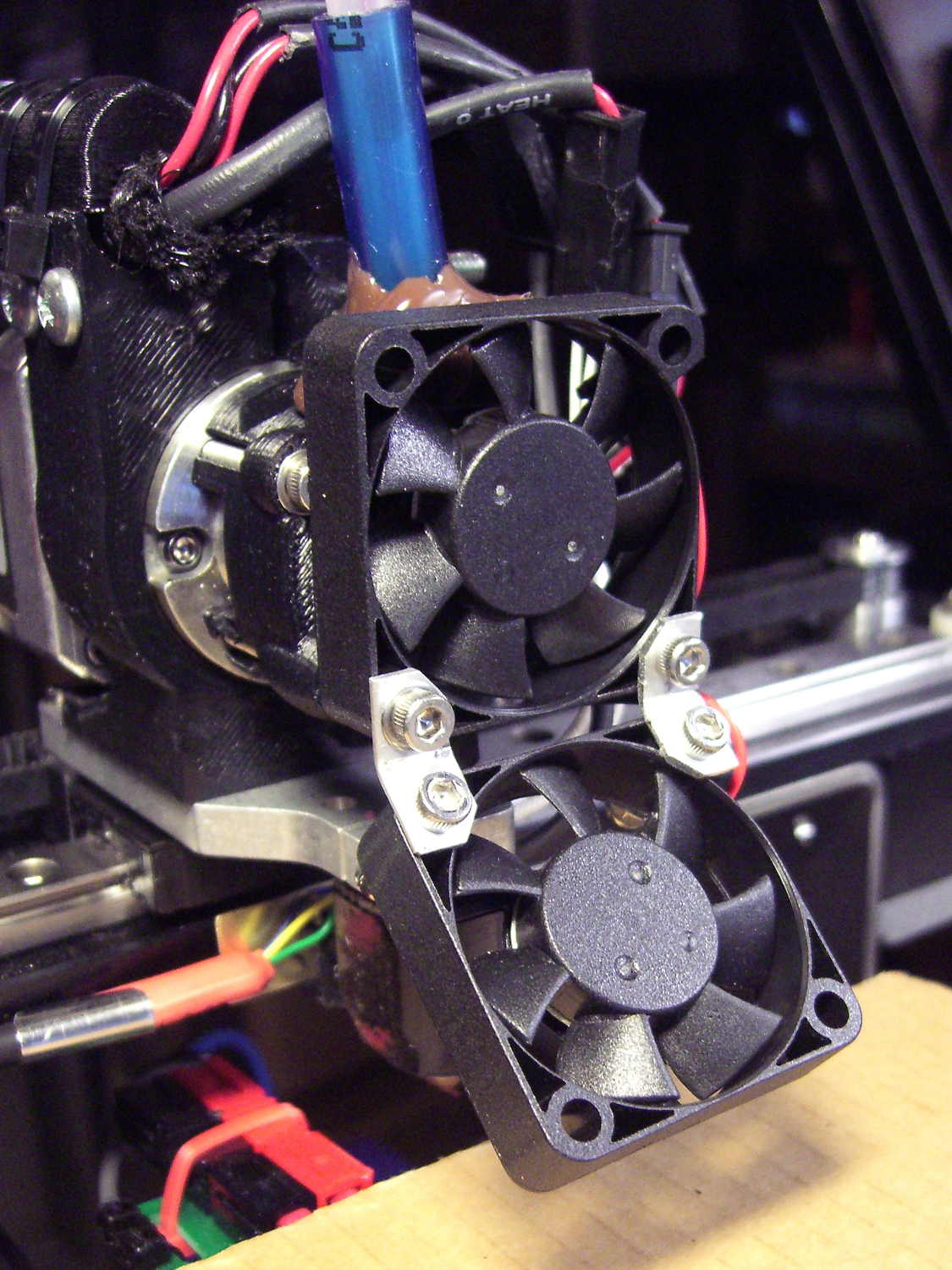
To the rear, the nuts & bolts along the bottom of the X gantry sit 5 mm above the V4 nozzle, with the relaxed actuator on my re-relocated Z-axis home switch at Z=+1 mm:
V4 PETG – extruder priming
To the front, the bed fan doesn’t sit much higher:
M2 V4 Extruder – 24 V fans
As it turned out, the front washers built first, sitting there in front of the gantry and behind the fan, the rear washers appeared last, and Everything Just Worked.
However, even though the M2’s layout won’t allow for automated layout, I figured I could do it manually by building the parts from front to rear:
Fencing Helmet Ear Grommet – Slic3r layout
That way, the already-built parts never pass under the gantry / switch. For particularly tall parts, I could remove / relocate the bed fan to clear the already-built parts as they appear.
Come to find out that Slic3r, for whatever reason, doesn’t build the parts in the order you’d expect from the nice list on the far right side of the screen:
Sequential Build Order – Slic3r vs Pronterface
Worse, the Slic3r 3D preview shows the threads by layer (which is what you’d expect), rather than by object for sequential builds:
Slic3r – sequential preview vs build order
I don’t know how you’d force-fit a four-dimensional preview into the UI, so I won’t complain at all.
There’s no way to tell which part will build first; selecting the part will highlight its entry in the list (and vice versa), but the order of appearance in that list doesn’t tell you where the G-Code will appear in the output file. That’s not a problem for extruders with a keep-out volume that looks like a cylinder, so there’s no reason for Slic3r to do it any differently: it will manage the extruder position to clear all the objects in any order.
The Pronterface preview creates the objects by reading the G-Code file and displaying the threads in order, so, if you’re quick and it’s slow, you can watch the parts appear in their to-be-built order. The detailed preview (in the small window on the right in the screenshot) does show the parts in the order they will be built as you scroll upward through the “layers”, which is the only way you can tell what will happen.
So doing sequential builds requires iterating through these steps until the right answer appears:
Add all objects separately to get each one as a separate line in the list to the right
Using the More option to duplicate objects produces multiple objects per line = Bad Idea
Arrange objects in a line from front to back
Export G-Code file
Load G-Code file into Pronterface
Pop up the Pronterface layer preview, scroll upward to show build order, note carefully
Rearrange parts in Slic3r accordingly
That’s do-able (note the different order from the Slic3r preview):
Fencing helmet grommet – manual sequential build
But it’s tedious and enough of a pain that it probably makes no sense for anything other than parts that you absolutely can’t build any other way.
In this case, completing each of the bottom washers separately eliminated all of the PETG hair between the small pegs. The upper washers still had some hair inside the inner cylinder, but not much. If you were fussy, you could suppress that by selecting “Avoid crossing perimeters”, at the cost of more flailing around in the XY plane.
All those spare grommets will make a good show-n-tell exhibit…








 The Smell of Molten Projects in the Morning