Ed Nisley's Blog: Shop notes, electronics, firmware, machinery, 3D printing, laser cuttery, and curiosities. Contents: 100% human thinking, 0% AI slop.
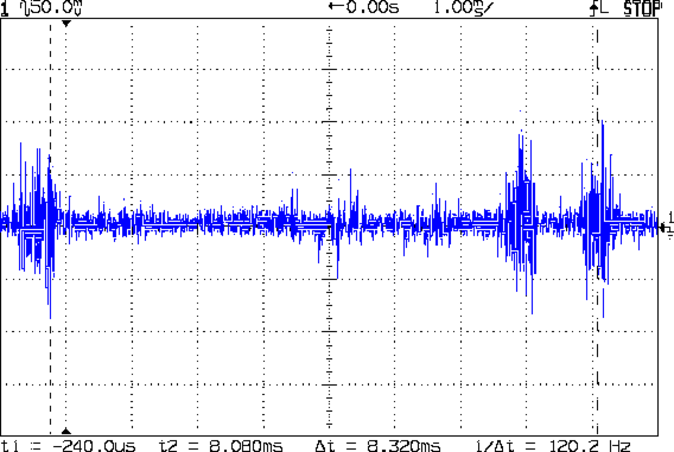
That’s with the scope probe ground clip connected to the wall wart coax connector barrel and the scope probe tip on the ground clip. It’s not the noise on the 24 VDC supply, it’s the noise injected into the ground connection!
Huh. Makes it tough to sort out low-level signals, it does indeed.
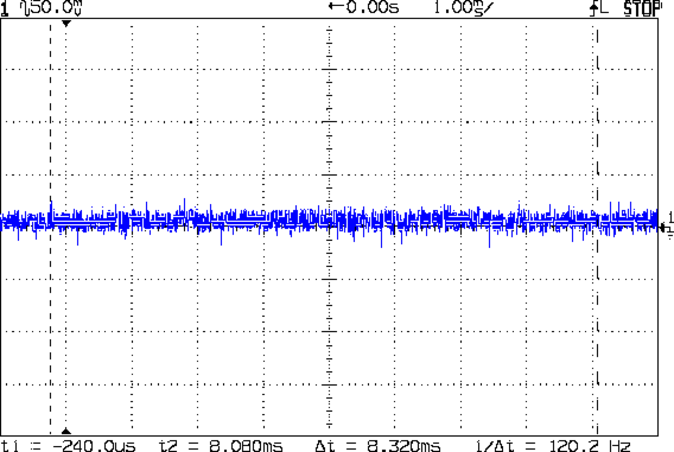
Consider one of my bench power supplies at 24 V:
Ground noise – bench supply 24 V – probe on gnd lug
Nice & quiet, the way power should be. One might quibble about the residual noise, but at least it’s not blasting out horrific bursts at 120 Hz.
“High Quality Commercial Grade” my aching eyeballs.
[Update: Edits based on eagle-eyed observations in the comments. ]
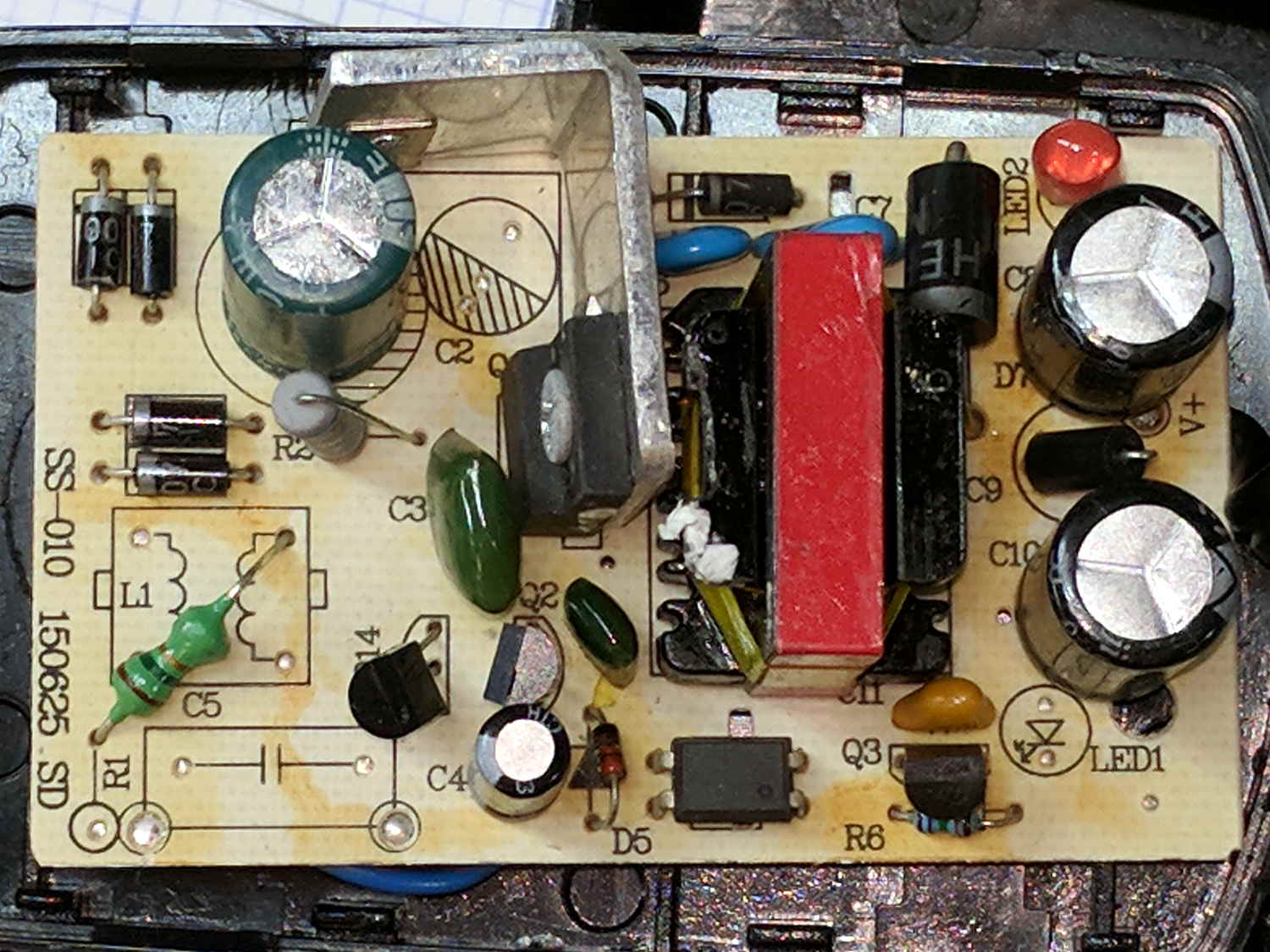
Not as many missing components as I expected, though, if the truth be told. The missing transformer common-mode choke seems odd and, AFAICT, the resistor inductor angling out from the R1 callout doesn’t connect to anything, connects directly to the AC line because C5 is missing and the pad joining them doesn’t go anywhere else it replaces the jumper (?) to the bottom-left pad and the missing parts. The red LED in the upper right isn’t visible through the black case, although it might serve as a voltage regulator.
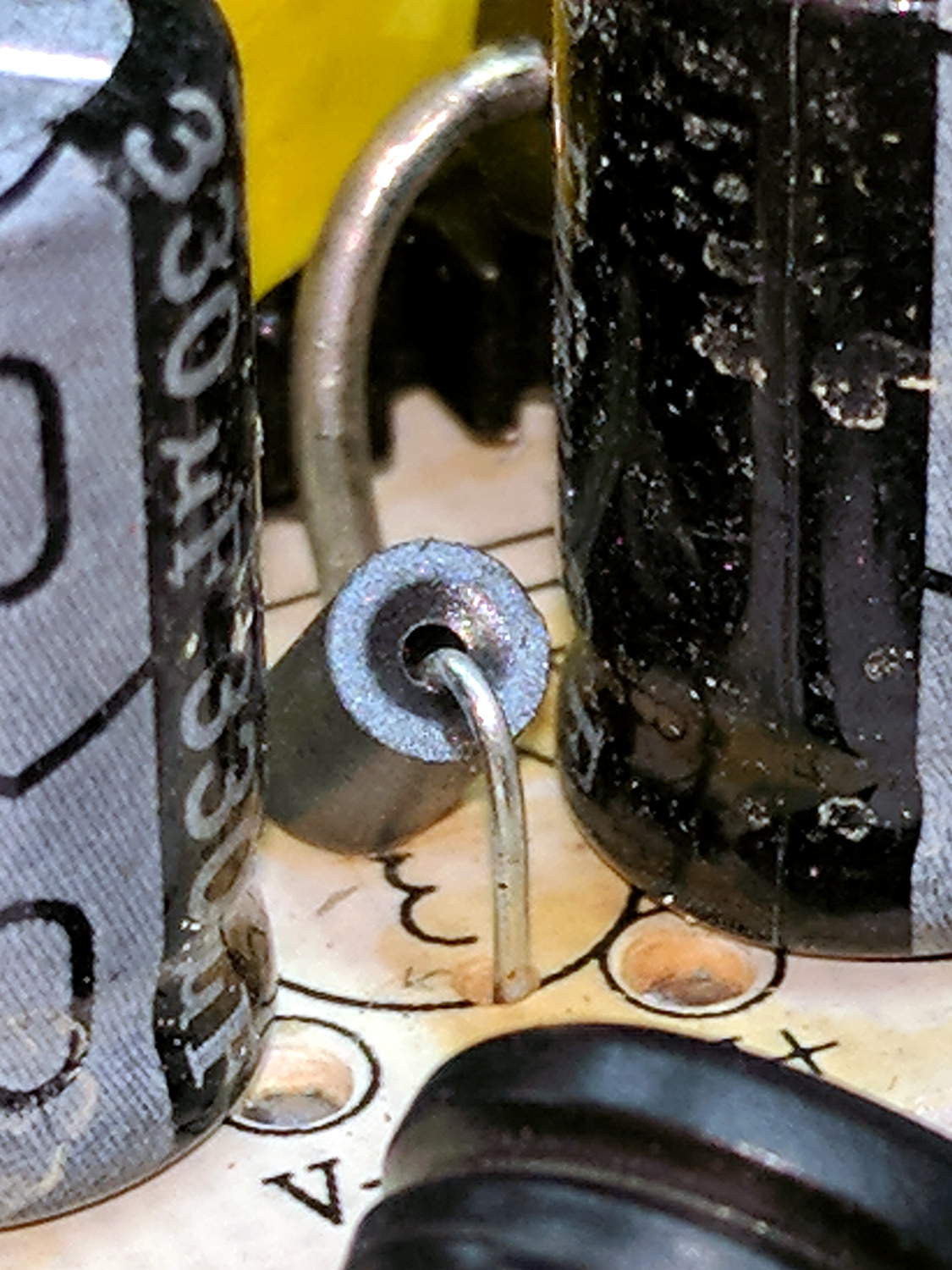
Over on the far right, beyond the transformer and between the two capacitor cans, is a component marked C9 with an oddly angled part. Seen from the other end, it’s a ferrite bead:
SMAKN 24 VDC wart – output ferrite
I don’t know why that spot has an inductor symbol with a capacitor part callout.
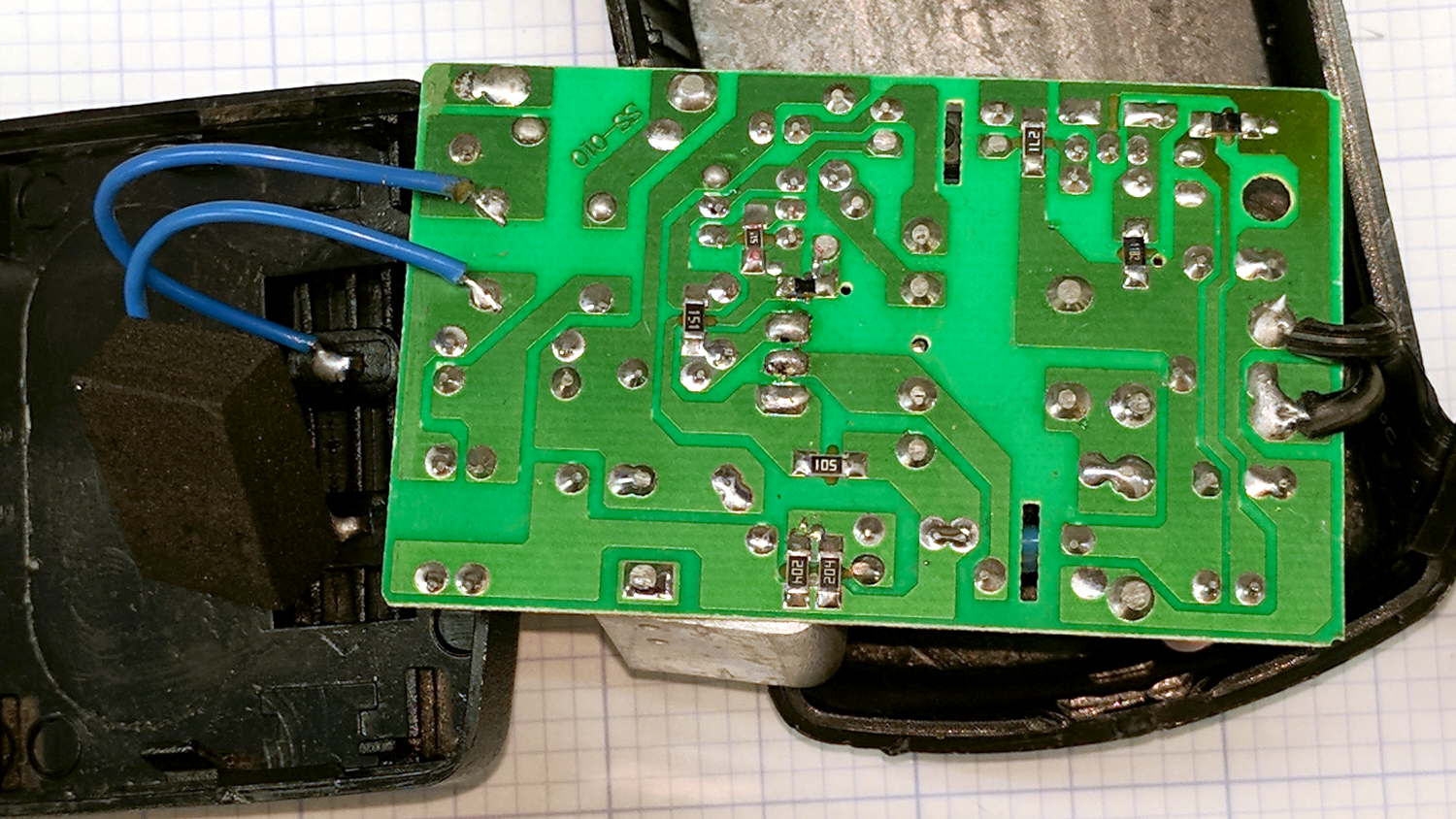
The other side of the PCB looks clean:
SMAKN 24 VDC wart – PCB solder side
It’ll probably serve well in a noise-tolerant application, maybe an LED power supply.
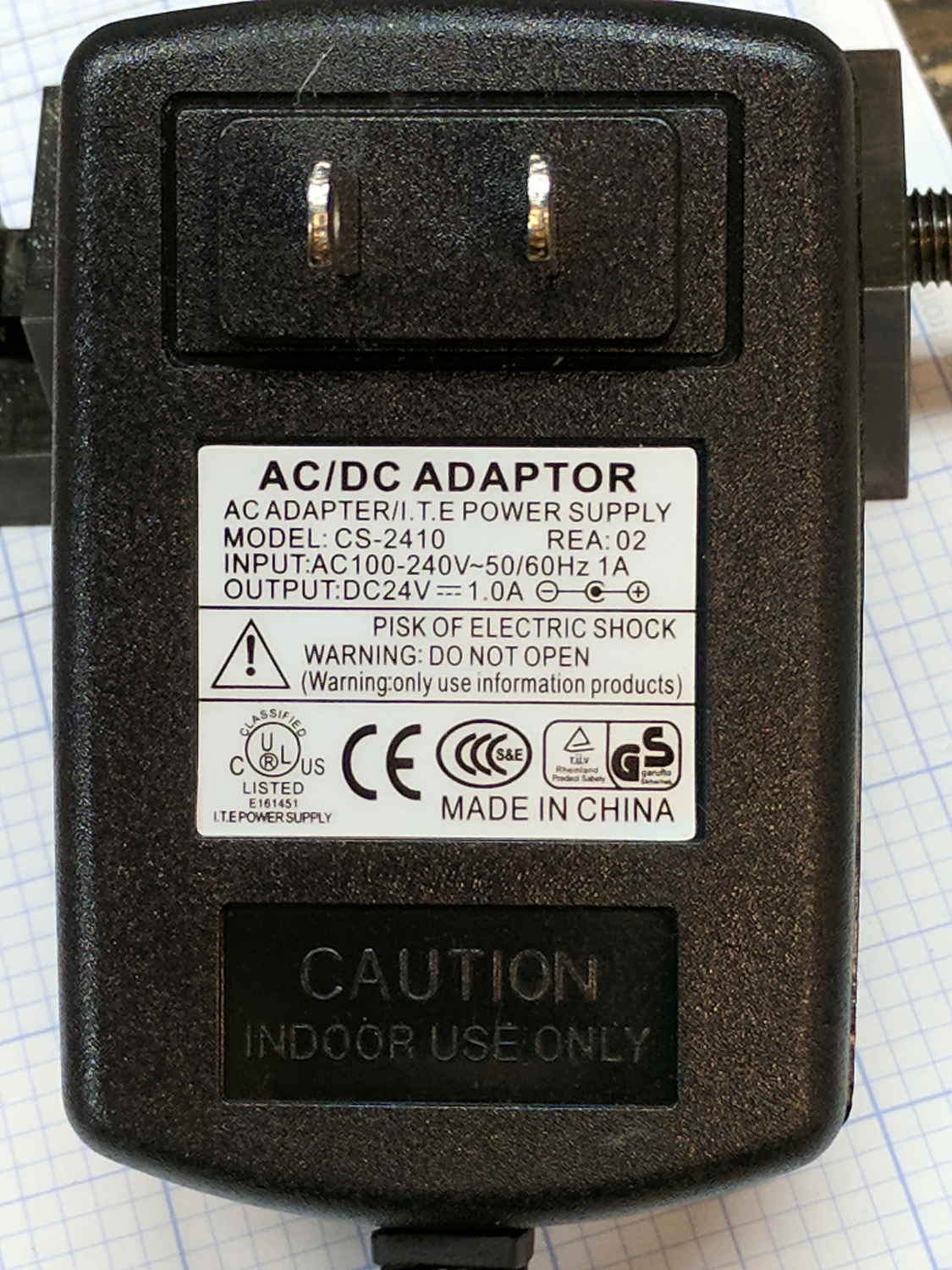
As pointed out in the comments, there’s a UL mark:
SMAKN 24 VDC wart – label
Not sure what I’ll replace it with, although a small 24 V power supply brick may suffice.
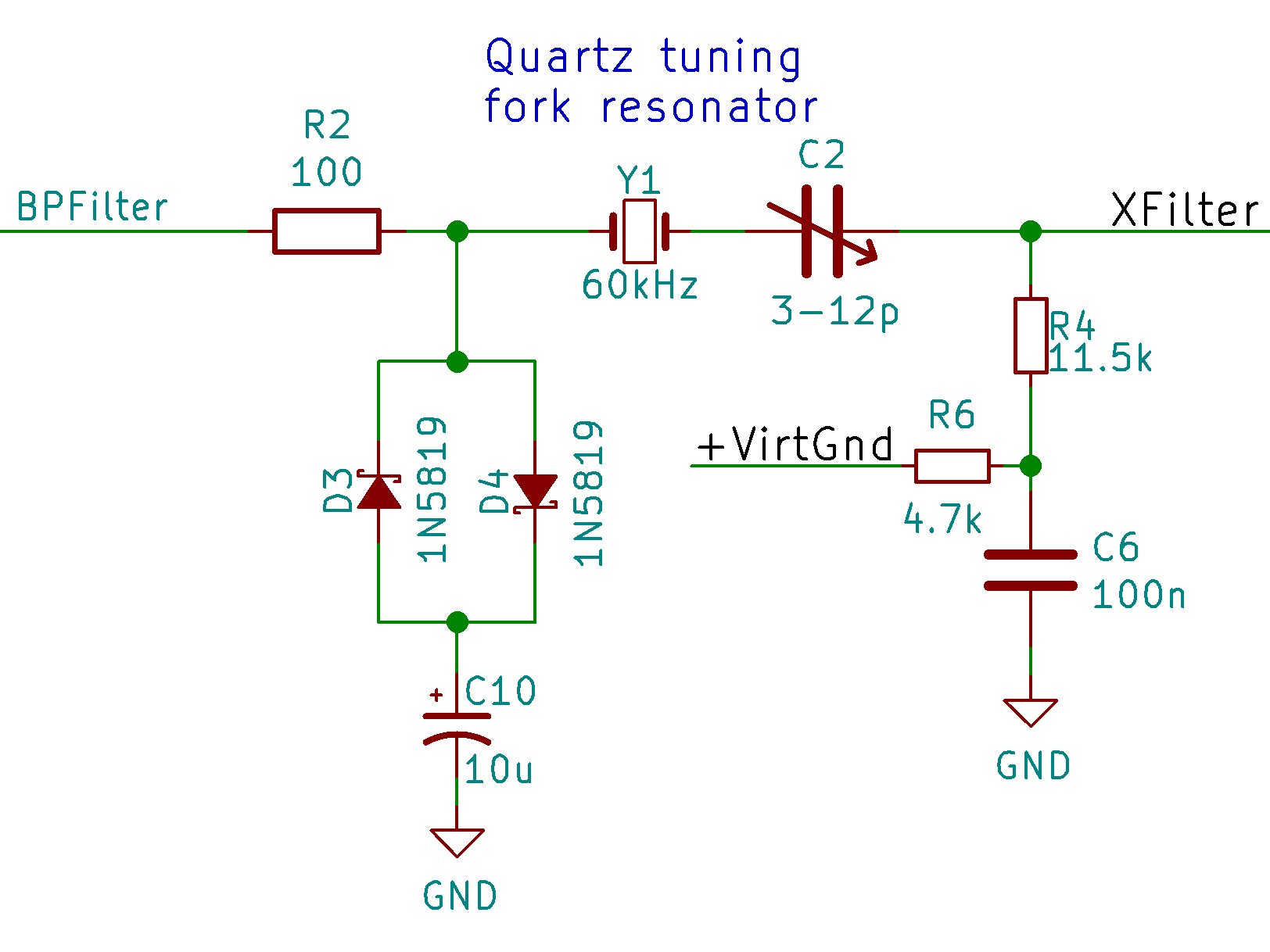
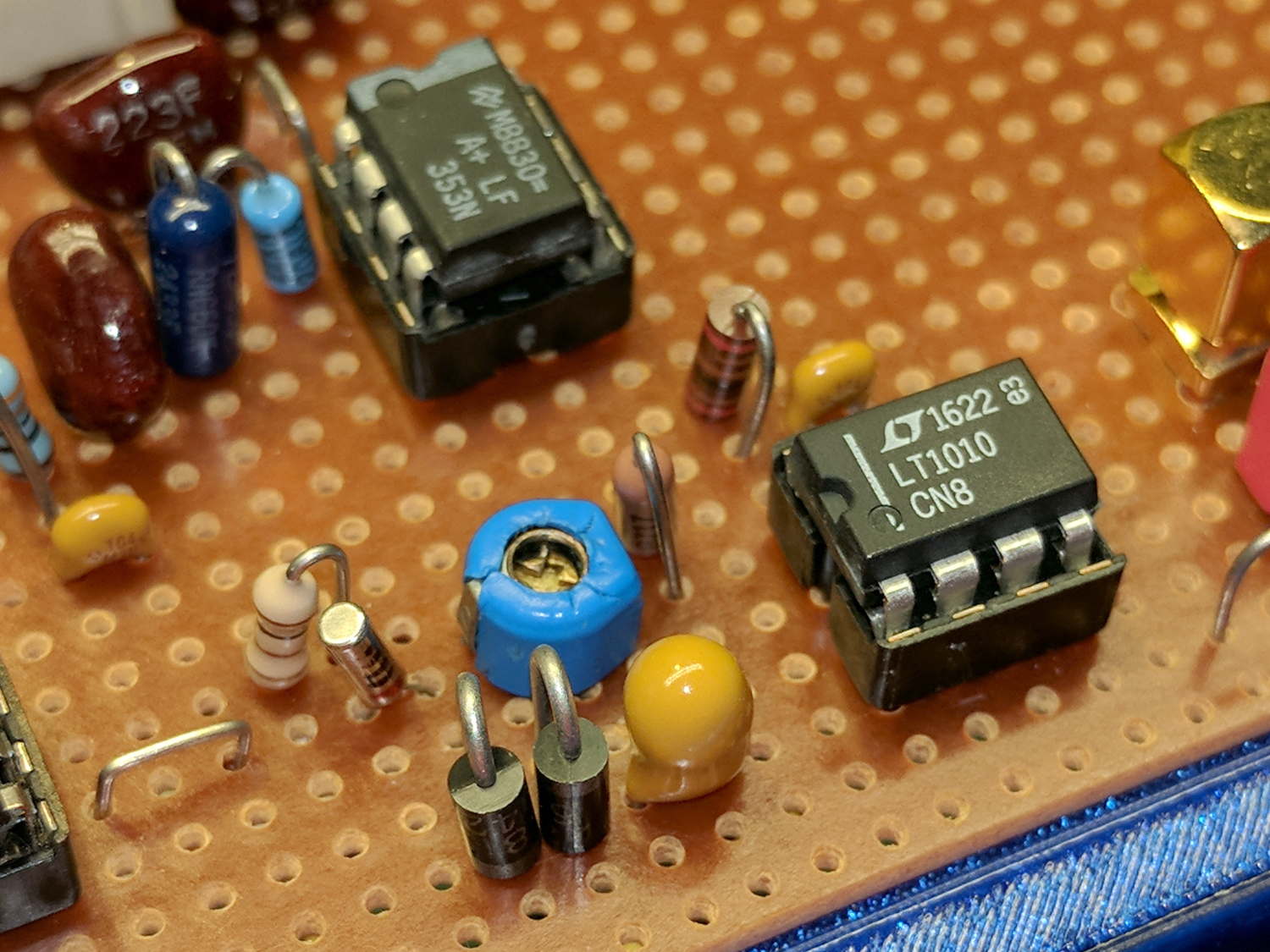
Limiting the resonator drive to about 1 μW in the face of wildly varying RF from the antenna (or the occasional finger fumble) requires brute force. Anose-to-tail pair of Schottky diodes seems to do the trick:
Tuning Fork Resonator Filter – protection and biasing
The 100 Ω resistor blunts the drive from the LM353 op amp (implementing a bandpass filter) when the signal peaks exceed 200-ish mV in either direction from the Vcc/2 bias stored in the 10 μF cap.
The 11.5 kΩ resistor downstream of the resonator isolates it from the Vcc/2 bias, with the 100 nF cap sinkholing the signal and the 4.7 kΩ resistor preventing feedback into the bias supply. The cap looks like 26 Ω at 60 kHz, so the feedback runs -52 dB from the output and the bias supply knocks it down a bit more. The preceding amps apply 40-ish dB of gain from the antenna terminals, so the loop gain looks OK.
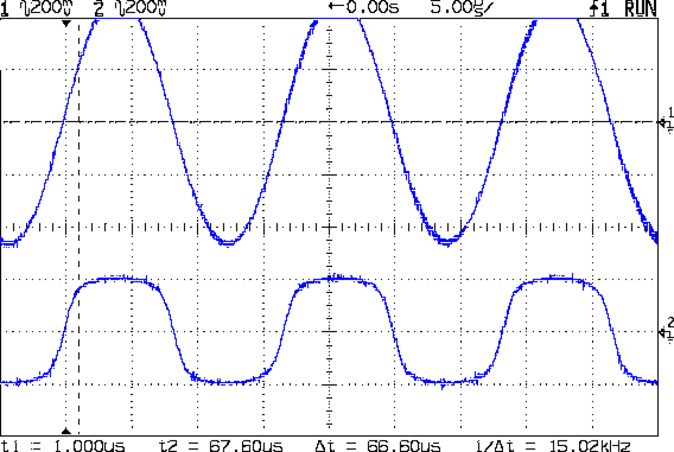
Applying way too much signal to the antenna terminals in order to get 1 Vpp from the LM353 shows the limiter in action:
BP and Xtal filter out – 10.0 v sine 10 Meg xfmr
The resonator sees no more than 200 mV in either direction from the bias level, so it’s all good.
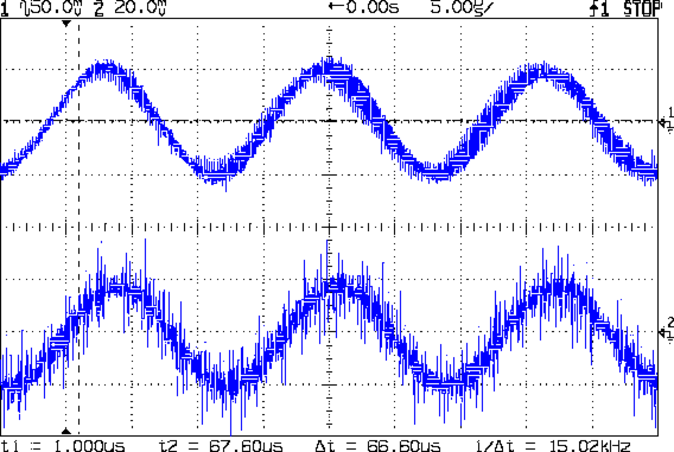
On the low end, the diodes have no effect:
BP and Xtal filter out – 1.1 v sine 10 Meg xfmr
Pay no attention to all that noise.
My first thought was to put the diodes across the resonator, a Bad Idea: straight up, doesn’t work. The 1N5819 datasheet shows they have about 300 pF of junction capacitance at zero bias and a pair of ’em will swamp the resonator’s internal 0.8 pF parallel capacitance and punch it out of the circuit.
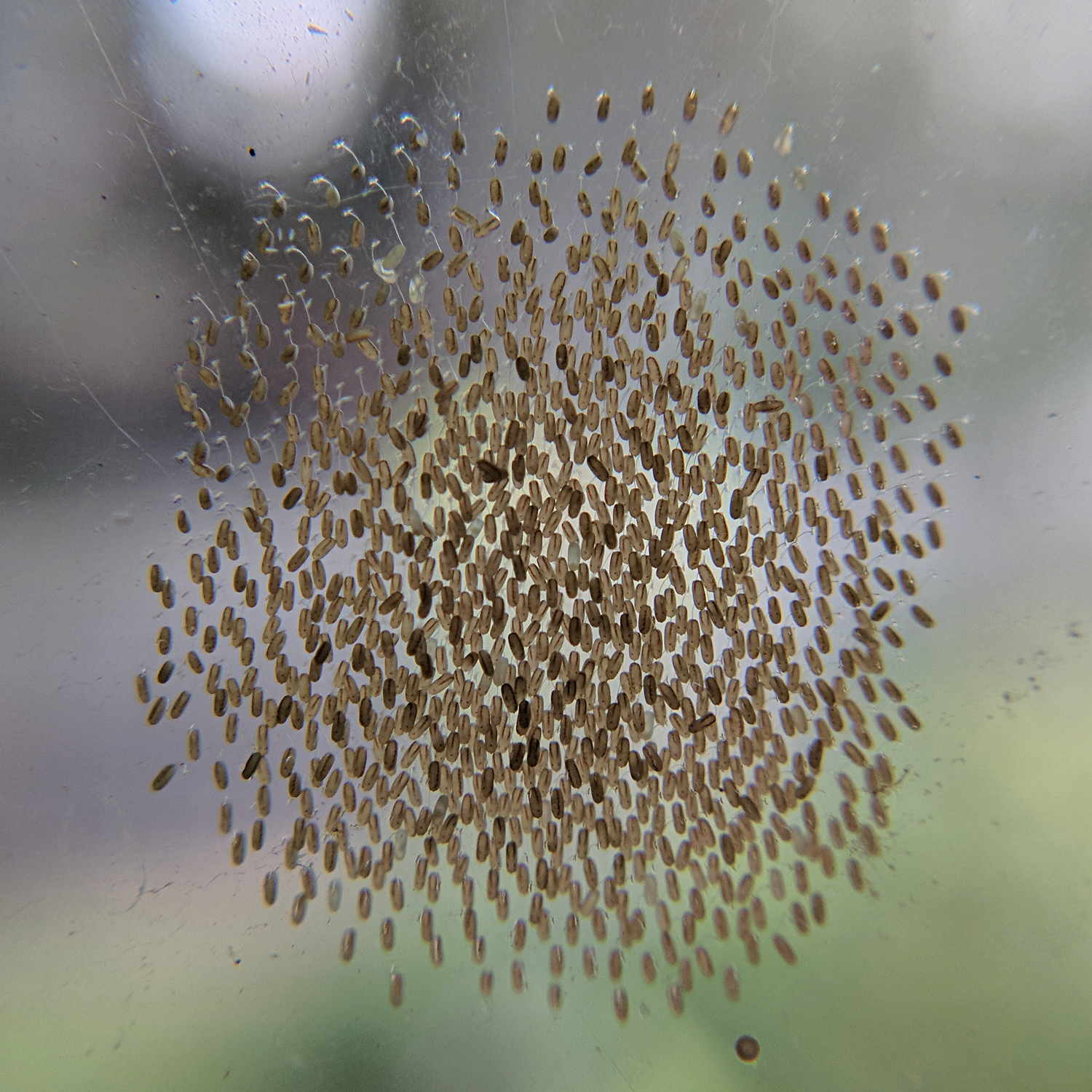
An array of tiny eggs appeared on the outside of our bedroom window:
Insect eggs on glass – 2017-09-17
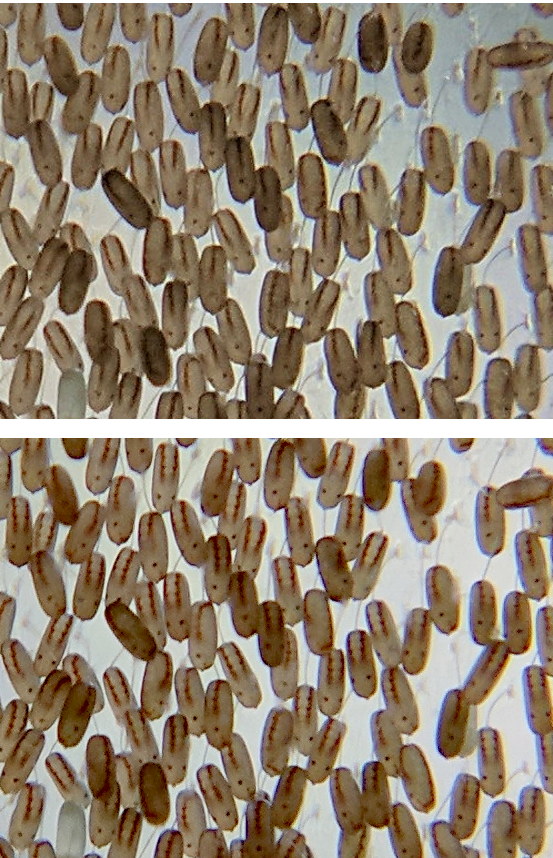
The patch measures 12 mm across and 14 mm tall. From across the room, it looks like a smudge, but it consists of hundreds of eggs, each on a tiny stalk glued to the glass:
IMG_20170919 vs 0917- Insect eggs on glass
The bottom image is two days later than the top one, both are scaled to about the same size and contrast. The critters look about the same, although I think the lines have more prominent ripples or bumps.
We have no idea what they’ll turn into, but they certainly look like they have two eyes and wings …
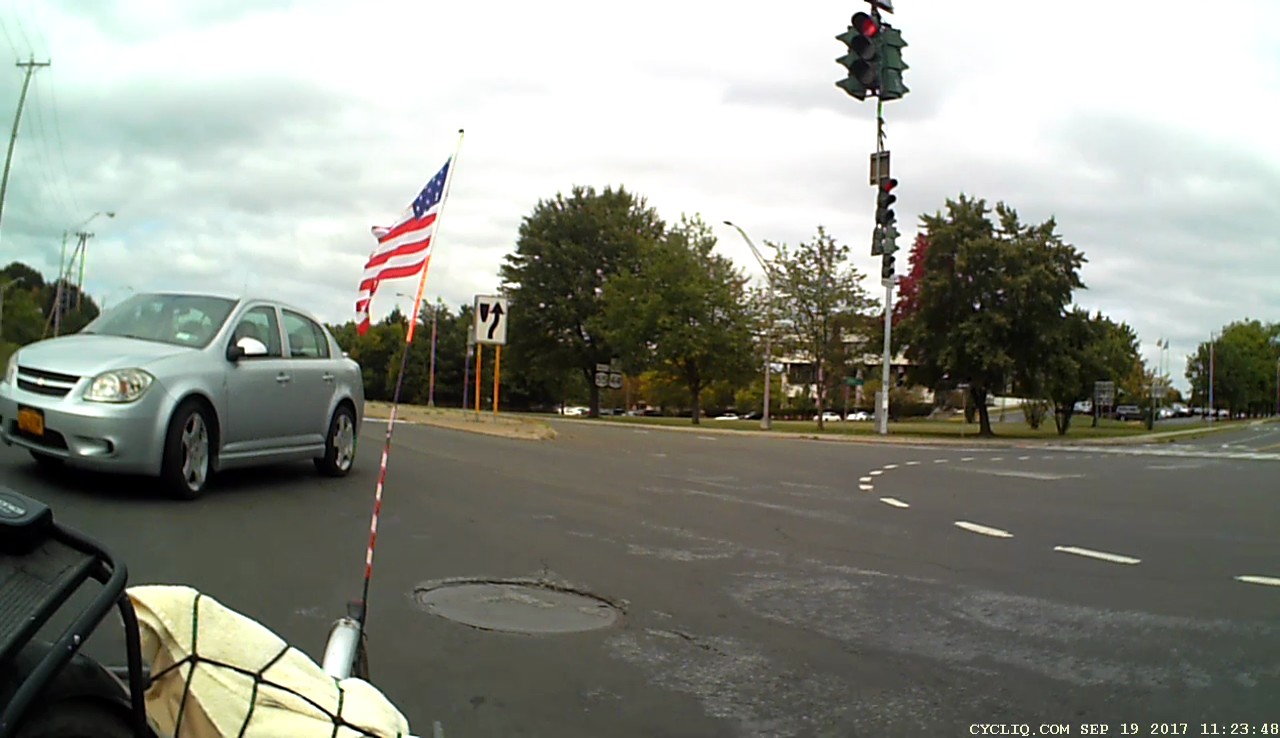
As usual, we’re at the Rt 55 end of Burnett Blvd, returning home from a grocery trip; I’m hauling two full bags of chow in the trailer. The white car pulling up immediately to our left will make a left turn from the left lane:
Burnett at Rt 55 – Right Pass – 2017-09-19 – 01
The more distant white car, turning left out of Overocker, is eases past us in the right lane to make a right turn:
Burnett at Rt 55 – Right Pass – 2017-09-19 – 02
We’re on the left side of the right lane, rather than the right, to avoid right hook collisions with drivers who flat-out do not stop before turning. Been there, had that happen, we know better.
The car approaching in the right lane will attempt to pass us on the right:
Burnett at Rt 55 – Right Pass – 2017-09-19 – 03
That’s happened before, too, so I’m watching this happen in my mirror. My line will pass to the right of the inconveniently placed manhole cover in the intersection:
Burnett at Rt 55 – Right Pass – 2017-09-19 – 04
Mary’s nearing the right side of the lane, I’m in the middle, and the driver jams to a stop rather than run up over the sidewalk:
Burnett at Rt 55 – Right Pass – 2017-09-19 – 05
The passenger window is rolling down, which is always a Bad Sign:
Burnett at Rt 55 – Right Pass – 2017-09-19 – 06
It’s all the way down and I know what’s about to happen:
Burnett at Rt 55 – Right Pass – 2017-09-19 – 07
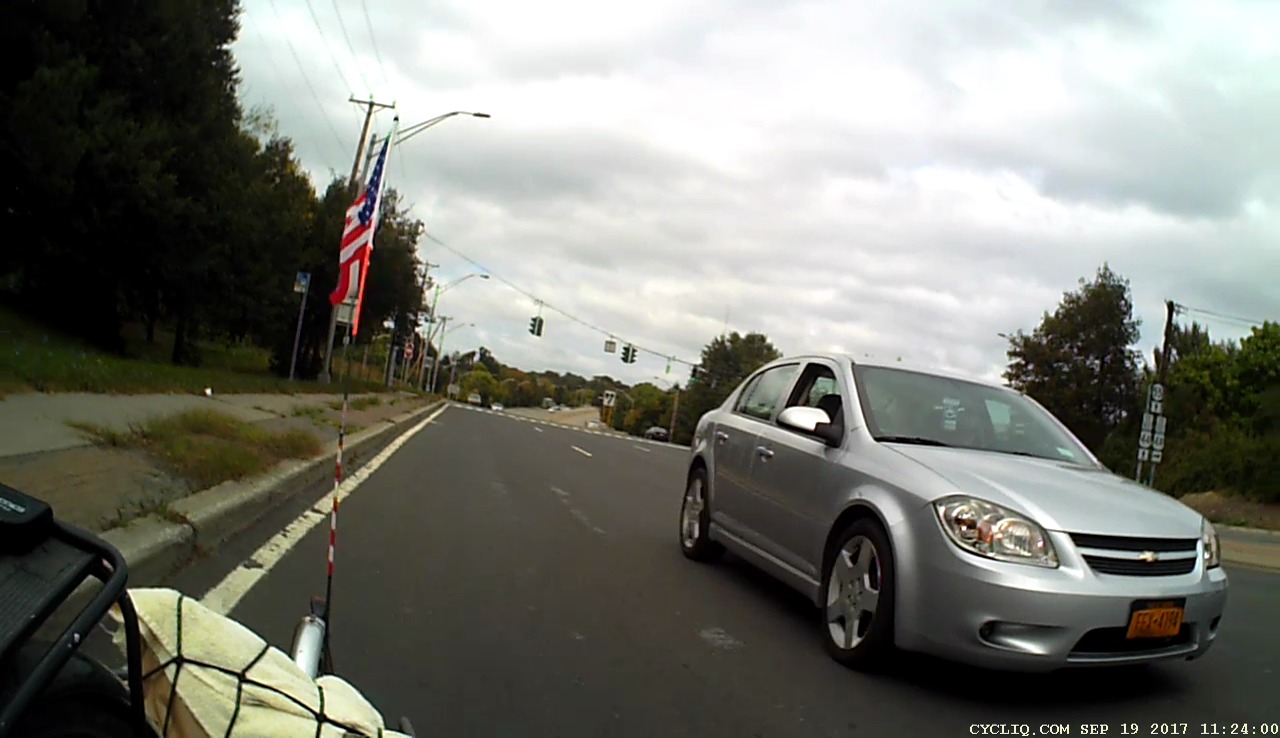
So I preempt the discussion by pointing out she was passing in an intersection and the license plate on the silver Chevy say FEX-4194:
Burnett at Rt 55 – Right Pass – 2017-09-19 – 08
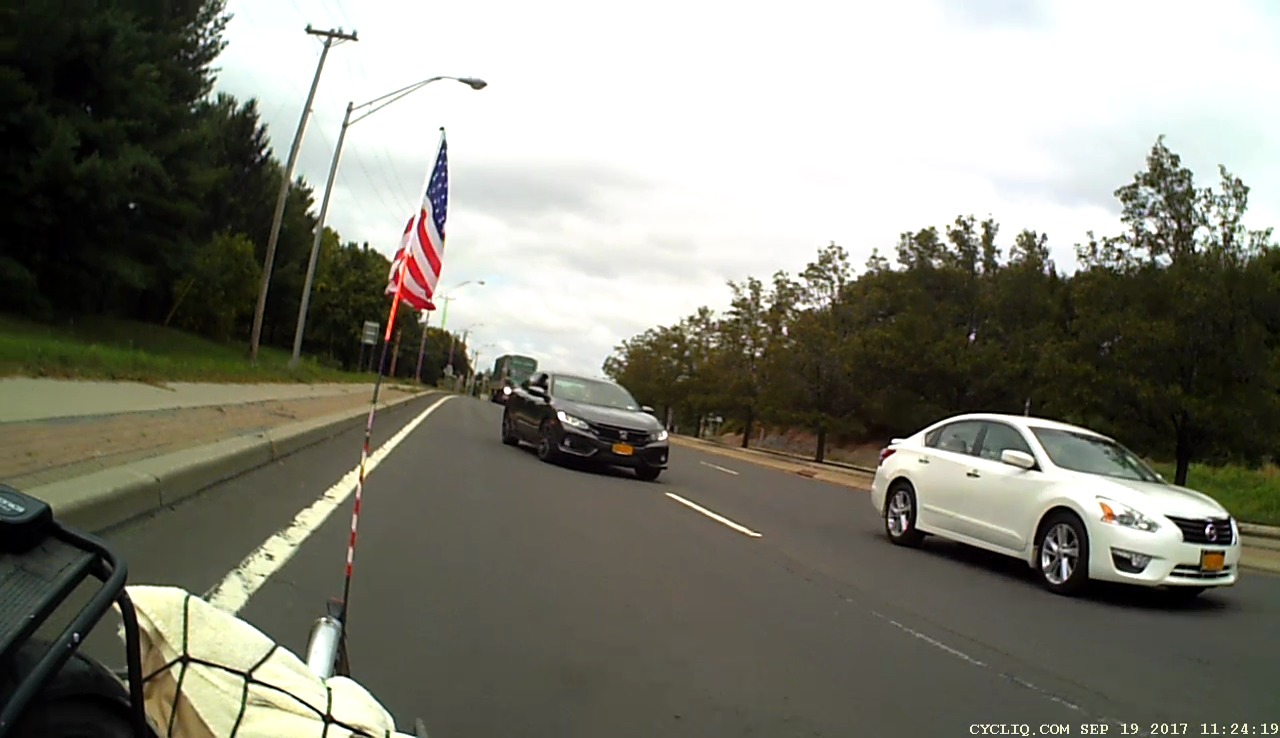
She passes Mary and stops directly ahead of us in the middle of the right-hand lane. We jam to a stop behind her. The black car approaching us swerves into the middle lane:
Burnett at Rt 55 – Right Pass – 2017-09-19 – 09
She pulls around the corner onto Manchester and stops in the intersection. I stop well behind her to remain visible from Rt 55, which turns out to be a Good Idea:
Burnett at Rt 55 – Right Pass – 2017-09-19 – 10
Mary eases beside the drivers window, which rolls down. The driver says she’s going to call the police, “because we pulled directly in front of her”. Mary points out we have video of the entire encounter. The window rolls up and the driver pulls away.
Overocker, Burnett, and a short sprint on Rt 55 to Manchester is the only route from the grocery store to Rt 376 and home, so it’s not like we’re looking for trouble.
No helmet camera video, alas, because I tried those piece-of-crap Wasabi batteries in the Sony HDR-AS30V and the second one was flat-out dead. The first one, in the camera when I left home, showed empty after the half-hour ride to the grocery store, so they really are junk; “Premium Japanese cells” my foot.
This notification appeared every day after I got my shiny-new / soon-to-be-obsolete Google Pixel XL:
Screenshot_20170906-085931 – Update Your Phone Number – detail
Fast-forward through nearly a month of doing the obvious things to no avail:
Tap the notification to update my phone number
Update my phone number from Firefox on the Pixel
Update my phone number from Firefox on my desktop
Ditto, from Chromium
Just dismiss the notification, repeatedly
Change my phone number in various Google places
Ditto, in various ways
Searching on the obvious keywords provided very few hits and none with a resolution. I followed one suggestion to flush the Google Play and Google Play Services caches, to no visible effect.
So I started a chat with Google Support by coredumping the entire list of Things Already Tried. After ten minutes of pleasantries, mostly spent idling while Holmes (great name for a tech support guy) read my coredump (and, most likely, timeshared a dozen other support chats), this transpired:
The “troubleshooting steps” look like a generic list of progressively more desperate measures applicable to any mysterious Android problem:
Clear app data for the Play Store
Go to Settings > Apps.
Tap Google Play Store > Storage > Clear data > Ok.
At the top left, tap the Back arrow to go to the “App info” screen.
At the top right, tap More (3 dots) > Uninstall updates > Ok > Ok to restore the app to its factory version.
Note: The Play Store will update automatically within 48 hours. If “Uninstall updates” is dimmed, you can skip this step.
Note: If you’ve changed the Google Play Store app settings (content filters, password protection, etc.), you’ll need to set them up again.
Clear the app data of Google Play services
Warning: Clearing the app data of Google Play services can reset settings, affect app performance, and cause unpredictable behavior across the device.
Go to Settings > Apps or Application Manager.
At the top right, tap More (3 dots) > Show system apps (on Android versions lower than 6.0, go to All instead).
Tap Google Play services.
Note: If you don’t see “Google Play services,” check Show all system apps and make sure that both Google Play Framework and Google Play Services are enabled. If they aren’t enabled, download the Google Play Service from Play Store.
Tap Storage > Clear cache.
Then tap Manage Space > Clear All Data > Ok.
After completing this step, you should check the settings on your apps to see if they’re still configured correctly.
Remove and re-add your Google Account
Note: This may reset settings and remove in-app content. However, your purchases and synced data (Gmail, Google contacts, etc.) are tied to your account and will be available after re-adding your account.
Go to Settings > Accounts > Google.
Tap the name of the account you wish to remove.
Important: Make sure you remember your account password. You’ll need it to sign back in to your account.
At the top right, tap More (3 dots) > Remove account > Remove account.
At the top left, tap the Back arrow > Add account > Google.
Sign in to your Google Account.
Uninstall and reinstall Play Store updates
Temporarily uninstalling updates to the Google Play Store app can help fix some issues.
To revert the Play Store app to the previous version:
Go to Settings.
Tap Apps or Application manager (depending on the device).
Tap Google Play Store (depending on the device, you may need to go to All).
Tap on the menu button, and then Uninstall updates.
If the Uninstall updates button isn’t available, skip the rest of this step and continue troubleshooting.
When prompted to change the Play Store app back to the factory version, tap OK.
Go back to the device’s home screen and relaunch the Play Store. Your Play Store app should update to the latest version within a few minutes.
If the Play Store app doesn’t update, tap on the menu button from within the app and go to Settings. Scroll down until you see Play Store Version. Tap on that to check for an update. If none is available, continue to the next step.
Uninstall updates for Google Play Services
Go to Settings.
Tap Apps or Application manager (depending on the device).
Tap Google Play Services (depending on the device, you may need to go to All).
Tap on the menu button, and then Uninstall updates.
If the Uninstall updates button isn’t available, skip the rest of this step and continue troubleshooting.
When prompted to change the Play Store app back to the factory version, tap OK.
Reset your device to factory settings
If you’d like help with resetting your device, contact us from another device and we’ll walk you through it.
To reset your device:
If you have an SD card, remove it to save the data on the card.
Reset your Android device to factory settings.
Sign in to your device with a Google Account that was signed in before the reset.
If you removed an SD card, reinsert it.
To reload your apps and data:
Open the Play Store app.
Tap the Menu (3 lines) > My apps & games > Library.
Next to the apps that you’d like to install, tap Install or Enable.
If the issue still persist after performing all the troubleshooting steps I request you to reply to this email with the screenshot.
As it turned out, blowing away “the app data of the Google Play services” did the trick; the notification Went Away and hasn’t returned.
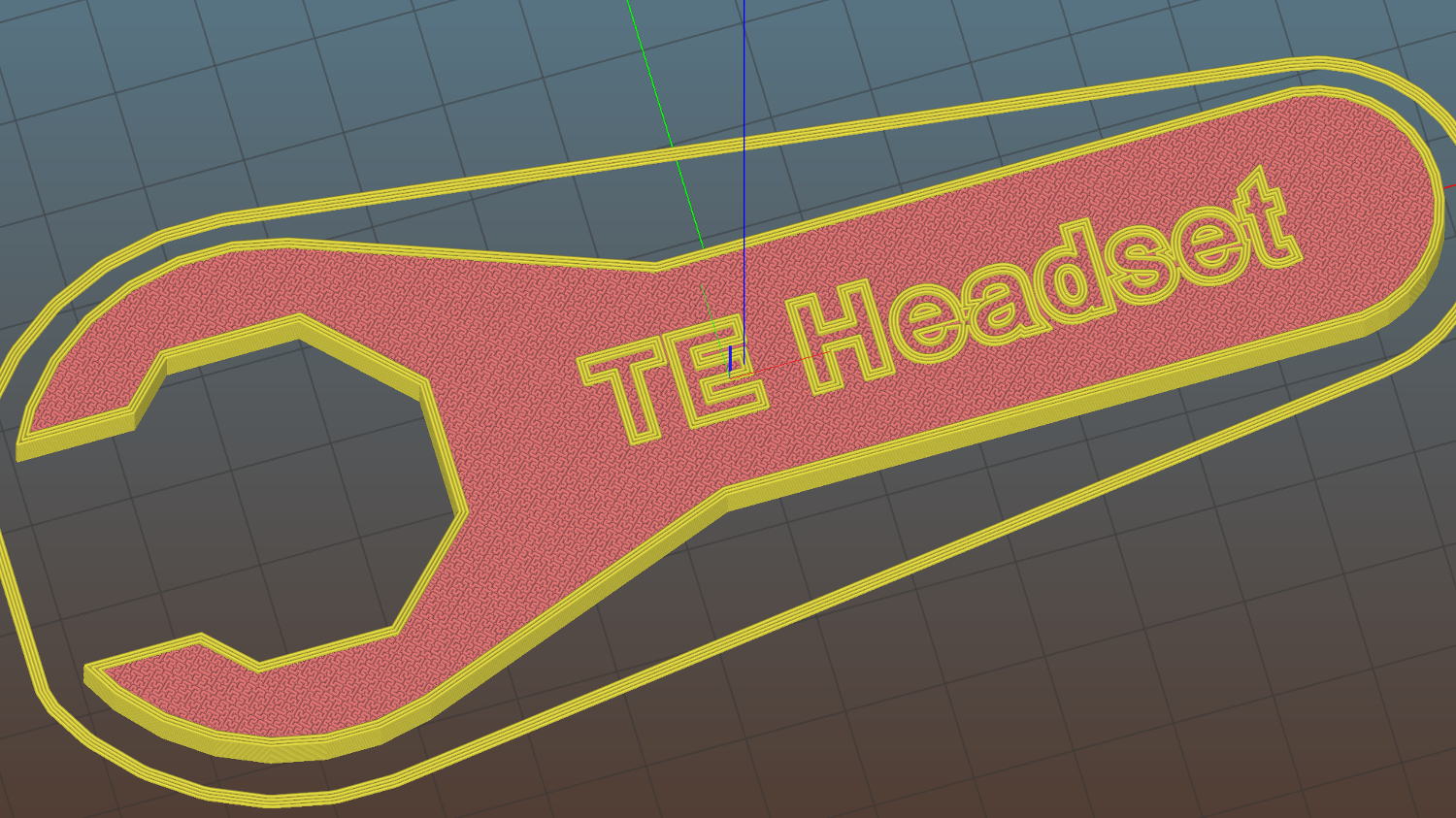
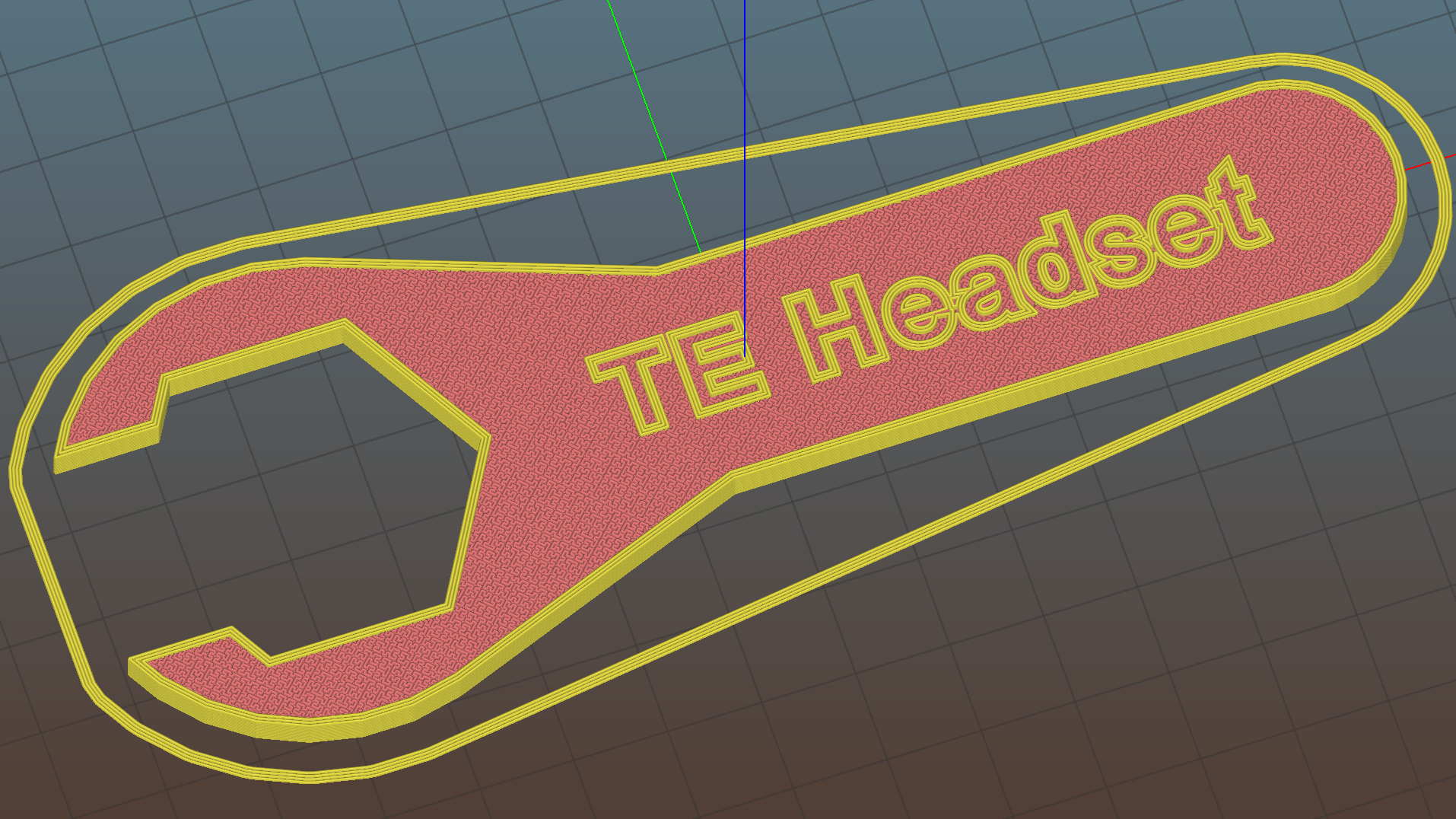
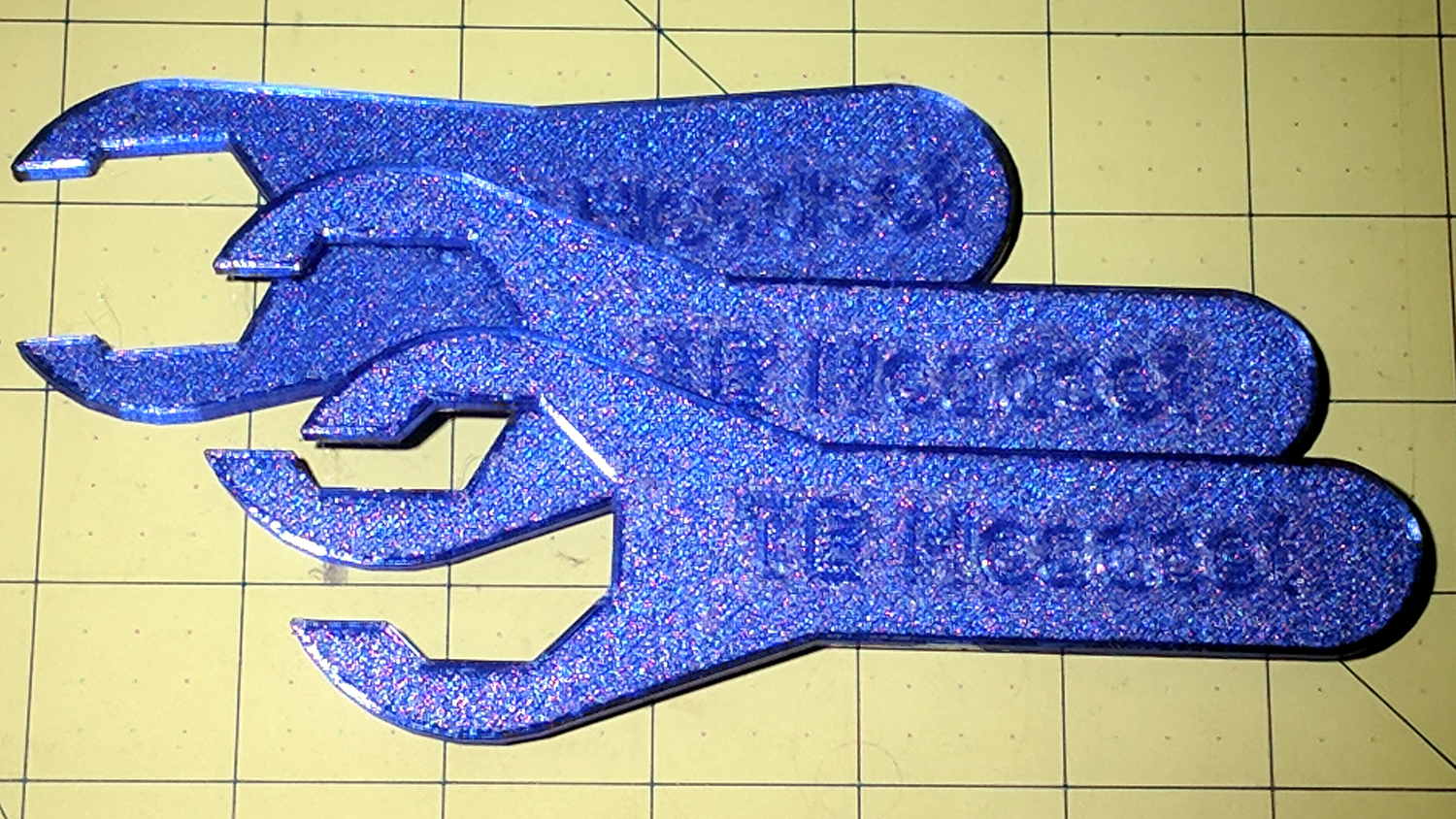
A thin plastic wrench is absolutely no good for torquing down the locknut, but that’s not what it’s for. Adjust the bearing race to the proper preload with this wrench, hold it in place, then torque the locknut with the BFW.
This file contains hidden or bidirectional Unicode text that may be interpreted or compiled differently than what appears below. To review, open the file in an editor that reveals hidden Unicode characters.
Learn more about bidirectional Unicode characters
Now, I’d like to say that was easy, but in actual point of fact …
First, I forgot to divide by cos(180/6) to convert the across-the-flats size to the diameter of OpenSCAD’s circumscribed hexagon-as-circle, which made the wrench uselessly small:
Tour Easy Headset Wrench – v1
If you have a 28 mm nut with low torque requirements, though, I’ve got your back.
While I had the hood up, I slenderized the handle into a much shapelier figure:
Tour Easy Headset Wrench
Trotting off to the garage with a warm plastic wrench in hand, I discovered the blindingly obvious fact that the headset nuts have eight sides. On the upside, the number of sides became a parameter, so, should you happen to need a five-sided wrench (perhaps on Mars), you can have one.
Datasheets loosely associated with the tuning fork resonators in hand suggest 1 μW maximum drive power, which works out to maybe 100 mVrms = 150 mVpk at about 10 kΩ ESR. If you inadvertently apply 500 mVpk = 375 mVrms, the resulting 14 μW does this:
Broken 60 kHz Tuning Fork Resonator – overview
I was applying a precisely tuned 60 kHz sine wave to the first pass at a crystal filter grafted onto the loop antenna preamp and wasn’t paying attention to the amplitude. For all I know, though, the poor thing died from a power-on transient. I’m pretty sure I didn’t break it during extraction, because it stopped being a resonator while in the circuit.
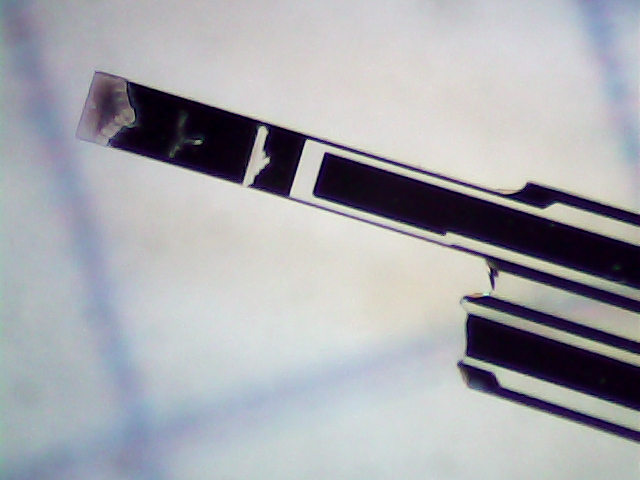
The missing tine fell out of the can:
Broken 60 kHz Tuning Fork Resonator – tine detail
Laser trim scars form a triangle near the tip, a T a bit further down, a slot just above the nicely etched gap.
A closer look at the fractured base:
Broken 60 kHz Tuning Fork Resonator – detail
The metalization appears black here and gold in person.











 The Smell of Molten Projects in the Morning