Ed Nisley's Blog: Shop notes, electronics, firmware, machinery, 3D printing, laser cuttery, and curiosities. Contents: 100% human thinking, 0% AI slop.
We generally don’t get hassled during our bike rides, perhaps because we ride like narrow vehicles and don’t pull stupid bicyclist tricks. The few folks who do hassle us seem to be twenty-something males, an endangered species of its own.
A shout of “Assholes!”
This slideshow requires JavaScript.
Unusually, there was no nearby traffic, so it’s not a case of mistaken identity.
Protip: Don’t do something in your employer’s vehicle that your employer may regret.
A shout of “Fuck you!”
This slideshow requires JavaScript.
Protip: Your car has a license plate. JCX-1393, matching my high-res version against the audio track; I shout the license plate and identifying information while I can see it.
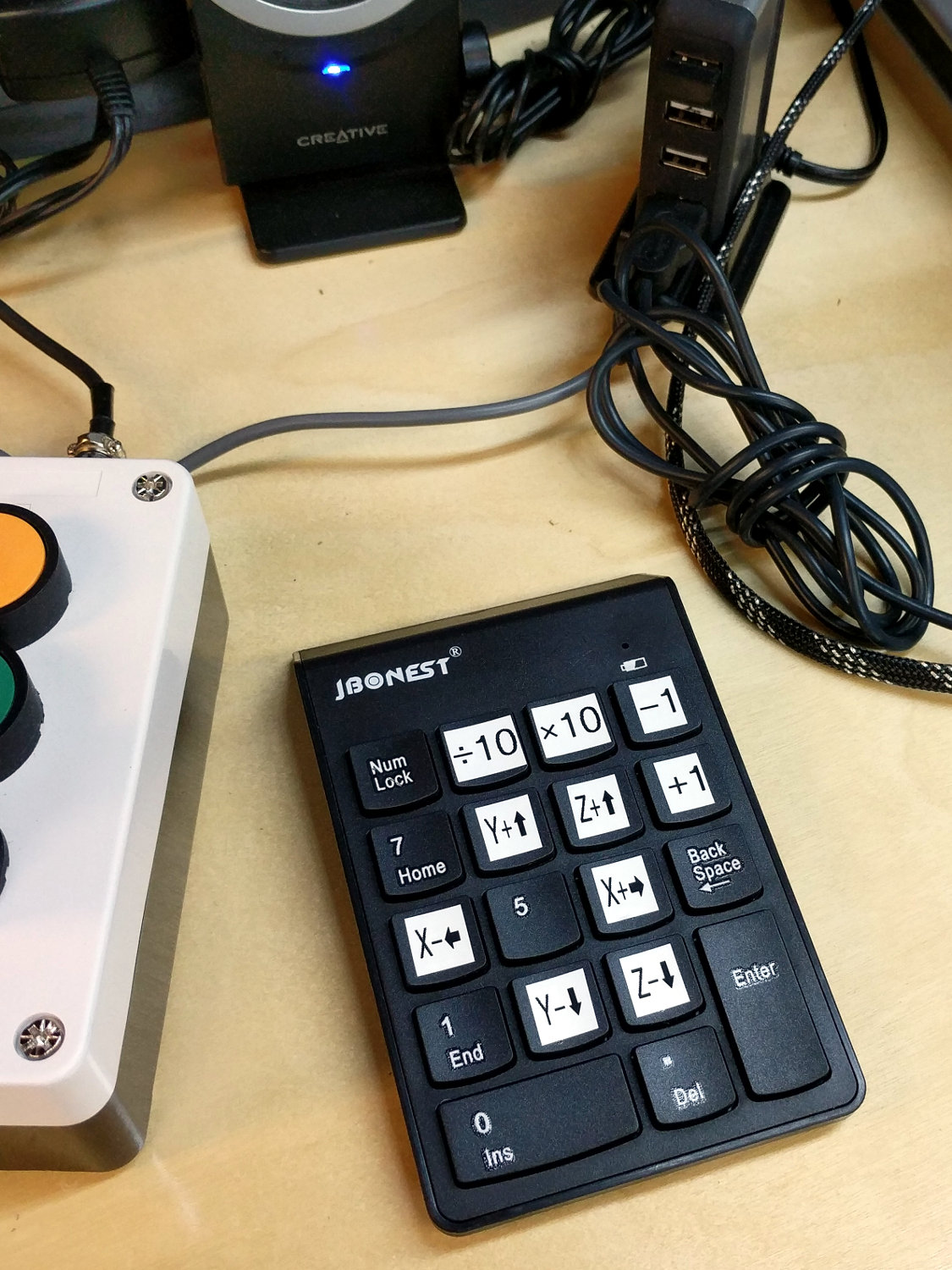
Unlike the keypads on my streaming radio players, this one requires no configuration at all, because bCNC regards it as just another keyboard input. The catch: you must select any screen element other than a text entry field to have bCNC recognize the keystrokes as “not text”.
You would get the same results from the numeric keys on the right side of a full-size / 104-key plank. I’m using a small “tenkeyless” keyboard, which means I can put the keypad wherever it’s easiest to reach while tweaking the MPCNC.
The ÷10 and ×10 keys along the top row alter the step size by factors of ten, which is pretty much what you need: jog to within a big step of the target, drop to the next lower decade, jog a few more times, maybe drop another decade, jog once, and you’re as close as you need to be with an MPCNC. The -1 and +1 keys aren’t as useful, at least to me: changing from 5 mm to 4 mm or 6 mm doesn’t make much difference.
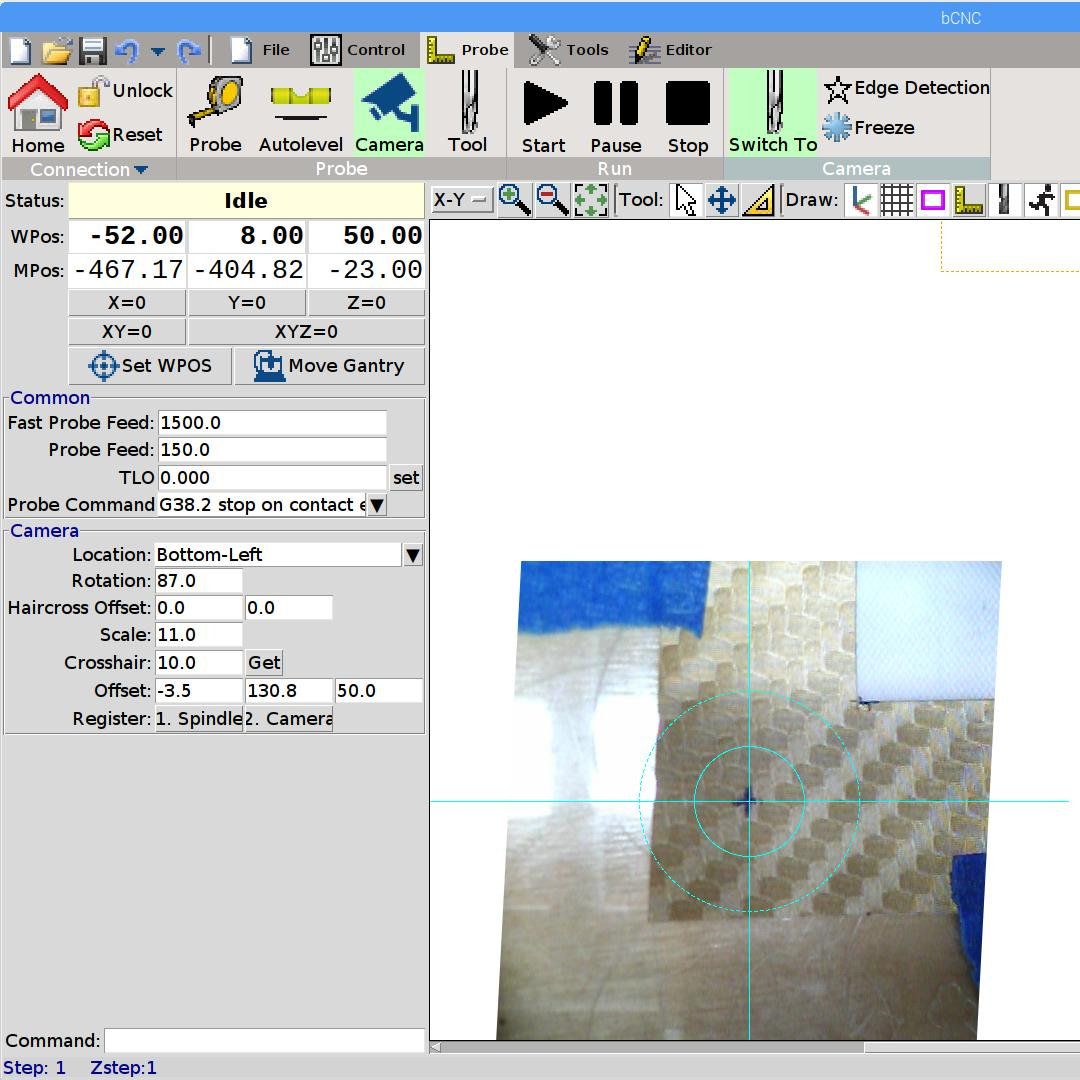
Jogging to align the spindle (well, a pen or drag knife) with a target using the video camera works really well:
bCNC – Video align
GRBL and bCNC don’t do smooth jogging and the discrete steps aren’t as nifty as the Joggy Thing with LinuxCNC, but it gets the job done.
Whiteboards from the SqWr Electronics Session 5, covering transistors as switches …
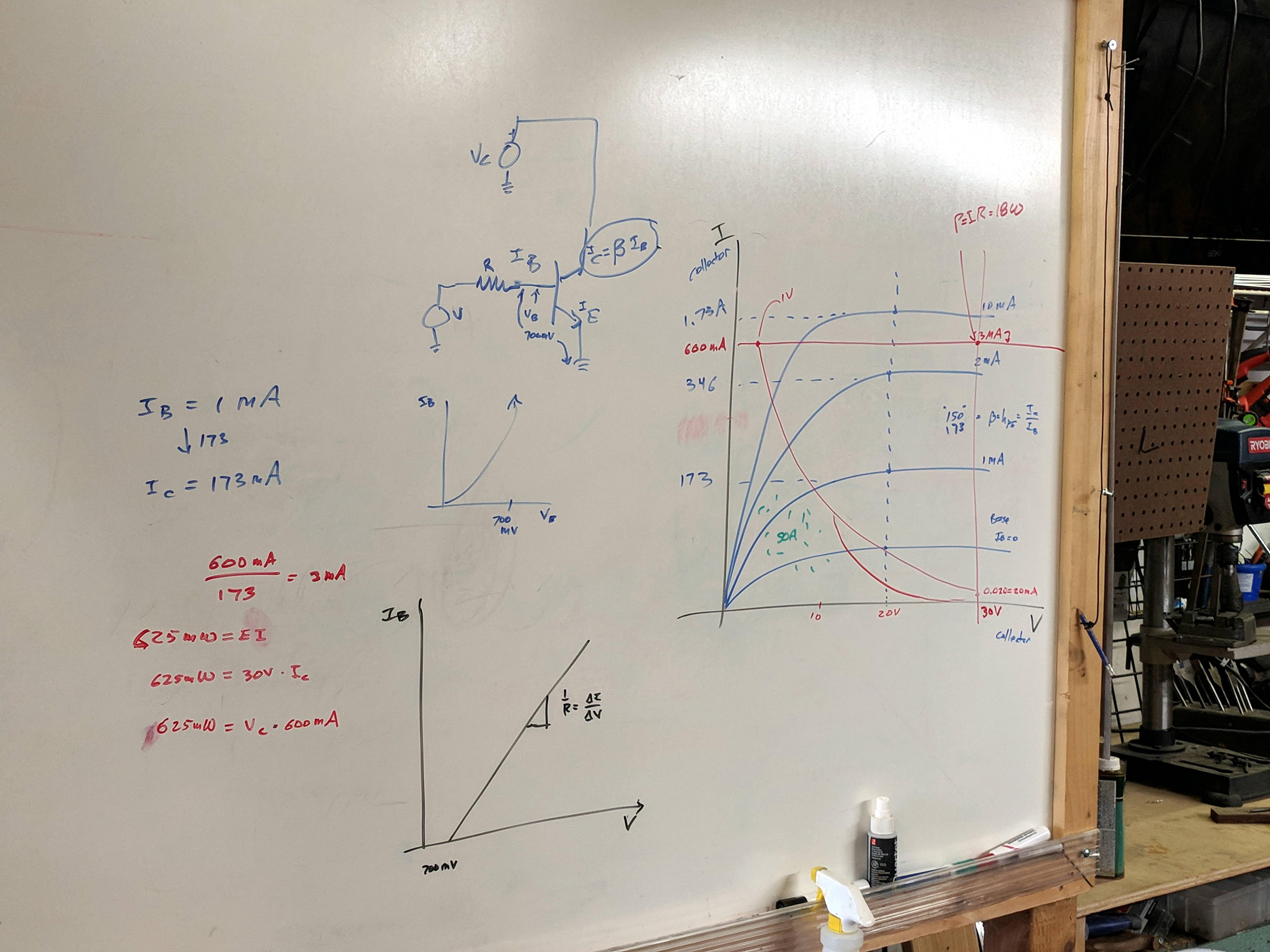
Reviewing I vs V plots, starting with a resistor and then a transistor as a current amplifier:
SqWr Electronics 5 – whiteboard 1
Reminder of why you can’t run a transistor at its maximum voltage and current at the same time:
SqWr Electronics 5 – whiteboard 2
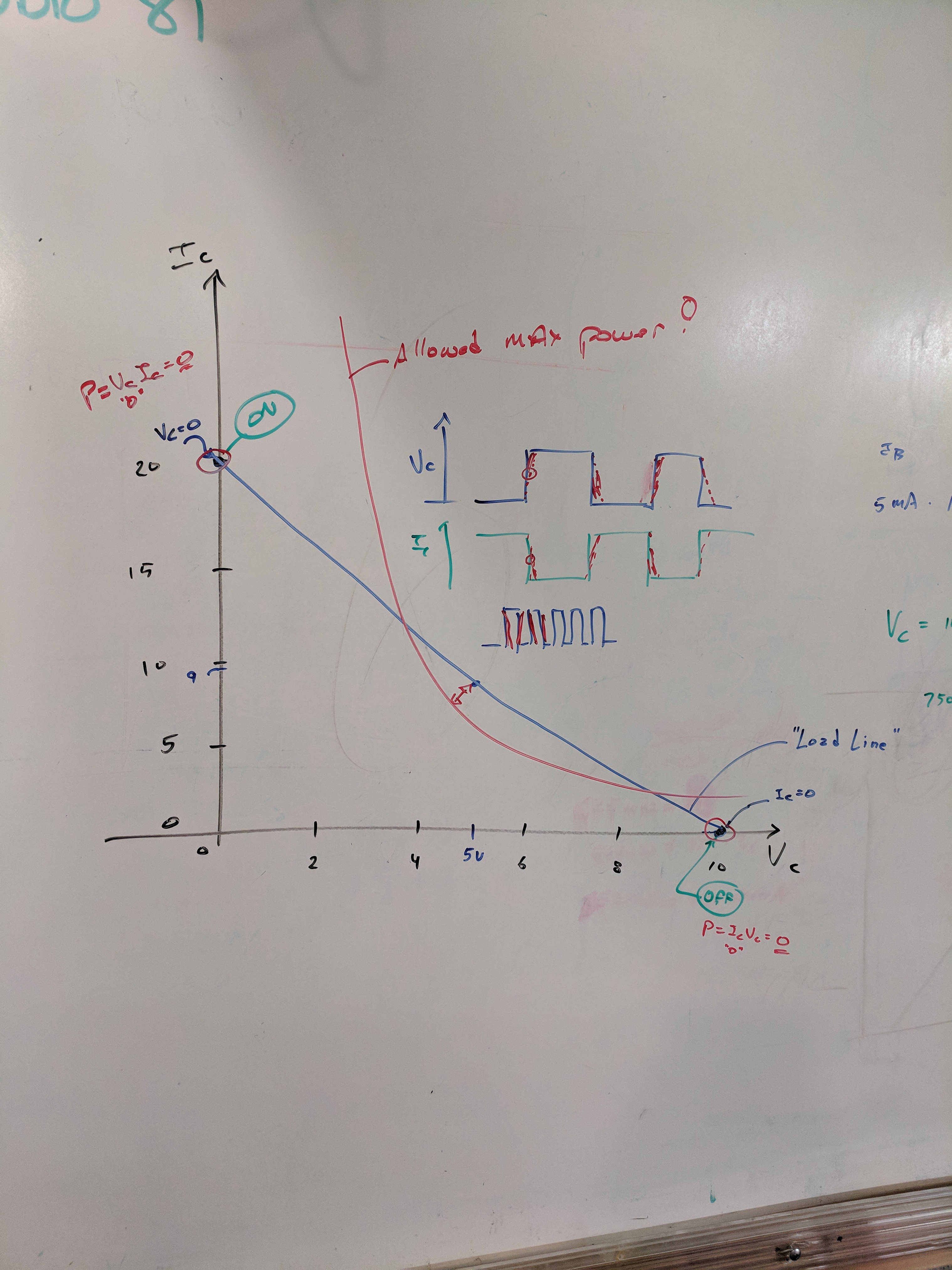
A resistor load line, with power calculation at the switch on and off coordinates:
SqWr Electronics 5 – whiteboard 3
Detail of the power calculations, along with a diagram of the current and voltage when you actually switch the poor thing:
SqWr Electronics 5 – whiteboard 3 detail
Oversimplification: most of the power happens in the middle, but as long as the switching frequency isn’t too high, it’s all good.
Schematic of the simplest possible switched LED circuit, along with a familiar mechanical switch equivalent:
SqWr Electronics 5 – whiteboard 4
We started with the “mechanical switch” to verify the connections:
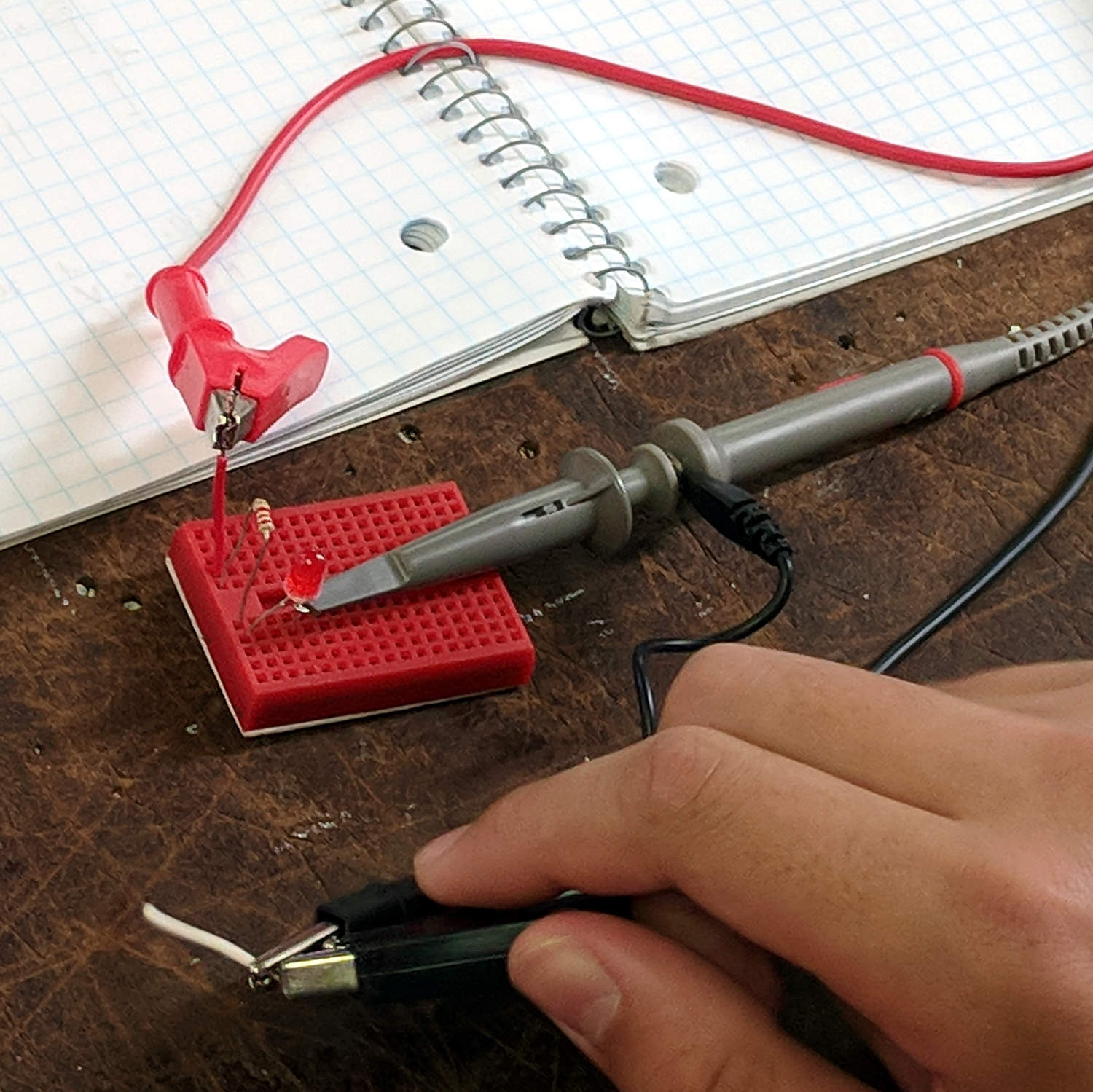
SqWr Session 5 – Switched LED breadboard
Building the circuitry wasn’t too difficult, but covering the function generator and oscilloscope hookup took far more time than I expected.
My old analog Tek 2215 scope was a crowd-pleaser; there’s something visceral about watching a live CRT display you just don’t get from the annotated display on an LCD panel.
I’d planned to introduce capacitors, but just the cap show-n-tell went well into overtime. We’ll get into those in Session 6, plus exploring RC circuitry with function generators and oscilloscopes.
The MPCNC has bCNC running on a Raspberry Pi, with a Samsung EVO MicroSD card serving as the “hard drive”:
Sandisk Extreme Plus vs. Samsung EVO MicroSD cards
The picture also shows a defunct Sandisk Extreme Plus killed by continuous video recording in my Fly6 bike camera. I later replaced the EVO with a video-rated Samsung card which has been running fine ever since, albeit with the occasional crash-and-reformat expected with “action” cameras.
With that as background, a different Samsung EVO card from the same batch has been running the MPCNC’s Raspberry Pi for about a year. Over the course of a few days last week, the RPi went from an occasional stall to a complete lockup, although waiting for minutes to hours would sometimes resolve the problem. As I’ve learned by now, it’s not a software crash, it’s the controller inside the card suffering from write amplification while trying to move data from failing sectors.
Applying f3write to the card shows the problem:
MPCNC MicroSD – f3write slowdown
The write speed started out absurdly high as the card’s write cache fills, then slowed to to the flash memory’s ability to absorb data, and eventually ran out of steam during the last few files.
But, as you might not expect, f3read reported the data was fine:
Unshown: a finger fumble requiring MBR restoration.
Having forced the card controller to reallocate all the failed sectors, the card works now fine and runs at full speed again. This won’t last long, but it’ll be interesting to see how it plays out.
While I was at it, I wrote the partitions to a new-ish / unused Samsung EVO Plus card, now tucked under the MPCNC’s monitor in case of emergency.
An old SFF Optiplex with an SSD may be a better fallback.
Although you’ll read cogent advice to Never Talk To Police, somehow I knew this would involve a conversation long before I went around the curve:
Maloney Rd Incident 1 – 2018-02-27
And it did:
Maloney Rd Incident 2 – 2018-02-27
Evidently, someone just discovered a body floating in a bend of the small creek off to the left.
My helmet camera prompted some attention, although nothing of interest was visible from the road. A few days later, whoever owned the property bulldozed a substantial berm along the far shoulder to prevent random strangers from just driving in and doing whatever. A week or so later, a call from another police agency had me explaining I don’t have video records of the creek or of any activity, suspicious or otherwise.
Another traffic stop concerned a specific vehicle allegedly involved in an attempt to pick up abduct a girl from a school bus stop:
I carry a garish scar under my right arm from my collision with a frameless driver door window while commuting from classes at Lehigh U, back in the day, so I’m as bike-aware as any driver you’ll ever meet. After reading several articles describing the Dutch Reach, I put a reminder on the Forester’s driver door handle:
Dutch Reach reminder
The bright yellow block reminds me to peer into the mirror (*) before yanking the handle, regardless of which hand I’m using. Haven’t had any close calls yet, but practice makes perfect.
It’s surprisingly hard to retrain a habit, though …
(*) Update: Yes, I should look over my shoulder, too. At least now I’m aware of the situation and don’t just open the door without thinking. One step at a time.
Backstory: we get Kirkland almond butter from Amazon, because it has consistently good quality at a reasonable price. Kirkland being the Costco house brand, we’re obviously buying it from someone arbitraging the Costco price. The nearest Costco is over an hour away, so spending $60 for a membership (*) just to get almond butter doesn’t make sense.
However, I’ve discovered Amazon’s “buy it again” prompting generally doesn’t offer the best deal, so I start each purchase cycle with a general search. The current results proved interesting (clicky for more dots):
Amazon – unit pricing FAIL
Let’s go through this slowly.
The first result shows the “unit pricing” isn’t done automatically, because it’s completely wrong:
Amazon – unit pricing puzzle
I can figure half of $27.52 isn’t $9.17, but dividing $27.52 by three really is. Dividing by two, the actual size, says the correct “unit price” is $13.76 each. Oddly, searching a day later showed the price went up to $28.69, with the same incorrect divide-by-three unit pricing error.
The “Amazon’s Choice” result simply means a bunch of people bought from that listing, not that Amazon has an actual involvement apart from raking in their take. There’s no unit pricing, but each jar works out to $13.59.
The last result confirms Amazon’s unit pricing bogosity by (correctly!) dividing $26.23 by two, but then claiming the unit price is “per ounce”.
Weirdly, everybody selling the two-pack prices it that way:
Amazon – unit pricing consistent FAIL
We’re surely not looking at half a dozen heads of the same hydra, so this bogosity derives from the commingled UPC (ASIN, whatever) warehouse stock technique giving Amazon a way to avoid responsibility for counterfeits. Somebody (presumably at Amazon) selected the calculation to produce the unit price, but fat-fingered “per ounce” rather than “per each”, and now vendors just bid for that UPC without sweating the details.
You’d (well, I’d) think a bit of Amazon’s much-vaunted machine learning would go a long way toward sorting this out, but it doesn’t.
Word: any sufficiently advanced stupidity is indistinguishable from malice.
(*) Right now, it’s $8.79 direct from Costco online and their 5% non-member surcharge seems survivable.





 The Smell of Molten Projects in the Morning