The Smell of Molten Projects in the Morning

Ed Nisley's Blog: Shop notes, electronics, firmware, machinery, 3D printing, laser cuttery, and curiosities. Contents: 100% human thinking, 0% AI slop.

Author: Ed

  • The Patience of Trees

    Spotted a slow-motion sculpture while on a walk for errands:

    Tree growing through chain-link fence
    Tree growing through chain-link fence

    The fence encloses a lot next to a long-disused fuel oil (?) storage / distribution facility. The county’s historic aerial photos suggest the trees have grown since the the building inside the fence vanished in the mid-1970s.

  • Monthly Science: Lithium Cells vs. Low Discharge Current

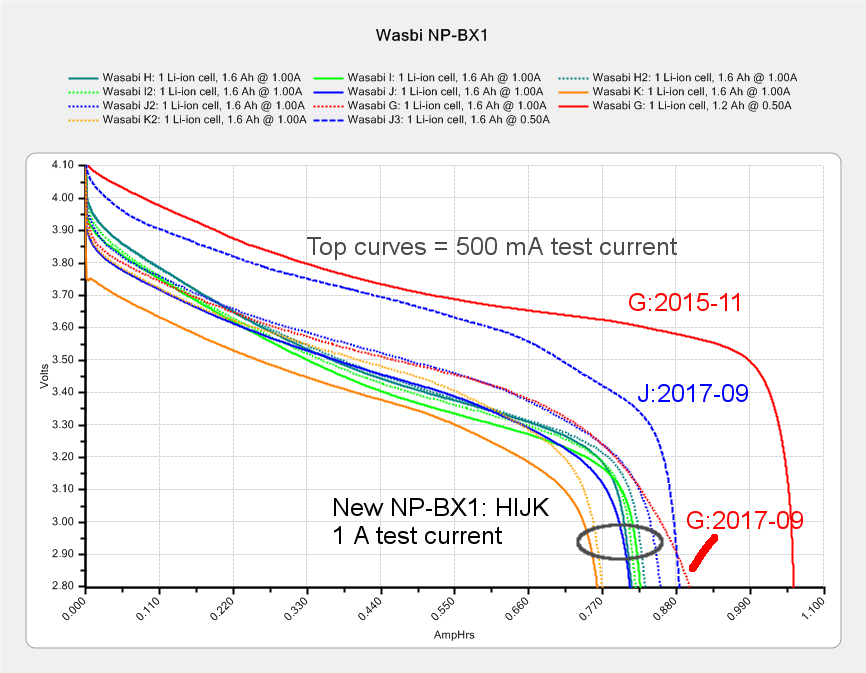
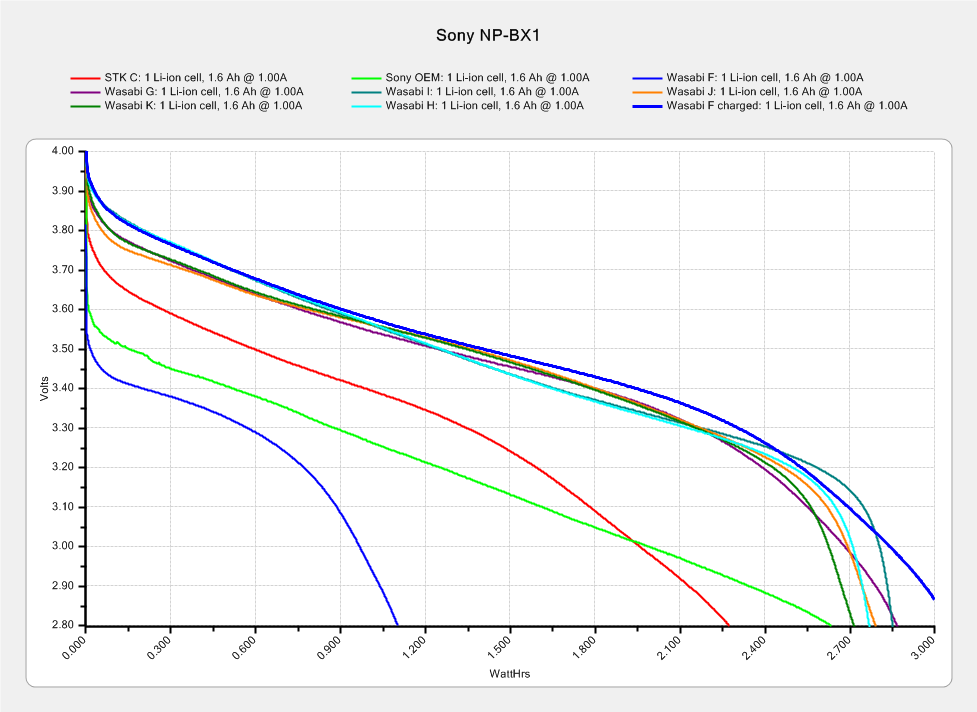
    The amount of energy you can extract from a battery depends strongly on the discharge current, which is why the advertised capacity always exceeds the real-world capacity. Testing the NP-BX1 batteries for my Sony HDR-AS30V at about an amp produces a reasonable estimate of their run time in the camera:

    Sony NP-BX1 - Wasabi GHIJK - 2017-09-01 - annotated
    Sony NP-BX1 – Wasabi GHIJK – 2017-09-01 – annotated

    Even though defunct cells lack enough capacity to keep the camera alive during a typical bike ride, they should power a microcontroller or astable multivibrator for quite a while.

    My CBA II has a 100 mA minimum test current, which is far higher than the 15-ish mA drawn by the Arduino Pro Mini / Nano and SK6812 LEDs in a vacuum tube light, so these tests should provide a lower bound on the expected run time:

    Defunct NP-BX1 for Blinkies and Glowies - AmpHr - 2019-01
    Defunct NP-BX1 for Blinkies and Glowies – AmpHr – 2019-01

    The two dotted lines show a “good” battery (Wasabi 2017 K) tested at 100 mA has a 1 A·h capacity similar to the “defunct” batteries. Testing at 1 A drops the capacity by a factor of two and eliminates the relatively constant voltage part of its discharge curve.

    Handwaving: a 15 mA load on a battery with 1 A·hr capacity should run for 66 hours, ignoring nuances like the Arduino’s minimum voltage requirement and LED minimum forward voltages.

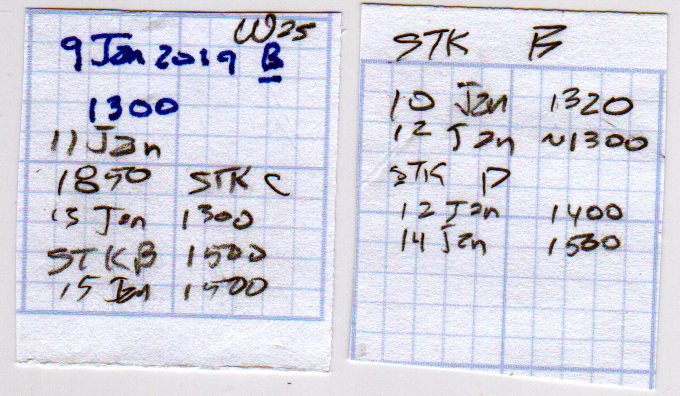
    A few days of informal (“Oh, it stopped a while ago”) testing showed 50 hour run times, with little difference in the results for batteries with 800 mA·h and 1300 mA·h capacity:

    Arduino Pro Mini - NP-BX1 cell - SK6812 - blue phase
    Arduino Pro Mini – NP-BX1 cell – SK6812 – blue phase

    The red power LED remains on long after the SK6812 LEDs dim out and the Arduino stops running. The blue and green LEDs fade before the red LED.

    The run time test data:

    Arduino Pro Mini - NP-BX1 run times - single SK6812 - 2019-01
    Arduino Pro Mini – NP-BX1 run times – single SK6812 – 2019-01

    The 100 mA graph plotted against watt·hours has a similar shape:

    Defunct NP-BX1 for Blinkies and Glowies - 2019-01
    Defunct NP-BX1 for Blinkies and Glowies – 2019-01

    You’d use those results for a constant power load similar to a camera or, basically, any electronics with a boost supply.

  • Juki TL-2010Q: COB LED Light Bar

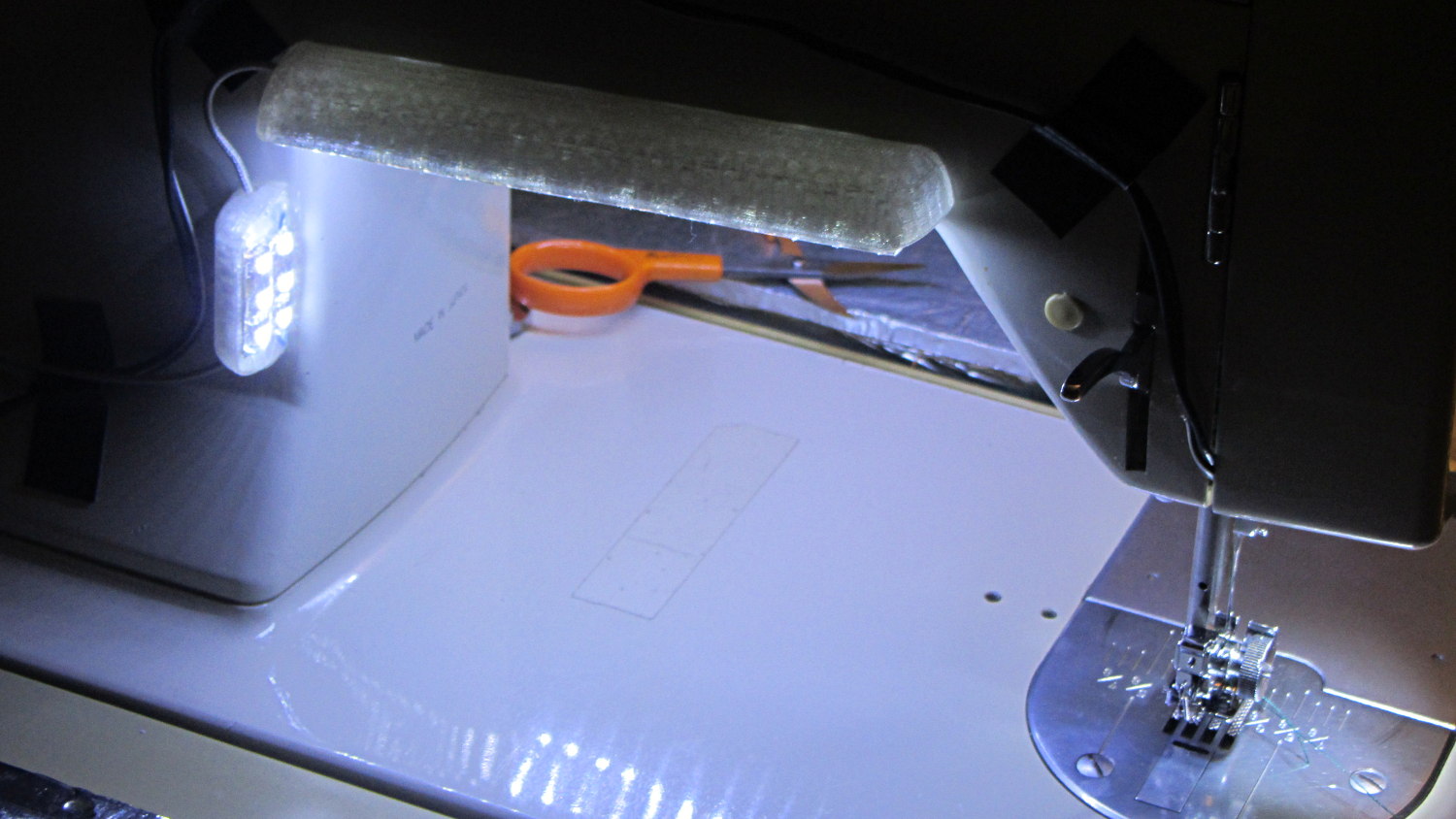
    Mary needed more light under the arm of her Juki TL-2010Q sewing machine, so I proposed a 12 V 6 W COB LED module instead of the high-density LED strips I used on her Kenmore 158s:

    Kenmore 158 Sewing Machine - Cool white LEDs - rear no flash
    Kenmore 158 Sewing Machine – Cool white LEDs – rear no flash

    Because the COB LEDs dissipate 6W, far more power than I’m comfortable dumping into a 3D printed structure, I redefined a length of aluminum shelf bracket extrusion to be a heatsink and epoxied the module’s aluminum back plate thereto:

    Juki TL-2010Q COB LED - test lighting
    Juki TL-2010Q COB LED – test lighting

    Unlike the flexible LED strips, the COB LED modules have no internal ballast resistors and expect to run from a constant-current supply. Some preliminary testing showed we’d want less than the maximum possible light output, so a constant-voltage supply and a few ohms of ballast would suffice:

    Juki TL-2010Q COB LED - ballast resistor test
    Juki TL-2010Q COB LED – ballast resistor test

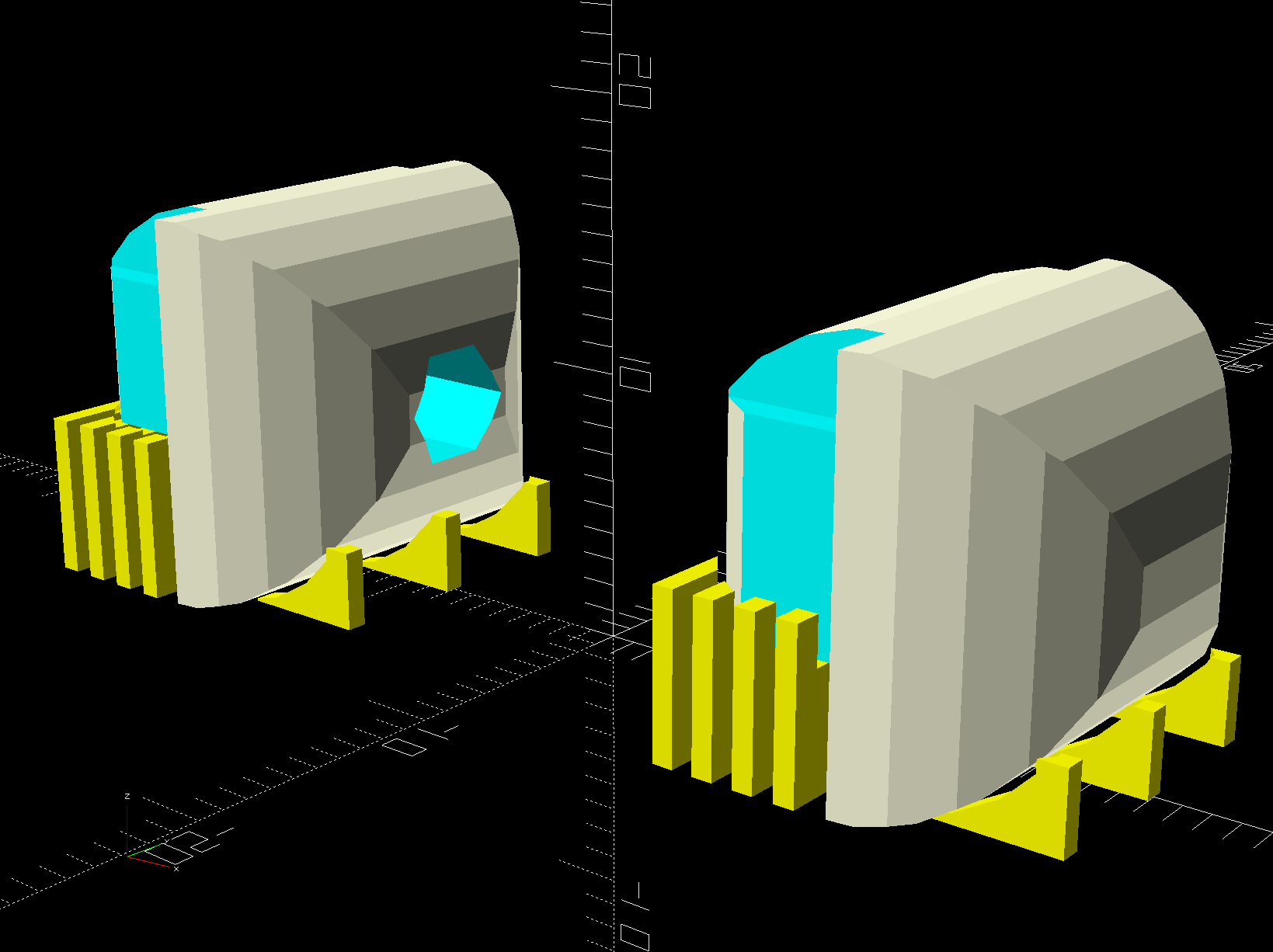
    With all that in hand, the heatsink extrusion cried out for smooth endcaps to control the wires and prevent snagging:

    TL-2010Q COB LED Light Bars - end caps - Show layout
    TL-2010Q COB LED Light Bars – end caps – Show layout

    The central hole in the left cap passes 24 AWG silicone wires from the power supply, with 28 AWG silicone wires snaking down through the L-shaped rectangular cutouts along the extrusion to the LED module’s solder pads.

    The model includes built-in support:

    TL-2010Q COB LED Light Bars - end caps - Build layout
    TL-2010Q COB LED Light Bars – end caps – Build layout

    Assuming the curved ends didn’t need support / anchors holding them down turned out to be completely incorrect:

    Juki TL-2010Q COB LED - curled endcaps
    Juki TL-2010Q COB LED – curled endcaps

    Fortunately, those delicate potato chips lived to tell the tale and, after a few design iterations, everything came out right:

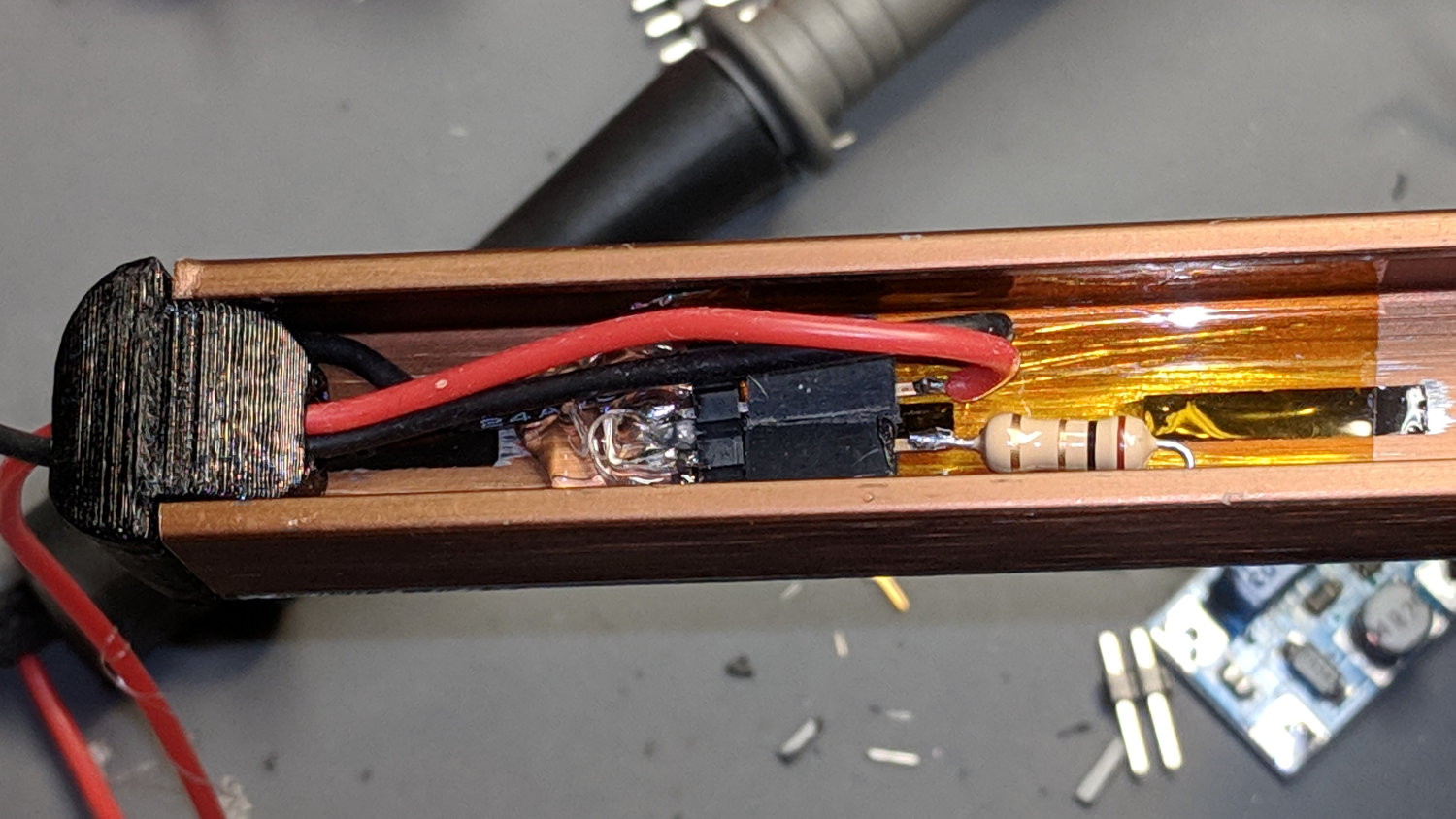
    Juki TL-2010Q COB LED - heatsink endcap - internal connections
    Juki TL-2010Q COB LED – heatsink endcap – internal connections

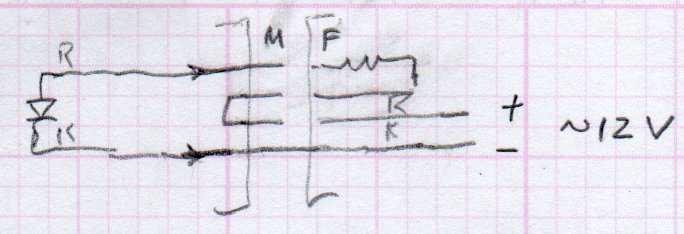
    The “connector”, such as it is, serves to make the light bar testable / removable and the ballast resistor tweakable, without going nuts over the details. The left side is an ordinary pin header strip held in place with hot melt glue atop the obligatory Kapton tape, because the heatsink doesn’t get hot enough to bother the glue. The right side is a pair of two-pin header sockets, also intended for PCB use. The incoming power connects to one set and the ballast resistor to the other, thusly:

    Juki TL-2010Q COB LED - light bar connector diagram
    Juki TL-2010Q COB LED – light bar connector diagram

    The diagram is flipped top-to-bottom from the picture, but you get the idea. Quick, easy, durable, and butt-ugly, I’d say.

    The next step was to mount it on the sewing machine and steal some power, but that’s a story for another day.

    The relevant dimensions for the aluminum extrusion:

    Aluminum shelf bracket extrusion - dimensions
    Aluminum shelf bracket extrusion – dimensions

    The OpenSCAD source code as a GitHub Gist:

    // Juki TL-2010Q Sewing Machine – COB LED Light Bars
    // Ed Nisley – KE4ZNU
    // 2019-01
    /* [Layout Options] */
    Layout = "Build"; // [Bracket,Endcap,Show,Build]
    Wiring = [1,0]; // left and right wire holes
    BuildSupport = true;
    /* [Extrusion Parameters] */
    ThreadWidth = 0.40;
    ThreadThick = 0.20;
    HoleWindage = 0.2;
    Protrusion = 0.1;
    //—–
    // Shelf bracket used as LED heatsink
    /* [Hidden] */
    LEDPlate = [15.0,2.4]; // 2D coords from end of LED
    BktOuter = [15.9,12.6 + LEDPlate.y]; // 2D coords as seen from end of extrusion
    BktWalls = [1.3,2.2 + LEDPlate.y]; // … extend base to cover LED
    BktCap = [2.5,3.0];
    BracketPoints = [
    [0,0],
    [BktOuter.x,0],
    [BktOuter.x,BktOuter.y],
    [(BktOuter.x – BktCap.x),BktOuter.y],
    [(BktOuter.x – BktCap.x),(BktOuter.y – BktCap.y)],
    [(BktOuter.x – BktWalls.x),(BktOuter.y – BktCap.y)],
    [(BktOuter.x – BktWalls.x),BktWalls.y],
    [BktWalls.x,BktWalls.y],
    [BktWalls.x,(BktOuter.y – BktCap.y)],
    [BktCap.x,(BktOuter.y – BktCap.y)],
    [BktCap.x,BktOuter.y],
    [0,BktOuter.y],
    [0,0]
    ];
    BracketPlugInsert = 10.0; // distance into bracket end
    WireOD = 1.6; // COB LED jumpers – 24 AWG silicone
    WireOC = BktOuter.x – 2*BktWalls.x – WireOD;
    echo(str("Wire OC: ",WireOC));
    CableOD = 4.0; // power entry cable
    CapSides = 2*3*4;
    //—–
    // Useful routines
    module PolyCyl(Dia,Height,ForceSides=0) { // based on nophead's polyholes
    Sides = (ForceSides != 0) ? ForceSides : (ceil(Dia) + 2);
    FixDia = Dia / cos(180/Sides);
    cylinder(r=(FixDia + HoleWindage)/2,
    h=Height,
    $fn=Sides);
    }
    //—–
    // Endcap with smooth rounding
    // Wires = true to punch holes for LED wires
    module Endcap(Wires = true) {
    // arc length to flatten inside of cap
    // not needed to build in normal orientation
    m = BktOuter.x/2 – sqrt(pow(BktOuter.x/2,2) – pow(BktOuter.x – 2*BktCap.x,2)/4);
    difference() {
    translate([0,0,BktOuter.y/2]) // basic endcap shape
    intersection() {
    cylinder(d=BktOuter.x,h=BktOuter.y,$fn=CapSides,center=true);
    rotate([90,0,0])
    rotate(180/CapSides)
    cylinder(d=BktOuter.y,h=BktOuter.x,$fn=CapSides,center=true);
    }
    translate([-BracketPlugInsert,0,0]) // extrusion + LED plate
    Bracket(BracketPlugInsert);
    if (false) // flatten inner end
    translate([-BktOuter.y + m,0,BktOuter.y/2])
    cube([BktOuter.y,BktOuter.x,BktOuter.y],center=true);
    if (Wires) {
    for (j=[-1,1]) // COB LED connections
    translate([WireOD – BktOuter.x/2,j*WireOC/2,(BktWalls.y + WireOD – Protrusion)/2])
    rotate([0,00,0])
    cube([BktOuter.x,WireOD + Protrusion,BktWalls.y + WireOD + Protrusion],center=true);
    translate([0,0,BktOuter.y/2]) // power entry / exit
    rotate([0,90,0])
    translate([0,0,-BktOuter.x])
    rotate(180/6)
    PolyCyl(CableOD,2*BktOuter.x,6);
    }
    }
    }
    // Totally ad-hoc support structures
    module Support(Wiring = false) {
    Spacing = 4*ThreadWidth;
    NumBars = floor((BktOuter.y/2) / Spacing);
    echo(str("Support bars: ",NumBars));
    color("Yellow") {
    render() difference() {
    union() {
    for (i=[1:NumBars]) // inside extrusion
    translate([-i*Spacing,0,(BktWalls.y + WireOD)/2])
    cube([2*ThreadWidth,BktOuter.x – 0*BktWalls.x,BktWalls.y + WireOD],center=true);
    if (true)
    for (j=[-1:1]) // reduce outside curve uplift
    translate([0.3*BktOuter.y,j*BktOuter.x/3,BktOuter.y/10])
    cube([BktOuter.y/3,2*ThreadWidth,BktOuter.y/5],center=true);
    }
    minkowski() { // all-around clearance
    Endcap(Wiring);
    cube(2.0*ThreadThick,center=true);
    }
    if (Wiring) {
    translate([0,0,BktOuter.y/2]) // remove rubble from wire bore
    rotate([0,90,0])
    translate([0,0,-BktOuter.x])
    rotate(180/6)
    PolyCyl(CableOD,2*BktOuter.x,6);
    }
    }
    if (false)
    translate([-(BktOuter.x/4 + ThreadWidth),0,ThreadThick/2]) // adhesion pad
    cube([BktOuter.x/2,BktOuter.x – BktWalls.x,ThreadThick],center=true);
    // translate([BktOuter.x/3,0,ThreadThick/2]) // adhesion pad
    // cube([0.3*BktOuter.x,0.7*BktOuter.x,ThreadThick],center=true);
    if (false)
    for (j = [-1:1]) // tie pad to bottom of cap
    translate([-(4*ThreadWidth)/2,j*(BktOuter.x – 2*ThreadWidth)/2,ThreadThick/2])
    cube([4*ThreadWidth,2*ThreadWidth,ThreadThick],center=true);
    }
    }
    //—–
    // Heatsink extrusion + LED plate
    // Centered on Y with Length extending in +X
    module Bracket(Length = 10)
    translate([0,-BktOuter.x/2,0])
    rotate([90,0,90])
    linear_extrude(height = Length,convexity=3)
    polygon(points=BracketPoints);
    //—–
    // Build things
    if (Layout == "Bracket")
    Bracket();
    if (Layout == "Endcap")
    Endcap();
    if (Layout == "Show") {
    translate([BktOuter.x,0,0])
    Endcap(Wiring[1]);
    translate([-BktOuter.x,0,0])
    rotate(180)
    Endcap(Wiring[0]);
    color("Yellow",0.35)
    translate([-BktOuter.x/2,0,0])
    Bracket(BktOuter.x);
    }
    if (Layout == "Build") {
    translate([BktOuter.y,0,0]) {
    Endcap(Wiring[0]);
    if (BuildSupport)
    Support(Wiring[0]);
    }
    translate([-BktOuter.y,0,0]) {
    Endcap(Wiring[1]);
    if (BuildSupport)
    Support(Wiring[1]);
    }
    }

  • DSO150: USB Battery Charger

    Continuing the process of silk-purse-izing the DSO150, a batch of USB 1S lithium battery charger modules arrived from halfway around the planet. I drilled & filed a suitable hole / slot / aperture in one of the few remaining spots in the case, then stuck the PCB to the bottom with good foam tape:

    DSO150 - USB charger - internal layout
    DSO150 – USB charger – internal layout

    Because the charger includes cell protection circuitry, I replaced the original protected 18650 cell with a bare cell sporting solder tabs. The cell should go directly to the charger board, but the switch disconnects the + wire; I’m unwilling to believe the charger won’t slowly and inexorably discharge the cell if I don’t use the DSO150 for a few months. It could happen.

    A label makes the hole look almost professional:

    DSO150 - USB charger - Micro-B jack
    DSO150 – USB charger – Micro-B jack

    Well, makes it look Good Enough™, I suppose.

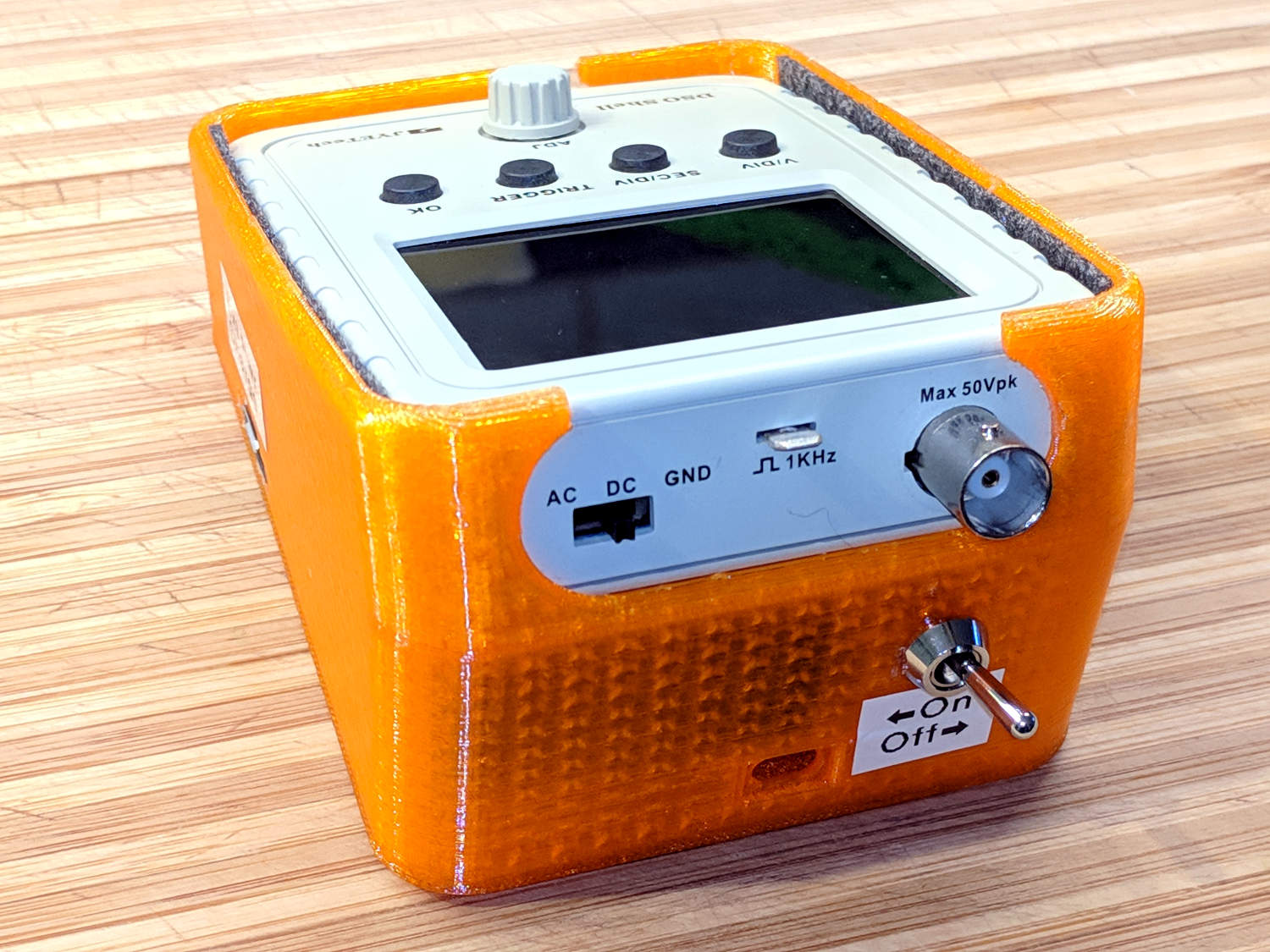
    The power switch gets a label, too:

    DSO150 - USB charger - battery switch
    DSO150 – USB charger – battery switch

    Flipping the switch ON lights up the scope from the battery.

    The charger (sensibly) will not route power from the USB port to the scope without a battery, so you must plug in a USB source with the switch ON, then flip the switch OFF. I don’t know why you’d want to do that, but there you go.

    Now it’s a real portable instrument, with all the inconvenience of managing a built-in lithium cell.

  • Vacuum Tube LEDs: Radome Prototype

    Definitely not a vacuum tube:

    Arduino Pro Mini - NP-BX1 cell - SK6812 - blue phase
    Arduino Pro Mini – NP-BX1 cell – SK6812 – blue phase

    It’s running the same firmware, though, with the Arduino Pro Mini and the LEDs drawing power from the (mostly) defunct lithium battery.

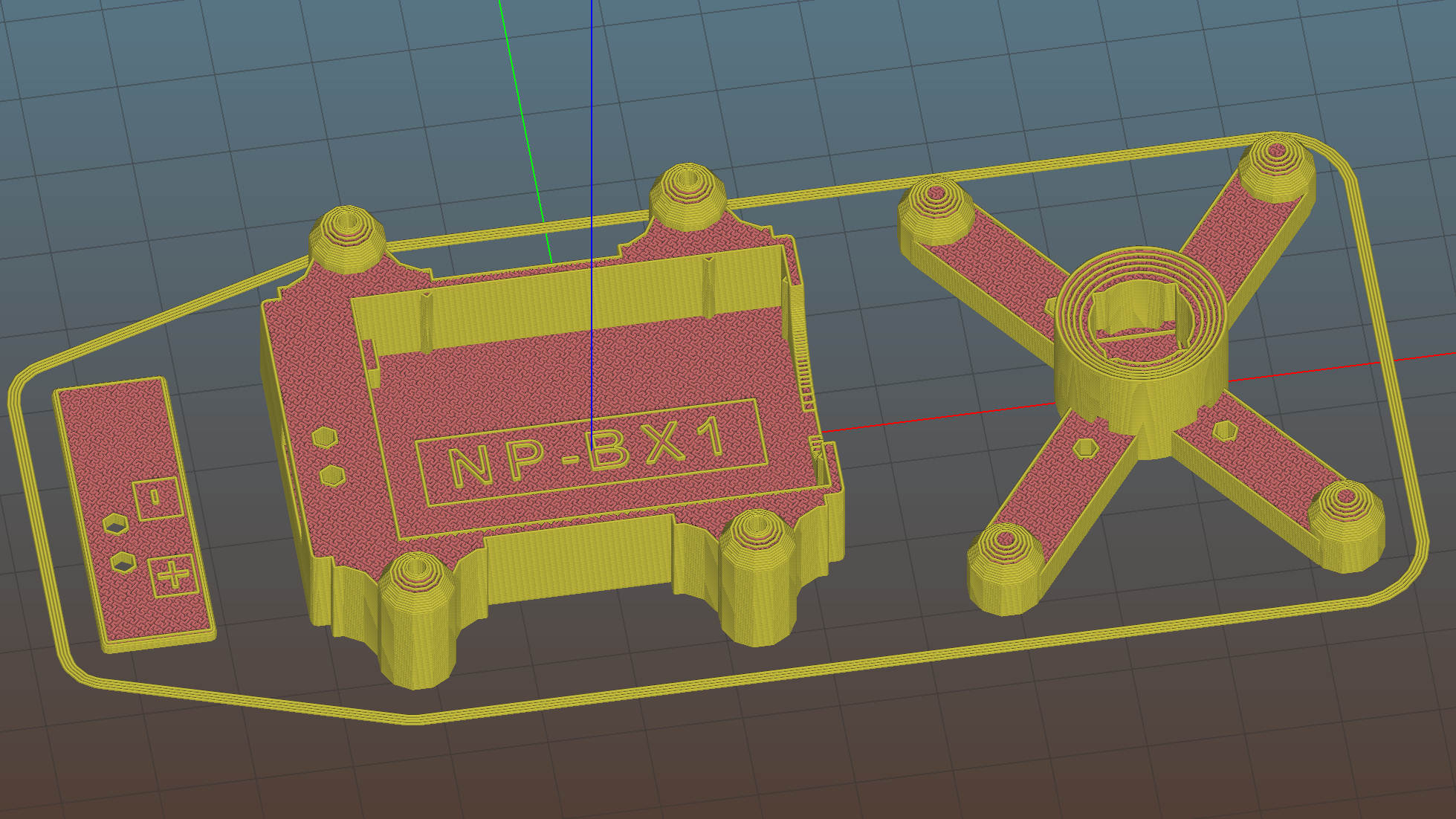
    The LED holder is identical to the Pirhana holder, with a 10 mm diameter recess punched into it for the SK6812 PCB:

    Astable Multivibrator Battery Holder - Neopixel PCB - Slic3r
    Astable Multivibrator Battery Holder – Neopixel PCB – Slic3r

    Those embossed legends sit in debossed rectangles for improved legibility. If I repeat it often enough, I’m sure I’ll remember which is which.

    The 3.6 V (and declining) power supply may not produce as much light from the SK6812 LEDs, but it’s entirely adequate for anything other than a well-lit room. The 28 AWG silicone wires require a bit of careful dressing to emerge from the holes in the radome holder:

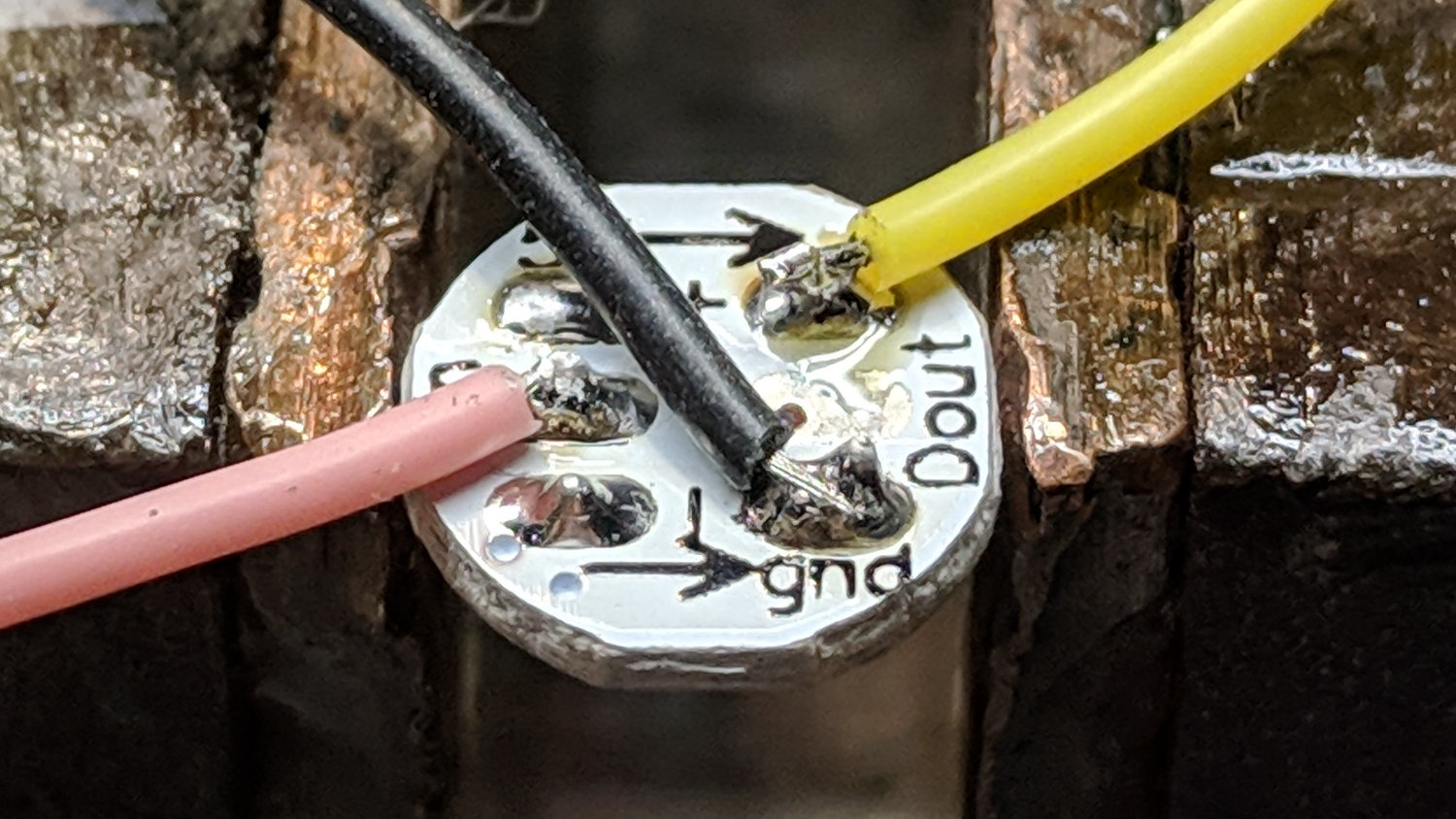
    SK6812 LED PCB - Pirhana holder wiring
    SK6812 LED PCB – Pirhana holder wiring

    The firmware cycles through all the usual colors:

    Arduino Pro Mini - NP-BX1 cell - SK6812 - orange phase
    Arduino Pro Mini – NP-BX1 cell – SK6812 – orange phase

    A pair of tensilized 22 AWG copper wires support the Pro Mini between the rear struts. The whole affair looks a bit heavier than I expected, though, so I should reduce the spider to a single pair of legs with a third hole in the bottom of the LED recess for the data wire.

    The OpenSCAD source code needs some refactoring and tweaking, but the Pirhana LED solid model version of the battery holder should give you the general idea.

  • Vacuum Tube LEDs: Arduino Pro Mini vs. NP-BX1 Battery

    A year or so ago, a certain Young Engineer suggested my Vacuum Tube Lights really needed battery power and rebuffed my feeble objections concerning low LED intensity (3.6-ish V, not plug-in 5 V USB) and short run time (because three constantly lit LEDs draw too much current). Having a spare NP-BX1 holder lying about, here’s a feasibility study:

    Arduino Pro Mini - Neopixel - NP-BX1 battery
    Arduino Pro Mini – Neopixel – NP-BX1 battery

    Not much to it, eh?

    Hitching the DSO150 to a Tek current probe (which needs a 50 Ω load, thus the terminator on the BNC tee) seems a clear-cut case of a sow’s ear joining forces with a silk purse:

    DSO150 - Arduino Pro Mini - Neopixel current
    DSO150 – Arduino Pro Mini – Neopixel current

    It was just sitting there, so why not?

    Seen with a bit more detail on a better scope:

    Ard Mini - NP-BX1 - SK6812 - 10 mA-div
    Ard Mini – NP-BX1 – SK6812 – 10 mA-div

    Each vertical increment represents the current into a single LED (at 10 mA/div), with the PWM cycles ticking along at 1.3 kHz.

    The current steps aren’t the same height, because the LEDs have different forward voltages. The taller step (at the top) probably comes from the red LED, with the other two being blue and green. The maximum current is only 40 mA, not the 60 mA you’d expect with a 5 V supply.

    The PWM width, of course, determines the brightness of each LED. Eyeballometrically, the average current will be half of 40 mA for (just less than) half of each PWM cycle, so figuring each SK6812 module (there’s only one here) will draw 10 mA seems reasonable.

    The “base load” from the Arduino looks like 2 mA, so there’s not much point in removing its power and status LEDs.

    The NP-BX1 lithium cell has lost enough capacity to no longer power my Sony HDR-AS30V helmet camera for at least half of a typical ride. The camera draws around 1 A, so you can clearly see the defunct batteries:

    Sony NP-BX1 - 2018-04-24
    Sony NP-BX1 – 2018-04-24

    If the average voltage during discharge is 3.3. V, then a 10 mA load would be 33 mW and a defunct NP-BX1 battery with 2 W·h capacity (at 1 A) might provide 60 hours of continuous use. I’d expect more capacity at lower current, although it’s not clear the cells actually behave that way.

    So a battery-powered Vacuum Tube Light might make sense, perhaps as romantic illumination for techie snuggling:

    21HB5A - Guilloche platter
    21HB5A – Guilloche platter

    Ya never know …

  • Jimmied Cable Box: Who You Gonna Call?

    We spotted this anomalous situation halfway up Cochran Hill Road:

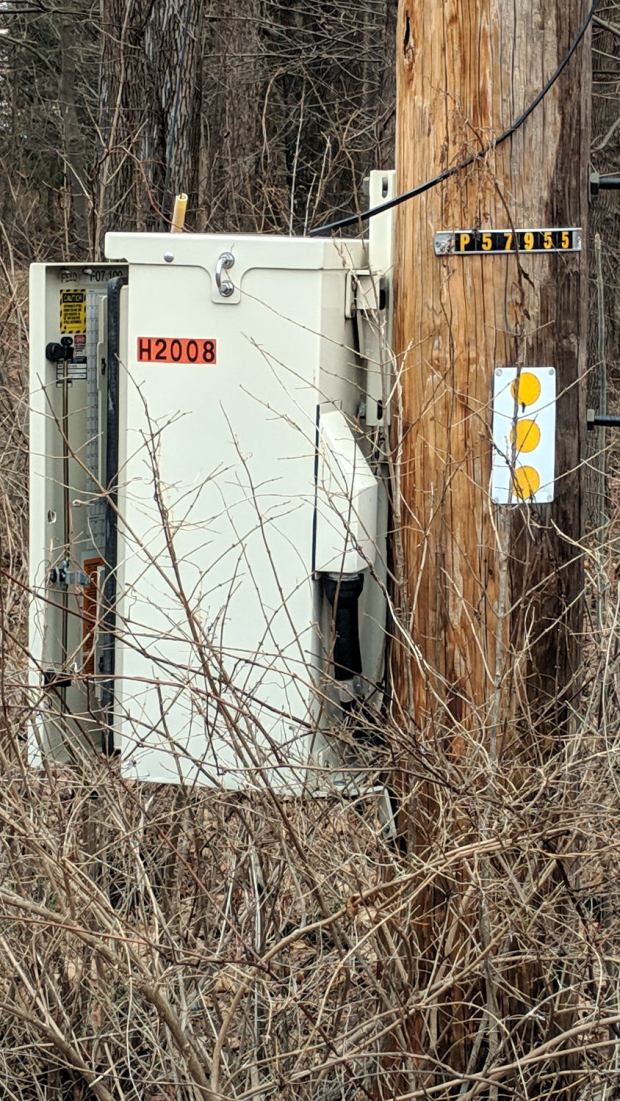
    Cable Box - as found
    Cable Box – as found

    It looks like a Verizon FiOS cable box filled with jumpers for all the houses along the way:

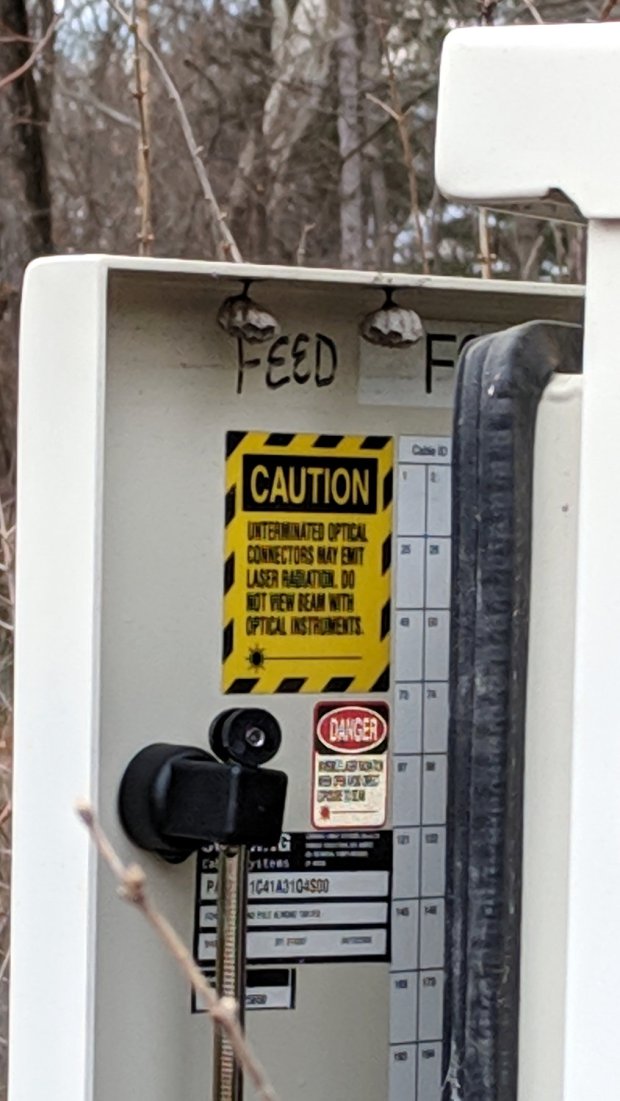
    Cable Box - fiberoptic jumpers
    Cable Box – fiberoptic jumpers

    You’ll note the missing lock and misplaced latch. The box face isn’t scarred, so getting in must not have required much effort.

    The box carries no company identification or emergency numbers, but it does have two theft deterrents:

    Cable Box - wasp nests
    Cable Box – wasp nests

    Perhaps the deterrents worked better in warmer months.

    Given how little Verizon wants to hear from its FiOS customers, I have sub-zero motivation for devoting the hours required to find out if it’s their problem. Somebody along Cochran should have enough standing for the case.