The Smell of Molten Projects in the Morning

Ed Nisley's Blog: Shop notes, electronics, firmware, machinery, 3D printing, laser cuttery, and curiosities. Contents: 100% human thinking, 0% AI slop.

Author: Ed

  • Maximum 3D Printing Speed

    Maximum 3D Printing Speed

    With everybody 3D printing masks these days, the question of “how fast can you print” came up on the Makergear forum.

    Here’s my opinion:

    The fundamental limit comes from the heater’s ability to bring cold plastic up to extrusion temperature inside the 20 mm hot zone.

    Using airscape’s example, the extruded thread is 0.5 mm thick × 0.8 mm wide = 0.4 mm², so laying down that thread at 50 mm/s means the extruder is heating plastic at 20 mm³/s and is “pushing it with PLA”.

    In round numbers, normal printing speeds with a normal nozzle and normal plastics runs around 10 mm³/s, so a practical upper limit is probably around 15 mm³/s.

    As far as thread size goes, the diameter of the flat area around the nozzle orifice sets the maximum thread width, because the nozzle must compress the thread against the previous layer. If the thread is wider than the nozzle, the gooey plastic curls up around the sides of the nozzle and doesn’t bond well. The rule of thumb is to round up the orifice diameter to the next convenient number:

    • 0.35 mm nozzle → 0.4 mm thread
    • 0.75 mm nozzle → 0.8 mm thread

    The maximum thread (= layer) thickness should be about 60% of the thread width, which is why a 0.8 mm wide thread calls for a 0.5 mm layer thickness.

    Assuming the extruder can heat 15 mm³/s of plastic, the maximum printing speed will be 15 mm³/s / 0.4 mm² = 37.5 mm/s: comfortably under airscape’s “pushing it” 50 mm/s.

    A visualization may be helpful:

    Extrusion Dimensions
    Extrusion Dimensions

    Aaaaand, as always, calibrate the Extrusion Multiplier for whatever conditions you’re using to ensure the slicer and the hardware agree on how much plastic is coming out of the nozzle.

  • Cheapnified Brother TZ Label Cartridge

    Cheapnified Brother TZ Label Cartridge

    After four years, I finally had occasion to use the blue label cartridge, only to have the tape refuse to feed. The mess on the tongue sticking out shows the result after I forcibly pulled the tape from the cartridge:

    Cheapnified Brother Label Cartridge - exterior
    Cheapnified Brother Label Cartridge – exterior

    The proximate cause was a fold in the imaging tape takeup path causing the driven spool to stop turning:

    Cheapnified Brother Label Cartridge - folded dye tape
    Cheapnified Brother Label Cartridge – folded dye tape

    Some delicate unspooling, unfolding, and respooling put things back in order.

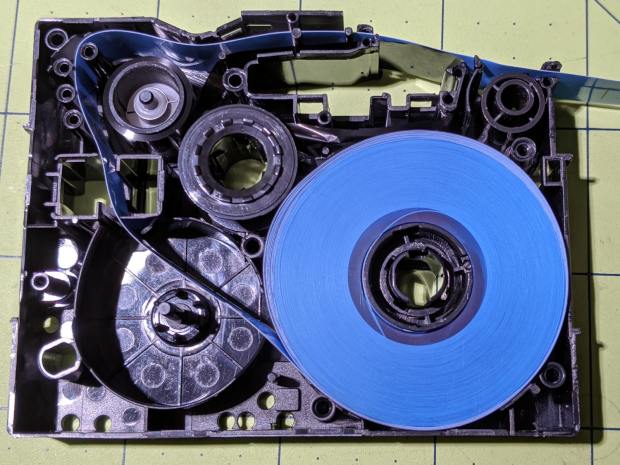
    However, with the cartridge opened on the desk, it became obvious this was the cheapnified version:

    Cheapnified Brother Label Cartridge - overview
    Cheapnified Brother Label Cartridge – overview

    Compare with a genuine Brother cartridge:

    Brother P-Touch TZ tape cartridge - detail
    Brother P-Touch TZ tape cartridge – detail

    In the genuine cartridge, the base tape (with the sticky side and the colored side) feeds from the lower right directly into the assembly pressure roller. The transparent cover tape feeds from the spool in the lower left, up around the imaging tape supply spool, has the image fused to it, and is then pressed against the base tape on the assembly roller.

    Update: Per david’s comment, the cartridges are even more complex than I thought! The printer has sense pins matching a group of cartridge holes to determine (at least) the tape size & orientation. See the pix added below.

    Despite using the same cartridge body, the cheapnified tape path is entirely different. The base tape now feeds from the spool in the lower right through what should be the cover tape supply reel, around the imaging film supply spool, has the image fused directly to it, then passes out through the assembly pressure roller.

    The cover tape is completely missing!

    It turns out the cheapnified cartridges don’t bother with lamination. Instead, the printhead presses the imaging film against the top of the base tape, leaving the black image exposed to the elements. The assembly roller does nothing, apart from pulling the base tape through the cartridge.

    Now that I know what to look for, the visible difference is the orientation of the base tape. A cartridge with the correct innards feeds the base tape with the colored side + image facing away from the long side of the cartridge. A cheapnified cartridge has the color + image facing the long side, with the major benefit of making the advertising look more appealing:

    Fake Brother TZ cartridge - Amazon image
    Fake Brother TZ cartridge – Amazon image

    A genuine Brother cartridge would print the image on the bottom of the tape in that picture, so you’d see the blank side of the tape in that picture.

    The “Amazon Marketplace” being what it is, I assume any pictures will not, in general, have much in common with what you actually receive, but at least I now know which ones to reject out of hand.

    Update: The PT-1090 label printer has cartridge sensing pins:

    Brother PT-1090 Labelmaker - sense pins
    Brother PT-1090 Labelmaker – sense pins

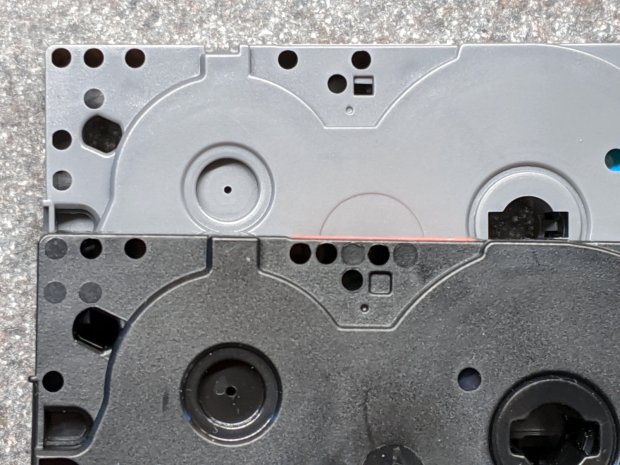
    And the cartridges have corresponding holes, although the printer doesn’t sense all of them:

    Brother PT-1090 Labelmaker - cartridge ID holes
    Brother PT-1090 Labelmaker – cartridge ID holes

    Despite that, cheapnified cartridges are still cheapnified.

    I learn something new every day around here! Thanks!

  • Backyard Utility Pole: Anchor Clamp Hardware

    Backyard Utility Pole: Anchor Clamp Hardware

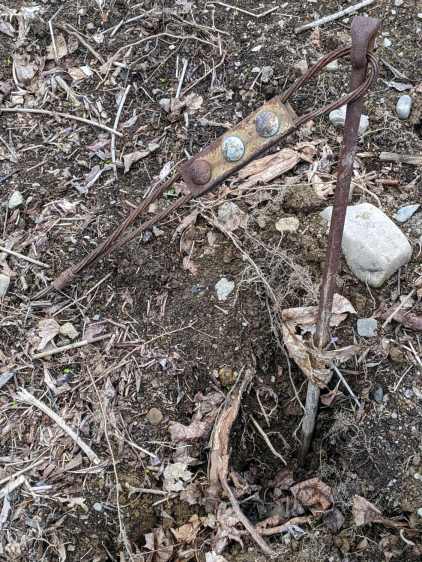
    This also appeared while clearing the forsythia:

    Pole anchor - abandoned in place
    Pole anchor – abandoned in place

    It’s the guy line anchor for the fallen utility pole, abandoned in place when the crew installed the new pole.

    The rod turned freely in its underground anchor, but the nut is apparently frozen to the rod. I deployed the bolt cutter on the cable and hauled the carcass into the Basement Shop:

    Pole anchor - nut loosening
    Pole anchor – nut loosening

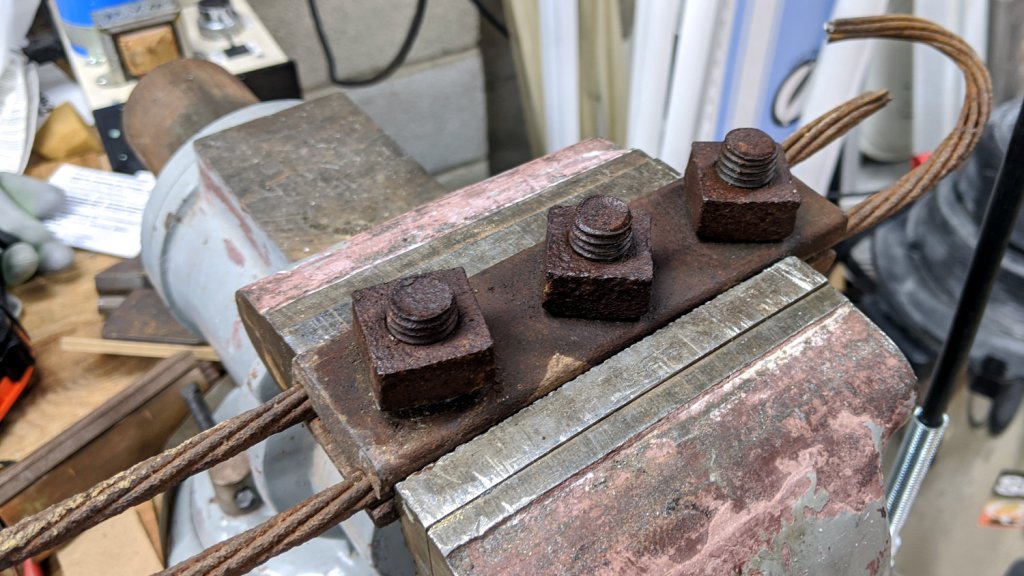
    Steeping the nuts with Kroil for a few hours relaxed them enough to submit to gentle suasion, whereupon the cable sproinged as the last nut released the clamping force:

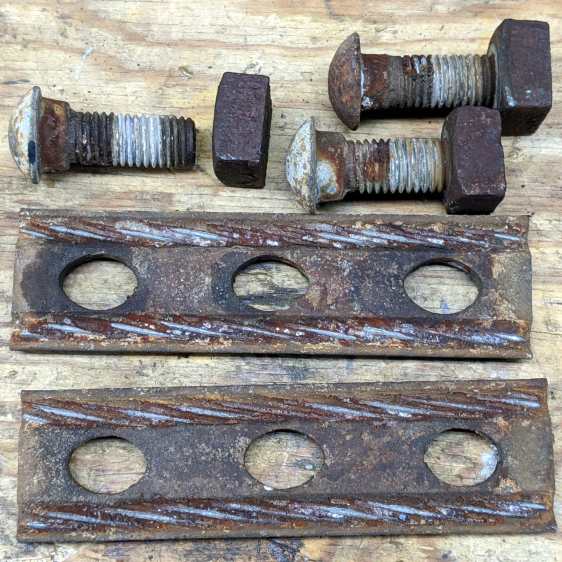
    Pole anchor - hardware
    Pole anchor – hardware

    As far as I can tell, the clamp hardware dates back to the pole’s original installation in 1940 and is in fine, if not pristine, shape.

    The bolt shanks have an oval section matching the holes in the plate, so the bolts don’t turn and the crew needs only one wrench. They don’t make ’em like they used to!

    I have no idea what I’ll do with these things, but they’re entirely too nice for the steel recycling bucket.

  • Tour Easy: Baofeng Radio PTT Cable Glitch

    Tour Easy: Baofeng Radio PTT Cable Glitch

    The signal from the Baofeng UV-5R HT tucked behind the seat of my Tour Easy became exceedingly choppy on recent rides. Here’s an earlier version to give you an idea of the situation:

    Radio in seat wedge pack in bottle holder
    Radio in seat wedge pack in bottle holder

    Of course, it worked perfectly in the garage and only failed while on a ride. The clue turned out to be having it fail more on rough roads and crappy scab patches (courtesy of NSYDOT) than on relatively smooth asphalt.

    That led me to wiggle of All The Cables while crouched beside the bike in the garage, listening to another HT, and watching the transmit LED. After about five minutes of this, I found wiggling the 3.5 mm connector between the cable from the PTT button on the handlebar and the radio blinked the transmit LED: ah-HA!

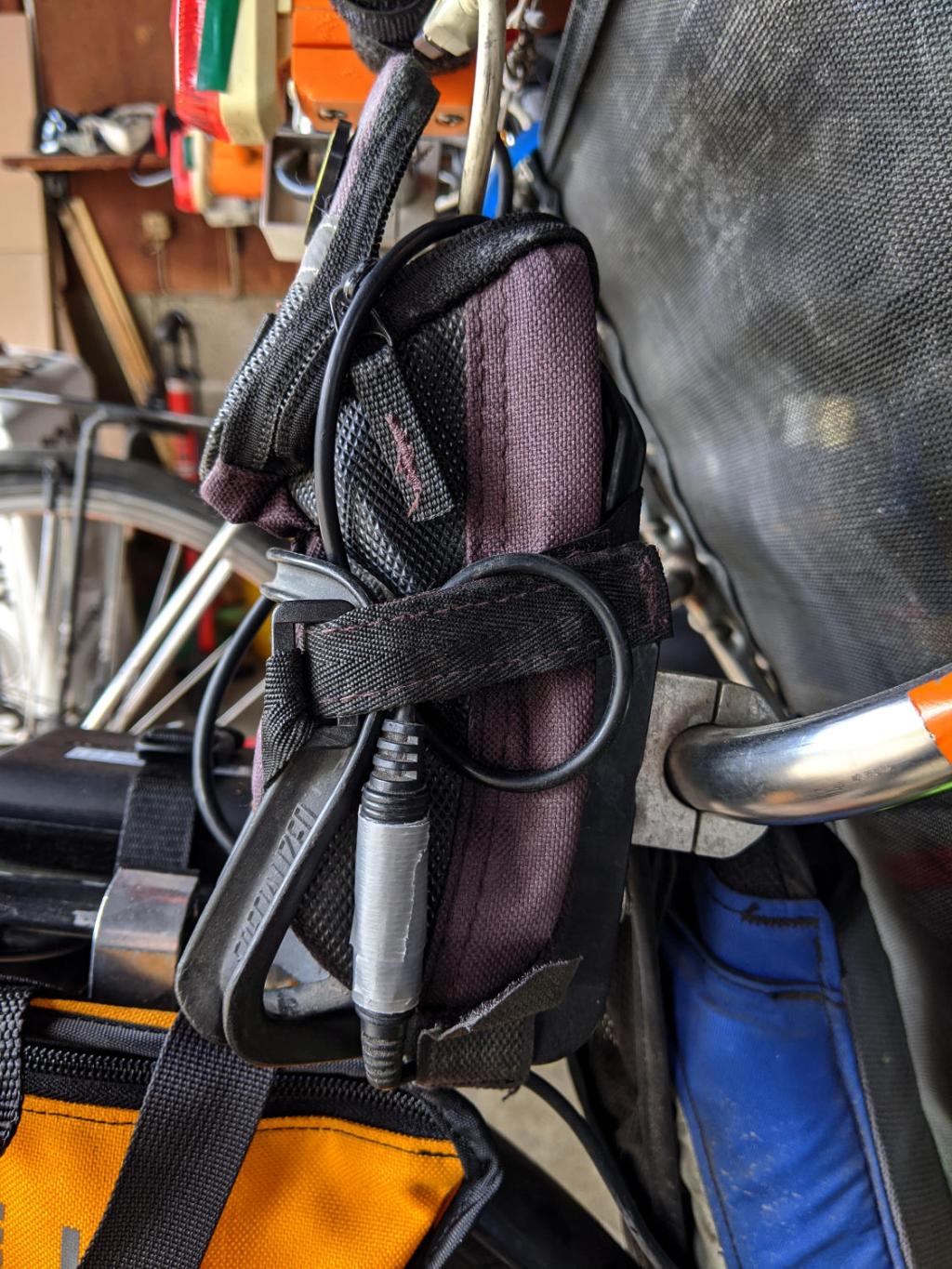
    The connector had worked itself loose from the straps holding the radio pack in place, pulled some slack in the cable, and was bouncing around in mid-air. A wrap of duct tape now holds the connector halves together, the upper loop passes around the Velco-ish strap, and the lower loop (from the PTT button) goes through the bottom of the repurposed bottle holder:

    Tour Easy - Baofeng PTT cable connection
    Tour Easy – Baofeng PTT cable connection

    No trouble on the next two rides, so we’ll call it fixed.

    Protip: it’s always the connector.

  • Pickett 110-ES Circular Slide Rule Manual: Scanning Thereof

    Pickett 110-ES Circular Slide Rule Manual: Scanning Thereof

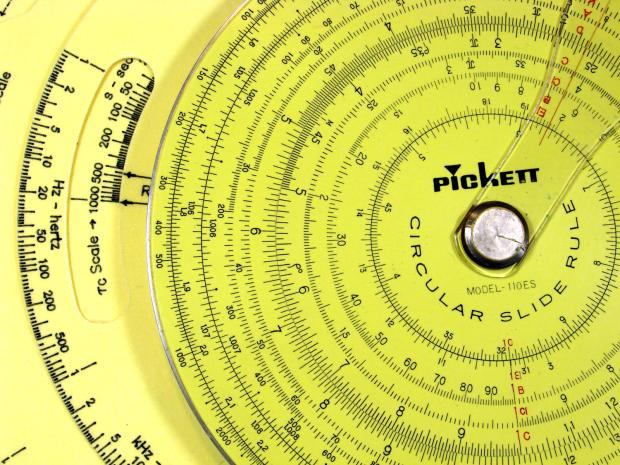
    Having mostly finished futzing with the Homage Tektronix Circuit Computer, my Pickett 110-ES Circular Slide Rule once again came to mind:

    Homage Tek CC vs Pickett 110ES colors
    Homage Tek CC vs Pickett 110ES colors

    Casual searching didn’t reveal an online copy of its manual, so here ya go:

    After a cluestick whack, here’s a better-looking version made with ScanTailor, as installed from the normal Ubuntu repo:

    There’s some backstory, of course …

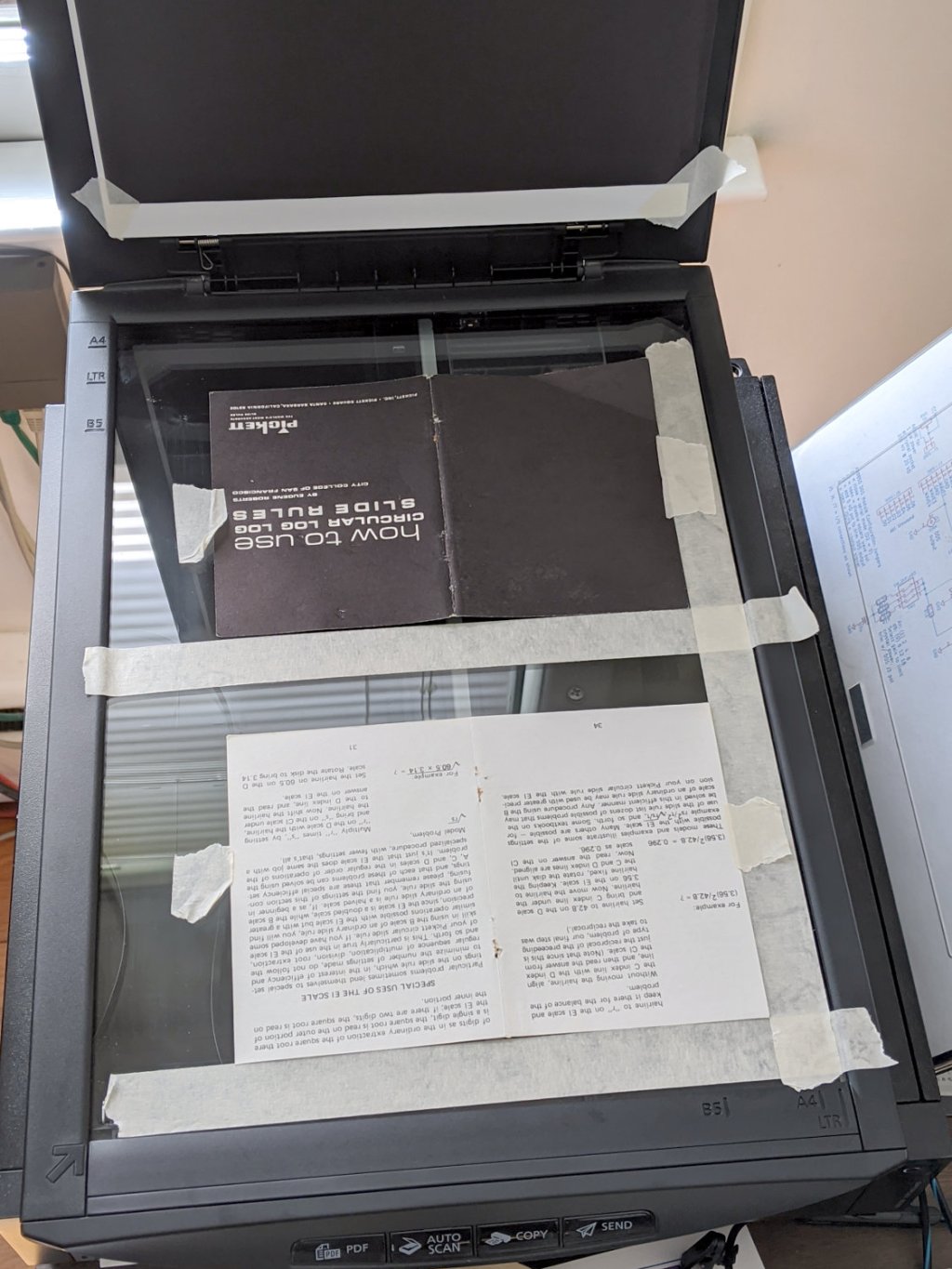
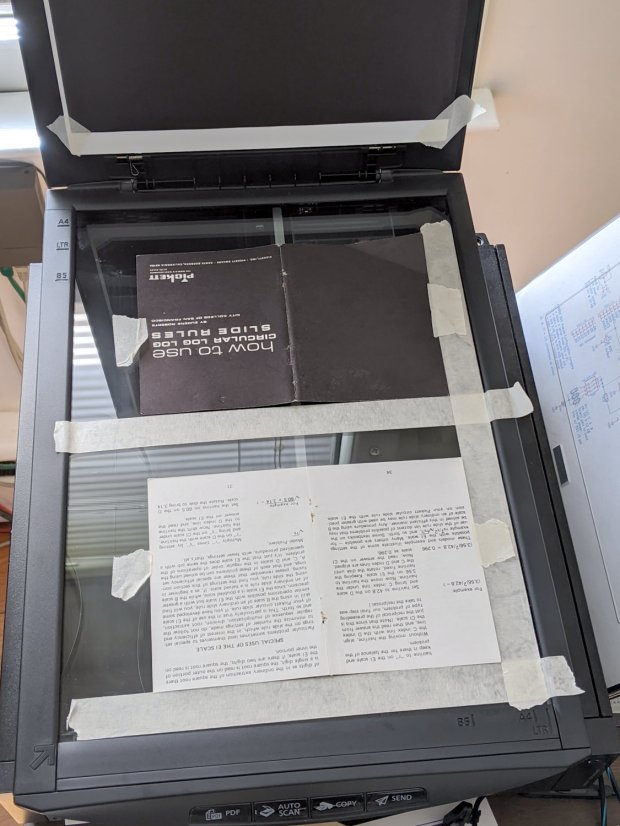
    I gimmicked a scanner fixture to align a pair of pages:

    Pickett 110-ES Scanning Fixture
    Pickett 110-ES Scanning Fixture

    Yes, I destroyed the collectible value of my manual by removing two slightly rusted staples.

    The black paper taped to the scanner lid prevents the type on the upper surface of the paper from producing dark blurs.

    Set up XSane for batch scanning (one selection over each two-page spread), get a pipeline going (disassembly → face up → face down → reassembly), and eventually create 34 images named Scan-??.jpg. They’re in color, although it matters only for the rust stains around the staple holes, with the contrast stretched enough to make them mostly B&W.

    Somehow, Pickett printed / cut half the sheets slightly off-kilter, so I rotated them -1° rotation to re-align the text. To simplify plucking the rotated pages out of the image, composite the spread atop a blank white background:

    for i in $(seq -w 3 2 33) ; do composite -compose atop Scan-$i.jpg -size 2200x1400 -geometry +100+100 canvas:white -rotate -1 Comp-$i.jpg ; done

    Rather than thinking too hard, do exactly the same thing to the other pages without rotation:

    for i in $(seq -w 2 2 34) ; do composite -compose atop Scan-$i.jpg -size 2200x1400 -geometry +100+100 canvas:white -rotate 0 Comp-$i.jpg ; done

    Each scanned image has two pages, so crop it into two files with names corresponding to the actual page numbers:

    for i in $(seq 2 2 34) ; do convert -crop 960x1240+1050+110 Comp-$i.jpg Crop-$(( $i - 1 )).jpg ; done
    for i in $(seq 3 2 34) ; do convert -crop 960x1240+130+110 Comp-$i.jpg Crop-$(( $i - 1 )).jpg ; done
    for i in $(seq 3 2 33) ; do convert -crop 960x1240+1050+110 Comp-$i.jpg Crop-$(( 66 - $i )).jpg ; done
    for i in $(seq 2 2 32) ; do convert -crop 960x1240+110+110 Comp-$i.jpg Crop-$(( 66 - $i )).jpg ; done

    Fix the single-digit pages to simplify globbing later on:

    rename 's/-/-0/' Crop-[1-9].jpg

    A bit of tedious fixup for some truly misaligned sheets produced images with slightly different sizes, so composite all of them onto slightly larger backgrounds to avoid screwing up the PDF conversion:

    mkdir Final
    for f in Crop* ; do composite -compose atop $f -size 1000x1300 -geometry +10+10 canvas:white -Final/$f ; done

    Then jam them into a PDF for convenience:

    cd Final
    convert Crop-C[12].jpg Crop-[0-6]*.jpg Crop-C[34].jpg "Pickett 110-ES Circular Slide Rule Manual.pdf"

    You can print it six-up to a sheet to produce text just about the same size as the original manual. If you omit (blank) cover pages 2, 67, and 68, the whole thing fits neatly on 11 sheets of paper.

    Someone with better facilities and more attention to detail can surely produce a better-looking result, but this will be better than nothing.

  • Monthly Image: Moonrise

    Monthly Image: Moonrise

    With some heavy weather on the way:

    Moonrise in Red Oaks Mill - 2020-04-08
    Moonrise in Red Oaks Mill – 2020-04-08

    Bracing the Pixel 3a on the deck railing. Despite the star near the top, it decided to not invoke Astrophotography mode.

    This was apparently a Pink Moon and a Supermoon and surely some other adjectives nobody cared about until Webbish media discovered they could generate ad revenue using clickbait headlines concerning a monthly event.

    We just enjoy the sights out along the driveway, whatever they may be.

  • Tek Circuit Computer: Cursor Hairline Filling

    Tek Circuit Computer: Cursor Hairline Filling

    Some cleanup and a fresh layer of double-sided tape gives the cursor milling fixture plenty of adhesion:

    Tek CC - Cursor blank on fixture
    Tek CC – Cursor blank on fixture

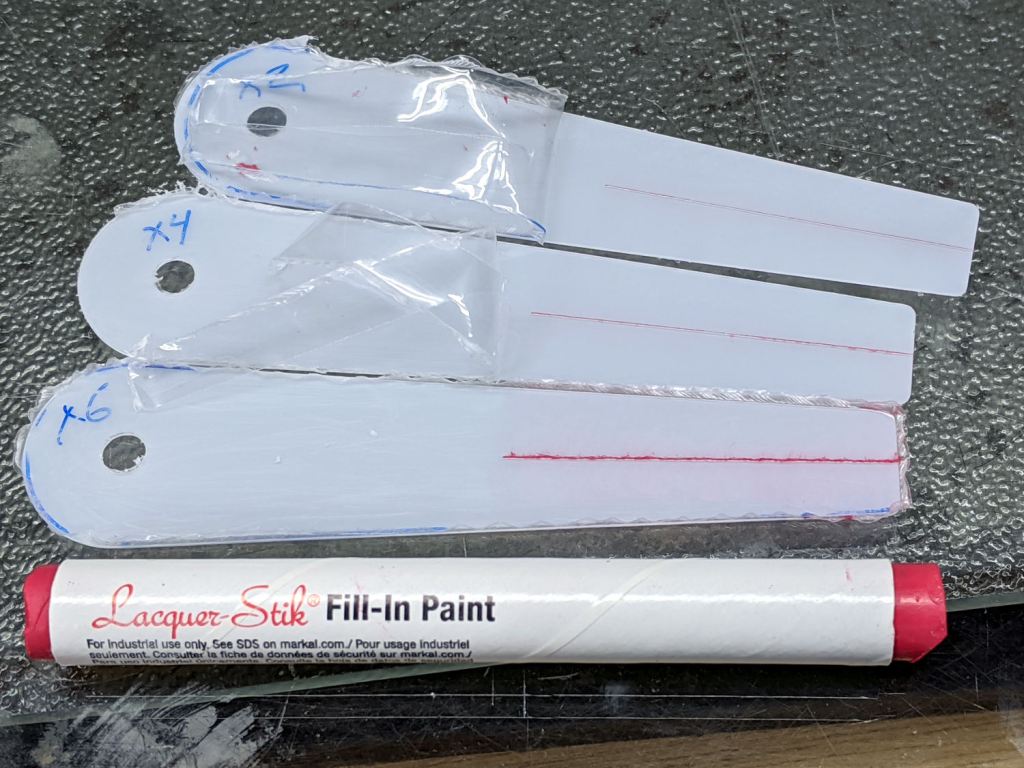
    This time, I diamond-scribed three PETG cursors through the transparent protective film, with two / four / six passes:

    Tek CC - Cursor hairline filling
    Tek CC – Cursor hairline filling

    It’s not a Purple Crayon, but it suffices for my simple needs.

    Scribbling a (soft!) lacquer crayon over transparent plastic still scuffs the pristine surface around the engraved line, so I tried scribbling the six-pass cursor before peeling the film, as shown above. Unfortunately, the film shreds left around the line either prevent a clean fill or pull the paint out of the ditch as the film peels back:

    Tek CC - Cursor lacquer fill
    Tek CC – Cursor lacquer fill

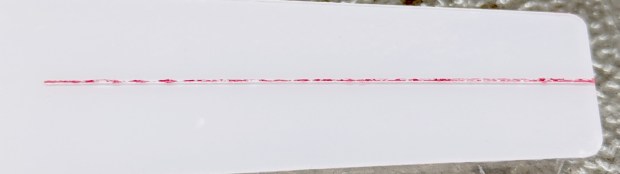
    Peeling the film and scribbling ever-so-gently left a more complete line, but, if you look very closely (perhaps opening the image in a new tab for more dots), you can see the scuffs left by the scribbles on either side of the line:

    Tek CC - Cursor 2 4 6 scribes
    Tek CC – Cursor 2 4 6 scribes

    When seen from the other side against laminated decks, though, the scuffs pretty much vanish:

    Tek CC - Classic Tek Logo vectorized - red hairline
    Tek CC – Classic Tek Logo vectorized – red hairline

    The red hairline isn’t historically accurate, but I like the way it looks.

    Give me some (heavyweight matte) paper and a (lacquer) crayon, put me in a basement (shop), and I’ll be happy for days