Ed Nisley's Blog: Shop notes, electronics, firmware, machinery, 3D printing, laser cuttery, and curiosities. Contents: 100% human thinking, 0% AI slop.
The switch I installed on Mary’s bike a year ago was intended for indoor use only and, without any trace of weather sealing, recently became intermittent. No surprise, as it’s happened before, but, by regarding my vast assortment of little switches as consumables, we get a low-profile / tactile / E-Z push PTT button without forming a deep emotional attachment.
Anyhow, you can see the unsealed square perimeter of the switch actuator:
Tour Easy – PTT button
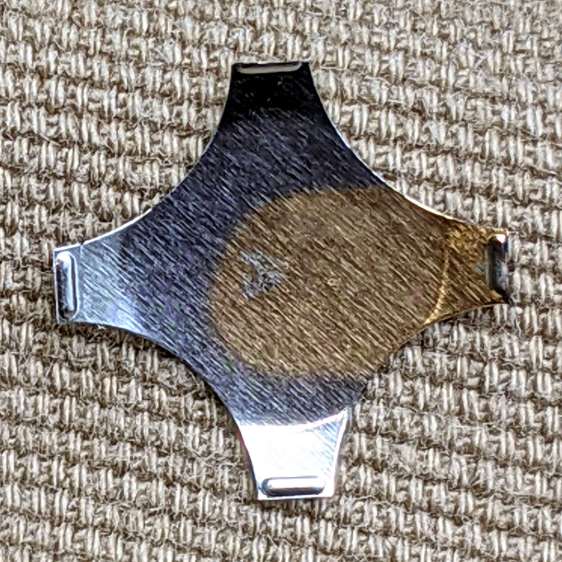
The light-gray button sits on a post molded into the actuator. Pry the actuator out and the switch dome shows crud worn off the cross-shaped plunger:
Tour Easy – PTT button – dome plate
The underside of the dome has a weird golden discoloration that surely wasn’t original:
Tour Easy – PTT button – dome plate discoloration
I have no idea how a liquid (?) could have gotten in there and done that without leaving other traces along the way. The contact bump on the discolored leg had some crud built up around it which responded well to a small screwdriver.
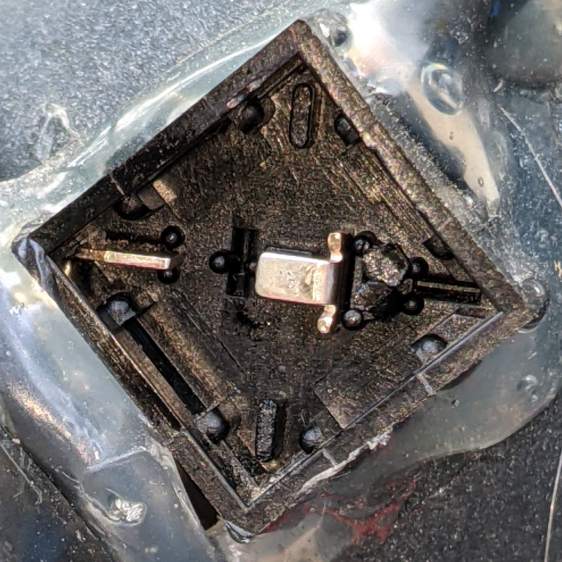
Contrary to what the symmetrical four-legged dome might suggest, only one leg rests on a contact in a corner:
Tour Easy – PTT button – contacts
So, yes, a bit of dirt / corrosion / mystery juice in a single spot could render the whole thing intermittent.
I removed the obvious crud from the obvious spots, wiped everything down with some Caig DeoxIT, reassembled in reverse order, and it seems to be all good again. Of course, these things only fail on the road, so it’ll take a few rides to verify the fix.
The NYS DOT has been improving the pedestrian crossings at the Burnett – Rt 55 intersection. I expect this will be a bullet item in their Complete Streets compliance document, with favorable job reviews for all parties. The situation for bicyclists using the intersection, which provides the only access from Poughkeepsie to the Dutchess Rail Trail, hasn’t changed in the slightest. No signal timing adjustments, no bike-capable sensor loops, no lane markings, no shoulders, no nothing.
Here’s what NYS DOT’s Complete Streets program looks like from our perspective, with the four-digit frame numbers ticking along at 60 frame/sec.
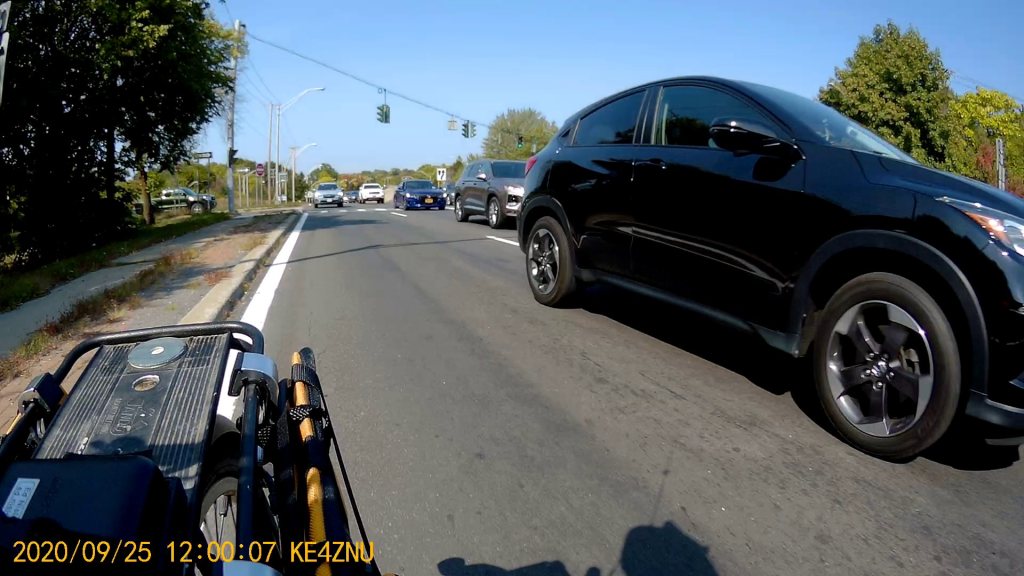
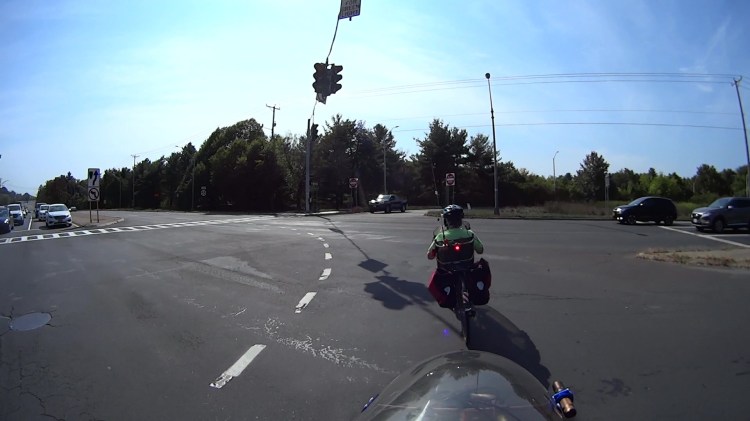
We’re waiting on Overocker Rd for Burnett traffic to clear enough to cross three lanes from a cold start:
Burnett Signal – 2020-09-25 – front 0006
That building over there across Burnett is the NYS DOT Region 8 Headquarters, so we’re not in the hinterlands where nobody ever goes.
About 1.5 seconds later, the vehicles have started moving and we’re lining up for the left side of the right-hand lane:
Burnett Signal – 2020-09-25 – front 0752
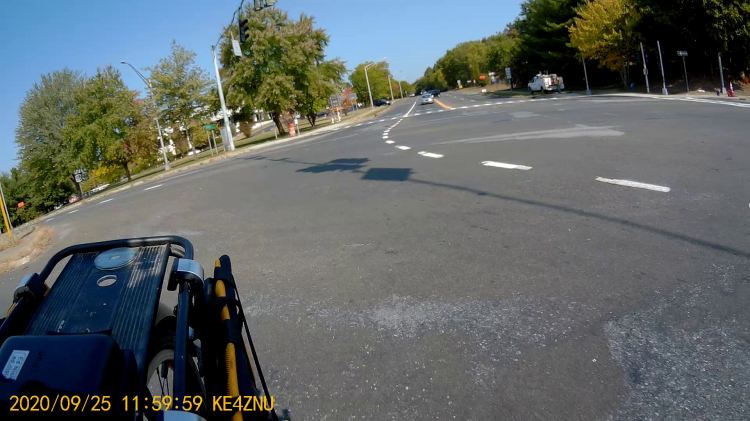
There’s no traffic behind us, so we can ride a little more to the right than we usually do, in the hopes of triggering the signal’s unmarked sensor loop:
Burnett Signal – 2020-09-25 – front 1178
We didn’t expect anything different:
Burnett Signal – 2020-09-25 – front 1333
We’re rolling at about 12 mph and it’s unreasonable to expect us to jam to a stop whenever the signal turns yellow. Oh, did you notice the truck parked in the sidewalk over on the left?
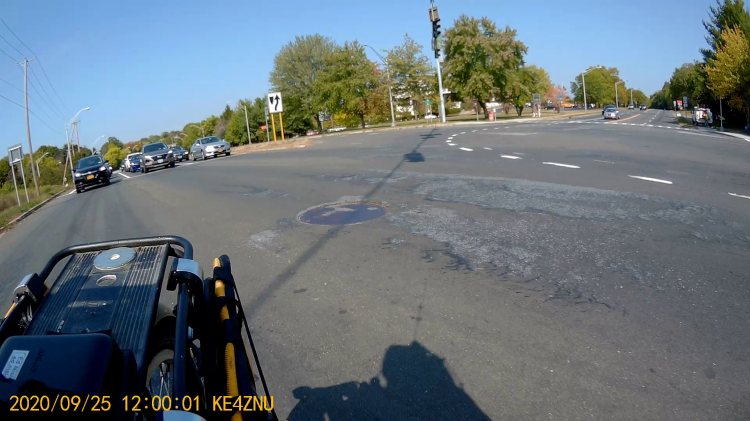
As usual, 4.3 seconds later, the Burnett signals turn red, so we’re now riding in the “intersection clearing” delay:
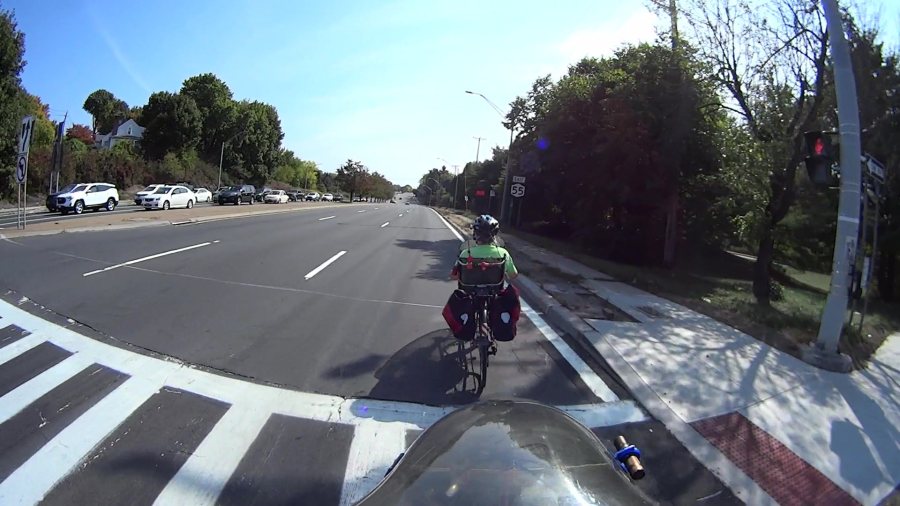
One second later, we’re still proceeding through the intersection, clearing the lethally smooth manhole cover by a few inches, and approaching the far side:
Burnett Signal – 2020-09-25 – front 1771
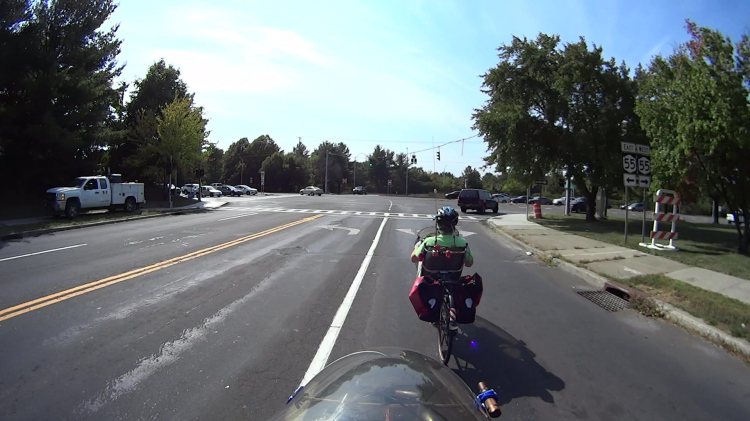
Here’s what the intersection looks like behind me:
Burnett Signal – 2020-09-25 – rear 1
Another second goes by and we’re pretty much into the far right lane , with the westbound traffic beginning to move:
Burnett Signal – 2020-09-25 – front 1831
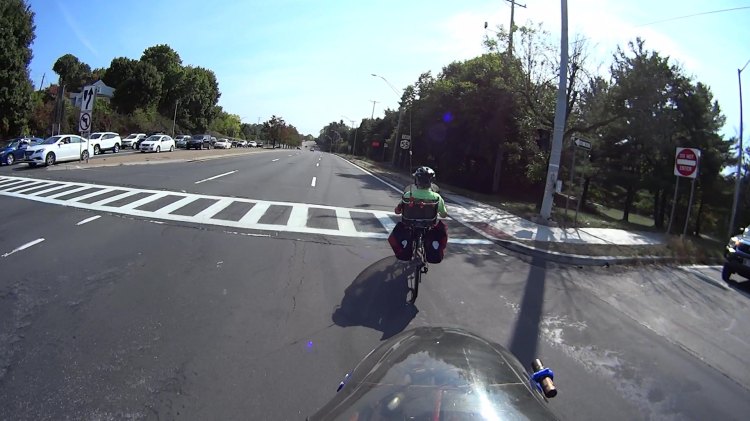
The pedestrian crossing ladder has fresh new paint. They milled off the old paint while reconstructing the crossing, so the scarred asphalt will deteriorate into potholes after a few freeze-thaw cycles. Not their problem, it seems.
Although it’s been three seconds since Rt 55 got a green signal, the eastbound drivers remain stunned by our presence:
Burnett Signal – 2020-09-25 – rear 2
After another second, we’re almost where we need to be:
Burnett Signal – 2020-09-25 – front 1891
There’s a new concrete sidewalk on the right, with a wheelchair-accessible signal button I can now hit with my elbow when we’re headed in the other direction. It’s worth noting there is no way to reach Overocker by bicycle, other than riding the sidewalk; there’s only one “complete” direction for vehicular cyclists.
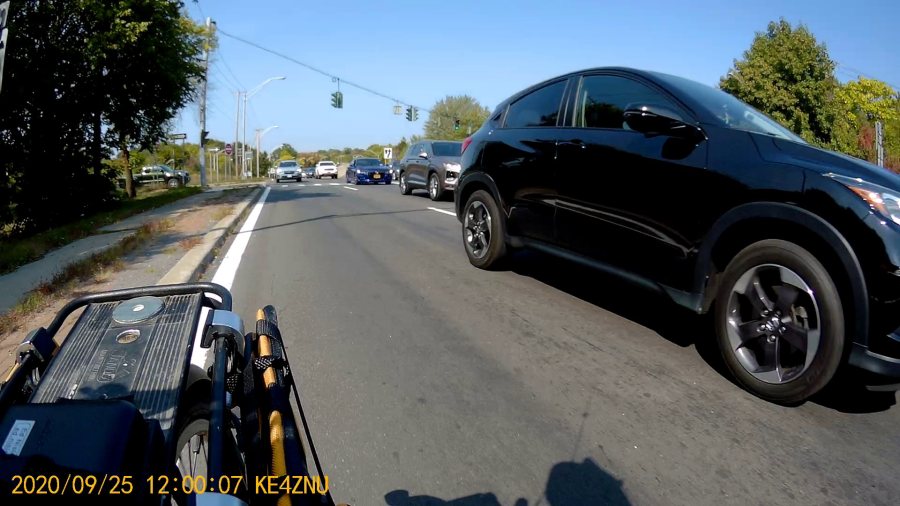
One second later puts us as far to the right as we can get, given all the gravel / debris / deteriorated asphalt along the fog line near the curb:
Burnett Signal – 2020-09-25 – front 1957
Which is good, because four seconds after the green signal for Rt 55, the pack has overtaken us:
Burnett Signal – 2020-09-25 – rear 3
If you were the driver of the grayish car in the middle lane, directly behind the black one giving us plenty of room, you might be surprised at the abrupt lane change in front of you. Maybe not, because you had a front-row seat while we went through the intersection.
Elapsed time from the green signal on Burnett: 25 seconds. My point is that another few seconds of all-red intersection clearing time wouldn’t materially affect anybody’s day and would go a long way toward improving bicycle safety.
Unlike the pedestrian crossing upgrade, NYS DOT could fix this with zero capital expenditure: one engineer with keys to the control box, a screwdriver or keyboard (depending on the age of the controls), and the ability to do the right thing could fix it before lunch tomorrow.
Rummaging through the Big Box o’ Optics in search of something else produced this doodad:
Microscope objective illuminator – overview
It carries no brand name or identifier, suggesting it was shop-made for a very specific and completely unknown purpose. The 5× objective also came from the BBo’O, but wasn’t related in any way other than fitting the threads, so the original purpose probably didn’t include it.
The little bulb fit into a cute and obviously heat-stressed socket:
Microscope objective illuminator – bulb detail
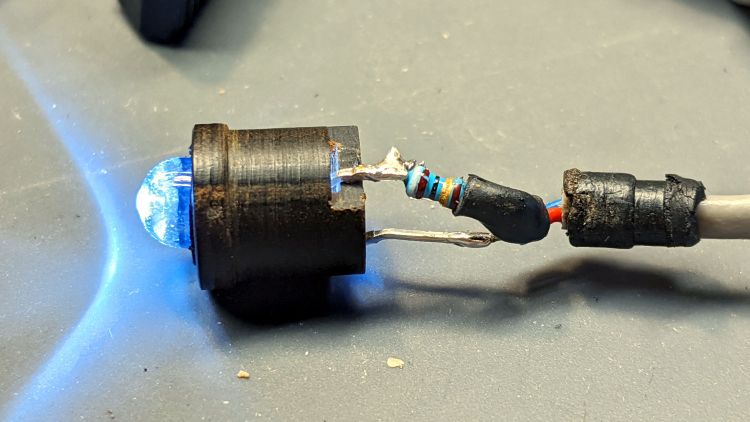
The filament was, of course, broken, so I dismantled the socket and conjured a quick-n-dirty white LED that appears blue under the warm-white bench lighting:
Microscope objective illuminator – white LED
The socket fits into the housing on the left, which screws onto a fitting I would have sworn was glued / frozen in place. Eventually, I found a slotted grub screw hidden under a glob of dirt:
Microscope objective illuminator – lock screw
Releasing the screw let the fitting slide right out:
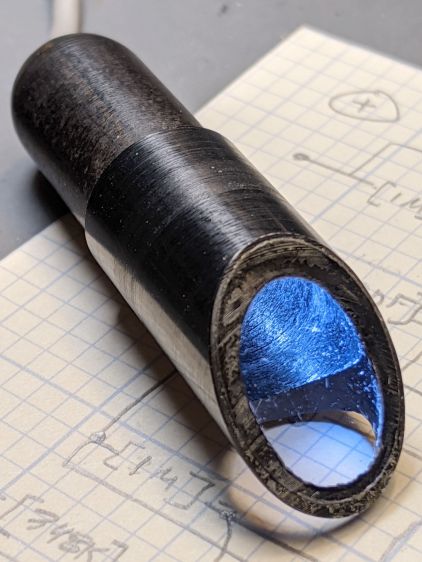
Microscope objective illuminator – lamp reflector
The glass reflector sits at 45° to direct the light coaxially down into the objective (or whatever optics it was originally intended for), with the other end of the widget having a clear view straight through. I cleaned the usual collection of fuzz & dirt off the glass, then centered and aligned the reflection with the objective.
Unfortunately, the objective lens lacks antireflection coatings:
Microscope objective illuminator – stray light
The LED tube is off to the right at 2 o’clock, with the bar across the reflector coming from stray light bouncing back from the far wall of the interior. The brilliant dot in the middle comes from light reflected off the various surfaces inside the objective.
An unimpeachable source tells me microscope objectives are designed to form a real image 180 mm up inside the ‘scope tube with the lens at the design height above the object. I have the luxury of being able to ignore all that, so I perched a lensless Raspberry Pi V1 camera on a short brass tube and affixed it to a three-axis positioner:
Microscope objective illuminator – RPi camera lashup
A closer look at the lashup reveals the utter crudity:
Microscope objective illuminator – RPi camera lashup – detail
It’s better than I expected:
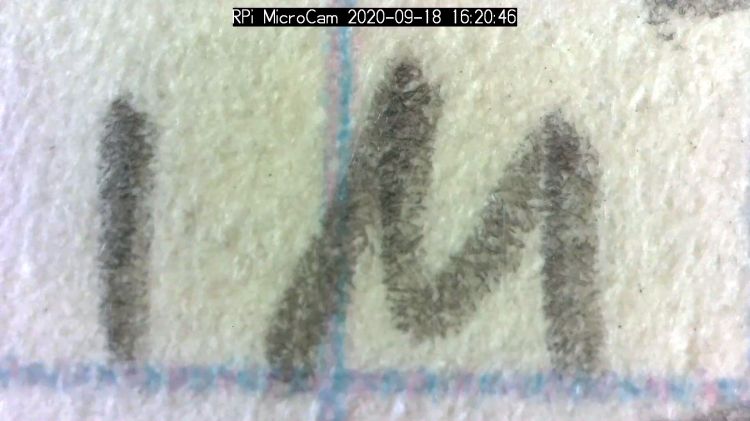
Microscope objective illuminator – RPi V1 camera image – unprocessed
What you’re seeing is the real image formed by the objective lens directly on the RPi V1 camera’s sensor: in effect, the objective replaces the itsy-bitsy camera lens. It’s a screen capture from VLC using V4L2 loopback trickery.
Those are 0.1 inch squares printed on the paper, so the view is about 150×110 mil. Positioning the camera further from the objective would reduce both the view (increase the magnification) and the amount of light, so this may be about as good as it get.
The image started out with low contrast from all the stray light, but can be coerced into usability:
The weird violet-to-greenish color shading apparently comes from the lens shading correction matrix baked into the RPi image capture pipeline and can, with some difficulty, be fixed if you have a mind to do so.
As far as I can tell, Raspberry Pi cases are a solved problem, so 3D printing an intricate widget to stick a Pi on the back of an HQ camera seems unnecessary unless you really, really like solid modeling, which, admittedly, can be a thing. All you really need is a simple adapter between the camera PCB and the case of your choice:
The plate has recesses to put the screw heads below the surface. I used nylon screws, but it doesn’t really matter.
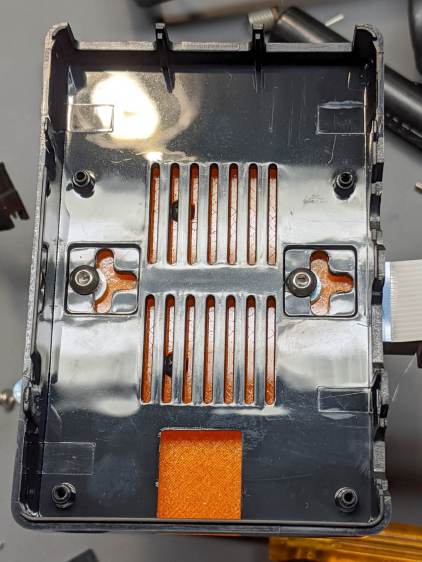
The case has all the right openings, slots in the bottom for a pair of screws, and costs six bucks. A pair of M3 brass inserts epoxied into the plate capture the screws:
RPi HQ Camera – case adapter plate – screws
Thick washers punched from an old credit card go under the screws to compensate for the case’s silicone bump feet. I suppose Doing the Right Thing would involve 3D printed spacers matching the cross-shaped case cutouts.
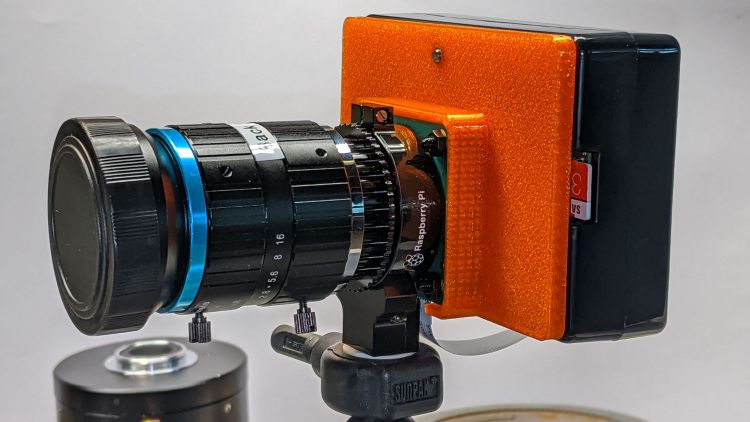
Not everyone agrees with my choice of retina-burn orange PETG:
RPi HQ Camera – 16 mm lens – case adapter plate
Yes, that’s a C-mount TV lens lurking in the background, about which more later.
This file contains hidden or bidirectional Unicode text that may be interpreted or compiled differently than what appears below. To review, open the file in an editor that reveals hidden Unicode characters.
Learn more about bidirectional Unicode characters
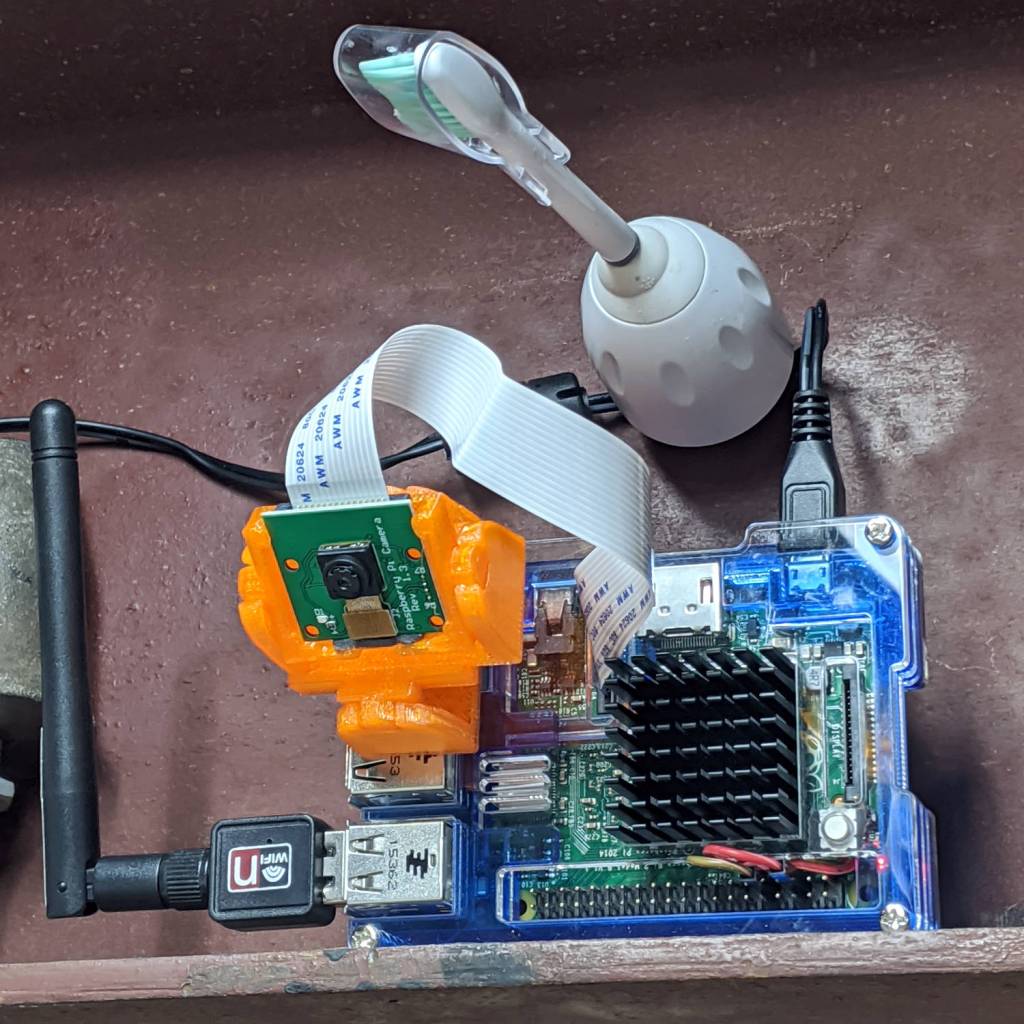
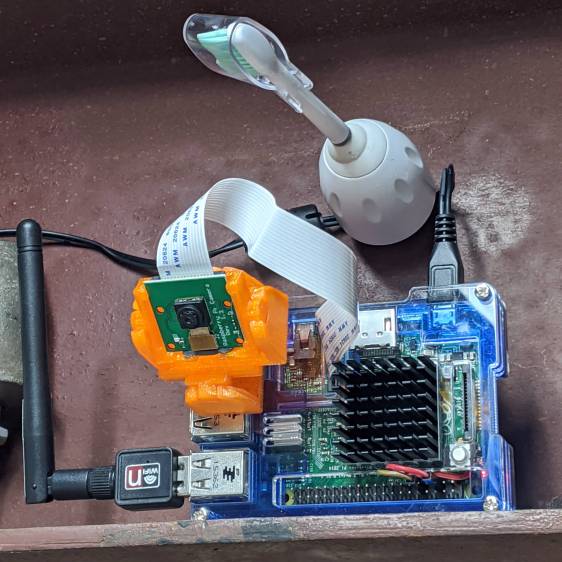
As part of spiffing my video presence for SquidWrench Zoom meetings, I put a knockoff RPi V1 camera into an Az-El mount, stuck it to a Raspberry Pi, installed the latest OS Formerly Known as Raspbian, did a little setup, and perched it on the I-beam over the workbench:
Raspberry Pi – workbench camera setup
The toothbrush head has a convenient pair of neodymium magnets affixing the RPi’s power cable to the beam, thereby preventing the whole lashup from falling off. The Pi, being an old Model B V 1.1, lacks onboard WiFi and requires a USB WiFi dongle. The white button at the lower right of the heatsink properly shuts the OS down and starts it up again.
Zoom can show video only from video devices / cameras attached to the laptop, so the trick is to make video from the RPi look like it’s coming from a local laptop device.
Start by exporting video from the Raspberry Pi:
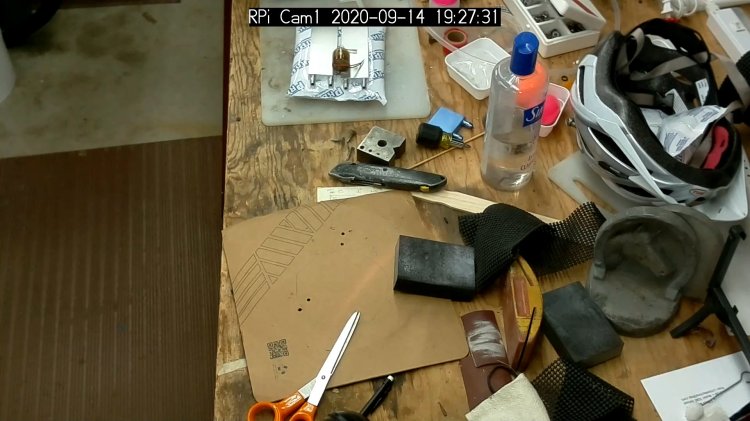
raspivid --nopreview -t 0 -rot 180 -awb sun --sharpness -50 --flicker 60hz -w 1920 -h 1080 -ae 48 -a 1032 -a 'RPi Cam1 %Y-%m-%d %X' -b 1000000 -l -o tcp://0.0.0.0:5000
The -rot 180 -awb sun --sharpness -50 --flicker 60hz parameters make the picture look better. The bottom of the video image There is no way to predict which side of the video will be on the same side as the cable, if that’s any help figuring out which end is up, and the 6500 K LED tubes apparently fill the shop with “sun”.
The -l parameter causes raspivid to wait until it gets an incoming tcp connection on port 5000 from any other IP address, whereupon it begins capturing video and sending it out.
That’s the edge of the workbench over there on the left, looking distinctly like a cliff.
The RPi will happily stream video all day long to ffmpeg while you start / stop the display program pulling the bits from the video device. However, killing ffmpeg also kills raspivid, requiring a manual restart of both programs. This isn’t a dealbreaker for my simple needs, but it makes unattended streaming from, say, a yard camera somewhat tricky.
There appear to be an infinite number of variations on this theme, not all of which work, and some of which rest upon an unsteady ziggurat of sketchy / unmaintained software.
Addendum: If you have a couple of RPi cameras, it’s handy to run the matching ssh and ffmpeg sessions in screen / tmux / whatever terminal multiplexer you prefer. I find it easier to flip through those sessions with Ctrl-A N, rather than manage half a dozen tabs in a single terminal window. Your mileage may differ.
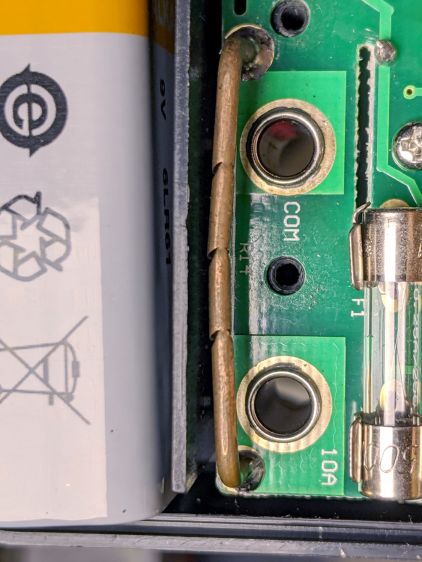
Replacing the battery in an old Craftsman (!) multimeter brought its 10 A current-sense resistor into the light:
Multimeter current resistor – nipped copper wire
Unlike the contemporary AN8008/9 meters, it looks like an ordinary copper wire trimmed to the proper resistance by nipping it with a cutter.
It measures something under 10 mΩ, so I’m sure they adjusted the resistance by applying a known current and watching the meter reading while crunching the wire until the proper value appears.
I may have actually used the 10 A range, but I’d be hard pressed to say when or why, so the resistor is at least as good as it needs to be!
This critter took up residence in our kitchen window:
Funnel web spider in window
She’s between the outer storm window and the inner sash, having secured her funnel web to both panes across the entire width of the window. We’d opened the storm window to clear an air conditioner vent and spiders know a good location when they see it.
We know she’s female, because a (smaller) male appeared and conducted negotiations for the better part of an afternoon. After she accepted his offer of a small, somewhat battered, moth, the two hooked up for the rest of the day; we feared for his life, but he hung around until the next afternoon, then departed.
She normally stays tucked inside the channel running along the edge of the window frame, with only the tips of those two front legs visible, and retreats at the slightest vibration, so we’ll leave her in peace until we must close the storm window.


















 The Smell of Molten Projects in the Morning