The Smell of Molten Projects in the Morning

Ed Nisley's Blog: Shop notes, electronics, firmware, machinery, 3D printing, laser cuttery, and curiosities. Contents: 100% human thinking, 0% AI slop.

Author: Ed

  • OMTech 60 W Laser: Airflow Control

    OMTech 60 W Laser: Airflow Control

    Russ Sadler points out that Chinese CO2 lasers lack air inlets matching their 6 inch = 150 mm outlet port, so fumes accumulate over the workpiece as air leaks in through various panel / hatch gaps and small openings. The simplest solution, at least for my OMTech 60 W laser, seems to be opening the front passthrough hatch:
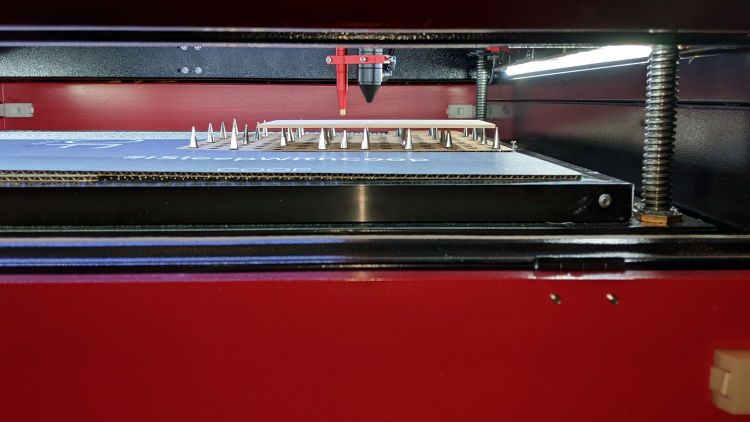
    Laser spike plate - side view
    Laser spike plate – side view

    The opening is 33×4 inch = 0.9 ft² with an airflow of just under 1 m/s into the exhaust fan at full throttle, so it’s venting at about 180 CFM. That’s half the duct fan’s 400 CFM in more-or-less free air, but the laser cabinet outlet vent has a perforated cover with maybe 50% clear opening:
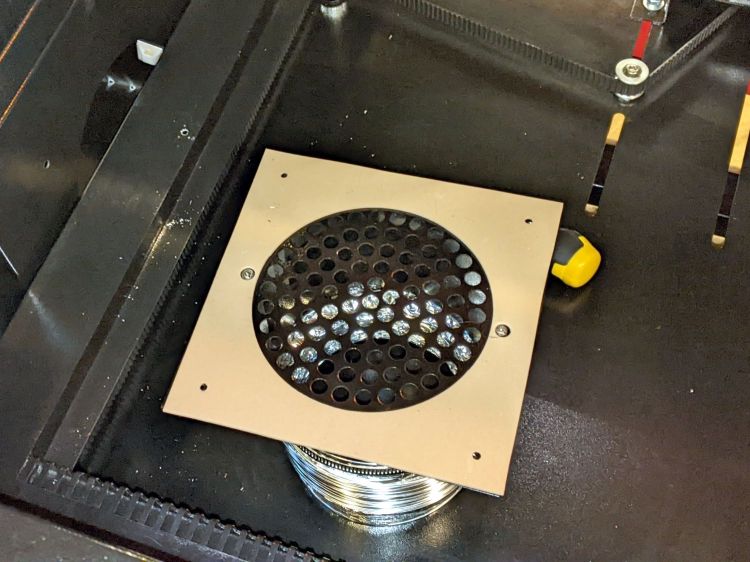
    OMTech 60W laser - modified vent
    OMTech 60W laser – modified vent

    It’s not exactly a flame arrester.

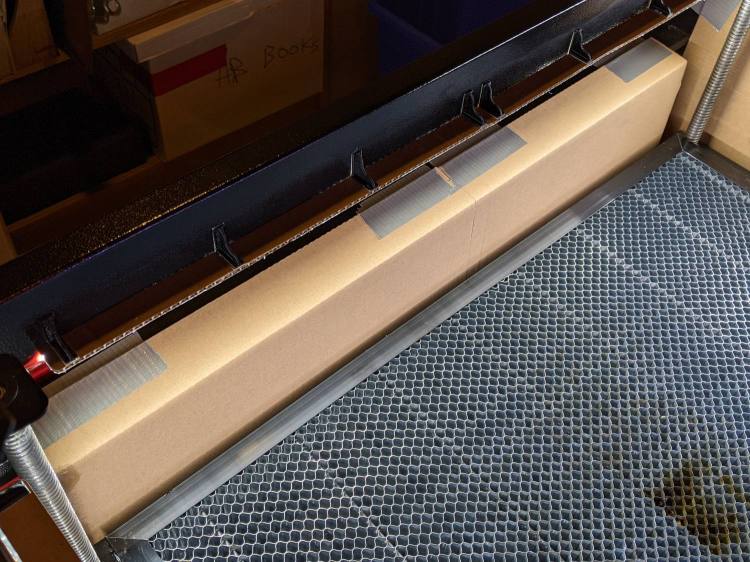
    Directing the air flow across the platform from front to rear requires sealing the gaps along the front of the cabinet:
    OMTech 60 W laser - front gap seal
    OMTech 60 W laser – front gap seal

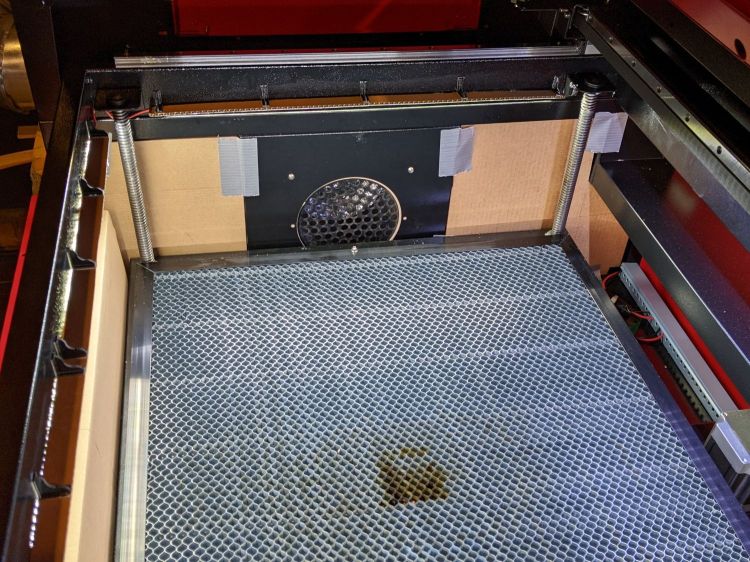
    And the huge openings on either side of the exhaust duct:
    OMTech 60 W laser - vent box seal
    OMTech 60 W laser – vent box seal

    Yes, all those are cardboard sheets and, no, they’re not the final implementation. This is all in the nature of figuring out what works, so being able to cut-to-fit is a Good Idea.

    The large gap along the rear edge (on the right, above) for the rear feedthrough opening got a cardboard sheet after engraving some MDF.

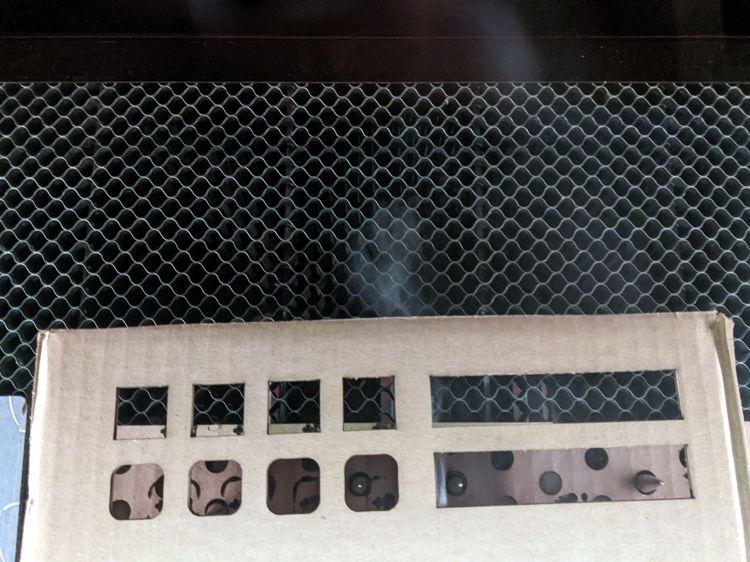
    Early indications are that it works fine, as witness the smoke streaming off the rear of a cardboard test piece:
    Laser spike plate - smoke plumes
    Laser spike plate – smoke plumes

    Cutting MDF produces copious smoke that fills the cabinet, but it clears quickly and doesn’t escape into the Basement Laboratory if I wait a little longer than I really want to after the cutting stops.

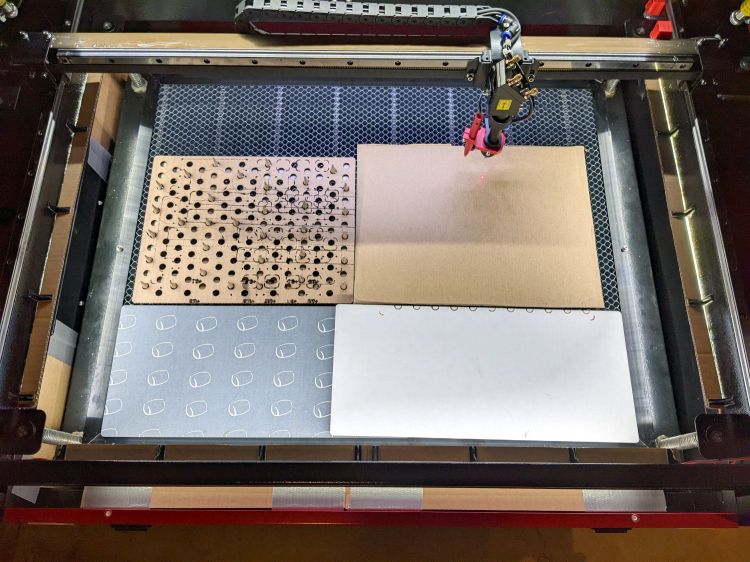
    Blocking the unused areas of the honeycomb helps direct airflow in the proper direction:
    COB LED Shade - overview
    COB LED Shade – overview

    All in all, it works well.
  • OMTech 60 W Laser: COB LED Shades

    OMTech 60 W Laser: COB LED Shades

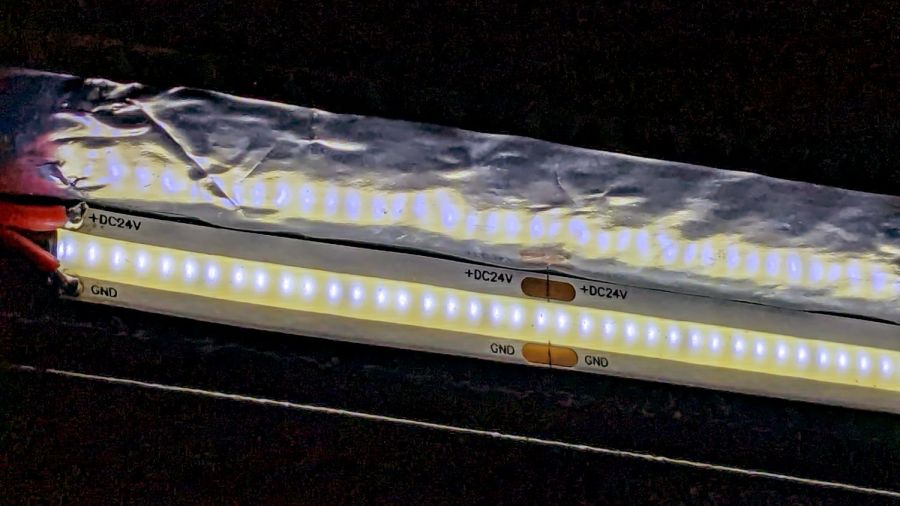
    Adding LED strips around the interior of the laser platform definitely improved the visibility of things on the honeycomb platform:

    OMTech 60W laser - COB LED strips
    OMTech 60W laser – COB LED strips

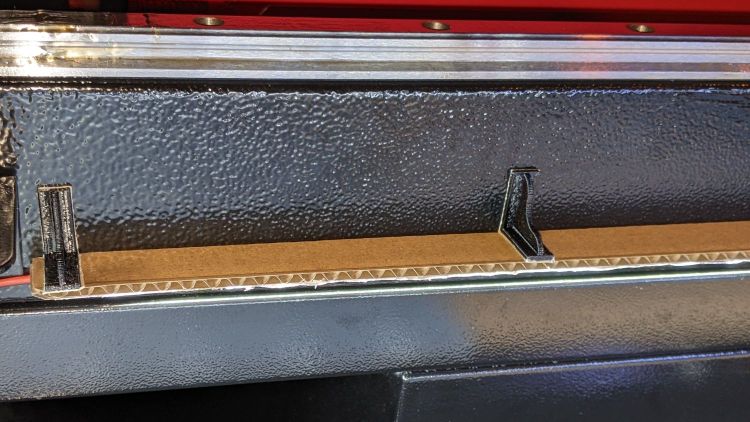
    However, all that upward-directed light goes directly into my glare-sensitive eyeballs, so I added shades above the strips:

    COB LED Shade - installed
    COB LED Shade – installed

    They’re cut from corrugated cardboard because I have an essentially infinite supply and I’m still working out speeds and intensities. Eventually they’ll become something like black acrylic.

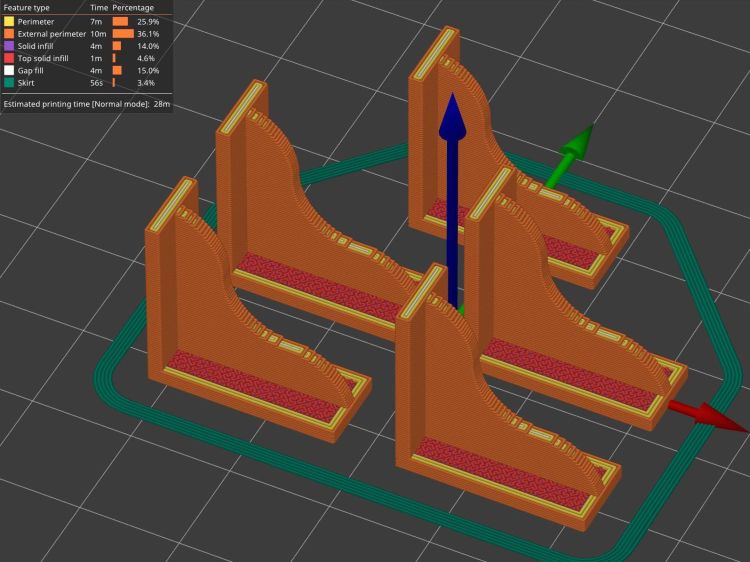
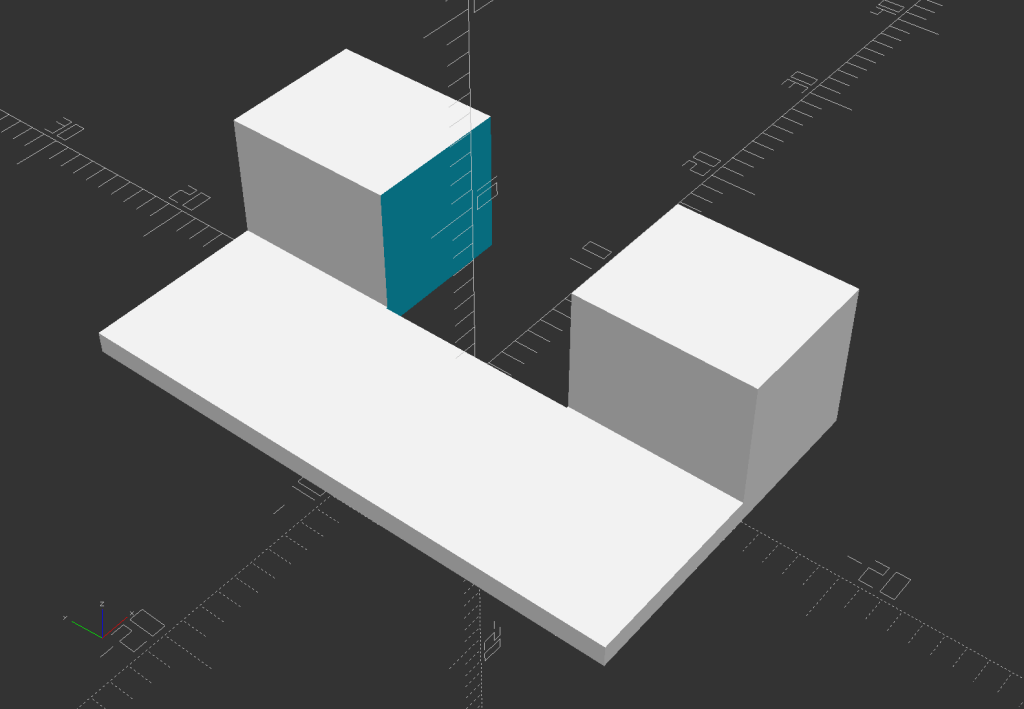
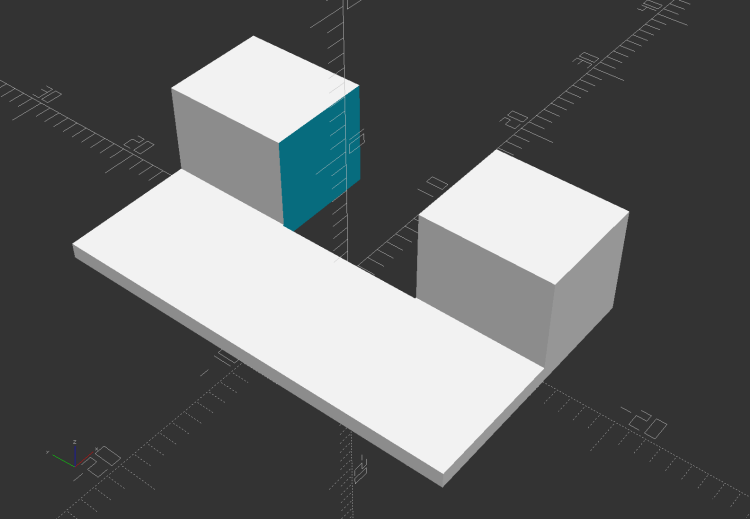
    The brackets emerged from the vasty digital deep through the miracle of 3D printing:

    COB LED Shade Brackets - slice preview
    COB LED Shade Brackets – slice preview

    They’re stuck to the laser cabinet and the cardboard with double-sided duct tape. If you’re careful, they will line up along one edge of the tape, roll over neatly to stick their other face, then a single razor knife cut can separate each pair of neighbors.

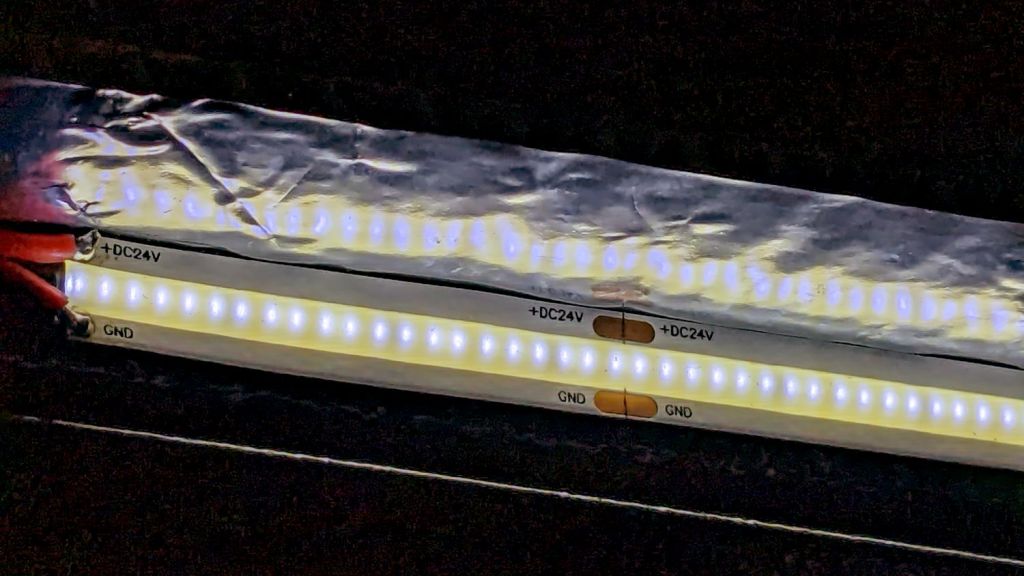
    The underside sports an aluminized mylar strip to redirect the wasted light in a more useful direction:

    COB LED Shade - aluminized Mylar reflector
    COB LED Shade – aluminized Mylar reflector

    The tapeless sticky shipped with the laser holds the reflector in place, while its 20 mm width sets the 21 mm shade dimension. Although you want a reasonably smooth layer, it need not be mirror-flat.

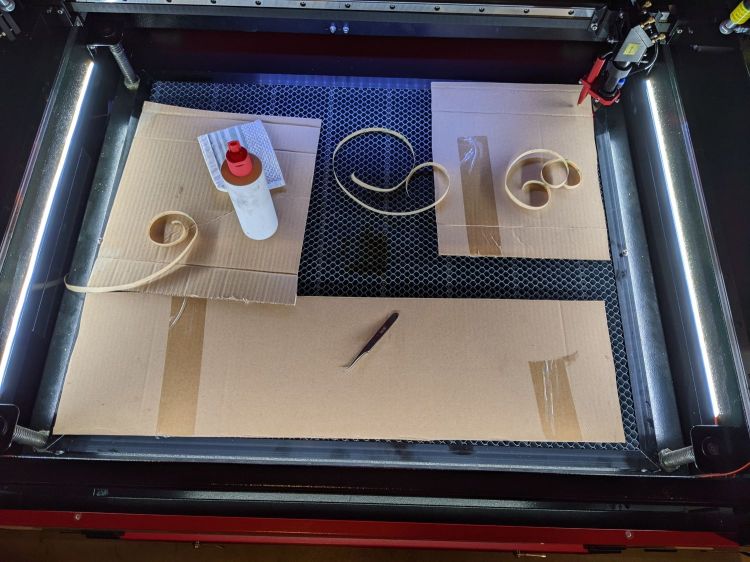
    Now it’s really bright in there:

    COB LED Shade - overview
    COB LED Shade – overview

    While I had my head under the hood, I stuck a fourth strip of COB LEDs on the lip along the rear edge of the opening; it’s bright enough to cast the shadow just forward of the laser head despite the OEM under-gantry LED strip. Because the rear strip is aimed downward, it didn’t need a shade.

    The perforated cardboard sheet on the left is a spike plate: more about that later.

    The SVG drawings as a GitHub Gist:

    Loading
    Sorry, something went wrong. Reload?
    Sorry, we cannot display this file.
    Sorry, this file is invalid so it cannot be displayed.

    The OpenSCAD source code as a GitHub Gist:

    // Bracket for COB LED shade
    // Ed Nisley KE4ZNU 2022-03-24
    BaseLength = 20.0;
    /* [Hidden] */
    ThreadThick = 0.25;
    ThreadWidth = 0.40;
    HoleWindage = 0.2;
    Protrusion = 0.1; // make holes end cleanly
    WebThick = 4*ThreadWidth;
    BasePlate = [BaseLength,5*WebThick,WebThick];
    //———-
    // Create parts
    module Bracket() {
    R = BaseLength/3;
    N = 36;
    union() {
    rotate([90,0,0])
    translate([0,0,-WebThick/2])
    linear_extrude(height=WebThick,convexity=2)
    difference() {
    intersection() {
    union () {
    square(2*R,center=false);
    translate([0,2*R])
    rotate(180/N)
    circle(r=R,$fn=N);
    translate([2*R,0])
    rotate(180/N)
    circle(r=R,$fn=N);
    }
    square(3*R,center=false);
    }
    translate([2*R*cos(180/N),2*R*cos(180/N)])
    rotate(180/N)
    circle(r=R,$fn=N);
    }
    rotate([0,-90,0])
    translate([0,-BasePlate.y/2,-BasePlate.z])
    cube(BasePlate,center=false);
    translate([0,-BasePlate.y/2,0])
    cube(BasePlate,center=false);
    }
    }
    //———-
    // Build them
    Bracket();

  • B4-size Light Pad: Stabilizing the USB Connector

    B4-size Light Pad: Stabilizing the USB Connector

    What used to be a “light box” had become a “light pad” powered through a USB Micro-B connector on the side. Unfortunately, the pad’s 5 mm thickness allows for very little mechanical reinforcement around the USB jack, while providing infinite opportunity to apply bending force. Over the course of the last half-dozen years (during which the price has dropped dramatically, despite recent events), the slightest motion flickered the LEDs.

    So I squished the jack’s metal shell back into shape, found a short right-angle USB cable, and conjured a reinforcing fixture from the vasty digital deep:

    LitUp LED Light Pad
    LitUp LED Light Pad

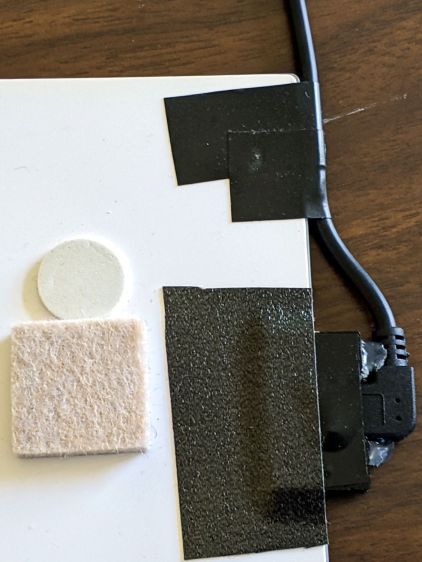
    The plate fits under the light pad, where a strip of super-sticky duct tape holds it in place:

    LitUp Light Pad USB jack reinforcement - bottom
    LitUp Light Pad USB jack reinforcement – bottom

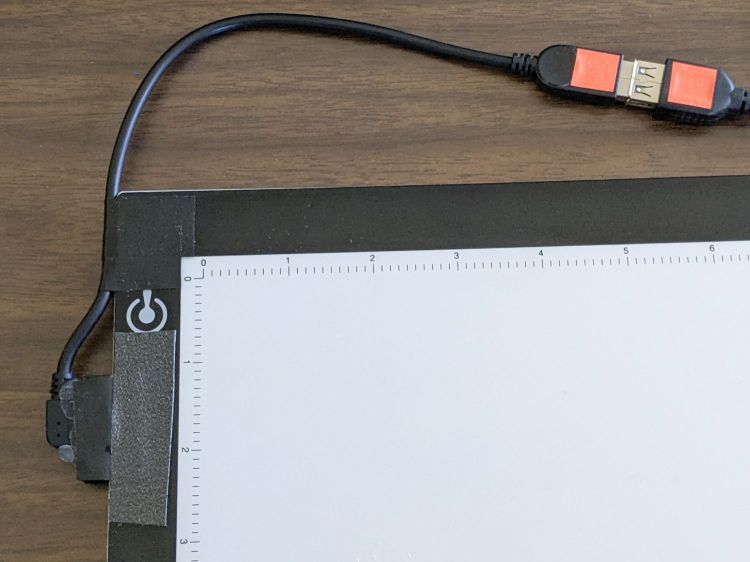
    The USB plug fits between the two blocks with hot-melt glue holding it in place and filling the gap between the plug and the pad.

    I’d like to say it’s more elegant than the cable redirection for my tablet, but anything involving black electrical tape and hot-melt glue just isn’t in the running for elegant:

    LitUp Light Pad USB jack reinforcement - top
    LitUp Light Pad USB jack reinforcement – top

    On the other paw, that socket ought to last pretty nearly forever, which counts for a whole lot more around here.

    The retina-burn orange tape patches on the connector eliminate all the fumbling inherent to an asymmetric connector with invisible surface features. The USB wall wart on the other end of the cable sports similar markings.

    The OpenSCAD source code as a GitHub Gist:

    // Bracket to protect USB jack on LitUp LED Pad
    // Ed Nisley KE4ZNU 2022-03-28
    Protrusion = 0.1; // make holes end cleanly
    Pad = [10.0,30.0,1.2];
    Plug = [8.0,10.5 + 0.5,8.0];
    BasePlate = [Pad.x + Plug.x,Pad.y,Pad.z];
    //———-
    // Create parts
    module Stiffener() {
    difference() {
    union() {
    translate([-Pad.x,-BasePlate.y/2,0])
    cube(BasePlate,center=false);
    translate([0,-Pad.y/2,0])
    cube([Plug.x,Pad.y,Plug.z],center=false);
    }
    translate([-Protrusion,-Plug.y/2,-Protrusion])
    cube(Plug + [2*Protrusion,0,Plug.z],center=false);
    }
    }
    //———-
    // Build them
    Stiffener();

  • OMTech 60 W Laser: Ris(er)ing to the Occasion

    OMTech 60 W Laser: Ris(er)ing to the Occasion

    Nearly everybody with a floor-standing laser cutter eventually decides it’s much too low for comfort:

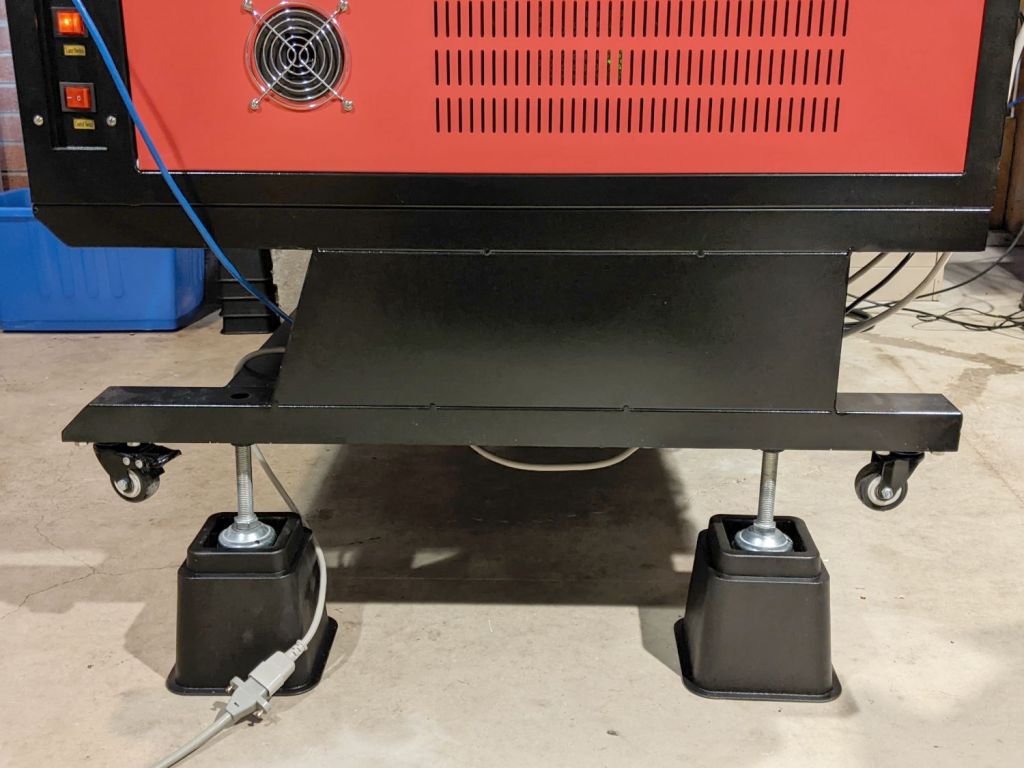
    OMTech Laser - leg risers
    OMTech Laser – leg risers

    Those are the 5 inch sections of a furniture riser set (the 3 inch sections are visible at the left rear of the picture, ready for deployment). With the legs extended to their full length, they put the laser’s honeycomb platform about 30 inches from the floor, so the complete set will raise it to 33-ish inches.

    I went full-frontal Archimedes by levering each end of the cabinet up an inch at a time using one of those maple shelves atop an increasingly tall fulcrum made of various planks, then lowering the ever-lengthening legs atop stacks of plywood. Eventually I could roll a floor jack under the end beam to simplify the rest of the lift.

    Protip: lock the casters to prevent movement.

    More height makes reaching inside the machine much more comfortable!

    At least for me. Mary says it’s now much too high for her …

  • OMTech 60 W Laser: Improved Electronics Bay Fan

    OMTech 60 W Laser: Improved Electronics Bay Fan

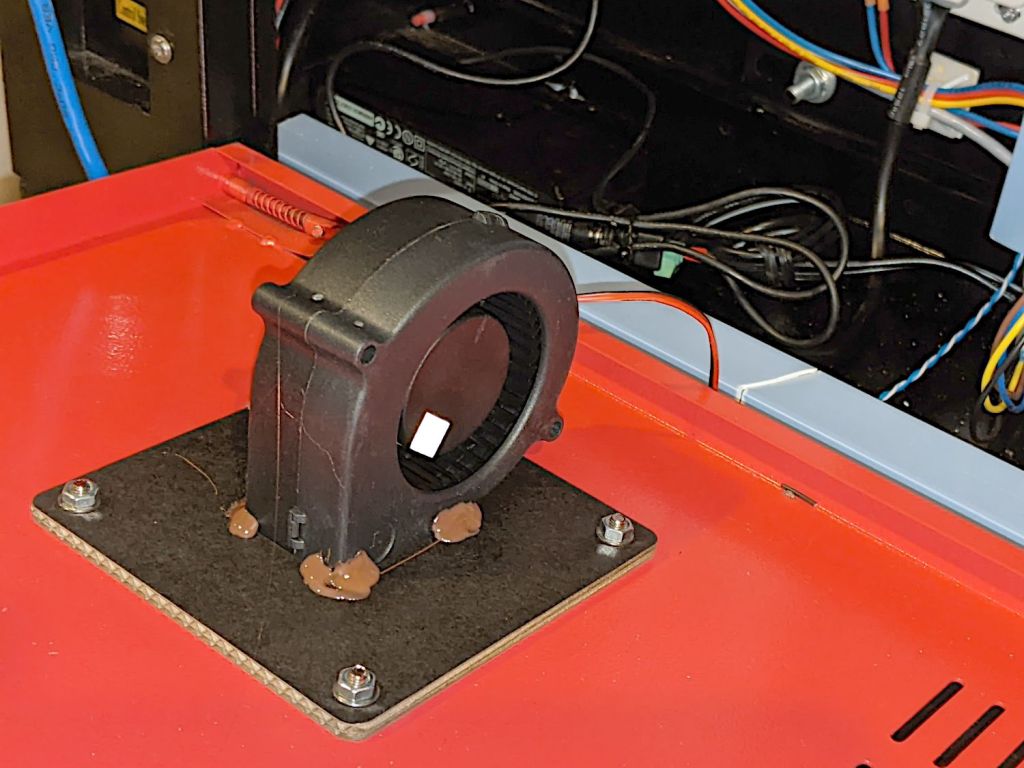
    The OMTech laser arrived with a 120 VAC fan blowing air out of the electronics bay on the right side of the cabinet. It runs continuously, because the stepper drivers remain active even when idle, and gave off an annoyingly high-pitched whirrrrr.

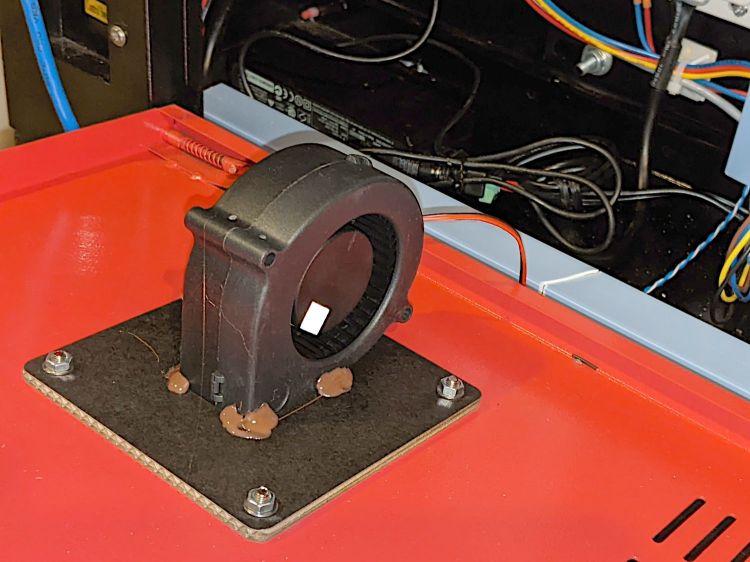
    The Big Box o’ Fans produced a 24 V tangential blower which (felt like it) moved about the same amount of air with a quieter and lower-pitched hmmmmmm, so I made an adapter to fit it into the original cabinet opening:

    OMTech laser - improved electronics fan - mounting
    OMTech laser – improved electronics fan – mounting

    Yeah, it’s hot-melt glued to a stacked pair of laser-cut cardboard plates. Fight me.

    The white square of retro-reflective tape came from its previous life as a test item.

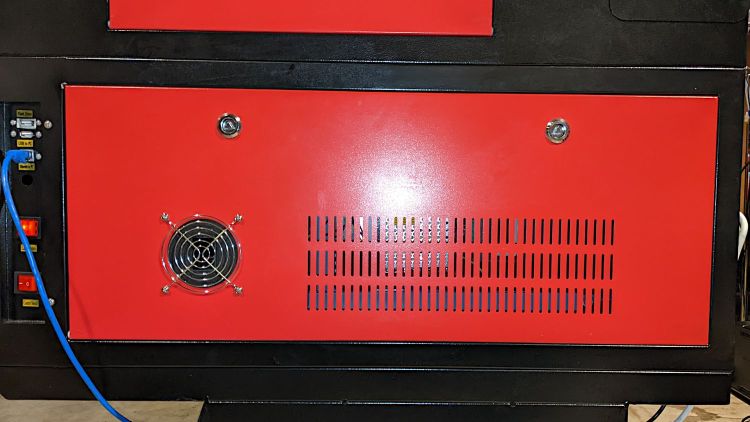
    The black cardboard makes it rather low-key from the outside:

    OMTech laser - improved electronics fan - grille
    OMTech laser – improved electronics fan – grille

    I reused the original grille, mostly because otherwise I’d have to put it somewhere else.

    The anemometer suggests 5 m/s airflow an inch from the grille. Rounding downward from the 25×35 mm opening says it’s pulling 9 CFM from a compartment with a little over a cubic foot of free volume, which sounds enough good to me. For whatever it’s worth, this airflow calculation disagrees with all of the specs and my handwaving calculation in that old blog post.

    The cabinet hatch has slits distributing the incoming air over all the active ingredients (somewhat visible inside behind the flash glare):

    OMTech laser - improved electronics fan - hatch
    OMTech laser – improved electronics fan – hatch

    The SVG image as a GitHub Gist:

    Loading
    Sorry, something went wrong. Reload?
    Sorry, we cannot display this file.
    Sorry, this file is invalid so it cannot be displayed.

  • Craftsman Hedge Trimmer: Biennial Laying On Of Hands Repair

    Craftsman Hedge Trimmer: Biennial Laying On Of Hands Repair

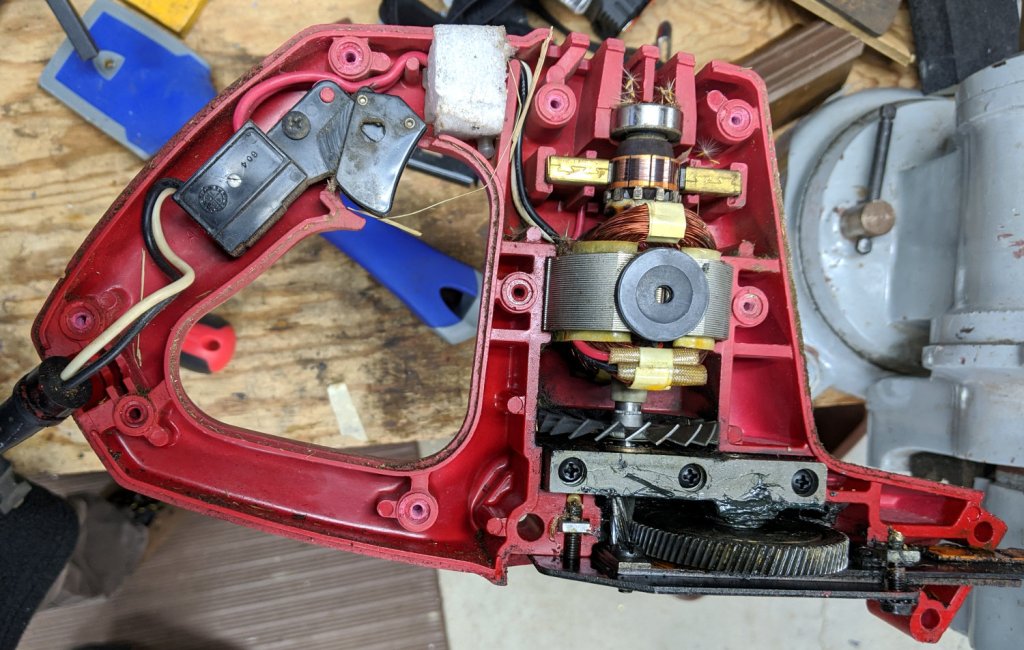
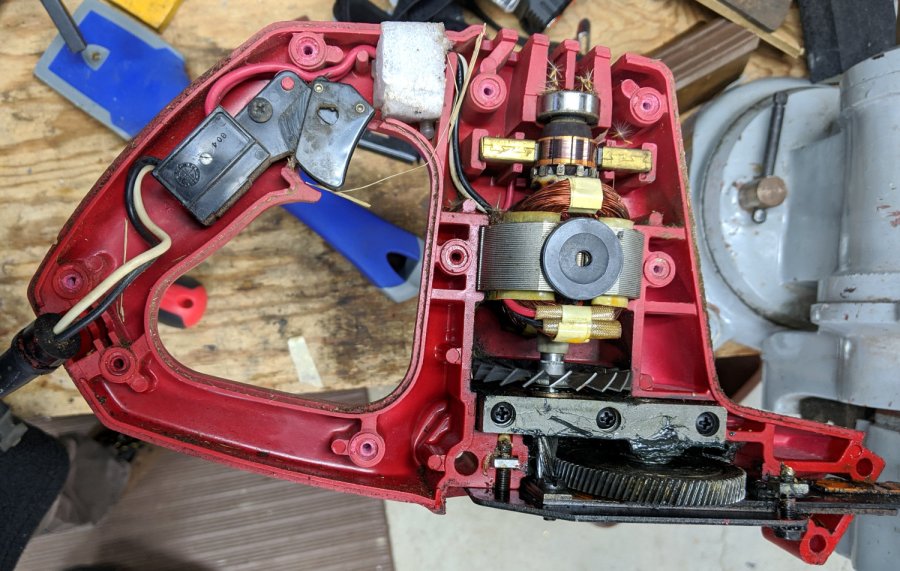
    Once again, the hedge trimmer failed to turn on with the switch pressed, so I took it apart, did nothing, and had thing start working again:

    Craftsman Hedge Trimmer - innards exposed
    Craftsman Hedge Trimmer – innards exposed

    It finally penetrated my dim consciousness: perhaps the switch is fine and a carbon brush (or two) has lost contact with the commutator atop a layer of oil and dust.

    So a year from now when this happens again, try jamming a screwdriver through a vent slot and moving the motor a few degrees to jostle the crud.

    If it works, that would be much easier than taking it apart!

  • April Fools Day

    April Fools Day

    These seem appropriate for the day.

    Whoever composed this wall of text knew the next person in line would update the placeholder:

    HelloFresh Intro Offer Card - missed directions
    HelloFresh Intro Offer Card – missed directions

    As you can tell from the prices, this dates back to late last year. Since then, the two red LED panels on each side had at least one pinball panic and were replaced with much dimmer units:

    Mobil gas price puzzle
    Mobil gas price puzzle

    And a friend pointed me at this bit of innocently twisted signage from a Twitter thread:

    Refuse
    Refuse

    Meanwhile, back in the Basement Laboratory …