Using different card colors makes it easy to find your program deck in the Comp Center’s output bins:
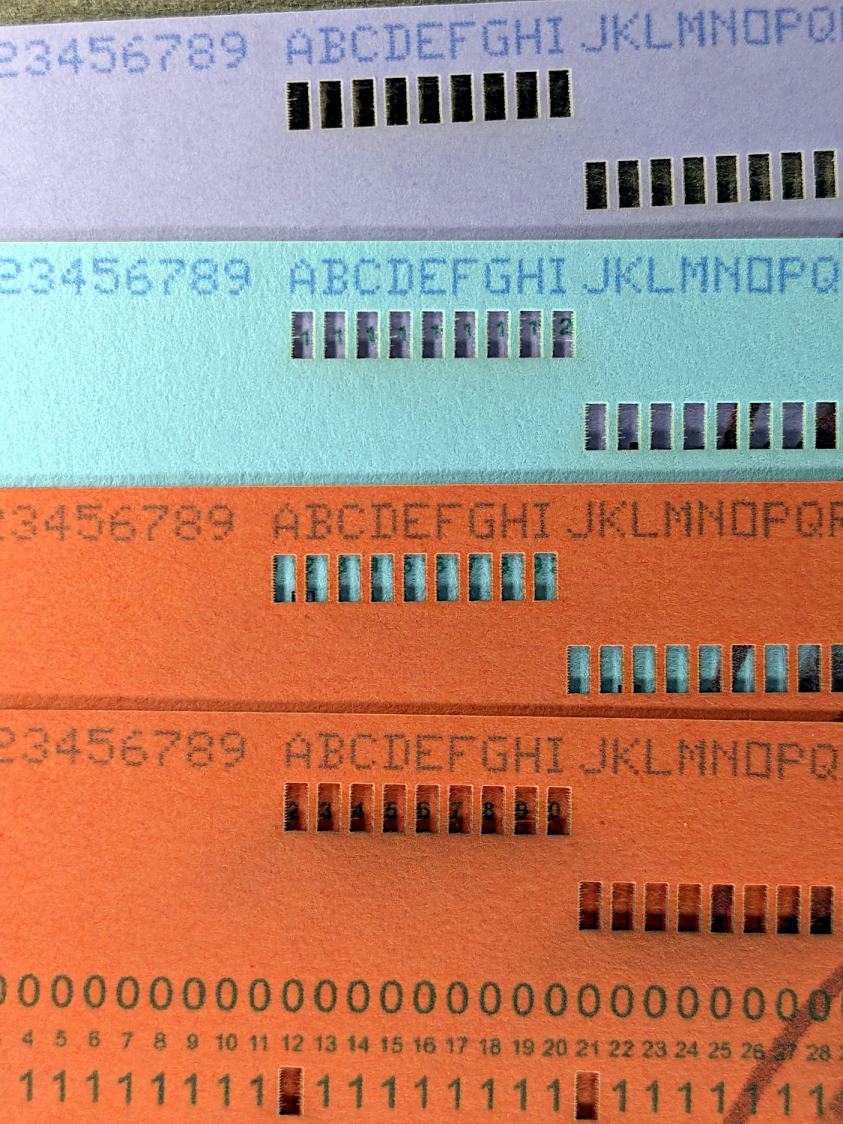
The smoke stains on the bottom orange card came from the same LightBurn settings used with the purple (violet?) and blue (teal?) cards: 400 mm/s, 35% power, and assist air enabled.
The conventional wisdom is that you *do not* use assist air while engraving, to avoid pushing the smoke / soot down onto the material, and I’ve generally followed that rule. Apparently evaporating holes in the other colors doesn’t generate much smoke and I had no reason to notice the air was enabled.
The upper orange card differs from the lower one only in having the assist air turned off, so I have definitely learned my lesson!
Readers of long memory will recall the dual-path assist air setup that pushes 2 l/m through the nozzle when the LightBurn layer has AIR disabled, specifically to keep smoke out of the nozzle and away from the lens; that gentle breeze doesn’t push smoke into the paper.
FWIW, that’s why I run a set of test cards before I do anything fancy for the first time.
 The Smell of Molten Projects in the Morning
Spam comments get trashed, so don’t bother. Comment moderation may cause a delay.