Having a few TCRT5000 proximity sensors lying around, I used one for the Color Mixer so folks could just wave a finger to flip the LED colors, rather than pound relentlessly on the top plate:
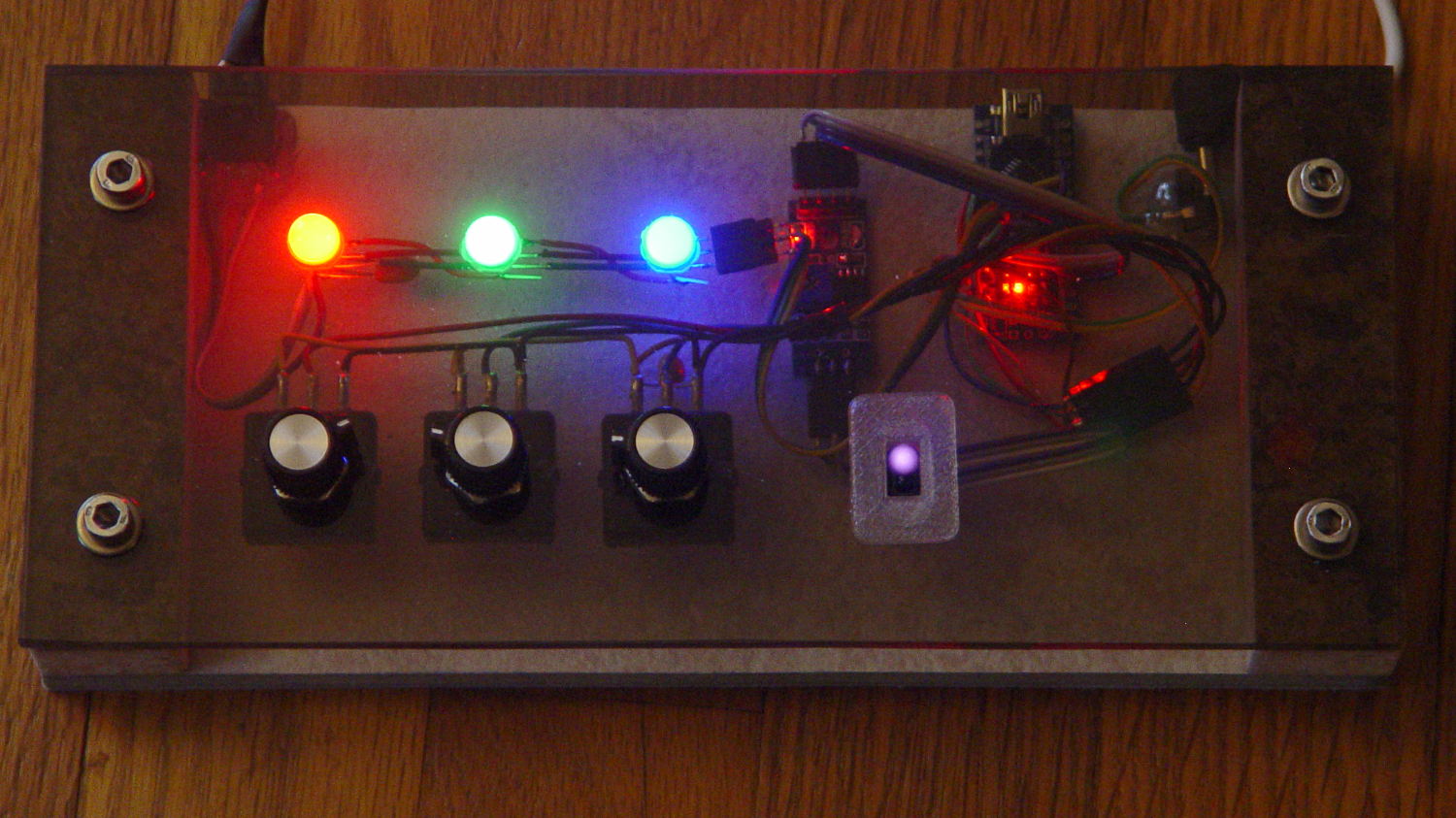
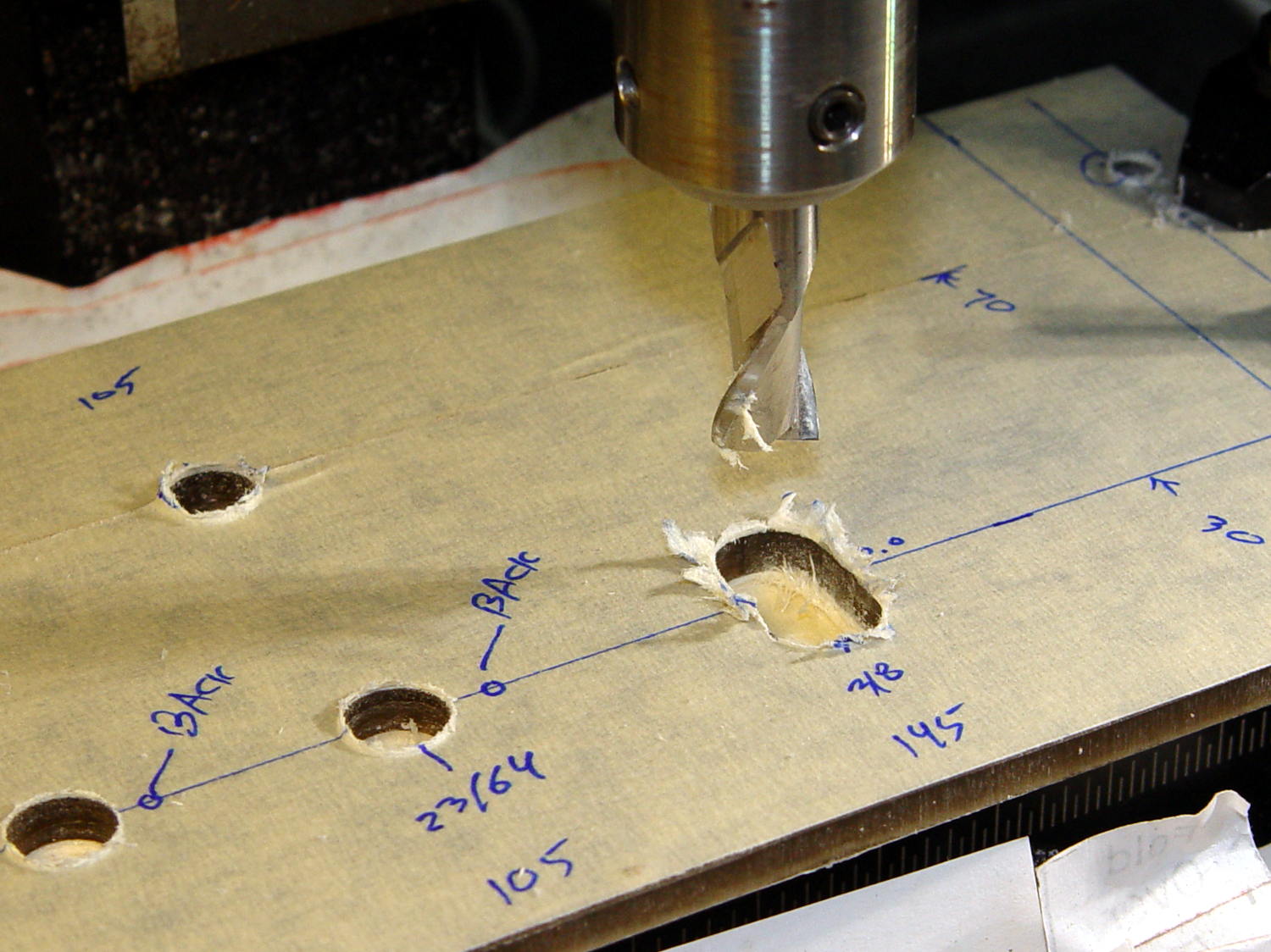
The stem fits into a slot made with a 3/8 inch end mill:

You move the cutter by the length of the sensor (10.0 mm will work) to make the slot. In practical terms, drill a hole at the midpoint, insert the cutter, then move ±5.0 mm from the center:
A bead of epoxy around the stem on the bottom of the panel should hold it in place forevermore.
The rectangular inner hole came out a tight push fit for the TCRT5000 sensor, so I didn’t bother gluing it in place and, surprisingly, it survived the day unscathed!
The OpenSCAD source code as a GitHub Gist:
This file contains hidden or bidirectional Unicode text that may be interpreted or compiled differently than what appears below. To review, open the file in an editor that reveals hidden Unicode characters.
Learn more about bidirectional Unicode characters
| // TCRT5000 Proximity switch sensor mount | |
| // Ed Nisley KE4ZNU – October 2016 | |
| Layout = "Build"; // Show Build | |
| //- Extrusion parameters must match reality! | |
| ThreadThick = 0.25; | |
| ThreadWidth = 0.40; | |
| HoleWindage = 0.2; | |
| Protrusion = 0.1; // make holes end cleanly | |
| inch = 25.4; | |
| function IntegerMultiple(Size,Unit) = Unit * ceil(Size / Unit); | |
| //———————- | |
| // Dimensions | |
| Sensor = [5.9,10.0,7.0]; | |
| SensorHoleCutter = 3/8 * inch; | |
| echo(str("Cutter dia: ",SensorHoleCutter," mm")); | |
| echo(str("Cutter motion: ",Sensor[1]," mm")); | |
| PanelThick = 5.0; | |
| StemLength = PanelThick + 6*ThreadThick; | |
| FlangeThick = 3 * ThreadThick; | |
| //———————- | |
| // Flange model | |
| module ProxFlange() { | |
| difference() { | |
| union() { | |
| linear_extrude(height=FlangeThick) | |
| hull() | |
| for (i=[-1,1], j=[-1,1]) | |
| translate([i*Sensor[0],j*Sensor[1]]) | |
| circle(r=Sensor[0]/2,$fn=8*4); | |
| translate([0,0,-StemLength]) | |
| linear_extrude(height=StemLength) | |
| hull() | |
| for (j=[-1,1]) | |
| translate([0,j*Sensor[1]/2]) | |
| circle(d=SensorHoleCutter,$fn=8*4); | |
| } | |
| translate([0,0,-Protrusion]) | |
| cube(Sensor + [HoleWindage,HoleWindage,2*(PanelThick + Protrusion)],center=true); | |
| } | |
| } | |
| //———————- | |
| // Build it | |
| if (Layout == "Show") | |
| ProxFlange(); | |
| if (Layout == "Build") | |
| translate([0,0,FlangeThick]) | |
| rotate([180,0,0]) | |
| ProxFlange(); | |
 The Smell of Molten Projects in the Morning
Comments
5 responses to “TCRT5000 Proximity Sensor Mount”
I considered asking what proximity sensor you’d used, as it seemed an obvious omission. Then I remembered that you’re careful about such things and if I was patient, I’d find out. I considered making a flip comment about using a square cutter, then I remembered someone did invent a gizmo with a triangular cutter and gearing that cuts square holes (looks impractical and I doubt it’s available commercially, but at least the concept is out there).
Words other than “careful” spring to mind… [grin]
A discussion about drilling square holes came up in the minilathe mailing list a few months ago. The magic tool is basically a broach wobbulating around a drilled hole, with no gearing necessary:
http://littlemachineshop.com/products/product_view.php?ProductID=5622
AFAICT, the Sherline lacks enough mojo for the job, even in plastic, and it’s far too spendy for an impulse purchase. Showing off an array of square holes, now, that would be amusing!
Cool, I learned something today!
Actual broaches don’t seem all that hard to make. I don’t think you need to be as AR, er, precision oriented, as this guy: https://www.youtube.com/watch?v=b_SaHPACz2o
He makes it look easy with all those nice tools!