Ed Nisley's Blog: Shop notes, electronics, firmware, machinery, 3D printing, laser cuttery, and curiosities. Contents: 100% human thinking, 0% AI slop.
Tag: Thing-O-Matic
Using and tweaking a Makerbot Thing-O-Matic 3D printer
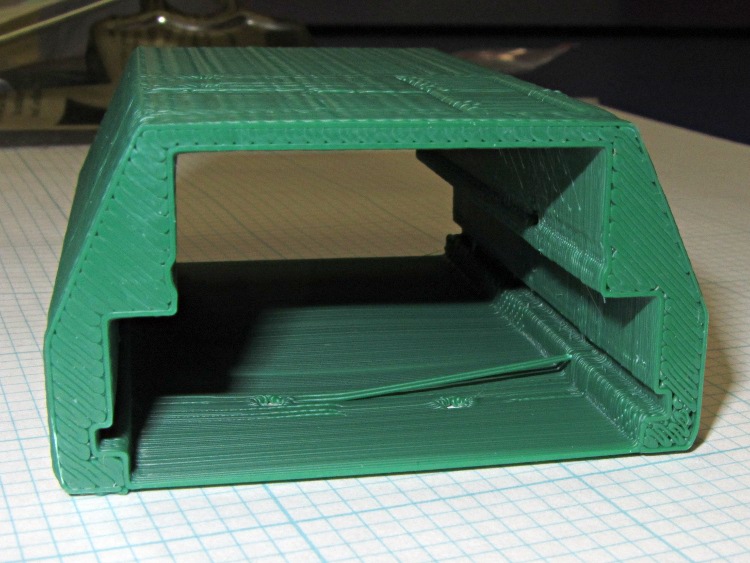
Unlike the previous kludge, this GPS interface case resembles an extrusion with the PCBs sliding into place, held by setscrews along the edges of the slots:
HT-GPS Adapter Case – end view
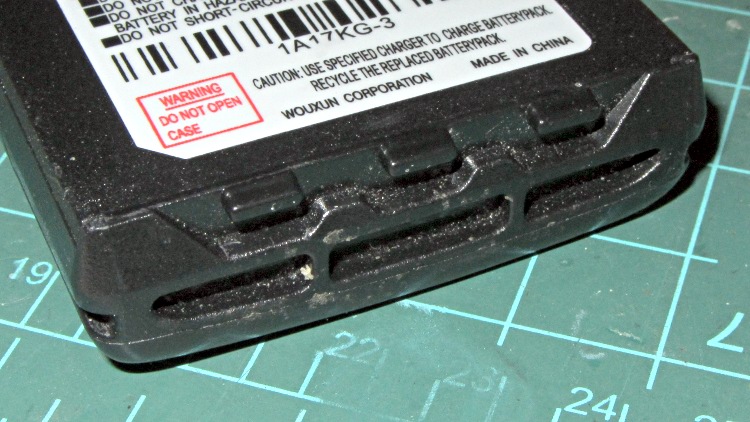
Those errant threads seem to arise from not quite bonding to the corner. The battery side of the case (bottom in this view) is one thread wide, which isn’t quite enough. Adding another thread makes it 1 mm wide, which seems excessive.
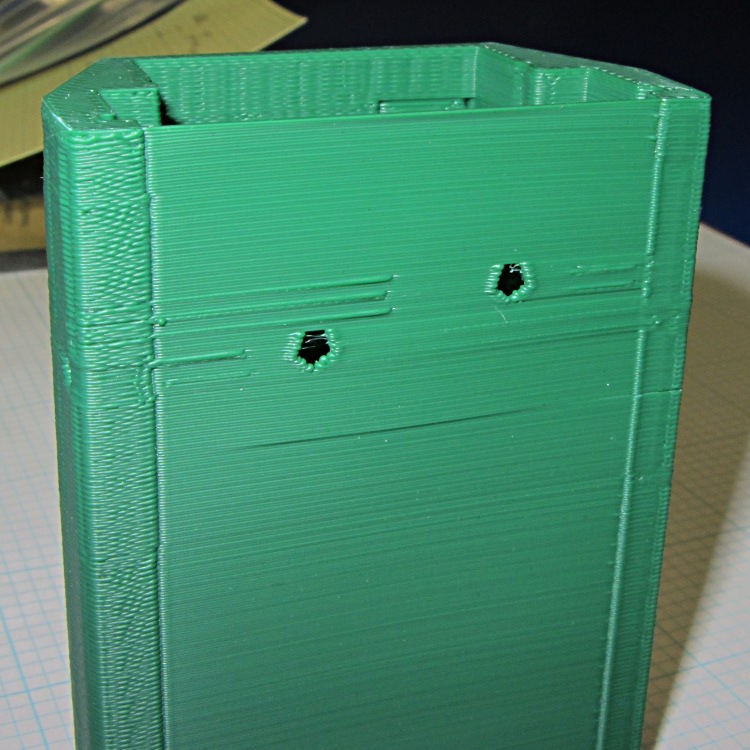
The idea was to glue the battery interface plate on that side, but printing the case vertically puts various flaws along that surface:
HT-GPS Adapter Case – bottom view
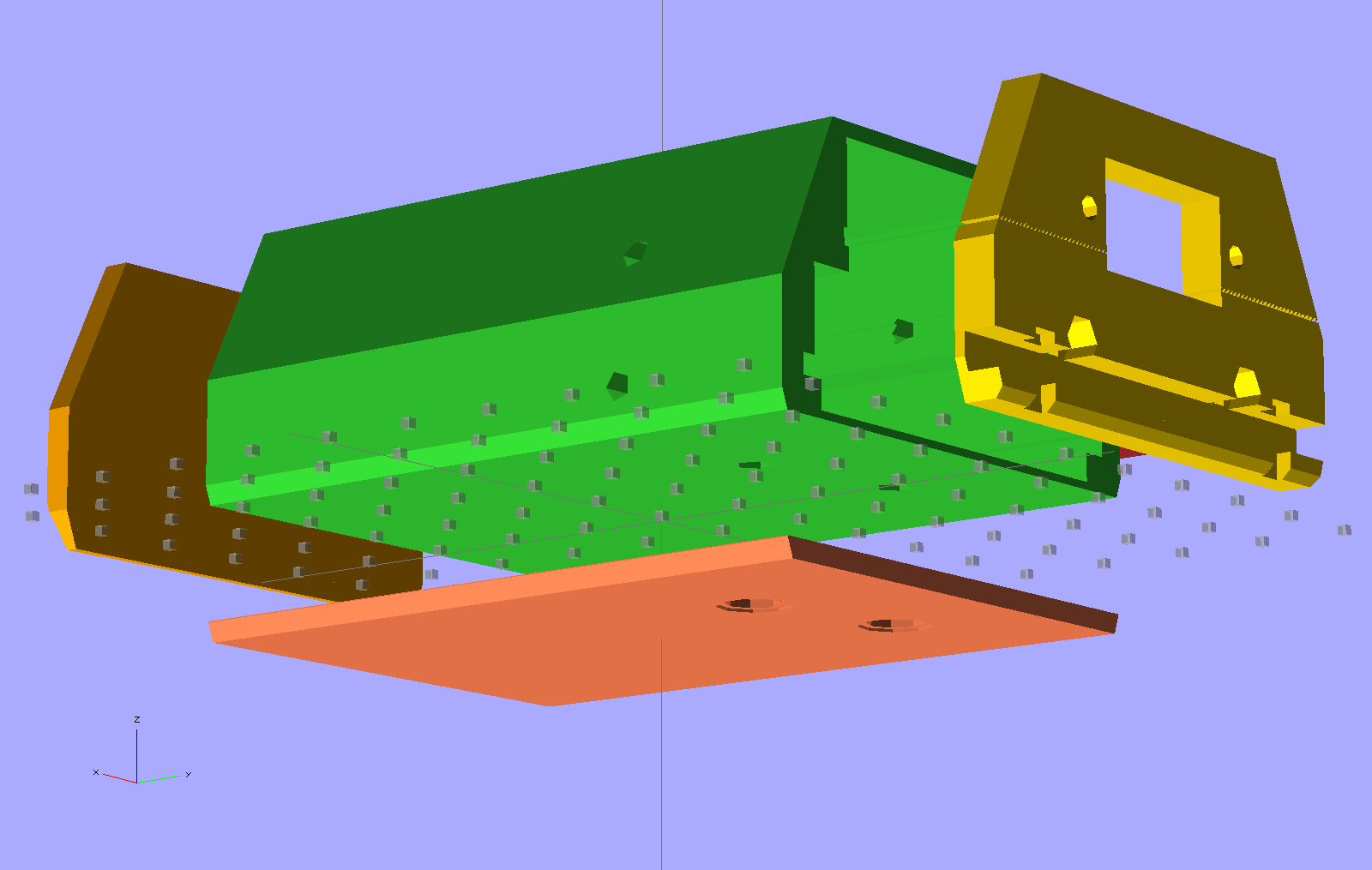
So the next iteration will merge the battery plate with the case and print the whole affair in one shot. This view shows all the parts separately:
HT-GPS Adapter Case – exploded bottom view
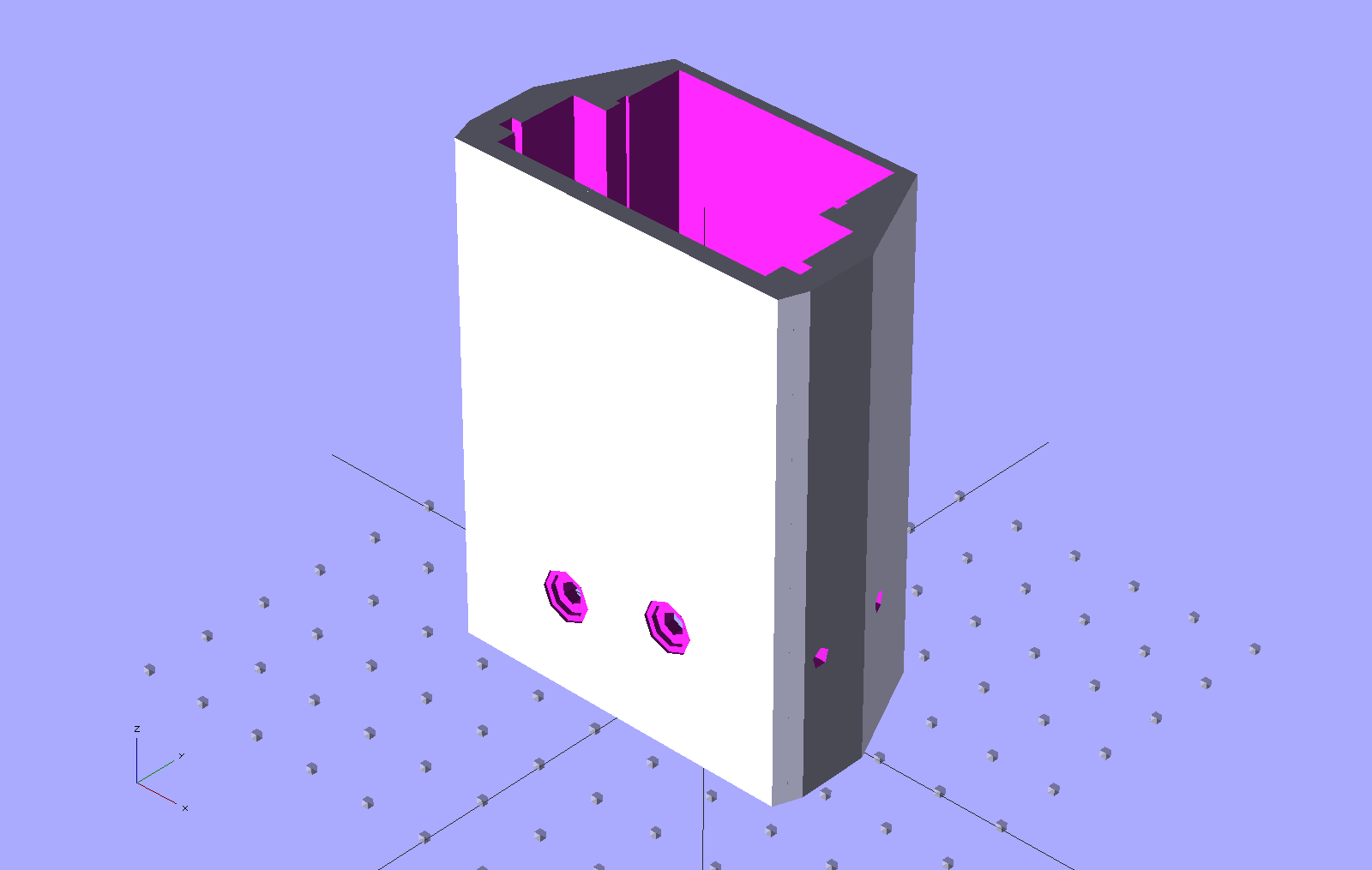
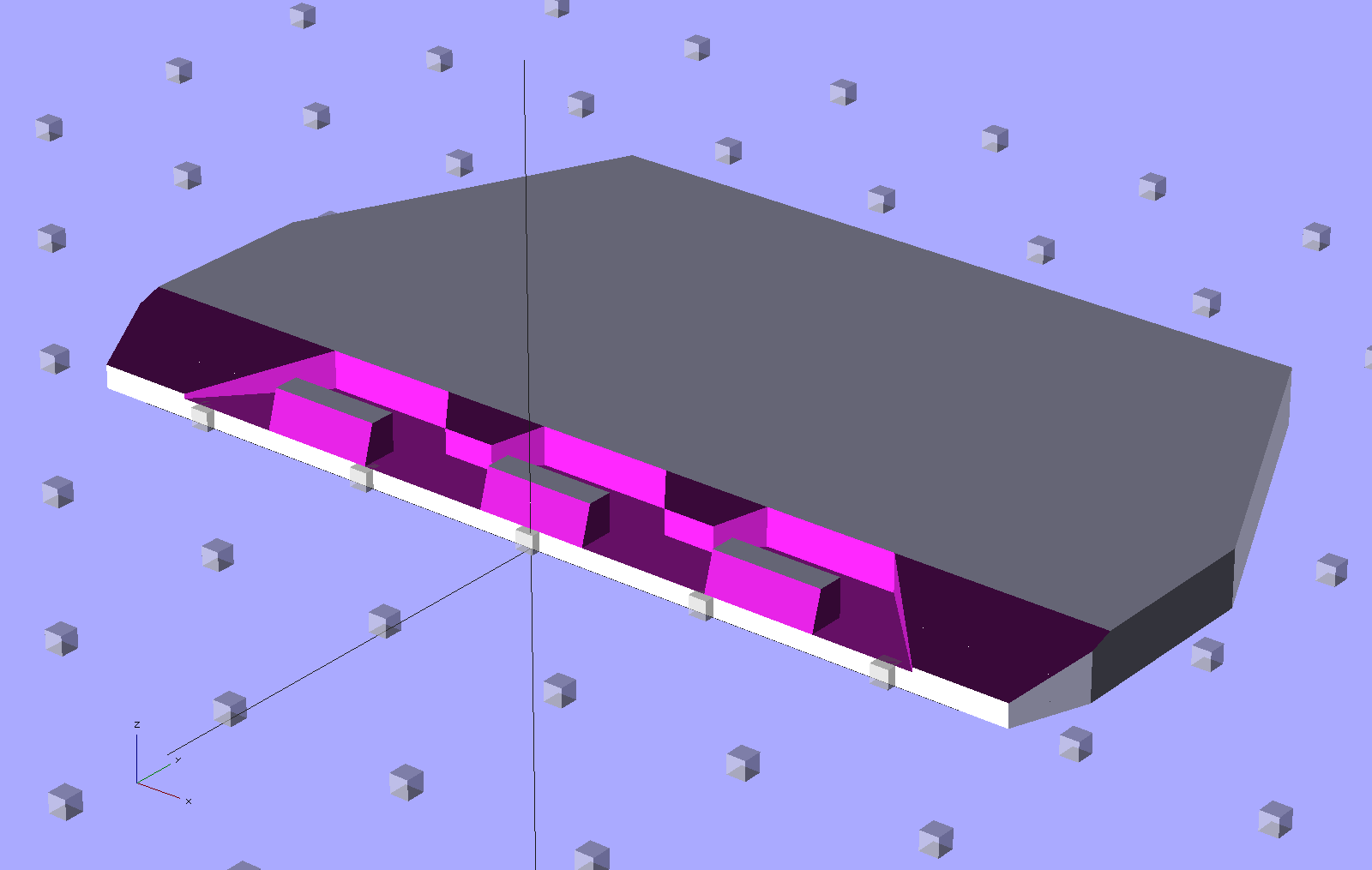
This shows the case joined with the battery plate, neatly aligned for printing:
HT-GPS Adapter Case – combined battery interface
The battery plate has a 0.1 mm extension into the case to avoid problems from objects with coincident planes. Unfortunately, however, that means the intersection between the base plate and the shell forms a line with three planes extending from it: the two outside walls (which are co-planar) and the plate extension inside the case. Skeinforge sometimes complains mightily about that, despite my having applied a union() to fuse the plate with the case: obviously I don’t quite understand how union() works.
I think the battery contact holes will come out close enough to being right; they all have points on the top edge to reduce the overhang problem.
One gotcha: the actual metallic contact studs for the battery. The contacts for the ICOM IC-Z1A case came from carefully shaped brass screws secured by nuts above the PCB and that’s what I’ve been designing around for this case. Unfortunately, the PCB must slide in before installing the studs, which means reaching into the depths of the case, with all the wiring in the way, to turn those nuts. Fortunately, the PCB has plenty of clearance in that direction, but … it’ll be awkward at best.
The studs also need a slot / socket / dingus to prevent rotation while tightening the nuts; right now the contact plate is circular-ish, but maybe I should rethink that.
The Wouxun KG-UV3D radio has two lugs inside the battery compartment:
Wouxun KG-UV3D – battery lugs
The battery packs and DC adapters all have clever spring-steel latches that engage those lugs, with a pair of sliding buttons that depress the ends of the spring to release the pack:
Wouxun KG-UV3D – battery pack latch
That mechanism may be cheap, straightforward, and easy to build in mass production, but I can’t figure out how to duplicate it for a case to house the GPS+Voice interface circuitry. That box had the dual disadvantages of being plug-ugly and not locking to the radio, but it did help establish some key dimensions, which is not to be sniffed at.
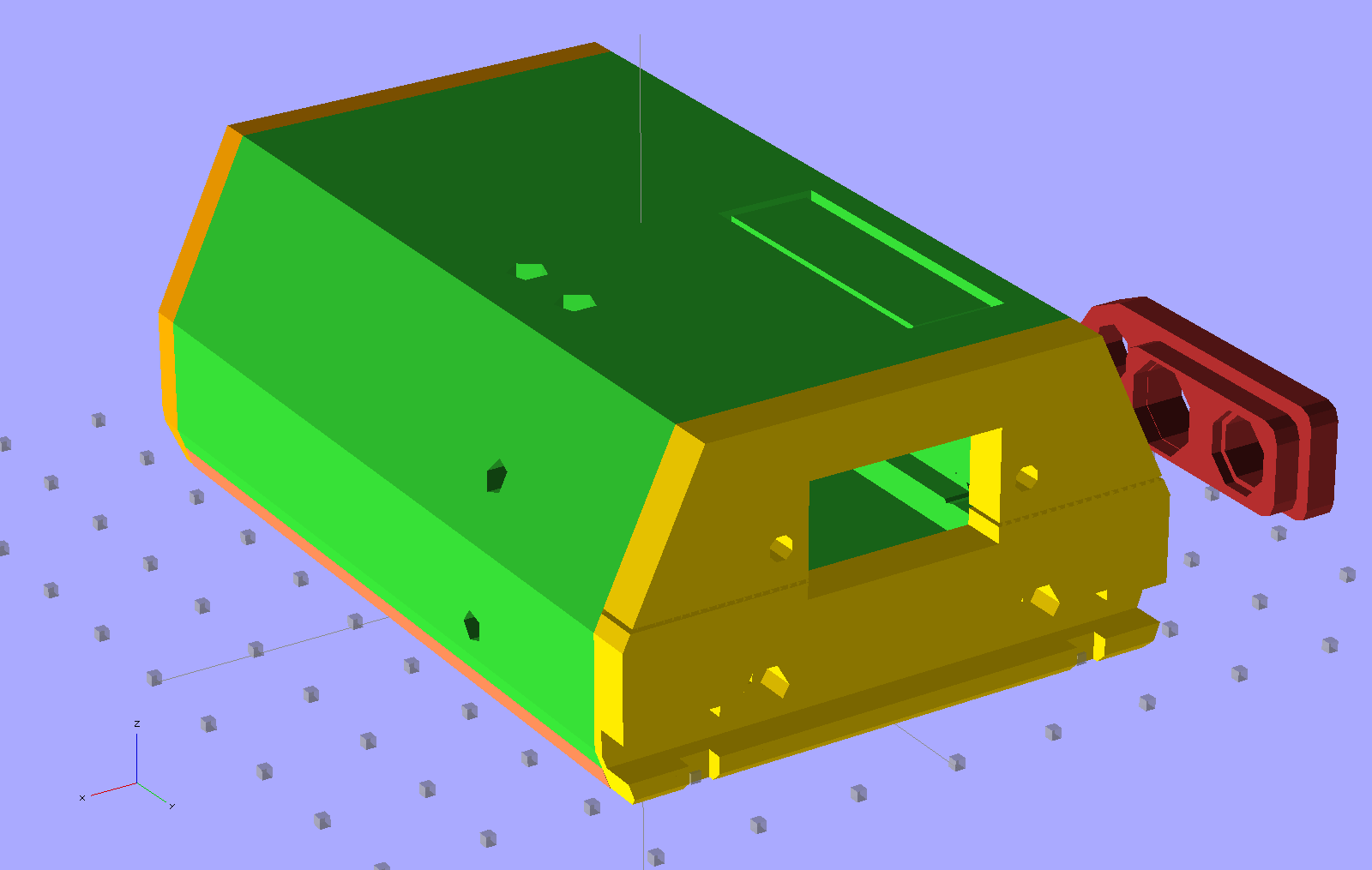
A bit of heads-down effort produced this not-so-hideous printable case:
HT-GPS Adapter Case – Overview
The rectangle on the top is a built-in support structure for what will be a window over the four LEDs on the Byonics TinyTrak3+ board. The two holes on the top allow screwdriver access to the TT3 trimpots, although they might not be necessary. The four holes (two visible) along the sides fit 4-40 setscrews that lock the PCBs into slots along the inside of the main case body. The red doodad off to the far side is that plug alignment block for the radio.
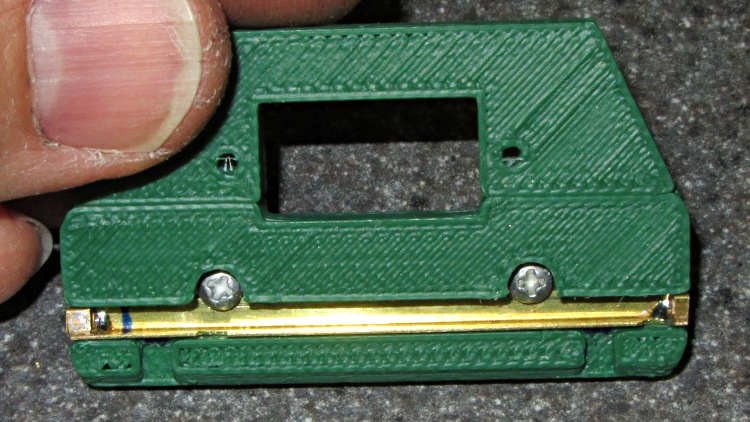
The yellow latch plate on the end engages the lugs with a bar sliding in a slot, which looks like this when it’s locked:
HT-GPS Case Latch – locked
A view from the top side shows the notches that release the lugs:
HT-GPS Case Latch – detail
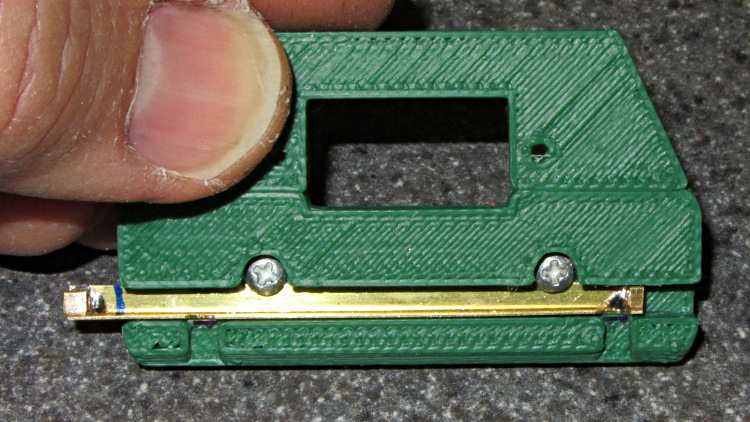
In the unlocked position the notches and lug slots line up:
HT-GPS Case Latch – open
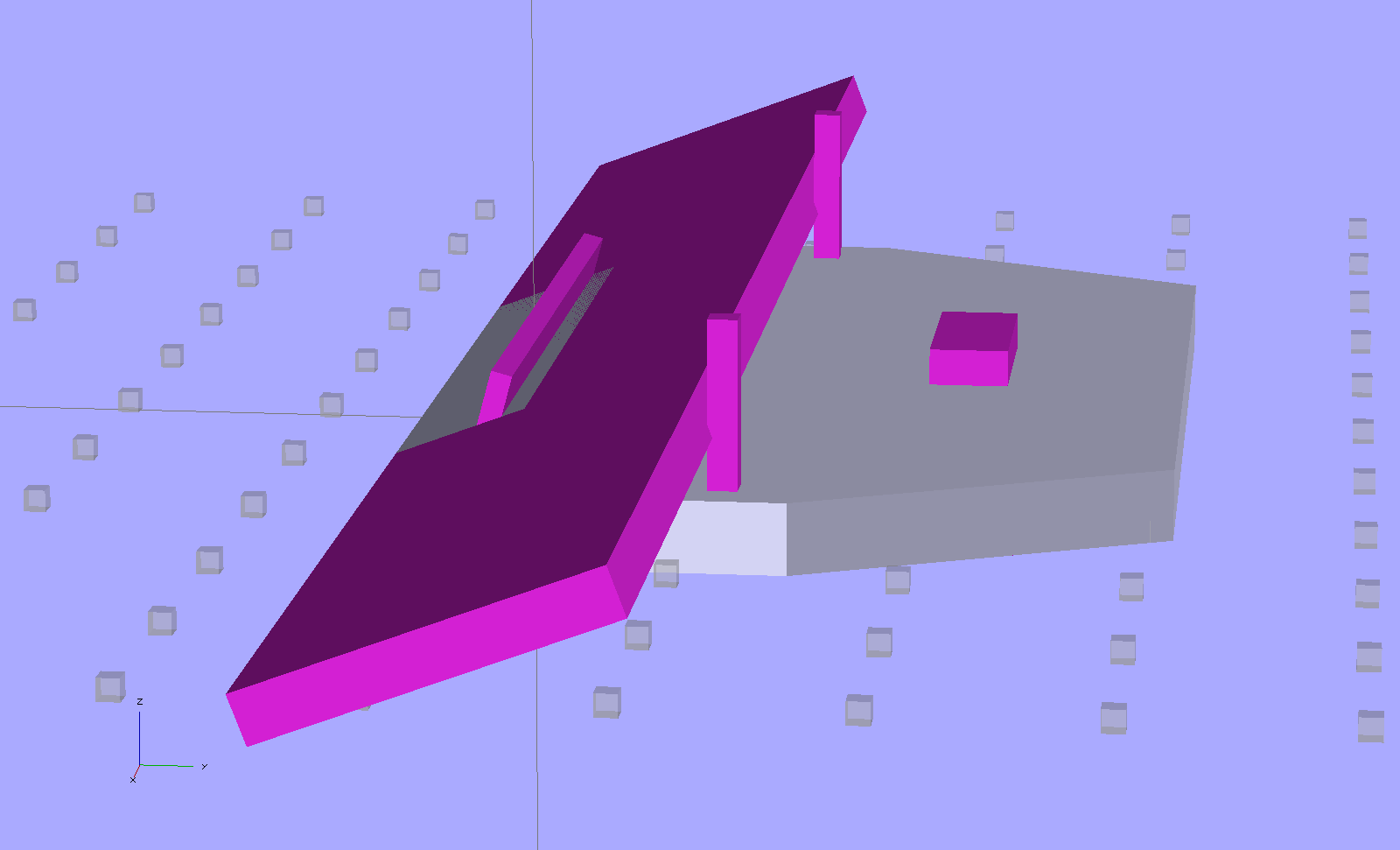
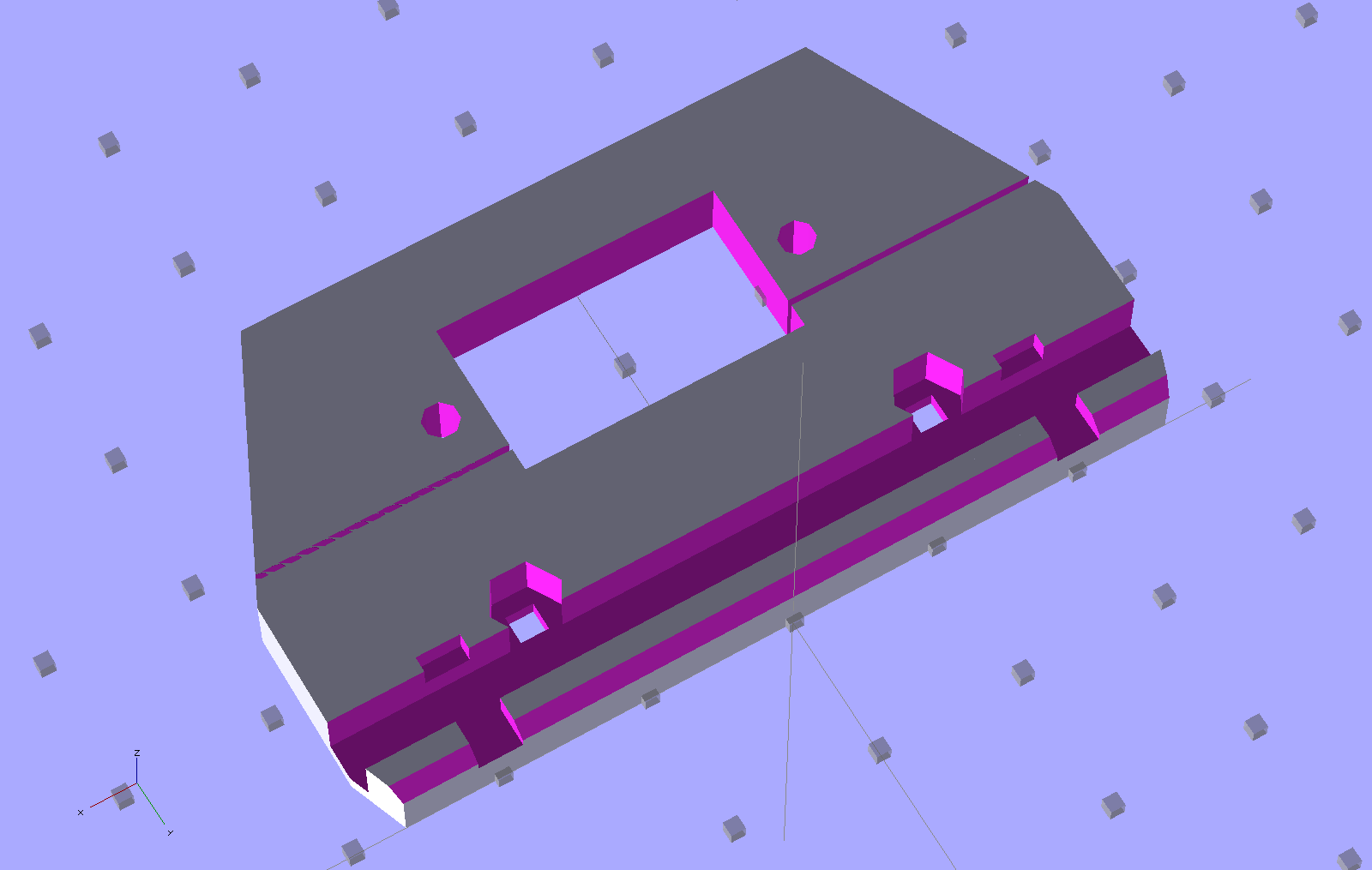
The solid model shows the plastic structure, which is slightly improved from the pictures:
HT-GPS Case – latch and connector plate
The big hole fits around the TinyTrak3+ serial connector to the GPS receiver. The slot across the hole splits the plate so it can fit around the already-soldered connector.
The latch bar consists of a L-shaped brass angle (from the Big Bag o’ Cutoffs) with two snippets of square brass tube soldered to the ends:
HT-GPS Case Latch – bar detail
I cut the angle to length with a Dremel abrasive wheel, soldered two brass tubes, sliced them off with a Dremel cutoff saw, roughed out the slots with the abrasive wheel, and applied some tool-and-die maker’s (aka needle) files to smooth things out. Yup, had to clamp each soldered joint in a toolmaker’s vise to keep from melting it during the nastier parts of that process. A pair of 2-56 screws, with nuts behind the plate, hold the bar in place and provide some friction.
Moving the latch bar requires poking the end with a sharp object (captured by the brass tubing), because I couldn’t figure out how to put finger-friendly buttons on it. This would be completely unusable for an actual battery, but should work OK for a permanently mounted GPS interface.
Conspicuous by their absence:
Holes in the case for the cables (may need more surface area on the ends)
Any way to fasten the latch plate to the main case (I may just drill holes for small pins)
Provision for the TT3 mode switch
A cover for the exposed radio chassis above the latch lugs (may be a separate shell glued to the latch plate)
The whole thing needs a full-up test to verify the serial connector clears the back of the case…
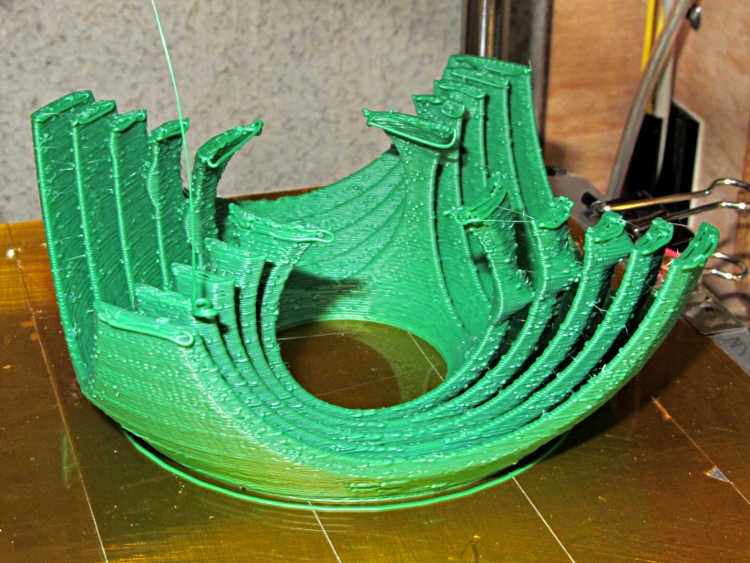
The print failed when the nozzle snagged one of the tines, which instantly jammed up against the bottom of the heater block and stalled the platform motion with a horrible crunch. Surprisingly, the motors didn’t lose all that many steps, but you can see extruded thread drooling off the top layers.
The 0.25 mm layer thickness contributes to the problem: any distortion while the plastic cools produces blobs on the top or poor adhesion, depending on whether the just-printed layer moves up or down.
This was with infill = 60 mm/s, perimeter = 20 mm/s, and moves = 250 mm/s.
That speed difference produces crap quality objects, because the high speed infill produces ragged edges that a single perimeter thread can’t convert into a smooth surface. Two perimeter threads work fine, but the top surface looks ragged from the mechanical wobbles induced at every direction reversal.
The root cause: my heavily modified Thing-O-Matic has too much moving mass and not enough rigidity, of course. Time to back off the speed for better results…
A few months after shaking off the previous fruit fly infestation, the worm compost bin has succumbed to another species of fruit fly that’s probably Drosophila melanogaster: much larger, breeds faster, and seems far more tenacious. Even though they’re completely innocuous, Something Must Be Done, but alas there are no insecticides suitable for a worm bin that produces vegetable garden compost. That reduces the situation to the Siege of Stalingrad: cut off their supplies and let them fight it out.
It seems that fruit flies and their progeny die slightly faster than worms; after three or six weeks without feeding, the flies will should be history and the worms will be eating the dead. Temperatures in the Basement Laboratory Vermiculture Wing will remain in the 60 °F range for the next month or two, so the fly egg-to-adult time will be longer than the usual eight days and this may not work as well as we’d like.
Assuming that succeeds, however, we’ll be freezing all the kitchen scraps that go into the bin to kill off the fruit fly eggs that arrive here from around the world. There seems no way to get fruits without fruit fly eggs, even with non-organic produce. Organic stuff, well, it’s worse than that.
I conjured up a Fruit Fly Escape trap that should I hope will lure flies out of the bin to their death, while keeping the worms inside.This won’t help much with the current extreme infestation, but may help dry the bin’s upper layer and, when we get the population knocked down, should exterminate the more adventurous survivors. Obviously, we’re breeding for stay-at-home fruit flies and, given their rapid-prototyping life cycle, they may evolve into tiny couch potatoes.
Anyhow.
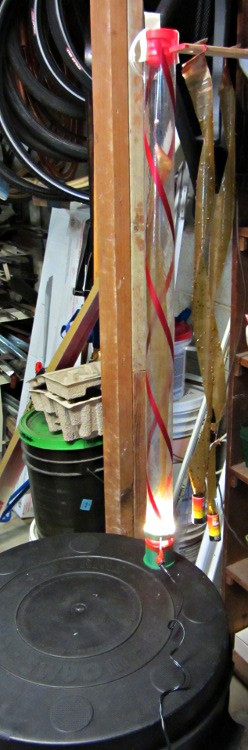
Flies like heat and light, while worms vastly prefer cool and dark, so the general idea is to drill a hole in the bin lid, fit a long tube over it, put an LED ring light at the base, and run a flypaper spiral up the tube to a vent cap near the top. The first picture gives an overview, although it’s tough to see the vertical tube against the clutter: it’s clear with two red spirals, having started life as some weird-ass holiday decoration for the previous owners of our house.
Anyhow, the more interesting plastic bits look like this:
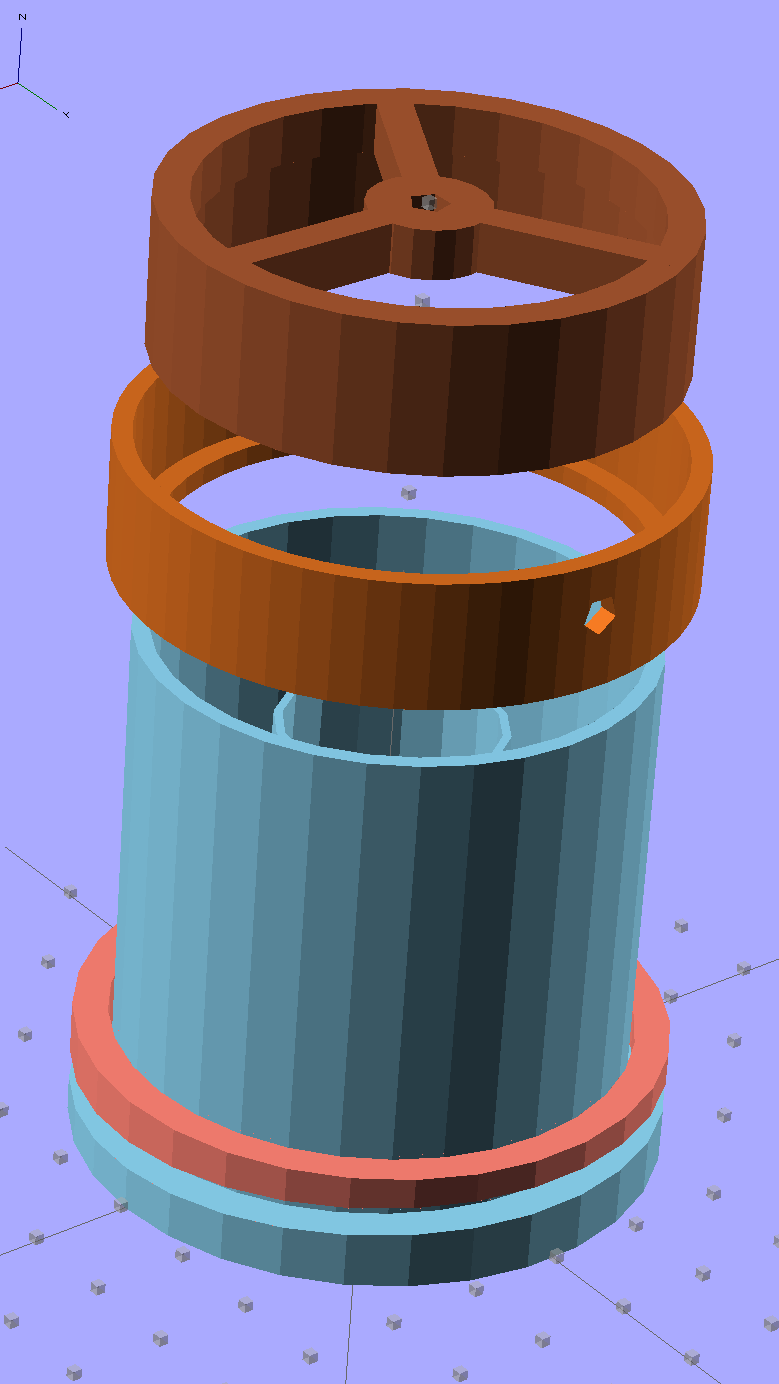
Fly Escape – solid model
The top ring is the vent cap, with a hole in the middle for a string supporting the sticky tape strip. The middle ring holds three sections of LED strip light that dissipate about 2 W from a 12 V wall wart; that’s enough heat around the tube to produce a slight upward draft. The riser tube at the bottom has an angled rim that compensates for the bin lid angle and holds the long tube vertical. The ring around the riser has a matching angle.
They fit into the lid thusly:
Fly Escape – Riser trial fit
Two beads of hot-melt glue, top and bottom, hold them in place and make an air- / worm- / fly-tight seal.
The inner tube holds the fly paper container and has a slight inward taper toward the top to wedge it in place:
Fly Escape – solid model – bottom
A similar view from inside the actual lid:
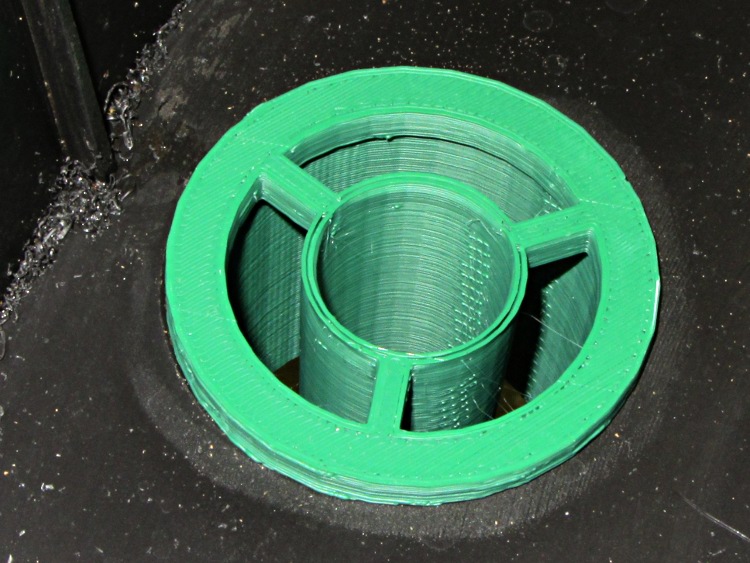
Fly Escape – Riser trial fit – bottom
That was the first pass at the dimensions; the tube walls didn’t quite join because I forgot to force the number of polygonal sides to be equal. It’s deliberately thin to make the walls springy, but everything must be Just Right to get both no fill and no space between the two perimeter threads.
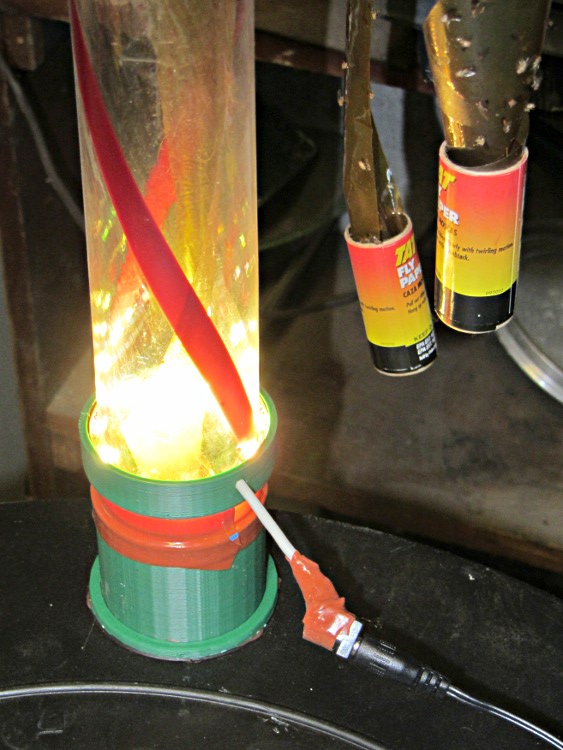
The riser and LED ring, combined with festive spiral stripes along the tube and some silicone tape sealing the tubes together, produce a cheery nuclear glow that’s enhanced by the victims mired in the adjacent flypaper strips. A third strip runs up the middle of the tube:
Fly Escape in action
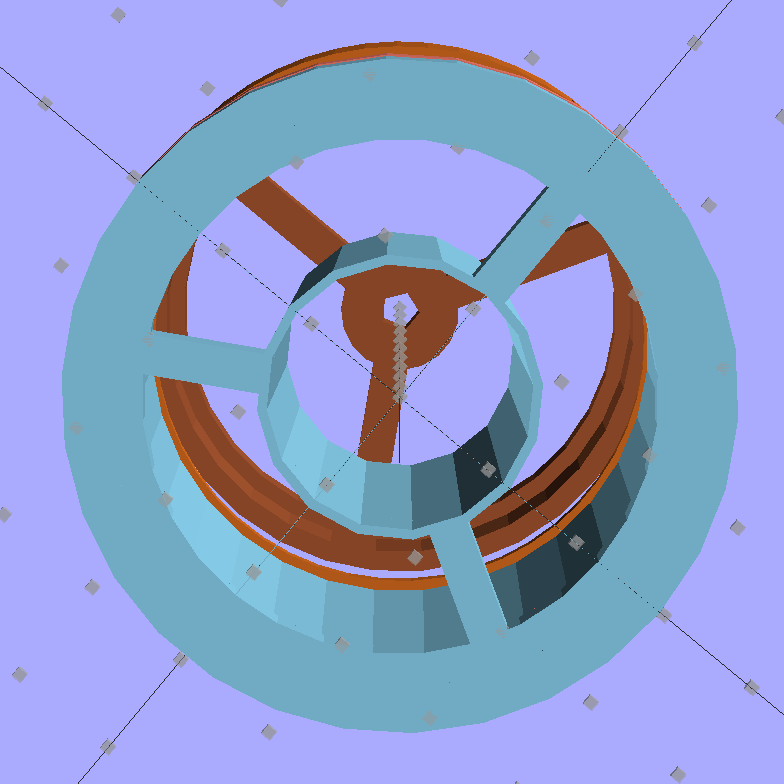
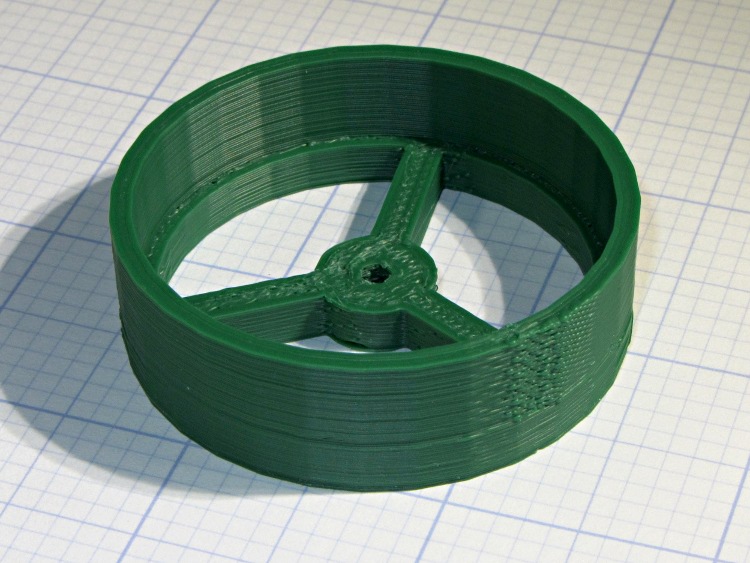
The vent cap on the top of the tube has a small hole in the middle to hold the string supporting the flypaper spiral exactly in the middle of the tube. This view is upside-down from the mounted orientation :
Fly Escape – Vent Cap
The alert reader will notice a red top plug in place of the vent cap in the first picture. This whole project happened over the course of a frantic afternoon, evening, and morning, with progressive product improvements along the way. For example, it turns out that some flies went pedestrian and walked up the inside of the tube, so there’s now a circle of screening inside that nice vented cap.
Having a 3D printer to hammer out custom plastic widgetry on a short schedule = win.
The OpenSCAD source code:
// Worm bin fly escape
// Ed Nisley KE4ZNU - March 2012

Layout = "Show";						// Build.. Show Riser Ring Cap

//- Extrusion parameters - must match reality!

ThreadThick = 0.25;
ThreadWidth = 2.0 * ThreadThick;

HoleFinagle = 0.3;
HoleFudge = 1.00;

function HoleAdjust(Diameter) = HoleFudge*Diameter + HoleFinagle;

Protrusion = 0.1;						// make holes end cleanly

//-- Dimensions

RiserID = 47.0;							// ID = transparent riser tube OD
RiserOD = 51.0;							// OD = hole in lid (matches hole saw OD)
RiserHeight = 50.0;						// wall height from lid

RiserSides = 4*8;						// for consistency & symmetry

RiserBaseHeight = IntegerMultiple(5.0,ThreadThick);			// stop ring height
RiserBaseID = RiserID - 2*1.0;								// stop ring ID

LipOD = 59.0;							// OD of lip mounted on lid around tube
LipAngle = 3.0;							// angle for lip to make tube vertical
LipMinThick = IntegerMultiple(3.0,ThreadThick);		// min lip thickness
LipAngleThick = LipOD*tan(LipAngle);				// angled section thickness
LipThick = LipMinThick + LipAngleThick;				// total lip thickness

RingClearance = 0.5;								// space between ring and tube

TrapID = 23.0;							// sticky tape container OD
TrapIDTaper = 2.0;						// taper to hold container in place
TrapHeight = 45.0;						//  ... height
TrapWallThickness = 2*ThreadWidth;
TrapSides = 4*4;

TrapFlanges = 3;						// number of support flanges
TrapFlangeThick = IntegerMultiple(3.5,ThreadWidth);

LEDThick = 2.5;							// LED strip thickness
LEDWidth = 11.0;						//  ... width
LEDWireOD = 3.0;						// power cable dia
LightID = RiserID + 2*LEDThick;			// ID of LED collar
LightOD = LightID + 2*4*ThreadWidth;		//  ... OD
LightFlangeThick = IntegerMultiple(2.0,ThreadThick);

CapID = RiserID;
CapRingID = CapID - 2*1.5;
CapOD = CapID + 2*4*ThreadWidth;
CapBaseHeight = RiserBaseHeight;
CapHeight = 10.0 + CapBaseHeight;
CapSides = RiserSides;
CapFlanges = 3;
CapFlangeThick = TrapFlangeThick;
CapGuideID = 3.0;
CapGuideOD = CapGuideID + 6*ThreadWidth;

//-- Sticky tape container holder

module TrapMount() {

  ODBot = TrapID + 2*TrapWallThickness;
  ODTop = TrapID - TrapIDTaper + 2*TrapWallThickness;

  difference() {
	union() {
	  cylinder(r1=ODBot/2,r2=ODTop/2,h=TrapHeight,$fn=TrapSides);
	  for (i=[0:TrapFlanges-1])
		rotate(i*(360/TrapFlanges) + 90)			// align leg with thick side
		  translate([RiserOD/4,0,RiserBaseHeight/2])
			cube([(RiserOD/2 - 4*Protrusion),TrapFlangeThick,RiserBaseHeight],center=true);
	}
	translate([0,0,-Protrusion])
	  cylinder(r1=HoleAdjust(TrapID)/2,
			   r2=HoleAdjust(TrapID - TrapIDTaper)/2,
			   h=(TrapHeight + 2*Protrusion),
			   $fn=TrapSides);
  }

}

//-- Riser tube

module RiserTube() {

  TotalHeight = RiserHeight + RiserBaseHeight;

  difference() {
	cylinder(r=RiserOD/2,h=TotalHeight,$fn=RiserSides);
	translate([0,0,RiserBaseHeight])
	  PolyCyl(RiserID,TotalHeight,RiserSides);
	translate([0,0,-Protrusion])
	  cylinder(r=RiserBaseID/2,h=TotalHeight,$fn=RiserSides);
  }

}

//-- Angled lip around ring
//		aligned with flat side downward at Z=0

module LipRing(Clearance = 0.0) {

  difference() {
	cylinder(r=LipOD/2,h=LipThick);
	translate([0,0,-Protrusion])
	  cylinder(r=(RiserOD/2 + Clearance),
			   h=(LipThick + 2*Protrusion),
			   $fn=RiserSides);
	rotate([LipAngle,0,0])
	  translate([-LipOD,-LipOD,(LipMinThick + LipOD/2*tan(LipAngle))])
		cube([2*LipOD,2*LipOD,LipAngleThick],center=false);
  }
}

//-- Collar to hold LED strip light

module LEDCollar() {

  difference() {
	PolyCyl(LightOD,(LEDWidth + LightFlangeThick));
	translate([0,0,LightFlangeThick])
	  PolyCyl(LightID,(LEDWidth + Protrusion));
	translate([0,0,-Protrusion])
	  PolyCyl(RiserID,(LightFlangeThick + 2*Protrusion));
	translate([0,0,(LightFlangeThick + LEDWidth/2)])
	  rotate([0,90,90])
		PolyCyl(LEDWireOD,LightOD);
  }
}

//-- Cap to hold trap string and vent the tube

module VentCap() {

	union() {
	  difference() {
		cylinder(r=CapOD/2,h=CapHeight,$fn=CapSides);
		translate([0,0,-Protrusion])
		  cylinder(r=CapRingID/2,h=(CapHeight +2*Protrusion),$fn=CapSides);
		translate([0,0,CapBaseHeight])
		  cylinder(r=CapID/2,h=CapHeight,$fn=CapSides);
	  }
	  difference() {
		union() {
		  for (i=[0:TrapFlanges-1])
			rotate(i*(360/CapFlanges))
			  translate([CapOD/4,0,CapBaseHeight/2])
				cube([(CapOD/2 - 4*Protrusion),CapFlangeThick,CapBaseHeight],center=true);
		  cylinder(r=CapGuideOD,h=CapBaseHeight);
		}
		translate([0,0,-Protrusion])
		  PolyCyl(CapGuideID,CapHeight);
	  }
	}

}

//-- Handy routines

function IntegerMultiple(Size,Unit) = Unit * ceil(Size / Unit);

module PolyCyl(Dia,Height,ForceSides=0) {           // based on nophead's polyholes

  Sides = (ForceSides != 0) ? ForceSides : (ceil(Dia) + 2);

  FixDia = Dia / cos(180/Sides);

  cylinder(r=(FixDia + HoleFinagle)/2,h=Height,$fn=Sides);
}

//-- Put peg grid on build surface

module ShowPegGrid(Space = 10.0,Size = 1.0) {

  Range = floor(50 / Space);

	for (x=[-Range:Range])
	  for (y=[-Range:Range])
		translate([x*Space,y*Space,Size/2])
		  %cube(Size,center=true);

	for (z=[1:10])
	  translate([0,0,z*Space])
		  %cube(Size,center=true);
}

//- Build it

ShowPegGrid();

if (Layout == "Ring")
  LipRing();

if (Layout == "Riser")
  RiserTube();

if (Layout == "Cap")
  VentCap();

if (Layout == "Show") {
  color("SkyBlue") {
	TrapMount();
	RiserTube();
	LipRing();
  }
  color("Salmon")
	translate([0,0,2*LipThick])
	  rotate([180,0,0])
		LipRing(RingClearance);
  color("Chocolate")
	translate([0,0,(1.25*RiserHeight)])
	  LEDCollar();
  color("Sienna")
	translate([0,0,2*RiserHeight])
	  rotate([180,0,0])
		VentCap();
}

if (Layout == "Build1") {
  TrapMount();
  RiserTube();
  LipRing();
}

if (Layout == "Build2") {
	LipRing(RingClearance);
}

if (Layout == "Build3") {
	LEDCollar();
}

if (Layout == "Build4") {
	VentCap();
}
Although the economic argument for producing custom cookie cutters may not be persuasive, the fact that you (well, I) can produce custom widgets certainly is. Most of the things I build and repair don’t require great mechanical strength or finicky dimensional precision, so a DIY 3D printer is exactly the right hammer for the job.
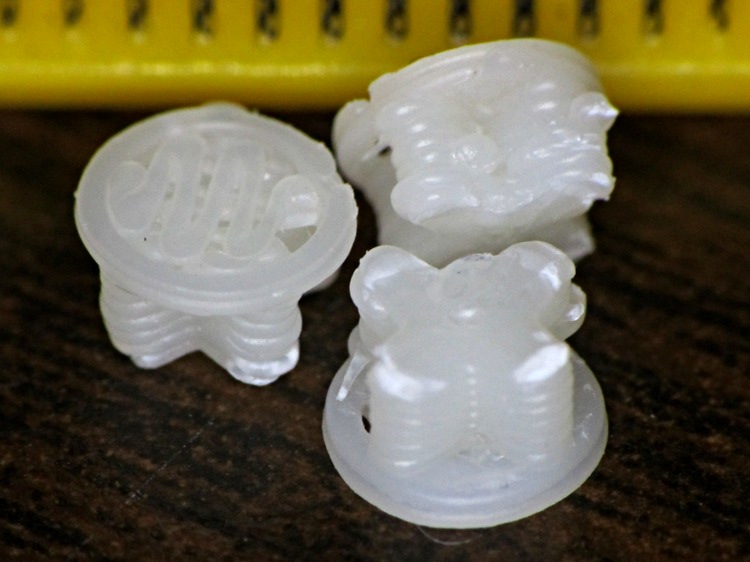
Having printed up three of those handles for Show-n-Tell, I preemptively installed one in the hasn’t-failed-yet clamp, and poked the support out of another to show how it works. They’re just the cutest little buttons:
HF bar clamp handle – support plug
The fins are a touch under 4.5 mm end-to-end and 1 mm (2 × 0.5 mm) across, with layer thickness = 0.25 mm. The first layer fill looks a bit lackadaisical, but the bottom of the surrounding handle came out glass-solid with barely visible joints between the threads, so the settings work fine for larger objects.
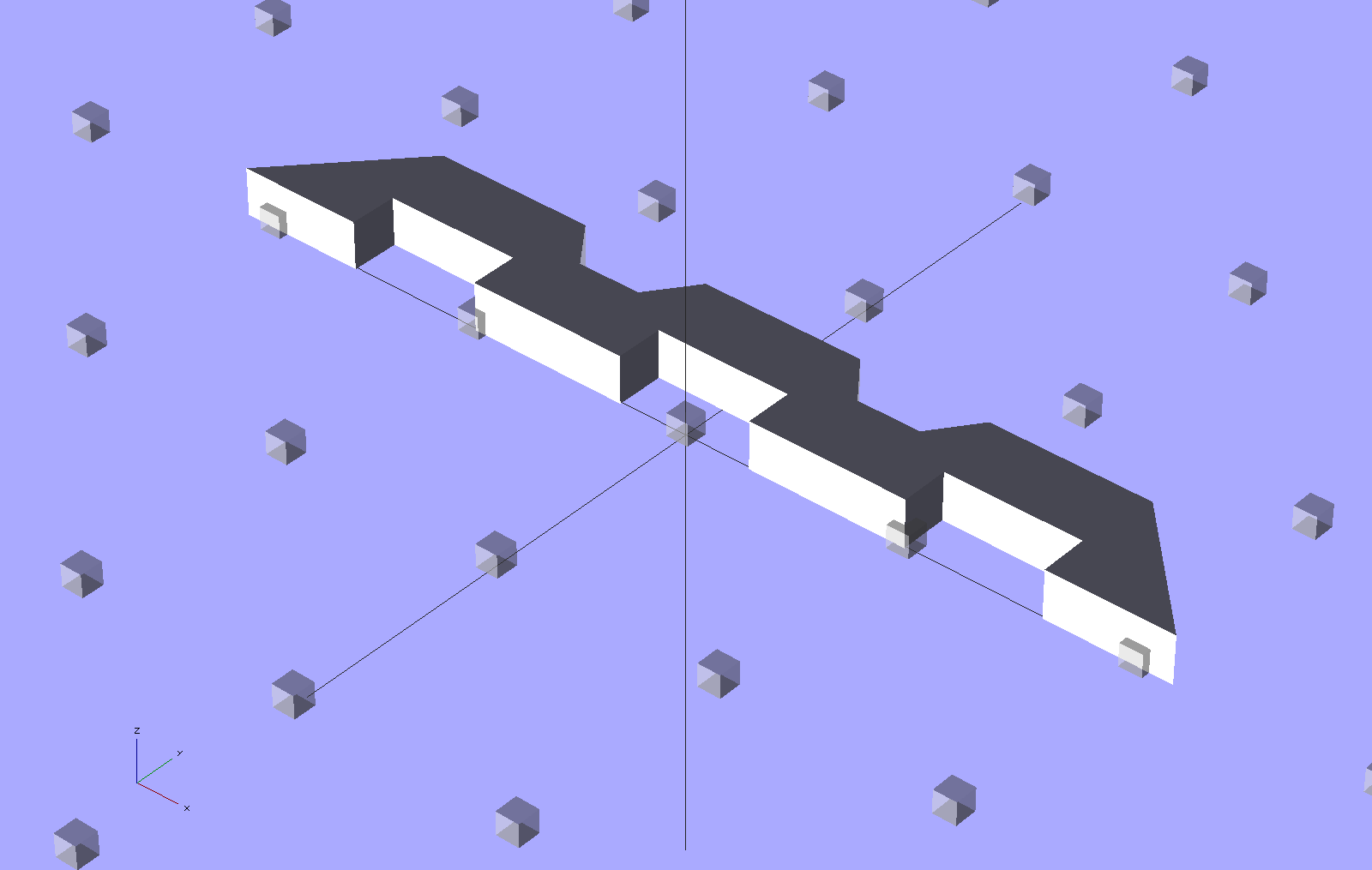
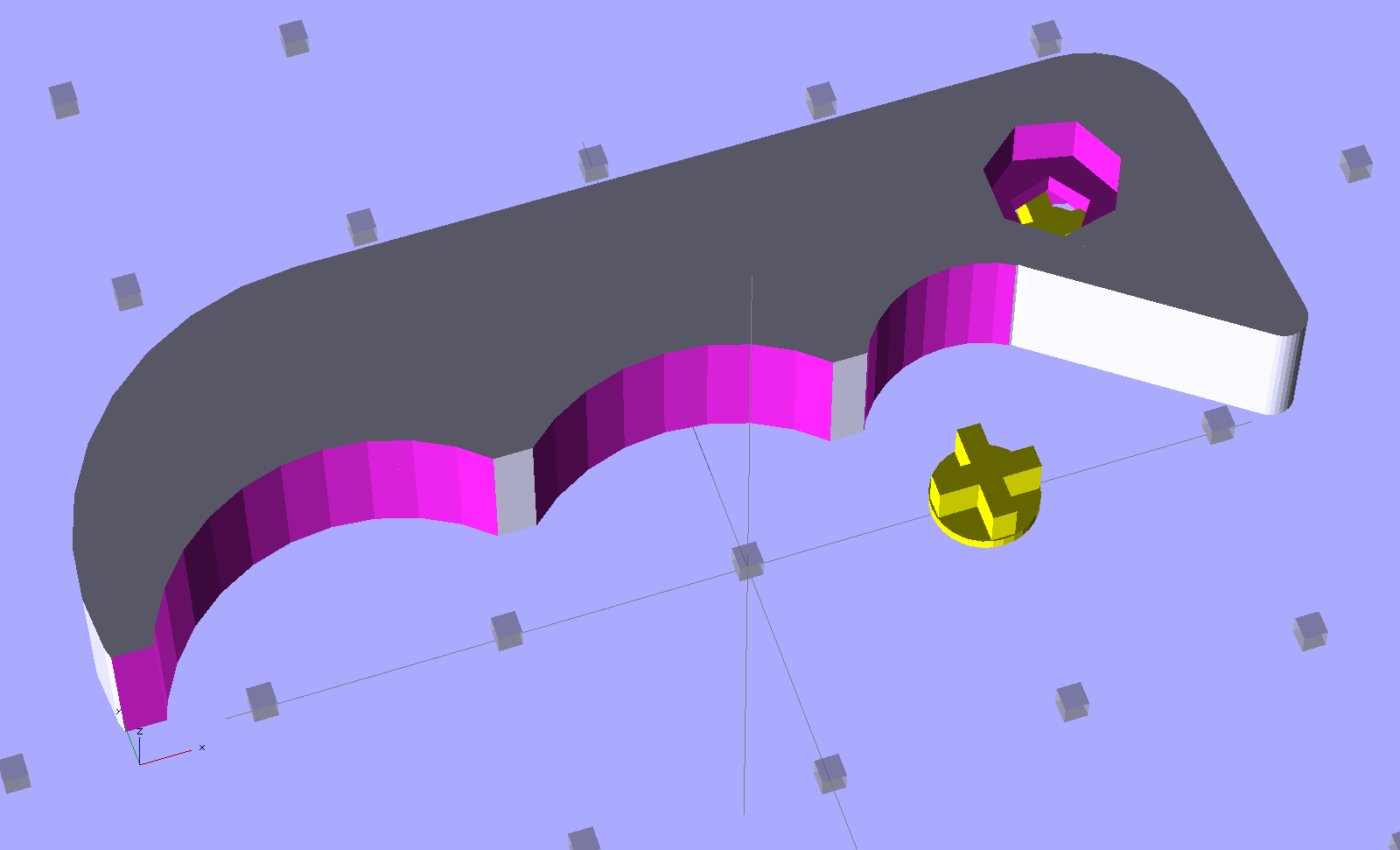
HF Bar Clamp – support – solid model
The tip of each fin has a scar where the overlying perimeter thread bonded to it. Skeinforge is set to extrude the perimeter first, which would squirt that circle (well, pentagon) into mid-air… which is why this support plug lies in wait below.









 The Smell of Molten Projects in the Morning