Ed Nisley's Blog: Shop notes, electronics, firmware, machinery, 3D printing, laser cuttery, and curiosities. Contents: 100% human thinking, 0% AI slop.
Of late my Tour Easy has developed a squeak at the pedal-go-round rate. It has Performance Bike Campus pedals, with SPD cleats on one side and a rat-trap surface on the other, and only the SPD side squeaked.
Turns out that the two little mounting screws holding the cleat dingus worked their way loose.
SPD pedal screws
I should probably ease some lube under that plate, just to be sure, but the simple fix worked fine…
(And, yeah, I should clean it, just once, to see what it’s like, right?)
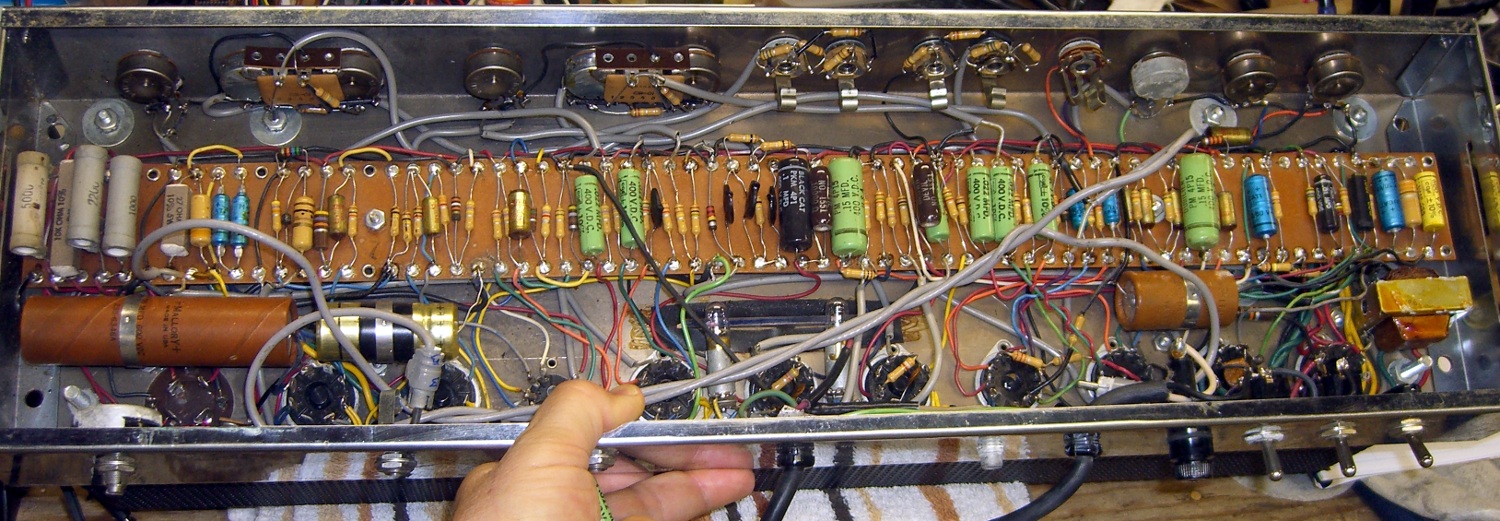
Just for completeness, here’s the original underside:
Ampeg B-12-XY – Underside – old caps
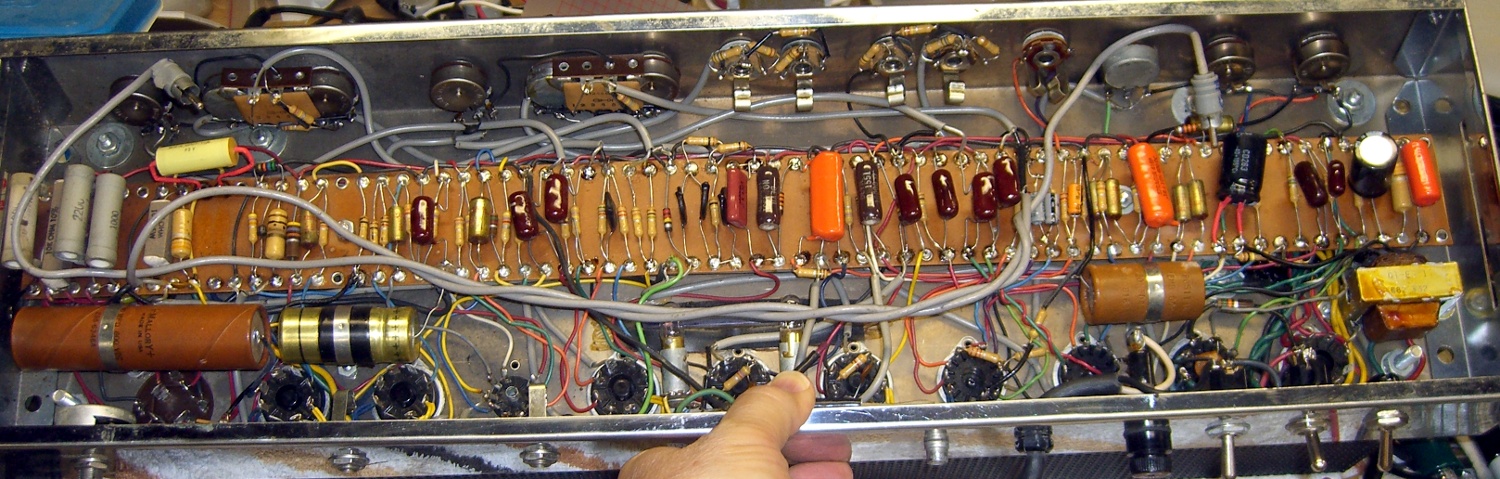
And with the new caps, many from Eks’ stash and a few from mine:
Ampeg B-12-XY – Underside – new caps
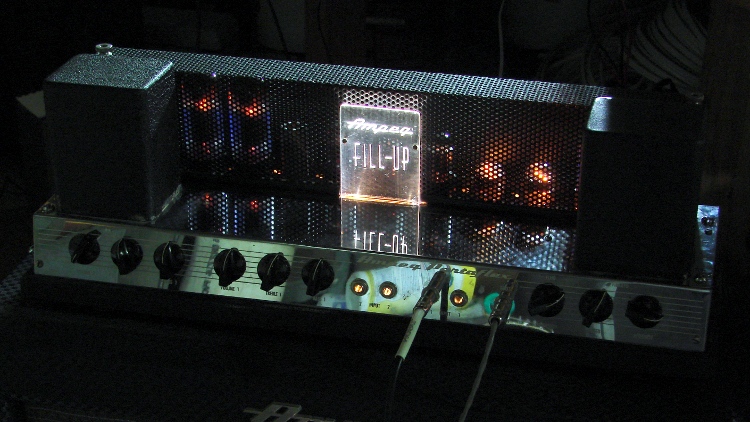
With all those in place, the firebottles lit up properly, the power tube plates remained dark, and it sounded great. The edge-lit engraved acrylic panel in the middle is a wonderful custom mod!
Ampeg B-12-XY Firebottles
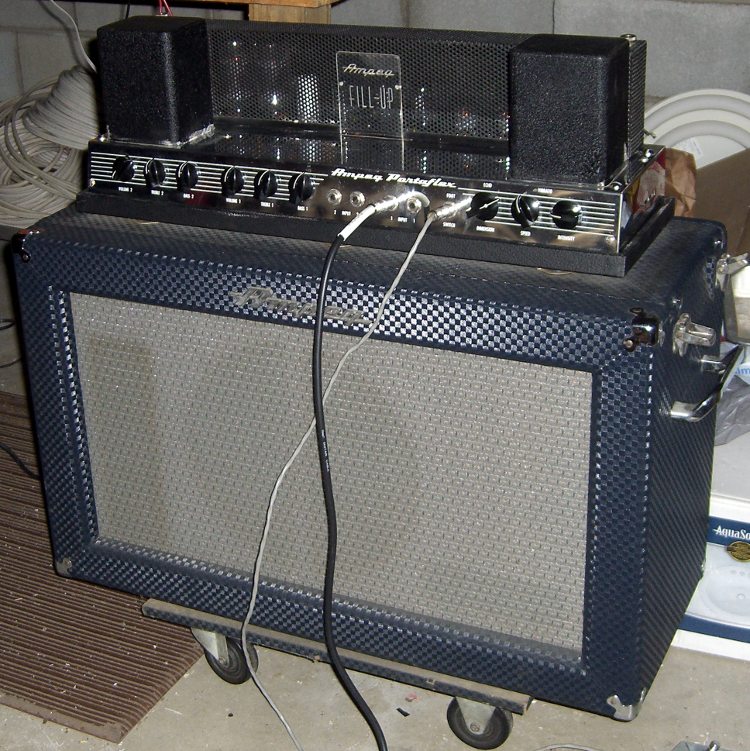
It’s in mint condition, with the original footswitch and a remote Echo speaker box with a pair of drivers:
Ampeg B-12-XY – ready to rock
It still has those original huge electrolytics, though. Eks says the best test comes after half an hour: if the cans remain cool, the leakage and ESR will be good enough.That’s the case, so we’re rolling with them. However, the amp has some residual hum that the Hum nulling pot can’t remove, plus a bit of noise, which means those ‘lytics probably hover at the bare minimum values required to keep it going.
I discovered (inadvertently, of course) that swapping the two identical6D10 triple triode tubes killed the Vibrato oscillator. That triode would oscillate for a few seconds after the footswitch grounded the cathode, but one tube didn’t have enough gain to keep it going. More likely than not, the feedback resistors have increased in value, too. Swapping the 6D10s restored it to operating condition.
My Shop Assistant compared her tiny DSP Fender amp with this monster and concluded that DSP effects only sound good when you don’t have the original for comparison. Of course, you could lose that tiddly amp inside the Ampeg’s speaker case.
After Eks set me straight on cleaning the contacts involved with the Ampeg’s Echo circuitry, we emerged from his shop into brilliant sunshine. He looked into the thing and shouted “Tin whiskers!”
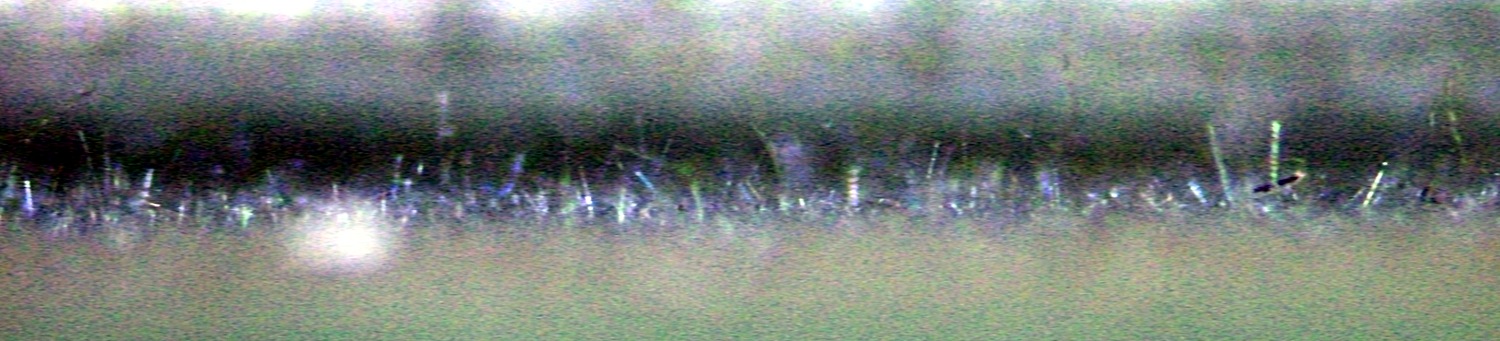
It turns out the Hammond folks made the outer frame from tin- (or, shudder, cadmium-) plated steel that has grown a dense crop of whiskers on its interior surface. They glittered in the sunlight like a carpet of crushed glass, with the longest ones maybe 3 mm tall!
This view looks nearly parallel to the side of the channel (upward as it mounts on the speaker box), with the steel wall to the bottom of the image. I applied gruesome contrast stretching to make the whiskers more visible:
Ampeg Spring Echo Unit – Tin Whiskers
This is the first time I’d ever seen a tin whisker in person and there’s a bazillion of ’em in there!
If that Ampeg had transistorized components, it’d be dead as a doornail! Fortunately, a tin whisker doesn’t stand a chance in an analog vacuum-tube circuit. The power supply puts 400-ish V into 40 μF caps, providing plenty of energy to vaporize the errant whisker; all you’d hear is a pop.
Mad Phil asked me to fix up his trusty Ampeg B-12-XY (*) bass guitar amp, having recently fired it up and discovered that the power output tube plates glowed red-hot. I’d planned to replace the electrolytic caps, but Eks, who does this sort of thing all the time, suggested that leaky interstage coupling caps can also cause that problem; the leakage wrecks the phase splitter bias and thus kills the drivers.
While poking around in the amp I found that the Echo hardware circuitry doesn’t match the schematic for either the B-12-X or B-12-XY. Mad Phil says that’s probably because he had the factory upgrade his original B-12-X to a B-12-XY for the munificent sum of $25, back in the day. It’s unlikely you’ll ever need this, but here’s what I found:
Ampeg B-12-XY – as-found Echo circuit
The topology resembles the -XY schematic, but with different tube sections and part values.
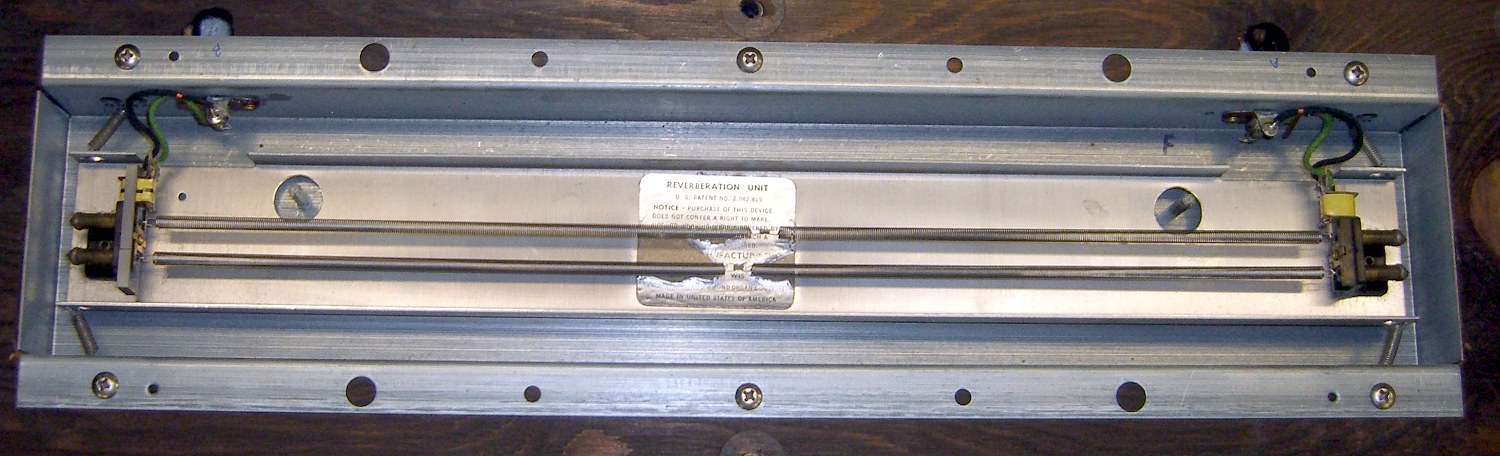
The Echo unit over there on the left consists of two springs with magnetic transducers on each end, evidently made by the Hammond Organ folks, who should know something about reverb. This is the bottom view, with the unit attached to the board that supports the amp chassis:
Ampeg Spring Echo Unit
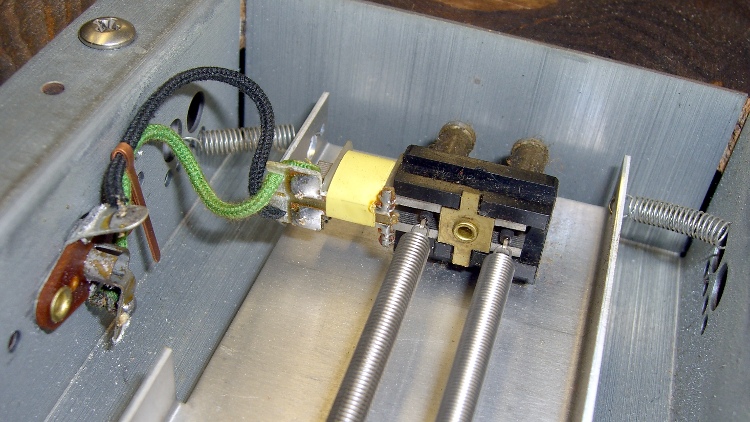
The input transducer, just in case you forget to label the ends before you take it apart:
Ampeg Spring Echo – input end
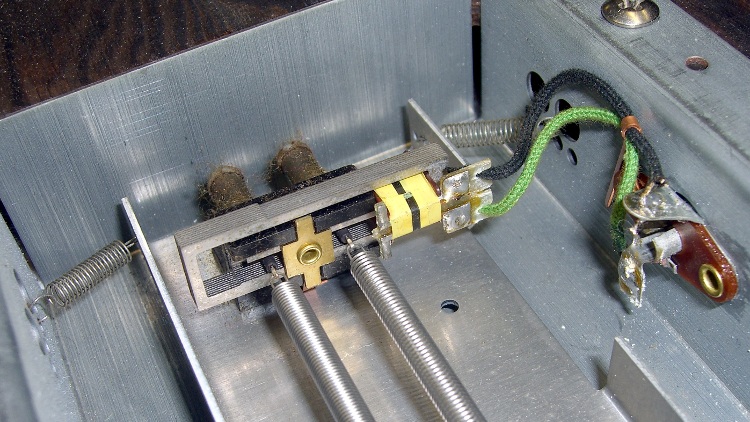
And the output transducer:
Ampeg Spring Echo – output end
Getting the thing off the speaker box posed a bit of a problem. Remove the four big screws holding the chassis to the board, tilt it carefully forward, hold it in place while you remove the six nuts-and-washers from the vibration isolators, then transport the whole disjointed affair to the workbench. Turns out you (well, I) can’t get the RCA plugs out of the Echo unit’s sockets from the top of the board, but the unit’s mounting screws are on the bottom of the board, where you can’t get to them before you remove the board. Of course, the cables leading to the aforementioned RCA plugs tether the chassis to the Echo unit with pretty nearly no slack at all.
With everything apart, I rounded the ends of the RCA plug cutouts enough to get them out from the top the next time around, with the board screwed in place atop the speaker box:
Ampeg Spring Echo unit – top view
After putting the whole thing together with new caps, the Echo circuit didn’t work. I had cleaned the contacts and connectors, but Eks showed me how it’s really done. Apart from the rotted caps, all the other problems came from minor corrosion in switches, connectors, and tube sockets. Now I know better.
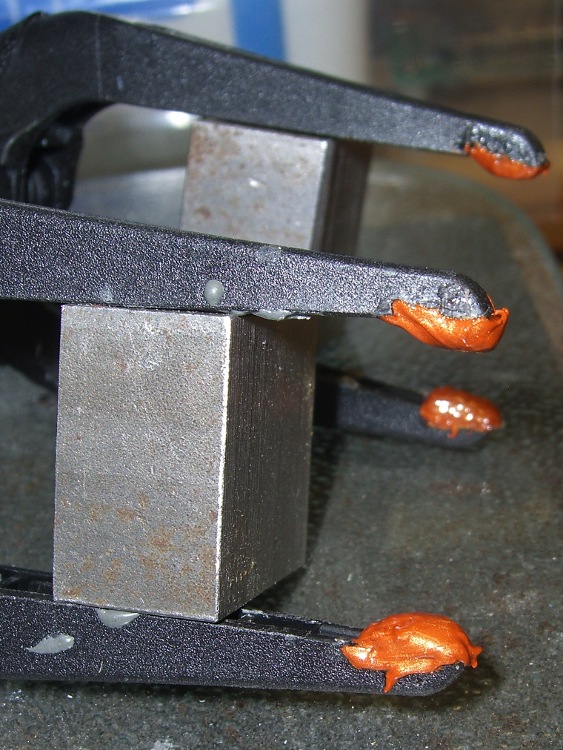
The thermoplastic (who knew?) pads melted right off my long-reach clamps while calibrating those thermocouples, leaving the thermoset (who knew?) clamps behind. I tried a few of the obvious candidates for the job with no success, but (while fiddling around with something else) I came upon an unopened tube of Permatex Ultra Copper copper-loaded silicone gasket glop.
The cured silicone rubber is very flexy, which is sort of what you want in a pad, even if I’m not convinced they’ll stay in place. They seem securely mounted in the recesses of the pad tips; I worked the glop in with a screwdriver tip.
Using the pressure washer to blast the crud off the propane grill has become an early summer ritual around here. I’d reconfigured the extension pipes to reach up the side of the house, so I started by swapping the connectors around to put a shorter pipe at the handpiece. Surprise: those connectors were firmly affixed and a rubber strap wrench on the pipe lacked enough grip.
Rather than wreck that nice chrome plating with a pipe wrench, I clamped two pieces of scrap plywood in the drill press and poked a half-inch hole right down the midline. Add a dab of rosin to improve traction, crunch everything in the bench vise, and spin the connector off.
Well, that’s the way it went for the first connector, with the PTFE joint tape I remember adding last time around.
The connector on the other end was more recalcitrant, perhaps because it still had the manufacturer’s joint compound in place. It eventually yielded to the gentle persuasion of a propane torch, applying just enough heat to wreck the compound’s grip.
The good thing about a plywood clamp is that I don’t form a deep emotional attachment to it: make one when it’s needed to fit the pipe at hand, don’t worry about a precision fit, regard it as a consumable, and move on.
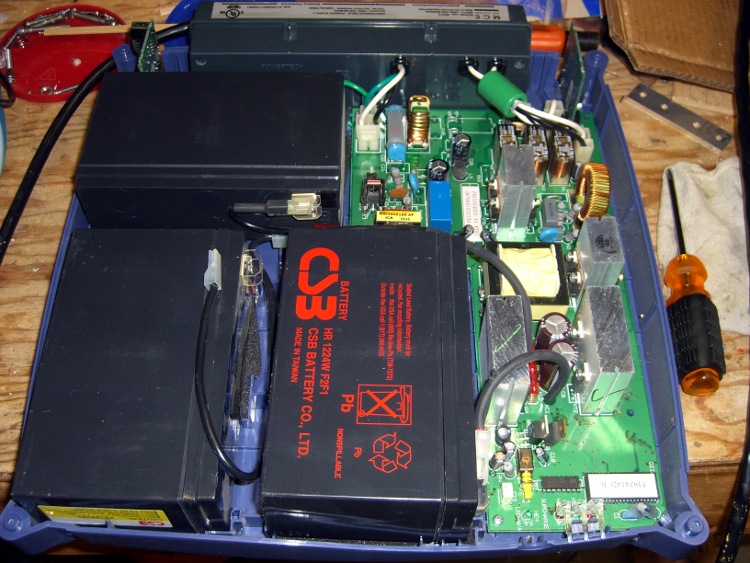
The SLA batteries in the MGE Ellipse 1200 UPS finally gave out. This picture shows how they’re arranged inside the box:
MGE Ellipse 1200 UPS – battery arrangement
They’re 12 V 5 Ah batteries that are about 12 mm thinner than the garden variety 7 Ah batteries you can get everywhere; they’re not the same size as the generic 5 Ah batteries you might think would work. Of course, there’s not enough room inside the stylin’ case for the larger ones, either. I’m thinking of using fatter batteries anyway and putting a belly band around the gap. Maybe an external battery box with a chunky cable burrowing through a hole in the UPS case?
For what it’s worth, APC absorbed MGE a while ago (so the MGE website redirects to APC), got Borged by Schneider, then spat out MGE’s consumer grade UPS units to Eaton. You won’t find any of that documented anywhere, but here’s the response from APC after I didn’t find this UPS on their list:
I do apologize; when APC was acquired by Schneider Electric, the single phase UPS line that MGE once offered was sold to Eaton. Eaton now provides support for the MGE single-phase products. We do not sell batteries for these models. You will actually need to contact Eaton for further assistance regarding the MGE Ellipse units. You may click on the link below to go to Eaton’s website:
The Eaton website does have a battery replacement for this one, but sporting the dreaded “Contact us for price” notation. Given that I got the UPS cheap-after-rebate, I’m thinking maybe this isn’t worth the effort.




 The Smell of Molten Projects in the Morning